

VoIP-apper er programvareverktøy som lar teamet ditt foreta taleanrop over internett i stedet for tradisjonelle telefonlinjer. Hvis du ser etter de beste VoIP-appene, trenger du sannsynligvis pålitelige måter å komme i kontakt med kunder på, jobbe eksternt eller håndtere store samtalevolumer uten å gå glipp av noe. Valget av riktig verktøy påvirker teamets kommunikasjon, kundetilfredshet og økonomiske resultater.
I denne veiledningen finner du tydelige sammenligninger av de beste VoIP-appene, innsikt i hva som skiller dem fra hverandre, og tips for å velge den som passer best til virksomhetens behov.
Why Trust Our Software Recommendations
6,700+
Reviews
20
Industry experts
16+
Evaluation factors
14
Years
Our team has been testing and reviewing software since 2012. As CX leaders ourselves, we know how difficult—and important—it is to choose the right software.
For this guide, we evaluated tools using hands-on testing and independent research, scoring tools using our selection criteria.
Our reviews reflect our human editorial judgment, not a sales pitch.
 Gui DrusinaCreative Director
 Tim FisherVP of AI
Sammenligningstabell for VoIP-apper
Denne sammenligningstabellen oppsummerer prisdetaljene for mine utvalgte VoIP-apper:
| Tool | Best For | Trial Info | Price | ||
|---|---|---|---|---|---|
| 1 | Best for analytics-driven call management | 14-day free trial | From $25/user/month (billed annually) | Website | |
| 2 | Best for integrated voice and messaging | 14-day free trial + free demo available | Pricing upon request | Website | |
| 3 | Best for cloud contact center scaling | Free plan available | Pricing upon request | Website | |
| 4 | Best for ticketing-system integration | 14-day free trial + free demo available | From $19/user/month (billed annually) | Website | |
| 5 | Best for outbound sales teams | 14-day free trial | From $29/user/month (billed annually) | Website | |
| 6 | Best for automated contact center workflows | Free demo available | Pricing upon request | Website | |
| 7 | Best for AI-powered customer journeys | Free trial available | From $75/user/month (billed annually) | Website | |
| 8 | Best for omnichannel workforce optimization | Free demo available | From $110/agent/month (proactive AI extra) | Website | |
| 9 | Best for global call routing flexibility | Free demo available | From $119/seat/month | Website | |
| 10 | Best for unified team collaboration | 14-day free trial | From £18/user/month | Website |


Anmeldelser av de beste VoIP-appene
Nedenfor finner du mine detaljerte sammendrag av de beste VoIP-appene som kom med på kortlisten. Anmeldelsene mine gir en grundig gjennomgang av funksjonene, integrasjonene og de beste bruksområdene for hver plattform, slik at du kan finne den som passer best for deg.
 Best for analytics-driven call management
- 14-day free trial
- From $25/user/month (billed annually)
Visit WebsiteCustomer Rating:4.4/5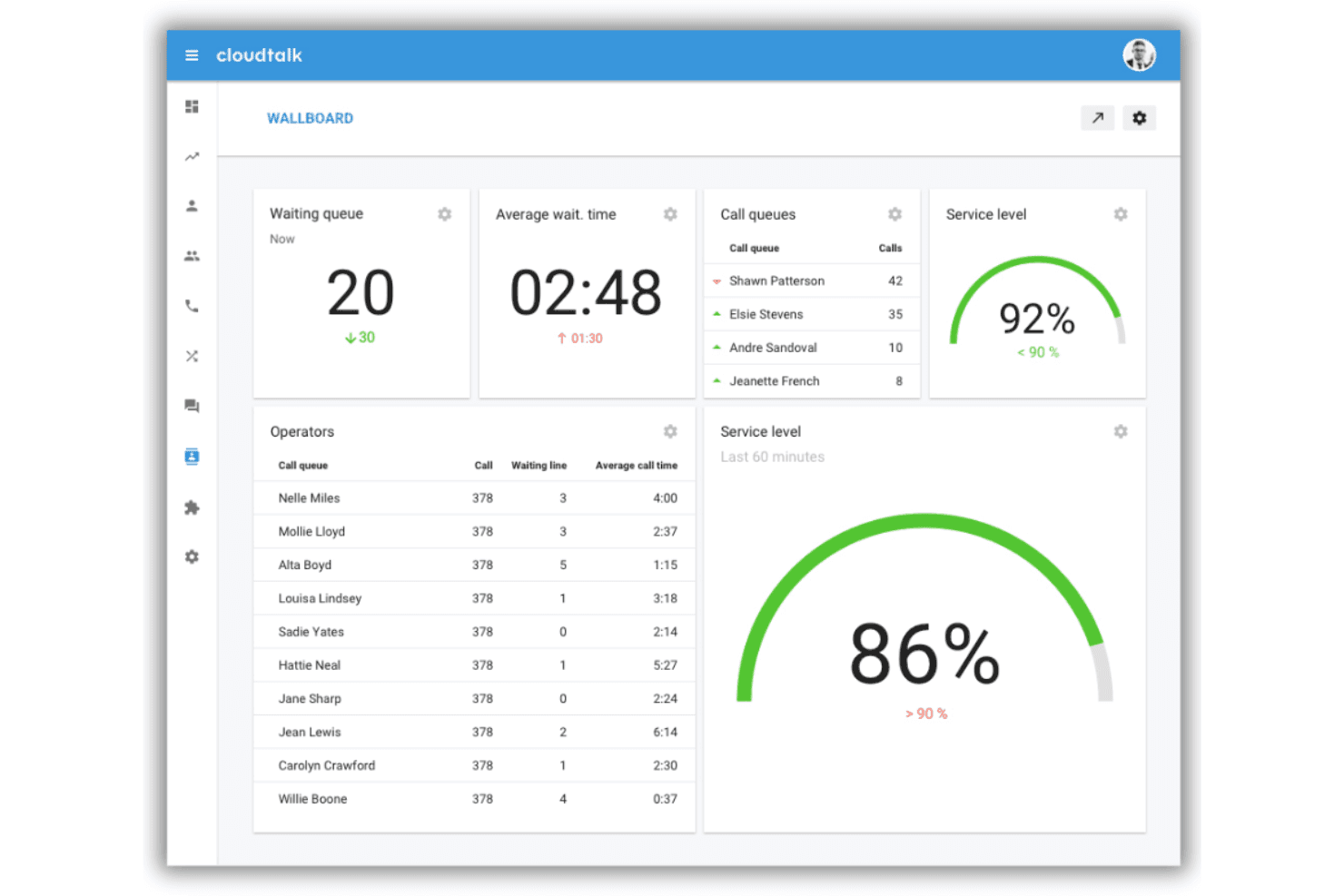
CloudTalk provides cloud VoIP with analytics, automation, and CRM integration. CloudTalk is a cloud-based VoIP app designed for teams needing advanced call analytics, global number coverage, workflow automation, and deep CRM integration within their communications platform.
Who Is CloudTalk Best For?
CloudTalk is a strong choice for mid-sized and global teams that need detailed call analytics and reliable international calling capabilities.
Why I Picked CloudTalk
I picked CloudTalk because its analytics-driven call management stands out in the VoIP space. I use their real-time dashboards to monitor call activity and rely on AI-powered conversation intelligence to review agent calls and boost performance.
CloudTalk Key Features
- AI Voice agents: Automate call handling with configurable AI-powered virtual agents.
- Visual call flow designer: Customize IVR trees and call routing logic with a drag-and-drop builder.
- Integrated messaging: Send and receive SMS, MMS, and WhatsApp messages from your call platform.
- Global number coverage: Get local, toll-free, and mobile numbers in over 160 countries.
CloudTalk Integrations
CloudTalk offers over 100 native integrations, including HubSpot, Salesforce, Pipedrive, Zendesk, Freshdesk, Intercom, Zoho CRM, Slack, Microsoft Teams, and Google Workspace. An API is available for custom integrations, and it connects with Zapier.
Pros and Cons
Pros:
- Visual builder for IVR and routing workflows
- AI voice agents for call automation
- Advanced analytics and live performance dashboards
Cons:
- Some AI features require higher plan tiers
- Limited secondary app options
 Best for integrated voice and messaging
- 14-day free trial + free demo available
- Pricing upon request
Visit WebsiteCustomer Rating:4.3/5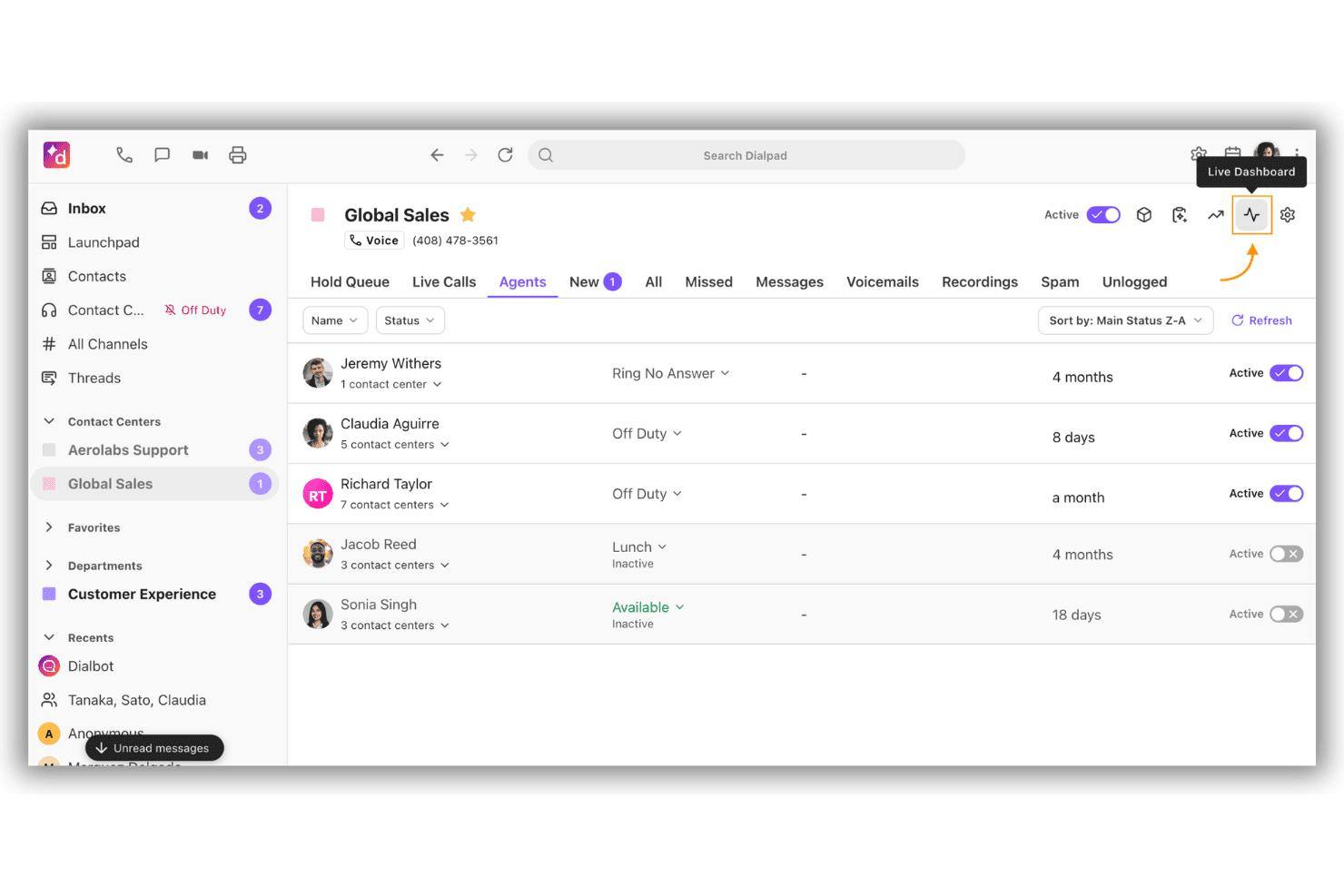
Dialpad unifies calls, messaging, meetings, and AI communications. Dialpad is a cloud-based VoIP app that brings together calling, video meetings, SMS messaging, and AI-powered conversation tools in a unified workspace for business communications.
Who Is Dialpad Best For?
Dialpad is a fit for distributed teams and companies needing AI-powered communication tools that combine voice, messaging, and video in one platform.
Why I Picked Dialpad
I picked Dialpad as one of the best because I can handle voice calls, SMS, and instant messaging all in one workspace. I use built-in AI to get real-time call transcription and automatic post-call summaries. This setup helps my team keep every conversation accessible.
Dialpad Key Features
- AI-powered voicemail transcription: Converts voicemails to searchable text within the app.
- Call routing and IVR: Let you configure custom call flows and interactive voice responses.
- Call recording controls: Offers on-demand and automatic call recording for compliance and training.
- Integrations marketplace: Connects with Salesforce, Google Workspace, Microsoft Teams, and other enterprise tools.
Dialpad Integrations
Dialpad offers native integrations with Salesforce, Zendesk, HubSpot, Google Workspace, Microsoft Teams, Slack, Okta, Front, Zoho CRM, and ServiceNow. An API is available for custom integrations.
Pros and Cons
Pros:
- Quick to deploy for remote or hybrid teams
- Shared screen calling workspace
- AI-powered live transcription for all calls
Cons:
- Reporting features can be limiting for call centers
- SMS coverage limited in some regions
 Best for cloud contact center scaling
- Free plan available
- Pricing upon request
Visit WebsiteCustomer Rating:4.5/5
Amazon Connect handles voice, chat, email, and SMS with AI. Amazon Connect is a cloud-based contact center solution that enables teams to handle voice, chat, email, and SMS interactions with detailed AI-powered features and deep integration across the AWS ecosystem.
Who Is Amazon Connect Best For?
Mid-sized to large enterprises that need a scalable, cloud-based contact center integrated with AWS services.
Why I Picked Amazon Connect
I picked Amazon Connect as one of the best because I rely on its ability to scale voice and omnichannel communications across cloud contact centers. I use its AI-powered agent assist and automated call routing to support high-volume global operations on demand.
Amazon Connect Key Features
- Omnichannel messaging: Connect with customers by voice, chat, email, or SMS all in one platform.
- Visual flow builder: Design and update call flows with a no-code, drag-and-drop interface.
- Real-time analytics dashboards: Monitor contact center activity and agent performance as it happens.
- API integrations: Integrate directly with AWS services and popular business applications for simplified workflows.
Amazon Connect Integrations
Amazon Connect offers native integrations with Salesforce, ServiceNow, Zendesk, Microsoft Teams, and several AWS services such as Lambda, S3, and Lex. An API is available for custom integrations.
Pros and Cons
Pros:
- Visual drag-and-drop flow builder
- Handles high call volumes for global teams
- AI-powered agent assist and analytics included
Cons:
- Usage-based pricing can be unpredictable
- Advanced setup requires AWS technical expertise
Learn more about Amazon Connect: Best for ticketing-system integration
- 14-day free trial + free demo available
- From $19/user/month (billed annually)
Visit WebsiteCustomer Rating:4.4/5
Zendesk Talk delivers AI-powered cloud calling with integrated support tickets. Zendesk Talk is a cloud-based VoIP solution built for support teams, delivering AI-powered call management, integrated ticketing, and advanced routing within the Zendesk workspace.
Who Is Zendesk Talk Best For?
Support teams using Zendesk who need integrated voice, ticketing, and AI features in one platform.
Why I Picked Zendesk Talk
I picked Zendesk Talk as one of the best because it lets my team manage calls, tickets, and AI-powered voice support all in one place. I rely on its ticketing system integration to automatically log call details and updates as support tickets.
Zendesk Talk Key Features
- AI copilot for agents: Offers real-time, in-call suggestions and knowledge base answers during live conversations.
- Multi-level IVR menus: Let you customize complex call routing paths to direct callers based on their needs.
- Call transcription and summary: Automatically generates transcripts and summarized notes for every conversation.
- Omnichannel workspace: Enables agents to handle calls, chats, and emails together in a single unified interface.
Zendesk Talk Integrations
Zendesk Talk offers native integrations with Zendesk Support, Salesforce, Slack, Shopify, and Jira. It provides access to 1,800+ marketplace integrations and has an API for custom integrations.
Pros and Cons
Pros:
- Call transcription and analytics are integrated
- Omnichannel workspace combines voice and chat
- AI Copilot assists during live calls
Cons:
- Advanced IVR call menus require higher tiers
- Requires the Zendesk ecosystem for full value
Learn more about Zendesk Talk: Best for outbound sales teams
- 14-day free trial
- From $29/user/month (billed annually)
Visit WebsiteCustomer Rating:4.1/5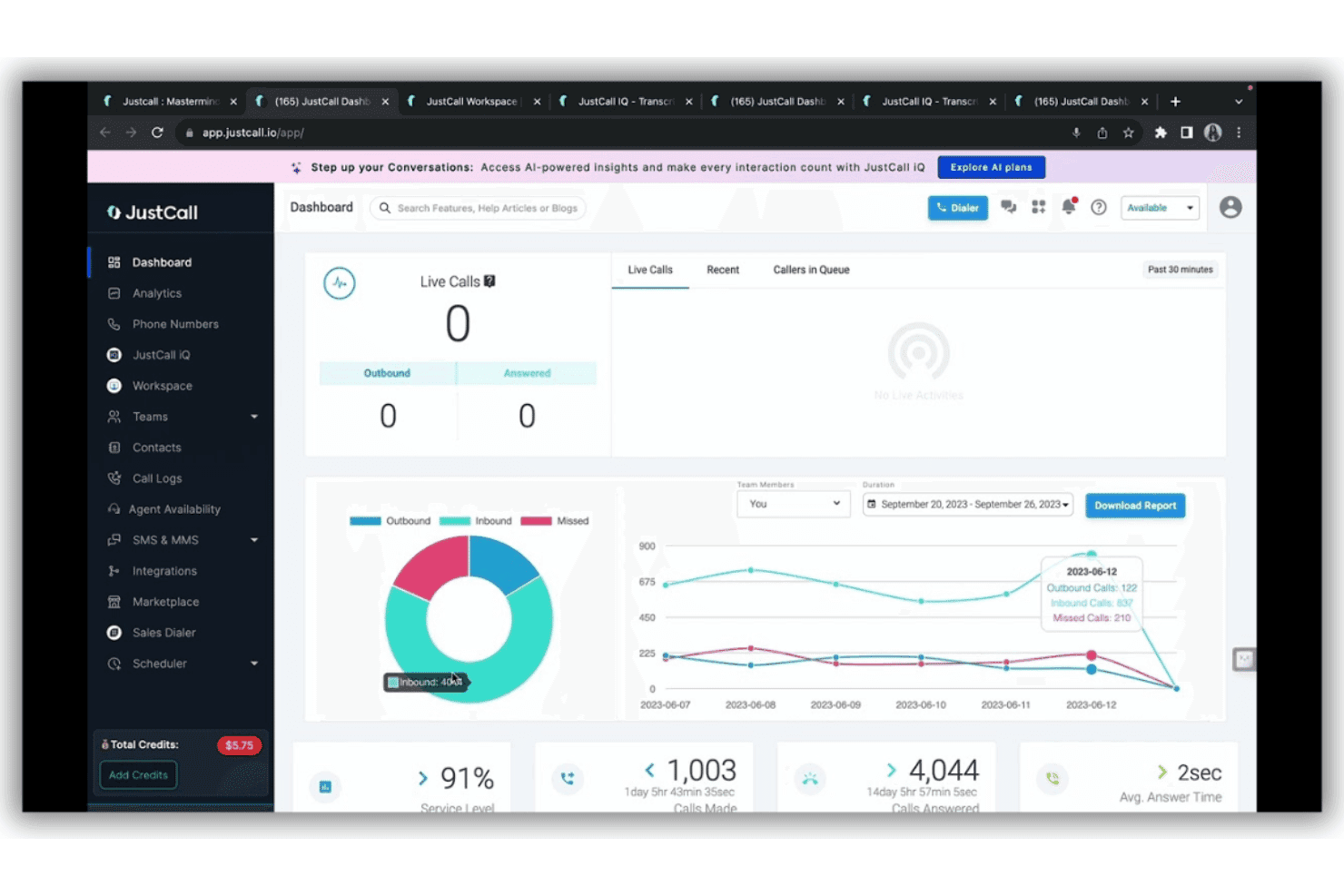
JustCall centralizes calls, SMS, WhatsApp, and CRM interactions with AI. JustCall is a cloud-based VoIP platform that offers outbound sales dialers, contact center capabilities, AI call transcription, and deep CRM integrations for teams looking to centralize phone, SMS, and WhatsApp interactions.
Who Is JustCall Best For?
Outbound sales teams and call centers that need large-scale cloud calling, automated dialling features, and CRM-integrated phone and SMS channels.
Why I Picked JustCall
I picked JustCall as one of the best for outbound sales teams because I can launch predictive and power dialer campaigns, automate call tasks at scale, and trigger automated follow-ups across phone, SMS, and WhatsApp from inside my CRM.
JustCall Key Features
- AI copilot and call summaries: Automatically transcribe and summarize calls with real-time coaching insights.
- Omnichannel inbox: Manage calls, SMS, and WhatsApp interactions in a single unified view.
- IVR call routing: Configure custom call flows and menus for automated call distribution.
- API and webhooks: Integrate JustCall with other apps and automate workflows using the public API and webhook triggers.
JustCall Integrations
JustCall offers 100+ native integrations, including Salesforce, HubSpot, Zoho CRM, Pipedrive, Copper, ActiveCampaign, Freshdesk, Zendesk, monday.com, and Intercom. Zapier and an API are available for custom integrations.
Pros and Cons
Pros:
- Omnichannel SMS and WhatsApp capabilities
- Built-in AI call transcription and summaries
- Predictive and power dialers for fast calling
Cons:
- Requires a minimum of two users per plan
- No built-in video or screen sharing
 Best for automated contact center workflows
- Free demo available
- Pricing upon request
Visit WebsiteCustomer Rating:4.4/5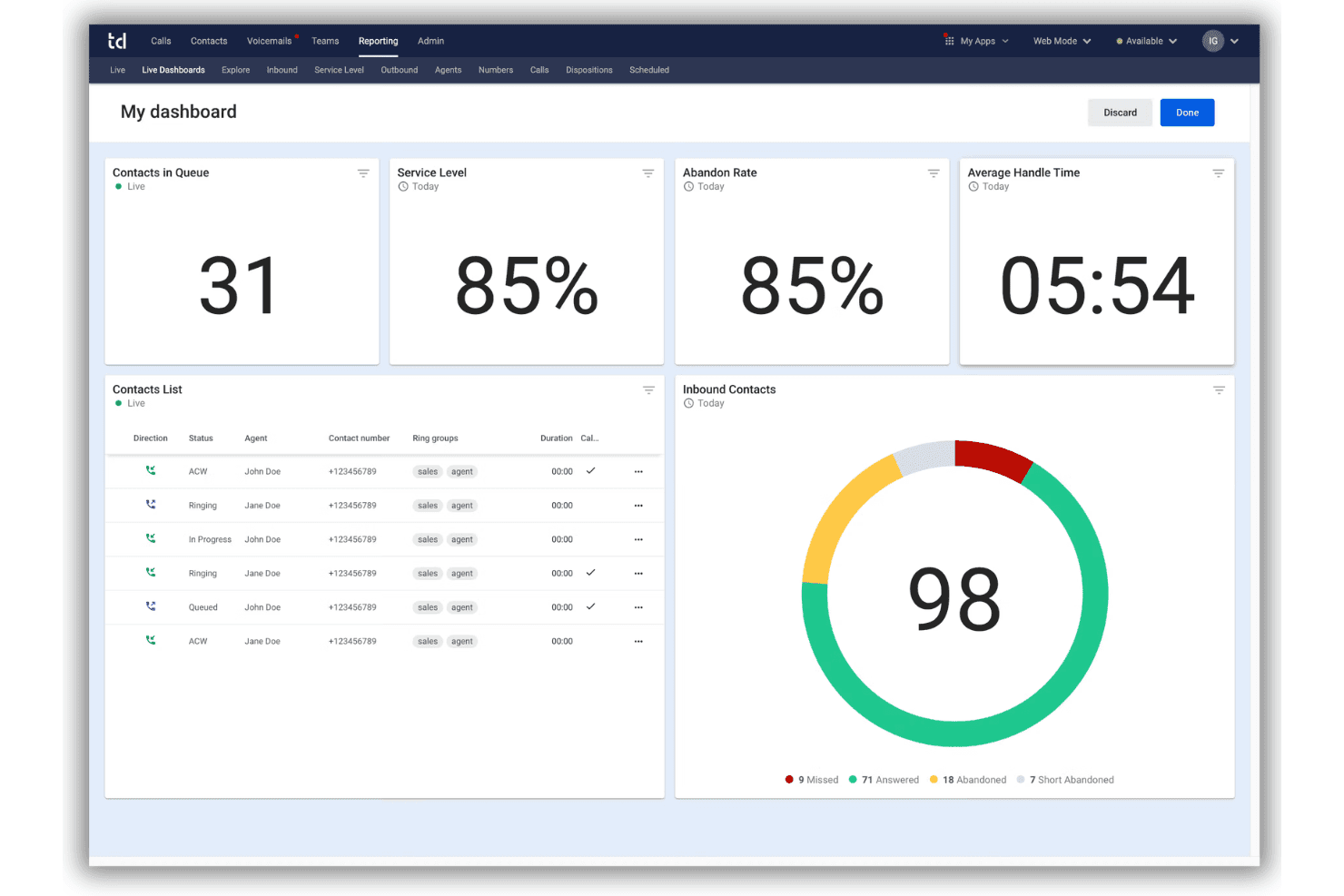
Talkdesk offers AI-powered omnichannel contact center and workflow automation. Talkdesk is an enterprise contact center platform in the VoIP apps space, offering omnichannel engagement, advanced workflow automation, and AI-driven voice and digital customer interactions.
Who Is Talkdesk Best For?
Talkdesk is a good fit for enterprise customer service teams and contact centers that need advanced automation and integration across voice and digital channels.
Why I Picked Talkdesk
I picked Talkdesk as one of the best for VoIP apps because I can use its AI automation tools to set up custom voice workflows and trigger actions across channels. In practice, my team easily automates tasks like call routing and voicemail transcriptions.
Talkdesk Key Features
- Omnichannel engagement: Manage calls, SMS, chat, email, and social messaging in one unified interface.
- Real-time dashboards: Monitor live agent activity, queues, and service levels with visual reporting.
- Screen recording: Capture both audio and screen activity during customer conversations for review or training.
- Workforce management: Access built-in scheduling, forecasting, and agent performance tracking tools.
Talkdesk Integrations
Talkdesk offers native integrations with Salesforce, Zendesk, Microsoft 365, Slack, ServiceNow, and Epic. An API is available for custom integrations.
Pros and Cons
Pros:
- Real-time monitoring and analytics tools
- Automated screen capture tools
- Automated call routing and workflow creation
Cons:
- Mobile app features are highly limited for agents
- Call drops and audio issues reported
Learn more about Talkdesk: Best for AI-powered customer journeys
- Free trial available
- From $75/user/month (billed annually)
Visit WebsiteCustomer Rating:4.4/5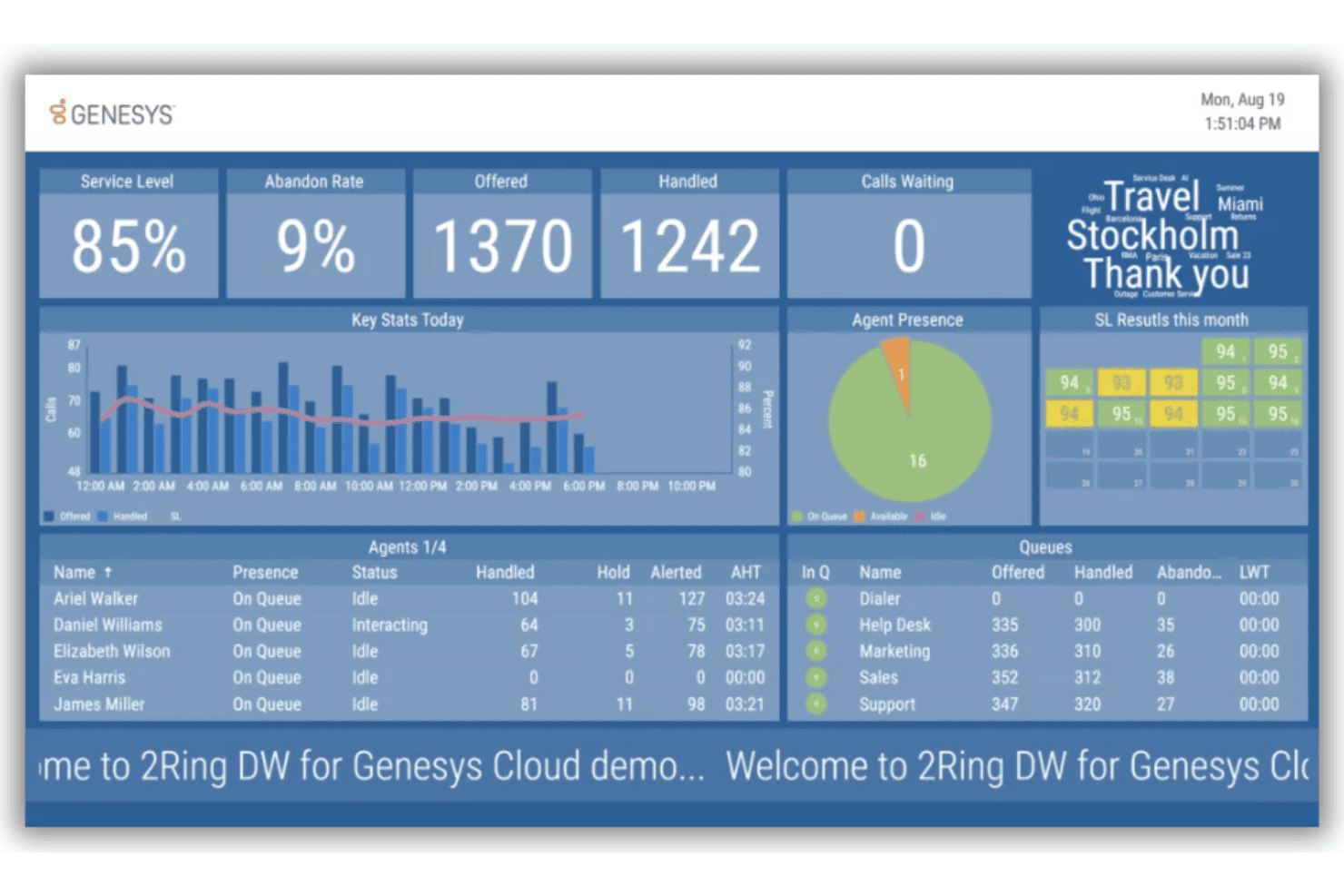
Genesys Cloud CX combines AI routing, omnichannel support, and analytics. Genesys Cloud CX is a cloud contact center platform that combines VoIP calling, omnichannel customer engagement, AI-powered routing, analytics, and integrations with major CRM and communication tools.
Who Is Genesys Cloud CX Best For?
Contact center leaders at midsize to large enterprises who need advanced omnichannel and AI capabilities across voice and digital support.
Why I Picked Genesys Cloud CX
I picked Genesys Cloud CX because I use its AI-driven journey management and predictive routing to customize VoIP interactions at scale. I also like how its real-time analytics let me adapt to customer needs as they happen.
Genesys Cloud CX Key Features
- Omnichannel voice routing: Route incoming VoIP calls alongside chat, email, and social interactions from one agent desktop.
- Call recording and playback: Record every VoIP conversation and access recordings instantly for quality monitoring.
- CRM integrations: Connect VoIP calls directly to Salesforce, Zendesk, or Microsoft Dynamics for fast customer insights.
- Customizable IVR menus: Design multi-level inbound voice menus with drag-and-drop flow builders.
Genesys Cloud CX Integrations
Genesys Cloud CX offers native integrations with Salesforce, Microsoft Dynamics, Zendesk, ServiceNow, Zoom, Microsoft Teams, and 8x8. It supports Amazon Lex and Google Cloud Dialogflow, with an API available for custom integrations.
Pros and Cons
Pros:
- Granular call recording and monitoring options
- Built-in predictive routing algorithms
- Direct CRM screen popups
Cons:
- Some features are locked behind higher tiers
- Advanced setup can require technical expertise
Learn more about Genesys Cloud CX: Best for omnichannel workforce optimization
- Free demo available
- From $110/agent/month (proactive AI extra)
Visit WebsiteCustomer Rating:4.3/5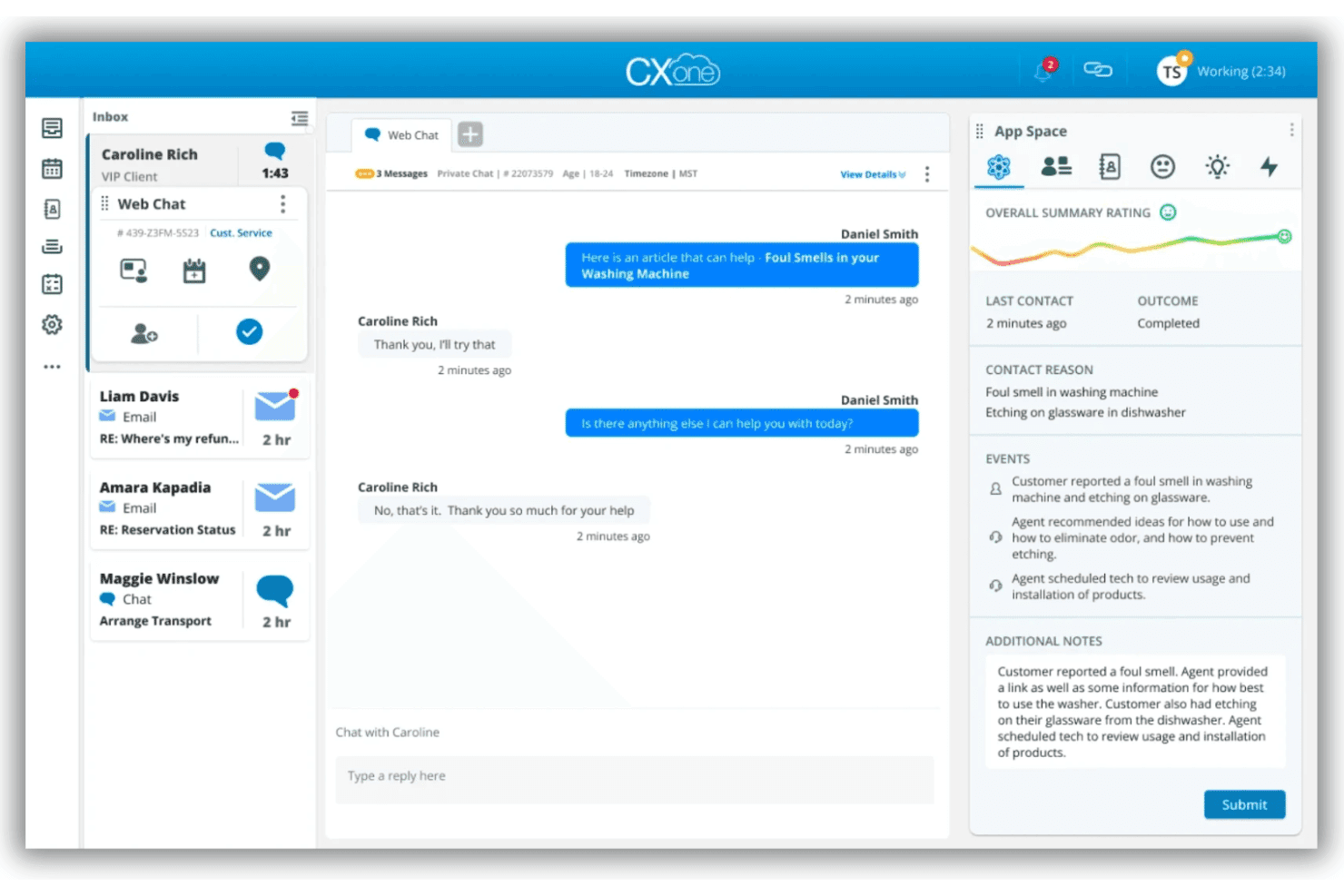
NiCE CXone delivers AI-powered VoIP, call routing, and multilingual support. NiCE CXone is a cloud-based VoIP app that delivers AI-powered voice connectivity, advanced call routing, and multilingual support for enterprise contact centers.
Who Is NiCE CXone Best For?
NiCE CXone is a strong choice for large enterprise contact centers needing global voice connectivity and advanced omnichannel management.
Why I Picked NiCE CXone
I picked NiCE CXone as one of the best for its AI-powered omnichannel workforce optimization, global voice connectivity, real-time translation, and dynamic multi-carrier routing, all built for complex enterprise contact centers.
NiCE CXone Key Features
- Global PSTN connectivity: Offers voice services in more than 150 countries with regional compliance.
- AI-powered noise suppression: Reduces background noise automatically for clearer call audio.
- Real-time call quality monitoring: Continuously tracks and displays call quality metrics during live interactions.
- Developer APIs and SDKs: Enable integration with custom workflows, applications, and business systems.
NiCE CXone Integrations
NiCE CXone offers native integrations with Salesforce, ServiceNow, Zendesk, Microsoft Teams, and Zoom, alongside APIs for custom integrations.
Pros and Cons
Pros:
- Advanced call quality monitoring and reporting
- Real-time AI noise cancellation on every call
- Global voice coverage for large organizations
Cons:
- Customization requires technical resources
- Administration setup can be complex
Learn more about NiCE CXone: Best for global call routing flexibility
- Free demo available
- From $119/seat/month
Visit WebsiteCustomer Rating:4.1/5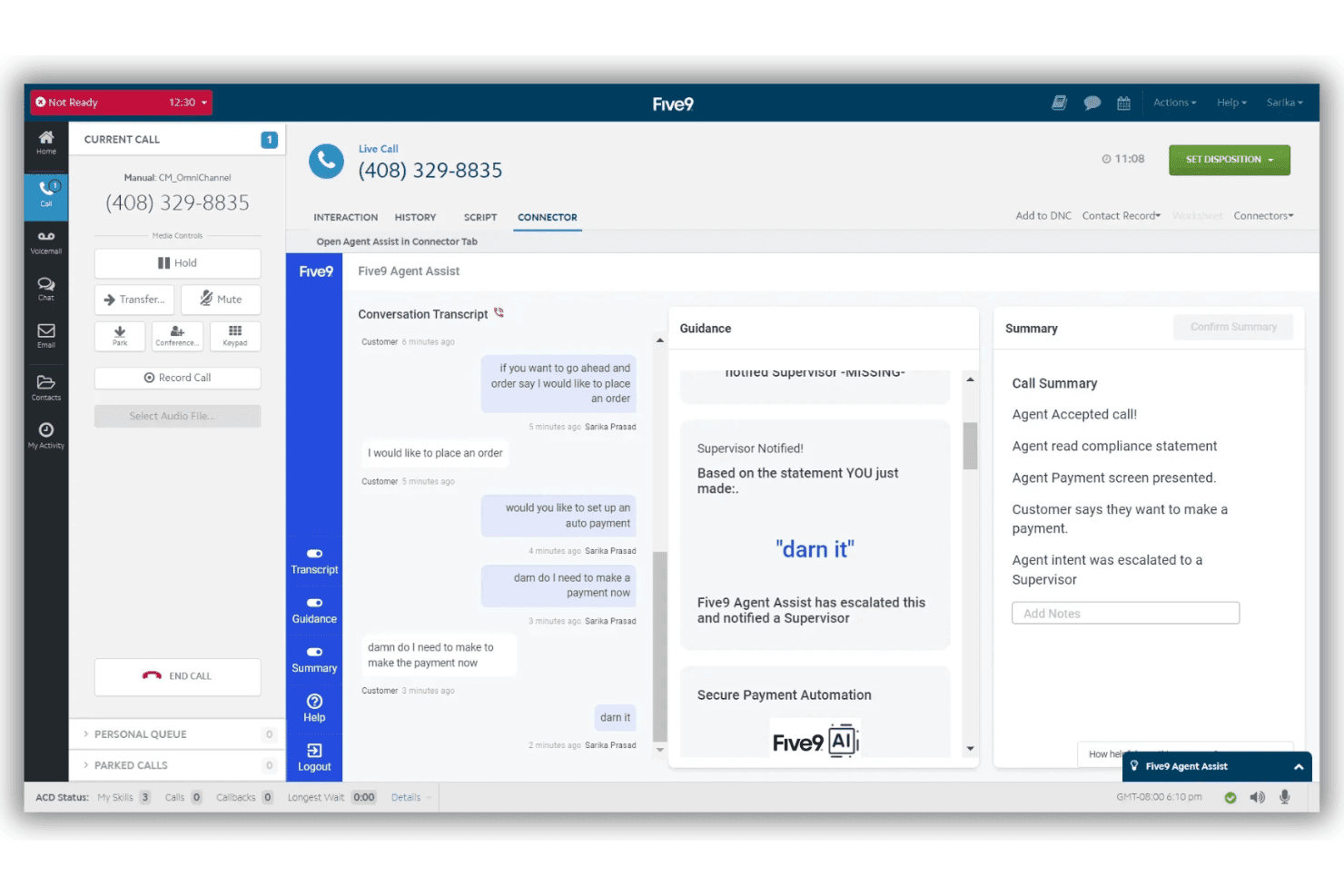
Five9 is a cloud VoIP platform for contact centers with omnichannel support. Five9 is a cloud-based VoIP app designed for contact centers, offering global call routing, multi-channel communication, real-time analytics, and integrations with leading CRM and unified communications platforms.
Who Is Five9 Best For?
Enterprise contact centers with large, distributed teams that require advanced global calling capabilities and deep CRM integrations.
Why I Picked Five9
I picked Five9 as one of the best because I can route calls across continents using its global Core and Voice Edge infrastructure, manage carrier redundancy, and support distributed agents without audio quality issues.
Five9 Key Features
- AI-powered agent assist: Supports agents with live transcription, call summaries, and knowledge base surfacing during calls.
- Integrated CRM connectors: Deliver pre-built integrations with Salesforce, ServiceNow, Microsoft Dynamics, Oracle, and Zendesk.
- Omnichannel communication: Lets teams manage voice, chat, email, SMS/MMS, and social messaging from a single interface.
- Workforce engagement management: Offer built-in tools for scheduling, quality management, analytics, and agent gamification.
Five9 Integrations
Five9 offers native integrations with Salesforce, ServiceNow, Microsoft Dynamics 365, Oracle, Zendesk, Microsoft Teams, Zoom, RingCentral, ATT Office@Hand, Verint, and Calabrio. An API is available for custom integrations.
Pros and Cons
Pros:
- AI-powered live transcription and summaries
- High scalability for large contact centers
- Global call routing with regional optimization
Cons:
- Requires system administrator setup
- Setup is complex for small teams
Learn more about Five9: Best for unified team collaboration
- 14-day free trial
- From £18/user/month
Visit WebsiteCustomer Rating:4.2/5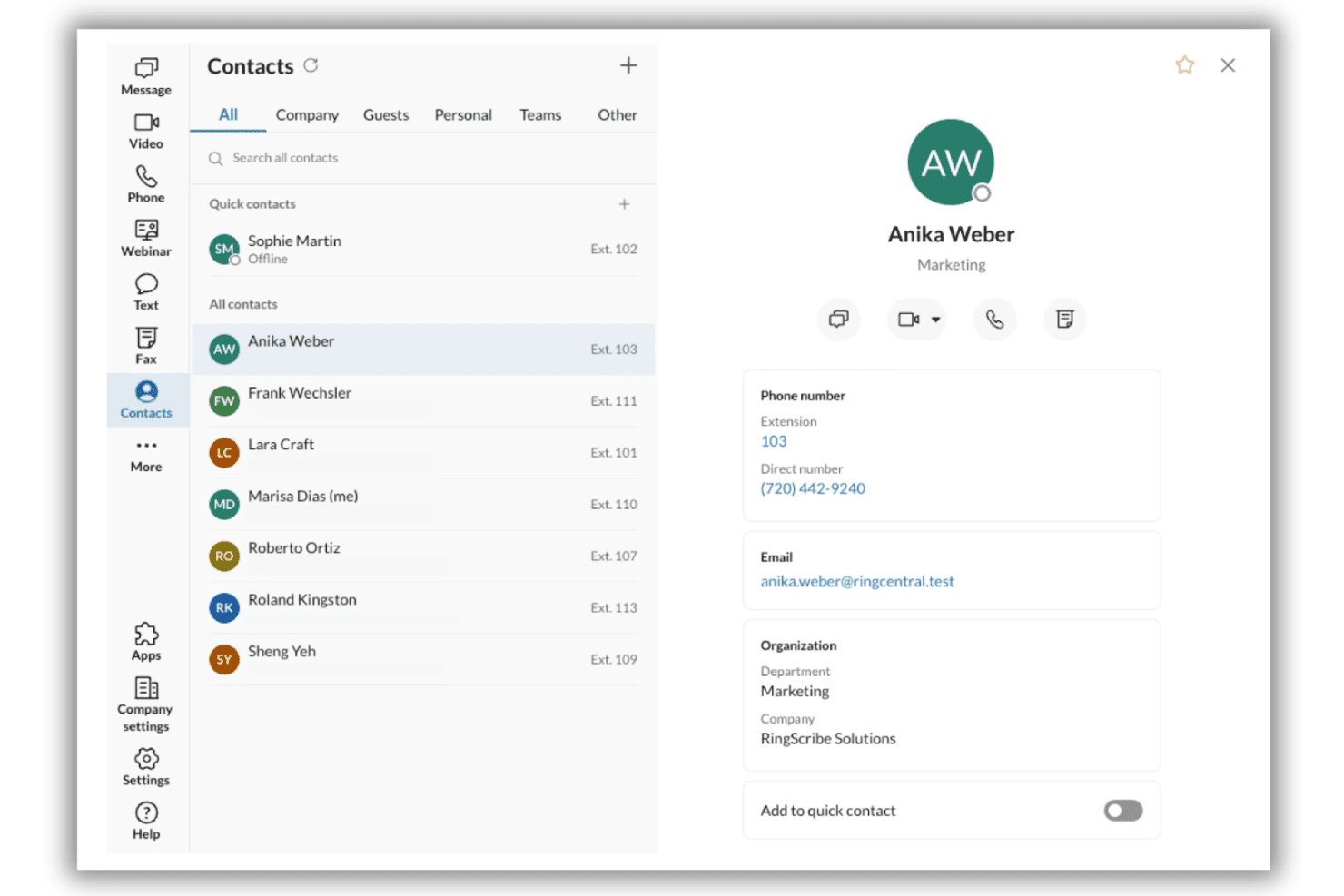
RingCentral RingEX combines cloud calling, video, messaging, and AI tools. RingCentral RingEX is a unified communications solution that combines cloud phone, video meetings, team messaging, AI assistant tools, and over 330 business app integrations for businesses seeking advanced VoIP capabilities.
Who Is RingCentral Best For?
Mid-sized and enterprise teams that need secure, integrated business communications across multiple locations or hybrid work environments.
Why I Picked RingCentral
I picked RingCentral because my team can handle calls, video meetings, and group chat within one platform, making it ideal for unified team collaboration. I also like having AI-generated meeting notes and transcriptions automatically captured.
RingCentral Key Features
- Advanced call routing: Route calls to teams or departments based on custom rules and business hours.
- Integrated fax support: Send and receive digital faxes directly within the app, alongside calls and messages.
- Global phone number provisioning: Instantly set up local, toll-free, or international numbers in over 100 countries.
- Centralized admin console: Manage users, permissions, and analytics from a single online dashboard.
RingCentral Integrations
RingCentral offers native integrations with Salesforce, Zendesk, HubSpot, ServiceNow, Google Workspace, Microsoft Teams, Okta, Box, Slack, and Zapier. An API is available for custom integrations.
Pros and Cons
Pros:
- Built-in AI for meeting transcriptions
- One number for voice, SMS, and fax
- Enterprise-grade uptime and reliability
Cons:
- Extra charges for exceeding fair usage limits
- Requires active network connections
Learn more about RingCentral:
Andre VoIP-apper
Her er noen flere alternativer for VoIP-apper som ikke kom med på kortlisten, men som likevel er verdt å se nærmere på:
- 118x8 Contact CenterBest for multinational contact centers
- 12AircallBest for plug-and-play CRM integrations
- 13NextivaBest for real-time customer sentiment tracking
- 14Freshworks Contact CenterBest for easy international number provisioning
- 15GoTo ConnectBest for simplified call flow management
- 16Vonage Contact CenterBest for Salesforce-powered communications
- 17Zoom PhoneBest for video and phone integration
- 18QuoBest for tailored API-based voice solutions
- 19Webex CallingBest for enterprise-grade security options
How I Evaluate VoIP Apps
I split my evaluation into two layers: the baseline every contact center needs—think IVR, call recording, and CRM screen pops—and the differentiators that set one platform apart from the rest.
Core Functionality (Table Stakes for This List)
When I'm selecting tools for my list, I rank each one on a scale from 0 (does not offer the functionality) to 5 (excels in this area) for each core functionality listed below. Then, I calculate the tool's total score as a percentage. Each tool needs to achieve a minimum total score of 65% to be considered for inclusion.
- VoIP Calling: I check for HD voice quality across desktop, mobile, and web apps so agents can handle calls from home or the office without drops.
- Call Routing & IVR: Skills-based routing and multi-level IVR menus matter here—customers calling about billing should reach billing, not general support.
- Call Recording & Monitoring: I look for automatic recording with supervisor tools like Whisper and Barge, which are key for live coaching during escalations.
- CRM/Helpdesk Integrations: Screen pops that surface caller history from tools like Salesforce or Zendesk save agents from asking customers to repeat themselves.
- Call Analytics & Reporting: Real-time dashboards showing wait times, abandon rates, and agent performance help supervisors adjust staffing before queues spiral.
- Business Phone Features: Standard PBX capabilities like voicemail, call transfer, hold, and forwarding should all work reliably across every device an agent uses.
Once I have a list of tools that meet the criteria, I consider what sets each platform apart.
Differentiating Factors (What Sets Vendors Apart)
Here's how I compare and contrast different vendors:
Standout Features
AI call intelligence is a major differentiator. I look for platforms that generate real-time transcriptions and post-call summaries, freeing agents from manual note-taking during complex conversations. Mobile/desktop parity matters too, especially for remote teams. Agents should be able to hand off a live call from a laptop to a phone without the customer noticing. I also favour platforms that bundle voice with SMS, team messaging, and video in a single app, cutting down the tool-switching that slows agents during busy queues.
Beyond Features
Reliability is the first thing I evaluate. I check for published uptime SLAs and geo-redundant data centers because a dropped call during a customer escalation erodes trust fast. Compliance matters just as much for teams handling sensitive data. Certifications like SOC 2 Type II and HIPAA tell you whether a vendor takes security seriously or treats it as an afterthought. I also look at total cost beyond the per-seat price, including international minutes, toll-free numbers, and number porting fees that can quietly inflate your monthly spend.
Slik velger du VoIP-apper
Det er lett å gå seg vill i lange funksjonslister og kompliserte prisstrukturer. For å hjelpe deg med å holde fokus mens du går gjennom den unike prosessen din for valg av programvare, får du her en sjekkliste over faktorer du bør ha i bakhodet:
| Faktor | Dette bør du vurdere |
|---|---|
| FaktorSkalerbarhet | Dette bør du vurdereKan systemet enkelt legge til eller fjerne brukere etter hvert som teamet vokser eller blir mindre? Kontroller lisensieringen for sesongmessige eller raske endringer. |
| FaktorIntegrasjoner | Dette bør du vurdereHvilke CRM-systemer, kundestøtteverktøy og kommunikasjonsverktøy må dele data med VoIP-appen din? Bekreft støtte for viktige arbeidsflyter. |
| FaktorTilpasningsmuligheter | Dette bør du vurdereTrenger du å konfigurere samtaleflyter, numre eller rapporter? Sørg for at teamet ditt kan tilpasse systemet etter skiftende CX-prioriteringer. |
| FaktorBrukervennlighet | Dette bør du vurdereHvor raskt kan nye agenter lære seg grensesnittet? Prioriter enkel navigering og tydelige kontroller for team med høy utskifting. |
| FaktorImplementering og innføring | Dette bør du vurdereHvilke ressurser, hvilken støtte og hvilken opplæring får teamet ditt? Spør om tidsplaner, migrering og hvor vanskelig det er å portere inn numre. |
| FaktorKostnad | Dette bør du vurdereHvor forutsigbare er de månedlige kostnadene? Spør om utenlandssamtaler, priser for gratisnumre, kostnader for funksjoner og eventuelle minimumskrav i avtalen. |
| FaktorSikkerhetstiltak | Dette bør du vurdereHvilke kunde- og virksomhetsdata må beskyttes? Se etter kryptering, administratorkontroller og tydelige standarder for tilgang til samtaleopptak. |
| FaktorTilgang på støtte | Dette bør du vurdereNår det oppstår problemer, er direkte kundestøtte inkludert, og på hvilket nivå (24/7, åpningstid)? Ta hensyn til teamets arbeidstid og behov for dekning. |
Hva er VoIP-apper?
VoIP-apper er programvareplattformer som lar team foreta og motta taleanrop over internett i stedet for tradisjonelle telefonlinjer. Disse appene hjelper kundeserviceteam, kundestøtteagenter og kontaktsentre med å håndtere innkommende og utgående samtaler, rute samtaler intelligent og integrere med eksisterende CRM- eller kundestøtteverktøy for å forbedre kvaliteten på svarene.
Funksjoner i VoIP-apper
Når du velger VoIP-apper, bør du se etter følgende viktige funksjoner:
- VoIP-samtaler: Lar agenter foreta og motta høykvalitets talesamtaler med ubegrenset ringing fra hvilken som helst mobilenhet eller datamaskin uten å være avhengig av tradisjonelle VoIP-systemer.
- Samtaleruting og IVR: Dirigerer innringere til riktig avdeling eller agent ved hjelp av automatiske sentralbord, menyer, regler og automatiserte telefontrær for å redusere ventetider og feildirigerte samtaler.
- Samtaleopptak og overvåking: Tar opp samtaler for senere gjennomgang og gir ledere verktøy for å lytte med eller veilede under direktesamtaler for kvalitetssikring.
- CRM- og helpdesk-integrasjoner: Kobler seg direkte til plattformer for kundehåndtering, viser innringeropplysninger og logger samtalenotater automatisk for å eliminere manuell registrering.
- Analyse og rapportering: Tilbyr dashbord for å følge med på samtalevolum, agentaktivitet, ventetider og andre måltall som bidrar til å optimalisere teamets ytelse og ressursplanlegging.
- Telefonsvarer og samtalehåndtering: Lar innringere legge igjen beskjeder når agenter ikke er tilgjengelige, og gir team mulighet til å overføre, sette på vent, viderekoble og hente frem samtaler og beskjeder.
- Tilgang fra flere enheter: Støtter smidig samtalehåndtering på tvers av stasjonære enheter, nettlesere og mobilapper, slik at agenter kan jobbe effektivt enten de er på kontoret eller jobber eksternt.
- Sikkerhet og samsvar: Tilbyr kryptering, tilgangskontroller og overholdelse av regelverk (som GDPR eller HIPAA) for å beskytte sensitive kunde- og virksomhetsdata.
- Konferansesamtaler: Gjør samtaler med flere deltakere mulig, slik at team kan ta med flere deltakere eller koble inn ledere for å løse komplekse problemer i sanntid.
- Tilpassbare samtaleflyter: Lar administratorer utforme eller endre regler og baner for samtalehåndtering slik at de passer til endrede teamstrukturer, åpningstider og retningslinjer for eskalering.
Fordeler med VoIP-apper
Implementering av VoIP-apper gir flere fordeler for teamet og virksomheten din. Her er noen av fordelene du kan se frem til:
- Større fleksibilitet: Agenter kan motta og foreta samtaler hvor som helst med internettilkobling, noe som støtter både arbeid på kontoret og eksternt arbeid.
- Forbedret kunderuting: Intelligent IVR og ferdighetsbasert ruting kobler raskt innringere til riktig agent, reduserer overføringer og forbedrer løsningen ved første samtale.
- Mer omfattende kundekontekst: CRM- og helpdesk-integrasjoner viser relevant innringerinformasjon umiddelbart, slik at agenter kan levere en mer personlig opplevelse.
- Enklere kvalitetsoppfølging: Innebygd samtaleopptak og lederverktøy lar deg gjennomgå interaksjoner og veilede agenter for å oppnå bedre servicestandarder.
- Handlingsrettet innsikt: Sanntidsanalyse avdekker samtaletrender, ventetider og agentenes arbeidsbelastning, slik at du kan finne flaskehalser og forbedre bemanningen.
- Lavere infrastrukturkostnader: VoIP-apper eliminerer behovet for tradisjonell telefonmaskinvare og forenkler oppsettet, slik at budsjett og IT-ressurser frigjøres.
- Forbedret datasikkerhet: Kryptering og funksjoner for samsvar bidrar til å beskytte sensitiv kommunikasjon og oppfylle regulatoriske krav til kundedata.
Kostnader og priser for VoIP-apper
Ved valg av VoIP-apper er det nødvendig å forstå de ulike prismodellene og abonnementene som er tilgjengelige. Kostnadene varierer basert på funksjoner, teamstørrelse, tillegg og mer. Tabellen nedenfor oppsummerer vanlige abonnementer, gjennomsnittsprisene deres og typiske funksjoner som er inkludert i VoIP-appløsninger:
Sammenligningstabell for abonnementer for VoIP-apper
| Abonnementstype | Gjennomsnittspris | Vanlige funksjoner |
|---|---|---|
| AbonnementstypeGratisabonnement | Gjennomsnittspris$0 | Vanlige funksjonerBegrensede ringeminutter, grunnleggende telefonsvarer, enkel samtaleruting og tilgang fra én enhet. |
| AbonnementstypePersonlig abonnement | Gjennomsnittspris$5–$15/bruker/måned | Vanlige funksjonerVoIP-samtaler, telefonsvarer, viderekobling, tilgang fra mobil og datamaskin samt grunnleggende analyse. |
| AbonnementstypeVirksomhetsabonnement | Gjennomsnittspris$20–$35/bruker/måned | Vanlige funksjonerIVR på flere nivåer, CRM-integrasjoner, samtaleopptak, analysedashbord og teammeldinger. |
| AbonnementstypeStorbedriftsabonnement | Gjennomsnittspris$40–$70/bruker/måned | Vanlige funksjonerAvansert ruting, AI-samtaleintelligens, samsvarsverktøy, tilpassede integrasjoner, prioritert kundestøtte og oppetids-SLA-er. |
Vanlige spørsmål om VoIP-apper
Her er noen svar på vanlige spørsmål om VoIP-apper:
Kan VoIP-apper erstatte et tradisjonelt telefonsystem for bedrifter?
Ja, en moderne VoIP-telefontjeneste kan fullt ut erstatte et tradisjonelt telefonsystem for en liten bedrift. De lar deg ringe over en internettforbindelse, konfigurere avanserte samtaleflyter med automatiske sentralbord, administrere telefonsvarer og få ubegrenset ringing, samtidig som de støtter eksterne team uten fasttelefoner.
Krever VoIP-apper spesielt utstyr?
Nei, du kan kjøre en skrivebordsapp på Windows-datamaskinen din eller installere en ringeapp på en mobiltelefon som en iPhone eller Android-enhet. Selv om du kan bruke fysiske bordtelefoner, er de ikke nødvendige for konfigurering eller daglig bruk.
Hvor sikre er VoIP-apper for sensitive forretningssamtaler?
Moderne VoIP-systemer er utviklet med strenge krav til datasikkerhet. Se etter en app for talekommunikasjon over internett som tilbyr sikker visning av innringer-ID, ende-til-ende-kryptering og samsvarssertifiseringer som HIPAA eller SOC 2 Type II, spesielt hvis bedriften din håndterer private kundeopplysninger.
Hva bør jeg se etter i integrasjoner for VoIP-apper?
De beste VoIP-leverandørene tilbyr brukervennlige integrasjoner med CRM-systemet ditt, slik at du kan koble til bedriftens telefonnummer. Dette lar deg administrere teamets telefonsamtaler, tekstmeldinger og videosamtaler fra ett enkelt arbeidsområde, slik at all kommunikasjon automatisk holdes oppdatert på ett sted.
Vil samtalekvaliteten i en VoIP-app bli dårligere ved treg internettforbindelse?
Samtalekvaliteten kan bli dårligere hvis Wi-Fi- eller mobildataforbindelsen din er ustabil. Hvis du er avhengig av mobil VoIP mens du er på farten, er en pålitelig forbindelse avgjørende. Apper med avanserte funksjoner bidrar til å opprettholde tydelige innkommende samtaler og videokonferanser, selv under gratis samtaler. Test alltid VoIP-appen på nettverket ditt før du skalerer bruken.