
Mouseflow Review: Pros, Cons, Features and Pricing
Mouseflow excels in providing detailed user behavior insights with its intuitive heatmaps and session replay features, making it a standout customer journey analytics platform.

We review tools independently, and commissions help fund our testing. See our transparency policy, our methodology, or suggest a tool.
Mouseflow is a customer journey analytics software for teams that need to understand where and why users abandon their journeys. It combines session recordings, heatmaps, funnel tracking, and form analytics in one place. I'd pick it over Hotjar if funnel-level behavioral data and friction point analysis matter more to you than a simpler, lighter-weight tool.
Mouseflow Evaluation Summary
4.7/5
- From $25/month
- Free plan available
Why Trust Our Software Recommendations
6,700+
Reviews
20
Industry experts
16+
Evaluation factors
14
Years
Our team has been testing and reviewing software since 2012. As CX leaders ourselves, we know how difficult—and important—it is to choose the right software.
For this guide, we evaluated tools using hands-on testing and independent research, scoring tools using our selection criteria.
Our reviews reflect our human editorial judgment, not a sales pitch.
 Gui DrusinaCreative Director
 Tim FisherVP of AI
Mouseflow Overview
In my opinion, Mouseflow is a solid option as a customer journey analytics platform, especially for teams focused on user behavior tracking. It excels with its heatmap tools and session replay features, which provide valuable insights into user interactions on websites and in sales funnels. Mouseflow’s pricing is also competitive, making it a reasonable choice for mid-sized businesses. I do think the onboarding process could be smoother, but once you're familiar with the interface, it's quite intuitive. Customer support is decent, though not exceptional.
Ultimately, if your team values visual data for optimizing user experience, mouseflow is worth considering. That said, it might not be the best fit if you need extensive data analysis capabilities or robust integration options.
Pros
- You gain insights into user behavior with heatmaps and session recordings.
- The interface is user-friendly, making data analysis easy.
- It helps improve your website's conversion rates and user experience.
Cons
- Customer support might be slow to respond.
- Pricing can be high for smaller businesses.
- Some features can be confusing and may have a learning curve.
Is Mouseflow Right For Your Needs?
Who Would be a Good Fit for Mouseflow?
If you're in marketing, UX design, or web development, Mouseflow can provide invaluable insights for your team. It helps you understand user behavior through session replays and heatmaps, allowing you to optimize your site's conversion rates. For businesses trying to refine their user experience and increase conversions, its analytics and feedback tools make it much easier to make informed, confident decisions.
- E-commerceMouseflow is great for tracking user paths and drop-off points, helping you refine the shopping experience and boost sales.
- Marketing TeamsUse Mouseflow to analyze user interactions and optimize landing pages for better conversion rates.
- Web DevelopersIdentify and fix issues quickly with session replays and error detection tools.
- UX DesignersGain insights into user behavior to improve site design and user satisfaction.
- Content CreatorsOptimize content placement using heatmap data to improve engagement.
- Product ManagersLeverage funnel analysis to understand user journeys and prioritize development efforts.
Who Would be a Bad Fit for Mouseflow?
If you're running a small business or managing a tight budget, Mouseflow might not be the best choice for you. The pricing structure can be steep, and the complex user interface could be overwhelming, especially if you're not tech-savvy. Additionally, if your work depends heavily on integration with other software, Mouseflow's limited compatibility may pose some challenges.
- Small BusinessesMouseflow's pricing and complex interface can be too much for smaller teams with limited budgets.
- Non-Tech TeamsIf your team isn't tech-savvy, the steep learning curve could slow down your workflow.
- FreelancersThe tool's extensive set of features might be overkill for individual freelancers needing basic analytics.
- New StartupsStartups needing quick and easy setup might find the interface too complex.
- Legacy SystemsLimited integration options may cause issues with older systems that require seamless data flow.
How We Test & Score Tools
We’ve spent years building, refining, and improving our software testing and scoring system. The rubric is designed to capture the nuances of software selection and what makes a tool effective, focusing on critical aspects of the decision-making process.
Below, you can see exactly how our testing and scoring works across seven criteria. It allows us to provide an unbiased evaluation of the software based on core functionality, standout features, ease of use, onboarding, customer support, integrations, customer reviews, and value for money.
Core Functionality (25% of final scoring)
The starting point of our evaluation is always the core functionality of the tool. Does it have the basic features and functions that a user would expect to see? Are any of those core features locked to higher-tiered pricing plans? At its core, we expect a tool to stand up against the baseline capabilities of its competitors.
Standout Features (25% of final scoring)
Next, we evaluate uncommon standout features that go above and beyond the core functionality typically found in tools of its kind. A high score reflects specialized or unique features that make the product faster, more efficient, or offer additional value to the user.
We also evaluate how easy it is to integrate with other tools typically found in the tech stack to expand the functionality and utility of the software. Tools offering plentiful native integrations, 3rd party connections, and API access to build custom integrations score best.
Ease of Use (10% of final scoring)
We consider how quick and easy it is to execute the tasks defined in the core functionality using the tool. High scoring software is well designed, intuitive to use, offers mobile apps, provides templates, and makes relatively complex tasks seem simple.
Onboarding (10% of final scoring)
We know how important rapid team adoption is for a new platform, so we evaluate how easy it is to learn and use a tool with minimal training. We evaluate how quickly a team member can get set up and start using the tool with no experience. High scoring solutions indicate little or no support is required.
Customer Support (10% of final scoring)
We review how quick and easy it is to get unstuck and find help by phone, live chat, or knowledge base. Tools and companies that provide real-time support score best, while chatbots score worst.
Customer Reviews (10% of final scoring)
Beyond our own testing and evaluation, we consider the net promoter score from current and past customers. We review their likelihood, given the option, to choose the tool again for the core functionality. A high scoring software reflects a high net promoter score from current or past customers.
Value for Money (10% of final scoring)
Lastly, in consideration of all the other criteria, we review the average price of entry level plans against the core features and consider the value of the other evaluation criteria. Software that delivers more, for less, will score higher.
Core Features
Detailed Session Replay Capabilities
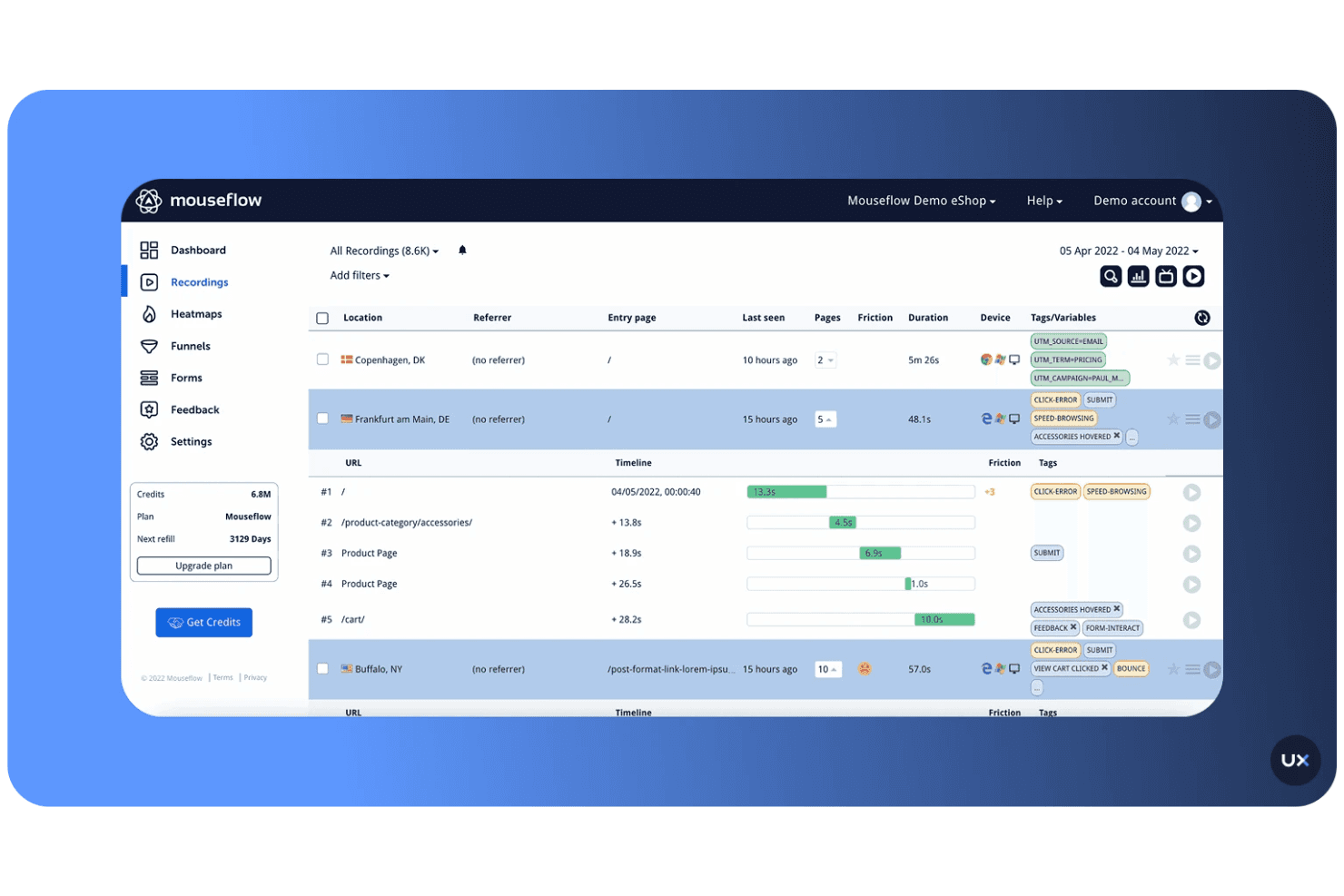
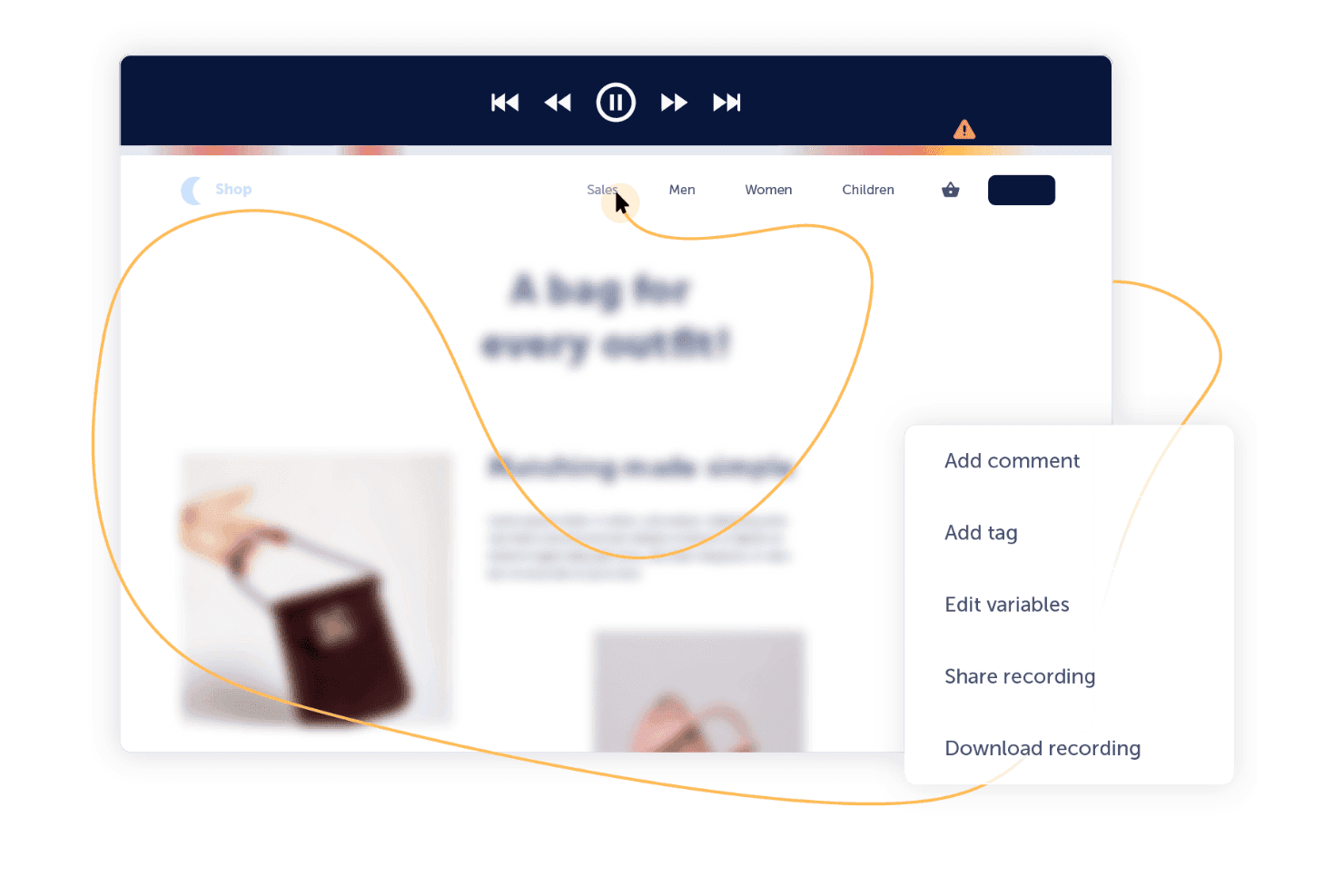
Mouseflow records real user sessions so you can see exactly how visitors interact with your site. This helps your team identify friction points and understand user behavior with precision.
Comprehensive Heatmap Tracking
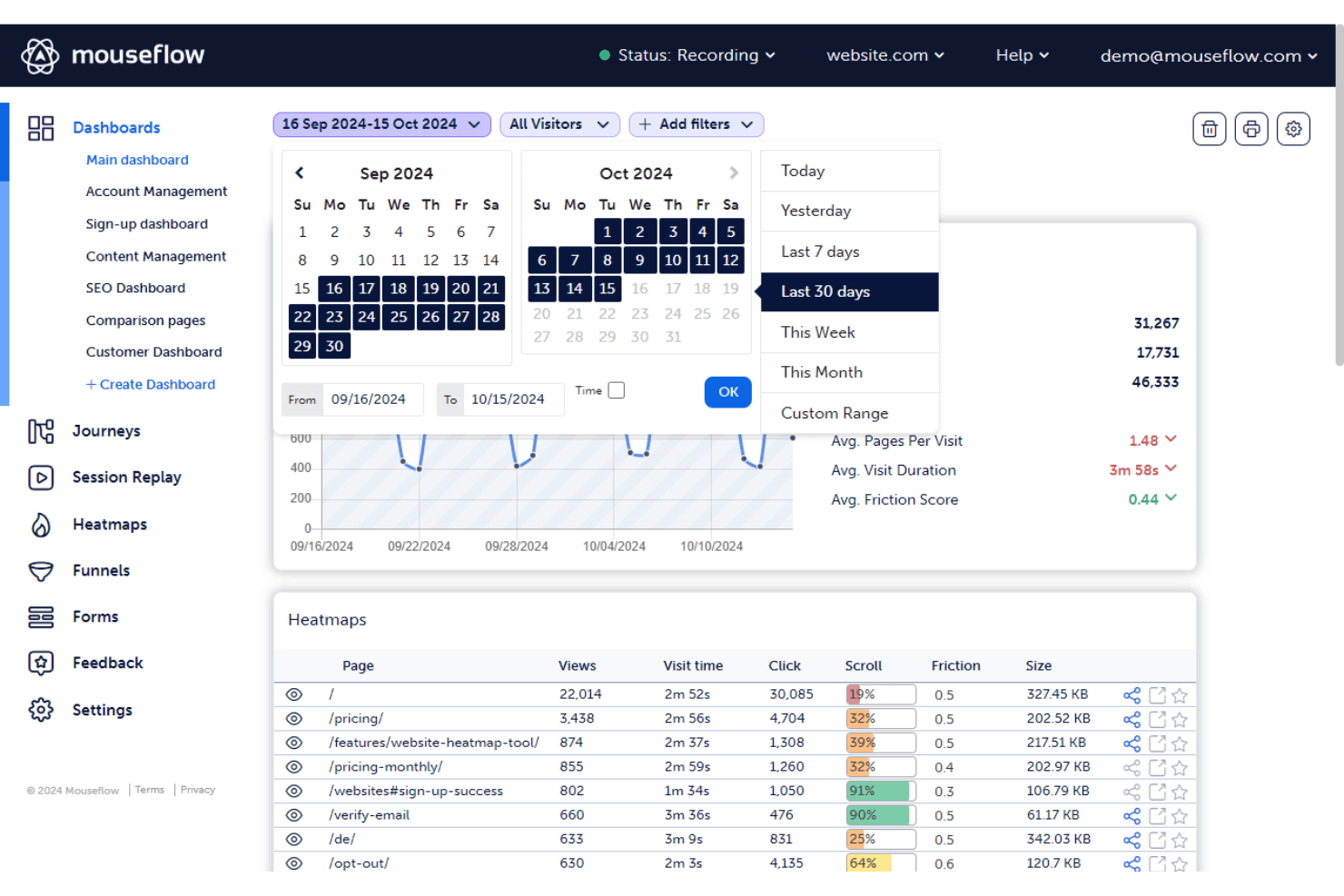
It automatically generates click, scroll, movement, and attention heatmaps. These visuals make it easier to spot engagement patterns and optimize key pages for better performance.
In-Depth Form Performance Analytics
Mouseflow tracks form interactions, field drop-offs, and user hesitations. This insight helps your team improve conversions by refining forms and removing unnecessary barriers.
User Journey Funnel Visualization
You can build funnels to pinpoint where users abandon the journey. This allows your team to focus improvements on the exact steps causing the highest drop-off.
Built-In Feedback and Survey Tools
Mouseflow includes on-page surveys and feedback widgets that capture real user opinions. This feature gives your team direct insight into customer sentiment and expectations.
Cross-Device Behavioral Tracking
It works across desktop, tablet, and mobile sessions to provide a full picture of user behavior. Your team can ensure consistent, optimized experiences on every device.
Ease of Use
Mouseflow's intuitive design makes it accessible for users at all experience levels. Its straightforward dashboard and clear navigation structure allow you to quickly access key features with minimal training. Users appreciate its real-time session replay and heatmaps, which provide valuable insights into user behavior. While some find the initial setup a bit complex, the overall user experience is positive, with many highlighting the tool's efficiency in capturing customer data and improving user engagement.
Integrations
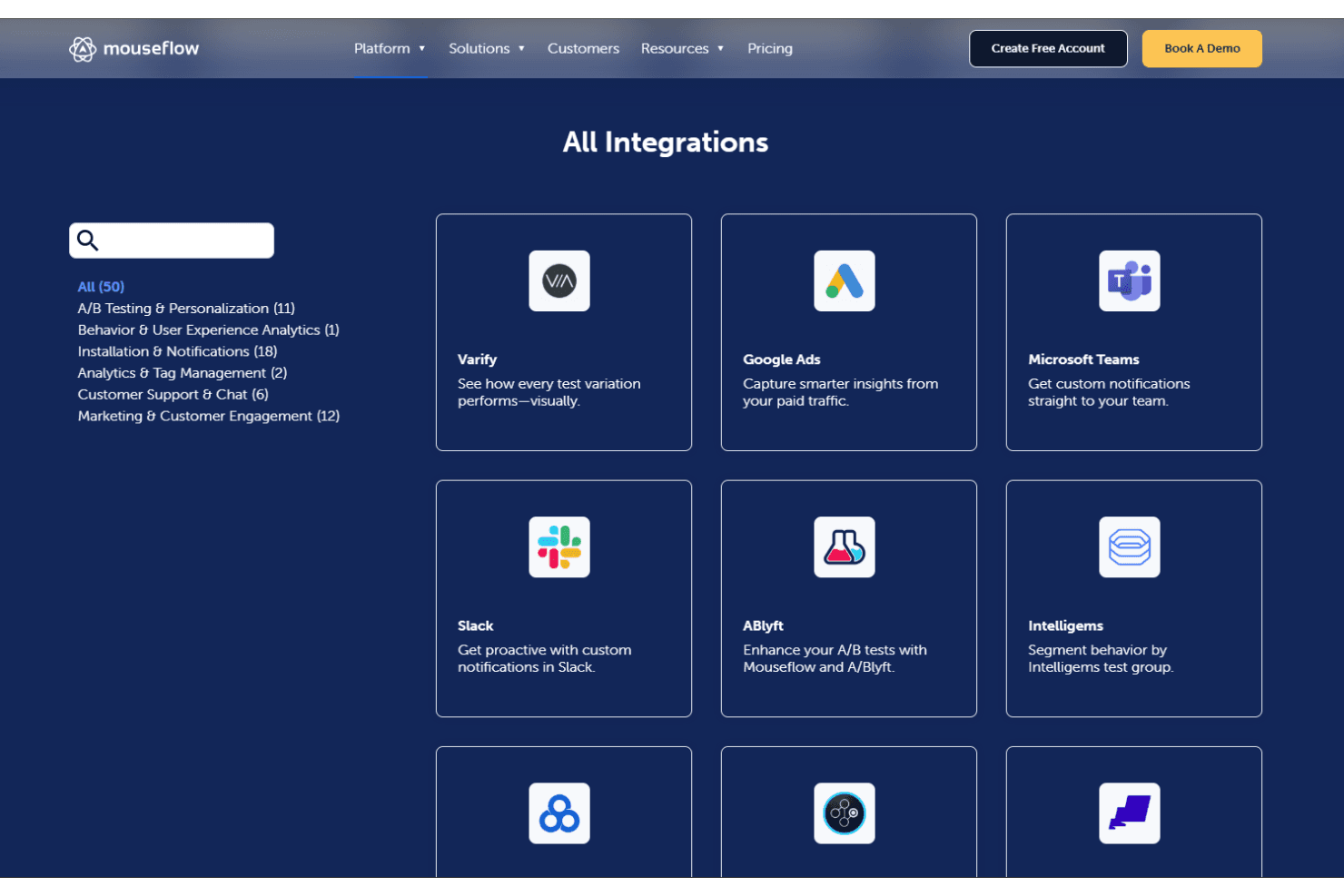
Mouseflow integrates with HubSpot, Shopify, Adobe Analytics, Google Analytics, Google Tag Manager, AB Tasty, Google Ads, Wordpress, Microsoft Teams, and more. Mouseflow also offers an API and connects with third-party integration tools.
Mouseflow Specs
- A/B Testing: No
- AI Integration: No
- Analytics: Yes
- API: Yes
- Big Data: No
- Campaign Management: No
- Conversion Tracking: Yes
- Custom Reports: No
- Dashboard: Yes
- Data Export: Yes
- Data Import: No
- Data Visualization: Yes
- External Integrations: Yes
- Feedback Management: No
- Keyword Tracking: Yes
- Landing Pages: No
- Link Tracking: Yes
- Multi-User: Yes
- Notifications: Yes
- Process Reporting: No
- Referral Tracking: Yes
- Sentiment Analysis: No
- SEO: No
- Workflow Management: No


