

Speak AI Review: Pros, Cons, Features, and Pricing

We review tools independently, and commissions help fund our testing. See our transparency policy, our methodology, or suggest a tool.
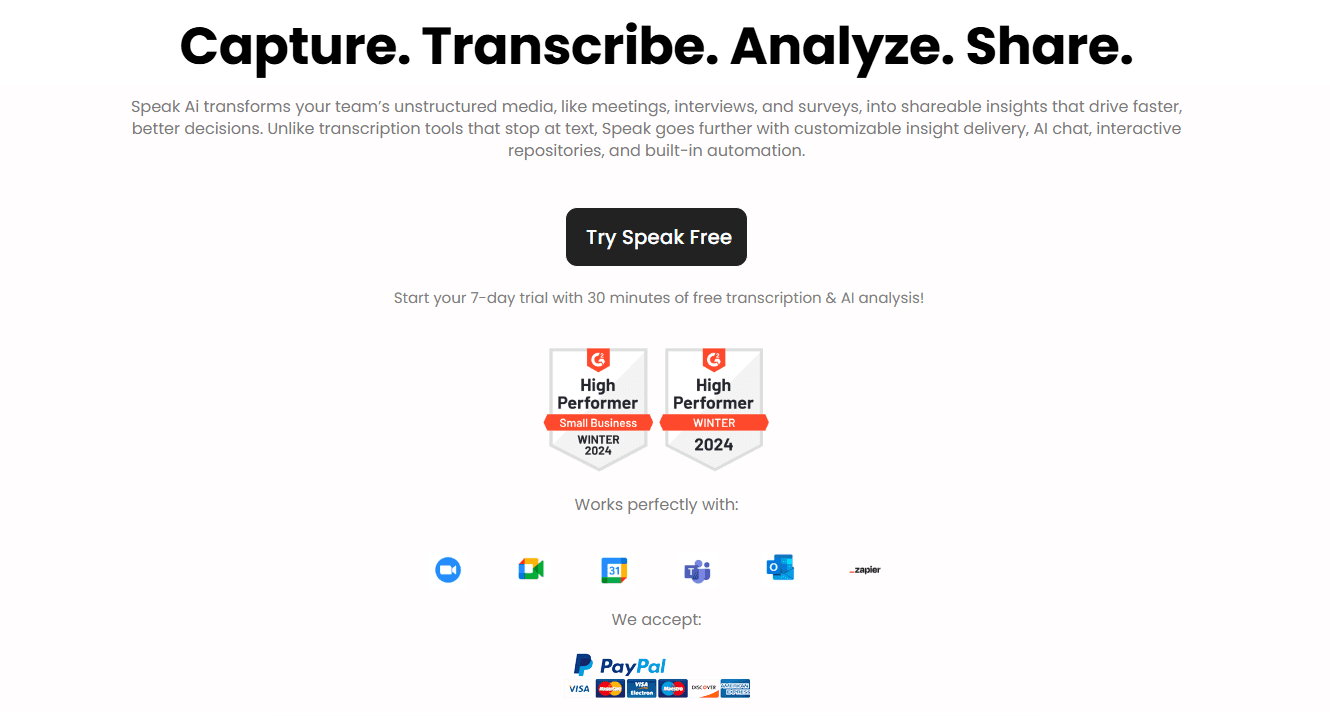
Speak AI is a customer data platform built around AI-powered transcription and analysis of audio, video, and text data. It's a strong fit if your team collects qualitative data—customer interviews, support calls, research sessions—and needs to surface patterns without manual coding. I'd consider it over something like Dovetail if your priority is converting raw recordings into structured insights quickly, rather than managing a collaborative research repository. This review covers what Speak AI does well, where it falls short, and who's going to get the most out of it.
Speak AI Evaluation Summary
4.9/5
- From $15/month
- Free demo available
Why Trust Our Software Recommendations
6,700+
Reviews
20
Industry experts
16+
Evaluation factors
14
Years
Our team has been testing and reviewing software since 2012. As CX leaders ourselves, we know how difficult—and important—it is to choose the right software.
For this guide, we evaluated tools using hands-on testing and independent research, scoring tools using our selection criteria.
Our reviews reflect our human editorial judgment, not a sales pitch.
 Gui DrusinaCreative Director
 Tim FisherVP of AI
Speak AI Overview
In my opinion, Speak AI stands out as a reliable call analysis software, with its user-friendly interface and competitive pricing. Its core features, like automated transcription and analytics, demonstrate how its AI technology can meet the needs of customer service and sales teams. However, its onboarding process could be improved to match the ease of use found among top competitors. Speak AI is best suited for small to medium-sized businesses looking to enhance communication without breaking the bank. While it excels in value for money, its customer support might not meet expectations for those who need immediate assistance. If you're deciding on a tool that balances functionality and cost, Speak Ai is worth considering.
Pros
- It provides clear and actionable call analytics.
- The interface is intuitive and easy for your team to navigate.
- It offers excellent value for money compared to similar tools.
Cons
- Onboarding might require more time for your team than expected.
- Customer support can be slow to respond to your queries.
- Advanced features may not be as customizable as you'd like.
Is Speak AI Right For Your Needs?
Who Would be a Good Fit for Speak AI?
Speak AI is a great fit for small to medium-sized businesses, especially those in tech and sales. Your customer service and sales teams will benefit from its intuitive interface and detailed call analytics. Speak AI helps you track and analyze customer interactions efficiently, making it ideal for teams focused on improving communication metrics. If you're in an industry where understanding customer feedback is key, Speak AI's features can help you gain in-depth data in a concise format without a steep learning curve.
- Tech StartupsSpeak AI helps your business analyze customer feedback quickly by providing data visualization, aiding in agile decision-making.
- Sales TeamsIt tracks call performance, helping your team identify areas for improvement.
- Customer SupportYour support team can use it to understand common customer issues through call analysis.
- Small BusinessesSpeak AI offers affordable call analysis, making it accessible for smaller budgets.
- Healthcare ProvidersIt helps your team analyze patient calls, improving service delivery.
- Consulting FirmsConsultants can use Speak AI to gather market research from client interactions, enhancing service strategies.
- Legal FirmsYour work might demand more secure and compliant call analysis than Speak AI can provide.
Who Would be a Bad Fit for Speak AI?
Speak AI might not be suitable for large enterprises needing highly customizable call analysis solutions. If your team requires advanced customization or extensive integration capabilities, Speak AI's offerings could fall short. Industries with complex regulatory requirements, like finance, might find its feature set lacking for compliance needs. Additionally, if immediate customer support is crucial for your operations, you might find the response times insufficient.
- Large EnterprisesSpeak AI may lack the customization options your large-scale operations require.
- Financial ServicesYour industry may need more features for compliance and security than Speak AI offers.
- Regulatory AgenciesSpeak AI's feature set might not meet your strict compliance standards.
- High-Traffic Call CentersIts current customer support might not keep up with your high-volume needs.
- Custom Software DevelopersIf your projects need deep integration options, Speak AI might not offer enough flexibility.
How We Test & Score Tools
We’ve spent years building, refining, and improving our software testing and scoring system. The rubric is designed to capture the nuances of software selection and what makes a tool effective, focusing on critical aspects of the decision-making process.
Below, you can see exactly how our testing and scoring works across seven criteria. It allows us to provide an unbiased evaluation of the software based on core functionality, standout features, ease of use, onboarding, customer support, integrations, customer reviews, and value for money.
Core Functionality (25% of final scoring)
The starting point of our evaluation is always the core functionality of the tool. Does it have the basic features and functions that a user would expect to see? Are any of those core features locked to higher-tiered pricing plans? At its core, we expect a tool to stand up against the baseline capabilities of its competitors.
Standout Features (25% of final scoring)
Next, we evaluate uncommon standout features that go above and beyond the core functionality typically found in tools of its kind. A high score reflects specialized or unique features that make the product faster, more efficient, or offer additional value to the user.
We also evaluate how easy it is to integrate with other tools typically found in the tech stack to expand the functionality and utility of the software. Tools offering plentiful native integrations, 3rd party connections, and API access to build custom integrations score best.
Ease of Use (10% of final scoring)
We consider how quick and easy it is to execute the tasks defined in the core functionality using the tool. High scoring software is well designed, intuitive to use, offers mobile apps, provides templates, and makes relatively complex tasks seem simple.
Onboarding (10% of final scoring)
We know how important rapid team adoption is for a new platform, so we evaluate how easy it is to learn and use a tool with minimal training. We evaluate how quickly a team member can get set up and start using the tool with no experience. High scoring solutions indicate little or no support is required.
Customer Support (10% of final scoring)
We review how quick and easy it is to get unstuck and find help by phone, live chat, or knowledge base. Tools and companies that provide real-time support score best, while chatbots score worst.
Customer Reviews (10% of final scoring)
Beyond our own testing and evaluation, we consider the net promoter score from current and past customers. We review their likelihood, given the option, to choose the tool again for the core functionality. A high scoring software reflects a high net promoter score from current or past customers.
Value for Money (10% of final scoring)
Lastly, in consideration of all the other criteria, we review the average price of entry level plans against the core features and consider the value of the other evaluation criteria. Software that delivers more, for less, will score higher.
Core Features
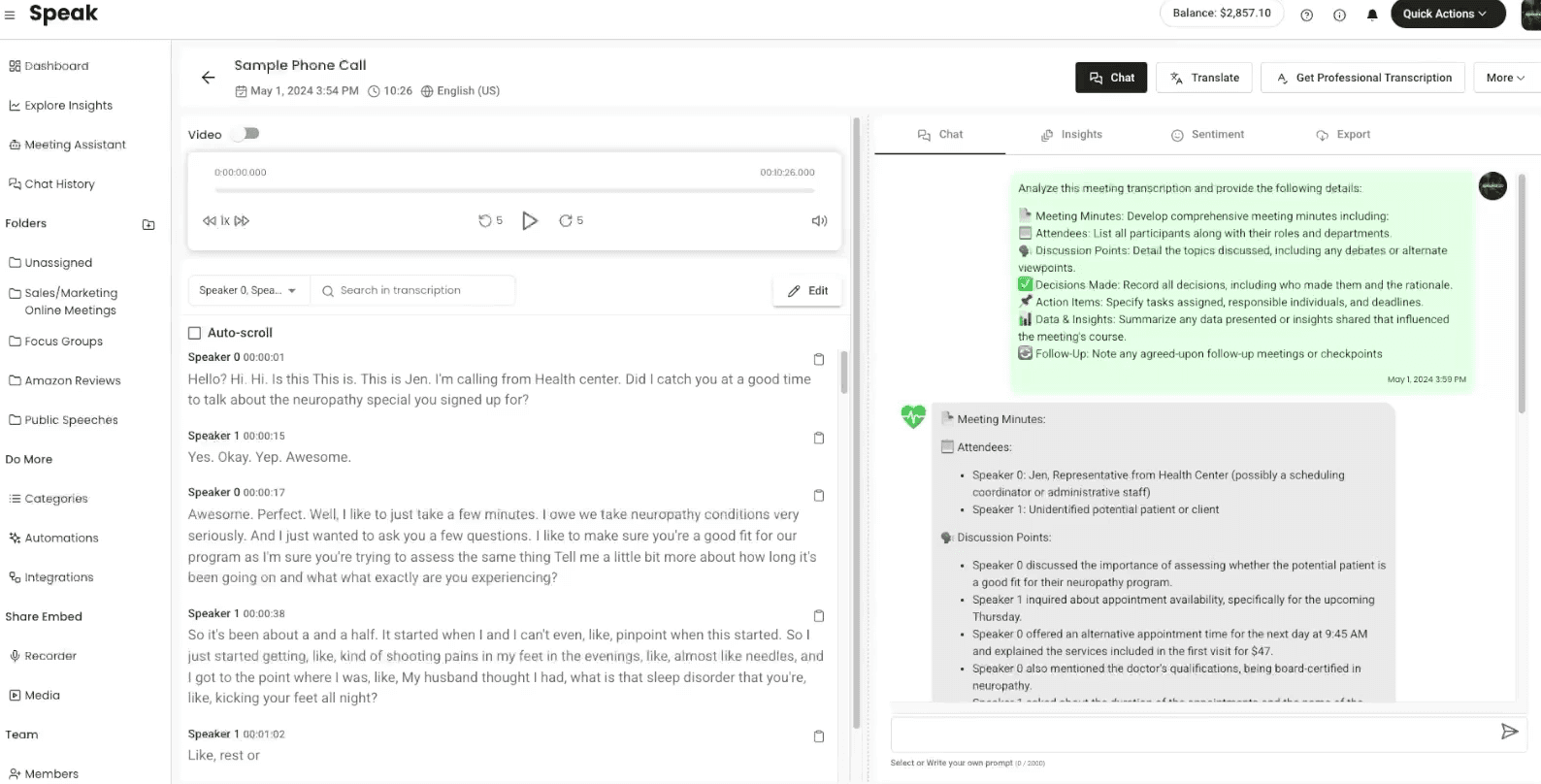
Call Transcription: Speak AI automatically converts your call audio from speech to text, making it easy for your team to review conversations. Its accurate speech recognition and transcription service can help you quickly identify key points.
Sentiment Analysis: This AI-powered feature evaluates the emotional tone of calls, helping your team understand customer satisfaction rates and areas for improvement.
Keyword Tracking: Track specific words or phrases in your calls to monitor trends and concerns. This insight helps you adjust your strategies effectively.
Call Summaries: Speak AI provides concise summaries of your calls, saving you time when reviewing lengthy conversations.
Speaker Identification: It identifies different speakers in a call, giving clarity on who said what, which is crucial for accountability.
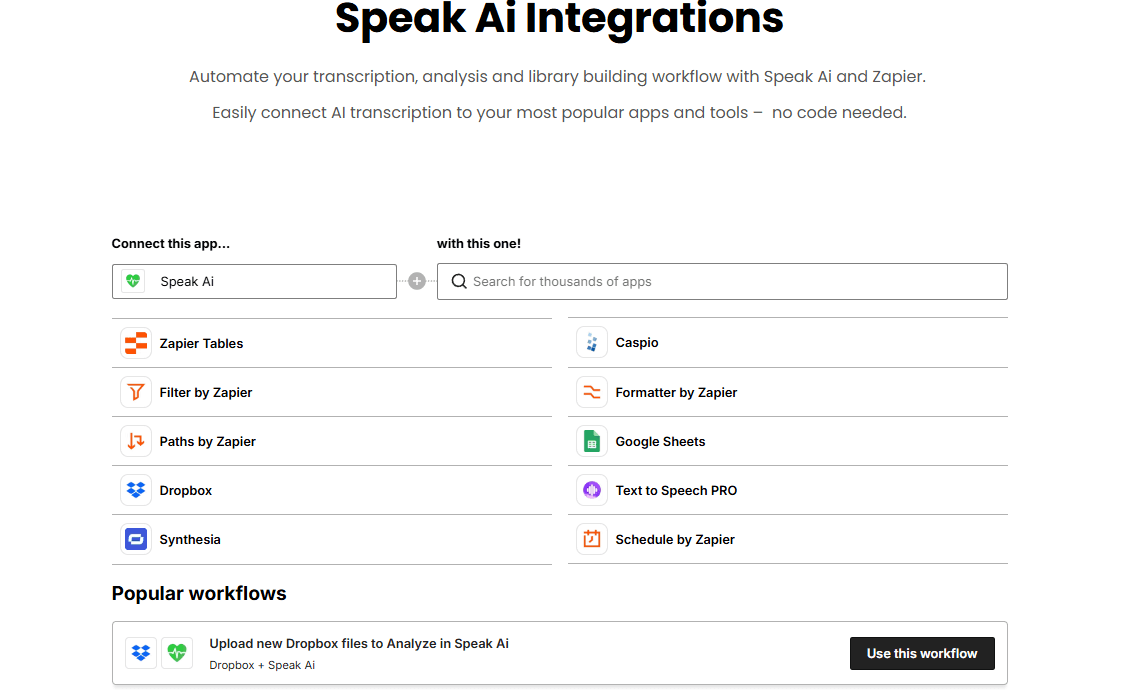
Performance Metrics: Get detailed analytics on call durations, frequency, and outcomes to create research repositories and measure your team's performance.
Ease of Use
Speak AI is notably user-friendly, making it a breeze for your team to navigate. Its intuitive interface allows you to access key features that streamline call transcription and sentiment analysis without hassle. Compared to other call analysis tools, it simplifies your workflow with clear, organized dashboards. Users often praise its straightforward setup and ease of accessing detailed analytics, which help you quickly adapt and respond to customer needs. This simplicity ensures your team spends more time engaging with insights rather than struggling with software.
Integrations
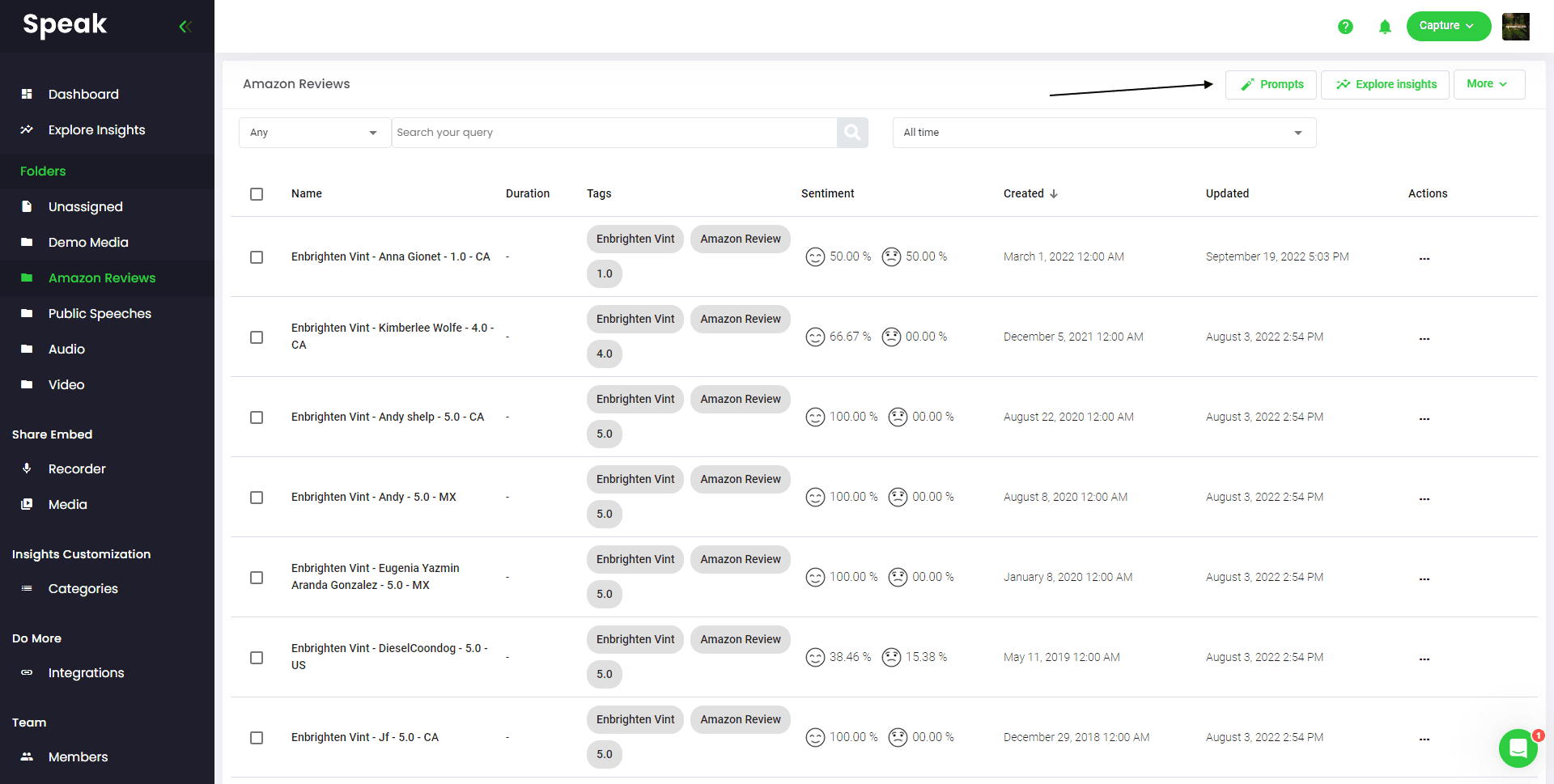
Speak AI integrates with Google Sheets, Dropbox, Synthesia, Text to Speech PRO, Notion, Translate by Zapier, YouTube, and CustomGPT.
Speak AI also offers an API and connects with third-party integration tools like Zapier.
Speak AI Specs
- A/B Testing: No
- AI Integration: Yes
- Analytics: Yes
- API: Yes
- Comparative Reporting: No
- Conversion Tracking: No
- Custom Reports: Yes
- Dashboard: Yes
- Dashboards: Yes
- Data Export: No
- Data Import: No
- Data Mining: No
- Data Visualization: Yes
- External Integrations: No
- Feedback Management: No
- Forecasting: No
- Historical Data Analysis: No
- Keyword Tracking: No
- Link Tracking: No
- Multi-Site: No
- Multi-User: No
- Notifications: No
- Process Reporting: No
- Real-time Alerts: No
- Referral Tracking: No
- Reports: Yes
- Scenario Planning: No
- SEO: No
- Time Series Modeling: No
- Visualization: Yes
- Workflow Management: No


