

WPForms Review: Pros, Cons, Features, and Pricing
WPForms excels in user-friendly form building, making it a top choice for teams seeking straightforward data collection without complexity.

We review tools independently, and commissions help fund our testing. See our transparency policy, our methodology, or suggest a tool.
WPForms is a WordPress form builder plugin for site owners and teams who need to collect leads, registrations, payments, or survey responses without writing code. I'd mainly consider it if you're building on WordPress and want something more intuitive than Gravity Forms, which skews toward developers and requires significantly more configuration to get a basic form live.
WPForms Evaluation Summary
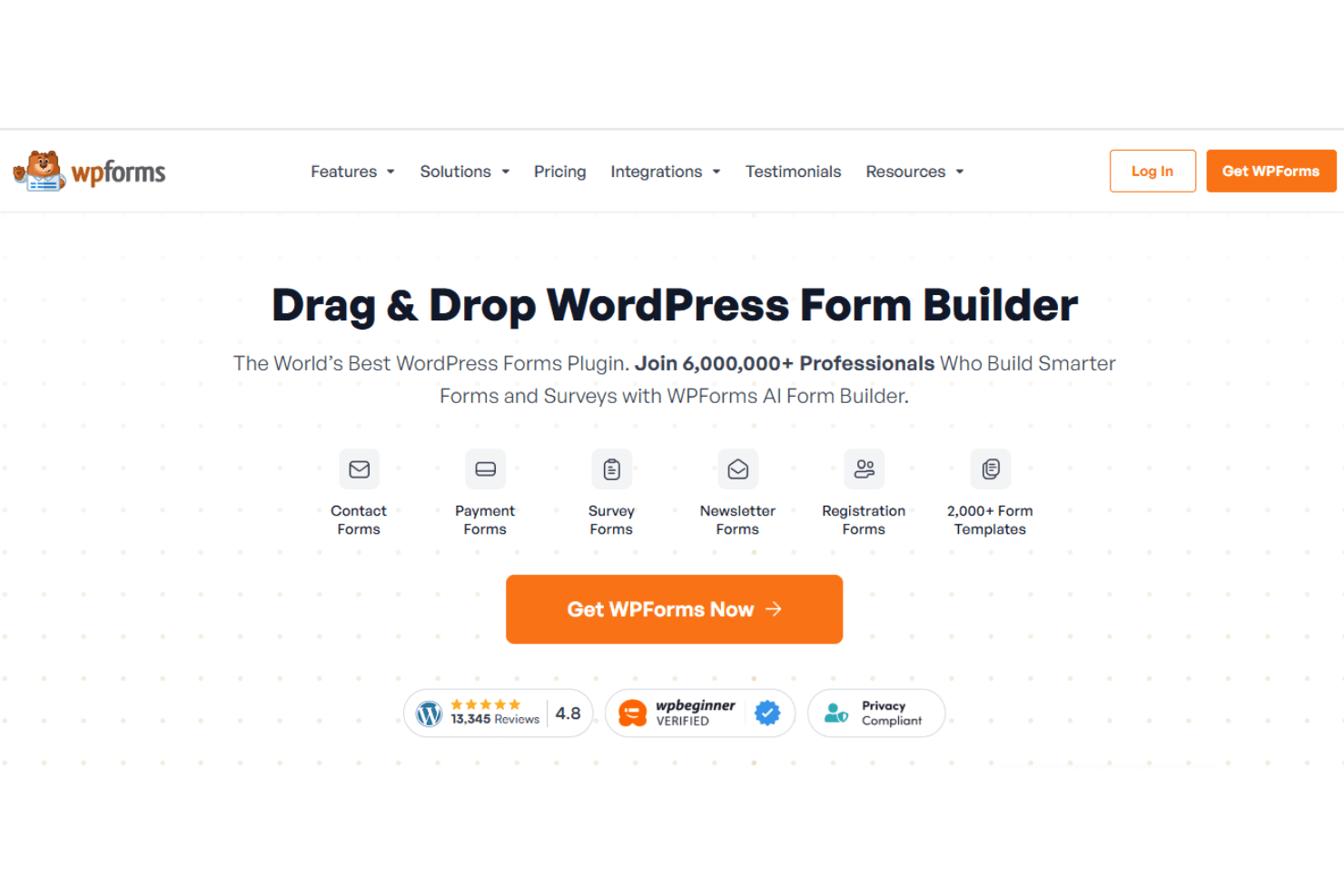
4.7/5
- From $49.50/year (billed annually)
- Free plan available
Why Trust Our Software Recommendations
6,700+
Reviews
20
Industry experts
16+
Evaluation factors
14
Years
Our team has been testing and reviewing software since 2012. As CX leaders ourselves, we know how difficult—and important—it is to choose the right software.
For this guide, we evaluated tools using hands-on testing and independent research, scoring tools using our selection criteria.
Our reviews reflect our human editorial judgment, not a sales pitch.
 Gui DrusinaCreative Director
 Tim FisherVP of AI
WPForms Overview
I think WPForms works well for those who need a straightforward tool to manage customer data. The interface is user-friendly, making it suitable for teams new to customer data platforms. Users often regard it as one of the best form builders for WordPress sites, offering powerful features that make it stand out against other form plugins, such as Ninja Forms. Its pricing is fair, and a free version of WPForms is available, called WPForms Lite, but it may not provide the best value if you're looking for more advanced features. If your team values simplicity and cost-effectiveness, WPForms is worth it.
Pros
- You can cut down on junk entries with its built-in spam protection.
- You can build and publish forms fast with its simple drag-and-drop editor.
- Its ready-made form templates mean you don't have to build everything from scratch.
Cons
- You may not be able to build complex, data-heavy forms as efficiently as more powerful builders.
- You may have to dig through settings to control how entries are stored and managed.
- While support staff are helpful, the number of customer support channels is limited.
Is WPForms Right For Your Needs?
Who Would be a Good Fit for WPForms?
WPForms suits small to medium-sized businesses, nonprofits, and educational institutions looking to create custom forms for their WordPress website, including conversational forms and user registration forms, without coding. Its drag-and-drop builder and pre-built templates make it easy for you to set up surveys, payment forms, and contact forms. You can integrate WPForms with popular email marketing services, which can help your team capture leads effectively and grow your email list.
- Small BusinessesSmall business owners can benefit from WPForms' capabilities, allowing them to manage customer interactions, gather feedback efficiently, and improve SEO through customer engagement.
- NonprofitsWPForms lets you create donation forms with payment integrations, which is crucial for fundraising activities.
- Educational InstitutionsEducational institutions can use WPForms to collect student information and feedback through its customizable form builder.
- E-CommerceWPForms integrates with payment gateways, enabling e-commerce stores to set up order forms and streamline transactions.
- Marketing TeamsWPForms helps you capture leads with forms that integrate seamlessly with email marketing tools such as Constant Contact.
- Event PlannersYou can easily manage event registrations and collect attendee information using WPForms' user-friendly interface.
Who Would be a Bad Fit for WPForms?
WPForms might not be the best choice for businesses needing complex data analysis or advanced automation, as it lacks more extensive analytical features. Teams that heavily rely on automation for workflow processes or need in-depth data insights will find WPForms limiting. For instance, if your work involves data-heavy operations that require seamless integration with customer relationship management (CRM) systems or other specialized software, WPForms might not meet your needs.
- Large EnterprisesWPForms might not offer the extensive integration capabilities needed for large-scale operations.
- E-Commerce PlatformsYou might find WPForms lacking in features like inventory management and payment processing.
- Data AnalystsWPForms doesn't support advanced data analysis tools, limiting your ability to derive insights.
- IT DepartmentsIf you need robust data security and integration with IT systems, WPForms might not suffice.
How We Test & Score Tools
We’ve spent years building, refining, and improving our software testing and scoring system. The rubric is designed to capture the nuances of software selection and what makes a tool effective, focusing on critical aspects of the decision-making process.
Below, you can see exactly how our testing and scoring works across seven criteria. It allows us to provide an unbiased evaluation of the software based on core functionality, standout features, ease of use, onboarding, customer support, integrations, customer reviews, and value for money.
Core Functionality (25% of final scoring)
The starting point of our evaluation is always the core functionality of the tool. Does it have the basic features and functions that a user would expect to see? Are any of those core features locked to higher-tiered pricing plans? At its core, we expect a tool to stand up against the baseline capabilities of its competitors.
Standout Features (25% of final scoring)
Next, we evaluate uncommon standout features that go above and beyond the core functionality typically found in tools of its kind. A high score reflects specialized or unique features that make the product faster, more efficient, or offer additional value to the user.
We also evaluate how easy it is to integrate with other tools typically found in the tech stack to expand the functionality and utility of the software. Tools offering plentiful native integrations, 3rd party connections, and API access to build custom integrations score best.
Ease of Use (10% of final scoring)
We consider how quick and easy it is to execute the tasks defined in the core functionality using the tool. High scoring software is well designed, intuitive to use, offers mobile apps, provides templates, and makes relatively complex tasks seem simple.
Onboarding (10% of final scoring)
We know how important rapid team adoption is for a new platform, so we evaluate how easy it is to learn and use a tool with minimal training. We evaluate how quickly a team member can get set up and start using the tool with no experience. High scoring solutions indicate little or no support is required.
Customer Support (10% of final scoring)
We review how quick and easy it is to get unstuck and find help by phone, live chat, or knowledge base. Tools and companies that provide real-time support score best, while chatbots score worst.
Customer Reviews (10% of final scoring)
Beyond our own testing and evaluation, we consider the net promoter score from current and past customers. We review their likelihood, given the option, to choose the tool again for the core functionality. A high scoring software reflects a high net promoter score from current or past customers.
Value for Money (10% of final scoring)
Lastly, in consideration of all the other criteria, we review the average price of entry level plans against the core features and consider the value of the other evaluation criteria. Software that delivers more, for less, will score higher.
Core Features
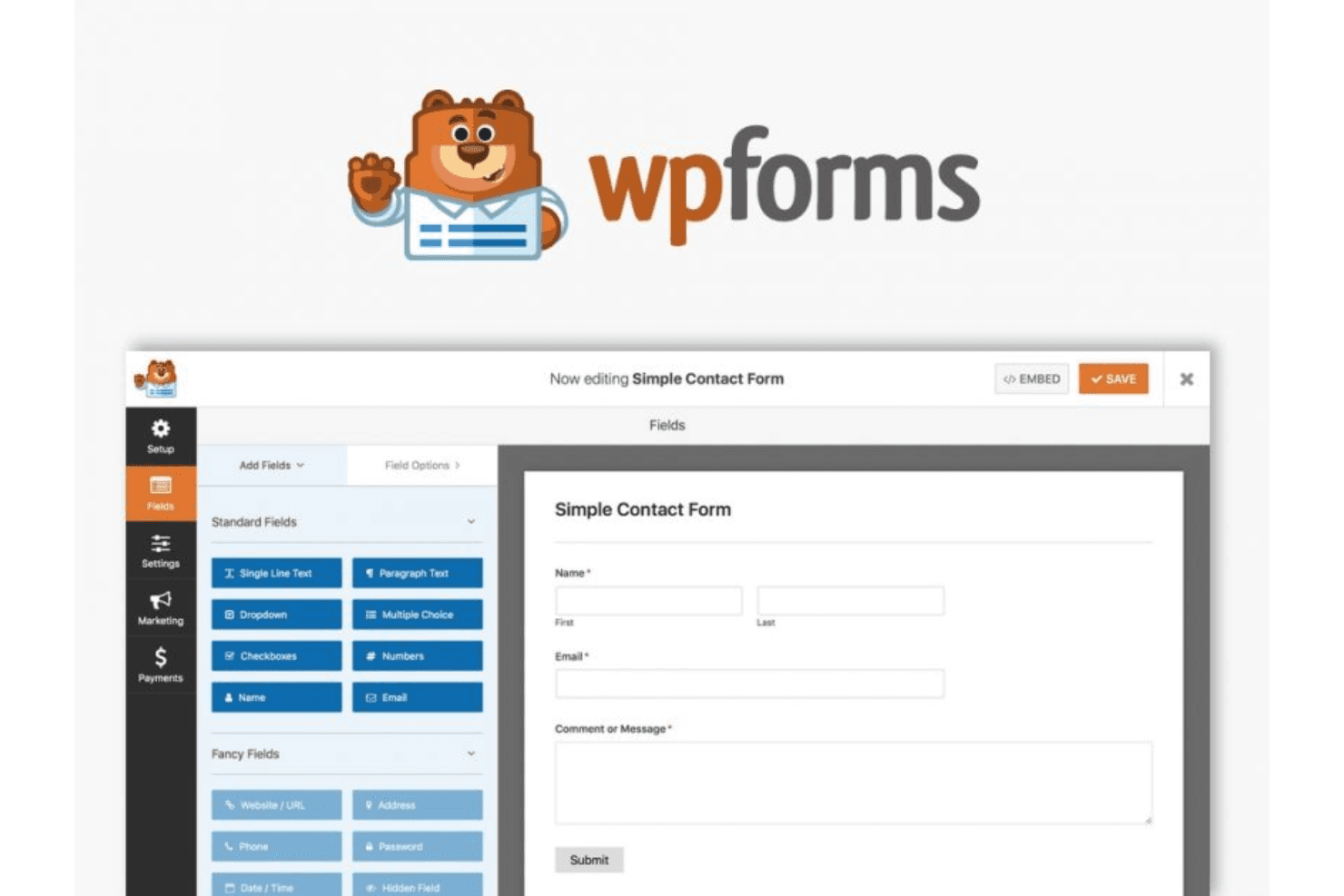
Form Builder: Create custom forms, from simple contact forms to complex surveys, with its simple drag-and-drop interface. You can add various form fields and customize them to fit your specific needs, adding checkboxes, mandatory fields, and more.
Conditional Logic: Show or hide fields based on user responses. This feature lets you create dynamic forms that adapt to the user's input, improving user experience.
Entry Management: Store and manage form submissions directly in your WordPress dashboard. You can view, edit, and organize entries, which simplifies data handling.
Spam Protection: Keep unwanted submissions at bay with built-in spam protection. You can use custom CAPTCHA and other tools to ensure your data stays clean and secure.
Multi-Page Forms: Break long forms into multiple pages to enhance user engagement. Users can navigate through sections easily, reducing form abandonment rates.
Payment Integration: Collect payments through forms through integration with popular payment processors, such as PayPal. This is ideal for businesses that need to handle transactions directly within forms.
Mobile-Responsive Designs: WPForms's mobile optimization allows you to create mobile-responsive designs to ensure users can easily access and fill out forms on any device.

Ease of Use
WPForms shines with its intuitive drag-and-drop interface, making it easy for you to build custom forms without technical skills. User reviews highlight its simplicity in creating forms, managing entries, and integrating with other platforms, making it accessible for teams of all sizes. Compared to more complex platforms, WPForms's features are user-friendly, letting you quickly gather and manage customer data. Its straightforward design ensures that your team can efficiently handle tasks without unnecessary complications.
Integrations
WPForms integrates with Stripe, Google Sheets, AWeber, Mailchimp, ActiveCampaign, Salesforce, Dropbox, Twilio, Slack, monday.com, WooCommerce, and many more.
WPForms also has an API and connects with third-party integration tools such as Zapier.

WPForms Specs
- 2-Factor Authentication: Yes
- A/B Testing: Yes
- Analytics: Yes
- API: Yes
- BitCoin: Yes
- Conversion Tracking: Yes
- Dashboard: Yes
- Data Export: Yes
- Data Import: Yes
- Data Visualization: Yes
- Design Templates: Yes
- External Integrations: Yes
- Inventory Tracking: Yes
- Keyword Tracking: Yes
- Marketing Automation: Yes
- Multi-User: Yes
- Notifications: Yes
- Order Management: Yes
- Payment Gateway Integration: Yes
- Payment Processor: Yes
- PayPal: Yes
- Product Catalog: Yes
- Review Monitoring: Yes
- SAP Integration: Yes
- Scheduling: Yes
- Stripe: Yes
- Third-Party Plugins/Add-Ons: Yes


