

Güçlü bir Avaya alternatifi size güvenilir VoIP araması, esnek kanal desteği ve ekibinizin çalışma biçimine uygun entegrasyonlar sunar. Avaya alternatiflerini değerlendiriyorsanız muhtemelen çalışma süresi, kolay geçiş ve işletmenizin ihtiyaçlarıyla birlikte gelişen özellikler açısından güvenebileceğiniz bir ses platformuna ihtiyacınız vardır.
Doğru seçim, ölçekleniyor, modernleşiyor veya sizi kısıtlamayan daha iyi araçlar istiyor olsanız da ekibinizin müşteri görüşmelerini sorunsuz şekilde sürdürmesine yardımcı olur. Burada Avaya'nın yerini alabilecek en iyi seçenekleri bulacak ve destek, müşteri başarısı veya hizmet operasyonlarınız için mantıklı olan VoIP çözümünü güvenle seçebileceksiniz.
Avaya Nedir?
Avaya, müşterilerle doğrudan iletişim kuran ekiplere VoIP araması, birleşik mesajlaşma ve iletişim merkezi çözümleri sunan bir işletme iletişim platformudur. Ses, sohbet ve diğer kanalları desteklemek üzere tasarlanmıştır; şirketlerin gelen ve giden iletişimlerini tek bir yerden yönetmesine olanak tanır. Birçok işletme, hizmet operasyonlarını merkezileştirmek, çağrı yönlendirmeyi otomatikleştirmek ve iş birliği araçlarıyla entegre olmak için Avaya'yı kullanır. Avaya alternatifleri, güvenilir ve ölçeklenebilir işletme ses operasyonları için benzer özellikler sunar.
Why Trust Our Software Recommendations
6,700+
Reviews
20
Industry experts
16+
Evaluation factors
14
Years
Our team has been testing and reviewing software since 2012. As CX leaders ourselves, we know how difficult—and important—it is to choose the right software.
For this guide, we evaluated tools using hands-on testing and independent research, scoring tools using our selection criteria.
Our reviews reflect our human editorial judgment, not a sales pitch.
 Gui DrusinaCreative Director
 Tim FisherVP of AI
Karşılaştırma Tablosu: Avaya Alternatifleri
Bu karşılaştırma tablosu, en iyi Avaya alternatifi seçimlerimin fiyatlandırma ayrıntılarını özetlemektedir.
Sorted by: Default
| Tool | Starting Price | Website | |
|---|---|---|---|
Best for customizable call routing options | 4.2 out of 5 | $25/user/month Free plan + 14-day trial + free demo available | Website |
Best for scalable pay-as-you-go telephony | 4.5 out of 5 | Pricing upon request Free plan available | Website |
Best for Salesforce-centric contact centers | Not rated | Pricing upon request Free demo available | Website |
Best for built-in voice intelligence features | Not rated | $80/user/month 14-day free trial + free demo available | Website |
Best for easy migration from legacy PBX | Not rated | $15/user/month Free demo available | Website |
Best for industry-specific app marketplace | 4.4 out of 5 | Pricing upon request Free demo available | Website |
Best for real-time analytics dashboards | 4.4 out of 5 | $75/user/month Free demo available | Website |
Best for AI-powered omnichannel automation | 4.3 out of 5 | $110/agent/month Free demo available | Website |
Best for deep CRM integrations and workflows | 4.1 out of 5 | $119/seat/month Free demo available | Website |
Best for unified telephony and messaging channels | Not rated | $65/user/month Free demo available | Website |


En İyi Avaya Alternatifleri İncelemeleri
Aşağıda kısa listeme giren en iyi Avaya alternatiflerinin ayrıntılı özetlerini bulabilirsiniz. İncelemelerim, size en uygun olanı bulmanıza yardımcı olmak için her platformun özelliklerine, entegrasyonlarına ve en iyi kullanım alanlarına ayrıntılı bir bakış sunar.
 Best for customizable call routing options
- Free plan + 14-day trial + free demo available
- From $25/user/month (billed annually)
Visit WebsiteCustomer Rating:4.2/5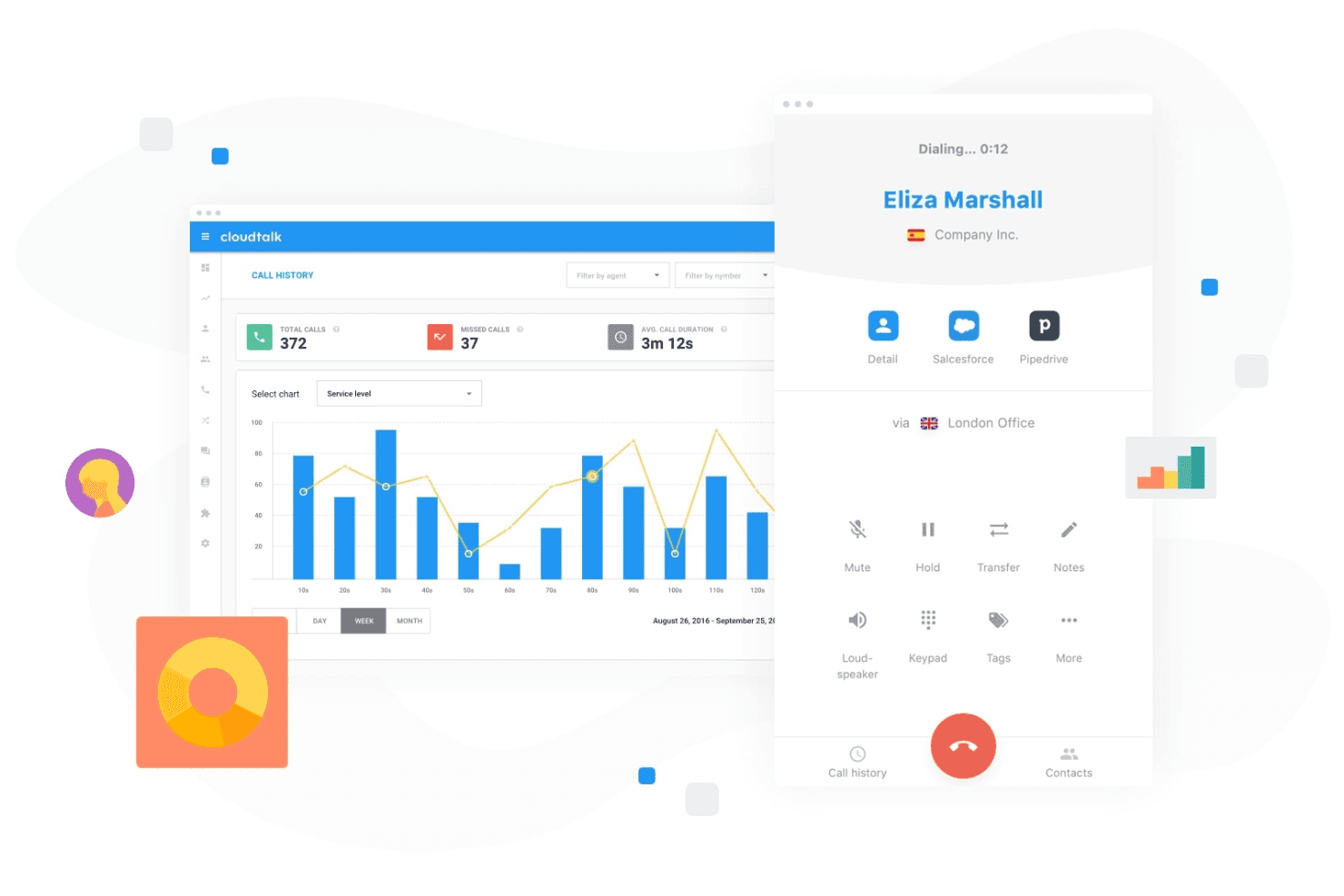
CloudTalk gives teams a cloud-based calling workspace with call controls, performance tracking, and CRM integrations. CloudTalk is a cloud-based call center platform built for support and sales teams that need to replace legacy on-prem phone systems with a flexible, CRM-connected solution that scales without enterprise-level seat minimums or infrastructure overhead.
Who Is CloudTalk Best For?
CloudTalk suits small to mid-market contact centers that have outgrown basic VoIP tools but aren't ready for the complexity or cost of enterprise CCaaS platforms.
Why CloudTalk Is a Good Best Avaya Alternatives
I picked CloudTalk as one of the best because the routing control it gives you is genuinely granular. The no-code visual call flow designer lets me configure condition-based routing, VIP queues, and multi-level IVR without writing a single line of code. I can route calls by agent skill, time of day, or caller history, all from one interface, which is exactly the kind of flexibility that legacy Avaya deployments require a partner to configure.
CloudTalk Key Features
- AI Conversation Intelligence: Analyze calls with automated transcripts, sentiment detection, and call scoring powered by AI.
- Global calling infrastructure: Access local numbers in 160+ countries with high availability and built-in spam protection.
- Live monitoring tools: Use Listen, Whisper, and Barge to coach agents and improve real-time call quality.
- CRM and helpdesk integrations: Connect with 95+ business apps, including Salesforce, HubSpot, Zendesk, and Intercom, for automatic call logging and data sync.
CloudTalk Integrations
CloudTalk offers native integrations with Salesforce, HubSpot, Zendesk, Pipedrive, Intercom, Microsoft Teams, Freshdesk, Slack, Zoho CRM, and Copper. An API is available for custom integrations.
Pros and Cons
Pros:
- Deploys in hours, not months
- Real-time agent monitoring and live coaching
- No-code visual call flow builder
Cons:
- Analytics dashboards lack deep customization options
- Limited omnichannel support beyond voice and SMS
 Best for scalable pay-as-you-go telephony
- Free plan available
- Pricing upon request
Visit WebsiteCustomer Rating:4.5/5
Amazon Connect displays a contact details page with AI-generated interaction summaries, customer sentiment trends, and conversational analytics metrics. Amazon Connect is AWS's cloud-native contact center platform built for enterprises that need to replace legacy on-prem telephony with a fully managed, omnichannel solution that scales with call volume without seat-based licensing.
Who Is Amazon Connect Best For?
Amazon Connect is a strong fit for enterprise IT and contact center operations teams already invested in the AWS ecosystem that need flexible, high-volume telephony infrastructure.
Why Amazon Connect Is a Good Avaya Alternative
I picked Amazon Connect as one of the best because there are no seat licenses and no minimums. You pay per voice minute ($0.038) and per message, so call volume spikes don't force license upgrades or contract renegotiations. The telephony infrastructure spans 158 countries with direct connections to 40+ tier-1 carriers, giving you carrier-grade global reach without separate trunking contracts.
Amazon Connect Key Features
- Omnichannel agent workspace: Manage voice, chat, SMS, email, and messaging apps from a unified interface.
- AI-powered agent assist: Surface next steps, knowledge articles, and real-time guidance for agents during live interactions.
- Contact flow builder: Design complex call flows visually and automate routing with a drag-and-drop editor.
- Workforce management: Forecast contact volume, generate agent schedules, and track adherence in real time.
Amazon Connect Integrations
Amazon Connect offers native integrations with Salesforce, Zendesk, and ServiceNow, and supports custom workflows through AWS Lambda and its API.
Pros and Cons
Pros:
- Built-in WFM and AI quality management
- Carrier-grade telephony across 158 countries
- No per-seat licensing fees at any scale
Cons:
- Custom flow configuration requires coding knowledge
- Requires AWS expertise to configure advanced features
Learn more about Amazon Connect: Best for Salesforce-centric contact centers
- Free demo available
- Pricing upon request

Vonage Contact Center offers an agent desktop with multi-channel interactions, AI-generated metrics, and suggested responses. Vonage Contact Center is a cloud-based contact center platform built for teams that run on Salesforce, offering omnichannel routing, IVR, and CRM-integrated agent workflows as a direct migration path away from legacy on-prem systems like Avaya.
Who Is Vonage Contact Center Best For?
It's a strong fit for mid-size to enterprise customer support teams already invested in Salesforce Service Cloud or Sales Cloud who need their contact center to live inside that ecosystem.
Why Vonage Contact Center Is a Good Avaya Alternative
I picked Vonage Contact Center as one of the best because of how deeply it embeds into Salesforce, going well beyond a basic CTI connection. I'm talking about dynamic call routing that pulls live CRM data to steer calls before an agent even picks up, plus automatic call logging and transcription written directly into the Salesforce record. What I also appreciate is that it supports integration with existing Avaya PBX infrastructure, so teams don't have to rip and replace on day one.
Vonage Contact Center Key Features
- Omnichannel agent interface: Agents handle voice, SMS, chat, WhatsApp, and other channels from a single unified desktop.
- Skills-based routing: Calls and messages are directed to agents based on configured expertise and business rules.
- IVR with self-service: Configurable interactive voice response menus let callers complete tasks or reach the right team without agent intervention.
- Live dashboard and historical analytics: Real-time and historical insights track call volume, agent status, and customer experience metrics.
Vonage Contact Center Integrations
Vonage Contact Center offers native integrations with Salesforce, ServiceNow, Microsoft Dynamics 365, Zendesk, SpinSci, and Microsoft Teams, and provides an API for custom integrations.
Pros and Cons
Pros:
- Global PSTN coverage across 80+ countries
- Supports existing Avaya PBX during migration
- Deepest native Salesforce contact center integration available
Cons:
- Native WFM requires third-party partner tools
- Manual agent status management workflows
Learn more about Vonage Contact Center: Best for built-in voice intelligence features
- 14-day free trial + free demo available
- From $80/user/month (billed annually)

Dialpad Support provides an AI CSAT dashboard showing customer satisfaction ratings, survey response rates, and AI prediction metrics over time. Dialpad Support is a cloud-native AI contact center platform built for support teams that need real-time transcription, live agent coaching, and omnichannel routing—without the infrastructure overhead of legacy on-prem systems like Avaya.
Who Is Dialpad Support Best For?
It's a strong fit for mid-sized contact center teams moving off legacy phone systems who want AI-driven quality management and coaching built directly into the platform.
Why Dialpad Support Is a Good Avaya Alternative
I've included Dialpad Support in my top picks because of how deeply voice intelligence is baked into every interaction. Where Avaya typically requires add-on modules for AI features, Dialpad runs on DialpadGPT, its own large language model trained on over 6 billion business conversations. I love that AI Live Coach Cards surface relevant responses in real time during live calls, and AI CSAT automatically scores every single interaction, not just a sampled subset.
Dialpad Support Key Features
- Global cloud telephony: Connects users with global PSTN, SIP trunking, and browser or softphone access.
- Real-time dashboards: Shows live queue status, agent availability, and call metrics directly within the interface.
- Automatic call recording: Captures and stores every interaction for quality management and compliance needs.
- Native workforce management add-on: Provides forecasting, scheduling, and agent adherence controls within the same platform.
Dialpad Support Integrations
Dialpad Support offers over 70 native integrations, including Salesforce, HubSpot, Zendesk, ServiceNow, Zoho, Google Workspace, Microsoft 365, Microsoft Teams, Okta, and Front, with an API available for custom integrations.
Pros and Cons
Pros:
- Native UCaaS and CCaaS on one platform
- Real-time agent coaching during live calls
- AI CSAT scores every call automatically
Cons:
- No desktop application for Linux
- Digital channels require paid add-ons
Learn more about Dialpad Support: Best for easy migration from legacy PBX
- Free demo available
- From $15/user/month (billed annually)

Nextiva's admin dashboard displays account overview, call activity metrics, and quick access to users, locations, devices, and advanced routing features. Nextiva Contact Center is a cloud-based UCaaS and CCaaS platform built for SMBs and mid-market teams that need omnichannel customer engagement, AI-assisted agent tools, and enterprise-grade VoIP calling without the complexity of legacy on-prem systems.
Who Is Nextiva Contact Center Best For?
Nextiva Contact Center works well for small to mid-market businesses with 5–100 agents that want a single vendor for both business phone and contact center.
Why Nextiva Contact Center Is a Good Avaya Alternative
I picked Nextiva Contact Center as one of the best Avaya alternatives because it cuts migration time from months to weeks. Teams moving off legacy PBX can be live in around 5 weeks, with no certified engineers required and no hybrid cloud complexity. Its drag-and-drop journey orchestration lets you rebuild Avaya call flows without writing a single line of code, and it backs that with a 99.999% uptime SLA on its own carrier network.
Nextiva Contact Center Key Features
- Integrated omnichannel interface: Agents manage voice, chat, SMS, email, and social channels from a single unified workspace.
- Native CRM integrations: Connects directly with Salesforce, HubSpot, Microsoft Dynamics, and Zendesk for unified customer records and screen pops.
- Advanced call analytics: Real-time and historical dashboards display call volume, agent performance, and sentiment data for actionable insights.
- Workforce management suite: Includes quality monitoring, agent scorecards, coaching tools, and scheduling all in one platform.
Nextiva Contact Center Integrations
Nextiva Contact Center provides native integrations with Salesforce, HubSpot, Microsoft Dynamics, Zendesk, Marketo, Microsoft Teams, Facebook, WhatsApp, and Zoom, and offers an API for custom integrations.
Pros and Cons
Pros:
- AI-driven agent coaching and sentiment analysis
- Built-in UCaaS eliminates separate telephony vendor
- Fast migration path from legacy PBX
Cons:
- Base plans exclude workforce tools
- CRM connectors require added fees
Learn more about Nextiva Contact Center: Best for industry-specific app marketplace
- Free demo available
- Pricing upon request
Visit WebsiteCustomer Rating:4.4/5
Talkdesk offers an AI-powered email conversation interface with recommended refund response templates for agents. Talkdesk is a cloud-native contact center platform built for mid-market and enterprise teams that want to replace legacy on-prem systems like Avaya with an AI-first solution spanning voice, chat, email, SMS, and social channels.
Who Is Talkdesk Best For?
It's a strong fit for contact center operations and CX leaders in regulated or service-intensive industries like healthcare, financial services, and retail.
Why Talkdesk Is a Good Avaya Alternative
I've included Talkdesk in my top picks because its AppConnect marketplace gives contact centers access to 80+ industry-specific apps, devices, and integrations in one place. The Industry Experience Clouds go further by bundling pre-built AI workflows tuned for verticals like healthcare, insurance, and financial services. That's something Avaya's legacy architecture simply can't replicate without heavy customization or professional services.
Talkdesk Key Features
- Visual interaction flow designer: Build and customize call routing, IVR menus, and digital workflows using a drag-and-drop interface.
- Real-time agent dashboards: Monitor agent activity, queue status, and key metrics live within the admin workspace.
- Speech analytics: Transcribe and analyze 100 percent of voice interactions for sentiment, keywords, and compliance triggers.
- Native mobile app: Enable agents to handle calls, messages, and notifications directly from iOS or Android devices.
Talkdesk Integrations
Talkdesk offers native integrations with Salesforce, HubSpot, ServiceNow, Zendesk, Oracle Service Cloud, SAP C4C, Microsoft Teams, Zoom, Verint, and Pega. The AppConnect marketplace adds 80+ partner integrations, and an API is available for custom integrations.
Pros and Cons
Pros:
- Industry-specific AI workflows for compliance needs
- Speech and sentiment analytics built-in
- Comprehensive omnichannel routing in one workspace
Cons:
- Complex manual custom report setup
- No offline workspace access mode
Learn more about Talkdesk: Best for real-time analytics dashboards
- Free demo available
- From $75/user/month (billed annually)
Visit WebsiteCustomer Rating:4.4/5
Genesys Cloud CX displays an agent activity dashboard with schedule, scorecard summary, personal bests, and evaluation metrics. Genesys Cloud CX is a cloud-native contact center platform built for enterprise teams that need to replace legacy on-prem systems with a unified solution spanning voice, digital channels, AI-powered routing, and workforce management.
Who Is Genesys Cloud CX Best For?
It's a strong fit for mid-to-large enterprises running high-volume contact centers that need scalable, multi-channel agent operations managed from a single platform.
Why Genesys Cloud CX Is a Good Avaya Alternative
I've included Genesys Cloud CX in my top picks because its real-time analytics dashboards give supervisors live visibility into queue metrics, agent performance, and interaction volumes in a single view. Unlike Avaya's reporting, which often requires separate tools, Genesys natively surfaces AI-driven insights through Supervisor Copilot and Virtual Supervisor. That means during a sudden spike in call volume, supervisors can identify bottlenecks and reassign agents immediately rather than waiting on end-of-day reports.
Genesys Cloud CX Key Features
- Omnichannel routing: Manage voice, email, chat, SMS, and social interactions from a unified agent desktop.
- AI-powered IVR: Deploy conversational IVR flows using natural language understanding and automation.
- Workforce management suite: Leverage forecasting, scheduling, and agent performance evaluation from one platform.
- AppFoundry marketplace: Extend platform functionality with prebuilt integrations and industry-specific applications.
Genesys Cloud CX Integrations
Genesys Cloud CX offers native integrations with Salesforce, ServiceNow, Microsoft Teams, Zoom, Amazon Lex, Google Dialogflow, Microsoft Dynamics 365, Zendesk, and 8x8. Additional integrations are available through the AppFoundry marketplace, and an open API supports custom integrations.
Pros and Cons
Pros:
- Strong omnichannel contact handling interface
- AI-powered routing and queue management
- Real-time analytics dashboard for supervisors
Cons:
- Advanced features require extensive configuration
- Dashboard customization can be limited
Learn more about Genesys Cloud CX: Best for AI-powered omnichannel automation
- Free demo available
- From $110/agent/month (proactive AI extra)
Visit WebsiteCustomer Rating:4.3/5
NICE CXone offers a customizable real-time dashboard with widgets for service level, agent state, queue counters, agent lists, top categories, and agent scoring. NiCE CXone is a cloud-native contact center platform built for enterprises moving off legacy on-premise systems like Avaya, unifying voice, digital channels, workforce management, and AI-driven automation in a single interface.
Who Is NiCE CXone Best For?
NiCE CXone is a strong fit for enterprise contact centers that need a scalable, AI-capable platform to replace aging on-premise telephony infrastructure.
Why NiCE CXone Is a Good Avaya Alternative
I picked NiCE CXone as one of the best because its AI-first automation goes far beyond basic chatbots. The platform's AI Agents handle self-service, proactive outreach, and process automation across 30+ channels at once. I particularly like Copilot for Agents, which surfaces real-time guidance during live calls, something Avaya's on-premise stack simply can't replicate natively.
NiCE CXone Key Features
- Unified agent interface: Agents handle voice, chat, email, SMS, and social conversations from a single workspace.
- Native PBX capabilities: Cloud telephony includes SIP trunking, call transfers, conferencing, and global PSTN coverage.
- CRM connector hub: Links major CRMs like Salesforce and Microsoft Dynamics for real-time customer data syncing.
- Interaction analytics dashboard: Provides real-time and historical insights on queue performance, agent stats, and sentiment analysis.
NiCE CXone Integrations
NiCE CXone offers native integrations with Salesforce, Microsoft Dynamics, Oracle, Zendesk, and ServiceNow, supports deep bi-directional CRM syncing, and provides an API for custom integrations.
Pros and Cons
Pros:
- Unified omnichannel queue with live context
- Deep workforce engagement and analytics tools
- AI-driven automation for complex call flows
Cons:
- Customization can require vendor support
- Licensing complexity for larger deployments
Learn more about NiCE CXone: Best for deep CRM integrations and workflows
- Free demo available
- From $119/seat/month
Visit WebsiteCustomer Rating:4.1/5
Five9 offers an AI-powered Agent Assist feature that provides real-time guidance, call summaries, and supervisor escalation during live customer calls. Five9 is a cloud-native contact center platform built for mid-to-large enterprises that need to replace legacy on-prem systems like Avaya with a scalable, omnichannel solution that handles voice, chat, email, SMS, and social in one agent interface.
Who Is Five9 Best For?
Five9 suits contact center operations teams running high call volumes who need enterprise-grade reliability, AI-assisted agents, and tight CRM connectivity.
Why Five9 Is a Good Avaya Alternative
I've included Five9 in my top picks because of how deeply it connects to CRM platforms like Salesforce, ServiceNow, and Zendesk. My team can trigger automated workflows mid-call, surface full customer records via screen pops, and sync interaction data back to the CRM without manual logging. Five9's Workflow Automation is available across all bundles, letting you build multi-step post-interaction processes tied directly to CRM field updates.
Five9 Key Features
- AI-powered IVR and call routing: Routes callers based on intent, language, and skill using natural language processing.
- Omnichannel agent desktop: Lets agents handle voice, chat, email, SMS, and social messages in one interface.
- Workforce management tools: Includes scheduling, forecasting, quality monitoring, and performance scorecards.
- Real-time and historical analytics dashboards: Delivers detailed visibility into call metrics, agent performance, and queue activity.
Five9 Integrations
Five9 offers native integrations with Salesforce, ServiceNow, Microsoft Dynamics, Oracle, Zendesk, Microsoft Teams, Zoom, and RingCentral. An API is available for custom integrations.
Pros and Cons
Pros:
- AI-powered IVR and self-service
- Real-time and historical analytics dashboards
- Advanced omnichannel routing and automation
Cons:
- Log retention period is limited
- Dashboards are less flexible than competitors
Learn more about Five9: 10Best for unified telephony and messaging channels
RingCX
- Free demo available
- From $65/user/month (billed annually)

RingCX displays AI-powered call analytics with sentiment tracking, conversation metrics, and team comments in a unified interface. RingCX is a cloud contact center platform built for teams replacing legacy PBX systems, unifying voice and 20+ digital channels in a single agent workspace with AI-powered routing, quality management, and native UCaaS integration.
Who Is RingCX Best For?
RingCX suits mid-to-large contact centers moving off on-premises Avaya or Cisco infrastructure and needing a cloud platform that spans voice and digital channels.
Why RingCX Is a Good Avaya Alternative
I've included RingCX in my top picks because the channel breadth is genuinely hard to replicate. It routes voice alongside 20+ digital channels, including WhatsApp, Apple Messages for Business, and Instagram DMs, all within a single agent workspace. I also appreciate the AI Agents (AIR Pro) feature, which handles agentic voice self-service with real intent understanding, so agents only step in when automation can't resolve the interaction on its own.
RingCX Key Features
- Omnichannel agent desktop: Manage interactions across voice, email, SMS, chat, and social channels from a single unified workspace.
- Custom BI dashboards: Build real-time and historical reporting dashboards tailored to your organization’s call center KPIs.
- Native CRM integrations: Connect directly with Salesforce, HubSpot, Zendesk, and Microsoft Teams for unified customer records and faster workflows.
- Global SIP trunking: Deliver enterprise-grade voice services with global PSTN reach, carrier redundancy, and built-in disaster recovery.
RingCX Integrations
RingCX offers native integrations with Salesforce, HubSpot, Zendesk, Oracle, Microsoft Teams, and Google, and provides an open API for custom integrations.
Pros and Cons
Pros:
- Direct PBX migration path for Avaya users
- AI-powered workforce and quality management suite
- Omnichannel queue supports 20+ digital channels
Cons:
- Paid add-on needed for advanced artificial intelligence
- Most advanced AI features are paid add-ons
Learn more about RingCX:
Diğer Avaya Alternatifleri
Kısa listeme girmeyen ancak yine de göz atmaya değer bazı ek Avaya alternatifi seçeneklerini burada bulabilirsiniz:
- 11Cisco WebexBest for secure enterprise-grade deployments
- 12Zoom Contact CenterBest for integrating video with customer support
- 138x8Best for global voice coverage and compliance
- 14ZendeskBest for support ticket and voice integration
- 15AircallBest for fast setup with app integrations
- 16Sprinklr ServiceBest for large-scale social and digital support
- 17Freshdesk OmniBest for unified agent workspace customization
- 18Twilio FlexBest for fully customizable contact flows
- 19GoTo ConnectBest for distributed and remote agent teams
- 20Content GuruBest for high-volume multi-cloud contact centers
How I Evaluate Avaya Alternatives
I evaluate these platforms in two layers: first, core functionality that matches what Avaya delivers—routing, IVR, cloud PBX, and CRM integrations. Then I look at the differentiators that matter when your team handles real queue pressure.
Core Functionality (Table Stakes for This List)
When I'm selecting tools for my list, I rank each one on a scale from 0 (does not offer the functionality) to 5 (excels in this area) for each core functionality listed below. Then, I calculate the tool's total score as a percentage. Each tool needs to achieve a minimum total score of 75% to be considered for inclusion.
- Omnichannel contact handling: I check whether voice, email, SMS, chat, and social channels share a single agent workspace—so reps don't toggle between tabs when a customer escalates from chat to a live call.
- ACD & IVR: Skills-based routing and multi-level IVR menus are what I evaluate here, including whether the platform lets you design call flows visually rather than scripting them from scratch.
- Cloud PBX & VoIP telephony: I look for SIP trunking, BYOC options, PSTN coverage across multiple regions, and softphone apps that let agents work from a browser or mobile device without dedicated desk phones.
- CRM & business app integrations: Screen pops that surface customer history the moment a call connects matter a lot. I evaluate native connectors to CRMs like Salesforce, HubSpot, and Microsoft Dynamics, plus open API access.
- Workforce & quality management: Call recording alone isn't enough. I look for live monitoring, agent scorecards, QM workflows, and scheduling tools that help supervisors manage shift coverage during peak volume.
- Reporting & analytics: Real-time dashboards for queue depth and agent availability are the baseline. I also consider historical reporting, custom metric builders, and whether the platform supports exporting data to external BI tools.
Once I have a list of tools that meet the criteria, I consider what sets each platform apart.
Differentiating Factors (What Sets Vendors Apart)
Here's how I compare and contrast different vendors:
Standout Features
Platforms that bundle CCaaS and UCaaS on one stack give agents and internal teams a shared experience—no separate telephony vendor to manage. I also evaluate embedded CPaaS/APIs, since teams that build custom call flows or SMS triggers inside their own apps benefit from programmable voice and messaging without third-party middleware. Advanced call analytics matter here too. I look for sentiment analysis and real-time quality scoring that go beyond standard queue metrics, giving supervisors immediate insight during high-volume periods.
Beyond Features
Migration support is a big factor for Avaya switchers. I check whether vendors offer trade-in programs, hybrid deployment during phased cutover, and professional services experienced with porting Avaya dial plans and SIP trunks. Compliance certifications also weigh heavily—teams in regulated industries need HIPAA, PCI DSS, or SOC 2 Type II coverage before they can even shortlist a platform. I also evaluate total cost of ownership, looking at whether pricing is transparent per-user rather than bundled in ways that make scaling unpredictable.
Neden Avaya Alternatifi Aramalısınız?
Avaya iyi bir VoIP yazılımı seçeneği olsa da bazı kullanıcıların bulut tabanlı işletme iletişimi veya bulut iletişim merkezi platformları için alternatif aramasının çeşitli nedenleri vardır. Şu nedenlerle bir Avaya alternatifi veya en iyi Avaya alternatifini arıyor olabilirsiniz…
- SMS ve mesajlaşma da dahil olmak üzere sesin ötesinde tam çok kanallı özellikler istemek
- Daha kolay CRM veya işletme uygulaması entegrasyonlarına ihtiyaç duymak
- Küçük işletmeler, KOBİ'ler, girişimler ve büyük işletmeler için şeffaf ve öngörülebilir fiyatlandırma aramak
- Küresel PSTN kapsamı, yüksek çalışma süresi ve yedekli veri merkezleri isteyenler
- Ölçeklenebilir bir bulut telefon sistemiyle uzaktan veya hibrit çalışan ekipleri desteklemek için geçiş planlayanlar
- Sağlık hizmetleri gibi düzenlemeye tabi sektörler için ek uyumluluk sertifikaları gerektirenler
Bunlardan herhangi biri size uyuyorsa doğru yere geldiniz. Listemde, Avaya ile ilgili bu zorluklarla karşılaşan destek ekiplerine daha uygun, uygun maliyetli ve kullanıcı dostu bir iletişim çözümü sunan çeşitli VoIP yazılımları, CCaaS ve birleşik iletişim seçenekleri yer alıyor.
Avaya'nın Temel Özellikleri
Alternatif çözümlerin sunduklarını karşılaştırmanıza yardımcı olmak için Avaya'nın bazı temel özelliklerini aşağıda bulabilirsiniz:
- Omnikanal iletişim yönetimi: Sesli iletişim, video konferans, e-posta, sohbet, sosyal medya ve iki yönlü mesajlaşmayı tek bir temsilci çalışma alanı üzerinden yönetin; böylece müşteri etkileşimini artırın ve genel müşteri deneyimini iyileştirin.
- Otomatik çağrı dağıtımı (ACD): Gelen çağrıları, yapılandırılmış kurallara, becerilere ve uygunluğa göre en uygun temsilciye veya ekibe yönlendirin; iletişim merkezi çözümünüzü ve çağrı merkezi operasyonlarınızı optimize edin.
- Etkileşimli sesli yanıt (IVR): Kendi kendine hizmet seçenekleri ve menü tabanlı çağrı yönlendirme sunarak arayanların yaygın sorunları çözmesini veya manuel müdahale olmadan doğru departmana ulaşmasını sağlayın.
- Bulut PBX özellikleri: İş telefonu sistemi kullanan dağıtık ekipler için dahili numaralar, SIP trunk bağlantısı, dahili çağrı aktarımları, konferans, küresel telefon numaraları ve küresel PSTN bağlantısı dâhil kurumsal düzeyde telefon hizmeti sunun.
- CRM ve iş uygulaması entegrasyonları: Özel API uç noktaları veya önceden oluşturulmuş bağlayıcılar aracılığıyla başlıca CRM platformlarına bağlanarak müşteri kayıtlarını görüntüleyin, ekran pencerelerini otomatikleştirin, yapay zekâ destekli bir arama aracını etkinleştirin ve doğrudan entegrasyon için etkileşimleri müşteri veritabanlarınıza kaydedin.
- İşgücü ve kalite yönetimi: Destek ekiplerini yönetmelerine ve yüksek hizmet kalitesini korumalarına yardımcı olmak için yöneticilere çağrı kaydı, döküm oluşturma, canlı izleme, duygu analizi, gerçek zamanlı temsilci desteği, performans puan kartları ve planlama araçları sağlayın.
- Raporlama ve analiz: Eğilimleri belirlemek, iş akışınızı iyileştirmek ve değişen iletişim ihtiyaçlarına uyum sağlamak için kuyruk ölçümleri, temsilci etkinliği ve müşteri etkileşimleri hakkında gerçek zamanlı panolara ve geçmiş raporlara erişin.
- Yazılım telefonu ve mobil erişim: Uzaktan veya hibrit çalışan ekiplerin iş gereksinimleri için temsilcilerin mobil uygulama veya web tarayıcısı üzerinden çağrı almasına, müşteri kişilerini yönetmesine ve özelliklere erişmesine olanak tanıyarak kullanım kolaylığını ve kullanıcı deneyimini artırın.
- Esnek dağıtım seçenekleri: Her türlü modern iletişim platformunda iş, operasyonel ölçeklenebilirlik ve mevzuat gereksinimlerine uyum sağlamak için bulut, bulut tabanlı, hibrit veya şirket içi kurulumlar arasından seçim yapın.
- Güvenlik ve uyumluluk denetimleri: Tam işlevellikle katı kurumsal, müşteri desteği ve yasal standartları karşılamak için kullanıcı erişim denetimleri, şifreleme, denetim günlükleri ve sektöre özgü uyumluluk sertifikaları gibi özelliklerden yararlanın.