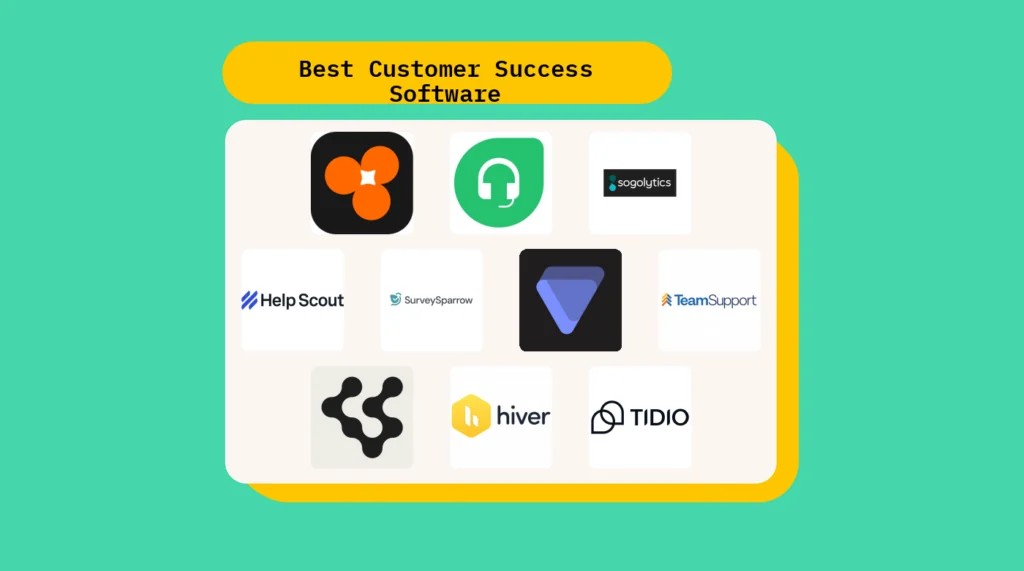
Müşteri başarısı yazılımı, ekibinizin hesapları proaktif bir şekilde yönetmesine, müşteri kaybını azaltmasına ve büyüme fırsatlarını belirlemesine yardımcı olur. Parçalı veriler, tutarsız işe alıştırma süreçleri, tepkisel müşteri yönetimi veya hesap riski ve yenileme potansiyeli hakkında sınırlı görünürlükle mücadele ediyorsanız, doğru müşteri başarısı yazılımı bu sorunların çoğunu çözebilir.
Bu makalede, müşteri elde tutma çalışmalarınızı ölçeklendirmenize ve memnuniyeti artırmanıza yardımcı olabilecek piyasadaki en iyi müşteri başarısı yazılımlarını inceleyeceğim.
Why Trust Our Software Recommendations
6,700+
Reviews
20
Industry experts
16+
Evaluation factors
14
Years
Our team has been testing and reviewing software since 2012. As CX leaders ourselves, we know how difficult—and important—it is to choose the right software.
For this guide, we evaluated tools using hands-on testing and independent research, scoring tools using our selection criteria.
Our reviews reflect our human editorial judgment, not a sales pitch.
 Gui DrusinaCreative Director
 Tim FisherVP of AI
Karşılaştırma Tablosu: Müşteri Başarısı Yazılımı Çözümleri
Bu karşılaştırma tablosu, en iyi müşteri başarısı yazılımı seçimlerim için fiyatlandırma ayrıntılarını özetlemektedir.
Sorted by: Default
| Tool | Starting Price | Website | |
|---|---|---|---|
Best for preventing silent churn | 4.8 out of 5 | $199/month 7-day free trial + free demo available | Website |
Best for AI-powered customer support | 4.4 out of 5 | $29/user/month 14-day free trial available | Book Demo |
Best for AI-driven sentiment insights | 4.4 out of 5 | $19/user/month Free plan available | Website |
Best for proactive customer engagement | 4.5 out of 5 | $25/user/month Free plan + 15-day free trial + free demo available | Website |
Best for closed-loop customer issue resolution | 4.5 out of 5 | Pricing upon request Free demo available | Website |
Best for tracking customer health scores | 4.6 out of 5 | Pricing upon request Free demo available | Website |
Best for lifecycle automation features | 4.5 out of 5 | $45/month Free demo available | Book Demo |
Best for unified customer interactions | 4.3 out of 5 | $25/agent/month Free trial available | Book Demo |
Best with enterprise-grade security and privacy | 4.4 out of 5 | $32/month 7-day free trial + demo available | Website |
Best for integrating unified customer operations | 4.7 out of 5 | $29/month Free plan available | Website |


En İyi Müşteri Başarısı Yazılımı İncelemeleri
Her bir müşteri başarısı uygulamasının en iyi kullanım alanını, dikkat çekici bazı özelliklerini ve kullanıcı arayüzüne genel bir bakış sunan ekran görüntülerini sergilemek için her araç hakkında kısa bir açıklama aşağıda yer almaktadır.
 Best for preventing silent churn
- 7-day free trial + free demo available
- From $199/month (billed annually)
Visit WebsiteCustomer Rating:4.8/5
Customerscore.io surfaces AI-driven health scores and behaviour trends so customer success teams can spot churn risks and engagement drops at a glance. Customerscore.io lets CX teams and SaaS businesses track customer health, predict churn, and automate engagement so they can focus on the accounts that need attention most.
Who Is Customerscore.io Best For?
Customerscore.io is a strong fit for SaaS companies with dedicated customer success teams who need to monitor account health and act on churn signals before they escalate.
Why I Picked Customerscore.io
Customerscore.io earns its spot on my shortlist because it directly tackles the problem of silent churn—customers who quietly disengage and cancel without ever raising a support ticket. I like how its AI-based health scoring pulls signals from across your stack (usage data, billing, support activity) and triggers automated workflows the moment a score drops, so no at-risk account slips through unnoticed. That means my team can run a churn prevention playbook that fires a personalized check-in email when a health score falls below 60, without anyone manually reviewing a dashboard. The renewal protection workflow is another feature I find genuinely useful—it flags low-usage accounts 30 days before renewal and kicks off proactive outreach automatically.
Customerscore.io Key Features
- Expansion workflow automation: Triggers an upsell email automatically when a customer's usage hits 80% of their plan limit.
- Onboarding activation triggers: Sends a tutorial email on day 14 if a key feature hasn't been adopted yet.
- Multi-source signal detection: Pulls engagement, billing, and support data from tools like Mixpanel, Stripe, and Intercom into a single health view.
- Impact measurement dashboard: Tracks at-risk accounts detected, save rate, and ARR protected so you can see exactly what's working.
Customerscore.io Integrations
Customerscore.io offers native integrations with Intercom, Mixpanel, Stripe, HubSpot, Salesforce, Segment, and Zapier. An API is available for custom integrations.
Pros and Cons
Pros:
- Strong native CRM integrations
- Actionable upsell opportunity insights
- Clear churn risk visibility
Cons:
- Learning curve for analytics
- Pricing not publicly disclosed
Learn more about Customerscore.io: Best for AI-powered customer support
- 14-day free trial available
- From $29/user/month (billed annually)
Visit WebsiteCustomer Rating:4.4/5
Freshdesk integrates bots, ticketing, and conversations, aiming to improve agent efficiency and provide a consistent customer support experience. Freshdesk is a cloud-based customer success platform designed for CX teams who need to manage support requests, automate workflows, and deliver consistent service across channels like email, chat, and social media.
Who Is Freshdesk Best For?
Freshdesk is a good fit for small to mid-sized businesses that need a scalable, multichannel support platform without heavy IT overhead.
Why I Picked Freshdesk
Freshdesk earns its spot on my shortlist because its Freddy AI suite handles the full support lifecycle, not just one stage. I particularly like Freddy AI Copilot, which gives agents real-time reply suggestions, live translations, and ticket summaries so they can respond faster without sacrificing accuracy. Freddy AI Agent autonomously resolves repetitive queries around the clock, freeing my team from answering the same questions repeatedly. Freddy AI Insights rounds it out by surfacing proactive alerts and answering leadership questions about support trends on demand.
Freshdesk Key Features
- Omnichannel shared inbox: Manage customer conversations from email, chat, phone, and social media in a single unified inbox.
- Skill-based ticket assignment: Automatically route incoming tickets to agents based on their specific skills or expertise areas.
- SLA policy management: Set and enforce multiple SLA policies to track response and resolution time targets across different customer segments.
- Knowledge base: Build a multilingual self-service portal where customers can find answers without contacting your support team.
Freshdesk Integrations
Freshdesk offers 1,000+ native integrations, including Salesforce, HubSpot, Jira, Slack, Shopify, Mailchimp, Google Workspace, Microsoft Teams, WhatsApp, Zoom, and Zapier. An API is available for custom integrations.
Pros and Cons
Pros:
- Strong reporting and analytics tools for performance insights
- Intuitive interface supports fast adoption
- AI chatbots and automation reduce repetitive tasks
Cons:
- Advanced AI features require additional setup and training
- Customisation capabilities limited
Learn more about Freshdesk: Best for AI-driven sentiment insights
- Free plan available
- From $19/user/month (billed annually)
Visit WebsiteCustomer Rating:4.4/5
SurveySparrow tracks and reports on survey responses and can provide actionable insights for customer success strategies. SurveySparrow gives CX teams a way to collect, analyze, and act on customer feedback using conversational surveys and automation, helping businesses in any industry understand customer needs and improve satisfaction.
Who Is SurveySparrow Best For?
SurveySparrow is a strong fit for mid-sized to enterprise businesses that run ongoing customer feedback programs and need a dedicated tool for survey design, distribution, and analysis.
Why I Picked SurveySparrow
SurveySparrow earns its spot on my shortlist because of CogniVue, its AI-powered text analytics engine that offers more than basic sentiment scoring. CogniVue automatically extracts and categorizes topics from open-ended responses, so my team doesn't have to tag hundreds of comments to determine what customers are talking about. The key driver analysis is particularly useful—it surfaces the root causes behind CX metrics like NPS, so I can see not just that satisfaction dropped, but which topics are driving it. The topic monitoring feature tracks sentiment shifts in real time, allowing me to catch emerging issues before they become patterns.
SurveySparrow Key Features
- Ticket management: Converts survey responses into assignable, trackable tickets so your team can follow up on customer issues directly from the platform.
- Recurring surveys: Schedules and automates surveys to go out at set intervals, keeping a continuous pulse on customer satisfaction without manual effort.
- Omnichannel feedback collection: Distributes surveys via email, web embed, QR code, SMS, and social media to capture feedback across every customer touchpoint.
- Visual workflows: Triggers automated actions based on survey responses using a no-code workflow builder with conditional logic.
SurveySparrow Integrations
SurveySparrow offers 40+ native integrations, including Salesforce, HubSpot, Slack, Google Sheets, Intercom, Zendesk, Mailchimp, Freshdesk, Microsoft Teams, Shopify, and Zapier. An API is also available for custom integrations.
Pros and Cons
Pros:
- Ideal for tracking satisfaction across CX programs
- AI analyzes text feedback for tone and emotion
- Conversational surveys increase response and engagement rates
Cons:
- Limited depth in custom analytics and reporting
- Complex logic setup can challenge non-technical users
Learn more about SurveySparrow: Best for proactive customer engagement
- Free plan + 15-day free trial + free demo available
- From $25/user/month (billed annually)
Visit WebsiteCustomer Rating:4.5/5
Help Scout’s analytics dashboard displays conversation volume across chat, email, and phone channels, helping teams track performance and identify busy periods for better resource planning. Help Scout gives CX teams in SaaS, ecommerce, and service-based businesses a shared inbox, customer profiles, and automation tools to manage conversations, deliver personalized support, and keep customer relationships on track.
Who Is Help Scout Best For?
Help Scout is a strong fit for small to mid-sized teams that handle high volumes of customer conversations and need a straightforward, collaborative tool without a steep learning curve.
Why I Picked Help Scout
Help Scout earns its spot as one of the best on my shortlist because of how well it handles proactive customer engagement without requiring a separate tool. I particularly like the Messages feature, which lets my team send targeted in-app or on-site messages triggered by specific customer behaviors—like time on page, URL, or number of visits—so we can reach customers at exactly the right moment during onboarding or a critical product step. Help Scout's built-in NPS and sentiment surveys let me measure how customers are feeling without adding another platform. The Beacon widget ties it all together by surfacing knowledge base articles in-app before a customer even thinks to reach out.
Help Scout Key Features
- Shared inbox: Manage email, chat, phone, and social conversations from a single inbox, with automatic conversation assignment to the right team member.
- Customer profiles: Pull in customer data and full conversation history from connected apps directly into each support thread, without switching tools.
- Workflow automation: Set up rule-based workflows to auto-assign, tag, and route conversations based on conditions like sender, subject line, or keyword.
- Saved replies: Store and reuse pre-written responses to common questions so agents can reply to repeat inquiries without drafting from scratch.
Help Scout Integrations
Help Scout offers 90+ native integrations, including Salesforce, HubSpot, Slack, Jira, Shopify, Mailchimp, Google Workspace, Trello, Intercom, Aircall, and Zapier. An API is available for custom integrations.
Pros and Cons
Pros:
- Strong analytics for tracking team performance
- Proactive messaging reduces churn and boosts engagement
- Centralized inbox simplifies communication management
Cons:
- Customization options for knowledge base are limited
- Some advanced chat features only in higher tiers
Learn more about Help Scout: Best for closed-loop customer issue resolution
- Free demo available
- Pricing upon request
Visit WebsiteCustomer Rating:4.5/5
Sogolytics offers advanced feedback collection methods and provides detailed analytics and metrics with its dashboard. Sogolytics gives CX teams in service-driven businesses a way to capture, analyze, and act on customer feedback with advanced survey tools and automated follow-up workflows that improve customer relationships and drive measurable outcomes.
Who Is Sogolytics Best For?
Sogolytics is a strong fit for mid-size to enterprise organizations with dedicated CX or customer insights teams that need structured feedback programs tied to action.
Why I Picked Sogolytics
Sogolytics earns its spot as one of the best on my shortlist because of how well it handles the full arc of a customer issue—from the moment feedback comes in to the moment it's resolved. I love that SogoConnect, its help desk ticketing module, automatically routes incoming feedback to the right team and starts a response timer, so nothing sits unacknowledged. When an issue needs urgent attention, my team can manually or automatically escalate it to "Critical" status, triggering alerts to the right people. The alerts and action plans feature in SogoCX adds another layer, letting my team set up automated notifications when CX metrics dip below a threshold and build structured follow-up plans tied directly to those signals.
Sogolytics Key Features
- Omnichannel survey distribution: Send feedback requests via email, SMS, web, QR codes, and in-app channels from a single platform.
- Key driver analysis: Identify which specific touchpoint variables have the greatest statistical impact on NPS, CSAT, or CES scores.
- Customer journey mapping: Visualize CX data across multiple touchpoints in a single view, using tags to group and compare stages or segments.
- NLP-powered text analysis: Automatically categorize and extract sentiment from open-ended responses without manually reviewing each one.
Sogolytics Integrations
Sogolytics offers native integrations with Salesforce, HubSpot, Microsoft Teams, Slack, Zendesk, Google Sheets, Mailchimp, and Zapier. An API is also available for custom integrations.
Pros and Cons
Pros:
- Good for both employee and customer feedback
- Strong template library speeds survey creation
- Easy charting and export of feedback results
Cons:
- Older data format compatibility can cause issues
- Interface requires scrolling and feels cluttered
Learn more about Sogolytics: Best for tracking customer health scores
- Free demo available
- Pricing upon request
Visit WebsiteCustomer Rating:4.6/5
Velaris provides a range of insights for monitoring customer relationships and activities. Velaris gives CX teams and customer success managers a unified platform to monitor customer journeys, automate workflows, and surface actionable insights that help reduce churn and drive account growth.
Who Is Velaris Best For?
Velaris is a strong fit for B2B SaaS companies with dedicated customer success teams looking to move from reactive support to proactive account management.
Why I Picked Velaris
I picked Velaris as one of the best because of how much control it gives you over health score configuration. Most tools give you a fixed formula—Velaris lets you build health scores from scratch using the exact metrics that matter to your business, whether that's product usage, support ticket volume, NPS ratings, or any custom data point you pull in. I also like that scores roll up across the organization, account, and contact level, so my team can spot a struggling contact within an otherwise healthy account. Additionally, the CSM Pulse feature lets CSMs layer in their own manual ratings, which means the score reflects both the data and the human judgment that no algorithm fully replaces.
Velaris Key Features
- Playbooks: Build standardized, step-by-step playbooks that trigger automatically based on customer behavior or lifecycle stage.
- Visual workflow builder: Design automated workflows using custom triggers to send comms, update records, or alert your team.
- Surveys: Create and send NPS, CSAT, and CES surveys directly within the platform to collect structured customer feedback.
- AI account intelligence: Generate instant historical overviews of any account, pulling together activity, comms, and context in one view.
Velaris Integrations
Velaris offers native integrations with Salesforce, HubSpot, Intercom, Zendesk, Slack, Microsoft Teams, Google Workspace, Jira, and Zapier. An API is available for custom integrations.
Pros and Cons
Pros:
- Automation workflows reduce manual tracking and outreach
- Dynamic health scoring adapts to lifecycle changes
- Centralized view combines usage, sentiment, and engagement
Cons:
- Fewer integrations available
- Smaller orgs may underuse the platform’s full scope
Learn more about Velaris: Best for lifecycle automation features
- Free demo available
- From $45/month (billed annually)
Visit WebsiteCustomer Rating:4.5/5
TeamSupport interface displaying customer support features and platform navigation. TeamSupport is a customer success platform built for B2B support and CX teams who need to manage complex client relationships, streamline communication, and proactively address customer needs throughout the entire lifecycle.
Who Is TeamSupport Best For?
TeamSupport is a strong fit for B2B companies with dedicated customer support or success teams managing ongoing client relationships across multiple accounts.
Why I Picked TeamSupport
I picked TeamSupport as one of the best because its Playbooks feature handles lifecycle automation end-to-end. Playbooks covers onboarding, churn prevention, renewals, and upsell motions in a single workflow layer—no external tools or manual checklists required. When a deal closes in Salesforce or HubSpot, Playbooks automatically creates a new customer record and kicks off an onboarding workflow. It also triggers churn prevention flows when a health score drops, so my team responds to risk signals before they escalate.
TeamSupport Key Features
- Customer Distress Index: A proprietary scoring system that monitors engagement patterns and sentiment across all customer touchpoints to flag at-risk accounts.
- AI agent: An AI-powered agent that handles routine support questions, gathers information, and hands off complex issues to human agents.
- Unified task view: A single view of all open items organized by customer, user, ticket, or product across your entire account portfolio.
- Advanced analytics dashboard: Pre-built and customizable reporting templates with real-time metrics alerting to track account-level performance.
TeamSupport Integrations
TeamSupport offers native integrations with Salesforce, HubSpot, Jira, Slack, Mailchimp, Microsoft Teams, and QuickBooks, and connects with Zapier. An API is available for custom integrations.
Pros and Cons
Pros:
- Customizable customer self service hub
- Real time sentiment insights
- AI powered ticket automation
Cons:
- Limited mobile app functionality
- Knowledge base lacks configurability
Learn more about TeamSupport: Best for unified customer interactions
- Free trial available
- From $25/agent/month (billed annually)
Visit WebsiteCustomer Rating:4.3/5
Zendesk has a ticketing system for managing customer concerns efficiently. Zendesk gives CX teams in businesses of all sizes a single platform to manage customer conversations, support tickets, and engagement across channels, helping teams deliver fast, consistent service and resolve issues promptly.
Who Is Zendesk Best For?
Zendesk is a strong fit for mid-size to enterprise CX and support teams that handle high volumes of customer interactions across multiple channels.
Why I Picked Zendesk
Zendesk earns its spot on my shortlist because of how well it brings every customer interaction into one place—email, chat, voice, social, and messaging all feed into a single agent workspace. I like that agents can see the full conversation history across channels without switching tools, so they can pick up where a previous interaction left off. My team also relies on Zendesk's unified customer profiles, which surface account details, past tickets, and interaction context right alongside the conversation. That kind of visibility cuts down on the back-and-forth customers hate and helps agents respond with real context from the start.
Zendesk Key Features
- AI-powered ticket routing: Automatically assigns incoming tickets to the right agent based on availability, skills, and workload across all channels.
- Omnichannel routing: Directs conversations from email, voice, messaging, and social into a single queue so agents never have to manually sort incoming requests.
- Knowledge base builder: Lets teams create, manage, and surface self-service articles using generative AI to turn historical tickets into help center content.
- Custom reporting dashboards: Gives CX teams prebuilt and fully customizable dashboards to track ticket volume, agent performance, and service trends.
Zendesk Integrations
Zendesk offers 1,500+ native integrations through its marketplace, including Salesforce, Slack, Jira, Shopify, Mailchimp, HubSpot, Google Workspace, Microsoft Teams, Zoom, Trello, and Zapier. An API is available for custom integrations.
Pros and Cons
Pros:
- Extensive integrations with CRM, telephony and social systems
- Automates routing and response workflows, reducing manual tasks
- Brings email, chat, phone and social into one workspace
Cons:
- Advanced features locked behind higher-tier add-ons or customisation
- Setup and configuration are complex and resource-intensive
Learn more about Zendesk: Best with enterprise-grade security and privacy
- 7-day free trial + demo available
- From $32/month (billed annually)
Visit WebsiteCustomer Rating:4.4/5
Chatbase helps CX teams deploy AI support agents that resolve customer questions using trusted internal knowledge sources. Chatbase is an AI chatbot platform for customer success teams that lets you build, deploy, and manage custom AI agents, automate support workflows, and connect chatbots to your business data and systems.
Who Is Chatbase Best For?
Chatbase suits customer success teams at growing businesses that need to automate support and connect chatbots to their internal systems.
Why I Picked Chatbase
I picked Chatbase as one of the best because it gives my team enterprise-grade security and privacy controls that are essential for handling sensitive customer data. I like that Chatbase offers features like data encryption, audit logs, and strict access management. In practice, that means my team can confidently deploy AI chatbots in regulated industries without worrying about compliance gaps.
Chatbase Key Features
- Custom AI agent builder: Create and train AI chatbots using your own business data and documents.
- Multilingual support: Deploy chatbots that can interact with customers in multiple languages.
- Conversation analytics: Track and analyze chatbot interactions to identify trends and improve responses.
- API access: Integrate Chatbase with your existing business systems and workflows using robust APIs.
Chatbase Integrations
Chatbase offers native integrations with Zendesk, Notion, Slack, Stripe, Salesforce, Cal.com, Calendly, WhatsApp, and Messenger. It also connects with Make and Zapier, and provides an API for custom integrations.
Pros and Cons
Pros:
- Conversation analytics dashboard highlights user trends
- Widget customization matches company branding easily
- API access for advanced business system integration
Cons:
- Lacks advanced workflow automation tools
- No built-in live agent handoff feature
Learn more about Chatbase: 10Best for integrating unified customer operations
Weav
- Free plan available
- From $29/month (billed annually)
Visit WebsiteCustomer Rating:4.7/5
Weav gives CX teams a unified customer view, helping them prioritize conversations and manage support interactions more effectively. Weav is an AI-powered customer support platform that combines a unified inbox, AI agents, chatbots, and automated ticket resolution tools for support teams managing customer interactions across channels.
Who Is Weav Best For?
Weav is a good fit for small to mid-sized support teams that need to centralize customer communications and automate repetitive ticket handling without heavy engineering overhead.
Why I Picked Weav
Weav earns its spot on my shortlist because its unified inbox brings AI agents and human reps into a single shared workspace, so every customer conversation, no matter the channel, stays in one place with full context intact. I really like that Weav's AI drafts replies across all inboxes simultaneously, meaning my team isn't toggling between tools to handle email, chat, and other channels. The "Ask Weav" feature also gives the team a quick internal knowledge layer, so reps can get product answers without leaving the workspace.
Weav Key Features
- AI chatbot builder: Build and deploy AI-powered chatbots trained on your own product documentation and help content to handle incoming customer questions.
- Smart ticket routing: Automatically route incoming tickets to the right human agent based on topic, priority, or team, so conversations reach the right person without manual triage.
- Knowledge base training: Upload internal docs, FAQs, and articles to train Weav's AI on your specific product, so it answers accurately within your context.
- Custom analytics dashboards: Track ticket volume, response times, and resolution rates using configurable dashboard views tailored to your team's reporting needs.
Weav Integrations
Native integrations are not clearly documented. Weav offers a developer-first REST API where every action available in the dashboard can be accessed programmatically, along with real-time webhooks for building custom workflows.
Pros and Cons
Pros:
- No per-seat cost for collaborators
- Unified inbox spans all channels
- AI agents train from resolved tickets
Cons:
- Free plan caps AI at 20 messages
- Limited third-party native integrations available
Learn more about Weav:
Diğer Müşteri Başarısı Yazılımları
En iyi listesine giremeyen birkaç seçenek daha aşağıda yer alıyor.
- 11MissiveBest for collaborative customer communication
- 12LiveAgentBest for ticket history during help desk moves
- 13DockBest for client-facing workspaces
- 14ChurnZeroBest for managing customer churn risks
- 15Product FruitsBest for collecting detailed customer onboarding feedback
- 16GuiddeBest for creating how-to videos with AI
- 17PlanhatBest multichannel customer success software
- 18GUIDEcxBest for customer & client onboarding
- 19CatalystBest customer success software for upselling & retention
- 20FrontBest for cross-team workflow coordination
- 21SkilljarBest customer success software for customer education
- 22PodiumBest customer success software for SMS & text marketing
- 23Sprout SocialBest for centralizing social inboxes
- 24AkitaBest for reducing customer churn
- 25GuruBest for AI customer response suggestions
- 26FrontBest for managing customer communication
- 27QuidgetBest for AI-powered live chat automation
- 28HiverBest for delivering enhanced customer experiences
- 29TidioBest for its customer behavior analysis
- 30NextivaBest for personalized customer journey orchestration
- 31eDeskBest for ecommerce support teams
- 32CustifyCustomer success software for SaaS-centric companies.
- 33AcceloProfessional services automation software for handling customer tickets.
- 34GainsightCustomer success and product experience software to help increase product adoption and reduce churn.
- 35UserGuidingBest for no-code onboarding tools
- 36CustomerSuccessBoxAI-powered customer success platform for driving product adoption.
- 37ClientSuccessCustomer success platform for building healthy customer relationships.
- 38VitallyCustomer success platform for identifying trends and leveraging insights towards improved customer health scores.
- 39ConversicaCloud-based software for attracting new customers and retaining existing ones with the help of virtual assistants.
- 40TotangoBest for tracking & managing customer health scores
How I Evaluate Customer Success Software
I split my evaluation into two layers: the core capabilities—like health scoring, churn alerts, and lifecycle playbooks—that qualify a tool for the list, and the differentiators that separate the best from the rest.
Core Functionality (Table Stakes For This List)
When I'm selecting tools for my list, I rank each one on a scale from 0 (does not offer the functionality) to 5 (excels in this area) for each core functionality listed below. Then, I calculate the tool's total score into a percentage. Each tool needs to achieve a minimum total score of 65% to be considered for inclusion.
- Customer Health Scoring: I look for configurable, multi-factor health scores—tools where you can weight inputs like support ticket trends, login frequency, and NPS responses per account segment.
- Churn Risk & Alerts: Early warning systems matter here. I evaluate whether a platform surfaces at-risk accounts automatically and routes alerts to the right CSM before renewal conversations start.
- Lifecycle Playbooks & Automation: Each tool should let you build triggered playbooks for key stages like onboarding, adoption check-ins, and QBRs rather than relying on manual task creation.
- Product Usage Analytics: I check whether the platform ingests telemetry data and translates it into adoption metrics—things like feature-level engagement, license utilization, and usage trends over time.
- Renewal & Expansion Management: Tools like Gainsight and ChurnZero handle this differently, so I evaluate whether the platform offers pipeline views, revenue forecasting, and NRR/GRR tracking in one place.
- Unified Customer View & Integrations: A CSM shouldn't need four tabs open to prep for a call. I look for a single account timeline pulling data from CRM, support, billing, and product systems.
Once I have a list of tools that meet this criteria, I consider what sets each platform apart.
Differentiating Factors (What Sets Vendors Apart)
Here's how I compare and contrast different vendors:
Standout Features
Predictive AI is a big differentiator. I evaluate whether a platform can forecast churn or expansion likelihood based on behavioral patterns—not just flag accounts that already look bad. Customer-facing workspaces also stand out. Shared success plans where your customers track onboarding milestones or review QBR outcomes turn CS from a back-office function into a visible partnership. I also look at in-app engagement tools, since triggering adoption nudges or NPS surveys inside the product removes friction that email outreach can't solve.
Beyond Features
Integration depth matters a lot here. I check whether a platform syncs bidirectionally with your CRM and billing system, since stale data in a health score is worse than no health score at all. Implementation timelines also vary widely—some platforms get a ten-person CS team live in weeks, while others require months of professional services. I also evaluate segment fit, because a tool built for enterprise high-touch motions often overwhelms a lean SMB team running digital-led CS.
Müşteri Başarısı Yazılımı Nasıl Seçilir?
Uzun özellik listeleri ve karmaşık fiyatlandırma yapıları içinde kaybolmak kolaydır. Kendinize özgü yazılım seçme sürecinizde ilerlerken odağınızı korumanıza yardımcı olmak için göz önünde bulundurmanız gereken faktörlerin bir kontrol listesi aşağıda yer almaktadır:
| Faktör | Dikkat Edilmesi Gerekenler |
|---|---|
| FaktörÖlçeklenebilirlik | Dikkat Edilmesi GerekenlerYazılımın işletmenizle birlikte büyüyebildiğinden emin olun. Performanstan ödün vermeden artan müşteri verilerini ve daha fazla kullanıcıyı işleyebilen çözümler arayın. |
| FaktörEntegrasyonlar | Dikkat Edilmesi GerekenlerSüreçleri kolaylaştırmak için CRM'ler ve iletişim platformları gibi mevcut araçlarınıza sorunsuz bir şekilde bağlanıp bağlanmadığını kontrol edin. |
| FaktörÖzelleştirilebilirlik | Dikkat Edilmesi GerekenlerMaksimum verimlilik için belirli iş akışlarınıza ve müşteri temas noktalarınıza uyarlanabilen bir yazılıma ihtiyacınız vardır. |
| FaktörKullanım Kolaylığı | Dikkat Edilmesi GerekenlerEğitim süresini en aza indirmek ve üretkenliği artırmak için ekibinizin öğrenip günlük olarak kullanabileceği sezgisel bir yazılım seçin. |
| FaktörBütçe | Dikkat Edilmesi GerekenlerYazılımın fiyatlandırmasını mali kısıtlamalarınızla uyumlu hale getirin. Beklenmedik durumlarla karşılaşmamak için hem peşin maliyetleri hem de devam eden ücretleri göz önünde bulundurun. |
| FaktörGüvenlik Önlemleri | Dikkat Edilmesi GerekenlerMüşteri bilgilerini korumak ve düzenlemelere uymak için güçlü veri koruma önlemlerinin mevcut olduğundan emin olun. |
Müşteri Başarısı Yazılımındaki Trendler
Müşteri başarısı yöneticilerinin ve müşteri destek ekiplerinin stratejilerini optimize etmek ve müşteri deneyimlerini geliştirmek için müşteri başarısı yazılımındaki trendlerden haberdar olması büyük önem taşır. Güncel gelişmeleri takip eden CSM'ler, müşteri başarısını desteklemek için yazılım çözümlerinin sunduğu yenilikçi özelliklerden ve işlevlerden yararlanabilir.
Ayrıca, yeni ortaya çıkan trendler hakkında bilgi sahibi olmak, CSM'lerin iş akışlarını uyarlamasına, süreçleri kolaylaştırmasına ve hızla gelişen müşteri başarısı ortamında rekabetin önünde kalmasına olanak tanır. 2026 yılında dikkat edilmesi gereken son trendlerden dördü aşağıda yer almaktadır:
Kapsamlı Müşteri İçgörüleri için Yapay Zekâ Odaklı Analiz
Yapay zekâ, müşteri verilerinin analiz edilme ve kullanılma şeklinde devrim yaratıyor ve Müşteri Başarısı Yöneticilerinin kapsamlı müşteri verilerini kolayca toplamasına ve görüntülemesine olanak tanıyor. Yapay zekâ ayrıca otomatik veri işleme, tahmine dayalı analiz ve kişiselleştirme gibi çeşitli özellikleri kullanarak müşteri etkileşimlerini takip etmeye ve müşteri içgörüleri sunmaya yardımcı olabilir.
Daha derin müşteri içgörüleri elde etmek için yapay zekâ odaklı analiz araçlarını uygulamayı deneyin. Bu, yalnızca zamandan tasarruf etmenizi sağlamakla kalmaz, aynı zamanda hizmetlerinizi müşteri ihtiyaçlarını daha etkili şekilde karşılayacak biçimde uyarlamanıza da yardımcı olur.
Müşteri başarısı için veri toplama ve depolama hakkında daha fazla bilgi edinmek ister misiniz? Ücretsiz müşteri veritabanı yazılımı hakkındaki makalemize göz atın.
Birleşik İletişim Platformları
Birleşik iletişim platformları, farklı ekipler arasındaki iletişim ve iş birliği boşluklarını kapatmak için giderek daha önemli hâle geliyor. Müşteri başarısı yazılımı aracılığıyla bu platformlar; merkezi iletişim, diğer CRM araçlarıyla entegrasyon ve ekipler arasında sorun çözmeye yönelik gerçek zamanlı iş birliği gibi avantajlar sunabilir.
Ekip iş birliğini geliştirmek için birleşik bir iletişim platformunu benimseyin ve herkesin aynı anlayışta olmasını ve müşteri başarısını ve memnuniyetini en üst düzeye çıkarmak gibi ortak bir hedef doğrultusunda çalışmasını sağlayın.
Mobil Erişilebilirlik ve Bulut Tabanlı Çözümler
Mobil ve bulut tabanlı çözümleri benimseyerek, ekip üyelerinin daha hızlı uzaktan destek sağlamak için müşteri verilerine her yerden erişmesine olanak tanıyan uzaktan erişim ve tüm ekip üyelerinin en son müşteri etkileşimleri hakkında sürekli olarak bilgilendirilmesini ve aynı doğrultuda hareket etmesini sağlayan mobil uygulamalar aracılığıyla gerçek zamanlı güncellemeler gibi özelliklerle yüksek hacimli müşteri etkileşimlerini verimli bir şekilde yönetebilirsiniz. Bu yaklaşım, müşteri etkileşimlerinin yönetiminde esnekliği ve ölçeklenebilirliği artırır.
Gelişmiş Raporlama ve Gösterge Tablosu Özelleştirme
Bu eğilim; iş açısından kritik ölçümlere odaklanacak şekilde uyarlanabilen özelleştirilebilir raporlar, zamandan tasarruf sağlayan otomatik rapor oluşturma ve hızlı, bilinçli karar almayı kolaylaştıran etkileşimli gösterge tabloları gibi özelliklerle manuel süreçleri azaltarak verimliliği artırmaya yönelik değişimi vurgular.
Bu gelişmiş özelliklere sahip müşteri başarısı yazılımına yatırım yapmak, veri analizinin daha iyi otomatikleştirilmesine ve özelleştirilmesine olanak tanır; böylece daha stratejik görevler için zaman kazanılır ve müşteri başarısı operasyonlarındaki temel zorluklar ele alınır.
Müşteri Başarısı Yazılımı Nedir?
Müşteri başarısı yazılımı işletmelerin müşterilerin sağlık durumunu, etkileşimini ve sonuçlarını takip ederek elde tutmayı ve büyümeyi proaktif bir şekilde desteklemesine yardımcı olan bir platformdur. Kullanımı izlemek, riskleri belirlemek ve müşterilerin ürününüzden veya hizmetinizden sürekli değer elde etmesini sağlamak için kullanılır.
Müşteri Başarısı Yazılımının Özellikleri
Müşteri başarısı yazılımı seçerken aşağıdaki temel özelliklere dikkat edin:
- Kapsamlı müşteri profilleri: Tüm temel müşteri verilerini, gezinmesi kolay tek bir genel bakışta toplayın ve düzenleyin. Bu bütünsel bakış açısı, müşteri etkileşimlerini kişiselleştirmenize ve her müşterinin yolculuğunu hızlıca anlamanıza olanak tanır; böylece hiç kimse sisteminizdeki sıradan bir destek talebi gibi hissetmez.
- Otomatik iletişim araçları: Müşterilere ulaşma biçiminizi kolaylaştırmak için e-postaları planlayın, hatırlatıcılar ayarlayın ve uyarıları tetikleyin. Bu temas noktalarını otomatikleştirerek iletişimi tutarlı ve samimi tutabilirsiniz; artık “Eyvah, takip etmeyi unuttum!” anları yaşanmaz.
- Kullanım takibi: Müşterilerin ürününüzle nasıl etkileşim kurduğunu gerçek zamanlı olarak izleyin. Bu özellik, müşteri davranışlarındaki eğilimleri belirler; böylece biri ayrılmayı düşünmeden çok önce zamanında destek sunabilir veya yükseltme fırsatlarını fark edebilirsiniz.
- Sağlık puanı metrikleri: Müşterilerin kullanım alışkanlıklarına, destek etkileşimlerine ve genel memnuniyetine göre müşteri sağlık puanlarını hesaplayın ve güncelleyin. Bu puanları, işler kötüye gitmeden önce yardıma ihtiyaç duyabilecek müşteriler konusunda sizi uyaran bir erken uyarı sistemi olarak düşünün.
- Görev ve iş akışı otomasyonu: Takip görevleri atamak veya durum alanlarını güncellemek gibi tekrarlayan işleri yazılımın üstlenmesini sağlayın. Bu iş akışlarını otomatikleştirmek, elektronik tablolarla uğraşmak yerine strateji geliştirmenize ve anlamlı ilişkiler kurmanıza zaman kazandırır.
- Başarı planlama araçları: Her müşteri için kişiselleştirilmiş hedefler ve kilometre taşları belirleyin. İlerlemeyi takip edebilir, başarıları birlikte kutlayabilir ve müşterilerin ürününüzden en iyi şekilde yararlanmasına rehberlik edebilirsiniz; tüm bunları kalıcı bir sadakat oluştururken yaparsınız.
- Geri bildirim toplama mekanizmaları: Anketler gönderin veya müşterilerden uygulama içi geri bildirim isteyin. İçgörü toplamak için doğrudan kanallara sahip olmak, değişen ihtiyaçlara hızla uyum sağlamanıza ve müşterilerinizin görüşlerine gerçekten önem verdiğinizi göstermenize olanak tanır.
- Raporlama ve analiz: Müşteri başarısı çalışmalarınızı eyleme dönüştürebileceğiniz verilere çeviren panoları inceleyin. Bu analizler, neyin işe yaradığını kolayca belirlemenizi, yaklaşımınızı uyarlamanızı ve ekibinizin etkisini göstermenizi sağlar.
- Entegrasyon olanakları: Tüm müşteri bilgilerinin güncel kalması ve tek bir yerden erişilebilir olması için CRM, pazarlama ve yardım masası araçlarına sorunsuz şekilde bağlanın. Bu entegrasyonlar, büyük çaba harcamadan akıcı ve koordineli hizmet sunmanıza yardımcı olur.
- İlk kullanım desteği: Yeni kullanıcılara doğrudan yazılım içinde etkileşimli kılavuzlar, öğreticiler ve kaynaklar sunun. Sağlam bir ilk kullanım süreci, uzun vadeli müşteri memnuniyetinin temelini oluşturur ve can sıkıcı “Nasıl başlayabilirim?” destek taleplerini azaltır.
Yaygın Müşteri Başarısı Yazılımı Yapay Zekâ Özellikleri
Yukarıda listelenen standart müşteri başarısı yazılımı özelliklerinin yanı sıra, bu çözümlerin çoğunda şu özelliklerle yapay zekâ kullanılmaktadır:
- Tahmine dayalı müşteri kaybı analizi: Yapay zekâ, hangi kullanıcıların ayrılma olasılığının en yüksek olduğunu tahmin etmek için müşteri davranışlarındaki örüntüleri analiz eder. Bu sayede çok geç olmadan kişiye özel elde tutma stratejileriyle proaktif biçimde iletişime geçebilirsiniz.
- Otomatik duygu analizi: Yazılım, müşteri duygu durumunu gerçek zamanlı olarak tespit etmek için e-postaları, sohbetleri ve geri bildirimleri tarar. Kimin memnun, kimin hayal kırıklığına uğramış olduğunu hızlıca anlayarak iletişim önceliklerinizi buna göre belirleyebilirsiniz.
- Kişiselleştirilmiş içerik önerileri: Yapay zekâ, her müşterinin kullanımına ve tercihlerine göre ilgili makaleler, öğreticiler veya ürün güncellemeleri önerir. Bu, kullanıcıların kendileri için gerçekten önemli olan ipuçları ve kaynaklarla etkileşimde kalmasını sağlar.
- Otomatik vaka önceliklendirme: Biraz yapay zekâ desteğiyle destek talepleri ve istekler; aciliyet, yükselme olasılığı veya müşteri değerine göre sıralanır ve önceliklendirilir. Böylece en önemli sorunlarla her zaman önce ilgilenirsiniz.
- Akıllı müşteri yolculuğu haritalama: Yapay zekâ, her hesap için ideal yolculuğu haritalamak üzere müşteri etkileşimlerinden ve ürün kullanımından yararlanır. Ardından tam doğru zamanda devreye girerek “eh işte” düzeyindeki kullanıcıları ürünü tutkuyla savunan hayranlara dönüştürebilirsiniz.
- Dinamik sağlık puanı ayarlamaları: Yapay zekâ, yalnızca sabit metriklere güvenmek yerine yeni veriler geldikçe sağlık puanlarını anında yeniden ayarlar. Bu da koşullar değiştikçe risk altındaki müşterilere keskin bir şekilde odaklanmanıza yardımcı olur.
Müşteri Başarısı Yazılımının Faydaları
Müşteri başarısı yazılımı, kuruluşunuzun tamamında zincirleme etki yaratabilecek çok çeşitli faydalar sunar. Nitekim Forrester'ın 2021 yılında yaptığı bir araştırma, teknoloji yatırımlarında müşteriyi merkeze alan bir yaklaşım benimseyen şirketlerin rakiplerinden 1,8 kat daha hızlı büyüdüğünü ortaya koymuştur.
Doğru müşteri başarısı yazılımını seçerek aşağıdaki faydaları elde etmeyi bekleyebilirsiniz:
1. Gelişmiş Müşteri Elde Tutma: Bu yazılım, ekibinizin müşteri ihtiyaçlarını ve endişelerini proaktif bir şekilde ele almasına yardımcı olur; bu da daha yüksek memnuniyet oranlarına ve daha düşük müşteri kaybına yol açar. Risk altındaki müşterileri erkenden belirleyerek elde tutma stratejileri etkili biçimde uygulanabilir.
2. Veriye Dayalı İçgörüler: Müşteri başarısı yazılımı, müşteri davranışları ve tercihleri hakkında derinlemesine içgörüler sunan analiz ve raporlama araçları sağlar. Bu veriler, müşteri sadakatini, deneyimlerini ve sonuçlarını iyileştiren bilinçli kararlar almanızı sağlar.
3. Artan Operasyonel Verimlilik: Müşteri başarısı yazılımıyla takipler, biletleme ve müşteri talepleri gibi rutin görevlerin otomatikleştirilmesi, ekip üyelerinin daha stratejik faaliyetlere odaklanmasını sağlar. Bu, üretkenliği artırır ve kaynak kullanımını optimize eder.
4. Kişiselleştirilmiş Müşteri Etkileşimleri: Yazılım, iletişim ve hizmetleri bireysel müşteri verilerine göre özelleştirmek için müşteri yolculuğunun izlenmesine ve anlaşılmasına olanak tanır. Kişiselleştirilmiş etkileşimlerin müşteri etkileşimini ve sadakatini artırma olasılığı daha yüksektir.
5. Ölçeklenebilir Müşteri Etkileşimi: İşletmeniz büyüdükçe artan müşteri etkileşimi hacimlerini yönetmek zorlaşır. Müşteri başarısı yazılımı, bu büyümeyi karşılayacak şekilde ölçeklenir ve personel sayısında orantılı artışlar gerektirmeden müşteri hizmetlerinin kalitesini korur.
Bu teknolojinin stratejik kullanımı yalnızca müşteri yolculuğunu geliştirmekle kalmaz, aynı zamanda müşteri memnuniyetini ön planda tutarak sürdürülebilir işletme büyümesini de destekler.
Müşteri Başarısı Yazılımı için Maliyetler ve Fiyatlandırma
Müşteri başarısı yazılımı, farklı işletme ihtiyaçlarına ve büyüklüklerine göre uyarlanmış çeşitli fiyatlandırma ve plan seçenekleri sunar. Kuruluşunuzun hedefleri ve bütçe kısıtlamalarıyla uyumlu bir yazılım çözümü seçmek için bu planları ve özelliklerini tanımak çok önemlidir. Karşılaşabileceğiniz tipik plan seçeneklerine genel bir bakış aşağıda verilmiştir:
| Plan Türü | Ortalama Fiyat | Yaygın Özellikler |
|---|---|---|
| Plan TürüÜcretsiz | Ortalama Fiyat$0 | Yaygın ÖzelliklerTemel analizler, sınırlı müşteri profilleri, e-posta desteği |
| Plan TürüTemel | Ortalama Fiyat$25 kullanıcı başına aylık | Yaygın ÖzelliklerGeliştirilmiş müşteri profilleri, e-posta ve sohbet desteği, temel raporlama |
| Plan TürüProfesyonel | Ortalama Fiyat$75 kullanıcı başına aylık | Yaygın ÖzelliklerTam müşteri yaşam döngüsü takibi, gelişmiş raporlama, entegrasyonlar, öncelikli destek |
| Plan TürüKurumsal | Ortalama Fiyat$150 kullanıcı başına aylık | Yaygın ÖzelliklerÖzel özellikler, özel hesap yöneticisi, 24/7 destek, yapay zekâ özellikleri |
Bir plan seçerken müşteri ilişkilerinizin karmaşıklığını, müşteri tabanınızın ölçeğini ve ihtiyaç duyacağınızı öngördüğünüz destek ve özelleştirme düzeyini göz önünde bulundurun. Doğru müşteri başarısı yazılımı yalnızca mevcut ihtiyaçlarınızı karşılamakla kalmamalı, aynı zamanda kuruluşunuzla birlikte ölçeklenerek işlevsellik ve maliyet arasında iyi bir denge sağlamalı, değeri en üst düzeye çıkarmalı ve işletmenizin müşteri başarısı hedeflerini etkili bir şekilde desteklemelidir.
Müşteri Başarısı Hakkında SSS
Müşteri başarısı ekiplerinin kullandığı müşteri başarısı yazılımları hakkındaki SSS’lerin bazı yanıtlarını burada bulabilirsiniz.
Müşteri başarısı yazılımı türleri nelerdir?
Müşteri başarısı yazılımları genellikle üç ana türe ayrılır: hepsi bir arada platformlar, özel amaçlı araçlar ve analiz çözümleri. Hepsi bir arada platformlar; kullanıcıları sisteme dahil etme, sağlık puanlama ve etkileşimi tek bir araçta birleştirir. Özel amaçlı araçlar; anketler, \u003ca href=\u0022https://thecxlead.com/tools/best-customer-feedback-software/\u0022\u003emüşteri geri bildirimleri\u003c/a\u003e veya yenilemeler gibi belirli bir ihtiyaca odaklanır. Analiz çözümleri, elde tutma ve üst satış fırsatlarını takip etmek için müşteri verilerine ilişkin derinlemesine içgörüler sunar. Doğru türü seçmek; ekibinizin hedeflerine, mevcut sorun noktalarına ve bir aracın iş akışınızla ne kadar iyi entegre olduğuna bağlıdır.\r\n\r\n\u003c!– /wp:list-item –\u003e\r\n\r\n\u003c!– /wp:list –\u003e
Müşteri başarısı yazılımının yatırım getirisini nasıl ölçebilirim?
\u003c!– wp:paragraph –\u003e\r\n\r\nYatırım getirisini; müşteri elde tutma oranları, genişleme geliri, kayıp oranındaki azalma ve Net Tavsiye Skoru’ndaki (NPS) iyileşmeler gibi ölçümleri takip ederek ölçebilirsiniz. Bu ölçümleri yazılımı uygulamadan önce ve uyguladıktan sonra karşılaştırın. Manuel görevleri otomatikleştirerek kazanılan zamanı, ekip verimliliğindeki artışı ve yükseltme fırsatlarındaki artışı hesaba katın. Bu somut sonuçları raporlamak, yatırımınızı paydaşlara gerekçelendirmenize yardımcı olur.\r\n\r\n\u003c!– /wp:list-item –\u003e\r\n\r\n\u003c!– /wp:list –\u003e
Müşteri başarısı yazılımını seçerken hangi entegrasyonlara öncelik vermeliyim?
CRM’niz (Salesforce veya HubSpot gibi), destek taleplerini yönetme sistemleri ve Slack ya da e-posta platformları gibi iletişim araçlarıyla entegrasyonlara öncelik verin. Mevcut teknoloji yığınınızla sorunsuz entegrasyon, müşteri verilerinin her zaman güncel olmasını sağlar ve manuel işleri azaltır. Müşteri başarısı liderleri için analiz ve faturalandırma araçlarıyla güçlü entegrasyonlar, tüm yaşam döngüsünü görünür kılmak ve raporlama açısından özellikle değerlidir.
Müşteri başarısı platformları müşteri kaybını azaltmaya nasıl yardımcı olur?
Müşteri başarısı platformları; sağlık puanlarıyla erken uyarı sinyalleri sunarak, takip süreçlerini otomatikleştirerek ve risk altındaki hesapları görünür kılarak müşteri kaybını azaltmaya yardımcı olur. Kullanım takibi, otomatik kontrol süreçleri ve kişiselleştirilmiş etkileşim gibi özellikler, proaktif biçimde müdahale etmeyi kolaylaştırır. Bu sayede ekibiniz daha güçlü ilişkiler kurabilir ve müşteriler ayrılmayı düşünmeden önce sorunları çözebilir.
Müşteri başarısı yazılımını uygularken kaçınılması gereken yaygın hatalar nelerdir?
Yaygın hatalar arasında ihtiyaç değerlendirmesini atlamak, veri aktarımındaki zorlukları hafife almak ve kurulum sürecine ön saflarda çalışan kullanıcıları dahil etmemek yer alır. Ekibinizi eğitmeyi veya net başarı kriterleri belirlemeyi ihmal etmeyin. İş akışlarını başlangıçta aşırı özelleştirmekten kaçının; önce temel özelliklerle hızlı kazanımlar elde edin, ardından yinelemeli olarak geliştirin. Değişim yönetimi, yüksek benimseme oranı için kritik öneme sahiptir.
Müşteri başarısı yazılımı, departmanlar arası iş birliğini geliştirebilir mi?
Evet, müşteri başarısı yazılımı müşteri verilerini merkezileştirerek ve içgörüleri satış, ürün ve destek ekipleriyle paylaşmayı kolaylaştırarak iş birliğini geliştirebilir. Paylaşılan notlar, görev atamaları ve yönetici panoları gibi özellikler herkesin aynı hedef doğrultusunda ilerlemesini sağlar. Bu, ekipler arasındaki kopuklukları gidermenize ve birleşik bir müşteri deneyimi sunmanıza yardımcı olur.