


Interactive voice response systems (IVR software) answer incoming calls with menus and voice prompts, then route each caller to the right agent or self-service answer. Without it, callers wait in long queues, get transferred repeatedly, and hang up.
In my experience, a well-built call flow cuts misroutes and frees agents for complex issues. This guide covers how IVR works, which features matter, and real examples.
What Is IVR Software?
IVR software is a phone system that interacts with callers through automated voice prompts. It collects keypad or spoken responses, then routes calls to the right team or provides self-service information.
How Does IVR Software Work?
IVR software plays recorded or synthesized prompts, collects caller responses, and uses them to provide information or direct calls. A typical call follows these steps:
- Call arrives: The system answers an incoming call and plays a greeting.
- Options play: The caller hears a menu with choices, such as billing, support, or account information.
- Caller responds: The caller speaks a response or presses a keypad number.
- System interprets: IVR matches the response to a menu option, routing rule, or self-service task.
- Call continues: The system provides the requested information, transfers the caller to a team, or places them in a queue.
Have an account? Log In
Examples of IVR Software
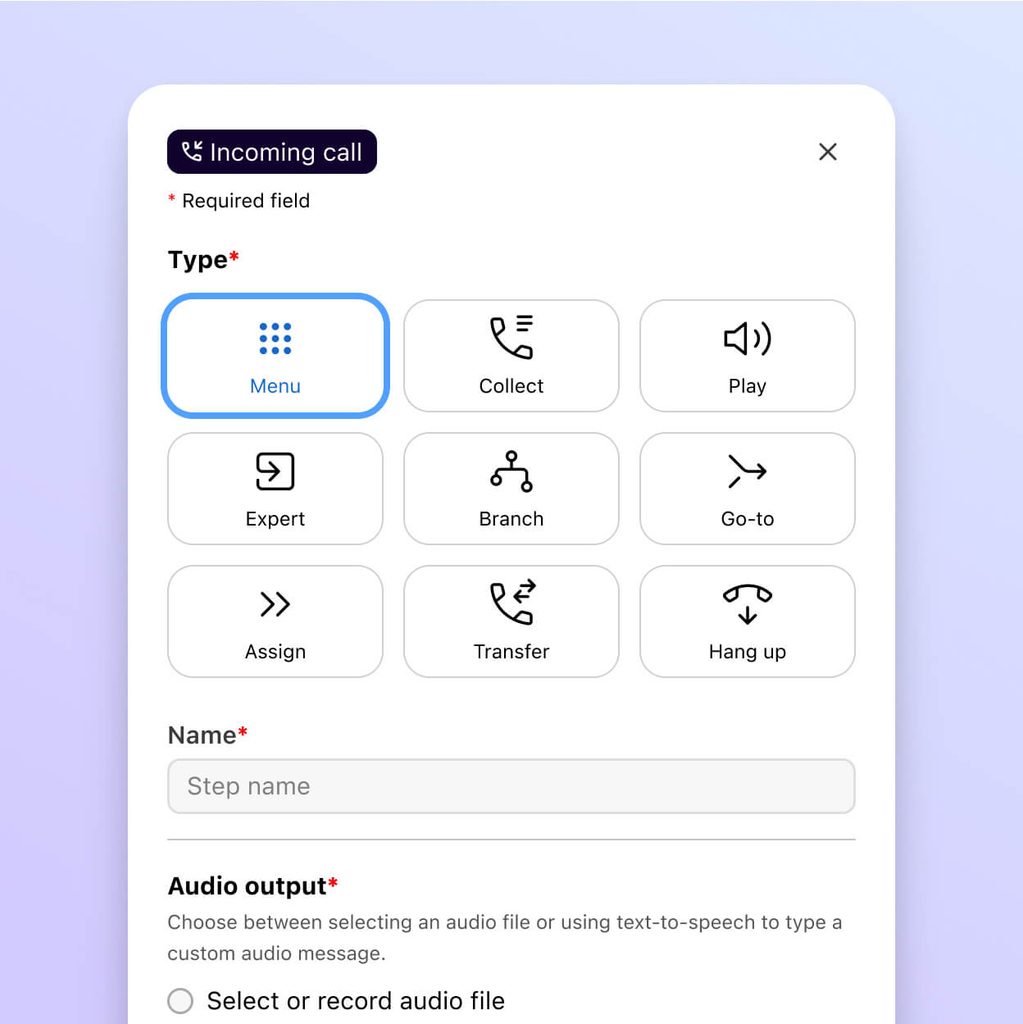
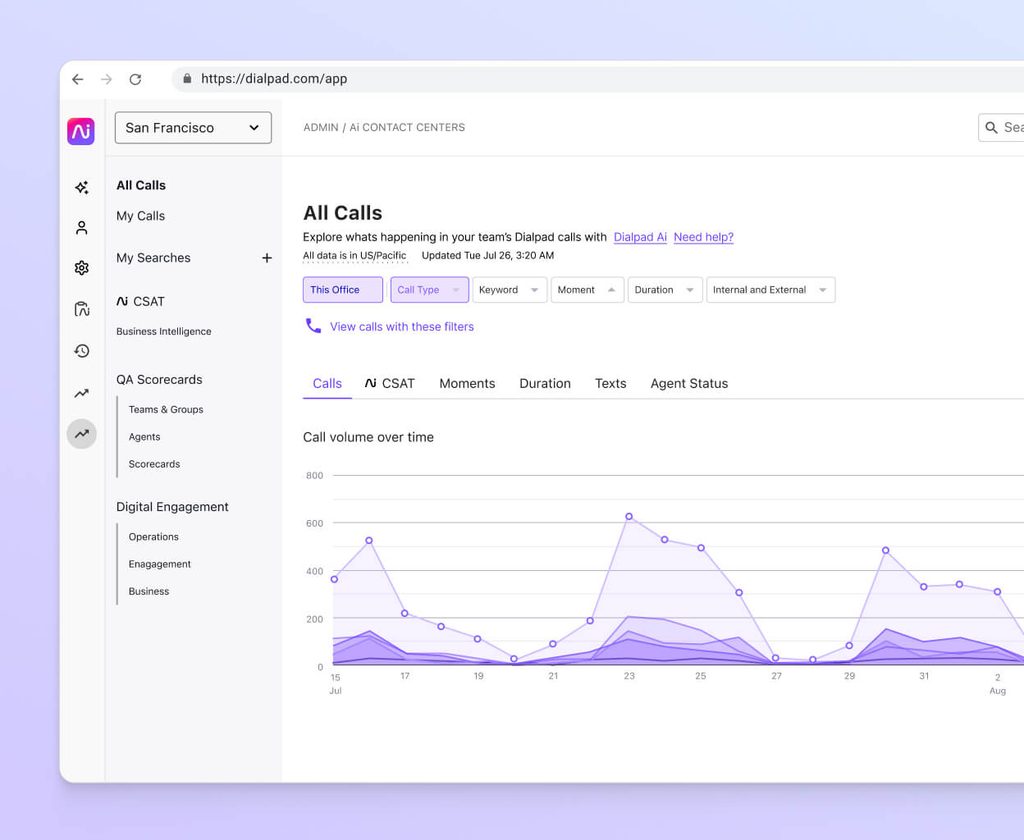
These examples show how IVR menus and call flows typically appear in software interfaces:
Top IVR Software to Consider
Here's my shortlist of the best IVR software solutions:
Clicks on the links below may earn a commission, which supports our independent testing and review of software and services. Learn more about how we stay transparent.
Who Uses IVR Software?
IVR fits organizations with recurring call types, predictable routing rules, or self-service tasks. These teams and businesses are likely to need it:
- Customer support teams: Contact centers can route callers by issue, account type, or language, especially when call volumes make manual transfers difficult.
- Utilities and telecom providers: These businesses can use menus to share outage updates, handle billing questions, and direct callers to the right service team.
- Healthcare organizations: Clinics can route appointment requests, prescription questions, and other common calls to the appropriate staff or self-service option.
- Financial institutions: Banks and credit unions can provide automated account information and route callers to specialized teams, with authentication controls suited to sensitive requests.
- Multi-location businesses: Retailers, service providers, and other businesses with several branches can route callers by location or service need.
Key IVR Software Benefits & Potential Business Impacts
IVR software can reduce misrouted calls and agent workload through routing and self-service, but setup, maintenance, and poor menus add costs and frustrate callers.
Use this comparison to weigh how IVR features can support callers and where poor design can hurt their experience:
| Benefits | Risks |
|---|---|
| BenefitsRoutes callers by issue, account type, or language | RisksLong or confusing menus make callers work harder to reach the right team |
| BenefitsHandles routine requests through self-service prompts | RisksLimited self-service options can leave callers stuck without a clear path to an agent |
| BenefitsOffers queue updates or callback options during busy periods | RisksInaccurate wait estimates or unavailable callbacks can frustrate callers |
| BenefitsDirects callers by location, service, or business hours | RisksOutdated routing rules can send callers to closed or incorrect destinations |
| BenefitsReports on menu selections and call drop-offs | RisksPoorly reviewed reports can hide caller confusion or misrepresent demand |
| BenefitsConnects with customer records to give agents call context | RisksIntegration errors or weak access controls can expose or misroute customer information |
IVR Software Case Study
This case study compares a support team’s call experience before and after IVR software, from repeated transfers and queues to menu-based routing and self-service.
Case Study: CSG's Implementation of Teneo Conversational IVR
CSG, a technology company, implemented Teneo Conversational IVR to help them handle up to one million voice-based requests each month. The IVR uses conversational voice recognition to interpret what callers say and route them to the right destination.
Here are the results of CSG's implementation of ivr software:
- Fewer misroutes: Misrouted calls dropped from 60% to 30%.
- Shorter calls: Average handle time fell by two minutes per call.
- Projected return: CSG projected an ROI of $39 million.
Core Features & Capabilities of IVR Software
Look for features that help your team shape call flows, serve routine requests, and track how callers move through the system:
- Menu and prompt design: Build caller menus with recorded or synthesized prompts, then update options as services or routing needs change.
- Speech and keypad input: Let callers respond by speaking or pressing keys; support for both gives callers more than one way to navigate.
- Rules-based call routing: Direct calls by menu selection, language, business hours, or other configured rules so callers reach an appropriate team.
- Self-service workflows: Handle defined requests, such as checking account information, without transferring callers to an agent. Connect workflows to trusted data sources when they need current information.
- Queue management: Provide wait-time messages, queue position updates, or callback options to help callers understand what happens next.
- Customer record integration: Pass caller details and menu selections to connected customer records so agents have context when a call transfers.
- Call-flow analytics: Track menu selections, transfers, call completion, and drop-offs to identify confusing options or routing gaps.
IVR Software Use Cases: Typical Processes & Workflows
Use this table to see how IVR supports the call workflows CX managers oversee:
| Process | Description | How Software Helps |
|---|---|---|
| ProcessDesign and maintain call flows | DescriptionSet up menu options and update them when services, teams, or hours change. | How Software HelpsMenu and prompt tools let you revise caller choices and routing rules without rebuilding the entire call flow. |
| ProcessRoute calls to the right team | DescriptionDirect callers based on their issue, language, account type, or selected location. | How Software HelpsRules-based routing uses caller input and configured criteria to transfer calls to an appropriate team or destination. |
| ProcessOffer self-service for routine requests | DescriptionLet callers complete common tasks, such as checking account information, without speaking with an agent. | How Software HelpsSelf-service workflows can provide information or complete defined tasks when connected to trusted, current data sources. |
| ProcessManage busy-period queues | DescriptionKeep callers informed when teams are handling high call volumes. | How Software HelpsQueue features can provide wait updates or callback options, giving callers a clear next step while they wait. |
| ProcessReview call-flow performance | DescriptionCheck where callers go, which options they select, and where they abandon calls. | How Software HelpsAnalytics track selections, transfers, completions, and drop-offs so you can identify confusing menus or routing gaps. |
Types of IVR Software & Similar Tools
IVR software comes in a few distinct forms, and several nearby tools often get confused with it:
| Type | Differentiator |
|---|---|
| TypeDual-Tone Multi-Frequency (DTMF) IVR | DifferentiatorCallers navigate fixed menus by pressing keys |
| TypeSpeech recognition IVR | DifferentiatorCallers speak requests instead of pressing keys |
| TypeConversational AI IVR | DifferentiatorNatural language understanding interprets open-ended requests |
| TypeVisual IVR | DifferentiatorMenus appear on a phone screen instead of being read aloud |
| TypeContact center software | DifferentiatorManages agent queues, interactions, and reporting across channels |
| TypeBusiness phone systems (VoIP) | DifferentiatorHandles calling, extensions, and voicemail without self-service call flows |
| TypeAuto attendant | DifferentiatorOffers simple greeting and extension routing without self-service tasks |
| TypeChatbots | DifferentiatorAutomate text-based conversations instead of phone calls |
Compare IVR Options With Full Call Center Platforms
Many call center software platforms include IVR alongside routing, recording, and analytics, so you can compare which tools fit your call flows and budget.


