


HubSpot contro monday CRM: Confronto e Recensioni di Esperti per il 2026

Recensiamo gli strumenti in modo indipendente e le commissioni aiutano a finanziare i nostri test. Consulta la nostra politica di trasparenza, la nostra metodologia o suggerisci uno strumento.
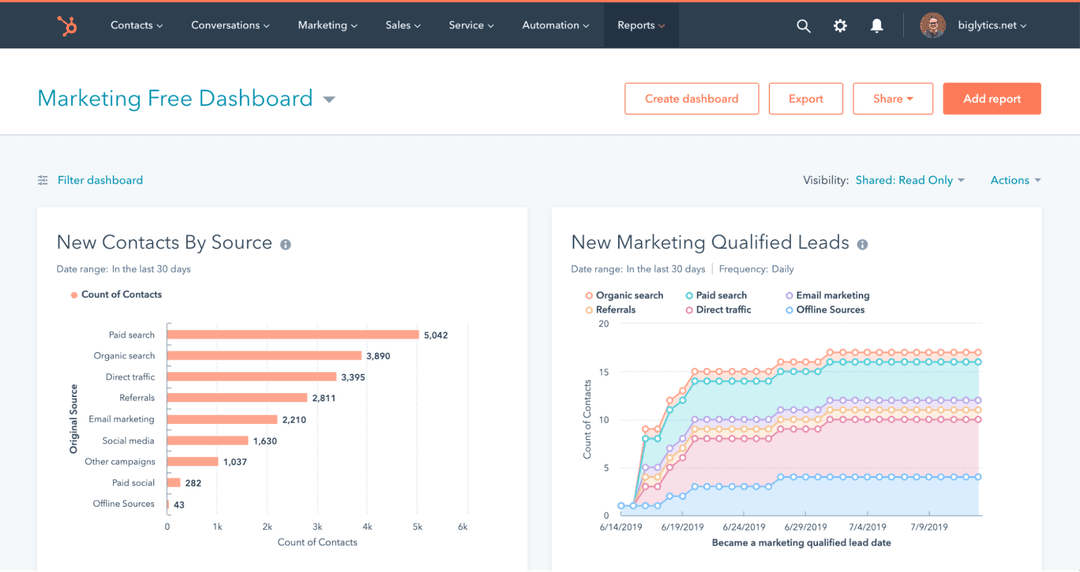
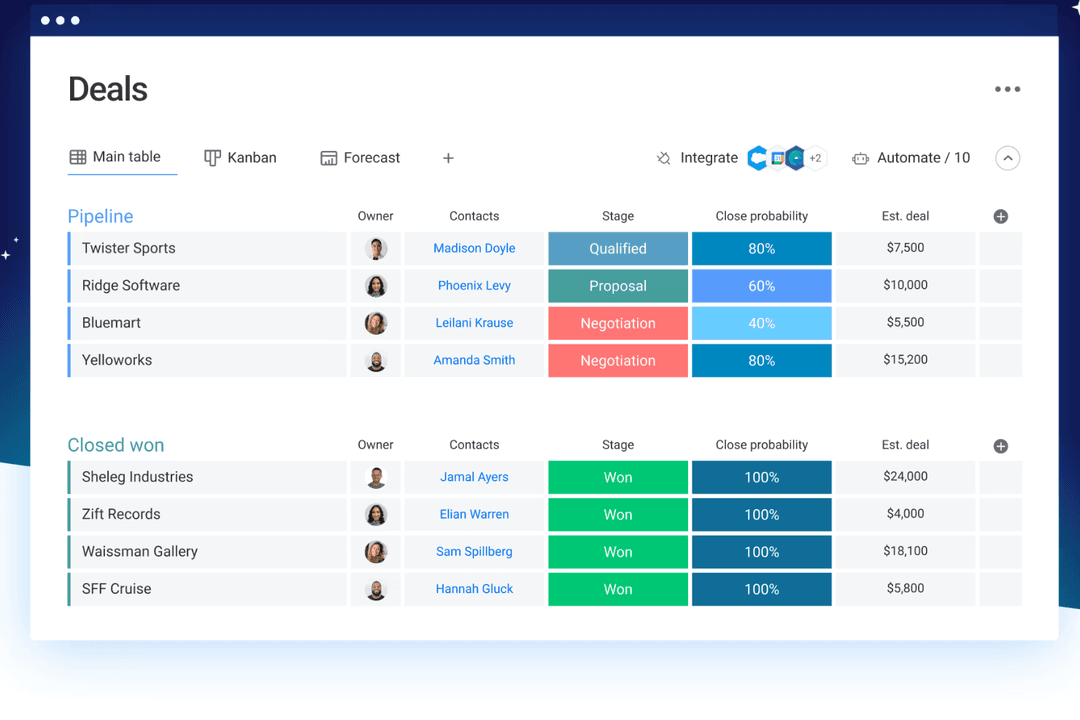
HubSpot è un CRM completo e intelligente, progettato per aiutare i team di vendita, marketing e assistenza a crescere e gestire le relazioni con i clienti su larga scala. monday CRM, parte dell’ecosistema monday.com, è uno spazio di lavoro flessibile e visivo che aiuta il tuo team a organizzare pipeline, progetti e attività successive in un unico luogo.
Rispetto a monday, HubSpot offre funzionalità più approfondite per il marketing e l’automazione, mentre monday è più facile da personalizzare per la gestione di attività e flussi di lavoro. In questo confronto tra HubSpot e monday CRM, analizzo fianco a fianco queste opzioni di software per la gestione delle relazioni con i clienti (CRM), esaminando funzionalità, pro e contro, prezzi e altro ancora, così puoi scegliere la piattaforma CRM più adatta al tuo caso d’uso.
HubSpot
4.4/5
- Free plan available
- From $20/user/month
monday CRM
4.6/5
- 14-day free trial + free demo available
- From $12/seat/month (billed annually)
Perché fidarsi dei nostri consigli sui software
6,700+
Reviews
20
Industry experts
16+
Evaluation factors
14
Years
Il nostro team testa e recensisce software dal 2012. In quanto leader CX noi stessi, sappiamo quanto sia difficile — e importante — scegliere il software giusto.
Per questa guida, abbiamo valutato gli strumenti attraverso test pratici e ricerche indipendenti, assegnando un punteggio agli strumenti in base ai nostri criteri di selezione.
Le nostre recensioni riflettono il nostro giudizio editoriale umano, non un discorso di vendita.
 Gui DrusinaCreative Director
 Tim FisherVP of AI
| HubSpot | monday CRM | |
|---|---|---|
| Free Trial | Free plan available | 14-day free trial + free demo available |
| Pricing | From $20/user/month | From $12/seat/month (billed annually) |
Prezzi di HubSpot e monday CRM e costi nascosti
Il prezzo di HubSpot include l’accesso allo Smart CRM con qualsiasi prodotto HubSpot a pagamento, ma aggiungere membri del team o sbloccare funzionalità più avanzate spesso significa acquistare licenze aggiuntive o passare a piani superiori.
Anche i prezzi di monday CRM seguono un approccio a livelli basato sul numero di utenti, ma molte funzionalità fondamentali sono disponibili nei piani inferiori, con limiti per le automazioni e le integrazioni che aumentano in base all’utilizzo.
Per scegliere la soluzione più adatta, valuta quanti contatti gestirai, quali funzionalità ti servono davvero e con quale rapidità potrebbe crescere il tuo team, soprattutto se vuoi evitare spiacevoli sorprese sui costi dopo sei mesi.
Con lo Smart CRM di HubSpot, puoi monitorare contatti, trattative e punti di contatto del marketing in un unico luogo. È ideale se il tuo team ha bisogno di una visione completa del percorso del cliente attraverso la pipeline dell’assistenza e delle vendite, per concludere efficacemente le trattative.
Le schede personalizzabili di monday CRM sono più adatte se il tuo team lavora in modo interfunzionale e ha bisogno di un modo flessibile per gestire trattative, attività e progetti dei clienti in una visualizzazione condivisa.
HubSpot funziona bene se ti concentri sulla generazione di potenziali clienti e sul monitoraggio del ciclo di vita, mentre monday CRM è più efficace per i team che combinano il CRM con strumenti di gestione dei progetti e attività operative.
| HubSpot | monday CRM | |
|---|---|---|
| 2-Factor Authentication | Yes | No |
| API | Yes | Yes |
| Calendar Management | Yes | Yes |
| Call Tracking | Yes | No |
| Campaign Management | Yes | No |
| Click-to-Dial | Yes | No |
| Contact Management | Yes | Yes |
| Contact Sharing | Yes | No |
| Custom Data Forms | Yes | Yes |
| Customer Management | Yes | Yes |
| Dashboard | Yes | Yes |
| Data Export | Yes | Yes |
| Data Import | Yes | Yes |
| Data Visualization | Yes | Yes |
| Email Integration | Yes | Yes |
| External Integrations | Yes | Yes |
| File Sharing | Yes | Yes |
| File Transfer | Yes | Yes |
| Google Apps Integration | Yes | Yes |
| Lead Management | Yes | Yes |
| Lead Scoring | Yes | Yes |
| Marketing Automation | Yes | Yes |
| Mobile App | Yes | No |
| Multi-User | Yes | Yes |
| Notifications | Yes | Yes |
| Pipeline Management | Yes | Yes |
| Sales Automation | Yes | Yes |
| Scheduling | Yes | Yes |
| Social-Media Integration | Yes | Yes |
| Task Scheduling/Tracking | Yes | Yes |
| Third-Party Plugins/Add-Ons | Yes | Yes |
| Integrazione | HubSpot | monday CRM |
| Salesforce | ✅ | ✅ |
| Slack | ✅ | ✅ |
| Google Drive | ✅ | ✅ |
| Mailchimp | ✅ | ❌ |
| ❌ | ✅ | |
| Miro | ❌ | ✅ |
| Zendesk | ✅ | ✅ |
| Zoom | ✅ | ✅ |
| Microsoft Teams | ✅ | ✅ |
| Meta Ads | ✅ | ✅ |
| API | ✅ | ✅ |
| Zapier | ✅ | ✅ |
Grazie all’integrazione di HubSpot con Salesforce, puoi sincronizzare contatti e trattative tra le piattaforme. Questo può essere utile se il tuo team utilizza Salesforce in un reparto e HubSpot CRM altrove. L’integrazione di monday CRM con Zoom è ideale per i team di vendita o di inserimento che pianificano e gestiscono riunioni direttamente dalle schede delle attività. HubSpot offre una gamma più ampia di integrazioni per il marketing e la generazione di potenziali clienti, mentre monday CRM si concentra maggiormente sugli strumenti per i team interfunzionali.
Entrambi gli strumenti funzionano inoltre perfettamente con gli altri prodotti delle rispettive suite. Ad esempio, lo Smart CRM di HubSpot funziona con HubSpot Service Hub, Marketing Hub (per il marketing digitale e le campagne di marketing via e-mail), Sales Hub (per la valutazione dei potenziali clienti, le previsioni di vendita e la gestione dei potenziali clienti) e Content Hub, mentre monday CRM funziona con monday work management (per la gestione dei progetti e il lavoro di squadra), monday service e monday dev.
| Fattore | HubSpot | monday CRM |
| Crittografia dei dati | Utilizza TLS per i dati in transito e la crittografia AES-256 per i dati inattivi. | Utilizza la crittografia TLS/SSL per i dati in transito e AES-256 per i dati inattivi. |
| Conformità normativa | È conforme a GDPR, CCPA, HIPAA (Enterprise) e SOC 2 Type II. | È conforme a GDPR e HIPAA (Enterprise) e dispone della certificazione SOC 2 Type II. |
| Residenza dei dati | Offre centri dati nell'UE e negli Stati Uniti, con opzioni di hosting specifiche per regione. | Offre centri dati nell'UE e negli Stati Uniti, con una residenza flessibile su richiesta. |
| Controlli degli accessi | Fornisce autorizzazioni basate sui ruoli, SSO, 2FA e registrazione degli audit. | Offre impostazioni dettagliate delle autorizzazioni, SSO, 2FA e registri delle attività. |
| Disponibilità e monitoraggio | SLA di disponibilità del 99,99% con monitoraggio dello stato in tempo reale e cronologia degli incidenti. | Garanzia di disponibilità del 99,9% con pagina dello stato in tempo reale e avvisi proattivi. |
HubSpot offre una copertura di conformità integrata leggermente più ampia fin da subito, mentre monday CRM fornisce controlli solidi e flessibilità per quanto riguarda gli accessi e la visibilità. Per scegliere il fornitore giusto, valuta le tue esigenze relative alla residenza dei dati, le certificazioni richieste e il livello di controllo di cui il tuo team ha bisogno sulle impostazioni di accesso e audit.
| Fattore | HubSpot | monday CRM |
| Interfaccia utente | Pulita e professionale, con molte opzioni raccolte in ogni visualizzazione. | Semplice e visiva, con bacheche dotate di funzionalità di trascinamento che sono facili da navigare. |
| Esperienza di avvio | Offre tour guidati, checklist e una ricca base di conoscenze per l'utilizzo autonomo. | Rapido da configurare, con modelli e procedure guidate direttamente nell'app. |
| Personalizzazione | Impostazioni e moduli avanzati, ma richiede tempo per essere padroneggiato. | Altamente personalizzabile senza bisogno di competenze tecniche. |
| Assistenza clienti | Include chat, forum e documentazione di supporto; l'assistenza dal vivo dipende dal piano. | Offre chat dal vivo e risposte rapide nella maggior parte dei piani. |
| Semplicità dei flussi di lavoro | Potenti strumenti di automazione, ma più complessi da configurare. | Automazioni facili da creare utilizzando blocchi basati sulla logica e senza codice. |
HubSpot offre maggiore profondità, ma richiede più tempo per essere appreso e configurato, soprattutto se il tuo team non è abituato ai programmi CRM. monday CRM è più facile da usare per iniziare ed è più adatto ai team che desiderano ottenere risultati rapidi senza una curva di apprendimento ripida.
HubSpot
- Its user-friendly interface helps your team get up to speed quickly.
- Robust reporting tools provide clear insights into your customer interactions.
- HubSpot's automation features streamline your marketing and sales efforts.
- The customization options could feel limited for complex workflows.
- HubSpot's advanced features might be overwhelming for small teams.
- You might find the email templates lacking in design flexibility.
monday CRM
- You can build and adjust pipelines without needing technical help.
- It’s easy to track tasks, emails, and contact history in one place.
- Automation features save your team time on repetitive tasks and streamline daily work.
- It can feel overwhelming with too many features for new users.
- Reporting feels limited if your team needs deeper performance or trend analysis.
- You can't manage complex sales territories or multi-layered account hierarchies.
HubSpot
- Tech StartupsHubSpot's automation and easy onboarding help your team focus on innovation rather than process.
- E-commerceThe platform's robust reporting tools let you track customer behavior and optimize your sales funnel.
- Marketing TeamsHubSpot Marketing Hub’s email marketing, lead scoring, lead nurturing features, and custom landing pages help you A/B test, track, and optimize campaigns.
- Sales DepartmentsThe Sales Hub and CRM system offer tracking and reporting tools to help your team with lead management, segmentation, and follow-ups, so they can close deals faster.
- Customer ServiceHubSpot's support tools enable your team to respond quickly and efficiently to customer inquiries.
- NonprofitsThe platform's ability to manage contacts and campaigns aids in donor engagement and outreach.
monday CRM
- Customer Support TeamsYou can track tickets, manage handoffs, and log follow-ups all in one easy-to-navigate board.
- Sales Operations TeamsYou can build lightweight sales pipelines and reporting without relying on complex CRM tools.
- Small BusinessesSetup is quick, and you won’t need IT to change your workflows or customize fields.
- Account ManagementIt helps your team stay on top of renewals, upsells, and check-ins without switching tools.
- SaaS CompaniesYou can manage leads, onboard customers, and monitor ongoing relationships without bloated features.
- Marketing AgenciesIt’s easy to track client requests, campaign status, and deliverables across multiple accounts.
Chi dovrebbe usare HubSpot e chi dovrebbe usare monday CRM?
A mio parere, HubSpot è una buona scelta se il tuo team ha bisogno di un CRM completo, con funzionalità avanzate integrate per marketing, vendite e assistenza. È progettato per le aziende che si affidano al marketing in entrata, all'automazione e al monitoraggio multicanale per favorire la crescita. monday CRM è la scelta ideale se desideri qualcosa di leggero, visivo e facile da personalizzare in base ai flussi di lavoro del tuo team. Sceglierei monday CRM se velocità, flessibilità e utilizzo trasversale tra i reparti sono più importanti della profondità di una soluzione tutto-in-uno.
| HubSpot | monday CRM | |
|---|---|---|
| Automation Capabilities | HubSpot Powerful but more technical, with advanced logic and branching workflows. | monday CRM No-code builder that’s simple to use but more limited in logic depth. |
| Feature Depth | HubSpot Built as a full-scale platform with advanced sales, marketing, and service tools. | monday CRM Flexible CRM system with task and project management built in. |
| Learning Curve | HubSpot Offers more complexity and takes longer to configure and master. | monday CRM Easier to set up and learn, even for non-technical teams. |
| Marketing Integration | HubSpot Fully integrated with its own marketing hub for campaigns and tracking. | monday CRM Integrates with LinkedIn, but needs third-party tools for advanced marketing capabilities. |
| Pricing | HubSpot Free entry point but gets expensive fast as you scale users and contacts. | monday CRM More predictable per-user pricing with lower-cost tiers. |
| Cloud-Based Access | Both are fully cloud-based, so your team can work from anywhere and access live data in real time. |
|---|---|
| CRM Features | Both let you manage contacts, pipelines, deals, and follow-ups—HubSpot CRM adds marketing depth, while monday CRM layers in task management. |
| Customization | Each lets you tailor views, fields, dashboards, and workflows—HubSpot through modules and settings, monday CRM through boards and columns. |
| Integrations | Both connect with tools like Gmail, Slack, and Zoom to keep your team’s workflows in sync. Moreover, both use APIs and apps like Zapier for third-party platform integration. |
| User-Friendly Design | HubSpot and monday CRM offer intuitive interfaces and workflow automation builders to streamline repetitive tasks. |