

Le 10 migliori alternative a Dialpad recensite nel 2026

10 Elenco delle migliori alternative a Dialpad


Se il tuo team gestisce le comunicazioni con i clienti, sai quanto sia importante mantenere le interazioni fluide ed efficienti. Dialpad potrebbe non soddisfare tutte le tue esigenze, a causa di limitazioni nelle funzionalità o di problemi di scalabilità. Trovare lo strumento giusto può fare davvero la differenza nella produttività del tuo team.
Secondo la mia esperienza, il software giusto può fare una differenza significativa nel modo in cui comunichi con i clienti. In questo articolo condividerò alternative a Dialpad analizzate accuratamente. Troverai opzioni adatte alle tue esigenze specifiche, che tu stia cercando una migliore integrazione, un maggiore rapporto qualità-prezzo o funzionalità più avanzate.
Sono qui per aiutarti a prendere una decisione informata, così potrai trovare lo strumento migliore per supportare il tuo team e migliorare l'esperienza dei clienti.
Che cos'è Dialpad?
Dialpad è una piattaforma per la gestione dell'esperienza dei clienti che aiuta le aziende a gestire le proprie comunicazioni in modo più efficace. Viene comunemente utilizzata dai team di vendita, dagli agenti dell'assistenza clienti e dai dirigenti aziendali che hanno bisogno di strumenti di comunicazione affidabili e flessibili. Funzionalità come le chiamate vocali, le videoconferenze, la messaggistica e l'intelligenza artificiale di Dialpad supportano le esigenze del tuo team, consentendogli di connettersi facilmente con i clienti e tra i suoi membri. Nel complesso, Dialpad offre valore migliorando la comunicazione e la collaborazione all'interno della tua organizzazione.
Tabella comparativa delle alternative a Dialpad
Questa tabella comparativa riassume i dettagli sui prezzi delle mie migliori alternative a Dialpad:
| Tool | Best For | Trial Info | Price | ||
|---|---|---|---|---|---|
| 1 | Ideale per l'integrazione nelle piccole imprese | Demo gratuita disponibile | A partire da $15/utente/mese (con fatturazione annuale) | Website | |
| 2 | Ideale per le funzionalità di videoconferenza | Piano gratuito disponibile | A partire da $14.16/utente/mese (con fatturazione annuale) | Website | |
| 3 | Ideale per l'integrazione con il CRM | Demo gratuita disponibile | A partire da $15/utente/mese (fatturato annualmente) | Website | |
| 4 | Ideale per l'assistenza clienti basata sull'IA | Demo gratuita disponibile | Prezzi su richiesta | Website | |
| 5 | Ideale per soluzioni VoIP personalizzabili | Prova gratuita disponibile | A partire da $18.95/utente/mese | Website | |
| 6 | Ideale per gli imprenditori | Prova gratuita di 7 giorni disponibile | A partire da $14/mese (con fatturazione annuale) | Website | |
| 7 | Ideale per la disponibilità globale | Demo gratuita disponibile | Prezzi su richiesta | Website | |
| 8 | Ideale per le chiamate internazionali | Piano gratuito disponibile | Prezzo su richiesta | Website | |
| 9 | Ideale per un VoIP conveniente | Non disponibile | A partire da $19.95/utente/mese | Website | |
| 10 | Ideale per la comunicazione tutto-in-uno | Demo gratuita | Prezzi su richiesta | Website |
Perché fidarsi dei nostri consigli sui software
Il nostro team testa e recensisce software dal 2012. In quanto leader CX noi stessi, sappiamo quanto sia difficile — e importante — scegliere il software giusto.
Per questa guida, abbiamo valutato gli strumenti attraverso test pratici e ricerche indipendenti, assegnando un punteggio agli strumenti in base ai nostri criteri di selezione.
Le nostre recensioni riflettono il nostro giudizio editoriale umano, non un discorso di vendita.
Recensioni delle migliori alternative a Dialpad
Di seguito trovi i miei riepiloghi dettagliati delle migliori alternative a Dialpad incluse nel mio elenco. Le mie recensioni offrono un’analisi approfondita delle funzionalità principali, dei vantaggi e degli svantaggi, delle integrazioni e dei casi d’uso ideali di ogni strumento, per aiutarti a trovare quello più adatto a te.

Nextiva
Ideale per l'integrazione nelle piccole imprese
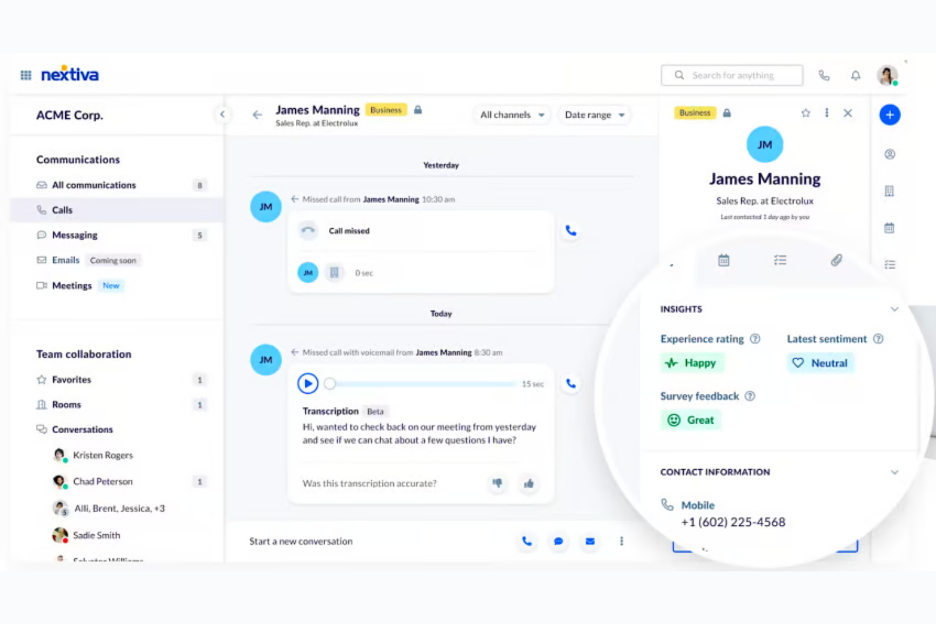
Nextiva è una piattaforma di comunicazione progettata per le aziende, incentrata su voce, video e chat. È popolare tra le piccole e medie imprese per la sua capacità di migliorare la comunicazione e la collaborazione.
Perché Nextiva è una valida alternativa a Dialpad: Nextiva offre una vasta gamma di funzionalità adatte alle piccole imprese, tra cui una facile integrazione con i sistemi esistenti. La sua interfaccia intuitiva, i pannelli di controllo personalizzabili e i componenti aggiuntivi opzionali consentono al tuo team di gestire efficacemente le comunicazioni e i flussi di lavoro quotidiani. La scalabilità della piattaforma le permette di crescere insieme alla tua azienda, rendendola una scelta flessibile, mentre i piani di livello superiore offrono funzionalità avanzate per i team in crescita. Per le piccole imprese, queste funzionalità favoriscono una comunicazione efficiente e la collaborazione del team.
Funzionalità e integrazioni principali:
Le funzionalità includono l'analisi delle chiamate, i risponditori automatici e la segreteria telefonica via email. Queste funzionalità ti aiutano a gestire le chiamate in modo efficiente e a tenere traccia delle comunicazioni importanti. Il tuo team può inoltre beneficiare di funzionalità come la messaggistica di gruppo e le videoconferenze, migliorando la collaborazione.
Le integrazioni includono Salesforce, HubSpot, Zendesk, Microsoft Teams, Google Workspace, Outlook, ServiceNow, NetSuite, Slack e altro.
Pros and Cons
Pros:
- Facile integrazione con altri sistemi popolari per piccole imprese
- Facile da scalare
- Pannelli di controllo personalizzabili
Cons:
- Occasionali problemi di qualità delle chiamate
- Costo più elevato per le funzionalità premium

Zoom
Ideale per le funzionalità di videoconferenza

Zoom è una piattaforma basata sul cloud che offre videoconferenze, webinar e riunioni online per aziende e istituti scolastici. È ampiamente utilizzata da professionisti di vari settori per le sue affidabili funzionalità di comunicazione video.
Perché Zoom è una buona alternativa a Dialpad: Zoom offre videoconferenze di alta qualità, risultando ideale per i team che danno priorità alle interazioni virtuali faccia a faccia. La qualità video HD e la facilità d'uso complessiva garantiscono un'esperienza eccellente per tutti i partecipanti. Funzionalità come le stanze separate e la registrazione delle riunioni migliorano la collaborazione e la produttività. Queste funzionalità rendono Zoom una scelta eccellente per le organizzazioni focalizzate sulla comunicazione video.
Funzionalità e integrazioni principali:
Le funzionalità includono sfondi virtuali, sale d'attesa e lavagne digitali. Gli sfondi virtuali consentono al tuo team di mantenere la privacy durante le videochiamate. Le sale d'attesa aiutano a gestire i partecipanti alle riunioni, mentre le lavagne digitali supportano le sessioni interattive.
Le integrazioni includono Slack, Microsoft Teams, Salesforce, Google Workspace, HubSpot, Calendly e altro.
Pros and Cons
Pros:
- Videochiamate di alta qualità
- Stanze separate interattive
- Pianificazione semplice delle riunioni
Cons:
- Strumenti di collaborazione limitati
- Le prestazioni variano in base alla qualità della connessione Internet

Ideale per l'integrazione con il CRM
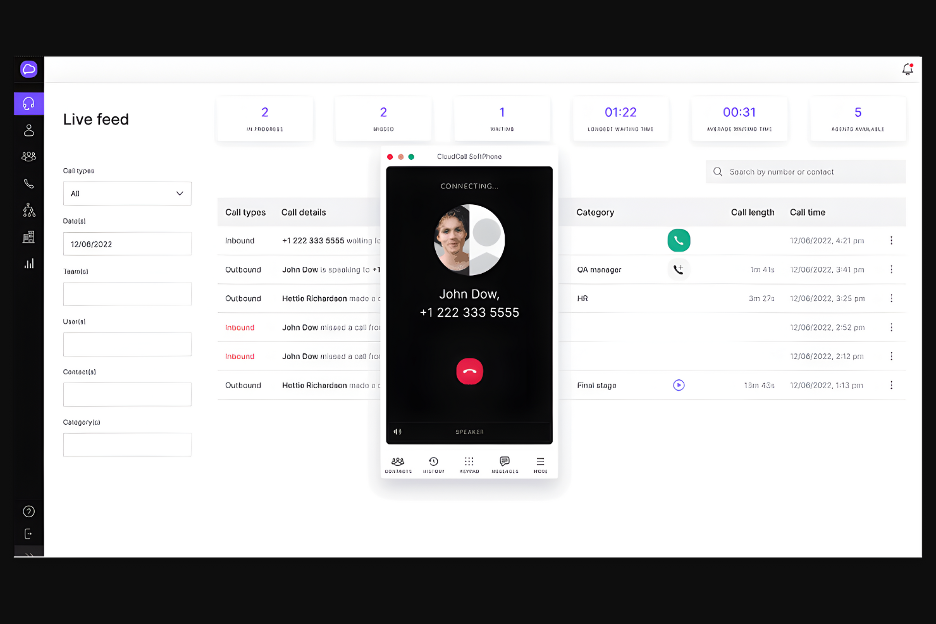
CloudCall è una piattaforma di comunicazione pensata per le aziende che necessitano di soluzioni integrate per voce e messaggistica. Si rivolge principalmente ai team addetti alle vendite e al reclutamento, migliorando le loro capacità di comunicazione con clienti e candidati.
Perché CloudCall è una buona alternativa a Dialpad: la profonda integrazione di CloudCall con i sistemi CRM lo rende ideale per i team che fanno largo affidamento sulla gestione delle relazioni con i clienti. Funzionalità come la composizione con un clic e la registrazione delle chiamate direttamente nel CRM aiutano a semplificare i flussi di lavoro. L'analisi delle chiamate in tempo reale monitora le chiamate in uscita e fornisce informazioni sulle chiamate ad alto volume e sulle prestazioni del team. Queste funzionalità rendono CloudCall una scelta valida per le aziende che desiderano migliorare le capacità di comunicazione del proprio CRM.
Funzionalità e integrazioni principali:
Le funzionalità includono finestre pop-up per le chiamate, composizione automatica avanzata, etichettatura delle chiamate e invio di messaggi vocali preregistrati. Le finestre pop-up per le chiamate forniscono un contesto immediato per le chiamate in arrivo, mentre l'etichettatura delle chiamate aiuta a categorizzare le conversazioni per un monitoraggio più efficace. L'invio di messaggi vocali preregistrati consente di inviare rapidamente messaggi senza registrare risposte lunghe.
Le integrazioni includono Salesforce, Microsoft Dynamics 365, Zoho CRM e altro.
Pros and Cons
Pros:
- Forte integrazione con il CRM
- Analisi delle chiamate in tempo reale
- Facile etichettatura delle chiamate
Cons:
- Richiede competenze tecniche
- Problemi occasionali con la qualità delle chiamate

Talkdesk
Ideale per l'assistenza clienti basata sull'IA
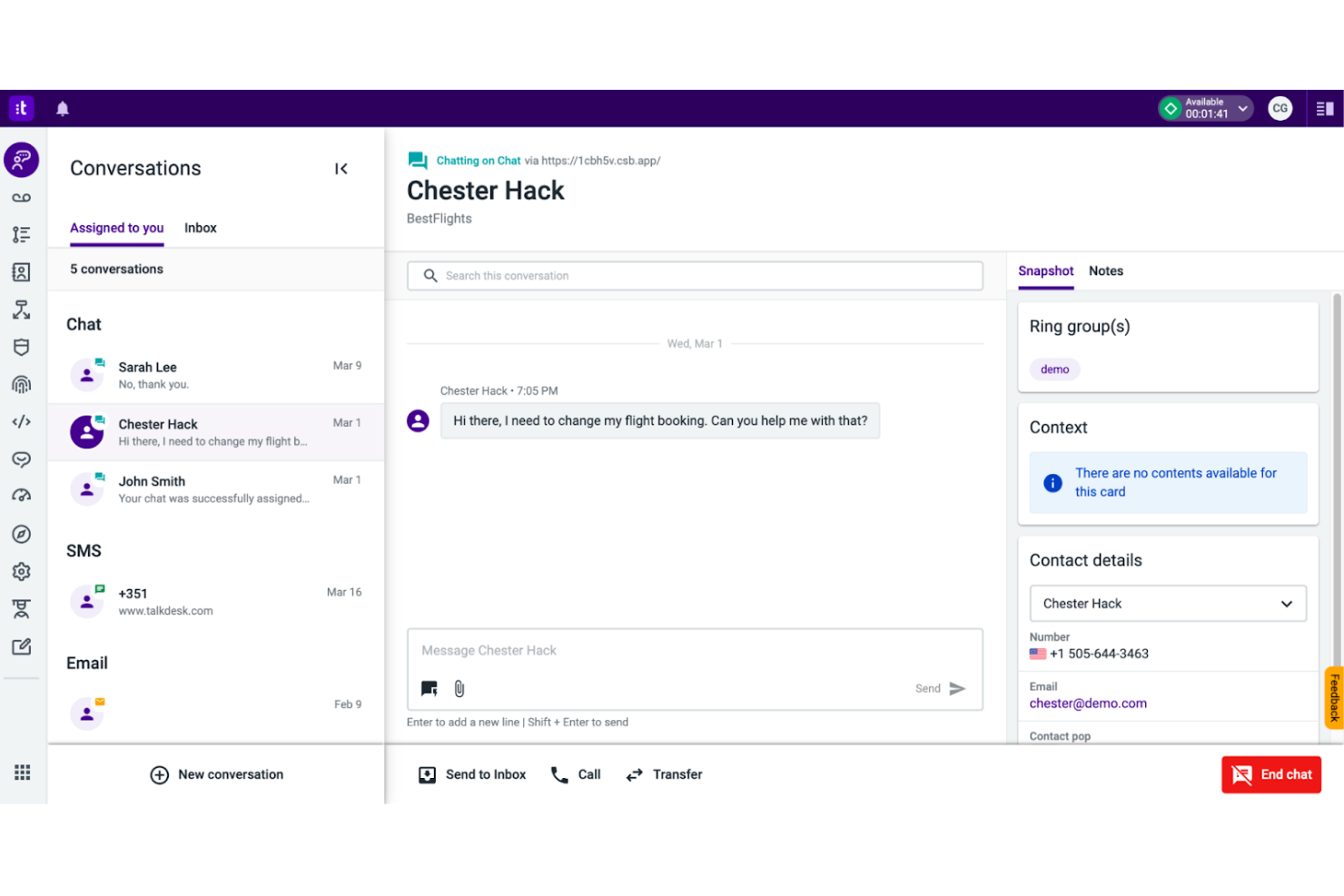
Talkdesk è una soluzione per contact center basata sul cloud, progettata per le aziende che puntano all'automazione delle operazioni di assistenza clienti. È pensata per i team che desiderano migliorare l'efficienza del supporto con strumenti per la gestione delle chiamate e l'analisi.
Perché Talkdesk è una buona alternativa a Dialpad: Talkdesk offre funzionalità basate sull'IA che migliorano l'assistenza clienti, rendendola adatta alle aziende che cercano capacità di servizio avanzate. Funzionalità come l'analisi predittiva e i flussi di lavoro automatizzati semplificano i processi di supporto. I report in tempo reale e l'assistenza dell'IA aiutano il tuo team a prendere rapidamente decisioni informate. Questi strumenti sono ideali per le aziende che danno priorità a interazioni con i clienti efficienti e intelligenti.
Funzionalità e integrazioni principali:
Le funzionalità includono dashboard personalizzabili, gestione della forza lavoro e registrazione delle chiamate. Le dashboard personalizzabili consentono al tuo team di adattare la visualizzazione per ottenere informazioni migliori. La gestione della forza lavoro aiuta a ottimizzare le prestazioni del team.
Le integrazioni includono Salesforce, Microsoft Teams, Slack, ServiceNow, HubSpot e altri strumenti.
Pros and Cons
Pros:
- Assistenza clienti basata sull'IA
- Scalabile per team numerosi
- Instradamento efficiente delle chiamate
Cons:
- Gli strumenti di dashboard e reportistica possono essere lenti
- Sono necessari aggiornamenti regolari

OnSIP
Ideale per soluzioni VoIP personalizzabili
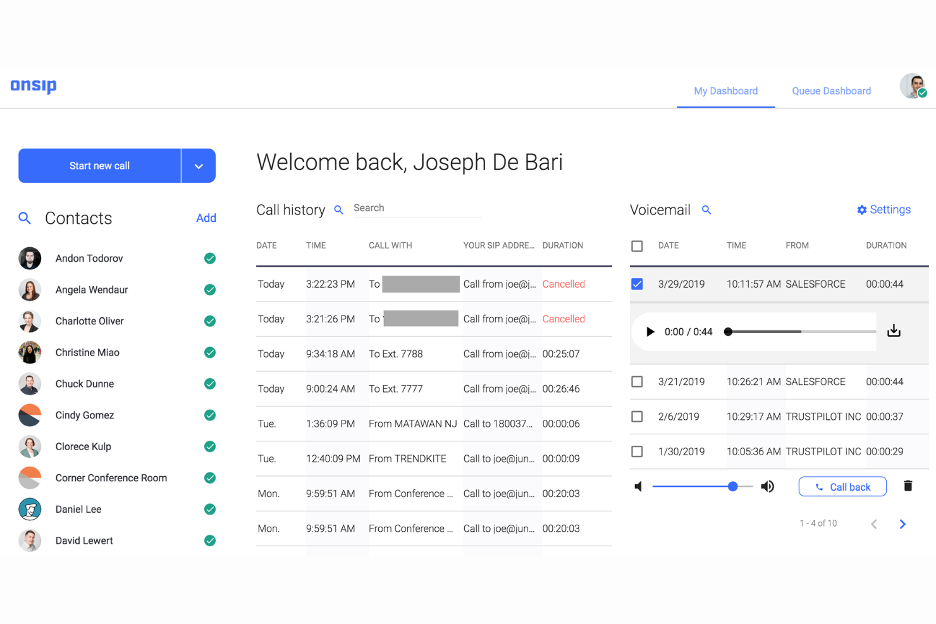
OnSIP è un servizio VoIP basato sul cloud progettato per le aziende che cercano soluzioni di comunicazione flessibili. È rivolto alle piccole e medie imprese che cercano servizi di telefonia personalizzabili e scalabili.
Perché OnSIP è una buona alternativa a Dialpad: OnSIP offre soluzioni VoIP personalizzabili, risultando adatto alle aziende che necessitano di strumenti di comunicazione su misura. Funzionalità come le code di chiamata e i risponditori automatici aiutano a gestire le chiamate in arrivo in modo efficiente. La possibilità di personalizzare il sistema telefonico consente di adattarlo alle esigenze specifiche del proprio team. Queste funzionalità rendono OnSIP un'ottima scelta per le aziende che desiderano flessibilità nella configurazione delle proprie comunicazioni.
Funzionalità e integrazioni principali:
Le funzionalità includono la registrazione delle chiamate, le videoconferenze e gli indicatori di presenza. La registrazione delle chiamate consente di conservare le conversazioni importanti per consultarle in seguito, mentre le videoconferenze supportano le riunioni virtuali. Gli indicatori di presenza mostrano la disponibilità del team per aiutare a gestire le comunicazioni in modo efficace.
Le integrazioni includono Zendesk, HubSpot e altro.
Pros and Cons
Pros:
- Sistema telefonico personalizzabile
- Gestione efficiente delle chiamate
- Soluzioni VoIP flessibili
Cons:
- Strumenti limitati per le grandi organizzazioni
- I flussi di chiamata richiedono una configurazione attenta

Ideale per gli imprenditori
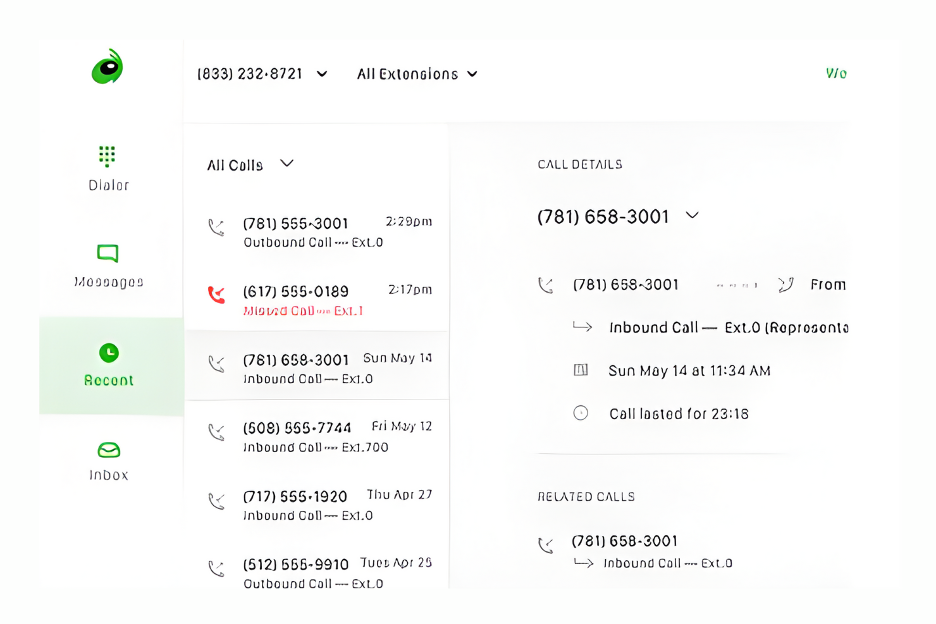
Grasshopper è un sistema telefonico virtuale progettato per piccole imprese e imprenditori. Aiuta gli utenti a gestire chiamate e messaggi senza la necessità di hardware aggiuntivo.
Perché Grasshopper è una buona alternativa a Dialpad: Grasshopper è pensato per gli imprenditori alla ricerca di una soluzione telefonica semplice ed efficace. Funzionalità come gli strumenti per gestire gli orari al di fuori dell'orario lavorativo e la programmazione delle chiamate ti mantengono connesso, proteggendo al contempo il tuo tempo. Con Grasshopper, puoi mantenere un'immagine professionale grazie a messaggi di benvenuto personalizzati, più interni e numeri di telefono dedicati alla tua attività. Queste funzionalità lo rendono un'ottima opzione per gli imprenditori che hanno bisogno di uno strumento di comunicazione semplice e intuitivo.
Funzionalità e integrazioni principali:
Le funzionalità includono l'inoltro delle chiamate, la trascrizione dei messaggi vocali e i messaggi di benvenuto personalizzati. L'inoltro delle chiamate ti aiuta a non perdere chiamate importanti, mentre la trascrizione dei messaggi vocali ti consente di leggere i messaggi quando non puoi ascoltarli. I messaggi di benvenuto personalizzati contribuiscono a mantenere un'immagine professionale per la tua attività.
Le integrazioni includono Google Voice e altro.
Pros and Cons
Pros:
- Ideale per imprenditori e lavoratori autonomi
- Messaggi di benvenuto personalizzabili
- Gestione semplice delle chiamate
Cons:
- Integrazioni limitate con altri strumenti
- Nessun numero internazionale

Ideale per la disponibilità globale
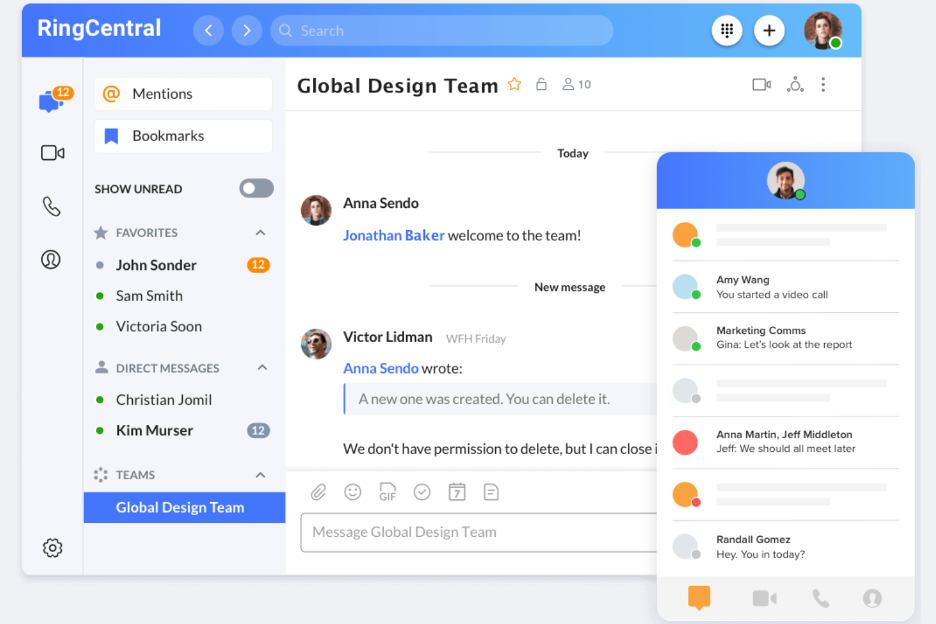
RingCentral è una piattaforma di comunicazione UCaaS basata sull'IA, progettata per aziende di tutte le dimensioni. Serve una base di utenti diversificata, che comprende piccole imprese e grandi aziende, offrendo strumenti per le comunicazioni vocali, la messaggistica e le videocomunicazioni.
Perché RingCentral è una buona alternativa a Dialpad: grazie alla sua presenza globale, RingCentral supporta aziende in più di 100 Paesi, risultando ideale per i team che necessitano di comunicazioni internazionali. Funzionalità come la gestione delle chiamate basata sull'IA e le videoconferenze migliorano la collaborazione globale. L'elevata disponibilità della piattaforma e la conformità agli standard di sicurezza garantiscono un servizio affidabile. Queste funzionalità la rendono una scelta solida per le aziende che desiderano ampliare la propria portata comunicativa a livello internazionale.
Funzionalità e integrazioni principali:
Le funzionalità includono l'Assistente di reception basato sull'IA, l'Esperto di conversazioni basato sull'IA e RingVideo. L'Assistente di reception basato sull'IA gestisce chiamate e messaggi in modo efficiente. L'Esperto di conversazioni basato sull'IA fornisce informazioni utili dalle interazioni con i clienti, mentre RingVideo supporta riunioni ed eventi video.
Le integrazioni includono Microsoft Teams, Salesforce, Zendesk, Google Workspace, HubSpot, ServiceNow, Slack e altro.
Pros and Cons
Pros:
- Soluzione per le comunicazioni globali
- Gestione delle chiamate basata sull'IA
- Elevata disponibilità e affidabilità
Cons:
- Complessità della configurazione iniziale
- Gli aggiornamenti occasionali del software possono interrompere i flussi di lavoro

Vonage
Ideale per le chiamate internazionali
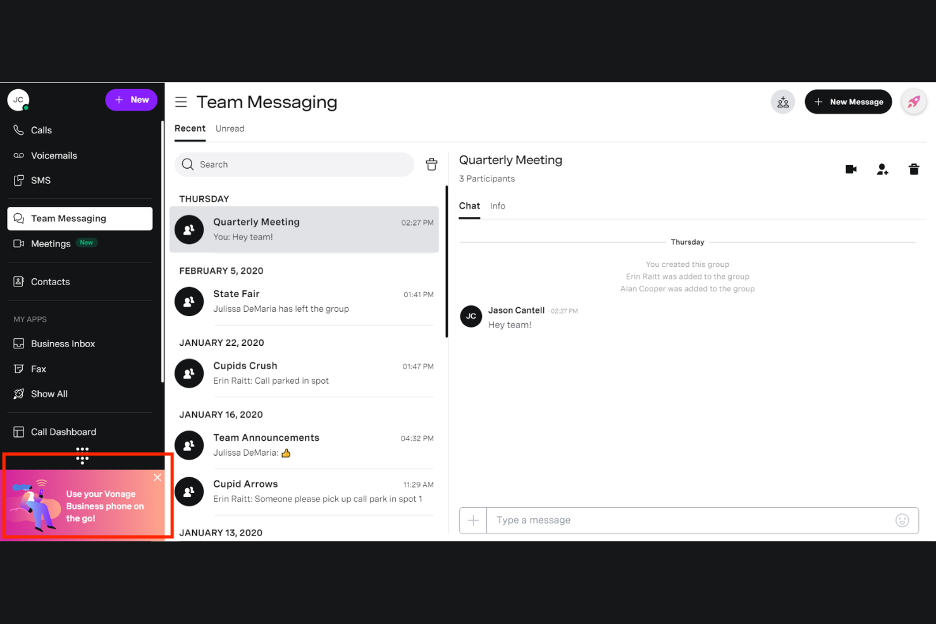
Vonage è una piattaforma di comunicazioni cloud che fornisce servizi vocali, di messaggistica e video. È popolare tra le aziende che desiderano migliorare le proprie capacità di comunicazione, in particolare per le chiamate internazionali.
Perché Vonage è una buona alternativa a Dialpad: Vonage offre ampie opzioni per le chiamate internazionali, risultando adatta alle aziende con una presenza globale. Funzionalità come i piani di chiamata flessibili e i numeri virtuali aiutano il tuo team a gestire le chiamate ai clienti di tutto il mondo. La piattaforma include inoltre funzionalità avanzate di instradamento delle chiamate e analisi per una gestione migliore delle chiamate. Queste funzionalità rendono Vonage un'ottima scelta per le aziende che necessitano di soluzioni affidabili per le comunicazioni internazionali.
Funzionalità e integrazioni principali:
Le funzionalità includono la registrazione delle chiamate, il centralino virtuale e le conferenze. La registrazione delle chiamate ti aiuta a tenere traccia delle conversazioni importanti. Il centralino virtuale indirizza le chiamate ai membri del team giusti.
Le integrazioni includono Salesforce, Microsoft Teams, Slack, Microsoft Dynamics 365 e altro ancora.
Pros and Cons
Pros:
- Ottime opzioni per le chiamate internazionali
- Piani di chiamata flessibili
- Instradamento avanzato delle chiamate
Cons:
- Problemi occasionali di caduta delle chiamate
- Analisi avanzate limitate

Ideale per un VoIP conveniente

Ooma Office è un servizio telefonico VoIP progettato per le piccole imprese che desiderano migliorare le proprie capacità di comunicazione. Offre soluzioni convenienti per la gestione di chiamate, messaggi e conferenze.
Perché Ooma Office è una buona alternativa a Dialpad: Ooma Office offre servizi VoIP convenienti con piani di chiamate illimitate, il che lo rende ideale per le aziende attente al budget. Include app integrate per dispositivi mobili e computer desktop, così i team possono rimanere connessi ovunque si trovino, oltre a funzionalità per le conferenze. Offre inoltre analisi dettagliate delle chiamate e semplici controlli amministrativi, fornendo informazioni sull'utilizzo e sulle prestazioni del team. Queste funzionalità rendono Ooma Office un'opzione preziosa per le aziende alla ricerca di una soluzione di comunicazione affidabile e conveniente.
Funzionalità e integrazioni principali:
Le funzionalità includono il blocco delle chiamate, un centralino virtuale e l'inoltro avanzato delle chiamate. Il blocco delle chiamate contribuisce a ridurre le interruzioni indesiderate. Il centralino virtuale indirizza le chiamate in arrivo ai membri del team appropriati.
Le integrazioni includono Salesforce, HubSpot, Zendesk, Zoho CRM, QuickBooks e altro.
Pros and Cons
Pros:
- Piani tariffari convenienti
- Procedura di configurazione semplice
- Funzionalità avanzate di gestione delle chiamate
Cons:
- La configurazione dell'hardware potrebbe richiedere assistenza tecnica
- Funzionalità avanzate limitate

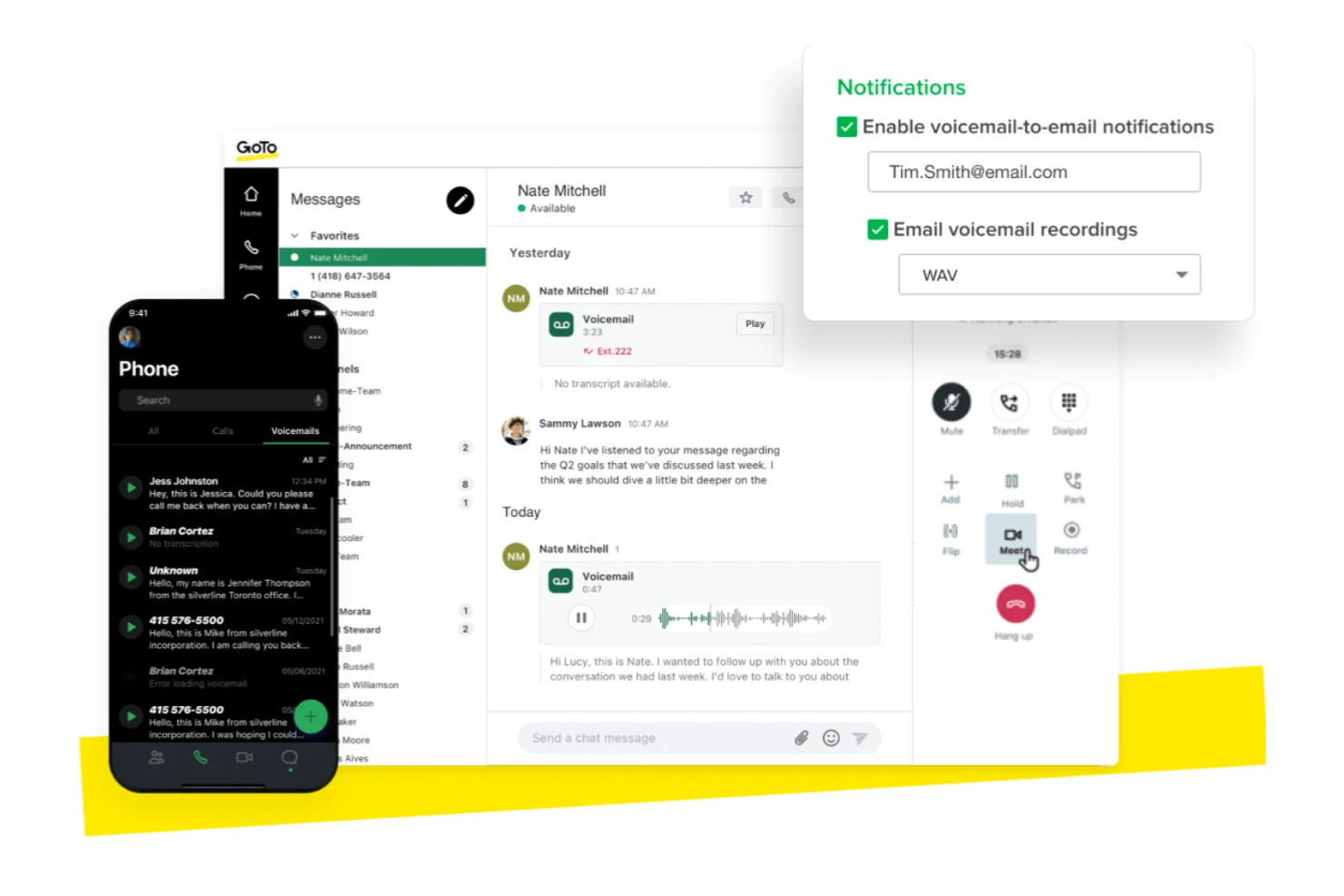
GoTo Connect è una piattaforma di comunicazione unificata che combina servizi telefonici, video e chat. Offre alle aziende una soluzione integrata per gestire efficacemente le proprie esigenze di comunicazione.
Perché GoTo Connect è una buona alternativa a Dialpad: GoTo Connect offre una suite di comunicazione tutto-in-uno, ideale per le aziende che desiderano consolidare i propri strumenti di comunicazione. Gli strumenti di collaborazione, come l'instradamento delle chiamate, le videoconferenze e la messaggistica del team, migliorano la comunicazione all'interno del team. L'interfaccia intuitiva della piattaforma aiuta il team ad adattarsi rapidamente al sistema. Queste funzionalità, unite a un'eccellente disponibilità, rendono GoTo Connect una scelta eccellente per le aziende alla ricerca di una soluzione di comunicazione completa.
Funzionalità e integrazioni distintive:
Le funzionalità includono analisi delle chiamate, accesso all'app mobile e segreteria telefonica personalizzabile. Le analisi delle chiamate aiutano a monitorare e migliorare le prestazioni della comunicazione, mentre l'accesso all'app mobile mantiene il team connesso anche in movimento. La segreteria telefonica personalizzabile consente al team di personalizzare la propria esperienza di messaggistica.
Le integrazioni includono Salesforce, Microsoft Teams, Slack, Zoho CRM, HubSpot e altro ancora.
Pros and Cons
Pros:
- Strumenti di comunicazione integrati
- Canali di comunicazione collaborativa
- Segreteria telefonica personalizzabile
Cons:
- Richiede una connessione Internet stabile
- Funzionalità dell'app mobile limitate rispetto alla versione desktop
Altre alternative a Dialpad
Ecco alcune alternative aggiuntive a Dialpad che non sono state incluse nel mio elenco, ma che vale comunque la pena prendere in considerazione:
- Quo
Ideale per startup e piccoli team
- CloudTalk
Ideale per i team che effettuano chiamate in uscita parallele
- Google Chat
Ideale per la messaggistica del team


Come Valuto le Alternative a Dialpad
Divido la mia valutazione in due livelli: le capacità CX di base che una piattaforma deve avere—come il routing IVR, la trascrizione AI e le integrazioni CRM—e i fattori che determinano la migliore corrispondenza.
Funzionalità Principali (Requisiti Fondamentali per Questa Lista)
Quando seleziono gli strumenti per la mia lista, valuto ciascuno su una scala da 0 (non offre la funzionalità) a 5 (eccelle in quest'area) per ogni funzionalità chiave elencata di seguito. Poi calcolo il punteggio totale dello strumento in percentuale. Ogni strumento deve raggiungere un punteggio totale minimo del 65% per essere considerato per l'inclusione.
- Chiamate Vocali Cloud: Verifico la presenza di un'affidabile VoIP con numeri aziendali, portabilità dei numeri e connettività PSTN—la qualità di chiamata su cui i tuoi operatori possono contare durante tutto un turno.
- Coinvolgimento Omnicanale del Cliente: Oltre alla voce, cerco accesso unificato a SMS, chat, e-mail e video così che gli operatori possano riprendere una conversazione ovunque un cliente l'abbia lasciata.
- Intelligenza Artificiale & Intelligenza Conversazionale: Valuto se la piattaforma offre trascrizione in tempo reale, analisi del sentiment o assistenza all'agente—funzionalità che aiutano i supervisori a formare e individuare tendenze durante la chiamata.
- Funzionalità di Contact Center: Menu IVR, instradamento basato sulle competenze, gestione delle code e cruscotti per i supervisori sono tutti fattori. Questi aspetti distinguono un sistema telefonico aziendale da una vera piattaforma CX.
- Integrazioni CRM & Helpdesk: Cerco connessioni native a piattaforme come Salesforce, HubSpot e Zendesk, inclusi popup a schermo e click-to-dial che mantengono gli operatori in un unico spazio di lavoro.
- Reportistica & Analisi: I cruscotti in tempo reale e storici sono fondamentali. Voglio vedere metriche delle prestazioni degli operatori, monitoraggio degli SLA e dati sui volumi di chiamata che i responsabili CX possono davvero utilizzare.
Una volta ottenuta una lista di strumenti che soddisfano questi criteri, considero ciò che distingue ciascuna piattaforma.
Fattori Differenzianti (Cosa Distingue i Fornitori)
Ecco come confronto e metto a confronto diversi fornitori:
Funzionalità di Spicco
L'assistenza in tempo reale all'agente è un grande elemento distintivo. Cerco piattaforme che evidenziano articoli dalla knowledge base e risposte suggerite mentre un operatore è ancora in chiamata, non dopo. Anche gli strumenti di gestione della forza lavoro sono importanti, in particolare le funzionalità integrate di previsione e monitoraggio dell'adesione ai turni che consentono ai responsabili CX di dimensionare lo staff senza una piattaforma WFM separata. Per i team che supportano clienti in più regioni, verifico se un fornitore offre numeri locali e copertura PSTN nei mercati in cui si opera realmente.
Oltre le Funzionalità
La velocità di implementazione conta quando si migra un contact center attivo. Valuto se un fornitore offre supporto per la portabilità dei numeri e assistenza dedicata all'onboarding così la tua squadra non resta offline durante il passaggio. Anche gli SLA di disponibilità sono estremamente importanti—verifico garanzie documentate accompagnate da indennizzi finanziari, perché anche brevi interruzioni durante le ore di massimo supporto minano la fiducia dei clienti. Per i team che gestiscono dati sensibili, valuto anche le certificazioni di conformità come SOC 2 Type II, HIPAA e PCI-DSS, oltre a opzioni di cifratura e residenza dei dati.
Perché cercare un'alternativa a Dialpad?
Sebbene Dialpad sia una buona scelta per la gestione dell'esperienza dei clienti, esistono diversi motivi per cui alcuni utenti cercano soluzioni alternative. Potresti essere alla ricerca di un'alternativa a Dialpad perché…
- Hai bisogno di un instradamento delle chiamate più avanzato
- Il tuo team ha bisogno di videoconferenze migliori
- Cerchi più opzioni di integrazione
- Hai bisogno di una soluzione con portata globale
- La tua azienda sta crescendo rapidamente
- Vuoi più funzionalità di personalizzazione
Se ti riconosci in una di queste situazioni, sei nel posto giusto. Il mio elenco comprende diverse opzioni per la gestione dell'esperienza dei clienti, più adatte ai team che devono affrontare queste difficoltà con Dialpad e sono alla ricerca di soluzioni alternative.
Funzionalità principali di Dialpad
Ecco alcune delle caratteristiche principali di Dialpad, per aiutarti a mettere a confronto le funzionalità offerte dalle soluzioni alternative:
- Strumenti di IA: Offrono schede di valutazione basate sull'IA, riepiloghi, centri per la formazione e assistenti alle vendite per migliorare l'efficienza della comunicazione.
- Comunicazione: Offrono messaggistica aziendale, riepiloghi delle chiamate, registrazione e analisi per una gestione migliore.
- Soluzioni per conferenze: Includono chiamate in conferenza in HD e piattaforme per sale riunioni per riunioni virtuali efficaci.
- Gestione delle chiamate: Includono opzioni per l'assegnazione di tag, l'instradamento e il trasferimento delle chiamate, per semplificarne la gestione.
- Coinvolgimento dei clienti: Offrono sondaggi, funzionalità di richiamata e supporto tramite chatbot per migliorare l'interazione con i clienti.
- Integrazione: Supportano le integrazioni con i centri di contatto e la condivisione di documenti per operazioni efficienti.
- Accessibilità: Offrono accesso tramite portale web e app mobile, risultando ideali per gli ambienti di lavoro ibridi.
- Funzionalità aggiuntive: Includono IVR, chiamate internazionali, videoconferenze legali, condivisione dello schermo e servizi di receptionist virtuale per soddisfare diverse esigenze aziendali.
Cosa succede ora:
Se stai cercando una soluzione per la gestione dell'esperienza del cliente, contatta gratuitamente un consulente di SoftwareSelect per ricevere consigli personalizzati.
Compili un modulo e partecipa a una breve conversazione in cui vengono analizzate nel dettaglio le tue esigenze. In seguito riceverai una selezione ristretta di software da valutare. Ti supporteranno persino durante l'intero processo di acquisto, comprese le trattative sul prezzo.