
Recensione di Zoho CRM: vantaggi, svantaggi, funzionalità e prezzi
Zoho CRM eccelle nell'offrire un insieme completo di funzionalità e un'integrazione fluida con gli altri prodotti Zoho, risultando ideale per i team che cercano flessibilità e personalizzazione.

Recensiamo gli strumenti in modo indipendente e le commissioni aiutano a finanziare i nostri test. Consulta la nostra politica di trasparenza, la nostra metodologia o suggerisci uno strumento.
Zoho CRM is a customer relationship management (CRM) software that helps businesses manage their interactions with customers by organizing sales, marketing, and support functions. It's particularly well-suited for small businesses, startups, and sales teams looking for customization and scalability, like tech startups or retail sales departments. Zoho CRM's value lies in its ability to enhance your team's productivity and customer engagement through its adaptable and integrated platform.
In this Zoho CRM review, you'll find insights into its features, pros and cons, best and worst use cases, pricing, and more. Whether you're aiming to streamline your customer interactions or boost your team's efficiency, this review will guide your decision-making process.
Zoho CRM Evaluation Summary
4.2/5
- From $14/user/month (billed annually)
- 15-day free trial + free plan available
Perché fidarsi dei nostri consigli sui software
6,700+
Reviews
20
Industry experts
16+
Evaluation factors
14
Years
Il nostro team testa e recensisce software dal 2012. In quanto leader CX noi stessi, sappiamo quanto sia difficile — e importante — scegliere il software giusto.
Per questa guida, abbiamo valutato gli strumenti attraverso test pratici e ricerche indipendenti, assegnando un punteggio agli strumenti in base ai nostri criteri di selezione.
Le nostre recensioni riflettono il nostro giudizio editoriale umano, non un discorso di vendita.
Is Zoho CRM Right For Your Needs?
Who Would be a Good Fit for Zoho CRM?
\u003cspan style=\u0022font-weight: 400;\u0022\u003eZoho CRM è perfetto per piccole e medie imprese e startup alla ricerca di una soluzione CRM personalizzabile ed economica. Se il tuo team apprezza l’automazione e ha bisogno di ottimizzare il processo di vendita, puoi utilizzare gli strumenti avanzati di Zoho CRM per raggiungere questo obiettivo. \u003c/span\u003e\r\n\r\n\u003cspan style=\u0022font-weight: 400;\u0022\u003eLa sua capacità di integrarsi con altre app Zoho lo rende ideale per i team esperti di tecnologia che già utilizzano prodotti Zoho. I team di vendita nei settori tecnologico e della vendita al dettaglio apprezzeranno la flessibilità e la scalabilità del CRM man mano che la tua attività cresce.\u003c/span\u003e\r\n\u003ch3\u003e\u003cspan style=\u0022font-weight: 400;\u0022\u003ePrincipali casi d’uso di Zoho CRM\u003c/span\u003e\u003c/h3\u003e
- Small BusinessesZoho CRM offers scalability and customization, making it a great fit for growing small businesses.
- Retail Sales TeamsThe CRM's automation tools simplify sales processes, perfect for retail environments.
- Tech StartupsIts integration with other Zoho products makes it an all-in-one tool for dynamic and tech-focused teams.
- Marketing DepartmentsZoho CRM's workflow enhances marketing automation and lead generation.
- Customer Support TeamsWith its robust ticketing and support features, customer service teams can streamline responses.
- Consulting FirmsZoho CRM's customization and reporting features help consultants manage client interactions effectively.
Who Would be a Bad Fit for Zoho CRM?
Zoho CRM is perfect for small to mid-sized businesses and startups looking for a customizable and cost-effective CRM solution. If your team values automation and needs to streamline the sales pipeline, you can use Zoho CRM's robust tools to achieve that.
Its ability to integrate with other Zoho apps makes it ideal for tech-savvy teams that already use Zoho products. Sales teams in industries like tech and retail will appreciate the CRM's flexibility and scalability as your business grows.
\u003cspan style=\u0022font-weight: 400;\u0022\u003eLe grandi aziende con esigenze CRM complesse potrebbero trovare Zoho CRM carente in termini di funzionalità avanzate e supporto. Se il tuo team richiede un’ampia personalizzazione oltre a ciò che offre Zoho o necessita di un’assistenza clienti immediata, potresti incontrare delle difficoltà. \u003c/span\u003e\r\n\r\n\u003cspan style=\u0022font-weight: 400;\u0022\u003eLe organizzazioni che dipendono fortemente da un’interfaccia utente semplice e intuitiva potrebbero avere difficoltà con la complessità di Zoho CRM. Inoltre, se non utilizzi altri prodotti Zoho, i vantaggi dell’integrazione diminuiscono, rendendolo meno interessante per gli ambienti indipendenti.\u003c/span\u003e\r\n\u003ch3\u003e\u003cspan style=\u0022font-weight: 400;\u0022\u003ePeggiori casi d’uso di Zoho CRM\u003c/span\u003e\u003c/h3\u003e
- Large EnterprisesZoho CRM may not scale well for large enterprises needing advanced functionalities and support.
- Complex Sales TeamsTeams with intricate sales processes might find Zoho CRM's features insufficient.
- Non-Zoho UsersWithout other Zoho products, integration benefits are limited, reducing its appeal.
- Simple Interface SeekersIf you need a simple interface, Zoho CRM's complexity might be overwhelming.
- High Support NeedsOrganizations needing frequent support may find Zoho CRM's customer service lacking.
- Highly Regulated IndustriesIndustries requiring strict compliance might find Zoho CRM's offerings inadequate.
Come Testiamo e Valutiamo gli Strumenti
Abbiamo passato anni a costruire, perfezionare e migliorare il nostro sistema di valutazione e testing dei software. Il nostro schema è progettato per cogliere tutte le sfumature nella selezione del software e per valutare ciò che rende uno strumento efficace, concentrandosi sugli aspetti critici nel processo decisionale. Qui sotto puoi vedere esattamente come funziona il nostro processo di testing e valutazione su sette criteri. Ci permette di offrire una valutazione imparziale del software basata su funzionalità principali, caratteristiche distintive, facilità d’uso, onboarding, supporto clienti, integrazioni, recensioni clienti e rapporto qualità/prezzo.
Funzionalità Principali (25% del punteggio finale)
Il punto di partenza della nostra valutazione sono sempre le funzionalità fondamentali dello strumento. Possiede le funzioni di base che un utente si aspetta? Alcune di queste funzionalità sono disponibili solo con piani più costosi? In sostanza, ci aspettiamo che uno strumento sia competitivo rispetto ai suoi concorrenti principali.
Caratteristiche Distintive (25% del punteggio finale)
Successivamente, valutiamo le funzionalità particolari e distintive che vanno oltre le funzionalità standard solitamente presenti in strumenti simili. Un punteggio elevato riflette funzionalità specializzate o uniche che rendono il prodotto più veloce, efficiente o che offrono valore aggiunto all’utente. Valutiamo anche quanto sia facile integrare lo strumento con altri strumenti tipicamente presenti nel tech stack, per ampliare le funzionalità e l’utilità del software. Ottengono il punteggio migliore gli strumenti che offrono numerose integrazioni native, connessioni di terze parti e accesso API per creare integrazioni personalizzate.
Facilità d’Uso (10% del punteggio finale)
Consideriamo quanto sia rapido e intuitivo eseguire le attività core usando lo strumento. Un software con un alto punteggio è ben progettato, intuitivo all’uso, offre app mobili, mette a disposizione modelli e semplifica attività relativamente complesse.
Onboarding (10% del punteggio finale)
Sappiamo quanto sia importante l’adozione rapida da parte del team per una nuova piattaforma, quindi valutiamo la facilità di apprendimento e utilizzo dello strumento con una formazione minima. Valutiamo quanto velocemente un membro del team può iniziare a usare lo strumento senza esperienza. Le soluzioni con punteggio elevato richiedono poco o nessun supporto.
Supporto Clienti (10% del punteggio finale)
Valutiamo quanto sia semplice ricevere assistenza via telefono, chat dal vivo o knowledge base. Gli strumenti e le aziende che offrono supporto in tempo reale ottengono il punteggio migliore, mentre i chatbot hanno il punteggio più basso.
Recensioni Clienti (10% del punteggio finale)
Oltre alla nostra valutazione interna, prendiamo in considerazione il net promoter score dei clienti attuali e passati. Analizziamo la probabilità che, potendo scegliere, selezionino di nuovo lo strumento per le sue funzionalità core. Un software con punteggio elevato riflette un alto net promoter score dai clienti attuali o passati.
Rapporto Qualità/Prezzo (10% del punteggio finale)
Infine, tenendo conto di tutti gli altri criteri, analizziamo il prezzo medio dei piani entry level rispetto alle funzionalità principali e consideriamo il valore delle altre metriche di valutazione. Il software che offre di più, a meno, otterrà un punteggio maggiore.
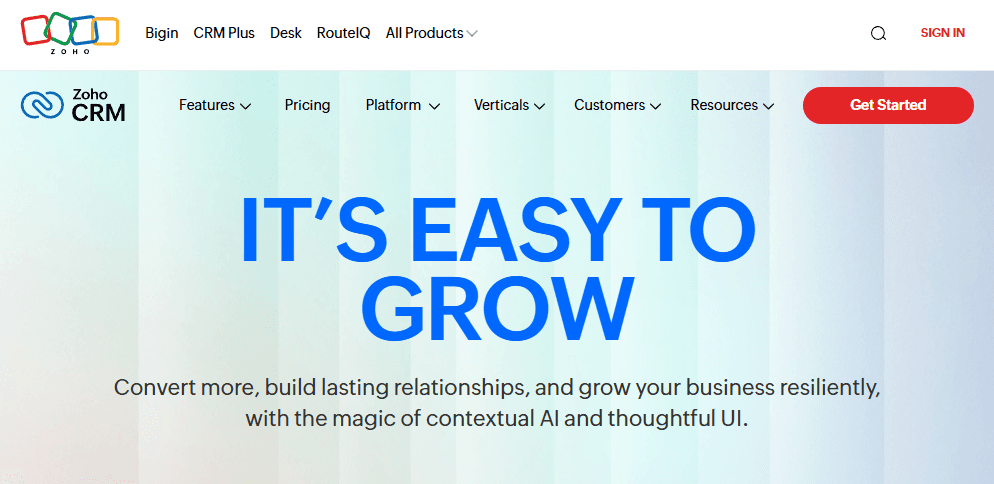
Core Features
Lead Management
Zoho CRM helps you capture and manage leads efficiently, ensuring that no prospects are missed. You can track your leads' journey from capture to segmentation to conversion, enhancing your business processes.
Contact Management
Store and manage comprehensive contact information in one place, so your team can easily access and update customer details. This feature helps you unify customer data and maintain a complete view of your customer interactions.
Sales Automation
Automate repetitive sales tasks, allowing your team to focus on closing deals. Set up workflows to streamline tasks like follow-ups and reminders.
Pipeline Management
Visualize your sales management pipeline to track deals and forecast revenue. This feature helps you prioritize tasks and improve your sales strategy.
Reporting and Analytics
Generate detailed reports and dashboards to gain insights into your sales performance and customer behavior.
Email Marketing
Integrate email campaigns directly into your CRM to engage with leads and customers effectively. Customize email templates and track responses to optimize your outreach.
Ease of Use
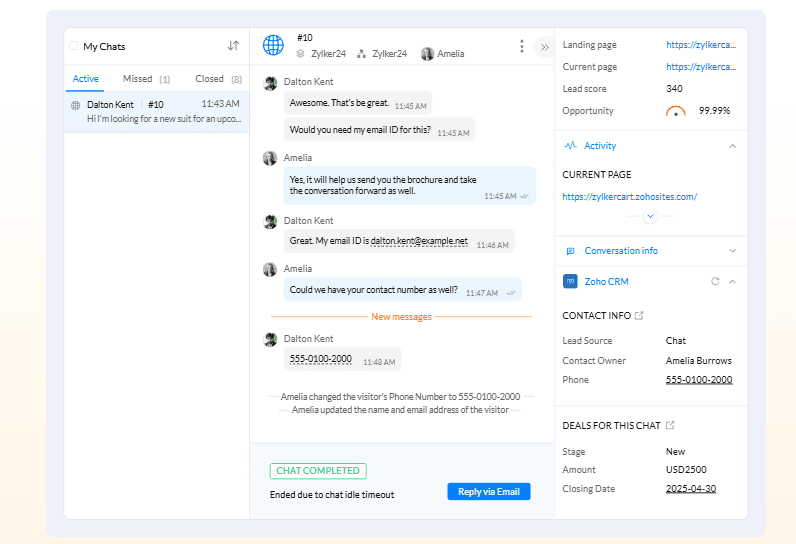
Zoho CRM offers a range of features, but its user interface can feel cluttered, making it challenging for new users to navigate. While the customization options are a plus, they might overwhelm those who prefer straightforward, user-friendly setups.
The flexibility is great for tailoring to your team’s needs, but it has a learning curve. Users appreciate the robust functionality, but the initial complexity may slow adoption and require more training compared to simpler CRM solutions.
Integrations
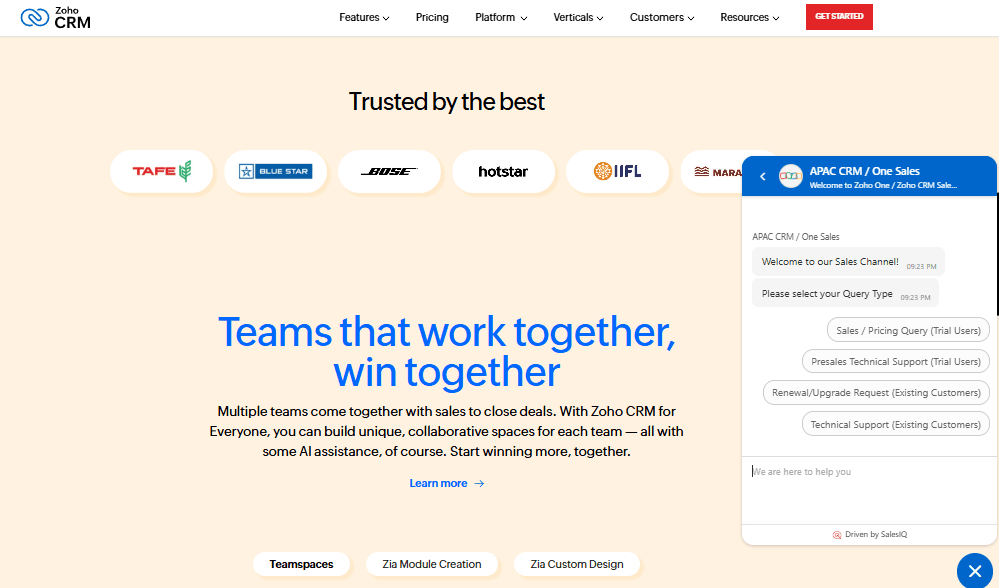
Zoho CRM integrates natively with Google Workspace, Microsoft Office 365, Mailchimp, Slack, QuickBooks, Shopify, LinkedIn, DocuSign, Twilio, and SurveyMonkey.
Zoho CRM also offers an API and connects with third-party integration tools like Zapier.
Zoho CRM Specs
- 2-Factor Authentication: Yes
- API: Yes
- Calendar Management: Yes
- Call Tracking: Yes
- Campaign Management: Yes
- Click-to-Dial: Yes
- Contact Management: Yes
- Contact Sharing: Yes
- Custom Data Forms: Yes
- Customer Management: Yes
- Dashboard: Yes
- Data Export: Yes
- Data Import: Yes
- Data Visualization: Yes
- Email Integration: Yes
- External Integrations: Yes
- File Sharing: Yes
- File Transfer: Yes
- Google Apps Integration: Yes
- Lead Management: Yes
- Lead Scoring: Yes
- Marketing Automation: Yes
- Mobile App: Yes
- Multi-User: Yes
- Notifications: Yes
- Pipeline Management: Yes
- Sales Automation: Yes
- Scheduling: Yes
- Social-Media Integration: Yes
- Task Scheduling/Tracking: Yes
- Third-Party Plugins/Add-Ons: Yes
Alternatives to Zoho CRM


Zoho CRM FAQs
E adesso?
Iscriviti alla nostra newsletter per ricevere gli ultimi approfondimenti sull'esperienza cliente, guide pratiche, strategie e risorse dai principali esperti del settore CX.