

Å administrere kundestøtte kan være en ordentlig hodepine, særlig når verktøyene dine ikke helt dekker behovene dine. Hvis du opplever at Zoho Desk ikke fungerer godt nok for teamet ditt, er du ikke alene. Mange kundeopplevelsesledere står overfor lignende utfordringer og ser etter alternativer som bedre ivaretar virksomhetens unike behov.
Jeg har testet og gjennomgått ulike programvarer for kundeservice uavhengig, med fokus på det som virkelig betyr noe for deg og teamet ditt. I denne artikkelen deler jeg mine beste anbefalinger til alternativer til Zoho Desk, basert på et objektivt og grundig undersøkt perspektiv.
Hva er Zoho Desk?
Zoho Desk er en programvare for kundeservice som er utviklet for å hjelpe teamet ditt med å administrere kundestøttehenvendelser og forbedre kundeinteraksjoner. Den brukes ofte av kundestøttemedarbeidere, ledere og kundeopplevelsesansvarlige som trenger et pålitelig verktøy for å håndtere henvendelser effektivt. Automatisering, støtte for flere kanaler og rapporteringsfunksjoner bidrar til å organisere oppgaver, kommunisere med kunder og følge med på resultater. Alt i alt kan Zoho Desk styrke teamets evne til å tilby rask og effektiv kundestøtte.
Why Trust Our Software Recommendations
6,700+
Reviews
20
Industry experts
16+
Evaluation factors
14
Years
Our team has been testing and reviewing software since 2012. As CX leaders ourselves, we know how difficult—and important—it is to choose the right software.
For this guide, we evaluated tools using hands-on testing and independent research, scoring tools using our selection criteria.
Our reviews reflect our human editorial judgment, not a sales pitch.
 Gui DrusinaCreative Director
 Tim FisherVP of AI
Sammenligningstabell: Alternativer til Zoho Desk
Denne sammenligningstabellen oppsummerer prisopplysningene for mine beste utvalgte alternativer til Zoho Desk.
| Tool | Best For | Trial Info | Price | ||
|---|---|---|---|---|---|
| 1 | Best for AI-assisted multilingual support | 14-day free trial | From $19/user/month (billed annually) | Website | |
| 2 | Best for an AI copilot assistant | Free plan available; 14-day free trial | From $16/user/month | Website | |
| 3 | Best for managing high volumes of inquiries | Free plan available | From $25/user/month (billed annually) | Website | |
| 4 | Best for ecommerce inbox management | 14-day free trial + free demo available | From $39/user/month (billed annually) | Website | |
| 5 | Best with guest access for external collaboration | 30-day free trial | From $24/user/month (billed annually) | Website | |
| 6 | Best for Microsoft Teams integration | 21-day free trial + free demo available | From $12/agent/month (billed annually) | Website | |
| 7 | Best for AI-native ticket resolution | Free plan + free demo available | From $150/month (billed annually) | Website | |
| 8 | Best for smart ticket management | Free plan available; 7-day free trial | From $24.17/month (billed annually) | Website | |
| 9 | Best for growing businesses | 14-day free trial | From $49/month | Website | |
| 10 | Best for IT integrations | 14-day free trial | From $24/user/month (billed annually) | Website |


Vi har testet og gjennomgått programvare for kundeopplevelse siden 2020. Som kundeopplevelsesledere selv vet vi hvor avgjørende og vanskelig det er å ta den riktige beslutningen når man skal velge programvare. Vi investerer i grundige undersøkelser for å hjelpe målgruppen vår med å ta bedre beslutninger ved kjøp av programvare.
Vi har testet mer enn 2 000 verktøy for ulike bruksområder innen kundeopplevelse og skrevet over 1 000 omfattende programvareanmeldelser. Finn ut hvordan vi opprettholder åpenhet & se vår metode for programvareanmeldelser.
Anmeldelser av de beste alternativene til Zoho Desk
Nedenfor finner du mine detaljerte sammendrag av de beste alternativene til Zoho Desk som kom med på kortlisten min. Anmeldelsene mine gir en detaljert oversikt over de viktigste funksjonene, fordelene og ulempene, integrasjonene og ideelle bruksområdene for hvert verktøy, slik at du kan finne det som passer best for deg.
 Best for AI-assisted multilingual support
- 14-day free trial
- From $19/user/month (billed annually)
Visit WebsiteCustomer Rating:4.4/5
Freshdesk centralizes your tickets in one place and supports internal collaboration. Tailored for companies aiming to enhance their support efficiency, Freshdesk offers a centralized workspace that allows your team to focus on fostering customer relationships rather than getting bogged down in complex tasks. By integrating AI capabilities such as Freddy AI Copilot and Freddy AI Insights, Freshdesk helps to automate routine queries and provides proactive insights, making it an appealing choice for industries ranging from retail to technology that require robust customer interaction management.
Why I Picked Freshdesk
I picked Freshdesk as an alternative to Zoho Desk for its advanced AI-driven features that streamline customer support tasks. The Freddy AI Copilot is particularly noteworthy, as it aids agents by offering live translations and reply suggestions, which are crucial for businesses dealing with diverse customer bases.
Additionally, Freshdesk's centralized workspace is designed to unify customer interactions across multiple channels, ensuring your team has all the necessary information to resolve issues promptly. These features directly address the need for efficient and effective customer support, making Freshdesk a suitable choice for businesses looking to enhance their service capabilities.
Freshdesk Key Features
In addition to its AI-driven functionalities, Freshdesk offers several other features that make it a strong contender as a Zoho Desk alternative:
- Self-Service Support: Freshdesk allows you to create branded portals for knowledge base articles. AI email bots can also answer common questions.
- Automated Workflows: With the ability to set up automated workflows, your team can reduce the manual effort involved in repetitive tasks, ensuring a smoother operation.
- Customizable Dashboards: Freshdesk provides customizable dashboards that give you a real-time view of your support metrics, helping you make data-driven decisions.
- Collaborative Ticketing: The platform supports collaborative ticketing, enabling multiple team members to work on a ticket simultaneously, ensuring faster resolution times.
Freshdesk Integrations
Integrations include Slack, Microsoft Teams, Shopify, Google Workspace, Jira, Freshservice, HubSpot, Salesforce, Zapier, and WhatsApp Business.
Pros and Cons
Pros:
- Customizable dashboards provide real-time support metrics.
- Omnichannel support integrates various communication platforms.
- AI automation improves response times and reduces workload.
Cons:
- Emphasis on AI may not fit everyone's workflow style.
- Lacks integrated calling solutions, requiring separate tools.
Learn more about Freshdesk: Best for an AI copilot assistant
- Free plan available; 14-day free trial
- From $16/user/month
Visit WebsiteCustomer Rating:4.6/5
SparrowDesk provides a unified live chat queue and guides customers through AI-assisted conversations in real time. SparrowDesk is an AI-driven customer service platform designed for businesses wanting to enhance their customer support capabilities with intelligent automation. If you're in an industry where managing customer interactions efficiently is crucial, SparrowDesk's AI-powered tools could be the answer to reducing response times and improving customer satisfaction.
Why I Picked SparrowDesk
I picked SparrowDesk as a compelling Zoho Desk alternative because of its innovative use of AI in customer service. The platform's AI Agents can handle a majority of customer interactions, freeing your team to tackle more pressing issues. Additionally, the AI Copilot offers real-time support to agents by providing conversation summaries and smart replies, which enhances the overall efficiency of your support team. These features align closely with the needs of businesses that prioritize quick, effective customer service without compromising on quality.
SparrowDesk Key Features
In addition to its AI capabilities, SparrowDesk offers several other features that make it a strong contender in the customer service software space.
- Omnichannel Inbox: Streamlines communication by consolidating customer interactions from various channels into one unified platform.
- Service Level Agreements (SLA): Allows you to set response and resolution targets, ensuring consistent and timely customer support.
- Interactive Analytics: Provides real-time insights into team performance and customer trends, helping you make data-driven decisions.
- Multi-Brand/Product Support: Enables the management of multiple brands or products within a single platform, simplifying operations for complex businesses.
SparrowDesk Integrations
Native integrations are not currently listed by SparrowDesk.
Pros and Cons
Pros:
- Interactive analytics offer valuable insights for decision-making
- Copilot features summarize long conversations inside the agent inbox
- AI agents automate routine tasks, enhancing efficiency
Cons:
- Channels currently focus on email and live chat, not voice or social
- Limited information on native integrations, which may restrict connectivity
Learn more about SparrowDesk: Best for managing high volumes of inquiries
- Free plan available
- From $25/user/month (billed annually)
Visit WebsiteCustomer Rating:4.5/5
Help Scout offers a comprehensive customer conversations platform. Help Scout is a customer service platform designed for teams that prioritize personal and humanized customer support. It is used by businesses that want an intuitive help desk solution for managing email, chat, and knowledge base requests while keeping interactions warm and personable.
Why Help Scout is a good Zoho Desk Alternative: Help Scout provides a shared inbox that helps teams collaborate efficiently, making it easier to manage high volumes of customer inquiries without losing that personal touch. Its workflow automation helps reduce repetitive tasks, giving your team more time to focus on nuanced customer conversations. The platform also offers proactive messaging and a clean, easy interface, which can benefit teams that prefer a simpler environment compared to Zoho Desk's more complex omnichannel layout. Additionally, Help Scout includes feedback tools and AI assistance that support meaningful customer insights and consistent service quality.
Standout features and integrations:
Features include a shared inbox for organized email management, a knowledge base that empowers customers to self-serve, and live chat for real-time support. Help Scout also offers automation workflows that simplify repetitive processes and reporting tools that provide insight into response times, conversation volume, and customer satisfaction.
Integrations include Slack, Salesforce, Shopify, Zapier, Asana, HubSpot, Mailchimp, Stripe, Trello, Google Sheets, Typeform, and Pipedrive.
Pros and Cons
Pros:
- Provides clear reporting insights
- Encourages organized team collaboration
- Supports self service knowledge base
Cons:
- Limited CRM style functionality
- Lacks native social channels
Learn more about Help Scout: Best for ecommerce inbox management
- 14-day free trial + free demo available
- From $39/user/month (billed annually)
Visit WebsiteCustomer Rating:4.4/5
eDesk syncs ecommerce channels to keep customer conversations organized. eDesk supports ecommerce inbox management for businesses handling customer support across multiple sales channels. Built for online retailers, it helps reduce the complexity of managing customer conversations by providing a unified inbox and support automation features. This makes eDesk a practical option for ecommerce teams that want to improve response handling and maintain consistent customer support workflows.
Why I Picked eDesk
I picked eDesk for its ecommerce inbox management capabilities, which make it easier to handle customer messages from multiple sales channels when looking for a Zoho Desk alternative. Its automation tools handle routine support tasks, allowing teams to focus on more complex customer issues. With integrations across more than 300 platforms, including marketplaces like Amazon and eBay, eDesk keeps customer conversations organized and connected to relevant order data.
eDesk Key Features
In addition to ecommerce inbox management, eDesk offers:
- Unified Inbox: Centralizes all customer messages from various platforms into a single interface, simplifying communication.
- Real-time Reporting: Offers insights and analytics to help you track support performance and make data-driven decisions.
- 24/7 Chatbot Support: Provides instant assistance to customers through AI-driven chatbots, improving customer satisfaction.
- Selective Review Requests: Allows you to request reviews from satisfied customers, helping to build and maintain a positive online reputation.
eDesk Integrations
Integrations include Amazon, eBay, Walmart, Shopify, Magento, Facebook, WhatsApp, Shipstation, Veeqo, and Shippingbo.
Pros and Cons
Pros:
- Automation and templates reduce repetitive support tasks
- Centralizes customer messages from marketplaces and stores
- Organized ticket views improve daily workflow efficiency
Cons:
- Primarily built for ecommerce, less flexible for other industries
- Reporting and analytics, while present, can be less customizable than more enterprise dashboards
Learn more about eDesk: Best with guest access for external collaboration
- 30-day free trial
- From $24/user/month (billed annually)
Visit WebsiteCustomer Rating:4.8/5
Missive brings your team email, chat, and tasks into one collaborative inbox—so you can manage conversations, assign teammates, and turn messages into action without leaving your inbox. Missive is a shared inbox and team chat platform designed for customer experience leaders and cross-functional teams who want to combine email, messaging, and task management in a single interface.
Who Is Missive Best For?
Missive is a great fit for cross-functional teams that need to coordinate with external partners or clients through shared inboxes and guest access.
Why Missive Is a Good Best Zoho Desk Alternatives
I picked Missive as a top alternative to Zoho Desk because it gives my team external collaboration superpowers with guest access. I can bring outside partners directly into email threads or shared inboxes, making it easy to coordinate complex inquiries or projects without switching platforms. That direct guest access saves so much back-and-forth on cross-team requests.
Missive Key Features
- Unified inbox: Manage email, SMS, live chat, and social media messages all in one view.
- Task assignment: Assign emails or messages as actionable tasks to specific teammates with clear ownership.
- Collision detection: Get real-time alerts when someone else is viewing or replying to the same conversation.
- Missive MCP Server: Connect external AI tools (like Claude or ChatGPT) to query support conversations, check calendars, and draft replies—while keeping agent review required before sending.
- Integrations marketplace: Connect with popular tools like Slack, Asana, Trello, and Salesforce to sync your workflows.
Missive Integrations
Missive offers native integrations with Slack, Asana, Trello, and Salesforce, and connects with Zapier. It also provides an API for custom integrations and its new MCP Server on Productive and Business plans (requires admin activation).
Pros and Cons
Pros:
- Unified inbox merges email and chat channels
- Collision detection minimizes duplicate agent replies
- Guest access enables direct client collaboration
Cons:
- Guest users have limited feature access
- No built-in ticketing system for workflows
Learn more about Missive: Best for Microsoft Teams integration
- 21-day free trial + free demo available
- From $12/agent/month (billed annually)
Visit WebsiteCustomer Rating:4.8/5
Desk365 manages support tickets directly within Microsoft Teams chats. For teams seeking a Zoho Desk alternative that integrates with Microsoft Teams, Desk365 offers a compelling solution. It caters to businesses across industries, including e-commerce, healthcare, and finance, to enhance productivity and customer service. Desk365 stands out with its AI-driven capabilities, allowing your team to automate repetitive tasks, manage customer inquiries, and provide self-service options through a customizable knowledge base. This platform is designed to address the complexities of multi-channel support, making it an ideal choice for organizations looking to improve their customer service operations.
Why I Picked Desk365
I picked Desk365 for its unique integration with Microsoft Teams, which is particularly beneficial for organizations already using Microsoft's suite of tools. The platform's AI-powered ticketing system allows your team to handle inquiries from multiple channels, such as email, web forms, and support portals, all within a unified inbox. Additionally, the platform's automation features, such as SLA monitoring and round-robin ticket assignment, help ensure your team can focus on providing timely support without being bogged down by manual processes.
Desk365 Key Features
Aside from its standout integration with Microsoft Teams, Desk365 offers:
- Knowledge Base: This feature allows your team to create and manage a repository of information that customers can access for self-service, reducing the volume of incoming tickets.
- Instant Notifications: Keep your team informed with real-time alerts about ticket updates and customer inquiries, ensuring prompt responses.
- Customizable Workflows: Tailor the ticketing process to fit your organization's unique needs by setting up specific rules and automation triggers.
- Mobile Accessibility: Access the platform on-the-go with mobile-friendly interfaces for both agents and customers, providing flexibility for remote or traveling team members.
Desk365 Integrations
Integrations include Microsoft Teams, Microsoft 365, Azure Active Directory, Power Automate, and Microsoft Outlook. Desk365 also supports custom integrations through APIs and webhooks.
Pros and Cons
Pros:
- Integrations with Microsoft 365 tools support internal help desk workflows
- Native Microsoft Teams integration enables ticket management directly within Teams
- Customizable ticket workflows support different operational support processes
Cons:
- Reporting capabilities may be limited for teams needing advanced analytics
- Admin portal theme customization options are limited
Learn more about Desk365: Best for AI-native ticket resolution
- Free plan + free demo available
- From $150/month (billed annually)
Visit WebsiteCustomer Rating:4.5/5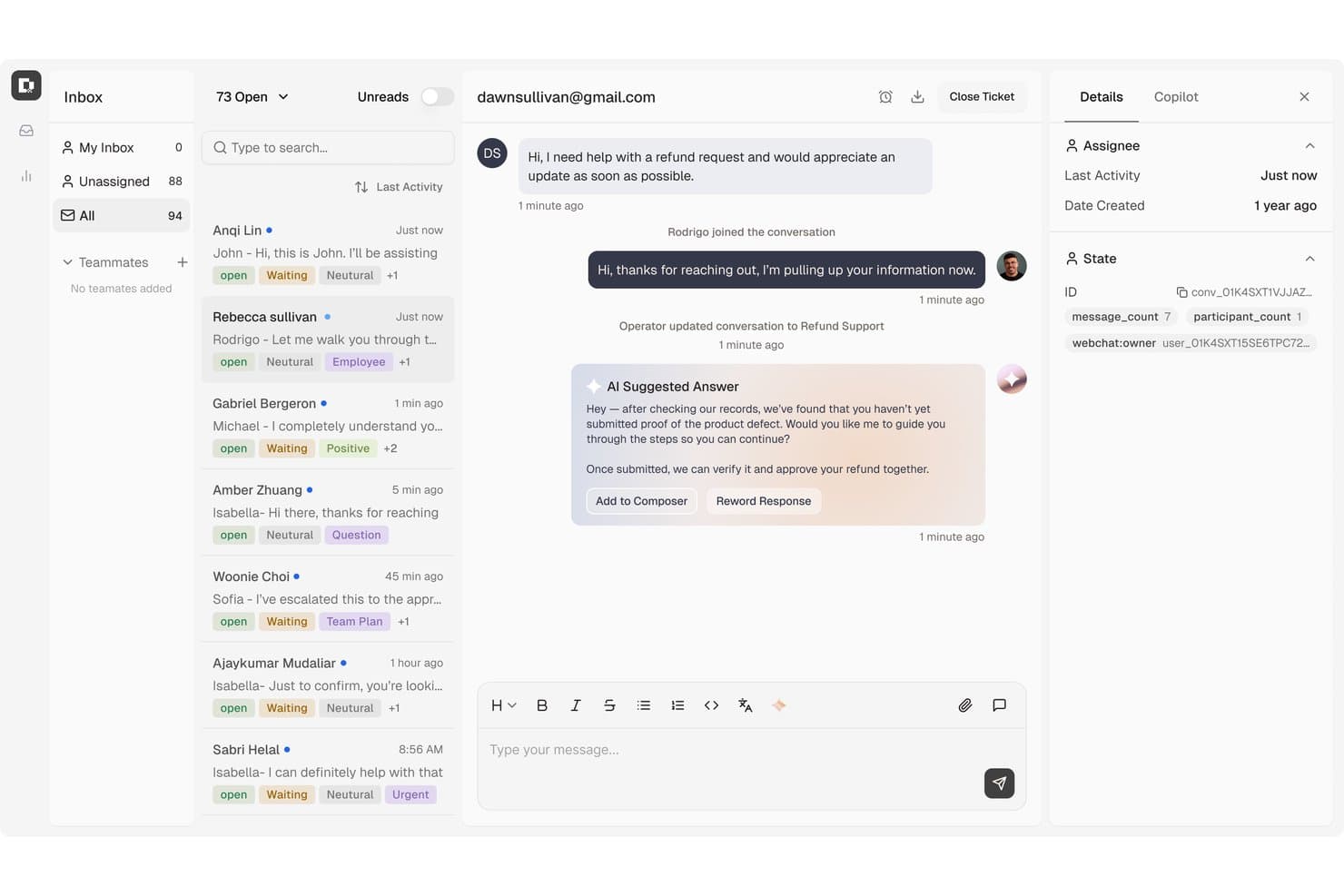
Botpress centralizes customer support tickets with AI-suggested replies. Botpress is a conversational AI platform for support teams that want to build customer-facing chatbots, answer routine questions, and automate service workflows across digital channels.
Who Is Botpress Best For?
Support operations teams looking to resolve repetitive customer tickets with AI agents connected to their service workflows.
Why I Picked Botpress
I picked Botpress for “Best for AI-native ticket resolution” because its agents can resolve routine requests and complete multi-step workflows, such as updating billing details or correcting orders. When a case needs a person, Botpress passes along the conversation history, account details, and troubleshooting already attempted. That gives me a distinct alternative to Zoho Desk when ticket resolution should begin with an AI agent.
Botpress Key Features
- Knowledge bases: Add company documents and other sources to ground agent responses.
- Integration hub: Connect Botpress with tools such as Zendesk, Intercom, and Slack.
- Analytics dashboard: Track users, sessions, and messages, then review conversations and agent performance.
- Channel connections: Deploy agents across supported channels, including Viber.
Botpress Integrations
Botpress offers official integrations with Zendesk, Intercom, Slack, HubSpot, Salesforce, Freshchat, and other tools through its Integration Hub. It also supports Zapier and lets developers build custom integrations with the Botpress SDK.
Pros and Cons
Pros:
- Visual builder pairs with code-level control
- Context passes to people during handoff
- AI agents can complete multi-step workflows
Cons:
- AI answers can misstate larger catalogs
- Advanced setups demand developer time
Learn more about Botpress: Best for smart ticket management
- Free plan available; 7-day free trial
- From $24.17/month (billed annually)
Visit WebsiteCustomer Rating:4.7/5
The Tidio AI Support dashboard displays analytics on conversations, resolution rates, and agent performance. Tidio is an AI-powered customer support platform that combines live chat, automation, and help desk tools to help businesses manage customer interactions.
Why Tidio is a good Zoho Desk Alternative: Tidio's smart help desk system is designed to handle customer queries efficiently by turning live chats, emails, and social media messages into tickets. You can assign, prioritize, and tag these tickets, making it easier to manage and resolve issues. The system also allows you to set up custom filters and views, helping your team stay organized and focused on what matters most. I also like that Tidio has an AI support agent, Lyro, that can help answer routine inquiries across different channels and in multiple languages.
Standout features & integrations:
Features include a visual automation builder called Flows, which lets you create custom workflows without coding. For example, you can use this tool to help automate responses and actions based on customer behavior. Tidio also offers a multichannel shared inbox, allowing you to manage messages from live chat, email, and social media in one place.
Integrations include Shopify, WordPress, Squarespace, WIX, Adobe Commerce, BigCommerce, WooCommerce, Google Analytics, Mailchimp, HubSpot, and Zendesk.
Pros and Cons
Pros:
- Multichannel support, including for chats, emails, and social media
- Lyro AI handles a significant portion of customer inquiries
- Provides insights into team performance and customer satisfaction
Cons:
- Many automation features limited to higher tier plans
- Limitations when integrating with certain third-party tools
Learn more about Tidio:

Groove is easy to use, centralizes support, and offers custom workflows. Groove is a customer support software designed for small to medium-sized businesses aiming to improve their customer service operations. It's used by teams that want an easy-to-use platform to manage customer inquiries and enhance customer satisfaction.
Why Groove is a good Zoho Desk Alternative: Groove offers a straightforward interface that makes it easy for your team to get started without a steep learning curve. Its shared inbox feature ensures all customer interactions are centralized, helping your team stay organized. With customizable ticketing, your team can tailor workflows to match specific business needs. Additionally, Groove's reporting tools provide insights into customer support performance, aiding in strategic decision-making.
Standout features & integrations:
Features include a knowledge base for customer self-service, live chat for real-time support, and customer satisfaction surveys for valuable feedback. These tools help reduce support requests, enhance interactions, and improve service quality.
Integrations include Slack, Shopify, Mailchimp, Trello, Google Workspace, Microsoft Teams, Salesforce, Zapier, Jira, and HubSpot.
Pros and Cons
Pros:
- Responsive customer support
- Integrated knowledge base
- Efficient email ticket organization
Cons:
- Performance issues with extensive automation
- Limited social media integration
 10Best for IT integrations
HappyFox
- 14-day free trial
- From $24/user/month (billed annually)
Visit WebsiteCustomer Rating:4.5/5
HappyFox offers ticketing, automation, self-service & reporting tools. HappyFox is a help desk software designed for businesses that require efficient ticket management and customer support operations. It's used by teams looking to streamline their IT support processes and enhance service delivery.
Why HappyFox is a good Zoho Desk Alternative: HappyFox offers a comprehensive ticketing system that simplifies the handling of customer inquiries, making it a strong choice for IT teams. Its automation capabilities reduce the workload by automating routine tasks, allowing your team to focus on complex issues. The self-service portal empowers customers to find solutions independently, minimizing support requests.
Standout features & integrations:
Features include a knowledge base for customer self-service, reducing reliance on support agents. SLA management prioritizes tickets for timely responses, while a community forum fosters engagement, enabling users to share insights and collaborate on solutions.
Integrations include Slack, Salesforce, Shopify, Microsoft Teams, Google Workspace, Trello, Mailchimp, QuickBooks, Jira, and Zapier.
Pros and Cons
Pros:
- Supports customer self-service
- Reduces workload with automation
- Efficient ticket management
Cons:
- Mobile app limitations
- Performance issues with extensive automation
Andre alternativer til Zoho Desk
Her er noen flere alternativer til Zoho Desk som ikke kom med på kortlisten min, men som likevel er verdt å se nærmere på:
- 11IntercomBest for AI-first service
- 12HubSpot Service HubBest for all-in-one support
- 13KayakoBest for automating tasks
- 14SysAidBest for IT service management
- 15ZendeskBest for large enterprises
- 16FreshdeskBest for small teams
- 17Salesforce Service CloudBest for AI-driven service
- 18Help ScoutBest for personal touch support
- 19FrontBest for team collaboration
- 20HiverBest for AI tagging
How I Evaluate Zoho Desk Alternatives
I evaluate tools on two levels: the baseline ticketing and SLA features a help desk must have, then the differentiators—like AI assist and migration support—that separate the best fit from the rest.
Core Functionality (Table Stakes For This List)
When I'm selecting tools for my list, I rank each one on a scale from 0 (does not offer the functionality) to 5 (excels in this area) for each core functionality listed below. Then, I calculate the tool's total score into a percentage. Each tool needs to achieve a minimum total score of 75% to be considered for inclusion.
- Ticket Management: I look at how each tool handles ticket queues, custom fields, and collision detection—things like merging duplicate requests or splitting a ticket when a customer raises two separate issues.
- Omnichannel Support: Each platform should unify email, chat, phone, social, and messaging into a single agent workspace so reps aren't toggling between tabs to piece together a customer's history.
- Knowledge Base & Self-Service: A good help center deflects tickets before they're created. I check whether the KB supports categories, search, and public-facing portals that customers actually want to use.
- Workflow Automation: Routing rules, escalation triggers, and canned responses are where I focus. For example, auto-assigning billing tickets to a specialized queue or escalating breached SLAs to a team lead.
- SLA & Reporting: I evaluate whether you can configure SLA policies by priority or channel and pull reports on resolution time, agent workload, and CSAT trends without needing a separate analytics tool.
- Third-Party Integrations: The tool needs to connect with CRMs, e-commerce platforms, and communication apps your team already uses—whether that's through a native marketplace or an open API.
Once I have a list of tools that meet this criteria, I consider what sets each platform apart.
Differentiating Factors (What Sets Vendors Apart)
Here's how I compare and contrast different vendors:
Standout Features
AI-powered reply drafting and summarization is a big differentiator—it helps agents handle high volumes without sacrificing quality on every response. I also look for a customer context panel that pulls in CRM data and interaction history alongside the active ticket, so reps aren't asking customers to repeat themselves. Built-in CSAT and NPS surveys tied directly to tickets give managers a feedback loop that doesn't require a separate tool.
Beyond Features
Migration support matters a lot when you're switching from Zoho Desk. I check whether a platform offers import wizards or dedicated migration assistance for transferring tickets, contacts, and KB articles. Pricing transparency is another factor I evaluate closely—some vendors bury costs for AI features or additional channels behind higher tiers. For teams in regulated industries like healthcare or finance, I also look at compliance certifications such as SOC 2 Type II and HIPAA, along with data residency options and role-based access controls.
Hvorfor se etter et alternativ til Zoho Desk?
Selv om Zoho Desk er et godt valg av programvare for kundeservice, finnes det flere grunner til at noen brukere ser etter alternative løsninger. Det kan hende du ser etter et alternativ til Zoho Desk på grunn av …
- Begrensede integrasjonsmuligheter med andre verktøy
- Komplisert oppsett for små team
- Mangel på avanserte rapporteringsfunksjoner
- Begrensninger i tilpasningen til unike arbeidsflyter
- Begrenset støtte for enkelte globale regioner
Hvis noe av dette høres ut som deg, har du kommet til rett sted. Listen min inneholder flere alternativer for kundeserviceprogramvare som er bedre egnet for team som står overfor disse utfordringene med Zoho Desk og ser etter alternative løsninger.
Viktige funksjoner i Zoho Desk
Her er noen av de viktigste funksjonene i Zoho Desk, slik at du kan sammenligne hva alternative løsninger tilbyr:
- Omnikanalstøtte: Samordner kundeinteraksjoner på tvers av flere plattformer, inkludert sosiale medier og direktechat, slik at teamet ditt kan kommunisere med kundene uansett hvor de befinner seg.
- AI-integrasjon: Zia, AI-assistenten, tilbyr kontekstuell støtte, merker saker automatisk, utfører sentimentanalyse og tilbyr generativ AI for tilpasning av svar, slik at teamet ditt kan håndtere henvendelser effektivt.
- Alternativer for selvbetjening: Kundene kan få tilgang til veiledede samtaler og en kunnskapsbase for raske svar, noe som reduserer arbeidsmengden for teamet ditt.
- Produktivitetsverktøy for agenter: Funksjoner som arbeidsmoduser, svarseffektivitet og mobilitet forbedrer samarbeidet og sakshåndteringen, slik at teamet ditt kan arbeide mer effektivt.
- Automatisering: Automatiserer repetitive oppgaver, tildeling av saker og varsler for å forbedre effektiviteten, slik at teamet ditt kan konsentrere seg om komplekse problemer.
- Utvidelsesmuligheter: Integreres med annen programvare og gjør det mulig å opprette tilpassede funksjoner og moduler, slik at brukerstøtten kan skreddersys til virksomhetens spesifikke behov.
- Innsikt og analyse: Tilbyr rapporter og instrumentpaneler for ytelsesovervåking og tidsregistrering, slik at teamet ditt får verdifull innsikt som kan brukes til å forbedre tjenesten.
- Tilpasning: Tilbyr omfattende alternativer for merkevarebygging, maler og oppsett som kan tilpasses organisasjonens behov.
- Sikkerhet: Sikrer databeskyttelse med rollebasert tilgang, samsvar med GDPR og revisjonslogger, slik at teamet ditt kan håndtere kundedata på en sikker måte.