

Kayako Review: Pros, Cons, Features and Pricing
Kayako stands out with its intuitive design and robust integrations, making it a top choice for enhancing customer support experiences.

We review tools independently, and commissions help fund our testing. See our transparency policy, our methodology, or suggest a tool.
Kayako is a customer service software for teams that need to manage customer conversations across email, live chat, and social channels from one place. What sets it apart from a tool like Freshdesk is how it surfaces the full customer journey inside every conversation. Where Freshdesk focuses on ticket management, Kayako's SingleView feature gives agents a complete history of every interaction a customer has had—making it the stronger pick if your team wants context-first support rather than a ticket-first workflow.
Kayako Evaluation Summary
4/5
- From $1/resolved ticket
- Not available
Why Trust Our Software Recommendations
6,700+
Reviews
20
Industry experts
16+
Evaluation factors
14
Years
Our team has been testing and reviewing software since 2012. As CX leaders ourselves, we know how difficult—and important—it is to choose the right software.
For this guide, we evaluated tools using hands-on testing and independent research, scoring tools using our selection criteria.
Our reviews reflect our human editorial judgment, not a sales pitch.
 Gui DrusinaCreative Director
 Tim FisherVP of AI
Kayako Overview
In my opinion, Kayako is a solid choice as help-desk software for teams looking for a customer service platform that balances essential features with user-friendly operation. Its standout features, such as robust ticket management and live chat, make it particularly useful for support teams that handle high volumes of customer interactions. While Kayako’s pricing might be a bit steep for smaller companies, the comprehensive support, and onboarding processes justify the investment for larger teams. The interface is generally intuitive, though some users might find the navigation slightly cumbersome. Compared to competitors like Zendesk, Freshdesk, and Zoho, Kayako's real strength lies in its responsive customer support and integration capabilities. If your team values these aspects, Kayako could be an excellent fit for your customer service needs.
Is Kayako Right For Your Needs?
Who Would be a Good Fit for Kayako?
Kayako is a solid choice for small to medium-sized businesses that prioritize customer support and engagement. Its robust ticketing system, friendly user interface, routing, and multi-channel communication capabilities make it ideal for teams handling a high volume of customer queries. If your team values collaboration, AI-powered automation of repetitive tasks, automated SLA notifications, and needs a tool to manage support tickets efficiently, Kayako's shared inbox and real-time collaboration features will support your work well.
- Small BusinessesKayako offers an affordable solution with essential features like live chat and email integration, perfect for small businesses looking to enhance customer service and make the workflow efficient without breaking the bank.
- E-commerce CompaniesIf you're in e-commerce, Kayako's integration with various platforms ensures seamless order tracking and customer communication, helping you manage customer inquiries effectively.
- Support TeamsSupport teams benefit from Kayako's robust ticketing system, which helps manage and prioritize customer issues efficiently, ensuring quick and effective responses.
- StartupsFor startups, Kayako provides scalability with essential features like self-service portals and knowledge bases, enabling you to grow your customer support operations as your business expands.
- Healthcare ProvidersHealthcare providers can use Kayako's secure and compliant communication features to manage patient inquiries and support, ensuring patient confidentiality and efficient service.
- Educational InstitutionsEducational institutions can leverage Kayako's omni-channel support to handle student and faculty queries across different platforms, providing timely and organized responses.
Who Would be a Bad Fit for Kayako?
If your team needs advanced analytics or robust CRM capabilities, Kayako might not be the best fit. It focuses on customer service and support, lacking in-depth analytics and CRM features that some businesses require. For instance, if you're in a data-driven industry needing comprehensive reporting tools, Kayako's offering might fall short. Additionally, for large enterprises requiring extensive customization, Kayako's feature set may be too limited.
- Large EnterprisesKayako's features may not scale well for large enterprises needing extensive customization and integrations.
- Data-Driven CompaniesIf your work relies heavily on advanced analytics, Kayako's lack of comprehensive reporting tools could be a limitation.
- Sales TeamsFor those needing robust CRM functionalities, Kayako's focus on customer support might not meet your requirements.
- E-commerce BusinessesIf your business needs detailed transaction tracking and customer purchase history, Kayako might not suffice.
- IT DepartmentsFor IT service management requiring specialized tools, Kayako's general customer service focus may not align with your needs.
- Marketing AgenciesIf your agency needs tools for managing campaigns and client relationships, Kayako's limited CRM features might not support your work.
How We Test & Score Tools
We’ve spent years building, refining, and improving our software testing and scoring system. The rubric is designed to capture the nuances of software selection and what makes a tool effective, focusing on critical aspects of the decision-making process.
Below, you can see exactly how our testing and scoring works across seven criteria. It allows us to provide an unbiased evaluation of the software based on core functionality, standout features, ease of use, onboarding, customer support, integrations, customer reviews, and value for money.
Core Functionality (25% of final scoring)
The starting point of our evaluation is always the core functionality of the tool. Does it have the basic features and functions that a user would expect to see? Are any of those core features locked to higher-tiered pricing plans? At its core, we expect a tool to stand up against the baseline capabilities of its competitors.
Standout Features (25% of final scoring)
Next, we evaluate uncommon standout features that go above and beyond the core functionality typically found in tools of its kind. A high score reflects specialized or unique features that make the product faster, more efficient, or offer additional value to the user.
We also evaluate how easy it is to integrate with other tools typically found in the tech stack to expand the functionality and utility of the software. Tools offering plentiful native integrations, 3rd party connections, and API access to build custom integrations score best.
Ease of Use (10% of final scoring)
We consider how quick and easy it is to execute the tasks defined in the core functionality using the tool. High scoring software is well designed, intuitive to use, offers mobile apps, provides templates, and makes relatively complex tasks seem simple.
Onboarding (10% of final scoring)
We know how important rapid team adoption is for a new platform, so we evaluate how easy it is to learn and use a tool with minimal training. We evaluate how quickly a team member can get set up and start using the tool with no experience. High scoring solutions indicate little or no support is required.
Customer Support (10% of final scoring)
We review how quick and easy it is to get unstuck and find help by phone, live chat, or knowledge base. Tools and companies that provide real-time support score best, while chatbots score worst.
Customer Reviews (10% of final scoring)
Beyond our own testing and evaluation, we consider the net promoter score from current and past customers. We review their likelihood, given the option, to choose the tool again for the core functionality. A high scoring software reflects a high net promoter score from current or past customers.
Value for Money (10% of final scoring)
Lastly, in consideration of all the other criteria, we review the average price of entry level plans against the core features and consider the value of the other evaluation criteria. Software that delivers more, for less, will score higher.
Core Features
Unified Inbox: Kayako consolidates multiple communication channels such as email, live chat, and social media into one interface. This helps your team manage inquiries efficiently without switching tools.
Customer Identity Management: Automatically merges customer identities across channels, so your team gets a complete view of each customer. This feature ensures all interactions are personalized and informed.
AI-Powered Automation: Automates repetitive support tasks, freeing up your team to focus on complex issues. This boosts efficiency and allows faster response times.
Customizable Help Center: Offers a self-service help center that you can tailor to your brand's needs. It empowers customers to find answers on their own, reducing support tickets.
Real-Time Collaboration: Enables your team to work together on customer issues in real-time. This feature ensures quick resolution and enhances team communication.
Detailed Analytics: Provides insights into team performance and customer satisfaction. You can use these analytics to improve service quality and identify training needs.
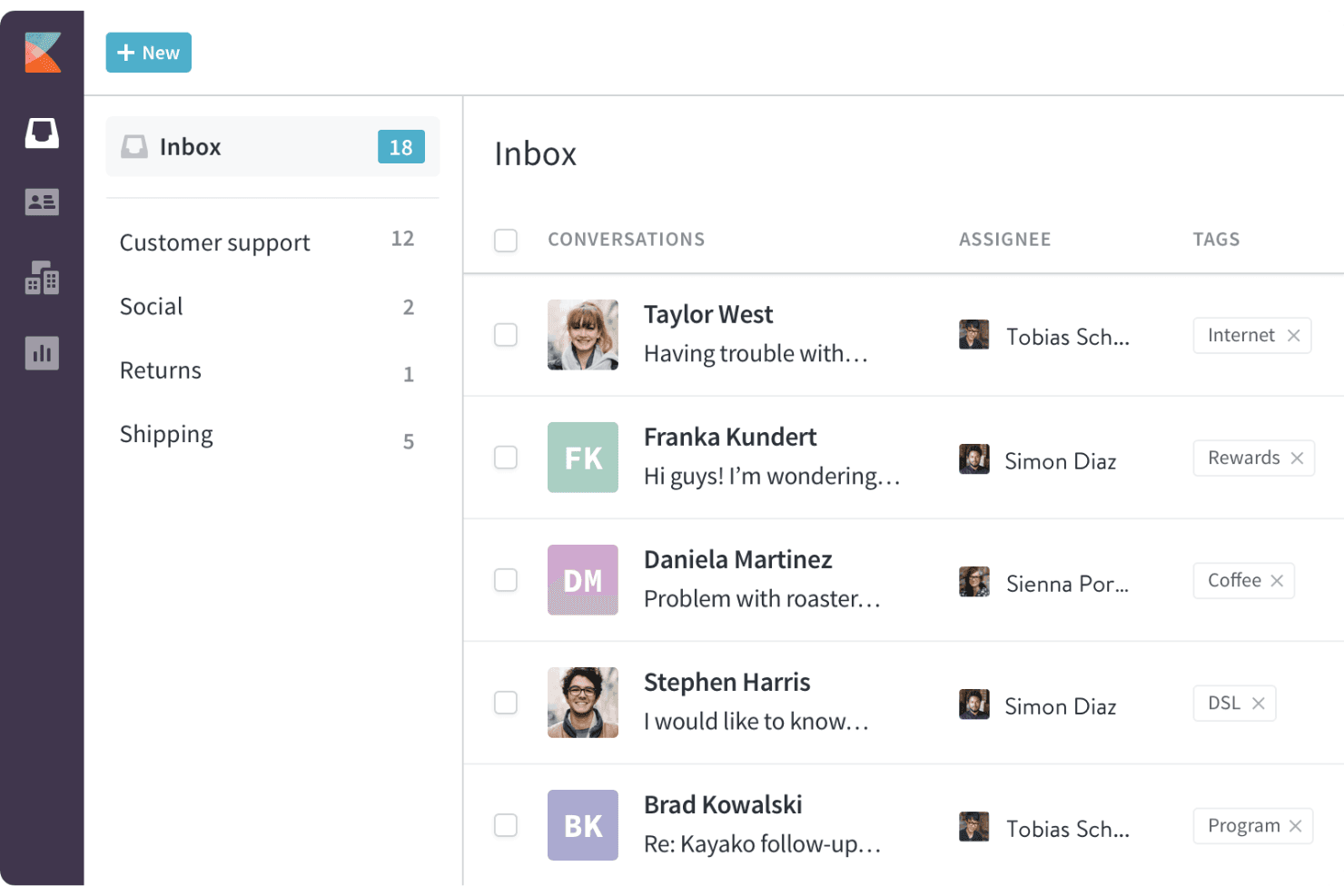
Ease of Use
Kayako might not be the most intuitive customer service software out there, but its robust support system makes up for it. Users often find navigating its layers challenging, yet the customer service team is dedicated and thorough, guiding you through any complexities. While some features may seem redundant or hard to find, Kayako's detailed support ensures your team can still make the most of it. Remember, patience with the interface can lead to mastering its full potential.
.png&w=3840&q=75)
Integrations
Kayako integrates with Slack, Salesforce, Jira, Trello, Shopify, Magento, BigCommerce, Google Analytics, and Facebook.
Kayako also has a REST API that allows for custom integrations and connects with third-party integration tools such as Zapier.
Kayako Specs
- Analytics: No
- API: Yes
- Batch Permissions & Access: No
- Call Integration: No
- Chat: Yes
- Contact Management: No
- Contact Sharing: No
- CRM Integration: No
- Customer Management: Yes
- Customer Service: No
- Dashboard: Yes
- Data Export: No
- Data Import: No
- Data Visualization: No
- Email Integration: Yes
- Escalation Management: No
- External Integrations: No
- Instant Chat Integration: No
- Knowledge Base: No
- Lead Management: No
- Lead Scoring: No
- Multi-User: No
- Notifications: Yes
- Real-time Alerts: No
- Scheduling: Yes
- Self-service Portal: No
- Social Media Integration: No
- Support Forum: No
- Third-Party Plugins/Add-Ons: No
- Ticket Management: No
- Workflow Management: No


