

SurveyMonkey Review: Pros, Cons, Features, and Pricing
SurveyMonkey excels with its user-friendly interface and versatile survey creation features, making it ideal for fast data collection.

We review tools independently, and commissions help fund our testing. See our transparency policy, our methodology, or suggest a tool.
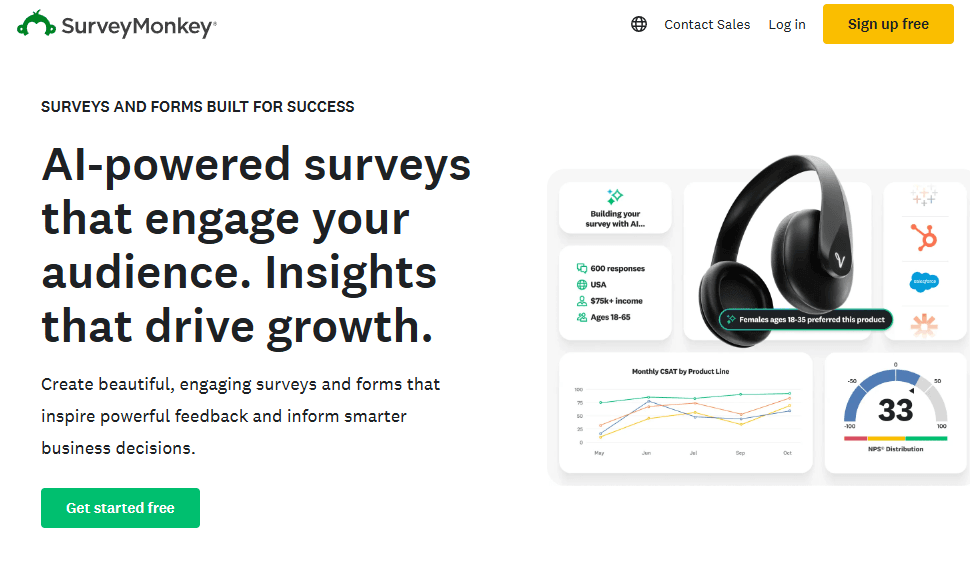
SurveyMonkey is a survey app for teams that need to collect structured feedback from customers, employees, or research audiences. I'd recommend it if you need branching logic, built-in templates, and response analysis that Google Forms simply doesn't offer, without the complexity of a full enterprise research platform.
SurveyMonkey Evaluation Summary
4.6/5
- From $30/user/month (billed annually)
- Free plan available
Why Trust Our Software Recommendations
6,700+
Reviews
20
Industry experts
16+
Evaluation factors
14
Years
Our team has been testing and reviewing software since 2012. As CX leaders ourselves, we know how difficult—and important—it is to choose the right software.
For this guide, we evaluated tools using hands-on testing and independent research, scoring tools using our selection criteria.
Our reviews reflect our human editorial judgment, not a sales pitch.
 Gui DrusinaCreative Director
 Tim FisherVP of AI
SurveyMonkey Overview
In my opinion, SurveyMonkey is a solid choice for teams looking for straightforward survey tool capabilities. Its ease of use and robust core functionality make it ideal for small businesses and educational institutions seeking actionable insights from survey responses. The platform offers automation features, data visualization tools, and reporting tools that help teams streamline their feedback collection workflows. However, it may lack some advanced features found in more complex platforms like Google Forms.
It is best suited to environments prioritizing simplicity and quick deployment over intricate in-depth data analysis. While its customer support isn't top-tier, its value for money and user-friendly interface make it a worthwhile consideration for many. Integration with CRM platforms, social media, and tools like Zapier enhances its functionality. If your team needs a user-friendly solution for survey design, distribution, and data collection without the steep learning curve, SurveyMonkey is a contender worth judging against its competitors.
Pros
- Easy to use, even for beginners.
- Customizable templates for survey design and question types.
- Data collection in real-time.
Cons
- Lacks advanced features for in-depth data analysis and data visualization.
- Customer support may not meet all your expectations.
- Basic reporting tools compared to competitors.
Is SurveyMonkey Right For Your Needs?
Who Would be a Good Fit for SurveyMonkey?
SurveyMonkey suits small businesses, educational institutions, and marketing teams that need straightforward survey tool capabilities for market research and customer satisfaction measurement. It works well for those who value ease of use and quick feedback collection through real-time analysis. If your team wants to create and distribute surveys without a steep learning curve, SurveyMonkey's user-friendly interface and customizable templates make it a great option for survey creation. The platform includes automation features, various question types, and workflows that help streamline the process. Its simplicity, combined with integrations to CRM systems, social media platforms, and tools like Zapier, helps you gather actionable insights efficiently, particularly when intricate in-depth data analysis isn't a priority.
- Small BusinessesSurveyMonkey's simple setup and quick deployment help your team gather customer feedback easily. The basic plan provides essential market research features and customer satisfaction tracking, while paid plans offer advanced features like automation and enhanced reporting tools.
- Educational InstitutionsIt allows you to conduct surveys for student feedback with minimal hassle. The platform's templates and question types simplify survey design, and in-depth reporting tools available in paid plans help analyze survey results.
- Marketing TeamsYour team can use SurveyMonkey to quickly gauge customer satisfaction and preferences through real-time feedback. Integration with CRM platforms, social media, and Google Drive helps streamline workflows and generate actionable insights.
- Human ResourcesSurveyMonkey helps you collect employee feedback efficiently. Automation features and notifications keep HR teams informed of survey responses in real-time, supporting better employee engagement methodologies.
- NonprofitsIt's ideal for nonprofit organizations gathering donor and volunteer feedback with its accessible tools. SurveyMonkey offers special discounts for nonprofit entities, making paid plans more affordable.
- Event PlannersYour team can use SurveyMonkey to gather attendee feedback seamlessly through quizzes and surveys. The user experience is optimized for quick survey design and data collection via social media and email.
Who Would be a Bad Fit for SurveyMonkey?
SurveyMonkey isn't ideal for large enterprises or data-driven teams needing advanced features and in-depth analytics. Its basic reporting tools and lack of complex data integration compared to platforms like Google Forms can limit your team's capabilities. If your work involves intricate data transformation and manipulation or requires extensive customer insights through in-depth analysis, SurveyMonkey's simplicity might not meet your requirements. Teams relying on comprehensive data visualization, advanced methodologies, and detailed reporting tools might find its offerings insufficient for their organization’s objectives.
- Data-Driven EnterprisesYour team might find its basic analytics and reporting tools limiting for complex data needs, requiring in-depth analysis and data visualization.
- Financial ServicesSurveyMonkey lacks the advanced security features and detailed reporting tools required in the finance industry for comprehensive data analysis.
- Healthcare OrganizationsIts limited compliance features for the healthcare sector might not meet your regulatory requirements, though paid plans offer some healthcare-specific functionality.
- Large CorporationsSurveyMonkey's simplicity might not scale well with your extensive data requirements, complex workflows, and need for enterprise plan features.
- Research InstitutionsYour work could suffer from its lack of advanced data analysis tools, in-depth statistical methodologies, and sophisticated data visualization.
- Tech StartupsIf your team needs cutting-edge data integrations, automation, and advanced features, SurveyMonkey may fall short compared to specialized market research platforms.
How We Test & Score Tools
We’ve spent years building, refining, and improving our software testing and scoring system. The rubric is designed to capture the nuances of software selection and what makes a tool effective, focusing on critical aspects of the decision-making process.
Below, you can see exactly how our testing and scoring works across seven criteria. It allows us to provide an unbiased evaluation of the software based on core functionality, standout features, ease of use, onboarding, customer support, integrations, customer reviews, and value for money.
Core Functionality (25% of final scoring)
The starting point of our evaluation is always the core functionality of the tool. Does it have the basic features and functions that a user would expect to see? Are any of those core features locked to higher-tiered pricing plans? At its core, we expect a tool to stand up against the baseline capabilities of its competitors.
Standout Features (25% of final scoring)
Next, we evaluate uncommon standout features that go above and beyond the core functionality typically found in tools of its kind. A high score reflects specialized or unique features that make the product faster, more efficient, or offer additional value to the user.
We also evaluate how easy it is to integrate with other tools typically found in the tech stack to expand the functionality and utility of the software. Tools offering plentiful native integrations, 3rd party connections, and API access to build custom integrations score best.
Ease of Use (10% of final scoring)
We consider how quick and easy it is to execute the tasks defined in the core functionality using the tool. High scoring software is well designed, intuitive to use, offers mobile apps, provides templates, and makes relatively complex tasks seem simple.
Onboarding (10% of final scoring)
We know how important rapid team adoption is for a new platform, so we evaluate how easy it is to learn and use a tool with minimal training. We evaluate how quickly a team member can get set up and start using the tool with no experience. High scoring solutions indicate little or no support is required.
Customer Support (10% of final scoring)
We review how quick and easy it is to get unstuck and find help by phone, live chat, or knowledge base. Tools and companies that provide real-time support score best, while chatbots score worst.
Customer Reviews (10% of final scoring)
Beyond our own testing and evaluation, we consider the net promoter score from current and past customers. We review their likelihood, given the option, to choose the tool again for the core functionality. A high scoring software reflects a high net promoter score from current or past customers.
Value for Money (10% of final scoring)
Lastly, in consideration of all the other criteria, we review the average price of entry level plans against the core features and consider the value of the other evaluation criteria. Software that delivers more, for less, will score higher.
Core Features
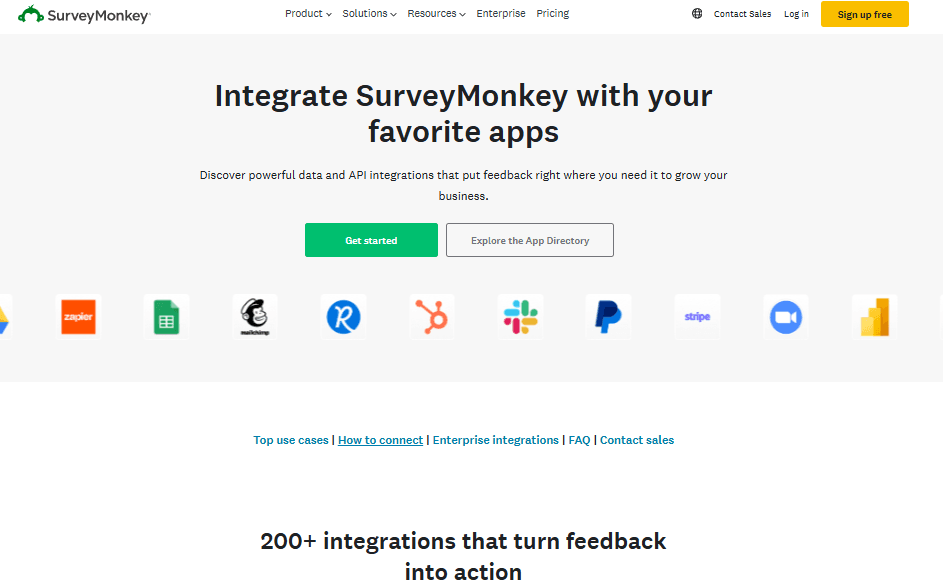
Survey Templates: SurveyMonkey offers a wide range of templates to kickstart your survey creation. Your team can customize these templates with various question types to fit any specific use case for market research or customer satisfaction measurement.
Question Bank: With a vast library of question types and expert-crafted questions, you can quickly build surveys without starting from scratch. It helps you maintain consistency and saves time during survey design, following proven methodologies.
Data Analysis Tools: Basic analytics and reporting tools let you view survey responses and trends at a glance. This feature helps you interpret feedback quickly and generate actionable insights, keeping your team informed with real-time updates. With paid plans, you unlock in-depth data visualization and advanced reporting tools.
Customizable Themes: You can match surveys to your brand with various themes and design options in paid plans. This ensures your survey design looks professional, cohesive, and enhances the user experience for respondents..
Mobile Compatibility: Surveys are optimized for mobile, allowing respondents to complete them on any device. This increases participation rates and accessibility for your audience, improving survey responses.
Real-Time Results: As responses come in, you can see survey results instantly with real-time updates and notifications. This feature keeps your team updated and processes feedback quickly to help generate actionable insights.
Ease of Use
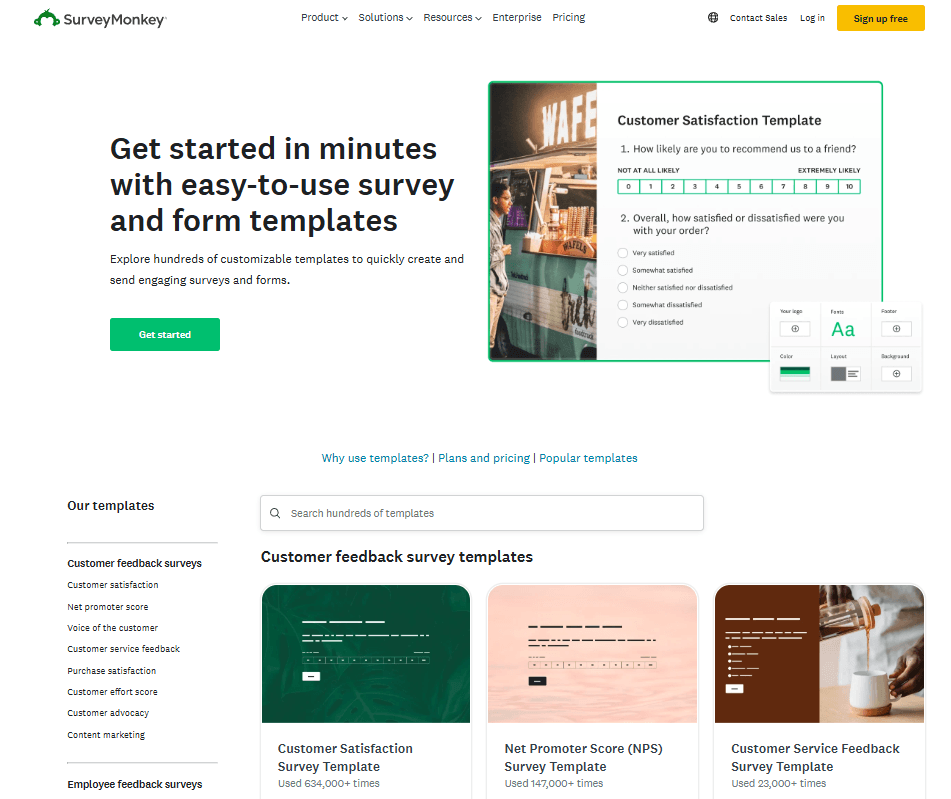
SurveyMonkey stands out for its user-friendly interface, making it easy for your team to create and distribute surveys without a hitch. Its drag-and-drop functionality and pre-made templates help you build surveys quickly, even if you're a beginner who is not tech-savvy. The intuitive dashboard helps you navigate through options effortlessly with clear notifications and guidance, ensuring you spend more time on insights rather than setup. Compared to other platforms like Google Forms, SurveyMonkey's simplicity and straightforward design make it accessible for everyone on your team, with a shallow learning curve. The user experience is optimized for both survey creation and analysis, with real-time previews and reporting tools easily accessible through your SurveyMonkey account.
Integrations
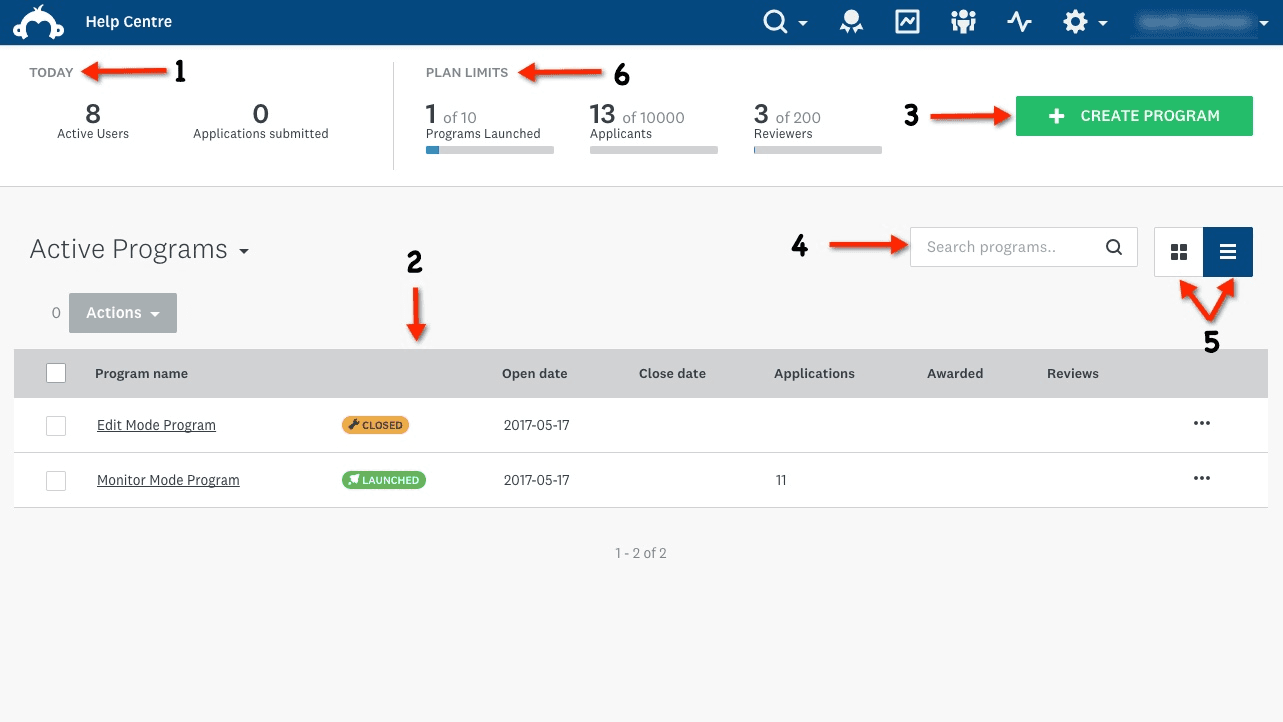
SurveyMonkey integrates with Microsoft Teams, Slack, Google Drive, Salesforce, HubSpot, Mailchimp, Zendesk, Eventbrite, Constant Contact, and Trello. These integrations enable seamless data flow between your SurveyMonkey account and other business tools, supporting automation and workflows.
SurveyMonkey also offers an API and connects with third-party integration tools like Zapier, allowing you to customize and enhance your workflows. The API enables programmatic access for automation of survey creation, data collection, and analysis. Integrations with CRM platforms like Salesforce and HubSpot help streamline customer feedback collection and analysis. In addition, connections to social media platforms and Google services help expand distribution options for respondents.
SurveyMonkey Specs
- Analytics: Yes
- API: Yes
- Batch Permissions & Access: No
- Calendar Management: No
- Contact Management: No
- Custom Reports: No
- Dashboard: Yes
- Data Export: Yes
- Data Import: Yes
- Data Visualization: Yes
- Email Integration: Yes
- External Integrations: Yes
- Feedback Management: No
- Google Apps Integration: Yes
- Marketing Automation: No
- Multi-Source Feedback: No
- Multi-User: Yes
- Net Promoter Score: Yes
- Notifications: Yes
- Online Surveys: No
- Paper Surveys: No
- Scheduling: No
- Sentiment Analysis: No
- Template Designer: Yes
- Workflow Management: No


