

Customer support automation uses artificial intelligence and other technologies to resolve customer questions and problems, often without direct human involvement. It streamlines interactions, reduces wait times, and helps companies save money while keeping customers engaged.
Still, there are times when your customers want to talk to an actual person. In this article, I’ll explain what customer support automation is, why businesses rely on it, and how to know when your customers would rather speak to a human.
What is customer support automation?
Customer support automation is the use of technology, like AI chatbots, self-service help centers, automated ticket routing, and IVR phone systems, to answer customer questions and resolve simple issues without a human agent. It handles repetitive, high-volume requests such as order status checks, password resets, and return policy questions, and hands anything complex or sensitive to a person.
The goal isn’t to replace your support team. It’s to make sure customers get fast answers to easy questions at any hour, while your agents spend their time on the conversations that actually need a human.
Types of Customer Support Automation
Automation refers to technology that operates without being directly controlled by a human, such as:
- Interactive voice response (IVR): an automated phone system that interacts with callers. IVR gathers information about customers and directs them appropriately based on the answers they provide.
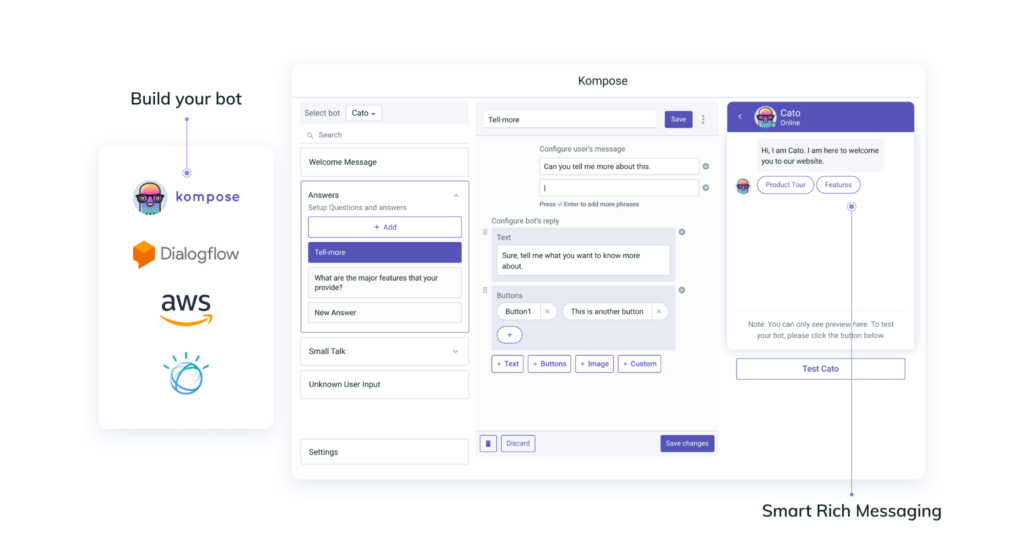
- Chatbot: a computer program that conducts an online chat with a customer via texting or text-to-speech software.
- Email automation: a tool that sends personalized messages automatically at certain times to targeted customers.
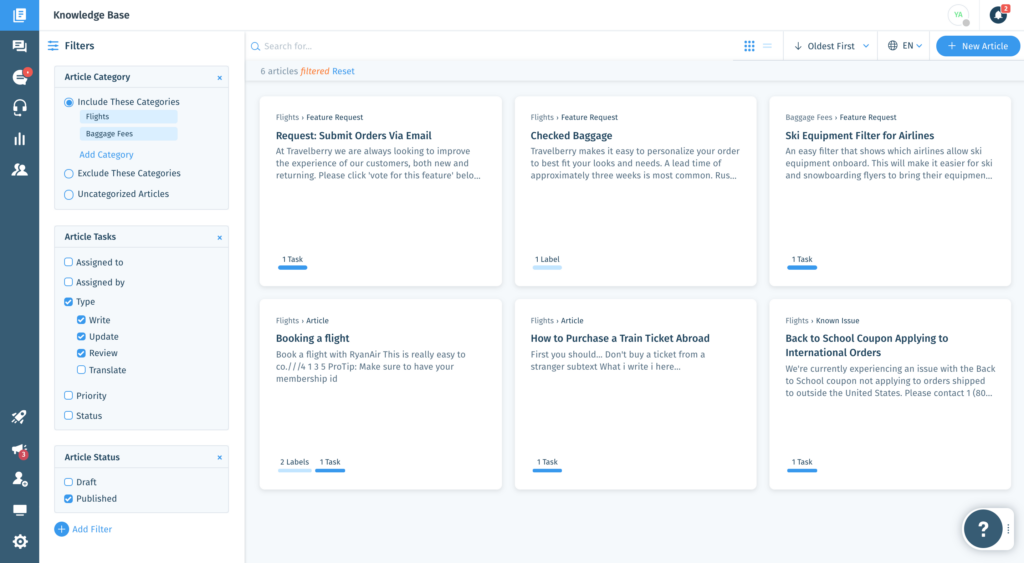
- FAQs and help centers: databases of frequently asked questions that provide automatic answers to customer questions as well as a knowledge base for customers.
Often, customer support automation involves a combination of strategies. For example, your company’s chatbot could direct customers to a list of FAQs. Or your business could build a chatbot into your social media platforms or website.
Key Areas for Customer Support Automation
The best tasks to automate are high-volume, low-effort, and predictable: the questions your team answers dozens of times a day with the same response. Password resets are the classic example. ID Agent reports that up to 50% of IT help desk tickets are password reset requests, and they almost never need a human.
| Task | What automation handles | When a human should step in |
|---|---|---|
| TaskPassword resets and account access | What automation handlesSelf-serve reset links and identity checks | When a human should step inSuspected fraud or locked accounts |
| TaskOrder status and tracking | What automation handlesInstant updates pulled from your order system | When a human should step inLost or damaged shipments |
| TaskFAQs and policy questions | What automation handlesAnswers on returns, shipping, and pricing from a self-service help center or chatbot | When a human should step inExceptions to policy |
| TaskTicket routing and triage | What automation handlesTagging, prioritizing, and sending tickets to the right team | When a human should step inEscalations and VIP customers |
| TaskAfter-hours requests | What automation handlesCollecting details and creating a ticket for the morning | When a human should step inUrgent or emergency issues |
| TaskAppointment booking | What automation handlesScheduling, rescheduling, and reminders | When a human should step inComplex or multi-party bookings |
| TaskReturns and simple refunds | What automation handlesStarting the return and issuing labels | When a human should step inDisputes or high-value refunds |
| TaskFeedback surveys | What automation handlesSending CSAT or NPS surveys after a conversation | When a human should step inFollowing up on negative scores |
| TaskAgent assistance | What automation handlesCanned responses, suggested replies, and conversation summaries | When a human should step inFinal review and sensitive replies |

Author's Tip
Before you automate anything, pull your last month of tickets and sort them by topic. The top five or so categories are usually your best starting point, and they’re often things like order status and password resets. Just as important, decide what you won’t automate: billing disputes, complaints, and anything emotional should go straight to a person. Getting that balance right is the difference between customer service automation that customers appreciate and automation that drives them away.
How Does Customer Support Automation Work?
Most customer support automation follows the same basic loop, whether it’s a simple rule in your help desk or an AI agent:
- A customer reaches out: They send a chat message, email, or form, or call your support line.
- The system works out what they need: Simple tools look for keywords or button choices. AI tools read the message in plain language and identify the intent, like “track my order” or “cancel my subscription.”
- It finds the answer or takes action: It might pull an article from your help center, look up an order in your system, or update an account, all without an agent.
- It resolves the issue or hands it off: If the request is routine, the customer gets an instant answer. If it’s complex or sensitive, the system routes it to the right agent with the conversation history attached.
- It improves over time: Reports on unanswered questions and failed handoffs show you where to add content or adjust the rules.
Have an account? Log In
Rule-based automation vs. AI automation
- Rule-based automation: It follows “if this, then that” logic you set up, like routing every billing question to the finance team or sending a survey when a ticket closes. It’s predictable and easy to control, but it can’t handle anything you didn’t plan for.
- AI automation: An AI chatbot or AI agent understands questions in everyday language, writes its own answers from your help content, and can complete multi-step tasks. It handles far more variety, but it needs good source content and guardrails to stay accurate.
Most teams use both: rules for routing and workflows, and AI for conversations. It needs good source content and guardrails, which is why AI in customer experience works best alongside human agents.
Common Customer Support Automation Tools
- AI chatbots and AI agents: Answer questions and complete tasks in chat, messaging apps, and email.
- Self-service help centers: FAQs and knowledge bases customers can search on their own, the foundation of strong customer self-service.
- Ticket routing and workflow rules: Tag, prioritize, and assign tickets automatically inside your help desk.
- Interactive voice response (IVR): Phone menus and voice bots that collect details and route callers.
- Email and notification automation: Order updates, follow-ups, and surveys sent automatically at the right moment.
10 Top AI Customer Support Automation Tools
Looking for customer support automation? Take it a step further with these AI customer support tools.
Clicks on the links below may earn a commission, which supports our independent testing and review of software and services. Learn more about how we stay transparent.
How to Automate Customer Support
Here's the order I'd follow, with what each step looks like in the help desks most teams already use, and what happened when well-known companies skipped it.
1. Audit your support volume
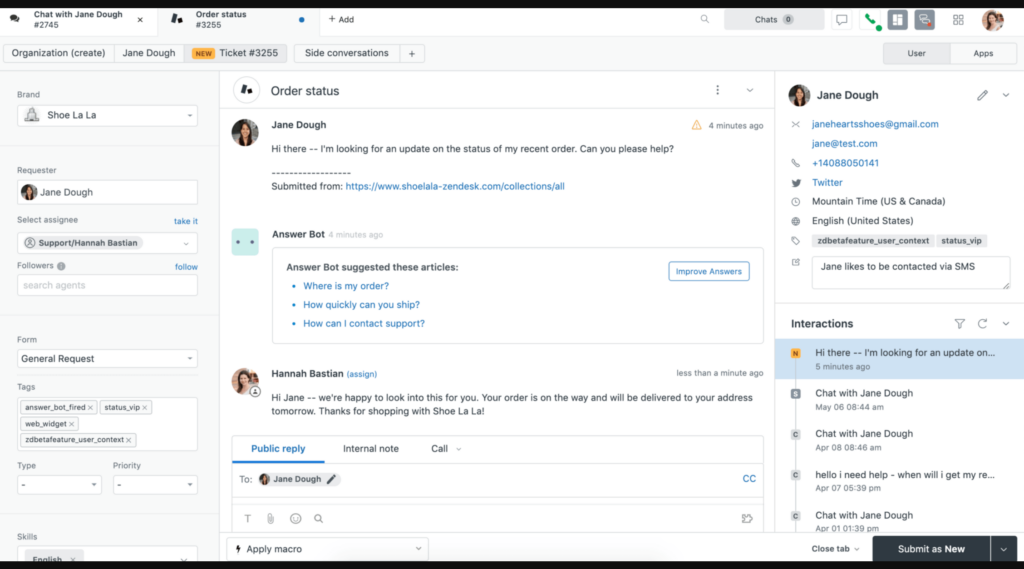
Group last month's tickets by topic and note how long each type takes to resolve. Most help desks can do this for you: Zendesk, Freshdesk, and HubSpot all let you report on tickets by tag or category, and Intercom groups conversations by topic automatically. The top five categories are usually your starting list.
2. Start with agent-assisted AI, then automate a small slice
Pick two or three high-volume, low-risk requests, like order status or password resets. If you're unsure how customers will react to AI, start with tools that draft replies for agents to review, such as the AI reply suggestions built into Zendesk, Freshdesk, and Intercom, before letting AI reply on its own.
That's how UK energy supplier Octopus Energy built trust. Its AI first drafted emails for agents, and CEO Greg Jackson later reported those AI-assisted emails earned 80% customer satisfaction versus 65% for emails written by staff alone. When the company trialled a fully automated assistant, it limited it to about 4% of emails and scored 76% satisfaction against 72% for human replies.
3. Get your help content in shape
Automation is only as good as the answers behind it. Before launch, update outdated articles, remove contradictions, and fill gaps, because strong knowledge management is what keeps automated answers accurate. For high-stakes topics like refunds, fees, and legal terms, use fixed, approved answers rather than letting AI write its own.
Air Canada learned this the hard way. Its website chatbot told a grieving customer he could claim a bereavement discount after travelling, which contradicted the airline's own policy page. When Air Canada argued it wasn't responsible for its chatbot, a British Columbia tribunal found the airline liable. Your bot's answers are your company's answers.
4. Set up routing and workflow rules
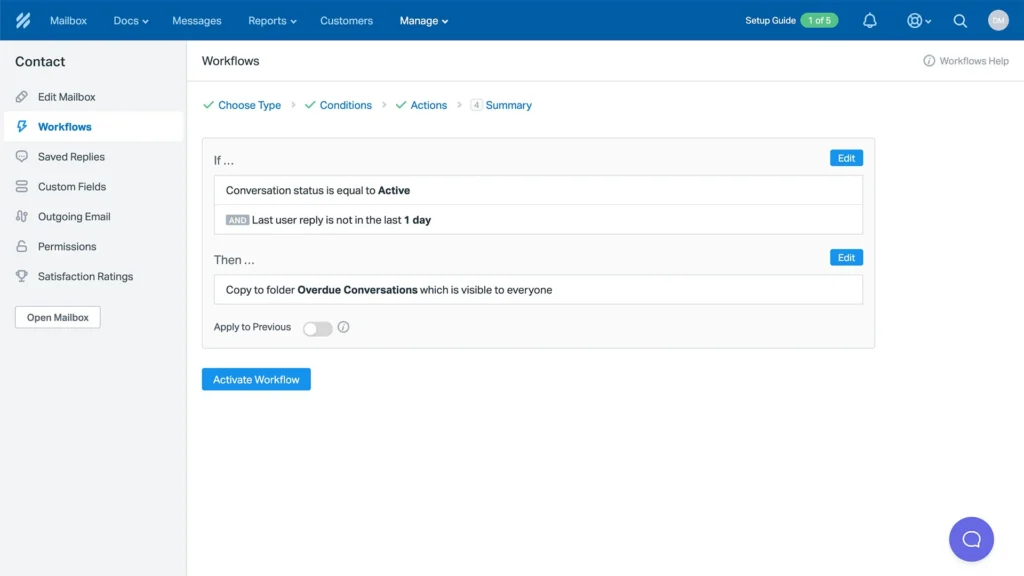
Not everything needs AI. Simple "if this, then that" rules handle a lot of the work: in Zendesk these are triggers, in Freshdesk they're automation rules, and in HubSpot they're workflows. For example, a rule can tag any ticket mentioning "refund" and send it to your billing team, or send a CSAT survey automatically when a ticket closes.
5. Design the human handoff
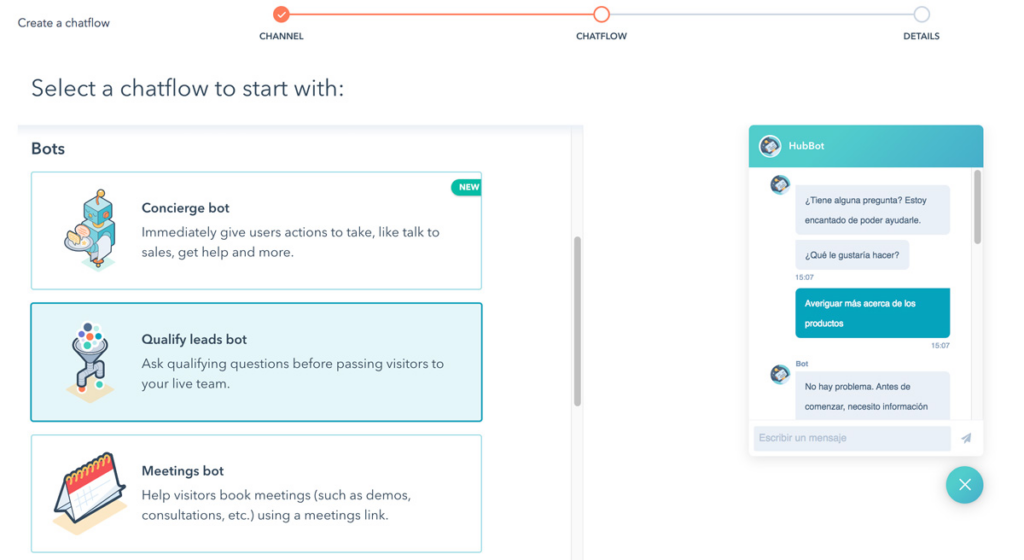
Make it easy to reach a person at any point, and pass the full conversation to the agent so customers never have to repeat themselves. Most AI agents, including Intercom Fin and Zendesk's AI agents, let you set when to hand off, for example when a customer asks for a human, gets the same answer twice, or raises a sensitive topic.
6. Launch, measure, and expand
Track resolution rate and handoff rate, but don't stop there. Watch CSAT for automated conversations and how often customers come back with the same problem.
Klarna is the cautionary tale. In 2024, it said its AI assistant was handling two-thirds of customer chats, the work of about 700 agents. A year later, its CEO told Bloomberg that cost had been "a too predominant evaluation factor," and Klarna began recruiting human agents again. High automation numbers don't guarantee a good experience.
Benefits of Customer Support Automation
- 24/7 support: Customers get answers at night, on weekends, and on holidays without you staffing every hour.
- Faster responses: Automation handles many conversations at once, so routine questions never sit in a queue.
- Lower support costs: Resolving simple requests automatically lowers your cost per contact and lets you grow without hiring at the same pace.
- A consistent brand voice: Automated answers use the same approved wording every time.
- Happier agents: Your team spends less time on repetitive tickets and more on interesting, high-impact work.
- Better customer insight: Automated conversations show you what customers ask most and where they get stuck, so you can fix problems at the source.
What are the challenges of automating customer support?
Customer support automation takes time to implement. Make sure your company is not trying to integrate AI in CX or replace your current system during a busy or critical time for your business.
Accepting situations that require alternatives to automation
Despite the advantages of customer support automation, it isn’t always the best choice. Ask yourself:
- Does your industry use specific terminology or jargon? An automated solution does not understand nuance.
- Is your customer’s issue too complex to answer with an automated solution?
- Does your customer have a sensitive issue?
In all of these situations, a human response will allow for empathy, tone, and other personal touches a machine cannot provide.
Balancing automation and human support
As AI solutions become more advanced, sometimes customers may not realize they are interacting with a chatbot. This lack of transparency is a disadvantage of automation.
Another disadvantage is potential customer frustration with automated support. Often, customers wish to speak to a human immediately.
Many customer surveys on privacy and customer support automation send mixed messages. For example, 79 percent of customers surveyed by SmarterHQ believe companies know too much about them. However, the same survey revealed that 90 percent of customers are willing to share behavioral data in exchange for an easier, cheaper brand experience.
More Articles
Appeasing uncertain customer service representatives
Furthermore, your own employees may feel uncomfortable with the introduction of customer support automation. Successful integration depends upon customer service management presenting intelligent automation as a complement to human customer support, not a replacement. Otherwise, your representatives may believe you think that a machine can replace them. Thus, they may feel that automation or the use of AI in customer success threatens their job security.
Understanding the pitfalls of automation
The goal, of course, is to personalize service without leaving your customers frustrated. That’s why customer support automation works best to address straightforward questions or help with specific issues. Problems that require a delicate touch probably should go directly to a human agent.
In fact, a customer’s desire to speak to a person increases with the complexity of the service issue, according to a survey by American Express. For example, the survey indicates that fewer than 20 percent of customers want to speak to a person about a simple issue, such as finding a product. Yet that percentage nearly doubles if the customer has a more complicated problem, such as a dispute.
Despite increasing emphasis on online customer support automation, McKinsey indicates that 79 percent of customers still use the telephone, although the survey indicates that percentage is decreasing. By contrast, automated services such as chat and self-service websites are on the rise.
FAQs
Here are the answers to some commonly asked questions about customer support automation.
Is customer support automation the same as customer service automation?
Yes. The two terms are used interchangeably. Both describe using technology to resolve routine customer requests with little or no agent involvement.
Will automation replace customer support agents?
No. Automation takes over repetitive, predictable requests, but customers still want people for complex, sensitive, or emotional issues. Most teams use automation to handle volume so agents can focus on higher-value conversations.
What is the difference between a chatbot and an AI agent?
A chatbot mainly answers questions in a conversation. An AI agent can also take action, like processing a return or updating an account, by working across your connected systems. Many modern customer service chatbots now include agent-like abilities.
What customer support tasks should you not automate?
Avoid fully automating billing disputes, complaints, cancellations with retention risk, safety or security issues, and anything emotionally sensitive. Automation can collect details first, but a person should handle the resolution.
How do you measure the success of customer support automation?
Track the share of requests resolved without an agent, how often conversations are handed off, CSAT for automated conversations, and the time saved for your team. A rising handoff rate on a topic usually means your content or rules need work.
How much does customer support automation cost?
It ranges from free tiers built into help desks to enterprise contracts for AI agents. Pricing is usually per agent seat, per conversation, or per AI resolution. See AI customer service chatbot pricing for typical ranges.
Start Small, Then Scale
Customer support automation works best when it's built around your real ticket volume: automate the routine, protect the human moments, and keep improving based on what customers tell you. For most teams, an AI chatbot is the first and most visible piece of that setup, so it's worth getting right. Knowing how to choose a chatbot platform that fits your channels, integrations, and handoff needs will save you a costly switch later.