

Los 10 mejores competidores de Dynatrace para la observabilidad en 2026

Selección de los mejores competidores de Dynatrace


Como responsable de la experiencia del cliente, tienes que enfrentarte a innumerables desafíos. Necesitas herramientas de observabilidad de datos que ayuden a tu equipo a supervisar los problemas de rendimiento, gestionar los recursos y mantener satisfechos a tus clientes. Dynatrace es popular, pero puede que no se adapte a tus necesidades específicas.
Según mi experiencia, encontrar la alternativa adecuada puede marcar la diferencia. Es posible que busques mejores precios, funciones específicas o una integración avanzada con los sistemas existentes.
He probado y analizado de forma independiente varias opciones para ofrecerte los mejores competidores de Dynatrace. Te guiaré por mis principales selecciones para ayudarte a tomar una decisión informada que se ajuste a las necesidades de tu empresa. Exploremos las soluciones que realmente pueden beneficiar a tu equipo.
¿Qué es Dynatrace?
Dynatrace es una plataforma de observabilidad de datos que ayuda a las empresas a supervisar y optimizar el rendimiento de las aplicaciones. Generalmente la utilizan profesionales de TI, desarrolladores y responsables de la experiencia del cliente que necesitan garantizar un funcionamiento fluido y experiencias de usuario de alta calidad.
La supervisión automatizada de la infraestructura, la información basada en inteligencia artificial y los flujos de trabajo de observabilidad de pila completa ayudan a los equipos a identificar problemas, comprender las métricas de rendimiento y mejorar la gestión de recursos. En general, Dynatrace proporciona información valiosa para aumentar el tiempo de actividad de los sistemas.
Tabla comparativa de competidores de Dynatrace
Esta tabla comparativa resume los detalles de precios de mis principales alternativas a Dynatrace:
| Tool | Best For | Trial Info | Price | ||
|---|---|---|---|---|---|
| 1 | Ideal para monitoreo completo de pila de extremo a extremo | Plan gratuito disponible | Desde $49/usuario/mes | Website | |
| 2 | Ideal para seguridad y observabilidad unificadas | Prueba gratuita de 14 días + demostración gratuita disponible | Precios bajo solicitud | Website | |
| 3 | Ideal para la detección de incidentes mediante IA | Demo gratuita disponible | Desde $21.20/MVS/mes | Website | |
| 4 | Mejor para integración con el ecosistema AWS | Plan gratuito disponible | Precio a consultar | Website | |
| 5 | Mejor para integración con servicios de Azure | Prueba gratuita de 30 días + plan gratuito disponible | Desde $0.05/GB ingerido | Website | |
| 6 | Mejor para monitoreo de red todo en uno | Prueba gratuita de 30 días disponible | Desde $179/mes (facturado anualmente) | Website | |
| 7 | Ideal para el seguimiento de errores en tiempo real | Plan gratuito + prueba gratis + demo gratis disponible | Desde $26/mes (facturado anualmente) | Website | |
| 8 | Mejor para la monitorización híbrida de TI | Plan gratuito + prueba gratuita de 30 días disponible | Desde $275/mes (facturado anualmente) | Website | |
| 9 | Mejor para la observabilidad nativa en la nube | Prueba gratuita de 14 días | Desde $15/host/mes (facturación anual) | Website | |
| 10 | Mejor para monitoreo de bases de datos sin agentes | Prueba gratuita de 30 días + demostración gratuita + plan gratuito disponible | Desde $199/año | Website |
Por qué confiar en nuestras recomendaciones de software
Nuestro equipo lleva probando y evaluando software desde 2012. Como líderes de CX, sabemos lo difícil —y lo importante— que es elegir el software adecuado.
Para esta guía, evaluamos las herramientas mediante pruebas prácticas e investigación independiente, puntuando las herramientas según nuestros criterios de selección.
Nuestras reseñas reflejan nuestro criterio editorial humano, no un discurso de ventas.
Análisis de los mejores competidores de Dynatrace
A continuación encontrarás mis resúmenes detallados de los mejores competidores de Dynatrace que llegaron a mi selección. Mis análisis ofrecen una visión detallada de las funciones principales, las ventajas y desventajas, las integraciones y los casos de uso ideales de cada herramienta para ayudarte a encontrar la mejor opción para ti.

Ideal para monitoreo completo de pila de extremo a extremo
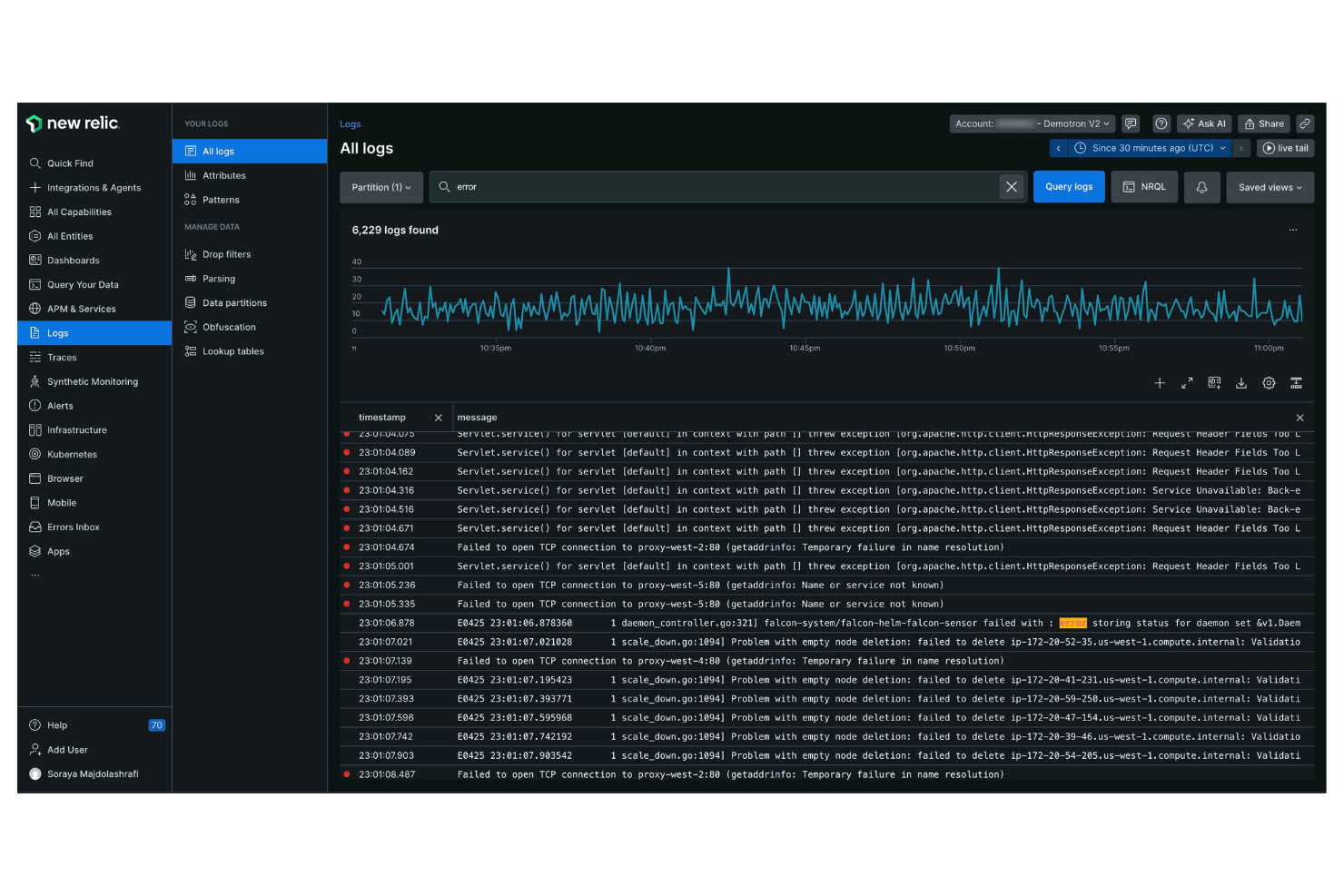
New Relic es una plataforma de análisis de software y monitoreo de rendimiento diseñada para ingenieros de software y profesionales de TI. Proporciona información sobre el rendimiento de las aplicaciones y la salud de la infraestructura, ayudándote a optimizar tus operaciones digitales.
Por qué es una buena alternativa a Dynatrace: New Relic ofrece monitoreo completo de pila de extremo a extremo, proporcionando visibilidad en toda tu infraestructura de aplicaciones. Los análisis en tiempo real de la plataforma ofrecen información útil, permitiendo que tu equipo responda rápidamente a los problemas. Sus paneles personalizados te permiten visualizar los datos de la manera que mejor se adapte a tus necesidades.
Características destacadas e integraciones:
Características incluyen análisis de errores, que ayuda a identificar y resolver errores de la aplicación. Su función de rastreo distribuido te ayuda a seguir solicitudes entre servicios, asegurando que puedas detectar los cuellos de botella. La plataforma también ofrece monitoreo sintético para simular interacciones de usuario y probar el rendimiento de la aplicación. Con la gestión de registros, puedes recopilar y analizar datos de logs para obtener perspectivas más profundas sobre tus sistemas.
Integraciones incluyen AWS, Microsoft Azure, Google Cloud Platform, Kubernetes, Docker, Slack, PagerDuty y más.
Pros and Cons
Pros:
- Rastreo distribuido efectivo
- Análisis en tiempo real
- Paneles personalizables
Cons:
- La interfaz puede resultar recargada y compleja
- El precio por usuario es caro
Splunk
Ideal para seguridad y observabilidad unificadas
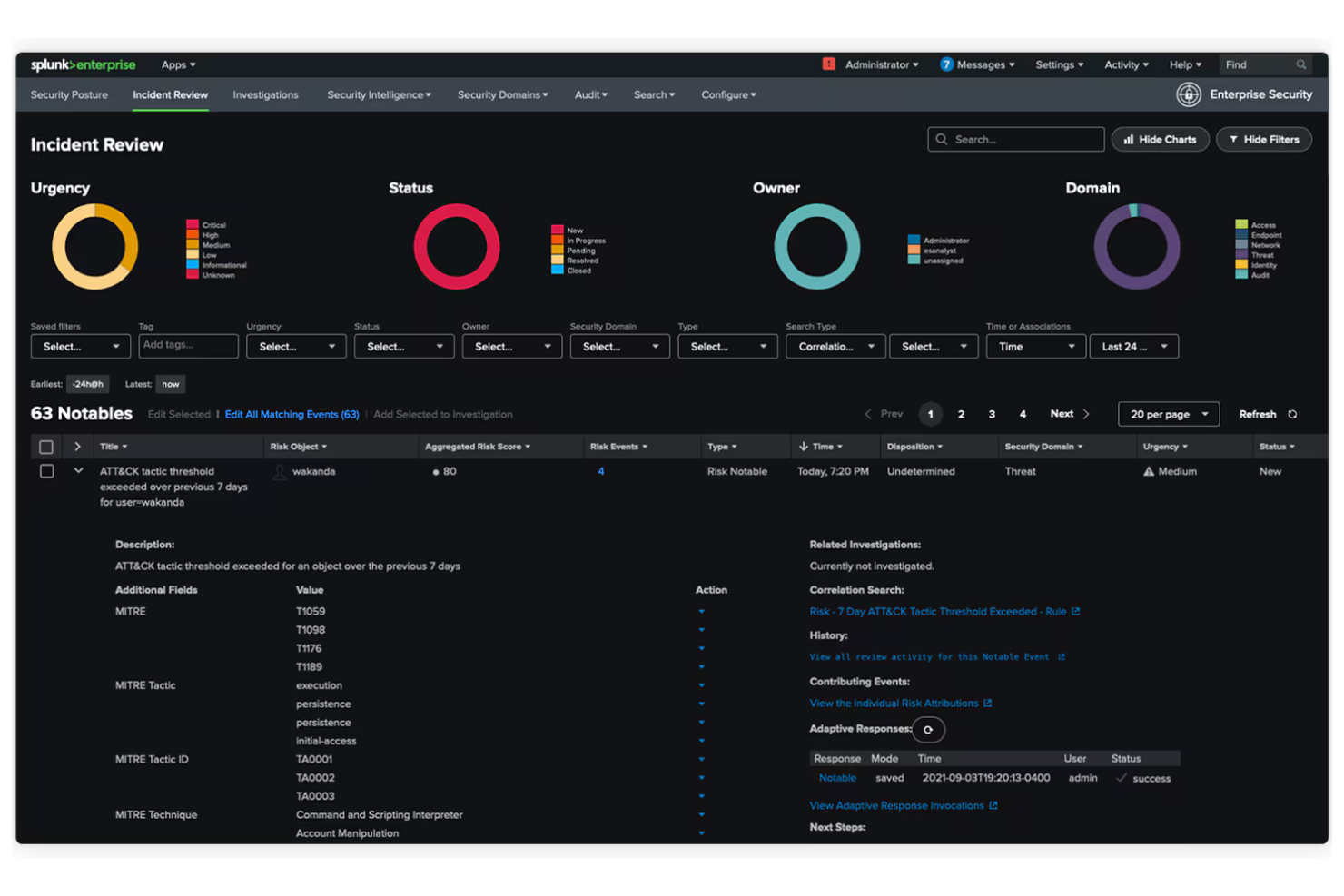
Splunk es una plataforma de datos diseñada para operaciones de TI, seguridad de aplicaciones y análisis empresarial. Ayuda a las organizaciones a convertir datos en información accionable, mejorando la toma de decisiones y la eficiencia operativa.
Por qué es una buena alternativa a Dynatrace: Splunk ofrece seguridad y observabilidad unificadas, proporcionando una vista completa de tus datos a través de múltiples entornos. Su procesamiento de datos en tiempo real ayuda a tu equipo a identificar y reaccionar rápidamente ante incidencias. Las capacidades de aprendizaje automático de la plataforma permiten obtener información predictiva, ayudándote a anticipar posibles problemas. Los paneles personalizables te permiten visualizar los datos en un formato que se adapte a tus necesidades operativas.
Características destacadas e integraciones:
Características incluyen detección avanzada de amenazas para ayudarte a identificar riesgos de seguridad en tiempo real. La plataforma también ofrece gestión de registros para recopilar y analizar datos de microservicios, así como potentes análisis para descubrir patrones y tendencias ocultas.
Integraciones incluyen AWS, Microsoft Azure, Google Cloud Platform, ServiceNow, Cisco, Palo Alto Networks y más.
Pros and Cons
Pros:
- Vista unificada de datos
- Procesamiento en tiempo real
- Detección avanzada de amenazas
Cons:
- Configuración e implementación complejas
- Altos requisitos de hardware/recursos
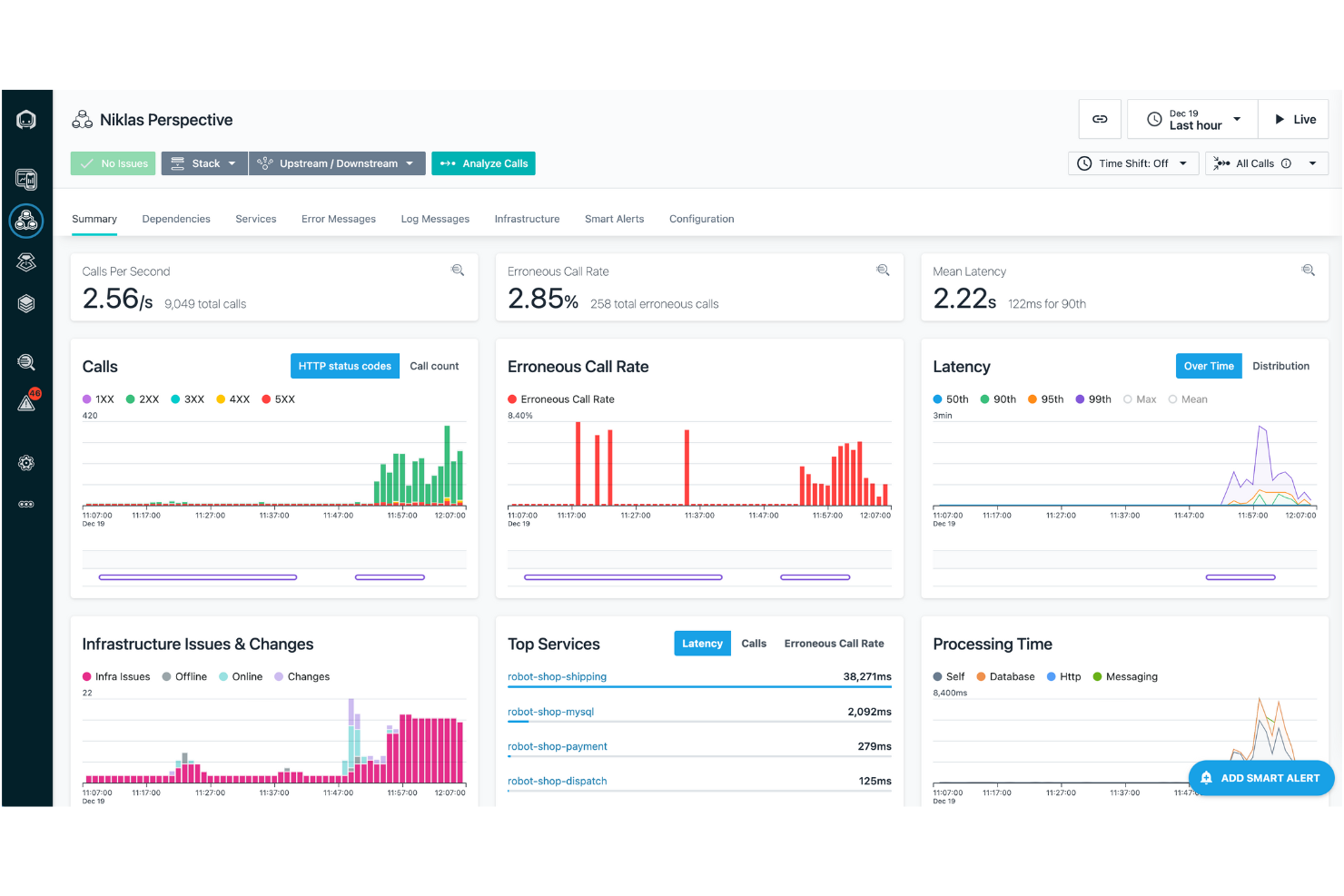
IBM Instana es una plataforma de APM y observabilidad dirigida a equipos de DevOps y operaciones de TI. Ayuda a monitorear aplicaciones e infraestructura, proporcionando información para optimizar el rendimiento y la experiencia del usuario.
Por qué es una buena alternativa a Dynatrace: IBM Instana ofrece detección de incidentes impulsada por IA, lo que permite a tu equipo identificar y resolver problemas rápidamente. Su descubrimiento automático y el mapeo de aplicaciones garantizan una visibilidad completa de tus sistemas. El monitoreo en tiempo real proporciona información inmediata sobre métricas de rendimiento, ayudándote a mantener operaciones óptimas. Con su panel de control intuitivo, puedes navegar y analizar datos relevantes a tus necesidades con facilidad.
Características destacadas e integraciones:
Características incluyen análisis automatizado de causa raíz, que ayuda a identificar el origen de los problemas. El soporte de integración continua de la plataforma permite actualizaciones y despliegues automáticos. También puedes beneficiarte de sus alertas personalizadas, que mantienen informado a tu equipo sobre cambios críticos.
Integraciones incluyen Kubernetes, Docker, AWS, Microsoft Azure, Google Cloud Platform, VMware Tanzu, Red Hat OpenShift y más.
Pros and Cons
Pros:
- Detección de incidentes impulsada por IA
- Monitoreo en tiempo real
- Análisis automatizado de causa raíz
Cons:
- Requiere conocimientos técnicos
- Puede ser intensivo en recursos

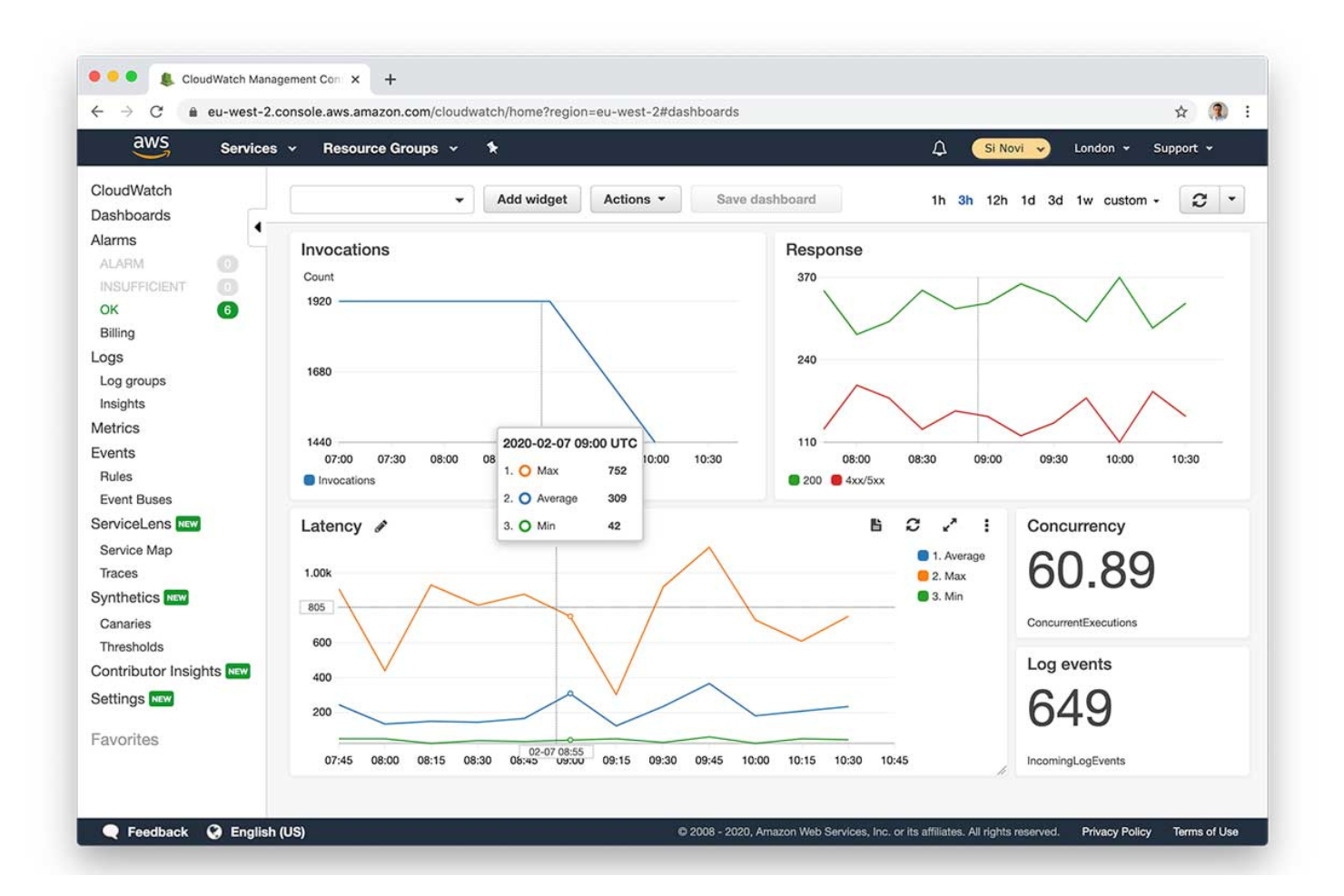
Amazon CloudWatch es un servicio de supervisión y gestión diseñado para desarrolladores y equipos de operaciones de TI. Ayuda a monitorear recursos y aplicaciones de AWS, ofreciendo información sobre el rendimiento del sistema y el estado operativo.
Por qué es una buena alternativa a Dynatrace: Amazon CloudWatch ofrece una integración profunda y nativa con el ecosistema de AWS, lo que lo convierte en una opción ideal para equipos que utilizan servicios de AWS. Sus capacidades de monitoreo en tiempo real permiten a tu equipo rastrear métricas y registros de manera eficiente. La capacidad del servicio para configurar alarmas basadas en umbrales ayuda a garantizar que recibas alertas sobre problemas a tiempo para actuar. Su función de registro centralizado consolida datos de varias fuentes, proporcionando una vista unificada de tu entorno.
Funciones destacadas e integraciones:
Funciones incluyen detección de anomalías, que ayuda a identificar patrones inusuales en tus métricas. El servicio ofrece paneles personalizados, permitiéndote visualizar los datos de la manera que mejor se adapte a las necesidades de tu equipo. Con su automatización orientada a eventos, puedes automatizar respuestas ante condiciones o cambios específicos en tu entorno.
Integraciones incluyen la mayoría de los servicios de AWS, Dynatrace, xMatters, Slack, Microsoft Teams, SRE y más.
Pros and Cons
Pros:
- Integración profunda con AWS
- Monitoreo en tiempo real
- Detección de anomalías
Cons:
- La estructura de precios es muy compleja y confusa
- Los costos escalan mal con grandes volúmenes de registros

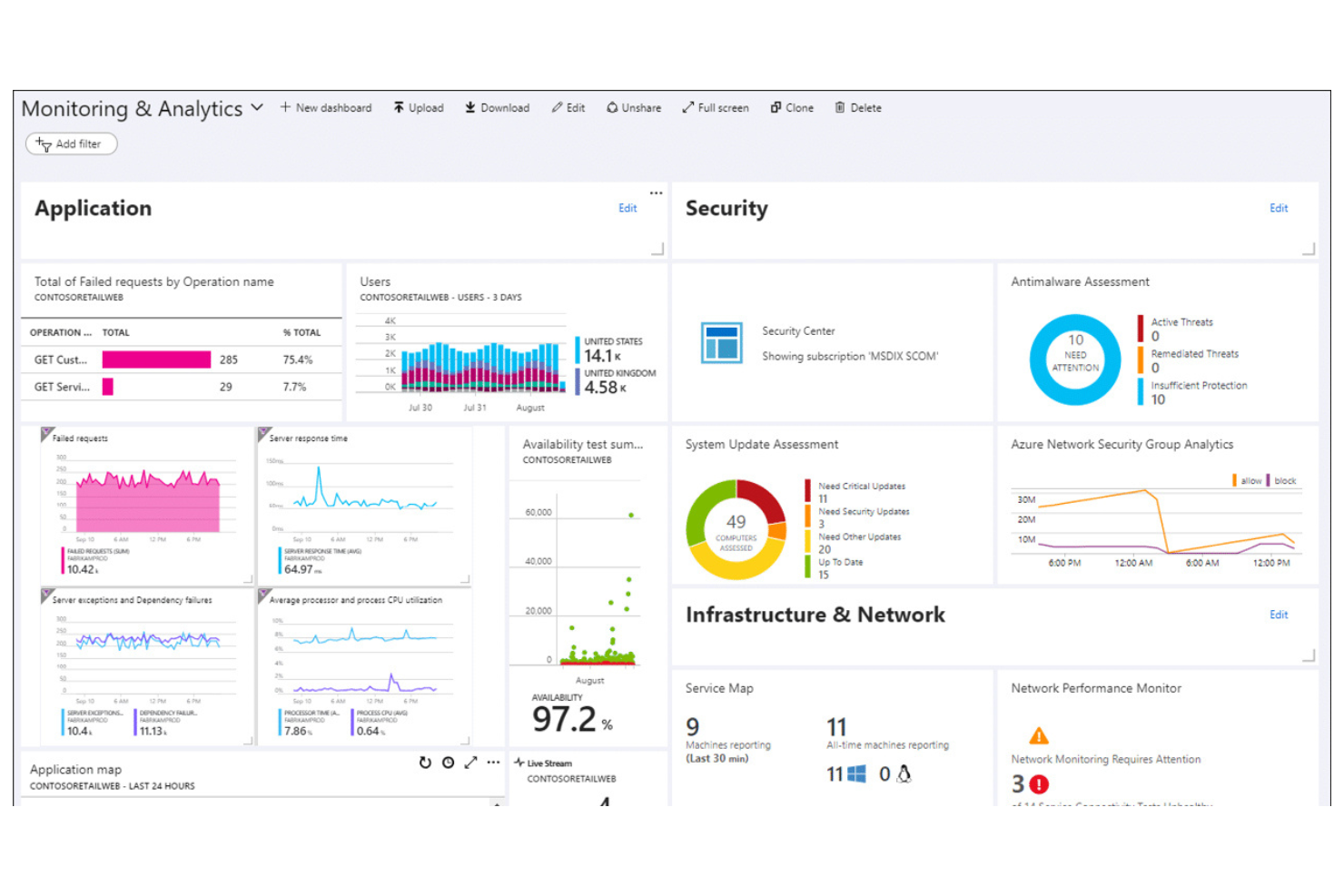
Microsoft Azure Monitor es una plataforma basada en la nube que recopila, analiza y actúa sobre datos de telemetría. Proporciona información sobre el rendimiento y el estado de las aplicaciones y la infraestructura dentro del entorno de Azure.
Por qué es una buena alternativa a Dynatrace: Microsoft Azure Monitor ofrece una integración estrecha con los servicios de Azure, lo que lo convierte en una opción ideal para equipos altamente invertidos en el ecosistema de Azure. Su función de Application Insights proporciona análisis detallados que ayudan a comprender el comportamiento de los usuarios y el rendimiento de las aplicaciones. El análisis de registros permite consultar y evaluar datos de diversas fuentes, mejorando la capacidad de resolver problemas. Las alertas personalizadas ayudan a que tu equipo se mantenga informado sobre eventos críticos en tu entorno.
Características y integraciones destacadas:
Características incluyen capacidades de escalado automático, lo que te permite ajustar automáticamente los recursos según la demanda. El seguimiento de dependencias te ayuda a visualizar las relaciones entre los diferentes componentes de tu aplicación. El servicio también ofrece monitorización de redes para garantizar el rendimiento y la disponibilidad de tu red.
Las integraciones incluyen Azure DevOps, Azure Security Center, Azure Automation, Azure Logic Apps, Azure Functions, Power BI, Microsoft Teams, y más.
Pros and Cons
Pros:
- Información detallada de aplicaciones
- Fuerte integración con Azure
- Analítica de registros eficaz
Cons:
- Vista fragmentada en nubes híbridas
- Soporte limitado fuera de Azure

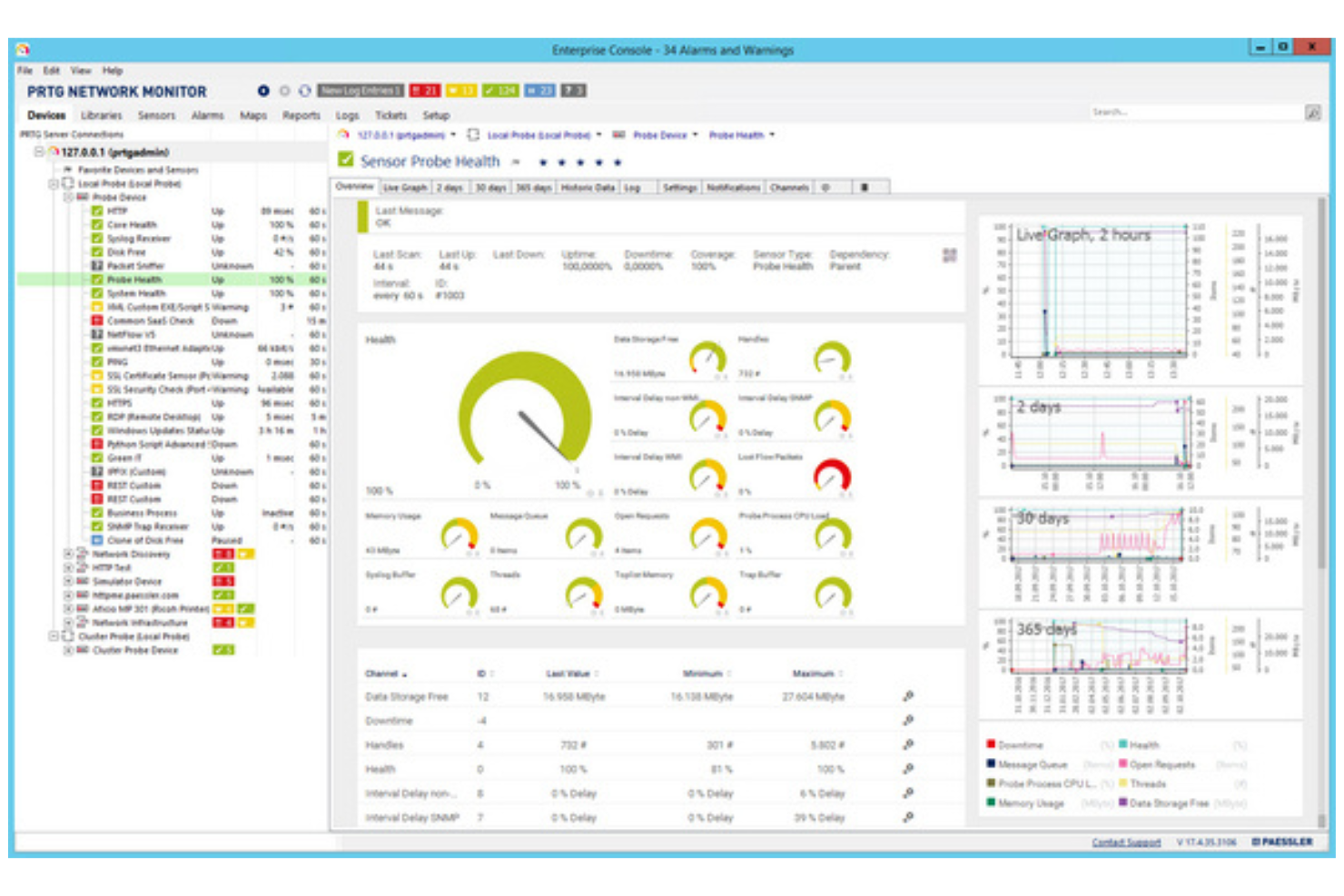
PRTG Network Monitor es una herramienta de monitoreo utilizada por administradores de TI y responsables de redes. Ayuda a rastrear el rendimiento de la red y a detectar problemas en toda tu infraestructura de TI.
Por qué es una buena alternativa a Dynatrace: PRTG Network Monitor ofrece un monitoreo de red todo en uno, proporcionando una visión completa de toda tu red. Su monitoreo basado en sensores te permite seguir diversos parámetros, dándote flexibilidad sobre lo que deseas supervisar. La herramienta proporciona alertas en tiempo real para notificar de forma inmediata a tu equipo ante cualquier problema. Los paneles personalizables permiten visualizar los datos de la manera que mejor se adapte a tus necesidades.
Funciones y conexiones destacadas:
Funciones incluyen un diseñador de mapas que te permite crear mapas de red personalizados para una mejor visualización. La función de informes genera reportes detallados sobre el rendimiento de la red, ayudando en el análisis. También puedes configurar monitoreo distribuido para gestionar múltiples redes desde una sola interfaz.
Conexiones incluyen Microsoft Azure, AWS, VMware, Cisco Meraki, NetApp, Dell EMC, HPE, Synology y más.
Pros and Cons
Pros:
- Solución de monitoreo todo en uno
- Sistema de alertas en tiempo real
- Vistas de panel personalizables
Cons:
- Instalación del servidor central solo para Windows
- Los sensores consumen rápidamente el conteo de licencias

Sentry
Ideal para el seguimiento de errores en tiempo real
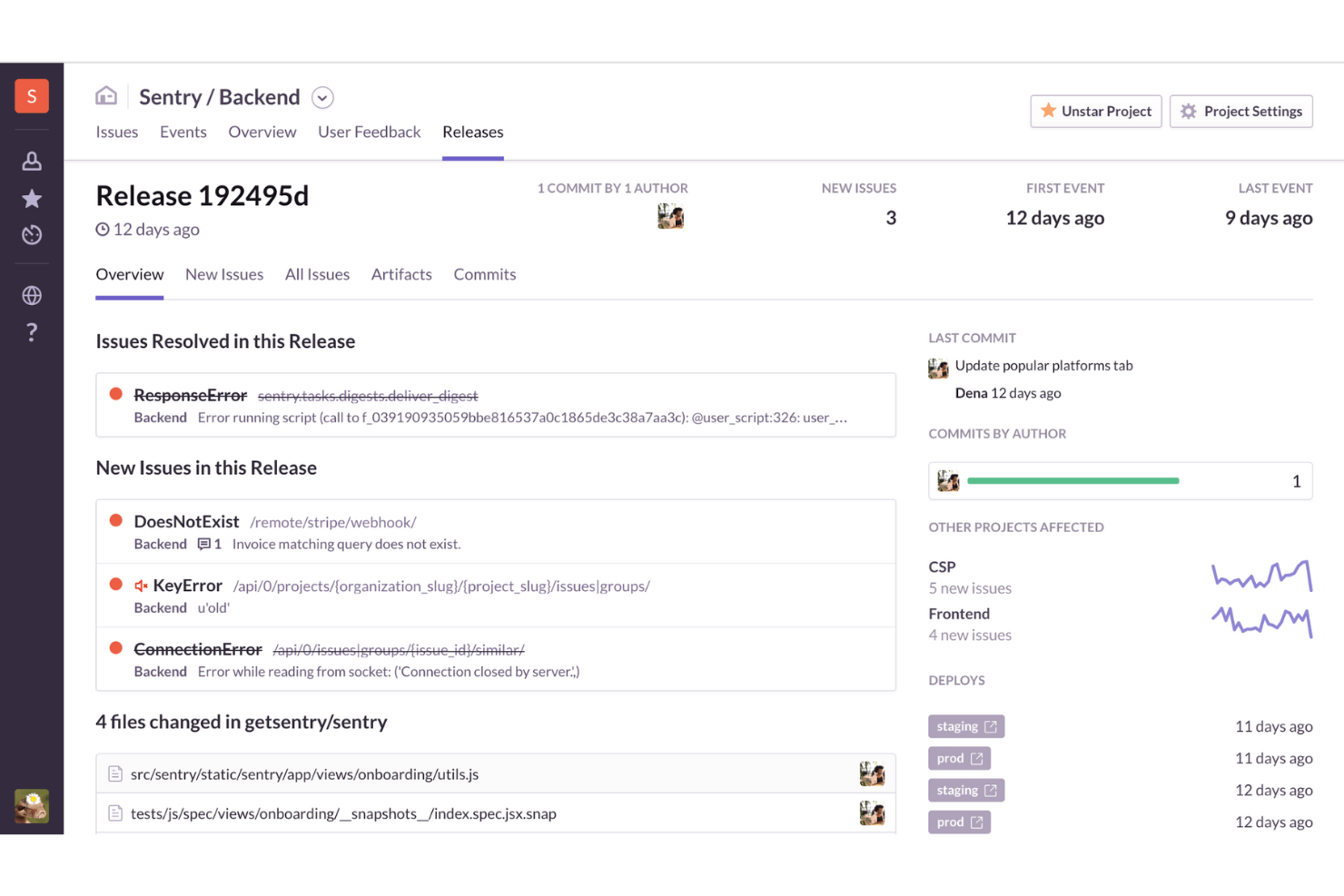
Sentry es una herramienta de monitorización del rendimiento de aplicaciones (APM) y seguimiento de errores utilizada por desarrolladores y equipos de TI. Ayuda a identificar y resolver problemas en las aplicaciones, garantizando un funcionamiento fluido y una experiencia de usuario de alta calidad.
Por qué es una buena alternativa a Dynatrace: Sentry se centra en el seguimiento de errores en tiempo real, proporcionando notificaciones instantáneas cuando surgen problemas. La depuración impulsada por IA ofrece información sobre las causas raíz de los errores. Esto hace que Sentry sea ideal para equipos que necesitan información y soluciones inmediatas sobre errores.
Características destacadas e integraciones:
Características incluyen la repetición de sesiones, que te permite ver las interacciones de los usuarios previas a un error. El rastreo distribuido ayuda a monitorizar el flujo de solicitudes a través del sistema e identificar problemas. La revisión de código con IA ofrece sugerencias automatizadas para mejoras en el código.
Integraciones incluyen GitHub, Slack, Jira, Bitbucket, GitLab, Trello, Asana, PagerDuty, Microsoft Teams, Linear y más.
Pros and Cons
Pros:
- Seguimiento de errores en tiempo real
- Interfaz fácil de usar
- Depuración intuitiva
Cons:
- Analítica avanzada limitada
- Sistema de alertas poco efectivo
New Product Updates from Sentry
Sentry Expands Agent Tracing for JavaScript SDKs
Sentry’s JavaScript SDKs now trace more AI frameworks and providers, improving classifier tracing and delivering more consistent context in traces. For more information, visit Sentry's official site.
 .
.
Checkmk
Mejor para la monitorización híbrida de TI
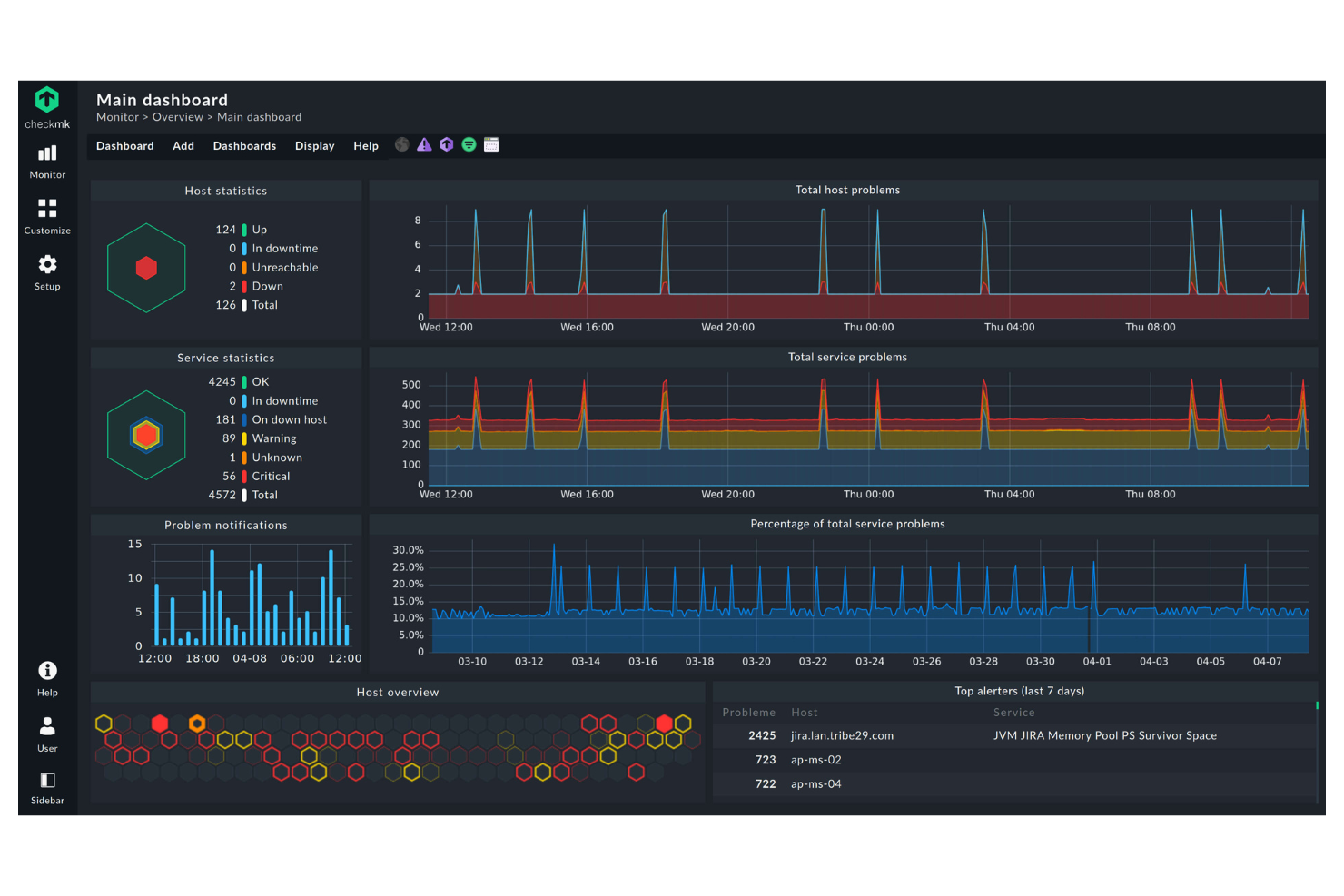
Checkmk es una herramienta de monitorización de TI diseñada para administradores de sistemas y equipos de operaciones de TI. Proporciona información detallada sobre la infraestructura de TI, ayudándote a gestionar servidores, redes y aplicaciones.
Por qué es una buena alternativa a Dynatrace: Checkmk sobresale en la monitorización híbrida de TI, permitiéndote supervisar tanto entornos locales como en la nube. Con paneles de control personalizables, puedes adaptar la información a tus necesidades específicas. La herramienta también ofrece informes detallados, ayudándote a realizar un seguimiento de las métricas de rendimiento y tendencias.
Características destacadas e integraciones:
Características incluyen umbrales personalizables que te permiten establecer límites de rendimiento específicos para alertas. La herramienta proporciona un sistema de notificaciones flexible, asegurando que recibas actualizaciones sobre los problemas que más te importan. Su función de auto-descubrimiento ayuda a identificar dispositivos y servicios de red, facilitando la configuración para tu equipo. También admite la monitorización distribuida, permitiéndote gestionar varios sitios desde una ubicación central.
Las integraciones incluyen Nagios, Prometheus, Grafana, InfluxDB, VMware, AWS, Microsoft Azure, Docker y más.
Pros and Cons
Pros:
- Capacidades de monitorización híbrida
- Auto-descubrimiento de dispositivos
- Paneles de control personalizables
Cons:
- La app móvil necesita mejoras significativas
- Complejidad en la configuración basada en reglas
New Product Updates from Checkmk
Checkmk Adds Experimental MCP Server and OAuth 2.0 Support
Checkmk adds an experimental MCP server and built-in OAuth 2.0 authorization for commercial editions. These updates let AI agents query monitoring data with native authorization support. For more information, visit Checkmk’s official site.
 .
.
Datadog
Mejor para la observabilidad nativa en la nube
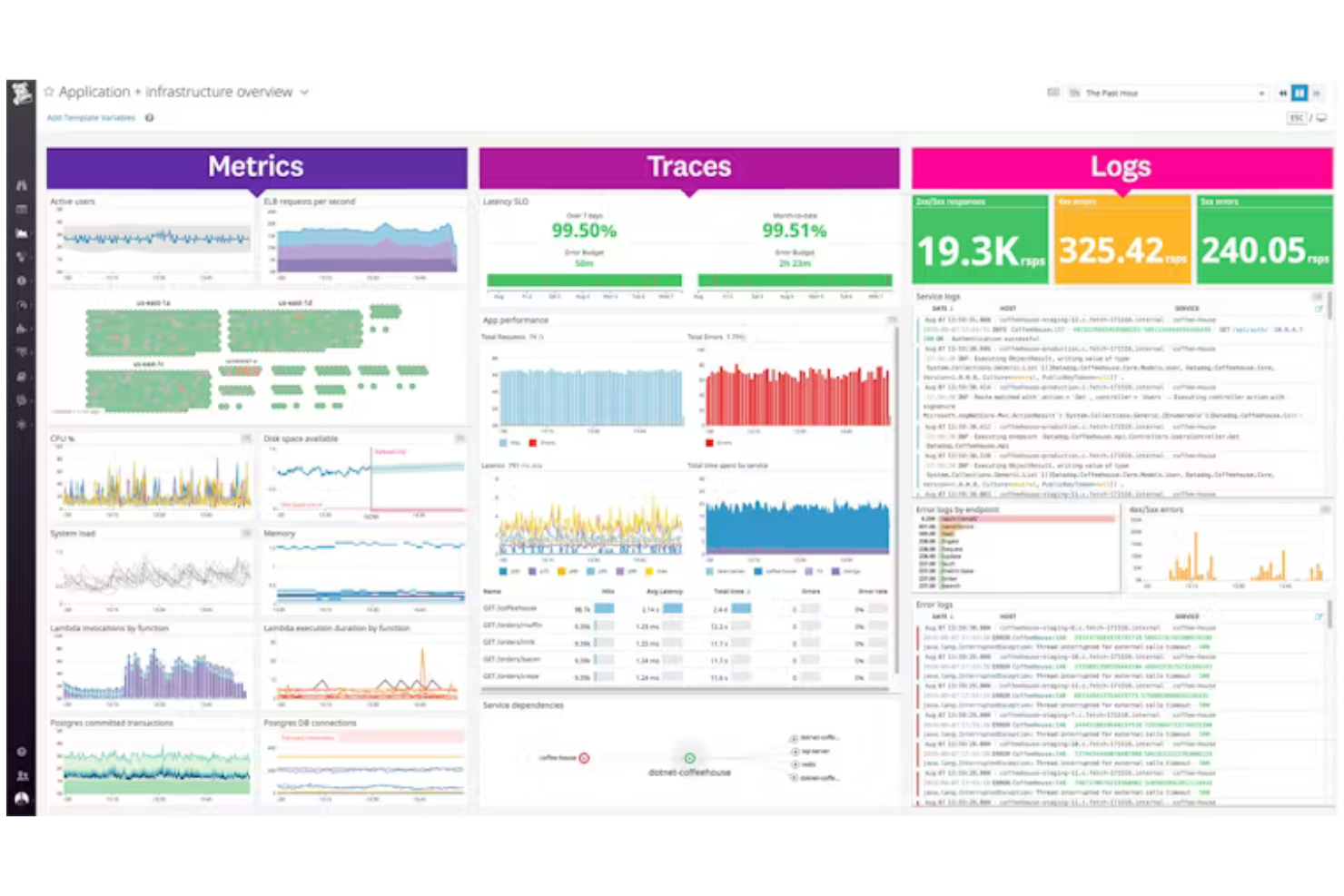
Datadog es una plataforma líder basada en SaaS para la observabilidad y seguridad de aplicaciones nativas en la nube, utilizada principalmente por equipos de DevOps y profesionales de TI. Proporciona visibilidad sobre el rendimiento de aplicaciones, la salud de la infraestructura y la experiencia del usuario, incluyendo monitoreo para sistemas distribuidos y el rendimiento de API.
Por qué es una buena alternativa a Dynatrace: Datadog sobresale en la observabilidad de entornos nativos en la nube, ofreciendo herramientas diseñadas específicamente para el monitoreo de entornos en la nube. Sus paneles en tiempo real brindan información detallada sobre las métricas de la infraestructura, ayudándole a mantener el control de sus sistemas. La función de detección de anomalías de la plataforma alerta a su equipo sobre patrones inusuales, garantizando la resolución proactiva de problemas. Con sus alertas personalizables, puede adaptar las notificaciones a las necesidades de su equipo.
Características y Integraciones Destacadas:
Características incluyen gestión de registros, que le permite recopilar y analizar logs de diversas fuentes para obtener información más profunda. La plataforma ofrece herramientas APM para seguir métricas clave y mejorar la salud de las aplicaciones. También puede utilizar el monitoreo del rendimiento de la red para garantizar la fiabilidad y el rendimiento de su red.
Integraciones incluyen AWS, Microsoft Azure, Google Cloud Platform, Kubernetes, Docker, Slack, GitHub y más.
Pros and Cons
Pros:
- Enfoque sólido en lo nativo en la nube
- Paneles en tiempo real
- Detección de anomalías eficaz
Cons:
- Puede ser abrumador para principiantes
- El alto volumen de datos puede aumentar los costos

Mejor para monitoreo de bases de datos sin agentes
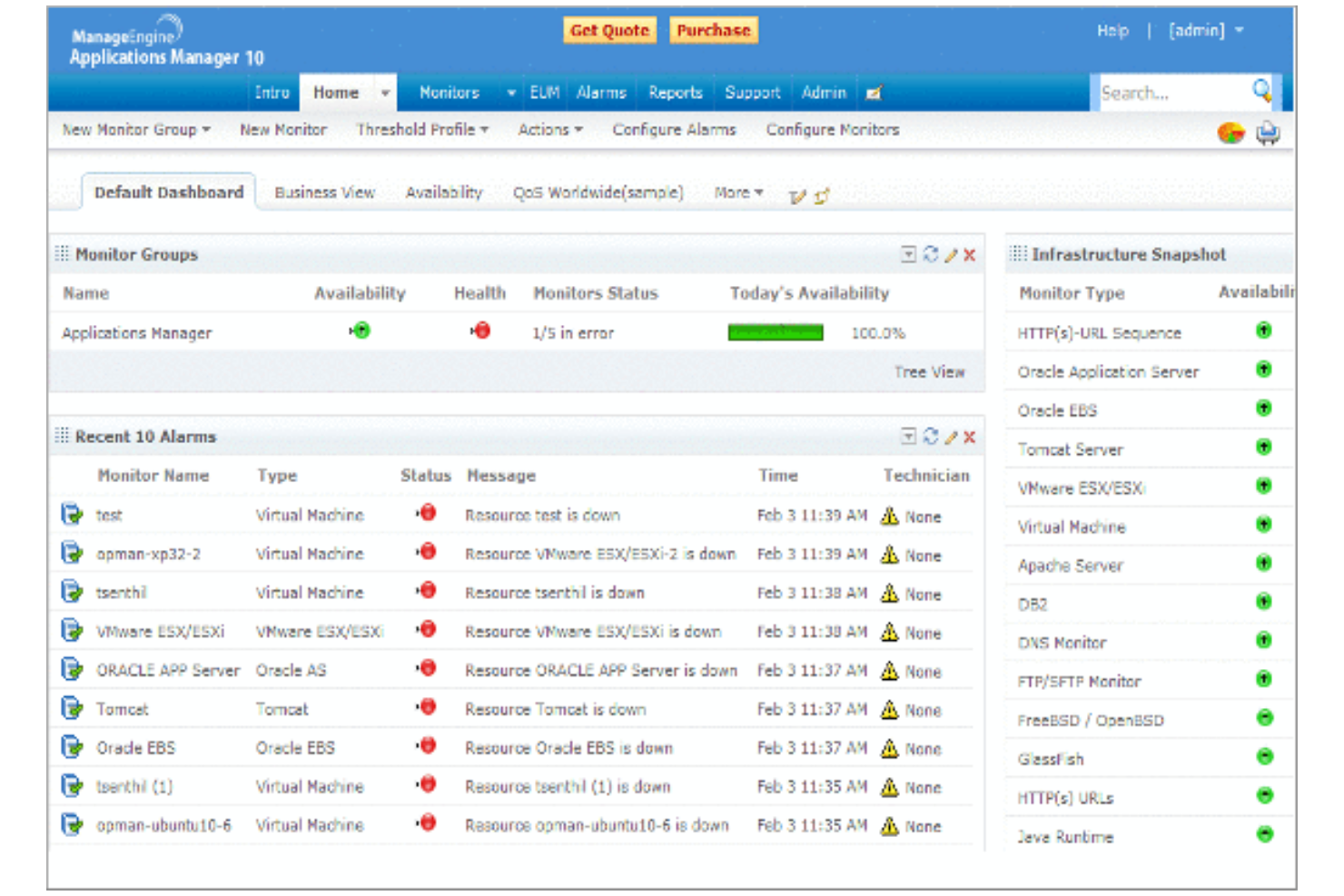
ManageEngine Applications Manager es una herramienta diseñada para equipos de operaciones de TI y DevOps para monitorear el rendimiento de aplicaciones, rastrear la utilización de recursos y asegurar el funcionamiento óptimo de los entornos de TI.
Por qué es una buena alternativa a Dynatrace: ManageEngine Applications Manager ofrece monitoreo de bases de datos sin agentes, lo que lo convierte en una opción más práctica y rentable que Dynatrace. Esta función te permite monitorear bases de datos sin instalar agentes, reduciendo la sobrecarga y simplificando la configuración. La herramienta proporciona información en tiempo real sobre el rendimiento de aplicaciones, ayudándote a identificar problemas rápidamente. También es compatible con una amplia variedad de aplicaciones y componentes de infraestructura, lo que la hace versátil para diferentes necesidades de TI.
Características destacadas e integraciones:
Características incluyen paneles personalizables que te permiten visualizar los datos de rendimiento de la manera que mejor se adapte a tu equipo. Las alertas automatizadas aseguran que recibas notificaciones de los problemas tan pronto como surjan. El análisis de datos históricos te ayuda a comprender tendencias y planificar la asignación de recursos.
Integraciones incluyen Microsoft Azure, AWS, VMware, Oracle, Microsoft SQL, PostgreSQL, y más.
Pros and Cons
Pros:
- Solución de monitoreo sin agentes
- Facilidad de uso
- Paneles personalizables
Cons:
- Alto consumo de recursos en servidores alojados
- Interfaz de usuario anticuada y saturada
New Product Updates from ManageEngine Applications Manager
ManageEngine Applications Manager Adds AppLogs Alerting and Query Tools
ManageEngine Applications Manager adds AppLogs Alerting, advanced query operators, and new AppLogs Explorer visualizations. These updates help teams monitor log activity, refine searches, and analyze trends more efficiently. For more information, visit ManageEngine Applications Manager’s official site.
 .
.Otros competidores de Dynatrace
Estos son algunos competidores adicionales de Dynatrace que no llegaron a mi selección, pero que merece la pena consultar:


Cómo evalúo a los competidores de Dynatrace
Evalúo cada herramienta según los requisitos esenciales —observabilidad de pila completa, supervisión de usuarios reales (RUM) y detección de anomalías impulsada por AI—, así como los factores diferenciadores que determinan si realmente sirve a los equipos de experiencia del cliente digital.
Funcionalidad principal (requisitos básicos para esta lista)
Al seleccionar herramientas para mi lista, califico cada una en una escala de 0 (no ofrece la funcionalidad) a 5 (sobresale en esta área) para cada funcionalidad principal que se indica a continuación. Luego, convierto la puntuación total de la herramienta en un porcentaje. Cada herramienta debe alcanzar una puntuación total mínima del 65% para ser considerada para su inclusión.
- Supervisión de usuarios reales (RUM): Analizo cómo cada herramienta captura los datos de las sesiones, los tiempos de carga de las páginas y las métricas de interacción en los canales web y móviles.
- Supervisión del rendimiento de las aplicaciones: Es importante que una herramienta rastree las transacciones de extremo a extremo, especialmente para identificar llamadas a API o consultas de bases de datos lentas detrás de un proceso de pago.
- Observabilidad de pila completa: Compruebo si las métricas, los registros y las trazas están unificados en una sola vista o aislados, ya que los datos correlacionados aceleran la resolución de incidentes.
- Detección de anomalías impulsada por AI: Las mejores herramientas señalan automáticamente las degradaciones del rendimiento y muestran sus causas raíz, en lugar de depender de umbrales estáticos configurados manualmente.
- Supervisión sintética: Evalúo si una plataforma admite pruebas de navegador mediante secuencias de comandos y comprobaciones de API desde ubicaciones distribuidas para detectar problemas antes que los clientes.
- Análisis del recorrido del cliente: Vincular los datos técnicos de rendimiento con los embudos de conversión y los flujos de usuarios permite saber dónde los fallos de experiencia realmente cuestan ingresos.
Una vez que tengo una lista de herramientas que cumplen estos criterios, considero qué distingue a cada plataforma.
Factores diferenciadores (qué distingue a los proveedores)
Así es como comparo y contrasto los distintos proveedores:
Características destacadas
La reproducción de sesiones es un factor diferenciador importante: busco herramientas que permitan revisar visualmente la experiencia de un usuario para detectar clics repetidos por frustración, abandono de formularios o flujos de trabajo defectuosos sin tener que adivinar. La compatibilidad con OpenTelemetry también es importante porque ofrece a tu equipo flexibilidad para instrumentar servicios sin depender de un único proveedor. Evalúo qué tan bien vincula una plataforma los datos de rendimiento con métricas empresariales, como las tasas de conversión, para que puedas mostrar a las partes interesadas el impacto en los ingresos de una carga lenta de la página.
Más allá de las características
El modelo de precios es muy importante en este ámbito. Algunos proveedores cobran por servidor y otros según el volumen de ingesta de datos; una elección inadecuada puede disparar tu presupuesto cuando amplías la supervisión de usuarios reales (RUM) a sitios con mucho tráfico. También evalúo la profundidad de la integración con herramientas de gestión de incidentes como PagerDuty y ServiceNow, ya que una escalada rápida es lo que realmente reduce los tiempos de resolución de las interrupciones que afectan a los clientes. Conviene comprobar desde el principio las certificaciones de cumplimiento, como SOC 2, y la preparación para el GDPR, especialmente si tu plataforma captura datos de reproducción de sesiones que contienen interacciones de los usuarios.
¿Por qué buscar una alternativa a Dynatrace?
Aunque Dynatrace es una buena opción entre las plataformas de observabilidad de datos, hay varios motivos por los que algunos usuarios buscan soluciones alternativas. Puede que estés buscando una alternativa a Dynatrace porque…
- Te preocupan los costes elevados
- Tu equipo necesita una incorporación más sencilla
- Necesitas mejores opciones de integración
- Buscas un modelo de precios más flexible
- Necesitas compatibilidad con entornos que no sean de nube
- Te enfrentas a problemas de disponibilidad geográfica
Si alguno de estos puntos se ajusta a tu situación, has llegado al lugar adecuado. Mi lista incluye varias plataformas de observabilidad de datos más adecuadas para equipos que se enfrentan a estos desafíos con Dynatrace y buscan soluciones alternativas.
Funciones
Estas son algunas de las funciones principales de Dynatrace, que te ayudarán a contrastar y comparar lo que ofrecen las soluciones alternativas:
- OneAgent: Se implementa una sola vez para recopilar métricas en toda la cadena de entrega de aplicaciones, simplificando la recopilación de datos.
- PurePath: Proporciona un análisis detallado de los tiempos y del contexto a nivel de código para las trazas distribuidas, ayudándote a capturar datos de rendimiento, desde el clic del usuario hasta los servicios backend.
- Ingesta de datos escalable: Admite diversos tipos de datos, como trazas, métricas, registros y vulnerabilidades, garantizando una amplia cobertura de datos.
- Información basada en IA: Utiliza la IA para predecir, prevenir y ayudar a identificar problemas, mejorando la eficiencia de tu equipo.
- Procesos automatizados: Simplifica la detección, el análisis y las operaciones empresariales diarias, reduciendo la carga de trabajo manual.
- Análisis contextual: Ayuda a tu equipo a comprender las conexiones entre los datos, impulsando una mejor toma de decisiones.
- Herramientas de colaboración: Facilitan el trabajo en equipo mediante la integración con diversas herramientas y fuentes de datos.
- Funciones de seguridad: Garantizan la privacidad de los datos y el cumplimiento normativo de nivel empresarial, protegiendo la información de tu organización.
- Paneles personalizables: Te permiten visualizar los datos en un formato que se adapta a las necesidades de tu equipo.
- Escalabilidad: Gestiona grandes volúmenes de datos procedentes de diversas fuentes, adaptándose al crecimiento de las necesidades empresariales.
Lo siguiente:
Si estás investigando plataformas de observabilidad de datos, contacta gratis con un asesor de SoftwareSelect para obtener recomendaciones.
Rellenas un formulario y mantienes una breve conversación en la que profundizan en los detalles de tus necesidades. Después recibirás una lista seleccionada de programas que puedes revisar. Incluso te apoyarán durante todo el proceso de compra, incluidas las negociaciones de precios.