

I 10 migliori concorrenti di Dynatrace per l’osservabilità nel 2026

Elenco dei migliori concorrenti di Dynatrace


In qualità di responsabile dell'esperienza del cliente, devi gestire innumerevoli sfide. Hai bisogno di strumenti per l'osservabilità dei dati che aiutino il tuo team a monitorare i problemi di prestazioni, gestire le risorse e mantenere soddisfatti i clienti. Dynatrace è una soluzione molto diffusa, ma potrebbe non soddisfare le tue esigenze specifiche.
Nella mia esperienza, trovare l'alternativa giusta può fare la differenza. Potresti cercare prezzi più convenienti, funzionalità specifiche o un'integrazione avanzata con i sistemi esistenti.
Ho testato e recensito in modo indipendente diverse opzioni per offrirti i migliori concorrenti di Dynatrace. Ti guiderò attraverso le mie scelte principali, aiutandoti a prendere una decisione informata e adatta alle esigenze della tua azienda. Esploriamo le soluzioni che possono davvero essere utili al tuo team.
Che cos'è Dynatrace?
Dynatrace è una piattaforma per l'osservabilità dei dati che aiuta le aziende a monitorare e ottimizzare le prestazioni delle applicazioni. Viene generalmente utilizzata da professionisti IT, sviluppatori e responsabili dell'esperienza del cliente che devono garantire operazioni fluide e un'esperienza utente di alta qualità.
Il monitoraggio automatizzato dell'infrastruttura, gli approfondimenti basati sull'intelligenza artificiale e i flussi di lavoro per l'osservabilità dell'intero stack aiutano i team a identificare i problemi, comprendere le metriche delle prestazioni e migliorare la gestione delle risorse. Nel complesso, Dynatrace fornisce informazioni preziose per aumentare il tempo di attività dei sistemi.
Tabella di confronto dei concorrenti di Dynatrace
Questa tabella di confronto riassume i dettagli sui prezzi delle mie principali alternative a Dynatrace:
| Tool | Best For | Trial Info | Price | ||
|---|---|---|---|---|---|
| 1 | Ideale per il monitoraggio end-to-end di tutto lo stack applicativo | Piano gratuito disponibile | Da $49/utente/mese | Website | |
| 2 | Ideale per sicurezza e osservabilità unificate | Prova gratuita di 14 giorni + demo gratuita disponibile | Prezzo su richiesta | Website | |
| 3 | Ideale per il rilevamento degli incidenti tramite IA | Demo gratuita disponibile | Da $21.20/MVS/mese | Website | |
| 4 | Ideale per integrazione con l'ecosistema AWS | Piano gratuito disponibile | Prezzo su richiesta | Website | |
| 5 | Ideale per l'integrazione con i servizi Azure | Prova gratuita di 30 giorni + piano gratuito disponibile | A partire da $0.05/GB ingerito | Website | |
| 6 | Ideale per il monitoraggio di rete tutto-in-uno | Versione di prova gratuita di 30 giorni disponibile | Da $179/mese (fatturato annualmente) | Website | |
| 7 | Ideale per il tracciamento degli errori in tempo reale | Piano gratuito + prova gratuita + demo gratuita disponibile | Da $26/mese (fatturazione annuale) | Website | |
| 8 | Ideale per il monitoraggio IT ibrido | Piano gratuito + prova gratuita di 30 giorni disponibile | Da $275/mese (fatturato annualmente) | Website | |
| 9 | Ideale per l’osservabilità cloud-native | Prova gratuita di 14 giorni | Da $15/host/mese (fatturato annualmente) | Website | |
| 10 | Ideale per il monitoraggio dei database senza agenti | Prova gratuita di 30 giorni + demo gratis + piano gratuito disponibile | Da $199/anno | Website |
Perché fidarsi dei nostri consigli sui software
Il nostro team testa e recensisce software dal 2012. In quanto leader CX noi stessi, sappiamo quanto sia difficile — e importante — scegliere il software giusto.
Per questa guida, abbiamo valutato gli strumenti attraverso test pratici e ricerche indipendenti, assegnando un punteggio agli strumenti in base ai nostri criteri di selezione.
Le nostre recensioni riflettono il nostro giudizio editoriale umano, non un discorso di vendita.
Recensioni dei migliori concorrenti di Dynatrace
Di seguito trovi i miei riepiloghi dettagliati dei migliori concorrenti di Dynatrace inclusi nel mio elenco. Le mie recensioni offrono un’analisi approfondita delle funzionalità principali, dei vantaggi e degli svantaggi, delle integrazioni e dei casi d’uso ideali di ogni strumento, per aiutarti a trovare quello più adatto a te.

Ideale per il monitoraggio end-to-end di tutto lo stack applicativo
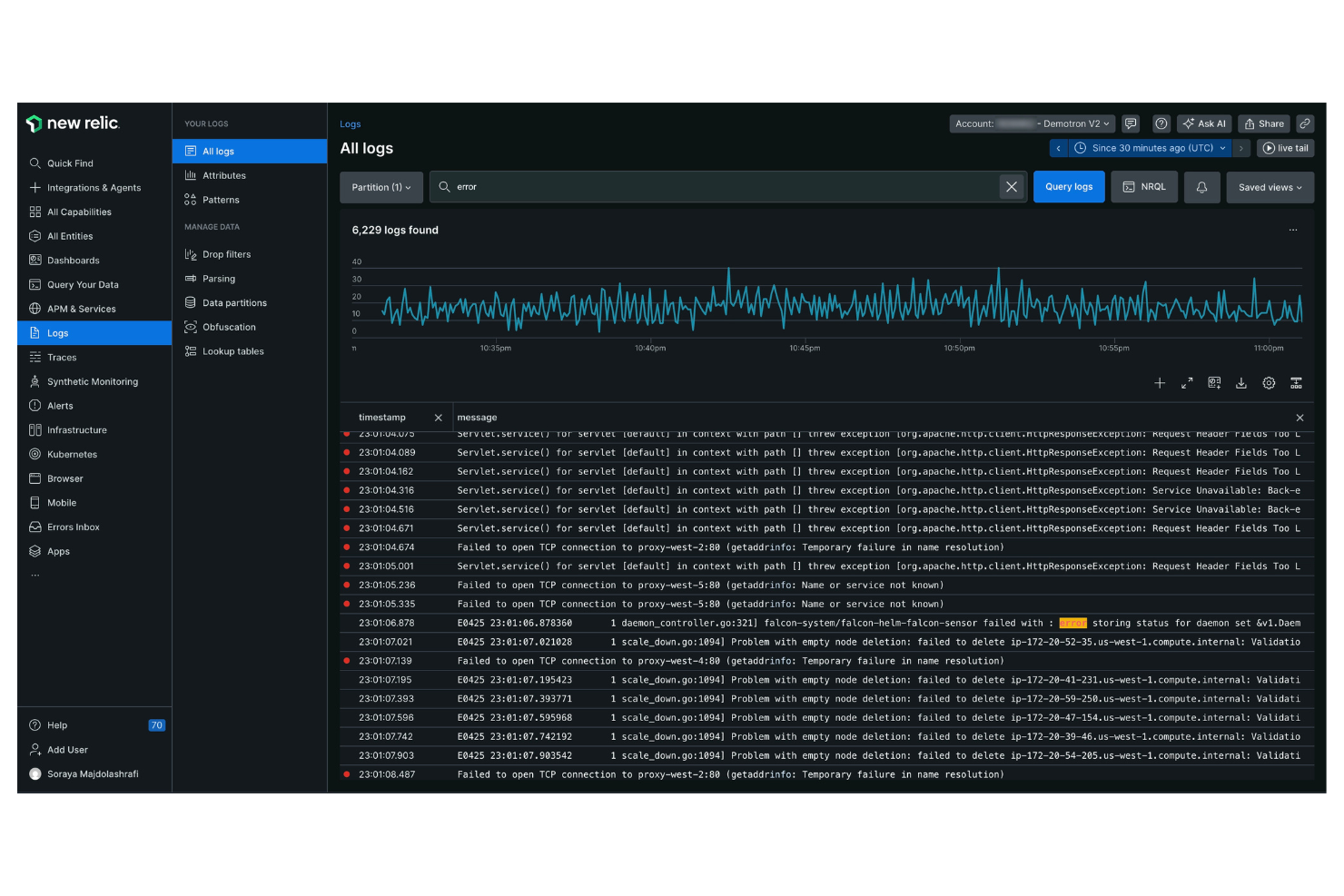
New Relic è una piattaforma di analytics software e monitoraggio delle prestazioni progettata per ingegneri del software e professionisti IT. Fornisce informazioni dettagliate sulle prestazioni delle applicazioni e sulla salute dell'infrastruttura, aiutandoti a ottimizzare le tue operazioni digitali.
Perché è una valida alternativa a Dynatrace: New Relic offre un monitoraggio end-to-end di tutto lo stack applicativo, garantendo visibilità su tutta la tua infrastruttura IT. Le analisi in tempo reale della piattaforma offrono approfondimenti immediati, consentendo al tuo team di rispondere rapidamente ai problemi. I dashboard personalizzabili ti permettono di visualizzare i dati nel modo più adatto alle tue esigenze specifiche.
Funzionalità e integrazioni principali:
Funzionalità includono l'analisi degli errori, che ti aiuta a identificare e risolvere i problemi delle applicazioni. La funzione di tracing distribuito permette di tracciare le richieste tra i vari servizi, così puoi individuare facilmente i colli di bottiglia. La piattaforma offre anche monitoraggio sintetico per simulare le interazioni degli utenti e testare le prestazioni dell'applicazione. Grazie alla gestione dei log, puoi raccogliere e analizzare i dati dei log per approfondimenti dettagliati sui tuoi sistemi.
Integrazioni includono AWS, Microsoft Azure, Google Cloud Platform, Kubernetes, Docker, Slack, PagerDuty e altri.
Pros and Cons
Pros:
- Tracing distribuito efficace
- Analisi in tempo reale
- Dashboard personalizzabili
Cons:
- L'interfaccia utente può risultare caotica e complessa
- Il prezzo per utente è elevato
Splunk
Ideale per sicurezza e osservabilità unificate
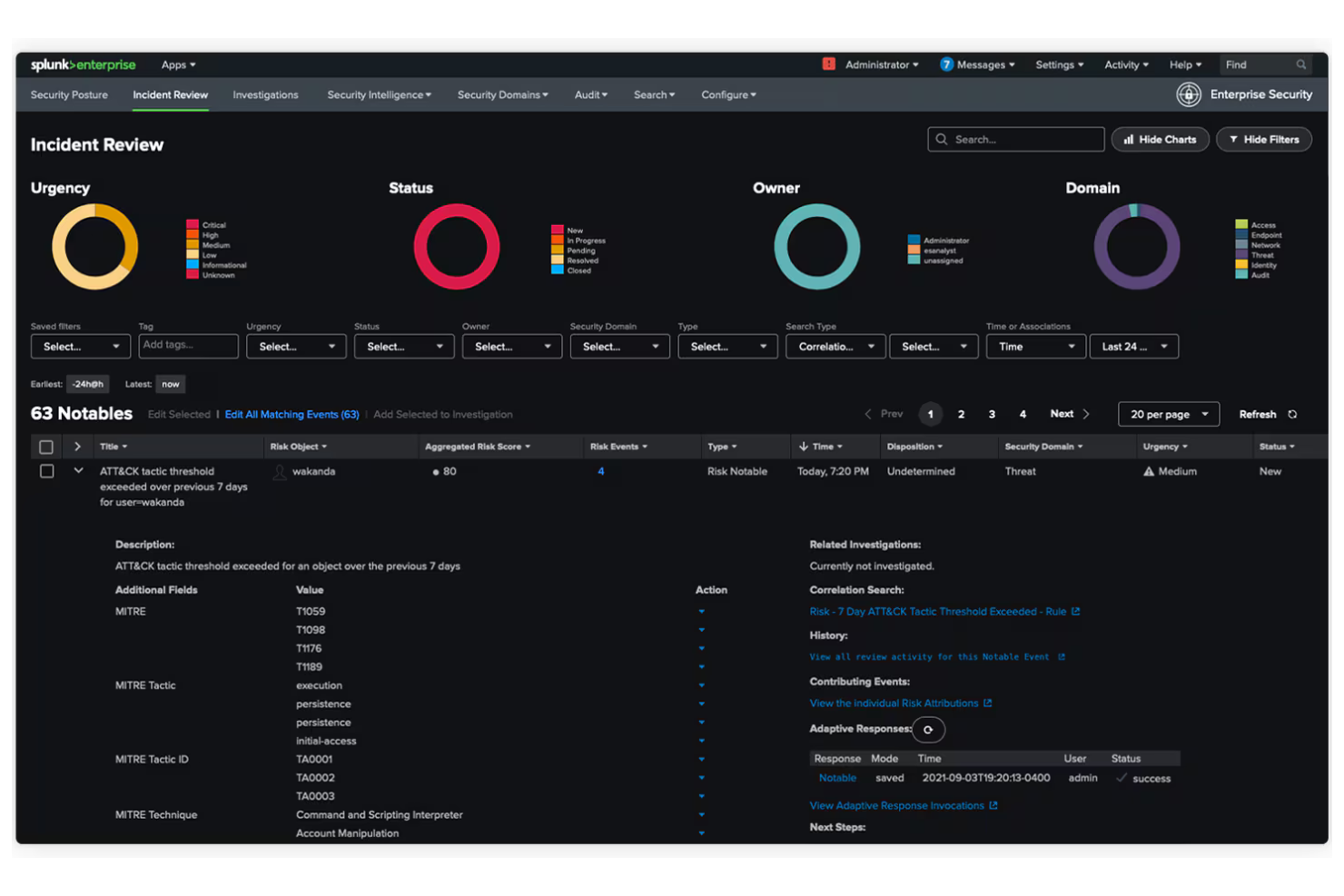
Splunk è una piattaforma dati progettata per le operazioni IT, la sicurezza delle applicazioni e l'analisi aziendale. Aiuta le organizzazioni a trasformare i dati in informazioni utili, migliorando il processo decisionale e l'efficienza operativa.
Perché è una valida alternativa a Dynatrace: Splunk offre sicurezza e osservabilità unificate, fornendo una visione completa dei dati su più ambienti. L'elaborazione dati in tempo reale aiuta il tuo team a individuare e risolvere rapidamente i problemi. Le funzionalità di apprendimento automatico della piattaforma consentono approfondimenti predittivi, aiutandoti ad anticipare potenziali criticità. Le dashboard personalizzabili ti permettono di visualizzare i dati nel formato più adatto alle tue esigenze operative.
Caratteristiche principali e integrazioni:
Funzionalità includono il rilevamento avanzato delle minacce per aiutarti a identificare minacce alla sicurezza in tempo reale. La piattaforma offre anche la gestione dei log per raccogliere e analizzare dati tra i microservizi, oltre ad analisi avanzate per svelare schemi e tendenze nascoste.
Integrazioni includono AWS, Microsoft Azure, Google Cloud Platform, ServiceNow, Cisco, Palo Alto Networks e altro ancora.
Pros and Cons
Pros:
- Visione unificata dei dati
- Elaborazione in tempo reale
- Rilevamento avanzato delle minacce
Cons:
- Configurazione e setup complessi
- Richiede molte risorse/hardware
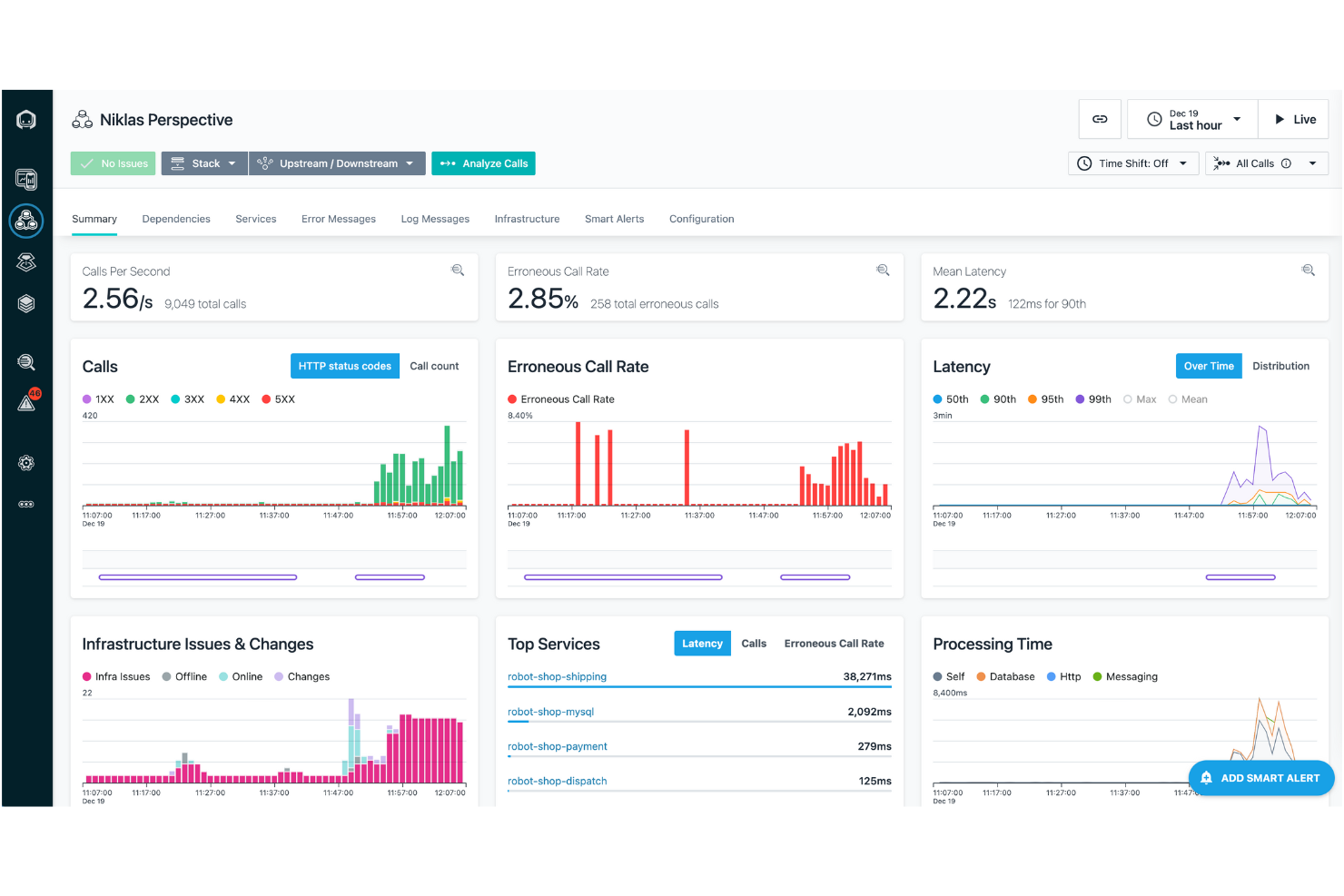
IBM Instana è una piattaforma di APM e osservabilità pensata per i team DevOps e le operazioni IT. Aiuta a monitorare applicazioni e infrastrutture, offrendo insight per ottimizzare le prestazioni e l'esperienza utente.
Perché è una valida alternativa a Dynatrace: IBM Instana offre il rilevamento degli incidenti guidato dall'intelligenza artificiale, permettendo al tuo team di identificare e risolvere rapidamente i problemi. La sua scoperta automatica e la mappatura delle applicazioni garantiscono una visibilità completa su tutti i sistemi. Il monitoraggio in tempo reale offre informazioni immediate sulle metriche di prestazione, aiutandoti a mantenere operazioni ottimali. Grazie alla dashboard intuitiva, puoi navigare e analizzare facilmente i dati rilevanti per le tue esigenze.
Funzionalità principali e integrazioni:
Funzionalità includono l'analisi automatica delle cause principali, che aiuta a individuare la fonte dei problemi. Il supporto all'integrazione continua della piattaforma consente aggiornamenti e deployment automatici. Puoi inoltre beneficiare degli avvisi personalizzati, che tengono informato il tuo team sui cambiamenti critici.
Integrazioni includono Kubernetes, Docker, AWS, Microsoft Azure, Google Cloud Platform, VMware Tanzu, Red Hat OpenShift e altri ancora.
Pros and Cons
Pros:
- Rilevamento degli incidenti tramite IA
- Monitoraggio in tempo reale
- Analisi automatica delle cause principali
Cons:
- Richiede competenze tecniche
- Può essere impegnativo per le risorse

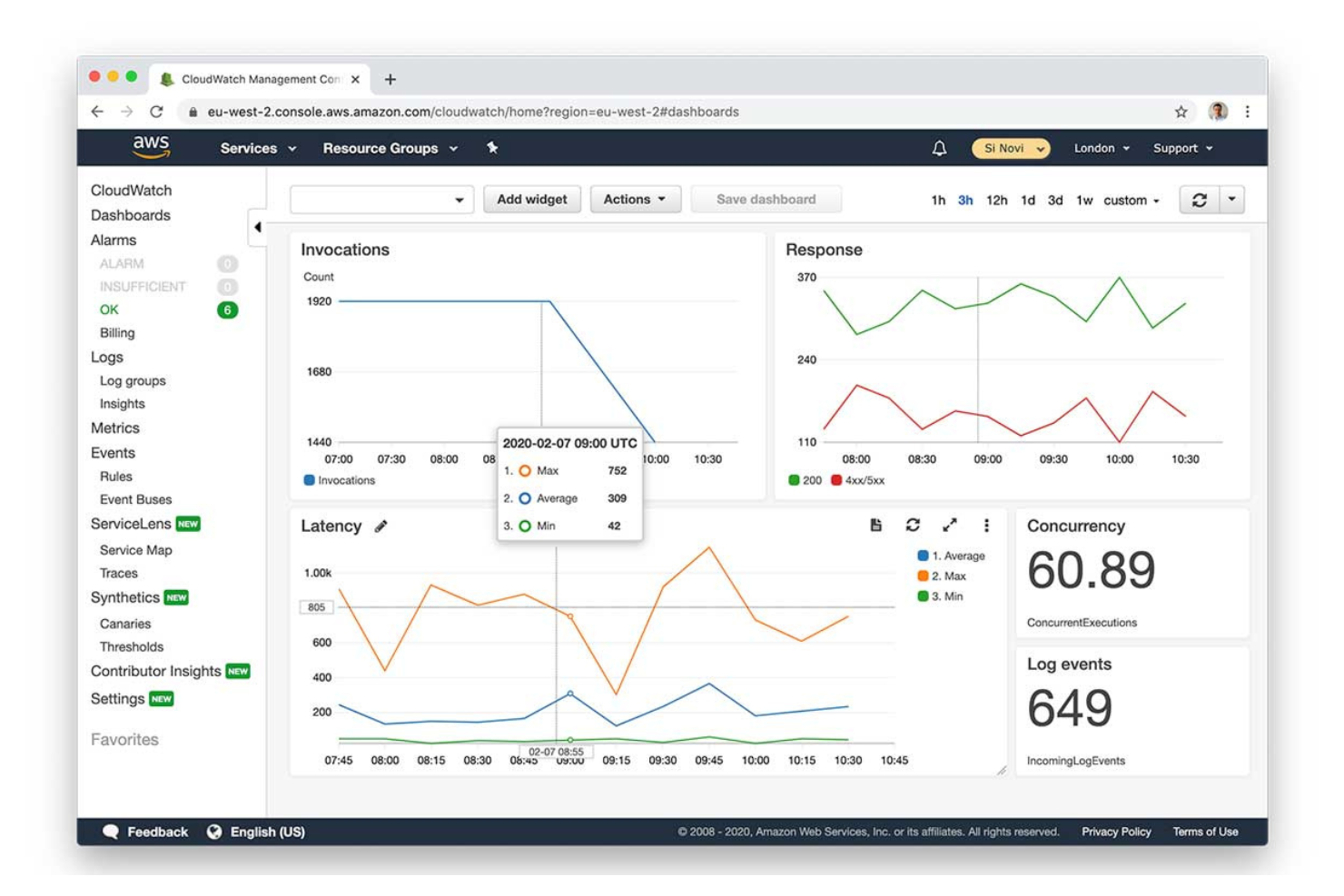
Amazon CloudWatch è un servizio di monitoraggio e gestione pensato per sviluppatori e team IT operations. Aiuta a monitorare risorse AWS e applicazioni, offrendo approfondimenti sulle prestazioni del sistema e sulla salute operativa.
Perché è una valida alternativa a Dynatrace: Amazon CloudWatch offre un'integrazione nativa e profonda con l'ecosistema AWS, rendendolo una scelta ideale per i team che utilizzano servizi AWS. Le sue capacità di monitoraggio in tempo reale permettono al tuo team di tracciare metriche e log in modo efficiente. La possibilità di impostare allarmi basati su soglie garantisce che tu venga avvisato di eventuali problemi in tempo per reagire. La funzione di logging centralizzato consolida i dati da diverse fonti, fornendo una visione unificata del tuo ambiente.
Funzionalità principali e integrazioni:
Funzionalità includono il rilevamento delle anomalie, che aiuta a individuare schemi insoliti nelle tue metriche. Il servizio offre dashboard personalizzate, che permettono di visualizzare i dati nei modi che meglio si adattano alle esigenze del tuo team. Grazie all'automazione guidata dagli eventi, puoi automatizzare le risposte a condizioni o cambiamenti specifici nell'ambiente.
Integrazioni includono la maggior parte dei servizi AWS, Dynatrace, xMatters, Slack, Microsoft Teams, SRE e altri ancora.
Pros and Cons
Pros:
- Integrazione profonda con AWS
- Monitoraggio in tempo reale
- Rilevamento delle anomalie
Cons:
- Prezzi molto complessi e difficili da interpretare
- I costi crescono rapidamente con volumi elevati di log

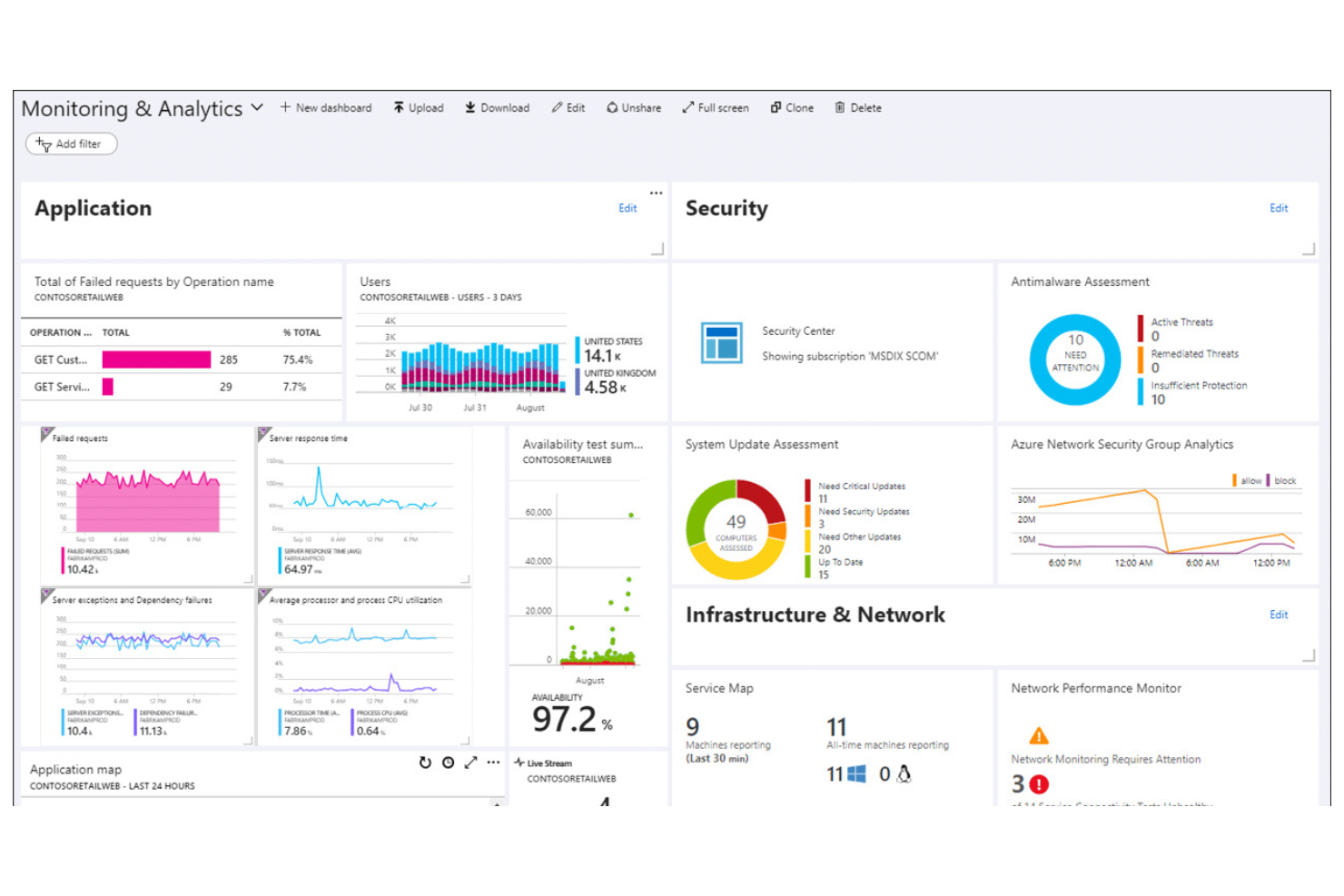
Microsoft Azure Monitor è una piattaforma basata su cloud che raccoglie, analizza e agisce sui dati di telemetria. Fornisce approfondimenti sulle prestazioni e lo stato di salute di applicazioni e infrastrutture all'interno dell'ambiente Azure.
Perché è una valida alternativa a Dynatrace: Microsoft Azure Monitor offre un'integrazione completa con i servizi Azure, rendendolo la scelta ideale per i team fortemente orientati all'ecosistema Azure. La funzione Application Insights fornisce analisi dettagliate, aiutando a comprendere il comportamento degli utenti e le prestazioni delle applicazioni. Le analisi dei log permettono di interrogare e valutare dati provenienti da varie fonti, migliorando la capacità di risolvere i problemi. Gli avvisi personalizzati aiutano il team a restare informato su eventi critici nell'ambiente.
Caratteristiche principali e integrazioni:
Caratteristiche includono capacità di autoscaling, che permettono di regolare automaticamente le risorse in base alla domanda. Il tracciamento delle dipendenze aiuta a visualizzare le relazioni tra i diversi componenti dell'applicazione. Il servizio offre anche il monitoraggio di rete per garantire prestazioni e disponibilità della rete.
Integrazioni includono Azure DevOps, Azure Security Center, Azure Automation, Azure Logic Apps, Azure Functions, Power BI, Microsoft Teams e altri ancora.
Pros and Cons
Pros:
- Analisi dettagliate delle applicazioni
- Forte integrazione con Azure
- Analisi dei log efficaci
Cons:
- Vista frammentata in ambienti cloud ibridi
- Supporto limitato per l'esterno di Azure

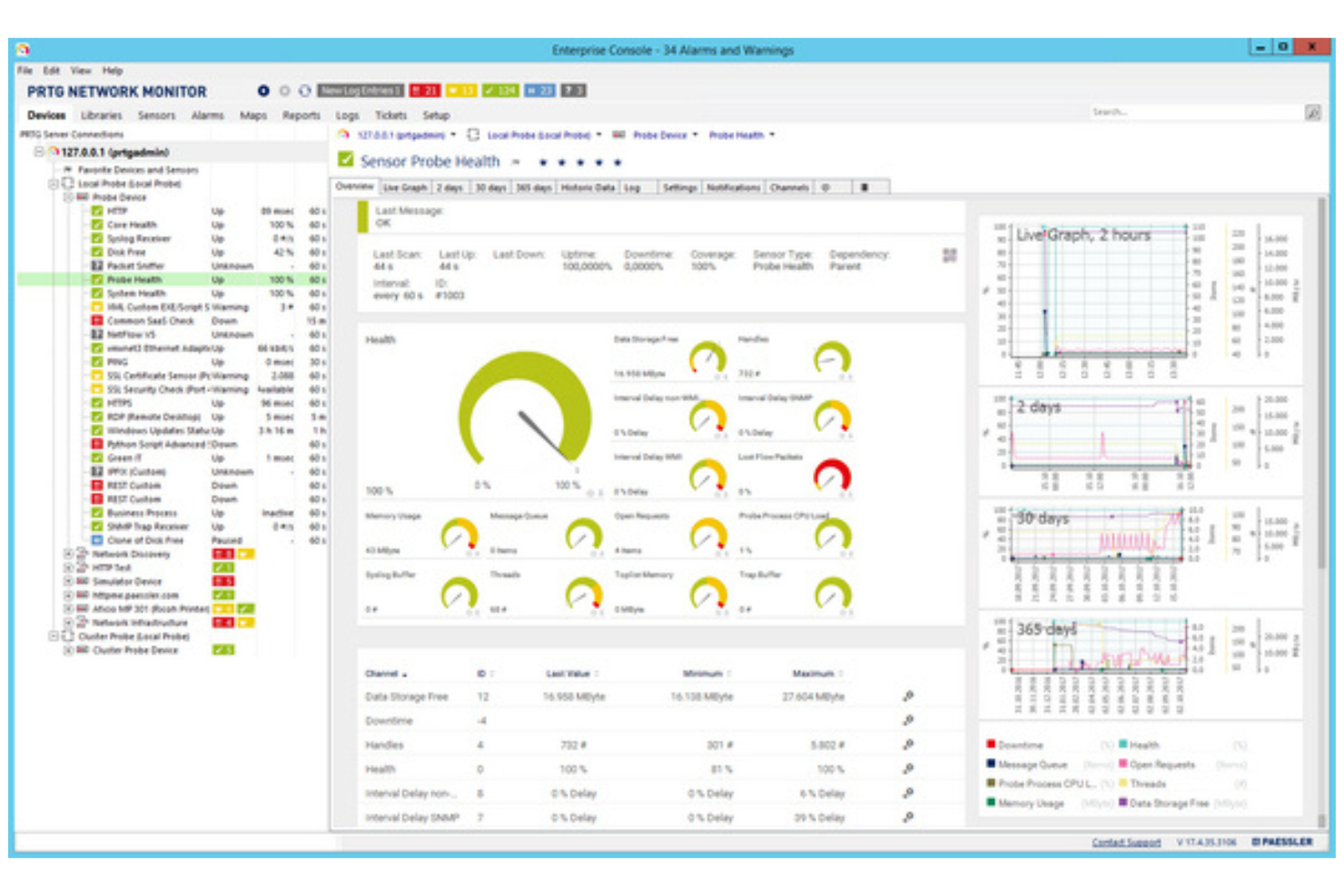
PRTG Network Monitor è uno strumento di monitoraggio utilizzato da amministratori IT e responsabili di rete. Aiuta a tenere traccia delle prestazioni della rete e a rilevare problemi in tutta l'infrastruttura IT.
Perché è una valida alternativa a Dynatrace: PRTG Network Monitor offre un monitoraggio di rete tutto-in-uno, fornendo una panoramica completa dell'intera rete. Il monitoraggio basato su sensori consente di tenere sotto controllo vari parametri, offrendo flessibilità su cosa monitorare. Lo strumento invia avvisi in tempo reale per notificare immediatamente il tuo team riguardo eventuali problemi. Le dashboard personalizzabili permettono di visualizzare i dati nel modo più adatto alle tue esigenze specifiche.
Funzionalità principali e integrazioni:
Funzionalità includono un designer di mappe che consente di creare mappe di rete personalizzate per una migliore visualizzazione. La funzione di reportistica genera report dettagliati sulle prestazioni della rete, facilitando l'analisi. È anche possibile configurare il monitoraggio distribuito per gestire più reti da un'unica interfaccia.
Integrazioni includono Microsoft Azure, AWS, VMware, Cisco Meraki, NetApp, Dell EMC, HPE, Synology e molti altri.
Pros and Cons
Pros:
- Soluzione di monitoraggio tutto-in-uno
- Sistema di avvisi in tempo reale
- Dashboard personalizzabili
Cons:
- Installazione del server principale solo su Windows
- I sensori consumano rapidamente la quota di licenza

Sentry
Ideale per il tracciamento degli errori in tempo reale
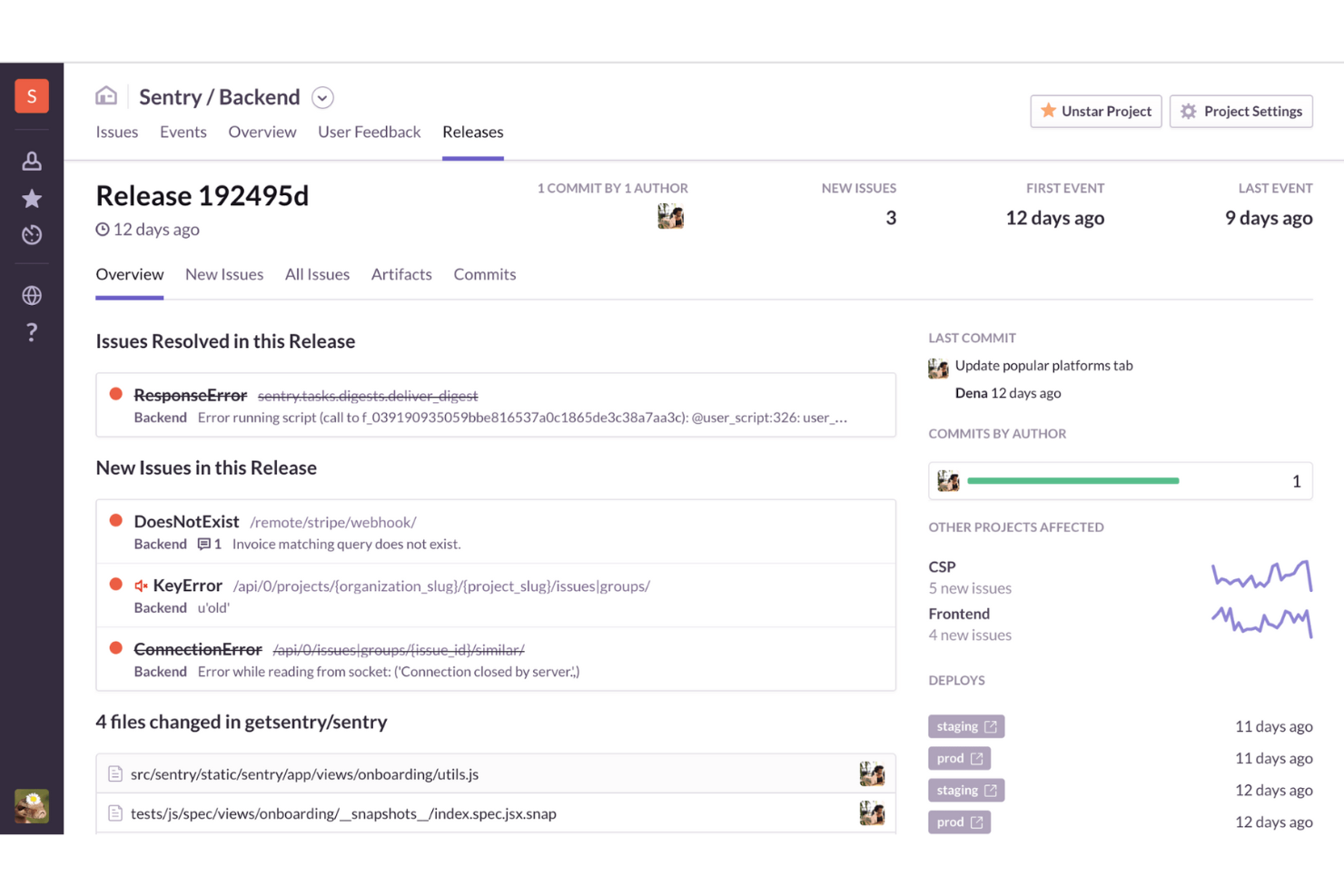
Sentry è uno strumento di monitoraggio delle prestazioni applicative (APM) e di tracciamento degli errori utilizzato da sviluppatori e team IT. Aiuta a identificare e risolvere i problemi delle applicazioni, garantendo prestazioni fluide e un'esperienza utente di alta qualità.
Perché è una valida alternativa a Dynatrace: Sentry si concentra sul tracciamento degli errori in tempo reale, fornendo notifiche immediate quando si verificano problemi. Il debug guidato dall'IA offre approfondimenti sulle cause principali degli errori. Questo rende Sentry ideale per i team che necessitano di informazioni e soluzioni immediate sugli errori.
Funzionalità e integrazioni principali:
Funzionalità includono la replay delle sessioni, che permette di vedere le interazioni degli utenti che hanno portato a un errore. Il tracciamento distribuito consente di monitorare il flusso delle richieste nel sistema, identificando i problemi. Il code review automatizzato dall'IA offre suggerimenti automatici per migliorare il codice.
Integrazioni comprendono GitHub, Slack, Jira, Bitbucket, GitLab, Trello, Asana, PagerDuty, Microsoft Teams, Linear e altri.
Pros and Cons
Pros:
- Tracciamento degli errori in tempo reale
- Interfaccia facile da usare
- Debug intuitivo
Cons:
- Analisi avanzate limitate
- Sistema di alerting inefficace
New Product Updates from Sentry
Sentry Expands Agent Tracing for JavaScript SDKs
Sentry’s JavaScript SDKs now trace more AI frameworks and providers, improving classifier tracing and delivering more consistent context in traces. For more information, visit Sentry's official site.
 .
.
Checkmk
Ideale per il monitoraggio IT ibrido
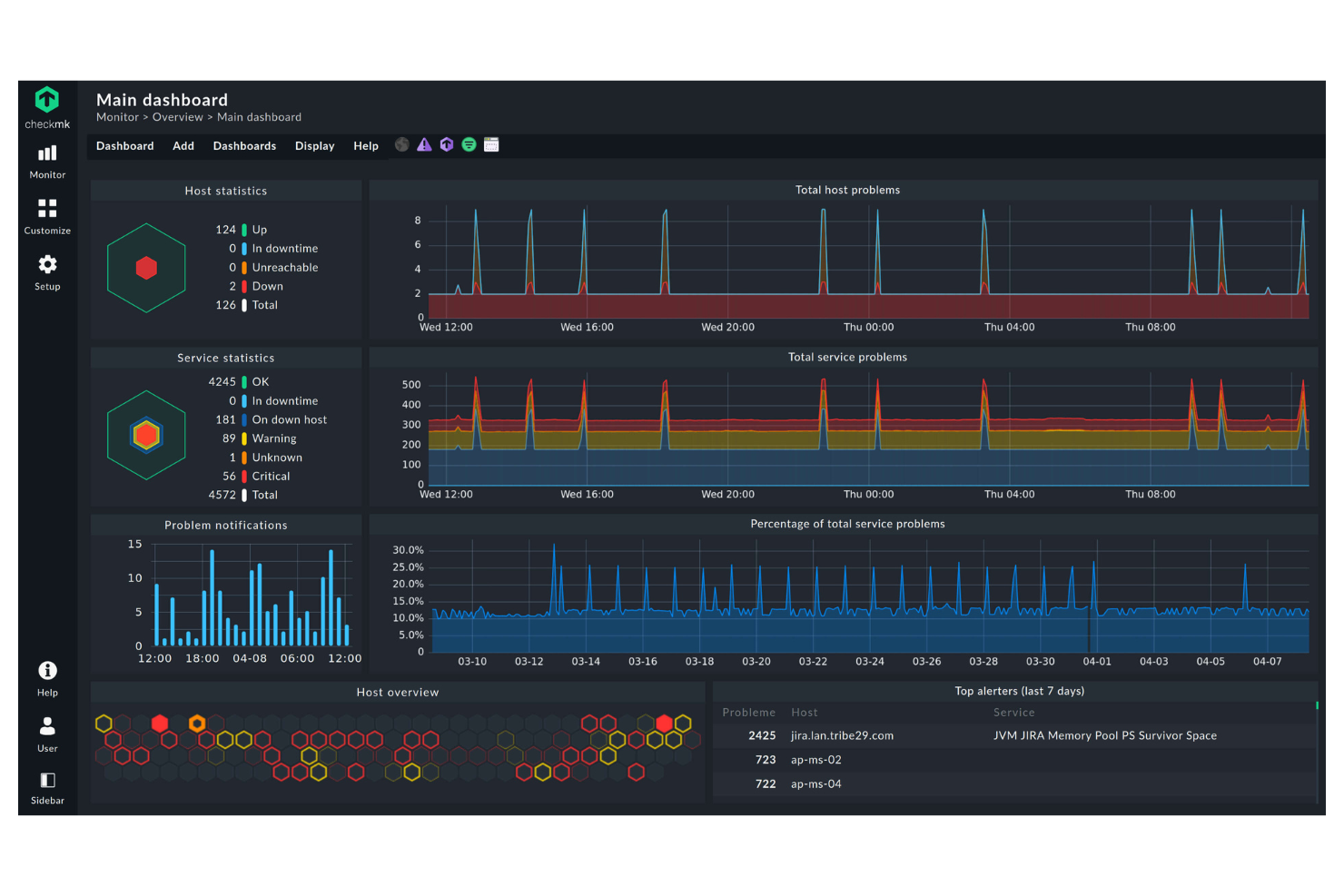
Checkmk è uno strumento di monitoraggio IT progettato per amministratori di sistema e team di operazioni IT. Fornisce approfondimenti accurati sull'infrastruttura IT, aiutandoti a gestire server, reti e applicazioni.
Perché è una buona alternativa a Dynatrace: Checkmk eccelle nel monitoraggio IT ibrido, permettendoti di monitorare ambienti sia on-premise che cloud. Con dashboard personalizzabili, puoi adattare le informazioni alle tue esigenze specifiche. Lo strumento offre inoltre report dettagliati, aiutandoti a tenere traccia delle metriche di prestazione e delle tendenze.
Funzionalità principali e integrazioni:
Funzionalità includono soglie personalizzabili che ti permettono di impostare limiti di prestazione specifici per gli avvisi. Lo strumento fornisce un sistema di notifiche flessibile, assicurandoti di ricevere aggiornamenti sui problemi più rilevanti. La funzione di auto-scoperta aiuta a identificare dispositivi e servizi di rete, rendendo più semplice la configurazione per il tuo team. Supporta anche il monitoraggio distribuito, permettendoti di gestire più sedi da una posizione centrale.
Integrazioni includono Nagios, Prometheus, Grafana, InfluxDB, VMware, AWS, Microsoft Azure, Docker e altri.
Pros and Cons
Pros:
- Capacità di monitoraggio ibrido
- Auto-scoperta dei dispositivi
- Dashboard personalizzabili
Cons:
- L'app mobile necessita di notevoli miglioramenti
- Complessità nella configurazione basata su regole
New Product Updates from Checkmk
Checkmk Adds Experimental MCP Server and OAuth 2.0 Support
Checkmk adds an experimental MCP server and built-in OAuth 2.0 authorization for commercial editions. These updates let AI agents query monitoring data with native authorization support. For more information, visit Checkmk’s official site.
 .
.
Datadog
Ideale per l’osservabilità cloud-native

Datadog è una piattaforma SaaS leader per l'osservabilità e la sicurezza delle applicazioni cloud-native, utilizzata principalmente da team DevOps e professionisti IT. Fornisce visibilità sulle prestazioni delle applicazioni, sulla salute dell’infrastruttura e sull’esperienza utente, compreso il monitoraggio di sistemi distribuiti e delle prestazioni delle API.
Perché è una valida alternativa a Dynatrace: Datadog eccelle nell’osservabilità cloud-native, offrendo strumenti appositamente pensati per il monitoraggio degli ambienti cloud. Le sue dashboard in tempo reale forniscono insight sui parametri dell’infrastruttura, aiutandoti a tenere sotto controllo i sistemi. La funzione di rilevamento anomalie della piattaforma avvisa il tuo team di schemi insoliti, assicurando una risoluzione proattiva dei problemi. Con i suoi avvisi personalizzabili, puoi adattare le notifiche alle esigenze del tuo team.
Funzionalità e integrazioni di rilievo:
Funzionalità includono la gestione dei log, che consente di raccogliere e analizzare log da varie fonti per ottenere insight più approfonditi. La piattaforma offre strumenti APM per tracciare metriche chiave e migliorare la salute delle applicazioni. È possibile utilizzare anche il monitoraggio delle prestazioni di rete per assicurare affidabilità e performance della rete.
Integrazioni includono AWS, Microsoft Azure, Google Cloud Platform, Kubernetes, Docker, Slack, GitHub e molte altre.
Pros and Cons
Pros:
- Forte focus sulle tecnologie cloud-native
- Dashboard in tempo reale
- Rilevamento anomalie efficace
Cons:
- Può essere complesso per i principianti
- Un alto volume di dati può aumentare i costi

Ideale per il monitoraggio dei database senza agenti
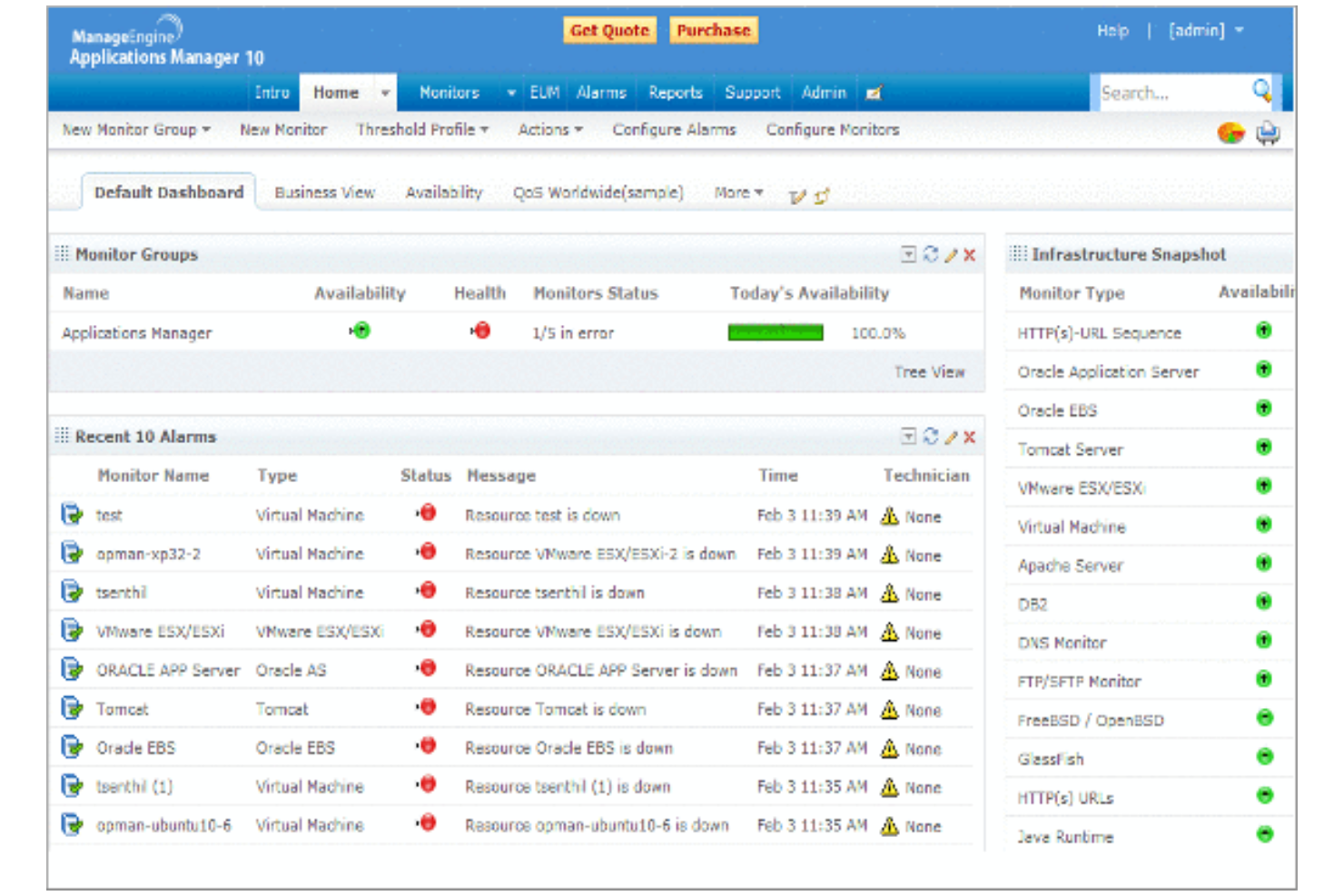
ManageEngine Applications Manager è uno strumento progettato per i team IT e DevOps, che consente di monitorare le prestazioni delle applicazioni, tracciare l'utilizzo delle risorse e garantire il funzionamento ottimale degli ambienti IT.
Perché è una valida alternativa a Dynatrace: ManageEngine Applications Manager offre il monitoraggio dei database senza agenti, rendendolo una scelta più pratica ed economica rispetto a Dynatrace. Questa funzionalità consente di monitorare i database senza installare agenti, riducendo i costi e semplificando la configurazione. Lo strumento fornisce informazioni in tempo reale sulle prestazioni delle applicazioni, aiutando a identificare rapidamente eventuali problemi. Supporta inoltre una vasta gamma di applicazioni e componenti infrastrutturali, rendendolo versatile per diverse esigenze IT.
Funzionalità e integrazioni principali:
Funzionalità includono dashboard personalizzabili che permettono di visualizzare i dati sulle prestazioni in base alle esigenze del team. Gli avvisi automatici garantiscono che tu venga notificato non appena si verificano dei problemi. L'analisi dei dati storici aiuta a comprendere le tendenze e a pianificare l'allocazione delle risorse.
Integrazioni includono Microsoft Azure, AWS, VMware, Oracle, Microsoft SQL, PostgreSQL e altri ancora.
Pros and Cons
Pros:
- Soluzione di monitoraggio senza agenti
- Facilità d'uso
- Dashboard personalizzabili
Cons:
- Alto utilizzo di risorse sui server ospitati
- Interfaccia utente datata e disordinata
New Product Updates from ManageEngine Applications Manager
ManageEngine Applications Manager Adds AppLogs Alerting and Query Tools
ManageEngine Applications Manager adds AppLogs Alerting, advanced query operators, and new AppLogs Explorer visualizations. These updates help teams monitor log activity, refine searches, and analyze trends more efficiently. For more information, visit ManageEngine Applications Manager’s official site.
 .
.Altri concorrenti di Dynatrace
Ecco alcuni altri concorrenti di Dynatrace che non sono stati inclusi nel mio elenco, ma che vale comunque la pena prendere in considerazione:


Come valuto i concorrenti di Dynatrace
Valuto ciascun tool sulla base delle caratteristiche fondamentali imprescindibili—osservabilità full-stack, RUM, rilevamento di anomalie guidato dall’IA—e degli elementi distintivi che determinano se il prodotto soddisfa realmente le esigenze dei team di digital CX.
Funzionalità principali (Requisiti minimi per questa lista)
Quando seleziono gli strumenti per la mia lista, assegno a ciascuno un punteggio da 0 (non offre la funzionalità) a 5 (eccelle in quest’area) per ciascuna delle funzionalità elencate di seguito. Poi, calcolo il punteggio totale dello strumento in percentuale. Ogni tool deve raggiungere un punteggio totale minimo del 65% per essere considerato per l’inclusione.
- Real User Monitoring (RUM): Analizzo come ogni strumento acquisisce i dati delle sessioni, i tempi di caricamento delle pagine e le metriche di interazione sia sui canali web che mobile.
- Application Performance Monitoring: È fondamentale che uno strumento consenta di tracciare le transazioni end-to-end—questo è particolarmente importante per individuare chiamate API lente o query database dietro le sequenze di acquisto.
- Osservabilità full-stack: Controllo se metriche, log e tracce sono unificate in un’unica vista oppure isolate, dato che la correlazione dei dati velocizza la risoluzione degli incidenti.
- Rilevamento di anomalie guidato dall’IA: I migliori strumenti evidenziano i degradi delle prestazioni e identificano automaticamente le cause principali invece di affidarsi a soglie statiche configurate manualmente.
- Monitoraggio sintetico: Valuto se la piattaforma supporta test browser scriptati e controlli API da località distribuite per individuare problemi prima che lo facciano i clienti.
- Analytics del percorso cliente: Collegare i dati tecnici delle prestazioni ai funnel di conversione e ai flussi utenti permette di scoprire dove le interruzioni di esperienza si traducono in perdite di fatturato.
Una volta stilata la lista degli strumenti che soddisfano questi criteri, considero cosa distingue ciascuna piattaforma dalle altre.
Fattori differenzianti (Cosa distingue i vendor)
Ecco come confronto e metto a paragone i diversi fornitori:
Funzionalità distintive
La session replay è una caratteristica chiave: cerco strumenti che consentano di ripercorrere visivamente l’esperienza dell’utente per rilevare rage click, abbandono dei moduli o flussi di lavoro interrotti senza dover indovinare. Anche il supporto OpenTelemetry è fondamentale perché offre flessibilità nell’instrumentazione dei servizi senza vincolarsi a un fornitore. Valuto quanto bene una piattaforma colleghi i dati sulle prestazioni a metriche di business come i tassi di conversione, così da mostrare ai portatori di interesse l’impatto di una pagina lenta sui ricavi.
Oltre alle funzionalità
Il modello di pricing è fondamentale in questo settore. Alcuni vendor fanno pagare per host, altri in base al volume di dati ingestiti, e la scelta sbagliata può far salire i costi rapidamente quando si scala il RUM su siti ad alto traffico. Valuto anche la profondità di integrazione con strumenti di gestione degli incidenti come PagerDuty e ServiceNow, poiché un’escalation rapida è la chiave per ridurre i tempi di risoluzione dei problemi che impattano il cliente. Vale la pena verificare in anticipo certificazioni di conformità come SOC 2 e la prontezza GDPR, soprattutto se la piattaforma acquisisce dati di session replay con interazioni utente.
Perché cercare un'alternativa a Dynatrace?
Sebbene Dynatrace sia una buona scelta tra le piattaforme per l'osservabilità dei dati, ci sono diversi motivi per cui alcuni utenti cercano soluzioni alternative. Potresti cercare un'alternativa a Dynatrace perché…
- Sei preoccupato per i costi elevati
- Il tuo team ha bisogno di una fase di onboarding più semplice
- Hai bisogno di migliori opzioni di integrazione
- Cerchi un modello di prezzi più flessibile
- Hai bisogno del supporto per ambienti non cloud
- Stai affrontando problemi di disponibilità geografica
Se ti riconosci in una di queste situazioni, sei nel posto giusto. Il mio elenco contiene diverse piattaforme per l'osservabilità dei dati più adatte ai team che affrontano queste sfide con Dynatrace e cercano soluzioni alternative.
Funzionalità
Ecco alcune delle funzionalità principali di Dynatrace, utili per mettere a confronto ciò che offrono le soluzioni alternative:
- OneAgent: viene distribuito una sola volta per raccogliere metriche nell'intera catena di distribuzione dell'applicazione, semplificando la raccolta dei dati.
- PurePath: fornisce un'analisi dettagliata dei tempi e del contesto a livello di codice per le tracce distribuite, aiutandoti ad acquisire i dati sulle prestazioni, dal clic dell'utente fino ai servizi back-end.
- Acquisizione scalabile dei dati: supporta vari tipi di dati, come tracce, metriche, registri e vulnerabilità, garantendo un'ampia copertura dei dati.
- Informazioni basate sull'intelligenza artificiale: utilizza l'intelligenza artificiale per prevedere e prevenire i problemi e contribuire alla loro identificazione, migliorando l'efficienza del tuo team.
- Processi automatizzati: semplifica l'individuazione, l'analisi e le operazioni aziendali quotidiane, riducendo il carico di lavoro manuale.
- Analisi contestuale: aiuta il tuo team a comprendere le connessioni tra i dati, favorendo decisioni migliori.
- Strumenti di collaborazione: facilitano il lavoro di squadra integrandosi con vari strumenti e origini dati.
- Funzionalità di sicurezza: garantiscono la privacy dei dati e la conformità di livello aziendale, proteggendo le informazioni della tua organizzazione.
- Dashboard personalizzabili: consentono di visualizzare i dati in un formato adatto alle esigenze del tuo team.
- Scalabilità: gestisce enormi quantità di dati provenienti da origini diverse, adattandosi alle crescenti esigenze aziendali.
Cosa succede dopo:
Se stai cercando una piattaforma di osservabilità dei dati, contatta gratuitamente un consulente di SoftwareSelect per ricevere consigli.
Compili un modulo e fai una breve conversazione durante la quale vengono analizzati nel dettaglio i tuoi requisiti. Dopodiché riceverai una lista ristretta di software da valutare. Ti supporteranno anche durante l'intero processo di acquisto, comprese le trattative sul prezzo.