

I 10 migliori software gratuiti per chat dal vivo nel 2026

Elenco dei migliori software gratuiti per chat dal vivo


Il software gratuito per chat dal vivo consente al tuo team di chattare in tempo reale con i visitatori del sito web utilizzando un widget o una finestra di chat, senza pagare un abbonamento. Se stai cercando il miglior software per chat dal vivo che non costi nulla, probabilmente vuoi migliorare l'assistenza clienti, modernizzare le interazioni con i clienti, aiutare i clienti a ottenere rapidamente risposte o testare una soluzione di chat dal vivo prima di impegnarti. Questo elenco offre una panoramica più approfondita dei migliori strumenti e delle migliori app per chat dal vivo gratuiti disponibili nel 2026 e del modo in cui soddisfano esigenze aziendali diverse, così puoi ottimizzare l'esperienza utente e fare una scelta consapevole adatta agli obiettivi e al budget del tuo team.
Perché fidarsi dei nostri consigli sui software
Il nostro team testa e recensisce software dal 2012. In quanto leader CX noi stessi, sappiamo quanto sia difficile — e importante — scegliere il software giusto.
Per questa guida, abbiamo valutato gli strumenti attraverso test pratici e ricerche indipendenti, assegnando un punteggio agli strumenti in base ai nostri criteri di selezione.
Le nostre recensioni riflettono il nostro giudizio editoriale umano, non un discorso di vendita.
Tabella comparativa dei software gratuiti per chat dal vivo
Questa tabella comparativa riassume i dettagli sui prezzi delle mie migliori selezioni di software gratuiti per chat dal vivo:
| Tool | Best For | Trial Info | Price | ||
|---|---|---|---|---|---|
| 1 | Ideale per chat clienti di shop Shopify | Prova gratuita di 7 giorni + piano gratuito disponibile | Da $24,17/mese (fatturazione annuale) | Website | |
| 2 | Ideale per la raccolta di lead tramite moduli pre-chat | Prova gratuita di 15 giorni + piano gratuito disponibile + demo gratuita | Da $39,99/operatore/mese (fatturato annualmente) | Website | |
| 3 | Ideale per la visibilità in tempo reale del team nella chat dal vivo | Prova gratuita di 10 giorni + piano gratuito disponibile | A partire da $25/agente/mese (fatturazione annuale) | Website | |
| 4 | Ideale per help center integrato | Prova gratuita di 14 giorni + demo gratuita + piano gratuito disponibile | Da $45/workspace/mese | Website | |
| 5 | Ideale per chat multicanale semplice per piccoli team | Prova gratuita di 14 giorni + piano gratuito disponibile | Da $29/mese (fatturato annualmente) | Website | |
| 6 | Migliore piattaforma open-source con self-hosting | Prova gratuita di 15 giorni + piano gratuito disponibile | A partire da $19/agente/mese (fatturazione annuale) | Website | |
| 7 | Ideale per utenti illimitati senza costi aggiuntivi | Piano gratuito per sempre | Piano gratuito per sempre | Website | |
| 8 | La migliore suite completa con funzionalità CRM | Piano gratuito + prova gratuita di 15 giorni + demo gratuita disponibile | Da $49/organizzazione/mese (fatturazione annuale) | Website | |
| 9 | Ideale per chat omnicanale con chiamate integrate | Prova gratuita di 14 giorni + piano gratuito disponibile | Da $28/agente/mese (fatturato annualmente) | Website | |
| 10 | La migliore integrazione con Microsoft Teams per la live chat | Prova gratuita di 14 giorni + demo gratuita disponibile | Da $21/mese (fatturato annualmente) | Website |
Recensioni dei software gratuiti per chat dal vivo
Di seguito trovi le mie sintesi dettagliate dei software gratuiti per chat dal vivo inclusi nel mio elenco. Le mie recensioni offrono un’analisi approfondita delle funzionalità, delle funzioni avanzate, dei migliori casi d’uso e delle integrazioni di ogni strumento di chat dal vivo, per aiutarti a trovare quello più adatto a te.

Tidio
Ideale per chat clienti di shop Shopify
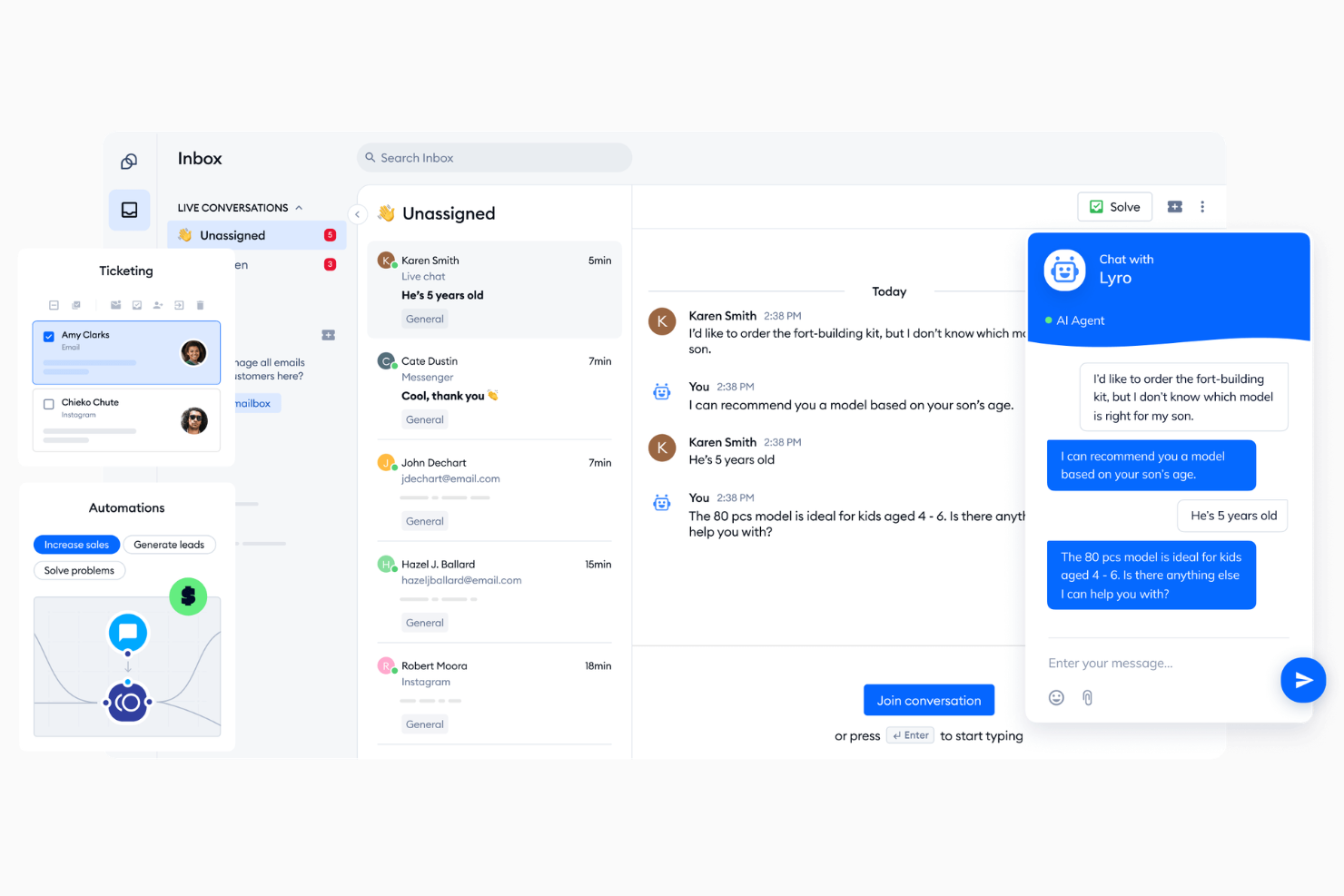
Tidio è una piattaforma di live chat e chatbot AI che combina un widget di chat personalizzabile, automazioni basate sul comportamento e una casella di posta omnicanale per gestire le conversazioni con i clienti su chat, email e canali social media.
Per Chi È Ideale Tidio?
Tidio è particolarmente adatto per piccole e medie imprese ecommerce che necessitano di una soluzione di chat gratuita, facile da implementare e con automazioni già integrate.
Perché Ho Scelto Tidio
Ho scelto Tidio tra i migliori per l'integrazione profonda con Shopify. Posso vedere il contenuto del carrello e lo storico degli ordini del cliente direttamente nella casella di posta, il che significa che posso consigliare prodotti o risolvere domande sulle spedizioni senza cambiare scheda. Posso anche annullare ordini, emettere rimborsi e aggiornare indirizzi di spedizione dalla stessa dashboard. Queste azioni native di Shopify all'interno della casella di supporto sono difficili da trovare in uno strumento di chat gratuito.
Funzionalità Principali di Tidio
- Agente Lyro AI: Un bot alimentato dall'AI che gestisce automaticamente le domande dei clienti utilizzando i tuoi contenuti di supporto.
- Costruttore di Flows: Un editor chatbot drag-and-drop senza codice con oltre 40 modelli preimpostati per automatizzare scenari di chat comuni.
- Elenco visitatori live: Una panoramica in tempo reale di ogni visitatore attivo sul tuo sito, incluse le pagine che stanno navigando.
- Casella di posta omnicanale: Un'unica casella che raccoglie i messaggi da live chat, email, Instagram, WhatsApp e Messenger.
Integrazioni di Tidio
Le integrazioni includono Instagram, Messenger (Meta), Shopify, WhatsApp, WordPress, Zapier, Zendesk, ActiveCampaign, Adobe Commerce e Agile CRM.
Cosa è Gratis?
Tidio offre un piano gratuito per sempre che include 50 conversazioni fatturabili al mese, fino a 10 postazioni agenti e 100 visitatori Flows raggiunti. Ricevi inoltre un assegnamento una tantum di 50 conversazioni Lyro AI, anche se questo limite non si rinnova a meno che non passi a un piano Lyro a pagamento.
Pros and Cons
Pros:
- Editor visuale chatbot Flows incluso gratis
- Dati ordini Shopify visibili all'interno delle chat
- Lyro AI risponde dai tuoi documenti di aiuto
Cons:
- Limite di 10 operatori umani sui principali piani
- I report di analytics non hanno dettagli granulari

Ideale per la raccolta di lead tramite moduli pre-chat
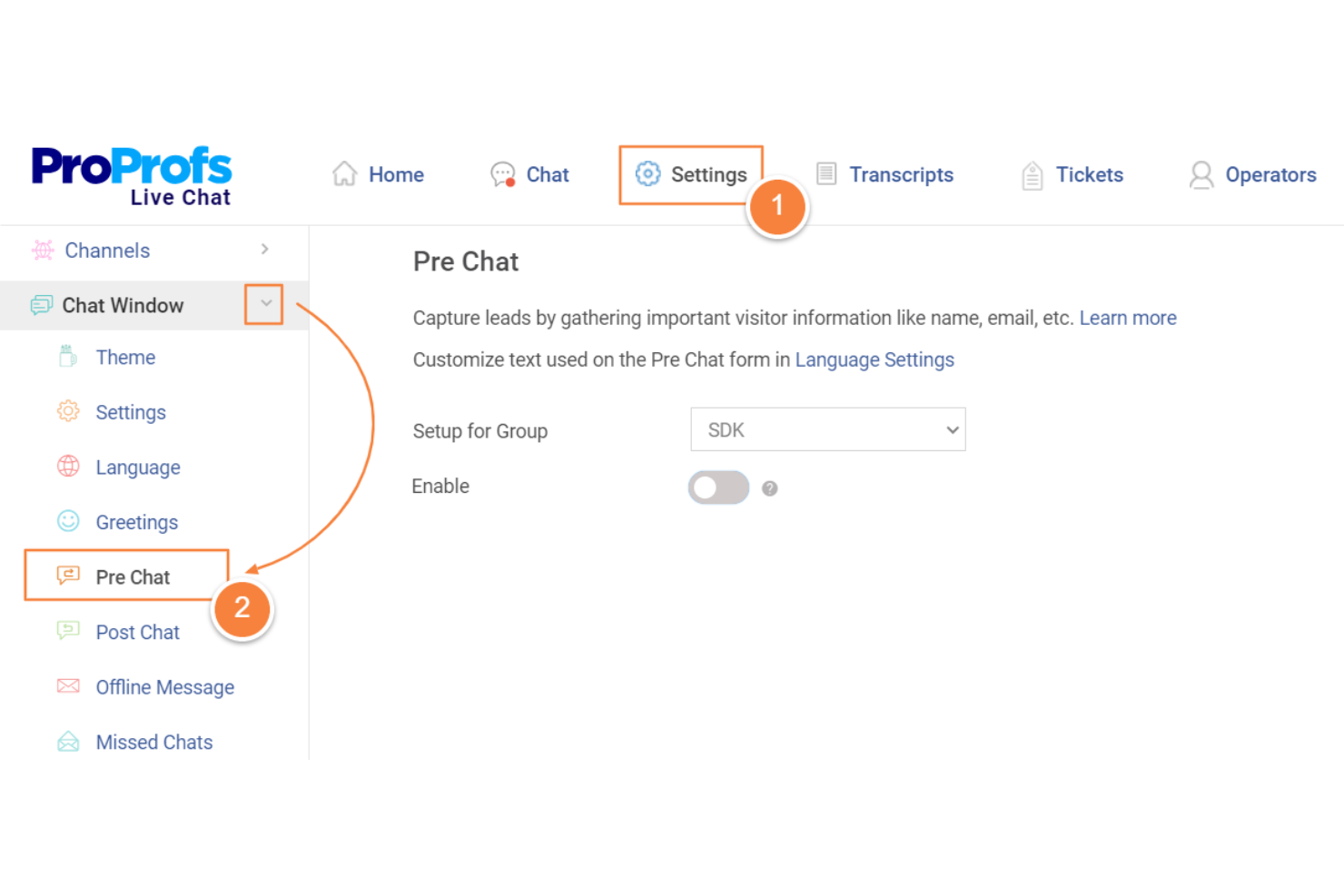
ProProfs Chat è una soluzione di chat dal vivo che ti permette di aggiungere una chat al tuo sito web, acquisire i dati dei visitatori con moduli personalizzati, gestire più chat contemporaneamente e automatizzare le risposte con chatbot.
Per chi è ProProfs Chat?
ProProfs Chat è ideale per piccole e medie imprese che hanno bisogno di acquisire lead e coinvolgere i visitatori del sito direttamente in tempo reale.
Perché ho scelto ProProfs Chat
Ho scelto ProProfs Chat perché i suoi moduli pre-chat sono facili da personalizzare e aiutano il mio team a raccogliere informazioni sui lead ancor prima che la chat inizi. Posso usare semplici regole per impostare domande diverse a seconda del visitatore, rendendo i moduli più personali e pertinenti. Inoltre, l'istradamento automatico dei lead fa arrivare ogni contatto direttamente al giusto membro del team, così non dobbiamo smistarli manualmente.
Funzionalità principali di ProProfs Chat
- Trascrizioni e cronologia delle chat: Visualizza le conversazioni passate direttamente dalla dashboard per un rapido follow-up.
- Risposte salvate: Preimposta risposte per le domande più frequenti per risparmiare tempo di digitazione.
- Monitoraggio dei visitatori: Tieni traccia in tempo reale delle attività dei visitatori, comprese le pagine viste e il tempo trascorso sul sito.
- Costruttore di chatbot: Crea e distribuisci chatbot basati su AI per rispondere automaticamente alle domande e aiutare i visitatori.
Integrazioni di ProProfs Chat
Le integrazioni includono WordPress, Shopify, Salesforce, Zoho CRM, Wix, Adobe Commerce, Mailchimp, BigCommerce, Drupal e Microsoft Dynamics CRM.
Cosa è gratuito?
ProProfs Chat offre un piano gratuito per sempre che supporta un operatore con cronologia chat illimitata. Funzionalità avanzate come integrazioni con social media, AI chatbot automation e multi-branding richiedono piani a pagamento.
Pros and Cons
Pros:
- Template pronti per le domande più comuni
- Moduli pre-chat personalizzabili per lead
- Sondaggi post-chat per un feedback immediato
Cons:
- Nessun supporto per messaggistica social media
- Opzioni limitate per l'instradamento automatico

Chatra
Ideale per la visibilità in tempo reale del team nella chat dal vivo
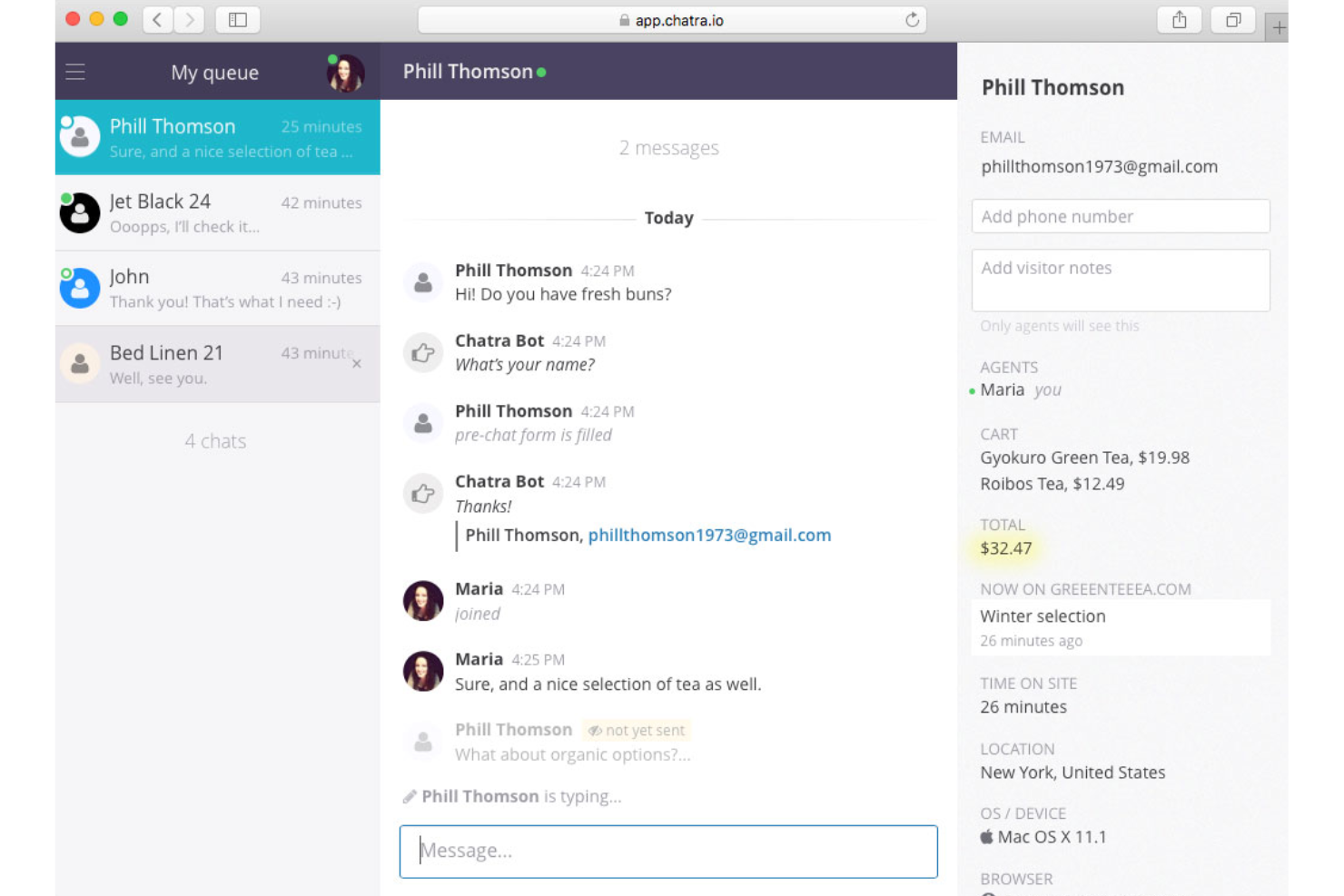
Chatra è un software di chat dal vivo per siti web che permette al tuo team di usare chat private e di gruppo, vedere quali operatori sono online e consente ai visitatori di lasciare messaggi quando nessun operatore è disponibile.
Per chi è Chatra?
Chatra è una scelta solida per team piccoli e medi che desiderano una chat collaborativa dal vivo e una rapida panoramica di team per il supporto clienti sul web.
Perché ho scelto Chatra
Ho scelto Chatra tra i migliori perché offre al mio team visibilità in tempo reale su chi è online e quali colleghi stanno partecipando attivamente alle chat. Trovo che le funzioni di chat tra agenti e chat di gruppo rendano più semplice la risoluzione di problemi complessi dei clienti. Utilizzo gli indicatori di presenza del team per gestire il carico di lavoro degli agenti e assicurarmi che nessuna chat rimanga senza risposta.
Funzionalità principali di Chatra
- Personalizzazione del widget: Adatta schemi di colore, posizione della chat e impostazioni della lingua per il tuo sito web.
- Messaggi offline: Permette ai visitatori di lasciare messaggi quando nessun agente è disponibile.
- Visualizzazione della digitazione: Visualizza cosa stanno scrivendo i visitatori prima che premano invio.
- Supporto multi-canale: Rispondi ai messaggi da Facebook e email all'interno di un unico cruscotto.
Integrazioni di Chatra
Le integrazioni includono WordPress, Shopify, WooCommerce, BigCommerce, Slack, Help Scout e Zapier.
Cosa è gratuito?
Chatra offre un piano gratuito per sempre per un agente con funzioni base di chat dal vivo. La chat di gruppo, l'automazione e le integrazioni avanzate richiedono un piano a pagamento.
Pros and Cons
Pros:
- Anteprima della digitazione dei messaggi dei clienti
- Instradamento intelligente verso reparti specifici
- Chat di gruppo per problemi complessi
Cons:
- Directory limitata di app di terze parti
- Analisi di base per team piccoli

Crisp
Ideale per help center integrato
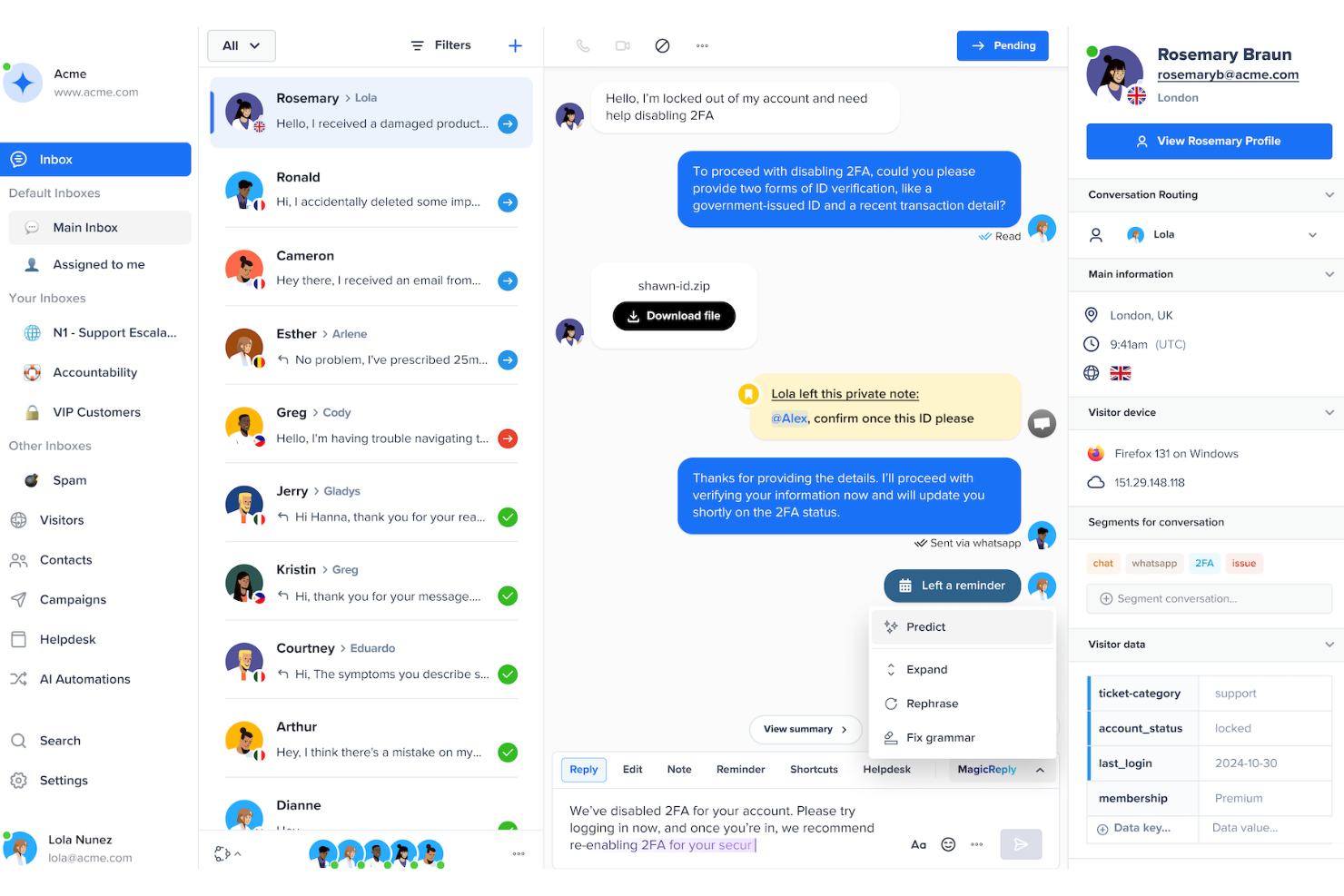
Crisp è una soluzione di live chat che combina chat in tempo reale, automazione con chatbot, messaggistica omnicanale, una base di conoscenza integrata e una casella di posta condivisa.
A chi è consigliato Crisp?
Crisp è adatto a piccole e medie imprese che desiderano unificare live chat, centro assistenza e messaggistica automatizzata all'interno di un'unica piattaforma.
Perché ho scelto Crisp
Ho scelto Crisp perché combina chat dal vivo, centro assistenza e automazione dei flussi di lavoro in un unico posto. Il mio team utilizza la sua base di conoscenza per il self-service mentre indirizza le interazioni cliente più complesse agli operatori. I chatbot IA gestiscono le richieste ripetitive così che il team di supporto possa concentrarsi su conversazioni a maggior valore aggiunto.
Funzionalità principali di Crisp
- Casella di posta multicanale: Gestisci chat da email, Messenger, Instagram e SMS insieme alla live chat in un unico cruscotto.
- Co-browsing: Visualizza lo schermo dei visitatori e guidali nella risoluzione dei problemi in tempo reale.
- Cronologia visitatore: Visualizza le interazioni passate e le attività di un visitatore mentre chatti con lui.
- Anteprima digitazione: Visualizza ciò che i visitatori stanno digitando prima che premano invio, per una risposta più rapida.
Integrazioni Crisp
Le integrazioni includono Slack, HubSpot, Zapier, Shopify, WordPress, Facebook Messenger, Instagram, Twilio SMS, Telegram e Salesforce.
Cosa è gratis?
Crisp offre un piano gratuito per sempre con fino a 2 agenti e conversazioni illimitate. Il piano gratuito include chat dal vivo di base, casella in entrata condivisa, app mobile e desktop, con alcune integrazioni riservate ai piani a pagamento.
Pros and Cons
Pros:
- Combina chat dal vivo e help center
- Supporta co-browsing e condivisione schermo
- Interfaccia facile da usare
Cons:
- Salto di prezzo elevato per l'automazione
- Nessuna videochiamata integrata

Chaport
Ideale per chat multicanale semplice per piccoli team
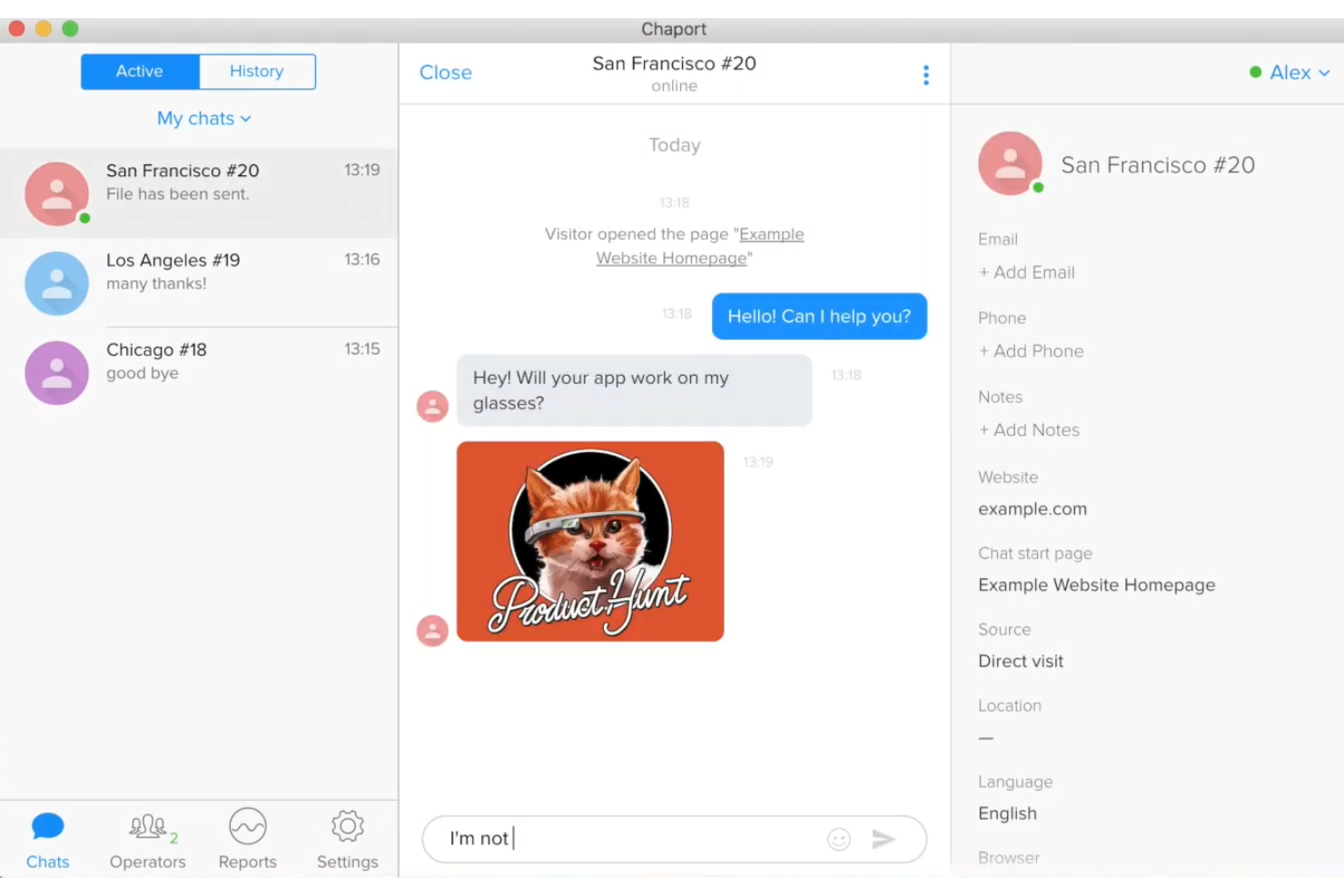
Chaport è un semplice software di live chat per piccoli team, che unisce la chat del sito web, la messaggistica social, l’automazione chatbot e la gestione della knowledge base in un unico cruscotto intuitivo.
Per chi è ideale Chaport?
Chaport è adatto a piccole imprese, startup e team di assistenza clienti che vogliono una soluzione semplice per gestire le conversazioni con i clienti su più canali.
Perché ho scelto Chaport
Ho scelto Chaport come una delle migliori app di live chat perché è uno dei pochi strumenti di live chat dove il mio team può gestire chat web, Facebook e Telegram da un unico pannello di controllo. Apprezzo l’inclusione di chatbot IA e una knowledge base ricercabile, che aiuta a migliorare le interazioni con i clienti senza sovraccaricare il team di supporto.
Funzionalità chiave di Chaport
- Knowledge base: Crea articoli di supporto e FAQ per ridurre il volume di chat in arrivo.
- Moduli pre-chat: Raccogli dati dei clienti prima di avviare una sessione di chat.
- Anteprima digitazione visitatore: Vedi cosa stanno digitando i visitatori in tempo reale prima che inviino il messaggio.
- Messaggistica offline: Cattura e gestisci i messaggi quando nessun agente è online.
Integrazioni di Chaport
Le integrazioni includono Facebook, Telegram, Viber, WordPress, Joomla!, Shopify, Google Analytics, Bubble e Zapier.
Cosa è gratis?
Chaport offre un piano gratuito per sempre con chat e siti web illimitati. Il piano gratuito include strumenti di live chat di base e una cronologia delle chat di 60 giorni, con restrizioni sulla personalizzazione avanzata del widget e sulle integrazioni.
Pros and Cons
Pros:
- Supporta l'anteprima delle informazioni dei visitatori
- Inviti automatici alla chat in base al comportamento
- Posta in arrivo unificata per più siti web
Cons:
- Reportistica limitata nel piano gratuito
- Nessuna chiamata vocale o video integrata

Chatwoot
Migliore piattaforma open-source con self-hosting
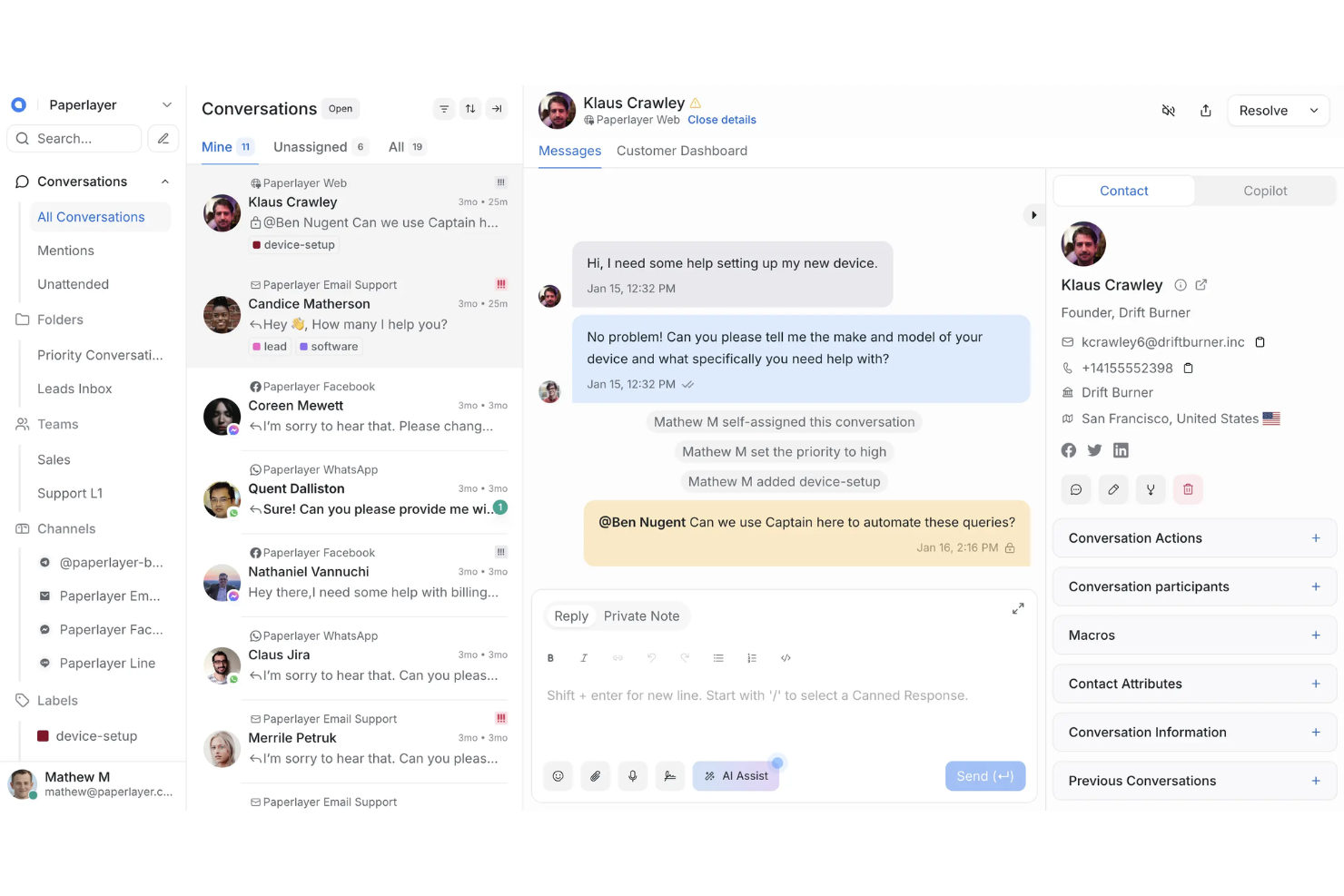
Chatwoot è una piattaforma di chat dal vivo open-source che ti permette di gestire le conversazioni con i clienti su chat del sito, e-mail, social media e piattaforme di messaggistica grazie alle funzionalità collaborative di una casella di posta condivisa per il team.
Per chi è Chatwoot?
Chatwoot è particolarmente indicato per team tecnici o aziende che cercano una soluzione di casella omnicanale completamente open-source e self-hosted con chat dal vivo.
Perché ho scelto Chatwoot
Ho scelto Chatwoot perché voglio avere il pieno controllo sul mio sistema di chat dal vivo, dal deployment alla sicurezza dei dati, grazie alle sue possibilità open-source e self-hosted. Posso personalizzare tutto, dall’interfaccia utente alle integrazioni, senza dipendere da fornitori SaaS esterni. Il mio team utilizza funzionalità come la casella omnicanale e l’automazione basata su regole per gestire le conversazioni su WhatsApp, Facebook, Telegram e altro, tutto sulla nostra infrastruttura.
Caratteristiche principali di Chatwoot
- Risposte salvate: Invia rapidamente risposte predefinite alle domande frequenti direttamente dalla finestra della chat.
- Gestione dei contatti: Archivia i profili dettagliati dei clienti e la cronologia delle conversazioni per ogni contatto.
- Widget personalizzato: Personalizza l’aspetto grafico e il branding del widget chat per adattarlo allo stile del tuo sito.
- Assegnazione delle conversazioni: Assegna le chat a specifici membri del team per una migliore organizzazione del flusso di lavoro.
Integrazioni Chatwoot
Le integrazioni includono Slack, Linear, Google Translate, LeadSquared e Dialogflow.
Cosa è gratis?
Chatwoot offre un piano self-hosted gratuito per sempre con 2 agenti e 500 conversazioni. Alcune funzionalità avanzate e alcune integrazioni sono disponibili solo nei piani a pagamento.
Pros and Cons
Pros:
- Controllo completo sull’impostazione del sistema chat
- Self-hosting per privacy totale dei dati
- Sistema di etichettatura per ordinare le conversazioni
Cons:
- Richiede conoscenze tecniche per l’hosting
- Template limitati per i bot automatici

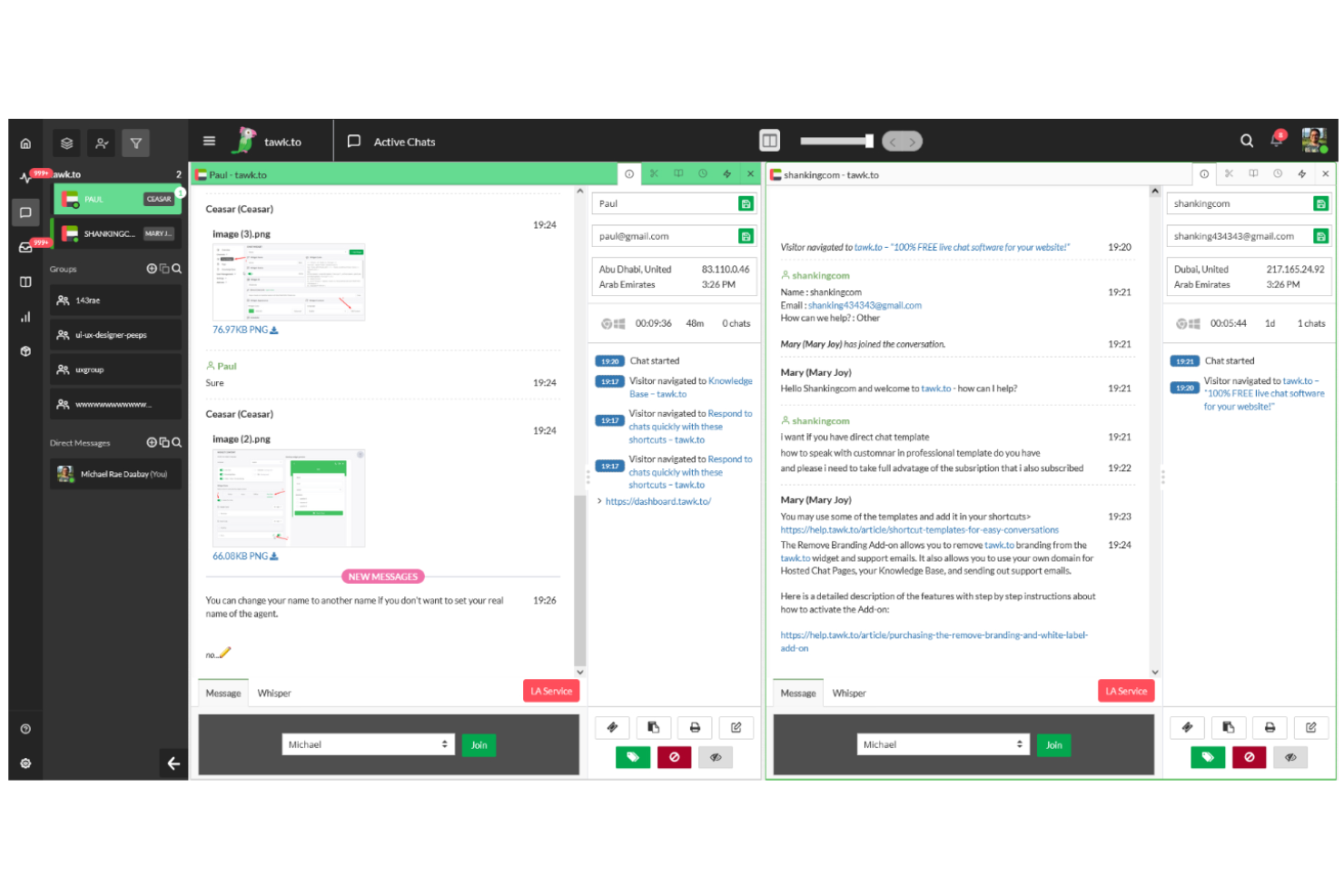
tawk.to è un software di chat dal vivo gratuito che include un widget di chat facile da installare, tracciamento delle chat in tempo reale e strumenti per indirizzare le conversazioni in chat, gestire risposte predefinite e coordinare più operatori di supporto in una unica dashboard.
Per chi è la soluzione tawk.to ideale?
tawk.to è adatto a team di assistenza clienti e a piccole imprese che devono gestire un elevato volume di chat aggiungendo operatori senza aumentare i costi.
Perché ho scelto tawk.to
Ho scelto tawk.to perché posso aggiungere un numero illimitato di operatori senza costi aggiuntivi, una rarità per un software di chat dal vivo gratuito. Mi piace che il mio team di supporto possa facilmente monitorare i visitatori del sito web, assegnare chat e gestire risposte salvate, il tutto senza limitare i membri del team o aumentare il prezzo. Nella mia esperienza, questo rende la scalabilità del supporto dal vivo molto più semplice quando si ha una crescente interazione clienti o un traffico chat intenso.
Funzionalità principali di tawk.to
- Tracciamento dei visitatori in tempo reale: Vedi cosa fanno i visitatori sul tuo sito e avvia una chat proattiva al momento giusto.
- Trigger automatici: Imposta messaggi o saluti automatici basati sul comportamento dei visitatori.
- Supporto per app mobile: Rispondi alle chat e monitora l'attività da dispositivi iOS e Android.
- Personalizzazione del widget: Modifica colori, posizione e branding del widget di chat con flessibili opzioni di personalizzazione.
Integrazioni tawk.to
Le integrazioni includono Shopify, WooCommerce, WordPress, Zapier, Slack e Google Analytics, con accesso API per flussi di lavoro e integrazioni personalizzate.
Cosa è gratuito?
tawk.to offre un piano gratuito per sempre con operatori illimitati e cronologia chat illimitata. La versione gratuita include tutte le funzionalità principali della piattaforma di chat ma mostra il branding di tawk.to sulla finestra della chat.
Pros and Cons
Pros:
- Gratis per sempre per operatori illimitati
- Monitoraggio in tempo reale dei visitatori del sito
- Centro assistenza integrato per i clienti
Cons:
- È necessario pagare per rimuovere il branding
- Le funzionalità AI avanzate richiedono componenti aggiuntivi a pagamento

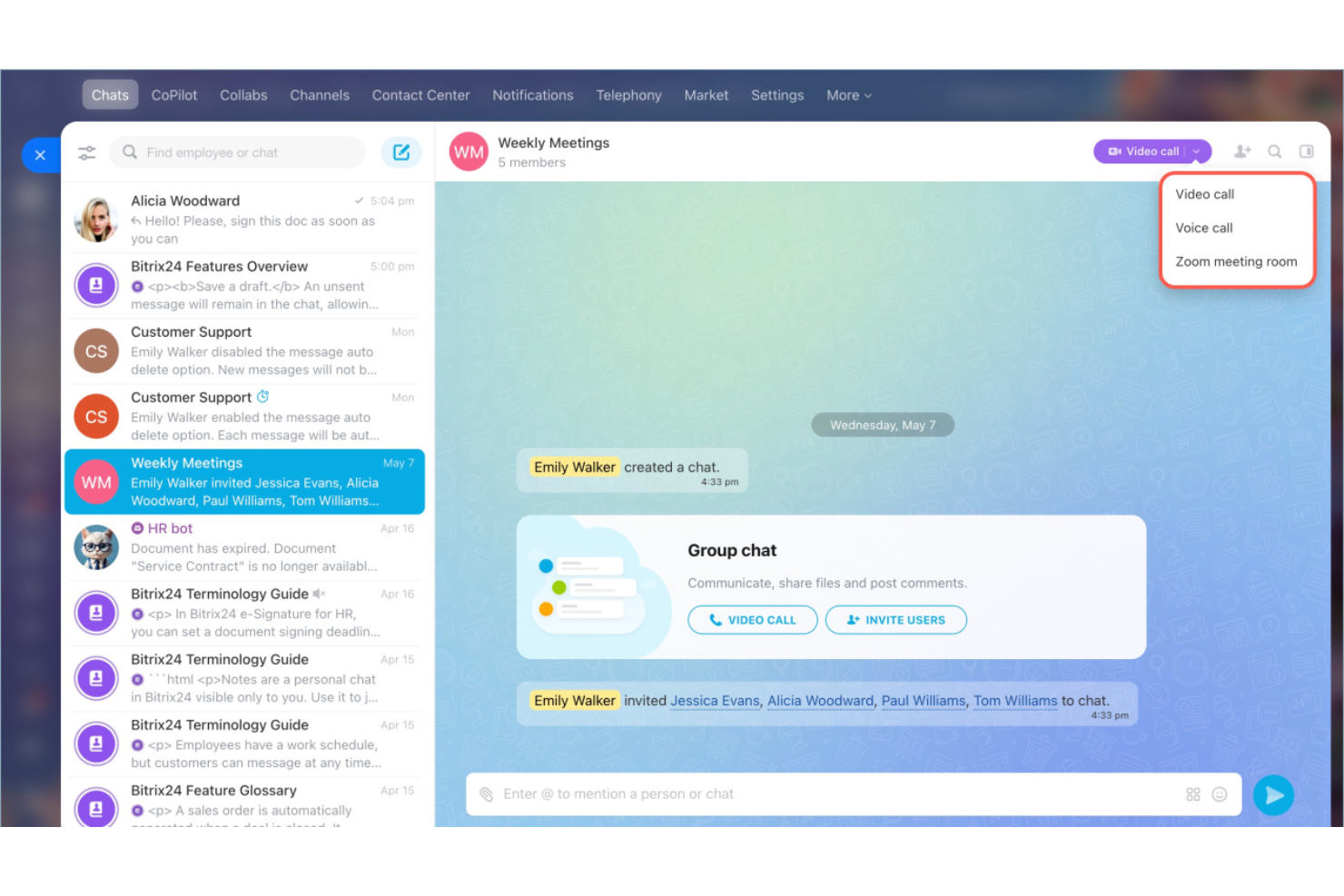
Bitrix24 è una piattaforma di gestione aziendale che include chat dal vivo gratuita, CRM, gestione progetti e strumenti di vendita, così puoi gestire assistenza clienti e vendite in un unico posto.
A chi si rivolge Bitrix24?
I team vendita e assistenza di piccole e medie imprese che desiderano gestire chat dal vivo, vendite e comunicazione con i clienti in un unico luogo.
Perché ho scelto Bitrix24
Ho scelto Bitrix24 tra i migliori perché offre la chat dal vivo insieme a un CRM completo, così posso seguire tutte le conversazioni e gestire i lead senza cambiare piattaforma. Mi piace avere chat, email, telefono e messaggi social nello stesso spazio di lavoro. La gestione integrata dei lead e l'automazione dei flussi di lavoro aiuta il mio team a passare dal primo messaggio alla conclusione della trattativa senza cambiare sistema.
Caratteristiche principali di Bitrix24
- Widget di chat integrata: Aggiungi la chat dal vivo al tuo sito web per coinvolgere i visitatori istantaneamente.
- Costruttore di chatbot: Automatizza le risposte alle domande frequenti grazie a bot personalizzabili.
- Tracciamento dei visitatori: Monitora l'attività dei visitatori del sito e visualizza la loro cronologia di navigazione in tempo reale.
- Posta in arrivo multicanale: Rispondi a chat, email e messaggi social da un unico cruscotto.
Integrazioni di Bitrix24
Le integrazioni includono WhatsApp, Telegram, Zapier, QuickBooks, Trello, Asana, Jira, WooCommerce, RingCentral e Twilio.
Cosa è gratuito?
Bitrix24 offre un piano gratuito per sempre con utenti illimitati e 5 GB di spazio online. Include una base di conoscenza e spazio illimitato per i file, ma limita la cronologia delle chat a 30 giorni e limita l'accesso all'automazione.
Pros and Cons
Pros:
- CRM completo per pipeline di vendita
- Gestione progetti con attività in chat
- Social network interno per i team
Cons:
- Curva di apprendimento ripida
- Navigazione può essere complessa
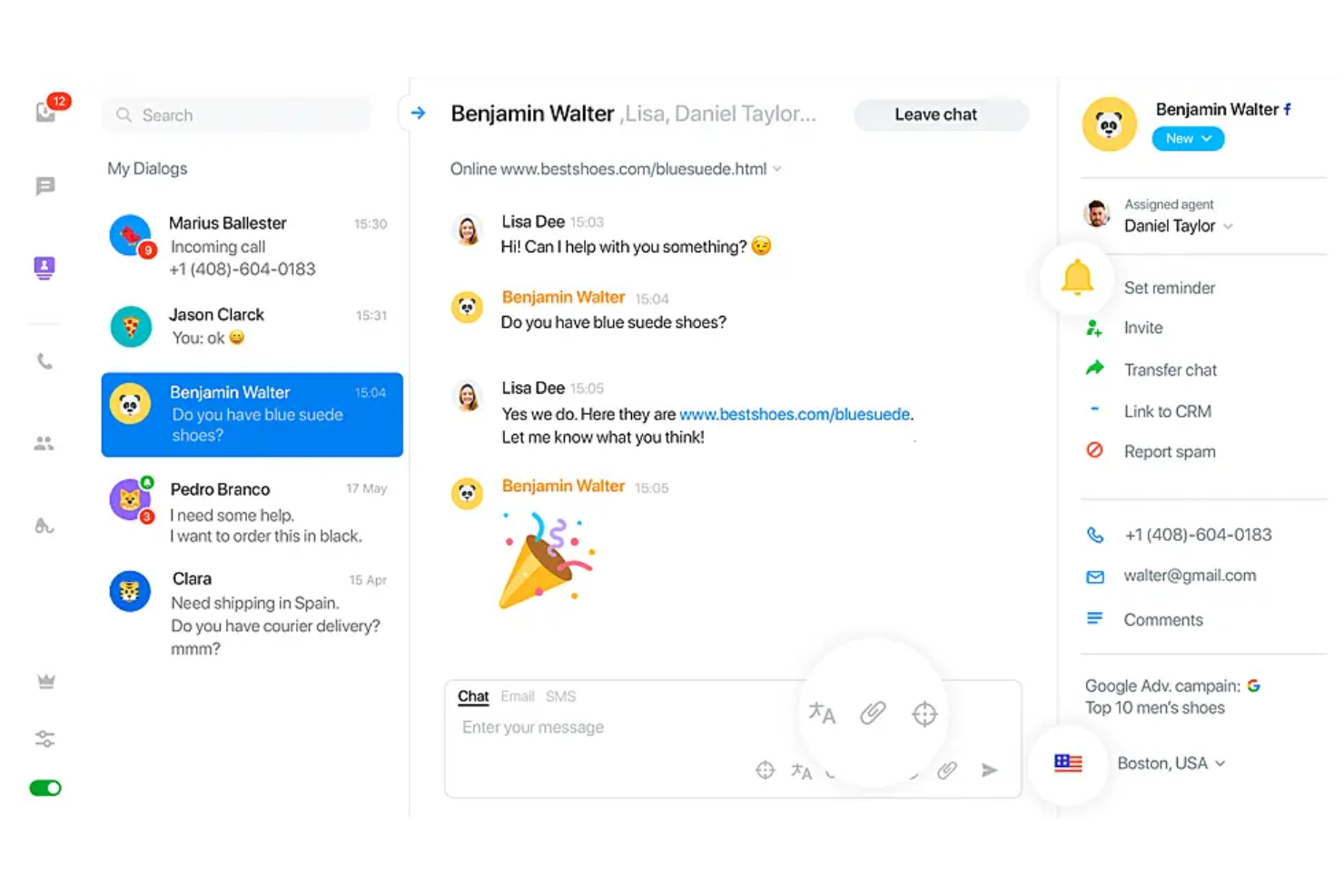
JivoChat è un software di chat dal vivo per siti web e app che combina chat web, chiamate telefoniche, social media e messaggi in un unico posto.
Per chi è ideale JivoChat?
JivoChat è adatto ai team del servizio clienti di piccole e medie imprese che desiderano gestire chat, chiamate e canali di messaggistica da un'unica piattaforma.
Perché ho scelto JivoChat
Ho scelto JivoChat come uno dei migliori perché combina chat, telefono e canali social in un'unica casella di posta. Posso gestire chiamate insieme a chat ed email nello stesso cruscotto, cosa rara tra i software di chat gratuiti. Mi piace come il mio team possa rispondere ai messaggi da WhatsApp, Instagram e Facebook insieme alla chat del sito, senza dover cambiare scheda.
Caratteristiche principali di JivoChat
- Risposte preimpostate: Salva risposte rapide per risposte veloci alle domande frequenti.
- Monitoraggio dei visitatori: Traccia chi è sul tuo sito in tempo reale.
- Trasferimento chat: Sposta le chat tra membri del team senza perdere il contesto.
- Supporto multilingue: Offri chat in diverse lingue per clienti globali.
Integrazioni di JivoChat
Le integrazioni includono Facebook Messenger, WhatsApp, Instagram, Viber, Slack, Shopify, Pipedrive, amoCRM, Bitrix24, Wix e Zapier, con accesso API per integrazioni personalizzate.
Cosa è gratuito?
JivoChat offre un piano gratuito per sempre per un massimo di cinque agenti e siti web illimitati. Include supporto omnicanale tramite Telegram, Viber e Facebook, ma limita la cronologia delle chat a due mesi e restringe l'accesso alle integrazioni avanzate con CRM.
Pros and Cons
Pros:
- Gestione dei canali social in un unico posto
- Centralino aziendale integrato nell'app
- Richieste di richiamata per l'assistenza telefonica
Cons:
- Costi aggiuntivi per le funzionalità telefoniche avanzate
- Controllo limitato sui pop-up automatici della chat

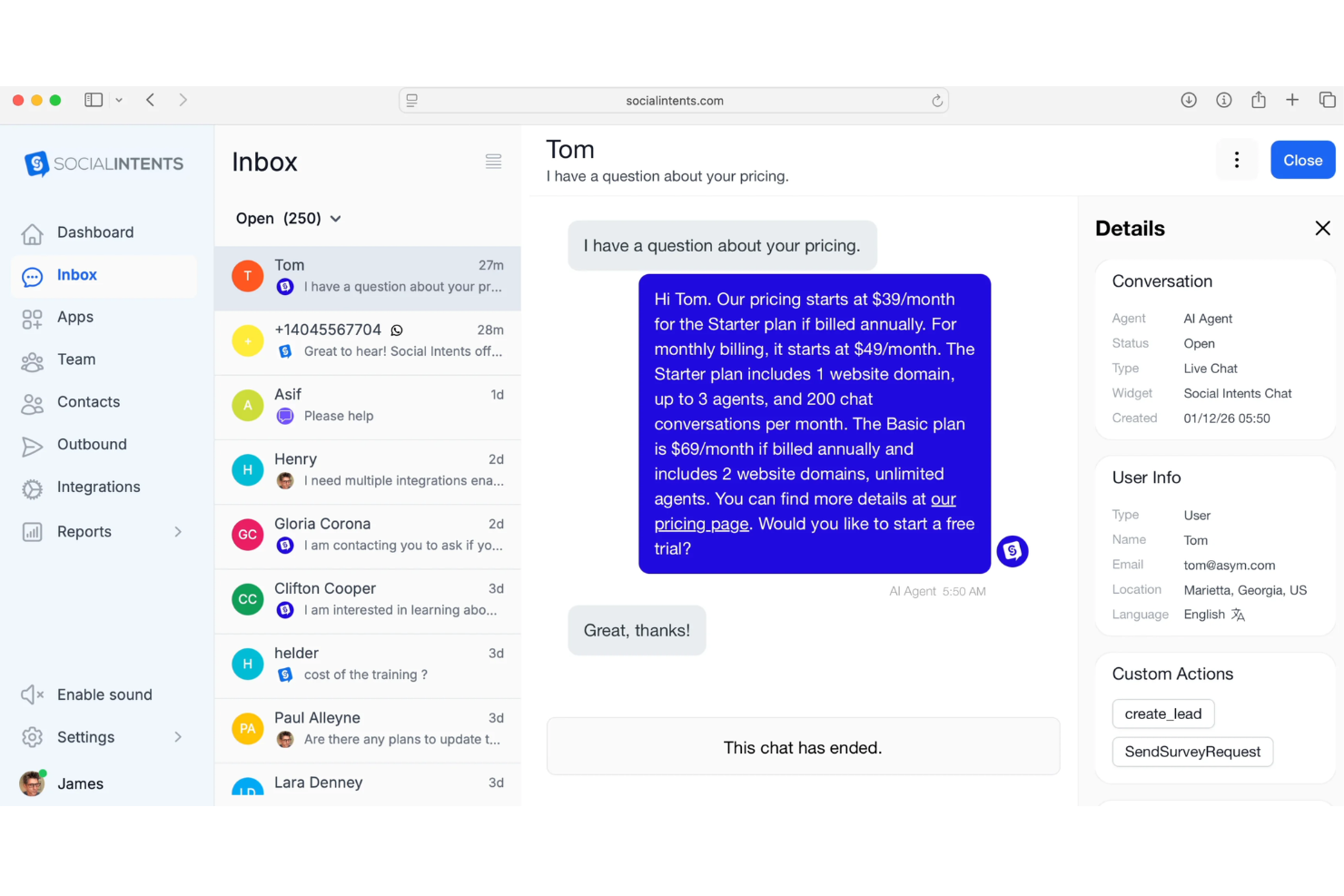
Social Intents è una soluzione software di live chat che collega i visitatori del sito web o gli utenti dai widget di chat direttamente a Microsoft Teams, offrendo funzionalità come instradamento automatico della chat, risposte predefinite e messaggistica multicanale, tutto gestito all’interno di Teams.
Per chi è ideale Social Intents?
Team che già utilizzano Microsoft Teams e che vogliono gestire le live chat dal loro sito web o da altri canali all’interno della propria piattaforma di collaborazione.
Perché ho scelto Social Intents
Ho scelto Social Intents tra i migliori perché collega in modo esclusivo la live chat direttamente a Microsoft Teams, così il mio team può chattare con i visitatori del sito web senza mai uscire da Teams. Mi piace come l’instradamento della chat, le risposte predefinite e la chat multicanale avvengano tutte nell’interfaccia di Teams. Secondo la mia esperienza, è il modo più fluido per integrare la live chat con la collaborazione interna quando già si fa affidamento su Microsoft Teams ogni giorno.
Funzionalità principali di Social Intents
- Integrazione chatbot: Collega chatbot AI per automatizzare le risposte nelle chat.
- Moduli pre-chat: Raccogli informazioni sui visitatori prima di iniziare una chat.
- Notifiche email e SMS: Invia notifiche in tempo reale agli operatori anche fuori da Teams.
- Personalizzazione del branding: Permette di personalizzare i widget di chat per adattarli al tuo brand.
Integrazioni di Social Intents
Le integrazioni includono WordPress, Shopify, Microsoft Teams, Slack, Salesforce, HubSpot, Zendesk, BigCommerce, Adobe Commerce e Wix.
Cosa è gratis?
Social Intents offre una prova gratuita di 14 giorni con accesso completo a tutte le funzionalità. Non esiste un piano gratuito per sempre e al termine della prova è necessario un abbonamento a pagamento.
Pros and Cons
Pros:
- Chat diretta da Microsoft Teams
- Gestione delle conversazioni all’interno dei canali Slack
- Sincronizzazione diretta con i lead di HubSpot
Cons:
- Nessuna app desktop autonoma
- Personalizzazione visiva del widget limitata
Altri software gratuiti per chat dal vivo
Ecco alcune opzioni aggiuntive di software gratuiti per chat dal vivo che non sono state incluse nel mio elenco, ma che vale comunque la pena prendere in considerazione:


Come Valuto i Software di Chat dal Vivo Gratuiti
Per prima cosa, definisco cosa intendo per gratuito. Nel caso dei software di chat dal vivo, questo significa un piano gratuito per sempre — non una prova — poiché i team di supporto hanno bisogno di un canale di chat sempre attivo, non temporaneo. Da lì inizio a valutare due livelli: le funzionalità di base che uno strumento deve avere per entrare in elenco e i fattori che distinguono un fornitore da un altro.
Funzionalità di Base (Requisiti Minimi per Questa Lista)
Oltre ai criteri sui piani gratuiti, utilizzo anche un sistema di punteggio per selezionare gli strumenti da includere nella mia lista. Ecco come funziona:
Valuto ciascuno su una scala da 0 (non offre la funzionalità) a 5 (eccelle in quell'area) per ciascuna delle funzionalità fondamentali elencate qui sotto. Poi, trasformo il punteggio totale dello strumento in una percentuale. Ogni strumento deve raggiungere un punteggio totale minimo del 65% per essere preso in considerazione.
- Widget di Chat in Tempo Reale: Controllo se il widget è integrabile, mobile responsive e sufficientemente personalizzabile da adattarsi all'immagine del marchio — come logo, colori e messaggio di benvenuto.
- Posta in Arrivo & Instradamento degli Agenti: È importante come le chat arrivano agli agenti. Cerco una casella condivisa con almeno un'assegnazione automatica di base, così più operatori possono gestire il volume su diversi turni.
- Contesto del Visitatore & Cronologia: Valuto se gli agenti possano vedere dettagli come la pagina corrente del visitatore, la posizione e le conversazioni precedenti prima ancora di rispondere.
- Risposte Predefinite & Trigger: Risposte salvate per domande comuni come "Dov'è il mio ordine?" e trigger proattivi basati sul comportamento dei visitatori aiutano i team ridotti a scalare la loro capacità.
- Condivisione di File & Media: Verifico la possibilità di scambiarsi file direttamente nella chat — i clienti spesso necessitano di inviare screenshot di errori o ricevere PDF — quindi entrambe le parti devono poter condividere allegati.
- Raccolta Messaggi Offline: Quando gli agenti non sono disponibili, il widget dovrebbe raccogliere i dettagli e i messaggi dei visitatori. Controllo se queste segnalazioni finiscono nella posta in arrivo o se generano avvisi via email.
Una volta che ho una lista di strumenti che rispettano i criteri, considero cosa rende ogni piattaforma unica.
Fattori Differenzianti (Cosa Distingue i Fornitori)
Ecco come confronto e distinguo i vari fornitori:
Funzionalità di Spicco
Un chatbot integrato — anche solo un flusso base basato su regole — può gestire domande ripetitive come le politiche di spedizione o il reset delle password, liberando gli agenti per conversazioni di valore superiore. Cerco inoltre app mobile per agenti, perché i team piccoli spesso devono rispondere dal telefono tra un'attività e l'altra. Le valutazioni CSAT post-chat insieme ad analisi di base su tempi di risposta e volume chat aiutano i responsabili CX a individuare lacune e a sostenere la richiesta di ulteriori risorse.
Oltre le Funzionalità
I limiti sui posti agenti determinano se un piano gratuito sia adatto a un vero team o solo a un singolo operatore — verifico quanti operatori possono essere online contemporaneamente nelle ore di punta. Anche i limiti su conversazioni e cronologia sono importanti, visto che un sito ecommerce trafficato può esaurire rapidamente il limite mensile di chat. Valuto anche le integrazioni native con strumenti come HubSpot, Shopify o WordPress, perché un widget di chat isolato porta a lavoro manuale extra per team già sotto pressione.
È facile perdersi in lunghi elenchi di funzionalità e strutture tariffarie complesse. Per aiutarti a rimanere concentrato mentre affronti il tuo processo di selezione del software, ecco un elenco di fattori da tenere presenti:
| Fattore | Cosa considerare |
|---|---|
| Scalabilità | Il piano gratuito supporterà il volume di chat e le dimensioni del team previste man mano che la tua attività cresce? |
| Integrazioni | Si collega nativamente al tuo CRM, sistema di assistenza o strumenti per il commercio elettronico, ora e in futuro? |
| Personalizzazione | Puoi adattare facilmente l'aspetto del widget di chat e il flusso di lavoro in modo che siano in linea con il tuo marchio e il tuo sito web? |
| Facilità d'uso | Il tuo team potrà iniziare rapidamente e gestire le chat senza una formazione approfondita o competenze tecniche? |
| Implementazione e onboarding | Con quale rapidità puoi iniziare a utilizzare lo strumento e quali risorse (guide, assistenza per la configurazione) sono disponibili? |
| Costo | Ci sono costi nascosti, limiti per utenti o chat oppure condizioni che attivano un upgrade oltre il piano gratuito? |
| Misure di sicurezza | I dati delle chat dei tuoi clienti saranno archiviati in modo sicuro e lo strumento offre i controlli necessari sui dati? |
| Disponibilità dell'assistenza | Quali opzioni di assistenza (chat, e-mail, base di conoscenza) sono incluse nel piano gratuito e durante l'onboarding? |
Che cos'è il software gratuito per chat dal vivo?
Il software gratuito per chat dal vivo consente di aggiungere messaggistica in tempo reale al tuo sito web senza costi, così puoi comunicare istantaneamente con visitatori o clienti. In genere include un widget di chat basato sul web e una dashboard per gestire le conversazioni. I piani gratuiti solitamente includono le funzionalità di chat essenziali, ma possono limitare il numero di utenti, il volume delle chat o le integrazioni.
Funzionalità del software gratuito per chat dal vivo
Vediamo le funzionalità più comuni nei software per chat dal vivo e quali sono generalmente incluse nei piani gratuiti rispetto a quelli a pagamento.
Funzionalità generalmente incluse nei software gratuiti per chat dal vivo
- Widget di chat in tempo reale: Consente di incorporare una casella di chat nel tuo sito web, così i visitatori possono avviare conversazioni in tempo reale con il tuo team.
- Cronologia di base delle conversazioni: Memorizza le chat recenti, così gli operatori possono consultare le conversazioni passate e fornire un'assistenza coerente.
- Notifiche agli operatori: Avvisa gli operatori quando arrivano nuovi messaggi o chat, aiutandoli a rispondere rapidamente alle richieste dei clienti.
- Trasferimento della chat: Consente agli operatori dell'assistenza di trasferire le conversazioni ad altri membri del team, se necessario.
- Instradamento limitato delle chat: Inoltra le chat in arrivo agli operatori disponibili o assegnati, in base a parametri di base definiti dall'azienda.
- Gestione degli utenti: Consente di invitare più membri del team e assegnare ruoli di base all'interno del sistema di chat.
- Visualizzazione delle informazioni sui visitatori: Mostra agli operatori informazioni di base sui visitatori, come la posizione o la fonte di provenienza, durante le chat.
- Aspetto personalizzabile: Consente di apportare semplici modifiche ai colori, al marchio o al messaggio di benvenuto del widget di chat, per adattarlo al tuo sito web.
Funzionalità del software di chat in tempo reale generalmente a pagamento
- Automazione avanzata e bot di conversazione: Utilizzano bot basati sull'intelligenza artificiale o su regole per rispondere alle richieste ripetitive o instradare le chat senza l'intervento umano.
- Messaggistica omnicanale: Integra i messaggi provenienti dal web, dai social media, dalle e-mail e dagli SMS in un'unica casella di posta per una gestione unificata.
- Analisi e report dettagliati: Fornisce dati granulari sul volume delle chat, sui tempi di risposta degli operatori e sulla soddisfazione dei clienti per monitorare le prestazioni.
- Attivatori per chat proattive: Invitano automaticamente i visitatori a chattare in base ai loro comportamenti, come il tempo trascorso sulla pagina o l'intenzione di uscita.
- Supporto multilingue: Consente di offrire interfacce di chat e risposte predefinite in più lingue per supportare il pubblico internazionale.
- Integrazione con CRM e assistenza tecnica: Sincronizza automaticamente i dati delle chat, i contatti e le trascrizioni con piattaforme più ampie per l'assistenza clienti o le vendite.
- Autorizzazioni utente avanzate: Offre controlli granulari degli accessi basati sui ruoli per gestire i privilegi degli operatori e degli amministratori.
- Condivisione di file e supporto multimediale: Consente agli utenti di inviare e ricevere allegati, immagini dello schermo o video direttamente nella finestra della chat.
- Chiamate video o vocali: Consente di effettuare chiamate vocali o video in tempo reale tramite il widget di chat, per un'assistenza più personale.
- Flussi di lavoro personalizzati e API: Consentono alle aziende di creare regole, automazioni o connessioni ad altri software per esperienze personalizzate.
Vantaggi del software gratuito di chat in tempo reale
L'implementazione di un software gratuito di chat in tempo reale offre diversi vantaggi al tuo team e alla tua azienda. Eccone alcuni:
- Coinvolgimento dei clienti in tempo reale: Parla direttamente con i clienti nel momento in cui visitano il tuo sito, utilizzando il widget di chat incorporato.
- Costi di assistenza ridotti: Servi più clienti con meno risorse, gestendo più chat contemporaneamente invece di ricorrere a telefonate o e-mail.
- Inserimento rapido del team: Porta rapidamente i nuovi operatori al livello necessario grazie a pannelli di controllo intuitivi, gestione degli utenti e risorse per la formazione.
- Maggiore soddisfazione dei clienti: Offri risposte immediate alle domande, risolvi rapidamente i problemi e conserva la cronologia delle conversazioni per avere il contesto necessario.
- Facile integrazione nel sito web: Aggiungi la chat al tuo sito senza requisiti tecnici complessi né competenze di programmazione.
- Accesso illimitato per gli utenti: Invita tutto il team a partecipare all'assistenza tramite chat, poiché la maggior parte dei piani gratuiti offre limiti generosi per gli operatori.
- Accesso alle funzionalità essenziali senza rischi: Prova le funzionalità di base della chat in tempo reale e determina cosa funziona per la tua azienda senza impegno finanziario.
Costi e prezzi del software di chat in tempo reale
Mi rendo conto che sei arrivato a questo articolo cercando le migliori opzioni di software di chat in tempo reale disponibili gratuitamente. Tuttavia, poiché i piani gratuiti offrono solo funzionalità limitate, è molto probabile che in futuro dovrai passare a un piano superiore.
La tabella seguente riassume i piani più comuni, i relativi prezzi medi e le funzionalità generalmente incluse nel software di chat in tempo reale:
Tabella comparativa dei piani per il software di chat in tempo reale
| Tipo di piano | Prezzo medio | Funzionalità comuni |
|---|---|---|
| Piano gratuito | $0 | Widget di chat dal vivo di base, strumenti essenziali per la gestione degli utenti, cronologia chat limitata, personalizzazione semplice e notifiche essenziali. |
| Piano personale | $5-$15/user/month | Trascrizioni delle chat, trasferimento delle chat tra agenti, reportistica di base, informazioni sui visitatori e opzioni di integrazione di base. |
| Piano aziendale | $20-$40/user/month | Automazione avanzata, supporto omnicanale, analisi dettagliate, strumenti per chatbot, personalizzazione ampliata e integrazioni CRM. |
| Piano per grandi aziende | $50-$100/user/month | Flussi di lavoro personalizzati, assistenza prioritaria, sicurezza avanzata, accesso API, ruoli utente avanzati e funzionalità di conformità. |
Domande frequenti sui software gratuiti di chat dal vivo
Ecco alcune risposte alle domande comuni sui software gratuiti di chat dal vivo:
I software gratuiti di chat dal vivo sono davvero gratuiti da usare?
Sì, la maggior parte dei software gratuiti di chat dal vivo offre un piano senza costi che puoi utilizzare per tutto il tempo che desideri. Tuttavia, questi piani solitamente prevedono limiti sul numero di agenti di supporto, sul volume delle chat o sulle funzionalità avanzate, il che può influire sulla soddisfazione dei clienti e richiedere un passaggio a un piano superiore con la crescita della tua azienda. Sebbene il prezzo iniziale sia pari a zero, potresti prima o poi aver bisogno di un componente aggiuntivo o di un piano a pagamento per supportare operazioni di dimensioni maggiori.
Posso utilizzare un software gratuito di chat dal vivo su più siti web?
Alcuni piani gratuiti consentono di installare il widget di chat su più di un sito web, ma molti limitano l’utilizzo a un solo dominio. Controlla sempre le funzionalità della piattaforma e i dettagli sui prezzi, per evitare sorprese dovute a restrizioni dopo la configurazione. Se desideri ottimizzare la tua portata, alcuni strumenti offrono funzionalità per più siti generose anche nei piani di base.
Quanto è sicuro un software gratuito di chat dal vivo?
La maggior parte degli strumenti gratuiti include la crittografia di base e la protezione dei dati dei clienti. Se gestisci dati sensibili, cerca opzioni conformi al GDPR, con archiviazione sicura dei dati e informative sulla privacy chiare, per proteggere tutte le interazioni con i clienti. Anche se utilizzi uno strumento di chat dal vivo più semplice, assicurarti che l’integrazione con il tuo CRM sia sicura è fondamentale per mantenere la fiducia durante le conversazioni in tempo reale
Quanto è facile configurare la chat dal vivo su un sito web?
La maggior parte delle soluzioni di chat dal vivo non richiede codice ed è facile da usare. Di solito puoi installare una casella di chat aggiungendo uno script al tuo sito web o utilizzando un plugin per le piattaforme supportate. La configurazione richiede in genere meno di un’ora, ma impostare flussi di lavoro, instradamento e automazione può richiedere più tempo a seconda delle tue esigenze. Per le startup, utilizzare risposte predefinite e domande frequenti nella finestra della chat può aiutare il team di supporto a gestire le conversazioni in modo più efficiente.
Un software gratuito di chat dal vivo rallenterà il mio sito web?
La maggior parte delle app di chat dal vivo è progettata per avere un impatto minimo sulla velocità del sito, quindi l’impatto sull’esperienza utente e sull’esperienza complessiva del cliente è minimo. Le prestazioni possono variare, quindi è una buona idea testare la piattaforma di chat dopo l’installazione, per assicurarti che i visitatori del tuo sito web possano continuare a navigare rapidamente. Una soluzione di chat dal vivo ben ottimizzata garantisce che la chat in tempo reale non ostacoli le tue conversioni.