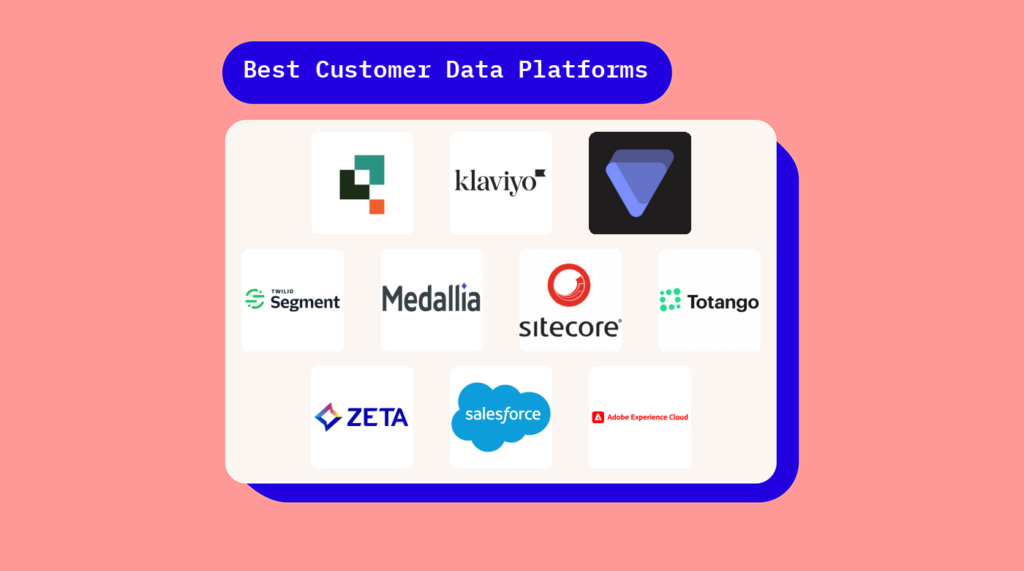
Kundedataplattformer hjelper deg med å sentralisere kundeinformasjon, slik at teamene dine kan levere mer personaliserte og sammenhengende opplevelser. Men når så mange verktøy kaller seg CDP-er, er det vanskelig å vite hvilke som faktisk samler dataene dine og gjør dem handlingsrettede.
I denne artikkelen deler jeg mine beste anbefalinger for de beste kundedataplattformene, slik at du kan segmentere målgrupper, aktivere innsikt i sanntid og samordne kundeopplevelsen på tvers av team og kanaler. Enten du håndterer servicehenvendelser, lanserer kampanjer eller personaliserer brukerreiser, gir disse verktøyene deg datagrunnlaget du trenger for å få mest mulig ut av enhver kundeinteraksjon.
Why Trust Our Software Recommendations
6,700+
Reviews
20
Industry experts
16+
Evaluation factors
14
Years
Our team has been testing and reviewing software since 2012. As CX leaders ourselves, we know how difficult—and important—it is to choose the right software.
For this guide, we evaluated tools using hands-on testing and independent research, scoring tools using our selection criteria.
Our reviews reflect our human editorial judgment, not a sales pitch.
 Gui DrusinaCreative Director
 Tim FisherVP of AI
Sammenligningstabell: Kundedataplattformer
Denne sammenligningstabellen oppsummerer grunnleggende detaljer om hvert av mine beste utvalg av kundedataplattformer.
| Tool | Best For | Trial Info | Price | ||
|---|---|---|---|---|---|
| 1 | Best no-code, highly customizable CDP | 30-day free trial | From $35/user/month (billed annually) | Website | |
| 2 | Best for customer data activation | Free plan available | From $20/month | Website | |
| 3 | Best for understanding health of customer portfolios | Free demo available | Pricing upon request | Website | |
| 4 | Best for ingesting and distributing user analytics data | Free plan available | From $120/month | Website | |
| 5 | Best for capturing customer feedback | Free demo available | Pricing upon request | Website | |
| 6 | Best for capturing omnichannel customer data | Free demo available | Pricing upon request | Website | |
| 7 | Best for startups seeking flexibility in optimizing customer journeys | Free demo available | Pricing upon request | Website | |
| 8 | Free demo available | Pricing upon request | Website | ||
| 9 | Best for unified customer profiles | Free demo available | Pricing upon request | Website | |
| 10 | Best for collecting B2B and B2C customer data in real-time | Free demo available | Pricing upon request | Website |


Oversikt over de 20 beste kundedataplattformene
Her er mine beste valg blant kundedataplattformene (CDP-er) som er tilgjengelige i dag, sammen med en kort beskrivelse av hva hver plattform passer best til:
 Best no-code, highly customizable CDP
- 30-day free trial
- From $35/user/month (billed annually)
Visit WebsiteCustomer Rating:4.4/5
QuickBase offers customizable database solutions for optimizing sales processes and team collaboration with no-code application development and real-time insights. Quickbase offers a low-code environment that empowers you to craft tailored applications, ensuring integration of data across your operations without requiring extensive technical expertise. By harnessing Quickbase, you can enhance workflow efficiency and gain real-time insights, making it an invaluable tool for any organization striving to optimize processes and leverage customer data for strategic growth.
Why I Picked Quickbase
I picked Quickbase for its unmatched ability to serve as a no-code, highly customizable customer data platform, perfect for those who want to design tailored applications without needing extensive technical skills. The intuitive visual builder allows you to create custom workflows and applications, streamlining processes across various industries. Additionally, Quickbase offers automation tools that simplify complex tasks, giving you more time to focus on strategic initiatives. With its integration capabilities, you can unify data from multiple sources, enhancing your ability to make informed decisions and drive business growth.
Quickbase Key Features
In addition to its no-code customization capabilities, Quickbase offers a range of features that enhance its functionality as a customer data platform.
- Built-in Email Notifications: Stay informed with automated alerts for critical events, ensuring your team is always up-to-date with the latest developments.
- RESTful APIs Library: Utilize a comprehensive set of APIs to automate tasks and integrate Quickbase with other systems, enhancing your workflow flexibility.
- Over 40 Built-in Connectors: Seamlessly connect with popular cloud services like Salesforce and Slack, enabling smooth data flow across your organization's tools.
- Mobile Access: Quickly access your applications on-the-go with a dedicated mobile app, allowing you to manage workflows from anywhere.
Quickbase Integrations
Integrations include Salesforce, Slack, Google Drive, Dropbox, DocuSign, QuickBooks Online, Box, Zendesk, ServiceNow, and Snowflake.
Pros and Cons
Pros:
- Quickbase offers a versatile low-code environment for customization
- Drag-and-drop interface simplifies application development
- Strong user role management controls data visibility effectively
Cons:
- Limitations in mobile functionality may hinder on-the-go access
- Integration challenges can arise, needing advanced API knowledge
Learn more about Quickbase: Best for customer data activation
- Free plan available
- From $20/month
Visit WebsiteCustomer Rating:4.6/5
Klaviyo's customer data platform provides intelligence into a range of metrics, including funnel performance. Klaviyo’s Data Platform puts your customer information at the center of your engagement strategy so you can use that information across marketing, service, and analytics without stitching multiple systems together. It brings in data from many parts of your tech stack, helps you build detailed customer profiles, and activates those profiles in campaigns that speak directly to how people behave and interact with your brand—ideal if your team wants more out of your customer data than simple lists and reports.
Why I Picked Klaviyo
I love Klaviyo's ability to unify and activate customer data seamlessly. Its real-time behavior-based segmentation feature allows you to target specific audiences with precision, enhancing your marketing efforts. Additionally, the platform's AI-driven predictive analytics provide valuable insights into customer behavior, helping anticipate needs and tailor marketing strategies accordingly. With over 350 integrations, Klaviyo ensures that your data connectivity remains robust and versatile.
Klaviyo Key Features
In addition to its powerful segmentation and predictive analytics capabilities, Klaviyo offers several other features:
- Omnichannel Marketing: Klaviyo supports marketing across email, SMS, and social media, allowing you to reach customers wherever they are.
- AI-Powered Marketing Agents: Uses built-in AI tools to generate campaign content, suggest segments, and optimize strategies based on patterns in your own data.
- Drag-and-Drop Email and Campaign Builder: Create and customize email and SMS campaigns with an intuitive visual editor.
- Automated Flows & Triggers: Allows for the automatic sending of emails based on specific customer actions, enhancing engagement.
Klaviyo Integrations
Integrations include Shopify, WooCommerce, BigCommerce, Magento, Salesforce, Stripe, Facebook, Instagram, Google Ads, and Mailchimp.
Pros and Cons
Pros:
- Offers comprehensive data integration for unified customer profiles.
- Provides AI-driven insights for personalized marketing strategies.
- Supports omnichannel marketing, including email, SMS, and social media.
Cons:
- Some users desire more customization options.
- Pricing can escalate quickly as contact lists grow.
Learn more about Klaviyo: Best for understanding health of customer portfolios
- Free demo available
- Pricing upon request
Visit WebsiteCustomer Rating:4.6/5
Velaris offers a centralized database of customer data, including customer health and sentiment analytics Velaris is designed for businesses looking to enhance customer engagement and streamline operations. It seamlessly integrates into your processes, offering tailored solutions for teams like customer success, sales, and marketing. By automating routine tasks and using predictive analytics, Velaris helps you focus on meaningful interactions, predict churn, and craft personalized customer journeys.
Why I Picked Velaris
I picked Velaris because it excels in providing insights into the health of customer portfolios, a crucial aspect for any business looking to optimize customer success efforts. Velaris's Health Score Builder allows you to create customized health scores using real-time metrics such as user activity and support ticket volume, which can predict churn risks and uncover expansion opportunities. Its multi-tiered health monitoring offers both comprehensive and granular insights, ensuring you can assess customer health at various levels. Additionally, the platform's automation capabilities streamline workflows by sending alerts and triggering actions based on health score changes, allowing you to proactively manage customer relationships.
Velaris Key Features
In addition to its ability to provide insights into customer portfolio health, Velaris offers a range of features that enhance its functionality as a customer data platform.
- Account Overview: Offers a clear view of all customer accounts, helping you quickly identify risks and opportunities for engagement.
- Customizable Health Scores: Allows you to tailor metrics to predict customer health and churn risks effectively.
- Report Generation: Enables the creation of shareable reports on various data types, ensuring informed decision-making processes.
- Real-Time Alerts: Notifies your team immediately about potential risks, empowering proactive customer relationship management.
Velaris Integrations
Integrations include Hubspot, Intercom, and over 70 other native connections, with options for custom-built solutions through flexible technical integration options.
Pros and Cons
Pros:
- AI-powered analytics for better insights
- Effective automation features to streamline workflows
- Good customer data aggregation
Cons:
- New users may face a learning curve when getting started
- Could offer more integrations
Learn more about Velaris: Best for ingesting and distributing user analytics data
- Free plan available
- From $120/month
Visit WebsiteCustomer Rating:4.5/5
Segment introduced Sources for developers to integrate customer data into their data warehouses. For those seeking a customer data platform that integrates and activates data in real-time, Segment offers a solution designed to meet the needs of diverse industries, including retail, healthcare, and financial services. By providing a single API for data integration and tools for managing customer profiles, Segment empowers your team to enhance customer engagement and make informed decisions without compromising data quality or user privacy. With its extensive integrations and a focus on personalized experiences, Segment is an ideal choice for organizations aiming to optimize their customer data management and improve overall interactions.
Why I Picked Segment
I picked Segment for its unparalleled ability to ingest user analytics data and distribute it to data warehousing applications, addressing a critical need for businesses wanting to leverage their data fully. With its unique Connections feature, Segment integrates web and mobile app data through a single API, transforming and loading it into warehouses, which simplifies data management for your team. The Unify feature consolidates customer data across various channels, ensuring that your marketing and product teams have access to comprehensive and synchronized customer profiles. Additionally, the Reverse ETL capability allows for the movement of data from warehouses back to applications, facilitating a dynamic flow of insights that can enhance decision-making processes across your organization.
Segment Key Features
In addition to its exceptional capabilities in data ingestion and distribution, Segment offers a suite of features designed to enhance your customer data platform experience.
- Twilio Engage: Facilitates personalized marketing through dynamic audience building and orchestrated customer journeys.
- Protocols: Ensures data quality and protects user privacy by providing tools for data governance and compliance.
- Privacy & Security: Offers resources for data protection and compliance with regulations like GDPR, ensuring your data handling meets global standards.
- Integrations: Provides a vast array of integrations with advertising, analytics, CRM, and other platforms, making it easier for your team to connect Segment with existing tools.
Segment Integrations
Integrations include Amplitude, Mixpanel, Google Analytics, HubSpot, Mailchimp, Salesforce, Marketo, Facebook Ads, Zendesk, and Slack.
Pros and Cons
Pros:
- Enables building event pipelines across apps and integrations
- Easy deduplication for streamlining real-time data updates
- Handles PII information and GDPR and CCPA compliance well
Cons:
- Struggles with large data volumes and loading data in one sync
- Retrieving user data with frontend libraries can be difficult
Learn more about Segment: Best for capturing customer feedback
- Free demo available
- Pricing upon request
Visit WebsiteCustomer Rating:4.6/5
Medallia provides role-based dashboards and alerts to enable better decision-making For those seeking a CDP that excels in transforming feedback into actionable insights, Medallia is an ideal solution. Tailored for industries ranging from healthcare to retail, it empowers you and your team to enhance customer and employee experiences through its AI-driven analytics and integrations. By capturing valuable insights from diverse interactions, Medallia enables you to optimize operations and foster meaningful improvements, positioning itself as a top choice for leveraging customer data to boost engagement and satisfaction.
Why I Picked Medallia
I chose Medallia for its exceptional ability to capture customer feedback, a critical feature for any customer data platform. With its advanced feedback collection capabilities, Medallia allows you to deploy personalized surveys through multiple channels, including email and messaging apps, ensuring you capture insights wherever your customers are. The platform's smart sampling feature helps manage feedback collection, reducing bias and enhancing the accuracy of your data. Additionally, Medallia's AI-powered text and sentiment analysis provides you with actionable insights, enabling your team to respond proactively to customer needs and improve satisfaction.
Medallia Key Features
In addition to its strengths in capturing customer feedback, Medallia offers a range of features that enhance its capabilities as a customer data platform.
- AI-Powered Contact Centers: This feature leverages advanced analytics to enhance customer interactions and predict trends, allowing your team to anticipate and meet customer needs effectively.
- Medallia Experience Cloud: Provides robust integration capabilities for large enterprises, enabling you to automate feedback collection and improve the overall customer experience across various platforms.
- Total Experience (TX) Profiles: Creates a comprehensive timeline of customer interactions, which helps you deliver personalized services and develop effective omni-channel strategies.
- Root Cause Analysis: Offers actionable intelligence by identifying underlying issues in customer experiences, enabling your team to address problems proactively and improve satisfaction.
Medallia Integrations
Integrations include Genesys, Amazon, Salesforce, Zendesk, Microsoft Dynamics, ServiceNow, SAP, Oracle, Adobe Experience Cloud, and Twilio.
Pros and Cons
Pros:
- Strong governance and permissions model
- Granular sampling and quota controls
- Wide channel coverage for feedback capture
Cons:
- Complex to manage across business units
- Setup and schema design need planning
 Best for capturing omnichannel customer data
- Free demo available
- Pricing upon request
Visit WebsiteCustomer Rating:4.7/5
Sitecore CDP's customer journey analytics dashboard enables you to understand user behavior and page performance on your channels Sitecore's Customer Data Platform offers a unique solution that harnesses the power of AI-driven personalization and extensive integration capabilities. This platform is ideal for ecommerce, content-driven businesses, omnichannel retailers, and sectors such as finance and healthcare that require tailored customer interactions. By providing a unified customer view and real-time data activation, Sitecore helps you overcome challenges like data silos and privacy concerns, enabling your team to deliver personalized experiences that resonate with your audience.
Why I Picked Sitecore
I picked Sitecore because it excels in capturing, unifying, and activating omnichannel customer data, which is crucial for driving exceptional customer experiences. The platform's ability to integrate data from diverse sources, such as web, app, email, and IoT devices, provides a comprehensive view of customer interactions. I appreciate how Sitecore's real-time data collection and advanced segmentation capabilities empower your team to create personalized marketing strategies. By offering actionable insights and facilitating seamless connectivity with other services, Sitecore addresses the challenges of data management, enabling you to optimize customer engagement effectively.
Sitecore Key Features
In addition to its robust capabilities in capturing and activating customer data, Sitecore offers several key features that enhance its functionality as a Customer Data Platform.
- Personalization at Scale: Sitecore utilizes AI to deliver tailored customer interactions based on individual preferences and behaviors.
- Robust Data Management: The platform ensures data accuracy through automatic cleansing, allowing your team to rely on up-to-date information.
- Security and Compliance: Sitecore prioritizes data security and helps you comply with international privacy regulations, such as GDPR.
- Extensive Ecosystem Support: It integrates well with other Sitecore products, enhancing personalization without requiring additional integrations.
Sitecore Integrations
Native integrations include Sitecore Personalize, XM Cloud, Salesforce CRM, Salesforce Marketing Cloud, and Amazon S3.
Pros and Cons
Pros:
- Batch segmentation for deep datasets
- Flexible identity stitching options
- Scales to large event volumes
Cons:
- Data lake exports increase ops overhead
- Tagging strategy must be rigorous
Learn more about Sitecore: Best for startups seeking flexibility in optimizing customer journeys
- Free demo available
- Pricing upon request
Visit WebsiteCustomer Rating:4.3/5
Totango offers an executive dashboard that comprehensively overviews customer success metrics. Totango offers an innovative approach to enhancing customer growth and retention. It combines customer management software with predictive revenue intelligence and a robust Value Methodology, making it ideal for enterprises focused on customer-led growth. With AI-driven insights and customizable workflows, Totango helps your team maximize customer ROI and adapt to evolving business needs, addressing the challenge of aligning sales and post-sales efforts to achieve shared outcomes.
Why I Picked Totango
I picked Totango for its unique ability to cater to startups seeking flexibility in optimizing customer journeys. The platform's Unison Customer Intelligence Engine uses AI to predict customer churn by analyzing engagement data, providing tailored insights that are crucial for startups aiming to enhance customer retention. Additionally, the Catalyst Customer Growth Platform offers automated workflows and customizable dashboards, allowing for personalized campaigns and seamless adaptation to evolving business needs. These features collectively help your team prevent churn and drive revenue growth, making Totango a compelling choice for those focused on customer success.
Totango Key Features
In addition to its flexibility for startups, Totango offers a range of features designed to enhance customer data management.
- SuccessBLOCs: This feature provides tailored templates and tactics to drive effective customer success strategies, ensuring your team can implement best practices quickly.
- Multidimensional Health Score: By evaluating various factors, this feature allows you to assess customer health comprehensively, helping in identifying areas that need attention.
- Customer Segmentation: This tool enables you to group customers for targeted marketing and engagement strategies, making it easier to personalize your interactions.
- Outcome Success Plans: Collaborate with customers to establish shared success objectives, ensuring alignment and clarity in your customer relationships.
Totango Integrations
Integrations include Slack, Salesforce, MS Outlook, Zendesk, Gmail, Hubspot, Amazon S3, Chorus, Dropbox, Gong, Jira, monday, Pendo, and more.
Pros and Cons
Pros:
- Successplays feature to help CX teams standardize user experience
- Easy and configurable journey mapping
- Customer health score tracking and analysis
Cons:
- Product usage aggregation sometimes creates blank accounts
- Logging updates on touchpoints takes many clicks
Learn more about Totango:
 Learn more about Zeta Global:
 Best for unified customer profiles
- Free demo available
- Pricing upon request

Provides a 360 degree customer view across sales and service For those of you looking to elevate your customer engagement strategies, Salesforce Data Cloud offers a unified view of customer interactions by integrating multiple data sources. This platform is tailored for organizations that prioritize customer-centric approaches, providing industry-specific data models and advanced AI capabilities to personalize experiences and boost engagement. By tackling complex data challenges, it becomes an essential tool for optimizing your marketing, sales, and service operations.
Why I Picked Salesforce Data Cloud
I picked Salesforce Data Cloud for its exceptional capability in creating unified customer profiles, a must-have for businesses seeking a comprehensive view of their customers. The platform excels in integrating data from multiple sources in real-time, ensuring that your team can make informed decisions quickly. With advanced segmentation capabilities, you can tailor customer interactions based on attributes like purchase history and engagement. Additionally, its integration with AI for predictive analytics enhances your ability to anticipate customer needs and personalize experiences, making it an invaluable tool for optimizing customer engagement strategies.
Salesforce Data Cloud Key Features
In addition to its robust capabilities for unified customer profiles, Salesforce Data Cloud offers an array of features designed to enhance your data management experience.
- Zero-Copy Connectors: Enable real-time access to external data warehouses without duplicating data, ensuring security and reducing latency.
- Vector Search: Supports advanced AI applications by retrieving records based on meaning, improving contextually relevant insights.
- Data Cloud Sandboxes: Provide safe environments for testing without affecting production data, facilitating collaboration between teams.
- Policy and Data Governance: Ensures controlled access and compliance with regulations through built-in policies and audit trails.
Salesforce Data Cloud Integrations
Integrations include Amazon services, Google Analytics, LinkedIn, Salesforce CRM, Salesforce Marketing Cloud, Salesforce Service Cloud, SAP services, Snowflake, Tableau, TikTok, WordPress, and Zendesk.
Pros and Cons
Pros:
- Real-time profiles for timely actions
- Flexible identity rules and merges
- Tight alignment with Salesforce workflows
Cons:
- Implementation needs skilled admins
- Query logic can get complex
Learn more about Salesforce Data Cloud: Best for collecting B2B and B2C customer data in real-time
- Free demo available
- Pricing upon request

Abode Real-Time CDP segregates all behavioral and customer data in its single-view dashboard from both existing Adobe Cloud solutions and non-Adobe native data sources. For those seeking a sophisticated solution to unify customer data and enhance personalized marketing, Adobe Real-Time CDP offers a compelling platform. By integrating data from across your enterprise, it allows you to create actionable customer profiles in real-time, fostering enriched customer engagement. This platform is particularly appealing to marketers and businesses aiming to deliver personalized experiences while maintaining robust data governance and privacy controls.
Why I Picked Adobe Real-Time CDP
I picked Adobe Real-Time CDP for its ability to unify B2B and B2C customer data in real-time, which is crucial for businesses needing instant audience activation. The platform excels with features like unified customer profiles, which centralize data from online and offline sources, enabling actionable insights and personalized marketing strategies. Its audience management capabilities allow for real-time enrichment and segmentation, ensuring that your marketing efforts are always relevant and timely. Additionally, Adobe Real-Time CDP’s emphasis on cookieless marketing ensures you can maintain effective customer engagement without relying on third-party cookies, addressing privacy concerns and evolving digital landscapes.
Adobe Real-Time CDP Key Features
In addition to its real-time data collection capabilities, Adobe Real-Time CDP offers several other valuable features for businesses looking to optimize their customer data strategies.
- Data Governance: This feature equips your team with tools to manage compliance and privacy, ensuring that customer data is handled responsibly and in accordance with regulations.
- Collaboration: Adobe Real-Time CDP includes a data collaboration application that connects advertisers and publishers, allowing them to identify high-value audiences while maintaining data privacy.
- Connections: Streamline data collection and distribution to Adobe Experience Platform and other tools, enhancing site performance and marketing experiences by ensuring data flows seamlessly across systems.
- AI Assistant: An integrated AI Assistant helps streamline workflows and improve productivity, making it easier for your team to manage and activate customer data efficiently.
Adobe Real-Time CDP Integrations
Integrations include Adobe Journey Optimizer, Adobe Customer Journey Analytics, Adobe Experience Platform, Facebook, Google, and other Adobe products.
Pros and Cons
Pros:
- Facilitates privacy compliance with robust data governance tools
- Offers real-time data integration to improve decision-making
- Effective search function for parsing customer data
Cons:
- Requires integration with Adobe products for full functionality
- Lacks an intuitive toolbar
Learn more about Adobe Real-Time CDP:
Andre alternativer
Her er noen flere kundedataplattformer som ikke kom med på listen min, men som likevel er verdt å undersøke:
- 11Tealium AudienceStream CDPBest for optimizing data infrastructure to develop single customer views
- 12Emarsys Best for automated cross-channel marketing automation
- 13Treasure DataBest for connected CX through unified user data
- 14OptimoveBest for personalized marketing strategies
- 15Zeta Best for scalable data processing and schemaless architecture
- 16mParticle Best for journey orchestration and predictive customer intelligence
- 17RudderstackBest warehouse native CDP for entire data activation cycle
- 18Pimcore CDPBest open-source CDP for automating data integration, unification, modeling
- 19Customer.ioBest CDP with a visual workflow builder
- 20Creatio CRMBest for centralized customer data management
- 21BloomreachBest for integrating CDP with content management and search
- 22ActionIQBest for turning fragmented customer data into single customer views and orchestrating user journeys at scale
- 23LeadspaceBest AI-powered B2B CDP tool with third-party data coverage to visualize, analyze, and optimize data and scoring models on-demand
- 24Amperity Best for creating comprehensive customer profiles using first-party data
- 25Lytics Best CDP with cloud-data warehouse integrations and native generative AI capabilities
How I Evaluate Customer Data Platforms
When a CDP can't resolve identities or push segments downstream in real time, it doesn't make the list—then I evaluate differentiators like warehouse integration and predictive modeling.
Core Functionality (Table Stakes For This List)
When I'm selecting tools for my list, I rank each one on a scale from 0 (does not offer the functionality) to 5 (excels in this area) for each core functionality listed below. Then, I calculate the tool's total score into a percentage. Each tool needs to achieve a minimum total score of 75% to be considered for inclusion.
- Data Ingestion & Integration: I check whether a platform can pull data from the sources CX teams actually rely on—web analytics, mobile SDKs, CRM systems, transactional databases, and offline events like in-store interactions.
- Identity Resolution: Stitching a known email login to earlier anonymous browsing sessions is table stakes, so I evaluate how each tool handles cross-device and cross-channel identity matching.
- Unified Customer Profiles: Each platform should consolidate behavioral events, purchase history, and demographic attributes into a single queryable record that updates as new data flows in.
- Audience Segmentation: I look for a visual segment builder where CX teams can create dynamic audiences—like customers who browsed a product category three times but never purchased—without writing SQL or filing engineering tickets.
- Real-Time Activation: Segments need to reach downstream destinations like email platforms, ad networks, and personalization engines, so I evaluate connector breadth and whether syncs happen in real time or only via scheduled batch jobs.
- Data Governance & Consent: Privacy compliance shapes how every profile gets built and activated, so I look at consent collection workflows, PII access controls, and support for regulations like GDPR and CCPA.
Once I have a list of tools that meet this criteria, I consider what sets each platform apart.
Differentiating Factors (What Sets Vendors Apart)
Here's how I compare and contrast different vendors:
Standout Features
Predictive scoring—like churn risk or lifetime value models—saves CX teams from relying on data science backlogs to prioritize outreach. I also evaluate whether a platform offers native journey orchestration, since triggering a retention flow the moment a high-value customer's engagement drops is far more useful than exporting a static list. Zero-copy warehouse integration matters too; platforms like Hightouch and Census let teams activate data directly from Snowflake or BigQuery without duplicating it into yet another silo.
Beyond Features
Pricing model transparency is one of the first things I check—profile-based, event-based, and MTU-based billing all scale very differently once you're ingesting millions of interactions monthly. I also evaluate integration depth, specifically whether a CDP connects natively with the CX stack you already run (helpdesks, email platforms, analytics tools) or requires custom engineering. Compliance posture matters just as much; I look for SOC 2 Type II certification, regional data residency options, and native consent management rather than bolt-on workarounds.
Slik velger du riktig CDP
Det er lett å gå seg vill i lange funksjonslister og komplekse prismodeller når du skal velge riktig CDP. For å hjelpe deg med å holde fokus mens du går gjennom den unike prosessen din for valg av programvare, får du her en sjekkliste over faktorer du bør ha i tankene:
| Faktor | Hva du bør vurdere |
|---|---|
| FaktorSkalerbarhet | Hva du bør vurdereSørg for at plattformen kan vokse sammen med virksomheten din. Se etter løsninger som kan håndtere økt datamengde og brukerbelastning uten at det går ut over ytelsen. |
| FaktorIntegrasjoner | Hva du bør vurdereKontroller at plattformen er kompatibel med verktøyene du allerede bruker. En plattform som enkelt integreres med CRM-, markedsførings- og analyseverktøy, sparer teamet ditt for tid og arbeid. |
| FaktorTilpasningsmuligheter | Hva du bør vurdereSe etter tilpasningsmuligheter som lar deg skreddersy plattformen etter dine spesifikke behov. Dette omfatter personaliserte dashbord og rapporteringsfunksjoner. |
| FaktorBrukervennlighet | Hva du bør vurdereVelg en plattform med et intuitivt grensesnitt. Teamet ditt vil dra nytte av en kortere læringskurve, noe som reduserer tiden det tar å bli fortrolig med løsningen. |
| FaktorBudsjett | Hva du bør vurdereTa hensyn til de økonomiske begrensningene dine. Vurder de totale eierkostnadene, inkludert eventuelle ekstragebyrer for brukerstøtte eller premiumfunksjoner, slik at du holder deg innenfor budsjettet. |
| FaktorSikkerhetstiltak | Hva du bør vurderePrioriter plattformer med robuste sikkerhetstiltak. Sørg for at de overholder personvernforordninger, for eksempel GDPR, for å beskytte kundeinformasjonen din. |
Trender innen kundedataplattformer
I researcharbeidet mitt hentet jeg inn utallige produktoppdateringer, pressemeldinger og lanseringslogger fra ulike leverandører av kundedataplattformer. Her er noen av trendene som er i ferd med å vokse frem, og som jeg følger med på:
- Sanntidsdatabehandling: Virksomheter ønsker umiddelbar innsikt, og plattformene utvikler seg for å behandle data i sanntid. Denne trenden hjelper team med å ta raskere beslutninger, og enkelte leverandører tilbyr sanntidsdashbord og umiddelbar analyse for å møte denne etterspørselen.
- AI-drevne kundeinnsikter: Plattformene integrerer AI og maskinlæring for å forutsi kundeatferd og tilpasse opplevelser. Denne trenden gir virksomheter et konkurransefortrinn ved å skreddersy interaksjoner mer effektivt.
- Forbedringer innen personvern: Plattformene styrker sikkerhetsfunksjonene sine. Leverandørene legger til verktøy for bedre overholdelse av regelverk som GDPR, slik at kundedata håndteres på en ansvarlig måte.
- Integrasjon på tvers av alle kanaler: Plattformene fokuserer på å samle kundedata fra ulike kanaler. Denne trenden hjelper virksomheter med å skape en helhetlig kundeopplevelse ved å integrere data fra sosiale medier, e-post og interaksjoner i butikk.
- Løsninger rettet mot større virksomheter: Tilbyr kundedataplattformløsninger skreddersydd for større virksomheter, utviklet for å forbedre kampanjeresultater og skape gode kundeopplevelser ved å samle enorme datamengder på en effektiv måte.
Hva er en kundedataplattform?
En kundedataplattform er programvare som samler inn og forener data fra flere kilder for å opprette en sentralisert oversikt over hver kunde i sanntid. Den gjør det mulig for team å analysere atferd, tilpasse interaksjoner og samordne opplevelser på tvers av kanaler.
Funksjoner i kundedataplattformer
Når du velger kundedataplattformer, bør du se etter følgende viktige funksjoner:
- Samlede kundeprofiler: Samle data fra flere kilder for å opprette en enkelt, omfattende oversikt over hver kunde. Dette hjelper deg med å unngå pinlige situasjoner der markedsføringen sender «Gratulerer med dagen»-e-poster til feil person.
- Databehandling i sanntid: Samle inn, analyser og oppdater kundeinformasjon umiddelbart. Med umiddelbar innsikt kan du reagere på kundehandlinger like raskt som de skjer – du trenger ikke lenger å ligge etter.
- Funksjoner for dataintegrasjon: Koble sømløst til de ulike systemene dine – CRM-systemer, kontoer på sosiale medier, nettanalyse og mer – slik at alle kundedataene dine fungerer godt sammen, og ingen innsikt går tapt.
- Segmenteringsverktøy: Del målgruppen din inn i svært målrettede grupper ved hjelp av spesifikke kjennetegn eller atferd. Dette betyr at budskapene dine kan være tilpassede og relevante, ikke en generell masseutsendelse med «Kjære verdsatte kunde».
- Personvern og datasikkerhet: Hold alle de sensitive kundedataene dine godt sikret med innebygde sikkerhetsfunksjoner og støtte for regelverksetterlevelse. Ingen ønsker å være årsaken til at virksomheten havner på kveldsnyhetene.
- Aktivering på tvers av kanaler: Bruk de samlede dataene dine til å starte kampanjer via e-post, SMS, annonser og mer fra ett enkelt sted. Dette gjør det mye enklere å gjennomføre komplekse markedsføringsstrategier.
- Identitetsavklaring: Knytt kundeidentiteter nøyaktig sammen – selv når de bruker flere enheter eller e-postadresser – slik at du slipper å gjette hvem som er hvem i databasen din.
- Dashbord for analyse og rapportering: Få oversikt over de enorme mengdene kundedata med lettfattelige rapporter og visualiseringer. På den måten har du alltid informasjonen du trenger for å ta gode beslutninger.
Vanlige AI-funksjoner i kundedataplattformer
I tillegg til standardfunksjonene i kundedataplattformer som er nevnt ovenfor, integrerer mange av disse løsningene AI med funksjoner som:
- Prediktiv analyse: Bruk AI til å forutsi kundeatferd, for eksempel hvem som sannsynligvis vil kjøpe, avslutte kundeforholdet eller engasjere seg i merkevaren din. Dette hjelper deg med å prioritere markedsføringsinnsatsen og bruke budsjettet der det gir best effekt.
- Automatisert kundesegmentering: La AI finne skjulte mønstre og segmenter i dataene dine som du kanskje overser. Dette gir smartere målretting uten at du må dele opp og analysere data manuelt i timevis.
- Motorer for personalisering: Lever svært individuelt tilpasset innhold og produktanbefalinger basert på kundeatferd i sanntid, takket være AI som lærer hva hver enkelt person er interessert i.
- Kartlegging av kundereisen: AI sporer og optimaliserer hvert trinn i kundereisen og sørger for at riktig budskap når riktig person til riktig tid – som din egen digitale concierge-tjeneste.
- Sentimentanalyse: Oppdag og tolk automatisk hva kundene føler om merkevaren din ved å analysere meldingene, anmeldelsene eller innleggene deres i sosiale medier. Du kan oppdage tilhengere – og løse problemer – før situasjonen kommer ut av kontroll.
Fordeler med kundedataplattformer
Implementering av kundedataplattformer gir flere fordeler for teamet og virksomheten din. Her er noen av fordelene du kan se frem til:
- Forbedret kundeinnsikt: AI-drevet analyse gir en dypere forståelse av kundeatferd og muliggjør mer personlig tilpassede interaksjoner.
- Forbedret beslutningstaking: Sanntidsdatabehandling gjør det mulig for teamet ditt å ta informerte beslutninger raskt og reagere på kundenes behov etter hvert som de oppstår.
- Konsekvent kundeopplevelse: Omnikanalintegrasjon sikrer at kundene får en enhetlig opplevelse på tvers av alle kontaktpunkter.
- Effektiv datahåndtering: Samlede kundedata, som kombinerer informasjon fra flere kilder, reduserer duplisering og feil.
- Målrettet markedsføring: Kundesegmentering bidrar til å utforme markedsføringsstrategier som treffer bestemte målgrupper.
- Overholdelse av regelverk: Personvernfunksjoner sikrer at virksomheten din overholder regelverk som GDPR, og beskytter kundenes tillit.
- Ressursoptimalisering: Arbeidsflyter og verktøy som sparer tid og ressurser, slik at teamet ditt kan fokusere på strategier for kundesuksess på et høyere nivå.
Kostnader og priser for kundedataplattformer
Å velge kundedataplattformer krever en forståelse av de ulike prismodellene og abonnementene som er tilgjengelige. Kostnadene varierer basert på funksjoner, teamstørrelse, tillegg og mer. Tabellen nedenfor oppsummerer vanlige abonnementer, gjennomsnittsprisene deres og typiske funksjoner som er inkludert i CDP-løsninger:
Sammenligningstabell for abonnementer for kundedataplattformer
| Abonnementstype | Gjennomsnittspris | Vanlige funksjoner |
|---|---|---|
| AbonnementstypeGratisabonnement | Gjennomsnittspris$0 | Vanlige funksjonerGrunnleggende datainnsamling, begrenset analyse og tilgang til brukerstøtte fra fellesskapet. |
| AbonnementstypePersonlig abonnement | Gjennomsnittspris$10-$30/bruker/måned | Vanlige funksjonerAvansert datasegmentering, tilpassbare dashbord og e-poststøtte. |
| AbonnementstypeBedriftsabonnement | Gjennomsnittspris$50-$100/bruker/måned | Vanlige funksjonerSanntidsanalyse, AI-drevet innsikt og integrasjon med CRM-verktøy. |
| AbonnementstypeVirksomhetsabonnement | Gjennomsnittspris$150-$300/bruker/måned | Vanlige funksjonerFull omnikanalintegrasjon, dedikert kundeansvarlig og forbedrede sikkerhetsfunksjoner. |
Andre vanlige spørsmål
Her er noen relevante spørsmål og svar om kundedataplattformer som forklarer litt mer detaljert hvordan de fungerer:
Hvordan fungerer kundedataplattformer?
En kundedataplattform (CDP) sentraliserer og sammenstiller kundedata fra ulike kilder og markedsføringskontaktpunkter for å opprette enhetlige kundeprofiler. Disse profilene omfatter demografiske data som alder, kjønn, sted og så videre. De omfatter også psykografiske data som atferd, preferanser, livsstil, nettleservaner, interaksjoner med merkevaren og mer.
CDP-er beriker datakonsolideringen og sørger for riktig datarensing, slik at kundeprofileringen blir nøyaktig. Med CDP-er kan du fremme datadrevne beslutninger og personaliserte markedsføringstiltak. Den beste CDP-programvaren har også funksjoner som hjelper virksomheter med å håndtere kompleksiteten i moderne datahåndtering og overholdelse av personvernregler.
CDP-er fungerer som én sannhetskilde for kundedataene dine. En kultur for datakompetanse innen kundeopplevelse kan føre til mer personaliserte interaksjoner og høyere kundetilfredshet.
Hva er forskjellen mellom en CDP og et CRM?
En CDP samler inn og samordner kundedata fra alle kilder for å bygge komplette kundeprofiler for segmentering og personalisering. Et CRM sporer én-til-én-interaksjoner med potensielle kunder eller kunder, hovedsakelig for salgs- og serviceteam. Bruk en CDP for å få et helhetlig bilde av hver kunde, mens et CRM hjelper teamet ditt med å administrere direkte relasjoner og salgsaktiviteter.
Hva er identitetsoppløsning, og hvordan fungerer det?
Identitetsoppløsning kobler kundedatapunkter – som e-postadresser, telefonnumre og atferd – på tvers av kanaler til én samlet profil. En CDP gjør dette ved å sammenligne poster fra ulike kilder og oppdatere profiler når nye data kommer inn. Denne prosessen hjelper deg med å unngå duplikater og levere konsekvente, personaliserte opplevelser til hver kunde.
Slik fungerer det:
- Datainnsamling: En CDP samler inn kundedata fra ulike markedsførings- og supportkanaler.
- Sammenligning og deduplisering: En CDP bruker algoritmer som undersøker identifikatorer for å se om de er unike for bare én person.
- Sammenkobling av identiteter: Når samsvarene er funnet, samler en CDP dataelementene for å opprette en omfattende kundeprofil.
- Kontinuerlig oppdatering: En CDP oppdaterer forbrukerprofiler i sanntid for å gjenspeile endringer i preferanser, atferd eller kontaktinformasjon.
- Personalisering: Markedsførere kan rette seg mot ideelle kundeprofiler med svært personalisert innhold, tilbud og opplevelser.
Hvordan integrerer jeg en kundedataplattform med den eksisterende teknologistakken min?
De fleste CDP-er lar deg integrere med de eksisterende verktøyene dine ved hjelp av API-er, ferdigbygde koblinger eller mellomvareplattformer. Begynn med å undersøke om CDP-en tilbyr direkte integrasjoner med CRM-, e-post-, analyse- og annonseverktøyene dine. Hvis ikke, kan du spørre om åpen API-tilgang eller støtte for integrasjonsplattformer som Zapier. Jo smidigere integrasjonen er, desto enklere blir det å samordne kanaler, effektivisere arbeidsflyten og holde dataene nøyaktige og oppdaterte.
Hvordan bruker kundedataplattformer kunstig intelligens og maskinlæring?
CDP-er bruker kunstig intelligens og maskinlæring til å forutsi kundeatferd, finne mønstre og automatisere segmentering. Disse verktøyene kan hjelpe deg med å gi potensielle kunder poeng, foreslå de neste beste handlingene eller identifisere når kunder kan være i ferd med å forlate deg. Du får smartere innsikt, raskere målretting og mer effektive kampanjer.
Hvordan sikrer kundedataplattformer databeskyttelse og personvern?
CDP-er sikrer dataene dine med kryptering, rollebasert tilgang og funksjoner for overholdelse av regelverk som GDPR eller CCPA. De lar deg angi tilgangskontroller, kontrollere databruk og administrere samtykkeinnstillinger. Sjekk alltid leverandørens sertifiseringer for datasikkerhet, og se gjennom hvordan de håndterer sensitive opplysninger før du kjøper.
Hva er vanlige utfordringer ved implementering av en CDP?
Vanlige utfordringer omfatter rotete eller isolerte data, uklare mål og å få støtte fra ulike team. Du kan støte på integrasjonsproblemer eller ha vanskeligheter med å kartlegge kundeidentiteter nøyaktig på tvers av kilder. Vær forberedt på å investere tid i datarensing, definere regler for datastyring og samarbeide tett med både IT- og forretningsinteressenter. Tydelig kommunikasjon og en trinnvis utrulling kan gjøre innføringen mye enklere.
Hvordan kan en CDP hjelpe med kundesegmentering og personalisering?
En CDP hjelper deg med å segmentere kunder ved å kombinere data fra alle kanalene dine i enhetlige profiler. Du kan automatisk gruppere kunder etter atferd, demografi, tidligere kjøp eller engasjementsnivå. Det gjør det enklere å sende målrettede tilbud eller personaliserte meldinger via e-post, annonser eller nettstedet ditt. Bedre segmentering betyr at du forbedrer kundeopplevelsen og oppnår høyere konverteringsfrekvenser.
Andre anmeldelser av programvare for kundedata
Før du bytter fane, kan du se nærmere på disse andre programvaretypene hvis du er interessert i å administrere kundereiser og sikre minneverdige kundeopplevelser:
- Programvare for styring av kunderelasjoner (CRM)
- Programvare for kundeanalyse med stordata
- Gratis programvare for kundedatabase
- Programvare for analyse av kundereiser