Unwrap is a customer intelligence platform that consolidates all of your customer feedback across tickets, transcripts, app-store reviews, surveys, and CRM records, etc., into one view. At enterprise scale, Unwrap turns that feedback into insights teams can act on. The tools route alerts and reports to stakeholders automatically through their real-time alerting functionality
What Enterprise Customer Feedback Programs Typically Involve
Running an enterprise customer feedback program means consolidating feedback scattered across support tools, CRM records, app stores, and surveys into one trusted place, then routing what matters without flooding stakeholders. In Forrester's 2025 survey of 311 feedback-management and CX-measurement practitioners, just 27% said they effectively communicate insights in a timely way. The harder part is deciding who sees what and proving impact.
How Unwrap Supports Enterprise Customer Feedback Programs
Unwrap supports an enterprise customer feedback program in one workflow: connect a source, let the Taxonomy cluster that feedback into Groups, then route what surfaces through Boards, Real-time Alerts, Group Subscriptions, Digests, and Linked Actions, all inside a View that sets who can see it. You can also access Unwrap data in Slack, Claude, ChatGPT, and your favorite tools via Unwrap’s MCP.
Want to learn more about Unwrap?
How to Run an Enterprise Customer Feedback Program in Unwrap
- Design your Organization and Views before connecting anything. An Organization is the set of people collaborating on feedback; a View holds the datasets where insights are generated, and one Organization can hold many Views. The View boundary sets not just who can see what but also alert scope, Assistant Context scope, and API token scope, so Unwrap treats View design as a team conversation, not a default.

- Connect sources and filter at the point of ingest. Only Org Admins can add integrations; most take under five minutes, though some need your Unwrap representative's help. Feedback syncs nightly. After you connect a source, analysis is typically live within two to three hours. Zendesk feedback can include tickets, support chats, and voice calls with transcription, and the connector filters by tag, via, brand, group, ticket state, form, and date, plus tag exclusions, and can obfuscate the submitter identifier.
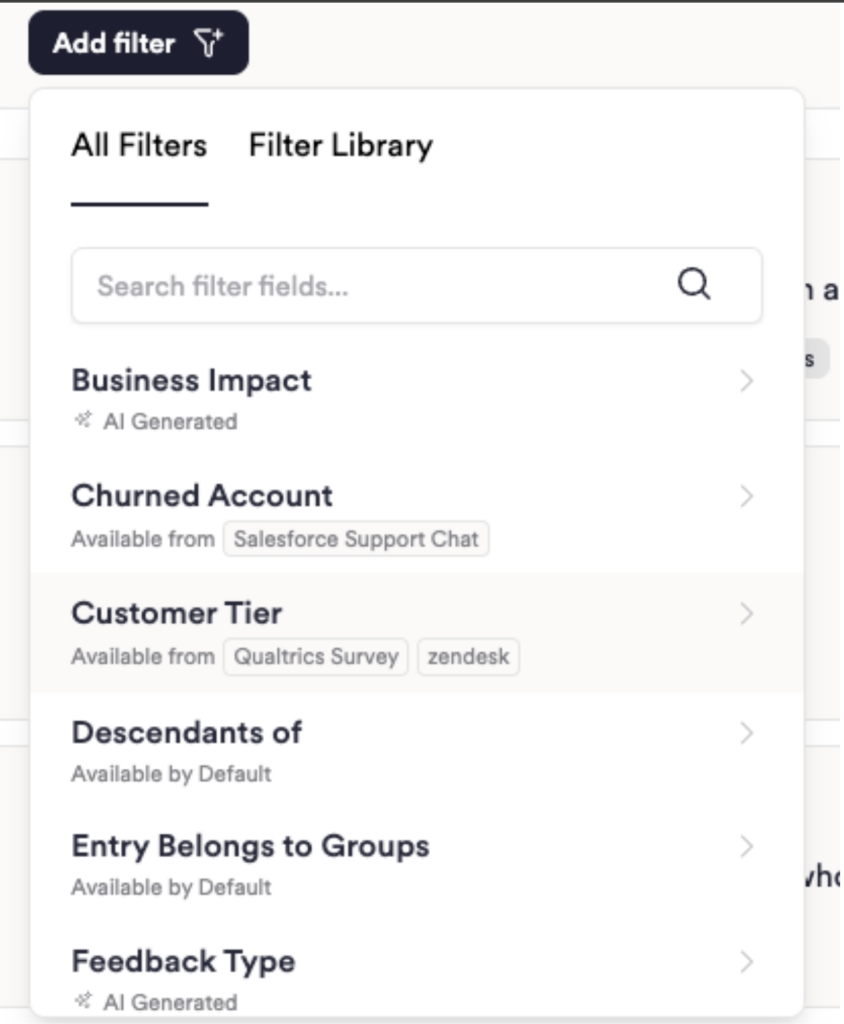
- Map the metadata that makes segmentation possible. Custom fields live on the Integrations page, and Unwrap joins CRM attributes via a unique identifier—the docs recommend email. Useful B2B fields include ARR tier, sales segment, pricing plan, churn status, and tenure; fields can now be merged or deleted.
- Build and validate the Taxonomy one Group at a time. Every Group generates 200 sample entries labeled In, Out, or Low Confidence; work the low-confidence samples first, since that's where the Group's definition gets tested. Structure Groups from L1 to L4 or deeper, with parent counts rolling up child counts. Name Groups in customer language rather than internal terms, partly because Group-title language feeds Unwrap's parent/child inference. Rebuild rather than refine once more than half a Group's feedback no longer belongs.
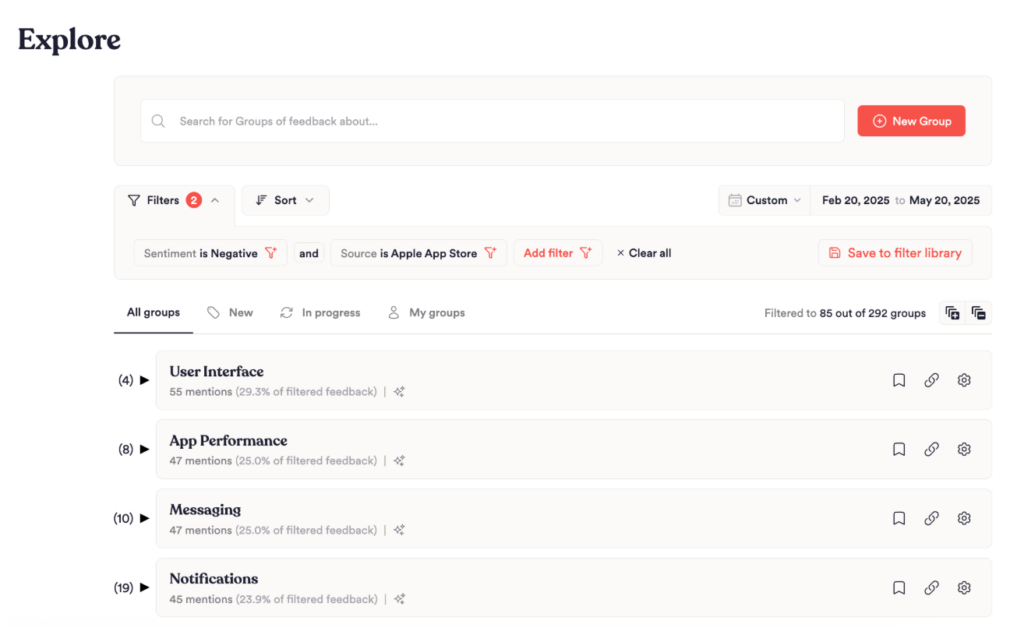
- Assign roles and route insights to the people who act on them. Unwrap splits roles into two tiers: Org roles (Admin and Member) and View roles (Contributor, Viewer, and Replier).
| Role | Level | Can Do |
| Admin | Org | Create and modify integrations and custom fields, connect Jira, Asana, or Linear, and view Usage Reporting |
| Contributor | View | Edit Taxonomy, reply, build Boards |
| Viewer | View | Boards, Assistant, subscriptions, alerts—no Taxonomy edits |
| Replier | View | Reply to feedback |
Viewer is the safe default for wide rollout, since Viewers can't edit the Taxonomy. Real-time Alerts fire on a 14-day high at least 25% above the prior peak that also outpaces the 2-, 7-, 14-, and 30-day trailing averages. That spike then clears a statistical hurdle and passes LLM quality gates and spam filters; the resulting alert defaults Org-wide with tunable sensitivity. Group Subscriptions let you follow a Group from its bell icon; Digests deliver a recurring roundup on a cadence set by your plan tier; Linked Actions push a Group into Jira, Asana, or Linear.
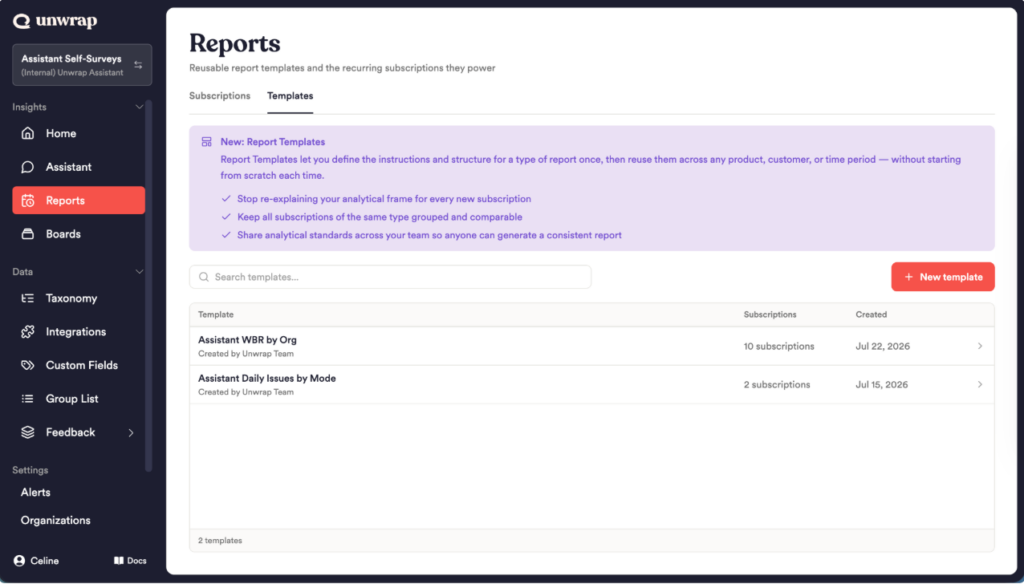
- Set the reporting cadence, then scale it. Scheduled reports regenerate from the Assistant conversation each run, giving an updated narrative rather than a stale copy. Pick from five cadence options; email recipients must fall inside your organization's allowed domains. Report Templates paired with Bulk Create fan one template across up to 100 custom-field values, each with its own recipients—a gated feature Unwrap's sales team enables. Boards add board-level and chart-level filters, a lockable date range, and breakdowns that include segments.
What Success Looks Like
A working program shows results across three layers: Linked Actions report the complaint-volume change once a Group's linked issue resolves; event notes annotate a release date on a Group's chart; Usage Reporting—admin-only, shipped June 2026—tracks activity across web, API, MCP, and Slack, flagging inactive Boards for cleanup. Unwrap's documentation reads rising active users alongside flat days-active usage as onboarding that hasn't become a habit. Because the same piece of feedback can sit in more than one Group, Group percentages that sum above 100% are expected, not a defect; a Group holding close to 70% of all feedback is too broad.
Common Mistakes and Pro Tips
Treating the Taxonomy as Set-and-Forget
Unwrap removes tagging labor, not taxonomy stewardship—Groups still need grooming as feedback shifts.
Baking Cohorts Into Group Titles
A cohort baked into a Group title weakens Unwrap's inference, which reads the title itself; use a filter instead.
Connecting Every Source Unfiltered
Unfiltered sources bury signal under noise that the Taxonomy then has to sort through; filter at the connector level first.
Letting Groups Grow Too Broad
A Group near 70% of all feedback has stopped being useful; split or rebuild it.
Underestimating Vendor-Side Setup Time
SSO, PII redaction, and Slack alert routing go through Unwrap's team, not a self-serve toggle—build in lead time.
FAQs About Using Unwrap for Enterprise Customer Feedback Programs
How Much Feedback Volume Do We Need Before This Works?
Unwrap prices on feedback volume and publishes no minimum threshold. If your volume is modest, confirm fit with Unwrap’s team before rolling out.
How Does Unwrap Handle Personally Identifiable Information in Feedback?
Unwrap redacts PII using AWS Comprehend and destroys the unredacted text at ingest, across every integration type. Enabling it isn’t self-service—Unwrap’s team turns it on and bills it separately.
Will Real-Time Alerts Overwhelm Stakeholders?
Alerts fire only once a Group clears a statistical hurdle and passes quality and spam-filter checks. They default Org-wide with tunable sensitivity, and frequency varies week to week.
How Do We Prove the Program Changed Anything?
Linked Actions report the complaint-volume change once the linked issue resolves. Pair that with event notes and Usage Reporting’s adoption data for the full picture.
Who Should Own the Program Day to Day?
Ownership splits along Unwrap’s roles: an Org Admin holds integrations and custom fields; Contributors maintain the Taxonomy and build Boards; and everyone else can join as Viewers, which carries no Taxonomy edit rights.
Learn More About Unwrap
Treating View design, taxonomy stewardship, and reporting cadence as ongoing decisions separates a working program from a stalled one. Read the full review at the Unwrap Review, or connect with their team to get a demo of how their platform can solve your feedback needs.