

Unwrap Customer Intelligence Platform Review for 2026

We review tools independently, and commissions help fund our testing. See our transparency policy, our methodology, or suggest a tool.
Customer feedback piles up fast once it starts coming from support tickets, surveys, reviews, and internal tools all at once. At that point, manual review and spreadsheet tagging stop being practical, and important patterns get missed.
This Unwrap AI review looks at the platform as a customer intelligence platform, breaking down how it works, what it does well, and whether it actually helps teams turn messy feedback into clear, actionable insights.
Unwrap Evaluation Summary

4.8/5
- From $2,000/month (billed annually)
- 30-day free trial
Why Trust Our Software Recommendations
6,700+
Reviews
20
Industry experts
16+
Evaluation factors
14
Years
Our team has been testing and reviewing software since 2012. As CX leaders ourselves, we know how difficult—and important—it is to choose the right software.
For this guide, we evaluated tools using hands-on testing and independent research, scoring tools using our selection criteria.
Our reviews reflect our human editorial judgment, not a sales pitch.
 Gui DrusinaCreative Director
 Tim FisherVP of AI
Unwrap Overview
Unwrap is an AI-powered customer intelligence platform built to help teams understand large volumes of customer feedback at scale.
The company focuses on turning unstructured feedback from sources like support tickets, surveys, reviews, and internal tools into clear, actionable insights for product, CX, and support teams.
Pros
- Proactive insight discovery without manual tagging
- Early issue detection through alerts and trend monitoring
- Verifiable, traceable insights that link each theme back to the original feedback.
Cons
- Limited value for low feedback volume teams
- Takes longer to get started than instant sign-up alternatives
- Customization depth is intentionally limited
Is Unwrap Right For Your Needs?
Who Would be a Good Fit for Unwrap?
You're a good fit for Unwrap if you're on a team handling large volumes of customer feedback and need fast, actionable insights across product, CX, support, and leadership.
- Product ManagersUnwrap helps product managers identify recurring customer pain points and feature requests at scale, making roadmap prioritization easier and more evidence-based.
- Customer Experience (CX) TeamsCX teams use Unwrap to automatically surface trends and sentiment shifts across customer feedback, helping them address issues before they escalate.
- Support LeadershipSupport leaders rely on Unwrap to detect systemic issues from support tickets and reviews, allowing them to reduce repeat problems and improve service quality.
- Survey & Research TeamsUnwrap’s AI-powered surveys help research teams collect richer, more actionable qualitative feedback without increasing survey fatigue.
- Executives & Strategic LeadersExecutives use Unwrap to stay informed on customer sentiment and emerging issues through clear summaries instead of raw data dashboards.
- Enterprise OrganizationsLarge organizations benefit from Unwrap’s ability to analyze massive volumes of multi-channel feedback while supporting cross-team visibility and governance.
Who Would be a Bad Fit for Unwrap?
Unwrap is likely a bad fit if you're part of a team with little ongoing customer feedback or one focused on structured data, short-term analysis, or deep AI customization.
- Solo founders or very small teams with little customer feedbackIf you only receive a small number of customer comments or tickets, Unwrap’s automation and analytics won’t provide meaningful value over manual review.
- Businesses that rarely collect qualitative feedbackUnwrap relies on large volumes of unstructured text, so teams without ongoing surveys, reviews, or support conversations will see little to no benefit.
- Teams looking for predictive churn or revenue modelingUnwrap surfaces themes and trends but does not provide churn scoring, revenue attribution, or predictive customer health modeling.
- Organizations needing highly customizable or experimental AI modelsUnwrap prioritizes automated insights over deep model tuning, making it a poor fit for teams that want granular control over NLP behavior.
- Short-term or one-off research projectsUnwrap delivers value through continuous feedback analysis, so one-time projects typically won’t generate enough data to justify the platform.
- Teams working primarily with structured, numerical dataIf your insights come mostly from metrics, dashboards, or quantitative surveys, Unwrap’s text-focused analysis will be largely unused.
How We Test & Score Tools
We’ve spent years building, refining, and improving our software testing and scoring system. The rubric is designed to capture the nuances of software selection and what makes a tool effective, focusing on critical aspects of the decision-making process.
Below, you can see exactly how our testing and scoring works across seven criteria. It allows us to provide an unbiased evaluation of the software based on core functionality, standout features, ease of use, onboarding, customer support, integrations, customer reviews, and value for money.
Core Functionality (25% of final scoring)
The starting point of our evaluation is always the core functionality of the tool. Does it have the basic features and functions that a user would expect to see? Are any of those core features locked to higher-tiered pricing plans? At its core, we expect a tool to stand up against the baseline capabilities of its competitors.
Standout Features (25% of final scoring)
Next, we evaluate uncommon standout features that go above and beyond the core functionality typically found in tools of its kind. A high score reflects specialized or unique features that make the product faster, more efficient, or offer additional value to the user.
We also evaluate how easy it is to integrate with other tools typically found in the tech stack to expand the functionality and utility of the software. Tools offering plentiful native integrations, 3rd party connections, and API access to build custom integrations score best.
Ease of Use (10% of final scoring)
We consider how quick and easy it is to execute the tasks defined in the core functionality using the tool. High scoring software is well designed, intuitive to use, offers mobile apps, provides templates, and makes relatively complex tasks seem simple.
Onboarding (10% of final scoring)
We know how important rapid team adoption is for a new platform, so we evaluate how easy it is to learn and use a tool with minimal training. We evaluate how quickly a team member can get set up and start using the tool with no experience. High scoring solutions indicate little or no support is required.
Customer Support (10% of final scoring)
We review how quick and easy it is to get unstuck and find help by phone, live chat, or knowledge base. Tools and companies that provide real-time support score best, while chatbots score worst.
Customer Reviews (10% of final scoring)
Beyond our own testing and evaluation, we consider the net promoter score from current and past customers. We review their likelihood, given the option, to choose the tool again for the core functionality. A high scoring software reflects a high net promoter score from current or past customers.
Value for Money (10% of final scoring)
Lastly, in consideration of all the other criteria, we review the average price of entry level plans against the core features and consider the value of the other evaluation criteria. Software that delivers more, for less, will score higher.
Core Features
Auto Tagger
Unwrap automatically categorizes feedback into meaningful themes across all sources, eliminating manual tagging and helping teams quickly understand what matters most.
Assistant (AI Q&A)
Users can ask natural language questions about their feedback and instantly get answers with charts and customer quotes, making analysis faster and easier.
Dashboards
Customizable dashboards let teams visualize, share, and explore insights together, turning unstructured feedback into data that supports decision-making.
Alerts
Unwrap detects anomalies and trends as they emerge and sends real-time notifications so teams can act before issues grow larger.
Responder
This feature helps teams respond to customers at scale with bulk, tailored responses that keep users engaged and show that feedback is being addressed.
Surveys (AI-Powered)
Unwrap’s conversational surveys boost response quality and provide deeper insights into customer sentiment by asking intelligent follow-ups and tying responses back to other feedback data.
.jpg&w=3840&q=75)
Standout Features
SupportIQ
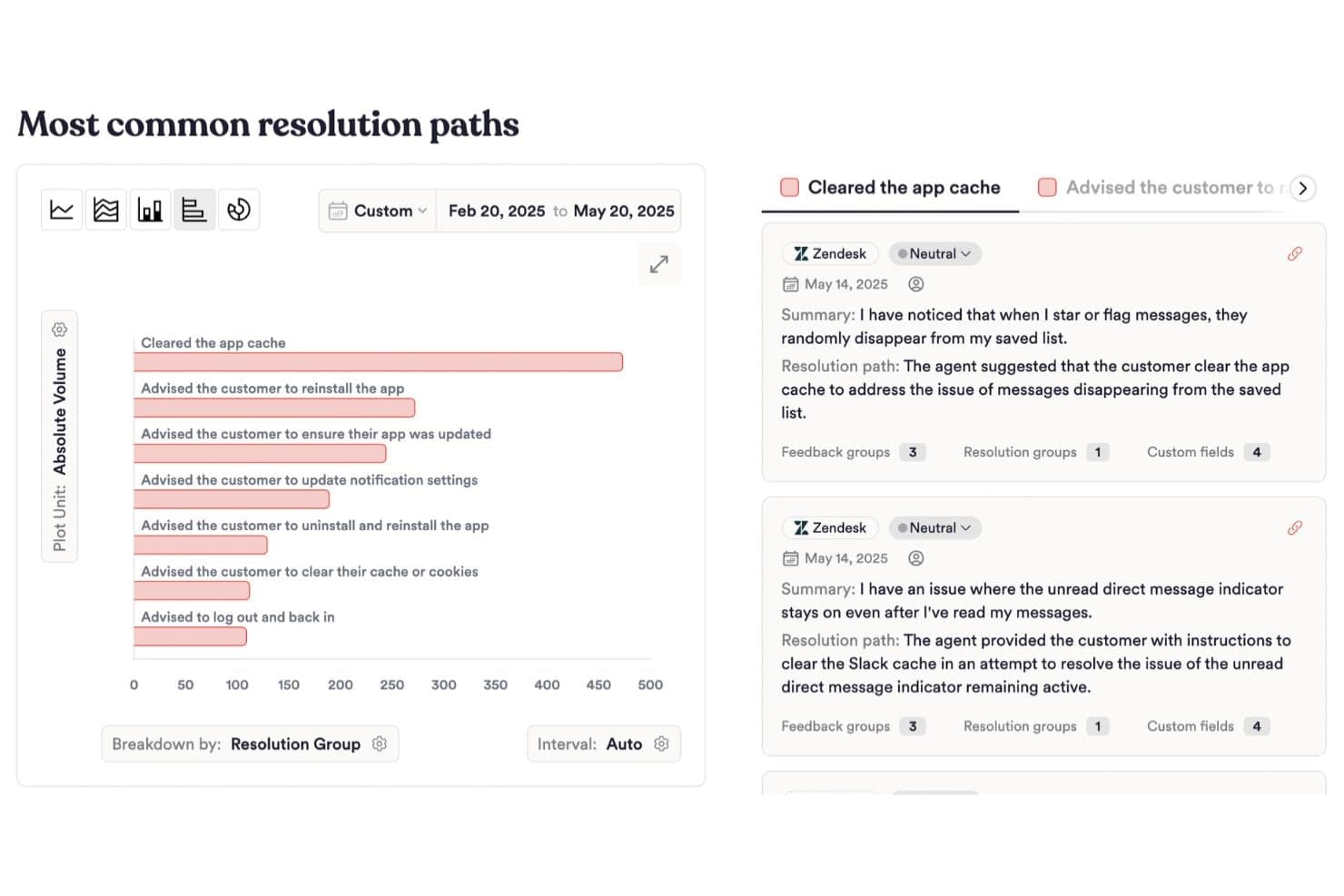
SupportIQ analyzes all support interactions to show which resolutions actually work and where customers still struggle.
Proactive Trend Detection
Unwrap proactively uncovers trends and insights that teams didn’t know to look for, delivering them automatically and reducing the need for manual exploration or search.
Ease of Use
Unwrap is easy to navigate and quick to pick up, with a clean interface that makes feedback summaries, groupings, and insights easy to understand. Its AI-driven exploration reduces the need to manually dig through data, helping teams focus more on resolving issues than learning the tool.

Onboarding
Unwrap provides hands-on, white-glove onboarding to help teams get fully set up from day one. The process includes configuring integrations, aligning feedback taxonomy, and tailoring the platform to existing workflows, with ongoing guidance to ensure teams see value quickly.

Customer Support
While Unwrap doesn’t have a dedicated public support center, help is available through direct email and product documentation. Teams can reach out to Unwrap via email for assistance and refer to their docs for guidance on setup, features, and usage.

Integrations
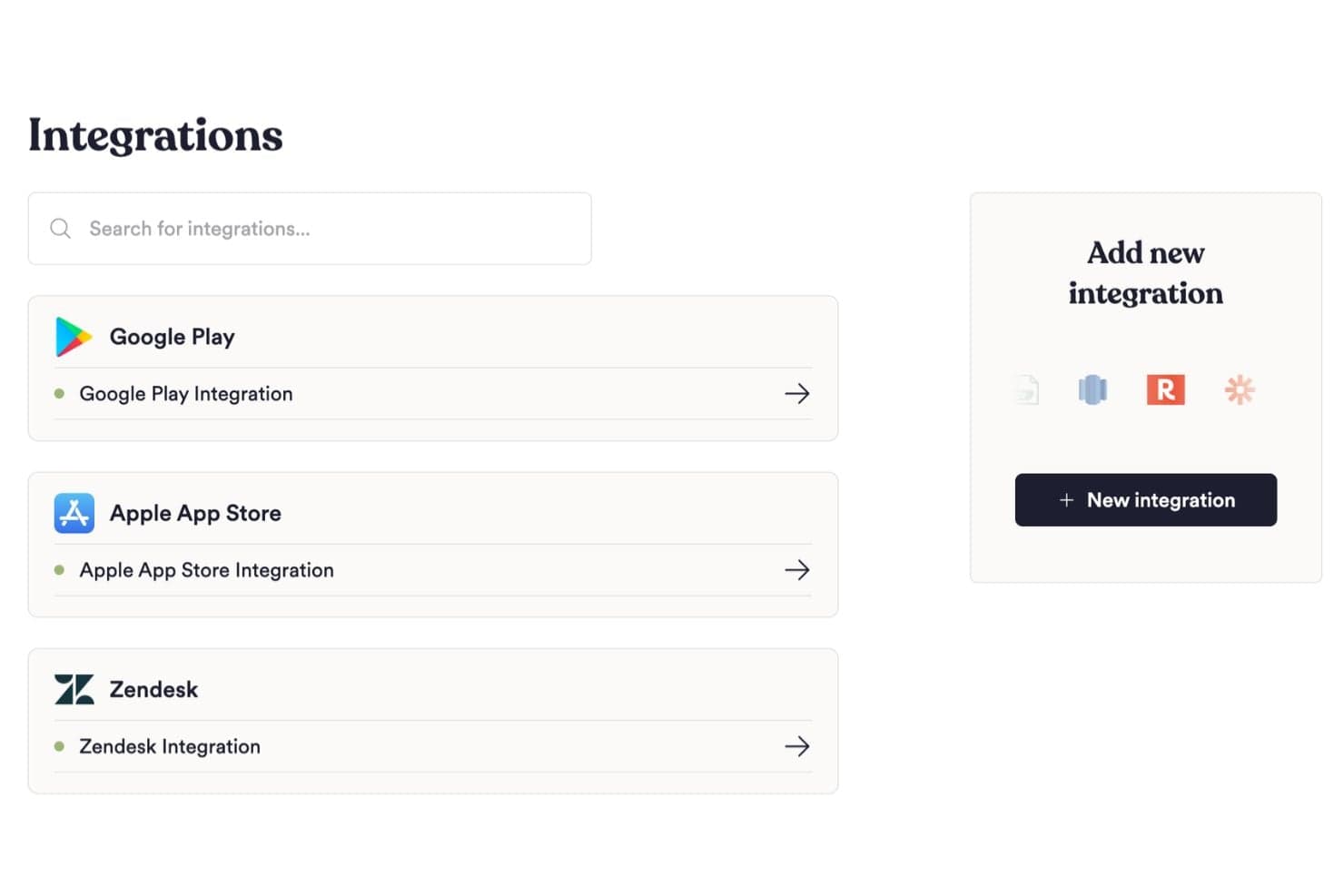
Unwrap connects with over 3,000 tools like Zendesk, Intercom, HubSpot, Qualtrics, GitHub, and Slack to bring customer feedback into one system. It also supports Zapier, making it easy to connect additional apps when needed.
Value for Money
Unwrap uses custom pricing based on feedback volume and integrations instead of per-seat fees.
Plans include SSO, API access, real-time alerts, PII removal, tailored onboarding, and more, making it well suited for teams that need scalable customer intelligence without extra user costs.

Unwrap Specs
- 360 Degree Feedback: Yes
- API: Yes
- Cloud Deployment: Yes
- Contact Management: Yes
- CRM Integration: Yes
- Customer Management: Yes
- Customer Service: Yes
- Data Conversion: Yes
- Data Export: Yes
- Data Import: Yes
- Data Visualization: Yes
- Database: Yes
- Feedback Management: Yes
- Google Apps Integration: Yes
- Health Management: No
- Lead Management: No
- Marketing Automation: Yes
- Migration to Cloud: Yes
- Multi-App: Yes
- Multi-User: Yes
- Process Reporting: Yes
- Social Media Monitoring: Yes
- Social-Media Integration: Yes
- Software Integration: Yes
- Task Scheduling/Tracking: Yes
- Third-Party Plugins/Add-Ons: Yes
- Workflow Management: Yes
Unwrap FAQs
Unwrap Company Overview & History
Unwrap was founded by two Amazon Alexa product managers who experienced firsthand how difficult it was to truly understand customer feedback at scale.
The company was built to help teams make sense of unstructured customer input using AI, turning feedback into insights that product, CX, and support teams can act on with confidence.
Unwrap Major Milestones
- 2021: A breakthrough idea forms as the founders recognize the challenge of extracting real insights from large volumes of customer feedback.
- 2022: Unwrap raises its seed round, enabling the team to refine the product vision and grow the company.
- 2022: Launches with early adopters, including product, CX, and support teams testing the platform in real-world environments.
- 2025: Unwrap announces a Series A funding round to accelerate product innovation, enterprise capabilities, and team growth.
- Today: Unwrap continues expanding its platform and customer base, focusing on helping teams uncover what matters most to their customers.