Unwrap Introduces Linked Actions to Connect Customer Feedback with Interventions and Impact



Customer intelligence platform Unwrap has launched Linked Actions, a feature that enables the creation of issue-tracking tickets directly from customer feedback and tracks changes in complaint volume following resolution.
 has launched Linked Actions, a feature that enables the creation of issue-tracking tickets directly from customer feedback and tracks changes in complaint volume following resolution.
Linked Actions is designed to help teams close the loop between customer insights and product development by connecting Unwrap’s feedback intelligence directly to external systems such as Jira, Asana, and Linear.
The Problem Linked Actions Solves
Customer experience and product teams often identify significant issues in customer feedback but rely on manual processes to act on improvements. Creating tickets typically involves copying context into external systems, translating the problem to relevant teams, and manually determining whether the fix actually solved the problem.
Through this process, feedback insights, interventions, and measurement are often disconnected, making it difficult to determine which customer issues are actively being addressed and whether fixes reduce reported complaints.
Automatically Creating Tickets From Customer Feedback
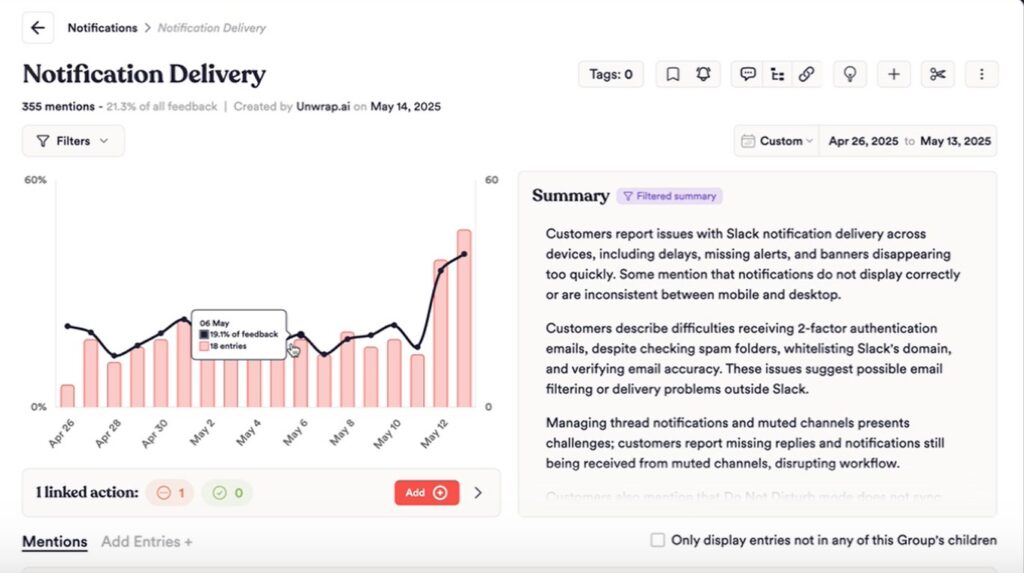
Unwrap analyzes customer feedback to surface recurring trends and group related issues. With the launch of Linked Actions, teams can now create actions directly from these feedback groups when an issue requires attention.
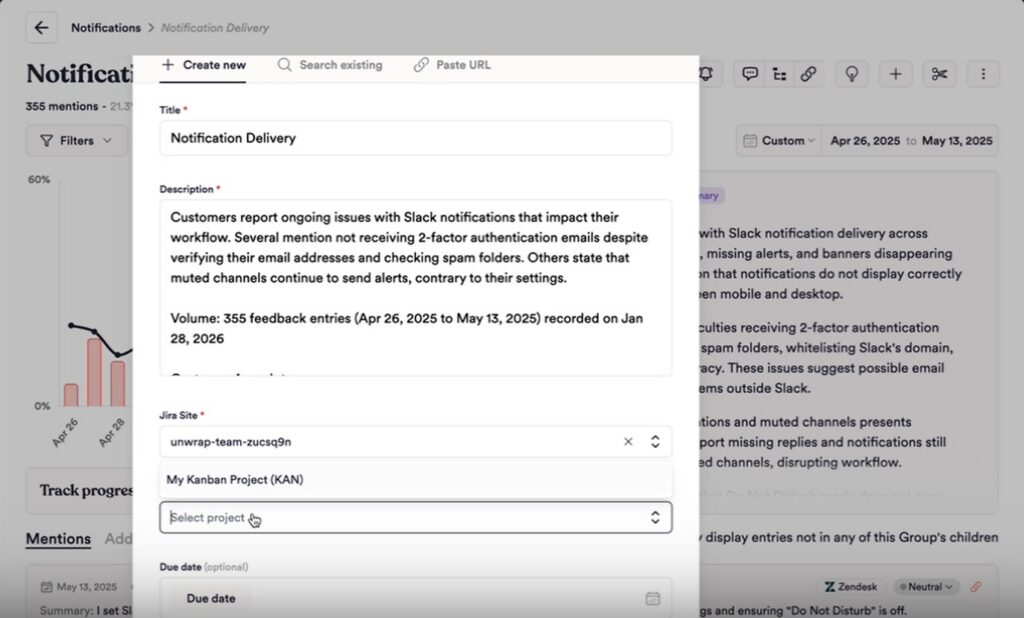
When an action is created, Unwrap automatically generates a corresponding ticket in an external issue- tracking system and pre-populates it with relevant context from the feedback group, including the issue title and supporting customer feedback. Teams can assign an owner and due date, allowing issues to be routed with full context without manual transfer.
This allows customer feedback to move directly into existing product and engineering workflows, rather than being handled separately or summarized manually.
Tightening the Loop Between Feedback and Execution
Once an action is created, Linked Actions keeps Unwrap and the external system synchronized. Updates made to the ticket are automatically reflected in Unwrap.
This allows teams to track which feedback groups are actively being worked on without switching between tools or maintaining duplicate records. Support teams can see which customer issues are in progress, product and engineering teams retain access to the underlying feedback, and leadership can understand which customer problems are receiving attention.
Tracking the Impact of Fixes Automatically
Linked Actions continues tracking customer feedback after an issue is resolved. Instead of requiring teams to manually compare time periods or build custom reports, Unwrap monitors how feedback volume associated with the linked group changes following resolution.
The platform automatically surfaces whether customer complaints declined, remained flat, or
increased, providing a clear view into whether an action had a measurable impact on customer experience.
This impact analysis is tied directly to the original feedback group, allowing teams to evaluate outcomes without additional configuration or reporting.
Connecting Feedback, Fixes, and Outcomes
Customer feedback tools have traditionally focused on identifying issues, while execution and impact tracking occur elsewhere. Linked Actions connects these steps by linking feedback groups to actions and tracking results in a single workflow.
By maintaining a persistent connection between customer feedback, the actions taken to address it, and post-resolution trends, Linked Actions enables teams to move from insight to action with clearer accountability and measurable results.
Example use of Linked Actions
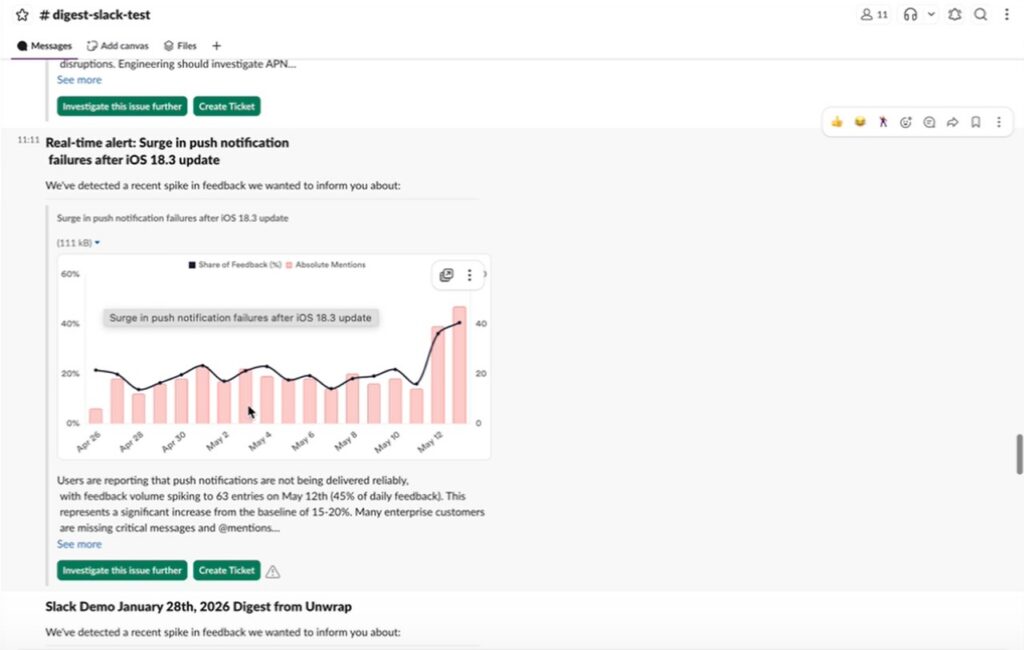
1. Unwrap surfaces a real-time alert; for example, a spike in complaints about a specific notification error.
2. The platform populates a ticket in Jira, Asana, or Linear containing the title and description. An assignee and due-date can be set at creation to route the issue to the appropriate team.
3. The ticket is created, and everyone in the organization can see that the issue is being addressed. As the ticket is updated, Unwrap keeps downstream systems synchronized.
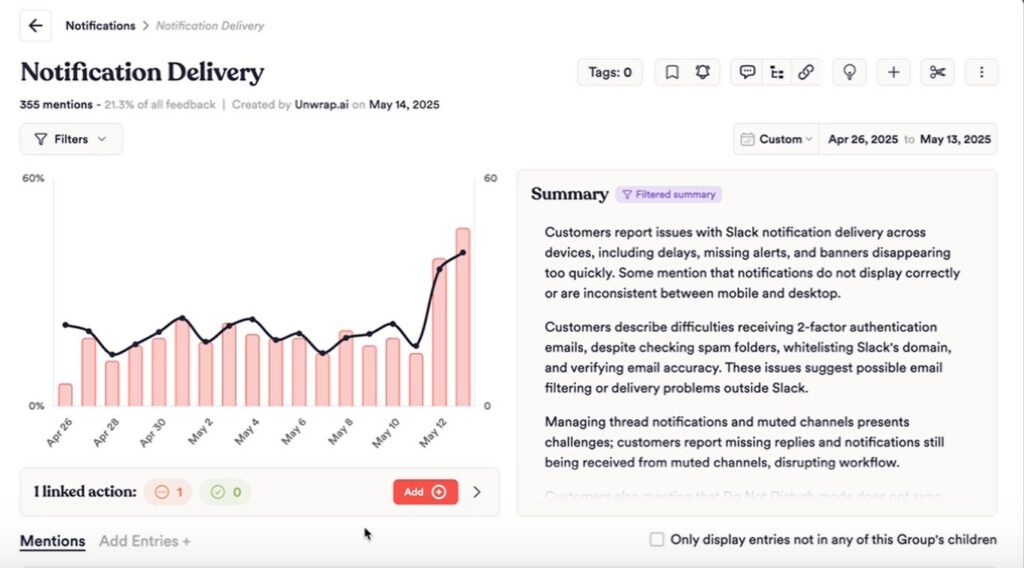
4. After an issue is resolved, Linked Actions tracks the original feedback group to show how
complaint volume has evolved. Unwrap automatically surfaces this impact in its insights,
showing how complaint volume changed following intervention.