

Genesys Review: Pros, Cons, Features, and Pricing Guide
Genesys helps businesses manage customer interactions, contact centers, omnichannel communication, and customer journeys with AI-powered customer experience tools.

We review tools independently, and commissions help fund our testing. See our transparency policy, our methodology, or suggest a tool.
Genesys is a customer experience software built for contact centers that handle high volumes of customer interactions across voice, digital, and AI-assisted channels. It's worth considering if your team needs a platform with deeper native AI, workforce engagement management, and omnichannel routing than a tool like Five9 offers out of the box, without depending on a stack of third-party add-ons to close those gaps.
Genesys Evaluation Summary

4.4/5
- From $75/user/month (billed annually)
- Free demo available
Why Trust Our Software Recommendations
6,700+
Reviews
20
Industry experts
16+
Evaluation factors
14
Years
Our team has been testing and reviewing software since 2012. As CX leaders ourselves, we know how difficult—and important—it is to choose the right software.
For this guide, we evaluated tools using hands-on testing and independent research, scoring tools using our selection criteria.
Our reviews reflect our human editorial judgment, not a sales pitch.
 Gui DrusinaCreative Director
 Tim FisherVP of AI
Genesys Overview
In my experience, Genesys stands out for customizable workflows, deep analytics, and strong multichannel support, though pricing and onboarding can be steep for smaller teams. If you’re deciding between options, I think Genesys is a top pick when you want advanced routing, integrations with major CRMs, or flexible APIs, especially for high-volume contact centers or global organizations.
The interface is modern but takes time to master, so it’s best for teams able to invest in training. If you value unified analytics and scalability, Genesys is a solid choice.
Pros
- Omnichannel routing connects voice, chat, email, and social channels.
- Real-time analytics and dashboards give deep performance insights.
- AI-powered chatbots handle routine customer queries automatically.
Cons
- Pricing is complex and hard to estimate for new buyers.
- Onboarding takes significant time and dedicated support resources.
- Reporting customization options can be limited for advanced needs.
Is Genesys Right For Your Needs?
Who Would be a Good Fit for Genesys?
Genesys is best for organizations with complex, high-volume customer engagement needs that require reliable omnichannel communication and granular analytics. It excels for larger companies and regulated industries that need advanced routing, workforce management, and AI-powered tools to scale support.
If your teams rely on voice and digital channels and value deep customization and journey mapping, Genesys is purpose-built for your needs.
- Enterprise Contact CentersGenesys supports thousands of agents and large interaction volumes, with granular controls and analytics for managing multiple teams and brands.
- Regulated IndustriesCompliance and security features make Genesys strong for healthcare, finance, and insurance where data privacy and auditability are required.
- Retail and EcommerceGenesys offers advanced engagement and routing tools for omnichannel retail support, letting you connect instantly with online and offline customers.
- IT Service DesksIntegrated ticketing, escalation, and knowledge management help technical support and IT teams handle issues across voice, chat, and email channels.
- Global OutsourcersWith support for multiple languages, regions, and complex SLAs, Genesys fits BPOs and outsourcers supporting diverse client portfolios.
- Customer Experience DepartmentsCX professionals can leverage real-time analytics and journey mapping to optimize processes, improve outcomes, and increase satisfaction.
Who Would be a Bad Fit for Genesys?
Genesys can be overwhelming or costly for businesses with straightforward needs, limited budgets, or very small teams. Companies that want rapid, minimal-effort setup on a tight budget will struggle with the complexity and resources Genesys demands.
If live voice or digital channel volume is low or workflows are simple, other options may be more practical.
- Small BusinessesGenesys’ pricing and deployment complexity usually exceed what smaller operations need for customer support.
- StartupsStartups needing fast, lightweight setup and agility will find Genesys overpowered and a drain on initial resources.
- Single-Channel TeamsIf your support is limited to one channel, like email only, Genesys’s omnichannel features add unnecessary complexity.
- Volunteer OrganizationsResource-strapped nonprofits and all-volunteer teams are unlikely to use or justify the advanced feature set.
- Field Service TeamsTeams whose work happens mostly in-person, without heavy digital or telephony engagement, won’t see the value Genesys offers.
- Education InstitutionsMost schools and universities have basic help desk needs that don’t require Genesys’s advanced routing, analytics, or security.
How We Test & Score Tools
We’ve spent years building, refining, and improving our software testing and scoring system. The rubric is designed to capture the nuances of software selection and what makes a tool effective, focusing on critical aspects of the decision-making process.
Below, you can see exactly how our testing and scoring works across seven criteria. It allows us to provide an unbiased evaluation of the software based on core functionality, standout features, ease of use, onboarding, customer support, integrations, customer reviews, and value for money.
Core Functionality (25% of final scoring)
The starting point of our evaluation is always the core functionality of the tool. Does it have the basic features and functions that a user would expect to see? Are any of those core features locked to higher-tiered pricing plans? At its core, we expect a tool to stand up against the baseline capabilities of its competitors.
Standout Features (25% of final scoring)
Next, we evaluate uncommon standout features that go above and beyond the core functionality typically found in tools of its kind. A high score reflects specialized or unique features that make the product faster, more efficient, or offer additional value to the user.
We also evaluate how easy it is to integrate with other tools typically found in the tech stack to expand the functionality and utility of the software. Tools offering plentiful native integrations, 3rd party connections, and API access to build custom integrations score best.
Ease of Use (10% of final scoring)
We consider how quick and easy it is to execute the tasks defined in the core functionality using the tool. High scoring software is well designed, intuitive to use, offers mobile apps, provides templates, and makes relatively complex tasks seem simple.
Onboarding (10% of final scoring)
We know how important rapid team adoption is for a new platform, so we evaluate how easy it is to learn and use a tool with minimal training. We evaluate how quickly a team member can get set up and start using the tool with no experience. High scoring solutions indicate little or no support is required.
Customer Support (10% of final scoring)
We review how quick and easy it is to get unstuck and find help by phone, live chat, or knowledge base. Tools and companies that provide real-time support score best, while chatbots score worst.
Customer Reviews (10% of final scoring)
Beyond our own testing and evaluation, we consider the net promoter score from current and past customers. We review their likelihood, given the option, to choose the tool again for the core functionality. A high scoring software reflects a high net promoter score from current or past customers.
Value for Money (10% of final scoring)
Lastly, in consideration of all the other criteria, we review the average price of entry level plans against the core features and consider the value of the other evaluation criteria. Software that delivers more, for less, will score higher.
Core Features
Omnichannel Engagement
Genesys lets you manage voice, chat, email, and social messages from one dashboard. This unified view helps your team deliver consistent responses across every customer touchpoint.
Automated Routing
Genesys uses intelligent rules to route interactions to the best available agent, factoring in skills and availability. This speeds up resolution and matches customers with the right help the first time.
AI-Powered Chatbots
The platform includes native AI bots to handle simple queries automatically. These bots deflect routine questions so your agents can focus on complex issues.
Real-Time Analytics
Genesys offers out-of-the-box dashboards tracking wait times, agent performance, and customer satisfaction. You can spot trends and coach your team right away using live data.
Workforce Management
Plan staffing and forecast demand with integrated shift scheduling and adherence tools. This helps you align agent resources with customer needs throughout the day.
Customer Journey Mapping
Map and visualize every stage of each customer’s interactions. With Genesys, you can optimize journeys, reduce friction, and identify where customers drop off or need more support.

Standout Features
Predictive Engagement
Genesys uses AI to analyze customer behavior in real time and trigger proactive outreach, like offering help before customers ask. This lets you identify high-value opportunities and engage customers at critical moments.
Voice of the Customer Analytics
Genesys automatically collects and analyzes feedback from calls, chats, and surveys, surfacing insights about sentiment and experience trends. You can pinpoint dissatisfaction drivers or track improvements without manual feedback analysis.
Ease of Use
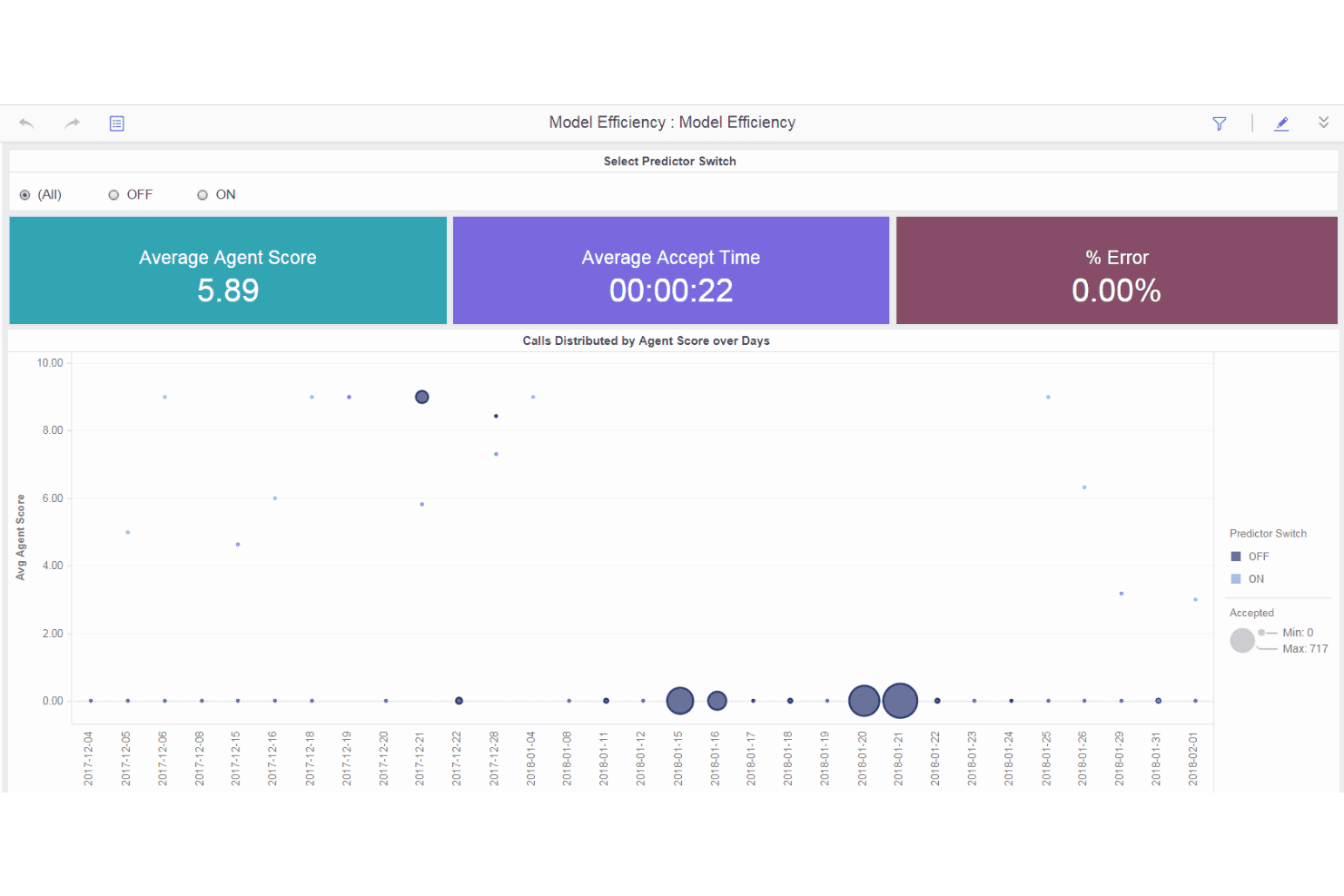
Genesys packs a robust feature set into a modern, clean interface, but many users say the platform takes real commitment to set up and master. Menus and dashboards are detailed, letting you access deep analytics and journey tools, but customization and workflow design can be overwhelming at first.

Onboarding
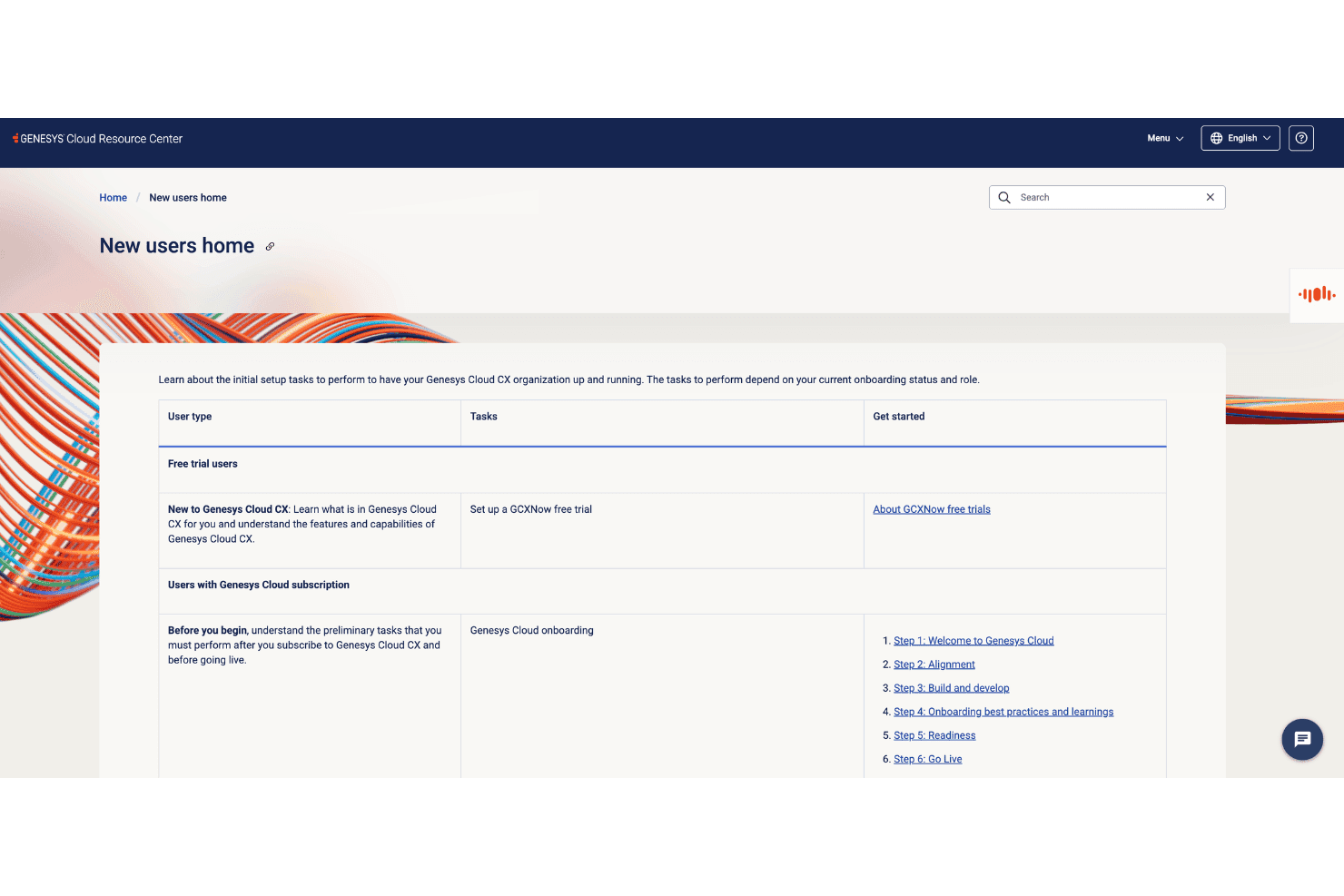
Onboarding with Genesys demands significant time and planning, as setup involves detailed configuration and ongoing adjustments. Many users point to dedicated Genesys support teams, online training modules, and extensive documentation as helpful, but real value comes with hands-on guidance from Genesys experts or certified partners. Most teams don’t hit full stride until weeks or months in.
Customer Support
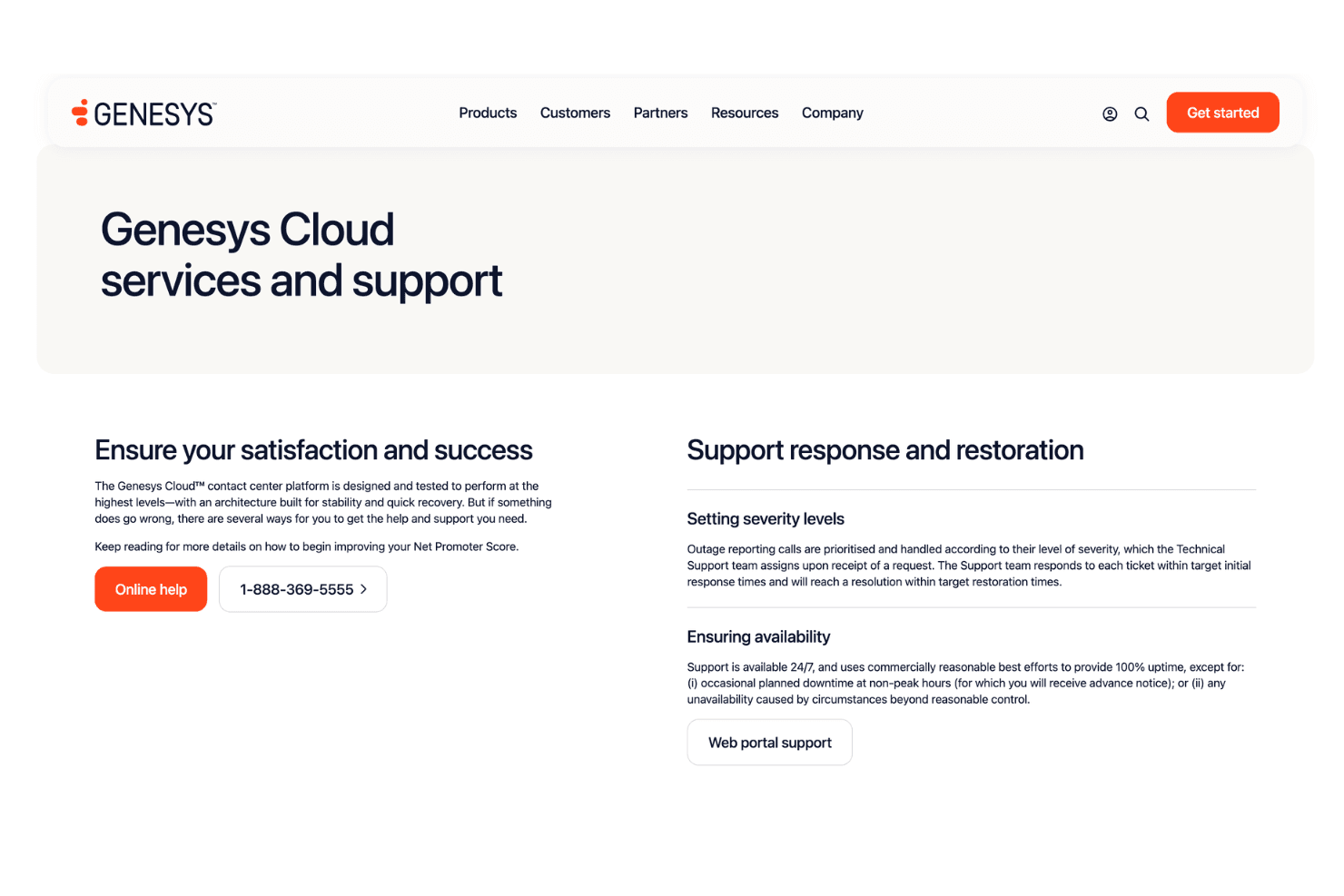
Genesys offers multiple support channels, including 24/7 live support, a knowledge base, and active community forums. Users often praise the responsiveness and expertise of Genesys’ support agents, though resolution time can vary for complex requests. Premium support packages and escalation paths are available, making it easier for larger organizations to resolve high-impact issues quickly.
Integrations
Genesys integrates with Salesforce, Microsoft Teams, ServiceNow, Zendesk, Oracle Service Cloud, SAP, Outlook, Slack, Zoom, and Google Workspace, among others.
Genesys also offers a robust API and supports connections with third-party integration tools.

Value for Money
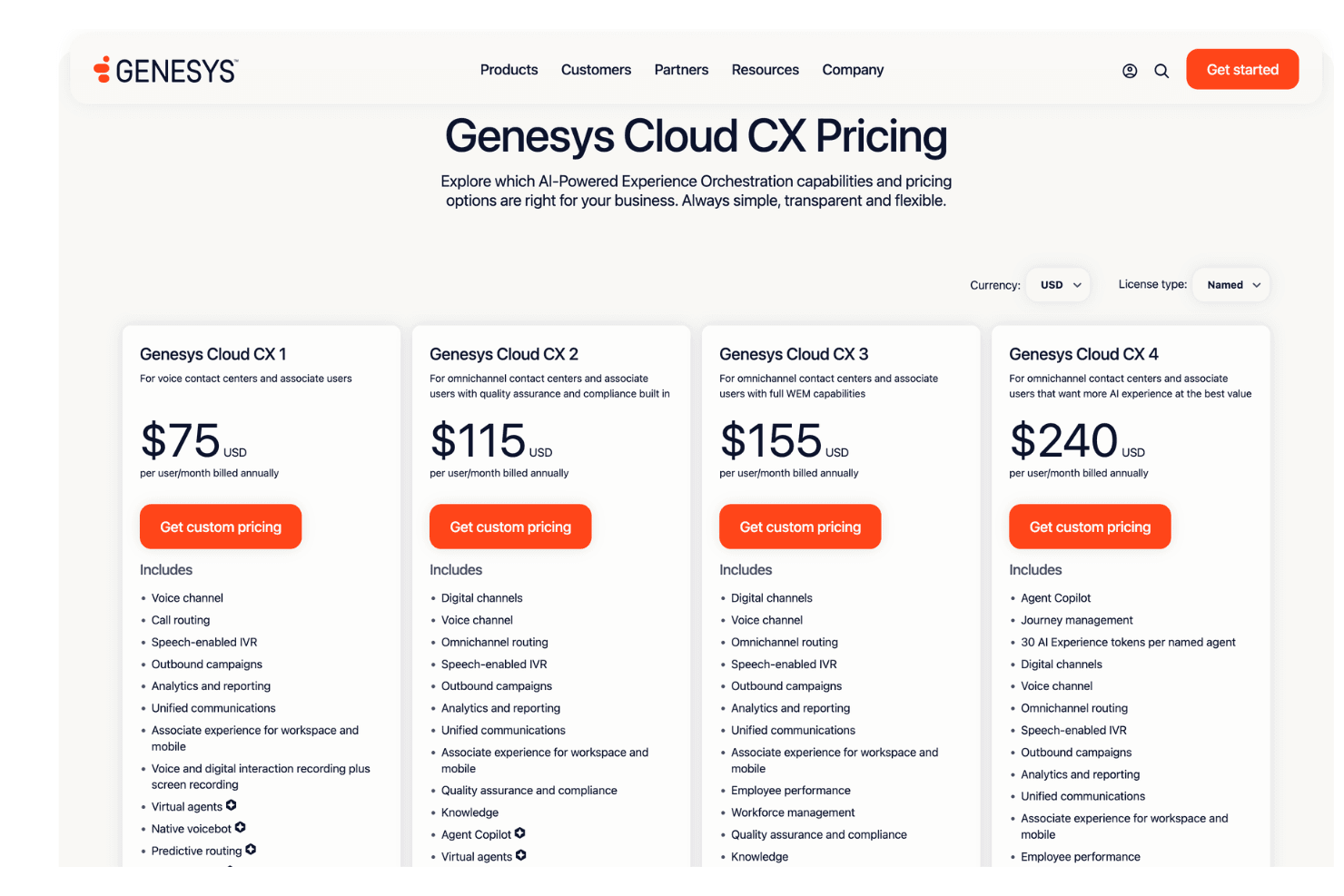
Genesys offers flexible tiered pricing with plans that scale from voice-only contact centers to advanced AI-powered customer experience operations. I think the platform delivers strong value for mid-sized and enterprise teams that need omnichannel support, workforce management, automation, and analytics, though smaller businesses may find the higher-tier plans expensive as AI and advanced CX features scale up.
- Genesys Cloud CX 1: Core voice contact center tools with call routing, IVR, analytics, recording, and built-in AI capabilities.
- Genesys Cloud CX 2: Adds digital channels, omnichannel routing, quality assurance, knowledge management, and predictive engagement tools.
- Genesys Cloud CX 3: Expands with workforce management, forecasting, scheduling, employee performance, and advanced WEM capabilities.
- Genesys Cloud CX 4: Includes journey management, expanded AI experiences, automation tools, and deeper customer experience optimization features.
Genesys Specs
- Analytics: Yes
- API: Yes
- Calendar Management: No
- Chat: Yes
- Click-to-Dial: No
- CRM Integration: Yes
- Customer Management: Yes
- Customer Service: Yes
- Dashboard: Yes
- Dashboards: No
- Data Export: Yes
- Data Import: Yes
- Data Visualization: Yes
- External Integrations: Yes
- Feedback Management: Yes
- Knowledge Base: Yes
- Lead Management: No
- Lead Scoring: No
- Multi-Source Feedback: No
- Multi-User: Yes
- Net Promoter Score: Yes
- Notifications: Yes
- Omnichannel Referrals: Yes
- Online Surveys: Yes
- Review Moderation: No
- Scheduling: Yes
- Sentiment Analysis: Yes
- Social Media Monitoring: Yes
Genesys FAQs
Genesys Company Overview & History
Genesys is a cloud customer experience and contact center software company headquartered in Daly City, California. Founded in 1990, the company provides AI-powered customer engagement, contact center, workforce engagement, and omnichannel communication solutions for businesses worldwide.
Genesys serves thousands of organizations across industries including healthcare, retail, telecommunications, and financial services, with notable customers ranging from global enterprises to large service providers. The company is best known for its Genesys Cloud CX platform and its continued investment in AI-driven customer experience technology, automation, and workforce engagement tools.
Genesys Major Milestones
- 1990: Genesys is founded in Daly City, California.
- 2016: Acquired Interactive Intelligence, significantly expanding its cloud contact center and customer engagement capabilities.
- 2020: Accelerated growth of Genesys Cloud CX as its flagship cloud-native customer experience platform.
- 2021: Raised $580 million in funding, reaching a reported valuation of approximately $21 billion.
- 2022: Expanded AI-powered customer experience capabilities, including predictive engagement, workforce automation, and conversational AI features.
- 2026: Continues serving thousands of organizations globally while expanding its AI, cloud CX, and partner ecosystem offerings.