

10 Domo Alternatives for Business Intelligence in 2026

Domo Alternatives Shortlist


A strong Domo alternative offers flexible data integration, customizable dashboards, and advanced analytics that fit your team’s workflow. If you’re searching for Domo alternatives, you’re likely looking for business intelligence tools that can handle complex data, support collaboration, and adapt to your business needs.
With so many options available, it’s important to compare features, integrations, cost-effectiveness, and usability to find the right fit. This list will help you quickly evaluate leading Domo alternatives so you can make an informed decision for your business intelligence strategy.
What Is Domo?
Domo is a cloud-based business intelligence platform that helps organizations connect, analyze, and visualize data from multiple sources in one place. It provides analytics capabilities that allow teams to build dashboards, track KPIs, and generate ad hoc reports to better understand business performance.
With strong connectivity and built-in data management tools, Domo makes it easier for companies to organize large volumes of data and turn it into insights that support data-driven decisions.
The platform also supports self-service analytics through a user-friendly interface that allows business users to explore data without relying entirely on technical teams. With features like AI capabilities, customizable dashboards, and data governance controls, Domo helps organizations monitor performance and maintain visibility across departments.
Domo Alternatives Comparison Table
This comparison table summarizes pricing details for my top Domo alternative selections:
| Tool | Best For | Trial Info | Price | ||
|---|---|---|---|---|---|
| 1 | Best for interactive visual analytics | 14-day free trial | Pricing upon request | Website | |
| 2 | Best for associative data exploration | Free trial available | From $300/month (billed annually) | Website | |
| 3 | Best for marketing data aggregation | Free plan + free demo available | From $100/month | Website | |
| 4 | Best for embedded analytics customization | Free trial + free demo available | Pricing upon request | Website | |
| 5 | Best for SQL-based workflow automation | 14-day free trial + free demo available | From $800/10 users/month (billed biennially) | Website | |
| 6 | Best with Microsoft 365 integration | Free plan available | From $14/user/month (billed annually) | Website | |
| 7 | Best for complex data modeling | 7-day free trial + free demo available | Pricing upon request | Website | |
| 8 | Best for search-driven insights | 14-day free trial + free demo available | From $25/user/month (billed annually) | Website | |
| 9 | Best for no-code dashboard creation | Free trial available | From $75/month | Website | |
| 10 | Best for small business reporting | 15-day free trial | From $30/month (billed annually) | Website |
Why Trust Our Software Recommendations
Our team has been testing and reviewing software since 2012. As CX leaders ourselves, we know how difficult—and important—it is to choose the right software.
For this guide, we evaluated tools using hands-on testing and independent research, scoring tools using our selection criteria.
Our reviews reflect our human editorial judgment, not a sales pitch.
Domo Alternatives Reviews
Below are my detailed summaries of the Domo alternatives that made it onto my shortlist. My reviews offer a detailed look at the features, integrations, and best use cases of each platform to help you find the best one for you.

Tableau
Best for interactive visual analytics
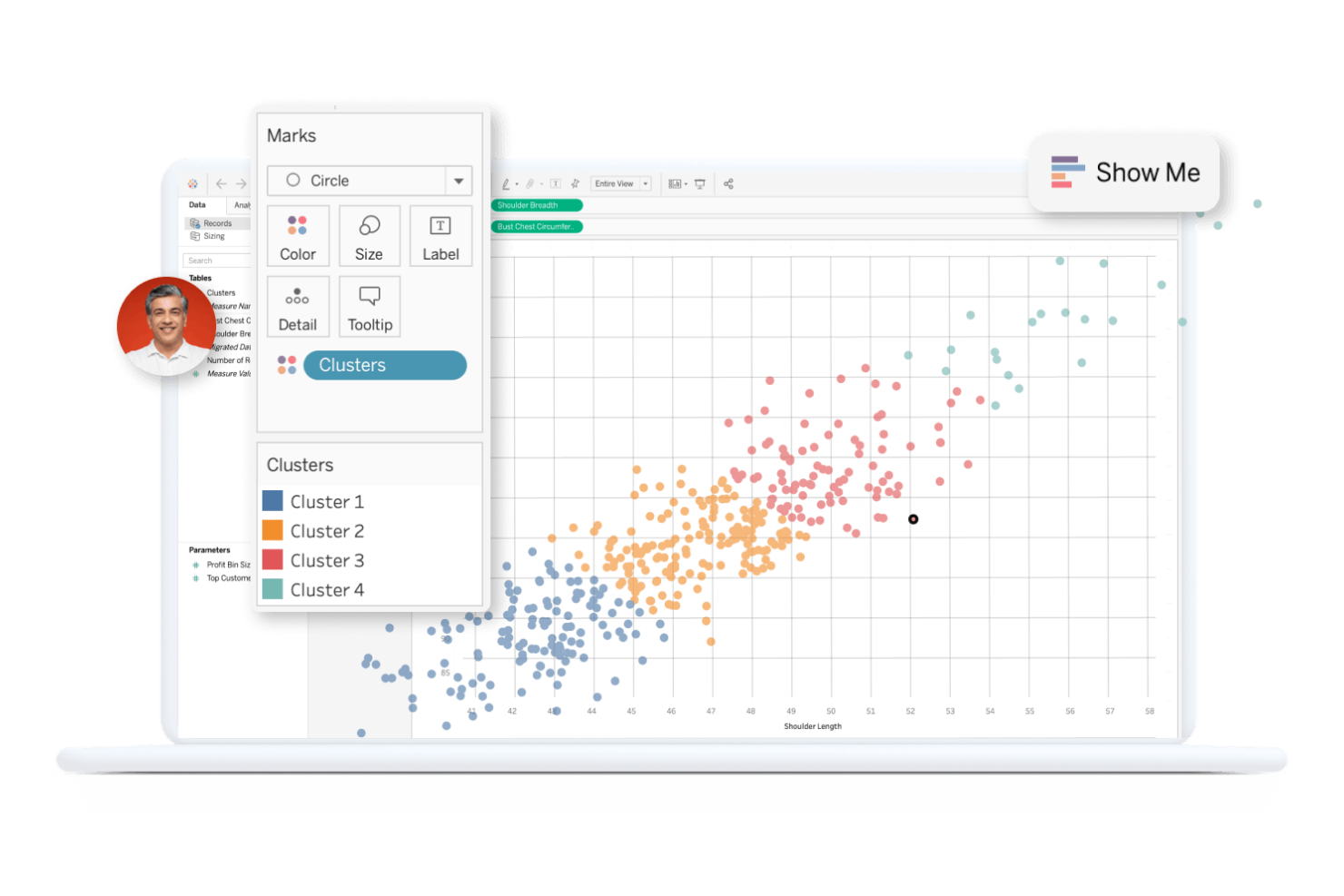
Tableau is a business intelligence platform designed for teams that need deep, interactive data visualizations. It’s a strong fit for analysts and decision-makers who want to explore data from multiple sources and uncover trends visually. If your organization values flexible dashboard design and hands-on analytics, Tableau offers a different approach than Domo’s all-in-one interface.
Why Tableau Is a Good Domo Alternative
Tableau stands out for its interactive visual analytics, making it a strong choice for teams that want to dig deeper into their data. I picked Tableau because its drag-and-drop dashboard builder lets users create highly customized, interactive visualizations without coding.
The platform’s ability to filter, drill down, and highlight data points in real time helps users uncover insights quickly. For organizations that prioritize hands-on data exploration, Tableau offers a level of visual interactivity that’s hard to match.
Tableau Key Features
Some other Tableau features that may interest business intelligence teams include:
- Data Prep Builder: Prepare, clean, and shape data visually before analysis using Tableau Prep.
- Live Data Connections: Connect directly to databases and cloud sources for up-to-date analytics without manual refreshes.
- Row-Level Security: Control access to sensitive data by setting permissions at the row level for different users.
- Mobile App: Access dashboards and interact with visualizations on iOS and Android devices.
Tableau Integrations
Native integrations are not currently listed by Tableau.
Pros and Cons
Pros:
- Flexible live data connections across multiple sources
- Advanced visualization tools for uncovering complex trends
- Interactive dashboards enable deep data exploration
Cons:
- Limited built-in collaboration features for team analytics
- Requires a separate tool for data preparation workflows

Qlik
Best for associative data exploration
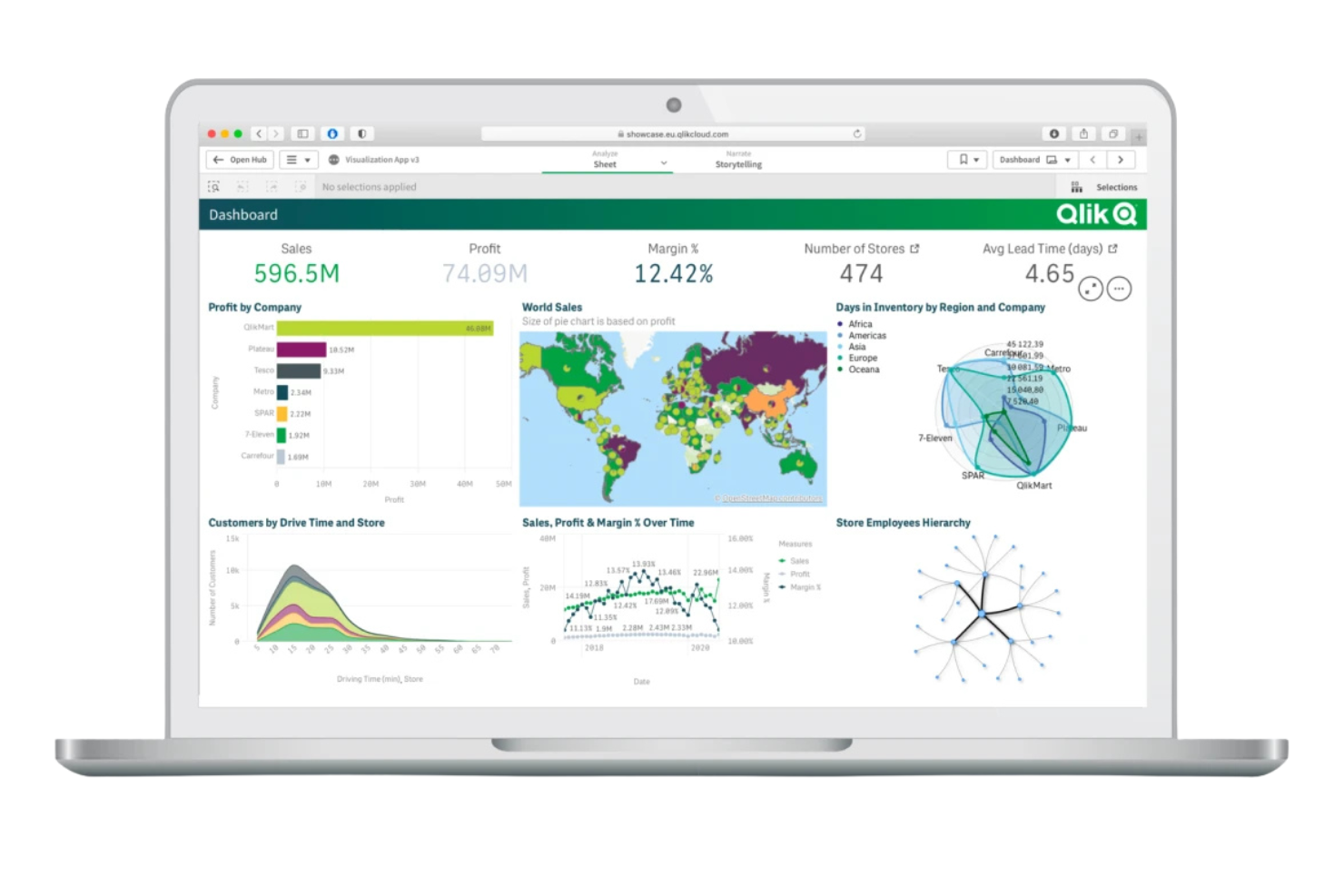
If you’re looking for a business intelligence platform that helps uncover hidden relationships in your data, Qlik is worth considering. Its associative data exploration engine is designed for analysts, data teams, and business users who need to investigate complex, multi-source datasets without predefined query paths. Unlike Domo, Qlik lets you freely explore data connections, making it easier to spot trends and outliers that traditional dashboards might miss.
Why Qlik Is a Good Domo Alternative
Qlik stands out for its associative data exploration, which gives you a different way to interact with your data compared to Domo. I picked Qlik because its associative engine lets you freely navigate across data points, uncovering relationships and insights that might be missed with traditional query-based tools.
The platform highlights both related and unrelated data as you make selections, helping you spot outliers and trends quickly. For teams that need to analyze complex, multi-source datasets without being limited by predefined dashboards, Qlik offers a flexible and discovery-driven approach.
Qlik Key Features
Some other features that make Qlik appealing for business intelligence teams include:
- Self-Service Data Preparation: Users can clean, transform, and combine data from multiple sources without coding.
- Augmented Analytics: AI-driven insights and suggestions help users identify patterns and trends.
- Mobile Analytics App: Access dashboards and reports on iOS and Android devices.
- Data Alerts: Set up custom notifications based on data changes or thresholds.
Qlik Integrations
Integrations include AWS, Google Cloud, Microsoft Azure, Snowflake, SAP, Databricks, Cloudera, Salesforce, Oracle, and Teradata.
Pros and Cons
Pros:
- AI-driven insights highlight trends and anomalies
- In-memory processing enables fast interactive analysis
- Associative engine uncovers hidden relationships in data
Cons:
- Limited prebuilt dashboard templates for quick setup
- Script-based data modeling requires technical knowledge

Best for marketing data aggregation
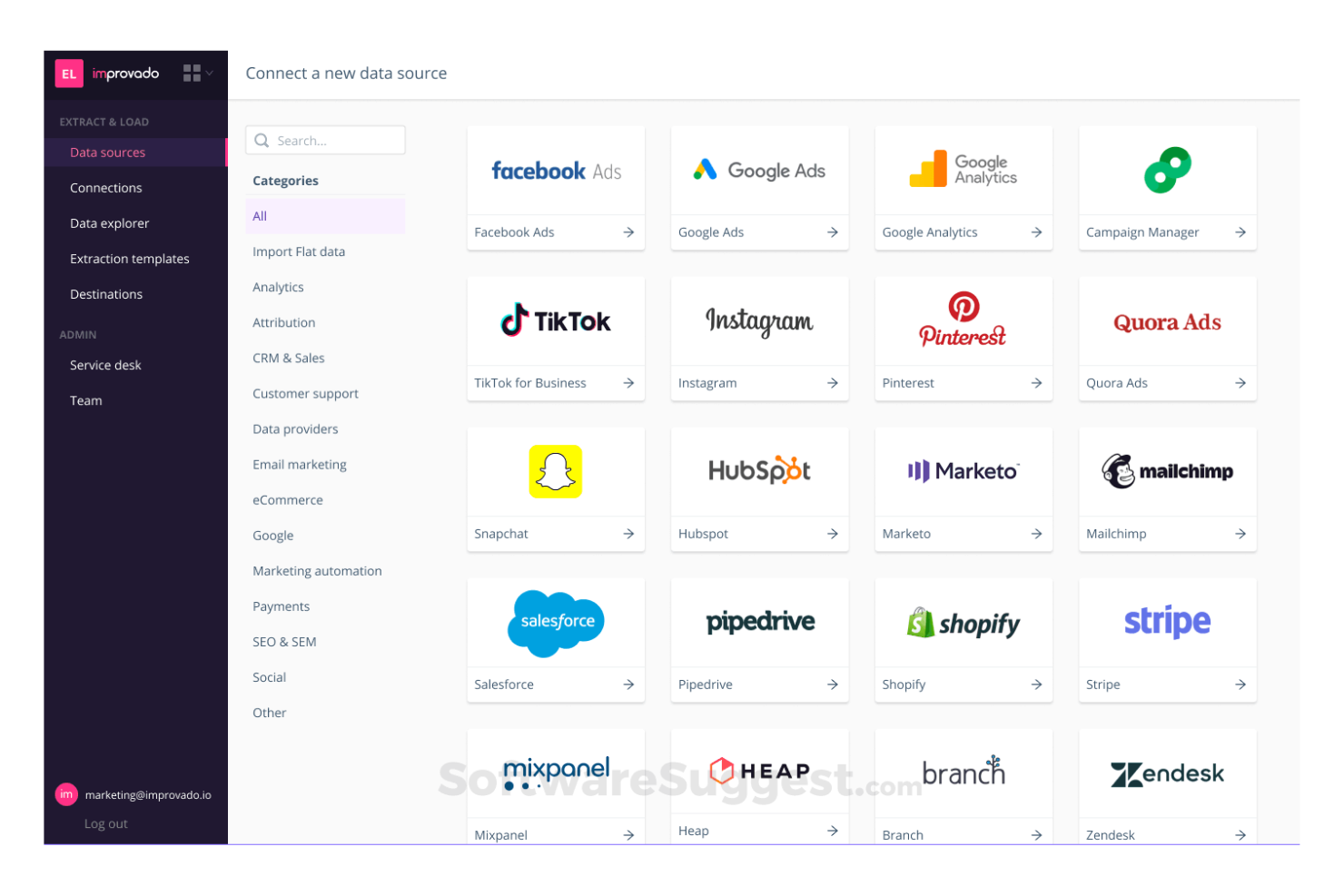
If your team needs to centralize marketing data from dozens of sources, Improvado is built for that challenge. It’s designed for marketing teams and agencies that want to automate data collection, normalization, and reporting across ad platforms, analytics tools, and CRMs. Improvado stands out by offering hundreds of pre-built connectors and a focus on marketing-specific data pipelines that reduce manual work and speed up campaign analysis.
Why Improvado Is a Good Domo Alternative
Unlike many analytics platforms, Improvado is purpose-built for marketing data aggregation at scale. I picked Improvado because it offers hundreds of pre-built connectors for ad networks, social platforms, and analytics tools, making it easy to centralize campaign data.
The platform also automates data normalization, so you can compare metrics across channels without manual mapping or transformation. For marketing teams that need unified, ready-to-analyze data from dozens of sources, Improvado provides a focused alternative to Domo’s broader business intelligence approach.
Improvado Key Features
Some other features that make Improvado valuable for marketing analytics teams include:
- Custom Data Mapping: Users can define custom rules to map and transform incoming data fields.
- Data Destination Flexibility: Send aggregated data to warehouses like Google BigQuery, Snowflake, or Tableau.
- Automated Report Scheduling: Schedule recurring delivery of dashboards and reports to stakeholders.
- Role-Based Access Controls: Manage user permissions and data visibility across teams and clients.
Improvado Integrations
Integrations include Google Ads, Facebook Ads, TikTok Ads, Google Analytics 4, Amazon Advertising, HubSpot, Salesforce, LinkedIn Ads, Mailchimp, and Shopify.
Pros and Cons
Pros:
- Custom data mapping supports complex reporting
- Automated data normalization across channels
- Extensive connectors for marketing data sources
Cons:
- Setup may require assistance from the vendor team
- Limited support for non-marketing analytics use cases

Looker
Best for embedded analytics customization
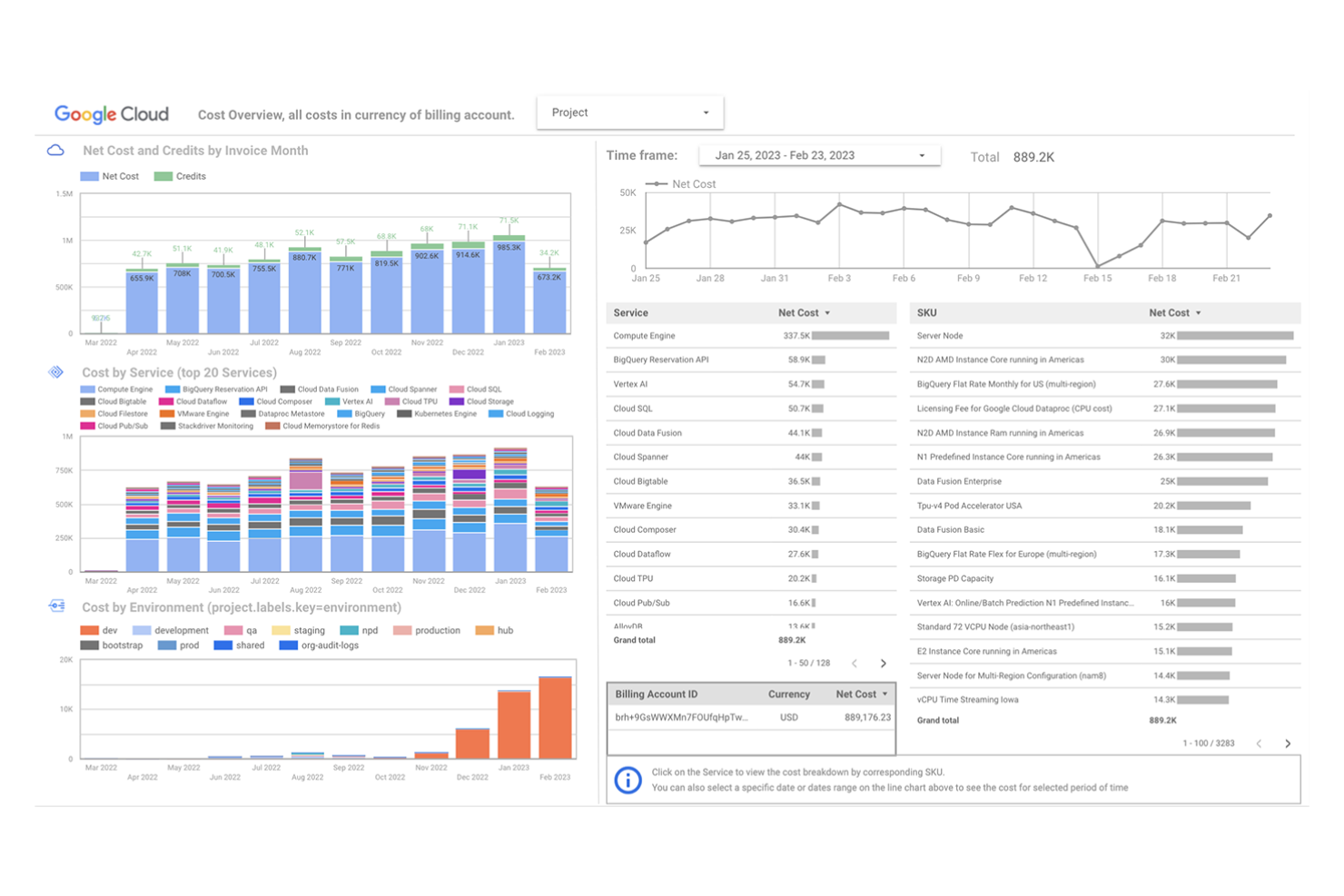
For organizations that need advanced control over how analytics are embedded into their products or workflows, Looker offers a flexible platform built for customization. It’s a strong fit for SaaS providers, product teams, and data engineers who want to tailor analytics experiences for end users.
Unlike Domo, Looker gives you granular control over data models and visualization components, making it easier to deliver branded, interactive analytics within your own applications.
Why Looker Is a Good Domo Alternative
What sets Looker apart is its focus on embedded analytics customization, which is especially valuable for teams building data-driven products. I picked Looker because it lets you design and embed interactive dashboards and reports directly into your own applications, giving you full control over the user experience.
The platform’s LookML modeling language allows you to define custom data logic and maintain consistency across all analytics outputs. If you need to deliver branded, highly tailored analytics to your customers or internal users, Looker offers flexibility that Domo doesn’t match.
Looker Key Features
In addition to its customization capabilities for embedded analytics, Looker offers several other features worth noting:
- Scheduled Reporting: Automate report delivery to users or teams on a set schedule.
- Data Exploration Interface: Use a drag-and-drop interface to explore and filter data without writing SQL.
- Version Control Integration: Connect with Git for managing and tracking changes to data models.
- Custom Alerts: Set up data-driven alerts that notify users when specific thresholds or conditions are met.
Looker Integrations
Integrations include BigQuery, Snowflake, Amazon Redshift, Microsoft SQL Server, Google Sheets, Google Analytics, Salesforce, PostgreSQL, MySQL, and Amazon Athena.
Pros and Cons
Pros:
- Strong governance with row and object-level security
- LookML models create a consistent, reusable data logic
- Customizable embedded analytics for product applications
Cons:
- Limited built-in dashboard templates for quick setup
- Advanced customization requires technical expertise

Best for SQL-based workflow automation
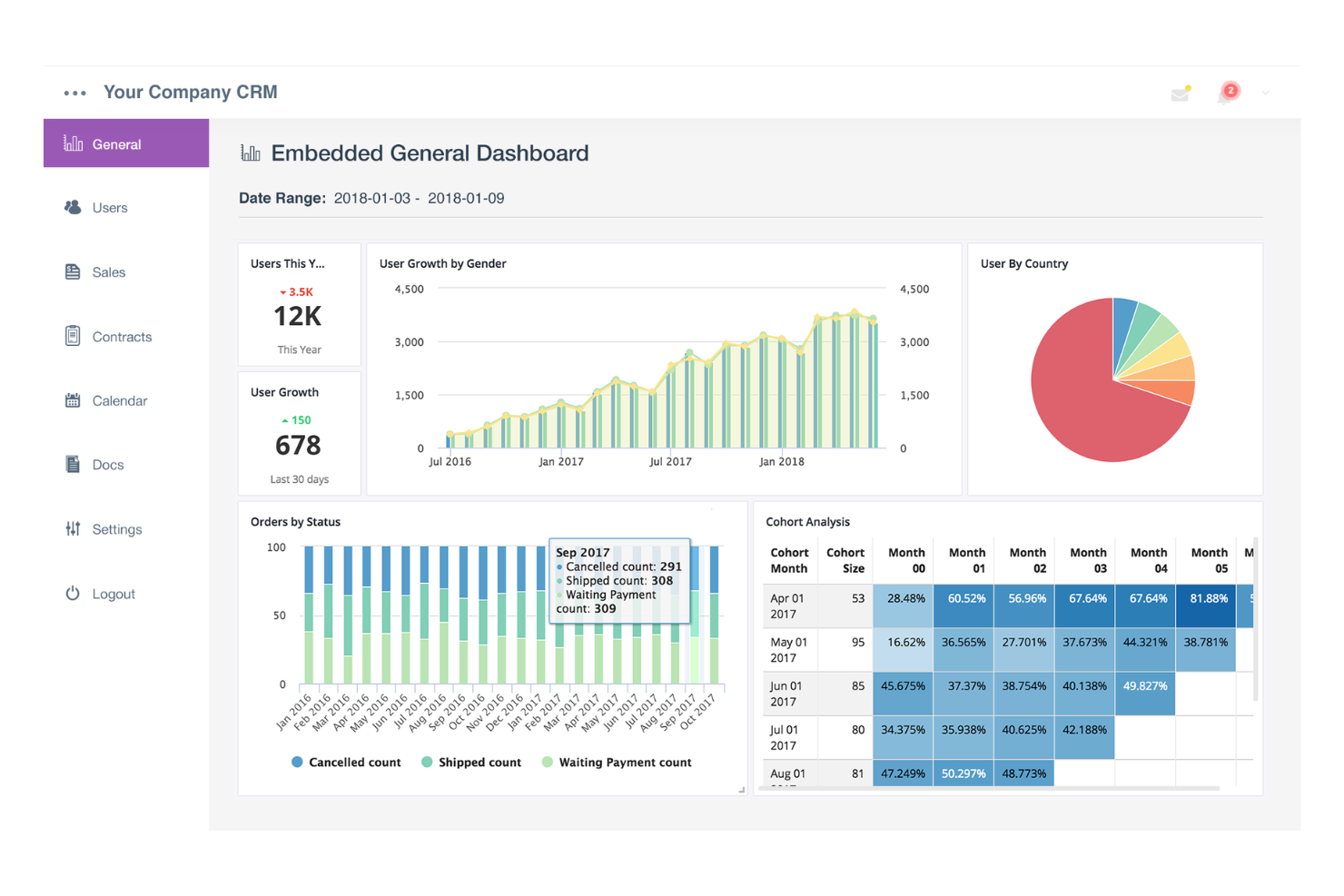
For teams that want to automate analytics workflows using SQL, Holistics offers a unique approach. It’s especially useful for data analysts and engineers who prefer modeling, transforming, and scheduling reports directly in SQL rather than relying on visual interfaces. Holistics helps businesses centralize data logic and automate reporting, making it easier to maintain consistency and transparency across analytics projects.
Why Holistics Is a Good Domo Alternative
Holistics stands out for teams that want to automate analytics workflows directly with SQL. I picked Holistics because it lets users define data models, schedule report delivery, and manage data transformations all within a SQL-based environment.
The data modeling layer helps centralize business logic, while Holistics’ workflow automation tools allow you to trigger reports and dashboards on a schedule or by event. For organizations with strong SQL skills, Holistics offers a transparent and code-driven alternative to Domo’s more visual approach.
Holistics Key Features
Some other features that make Holistics appealing for analytics teams include:
- Self-Service Reporting: Business users can explore and build reports without writing SQL.
- Version Control Integration: Connect analytics projects to Git for change tracking and collaboration.
- Parameterized Dashboards: Create dashboards that accept user input to filter or adjust data views.
- Data Alerts: Set up automated notifications based on data thresholds or changes.
Holistics Integrations
Integrations include Snowflake, Google BigQuery, Amazon Redshift, MySQL, PostgreSQL, Amazon Athena, ClickHouse, Presto, SQL Server, and Databricks.
Pros and Cons
Pros:
- Automated report scheduling supports recurring insights
- Centralized data logic improves reporting consistency
- SQL-based modeling supports complex data workflows
Cons:
- Limited visualization variety compared to BI competitors
- Requires SQL knowledge for most analytics workflows
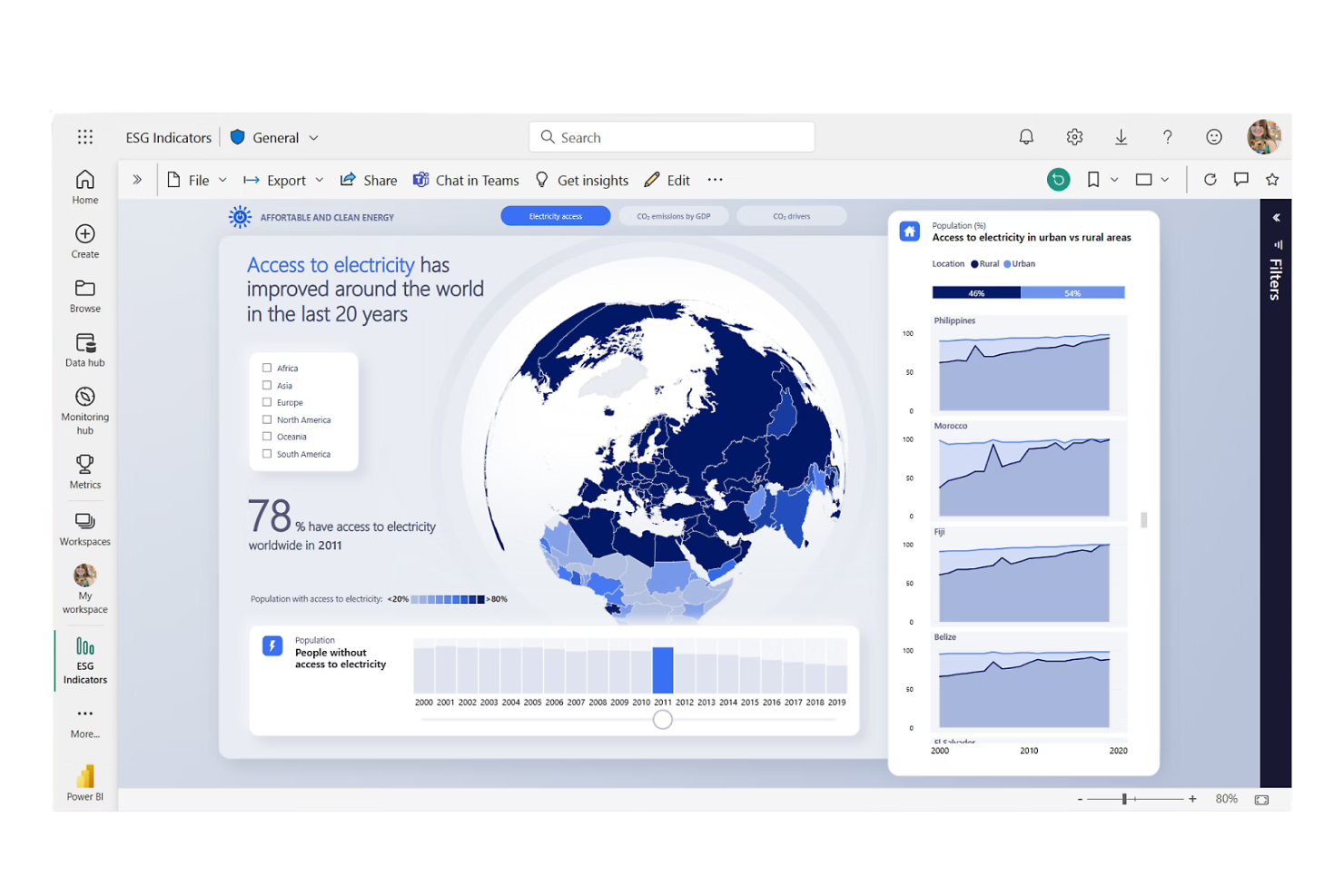
If your team relies on Microsoft 365, Microsoft Power BI offers a business intelligence platform that fits naturally into your existing workflows. It’s especially useful for organizations that want to connect Excel, Teams, and SharePoint data for unified reporting and analytics. Power BI stands out from Domo by providing deep integration with Microsoft tools and familiar interfaces for users already working in the Microsoft ecosystem.
Why Microsoft Power BI Is a Good Domo Alternative
For teams already invested in Microsoft 365, Power BI offers a level of integration that’s hard to match. I picked Power BI because it lets users pull data directly from Excel, SharePoint, and Teams, making it easy to build reports using familiar sources.
The platform’s ability to embed dashboards within Microsoft apps and automate workflows with Power Automate creates a seamless analytics experience. If your organization wants business intelligence that fits tightly with Microsoft tools, Power BI is a strong Domo alternative.
Microsoft Power BI Key Features
Some other features that make Power BI appealing for analytics teams include:
- Natural Language Query: Ask questions about your data in plain English and get instant visual answers.
- Custom Visual Marketplace: Access a library of third-party visuals to expand dashboard capabilities.
- Data Gateway: Connect on-premises data sources securely to Power BI cloud services.
- Row-Level Security: Restrict data access for users based on roles and permissions.
Microsoft Power BI Integrations
Integrations include Microsoft Excel, Microsoft Teams, SharePoint, PowerPoint, Outlook, Microsoft Azure, Dynamics 365, OneDrive, Microsoft Dataverse, and Microsoft Purview.
Pros and Cons
Pros:
- Large library of custom visuals for dashboards
- Natural language queries simplify data exploration
- Strong compatibility with Microsoft 365 workflows
Cons:
- Gateway configuration needed for on-premises data access
- Complex licensing structure for advanced capabilities

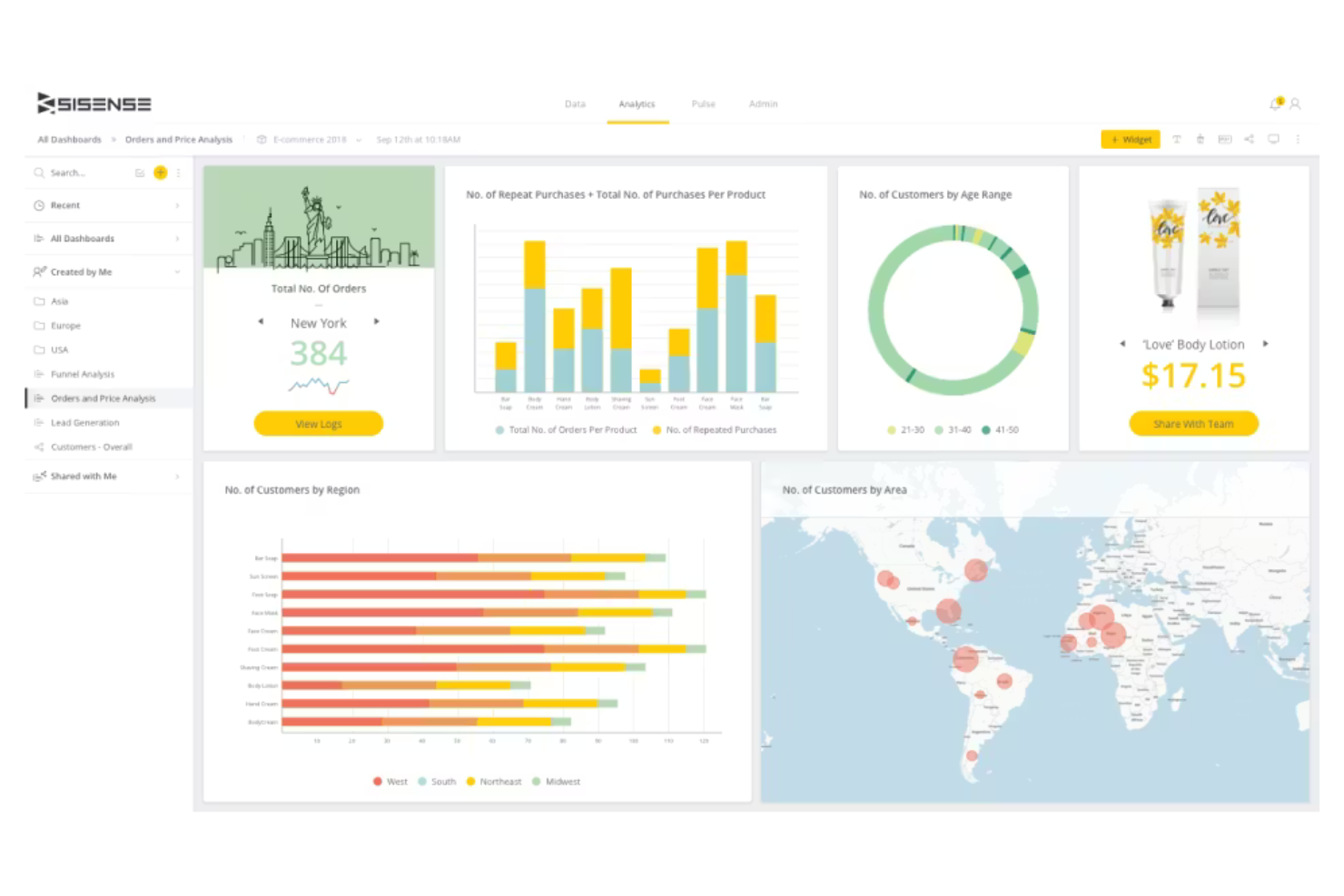
For teams that need to manage and analyze highly complex data structures, Sisense offers a unique approach to business intelligence. Its platform is built for data engineers, analysts, and product teams who want to embed analytics and handle intricate data modeling across multiple sources. Unlike Domo, Sisense lets you build custom data pipelines and deploy analytics directly into your own applications or workflows.
Why Sisense Is a Good Domo Alternative
Sisense takes a different approach from Domo by focusing on advanced data modeling capabilities. I picked Sisense because it lets you build and manage complex data pipelines, supporting multi-source data blending and custom transformations.
The platform’s Elasticube technology allows you to create highly tailored data models that can handle large, intricate datasets. For organizations that need to embed analytics or work with sophisticated data structures, Sisense offers flexibility and control that goes beyond standard dashboarding tools.
Sisense Key Features
Some other features that make Sisense appealing for analytics teams include:
- White-Labeling and Embedding: Customize and embed analytics directly into your own applications or portals.
- AI-Driven Analytics: Use built-in AI tools to generate automated insights and predictive analytics.
- Role-Based Access Controls: Manage user permissions and data access at a granular level.
- Scheduled Reporting: Automate report delivery to stakeholders on a set schedule.
Sisense Integrations
Integrations include Snowflake, Google BigQuery, Amazon Redshift, Databricks, Azure Synapse, Salesforce, Oracle, PostgreSQL, MySQL, and SQL Server.
Pros and Cons
Pros:
- AI tools generate predictive insights from data
- Embedded analytics for custom product experiences
- Elasticube engine handles large and complex datasets
Cons:
- Dashboard design flexibility is somewhat limited
- Initial setup requires significant technical resources

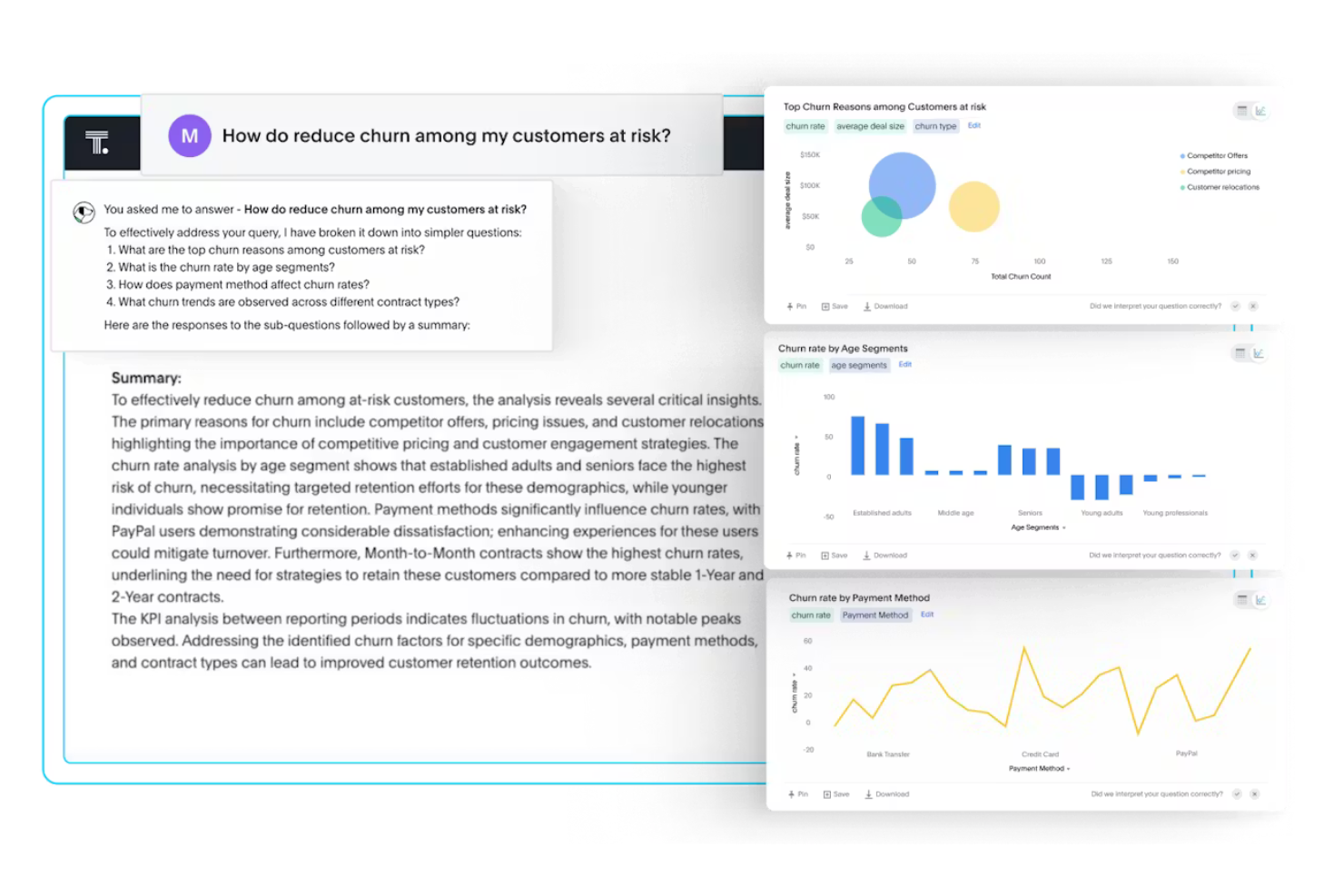
Unlike traditional BI platforms, ThoughtSpot puts search-driven analytics at the center of its experience. It’s a strong fit for teams that want to empower non-technical users to explore data and generate insights on their own. With its Google-like search bar and AI-powered suggestions, ThoughtSpot helps businesses quickly surface answers from complex datasets without relying on data specialists.
Why ThoughtSpot Is a Good Domo Alternative
If you want a business intelligence platform that prioritizes search-driven insights, ThoughtSpot is a strong choice. I picked ThoughtSpot because its natural language search bar lets users type questions and instantly generate charts or reports from their data.
The platform’s AI-driven suggestions help guide users to relevant insights, even if they’re not sure where to start. For teams that want to democratize analytics and reduce reliance on data specialists, ThoughtSpot’s search-first approach offers a clear advantage over Domo.
ThoughtSpot Key Features
Some other features that make ThoughtSpot appealing for business intelligence teams include:
- Live Analytics on Cloud Data: Query and analyze data directly from cloud data warehouses without moving or duplicating it.
- Pinboards: Create interactive dashboards that update in real time as underlying data changes.
- Embedded Analytics: Integrate ThoughtSpot’s analytics and search capabilities into your own apps or portals.
- Granular Access Controls: Set detailed permissions for users and groups to manage data visibility and actions.
ThoughtSpot Integrations
Integrations include Snowflake, Google BigQuery, Amazon Redshift, Databricks, Microsoft Azure Synapse, Google Sheets, Salesforce, ServiceNow, Oracle, and SAP.
Pros and Cons
Pros:
- Interactive pinboards support real-time dashboards
- AI insights surface trends without manual analysis
- Search-driven analytics for fast data exploration
Cons:
- Visualization options are fewer than those of many BI tools
- Limited built-in tools for complex data transformation

Draxlr
Best for no-code dashboard creation
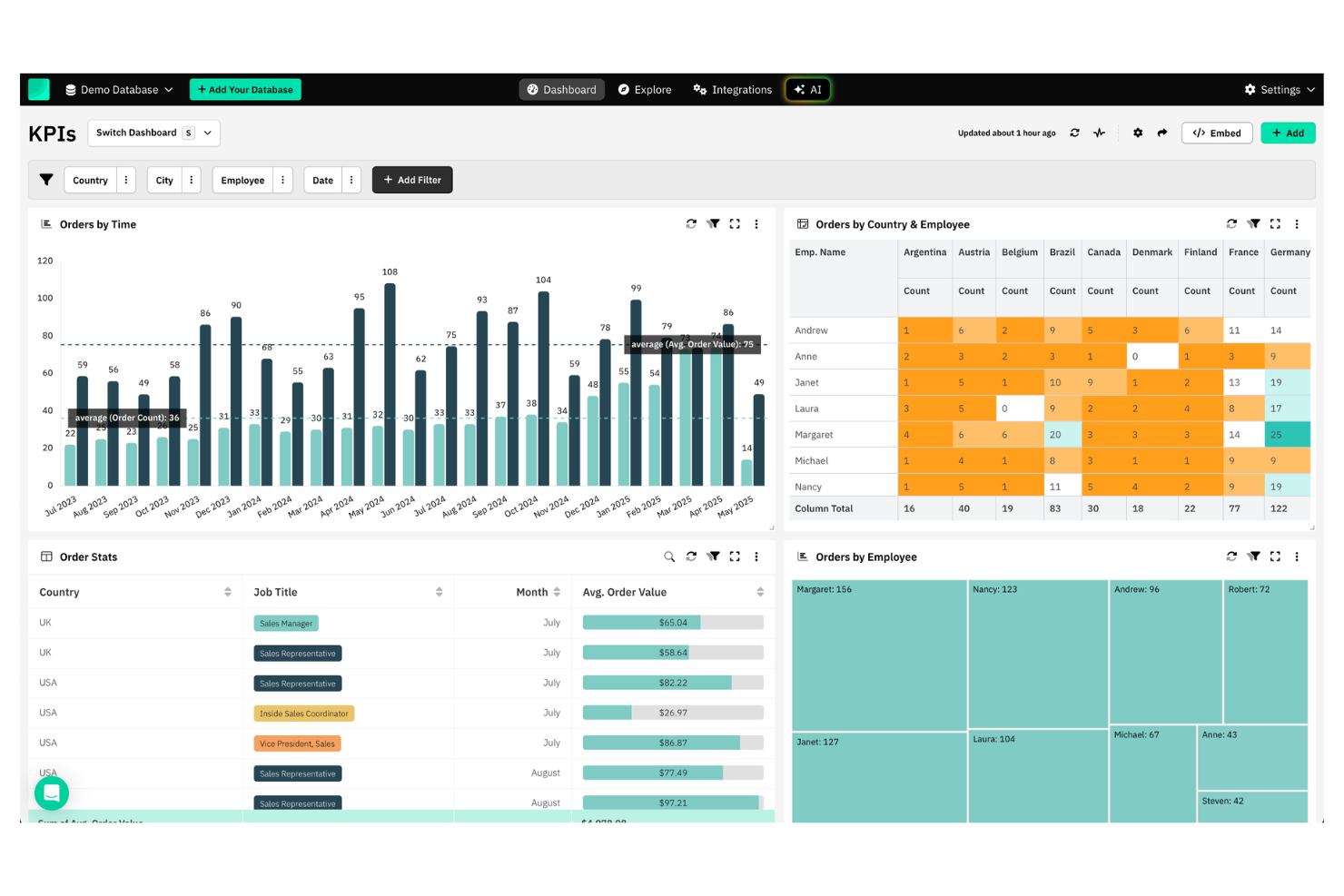
For teams that want to build dashboards without writing code, Draxlr offers a straightforward solution. It’s especially useful for startups, small businesses, and non-technical teams that need to visualize data from SQL databases quickly. Draxlr stands out from Domo by letting users create interactive dashboards and reports using a drag-and-drop interface, with no SQL or scripting required.
Why Draxlr Is a Good Domo Alternative
Draxlr takes a different approach from Domo by focusing on no-code dashboard creation for users who don’t want to write SQL. I picked Draxlr because it lets you build interactive dashboards and reports using a drag-and-drop editor, making it accessible for non-technical teams.
The platform also supports real-time data exploration and filtering, so you can dig into your data without complex setup. For organizations that want to empower more team members to create and share dashboards, Draxlr offers a focused alternative to Domo’s broader analytics suite.
Draxlr Key Features
Some other features that make Draxlr appealing for business intelligence include:
- SQL Query Builder: Users can generate custom queries visually without writing code.
- Scheduled Reports: Set up automated report delivery to email recipients on a recurring basis.
- Data Source Management: Connect and manage multiple SQL databases from a single dashboard.
- User Permissions: Assign different access levels to team members for data security and collaboration.
Draxlr Integrations
Integrations include PostgreSQL, MySQL, MariaDB, PlanetScale, CockroachDB, YugabyteDB, Microsoft SQL Server, Redshift, BigQuery, Supabase, and Snowflake.
Pros and Cons
Pros:
- Direct SQL database connections for real-time dashboards
- Visual query builder simplifies data exploration
- No-code dashboard builder for non-technical users
Cons:
- The variety is smaller than that of many BI tools
- Limited advanced data transformation capabilities

Best for small business reporting
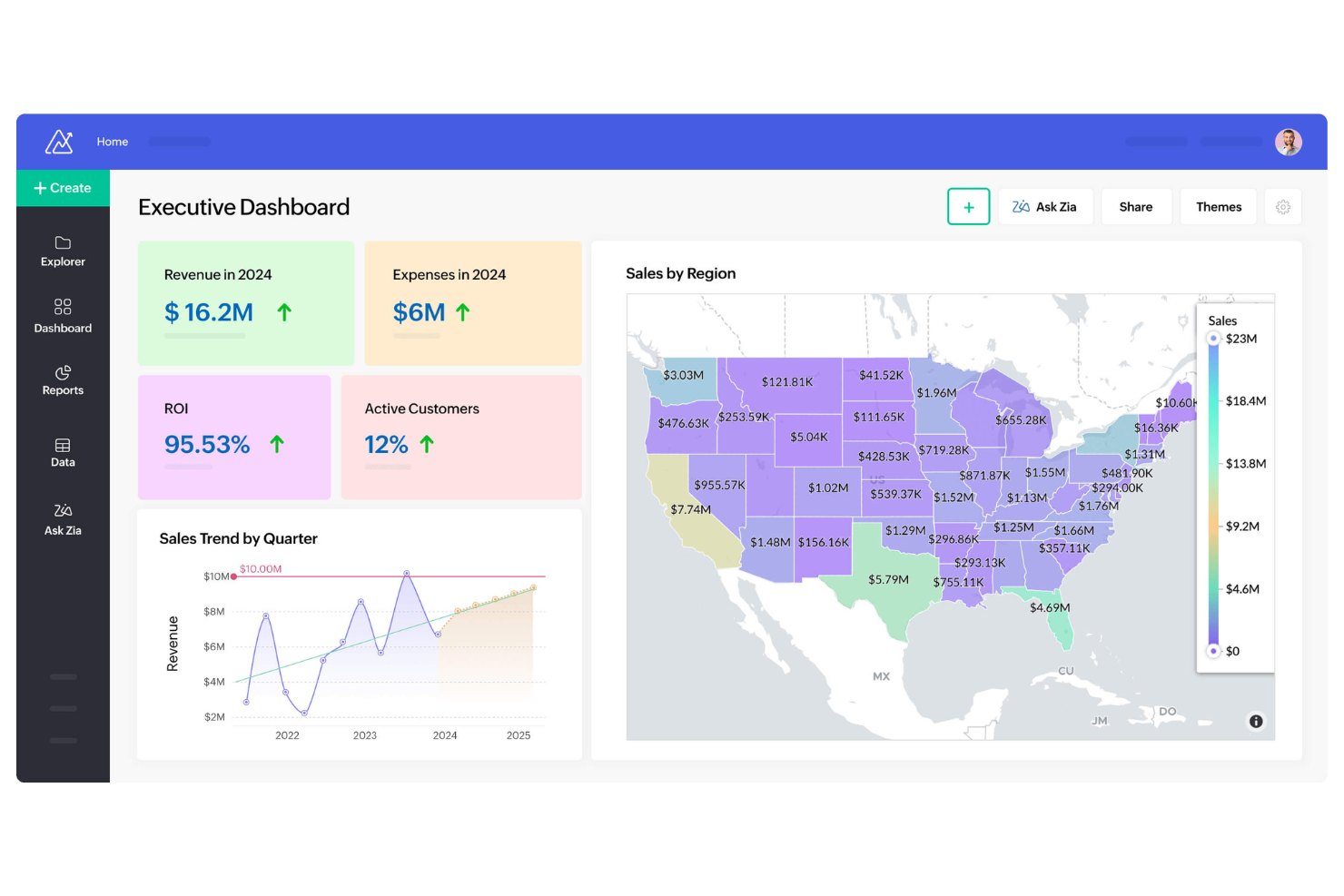
If you’re looking for a business intelligence platform that’s approachable for small businesses, Zoho Analytics is worth considering. It’s designed for teams that need to create reports and dashboards without a dedicated data analyst. Zoho Analytics stands out from Domo by offering user-friendly automation and prebuilt connectors that help small businesses quickly turn raw data into actionable reports.
Why Zoho Analytics Is a Good Domo Alternative
For small businesses that need straightforward reporting, Zoho Analytics offers a focused set of tools that make data analysis accessible. I picked Zoho Analytics because it provides prebuilt report templates and drag-and-drop dashboard creation, which helps teams get started quickly without technical expertise.
The platform’s automated data syncing and scheduled reporting features are especially useful for small business owners who want to keep stakeholders informed with minimal manual effort. If you’re looking for a Domo alternative that’s tailored to small business reporting needs, Zoho Analytics is a strong fit.
Zoho Analytics Key Features
Some other features that make Zoho Analytics appealing for small business reporting include:
- Data Blending: Combine data from multiple sources for unified analysis.
- AI-Powered Assistant (Zia): Use natural language queries to generate insights and visualizations.
- White-Labeling: Customize the analytics portal with your own branding.
- Role-Based Permissions: Control access to reports and dashboards for different team members.
Zoho Analytics Integrations
Integrations include Zoho CRM, Salesforce, QuickBooks, Shopify, Google Analytics, Amazon Redshift, ServiceNow, Jira, Oracle NetSuite, and Databricks.
Pros and Cons
Pros:
- Prebuilt report templates speed up dashboard creation
- AI assistant enables natural language data queries
- User-friendly reporting tools for small business teams
Cons:
- Mobile dashboards lack full feature parity
- Limited advanced analytics for large-scale datasets
New Product Updates from Zoho Analytics

Zoho Analytics Adds Exogenous Variables to Multivariate Forecasting
Zoho Analytics introduces exogenous variables for multivariate forecasting using the VARX model. This helps forecasts account for external drivers such as marketing spend, discounts, and seasonality. For more information, visit Zoho Analytics’ official site.
 .
.Other Domo Alternatives
Here are some additional Domo alternatives that didn’t make it onto my shortlist, but are still worth checking out:
- Strategy
For advanced mobile analytics
- GoodData
For scalable analytics deployment
- Amazon QuickSight
With AWS ecosystem compatibility
- SAP BusinessObjects
With enterprise resource planning integration


How I Evaluate Domo Alternatives
I first check whether a tool covers the baseline Domo does—connecting CRM, support, and survey data into live dashboards CX teams can explore on their own. Then I evaluate the differentiators that separate a good fit from a great one.
Core Functionality (Table Stakes For This List)
When I'm selecting tools for my list, I rank each one on a scale from 0 (does not offer the functionality) to 5 (excels in this area) for each core functionality listed below. Then, I calculate the tool's total score into a percentage. Each tool needs to achieve a minimum total score of 65% to be considered for inclusion.
- Multi-Source Data Integration: I check whether a tool connects natively to the CX platforms teams actually use—think Zendesk, Salesforce Service Cloud, Qualtrics—without requiring custom API work.
- Interactive Dashboards: The dashboard builder should let users drill into CSAT trends by region, cross-filter NPS by customer segment, and customize layouts for different audiences.
- Self-Service Analytics: I look for drag-and-drop report building that a CX ops manager can pick up without filing a request with the data team to pull churn cohort breakdowns.
- Real-Time Data Refresh: CX teams monitoring live ticket queues or post-launch sentiment need data that refreshes in minutes, so I evaluate how frequently each tool syncs sources.
- Automated Alerts & Reporting: I look at whether a tool can push a Slack alert when NPS dips below a set threshold and auto-send a weekly executive summary to leadership.
- Collaboration & Sharing: Sharing matters when insights need to reach product, support, and leadership, so I evaluate role-based permissions, embedded dashboards, and commenting features.
Once I have a list of tools that meet the criteria, I consider what sets each platform apart.
Differentiating Factors (What Sets Vendors Apart)
Here's how I compare and contrast different vendors:
Standout Features
AI-powered insights matter when a platform can flag an emerging churn pattern before your team catches it in a monthly review. I also evaluate text and sentiment analysis—parsing open-ended survey responses or support tickets for recurring themes saves CX analysts hours of manual tagging. Natural language querying is another separator, since it lets a VoC lead pull a quick NPS breakdown by segment without waiting on an analyst to build the report.
Beyond Features
Pricing transparency is a big one—I check whether a vendor publishes clear tiers or hides everything behind a sales call, since CX teams switching off Domo often cite unpredictable costs as the trigger. Implementation speed also matters. Pre-built CX dashboard templates and guided onboarding can get a team from signup to live NPS tracking in weeks. I also evaluate how deeply a tool connects to the broader CX stack, especially bi-directional sync that pushes insights back into Zendesk or Salesforce so frontline agents can act on them.
Why Look For A Domo Alternative?
While Domo is a good choice of business intelligence and data analytics platform, there are a number of reasons why some users seek out alternative solutions. You might be looking for a Domo alternative because…
- You need more flexible or affordable pricing
- Your team prefers no-code dashboard creation
- You want deeper customization of visualizations
- You require support for niche or legacy data sources
- You need simpler onboarding for non-technical users
- You want more control over data hosting and privacy
If any of these sound like you, you’ve come to the right place. My list contains several business intelligence and data analytics platform options that are better suited for teams facing these challenges with Domo and looking for alternative solutions.
Domo Key Features
Here are some of the key features of Domo, to help you contrast and compare what alternative solutions offer:
- Real-time data integration from multiple sources
- Drag-and-drop dashboard and report builder
- Automated data transformation and ETL tools
- Customizable data visualizations and charts
- AI-powered data alerts and insights
- Mobile app for on-the-go analytics
- Embedded analytics for external applications
- Role-based access controls and permissions
- Scheduled reporting and data sharing
- App marketplace for pre-built connectors and extensions