

If you're exploring alternatives to Keap, you're likely facing challenges in managing customer relationships effectively. Perhaps Keap's features aren't aligning with your team's specific needs, or you're seeking a solution that better fits your budget or industry.
In my experience, finding the right customer relationship management software can significantly alleviate these pain points by organizing your workflow and improving team collaboration.
In this article, I'll share my top picks for Keap alternatives and explain what sets each tool apart. I'll provide an unbiased, well-researched review to help you make an informed decision for your business needs.
What is Keap?
Keap is a customer relationship management software designed to help businesses manage customer interactions and automate sales processes. It's commonly used by small business owners, entrepreneurs, and sales teams needing to create efficient and personalized customer experiences.
Features such as contact management, email marketing, and automated follow-ups help with organizing customer data and improving communication. Overall, Keap provides an efficient way to manage customer relationships and grow your business.
Keap Alternatives Comparison Table
This comparison table summarizes pricing details for my top Keap alternative selections:
Score legend (out of 5)
- Excellent4.5–5
- Good4–4.4
- Average3–3.9
- Below average2–2.9
- Poor1–1.9
Sorted by: Default
| Tool | Starting Price | Website | |||||||
|---|---|---|---|---|---|---|---|---|---|
Best for AI-driven sales capabilities | 2.5 out of 5 | 4 | 3 | 1 | 1 | 4 | 2 | $9/user/month 21-day free trial available | Website |
Best all-in-one CRM for startups | Not rated | 4 | 4 | Not rated | 4 | 4 | 3 | Pricing upon request Free plan + free demo available | Website |
Best for powerful customer experience automation | 3.3 out of 5 | 4 | 3 | 1 | 4 | 3 | 5 | $15/month 14-day free trial + free demo available | Book Demo |
Best for sales and marketing integration | 3.5 out of 5 | 4 | 3 | 3 | 3 | 4 | 4 | $12/user/month Free plan + 15-day trial + demo available | Website |
Best for service-based automation | 3.8 out of 5 | 5 | 4 | 3 | 3 | 4 | 4 | Pricing upon request 14-day free trial + demo available | Website |
Best for event-based businesses | Not rated | 3 | 3 | 1 | 4 | Not rated | 3 | $12/month Free trial available | Website |
Best for CRM with project tracking | 3.0 out of 5 | 4 | 3 | 2 | 2 | 4 | 3 | $29/user/month 14-day free trial + free demo available | Website |
Best for email marketing | Not rated | 4 | 3 | 1 | 4 | Not rated | 4 | $13/month Free plan + 14-day free trial + demo available | Website |
Best for an intuitive all-in-one CRM | Not rated | 4 | 3 | 1 | 4 | Not rated | 4 | $9/month Free plan + free demo available | Website |
Best for AI-driven outbound sales focus | Not rated | 4 | 3 | Not rated | 2 | 4 | 3 | $19/user/month 14-day free trial + free demo available | Website |


Why Trust Our Software Recommendations
6,700+
Reviews
20
Industry experts
16+
Evaluation factors
14
Years
Our team has been testing and reviewing software since 2012. As CX leaders ourselves, we know how difficult—and important—it is to choose the right software.
For this guide, we evaluated tools using hands-on testing and independent research, scoring tools using our selection criteria.
Our reviews reflect our human editorial judgment, not a sales pitch.
 Gui DrusinaCreative Director
 Tim FisherVP of AI
Best Keap Alternatives Reviews
Below are my detailed summaries of the best Keap alternatives that made it onto my shortlist. My reviews offer a detailed look at the key features, pros and cons, integrations, and ideal use cases of each tool to help you find the best one for you.
 Best for AI-driven sales capabilities
- 21-day free trial available
- From $9/user/month (billed annually)
Visit WebsiteCustomer Rating:4.6/5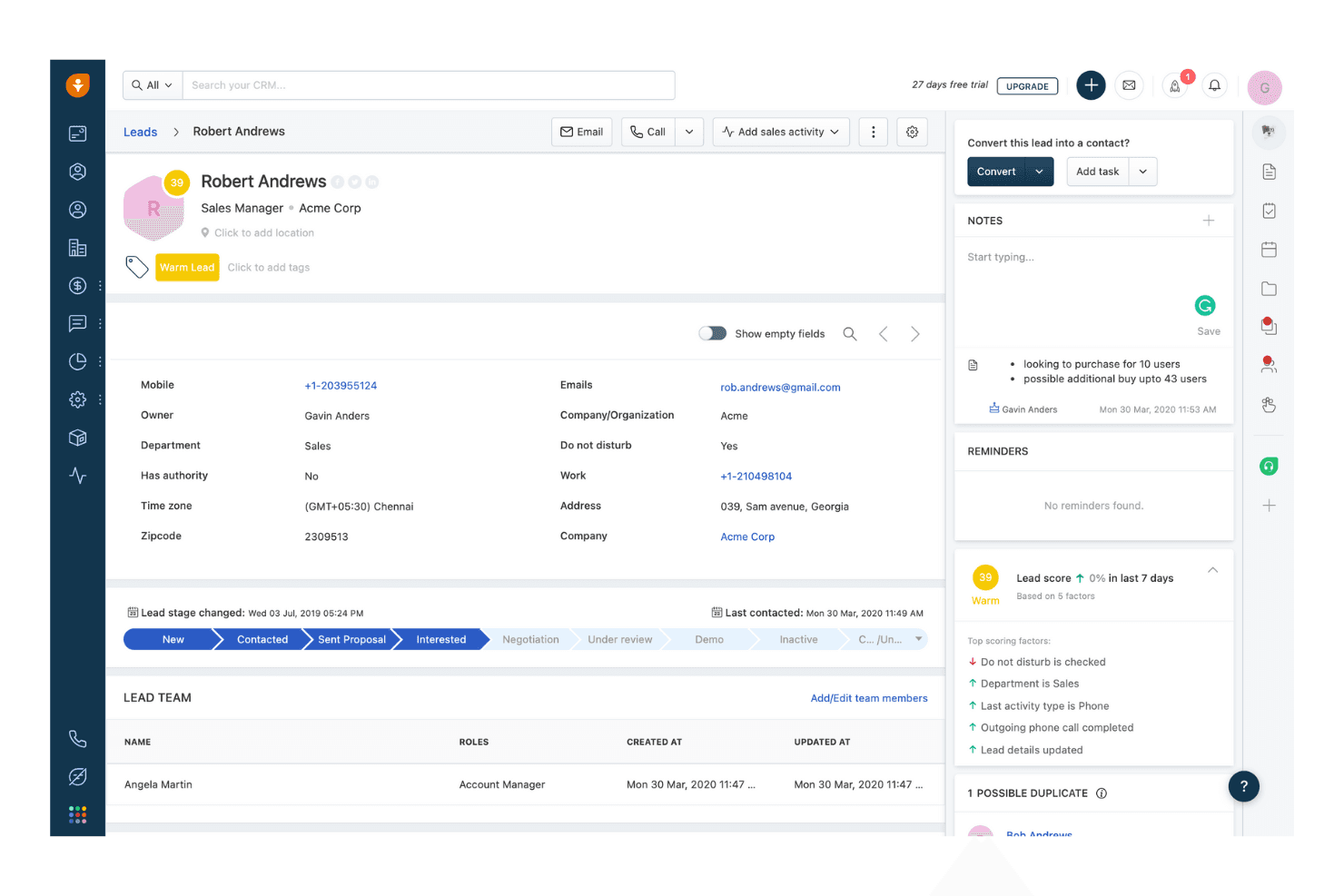
Freshsales displays lead details, scores, and pipeline stage tracking. Freshsales is an AI-powered sales CRM from Freshworks that helps small and growing sales teams manage contacts, track deals across visual pipelines, and automate outreach sequences from one place.
Who Is Freshsales Best For?
Freshsales suits small sales teams that want an intuitive CRM with AI-driven contact scoring and pipeline management without paying for features they won't use.
Why I Picked Freshsales
I've included Freshsales in my top picks because its AI-driven sales capabilities genuinely set it apart from other CRM options. Freddy AI scores contacts on a 0–99 scale using behavioral signals and attributes, then surfaces next-best-action recommendations so you're always focusing on the right prospects. It also analyzes deal emails and historical data to flag risk signals before a deal goes cold.
Freshsales Key Features
- Contact lifecycle stages: Organize contacts by stage in the sales journey, from first touch to closed deal.
- Sales sequences: Build time-bound or interval-based outreach sequences to follow up with sales-qualified contacts automatically.
- Built-in phone, email, and chat: Communicate with contacts directly inside the CRM without switching to external tools.
- Customizable web forms: Capture leads from your website and automatically create contact, account, or deal records from each submission.
Freshsales Integrations
Freshsales lists 100+ integrations, including Mailchimp, QuickBooks, Xero, PandaDoc, DocuSign, Office 365 Calendar, Outlook Contacts, and Freshdesk. It also provides REST APIs for custom integrations.
Pros and Cons
Pros:
- Centralized histories support timely follow-ups
- Visual pipelines clarify deal stages
- AI scoring prioritizes promising prospects
Cons:
- No native invoicing or payment collection
- Marketing journeys require a separate product
Learn more about Freshsales: Best all-in-one CRM for startups
- Free plan + free demo available
- Pricing upon request
Visit WebsiteCustomer Rating:4.6/5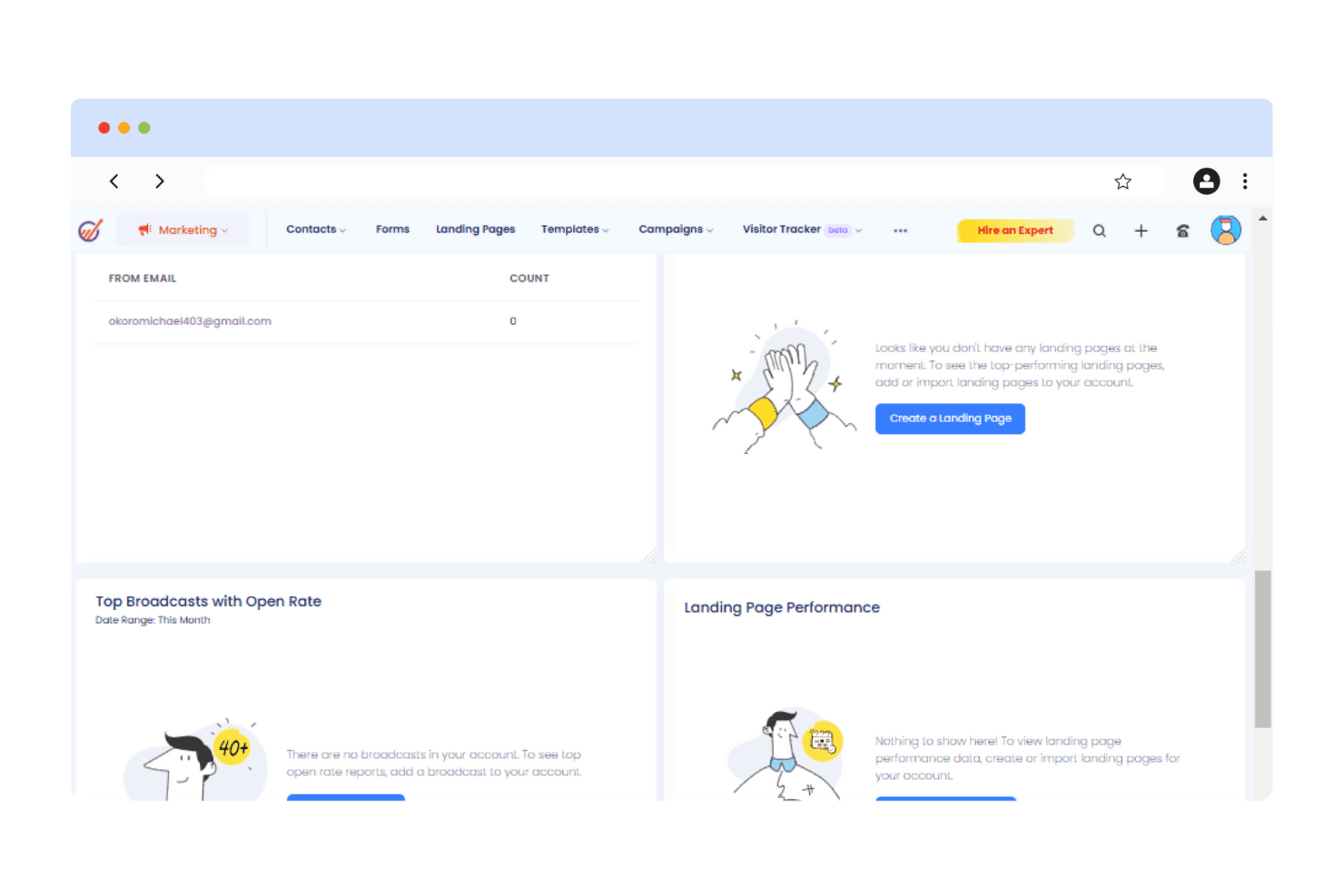
EngageBay tracks broadcasts, landing pages, and email stats in one dashboard. EngageBay is an all-in-one CRM platform built for small businesses and startups that want to manage contacts, run email campaigns, and automate sales follow-ups without juggling multiple tools.
Who Is EngageBay Best For?
EngageBay is a strong fit for small business owners and solo entrepreneurs who want CRM, email marketing, and sales pipeline tools in one affordable platform.
Why I Picked EngageBay
I picked EngageBay as one of the best Keap alternatives because it pulls CRM, email marketing, and sales pipeline management into a single platform built specifically for startups. I especially like how deal tracks and milestones map directly to your sales stages, so when a deal moves forward, automations can fire off tasks and emails without any manual nudging. The 360-degree contact view brings emails, calls, deals, tickets, and form submissions into one record, which keeps follow-ups grounded in real context.
EngageBay Key Features
- Lead scoring: Automatically scores contacts based on engagement behaviors like email opens, link clicks, and URL visits to surface your most qualified prospects.
- Email broadcast A/B testing: Lets you test two email variations against each other and select a winning metric to determine which version gets sent to the full list.
- Contact segmentation: Filters and groups contacts by list, tag, or custom conditions so you can target the right audience for each campaign or sequence.
- Help desk and ticket management: Built-in support ticketing with service automation lets you manage customer issues without switching to a separate support tool.
EngageBay Integrations
EngageBay supports integrations with QuickBooks, Xero Online, Stripe, Shopify, Twilio, SendGrid, and DocuSign among 250+ business tools. It also offers a REST API over HTTPS with JSON and XML support, plus Zapier.
Pros and Cons
Pros:
- Targeted email and SMS broadcasts
- Deal-stage changes can trigger sales tasks
- Unified contact history supports contextual follow-ups
Cons:
- Automation depth trails Keap for complex workflows
- No built-in invoicing or payment collection
Learn more about EngageBay: Best for powerful customer experience automation
- 14-day free trial + free demo available
- From $15/month (billed annually)
Visit WebsiteCustomer Rating:4.4/5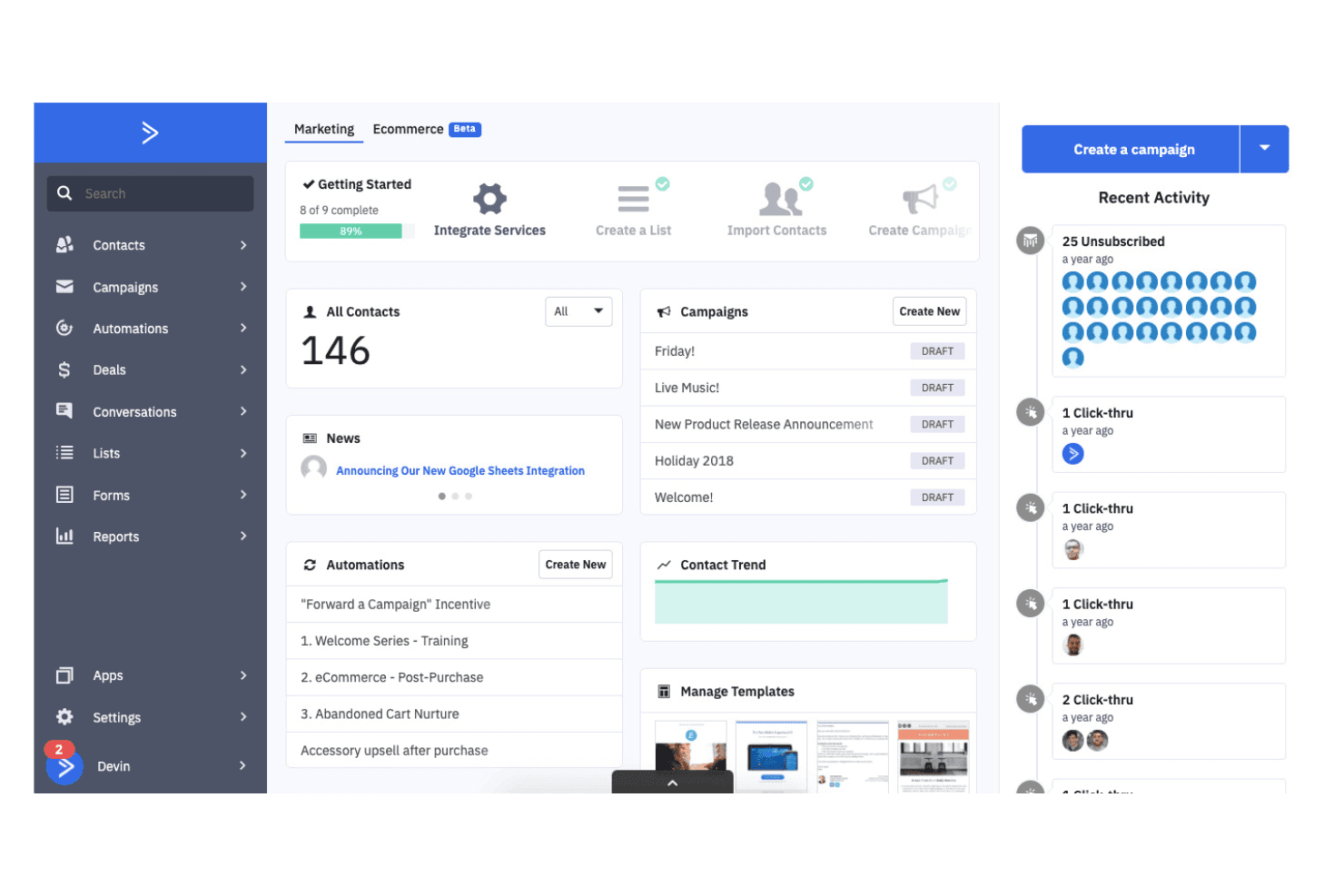
ActiveCampaign centralizes contacts, campaigns, and automations in one dashboard. ActiveCampaign is a marketing automation platform that appeals to small businesses and solo operators who want to build behavior-triggered email sequences, segment contacts, and coordinate campaigns across email, SMS, and WhatsApp without needing a dedicated marketing team.
Who Is ActiveCampaign Best For?
ActiveCampaign is a strong fit for small business owners and solo operators who want sophisticated, behavior-triggered automation without hiring a dedicated marketing team.
Why I Picked ActiveCampaign
I picked ActiveCampaign as one of the best Keap alternatives because its behavior-triggered automation is genuinely where it shines. I love how the AI-powered automation builder lets you go from a plain-language goal to a fully mapped, multi-step campaign sequence across email, SMS, and WhatsApp, without writing a single line of logic yourself. The 950+ pre-built automation recipes mean I can launch a lead nurturing sequence or post-purchase follow-up in minutes, not hours.
ActiveCampaign Key Features
- Contact scoring: Assign and adjust point values to contacts based on behavior or profile data, with scores that can expire, apply retroactively, and trigger automations.
- Segmentation: Organize your contact list into targeted groups using tags, custom fields, and behavioral data to control who receives each campaign.
- Ecommerce integrations: Connect Shopify, WooCommerce, or Square on every plan to support abandoned-cart automations, post-purchase follow-ups, and product catalog messaging.
- Free Keap migration: Customers who switch from Keap and sign up for Pro or Enterprise get a free one-to-one migration covering email lists, templates, automations, forms, and landing pages.
ActiveCampaign Integrations
ActiveCampaign lists 1,000+ apps and integrations, including native Salesforce, Shopify, and WooCommerce integrations, plus a Stripe integration. It also offers a REST API and webhooks for custom connections.
Pros and Cons
Pros:
- Contact scoring helps prioritize timely customer outreach
- Reviewers praise branching follow-ups and automation recipes
- Behavior-triggered sequences support detailed lead nurturing
Cons:
- Form builders draw complaints about customization and troubleshooting
- Pipeline tools require separate CRM add-ons
Learn more about ActiveCampaign: Best for sales and marketing integration
- Free plan + 15-day trial + demo available
- From $12/user/month (billed annually)
Visit WebsiteCustomer Rating:4.3/5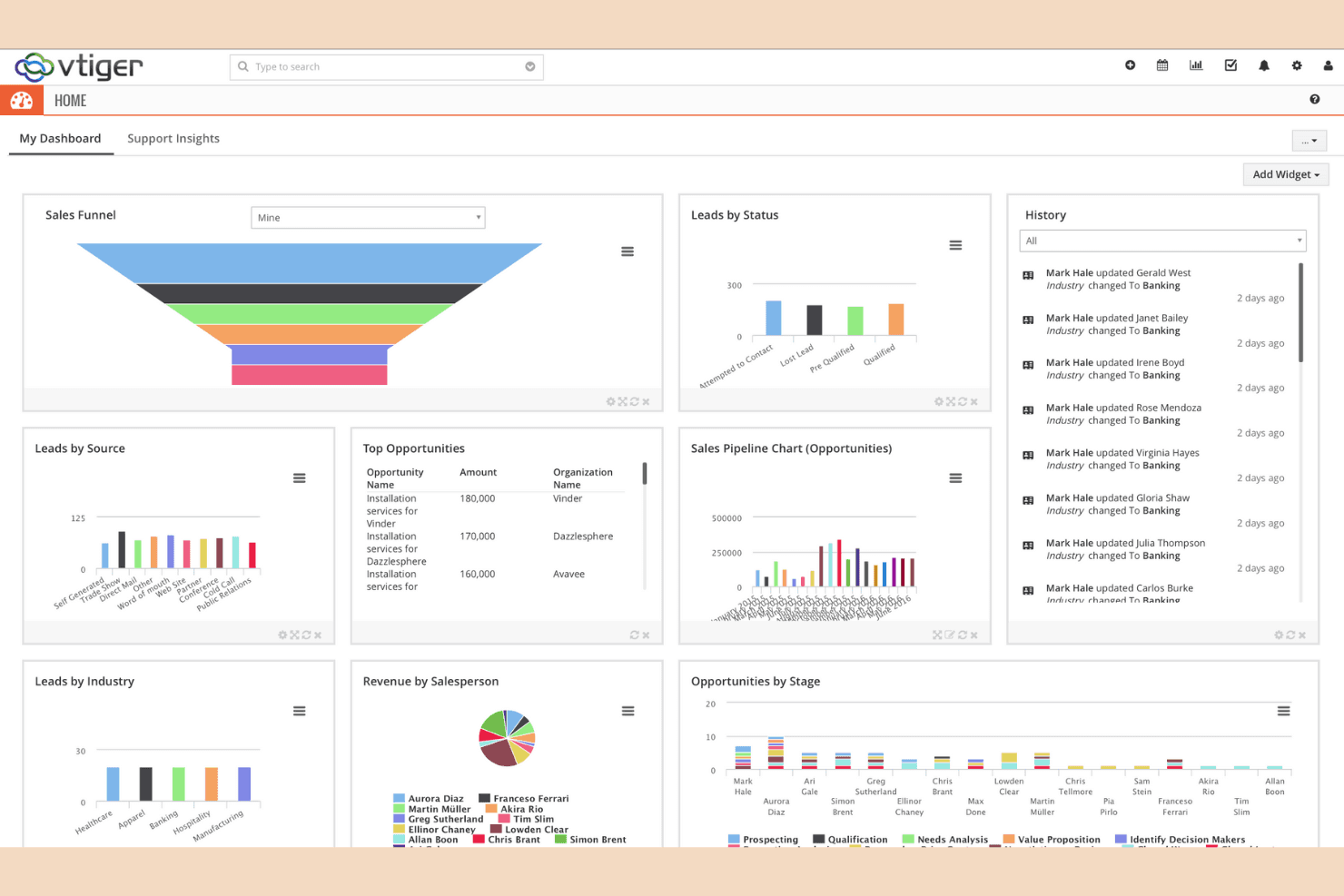
Vtiger displays sales, leads, and pipeline data on one dashboard. Vtiger is an all-in-one CRM built for small businesses and growing teams that want sales, marketing, and support activity unified in a single platform—covering pipelines, email and SMS campaigns, invoicing, and help desk without stitching together separate tools.
Who Is Vtiger Best For?
Vtiger is a strong fit for small business owners and growing teams who want sales pipelines, marketing campaigns, invoicing, and support in one place without paying for multiple tools.
Why I Picked Vtiger
I picked Vtiger as one of the best because it genuinely unifies sales and marketing in a single data layer, so your pipeline and your campaigns share the same contact records. I love that lead scoring and segmented email or SMS campaigns aren't bolt-ons; they're built into the same workflow engine that moves deals through your pipeline. That means you can trigger a nurture sequence the moment a lead hits a score threshold, without any third-party glue.
Vtiger Key Features
- Deal playbooks: Stage-based task sequences that guide reps through each step of a deal as it moves through the pipeline.
- Customer portal: A self-service hub where customers can submit support cases, browse FAQs, and check status updates.
- Landing page builder: A drag-and-drop editor for creating and publishing responsive lead-capture pages with calls to action.
- Inventory management: A built-in module for managing vendors, stock, quotes, and invoices tied directly to CRM records.
Vtiger Integrations
Vtiger lists more than 500 business-application integrations, including QuickBooks, Xero, PayPal, Stripe, Mailchimp, Gmail, Microsoft Outlook, WooCommerce, and Magento. It also supports REST APIs, VTAP custom APIs, and Zapier.
Pros and Cons
Pros:
- Quotes and invoices stay tied to customer records
- Workflow automation supports lead nurturing sequences
- Unified customer records connect sales and support
Cons:
- Email campaign design trails specialist tools
- Workflow setup can demand administrator effort
Learn more about Vtiger: Best for service-based automation
- 14-day free trial + demo available
- Pricing upon request
Visit WebsiteCustomer Rating:4.3/5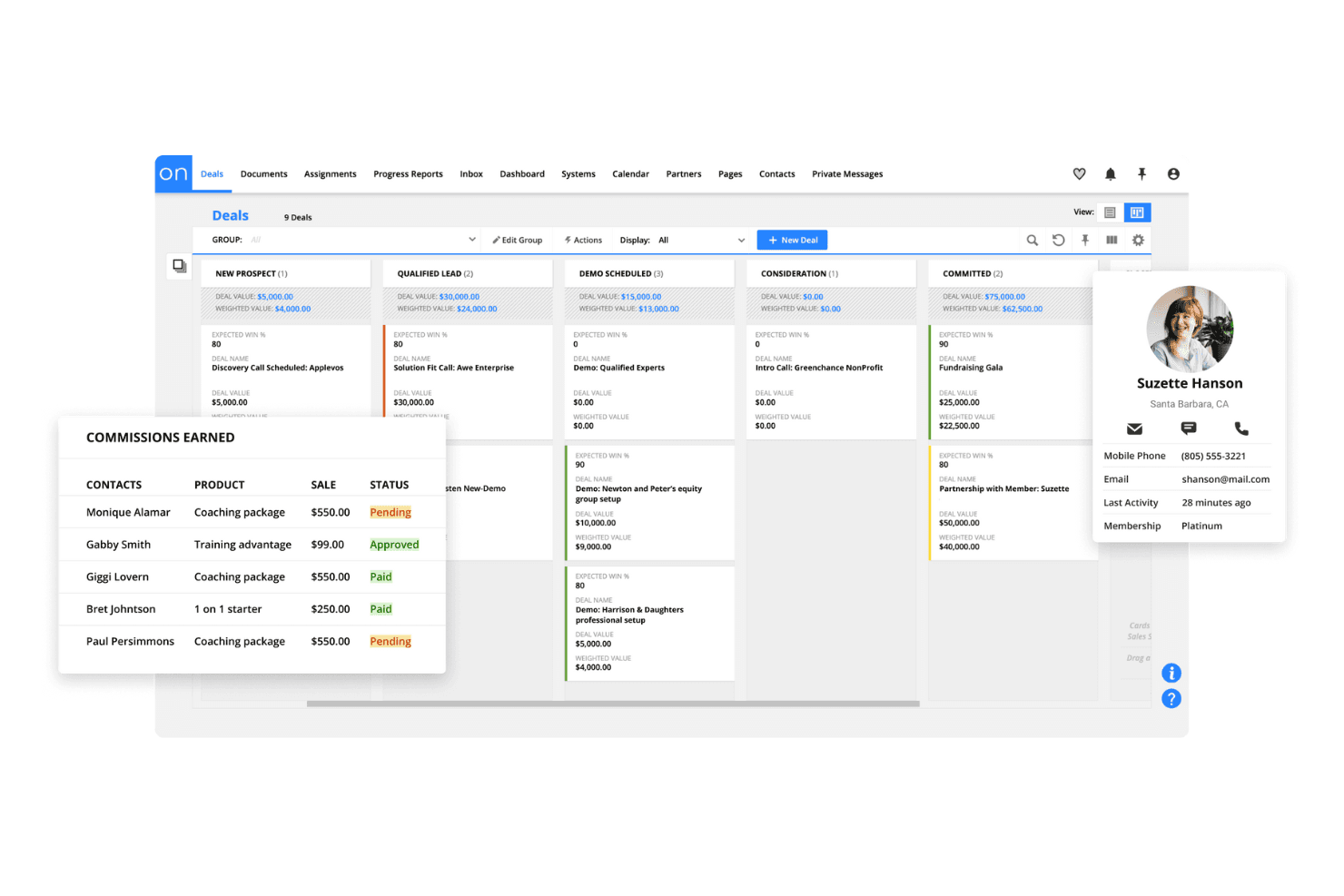
Ontraport tracks deals, commissions, and contact details in one view. Ontraport is an all-in-one CRM and marketing automation platform built for small businesses and solo operators who need to manage contacts, run multi-channel follow-up campaigns, collect payments, and host membership sites without stitching together separate tools.
Who Is Ontraport Best For?
Ontraport is a strong fit for small business owners and solo consultants who need to run CRM, marketing automation, payments, and membership sites from a single platform.
Why I Picked Ontraport
I picked Ontraport as one of the best Keap alternatives because it's built specifically for service-based businesses that need automation to do the heavy lifting. I love how its visual campaign builder lets you trigger follow-up across email, SMS, and sales tasks based on real actions, like a form submission, a payment event, or a sales call outcome. Pair that with invoicing tied directly to contact records and automated payment reminders, and you get a genuinely connected service workflow without stitching tools together.
Ontraport Key Features
- Lead scoring and routing: Score leads using custom data or activity criteria and automatically route them to the right team member based on those scores.
- Smart Pipelines: Build drag-and-drop pipelines for sales, onboarding, or other processes, where moving a card can trigger automations and automations can move cards.
- Customer portal: Give clients a branded self-service portal where they can view invoices, update payment details, and manage their account access.
- Membership and course hosting: Build password-protected membership sites and course experiences using prebuilt applications connected to your CRM data.
Ontraport Integrations
Ontraport lists marketplace integrations with QuickBooks, Shopify, Google Calendar, Stripe Connect, WordPress, Zendesk, Freshdesk, Help Scout, Make, and Zapier. It also offers a REST API, webhooks, and an official PHP client library for custom connections.
Pros and Cons
Pros:
- Invoicing connects payment activity to contacts
- Behavior-triggered email and SMS follow-up
- Unified contact history reduces tool switching
Cons:
- Email templates offer limited design control
- Complex campaigns take time to configure
Learn more about Ontraport:
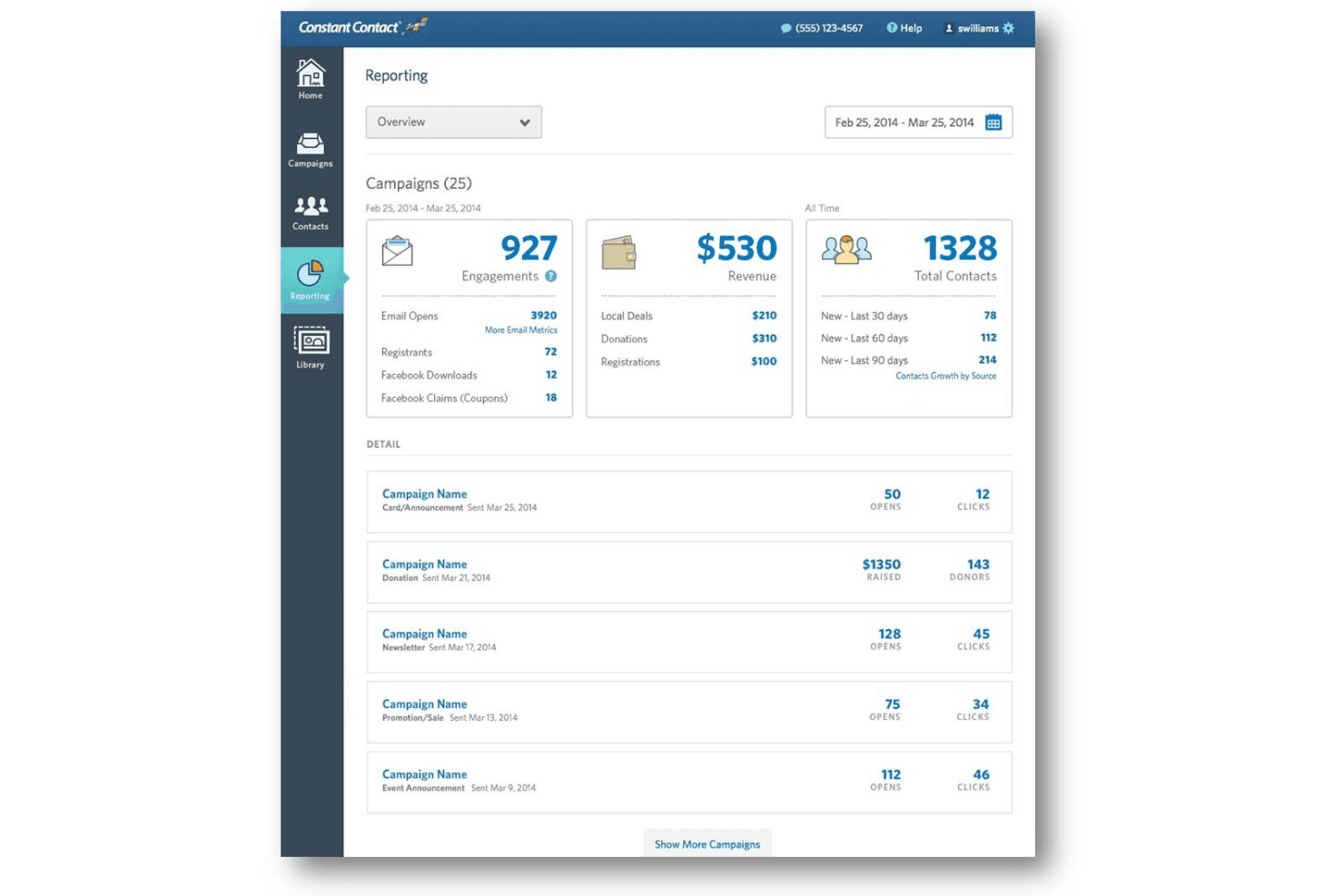
Constant Contact tracks campaign engagement, revenue, and contacts in one dashboard. Constant Contact is a digital marketing platform for small businesses that brings together email campaigns, SMS, social media, and event promotion tools in one place.
Who Is Constant Contact Best For?
Constant Contact suits small businesses that run regular events and need email, SMS, and social marketing tools in one place.
Why I Picked Constant Contact
I picked Constant Contact as one of the best because it's the only tool on this list with built-in event creation and promotion tools, which makes it a natural fit if you regularly host in-person or virtual events. You can build branded event pages, manage registrations, offer ticket tiers with promo codes and early-bird pricing, and collect payments through Stripe or PayPal, all without leaving the platform. From there, automated event reminders, last-chance emails, and post-event follow-ups keep your audience engaged at every stage.
Constant Contact Key Features
- Segment Builder with AND/OR logic: Groups contacts using email engagement and list membership criteria to target specific audiences with custom conditions.
- Automation Path Builder: Creates multi-step automated journeys with time delays, conditional splits, and email or SMS sends triggered by segment criteria or date-based events.
- AI copy generator: Drafts email and SMS copy from prompts using built-in AI assistance available across plans.
- Social media publishing and scheduling: Creates and publishes posts to Facebook, Instagram, and LinkedIn, with scheduling available on Standard and higher plans.
Constant Contact Integrations
Constant Contact offers 300+ native integrations, including Salesforce, HubSpot, Shopify, Stripe, and WooCommerce, plus Zapier connectivity. It also provides a V3 API with OAuth 2.0 authorization for custom integrations.
Pros and Cons
Pros:
- Templates help create polished newsletters
- Segmented email and SMS campaign targeting
- Built-in event registration and reminders
Cons:
- Complex nurture branching remains limited
- No deal stages for sales pipelines
Learn more about Constant Contact: Best for CRM with project tracking
- 14-day free trial + free demo available
- From $29/user/month (billed annually)
Visit WebsiteCustomer Rating:4.2/5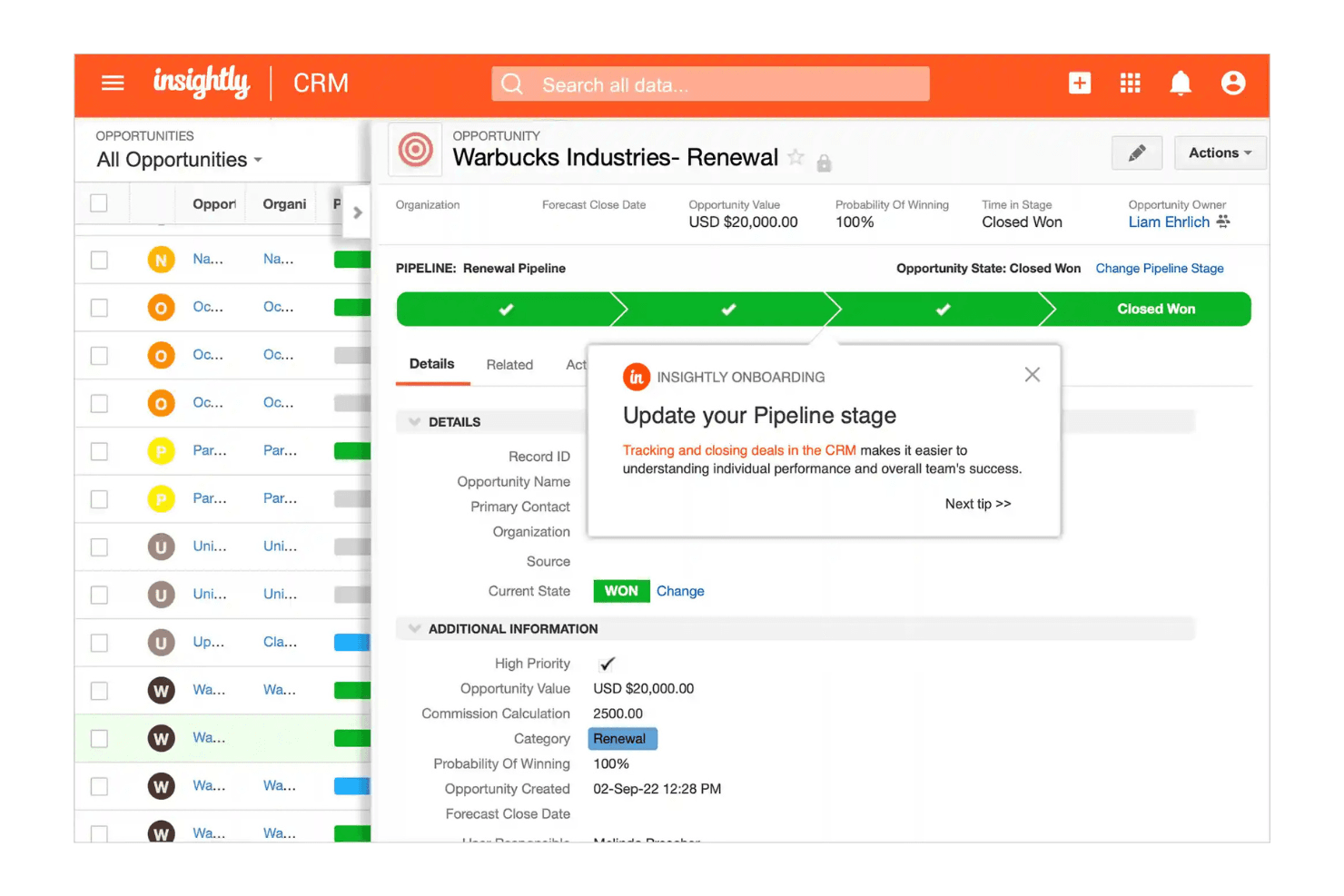
Insightly tracks deal progress with pipeline stages and opportunity details. Insightly is a CRM built for small and growing businesses that want to manage contacts, sales pipelines, and post-sale project work without juggling separate tools.
Who Is Insightly Best For?
Insightly is a strong fit for small business sales teams that need to manage deals and then hand those won opportunities directly into project workflows—without switching tools.
Why I Picked Insightly
I picked Insightly because it's the only tool on this list that lets you convert a won opportunity directly into a project, carrying over all related contacts, tasks, and records without any manual re-entry. I love how pipeline activity sets automatically create tasks and events when a deal reaches a specific stage, so post-sale handoffs happen without anyone needing to remember. That tight CRM-to-project connection is something Keap simply doesn't offer natively.
Insightly Key Features
- AI Copilot: A conversational AI tool that lets you search CRM data, draft emails, suggest next steps, and create or update records using natural-language prompts.
- Custom fields and page layouts: Configurable fields and layouts let you tailor contact, opportunity, and project records to match your specific sales process.
- Workflow automation: Rule-based workflows on Professional and Enterprise plans automatically send emails, create records, and update fields when set criteria are met.
- QuickBooks Online integration: Links QuickBooks customer and financial data—including invoice, payment, and estimate status—directly to CRM records.
Insightly Integrations
Insightly offers integrations with Google, Microsoft 365, PandaDoc, QuickBooks, and Xero, plus AppConnect access to 500+ apps through prebuilt connectors and low-code/no-code workflows. Its REST API and webhooks support custom integrations.
Pros and Cons
Pros:
- Pipeline stages can trigger follow-up tasks
- Keeps customer, deal, and project records connected
- Converts won opportunities into tracked projects
Cons:
- Workflow automation is gated and quota-limited
- Campaign email requires separate marketing tools
Learn more about Insightly: Best for email marketing
- Free plan + 14-day free trial + demo available
- From $13/month
Visit WebsiteCustomer Rating:4.3/5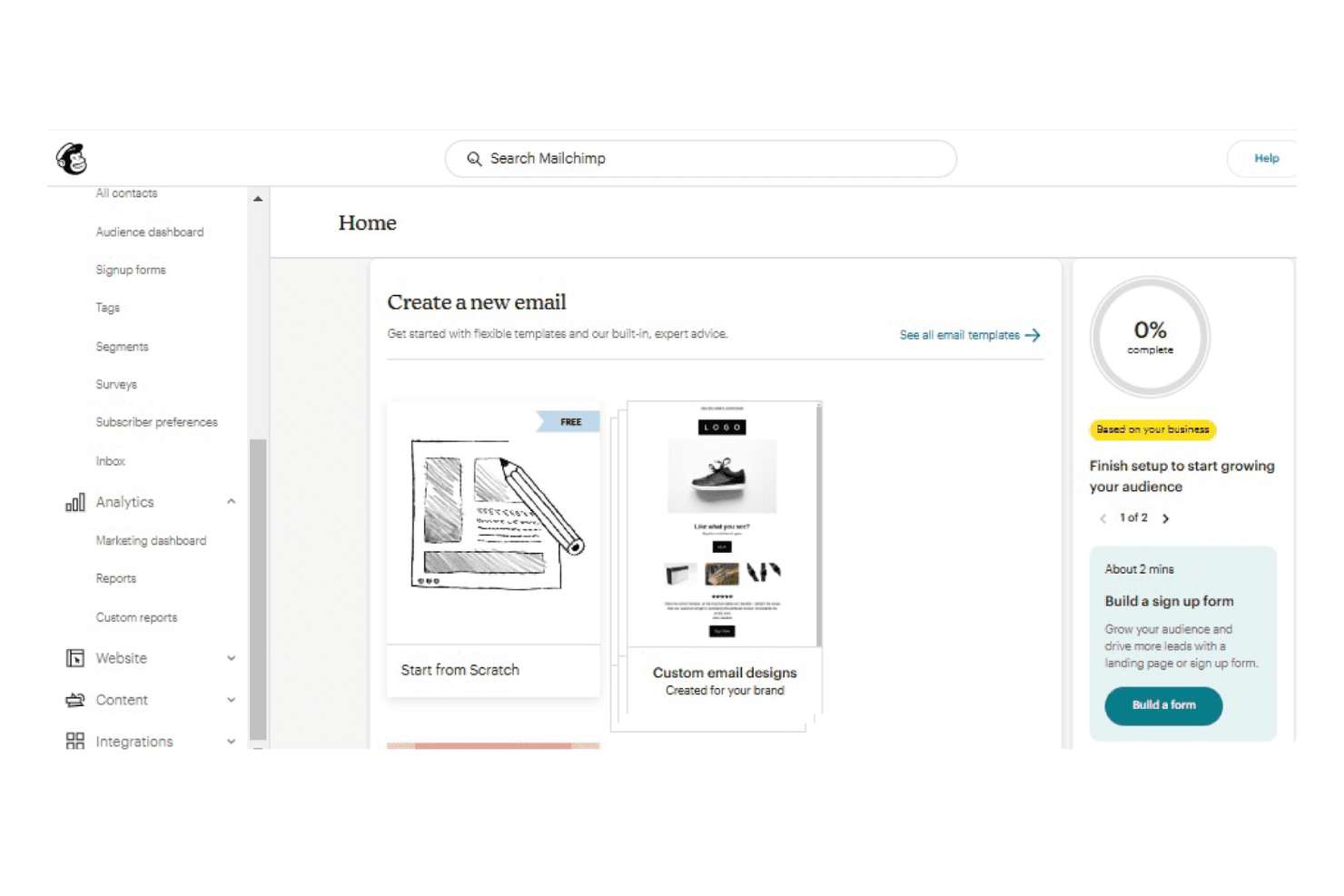
Mailchimp lets users create emails from templates or scratch. Mailchimp is an email-first marketing platform that helps small businesses and marketers build campaigns, automate follow-up sequences, and manage audience segments—without the CRM depth or sales pipeline tools that Keap users rely on.
Who Is Mailchimp Best For?
Mailchimp is a strong fit for small businesses and marketers who want to run email campaigns and simple automation without the sales pipeline complexity of a full CRM.
Why I Picked Mailchimp
I picked Mailchimp as one of the best because it's the strongest pure email marketing option on this list, and that focus shows in the details. I love that you can build multi-step automation flows from more than 60 pre-built templates, then let AI generate and polish the email copy before launch. Predictive segmentation on the Standard plan also lets me target contacts based on purchase likelihood or churn risk, which is something most basic email tools don't offer.
Mailchimp Key Features
- Drag-and-drop email builder: Create and customize email campaigns using a visual editor with 130+ pre-built templates, no coding required.
- Advanced audience segmentation: Build segments using up to 10 conditions, including purchase activity, engagement data, and predictive churn or purchase likelihood scores.
- Marketing calendar: Plan and visualize upcoming campaigns in a calendar view to coordinate sends across your audience.
- 300+ app integrations: Connect Mailchimp to tools like Shopify, Salesforce, QuickBooks Online, Google Analytics, and Zapier to sync data across your stack.
Mailchimp Integrations
Mailchimp offers 300+ marketplace integrations, including Salesforce, Shopify, QuickBooks Online, WooCommerce, Google Analytics, Canva, and Squarespace Commerce. It also provides a Marketing API and webhooks, with Zapier available for custom connections.
Pros and Cons
Pros:
- Predictive segments target purchase and churn risk
- Automated nurture flows with AI-assisted copy
- Polished email campaigns with clear engagement reports
Cons:
- Complex journeys hit plan limits quickly
- No deal stages, sales pipeline, or forecasting
Learn more about Mailchimp:
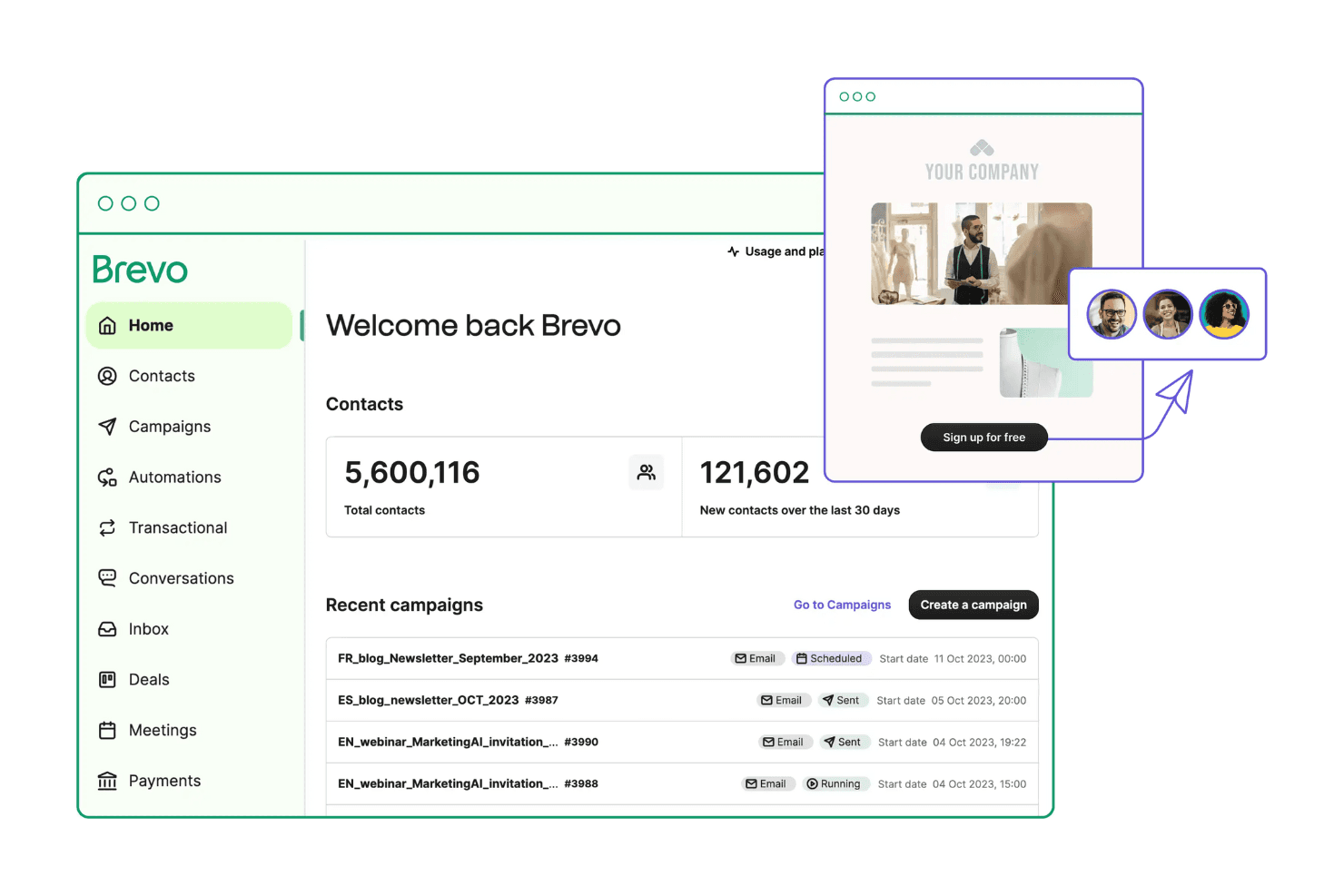
Brevo centralizes contacts, campaigns, and automations in one dashboard. Brevo is a multichannel marketing platform that lets small businesses run email and SMS campaigns, build automated nurture sequences, and manage contacts—all from one place.
Who Is Brevo Best For?
Brevo works well for small businesses that want to run email and SMS campaigns, build automated nurture sequences, and manage contacts from a single platform—without paying for a full sales CRM.
Why I Picked Brevo
I picked Brevo as one of the best because it brings email campaigns, SMS, and multi-step automation together in a single workspace, which is exactly what a Keap alternative needs to cover. I especially like how the automation editor lets me build trigger-based nurture sequences using form submissions, email clicks, and website visits, without juggling separate tools. Unlimited multi-step workflows kick in at the Standard tier, so scaling follow-up sequences stays practical as contact lists grow.
Brevo Key Features
- Drag-and-drop email editor: Build responsive email campaigns using a visual editor with prebuilt templates and cross-device previews.
- Advanced contact segmentation: Filter and group contacts by demographics, website activity, campaign engagement, and custom events starting on the Starter plan.
- A/B testing: Test subject line or content variants against each other to identify which version drives better opens and clicks.
- AI send-time optimization: Automatically delivers each email to individual contacts at the time they're most likely to engage, based on past behavior.
Brevo Integrations
Brevo offers documented native integrations with Shopify, WordPress, and WooCommerce, plus a marketplace of more than 150 digital tools. It supports REST APIs, webhooks, Node.js, Python, and PHP SDKs, MCP Server, and Zapier.
Pros and Cons
Pros:
- Campaign reports and A/B tests guide iteration
- Email and SMS share contact records
- Automated follow-ups cut manual chasing
Cons:
- Complex workflows can require workarounds
- Deal analytics are thin for sales teams
Learn more about Brevo: 10Best for AI-driven outbound sales focus
Close
- 14-day free trial + free demo available
- From $19/user/month
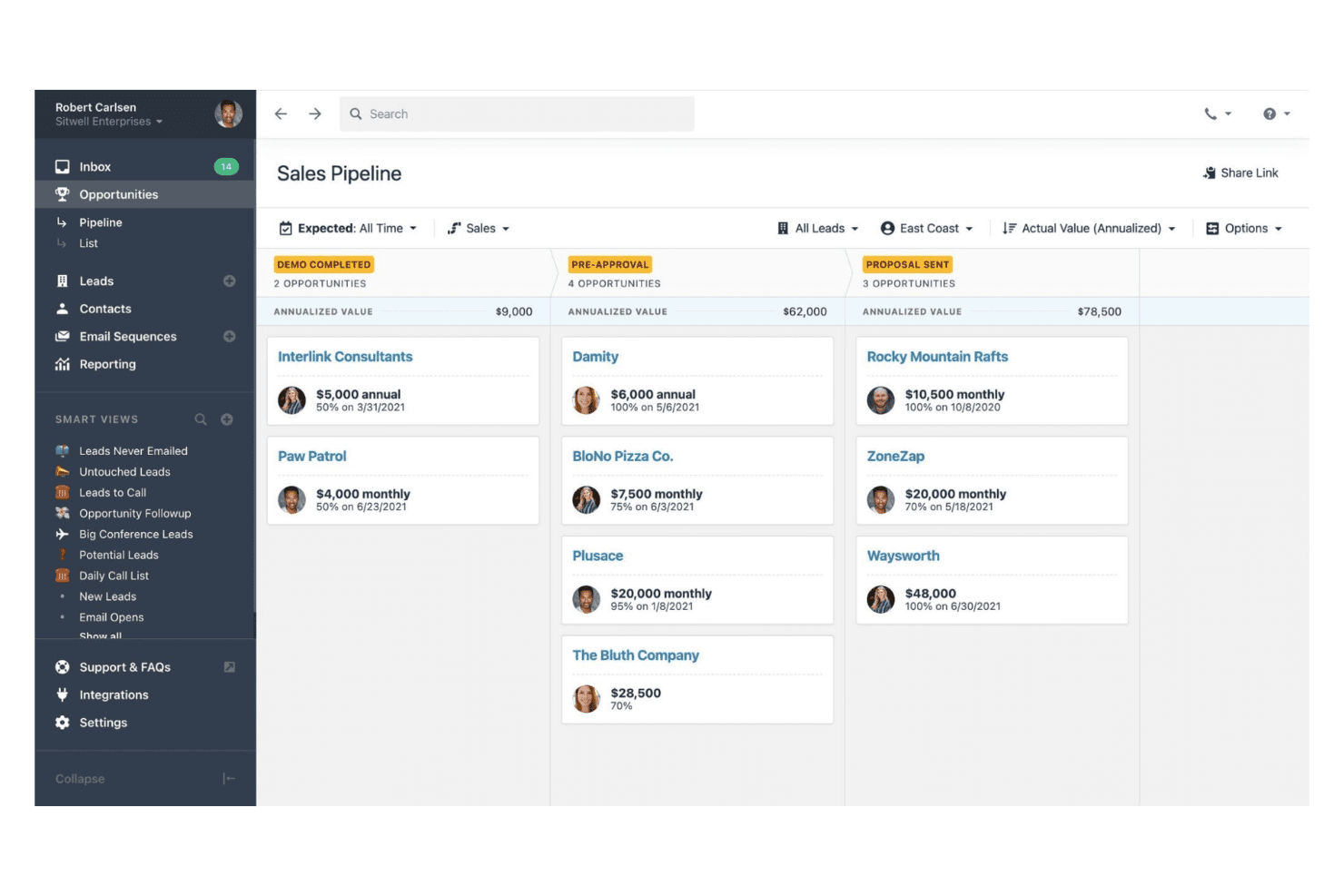
Close organizes deals by pipeline stage with values and probabilities. Close is a sales CRM built for outbound-focused teams that want calling, email, SMS, pipeline management, and AI tools in one place—without stitching together separate apps.
Who Is Close Best For?
Close is a strong fit for outbound sales teams and solo sellers who want calling, email, SMS, and pipeline management in one place without stitching together separate tools.
Why I Picked Close
I picked Close as one of the best Keap alternatives because it's built specifically for outbound sales teams that want calling, email, and SMS in one CRM without bolting on separate tools. I love how the Power Dialer and Predictive Dialer let reps move through lead lists automatically, while Chloe AI and AI Agents handle follow-up drafting and lead qualification in the background. The Workflows on Growth and Scale tie it all together, triggering multi-step email and SMS sequences the moment a lead submits a form or a call ends.
Close Key Features
- Smart Views: Build dynamic, filtered lead lists that automatically update as lead data changes, so reps always work the right prospects.
- Live Call Coaching: Managers can listen in on, whisper to, or join live sales calls directly from Close without the rep switching tools.
- AI Enrichment: Automatically adds company and contact details to lead records, reducing manual data entry.
- Custom activity tracking: Log and report on business-specific sales activities beyond standard calls and emails using custom activity types.
Close Integrations
Close offers 100+ marketplace integrations, including HubSpot, Gmail, Microsoft 365, Google Calendar, Zoom, Calendly, InvoiceBerry, and Zapier. It also provides a REST API, webhooks, OAuth 2.0, API keys, and an MCP server for custom integrations.
Pros and Cons
Pros:
- Users report workflows help structure follow-up
- Reviewers praise AI call summaries and analysis
- Outbound calling and lead history stay together
Cons:
- Campaign tools lack broader marketing depth
- No native invoicing or payment collection
Learn more about Close:
Other Keap Alternatives
Here are some additional Keap alternatives that didn’t make it onto my shortlist, but are still worth checking out:
- 11RemarketyBest for e-commerce marketing automation
- 12Salesforce Marketing CloudBest for large-scale customer journeys
- 13NutshellBest for small business CRM
- 14EnchargeBest for SaaS businesses
- 15FlodeskBest for design-focused email marketing
- 16PipedriveBest for customizable CRM software
- 17OmnisendBest for e-commerce email campaigns
- 18Zoho CRMBest for customizable CRM solutions
- 19HighLevelBest for agency management
- 20BiginBest for small business pipelines
- 21CompanyHubBest for sales automation simplicity
How I Evaluate Keap Alternatives
I evaluate Keap alternatives in two layers: first, whether a tool covers CRM, marketing automation, and pipeline basics, then what sets it apart for service businesses or lean sales teams.
Core Functionality (Table Stakes For This List)
When I'm selecting tools for my list, I rank each one on a scale from 0 (does not offer the functionality) to 5 (excels in this area) for each core functionality listed below. Then, I calculate the tool's total score into a percentage. Each tool needs to achieve a minimum total score of 75% to be considered for inclusion.
- Integrated CRM: I check whether contacts, tags, notes, and interaction history live in one place so your team can segment a list by purchase behavior or lifecycle stage without exporting to a spreadsheet.
- Marketing Automation: The workflow builder matters here—I look for multi-step sequences with branching logic, like sending a different follow-up based on whether a lead opened your initial email or clicked a booking link.
- Email Campaigns & Analytics: Beyond broadcast sends, I evaluate whether you can build branded templates, A/B test subject lines, and view open and click data tied back to individual contact records.
- Sales Pipeline Management: I look at how deals move through stages—whether you can customize pipelines for different services, assign tasks to reps, and automate stage changes when a prospect completes a form or books a call.
- Payments & Invoicing: Sending an invoice and collecting payment should connect directly to a contact record. I check for quote-to-invoice workflows, recurring billing options, and supported payment gateways.
- Appointment Scheduling: A built-in or deeply embedded booking tool that writes back to the CRM is what I look for, especially automated confirmations and reminders triggered the moment a prospect schedules.
Once I have a list of tools that meet this criteria, I consider what sets each platform apart.
Differentiating Factors (What Sets Vendors Apart)
Here's how I compare and contrast different vendors:
Standout Features
SMS and multi-channel outreach is a big differentiator—I look for tools that let you trigger an SMS reminder from the same workflow that sends your email drip, rather than stitching together separate platforms. Native landing page and form builders also matter because they feed leads straight into the CRM without a third-party connector. For businesses selling products or services online, built-in e-commerce features like order management and post-purchase automations save you from bolting on a separate storefront.
Beyond Features
Pricing transparency is one of the first things I evaluate. Some Keap alternatives tier by contact count, while others charge per user—knowing which model fits your team size and list growth trajectory saves you from surprise costs down the road. I also consider the integration ecosystem, particularly native connections to tools like QuickBooks, Stripe, and Zapier that small businesses already rely on. Time-to-value matters too: I look for migration support, pre-built templates, and onboarding resources that get a lean team running without hiring a consultant.
Why Look For a Keap Alternative?
While Keap is a good choice for customer relationship management software, there are several reasons some users seek alternative solutions. You might be looking for a Keap alternative because:
- You need more advanced automation features
- Your team requires better integration options
- You want a solution that's more budget-friendly
- Your business is scaling and needs flexible solutions
- You need localized support for your region
If any of these sound like you, you've come to the right place. My list includes several customer relationship management software options that are better suited for teams facing these challenges and seeking alternatives to Keap.
Keap Key Features
Here are some of the key features of Keap to help you contrast and compare what alternative solutions offer:
- Marketing automation: Automate marketing tasks to save time and improve efficiency.
- Sales automation: Optimize sales processes to help your team close deals faster.
- Lead management: Capture and organize leads for easy access and follow-up.
- Email and text marketing: Reach customers through multiple channels.
- Appointment scheduling: Simplify booking and managing client appointments.
- Invoicing: Create and send invoices to simplify billing.
- Lead scoring: Prioritize leads based on engagement to focus your efforts effectively.
- Segmentation: Divide customers into groups for personalized marketing efforts.
- Data insights: Provide analytics to help your team make informed decisions.