

10 Best VoIP Phone System For Small Business In 2026

Best VoIP Phone System For Small Business Shortlist


A VoIP phone system for small businesses is cloud-based software that lets your team make and receive calls over the internet rather than through traditional phone lines. If you’re looking for modern ways to handle customer and team calls, choosing the right VoIP system can help you juggle high call volume, work from anywhere, and connect easily with other tools you use. In this list, I’ll walk you through top-rated VoIP phone systems, what makes each one unique, and how to pick the right fit for your small business in 2026.
Why Trust Our Software Recommendations
Our team has been testing and reviewing software since 2012. As CX leaders ourselves, we know how difficult—and important—it is to choose the right software.
For this guide, we evaluated tools using hands-on testing and independent research, scoring tools using our selection criteria.
Our reviews reflect our human editorial judgment, not a sales pitch.
Best VoIP Phone System For Small Business Summary
This comparison chart summarizes pricing details for my top VoIP phone system for small business to help you find the best one for your budget and business needs.
| Tool | Best For | Trial Info | Price | ||
|---|---|---|---|---|---|
| 1 | Best for advanced call queue management | 14-day free trial | From $25/user/month (billed annually) | Website | |
| 2 | Best for separating business and personal calls | 7-day free trial available | From $14/month (billed annually) | Website | |
| 3 | Best for customizable workflow integrations | Free plan available | Pricing upon request | Website | |
| 4 | Best for simple call routing for teams | 7-day free trial + free demo available | From $20/user/month (billed annually) | Website | |
| 5 | Best for unlimited extensions with any plan | Not available | From $15/user/month (billed annually) | Website | |
| 6 | Best for AI-enabled customer conversation handling | Free demo available | From $15/user/month (billed annually) | Website | |
| 7 | Best for AI-powered voice transcriptions | 14-day free trial + free demo available | Pricing upon request | Website | |
| 8 | Best for flexible mobile and desktop use | 14-day free trial | From £18/user/month | Website | |
| 9 | Best for straightforward plug-and-play setup | Not available | From $19.95/user/month | Website | |
| 10 | Best for easy integration with video meetings | Free demo available | From $10.50/user/month | Website |
Best VoIP Phone System For Small Business Reviews
Below are my detailed summaries of the best VoIP phone systems for small businesses that made it onto my shortlist. My reviews offer a detailed look at the features, best use cases, and pricing of each system to help you find the best one for you.

Best for advanced call queue management

CloudTalk is a cloud-based VoIP phone system for small businesses that supports inbound and outbound calls, customizable IVR, smart call routing, live call monitoring, and detailed call analytics.
Who Is CloudTalk Best For?
Customer support or sales teams at small and midsize businesses that handle high call volumes across multiple departments or queues.
Why I Picked CloudTalk
I picked CloudTalk as one of the best because I see its advanced call queue management options handle multiple queues, real-time queue statistics, and queue-specific agent assignment. I can quickly spot and reduce bottlenecks as call volume shifts.
CloudTalk Key Features
- Smart dialer: Automatically compiles call lists and dials numbers in sequence.
- Call tagging: Lets you categorize calls for better search and reporting.
- Voicemail transcriptions: Converts voicemail messages into readable text in your dashboard.
- Call recording: Records calls automatically and stores them for future playback.
CloudTalk Integrations
CloudTalk offers native integrations with Salesforce, HubSpot, Zendesk, Freshdesk, Intercom, Pipedrive, Zoho CRM, Aircall, Microsoft Dynamics 365, and Google Contacts. An API is available for custom integrations.
Pros and Cons
Pros:
- International number support for global teams
- Highly customizable IVR menu builder
- Real-time call monitoring and listening
Cons:
- Power dialling tool requires paid plan upgrades
- Base accounts delete data logs after a certain period
New Product Updates from CloudTalk
CloudTalk Adds Campaign Statistics to MCP
CloudTalk adds campaign statistics to MCP with funnel, call, conversion, disposition, and duration metrics. This helps reporting assistants review campaign performance using read-only aggregate data. For more information, visit CloudTalk’s official site.
 .
.
Best for separating business and personal calls
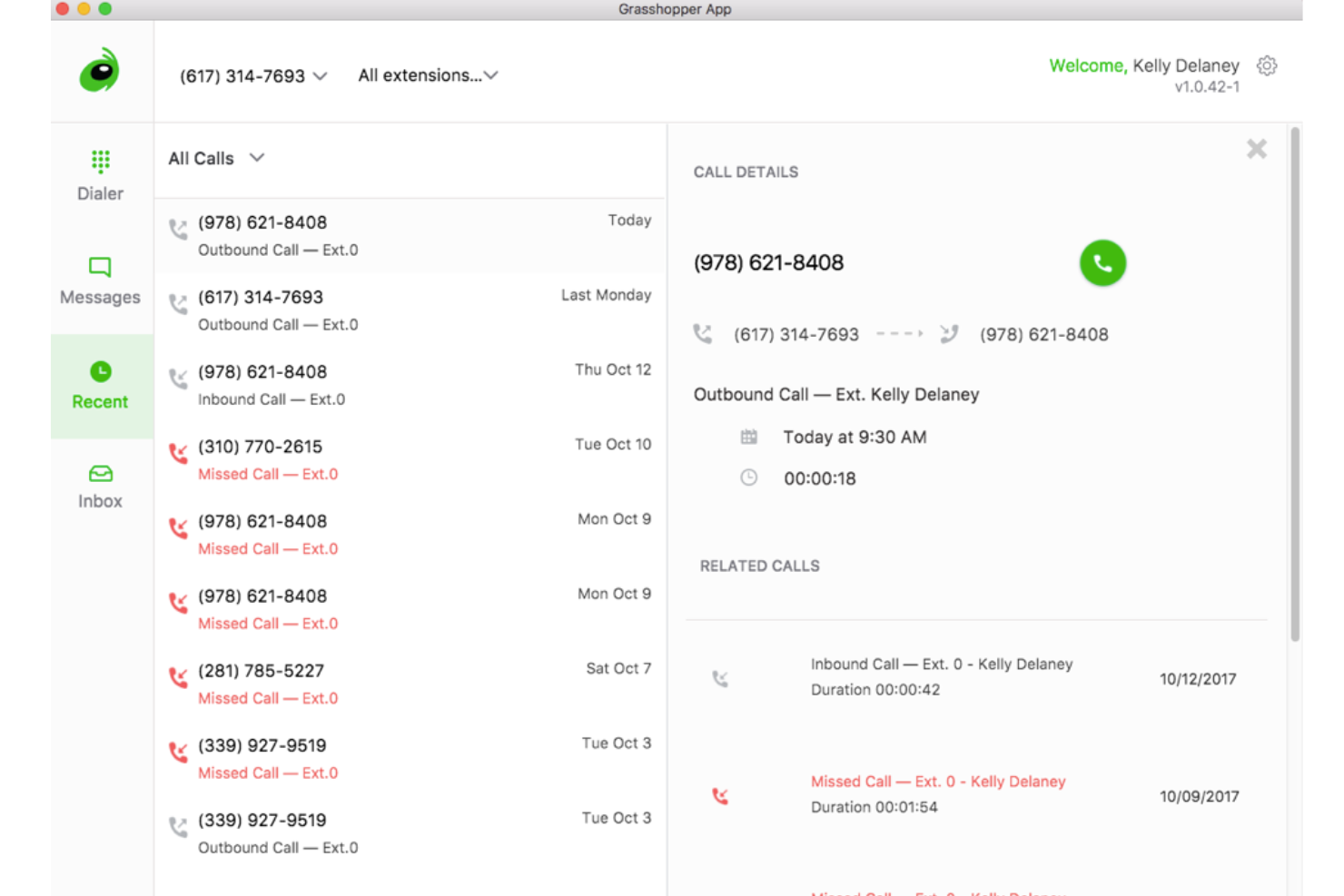
Grasshopper is a virtual phone system designed for small businesses that lets you manage business calls, texts, and voicemails from a dedicated business number on your mobile device or desktop.
Who Is Grasshopper Best For?
Solo entrepreneurs and small business owners who want to manage business communications separately from personal calls using a single mobile device.
Why I Picked Grasshopper
I picked Grasshopper as one of the best because I can add a distinct business number to my mobile, keeping my work and personal calls totally separate. I also like being able to customize greetings and manage voicemails from both desktop and mobile apps.
Grasshopper Key Features
- Call transfers: Easily forward calls to any extension or phone number.
- Business texting: Send and receive texts from your business number.
- Simultaneous call handling: Answer multiple calls at the same time.
- Voicemail transcription: Get your voicemails automatically transcribed to text.
Grasshopper Integrations
Integrations include LegalZoom, Invoice Simple, TransUnion, WordPress, Joist, Woo, and Novo.
Pros and Cons
Pros:
- Includes mobile call forwarding
- Mobile and desktop apps for calls
- Adds lines as needed
Cons:
- Lacks performance tracking metrics
- Requires external software for metrics

Vonage
Best for customizable workflow integrations
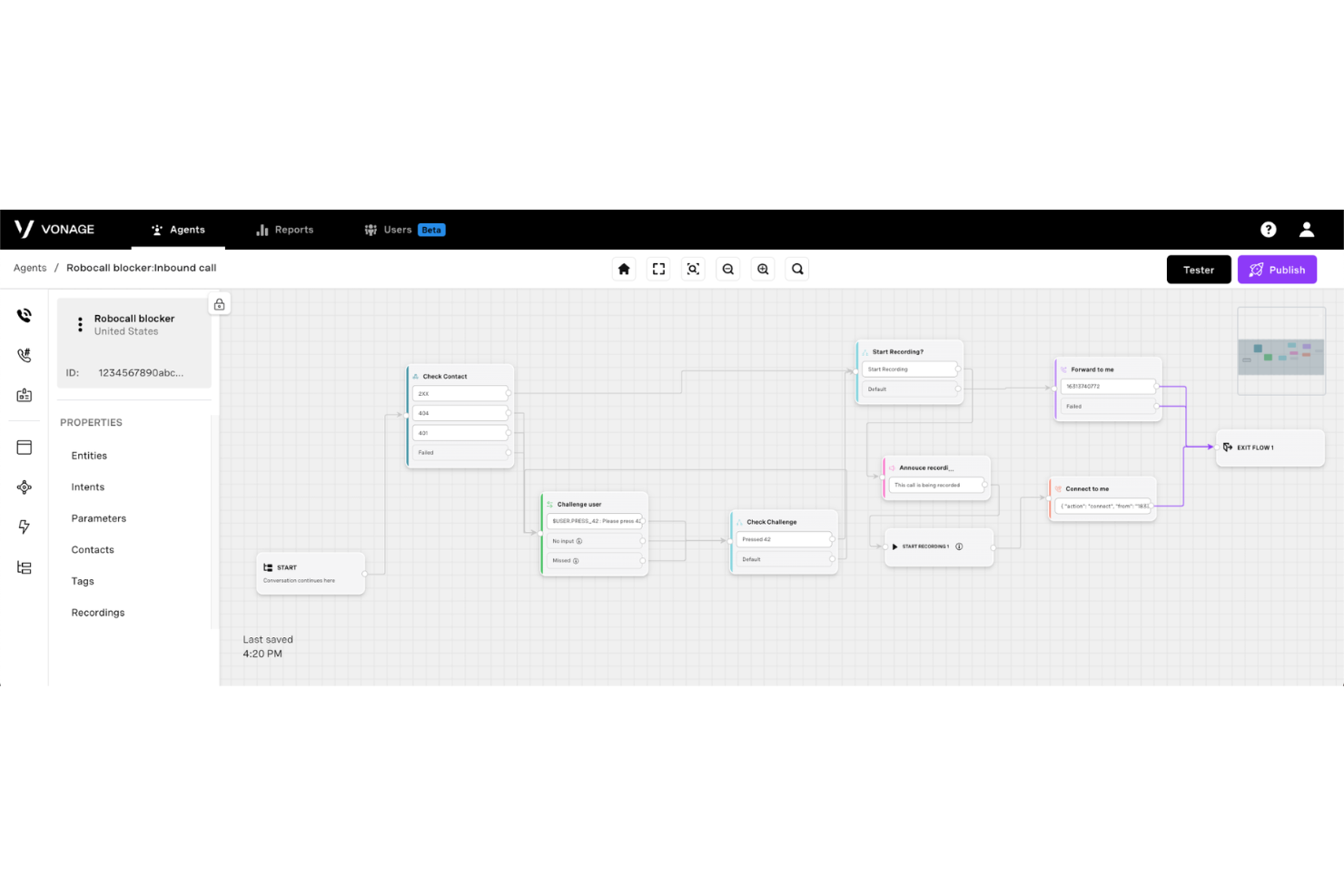
Vonage is a cloud-based VoIP phone system for small businesses that offers voice calling, unified communications, SMS, call recording, and advanced workflow automation.
Who Is Vonage Best For?
Small businesses and IT teams that need advanced call automation and custom integration capabilities.
Why I Picked Vonage
I picked Vonage as one of the best because I use its visual flow builder to automate call handling, connect custom business apps, and integrate SMS and voice triggers into everyday workflows without writing code.
Vonage Key Features
- Call recording: Automatically records inbound and outbound calls for later review.
- Desktop and mobile apps: Let users make and receive calls from computers or mobile devices.
- Voicemail to email: Sends voicemail audio and transcripts directly to your inbox.
- Click-to-dial extension: Enables click-to-call functionality within web browsers and supported CRMs.
Vonage Integrations
Integrations include Salesforce, Microsoft Teams, Zendesk, HubSpot, Zoho CRM, Freshdesk, Bullhorn, and ConnectWise.
Pros and Cons
Pros:
- Flexible call handling rules for teams
- SMS and fax support alongside voice
- Visual dial plan designer for call routing
Cons:
- Latency spikes during high volume
- Base plans exclude team chat and video options

Best for simple call routing for teams
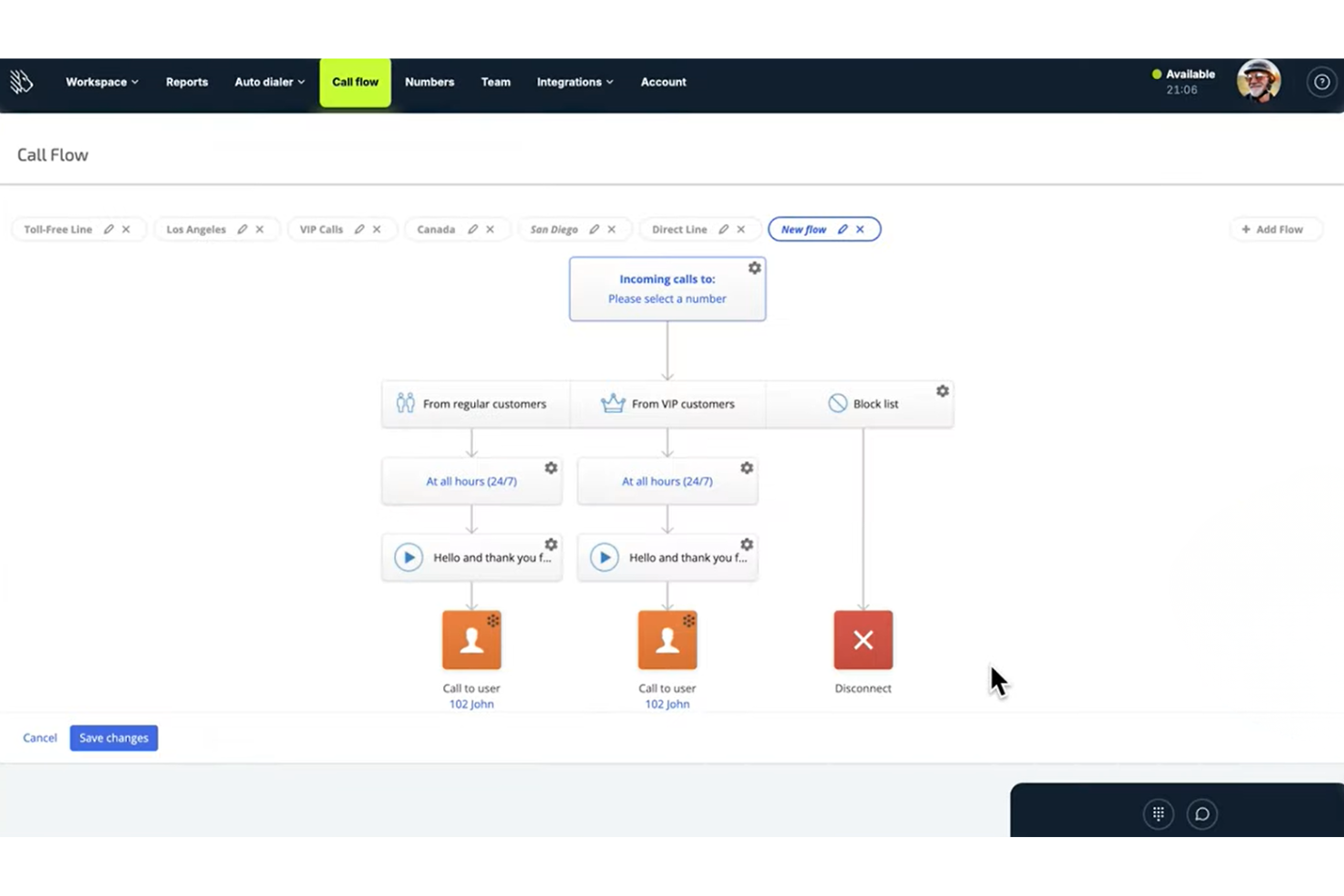
MightyCall is a cloud-based small business VoIP phone system that offers features like call routing, virtual numbers, voicemail transcription, call forwarding, and mobile apps for easy team communication and management.
Who Is MightyCall Best For?
Small businesses and remote teams that want a quick setup and straightforward call handling without IT overhead.
Why I Picked MightyCall
I picked MightyCall as one of the best because I use its quick drag-and-drop call flow builder to map how team calls get routed, set custom routing rules by schedule, and assign extensions to distributed teammates with no IT setup required.
MightyCall Key Features
- Voicemail transcription: Converts voicemail messages into text you can read.
- Mobile apps: Let you make and receive calls from iOS and Android devices.
- Caller ID management: Displays your business number on outbound calls.
- Call recording: Records incoming and outgoing calls for quality and compliance.
MightyCall Integrations
MightyCall offers native integrations with HubSpot, Zoho CRM, Pipedrive, Salesforce, and Microsoft Teams. An API is available for custom integrations.
Pros and Cons
Pros:
- Mobile app for handling calls on the go
- Virtual phone numbers for multiple locations
- Visual call flow builder for routing
Cons:
- Occasional delays in voicemail transcription
- Missing real-time queue status monitors

Best for unlimited extensions with any plan

Phone.com is a cloud-based VoIP phone system for small businesses that offers call management, SMS, voicemail, video conferencing, and multiple user management capabilities.
Who Is Phone.com Best For?
Small business owners who want to give every team member a unique extension and manage calls without handling on-premise phone hardware.
Why I Picked Phone.com
I picked Phone.com as one of the best because it lets me add unlimited extensions on any plan, making it simple to cover distributed and growing teams. I also rely on its call screening tools and professional greetings to strengthen team communication.
Phone.com Key Features
- HD video conferencing: Host secure video meetings for up to 100 participants.
- SMS and MMS messaging: Send and receive business text messages using your business number.
- Voicemail to email: Receive voicemails as audio files or transcripts delivered to your inbox.
- Custom hold music: Upload and use your own hold music for caller engagement.
Phone.com Integrations
Phone.com offers native integrations with Zapier, Zoho CRM, and AllProWebTools. An API is available for custom integrations.
Pros and Cons
Pros:
- Local and toll-free numbers available
- Video meetings up to 100 participants
- Unlimited extensions on every plan
Cons:
- Mobile app can be slow to update
- Call analytics are limited

Nextiva
Best for AI-enabled customer conversation handling
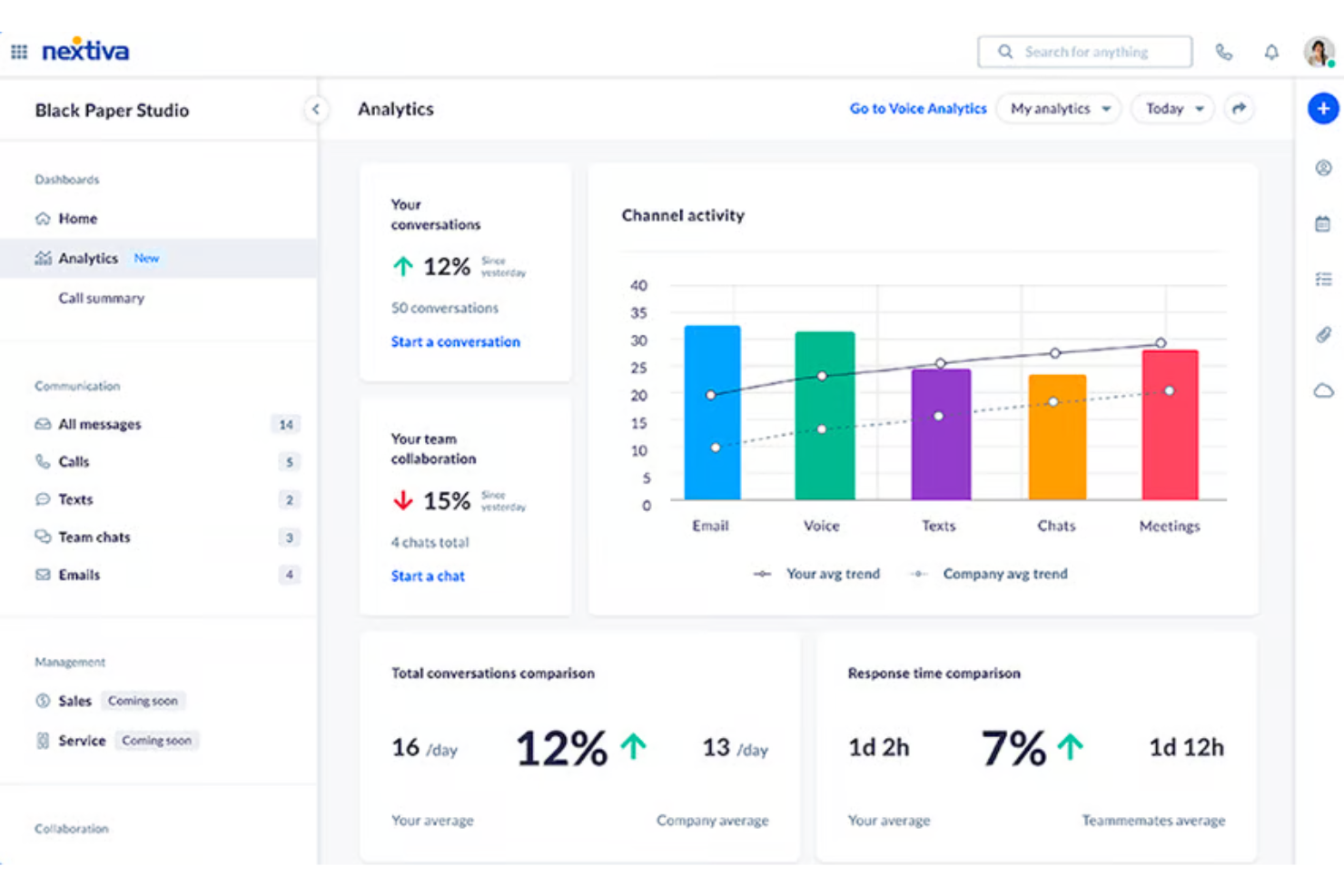
Nextiva is a cloud-based VoIP and unified communications platform that combines business calling, SMS, video meetings, team chat, and omnichannel customer messaging in a single interface.
Who Is Nextiva Best For?
Nextiva is a strong fit for small businesses with up to 100 employees that need to move beyond a basic phone line into a full multi-channel communication setup.
Why I Picked Nextiva
Nextiva earns its spot on my shortlist because of XBert, its AI employee that handles inbound calls, books appointments, and answers FAQs without a human agent picking up the phone. I also like Agent Assist, which surfaces relevant information to reps in real time during live calls. When a call exceeds what XBert can handle, the handoff to a human agent is context-aware, so the customer never has to repeat themselves.
Nextiva Key Features
- Shared team inboxes: Manage calls, voicemails, emails, and social messages in unified inboxes for group collaboration.
- Multi-level IVR builder: Create advanced interactive voice response menus to route calls based on customer input or business hours.
- Call recording with transcription: Automatically record and transcribe calls for quality assurance and compliance tracking.
- Custom reporting dashboards: Build tailored dashboards to monitor call volume, trends, agent activity, and key performance metrics.
Nextiva Integrations
Nextiva offers native integrations with Salesforce, HubSpot, Microsoft Teams, Zoho CRM, ServiceNow, Zendesk, Oracle Sales Cloud, and Google Contacts, with API access available for custom integrations.
Pros and Cons
Pros:
- Reliable 99.999% uptime SLA for business continuity
- Built-in omnichannel inbox across voice, SMS, and email
- AI handles inbound calls without human agents
Cons:
- Setup complexity can challenge non-technical small business admins
- Advanced AI features locked behind higher-tier plans

Dialpad
Best for AI-powered voice transcriptions

Dialpad is a cloud-based VoIP business phone system for small businesses, offering voice calling, built-in video conferencing, SMS, and call routing within a unified communications platform.
Who Is Dialpad Best For?
Sales and support teams at small to midsize businesses that rely on real-time call intelligence and cloud communications.
Why I Picked Dialpad
I picked Dialpad as one of the best because I use its real-time AI voice transcription and call summaries to capture details from client calls. The AI highlights follow-ups and action items for my team right in the call dashboard.
Dialpad Key Features
- Voicemail transcription: Converts voicemails into text for quick review.
- Business SMS and MMS: Send and receive text and picture messages from your business line.
- Multi-level auto attendant: Automatically routes inbound calls to the right person or team.
- Call recording: Lets you record inbound and outbound calls for reference.
Dialpad Integrations
Dialpad offers native integrations with Google Workspace, Microsoft 365, Salesforce, HubSpot, Slack, Zendesk, Okta, Zapier, and an API for custom integrations.
Pros and Cons
Pros:
- Multi-device support for desktop and mobile
- Real-time call coaching and sentiment analysis
- AI-powered call and voicemail transcription
Cons:
- Advanced features require higher-tier plans
- Call quality can be inconsistent during peak hours

Best for flexible mobile and desktop use

RingCentral is a cloud-based VoIP phone system designed for small businesses, offering call management, team messaging, video meetings, and flexible device compatibility across desktop and mobile platforms.
Who Is RingCentral Best For?
Small business teams that want a unified phone, messaging, and video solution across office and remote work environments.
Why I Picked RingCentral
I picked RingCentral as one of the best because I use its mobile and desktop apps to manage calls, texts, and video meetings on any device. I like switching between mobile and computer during a busy day without missing business communications.
RingCentral Key Features
- Auto-attendant: Routes inbound calls to the right person or department using an interactive menu.
- Team messaging: Lets users collaborate with instant messaging, file sharing, and threaded conversations.
- Call recording: Records inbound and outbound calls for quality assurance and compliance.
- Voicemail-to-email: Sends voicemails as audio files and text transcripts directly to your email inbox.
RingCentral Integrations
Integrations include Salesforce, Zendesk, Google Workspace, Slack, HubSpot, ServiceNow, and Zapier.
Pros and Cons
Pros:
- Built-in video meetings and team messaging
- Supports unlimited audio conferencing participants
- Switch calls between devices anytime
Cons:
- Call quality can drop on weak networks
- Requires stable broadband for performance

Best for straightforward plug-and-play setup

Ooma Office is a small business VoIP phone system that delivers business calling, virtual fax, conferencing, and call management features in a single package.
Who Is Ooma Office Best For?
Small businesses that need a reliable, easy-to-install phone system without IT staff or technical resources.
Why I Picked Ooma Office
I picked Ooma Office as one of the best because I can get a physical desk phone working in minutes, configure the system myself, and handle call routing right out of the box. Setup doesn’t require IT or a complicated onboarding process.
Ooma Office Key Features
- Virtual receptionist: Routes incoming calls based on time or caller input.
- Ring groups: Let multiple phones ring simultaneously for team coverage.
- Mobile app: Provides business call features on smartphones and tablets.
- Voicemail-to-email: Sends voicemails automatically to your email inbox.
Ooma Office Integrations
Integrations include HubSpot, Salesforce, QuickBooks Online, Microsoft Dynamics 365, Google Chrome Extension, Freshdesk CRM, Pipedrive CRM, SugarCRM, Zoho, and Zendesk.
Pros and Cons
Pros:
- Voicemail can forward messages to email
- Includes virtual receptionist auto-attendant
- Hardware available for in-office phone setups
Cons:
- Fewer advanced features than other providers
- Lacks detailed historical usage data

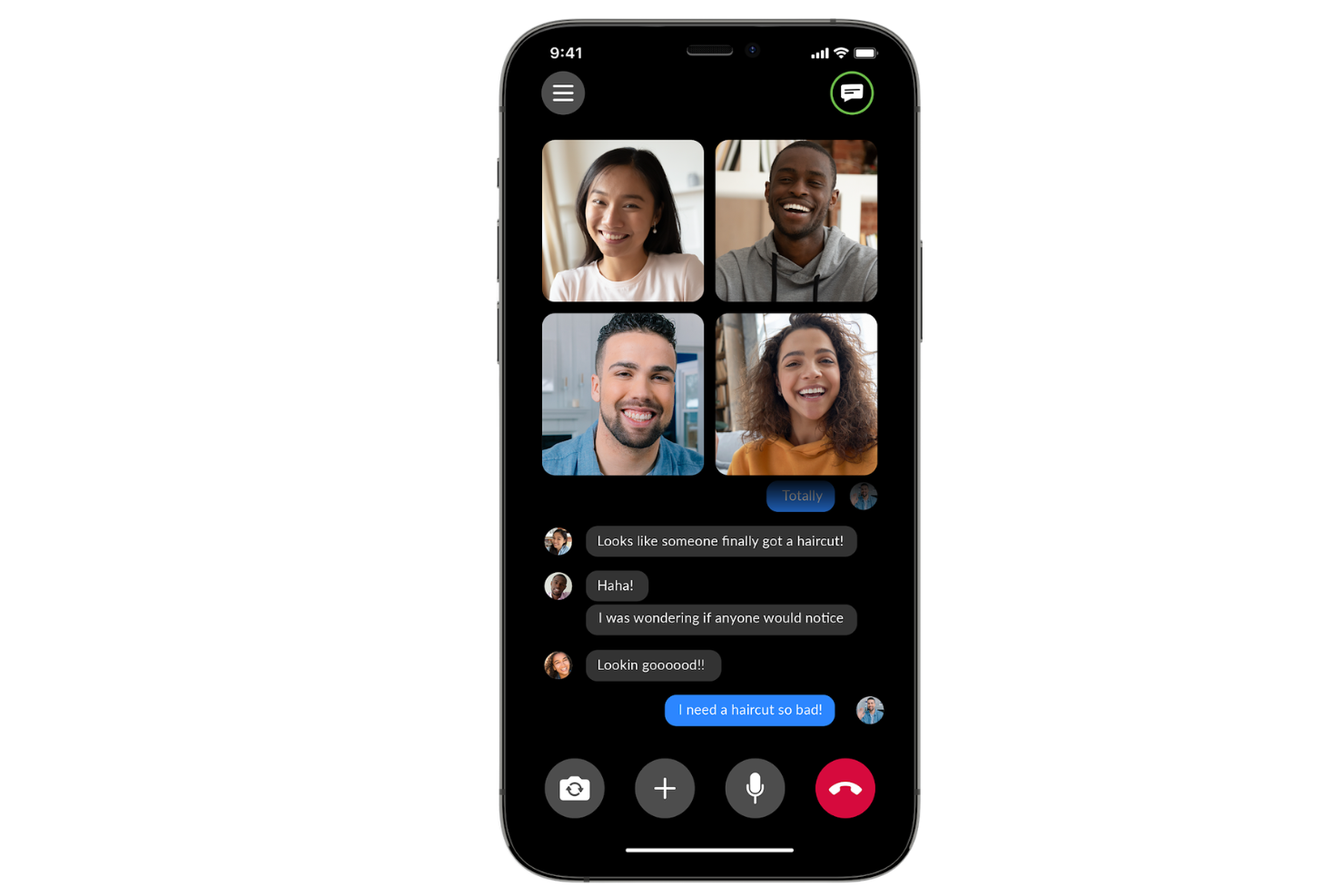
Zoom Phone is a cloud-based VoIP phone system for small businesses that integrates call management, voicemail, SMS, and call recording into the Zoom communications platform.
Who Is Zoom Phone Best For?
Teams that rely on video meetings and want a unified platform for business calls, messaging, and integrated collaboration.
Why I Picked Zoom Phone
I picked Zoom Phone as one of the best because I can launch phone calls directly from Zoom Meetings, switch live calls to video, and manage voicemails in the same app my team uses for video collaboration.
Zoom Phone Key Features
- Call queues: Route inbound calls to the right group or individual automatically.
- SMS and MMS support: Send and receive text messages directly from your business number.
- Auto attendant: Greet and direct callers digitally without manual intervention.
- Call park: Place calls on hold in a shared space to be picked up by any team member.
Zoom Phone Integrations
Zoom Phone offers native integrations with Salesforce, ServiceNow, Slack, Microsoft Teams, Google Workspace, and Zendesk. An API is available for custom integrations.
Pros and Cons
Pros:
- Centralized management in the Zoom admin portal
- Reliable call quality across devices and locations
- Transition calls to video meetings
Cons:
- Limited advanced call analytics for power users
- Mobile app notifications are sometimes delayed
Other VoIP Phone Systems for Small Business
Here are some additional VoIP phone system for small business options that didn’t make it onto my shortlist, but are still worth checking out:
- GoTo Connect
For managing remote and hybrid teams
- 8x8
For international number availability
- Aircall
For collaborative call commenting
- Ringover
For unlimited international calling plans
- JustCall
For quick CRM integration setup
- TalkRoute
For using existing business numbers
- Intermedia Unite
For built-in team chat and file sharing
- Google Voice
For easy multi-device number management
- Microsoft Teams Phone
For tight Office 365 workflow integration


How I Evaluate a VoIP Phone Systems for Small Businesses
I split my evaluation into baseline functionality every platform must cover and the differentiators that separate a system built for CX teams from one that just handles calls.
Core Functionality (Table Stakes For This List)
When I'm selecting tools for my list, I rank each one on a scale from 0 (does not offer the functionality) to 5 (excels in this area) for each core functionality listed below. I then calculate the tool's total score into a percentage, using 65% as a benchmark to help assess its overall fit for the list.
- Cloud VoIP calling: I check for reliable HD voice, business number provisioning, and extensions that let a five-person team sound like an established operation.
- Multi-level IVR & routing: I look for auto-attendant menus, ring groups, and time-based rules that route after-hours calls to on-call agents automatically.
- Voicemail & call management: Voicemail transcription, call recording, and warm transfer are what I evaluate so agents can hand off context without making customers repeat themselves.
- Mobile & desktop softphone apps: I evaluate whether native iOS, Android, and desktop apps carry full calling features so hybrid agents can take customer calls from a laptop or phone.
- Business SMS & messaging: Two-way texting from the business number matters here, like sending appointment confirmations or order updates without switching to a personal device.
- Call analytics & reporting: I look for dashboards that track missed calls, average talk time, and per-agent activity so support managers can spot coverage gaps before customers notice.
Once I have a list of tools that meet the criteria, I consider what sets each platform apart.
Differentiating Factors (What Sets Vendors Apart)
Here's how I compare and contrast different vendors:
Standout Features
AI call summaries are a major time-saver I evaluate closely. When an agent wraps a 10-minute support call, an auto-generated summary with sentiment flags means they skip manual note-taking and move to the next customer faster. I also check for live call coaching tools like whisper and barge, which let a manager guide a new hire through a tricky billing dispute without the caller knowing. Shared team inboxes matter too. I look for a single queue where calls, voicemails, and texts land together so no customer message sits unclaimed.
Beyond Features
I check whether pricing is transparent and predictable, with no surprise per-minute charges or hidden number fees that inflate the bill after month one. Reliability matters just as much. I look for published uptime SLAs and automatic failover to mobile so a brief internet outage doesn't mean missed customer calls. I also evaluate native CRM and helpdesk integrations because a platform that auto-logs calls into Salesforce or creates Zendesk tickets on hang-up saves agents from toggling between tabs and re-entering data manually.
How to Choose a VoIP Phone System for a Small Business
It’s easy to get bogged down in long feature lists and complex pricing structures. To help you stay focused as you work through your unique software selection process, here’s a checklist of factors to keep in mind:
| Factor | What to Consider |
|---|---|
| Scalability | Will the system support your business as you grow? Check user limits, extension options, and limits on call volumes. |
| Integrations | Does it connect natively with your CRM, helpdesk, or scheduling tools? Avoid manual workarounds by verifying key integrations. |
| Customizability | Can you tailor settings, greetings, and flows to fit your team’s processes without IT help? Assess the flexibility of admin controls. |
| Ease of use | Will your staff need extensive training? Test the interface for intuitive design and fast onboarding, even for new hires. |
| Implementation and onboarding | How long does setup take, and is migration from your old system supported? Gauge availability of setup support and self-service resources. |
| Cost | Are pricing tiers predictable as your call volume or number of users grows? Watch for hidden fees and mandatory add-ons. |
| Security safeguards | How are calls and customer data protected? Check for encryption, role-based access controls, and compliance with relevant regulations. |
| Support availability | When help is needed, will you reach a live expert quickly? Look for 24/7 support and tiered response SLAs based on channel. |
What is a VoIP Phone System For Small Business?
VoIP phone systems for small businesses are internet-based communication platforms that let businesses make and receive calls using broadband connections instead of traditional phone lines. These systems centralize business calling features, such as voicemail, call routing, and recording, so your team can stay connected from any location or device without relying on physical infrastructure.
Features of VoIP Phone System For Small Business
When selecting a VoIP phone system for a small business, keep an eye out for the following key features:
- Call routing: Directs incoming calls to the right team member or department based on custom rules, time of day, or caller selection in a menu.
- Voicemail transcription: Converts spoken voicemail messages into easy-to-read text, so your team can quickly review and prioritize responses.
- IVR menu: Interactive voice response menus let callers navigate options using a keypad or voice, providing self-service and directing calls efficiently.
- Call forwarding: Allows you to transfer incoming calls to other numbers, mobile devices, or remote employees so important calls are never missed.
- Call recording: Captures and securely stores conversations for training, quality monitoring, and compliance purposes.
- Mobile and desktop apps: Enable teams to make and receive business calls on the go or from any workstation, supporting flexible and remote work.
- Conference calling: Let multiple participants join a single call, making team discussions and external meetings easy to manage.
- Number portability: Lets you keep your existing business numbers when switching providers, so customers don’t lose touch.
- Caller ID management: Customizes how your business number appears to external contacts to build trust and consistency.
- Real-time analytics: Displays live call activity, response times, and team performance metrics to help managers monitor service and spot trends.
Benefits of VoIP Phone System For Small Business
Implementing a VoIP phone system for a small business provides several benefits for your team and your business. Here are a few you can look forward to:
- Greater mobility: Team members can make and receive business calls from any device or location using mobile and desktop apps.
- Increased flexibility: Call routing, forwarding, and IVR menus adapt easily to evolving team structures and workflows.
- Lower operational costs: VoIP systems typically reduce calling expenses and eliminate the need for costly hardware or separate phone lines.
- Professional image: Features like call recording, customizable caller ID, and voicemail transcription improve your business’s responsiveness and customer experience.
- Scalability for growth: It’s simple to add numbers, users, or extensions as your business expands—no complex installations needed.
- Better performance insight: Real-time analytics and reporting allow you to monitor call activity, track trends, and optimize team performance.
- Reliable continuity: Built-in call forwarding and number portability keep your business reachable and prevent interruptions, even during office moves or outages.
Costs and Pricing of VoIP Phone System For Small Business
Selecting a VoIP phone system for a small business requires an understanding of the various pricing models and plans available. Costs vary based on features, team size, add-ons, and more. The table below summarizes common plans, their average prices, and typical features included in a VoIP phone system for small business solutions:
Plan Comparison Table for VoIP Phone System For Small Business
| Plan Type | Average Price | Common Features |
|---|---|---|
| Free Plan | $0 | Supports limited users, basic calling, simple voicemail, and mobile or desktop app access. |
| Personal Plan | $5-$15/user/month | Unlimited local calls, call forwarding, voicemail transcription, and basic support. |
| Business Plan | $15-$35/user/month | IVR menus, call recording, call analytics, advanced routing, and integration with business tools. |
| Enterprise Plan | $35-$60/user/month | Priority support, custom integrations, enhanced security, compliance options, and flexible scalability. |
VoIP Phone System For Small Business FAQs
Here are some answers to common questions about a VoIP phone service for a growing business:
Can I keep my existing business phone number when switching to a VoIP solution?
Yes, most VoIP provider options support number porting, so you can transition away from your traditional landline and transfer your current business number without disrupting customer communications.
Do VoIP phone systems work with mobile devices?
Yes, nearly all systems offer mobile apps, allowing your team to use their mobile phone or tablet to make and receive calls, check voicemail, and manage settings on smartphones. Many providers bundle these tools into an all-in-one UCaaS platform that includes high-definition video calling alongside standard telephony features.
Are VoIP phone systems secure for business use?
Yes, a reputable service provider will offer encryption, access controls, and routine security updates to protect your calls and data. Always verify security features to ensure compliance with your specific business needs.
Do I need special hardware for a VoIP phone system?
No, you don’t need special equipment—most systems work with your existing computers, a softphone application, and smartphones. Some small teams choose to use dedicated IP phones or headsets for added convenience, but they aren’t required for a modern small business phone setup.
How reliable is call quality with a VoIP phone system?
Call quality depends on your internet connection. With a stable broadband connection, modern router, or strong wi-fi, a cloud phone system can deliver crystal-clear audio and reliable calls with excellent uptime. It’s important to verify bandwidth and quality of service settings for best results.
What happens if my internet goes down?
During an outage, a PBX can automatically forward a VoIP call to fallback cell phone numbers or backup devices, minimizing lost connections. Many VoIP features, such as electronic voicemail-to-email and automated routing, continue to operate in the cloud even if your local phone service is temporarily interrupted, and many plans still protect your budget by maintaining unlimited calling to backup lines.