

Sosyal müşteri hizmetleri yazılımı, CX ve destek ekiplerinin X, Facebook ve Instagram gibi sosyal medya platformlarındaki müşteri etkileşimlerini yönetmesine yardımcı olur. Dağınık DM'ler, yavaş yanıt süreleri veya sosyal medya konuşmalarına ilişkin görünürlük eksikliğiyle mücadele ediyorsanız müşterileriniz muhtemelen markanıza olan güvenlerini kaybediyordur.
CX alanındaki kişisel deneyimimi kullanarak, sosyal medya kanallarında zamanında ve tutarlı destek sunmanıza yardımcı olabilecek önde gelen sosyal müşteri hizmetleri yazılımlarından birkaçını test edip karşılaştırdım.
Why Trust Our Software Recommendations
6,700+
Reviews
20
Industry experts
16+
Evaluation factors
14
Years
Our team has been testing and reviewing software since 2012. As CX leaders ourselves, we know how difficult—and important—it is to choose the right software.
For this guide, we evaluated tools using hands-on testing and independent research, scoring tools using our selection criteria.
Our reviews reflect our human editorial judgment, not a sales pitch.
 Gui DrusinaCreative Director
 Tim FisherVP of AI
Sosyal Müşteri Hizmetleri Yazılımları Karşılaştırma Tablosu
Bu karşılaştırma tablosu, en iyi sosyal müşteri hizmetleri yazılımı seçimlerim için fiyatlandırma ayrıntılarını özetlemektedir:
Score legend (out of 5)
- Excellent4.5–5
- Good4–4.4
- Average3–3.9
- Below average2–2.9
- Poor1–1.9
Sorted by: Default
| Tool | Starting Price | Website | |||||||
|---|---|---|---|---|---|---|---|---|---|
Best for linking publishing and customer care | 3.7 out of 5 | 4 | 3 | 3 | 4 | 4 | 4 | $69/user/month 14-day free trial + free demo available | Website |
Best for linking replies to campaign ROI | 3.7 out of 5 | 4 | 3 | 4 | 3 | 4 | 4 | $79/user/month Free trial + free plan available | Website |
Best for prioritizing by customer influence | 3.7 out of 5 | 4 | 4 | 4 | 4 | 2 | 4 | Pricing upon request Not available | Website |
Best for serving customers across languages | 4.0 out of 5 | 4 | 4 | 5 | 3 | 4 | 4 | Pricing upon request Free demo available | Website |
Best for forecasting customer issue peaks | 4.0 out of 5 | 4 | 4 | 4 | 4 | 5 | 3 | $39/user/month Free trial + free demo available | Website |
Best for routing social into service operations | Not rated | 4 | 4 | Not rated | 3 | 3 | 4 | $25/agent/month Free trial available | Book Demo |
Best for crisis response and publishing control | 4.3 out of 5 | 5 | 4 | 4 | 4 | 4 | 5 | $79/user/month 30-day free trial | Website |
Best for turning social signals into cases | 3.7 out of 5 | 4 | 4 | 3 | 4 | 3 | 4 | Pricing upon request Free demo available | Website |
Best for linking care and social publishing | 4.0 out of 5 | 4 | 4 | 4 | 4 | 4 | 4 | $99/user/month 14-day free trial + demo available | Website |
Best for social-to-contact-center handoffs | 4.2 out of 5 | 5 | 4 | 5 | 3 | 4 | 4 | Pricing upon request 30-day free trial | Website |


En İyi Sosyal Müşteri Hizmetleri Yazılımları İncelemeleri
Aşağıda, kısa listeme giren en iyi sosyal müşteri hizmetleri yazılımlarına ilişkin ayrıntılı özetlerimi bulabilirsiniz. İncelemelerim, sizin için en uygun seçeneği bulmanıza yardımcı olmak amacıyla her aracın temel özelliklerine, artılarına ve eksilerine, entegrasyonlarına ve ideal kullanım alanlarına ayrıntılı bir bakış sunuyor.
 Best for linking publishing and customer care
- 14-day free trial + free demo available
- From $69/user/month (billed annually)
Visit WebsiteCustomer Rating:4.8/5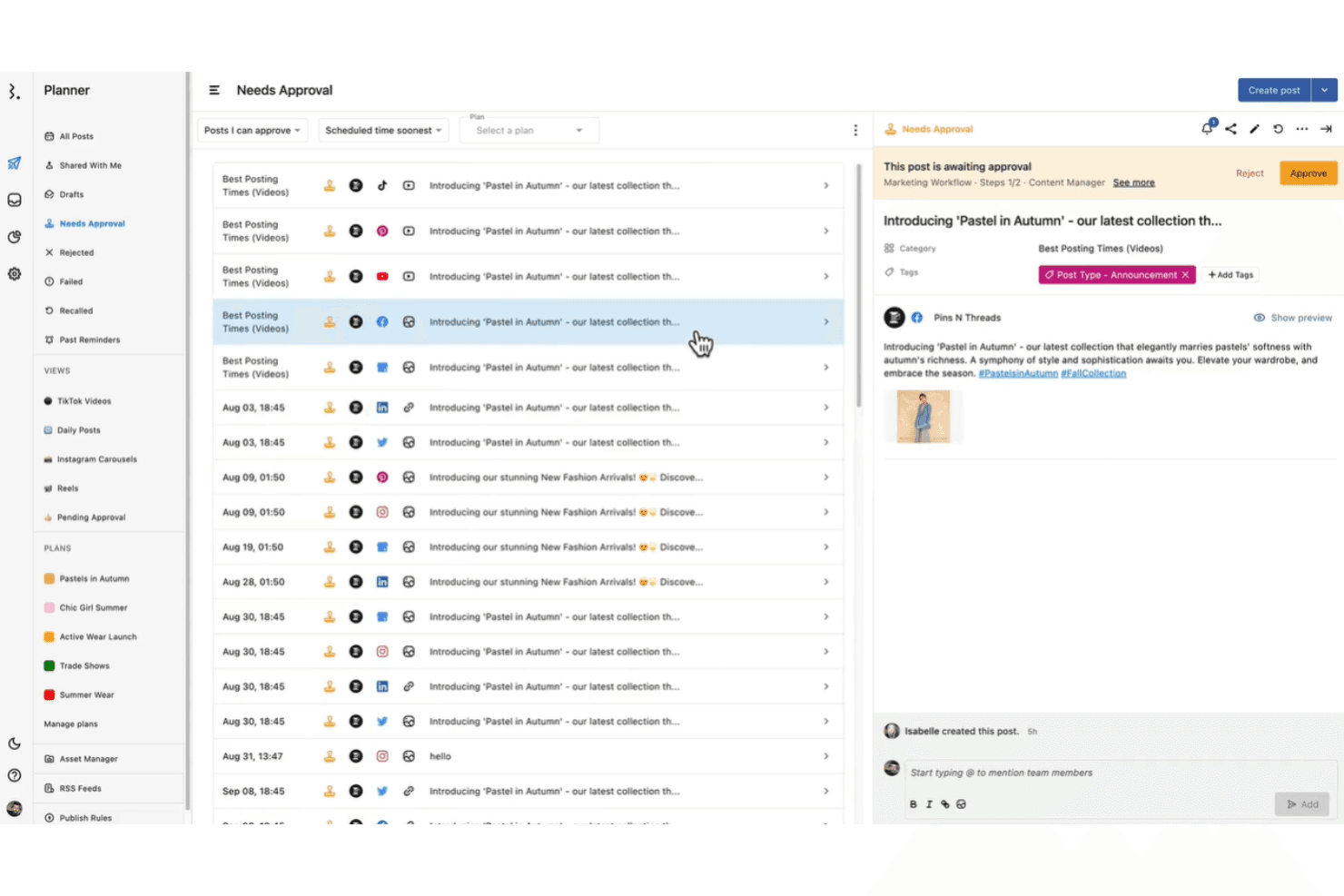
Statusbrew enables collaborative social media management with scheduling tools. Statusbrew is a social media management platform that combines content publishing, a unified inbox for messages and comments across social and review channels, automated moderation rules, and cross-channel performance reporting.
Who Is Statusbrew Best For?
Statusbrew is a strong fit for social media and support teams that need to manage customer conversations and content publishing from one platform.
Why I Picked Statusbrew
I've included Statusbrew in my top picks because it's one of the few platforms that genuinely bridges content publishing and customer care without treating them as separate workflows. I love that your team can move from scheduling a campaign post to replying to a customer complaint in the same inbox, with AI sentiment analysis flagging frustrated conversations automatically. Collision detection also prevents two agents from drafting duplicate replies to the same message, which matters when social queues get busy.
Statusbrew Key Features
- Automated moderation rules: Build rules that automatically hide, delete, tag, or route incoming comments and messages based on keywords, sentiment, language, or contact history.
- Social listening: Monitor untagged brand mentions across Instagram, X, YouTube, Reddit, Threads, and web sources like blogs and news sites.
- Cross-channel performance reporting: Access 250+ metrics across 20+ social and review channels, with customizable dashboards, drill-down analysis, and scheduled report delivery.
- Review management dashboard: Aggregate and respond to reviews from Google Business Profile, Trustpilot, Yelp, and app stores in a single filtered view.
Statusbrew Integrations
Statusbrew offers native integrations with Salesforce, HubSpot, WhatsApp, LINE, Google Business Profile, Trustpilot, Yelp, Slack, and Microsoft Teams. It also provides a REST-style HTTP API and Analytics API for custom integrations.
Pros and Cons
Pros:
- Moderation rules hide spam before agents respond
- Collision alerts reduce duplicate agent replies
- Unified inbox preserves cross-channel conversation history
Cons:
- Routing rules cannot check assignments or replies
- Listening quotas constrain brand monitoring
Learn more about Statusbrew: Best for linking replies to campaign ROI
- Free trial + free plan available
- From $79/user/month (billed annually)
Visit WebsiteCustomer Rating:4.5/5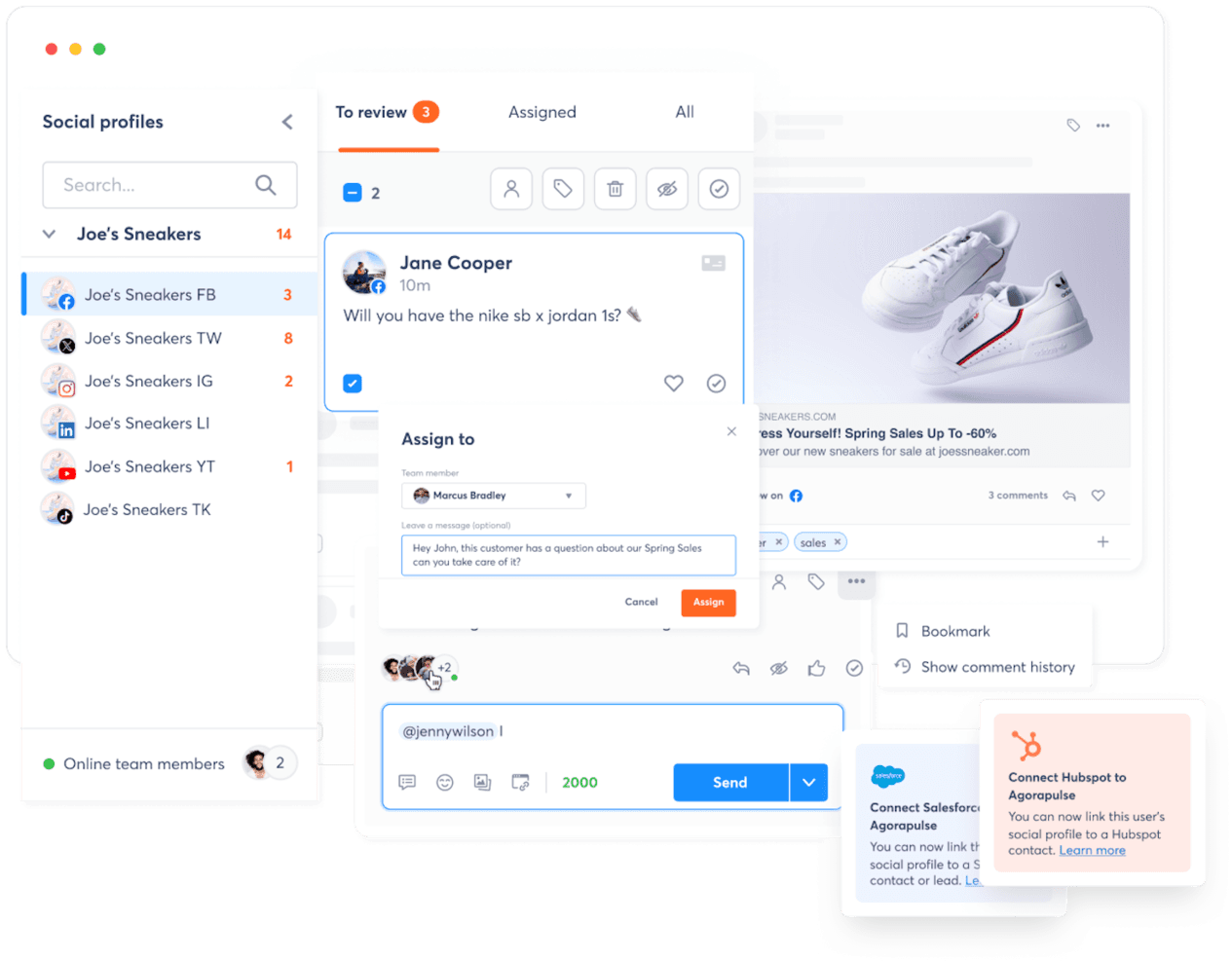
With the Inbox Assistant, you can see all conversations at a glance Agorapulse is a social media management platform with a unified inbox, social listening, publishing, and ROI reporting tools built for teams managing customer conversations across Facebook, Instagram, X, LinkedIn, TikTok, YouTube, and more.
Who Is Agorapulse Best For?
Agorapulse is a strong fit for social media and digital marketing teams that need to tie their community management work directly to revenue outcomes.
Why I Picked Agorapulse
I picked Agorapulse as one of the best because it's the only tool on my list that directly connects inbox replies to revenue. Its ROI reporting links UTM-tagged responses to Google Analytics conversions, so you can see exactly which social replies drove traffic, leads, or sales. I also love that it tracks team performance alongside those outcomes, so you're not just measuring volume but actual business impact from every conversation your team handles.
Agorapulse Key Features
- Unified social inbox: Manage comments, DMs, mentions, and reviews from Facebook, Instagram, X, LinkedIn, YouTube, TikTok, and more in one feed.
- Automated moderation rules: Set keyword-based rules to automatically label, assign, hide, or delete incoming inbox items at scale.
- Social listening searches: Monitor brand, competitor, and keyword mentions across platforms including Reddit, news sites, and blogs, with sentiment tracking.
- Team performance reporting: Track each teammate's response times and inbox activity, including items reviewed, hidden, deleted, and replied to.
Agorapulse Integrations
Native integrations include Salesforce, HubSpot, Slack, and Google Analytics for social interactions, notifications, and ROI measurement. Agorapulse also offers a Reports Open API and Zapier for custom connectivity.
Pros and Cons
Pros:
- Team reports track response times and handling
- Unified inbox centralizes comments, DMs, and reviews
- Replies connect social service to campaign revenue
Cons:
- TikTok private messages aren’t supported
- No formal ticketing or skill-based routing
Learn more about Agorapulse: Best for prioritizing by customer influence
- Not available
- Pricing upon request
Visit WebsiteCustomer Rating:4/5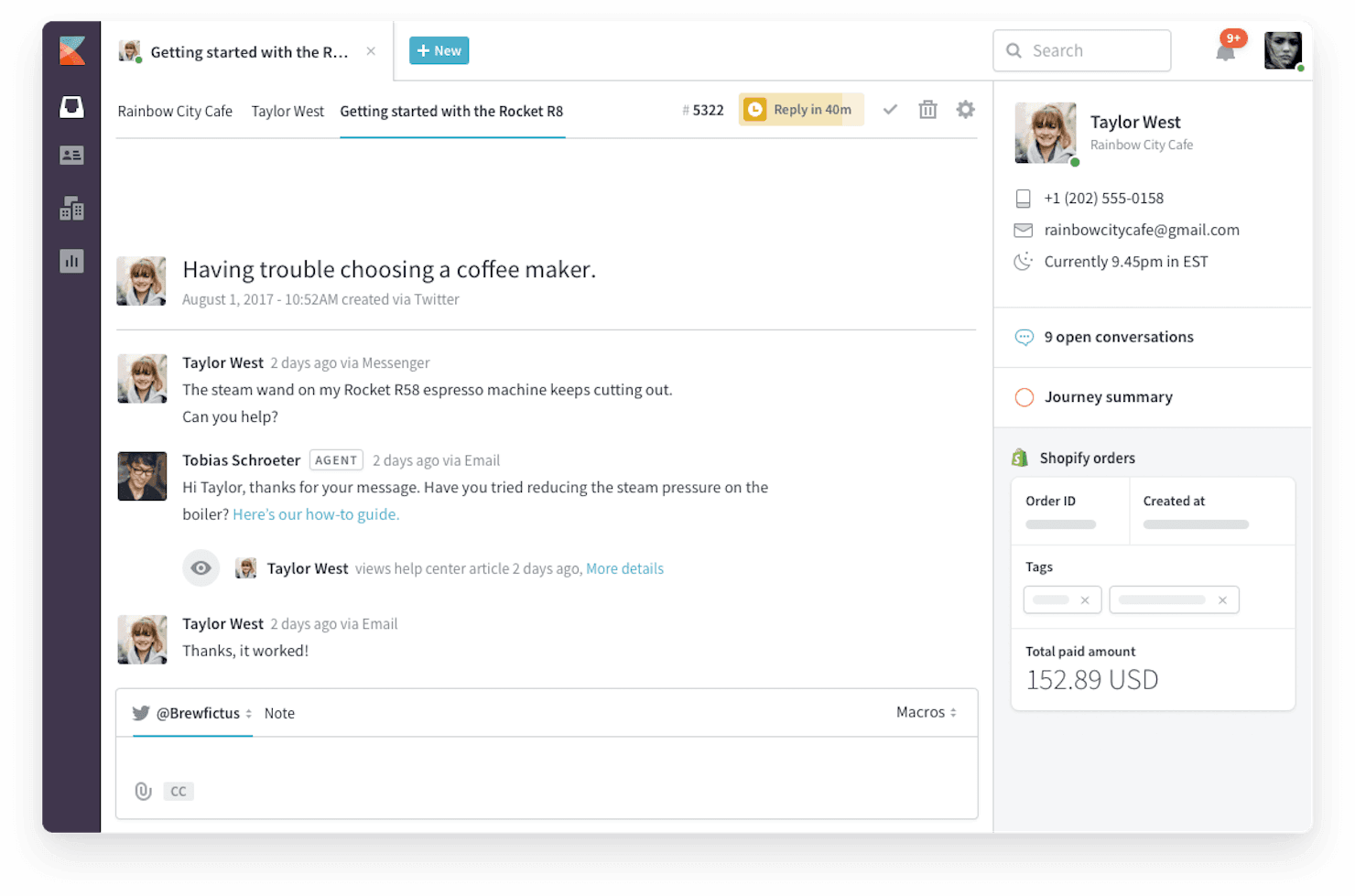
Kayako's help desk chat interface is designed for effective customer communication and support Kayako is a help desk and social customer service platform that unifies Twitter/X, Instagram, Facebook, TikTok, LinkedIn, and WhatsApp into a single inbox, with AI-assisted routing, sentiment detection, and influence-based prioritization built in.
Who Is Kayako Best For?
Kayako is a strong fit for customer service teams that need to triage high volumes of social messages by prioritizing responses based on a customer's reach and sentiment.
Why I Picked Kayako
I picked Kayako as one of the best because its influence-based prioritization is genuinely useful when social volume spikes. It identifies high-follower accounts and flags negative sentiment before a situation escalates, so my team responds to the right conversations first. SingleView pulls each customer's full channel history into one timeline, giving agents the context they need without digging through separate threads.
Kayako Key Features
- Social listening and mention monitoring: Captures brand mentions, hashtags, and indirect mentions across platforms without requiring an @tag.
- Public-to-private conversation transition: Moves sensitive exchanges from public posts to private messages while keeping the full conversation thread intact.
- Rules-based workflow automation: Lets you configure no-code rules to automatically route, assign, tag, and escalate tickets based on custom criteria.
- Internal collaboration tools: Lets agents tag teammates and escalate to managers directly within a ticket, without exposing those internal notes to customers.
Kayako Integrations
Kayako offers native integrations with Twitter/X, Instagram, Facebook, TikTok, LinkedIn, WhatsApp, Slack, Microsoft Teams, Salesforce, and Shopify. It also supports integrations via Zapier and provides APIs, webhooks, and a Java SDK for custom connections.
Pros and Cons
Pros:
- Private notes support cross-team escalations
- SingleView preserves context across social conversations
- Influence-based triage flags high-reach, angry accounts
Cons:
- Mobile views feel cramped for agents
- Social reporting is difficult to navigate
 Best for serving customers across languages
- Free demo available
- Pricing upon request
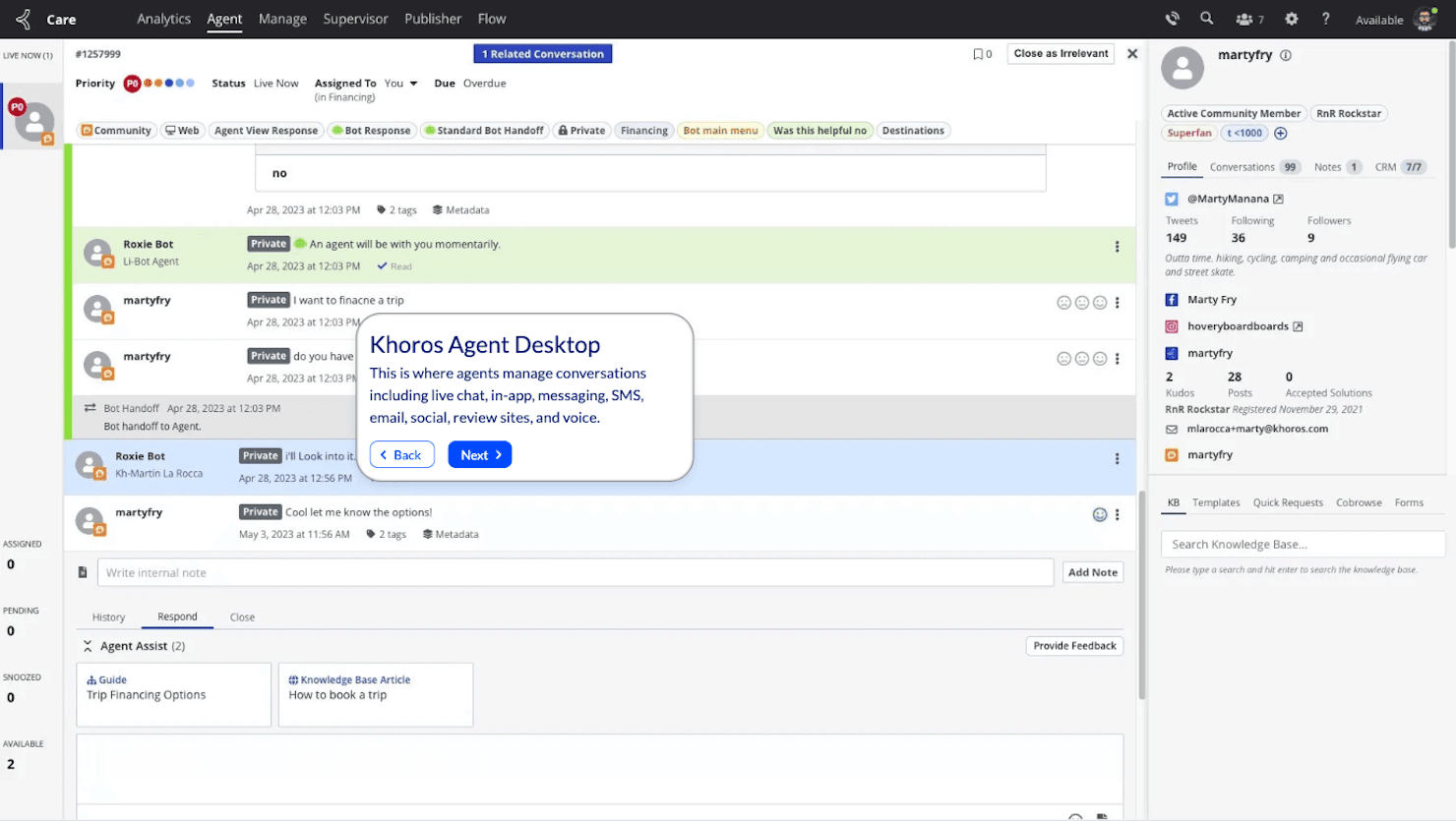
Khoros brings together all your brand’s social media accounts and campaigns in one place. Khoros is an AI-native social media management and customer care platform that centralizes social listening, unified message queuing, intelligent routing, and cross-channel response across major social networks.
Who Is Khoros Best For?
Khoros is a strong fit for enterprise customer service and social media teams managing high volumes of multilingual conversations across global markets.
Why I Picked Khoros
Khoros earns its spot on my shortlist because its AI translation layer genuinely sets it apart for global support teams. When an inbound message arrives in a language your agent doesn't speak, Khoros detects it automatically, translates it, and lets the agent draft a reply that gets sent back in the customer's original language. Pair that with social listening across 187 languages, and your team can catch and respond to multilingual conversations at scale.
Khoros Key Features
- Unified message queue: Centralizes inbound messages from major social and digital channels into a single queue for agents to manage.
- AI relevance and priority classification: Scores incoming messages for urgency and flags spam so your team can focus on the conversations that matter most.
- Sentiment and emotion detection: Analyzes tone and emotion across conversations in real time, surfacing risks and trends before they escalate.
- Role-based access control: Lets you configure granular permissions across teams, regions, and workspaces to keep workflows organized at scale.
Khoros Integrations
Khoros lists integrations with Salesforce, Microsoft Dynamics 365, HubSpot, Brandwatch, NetBase, Talkwalker, and Sysomos. Its REST API, webhooks, OpenAPI support, and SDKs enable custom integrations.
Pros and Cons
Pros:
- Priority routing surfaces urgent social cases
- Listening spans 187 languages and untagged mentions
- AI translation supports multilingual customer replies
Cons:
- Technical complexity and lag can disrupt queues
- High cost can strain smaller service teams
Learn more about Khoros: Best for forecasting customer issue peaks
- Free trial + free demo available
- $39/user/month (paid annually)
Visit WebsiteCustomer Rating:4.3/5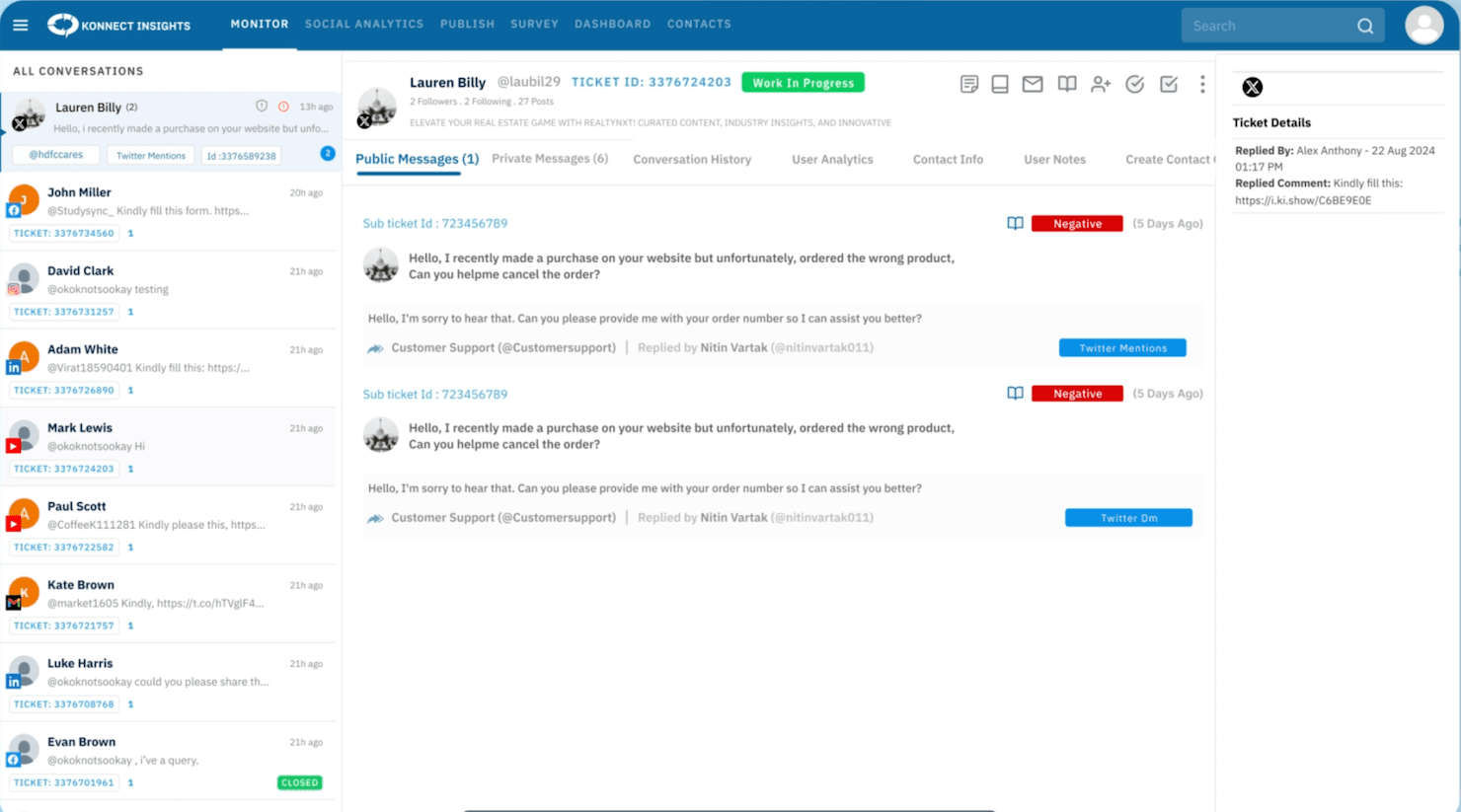
360° unified view of all customer interactions from social media, emails, calls, chats, and more Konnect Insights is an omnichannel customer experience platform that combines social listening, ticketing, CRM, publishing, and AI-powered analytics into a single workspace.
Who Is Konnect Insights Best For?
Konnect Insights is a strong fit for customer experience teams that need to predict and prepare for spikes in social complaints before they escalate.
Why I Picked Konnect Insights
I picked Konnect Insights as one of the best because of its KRC (Konnect Research Cloud) module, which scores emerging issues, predicts when they'll peak, and can even draft a holding statement before the spike hits. That kind of early-warning capability is rare in social customer service tools. I also like that sentiment, intent, and severity detection feed directly into AI-driven routing, so the right agent gets the right ticket before a complaint snowballs.
Konnect Insights Key Features
- Omni-channel ticketing: Converts conversations from email, calls, WhatsApp, live chat, social posts, and reviews into a single unified ticket queue with SLA tracking.
- Customer 360 profiles: Links a customer's social handles, email, phone, and full interaction history into one unified record, visible directly within each ticket.
- Automated quality scoring: Reviews agent conversations and scores replies for accuracy, empathy, and SLA compliance to support coaching and consistency.
- Social listening with share of voice: Tracks brand, product, and competitor conversations across social and public sources, with side-by-side volume comparisons by platform and region.
Konnect Insights Integrations
Konnect Insights offers marketplace integrations with Salesforce, HubSpot, Microsoft Dynamics 365, Genesys, Avaya, Engati, Gupshup, Zendesk, and Slack. It also provides REST API and webhook support for custom integrations.
Pros and Cons
Pros:
- Custom dashboards track response and sentiment
- Unifies social messages with ticket ownership
- Predicts emerging issue peaks before complaint spikes
Cons:
- Large-volume dashboards can load slowly
- Advanced reports take time to configure
Learn more about Konnect Insights: Best for routing social into service operations
- Free trial available
- From $25/agent/month (billed annually)
Visit WebsiteCustomer Rating:4.3/5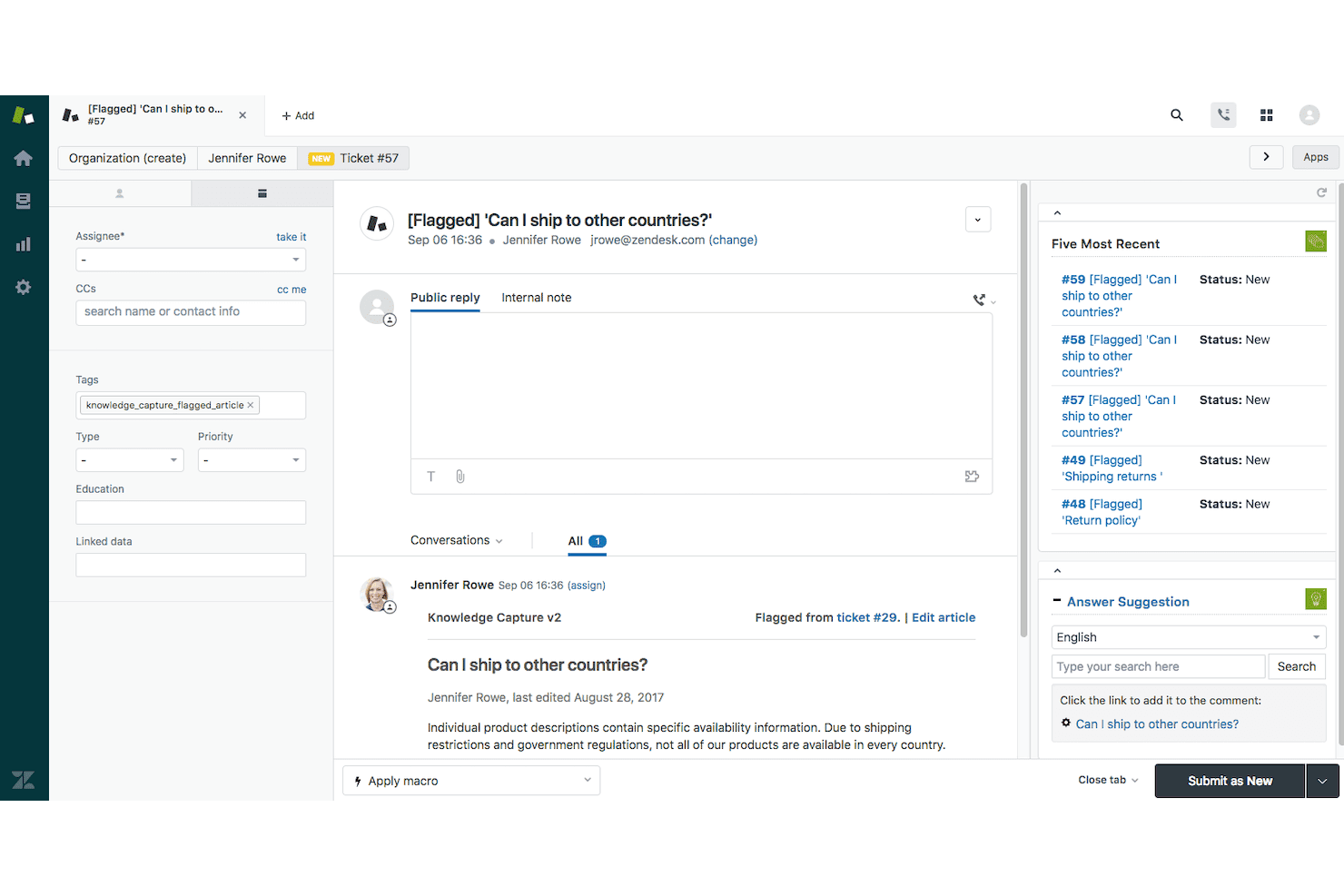
Zendesk's ticket window allows agents to view and manage customer inquiries efficiently. Zendesk is a customer service platform that routes social messages from channels like WhatsApp, Facebook Messenger, Instagram, and X into a unified agent workspace alongside email, voice, and chat.
Who Is Zendesk Best For?
Zendesk is a strong fit for customer service teams that need to pull social conversations into an existing service operation alongside email, voice, and chat.
Why I Picked Zendesk
I picked Zendesk as one of the best because it does something most dedicated social tools don't: it pulls WhatsApp, Facebook Messenger, Instagram, and X conversations directly into the same agent workspace your team already uses for email and voice. Omnichannel routing then assigns those social tickets based on agent availability, skills, and workload, so a high-volume DM queue doesn't pile up unattended. I also like that social channel linking lets a customer start a conversation in the Web Widget and continue it in WhatsApp or Instagram DM without losing the thread.
Zendesk Key Features
- AI agents for messaging channels: Deploy AI agents across WhatsApp, Facebook Messenger, Instagram, and other social messaging channels to handle customer requests automatically before escalating to a human agent.
- Social channel linking: Let customers start a conversation in the web widget and continue it in WhatsApp, Facebook Messenger, or Instagram DM without losing the conversation thread.
- Skills-based routing: Assign incoming social tickets to agents based on skills, availability, and workload capacity, keeping queues balanced across your team.
- Prebuilt analytics dashboards: Monitor ticket volume and agent performance across social and other channels using out-of-the-box reporting dashboards available from the entry-level plan.
Zendesk Integrations
Zendesk offers seven documented native social and business channel integrations, including WhatsApp, Facebook Messenger, Instagram, X, Slack, WeChat, and LINE. Marketplace integrations include Microsoft Teams, Pipedrive, Klaviyo, and FullStory, while REST APIs support custom connections.
Pros and Cons
Pros:
- Shared customer history helps prevent duplicate work
- Routing and macros reduce repetitive handling
- Social messages share one agent workspace
Cons:
- Some dashboards exclude messaging metrics
- No listening for untagged brand mentions
Learn more about Zendesk: Best for crisis response and publishing control
- 30-day free trial
- From $79/user/month (billed annually)
Visit WebsiteCustomer Rating:4.3/5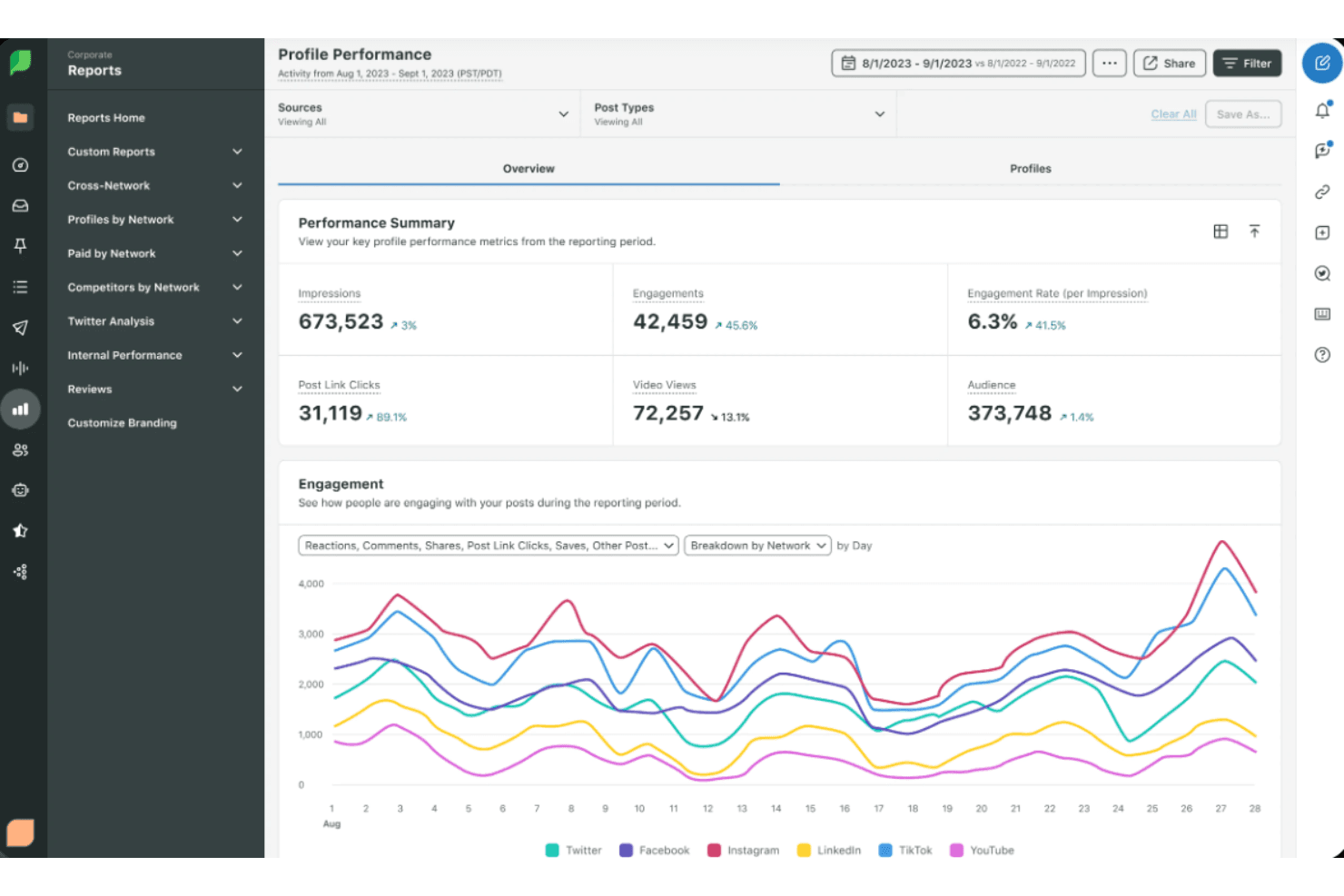
Sprout Social boosts engagement and analytics for marketers with scheduling features. Sprout Social is a social media management platform built for customer care teams, combining a unified Smart Inbox, case management, multi-network publishing, and performance reporting across major social channels.
Who Is Sprout Social Best For?
Sprout Social is a strong fit for social media and customer care teams that need to manage high message volumes, coordinate responses across multiple networks, and maintain publishing control during fast-moving situations.
Why I Picked Sprout Social
I picked Sprout Social as one of the best because of how it handles crisis response with actual structure, not just speed. The Message Spike Alerts notify your team the moment inbound volume spikes beyond normal, and the Pause All Outgoing feature lets you stop all scheduled publishing across every connected profile instantly. I also like that case creation rules can automatically route high-priority or sentiment-flagged messages to the right people before anything slips through.
Sprout Social Key Features
- Smart Inbox: Pulls messages, comments, mentions, and reviews from all connected social profiles into a single filterable stream.
- Collision detection: Shows you when a teammate is already viewing or responding to a message, so the same customer doesn't get two replies.
- Case creation rules: Automatically converts inbound messages into cases based on criteria like sentiment, keyword, language, or VIP status.
- CSAT and NPS surveys: Triggers automated satisfaction surveys after a case closes to collect customer feedback at the team level.
Sprout Social Integrations
Sprout Social integrates with Salesforce Agentforce Service, Zendesk, HubSpot Service Hub, and Microsoft Dynamics 365 for social customer care workflows. Its REST API supports custom integrations for messages, cases, publishing, analytics, listening, and customer metadata.
Pros and Cons
Pros:
- Pauses publishing and flags message spikes
- Tracks case response times and resolution
- Unifies social messages for team responses
Cons:
- Case collaboration requires the web app
- Social account connections can disconnect
Learn more about Sprout Social: Best for turning social signals into cases
- Free demo available
- Pricing upon request
Visit WebsiteCustomer Rating:4.4/5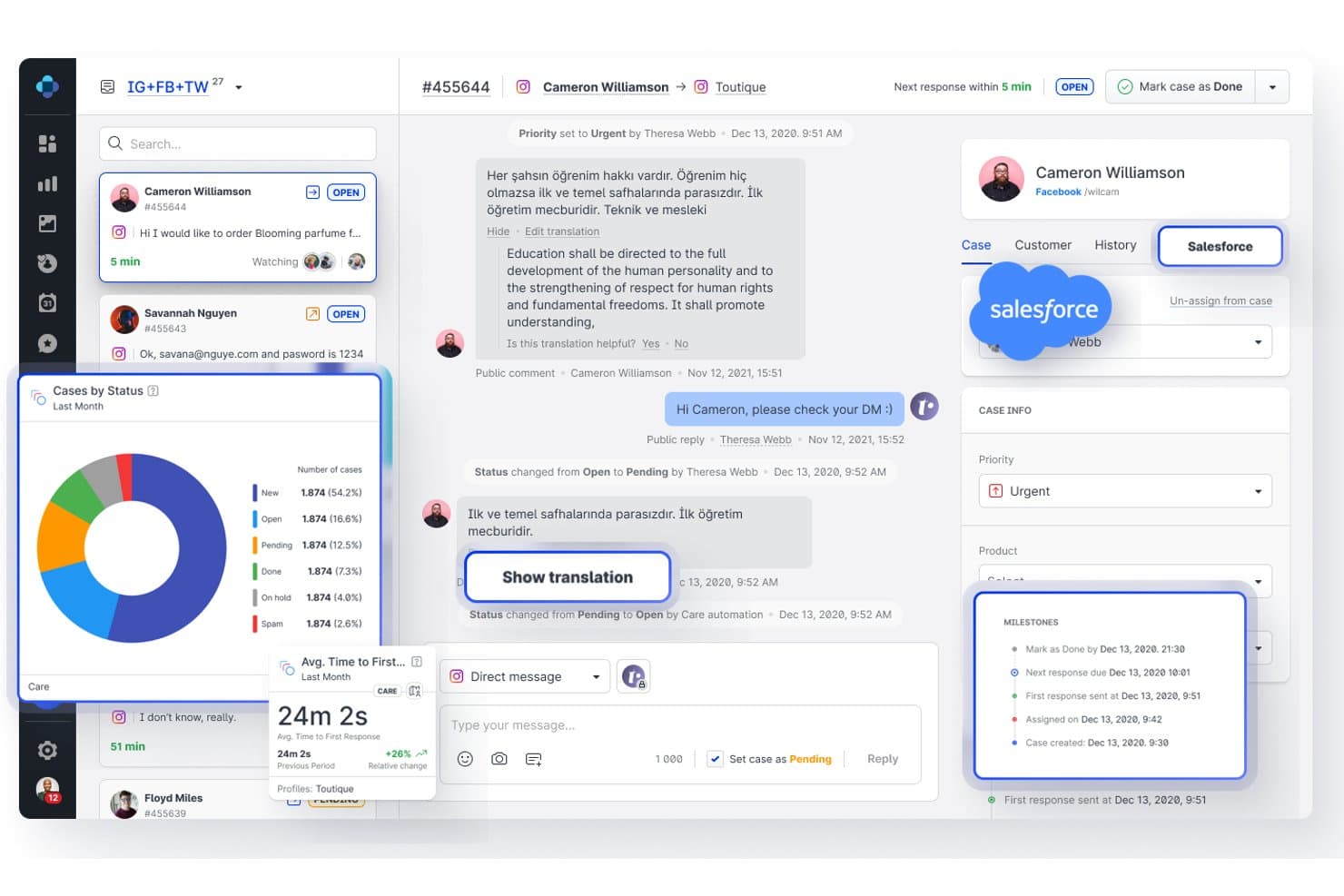
Emplifi centralizes social messages with translation and CRM integration. Emplifi is a social customer service platform that consolidates DMs, comments, mentions, and reviews from social and messaging channels into a unified inbox, with AI-driven case routing, escalation workflows, and care analytics.
Who Is Emplifi Best For?
Emplifi Care is a strong fit for enterprise social media and customer service teams managing high volumes of interactions across multiple social and messaging channels.
Why I Picked Emplifi
I picked Emplifi as one of the best because its listening module actively converts social signals into actionable support cases, which is exactly where most tools fall short. When a sentiment spike hits, Emplifi detects the anomaly and routes it into the care queue automatically. I also love how the AI case summaries pull together conversation history, intent, and priority so agents aren't starting from scratch on every escalation.
Emplifi Key Features
- Unified inbox: Consolidates DMs, comments, mentions, and reviews from social and messaging channels into a single workspace with full CRM context and case history.
- SLA management: Sets response and resolution targets, displays live case countdowns, and alerts supervisors before a breach occurs.
- Real-time translation: Automatically translates incoming customer messages so agents can support multilingual conversations without leaving the queue.
- Escalation workflows: Moves complex interactions from public channels to private support channels while keeping the full conversation context intact.
Emplifi Integrations
Emplifi documents 65 connections across 10 categories, including native Facebook, Instagram, X, TikTok, YouTube, WhatsApp Business, Google Business Profile, and Salesforce Service Cloud integrations. It also supports HubSpot, Microsoft Dynamics, Zendesk via API workflows, and REST API access for custom integrations.
Pros and Cons
Pros:
- Escalates public complaints with context intact
- Routes cases by intent, urgency, and skills
- Unifies social DMs, comments, and reviews
Cons:
- Finding analytics can take extra clicks
- Cross-platform reporting offers limited flexibility
Learn more about Emplifi: Best for linking care and social publishing
- 14-day free trial + demo available
- From $99/user/month
Visit WebsiteCustomer Rating:4.3/5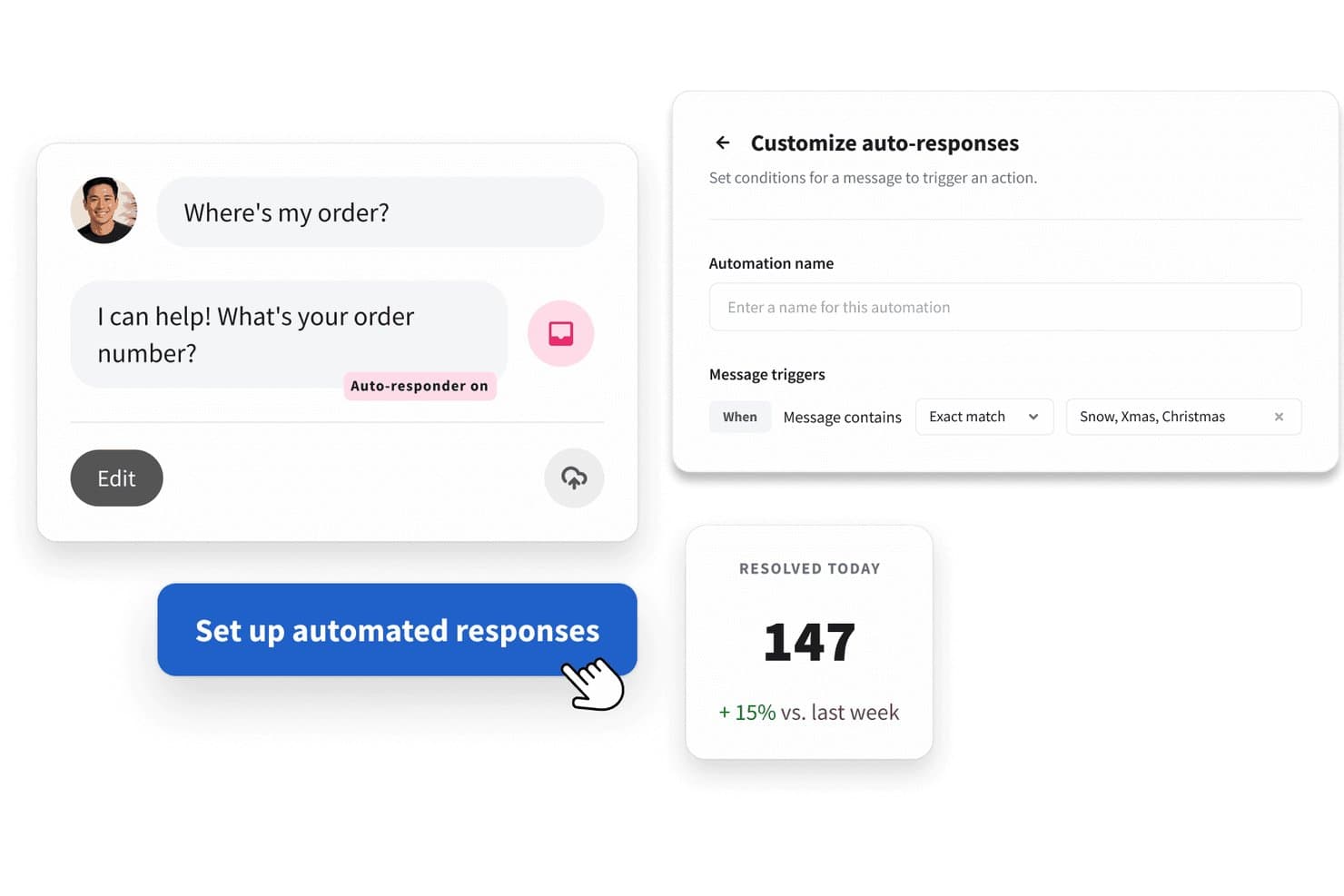
Hootsuite automates customer replies with keyword-triggered responses. Hootsuite is a social media management platform with a unified inbox, social listening, publishing, and customer care tools built for teams managing customer interactions across multiple social channels.
Who Is Hootsuite Best For?
Hootsuite is a strong fit for social media and digital marketing teams that need to manage customer conversations and content publishing from a single platform.
Why I Picked Hootsuite
I've included Hootsuite in my top picks because it's one of the few platforms where customer care and content publishing genuinely live side by side. I like that agents can respond to comments, DMs, and mentions in Nest's unified inbox while the same team schedules and publishes content through Perch, without switching tools. Skill-based routing and AI-suggested replies make it practical for teams handling real volume across Instagram, Facebook, LinkedIn, and more.
Hootsuite Key Features
- Language detection: Automatically identifies the language of incoming messages across 60+ languages and uses that information to route conversations or trigger language-specific responses.
- CSAT surveys: Sends customer satisfaction surveys after interactions close and tracks feedback scores within the inbox performance dashboard.
- PII masking: Manually or automatically conceals sensitive information—such as credit card numbers—within public and private social conversations.
- Zendesk case creation: Creates customer support cases in Zendesk directly from conversations in the Hootsuite inbox, without leaving the platform.
Hootsuite Integrations
Hootsuite documents over 100 apps and integrations, including native integrations with Instagram, Facebook, TikTok, X, LinkedIn, and WhatsApp, plus marketplace integrations with Zendesk and Salesforce. It also offers a REST API and Zapier.
Pros and Cons
Pros:
- Consolidated analytics show channel performance
- Routes conversations by agent skills and language
- Centralizes replies across social accounts
Cons:
- Account disconnections can interrupt response workflows
- Inbox coverage varies by social channel
Learn more about Hootsuite: 10Best for social-to-contact-center handoffs
Sprinklr
- 30-day free trial
- Pricing upon request
Visit WebsiteCustomer Rating:4/5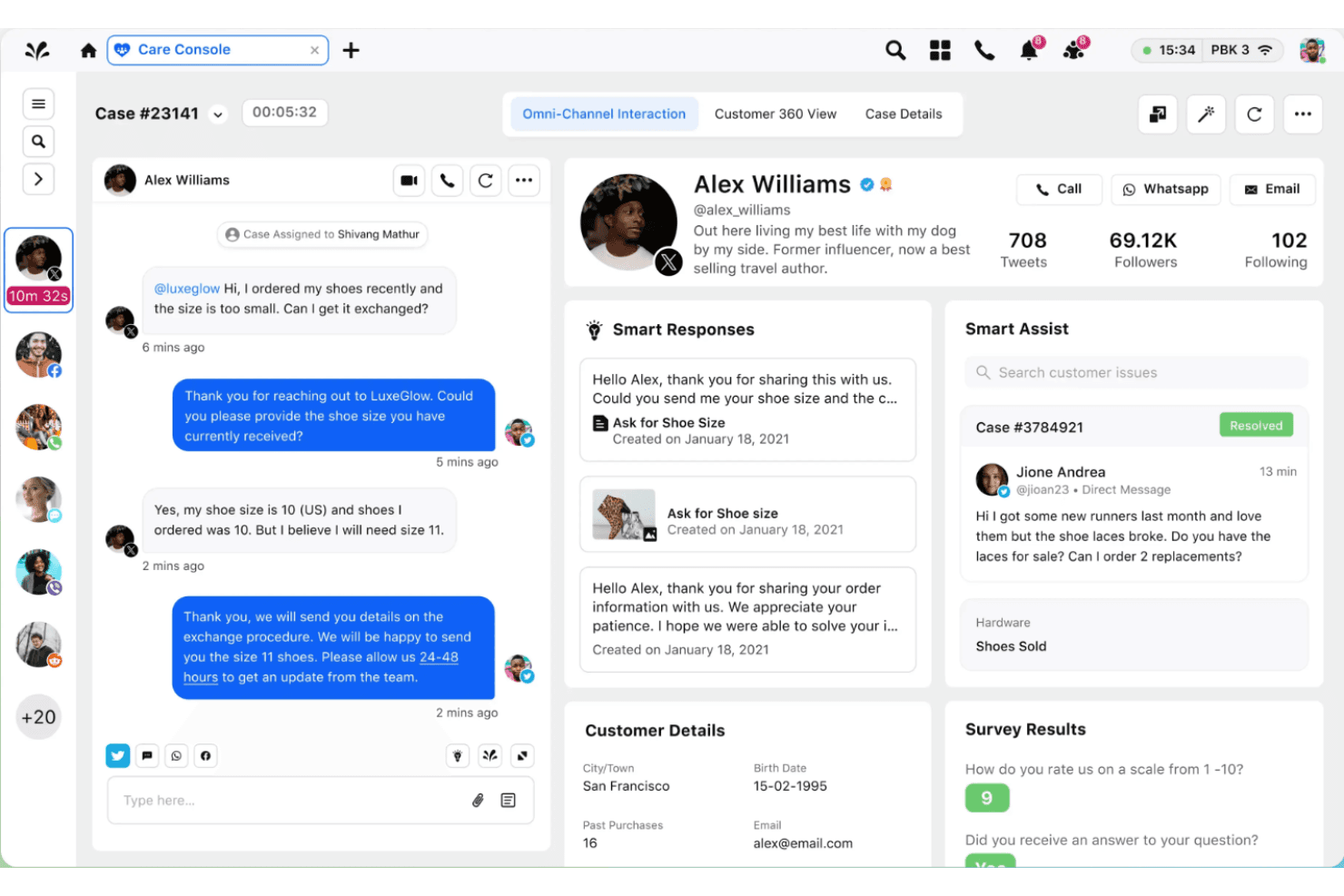
Sprinklr enhances enterprise customer service and marketing with unified tools. Sprinklr is an AI-native customer service platform that unifies social, digital, and voice interactions across 30+ channels, combining a social inbox, real-time listening, AI-powered routing, agent assistance, and contact center management in one platform.
Who Is Sprinklr Best For?
Sprinklr is a strong fit for enterprise customer service and social teams that need to manage high volumes of social interactions across dozens of channels without losing the thread when a conversation moves to voice or another digital channel.
Why I Picked Sprinklr
I've included Sprinklr in my top picks because it's the only platform I know that keeps a single conversation thread intact as a customer moves from a Twitter DM to a phone call, with full case history following the agent the entire way. Its AI-powered routing assigns those escalated cases by agent skill and past performance, so the handoff doesn't mean starting over. Predictive CSAT detection flags sentiment drops mid-interaction before they become complaints.
Sprinklr Key Features
- Social listening: Tracks brand mentions, untagged conversations, and sentiment shifts across 25+ social channels in real time.
- Message categorization: Classifies incoming social messages by intent and urgency so teams can prioritize which cases need immediate attention.
- Crisis alerts: Detects spikes in volume or negative sentiment and notifies relevant teams before an issue escalates.
- Conversational AI bots: Deploys AI agents built once and deployed across multiple social and digital channels to handle customer queries automatically.
Sprinklr Integrations
Sprinklr offers marketplace integrations with Salesforce, Zendesk, ServiceNow, Microsoft Teams, Slack, Jira, and Twilio. It also supports REST APIs, webhooks, SDKs, and MCP servers for custom integrations.
Pros and Cons
Pros:
- Offers customizable social service performance dashboards
- Flags rising negative sentiment and message volume
- Preserves conversation context across channel handoffs
Cons:
- Users report slow loading and inconsistent support
- Complex setup can require substantial training
Learn more about Sprinklr:
Diğer Sosyal Müşteri Hizmetleri Yazılımları
Kısa listeme giremeyen ancak yine de göz atmaya değer bazı ek sosyal müşteri hizmetleri yazılımı seçenekleri şunlardır:
- 11FreshdeskBest for public comments in support workflows
- 12MeltwaterBest for spotting issues before customers ask
- 13BrandwatchBest for finding customer pain beyond social
- 14BirdeyeBest for location-level social issue escalation
- 15Respond.ioBest for tracking messaging leads to purchase
- 16GorgiasBest for tracing support issues to products
- 17VerintBest for routing social issues into cases
- 18HubSpot Service HubBest for HubSpot social and service teams
- 19Reputation.comBest for routing social feedback by location
- 20Comm100Best for omnichannel support
- 21GladlyBest for customer-history-based social routing
- 22LiveAgentBest for social replies with support SLAs
- 23FrontBest for partner input on social complaints
- 24TrengoBest for handling TikTok Messaging Ads chats
- 25Zoho DeskBest for keyword-based social routing
- 26eDeskBest for TikTok Shop order resolution
- 27Microsoft Dynamics 365 Customer ServiceBest for Microsoft service case workflows
How I Evaluate Social Customer Service Software
I split my evaluation into three parts, with core functionality carrying the most weight: bring social messages and untagged mentions together, then route cases to the right agents. Next, I look for differentiators like AI sentiment alerts that flag frustrated customers. Finally, I consider factors beyond features, including onboarding, support, and pricing as volume grows.
Core Functionality (Table Stakes For This List)
When I'm selecting tools for my list, I score each one on a scale from 0 (does not offer the functionality) to 5 (excels in this area) for each core functionality listed below. I then convert the total into a percentage to help assess each tool's overall fit, with extra weight on any functionalities I’ve deemed essential.
- Unified Social Inbox (Essential): I look for messages, comments, and mentions from multiple channels in one queue, with threads intact so agents can follow a complaint’s history.
- Social Listening (Essential): I assess coverage for keywords, hashtags, and untagged mentions, such as spotting a product issue discussed without tagging the brand.
- Ticket Routing: I check whether social cases can be assigned by topic, channel, or urgency, with a clear owner for each handoff.
- Multi-Platform Replies: I look for in-platform replies across supported networks and consistent handling when a customer moves from a public comment to a private message.
- Service Reporting: I compare social-specific volume, response-time, and resolution reporting by channel and agent to spot queues that need attention.
- Collaboration Tools: I look for internal notes, teammate tags, and escalation paths when a public complaint needs input from product or operations.
Once I have a list of tools that meet the criteria, I consider what sets each platform apart.
Differentiating Factors (What Sets Vendors Apart)
Here's how I compare and contrast different vendors:
Standout Features
Sentiment and intent detection is where I spend the most time evaluating. I check whether a tool can flag a frustrated customer mid-thread and auto-escalate that conversation before an agent even reads it. Crisis and spike alerts pair well here—I look for platforms that detect unusual surges in negative mentions and notify the right people instantly, like when a shipping delay trends on social media. I also evaluate AI-powered chatbots, specifically how well they deflect routine questions like order status checks without making customers feel ignored.
Beyond Features
I check whether a vendor's pricing model charges by seats, channels, or message volume, because a viral moment can triple your conversation count overnight and blow past a volume cap. API stability matters just as much—I look at how quickly a vendor restored service after past X/Twitter API changes, since a broken integration means missed customer messages. I also evaluate onboarding speed, especially for seasonal agents who need to start replying on day one.
Sosyal Müşteri Hizmetleri Yazılımı Nasıl Seçilir?
Uzun özellik listeleri ve karmaşık fiyatlandırma yapıları içinde kaybolmak kolaydır. Kendinize özgü yazılım seçim sürecinizi yürütürken odağınızı korumanıza yardımcı olmak için göz önünde bulundurmanız gereken faktörleri içeren bir kontrol listesi hazırladım:
| Faktör | Dikkate Alınması Gerekenler |
| Ölçeklenebilirlik | Yazılım işletmenizin ihtiyaçlarıyla birlikte büyüyebilir mi? |
| Entegrasyonlar | Mevcut araçlarınızla entegre oluyor mu? |
| Özelleştirilebilirlik | Ekibinizin iş akışına uyacak şekilde özelleştirebilir misiniz? |
| Kullanım Kolaylığı | Yazılım ekibiniz için kullanıcı dostu mu? |
| Bütçe | Mali kısıtlarınıza uyuyor mu? |
| Güvenlik Önlemleri | Güçlü güvenlik önlemleri mevcut mu? |
| Müşteri Desteği | Destek ekibi ne kadar hızlı yanıt veriyor ve ne kadar yardımcı oluyor? |
| Raporlama Özellikleri | Ekibiniz için eyleme dönüştürülebilir içgörüler sağlıyor mu? |
Sosyal Müşteri Hizmetleri Yazılımlarındaki Trendler
Araştırmam sırasında farklı sosyal müşteri hizmetleri yazılımı sağlayıcılarının sayısız ürün güncellemesini, basın bültenini ve sürüm günlüğünü inceledim. Takip ettiğim yeni ortaya çıkan trendlerden bazıları şunlar:
- Yapay Zekâ Destekli Sohbet Robotları: Sohbet robotları giderek daha akıllı hâle geliyor ve artık daha karmaşık soruları yanıtlayabiliyor. Bunun sonucunda bazı sağlayıcılar, belirli marka sesleri ve müşteri kitleleriyle uyumlu özelleştirilebilir botlar sunuyor.
- Duygu Analizi: Bu özellik, işletmelerin müşteri duygularını gerçek zamanlı olarak anlamasına yardımcı olur. Şirketler, dili ve üslubu analiz ederek etkileşimlere öncelik verebilir ve müşteri memnuniyetini artırabilir.
- Çok Kanallı Etkileşim: Müşteriler tüm kanallarda tutarlı hizmet beklediğinden çok kanallı etkileşim büyük önem taşır. Sosyal müşteri hizmetleri yazılımlarının çoğu; ses, sohbet ve sosyal medyayı tek bir platformda birleştirir. Bu yaklaşım, ekiplerin tutarlı destek sunmasını sağlar ve müşteri deneyimini geliştirir.
- Video Desteği: Video sohbet, temsilcilerin daha kişiselleştirilmiş yardım sunmasına ve sorunları görsel olarak çözmesine olanak tanıdığı için değerli bir destek aracı olarak öne çıkıyor. Bazı platformlar artık geleneksel destek yöntemlerini tamamlamak için video özellikleri sunuyor.
- Proaktif Müşteri Etkileşimi: Şirketler, müşterilerin kendilerine ulaşmasını beklemek yerine sorunları öngörmek ve müşterilerle proaktif biçimde iletişim kurmak için yazılımlardan yararlanıyor. Bu eğilim, ihtiyaçlar ortaya çıkmadan önce bunları ele alarak daha iyi ilişkiler kurmaya ve sadakati artırmaya odaklanıyor.
Sosyal Müşteri Hizmetleri Yazılımı Nedir?
Sosyal müşteri hizmetleri yazılımı ekiplerin sosyal medya platformlarındaki müşteri sorularını yönetmesini ve yanıtlamasını sağlayan bir araçtır. Etkileşimleri merkezileştirerek ve otomasyon, duygu analizi ve platformlar arası görünürlük gibi özellikler sunarak tutarlı ve verimli etkileşimi destekler.
Sosyal Müşteri Hizmetleri Yazılımının Özellikleri
Sosyal müşteri hizmetleri yazılımı seçerken aşağıdaki temel özelliklere dikkat edin:
- Çok kanallı destek: Facebook, Twitter ve Instagram gibi tüm büyük sosyal platformlardaki müşteri sorularını sorunsuz biçimde yönetin; böylece beş sekme arasında geçiş yapmak zorunda kalmadan herkese yanıt verebilirsiniz.
- Birleşik gelen kutusu: Her sosyal kanaldan gelen mesajları ve bildirimleri tek bir kullanışlı yerde toplayın; böylece hiçbir müşteri sorusunu kaçırmaz veya yanlışlıkla iki kez yanıtlamazsınız.
- Otomatik bilet oluşturma: Sosyal medya mesajlarını izlenebilir destek biletlerine dönüştürerek, yorumlar hızla akın ettiğinde bile sorunları verimli şekilde düzenlemenize, önceliklendirmenize ve çözmenize yardımcı olun.
- Yanıt yönetimi araçları: Yaygın yanıtları kaydedin, önceden belirlenmiş şablonları kullanın veya konuşmaları ekip üyelerine atayın; böylece robotik görünmeden daha hızlı yanıt verebilirsiniz.
- İş birliği özellikleri: Farklı ekip üyelerinin müşteri konuşmaları üzerinde birlikte çalışmasını, hızlı görüş almak için birbirlerini etiketlemesini veya yanıtları açık, samimi ve koordineli tutmak amacıyla not paylaşmasını sağlayın.
- Analiz ve raporlama: Ne kadar iyi performans gösterdiğinizi ölçmek ve tahminlere güvenmeden iyileştirme alanlarını belirlemek için yanıt sürelerini, sorun eğilimlerini ve müşteri memnuniyetini takip edin.
- Entegrasyon olanakları: İş akışlarınızı sorunsuz ve bilgi akışını kesintisiz tutmak için yardım masası yazılımları veya CRM sistemleri gibi diğer müşteri hizmetleri araçlarınıza bağlanın.
- Gerçek zamanlı bildirimler: Yeni mesajlar veya kritik yorumlar geldiğinde anında uyarılar alın; böylece hızlı yanıt verebilir ve olası sorunların önüne geçebilirsiniz.
- Gizlilik ve güvenlik denetimleri: Ekip üyeleri için izinler belirleyin ve hassas müşteri bilgilerini koruyun; böylece mevzuata uyumunuzu sürdürürken müşterilerinizin güvenini koruyabilirsiniz.
Sosyal Müşteri Hizmetleri Yazılımının Faydaları
Sosyal müşteri hizmetleri yazılımını uygulamak ekibiniz ve işletmeniz için çeşitli faydalar sağlar. İşte yararlanabileceğiniz bazı avantajlar:
- Artan Müşteri Memnuniyeti: Duygu analizi ve çok kanallı etkileşim gibi özellikleri kullanan ekipler daha etkili yanıt verebilir ve genel müşteri deneyimini geliştirebilir.
- Artan Verimlilik: Yapay zekâ destekli sohbet robotları ve merkezi bilet sistemleri rutin görevleri otomatikleştirerek ekibinizin daha karmaşık sorunlara odaklanmasını sağlar.
- Daha İyi Müşteri İçgörüleri: Özelleştirilebilir panolar ve sosyal medya izleme, ekiplerin bilinçli kararlar almasına yardımcı olan değerli veriler sunar.
- Gelişmiş Marka Sadakati: Proaktif müşteri etkileşimi, sorunları ortaya çıkmadan önce ele almaya yardımcı olarak müşterilerle daha güçlü ilişkiler kurulmasını sağlar.
- Azalan Yanıt Süreleri: Video desteği ve sosyal medya izleme gibi gerçek zamanlı araçlar daha hızlı çözümler sunarak müşteri hizmetlerinin hızını artırır.
- Tutarlı Hizmet Sunumu: çok kanallı hizmet sunumu sayesinde müşteriler tüm platformlarda aynı deneyimi yaşar ve güvenilir bir marka imajı korunur.
Sosyal Müşteri Hizmetleri Yazılımının Maliyetleri ve Fiyatlandırması
Sosyal müşteri hizmetleri yazılımı seçmek, mevcut çeşitli fiyatlandırma modellerinin ve planların anlaşılmasını gerektirir. Maliyetler özelliklere, ekip büyüklüğüne, eklentilere ve daha fazlasına göre değişir. Aşağıdaki tablo, sosyal müşteri hizmetleri yazılımı çözümlerinde yaygın planları, ortalama fiyatlarını ve genellikle sunulan özellikleri özetlemektedir:
Sosyal Müşteri Hizmetleri Yazılımı İçin Plan Karşılaştırma Tablosu
| Plan Türü | Ortalama Fiyat | Yaygın Özellikler |
| Ücretsiz Plan | $0 | Temel bilet yönetimi, sınırlı sosyal medya entegrasyonu ve e-posta desteği. |
| Kişisel Plan | $5-$25/ kullanıcı/ay | Gelişmiş bilet yönetimi, sosyal medya izleme ve temel analizler. |
| İşletme Planı | $30-$75/ kullanıcı/ay | Gelişmiş analizler, yapay zekâ destekli sohbet robotları ve çok kanallı destek. |
| Kurumsal Plan | $80-$150/ kullanıcı/ay | Özelleştirilebilir panolar, özel hesap yöneticisi ve gelişmiş güvenlik özellikleri. |