

Bir müşteri deneyimi yöneticisi olarak ekibinizin verimli çalışmasını ve müşterilerinizin memnun kalmasını sağlamak işinizin temel bir parçasıdır. Groove artık ihtiyaçlarınızı karşılamıyorsa veya işletmenizin gerektirdiği belirli özelliklerden yoksunsa, Groove alternatifleri arayışına girebilirsiniz.
Deneyimlerime göre doğru yardım masası yazılımı, yavaş yanıt süreleri veya ekibinizin performansına ilişkin yetersiz görünürlük gibi sorunları ele almanıza yardımcı olabilir. Size en uygun seçeneği bulmanıza yardımcı olmak için çeşitli yardım masası çözümlerini test edip inceledim.
Bu makalede Groove için en iyi alternatif seçimlerimi paylaşacağım. Bilinçli bir karar verebilmeniz için özellikler, avantajlar ve her aracı farklı kılan unsurlar hakkında bilgi edineceksiniz.
Groove Nedir?
Groove, işletmelerin müşteri desteğini kolaylaştırmak için tasarlanmış bir yardım masası yazılımıdır. Genellikle müşteri hizmetleri operasyonlarını geliştirmek isteyen müşteri destek ekipleri ile küçük ve orta ölçekli işletmeler tarafından kullanılır. Paylaşılan gelen kutuları, otomasyon ve raporlama özellikleri; müşteri taleplerinin yönetilmesine, ekip iş birliğinin geliştirilmesine ve performans hakkında içgörüler elde edilmesine yardımcı olur. Genel olarak Groove, ekiplerin müşteri destek görevlerini verimli bir şekilde yerine getirmesi için yalın bir çözüm sunar.
Why Trust Our Software Recommendations
6,700+
Reviews
20
Industry experts
16+
Evaluation factors
14
Years
Our team has been testing and reviewing software since 2012. As CX leaders ourselves, we know how difficult—and important—it is to choose the right software.
For this guide, we evaluated tools using hands-on testing and independent research, scoring tools using our selection criteria.
Our reviews reflect our human editorial judgment, not a sales pitch.
 Gui DrusinaCreative Director
 Tim FisherVP of AI
Groove Alternatifleri Karşılaştırma Tablosu
Bu karşılaştırma tablosu, Groove için en iyi alternatif seçimlerimin fiyatlandırma ayrıntılarını özetlemektedir:
Score legend (out of 5)
- Excellent4.5–5
- Good4–4.4
- Average3–3.9
- Below average2–2.9
- Poor1–1.9
Sorted by: Default
| Tool | Starting Price | Website | |||||||
|---|---|---|---|---|---|---|---|---|---|
Best for looping in external collaborators | Not rated | 5 | 2 | 3 | 3 | 4 | Not rated | $14/user/month 30-day free trial available | Website |
Best for AI-driven customer service workflows | 3.5 out of 5 | 4 | 3 | 3 | 4 | 4 | 3 | $25/user/month 7-day free trial + free demo available | Book Demo |
Best with multilingual AI agent support | 3.7 out of 5 | 4 | 4 | 4 | 3 | 5 | 2 | $32/month 7-day free trial + demo available | Website |
Best for unlimited contacts | 3.7 out of 5 | 4 | 3 | 3 | 4 | 4 | 4 | $12/user/month 14-day free trial available | Website |
Best for multi-brand support | 3.7 out of 5 | 4 | 4 | 3 | 3 | 4 | 4 | $469/month 14-day free trial + demo available | Website |
Best for small business onboarding | 3.0 out of 5 | 3 | 3 | 4 | 2 | 3 | 3 | Pricing upon request Free plan + free demo available | Website |
Best for customizable workflows | 3.8 out of 5 | 4 | 4 | 4 | 3 | 4 | 4 | $29/user/month 14-day free trial + free demo available | Website |
Best for small business ticketing | 3.7 out of 5 | 4 | 4 | 4 | 4 | 3 | 3 | $29.99/user/month Free plan + Free trial + Free demo available | Website |
Best for automated ticket assignments | 3.3 out of 5 | 2 | 4 | 3 | 3 | 4 | 4 | $75/user/month Free demo available | Website |
Best for free IT help desk | 2.3 out of 5 | 2 | 3 | 3 | 2 | 1 | 3 | $7/user/month Free plan available | Website |


2020'den bu yana müşteri deneyimi yazılımlarını test ediyor ve inceliyoruz. Biz de müşteri deneyimi yöneticileri olarak yazılım seçerken doğru kararı vermenin ne kadar kritik ve zor olduğunu biliyoruz. Okuyucularımızın daha iyi yazılım satın alma kararları vermesine yardımcı olmak için kapsamlı araştırmalara yatırım yapıyoruz.
Farklı müşteri deneyimi kullanım alanları için 2.000'den fazla aracı test ettik ve 1.000'den fazla kapsamlı yazılım incelemesi yazdık. Şeffaflığımızı nasıl koruduğumuzu öğrenin ve yazılım inceleme metodolojimize göz atın.
En İyi Groove Alternatifleri İncelemeleri
Aşağıda kısa listeme giren en iyi Groove alternatiflerine ilişkin ayrıntılı özetlerimi bulabilirsiniz. İncelemelerim, müşteri destek ekibiniz için en iyi seçeneği bulmanıza yardımcı olmak amacıyla her aracın temel özelliklerine, artılarına ve eksilerine, entegrasyonlarına ve ideal kullanım alanlarına derinlemesine bir bakış sunmaktadır.
 Best for looping in external collaborators
- 30-day free trial available
- From $14/user/month (billed annually)
Visit WebsiteCustomer Rating:4.8/5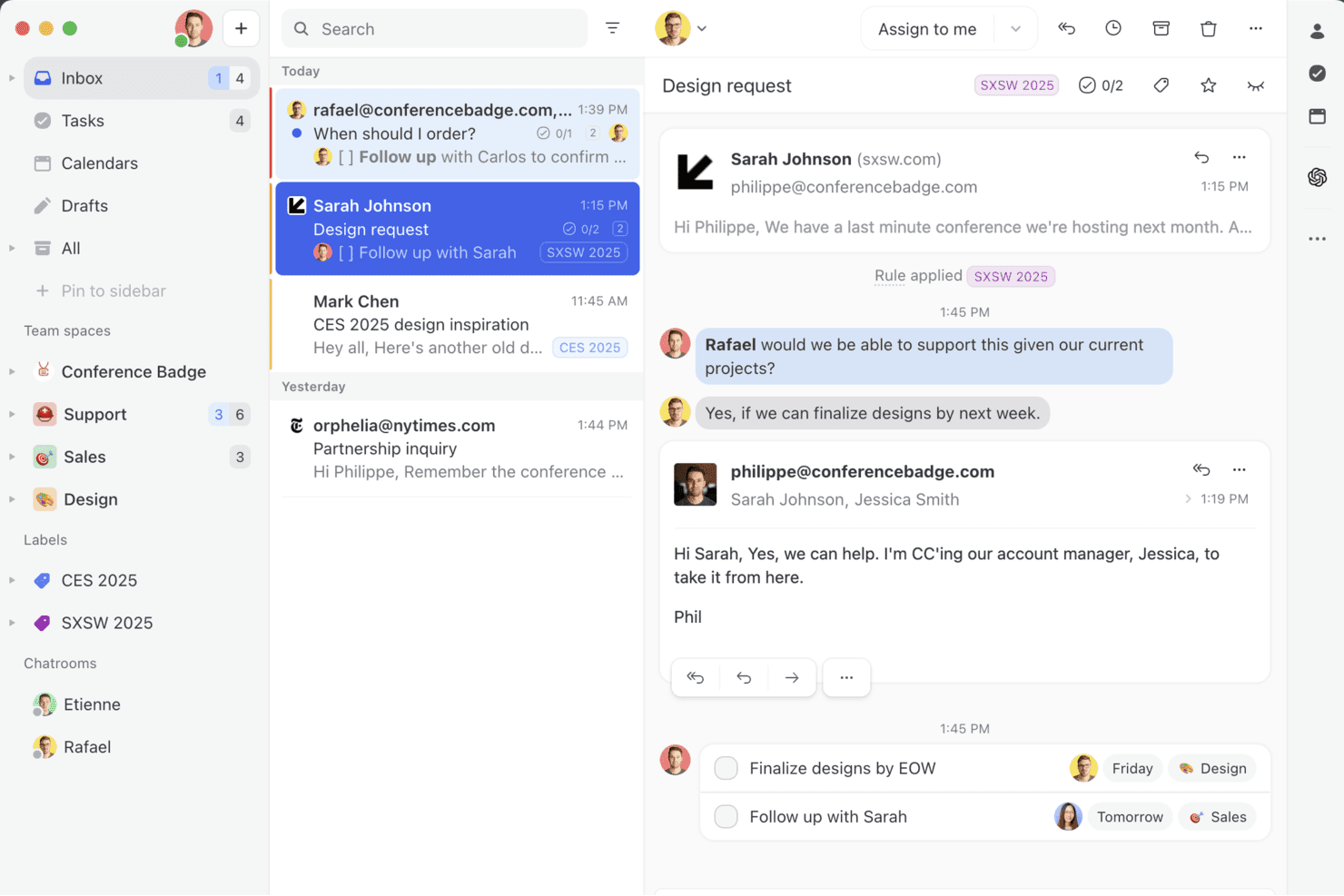
Missive combines email, tasks, and team chat in one inbox view. Missive is an email collaboration platform that lets support teams manage shared inboxes, assign conversations, and coordinate internally across email, SMS, and social channels without losing track of who owns what.
Who Is Missive Best For?
Missive suits small support teams that regularly need to loop in outside contractors, agencies, or partners on live email conversations without giving them full inbox access.
Why I Picked Missive
I picked Missive as one of the best because of how it handles external collaboration on live email threads. Its guest access feature lets you invite outside contractors or agency partners directly into a specific conversation, where they can read the thread, add internal comments, and tag teammates without getting full inbox access. That kind of controlled visibility is rare in shared inbox tools. I also like that teammates can co-draft replies in real time, so a collaborator can shape a response before it ever leaves your inbox.
Missive Key Features
- Workload balancing: Automatically distributes incoming conversations across your team using round-robin, least-busy-first, all-at-once, or random assignment.
- Canned responses with variable fields: Lets your team reply with saved templates that include dynamic fields to personalize each message before sending.
- Rules-based automation: Triggers actions on incoming or outgoing messages, such as routing, tagging, forwarding, or sending out-of-office replies, based on configurable conditions.
- Analytics and reporting: Tracks team and individual performance metrics including messages received, first-reply time, reply time, and handle time, with business-hours configuration per team.
Missive Integrations
Missive offers 25+ native integrations, including Salesforce, HubSpot, Shopify, Pipedrive, Asana, ClickUp, Zoom, Google Drive, Dropbox, and GitHub. It also provides a REST API, webhooks, custom channels, UI/iFrame integrations, and Zapier.
Pros and Cons
Pros:
- Rules simplify inbox triage
- Shared drafts help prevent duplicate replies
- External guests collaborate on specific conversations
Cons:
- No built-in knowledge base or self-service
- No traditional ticket numbers or SLA tracking
Learn more about Missive: Best for AI-driven customer service workflows
- 7-day free trial + free demo available
- From $25/user/month (billed annually)
Visit WebsiteCustomer Rating:4.7/5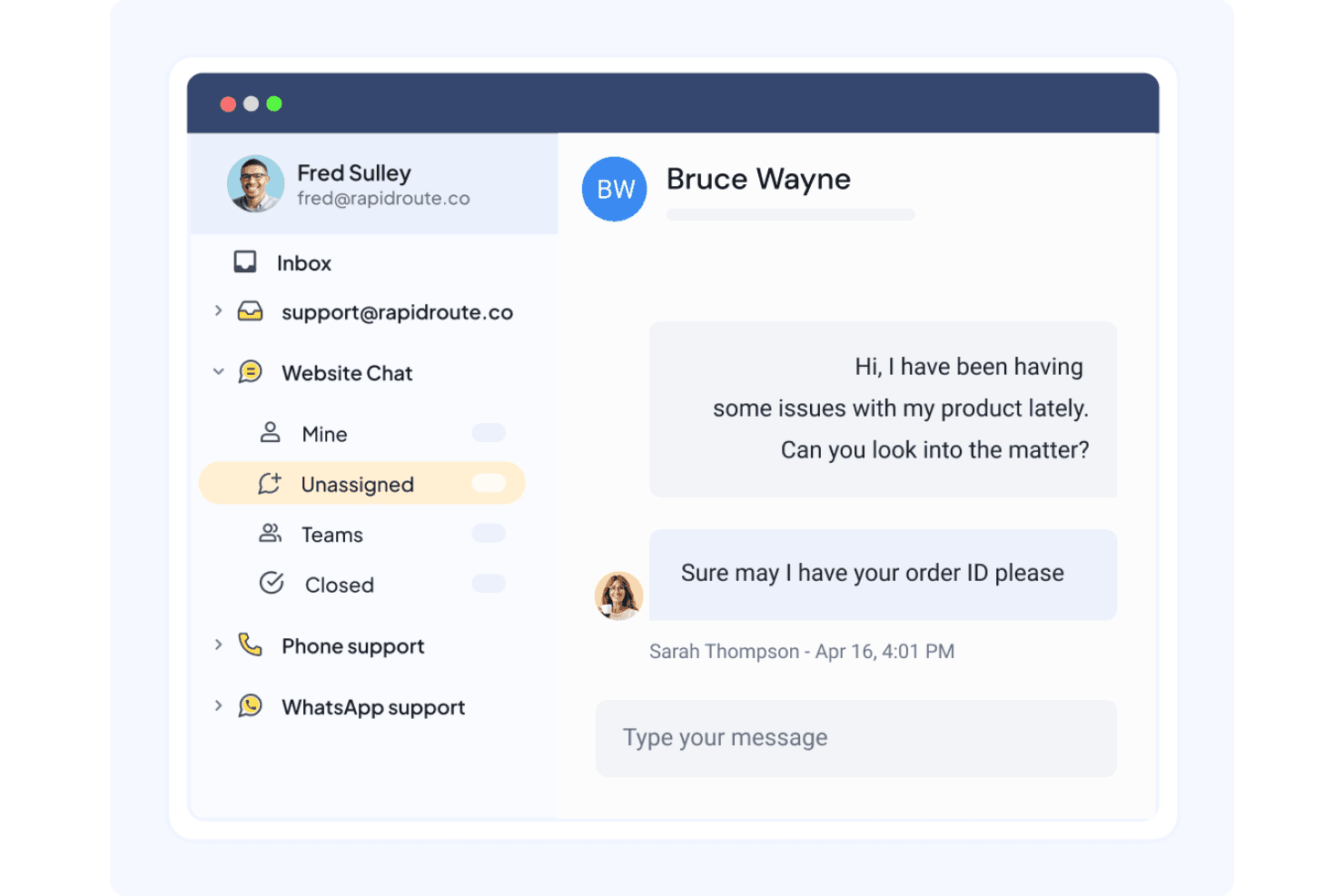
Hiver centralizes team conversations across chat, email, and more. Hiver is an omnichannel customer service platform that consolidates email, live chat, WhatsApp, voice, and Slack into a shared workspace, making it a strong fit for support and customer success teams that want AI-driven automation alongside their day-to-day inbox management.
Who Is Hiver Best For?
Hiver is a strong fit for support and customer success teams that want AI-driven automation built directly into their shared inbox workflow.
Why I Picked Hiver
I picked Hiver as one of the best because its AI runs deeper than a simple chatbot layer. AI Agents can look up orders, issue refunds, and update CRM records autonomously, while the Human in the Loop feature pauses sensitive actions for agent approval before anything irreversible happens. I also like AI QA, which scores every response against your quality standards and surfaces coaching gaps automatically.
Hiver Key Features
- Omnichannel shared inbox: Consolidates email, live chat, WhatsApp, SMS, and Slack into one workspace for managing customer conversations.
- Collision detection: Alerts teammates when someone is already viewing or replying to a conversation, preventing duplicate responses.
- CSAT surveys: Collects customer satisfaction ratings after interactions, with reporting available to track trends over time.
- Customer Portal: Lets customers submit, view, and reply to their support requests through a branded self-service portal.
Hiver Integrations
Hiver offers native integrations with Salesforce, HubSpot, Slack, Jira, Asana, Shopify, QuickBooks, NetSuite, and Monday.com. It supports REST APIs and webhooks for custom integrations, plus Hiver MCP and Zapier; Omni API access requires Support enablement.
Pros and Cons
Pros:
- AI skills help sort incoming conversations
- Automations cut repetitive triage work
- Clear ownership reduces missed or duplicate replies
Cons:
- Automation hiccups and email-sync delays disrupt time-sensitive work
- Cross-inbox reporting can obscure team-wide performance
Learn more about Hiver: Best with multilingual AI agent support
- 7-day free trial + demo available
- From $32/month (billed annually)
Visit WebsiteCustomer Rating:4.4/5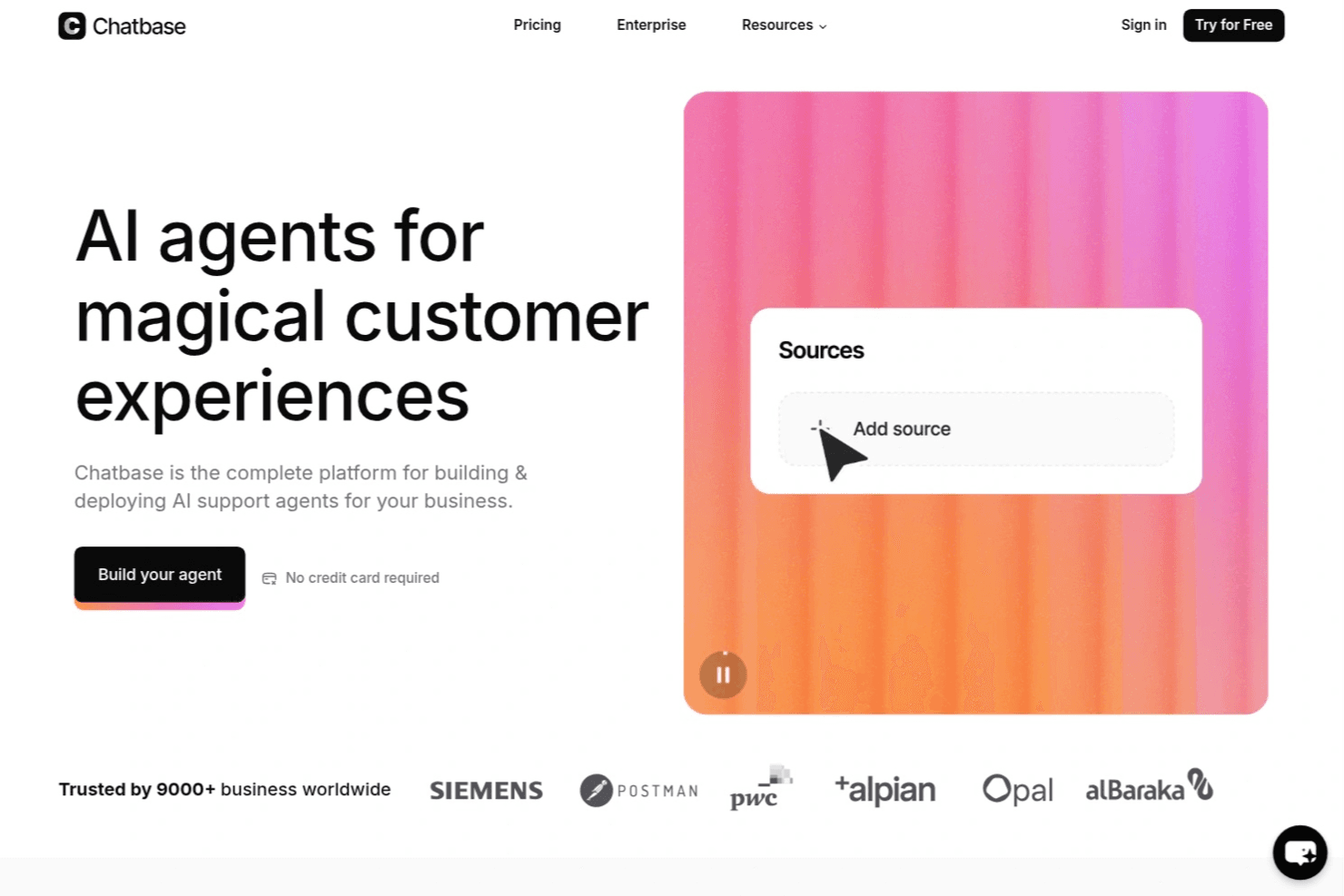
Chatbase lets users build AI support agents from custom sources. Chatbase is an AI-first customer service platform that lets support teams automate ticket handling, resolve queries across chat, email, voice, and social channels, and hand off complex cases to human agents—all from a single Helpdesk inbox.
Who Is Chatbase Best For?
Chatbase is a strong fit for support teams that handle high volumes of repetitive queries across multiple channels and want AI agents to resolve those tickets automatically before a human ever gets involved.
Why I Picked Chatbase
I've included Chatbase in my top picks because its multilingual AI agent support is genuinely impressive: agents respond in 95+ languages automatically, so a school district or global support team can serve customers in their native language without building separate workflows. I also like how agents follow plain-language procedures step by step, handling tasks like order lookups or ticket creation before a human ever needs to step in. The omnichannel Helpdesk then catches anything that escalates, pulling email, WhatsApp, Instagram, and phone into one inbox.
Chatbase Key Features
- Helpdesk ticket triggers: Rules fire automatically when tickets are created or updated, letting you set assignees, priorities, tags, and statuses or send Slack and email notifications without manual effort.
- CSAT surveys: Built-in satisfaction surveys use thumbs, stars, or smiley ratings and attach responses directly to tickets for per-agent and team-level reporting.
- Omnichannel inbox: A single Helpdesk inbox pulls in conversations from email, WhatsApp, Messenger, Instagram, website chat, and phone so agents work from one place.
- Native ecommerce and CRM integrations: Direct connections to Shopify, Salesforce, HubSpot, and Stripe let agents look up orders, create records, and handle billing questions inside the conversation.
Chatbase Integrations
Chatbase offers native integrations with Zendesk, Freshdesk, Gorgias, Intercom, Help Scout, HubSpot, Salesforce, WhatsApp, Slack, and Shopify. It also supports REST API connections, webhooks, Make, ViaSocket, and Zapier.
Pros and Cons
Pros:
- Automates repeat tasks through procedures
- Keeps context during human handoffs
- Answers customers in 95+ languages
Cons:
- Knowledge depends on clean source content
- Reporting lacks deeper comparative detail
Learn more about Chatbase: Best for unlimited contacts
- 14-day free trial available
- From $12/user/month (billed annually)
Visit WebsiteCustomer Rating:4.8/5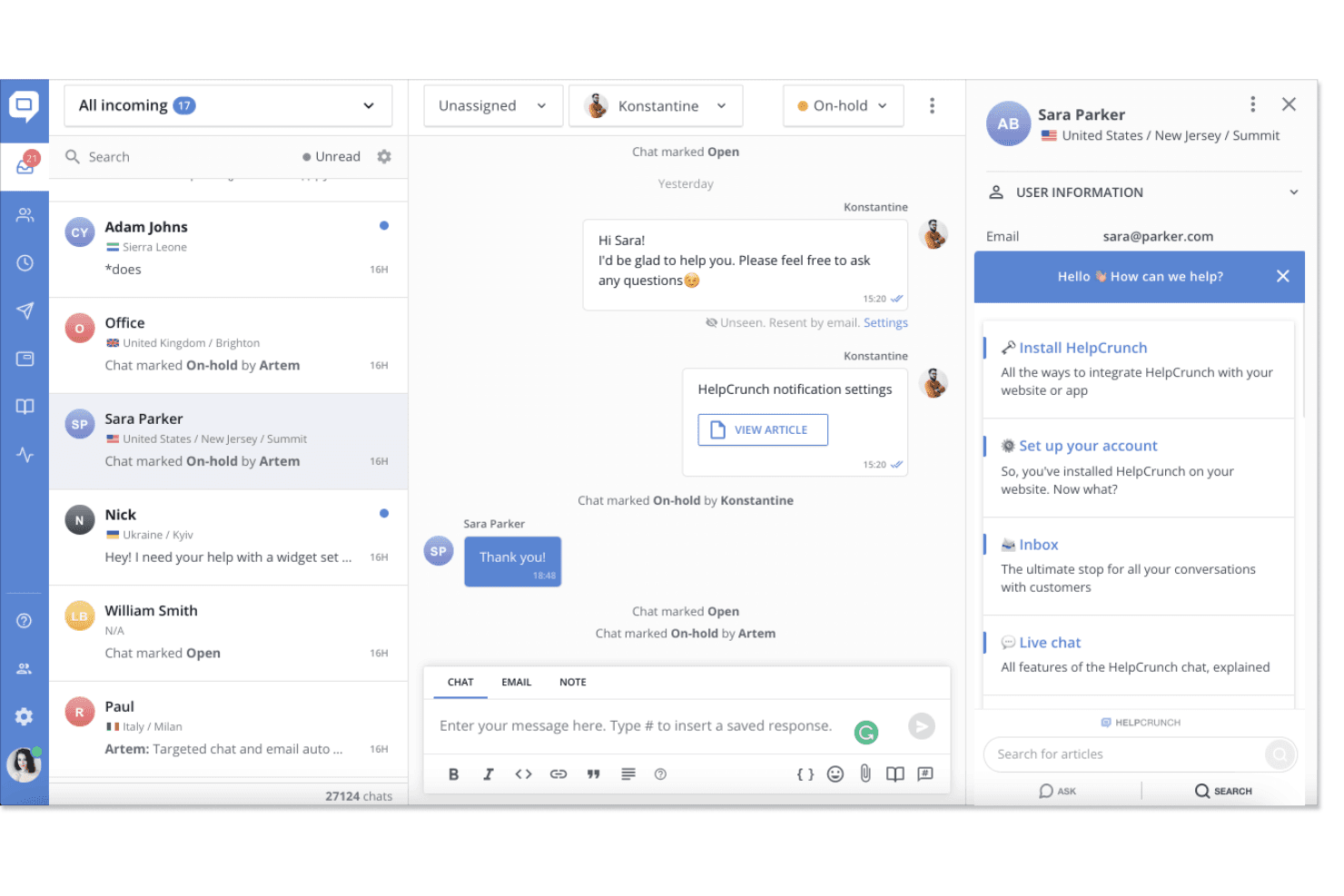
HelpCrunch lets agents manage live chats and customer info in one inbox. HelpCrunch is a multichannel customer service platform that brings live chat, email, and social messaging into one shared inbox—making it a practical fit for small businesses that want to manage support, automate conversations, and self-service content without juggling multiple tools.
Who Is HelpCrunch Best For?
HelpCrunch is a strong fit for small businesses that need to manage chat, email, and social conversations in one place without paying per contact.
Why I Picked HelpCrunch
HelpCrunch earns its spot on my shortlist because it's one of the few help desk platforms that doesn't charge per contact, which matters a lot when your customer list is growing fast. I especially like how the Unlimited plan removes seat and contact caps entirely, so my team can scale without recalculating costs every quarter. The multichannel shared inbox pulls in chat, email, WhatsApp, and Instagram in one place, and the auto message segmentation lets me target specific customer groups without any extra tooling.
HelpCrunch Key Features
- No-code chatbot builder: Create chatbot flows for websites and multiple channels using a visual drag-and-drop builder without writing any code.
- Behavior-triggered auto messages: Send automated chat and email messages to specific customer segments based on attributes, actions, or behavioral rules.
- Multilingual knowledge base: Publish help articles in multiple languages and serve content automatically in the customer's language.
- Team performance reporting: Track chat volume, first response time, and time to close for individual agents or the full team, with CSV and Excel export.
HelpCrunch Integrations
HelpCrunch lists 28 native integrations, including Slack, HubSpot, Salesforce, Pipedrive, Jira, Zendesk, WhatsApp, Instagram, Messenger, and Shopify. It also supports REST and JavaScript APIs, webhooks, mobile SDKs, and Zapier for custom connections.
Pros and Cons
Pros:
- Reports surface response times and workload
- Shared inbox unifies chat, email, and social
- Unlimited contacts avoid contact-based scaling fees
Cons:
- Mobile alerts can arrive late
- AI agents stop at monthly conversation quotas
Learn more about HelpCrunch: Best for multi-brand support
- 14-day free trial + demo available
- From $469/month (billed annually)
Visit WebsiteCustomer Rating:4.8/5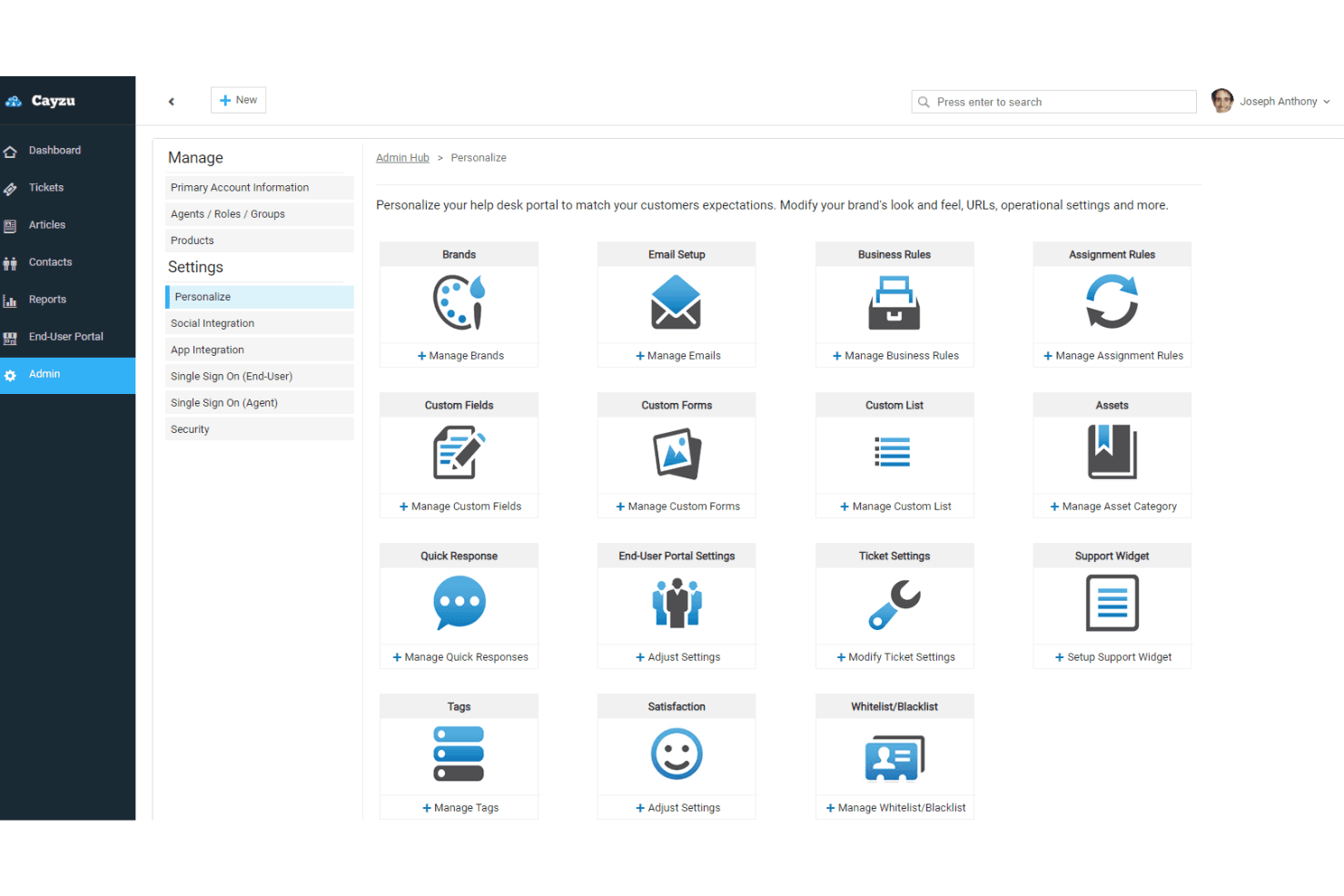
Cayzu lets users personalize their help desk portal settings. Cayzu is a cloud-based help desk built for teams managing customer support across email, social channels, and multiple brands from a single portal.
Who Is Cayzu Best For?
Cayzu is a strong fit for support teams managing customer inquiries across multiple brands or product lines from a single help desk.
Why I Picked Cayzu
I picked Cayzu as one of the best Groove alternatives because it's purpose-built for teams running support across multiple brands or product lines from a single portal. Each brand gets its own customer-facing portal with separate URLs, logos, and branding, while all tickets funnel into one centralized inbox. I especially like that agent round robin and custom roles layer on top of that setup, so tickets route to the right people without manual sorting across brands.
Cayzu Key Features
- SLA rules: Sets automatic notifications and escalation thresholds so urgent tickets don't go unresolved past defined time limits.
- CSAT surveys: Collects customer satisfaction scores after ticket resolution to help teams measure and improve service quality.
- Knowledge base: Gives customers a searchable, self-service portal with articles, FAQs, and ticket submission built in.
- Mobile app: Lets agents create, assign, and resolve tickets from iOS and Android devices while away from their desks.
Cayzu Integrations
Cayzu lists integrations with Salesforce, HubSpot, Slack, Microsoft Teams, Shopify, QuickBooks, Jira, and Google Analytics. It also offers a REST API and Zapier integration for custom connectivity.
Pros and Cons
Pros:
- Searchable answers reduce repeat agent replies
- Ticket assignment and SLAs aid team oversight
- Separate brand portals share one support queue
Cons:
- Ticket updates may slow as teams grow
- High-level reports can obscure agent performance
Learn more about Cayzu: Best for small business onboarding
- Free plan + free demo available
- Pricing upon request
Visit WebsiteCustomer Rating:4.6/5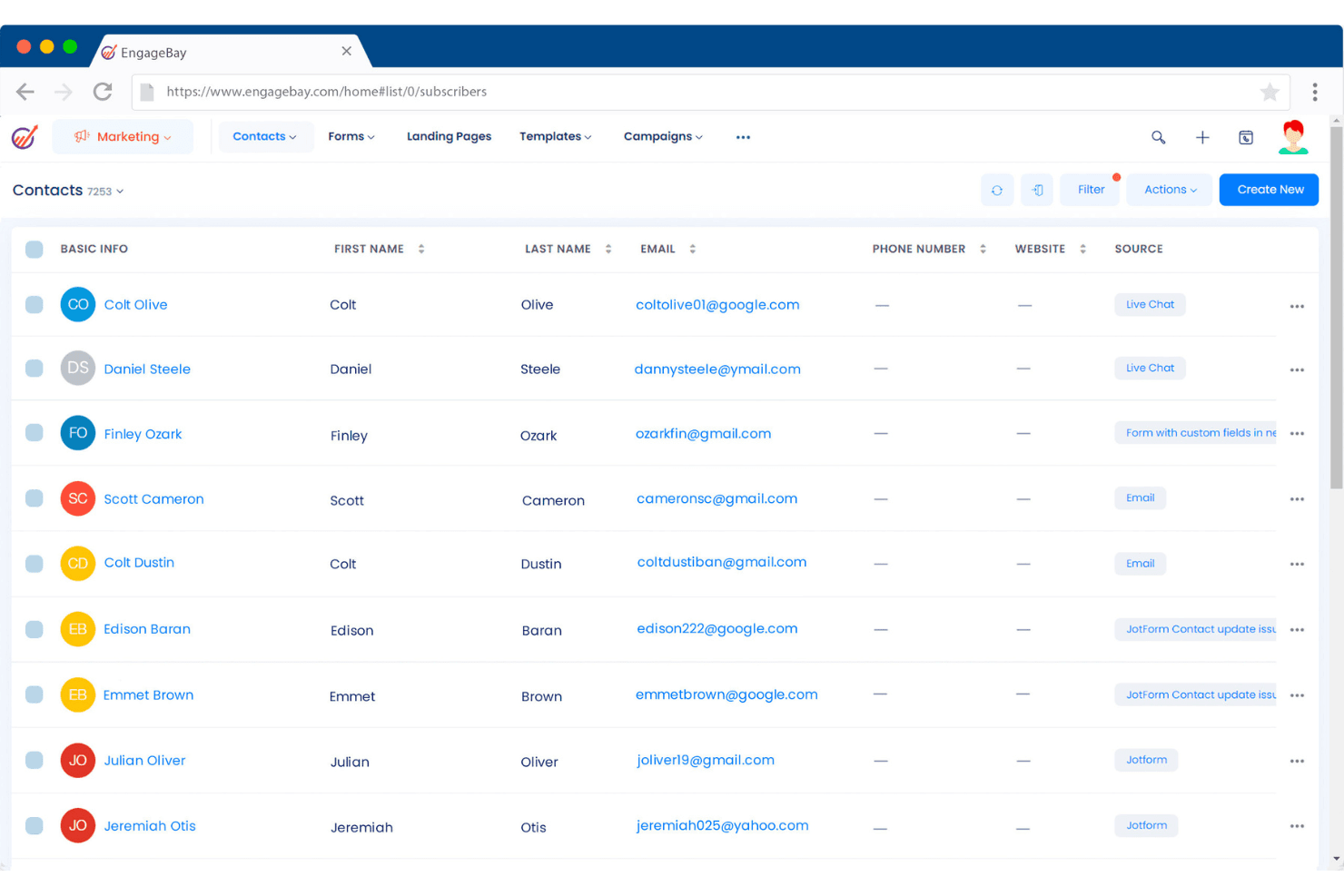
EngageBay lets users manage and view all contacts in one place. EngageBay's Service Bay brings helpdesk ticketing, live chat, and service automation together in one platform, making it a practical pick for small teams that want to consolidate support tools without paying for multiple subscriptions.
Who Is EngageBay Best For?
EngageBay's Service Bay is a natural fit for small businesses that want helpdesk ticketing, live chat, and CRM in one place without paying for multiple tools.
Why I Picked EngageBay
I picked EngageBay because it bundles helpdesk ticketing, live chat, and service automation into one free platform, making it a natural fit for small teams moving away from Groove without taking on new subscription costs. I appreciate how onboarding new agents is friction-free: unlimited users are supported on the free tier, so growing your team doesn't mean renegotiating a plan. The branching automation builder also stands out to me, letting you trigger canned responses or reassign tickets based on conditions like keywords or ticket source, which cuts down on the manual triage small teams often struggle with.
EngageBay Key Features
- Custom ticket views: Create condition-based views that automatically surface tickets by status, priority, or assignment, so agents always see the right queue.
- Support groups: Organize agents into groups with dedicated email addresses, routing incoming requests directly to the right team.
- Help Center builder: Build and publish a self-service knowledge base using a drag-and-drop editor, with custom URLs and article organization by collections and sections.
- Helpdesk reports dashboard: Review ticket counts by assignee, group, priority, status, and type, alongside first-response and closed-ticket counts.
EngageBay Integrations
EngageBay lists integrations with Shopify, Xero, SendGrid, Mailgun, Mandrill, and Zapier. It also provides REST and JavaScript API keys for custom integrations, although Service Bay ticket-data mapping isn’t documented.
Pros and Cons
Pros:
- Reviewers praise responsive customer support
- Customer history stays close to support work
- Branching automations reduce repetitive ticket triage
Cons:
- Groove migration steps and history coverage remain unclear
- Reporting offers limited performance detail
Learn more about EngageBay: Best for customizable workflows
- 14-day free trial + free demo available
- From $29/user/month
Visit WebsiteCustomer Rating:4.5/5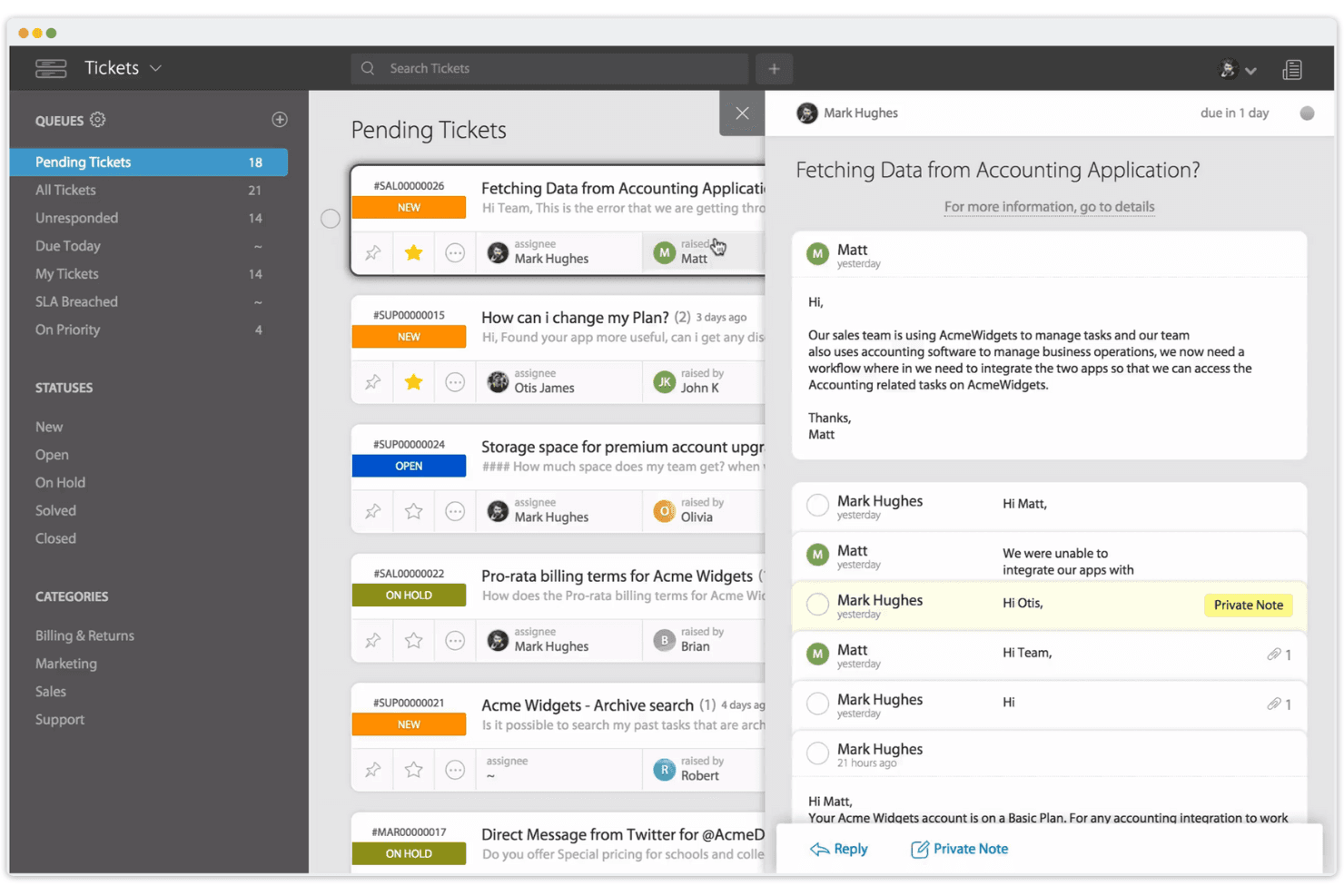
HappyFox lets agents manage and reply to support tickets in one view. HappyFox Help Desk is a ticketing platform that centralizes support requests from email, chat, phone, social media, and web forms, making it a strong fit for support teams that need fine-grained control over how tickets are routed, assigned, and managed across multiple channels.
Who Is HappyFox Best For?
HappyFox is a strong fit for support teams that manage high ticket volumes across multiple channels and need granular control over how work is routed and prioritized.
Why I Picked HappyFox
HappyFox earns its spot on my shortlist because its Smart Rules system gives support teams a level of workflow control that Groove simply can't match. I like that you can build conditional routing logic based on channel, priority, or category, then layer in time-based escalations and SLA reminders, all without touching any code. The custom ticket queues let me organize work exactly how my team operates, with shared or personal views built around any combination of assignee, status, or ticket type.
HappyFox Key Features
- Omnichannel ticket creation: Collects support requests from email, chat, phone, social media, web forms, and support portals into a single ticketing system.
- Satisfaction surveys: Triggers customer feedback surveys on agent replies, ticket status changes, or via Smart Rules, with customizable rating labels.
- SLA tracking and reporting: Monitors ticket SLA performance with reports covering breach counts, worst-performing SLAs, and target-versus-achieved percentages.
- REST API and webhooks: Lets teams create tickets, sync data, and push real-time ticket updates to external tools using documented REST operations and HMAC-signed webhook payloads.
HappyFox Integrations
HappyFox lists 93 marketplace integrations, including Salesforce, Shopify, WhatsApp, Slack, Jira, Microsoft Teams, HubSpot, and Google Workspace. It also offers REST, webhooks, and an embeddable API for custom integrations, plus Zapier.
Pros and Cons
Pros:
- Reports track response times and staff performance
- Migration recreates routing rules, SLAs, and queues
- Smart Rules route tickets by priority
Cons:
- Knowledge editor requires publishing to preview
- Ticket merging forwards only the latest message
 Best for small business ticketing
- Free plan + Free trial + Free demo available
- From $29.99/user/month
Visit WebsiteCustomer Rating:4.7/5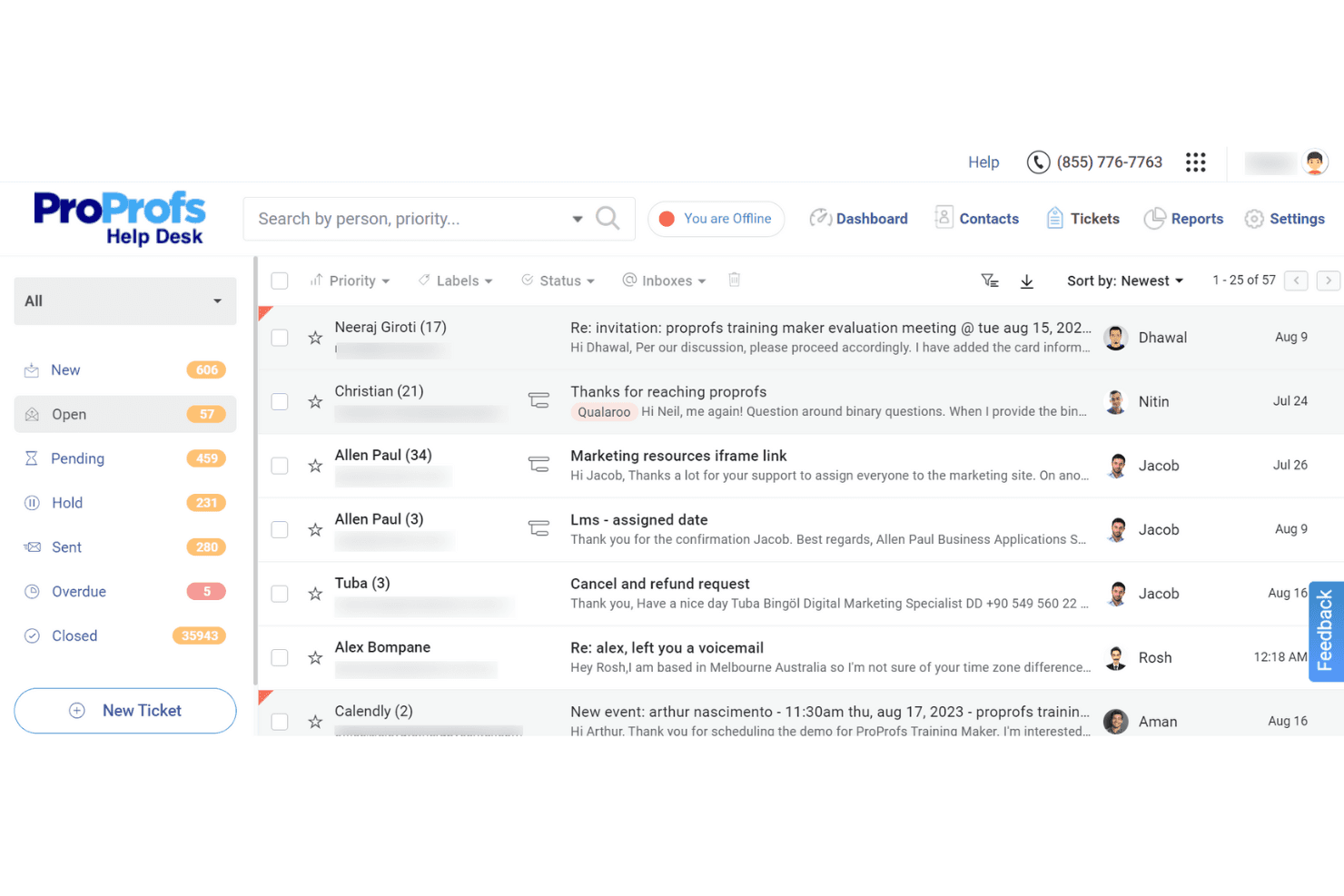
ProProfs Help Desk centralizes all support tickets in one inbox. ProProfs Help Desk is a ticketing system built for small support teams that want to bring customer emails into a shared inbox, automate repetitive routing tasks, and track team performance without a steep setup process.
Who Is ProProfs Help Desk Best For?
ProProfs Help Desk is a strong fit for small support teams that need a straightforward ticketing setup without a long implementation process.
Why I Picked ProProfs Help Desk
I picked ProProfs Help Desk because it's one of the most approachable ticketing systems I've seen built specifically with small teams in mind. I like how parent-child ticketing lets my team split a single customer issue across agents or departments without losing the thread, and the collision detection means two agents won't accidentally send duplicate replies to the same customer. The automatic round-robin assignment keeps queues moving without anyone manually sorting through incoming tickets.
ProProfs Help Desk Key Features
- CSAT surveys: Automatically send email-based customer satisfaction surveys after ticket closure, with customizable questions, rating scales, and weighted scoring.
- Knowledge base integration: Connect an external knowledge base so agents can surface self-help articles directly within tickets and customers can find answers through a self-service portal.
- AI ticket summarization: Condense long email threads into concise summaries that surface customer intent, mood, and urgency for faster agent review.
- Custom ticket forms: Build intake forms to collect specific information from customers at the point of ticket submission.
ProProfs Help Desk Integrations
ProProfs Help Desk lists 40+ integrations, including Salesforce, Microsoft Dynamics, Shopify, BigCommerce, Slack, Jira, and ClickUp. Business Complete Elite includes API access and webhooks for custom connections.
Pros and Cons
Pros:
- Reports surface response and resolution trends
- Automated routing cuts manual queue sorting
- Agents adapt quickly to the Gmail-like inbox
Cons:
- Onboarding may need smoother coordination
- Migration requires planning without a Groove importer
Learn more about ProProfs Help Desk: Best for automated ticket assignments
- Free demo available
- From $75/user/month (billed annually)
Visit WebsiteCustomer Rating:4.5/5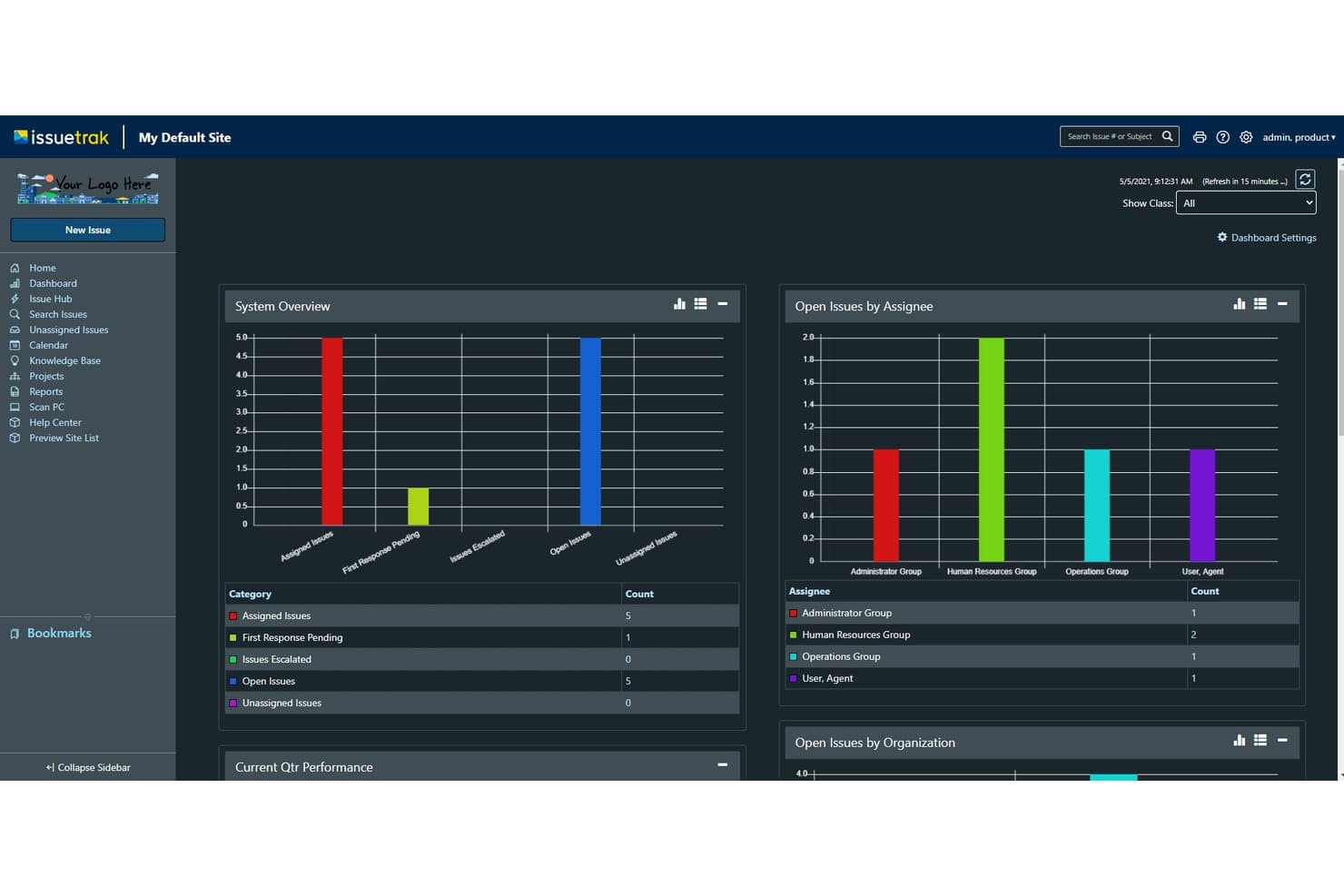
Issuetrak's dark mode dashboard displays issue metrics at a glance. Issuetrak is an issue-tracking and service operations platform that suits support teams, IT admins, and small businesses that need structured ticket workflows, SLA management, and cross-department request handling in one configurable system.
Who Is Issuetrak Best For?
Issuetrak is a strong fit for IT admins and operations teams managing cross-department service requests across functions like HR, facilities, and customer support.
Why I Picked Issuetrak
I picked Issuetrak as one of the best because its automated ticket assignment is genuinely one of the more configurable I've seen: auto-assignment rules route incoming issues the moment they're submitted, while round-robin distribution and out-of-office rules keep queues moving without manual intervention. I also appreciate the conditional task flows, where specific issue types can trigger a chain of subtasks assigned to the right people automatically. That combination means a support team handling cross-department requests (IT, HR, facilities) can run structured, hands-off routing without building workarounds.
Issuetrak Key Features
- SLA management: Configure multiple SLA policies with breach notifications to keep response and resolution times on track.
- Knowledge base: Build a searchable, categorized library of articles with public portal access and visibility controls for different user groups.
- Custom report builder: Generate reports on metrics like first-response time and resolution rates, and schedule them to send to any recipient.
- Issue linking and association: Connect related issues to track dependencies, recurring problems, or cross-department requests within a single record.
Issuetrak Integrations
Issuetrak offers native integrations with Gmail, Exchange, Microsoft 365, LDAP, Active Directory, AD FS, Azure AD, OAuth 2.0, and OpenID Connect. It provides REST APIs v1 and v2 for custom integrations and supports Zapier with 4,000+ apps.
Pros and Cons
Pros:
- Reusable issue knowledge helps resolve repeat requests
- Ticket histories preserve cross-team customer context
- Configurable rules route issue types automatically
Cons:
- Report setup can feel cumbersome
- No unified inbox across email and chat
Learn more about Issuetrak:
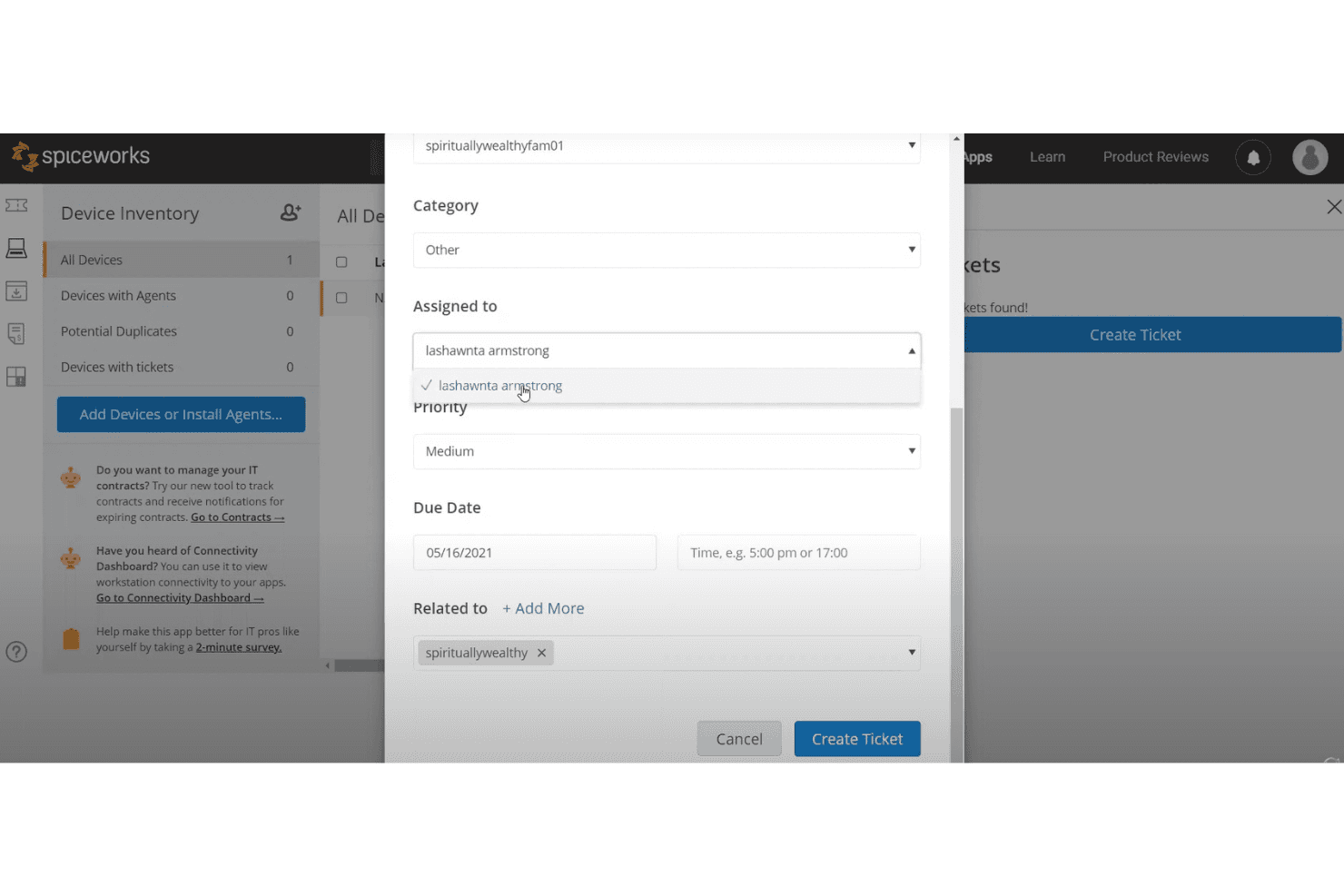
Spiceworks lets users assign and prioritize IT support tickets easily. Spiceworks Cloud Help Desk is a free IT ticketing tool built for small IT teams that need a simple way to receive, assign, and track internal support requests without the cost or complexity of a full customer service platform.
Who Is Spiceworks Best For?
Spiceworks Cloud Help Desk is a natural fit for small IT teams and IT/operations admins who need a no-cost way to manage internal support requests without a complicated setup.
Why I Picked Spiceworks
I picked Spiceworks because it's the only genuinely free IT help desk on this list, and for small IT teams managing internal support requests on a tight budget, that matters. I especially like its ticket rules, which automatically assign tickets, set priorities, and apply category labels without manual sorting. The built-in knowledge base lets my team attach step-by-step how-tos directly to ticket comments, which cuts down on repetitive replies fast.
Spiceworks Key Features
- Custom ticket queues: Organize open tickets into separate queues based on criteria you define, so different team members can focus on their own work without sifting through a shared pile.
- User portal: Give end users a dedicated web portal to submit and track their own support requests, reducing back-and-forth email chains.
- Ticket alerts: Set up automatic alerts that fire when tickets go unassigned past a time threshold or are approaching their due date, triggering email and in-app notifications.
- Mobile app: Access, create, and update tickets from iOS or Android devices, with customizable push notifications for assignments, comments, and closures.
Spiceworks Integrations
Spiceworks documents integrations with Power BI Desktop for reporting and Active Directory for User Portal sign-in. It also names Inventory Online, Connectivity Dashboard, IP Scanner, and Vendor Contracts in its ecosystem, but doesn’t describe their available connections.
Pros and Cons
Pros:
- Ticket rules assign priorities and categories
- Reusable how-tos cut repetitive ticket replies
- Reviewers praise centralized ticket organization
Cons:
- Reviewers struggle to find closed tickets
- Techs see only assigned or copied tickets
Diğer Groove Alternatifleri
Kısa listeme giremeyen ancak yine de göz atmaya değer bazı ek Groove alternatiflerini burada bulabilirsiniz:
- 11todo.vuBest for task management and time tracking
- 12Help ScoutBest for people-first support
- 13Agile CRMBest for combining sales and support
- 14TidioBest for eCommerce support
- 15HelpDeskBest for simple ticket management
- 16ZendeskBest for scalable customer support
- 17FreshdeskBest for omnichannel support solutions
- 18Re:amazeBest for eCommerce store support
- 19Zoho DeskBest for remote team collaboration
- 20BoldDeskBest for customizable dashboards
How I Evaluate Groove Alternatives
I split my evaluation into three parts, with core functionality carrying the most weight: an alternative must let multiple agents share a single inbox and convert conversations into trackable tickets. From there, I look for standout features like AI-drafted replies. I also consider pricing transparency and onboarding quality.
Core Functionality (Table Stakes For This List)
When I'm selecting tools for my list, I score each one on a scale from 0 (does not offer the functionality) to 5 (excels in this area) for each core functionality listed below. I then convert the total into a percentage to help assess each tool's overall fit, with extra weight on any functionalities I’ve deemed essential.
- Shared Team Inbox (Essential): I look for shared conversations with clear ownership, internal notes, and collision alerts so agents can coordinate replies without duplicating work.
- Ticket Management (Essential): I assess how teams assign, prioritize, and track requests through resolution, including whether ticket histories preserve context across handoffs.
- Self-Service Knowledge Base: I check for searchable, organized help content customers can use to resolve common setup or account questions independently.
- Automation & Rules: I look for conditional routing, tagging, and notifications, such as sending urgent product issues to the right team.
- Reporting & Analytics: I assess whether reports show support volume, response and resolution times, and workload across agents or teams.
- Third-Party Integrations: I check for connections to tools such as CRMs, chat, and ecommerce platforms that give agents useful customer context.
Once I have a list of tools that meet the criteria, I consider what sets each platform apart.
Differentiating Factors (What Sets Vendors Apart)
Here's how I compare and contrast different vendors:
Standout Features
I look for AI-powered suggestions that go beyond canned responses—tools like Freshdesk and Zendesk can auto-draft replies or predict ticket tags, which cuts handling time on repetitive questions. Side conversations matter just as much; when an agent needs input from logistics or engineering, I evaluate whether they can loop someone in without forwarding the whole thread. I also check for built-in CSAT surveys triggered after resolution, since bolting on a separate feedback tool adds cost and breaks the workflow.
Beyond Features
I evaluate pricing transparency first—hidden fees for automation or reporting can quietly inflate costs as your team grows. Migration support matters just as much, especially whether a vendor preserves ticket history and offers guided onboarding, since small teams rarely have spare IT capacity to rebuild from scratch. I also check API documentation and webhook access, because even solid native integrations won't cover every workflow a growing support operation needs.
Neden Groove Alternatifi Aramalısınız?
Groove iyi bir yardım masası yazılımı olsa da bazı kullanıcıların alternatif çözümler aramasının çeşitli nedenleri vardır. Groove alternatifi arıyor olabilirsiniz, çünkü…
- Daha gelişmiş otomasyon özelliklerine ihtiyacınız var
- Ekibiniz daha iyi entegrasyon seçeneklerine ihtiyaç duyuyor
- Daha fazla özelleştirme esnekliği arıyorsunuz
- Büyümenizle birlikte ölçeklenebilen bir çözüme ihtiyacınız var
- Ekibiniz 7/24 müşteri desteğine ihtiyaç duyuyor
- Daha iyi coğrafi erişilebilirlik arıyorsunuz
Bunlardan herhangi biri size uyuyorsa doğru yere geldiniz. Listemde, Groove ile bu zorluklarla karşılaşan ve alternatif çözümler arayan ekipler için daha uygun olan çeşitli yardım masası yazılımı seçenekleri bulunuyor.
Groove'un Temel Özellikleri
Alternatif çözümlerin sunduklarını karşılaştırmanıza yardımcı olmak için Groove'un bazı temel özelliklerini burada bulabilirsiniz:
- Ortak gelen kutusu: Ekibinizin müşteri taleplerini etkili bir şekilde düzenlemesine ve önceliklendirmesine yardımcı olur.
- Canlı sohbet: Gerçek zamanlı destek sağlar ve çevrimdışı müşterilerle yapılan görüşmeleri e-posta üzerinden sürdürür.
- Bilgi bankası: 7/24 müşteri self servis hizmeti sunarak doğrudan desteğe duyulan ihtiyacı azaltır.
- Raporlama: İyileştirmelere yön vermeye yardımcı olmak için performans ölçümleri ve müşteri memnuniyeti hakkında içgörüler sunar.
- Entegrasyonlar: Çeşitli araçları tek bir arayüzde birleştirerek ekibinizin verimliliğini artırır.
- Hazır yanıtlar: Ekibinizin önceden yazılmış yanıtları kullanmasına olanak tanıyarak yanıt sürelerini hızlandırır.
- Özelleştirilebilir iş akışları: Bilet oluşturma sürecini ekibinizin özel ihtiyaçlarına uyacak şekilde düzenlemenizi sağlar.
- Etiketleme: Daha iyi bir düzen ve daha hızlı çözüm için biletleri kategorilere ayırmaya ve filtrelemeye yardımcı olur.
- Otomatik kurallar: Tekrarlayan görevleri otomatikleştirerek ekibinizin zaman kazanmasını sağlar.
- Mobil uyumluluk: Ekibinizin destek görevlerini herhangi bir cihazda verimli bir şekilde yönetebilmesini sağlar.