

10 migliori alternative a SurveyMonkey per i feedback nel 2026

Migliori alternative a SurveyMonkey: selezione


SurveyMonkey è un popolare software per sondaggi online, noto per i suoi strumenti intuitivi per la creazione di sondaggi. Tuttavia, alcuni utenti potrebbero cercare alternative a causa delle limitate opzioni di personalizzazione e dei prezzi più elevati per le funzionalità avanzate.
Basandomi sulla mia esperienza con i software per l'esperienza del cliente, ho testato e confrontato alcune delle migliori alternative a SurveyMonkey disponibili. Ho quindi raccolto i risultati in recensioni dettagliate per aiutarti a trovare il software più adatto alle tue esigenze specifiche.
Che cos'è SurveyMonkey?
SurveyMonkey è un software per sondaggi online che ti aiuta a creare e distribuire sondaggi facilmente. Viene comunemente utilizzato da professionisti del marketing, ricercatori e team delle risorse umane per raccogliere dati e feedback.
Funzionalità come modelli personalizzabili, analisi e compatibilità con i dispositivi mobili ti aiutano a progettare sondaggi, raccogliere risposte e analizzare i risultati in modo efficiente. Nel complesso, SurveyMonkey offre al tuo team un modo semplice per raccogliere e comprendere il feedback di clienti e dipendenti.
Perché fidarsi dei nostri consigli sui software
Il nostro team testa e recensisce software dal 2012. In quanto leader CX noi stessi, sappiamo quanto sia difficile — e importante — scegliere il software giusto.
Per questa guida, abbiamo valutato gli strumenti attraverso test pratici e ricerche indipendenti, assegnando un punteggio agli strumenti in base ai nostri criteri di selezione.
Le nostre recensioni riflettono il nostro giudizio editoriale umano, non un discorso di vendita.
Tabella di confronto delle alternative a SurveyMonkey
Questa tabella di confronto riassume i dettagli sui prezzi delle mie principali alternative a SurveyMonkey:
| Tool | Best For | Trial Info | Price | ||
|---|---|---|---|---|---|
| 1 | Ideale per la raccolta di feedback su più sedi | Prova gratuita di 14 giorni + demo gratuita disponibile | Prezzo su richiesta | Website | |
| 2 | Ideale per la raccolta di feedback su più canali | Prova di 10 giorni | Da $56/mese | Website | |
| 3 | Ideale per sondaggi conversazionali | Prova gratuita di 14 giorni | Da $19/mese (fatturato annualmente) | Website | |
| 4 | Ideale per automatizzare i flussi di lavoro dal feedback all'azione | Prova gratuita di 7 giorni + demo gratuita disponibile | A partire da $55/utente/mese | Website | |
| 5 | Ideale per sondaggi guidati dall’intelligenza artificiale | Demo gratuita disponibile | Prezzo su richiesta | Website | |
| 6 | Ideale per moduli conversazionali | Demo gratuita disponibile | Da $18/mese | Website | |
| 7 | Ideale per strumenti di ricerca aziendale | Prova gratuita di 10 giorni + piano gratuito disponibile | Da $83/utente/mese (fatturazione annuale) | Website | |
| 8 | Ideale per feedback utente in tempo reale | Piano gratuito + demo gratuita disponibile | Da $19.99/mese (fatturazione annuale) | Website | |
| 9 | Ideale per l'integrazione con Salesforce | Prova gratuita di 14 giorni + demo gratuita disponibile | Da $59/mese | Website | |
| 10 | Ideale per le intuizioni basate sull'IA | Demo gratuita disponibile | Prezzo su richiesta | Website |


Recensioni delle migliori alternative a SurveyMonkey
Di seguito trovi le mie sintesi dettagliate delle migliori alternative a SurveyMonkey incluse nella mia selezione. Le mie recensioni offrono un’analisi approfondita delle funzionalità principali, dei pro \u0026 contro, delle integrazioni e dei casi d’uso ideali di ogni strumento, per aiutarti a trovare quello più adatto a te.

Ideale per la raccolta di feedback su più sedi

Zonka Feedback è una piattaforma per sondaggi e raccolta di feedback progettata per le aziende che desiderano raccogliere opinioni su più canali, sia online che in sede. Se il tuo team ha bisogno di analisi dettagliate, notifiche in tempo reale e una distribuzione flessibile dei sondaggi, Zonka offre una soluzione mirata per migliorare l'esperienza di clienti e dipendenti.
Per chi è ideale Zonka Feedback?
Organizzazioni che gestiscono l'esperienza di clienti o dipendenti su più sedi fisiche o unità aziendali.
Perché Zonka Feedback è una buona alternativa a SurveyMonkey
Ho scelto Zonka Feedback per questa posizione per la sua abilità nella raccolta di feedback su più sedi da un'unica dashboard. Mentre SurveyMonkey mantiene tutto a livello di account, Zonka consente di segmentare le risposte per sede, filiale o regione, così puoi confrontare le performance tra vari punti vendita senza dover ordinare manualmente i dati. Apprezzo in particolare le analisi basate sulla posizione, che permettono di individuare facilmente le sedi meno performanti e di intervenire rapidamente. Per i team che gestiscono programmi di feedback tra negozi, cliniche o strutture alberghiere, questo tipo di struttura integrata fa risparmiare molto lavoro manuale.
Caratteristiche principali di Zonka Feedback
- Distribuzione multi-canale dei sondaggi: Invia sondaggi tramite email, SMS, WhatsApp, codici QR o widget incorporati nel sito web.
- Branding white-label dei sondaggi: Personalizza i sondaggi con il tuo logo, colori e dominio per un'esperienza completamente brandizzata.
- Avvisi e notifiche in tempo reale: Attiva avvisi istantanei ai membri del team quando una risposta scende sotto una soglia di soddisfazione impostata.
- Gestione del feedback a ciclo chiuso: Assegna compiti di follow-up ai membri del team direttamente dalle risposte negative per risolvere rapidamente i problemi.
Integrazioni di Zonka Feedback
Zonka Feedback offre integrazioni native con HubSpot, Salesforce, Zendesk, Freshdesk, Intercom, Slack, Microsoft Teams, Google Sheets, Mailchimp e Shopify. Si collega anche con Zapier e fornisce un'API per integrazioni personalizzate.
Pros and Cons
Pros:
- Opzioni di distribuzione dei sondaggi multi-canale
- Notifiche in tempo reale delle risposte per i team
- Può raccogliere feedback dettagliati basati sulla posizione
Cons:
- Visualizzazioni di analisi avanzate limitate
- Meno opzioni di logica delle domande rispetto ad alcuni concorrenti

Ideale per la raccolta di feedback su più canali
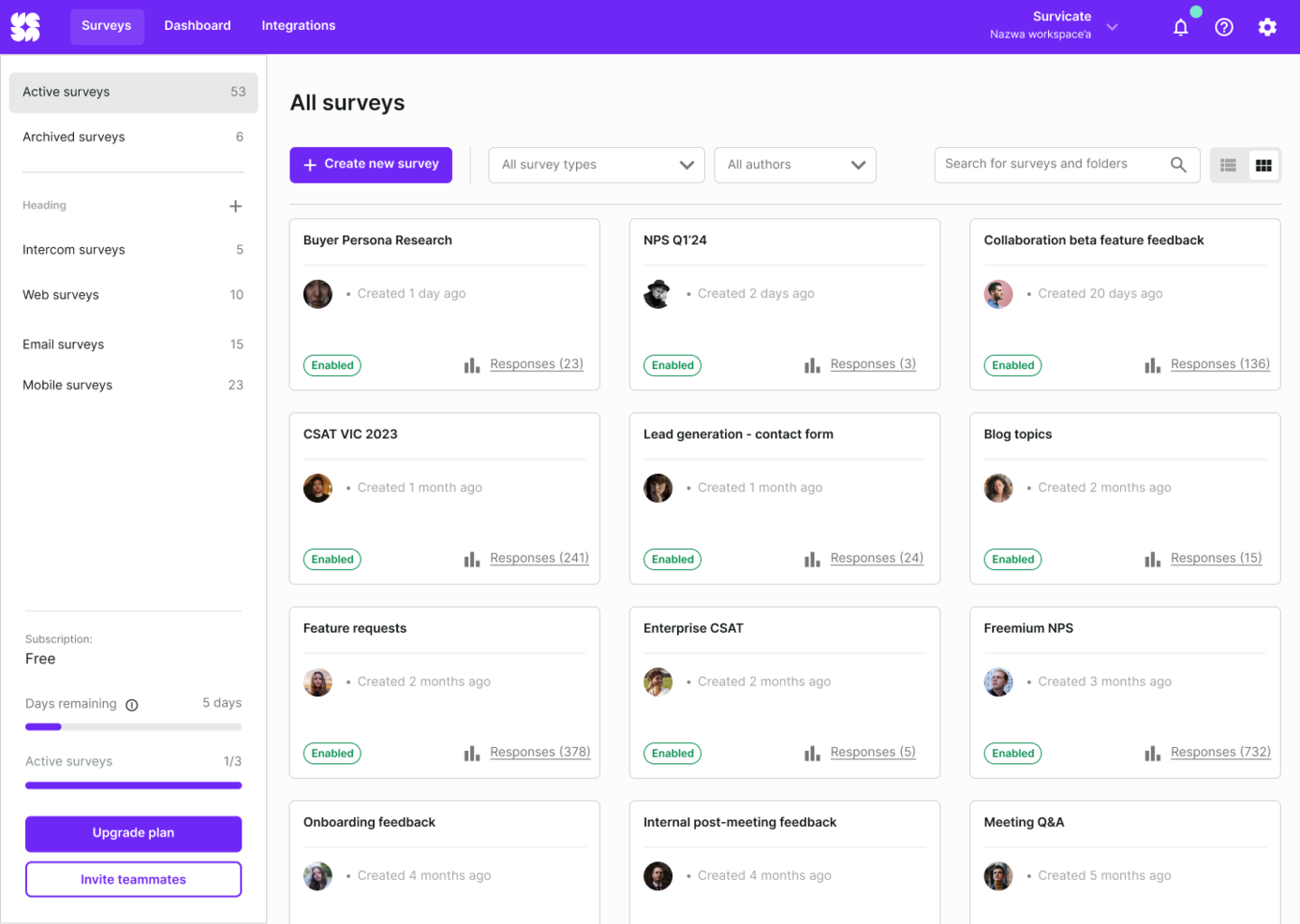
Survicate è uno strumento di raccolta feedback rivolto ad aziende e team che desiderano ottenere informazioni approfondite su diversi punti di contatto con i clienti. Aiuta le organizzazioni a migliorare l'esperienza del cliente raccogliendo feedback attraverso diversi canali.
Perché Survicate è una valida alternativa a SurveyMonkey: la capacità di Survicate di raccogliere feedback da diversi canali come siti web, email e app mobili lo rende versatile. Puoi facilmente creare sondaggi adatti alle esigenze specifiche di ogni canale. Inoltre, con l'analisi dei feedback in tempo reale, il tuo team può rispondere rapidamente alle intuizioni dei clienti, rendendolo adatto alle aziende che desiderano migliorare la propria strategia di raccolta dei feedback dei clienti.
Funzionalità principali e integrazioni:
Le funzionalità includono la raccolta dati in tempo reale, l'integrazione con strumenti popolari come Intercom e HubSpot, e fornisce reportistica dettagliata e analisi approfondite. Il suo design intuitivo consente una rapida creazione e personalizzazione dei sondaggi.
Le integrazioni includono Slack, HubSpot, Intercom, Salesforce, Mailchimp, Google Analytics, Zendesk, Shopify, WordPress e Zapier.
Pros and Cons
Pros:
- Feedback su più canali
- Analisi in tempo reale
- Impostazione rapida dei sondaggi
Cons:
- Richiede tempo di configurazione
- Reportistica avanzata limitata
New Product Updates from Survicate

Survicate MCP Support Now Available
Survicate now supports MCP, letting teams use AI tools like Claude, ChatGPT, and Slack to explore survey results, analyze responses and insights, and draft new surveys. For more information, visit Survicate's official site.
 .
.
Ideale per sondaggi conversazionali
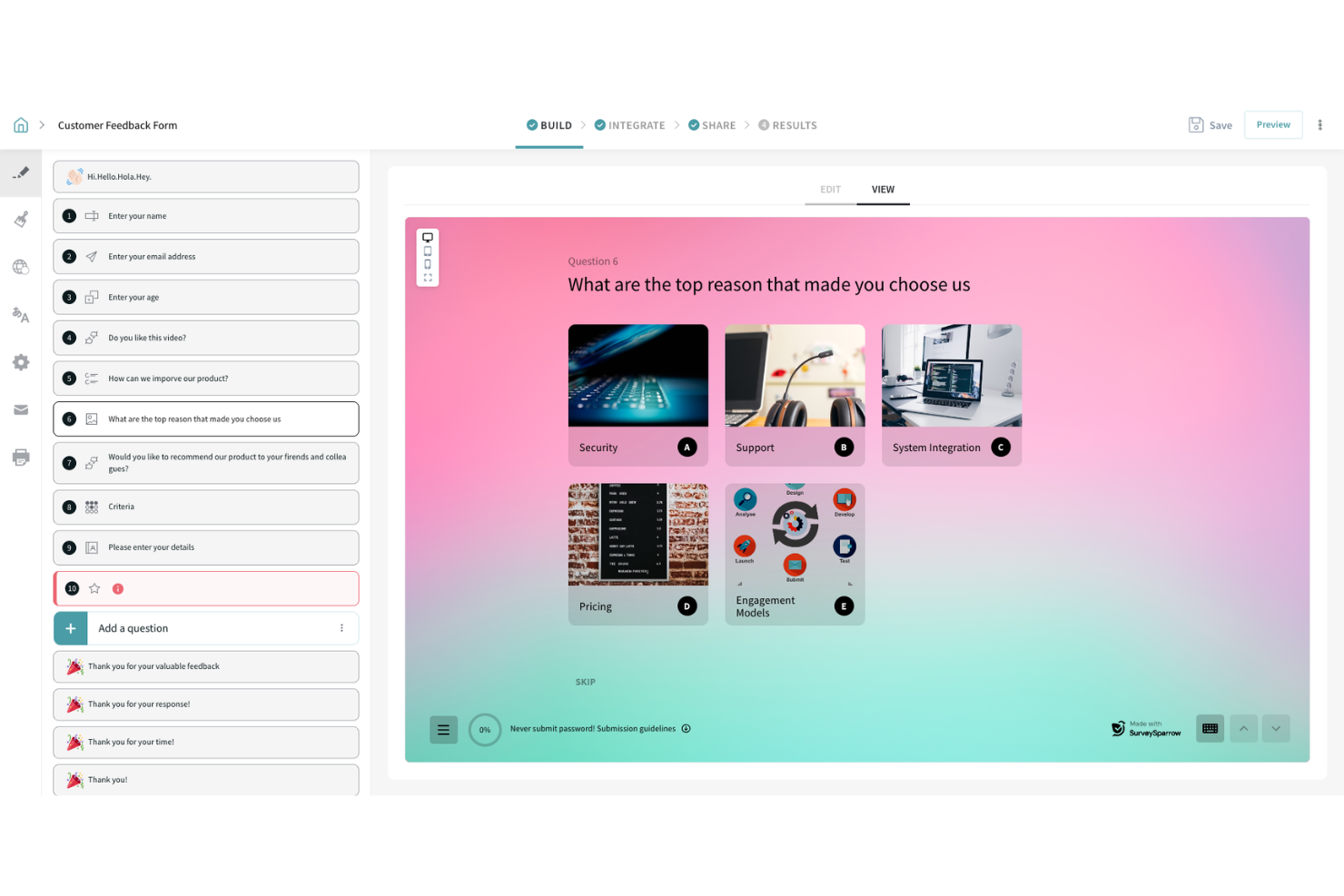
SurveySparrow è pensato per le aziende che cercano un modo intuitivo e coinvolgente per raccogliere feedback dai clienti. Se sei alla ricerca di uno strumento che trasformi i sondaggi in esperienze conversazionali, SurveySparrow potrebbe essere la soluzione ideale per te.
Perché ho scelto SurveySparrow
Ho scelto SurveySparrow per la sua particolare attenzione ai sondaggi conversazionali, che possono incrementare notevolmente i tassi di risposta. Questa funzionalità rende la raccolta dei feedback un dialogo più coinvolgente con il tuo pubblico, risultando particolarmente interessante per le aziende focalizzate sull'esperienza del cliente. Inoltre, i suggerimenti guidati dall’AI di SurveySparrow tramite CogniVue aiutano a ricavare dati utilizzabili dai feedback, garantendo decisioni più informate. Queste caratteristiche si adattano bene alle esigenze delle organizzazioni che vogliono un coinvolgimento più profondo e intuizioni più intelligenti dai loro sforzi di sondaggio.
Caratteristiche principali di SurveySparrow
Oltre ai sondaggi conversazionali e alle intuizioni guidate dall’AI, troverai utili anche queste funzionalità:
- Gestione della reputazione: questa funzione consente di gestire le recensioni online su oltre 100 piattaforme, aiutando a costruire fiducia e a migliorare la credibilità del tuo marchio.
- Sistema di ticketing: facilita la rapida risoluzione dei problemi segnalati nei sondaggi, assicurando un ciclo di feedback chiuso e clienti soddisfatti.
- Raccolta feedback multicanale: permette di raccogliere feedback attraverso diversi canali, compreso WhatsApp, per raggiungere il tuo pubblico ovunque si trovi.
- SpotChecks: raccoglie micro-feedback contestuali direttamente su siti web e app, offrendo intuizioni dettagliate sull’esperienza degli utenti.
Integrazioni di SurveySparrow
Le integrazioni includono Salesforce, Slack, HubSpot, Mailchimp, Google Sheets, Zapier, Intercom, Zendesk, Microsoft Teams e Shopify. È disponibile un’API per integrazioni personalizzate.
Pros and Cons
Pros:
- Supporta diversi tipi di domande per una raccolta feedback eterogenea.
- Fornisce intuizioni guidate dall’AI per decisioni più efficaci.
- Offre opzioni di condivisione facili tramite web, mobile ed email.
Cons:
- La copertura mobile o offline dei sondaggi potrebbe richiedere configurazioni aggiuntive in scenari d’intervento sul campo.
- Opzioni di esportazione dati limitate, che riducono la flessibilità nei report.

Alchemer
Ideale per automatizzare i flussi di lavoro dal feedback all'azione
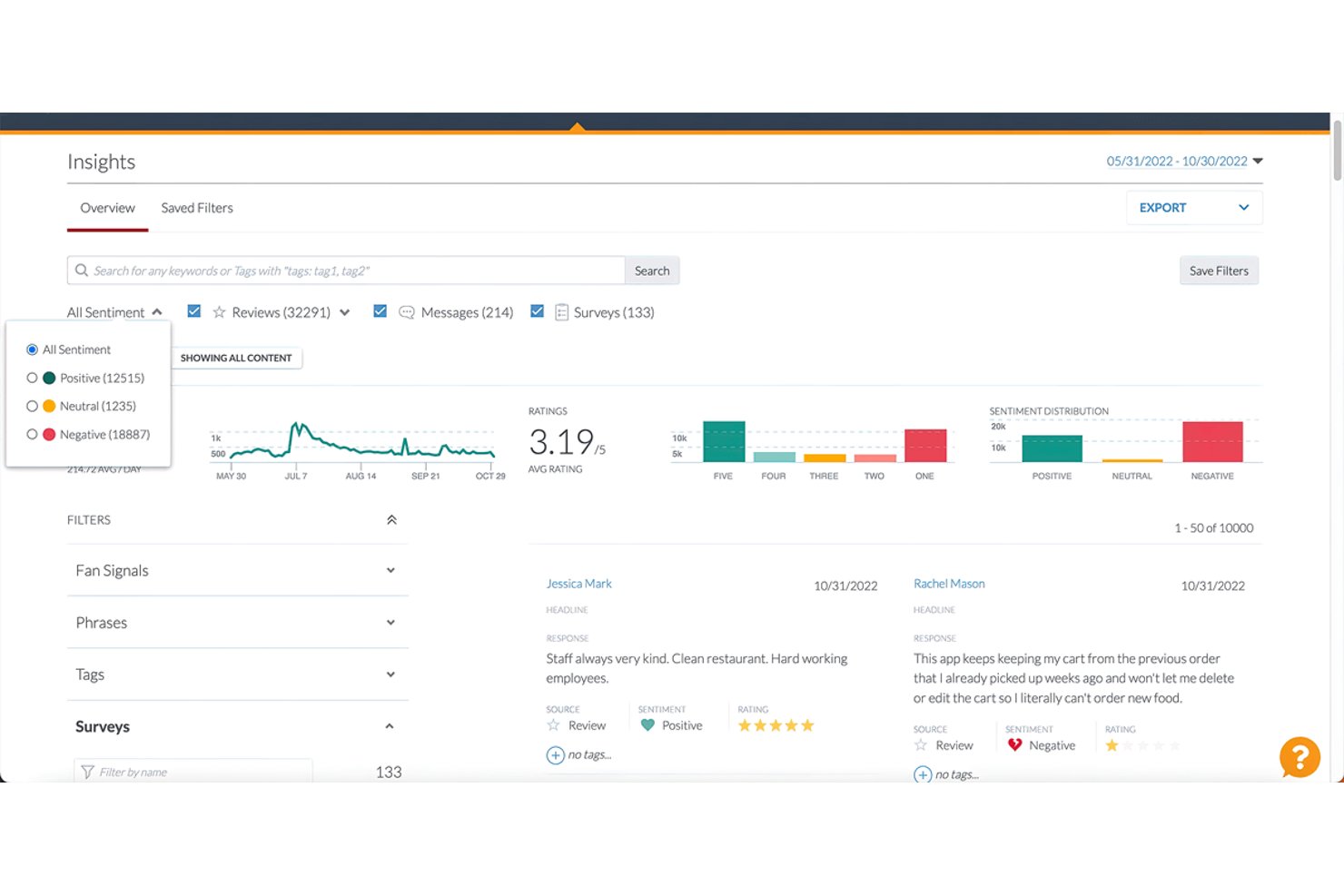
Alchemer è una piattaforma di feedback omnicanale pensata per i team che si occupano di CX, VoC e ricerche di mercato e che hanno bisogno di andare oltre la semplice raccolta delle risposte ai sondaggi, indirizzando effettivamente i risultati alle persone e ai sistemi in grado di agire su di essi.
Per chi è più adatto Alchemer?
Alchemer è particolarmente adatto ai team delle aziende del mercato medio e alle organizzazioni che gestiscono programmi strutturati di CX o VoC e hanno bisogno che il feedback attivi azioni concrete nel loro ecosistema tecnologico esistente.
Perché Alchemer è una buona alternativa a SurveyMonkey
Ho scelto Alchemer come una delle opzioni migliori perché il suo generatore di flussi di lavoro Connect fa qualcosa che SurveyMonkey semplicemente non può fare: trasforma una risposta NPS bassa in una segnalazione Zendesk o in un'attività Salesforce immediata, senza alcun intervento manuale. Ho creato flussi di lavoro che indirizzano le risposte dei detrattori direttamente a un responsabile CS entro pochi minuti dall'invio. Il generatore senza codice rende questa funzione accessibile senza alcun supporto da parte degli sviluppatori, un aspetto che apprezzo nei team CX dinamici.
Caratteristiche principali di Alchemer
- Analisi del testo tramite AI: Rileva automaticamente il sentiment e i temi nei feedback a risposta aperta grazie all'elaborazione integrata del linguaggio naturale.
- Personalizzazione avanzata: Personalizza dinamicamente i sondaggi per ogni intervistato utilizzando l'inserimento dinamico dei dati, l'identità del marchio e un linguaggio adattato in base ai dati.
- Pannelli di controllo basati sui ruoli: Offre viste analitiche personalizzate per diversi tipi di utenti, come dirigenti, responsabili e team operativi.
- Supporto multilingue: Consente di creare e distribuire sondaggi in decine di lingue per la raccolta e l'analisi globale dei feedback.
Integrazioni di Alchemer
Alchemer offre oltre 400 integrazioni native, tra cui Salesforce, HubSpot, Zendesk, ServiceNow, Slack, Shopify, Jira, Klaviyo e Tableau. È disponibile un'API per le integrazioni personalizzate.
Pros and Cons
Pros:
- Potente automazione integrata dei flussi di lavoro a ciclo chiuso
- Logica di diramazione avanzata per percorsi di sondaggio complessi
- Solide funzionalità per programmi VoC aziendali
Cons:
- La configurazione iniziale richiede molto tempo
- L'interfaccia dei report appare datata rispetto a quella dei concorrenti

Unwrap
Ideale per sondaggi guidati dall’intelligenza artificiale
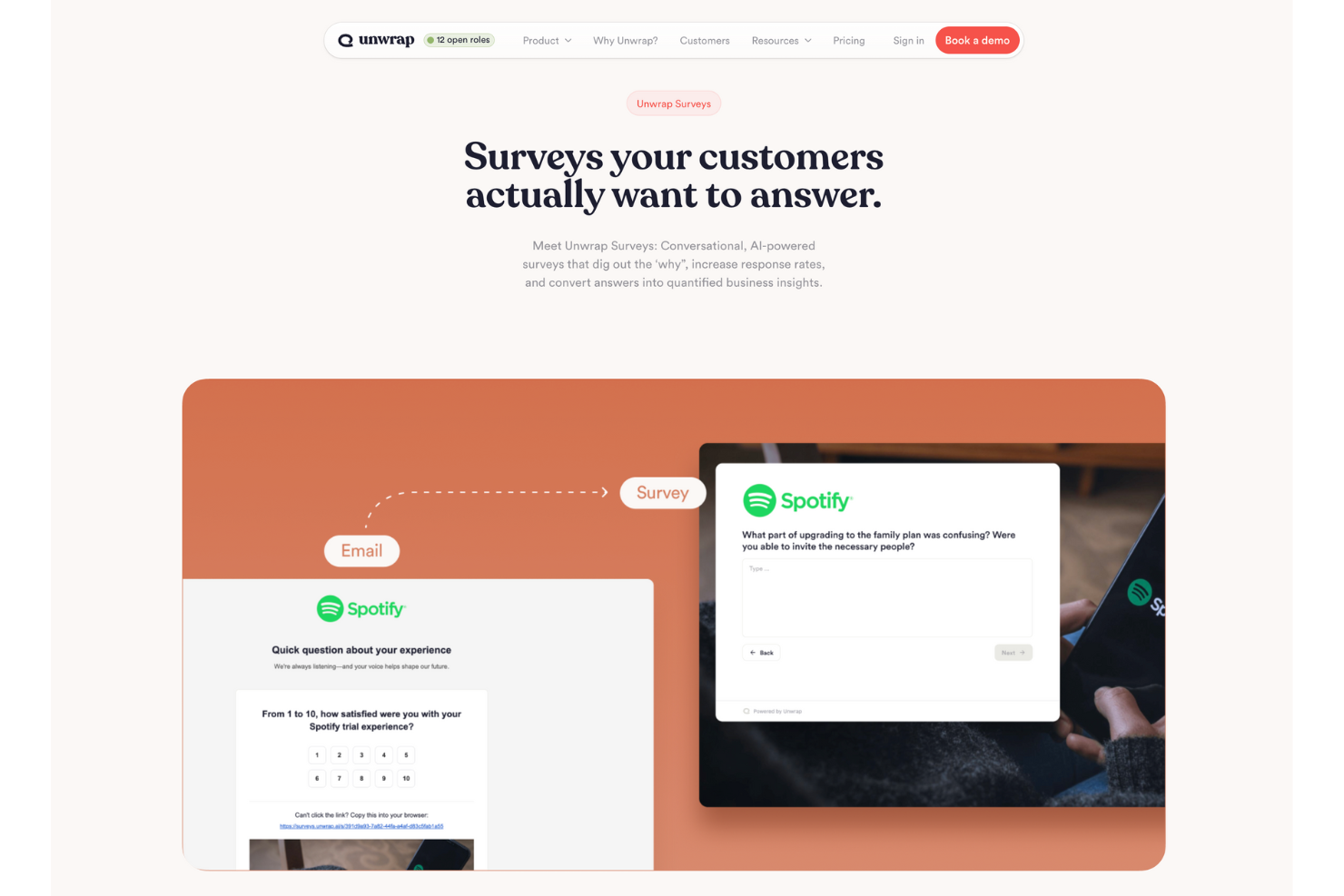
Se stai cercando uno strumento che vada oltre le metodologie di sondaggio tradizionali, Unwrap potrebbe essere proprio quello che ti serve. Progettato per le aziende che desiderano approfondire la comprensione del feedback dei clienti, Unwrap offre un approccio unico alla raccolta e all'analisi delle opinioni dei clienti. Si rivolge a chi opera in settori orientati al cliente, come retail e software, e desidera trasformare i feedback in insight attuabili per migliorare prodotti e servizi.
Perché ho scelto Unwrap AI
Ho scelto Unwrap per i suoi sondaggi guidati dall’intelligenza artificiale, che si distinguono tra le alternative a SurveyMonkey. La capacità della piattaforma di condurre sondaggi conversazionali che pongono automaticamente domande intelligenti di follow-up garantisce di arrivare al cuore del feedback del cliente. Inoltre, la funzione di auto-etichettatura di Unwrap AI elimina la fatica manuale della categorizzazione dei feedback, liberando il team che così può concentrarsi su iniziative strategiche. Queste funzionalità sono particolarmente preziose per le aziende che vogliono migliorare il coinvolgimento dei clienti e i processi di sviluppo prodotto.
Caratteristiche principali di Unwrap AI
Oltre ai sondaggi guidati dall’AI, Unwrap offre:
- Dashboard personalizzabili: Consentono al tuo team di visualizzare e condividere le informazioni sui clienti in tutta l'organizzazione.
- Assistente in linguaggio naturale: Fornisce risposte immediate alle tue domande, migliorando i processi decisionali.
- Avvisi in tempo reale: Ti informano su eventuali anomalie dei dati, così da poter affrontare tempestivamente le problematiche.
- Respondente multicanale: Permette di comunicare con i clienti su varie piattaforme, assicurando un ciclo di feedback continuo.
Integrazioni di Unwrap AI
Le integrazioni includono Salesforce, Slack, Zendesk, HubSpot, Intercom, Jira, Microsoft Teams, Trello, Google Analytics e Shopify. È disponibile un’API per integrazioni personalizzate.
Pros and Cons
Pros:
- Il supporto personalizzato all’onboarding aiuta a massimizzare l’utilizzo dello strumento
- Il supporto multilingue si adatta a basi utenti globali
- I sondaggi guidati dall’AI aumentano il coinvolgimento e la qualità del feedback dei clienti
Cons:
- Occasionali lacune nelle integrazioni nativamente supportate rispetto ai concorrenti
- Un'eccessiva dipendenza dall’AI potrebbe portare a trascurare l’analisi umana

Ideale per moduli conversazionali
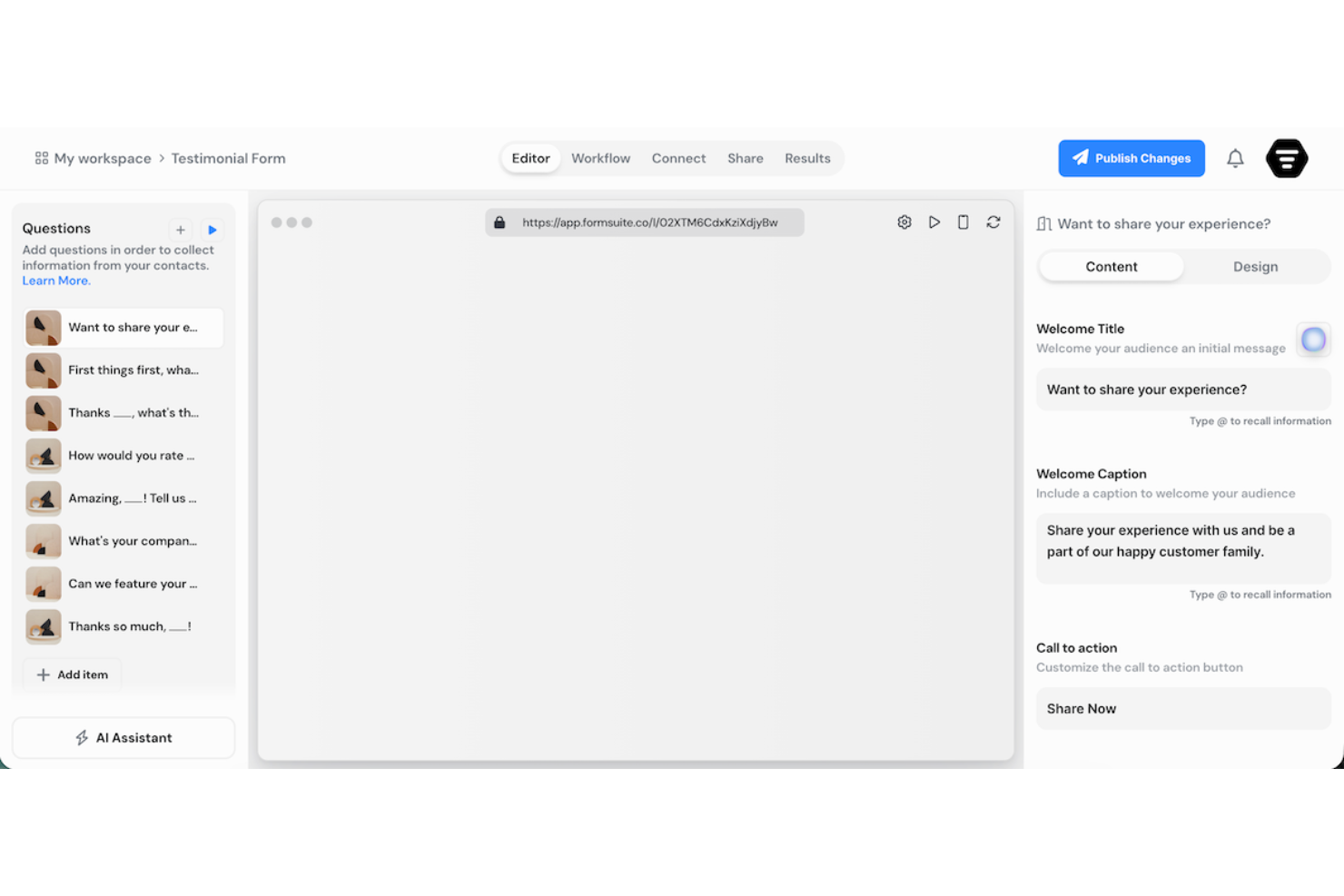
FormSuite è una soluzione online per sondaggi e moduli dedicata ai team che necessitano di modalità flessibili per raccogliere feedback, lead e richieste interne. Si distingue per la creazione di moduli con IA, moduli conversazionali, logica condizionale e analisi delle risposte, rendendolo un'opzione valida per i team che vogliono una raccolta dati più dinamica rispetto ai classici costruttori di moduli.
Per chi è più indicato Formsuite?
Formsuite è una scelta solida per i team di CX, per le risorse umane e per i professionisti della ricerca che hanno bisogno di sondaggi personalizzabili con logiche dinamiche nelle domande.
Perché Formsuite è una buona alternativa a SurveyMonkey
Ho scelto FormSuite come valida alternativa a SurveyMonkey perché aiuta il tuo team a creare moduli conversazionali che sono più interattivi rispetto ai tradizionali sondaggi a pagine. Il formato con una domanda alla volta, gli indicatori di avanzamento e i percorsi basati sulle risposte possono rendere la compilazione dei sondaggi più semplice, soprattutto per feedback, acquisizione lead e moduli post-interazione. Apprezzo anche il supporto della logica condizionale di FormSuite, che permette di mostrare o nascondere le domande in base alle risposte precedenti mantenendo così il sondaggio rilevante per ciascun partecipante. Questo lo rende utile per i team di CX e marketing che desiderano sondaggi più brevi e personalizzati senza dover creare moduli separati per ogni pubblico.
Funzionalità principali di Formsuite
Altre funzionalità di FormSuite aiutano il team a creare, condividere e analizzare i sondaggi in modo più efficiente:
- Generatore di moduli con IA: Crea o modifica moduli semplicemente descrivendo ciò che ti serve in una conversazione in stile chat con l’assistente IA di FormSuite.
- Gestione delle risposte: Organizza tutte le risposte in un unico luogo e usa l’IA per identificare pattern, sentiment e temi ricorrenti tra le risposte.
- Monitoraggio dell’abbandono: Scopri in quali punti i partecipanti abbandonano il modulo grazie a report visivi su visualizzazioni, inizi e tassi di completamento.
- Opzioni di pubblicazione flessibili: Condividi i moduli tramite un URL unico, incorporali su una pagina web, ospitali sul tuo dominio oppure mostrali come pop-up o banner.
Integrazioni Formsuite
Le integrazioni includono Google Sheets, Google Analytics, Stripe, Slack e Zapier.
Pros and Cons
Pros:
- La logica condizionale mantiene le domande pertinenti per ciascun partecipante
- I moduli conversazionali rendono i sondaggi più facili da completare
- L’assistente IA velocizza la creazione e modifica dei moduli
Cons:
- Le funzionalità avanzate per la ricerca sono meno evidenti rispetto a quelle di SurveyMonkey
- Le integrazioni native sembrano limitate oltre agli strumenti principali

Ideale per strumenti di ricerca aziendale
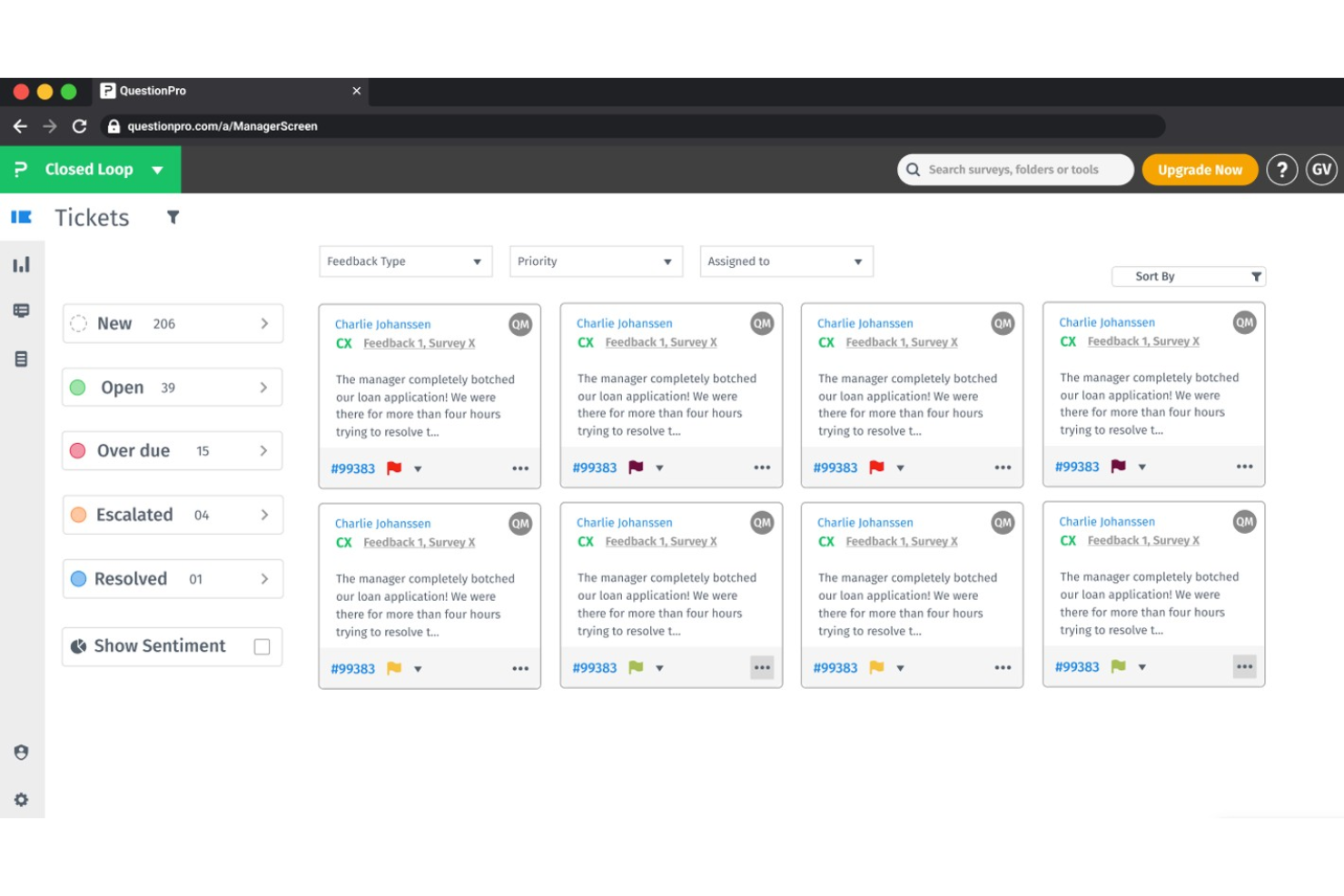
QuestionPro è una piattaforma avanzata per sondaggi e ricerche progettata per aziende e ricercatori che necessitano di strumenti avanzati di raccolta e analisi dei dati. Supporta i team nello svolgimento di ricerche di mercato, raccolta di feedback dei clienti e sondaggi tra i dipendenti.
Perché QuestionPro è una valida alternativa a SurveyMonkey: Le funzionalità di livello enterprise di QuestionPro offrono un'ampia personalizzazione dei sondaggi e analisi avanzate, rispondendo a esigenze di ricerca complesse. È possibile accedere a una vasta gamma di tipologie di domande e modelli di sondaggio adatti a diversi scenari. La piattaforma include anche potenti strumenti di reportistica per analizzare efficacemente i dati nei progetti di ricerca su larga scala.
Funzionalità e integrazioni principali:
Funzionalità includono tipi di domande avanzate, ramificazione logica e analisi in tempo reale. Offre anche modelli personalizzabili, integrazioni con piattaforme come Salesforce e supporta la distribuzione multi-canale, rendendolo ideale per la raccolta di feedback, ricerca e gestione dell'esperienza del cliente.
Integrazioni includono Salesforce, Tableau, Slack, Google Analytics, HubSpot, Marketo, Zapier, Microsoft Teams, Zendesk e Mailchimp.
Pros and Cons
Pros:
- Personalizzazione estesa dei sondaggi
- Opzioni di analisi avanzate
- Ampia gamma di tipologie di domande
Cons:
- Processo di configurazione complesso
- Curva di apprendimento più ripida

Qualaroo
Ideale per feedback utente in tempo reale
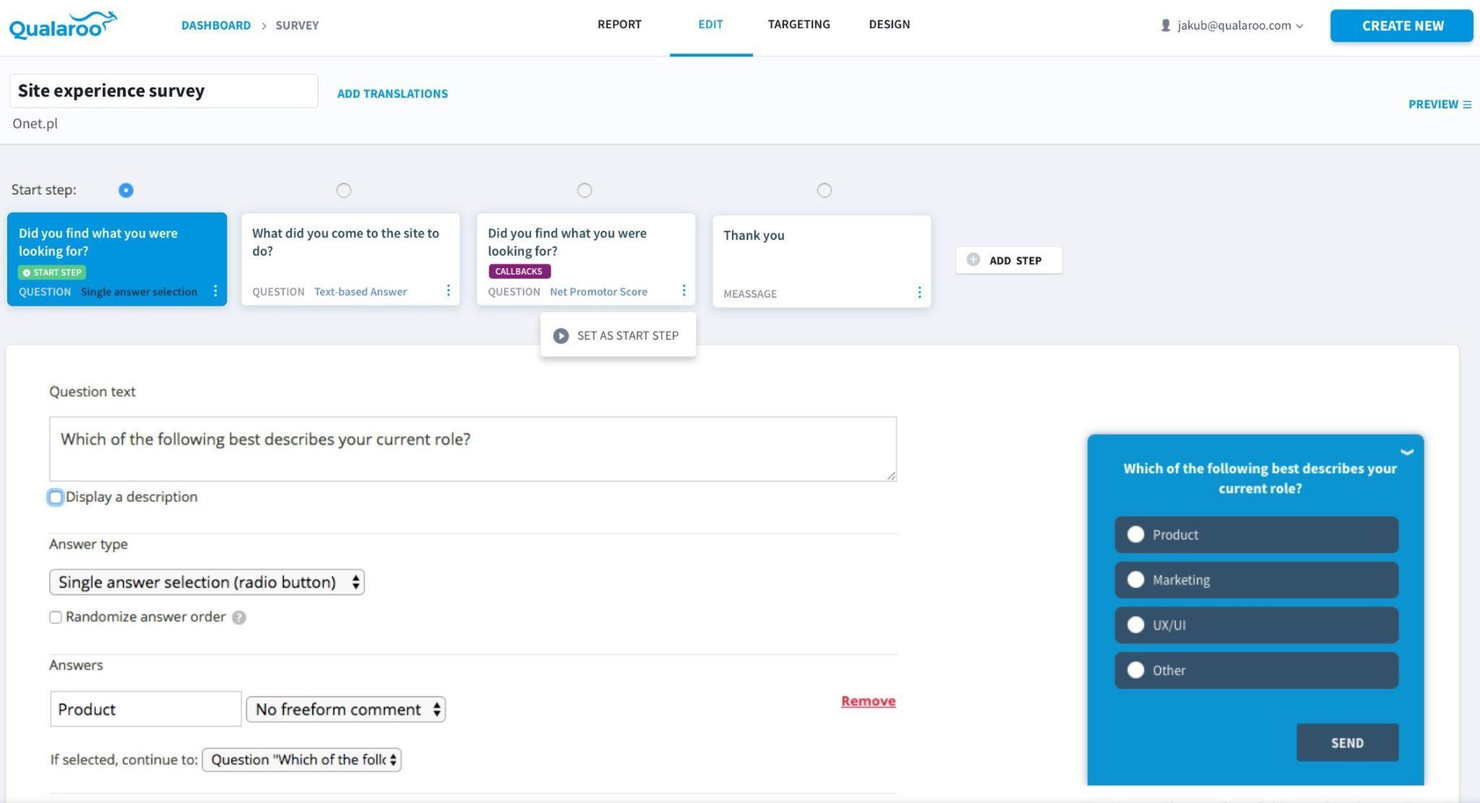
Qualaroo è uno strumento di sondaggi progettato principalmente per marketer e professionisti UX, pensato per raccogliere informazioni sugli utenti direttamente dai loro siti web o app. Aiuta i team a comprendere il comportamento degli utenti e a raccogliere feedback in punti di contatto specifici.
Perché Qualaroo è una valida alternativa a SurveyMonkey: Le funzionalità di feedback in tempo reale di Qualaroo consentono di catturare le opinioni mentre gli utenti interagiscono con il tuo sito. Grazie ai suggerimenti personalizzabili, puoi porre le domande giuste al momento giusto. Inoltre, i sondaggi mirati del software aiutano a raccogliere dati rilevanti senza interrompere l'esperienza utente. Queste caratteristiche sono ideali per i team che cercano informazioni immediate e utili all'azione.
Funzionalità principali e integrazioni:
Funzionalità includono targeting avanzato e logica di ramificazione, integrazioni senza soluzione di continuità con varie piattaforme e un’analisi del sentiment alimentata dall’IA per comprendere meglio le risposte. Permette inoltre la creazione di sondaggi di feedback non invasivi che appaiono direttamente su siti web o app.
Integrazioni includono Google Analytics, Slack, HubSpot, Salesforce, Zapier, Marketo, Intercom, Segment, Adobe Analytics e Mailchimp.
Pros and Cons
Pros:
- Feedback in tempo reale
- Domande mirate
- Suggerimenti di sondaggio personalizzabili
Cons:
- Tipologie di domande limitate
- Richiede configurazione tecnica

Ideale per l'integrazione con Salesforce
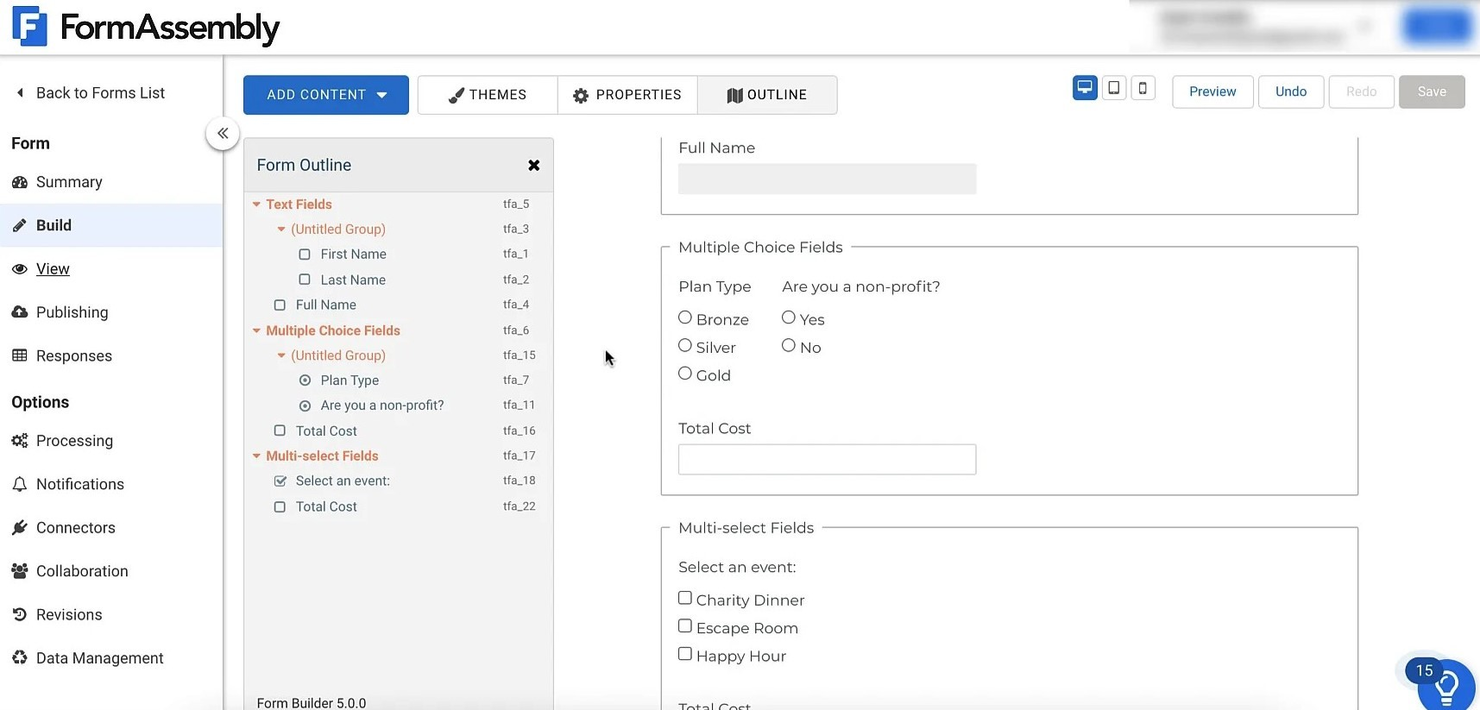
FormAssembly è una piattaforma per la creazione di moduli web e la raccolta dati rivolta a aziende e organizzazioni che necessitano di una gestione dei dati senza interruzioni. Viene utilizzata principalmente da team che devono integrare la raccolta dati direttamente nei propri flussi di lavoro esistenti.
Perché FormAssembly è una valida alternativa a SurveyMonkey: La potente integrazione con Salesforce aiuta il tuo team a semplificare l'inserimento e la gestione dei dati. Grazie a funzionalità come moduli personalizzabili e un avanzato instradamento dei dati, garantisce che i dati arrivino dove sono necessari. Potrai inoltre beneficiare della conformità agli standard di protezione dei dati, mantenendo le tue informazioni sicure.
Funzionalità e integrazioni principali:
Funzionalità includono solide caratteristiche di sicurezza e conformità, tra cui la conformità a HIPAA, GDPR e PCI DSS, rendendolo ideale per le organizzazioni che gestiscono dati sensibili. Inoltre, offre una potente automazione dei flussi di lavoro e ampie opzioni di personalizzazione.
Integrazioni includono Salesforce, Google Sheets, PayPal, Mailchimp, Pardot, Box, Stripe, Microsoft Dynamics 365, Slack e HubSpot.
Pros and Cons
Pros:
- Integrazione avanzata con Salesforce
- Opzioni di modulo personalizzabili
- Avanzato instradamento dei dati
Cons:
- Richiede configurazione tecnica
- Problemi di prestazioni occasionali

Qualtrics
Ideale per le intuizioni basate sull'IA
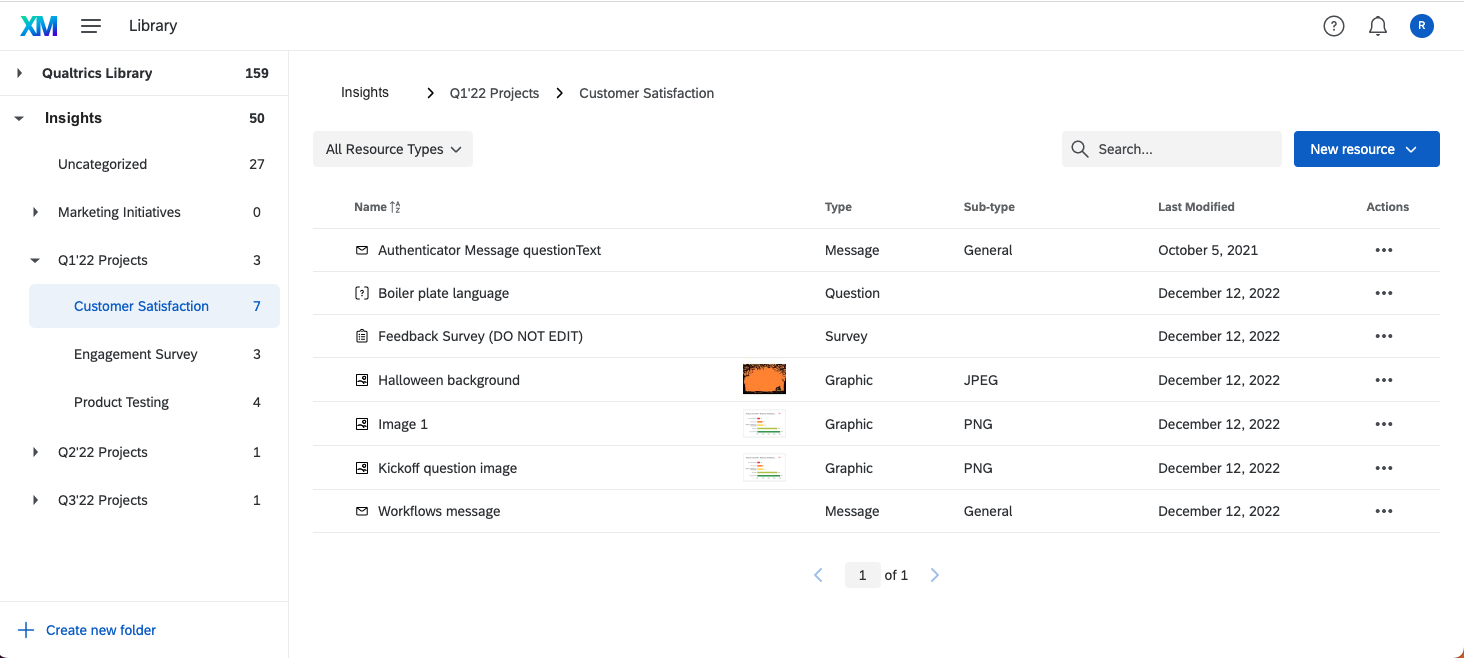
Qualtrics è una piattaforma sofisticata per la gestione di sondaggi ed esperienze, utilizzata da grandi aziende e organizzazioni per raccogliere approfondimenti dettagliati. Serve team focalizzati sull'esperienza del cliente, l'esperienza dei dipendenti e la ricerca di mercato.
Perché Qualtrics è una valida alternativa a SurveyMonkey: Le avanzate capacità analitiche di Qualtrics, incluse le intuizioni basate sull'IA, offrono una comprensione più profonda dei risultati dei sondaggi. Allo stesso modo, la funzione di intelligenza predittiva del software aiuta a identificare tendenze e schemi, permettendo di prendere decisioni informate. Insieme a questi componenti chiave, i suoi potenti strumenti di reportistica offrono analisi dettagliate e visualizzazioni per ottimizzare le metriche aziendali.
Funzionalità e integrazioni principali:
Funzionalità includono reportistica in tempo reale, analisi del sentiment e analisi predittiva. Inoltre, si integra con varie piattaforme, offrendo collaborazione fluida e distribuzione delle intuizioni tra i team.
Integrazioni includono Salesforce, Adobe, SAP, Slack, Microsoft Teams, ServiceNow, Zendesk, Tableau, Google Analytics e Marketo.
Pros and Cons
Pros:
- Strumenti di intelligenza predittiva
- Capacità di reportistica dettagliata
- Opzioni di sondaggio personalizzabili
Cons:
- Curva di apprendimento ripida
- Processo di configurazione complesso
Altre alternative a SurveyMonkey
Ecco alcune ulteriori alternative a SurveyMonkey che non sono state incluse nella mia selezione, ma che vale comunque la pena prendere in considerazione:
- Formstack
Ideale per la creazione di moduli senza codice
- Zoho Survey
Ideale per chi punta sulla privacy dei dati
- LimeSurvey
Ideale per il self-hosting
- SurveyPlanet
Ideale per sondaggi gratuiti illimitati
- SurveyKing
Ideale per tipologie di domande avanzate
- Great Question
Ideale per l'integrazione con la ricerca UX
- Tripetto
Ideale per la progettazione di moduli con storyboard


Come Valuto le Alternative a SurveyMonkey
Divido la mia valutazione in due livelli: le capacità di base che uno strumento deve avere per gestire programmi NPS, CSAT e CES su larga scala, e i fattori differenzianti che distinguono le migliori opzioni per i team CX.
Funzionalità Principali (Requisiti di Base per Questa Lista)
Quando seleziono gli strumenti per la mia lista, valuto ciascuno su una scala da 0 (la funzionalità non è presente) a 5 (eccelle in quest'area) per ognuna delle funzionalità principali elencate qui sotto. In seguito, calcolo il punteggio totale dello strumento in percentuale. Ogni strumento deve raggiungere un punteggio minimo totale del 65% per essere considerato per l'inclusione.
- Modelli di Sondaggi CX: Verifico se ogni strumento include modelli NPS, CSAT e CES pronti all'uso, così i team possono lanciare un programma di feedback in pochi minuti invece che progettarlo da zero.
- Distribuzione Multicanale dei Sondaggi: Raggiungere i clienti dove si trovano è importante, quindi valuto se uno strumento supporta l'invio dei sondaggi tramite email, SMS, web, in-app e mobile, con tracciamento unificato.
- Logica e Ramificazione dei Sondaggi: Cerco percorsi condizionali che si adattano in base alle risposte dei partecipanti, come l'invio di una domanda di approfondimento a un detrattore mentre si fanno saltare questa domanda ai promotori.
- Reportistica e Analisi: I dashboard dovrebbero permettere di segmentare le risposte per coorte di clienti, tracciare l'andamento dei punteggi nel tempo e rilevare temi ricorrenti dalle risposte aperte senza dover fare il tagging manuale.
- Integrazioni con Piattaforme CX: Valuto le connessioni native con CRM, helpdesk e piattaforme CS come Salesforce, Zendesk e HubSpot per confermare che i dati dei partecipanti siano sincronizzati nei tool dove i team già lavorano.
- Workflow a Ciclo Chiuso: Gli strumenti che innescano allarmi, creano ticket o assegnano follow-up quando un cliente lascia un feedback negativo aiutano i team CX ad agire sulle informazioni prima che il rischio di abbandono aumenti.
Dopo aver identificato gli strumenti che soddisfano questi criteri, considero ciò che distingue ogni piattaforma.
Fattori Differenzianti (Ciò che Distingue i Fornitori)
Ecco come confronto e paragono i diversi fornitori:
Funzionalità Distintive
L’analisi testuale basata su AI è un grande elemento distintivo. Cerco strumenti che attribuiscano automaticamente temi e rilevino il sentiment su migliaia di risposte aperte, risparmiando ore di revisione manuale. I dati di benchmarking sono anch’essi importanti, perché sapere che il tuo NPS è 42 significa poco senza il contesto del settore per confrontarsi. Anche i trigger basati sul percorso cliente sono da valutare, come l’invio di un sondaggio CES subito dopo la chiusura di un ticket di supporto invece di affidarsi a invii manuali a gruppi.
Oltre le Funzionalità
La sicurezza dei dati è una priorità poiché i sondaggi CX raccolgono dati personali dei clienti. Controllo la conformità al GDPR e SOC 2, insieme alle opzioni SSO e di residenza dei dati per i team che gestiscono programmi globali. Anche la scalabilità è altrettanto importante: valuto se una piattaforma supporta sondaggi multilingue e setup multi-brand sotto un solo account. Considero inoltre la profondità dell'ecosistema, in particolare se uno strumento si collega a data warehouse come Snowflake o a strumenti BI come Tableau per un’analisi CX più approfondita.
Perché cercare un'alternativa a SurveyMonkey?
Sebbene SurveyMonkey sia una buona scelta tra i software per sondaggi online, ci sono diversi motivi per cui alcuni utenti cercano soluzioni alternative. Potresti cercare un'alternativa a SurveyMonkey perché:
- Hai bisogno di una personalizzazione più avanzata
- Il tuo budget è limitato per le funzionalità premium
- Desideri opzioni di integrazione migliori
- Cerchi un'assistenza clienti più reattiva
- Il tuo team richiede il supporto multilingue
- Hai bisogno di una conformità più rigorosa alle normative sulla privacy dei dati
Se ti riconosci in una di queste situazioni, sei nel posto giusto. Il mio elenco contiene diverse opzioni di software per sondaggi online più adatte ai team che affrontano queste difficoltà con SurveyMonkey e cercano soluzioni alternative.
Funzionalità principali di SurveyMonkey
Ecco alcune delle funzionalità principali di SurveyMonkey, per aiutarti a mettere a confronto ciò che offrono le soluzioni alternative:
- Modelli personalizzabili: Ti aiuta a scegliere tra diversi modelli per adattare i tuoi sondaggi a esigenze specifiche, facendoti risparmiare tempo e garantendo coerenza. Vishveshwar Jatain, fondatore di And/or Labs, parla molto positivamente del software. "SurveyMonkey supporta vari formati di domande per la raccolta di dati qualitativi e quantitativi, tra cui scale di valutazione, domande a risposta aperta e domande con logica condizionale."
- Previsione del tipo di domanda: Utilizza una tecnologia basata sull'intelligenza artificiale per suggerire i migliori formati di domanda, aiutandoti a creare rapidamente sondaggi efficaci.
- Supporto multilingue: Ti aiuta a creare sondaggi in più lingue per raggiungere un pubblico più ampio, facilitando la raccolta di opinioni diversificate.
- Analisi avanzate: Analizza i tuoi dati con potenti strumenti di filtraggio e reportistica, consentendoti di individuare le tendenze e prendere decisioni basate sui dati.
- Strumenti di collaborazione: Ti consente di condividere i sondaggi con il tuo team, gestire le autorizzazioni e centralizzare i feedback per migliorare il lavoro di squadra e semplificare i processi.
- Metodi di raccolta delle risposte: Ti permette di utilizzare vari canali, come e-mail, codici QR e social network, per raccogliere le risposte, assicurandoti di raggiungere il tuo pubblico di riferimento. "Ho inoltre trovato preziosa la possibilità di creare panel di partecipanti o selezionare in anticipo i destinatari dei sondaggi sulla base di specifici parametri demografici e di definizione del pubblico target, utile per migliorare l'accuratezza del sondaggio e la pertinenza delle risposte", ha aggiunto Vishveshwar Jatain.
- Funzionalità per la privacy dei dati: Contribuisce a garantire la sicurezza dei tuoi dati grazie a risposte anonime, protezione tramite password e conformità al GDPR e al CCPA.
- Funzionalità di integrazione: Ti connette a oltre 200 applicazioni per automatizzare i flussi di lavoro e migliorare la produttività del tuo team.