

QuestionPro Review: Pros, Cons, Features and Pricing
QuestionPro stands out for its robust survey customization and strong analytics, making it a top choice for businesses seeking detailed insights.

We review tools independently, and commissions help fund our testing. See our transparency policy, our methodology, or suggest a tool.
QuestionPro is a customer survey tool built for teams that need to collect, analyze, and act on customer feedback across multiple touchpoints. It covers everything from basic satisfaction surveys to more advanced research workflows, including conjoint analysis, sentiment analysis, and panel management. I'd consider it if you want more analytical depth and research flexibility than SurveyMonkey provides, but don't need the full complexity of an enterprise research platform. It's a strong middle ground for CX teams who've outgrown simple survey tools.
QuestionPro Evaluation Summary
4.7/5
- Pricing upon request
- Free demo available
Why Trust Our Software Recommendations
6,700+
Reviews
20
Industry experts
16+
Evaluation factors
14
Years
Our team has been testing and reviewing software since 2012. As CX leaders ourselves, we know how difficult—and important—it is to choose the right software.
For this guide, we evaluated tools using hands-on testing and independent research, scoring tools using our selection criteria.
Our reviews reflect our human editorial judgment, not a sales pitch.
 Gui DrusinaCreative Director
 Tim FisherVP of AI
QuestionPro Overview
In my opinion, QuestionPro stands out as a solid choice for customer surveys. It offers a comprehensive set of features that cater to diverse survey needs, from simple questionnaires to advanced analytics. Its user interface is intuitive, making it accessible for teams of all sizes. Compared to other survey tools like Qualtrics, its pricing is competitive, offering good value, especially for organizations that require robust data collection and complex survey analysis tools.
However, while its onboarding process is straightforward, some users might find the depth of features overwhelming initially. QuestionPro excels in providing excellent customer support, which can be a decisive factor for teams that value responsive assistance. It's particularly well-suited for businesses seeking a reliable tool for detailed customer insights.
Pros
- You can easily create surveys with its user-friendly interface.
- It offers a wide range of question types to fit your survey needs.
- You can access insightful analytics to understand your data better.
Cons
- You might find the reporting features less advanced than other tools.
- Some users experience a steep learning curve when starting with the platform.
- You could encounter limitations in customization for specific survey needs.
Is QuestionPro Right For Your Needs?
Who Would be a Good Fit for QuestionPro?
QuestionPro is an online survey software that is ideal for small to medium-sized businesses and research teams who need an intuitive platform for collecting and analyzing survey data. Its extensive feature set, including over 40 question types and customizable logic, makes it versatile for various industries. With user-friendly design, data visualization, and robust real-time reporting capabilities, it supports efficient data collection and insight generation, making it a valuable tool for your team's research needs.
- Market ResearchQuestionPro's robust reporting and data analysis tools make it perfect for market research, enabling your team to gather and interpret consumer insights effectively.
- Customer FeedbackFor customer service teams, QuestionPro offers customizable surveys and real-time analytics, helping you understand and improve customer satisfaction.
- Academic ResearchAcademic institutions benefit from QuestionPro's multilingual support and comprehensive survey formats and features, facilitating detailed and diverse data collection.
- Healthcare SurveysHealthcare providers can use QuestionPro's HIPAA-compliant tools to securely collect patient feedback and insights, ensuring privacy and data protection.
- Event ManagementEvent planners can leverage QuestionPro's integration capabilities to gather attendee feedback and improve future events through actionable insights.
- Product DevelopmentProduct teams can use QuestionPro to gather user feedback, helping your team prioritize features and improve product offerings based on customer needs.
Who Would be a Bad Fit for QuestionPro?
QuestionPro might not be ideal for small businesses or startups with limited resources and basic survey needs. Its extensive features can be overwhelming and unnecessary for simple feedback collection. Additionally, industries that require highly specialized data analysis tools, such as scientific research, might find QuestionPro's analytics lacking in depth and specificity. If your team prioritizes rapid deployment and simplified interfaces, the robust capabilities of QuestionPro may prove cumbersome for your work.
- Small StartupsIf you're a small startup with basic survey needs, QuestionPro's extensive features might be too complex and costly for your requirements.
- Scientific ResearchFor scientific research teams, the need for highly specific data analysis tools means QuestionPro's general capabilities might not suffice.
- Budget-Conscious TeamsTeams with tight budgets may find QuestionPro's pricing unfeasible, especially if only basic survey functionalities are needed.
- Quick Deployment NeedsIf your team needs rapid deployment and simplified tools, QuestionPro's comprehensive features might slow down your process.
- Non-Technical TeamsNon-technical teams may struggle with the complexity of QuestionPro's advanced features and methodology, which can hinder effective use.
How We Test & Score Tools
We’ve spent years building, refining, and improving our software testing and scoring system. The rubric is designed to capture the nuances of software selection and what makes a tool effective, focusing on critical aspects of the decision-making process.
Below, you can see exactly how our testing and scoring works across seven criteria. It allows us to provide an unbiased evaluation of the software based on core functionality, standout features, ease of use, onboarding, customer support, integrations, customer reviews, and value for money.
Core Functionality (25% of final scoring)
The starting point of our evaluation is always the core functionality of the tool. Does it have the basic features and functions that a user would expect to see? Are any of those core features locked to higher-tiered pricing plans? At its core, we expect a tool to stand up against the baseline capabilities of its competitors.
Standout Features (25% of final scoring)
Next, we evaluate uncommon standout features that go above and beyond the core functionality typically found in tools of its kind. A high score reflects specialized or unique features that make the product faster, more efficient, or offer additional value to the user.
We also evaluate how easy it is to integrate with other tools typically found in the tech stack to expand the functionality and utility of the software. Tools offering plentiful native integrations, 3rd party connections, and API access to build custom integrations score best.
Ease of Use (10% of final scoring)
We consider how quick and easy it is to execute the tasks defined in the core functionality using the tool. High scoring software is well designed, intuitive to use, offers mobile apps, provides templates, and makes relatively complex tasks seem simple.
Onboarding (10% of final scoring)
We know how important rapid team adoption is for a new platform, so we evaluate how easy it is to learn and use a tool with minimal training. We evaluate how quickly a team member can get set up and start using the tool with no experience. High scoring solutions indicate little or no support is required.
Customer Support (10% of final scoring)
We review how quick and easy it is to get unstuck and find help by phone, live chat, or knowledge base. Tools and companies that provide real-time support score best, while chatbots score worst.
Customer Reviews (10% of final scoring)
Beyond our own testing and evaluation, we consider the net promoter score from current and past customers. We review their likelihood, given the option, to choose the tool again for the core functionality. A high scoring software reflects a high net promoter score from current or past customers.
Value for Money (10% of final scoring)
Lastly, in consideration of all the other criteria, we review the average price of entry level plans against the core features and consider the value of the other evaluation criteria. Software that delivers more, for less, will score higher.
Core Features
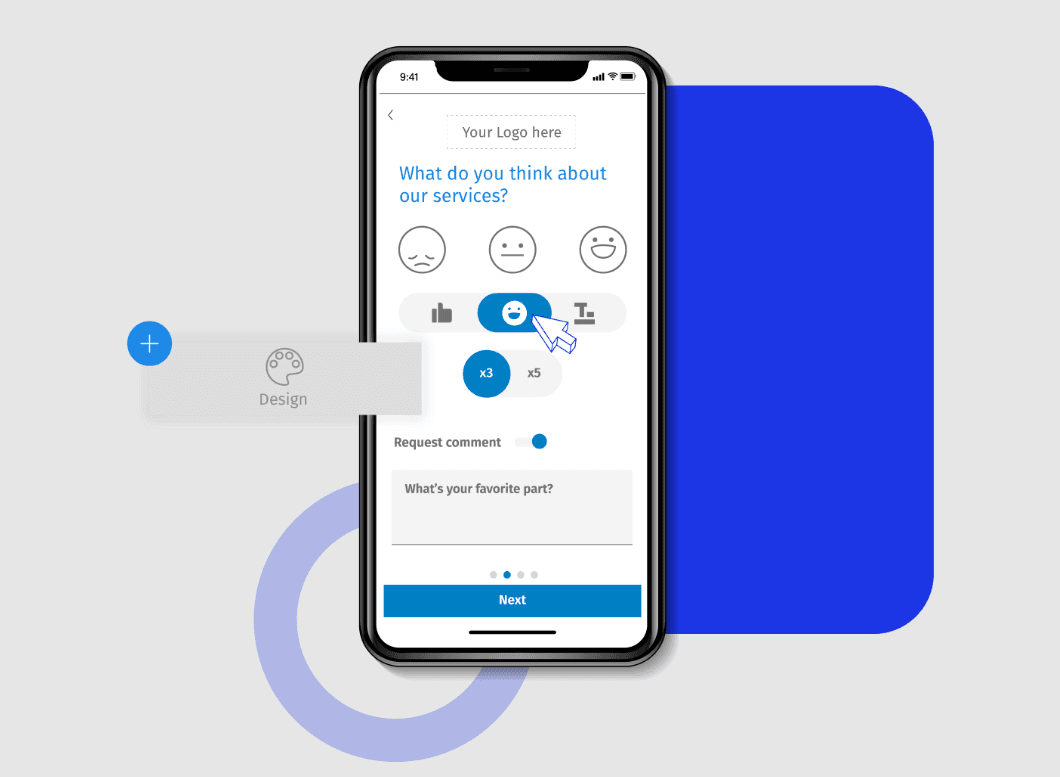
Survey Design: You can create surveys with over 20 professional themes and customizable logos, making it easy to tailor the look and feel to your brand. The visual layout is intuitive, allowing you to set up surveys quickly without technical know-how.
Logic and Branching: Use skip logic and advanced branching to personalize surveys based on responses. This feature helps you gather more relevant data by guiding respondents through a tailored path.
Data Integration: Export data to Google Sheets or SPSS for further analysis, streamlining your data workflow. This integration ensures your data is ready for in-depth analysis without manual entry.
Mobile Access: Conduct surveys on-the-go with a dedicated mobile app. This means you can reach respondents wherever they are, increasing response rates.
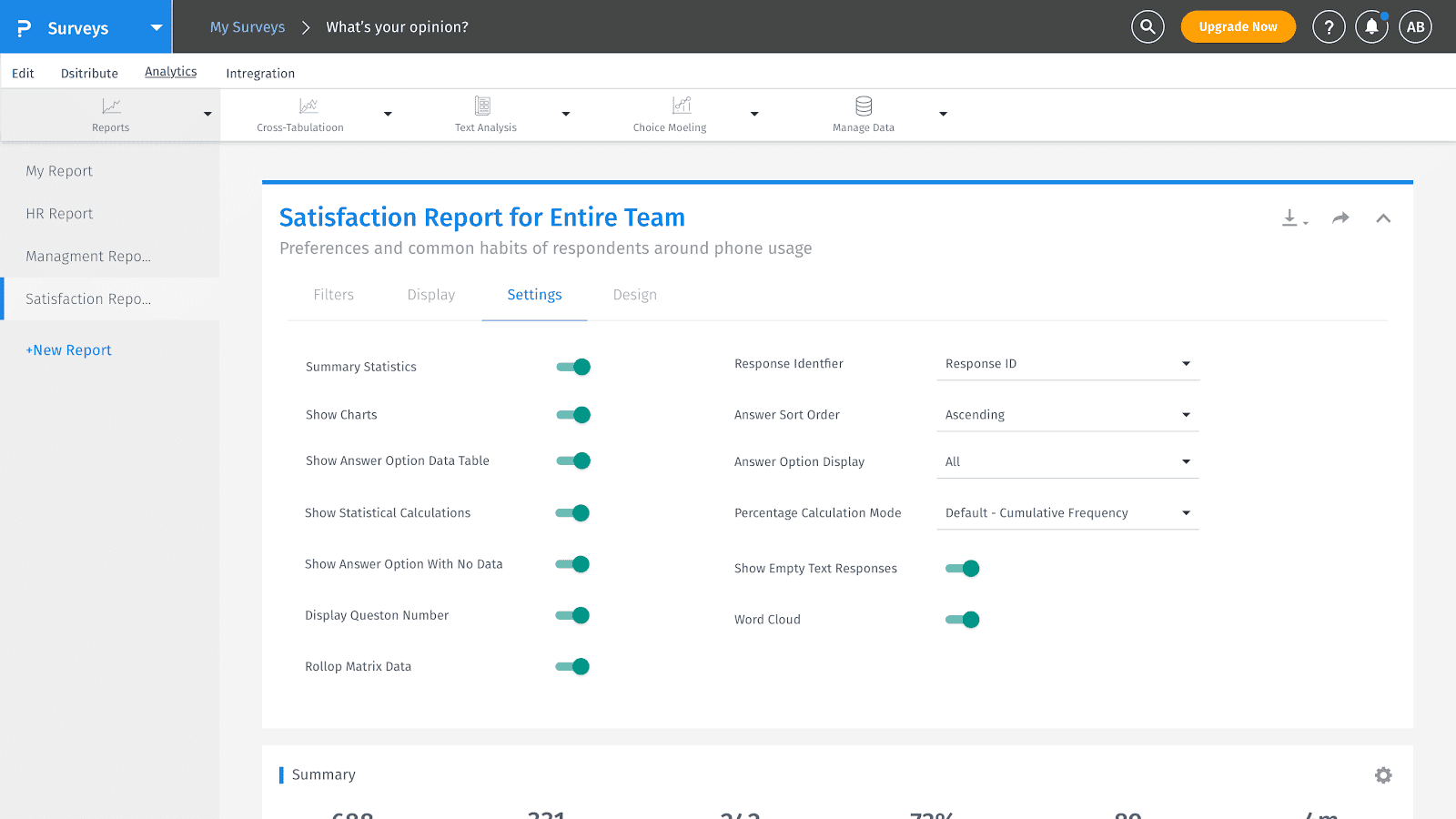
Analytics Tools: Access heatmap and sentiment analysis tools to gain insights into respondent behavior and feedback trends. The Net Promoter Score (NPS) tracking helps you measure customer loyalty effectively.
Multilingual Support: Use Questionpro’s survey builder to create surveys in multiple languages to reach a diverse audience. This feature is crucial for businesses operating in global markets, ensuring inclusivity and comprehensive data collection.
Ease of Use
QuestionPro stands out for its user-friendly design and intuitive navigation, making it accessible for both new and experienced users. Users appreciate its straightforward survey creation process, robust analytics, and seamless integration with various platforms. Many find the tool intuitive, with a well-organized dashboard and layout that simplifies data collection and analysis. While some mention a learning curve with advanced features, the overall consensus is positive, highlighting its efficiency in capturing and analyzing customer feedback effectively.
Integrations
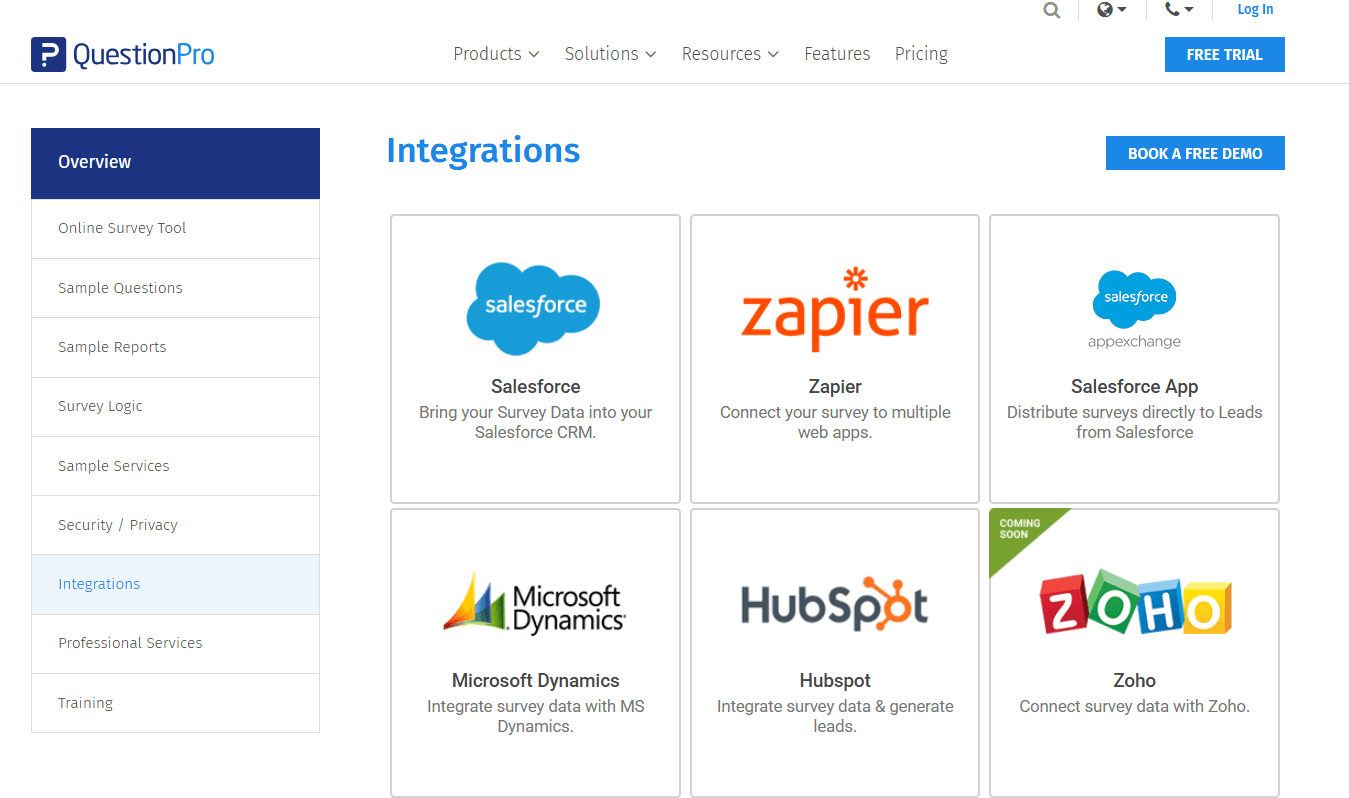
QuestionPro integrates with Salesforce, Zapier, Microsoft Dynamics, Hubspot, Zoho, SugarCRM, Google Sheets, Google Analytics, and Slack.
QuestionPro also provides an API, allowing for custom integrations and connections with third-party integration tools.
QuestionPro Specs
- Analytics: Yes
- API: Yes
- Batch Permissions & Access: Yes
- Calendar Management: Yes
- Contact Management: Yes
- Custom Reports: No
- Dashboard: Yes
- Data Export: Yes
- Data Import: Yes
- Data Visualization: Yes
- Email Integration: Yes
- External Integrations: Yes
- Feedback Management: Yes
- Google Apps Integration: Yes
- Marketing Automation: Yes
- Multi-Source Feedback: Yes
- Multi-User: Yes
- Net Promoter Score: Yes
- Notifications: Yes
- Online Surveys: Yes
- Paper Surveys: Yes
- Scheduling: Yes
- Sentiment Analysis: No
- Template Designer: Yes
- Workflow Management: No


