

The best Callhippo alternatives give you reliable VoIP calling, flexible integrations, and modern features that keep remote and hybrid teams connected. If you’re comparing Callhippo to other options, you probably need better call quality or tools that fit your workflow.
This list covers the top-performing VoIP software for teams who expect more from every call—highlighting what sets each apart so you can find the right fit and avoid hidden frustrations. You’ll get a side-by-side look at features, strengths, and use cases to help your team deliver consistent customer experiences.
What Is Callhippo?
Callhippo is a cloud-based VoIP software for businesses that need virtual phone systems and call management features. It provides local and toll-free numbers, call routing, IVR, analytics, and team collaboration tools—all accessible online.
Teams use Callhippo to handle inbound and outbound calls from anywhere, supporting remote work and global communication. It’s often chosen for its easy setup, flexible plans, and ability to scale with business needs.
Why Trust Our Software Recommendations
6,700+
Reviews
20
Industry experts
16+
Evaluation factors
14
Years
Our team has been testing and reviewing software since 2012. As CX leaders ourselves, we know how difficult—and important—it is to choose the right software.
For this guide, we evaluated tools using hands-on testing and independent research, scoring tools using our selection criteria.
Our reviews reflect our human editorial judgment, not a sales pitch.
 Gui DrusinaCreative Director
 Tim FisherVP of AI
Callhippo Alternatives Comparison Table
This comparison table summarizes pricing details for my Callhippo alternative selections:
| Tool | Best For | Trial Info | Price | ||
|---|---|---|---|---|---|
| 1 | Best for multi-location business phone setups | Free trial available | From $15/user/month (billed annually) | Website | |
| 2 | Best for remote global calling | Free plan + 14-day trial + free demo available | From $25/user/month (billed annually) | Website | |
| 3 | Best for unified team collaboration | 14-day free trial | From £18/user/month | Website | |
| 4 | Best for video-first calling environments | Free demo available | From $10.50/user/month | Website | |
| 5 | Best for customizable API-based solutions | Free demo | From $19.99/month/line (billed annually) | Website | |
| 6 | Best for industry-specific automations | Free demo available | Pricing upon request | Website | |
| 7 | Best for integrated voice and messaging | 14-day free trial + free demo available | Pricing upon request | Website | |
| 8 | Best for AI-powered customer interactions | Free trial available | From $75/user/month (billed annually) | Website | |
| 9 | Best for workflow automation in call centers | Free demo available | From $119/seat/month | Website | |
| 10 | Best for customizable call queues | 14-day free trial | From $15/user/month (billed annually) | Website |


Best Callhippo Alternatives Reviews
Below are my detailed summaries of the best Callhippo alternatives that made it onto my shortlist. My reviews offer a detailed look at the features, integrations, and best use cases of each VoIP software to help you find the best one for you.
 Best for multi-location business phone setups
- Free trial available
- From $15/user/month (billed annually)
Visit WebsiteCustomer Rating:4.5/5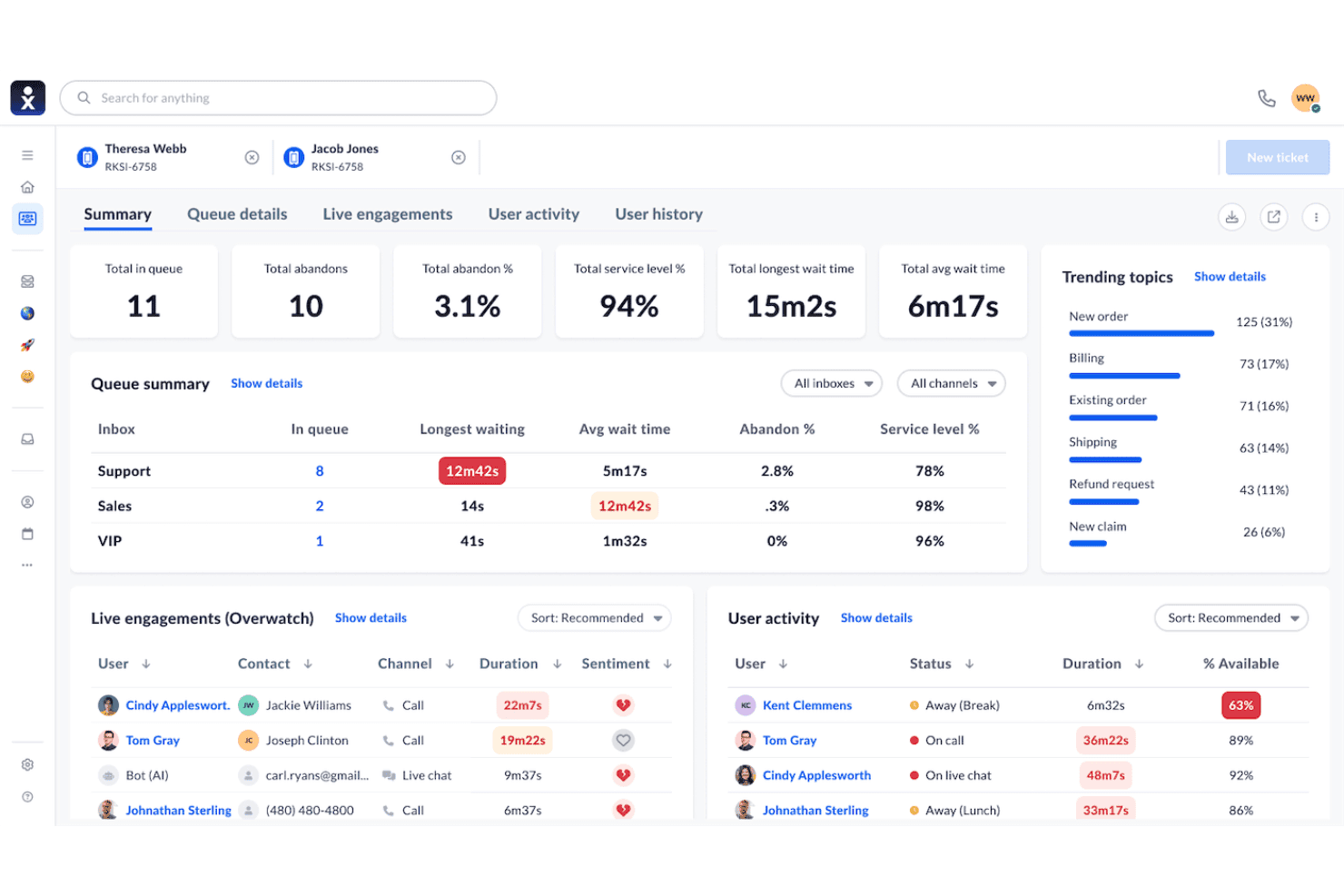
Nextiva enhances distributed calling with advanced business analytics. Nextiva is a cloud-based VoIP platform designed for businesses that need advanced phone capabilities, making it a strong fit for distributed sales, support, or contact center teams who want integrated calling, detailed analytics, and flexible global number management.
Who Is Nextiva Best For?
Multi-location businesses and CX teams that need scalable cloud phone solutions for managing large call volumes across different regions or offices.
Why Nextiva Is a Good CallHippo Alternative
I picked Nextiva as one of the best because I can set up dedicated phone systems for every location, manage global numbers in one dashboard, and automate routing for distributed teams. That solves the pain of scaling business phones across multiple offices.
Nextiva Key Features
- Call analytics and reporting: Access real-time dashboards that track agent performance, call volume, and quality.
- Multi-level IVR menus: Set up custom auto-attendants to route callers efficiently across departments or teams.
- Native CRM integrations: Connect directly with platforms like Salesforce, HubSpot, and Zendesk to sync calling activity.
- Live call monitoring tools: Listen, whisper, and barge into live calls to support and train agents in real time.
Nextiva Integrations
Nextiva offers native integrations with Salesforce, HubSpot, Zendesk, ServiceNow, Microsoft 365, Google Workspace, Zoho CRM, ConnectWise, SugarCRM, and Oracle Sales Cloud. An API is available for custom integrations.
Pros and Cons
Pros:
- Centralized multi-office system controls
- Centralized admin controls for multiple locations
- Reliable call quality for large teams
Cons:
- Advanced IVR setup can be complex
- Limited local storage for call logs
 Best for remote global calling
- Free plan + 14-day trial + free demo available
- From $25/user/month (billed annually)
Visit WebsiteCustomer Rating:4.2/5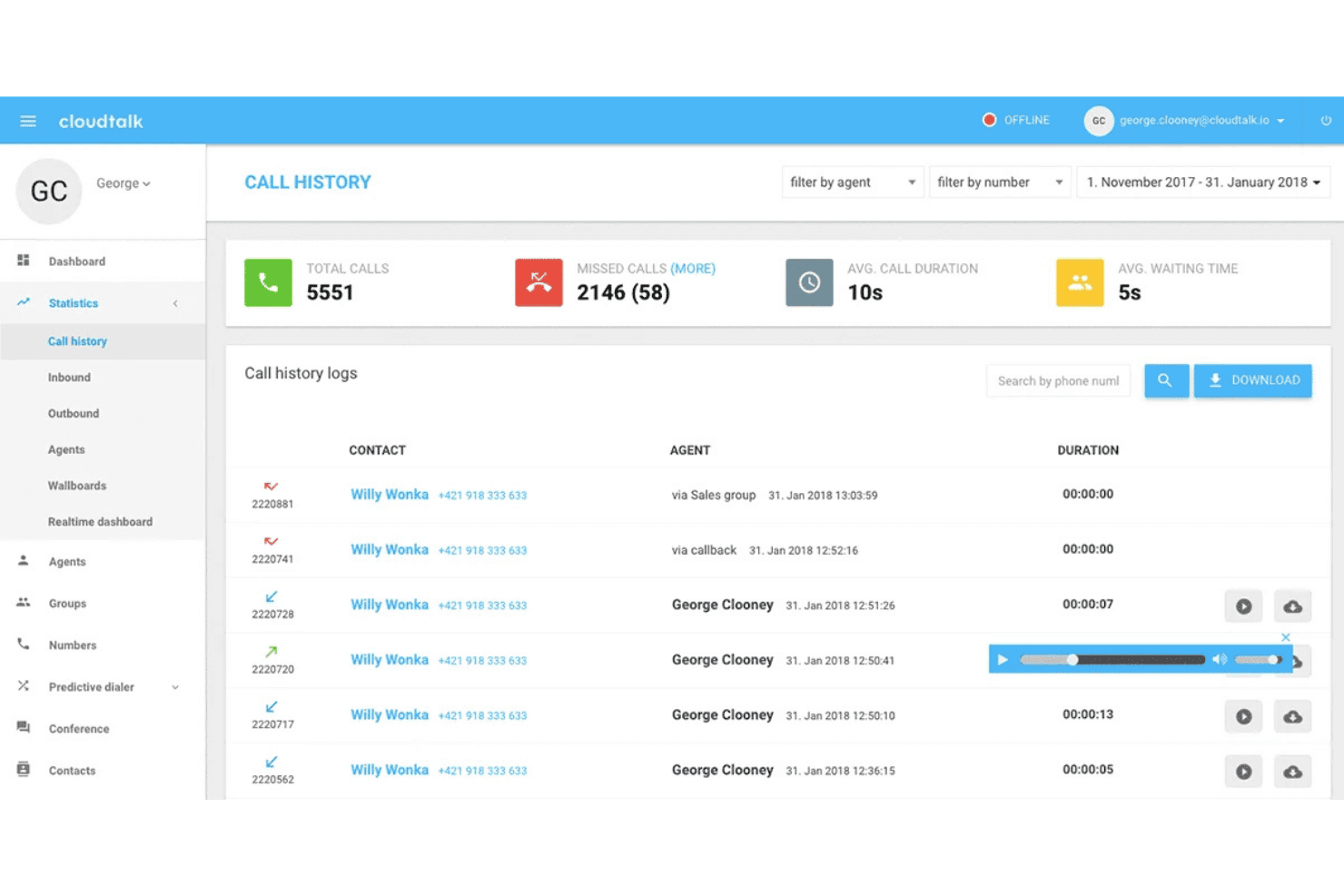
CloudTalk empowers remote sales and support teams globally. CloudTalk is a cloud-based VoIP phone system built for customer-facing teams who need to manage remote sales and support operations, offering global number coverage, call analytics, and deep integrations to help growing businesses handle high call volumes worldwide.
Who Is CloudTalk Best For?
CloudTalk is a strong choice for remote or distributed support and sales teams needing international phone numbers and advanced call management across multiple countries.
Why CloudTalk Is a Good CallHippo Alternative
I picked CloudTalk as a standout CallHippo alternative because my team can instantly set up international phone numbers, support remote agents, and handle large-scale global call routing from anywhere. The global coverage for remote calling is unmatched.
CloudTalk Key Features
- Advanced call analytics: Gain insight into agent performance and call outcomes with real-time and historical dashboards.
- Automated call recording: Save every inbound and outbound call for quality assurance and compliance review.
- Multi-level IVR: Set up interactive menus that guide callers to the right department or agent automatically.
- CRM and helpdesk integrations: Sync call data directly with tools like Salesforce, HubSpot, and Zendesk for unified records.
CloudTalk Integrations
CloudTalk offers 100+ native integrations, including Salesforce, HubSpot, Pipedrive, Zendesk, Freshdesk, Intercom, Microsoft Dynamics, Zoho CRM, Aircall, and Slack. Zapier and an API are available for custom integrations.
Pros and Cons
Pros:
- Includes automated callback options
- Real-time agent monitoring and call analytics
- Global number coverage for distributed teams
Cons:
- Complex setup for very small teams
- Limits outbound texting regional availability
 Best for unified team collaboration
- 14-day free trial
- From £18/user/month
Visit WebsiteCustomer Rating:4.2/5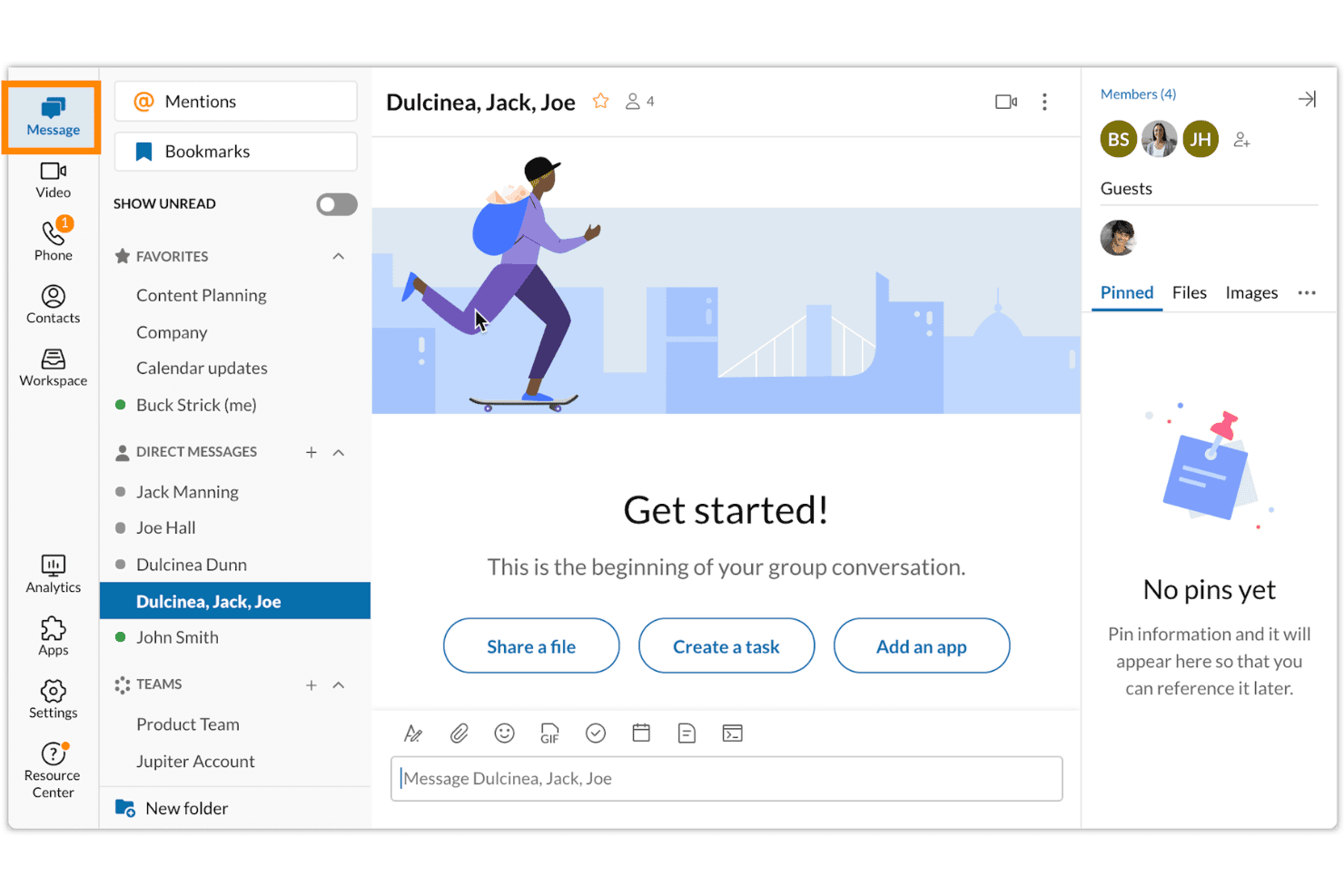
RingCentral coordinates global business communication and CRM tools. RingCentral is a unified cloud communications solution for businesses that want advanced VoIP calling, integration with CRM and helpdesk tools, and global phone number management for sales and support teams scaling across multiple countries.
Who Is RingCentral Best For?
RingCentral is a strong choice for customer support managers and sales teams that need a scalable phone system with deep integrations and international coverage.
Why RingCentral Is a Good CallHippo Alternative
I picked RingCentral as one of the best because my team can manage projects, calls, video meetings, and messaging in one workspace. I like how everyone stays in sync using built-in tasks, chat, and file sharing without shuffling between tools.
RingCentral Key Features
- Multi-level IVR menus: Design complex call routing flows to direct callers to the right agent or team.
- Call recording and QA tools: Record calls automatically and score agent interactions for quality assurance.
- Advanced analytics dashboard: Monitor real-time and historical call metrics with customizable reporting.
- CRM and helpdesk integrations: Sync calls, contacts, and activity logs directly with platforms like Salesforce and Zendesk.
RingCentral Integrations
RingCentral offers native integrations with Salesforce, HubSpot, Zendesk, ServiceNow, Google Workspace, Microsoft 365, Trello, Slack, Zoho, and connects with Zapier. An API is available for custom integrations.
Pros and Cons
Pros:
- Advanced call routing and analytics
- Enterprise-grade uptime and reliability
- Built-in video, phone, and team chat
Cons:
- Requires active fast network connections
- Setup can be complex for small teams
Learn more about RingCentral: Best for video-first calling environments
- Free demo available
- From $10.50/user/month
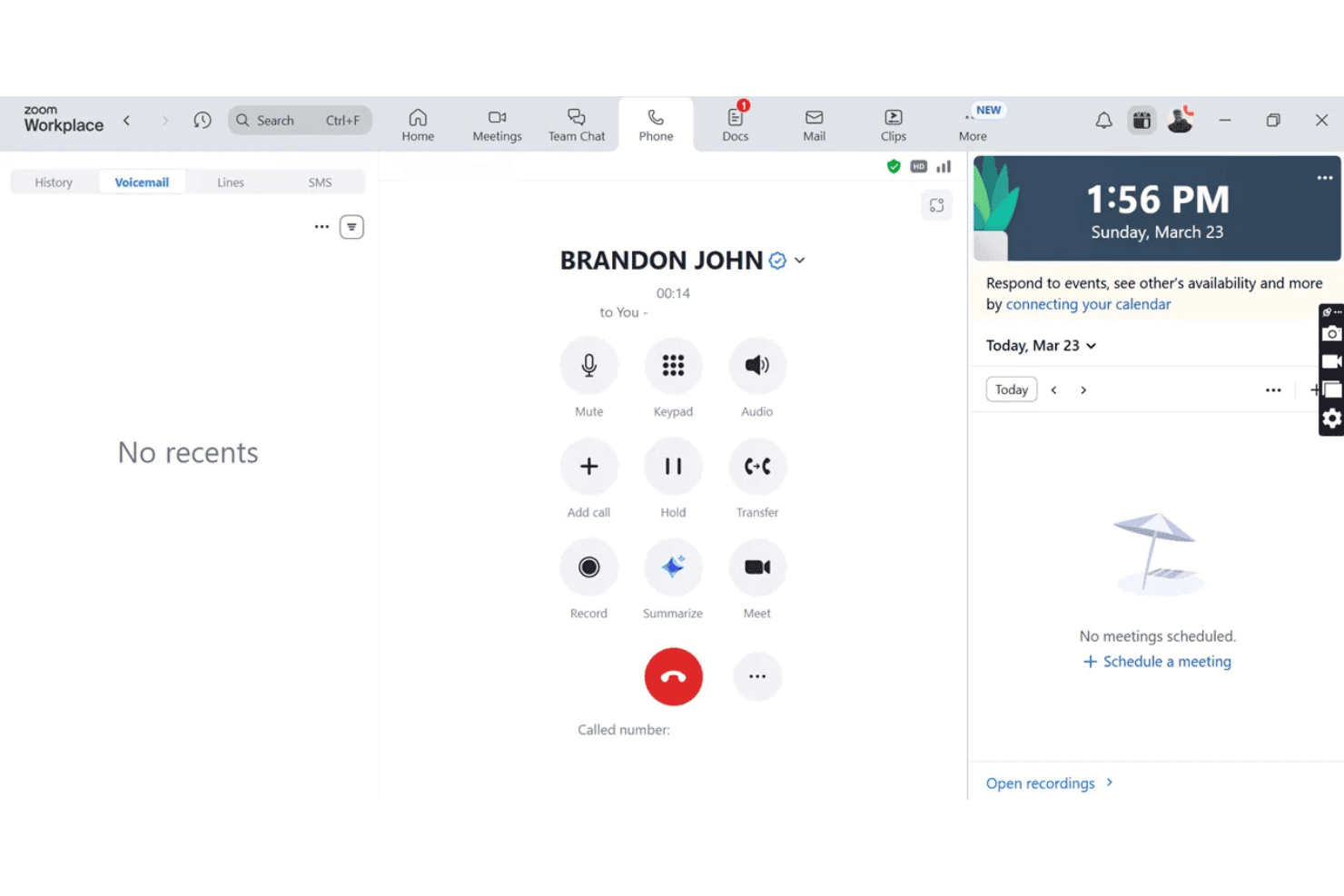
Zoom Phone integrates modern voice and video meeting workflows. Zoom Phone is a modern cloud-based VoIP solution designed for teams who want to unify voice and video communications, making it a strong fit for customer-facing businesses, distributed sales teams, and those who prioritize integrated calling and meeting workflows.
Who Is Zoom Phone Best For?
Customer support leaders and sales teams at scaling businesses who want voice, video, and analytics in one platform.
Why Zoom Phone Is a Good CallHippo Alternative
I picked Zoom Phone as a top alternative because I can handle inbound and outbound calls in video-first workflows, quickly switch between voice and video meetings, and equip my team for omnichannel conversations.
Zoom Phone Key Features
- Automatic call recording: Record inbound and outbound calls for quality control and compliance.
- Multi-level IVR menus: Set up advanced call routing with customizable menu trees.
- Global number provisioning: Purchase and assign local and toll-free numbers in over 40 countries.
- Call queue management: Manage incoming call queues with customizable hold music and queue settings.
Zoom Phone Integrations
Zoom Phone offers native integrations with Salesforce, HubSpot, Zendesk, ServiceNow, Microsoft Teams, Google Workspace, Slack, Okta, and Active Directory. An API is available for custom integrations.
Pros and Cons
Pros:
- Advanced call monitoring and supervision tools
- Switches between calls and meetings
- Reliable voice and video quality at scale
Cons:
- Some advanced features require higher-tier plans
- International number coverage could be broader
Learn more about Zoom Phone: Best for customizable API-based solutions
- Free demo
- From $19.99/month/line (billed annually)

Vonage maximizes workflow flexibility through deep API and CRM integrations. Vonage Business Communications gives teams in sales, support, and CX operations a cloud-based VoIP solution with extensive API access for businesses needing flexible call workflows, deep CRM integrations, and reliable global voice communication.
Who Is Vonage Business Communications Best For?
Teams with complex telephony needs in fast-growing or global businesses that require strong customization, advanced routing, and integration with existing business tools.
Why Vonage Business Communications Is a Good CallHippo Alternative
I picked Vonage Business Communications because I can create highly customized call flows using its Communications APIs. My team is able to automate IVR systems and route calls globally, which supports complex, multi-country customer operations.
Vonage Business Communications Key Features
- Omnichannel messaging: Send and receive SMS, MMS, and OTT messages alongside voice calling.
- Real-time call monitoring: Listen, whisper, and barge functions for active supervision and coaching.
- Number provisioning: Instantly acquire and manage local, toll-free, or international phone numbers.
- Live call analytics: Access dashboards for current call activity, agent performance, and historical reporting.
Vonage Business Communications Integrations
Vonage Business Communications offers native integrations with Salesforce, HubSpot, Zendesk, Microsoft Teams, Zoho CRM, Microsoft Dynamics 365, Freshdesk, Slack, Google Workspace, and ServiceNow. An API is available for custom integrations.
Pros and Cons
Pros:
- Advanced IVR and call routing options
- Supports multi-country phone numbers management
- Flexible call flows with developer APIs
Cons:
- Video meetings are locked at higher tiers
- Lacks built-in local compliance tools
Learn more about Vonage Business Communications: Best for industry-specific automations
- Free demo available
- Pricing upon request
Visit WebsiteCustomer Rating:4.4/5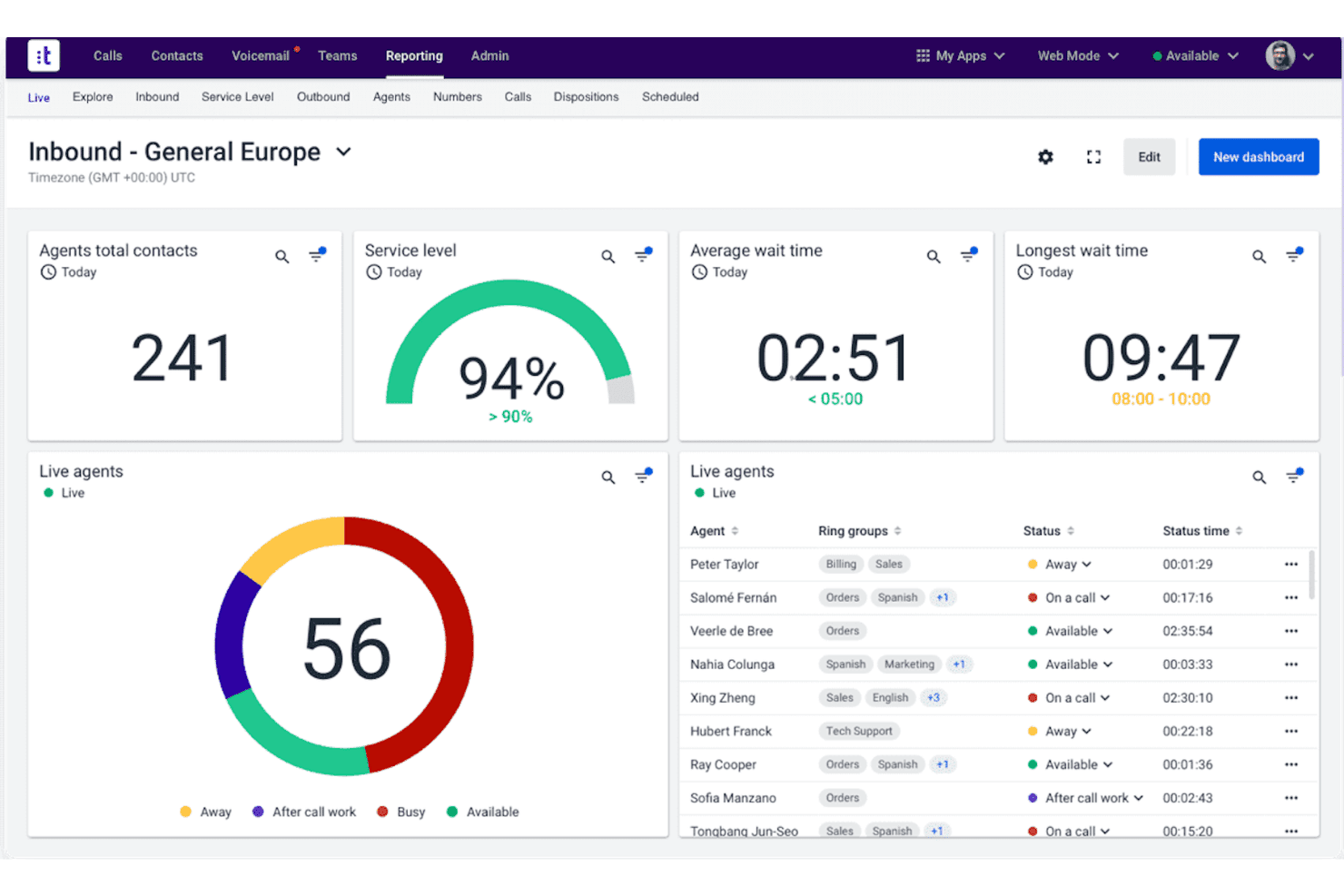
Talkdesk streamlines high-volume global sales and support. Talkdesk is a cloud contact center platform designed for businesses and CX leaders who need advanced global calling, smart call routing, and deep CRM integrations to support sales and service teams in complex, high-volume environments.
Who Is Talkdesk Best For?
Talkdesk suits support and sales leaders in regulated or industry-specific organizations who need flexible calling workflows and scalable contact center automation.
Why Talkdesk Is a Good CallHippo Alternative
I picked Talkdesk as one of the best because I can deploy vertical-specific automations using its marketplace of AI-powered agents. My team sets up banking, retail, and healthcare workflows that simplify compliance and personalize customer touchpoints out of the box.
Talkdesk Key Features
- Visual call flow designer: Build and customize IVR, routing, and workflow logic with a drag-and-drop interface.
- Omnichannel agent workspace: Manage calls, SMS, chat, and email from a single unified dashboard.
- Real-time call monitoring tools: Listen, whisper, and barge in on live calls to support team coaching and quality assurance.
- Native CRM integrations: Directly connect Talkdesk with Salesforce, Zendesk, and HubSpot for faster access to customer data.
Talkdesk Integrations
Talkdesk offers over 60 native integrations, including Salesforce, Zendesk, HubSpot, Microsoft Dynamics 365, ServiceNow, Slack, Microsoft Teams, Shopify, Oracle Service Cloud, Google Workspace, and Zapier. An API is available for custom integrations.
Pros and Cons
Pros:
- Visual drag-and-drop workflow builder
- AI-driven agent assistance tools
- Industry templates for regulated sectors
Cons:
- Initial admin setup can be time-intensive
- Lacks offline local database mode
Learn more about Talkdesk: Best for integrated voice and messaging
- 14-day free trial + free demo available
- Pricing upon request
Visit WebsiteCustomer Rating:4.3/5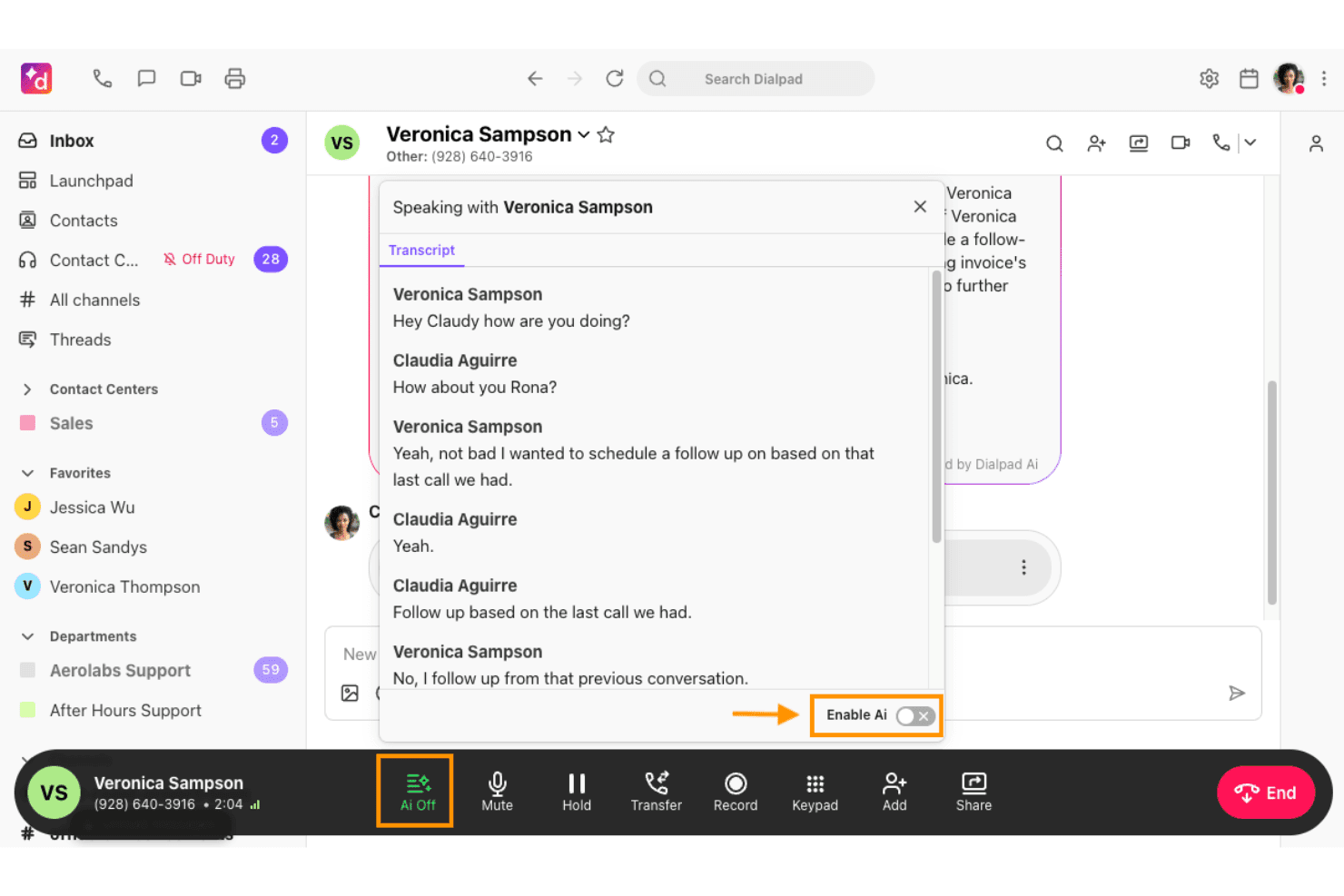
Dialpad unifies business voice, messaging, and analytics. Dialpad is a cloud-based VoIP platform for businesses that want to unify voice, messaging, and meetings, appealing to customer support teams, outbound sales, and CX leaders seeking integrated communications and analytics in one scalable solution.
Who Is Dialpad Best For?
Teams managing customer support and sales calls across distributed or hybrid work environments will find Dialpad a strong fit.
Why Dialpad Is a Good CallHippo Alternative
I picked Dialpad as one of the best because my team can manage calls, texts, and team chats all in one place, without switching platforms. I appreciate having synchronized messaging and voice across the desktop and mobile apps for smooth customer interactions.
Dialpad Key Features
- Multi-level IVR: Set up complex call routing menus to direct callers efficiently.
- Real-time call transcription: Get automatic transcriptions of calls for easy reference and review.
- Call analytics dashboards: Access detailed dashboards tracking call volume, agent activity, and call outcomes.
- Salesforce integration: Log calls and sync contacts directly within Salesforce without manual entry.
Dialpad Integrations
Dialpad offers native integrations with Salesforce, HubSpot, Zendesk, Google Workspace, Microsoft 365, Slack, Front, Zoho CRM, Okta, and ServiceNow. An API is available for custom integrations.
Pros and Cons
Pros:
- Mobile app offers full feature parity
- Advanced call routing with multi-level IVR
- Built-in real-time call transcription
Cons:
- Call quality can lag on slower networks
- SMS coverage limited in some regions
 Best for AI-powered customer interactions
- Free trial available
- From $75/user/month (billed annually)
Visit WebsiteCustomer Rating:4.4/5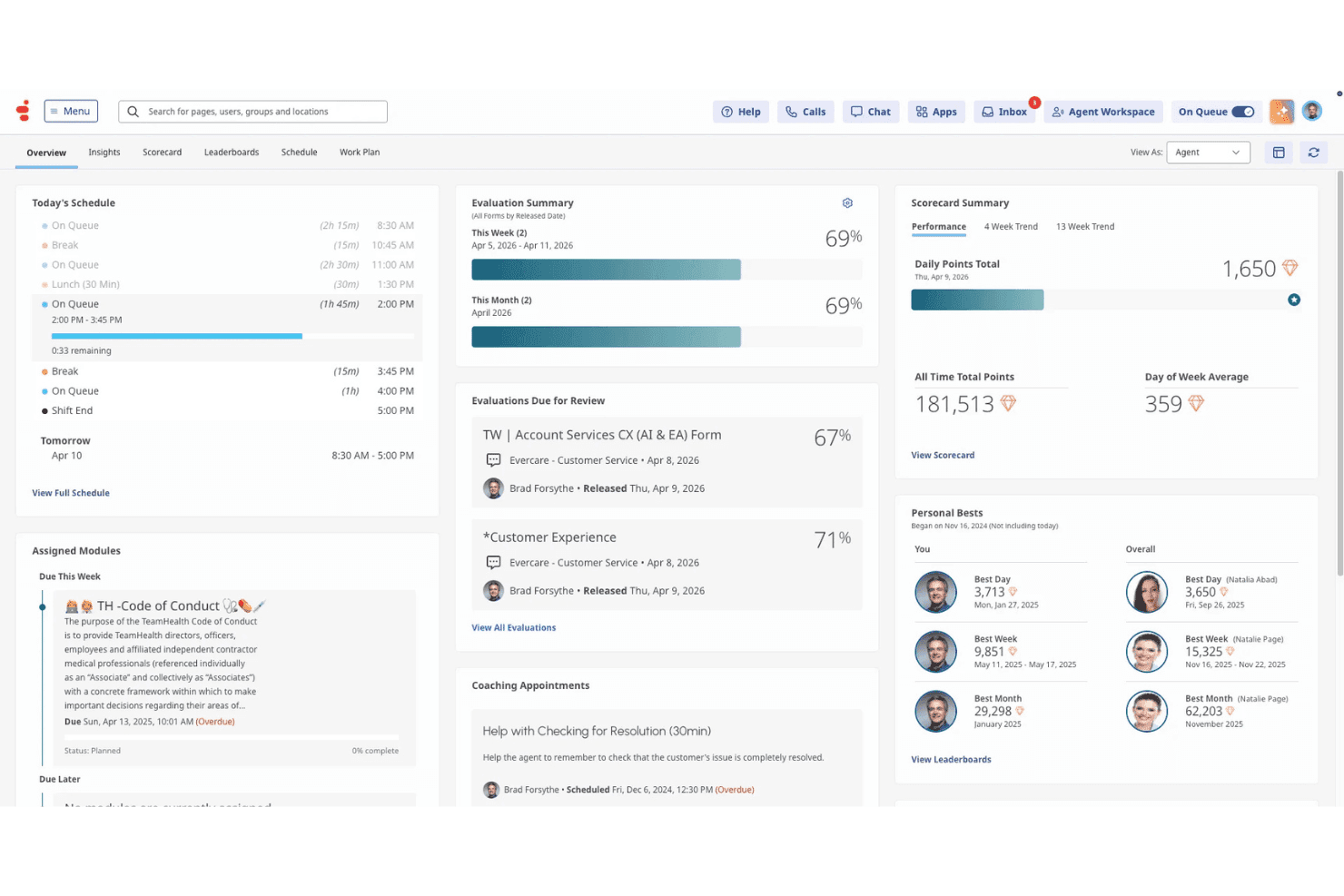
Genesys Cloud CX optimizes global customer support and sales. Genesys Cloud CX is an all-in-one cloud contact center platform for organizations that need advanced call management, international number provisioning, and deep CRM integrations to power support, sales, and customer experience operations.
Who Is Genesys Cloud CX Best For?
Enterprise and mid-sized customer support teams that need global call coverage, omnichannel engagement, and integration with leading CRM and helpdesk platforms.
Why Genesys Cloud CX Is a Good CallHippo Alternative
I picked Genesys Cloud CX as one of the best because I get advanced AI-powered tools that automate call routing, deliver real-time conversation analytics, and handle complex customer journeys that go far beyond standard cloud calling features.
Genesys Cloud CX Key Features
- Global number provisioning: Purchase and manage local, toll-free, and mobile numbers across 60+ countries.
- Multi-level IVR designer: Build complex, multi-tiered menus to route calls efficiently based on custom rules.
- Built-in call monitoring: Enable real-time listening, whisper, and barge functionalities for supervisors.
- Native CRM integrations: Connect directly with Salesforce, HubSpot, and Zendesk to sync call activity and contact data.
Genesys Cloud CX Integrations
Genesys Cloud CX offers native integrations with Salesforce, HubSpot, Zendesk, ServiceNow, Microsoft Teams, Slack, Google Cloud, Amazon Web Services, Shopify, and Jira. An API is available for custom integrations.
Pros and Cons
Pros:
- Native omnichannel customer history
- Global number management with regulatory controls
- Advanced IVR routing and automation tools
Cons:
- Heavy initial system training required
- Setup complexity requires IT involvement
Learn more about Genesys Cloud CX: Best for workflow automation in call centers
- Free demo available
- From $119/seat/month
Visit WebsiteCustomer Rating:4.1/5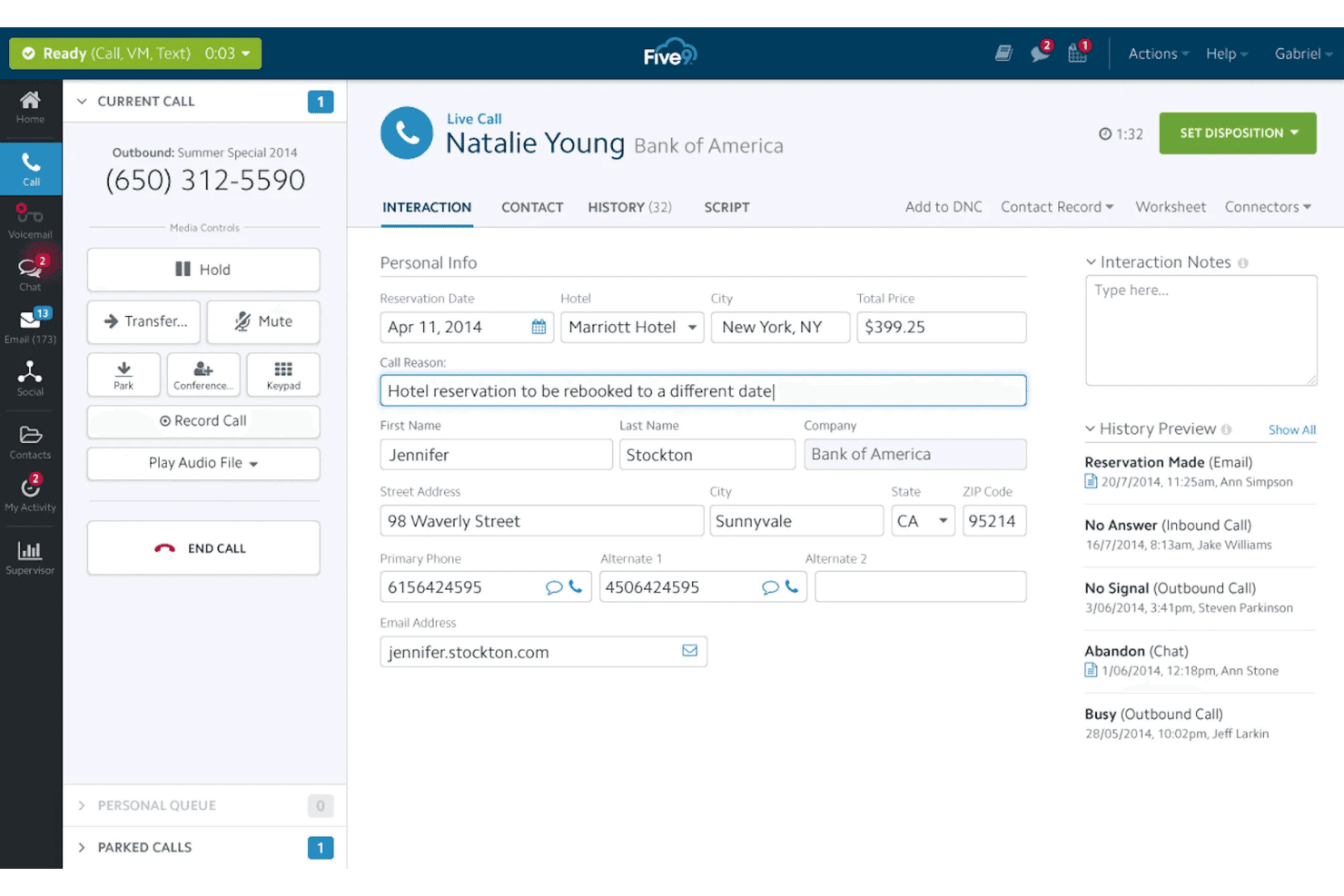
Five9 automates large-scale outbound and inbound calling. Five9 is a cloud contact center platform designed for customer service leaders and sales teams who need advanced automation, CRM integration, and international calling to manage large-scale inbound and outbound voice operations.
Who Is Five9 Best For?
Enterprise and mid-sized contact centers that need complex call workflows, AI automation, and deep CRM connectivity across global teams.
Why Five9 Is a Good CallHippo Alternative
I picked Five9 as one of the best because I can automate complex call center workflows using its visual IVR designer and advanced routing tools. My team uses AI-powered workflow automation to minimize manual call handling and boost first-contact resolution.
Five9 Key Features
- Global number provisioning: Acquire and manage local, toll-free, and international phone numbers in over 100 countries.
- Real-time supervisor dashboard: Monitor live calls, queues, and agent status with customizable dashboards.
- Omnichannel communication: Handle voice, chat, email, and SMS from a unified console.
- CRM integration tools: Connect natively with Salesforce, Zendesk, HubSpot, and more to automate call logging and screen pops.
Five9 Integrations
Five9 offers native integrations with Salesforce, Microsoft Dynamics, ServiceNow, Oracle, Zendesk, NetSuite, HubSpot, and Microsoft 365, and connects with Zapier. An API is available for custom integrations.
Pros and Cons
Pros:
- Enterprise-grade reliability for high call volumes
- AI-powered call routing and analytics
- Advanced IVR and visual workflow designer
Cons:
- Requires system administrator setup
- Setup is complex for small teams
Learn more about Five9: Best for customizable call queues
- 14-day free trial
- From $15/user/month (billed annually)
Visit WebsiteCustomer Rating:4.1/5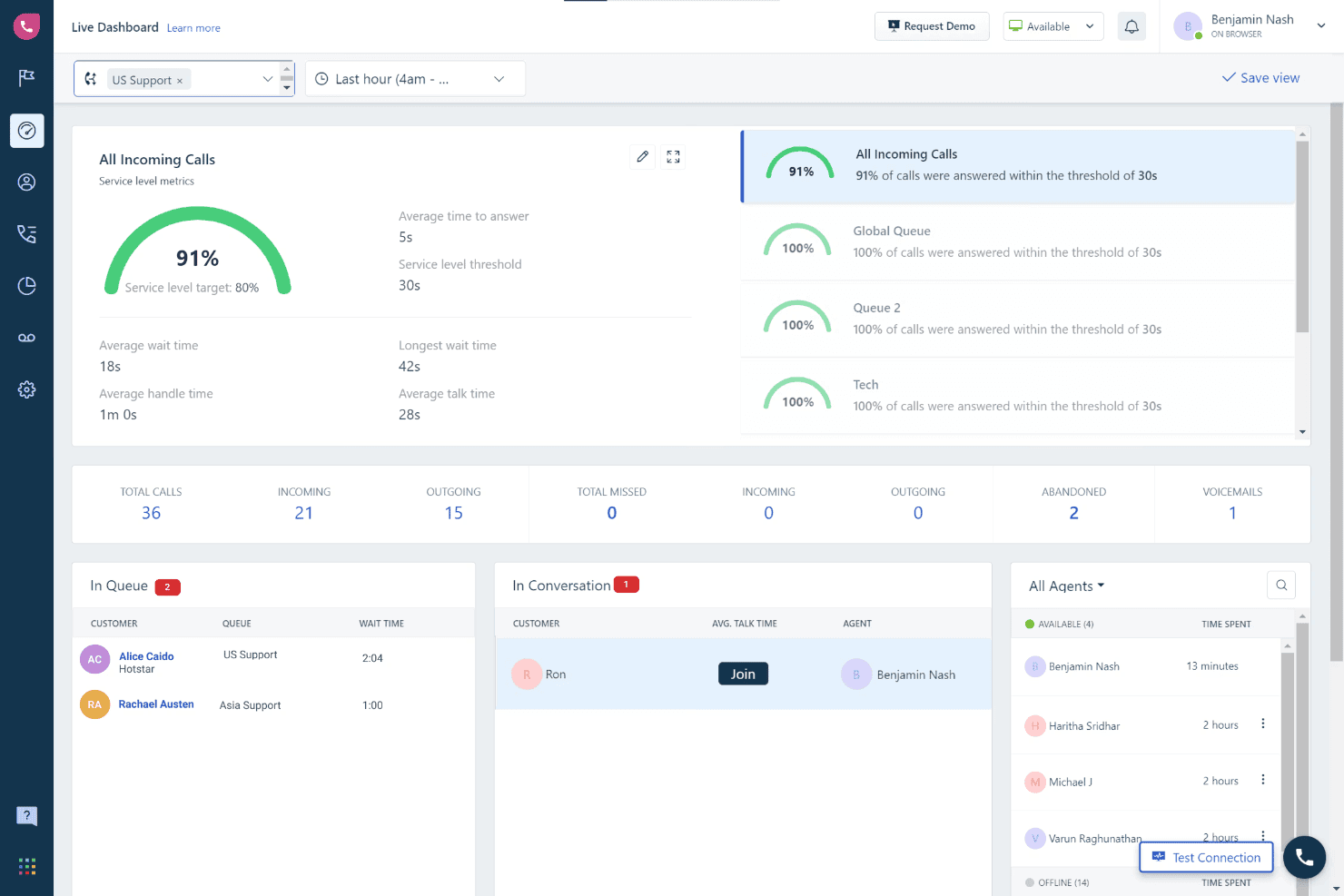
Freshcaller simplifies global calling and CRM integrations. Freshcaller is a cloud-based VoIP platform designed for customer support managers, sales teams, and contact center leaders who need international numbers, advanced routing, and deep CRM integrations without relying on hardware or complex setups.
Who Is Freshcaller Best For?
Support and sales teams at small to midsize businesses that manage high call volumes or require global phone number coverage.
Why Freshcaller Is a Good CallHippo Alternative
I picked Freshcaller as one of the best because I can build and modify call queues for any team structure, manage skills-based routing, and set up advanced queue logic to control caller flow and reduce hold times.
Freshcaller Key Features
- Bring your own carrier (BYOC): Connect your existing telephony provider to use Freshcaller's cloud interface.
- Multi-level IVR menus: Route callers through smart, customizable paths using multiple interactive voice response layers.
- Automatic call recording: Capture all inbound and outbound calls with auto-recording for compliance and quality.
- Live call monitoring: Listen in on ongoing calls and offer real-time coaching or intervention as needed.
Freshcaller Integrations
Freshcaller offers native integrations with Freshdesk, Freshsales, Salesforce, HubSpot, Zoho CRM, Zendesk, Slack, and Microsoft Teams. It also connects with Zapier and provides an API for custom integrations.
Pros and Cons
Pros:
- Global number coverage for international teams
- Multi-level IVR with advanced configuration options
- Customizable call queues for routing logic
Cons:
- Automated QA analytics not included by default
- Lacks offline database synchronization features
Learn more about Freshcaller:
Other Callhippo Alternatives
Here are some additional Callhippo alternatives options that didn’t make it onto my shortlist, but are still worth checking out:
- 11AircallBest for easy CRM integrations
- 128x8Best for all-in-one communications and analytics
- 13MightyCallBest for call routing simplicity
- 14GrasshopperBest for entrepreneurs needing virtual numbers
- 15JustCallBest for outbound sales teams
- 16Phone.comBest for a la carte feature customization
- 17Ooma OfficeBest for mobile-first small businesses
- 18KrispCallBest for unified communication inbox
- 19GoTo ConnectBest for easy device and deskphone setup
- 20QuoBest for call tracking and attribution
How I Evaluate CallHippo Alternatives
When agents need to handle queues, record calls, and sync data to their CRM, those are baseline features any CallHippo alternative must match. I then look at differentiators like AI call summaries, multi-line dialers, and global number depth.
Core Functionality (Table Stakes For This List)
When I'm selecting tools for my list, I rank each one on a scale from 0 (does not offer the functionality) to 5 (excels in this area) for each core functionality listed below. Then, I calculate the tool's total score into a percentage. Each tool needs to achieve a minimum total score of 65% to be considered for inclusion.
- Cloud Calling: I check for reliable HD VoIP on both desktop and mobile apps, so remote agents get the same call quality as office-based teams.
- Multi-Country Numbers: Coverage matters—I look at how many countries are supported and whether local, toll-free, and mobile number types are all available.
- Call Routing & IVR: Routing should include skill-based rules and multi-level IVR menus so callers reach the right agent without bouncing between departments.
- Call Recording & Monitoring: Supervisors need live listen, whisper, and barge options alongside automatic recording to coach agents during real conversations.
- CRM & Helpdesk Integrations: Each tool should sync call data with platforms like Salesforce, HubSpot, or Zendesk so reps aren't manually logging every interaction.
- Call Analytics & Reporting: Dashboards covering call volume, talk time, and agent activity help CX leads spot queue bottlenecks and track team performance.
Once I have a list of tools that meet the criteria, I consider what sets each platform apart.
Differentiating Factors (What Sets Vendors Apart)
Here's how I compare and contrast different vendors:
Standout Features
AI conversation intelligence is a big differentiator—I look for real-time transcription and sentiment analysis that help supervisors flag coaching moments without reviewing every call manually. Power and parallel dialers also matter for outbound teams, since multi-line dialing lets reps connect with significantly more prospects per session. Local presence dialing rounds this out by rotating caller IDs to match the recipient's area code, which directly improves answer rates.
Beyond Features
Pricing transparency is something I always evaluate—hidden per-minute charges and add-on fees for numbers or AI features can double your actual cost beyond the advertised per-user rate. Call quality depends on carrier infrastructure, so I check for published uptime SLAs and STIR/SHAKEN attestation to reduce spam-flagging. Compliance also matters for teams in regulated industries; I look for certifications like SOC 2 Type II and HIPAA, plus call recording consent controls for outbound sales.
Why Look For A Callhippo Alternative?
While Callhippo is a good choice of VoIP software, there are a number of reasons why some users seek out Callhippo alternatives. You might be looking for a best Callhippo alternative because…
- You need deeper CRM or helpdesk integrations
- Your team experiences frequent call quality issues
- You want advanced features like AI call analytics or real-time analytics
- You support customers or reps in more countries and need a more scalable global calling reach
- Your business requires higher uptime guarantees from its providers
- You need more transparent or predictable pricing and pricing plans with no hidden add-ons
If any of these sound like you, you’ve come to the right place to find a replacement business phone system. My list contains several alternative VoIP solutions and phone system options, including modern cloud-based platforms with a built-in mobile app, that are better suited for small businesses, startups, and sales teams facing these challenges with Callhippo.
Callhippo Key Features
Here are some of the key features of Callhippo, to help you contrast and compare what alternative communication platform options offer for your day-to-day business needs:
- Cloud calling: Make and receive inbound calls over the internet using desktop and mobile devices, supporting distributed and remote teams without hardware.
- Multi-country phone numbers: Instantly purchase and manage local, toll-free numbers, and international numbers for different countries to expand your international calling capabilities to global customers or teams.
- Call routing & IVR: Direct incoming calls to the right agents through automated flows, interactive IVR menus, time-based rules, and skill-based call handling or call queues to minimize wait times.
- Call recording: Automatically or manually record calls for quality assurance, training, and compliance, with easy playback, download options, and voicemail transcription.
- Live call monitoring: Supervisors can use call monitoring to listen to, whisper, or barge into live calls to coach agents, monitor performance, or handle escalations in real-time.
- CRM integrations: Natively connect with tools like Salesforce, HubSpot, and Zoho to sync call logs, automate data entry, manage text messaging workflows, and maintain accurate customer records.
- Call analytics & reporting: Access a centralized dashboard and reports that track call volume, agent activity, response times, and call outcomes to enable continuous optimization.
- Power dialer: This AI-powered dialer can automatically cycle through call lists for outbound campaigns, increasing productivity for support teams managing high outbound call volumes.
- Voicemail-to-email: Send voicemail messages to email inboxes, making it faster for agents to respond even when out of the office or after hours.
- Team collaboration tools: Enable internal calls, team messaging, and shared notes so agents and supervisors can stay aligned across every stage of customer support.