

Freshcaller Review: Pros, Cons, Features and Pricing
Freshcaller excels with its intuitive interface and scalable features, making it ideal for businesses seeking a flexible call center solution.

We review tools independently, and commissions help fund our testing. See our transparency policy, our methodology, or suggest a tool.
Freshcaller is a cloud-based call center software built for teams that need to manage inbound and outbound calls with IVR, call routing, and call recording without a lengthy setup process. If your team is already in the Freshworks ecosystem, Freshcaller is worth a close look over Aircall—the native integration with Freshdesk connects your phone channel directly to your support workflow in a way that Aircall's third-party connector simply doesn't match.
Freshcaller Evaluation Summary
4.1/5
- From $15/user/month (billed annually)
- 14-day free trial
Why Trust Our Software Recommendations
6,700+
Reviews
20
Industry experts
16+
Evaluation factors
14
Years
Our team has been testing and reviewing software since 2012. As CX leaders ourselves, we know how difficult—and important—it is to choose the right software.
For this guide, we evaluated tools using hands-on testing and independent research, scoring tools using our selection criteria.
Our reviews reflect our human editorial judgment, not a sales pitch.
Freshcaller Overview
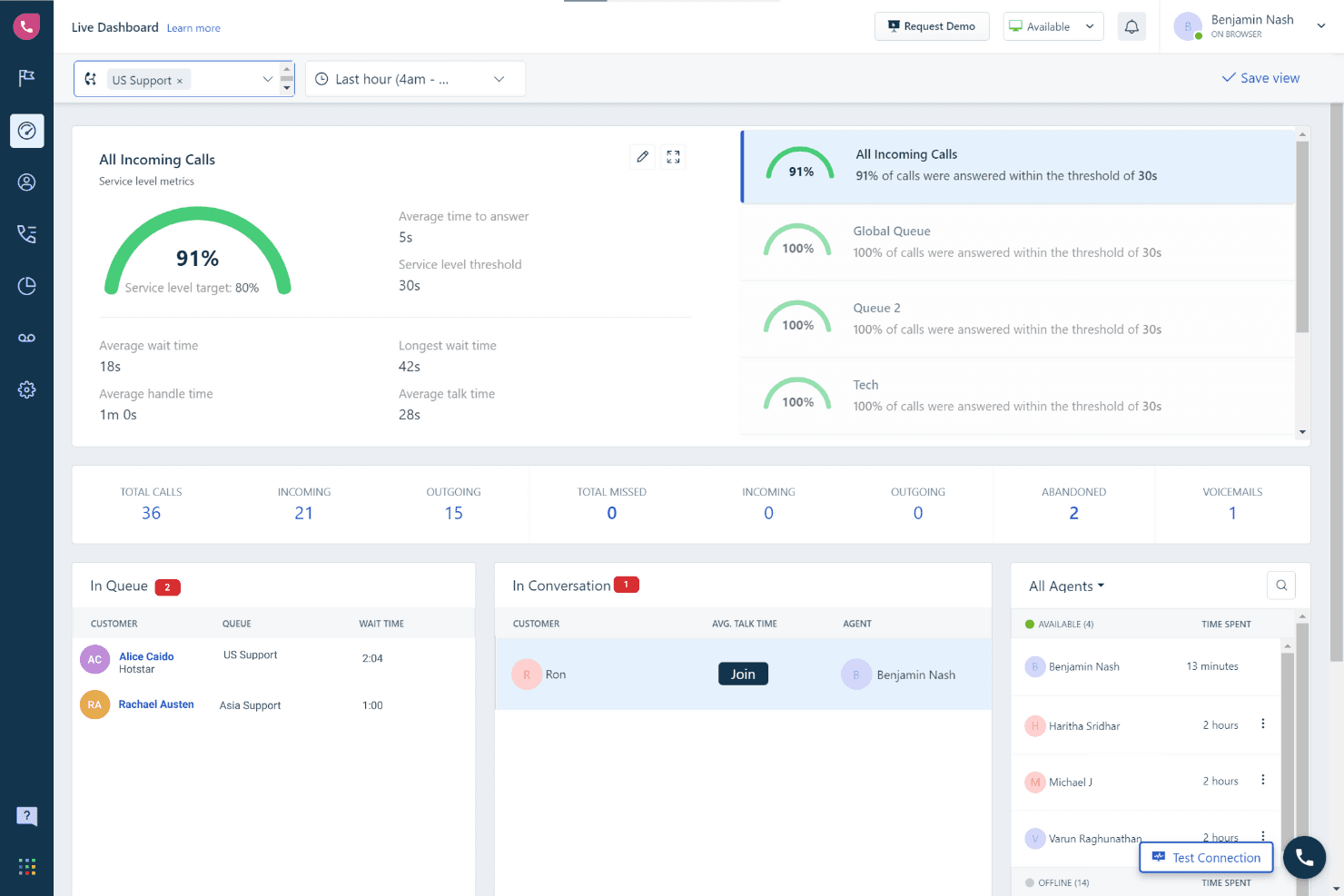
From my perspective, Freshcaller shines as a call center software, particularly for businesses seeking a straightforward setup and intuitive interface. I think its affordable pricing and integration with Freshdesk Contact Center make it a strong contender, though it may lack some advanced features found in more expensive competitors.
Freshcaller is best for small to medium-sized teams that prioritize ease of use, efficient business communications and value for money. While its customer support is generally responsive, some users might find the lack of certain integrations limiting for their business needs. If you're deciding between Freshcaller and more complex systems, consider your team's specific needs and whether Freshcaller's simplicity aligns with your operational goals.
Pros
- You can easily set up and start using Freshcaller without much hassle.
- Its interface is user-friendly, making it simple for your team to navigate.
- It offers a range of useful call center features that improve your team's productivity.
Cons
- Your calls might drop or the system might crash occasionally.
- It sometimes loses data, which can be frustrating during important calls.
- The mobile app is basic and lacks some essential features.
Is Freshcaller Right For Your Needs?
Who Would be a Good Fit for Freshcaller?
Freshcaller is ideal for businesses aiming to streamline their call center operations without the need for physical phone hardware. It suits industries such as retail, hospitality, and logistics, where managing incoming call flows and volumes efficiently is crucial. Features like multi-level IVRs and automated routing ensure that calls reach the right team members, enhancing customer service. If your team needs robust integration with CRM tools like Salesforce or HubSpot, Freshcaller provides seamless compatibility, which can significantly boost productivity.
- Small BusinessesFreshcaller offers affordable plans with essential features, making it a practical choice for small businesses needing reliable call management without high costs.
- Retail & E-commerceWith its ability to handle high call volumes, reduce wait times and provide real-time insights and custom greetings, Freshcaller is perfect for retail and e-commerce sectors where customer satisfaction is key.
- Customer Support TeamsThe integration with CRM tools like Salesforce enhances customer interaction by providing agents with comprehensive customer data, leading to more personalized support and better help desk performance.
- NGOs/NFPsFreshcaller's cost-effective pricing and easy setup are beneficial for NGOs and non-profits that need efficient communication tools without straining their budget.
- Leisure & HospitalityIts automated routing and IVR capabilities ensure that guests and clients are connected to the appropriate departments swiftly, improving service quality.
- Logistics & TransportationReal-time dashboards and call monitoring help logistics companies maintain efficient communication channels, crucial for time-sensitive operations.
Who Would be a Bad Fit for Freshcaller?
If you're a large enterprise needing intricate call center operations, Freshcaller might not be for you. Its feature set is tailored more for small to medium-sized businesses, lacking the advanced capabilities that larger organizations might demand. For instance, if your team requires a complex phone system, call routing or in-depth analytics, Freshcaller may fall short. Additionally, if your business relies heavily on integrations with a wide array of other software or specific providers, Freshcaller’s limited integration options could be a stumbling block.
- Large EnterprisesFreshcaller lacks the advanced features and scalability required by large enterprises with complex call center operations.
- Tech-Savvy DepartmentsIf your department needs extensive customization and advanced integrations, Freshcaller’s limited options could be a hindrance.
- Highly Regulated IndustriesIndustries like finance or healthcare needing robust compliance features might find Freshcaller inadequate.
- Data-Driven RolesRoles that rely heavily on analytics and reporting may find Freshcaller's basic reporting insufficient.
- Global TeamsFreshcaller only offers support in the major languages. So if your team operates globally and requires support in more languages or toll-free numbers across regions, Freshcaller’s offerings might not meet your needs.
- Customer Support DepartmentsDepartments needing 24/7 support might struggle with Freshcaller's limited customer service availability.
How We Test & Score Tools
We’ve spent years building, refining, and improving our software testing and scoring system. The rubric is designed to capture the nuances of software selection and what makes a tool effective, focusing on critical aspects of the decision-making process.
Below, you can see exactly how our testing and scoring works across seven criteria. It allows us to provide an unbiased evaluation of the software based on core functionality, standout features, ease of use, onboarding, customer support, integrations, customer reviews, and value for money.
Core Functionality (25% of final scoring)
The starting point of our evaluation is always the core functionality of the tool. Does it have the basic features and functions that a user would expect to see? Are any of those core features locked to higher-tiered pricing plans? At its core, we expect a tool to stand up against the baseline capabilities of its competitors.
Standout Features (25% of final scoring)
Next, we evaluate uncommon standout features that go above and beyond the core functionality typically found in tools of its kind. A high score reflects specialized or unique features that make the product faster, more efficient, or offer additional value to the user.
We also evaluate how easy it is to integrate with other tools typically found in the tech stack to expand the functionality and utility of the software. Tools offering plentiful native integrations, 3rd party connections, and API access to build custom integrations score best.
Ease of Use (10% of final scoring)
We consider how quick and easy it is to execute the tasks defined in the core functionality using the tool. High scoring software is well designed, intuitive to use, offers mobile apps, provides templates, and makes relatively complex tasks seem simple.
Onboarding (10% of final scoring)
We know how important rapid team adoption is for a new platform, so we evaluate how easy it is to learn and use a tool with minimal training. We evaluate how quickly a team member can get set up and start using the tool with no experience. High scoring solutions indicate little or no support is required.
Customer Support (10% of final scoring)
We review how quick and easy it is to get unstuck and find help by phone, live chat, or knowledge base. Tools and companies that provide real-time support score best, while chatbots score worst.
Customer Reviews (10% of final scoring)
Beyond our own testing and evaluation, we consider the net promoter score from current and past customers. We review their likelihood, given the option, to choose the tool again for the core functionality. A high scoring software reflects a high net promoter score from current or past customers.
Value for Money (10% of final scoring)
Lastly, in consideration of all the other criteria, we review the average price of entry level plans against the core features and consider the value of the other evaluation criteria. Software that delivers more, for less, will score higher.
Core Features
Call Transfers
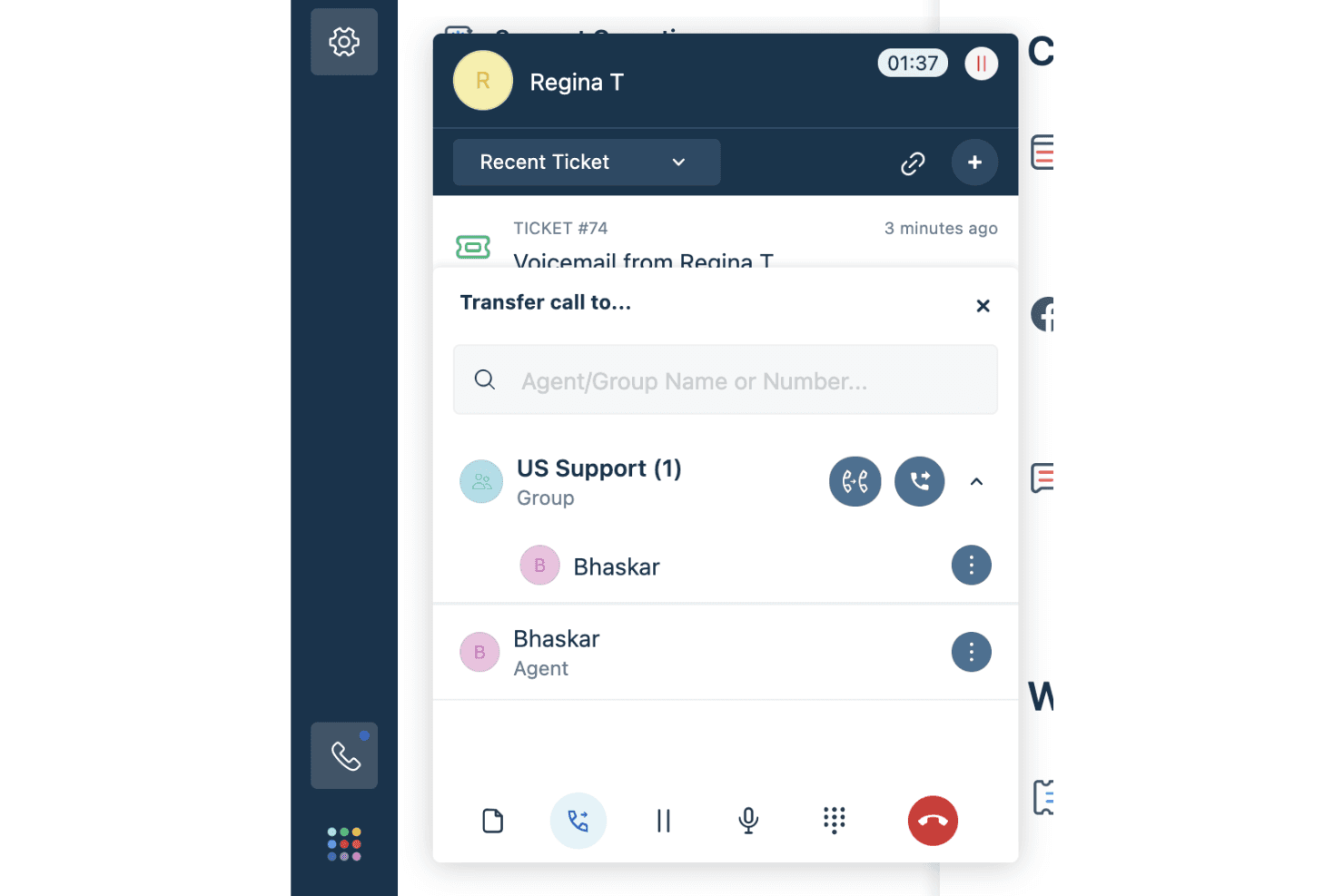
Freshcaller lets your team seamlessly transfer calls, whether cold or warm, ensuring that customers are directed to the right agent. This feature helps maintain continuity and reduces customer frustration by getting them the help they need promptly.
Call Conferencing
This feature allows multiple team members to join a call, facilitating collaborative problem-solving and improving customer satisfaction. You can bring in supervisors or other agents to resolve complex issues more effectively.
Call Forwarding
Never miss important calls with Freshcaller's call forwarding, which redirects calls to available agents or external numbers. This ensures that your team's availability is maximized, and customer queries are addressed without delay.
Hold and Mute Options
These in-call functionalities let your agents manage calls better by putting customers on hold or muting calls when needed. It helps in managing sensitive information or coordinating with team members without disrupting the customer interaction.
Shared Call Appearance
With this feature, your team can handle multiple calls from a single phone number, enhancing efficiency. It's particularly useful for managing high call volumes and ensuring that queries are addressed promptly.
Interactive Voice Response (IVR)
Freshcaller supports IVR systems, allowing you to set up automated call routing based on customer input. This speeds up query resolution and ensures that customers reach the right department quickly.
Ease of Use
Freshcaller is praised for its intuitive navigation, making it easy for your team to move between features. Everything's neatly organized in the left navigation menu, which simplifies access. The software's design includes two main screens, helping users understand when they're viewing top-level information or delving into project details. This structure aids in quick learning and efficient use, setting Freshcaller apart from more complex call center software.
Integrations
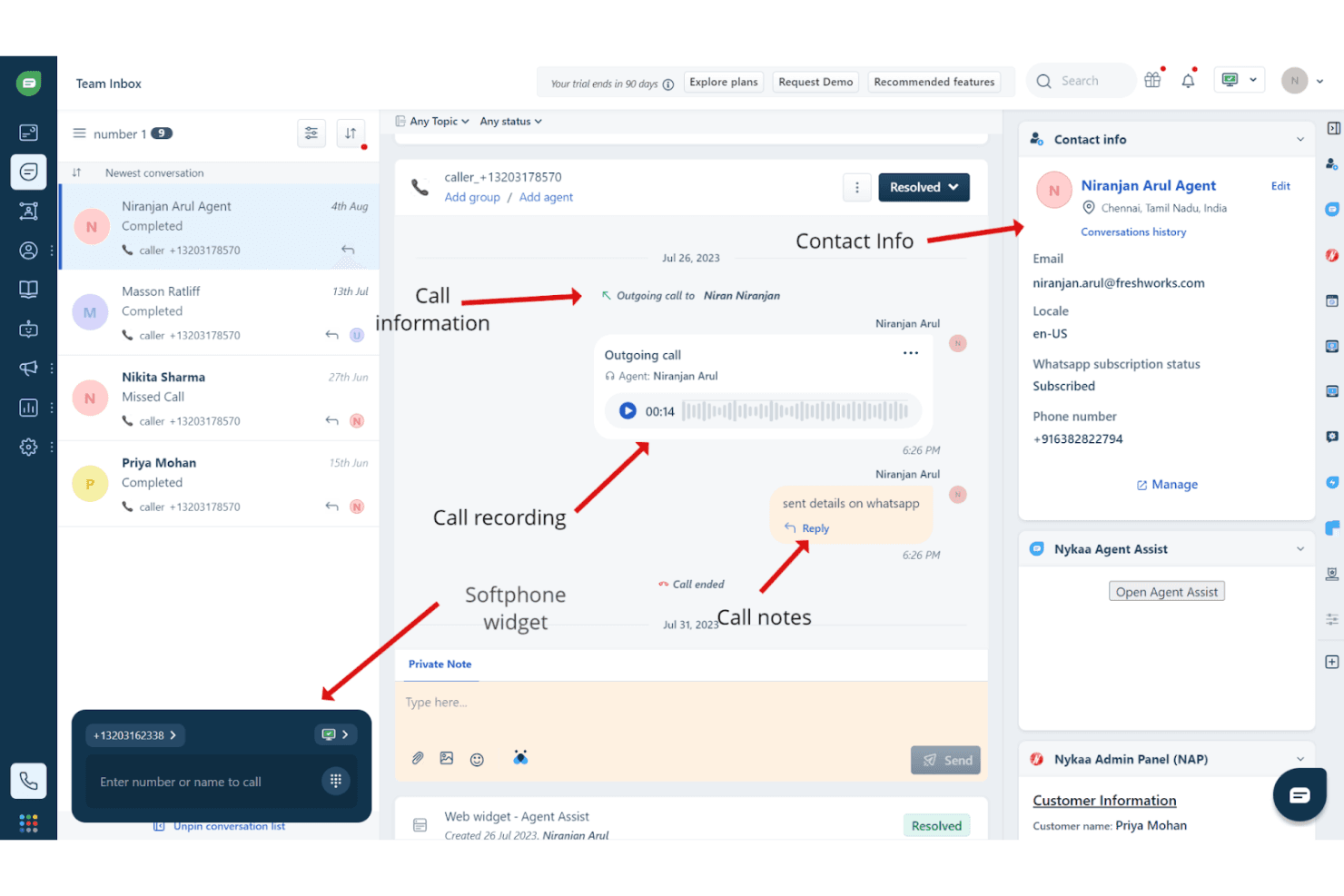
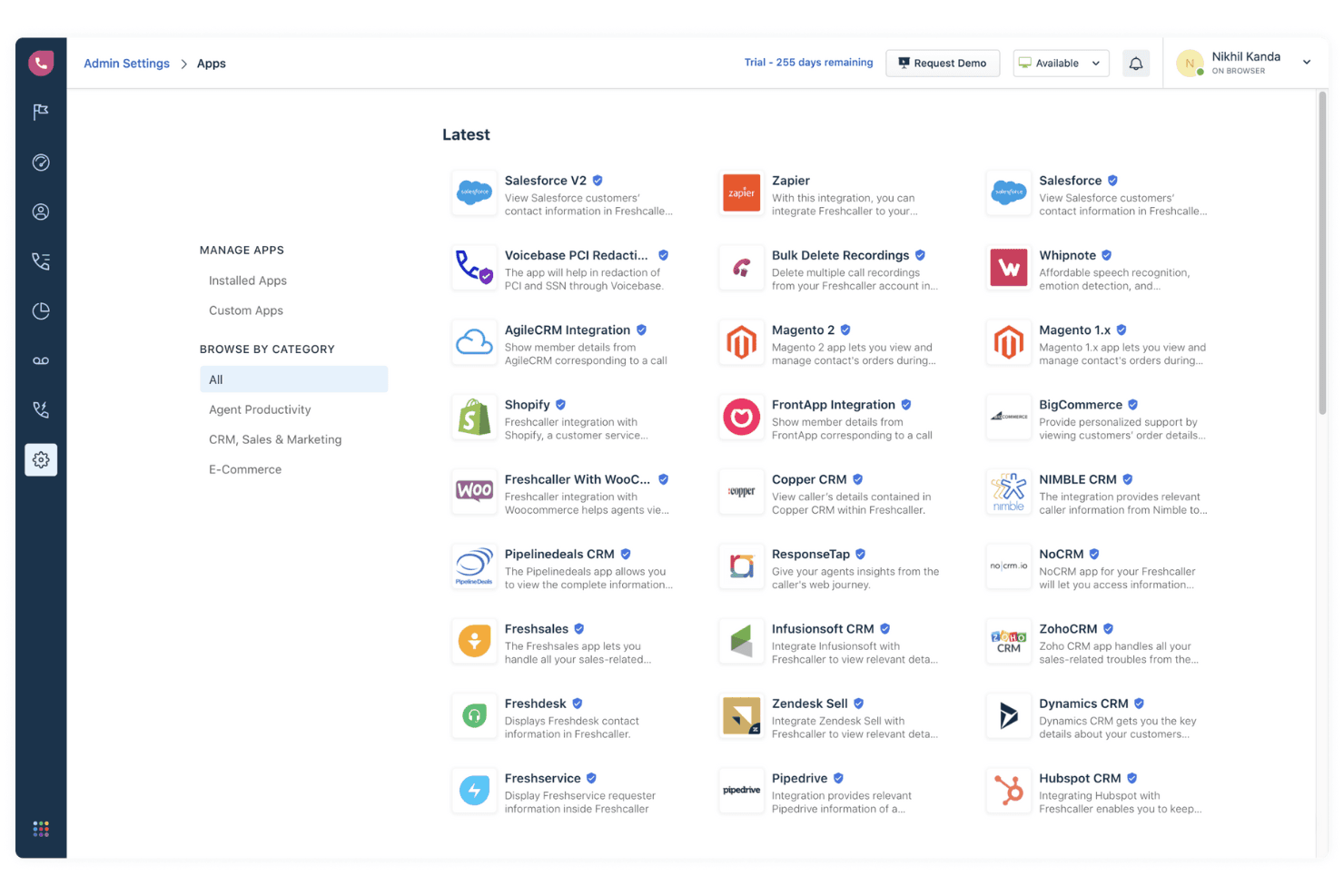
Freshcaller integrates with Freshdesk, Slack, HubSpot CRM, Shopify, Microsoft Teams, Zapier, Zoho CRM, Pipedrive, Google Calendar, and Trello. Freshcaller also provides an API for integration with various business operations, including user and team management, call handling, and data export. Additionally, Freshcaller connects with third-party integration tools like Zapier to enhance its connectivity with other applications.
Freshcaller Specs
- Analytics: No
- API: Yes
- Auto Dialer: Yes
- Automatic Call Distribution: Yes
- Batch Permissions & Access: No
- Calendar Management: No
- Call Disposition: Yes
- Call Logging: Yes
- Call Monitoring: No
- Call Recording: Yes
- Call Scripting: No
- Call Tracking: No
- Chat: No
- Click-to-Dial: No
- Comparative Reporting: No
- Contact Management: No
- Contact Sharing: No
- Custom Data Forms: No
- Customer Management: Yes
- Dashboard: Yes
- Data Export: No
- Data Import: No
- Data Visualization: Yes
- Email Integration: Yes
- Escalation Management: Yes
- External Integrations: Yes
- Interactive Voice Response: Yes
- Lead Management: No
- Lead Scoring: No
- Marketing Automation: No
- Multi-User: Yes
- Notifications: No
- Scheduling: Yes
- Softphone: Yes
- Supplier Management: No


