

Los 10 mejores software de mesa de ayuda local analizados en 2026

Lista de los mejores programas de mesa de ayuda locales


El software de mesa de ayuda local ayuda a los equipos de TI y de experiencia del cliente a gestionar la atención al cliente con un control total sobre sus datos, infraestructura y personalización. Es ideal para organizaciones con requisitos estrictos de cumplimiento normativo o equipos que necesitan adaptar los flujos de trabajo, los permisos y las integraciones para ajustarlos a los sistemas internos. Estas herramientas centralizan la gestión de tickets, automatizan tareas y agilizan la comunicación, al tiempo que mantienen los datos confidenciales seguros bajo su control.
He revisado y probado las principales soluciones de mesa de ayuda locales basándome en la seguridad de los datos, la flexibilidad de implementación, la facilidad de uso, el nivel de personalización y la relación calidad-precio general. Esta guía desglosa mis principales opciones, lo que distingue a cada una y cómo elegir la más adecuada para el tamaño, la complejidad y los requisitos de control de su equipo.
Por qué confiar en nuestras recomendaciones de software
Nuestro equipo lleva probando y evaluando software desde 2012. Como líderes de CX, sabemos lo difícil —y lo importante— que es elegir el software adecuado.
Para esta guía, evaluamos las herramientas mediante pruebas prácticas e investigación independiente, puntuando las herramientas según nuestros criterios de selección.
Nuestras reseñas reflejan nuestro criterio editorial humano, no un discurso de ventas.
Resumen de los mejores programas de mesa de ayuda locales
A continuación se incluyen mis resúmenes detallados de los mejores programas de mesa de ayuda locales que llegaron a mi lista de opciones. Mis reseñas ofrecen una visión detallada de las funciones clave, las ventajas y & desventajas, las integraciones y los casos de uso ideales de cada herramienta para ayudarle a encontrar la mejor opción para usted.
| Tool | Best For | Trial Info | Price | ||
|---|---|---|---|---|---|
| 1 | Mejor con portal de autoservicio personalizable | Prueba gratuita de 14 días | Precio a consultar | Website | |
| 2 | Mejor para retroalimentación de la comunidad | Prueba gratuita de 14 días + demostración gratis disponible | Desde $49/agente/mes (facturado anualmente) | Website | |
| 3 | Mejor para la gestión centralizada de tickets | Prueba gratuita disponible | Desde $478/usuario/anual | Website | |
| 4 | Ideal para grandes organizaciones | Prueba gratuita de 14 días + demo gratuita disponible | Desde $39/usuario/mes | Website | |
| 5 | Ideal para equipos pequeños | Demo gratuita disponible | Desde $29/mes | Website | |
| 6 | Ideal para la gestión de servicios de TI | Prueba gratuita de 30 días | Desde $24.95/mes | Website | |
| 7 | Mejor para autoalojamiento | Prueba gratuita de 21 días | Desde $699 (facturado anualmente) | Website | |
| 8 | Ideal para precios económicos | Prueba gratuita disponible | Desde 30 €/mes | Website | |
| 9 | Mejor para cumplimiento de privacidad | Prueba gratuita de 14 días | Desde $15/usuario/mes (facturado anualmente) | Website | |
| 10 | La mejor opción para flujos de trabajo personalizados | Demostración gratuita disponible | Precios a consultar | Website |

Reseña de los mejores programas de mesa de ayuda locales
A continuación se incluyen mis resúmenes detallados de los mejores programas de mesa de ayuda locales que llegaron a mi lista de opciones. Mis reseñas ofrecen una visión detallada de las funciones clave, las ventajas y & desventajas, las integraciones y los casos de uso ideales de cada herramienta para ayudarle a encontrar la mejor opción para usted.
SysAid
Mejor con portal de autoservicio personalizable
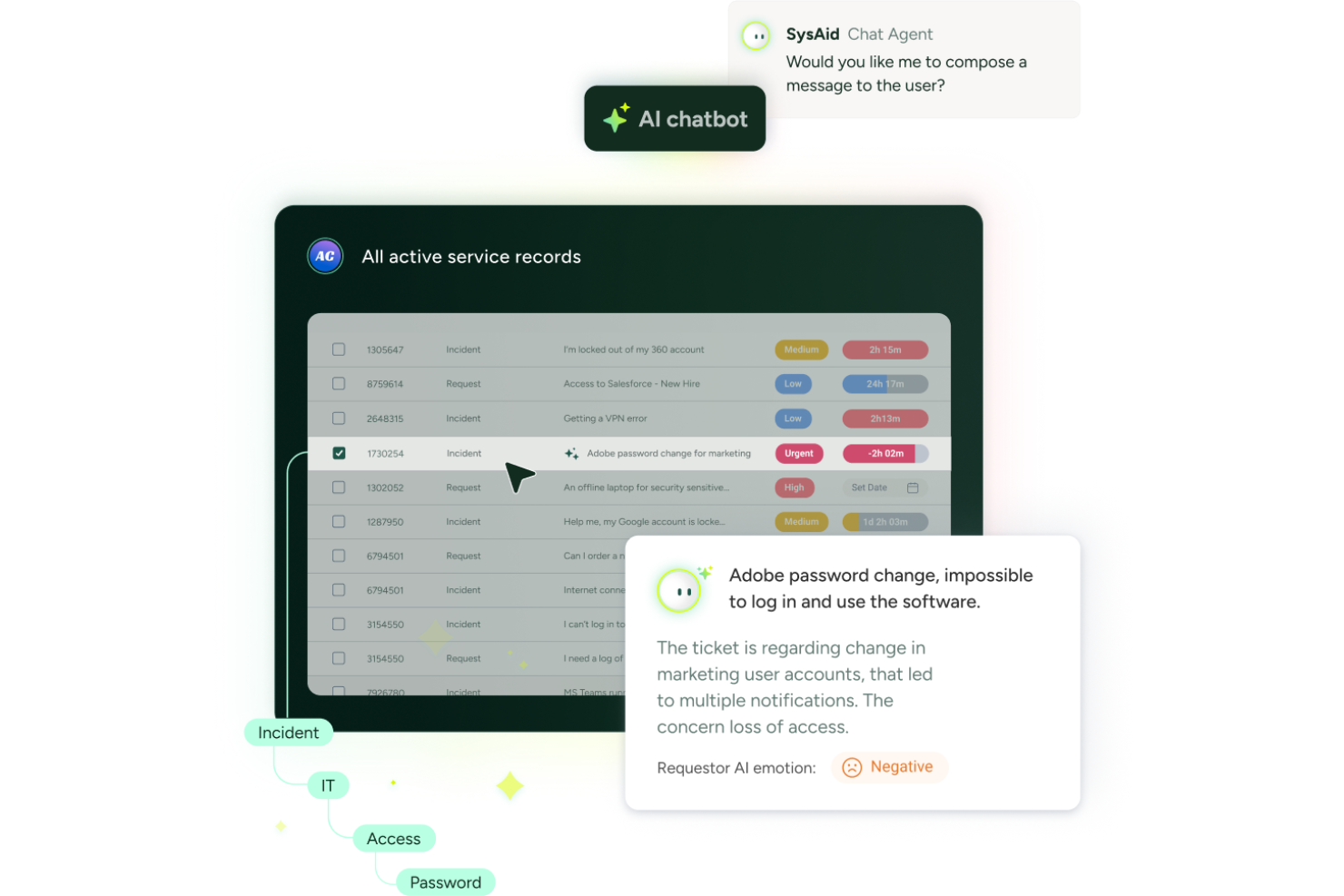
SysAid ofrece software de mesa de ayuda local diseñado para equipos de TI que necesitan control sobre sus datos y flujos de trabajo. Es una opción sólida para organizaciones en industrias reguladas o aquellas con requerimientos de seguridad estrictos. Con un enfoque en la automatización, personalización y gestión de activos de TI, SysAid ayuda a los equipos a manejar tickets, rastrear activos y optimizar operaciones de servicio desde una sola plataforma.
¿Para quién es mejor SysAid?
SysAid es ideal para organizaciones medianas y grandes con equipos de TI dedicados que requieren una implementación local y controles avanzados de gestión de servicios.
Por qué elegí SysAid
Para los equipos que desean empoderar a los usuarios y reducir el volumen de tickets, elegí SysAid por su portal de autoservicio altamente personalizable. El portal te permite adaptar la apariencia, el funcionamiento y el contenido para que coincidan con la identidad y los flujos de trabajo de tu organización, lo cual es especialmente importante en entornos locales donde el control es fundamental. Me gusta que puedes crear una base de conocimientos, automatizar solicitudes comunes y brindar a los usuarios acceso directo a los recursos de TI, todo desde un portal que administras completamente. Este nivel de personalización ayuda a los equipos de TI a ofrecer una experiencia de soporte más consistente y amigable para el usuario.
Características clave de SysAid
Otras características que hacen de SysAid una excelente opción para software de ayuda local incluyen:
- Enrutamiento automatizado de tickets: Asigna los tickets entrantes al técnico o equipo adecuado según reglas y categorías predefinidas.
- Gestión de activos de TI: Rastrear activos de hardware y software en toda la organización, incluyendo el estado del ciclo de vida y la propiedad.
- Herramientas de control remoto: Accede y resuelve problemas en los dispositivos de los usuarios directamente desde la interfaz de la mesa de ayuda sin levantarte de tu escritorio.
- Reportes y análisis personalizados: Crea y programa reportes para monitorear el desempeño del servicio, tendencias de tickets y métricas de cumplimiento.
Integraciones de SysAid
Las integraciones incluyen Microsoft Teams, Jira, SAP, Salesforce, ilert, LDAP, Active Directory, correo electrónico, Workato y Moveworks. También está disponible una API para integraciones personalizadas.
Pros and Cons
Pros:
- Seguimiento de cambios y activos integrado
- Personalización de la interfaz sin código para administradores no técnicos
- El envío de tickets mediante teclas rápidas acelera los reportes
Cons:
- La búsqueda en la base de conocimientos puede devolver resultados irrelevantes
- Integraciones limitadas de terceros prediseñadas
New Product Updates from SysAid

SysAid Adds Bulk Contract Import
SysAid added bulk contract import to License Manager Essentials, letting admins upload a CSV template, validate entries, and create multiple contracts at once. For more information, visit SysAid's official site.

Mejor para retroalimentación de la comunidad
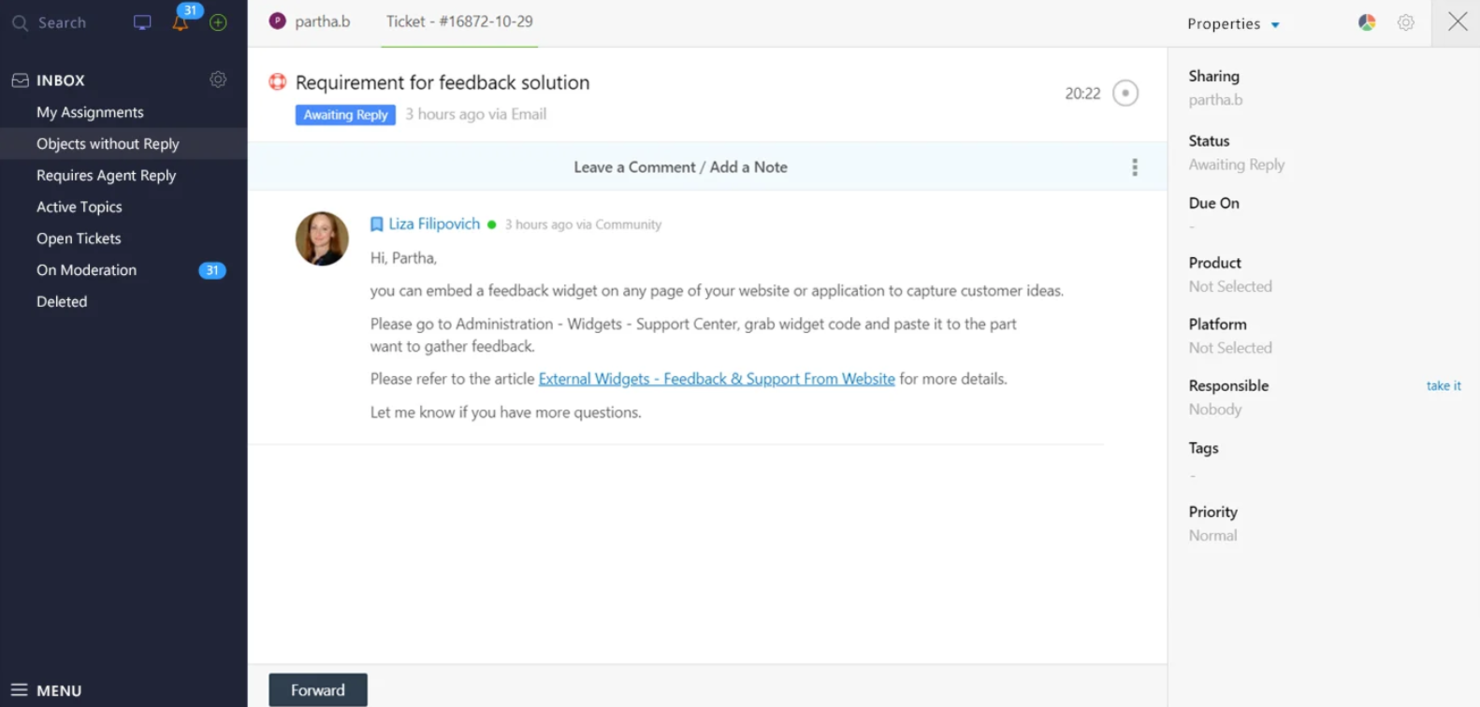
UseResponse es un software de mesa de ayuda local diseñado para equipos que valoran la interacción comunitaria y la retroalimentación. Combina gestión de tickets, recopilación de comentarios y foros de soporte para mejorar la participación del cliente.
Por qué elegí UseResponse: Destaca en la recolección de retroalimentación de la comunidad, lo cual es crucial para los equipos que buscan alinear sus servicios con las necesidades de los clientes. El software incluye un módulo de comentarios donde los usuarios finales pueden compartir ideas y sugerencias, ayudándote a priorizar mejoras basadas en aportes directos. Además, la función de foro de soporte permite que los usuarios se ayuden entre sí, reduciendo los tickets de soporte y fomentando un sentido de comunidad.
Características destacadas e integraciones:
Características incluye una base de conocimientos que permite a tu equipo crear y compartir información con los usuarios. Las herramientas de automatización agilizan tareas repetitivas, haciendo que tu equipo sea más eficiente. Además, los widgets personalizables permiten integrar opciones de comentarios y soporte directamente en tu sitio.
Integraciones incluyen Slack, Microsoft Teams, Jira, Salesforce, Zendesk, Trello, Google Workspace, Microsoft Outlook, Dropbox y Asana.
Pros and Cons
Pros:
- Prioriza mejoras impulsadas por el cliente
- Widgets de retroalimentación personalizables
- Las herramientas de automatización mejoran la eficiencia
Cons:
- Analítica avanzada limitada
- No es ideal para equipos pequeños

Mejor para la gestión centralizada de tickets
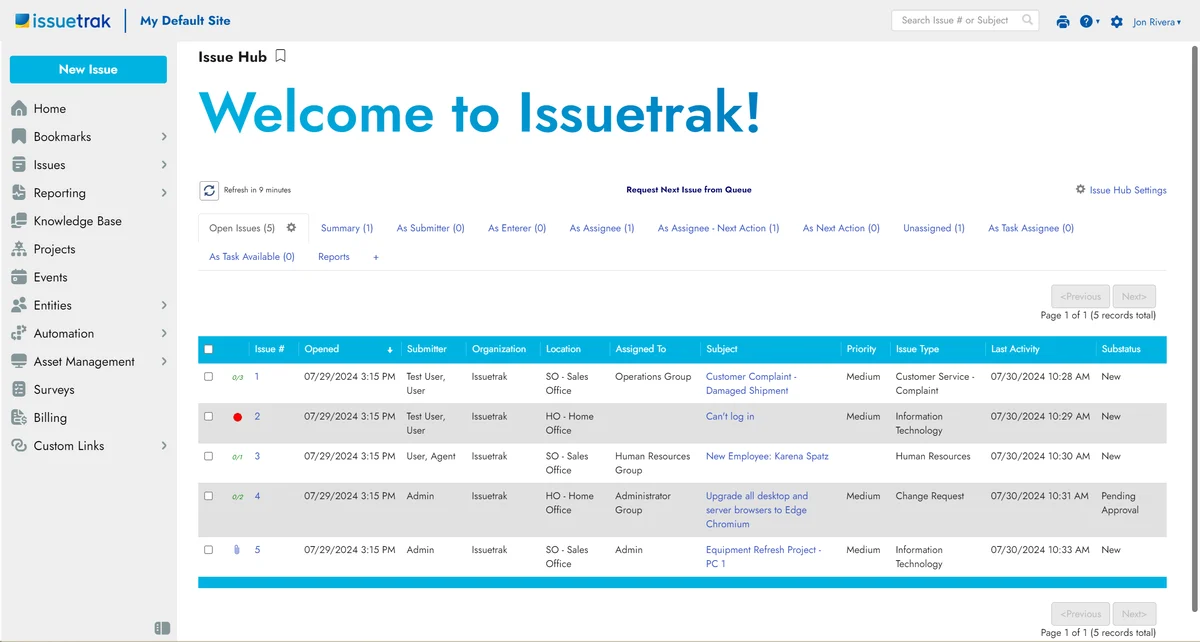
Issuetrak es una solución versátil de mesa de ayuda que atiende a empresas de todos los tamaños, ofreciendo un conjunto completo de funciones para gestionar el soporte al cliente y la gestión de tickets. Con su capacidad para implementarse localmente, Issuetrak proporciona a las organizaciones control sobre sus operaciones de mesa de ayuda, asegurando la seguridad de los datos y la personalización según necesidades específicas.
Por qué elegí Issuetrak: Algo que me llamó la atención de este software son sus capacidades de gestión centralizada de tickets, que permiten manejar problemas a través de múltiples canales. El Centro de Incidencias centralizado simplifica el seguimiento y la gestión de tickets de soporte, asegurando que nada se pase por alto. Además, la asignación automática en rondas garantiza que los tickets se distribuyan equitativamente entre los miembros del equipo sin intervención manual. Los flujos de tareas colaborativas también aseguran que los miembros del equipo puedan trabajar juntos de manera eficiente, reduciendo el tiempo necesario para resolver incidencias.
Funciones destacadas e integraciones:
Funciones incluyen la gestión de activos, que te ayuda a llevar un control de todos tus recursos de hardware y software. Las notificaciones te mantienen informado sobre las actualizaciones de los tickets, asegurando que tu equipo esté siempre al tanto de los últimos desarrollos. Los informes personalizables permiten generar análisis adaptados a tus necesidades específicas, ayudándote a tomar decisiones informadas sobre las operaciones de soporte.
Integraciones incluyen Issuetrak API, Zapier, Slack, Microsoft (incluido Azure AD), Salesforce, Webforms, Chat, Gmail, Analytics y Gestión de Identidad.
Pros and Cons
Pros:
- Interfaz fácil de usar y sencilla de configurar
- Precios asequibles y opciones de implementación flexibles
- Funciones avanzadas para mesa de ayuda y automatización de flujos de trabajo
Cons:
- Soporte limitado para aplicaciones móviles en comparación con escritorio
- Curva de aprendizaje leve para ciertas funciones de gestión de usuarios y procesos de configuración

Deskpro
Ideal para grandes organizaciones
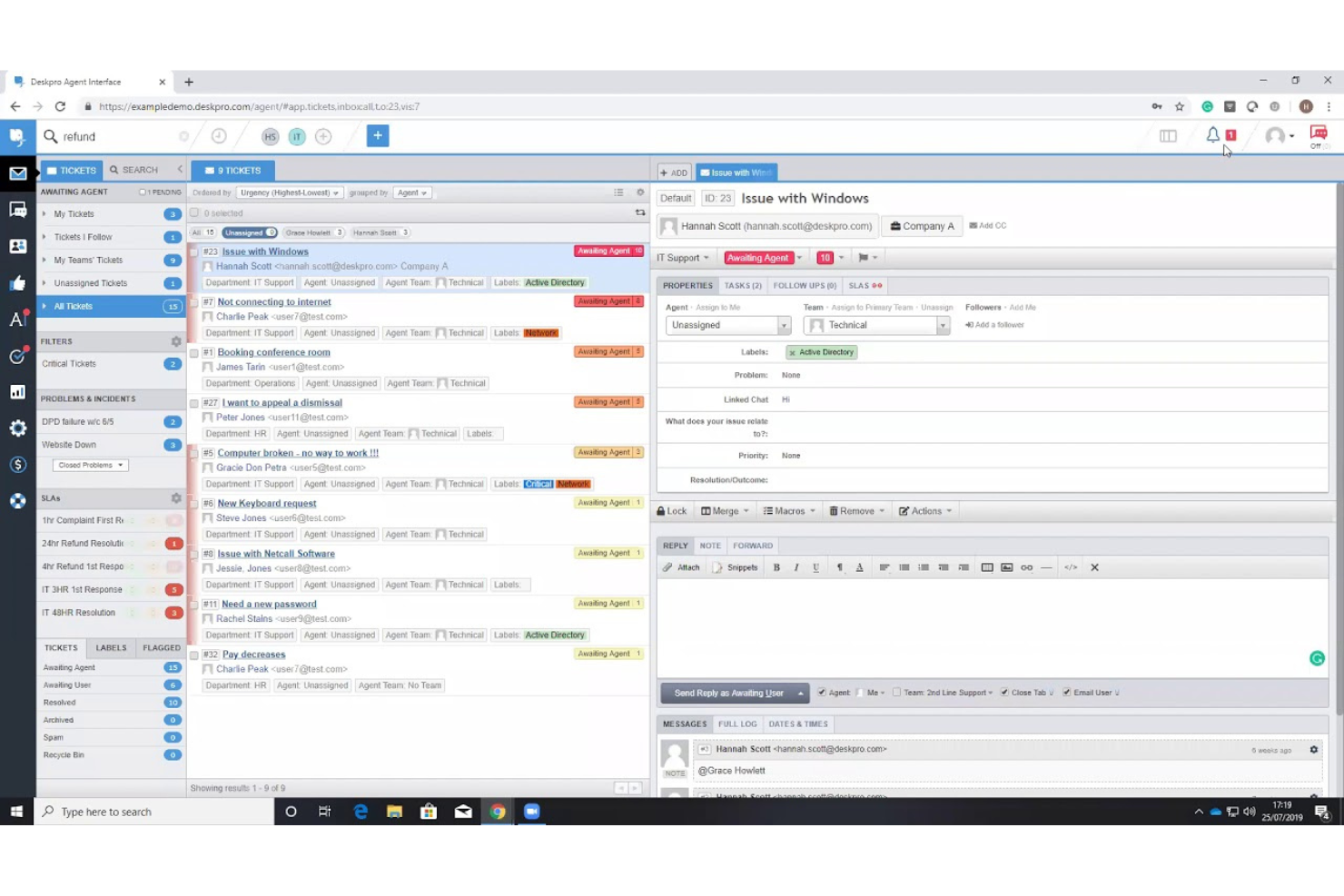
Deskpro es un software de mesa de ayuda local diseñado para grandes organizaciones que buscan gestionar operaciones de soporte complejas. Ofrece funciones como gestión de tickets, automatización e informes para optimizar el servicio al cliente.
Por qué elegí Deskpro: Está diseñado para grandes organizaciones que necesitan soluciones escalables. El soporte multicanal del software permite a tu equipo gestionar solicitudes de varias plataformas de manera eficiente. Con herramientas de informes avanzadas, puedes obtener información sobre el rendimiento del equipo y la satisfacción del cliente. La interfaz personalizable te permite adaptar el sistema a las necesidades específicas de tu organización.
Características destacadas e integraciones:
Características incluyen un panel de control en tiempo real que proporciona una visión general de tus operaciones de soporte. La función de base de conocimientos permite crear y compartir información interna y externamente. Además, Deskpro ofrece SLA personalizables para ayudarte a mantener los estándares de servicio.
Integraciones incluyen Salesforce, Slack, Microsoft Teams, Jira, Trello, Google Workspace, Microsoft Outlook, Zendesk, Dropbox y QuickBooks.
Pros and Cons
Pros:
- Soporte multicanal
- Interfaz personalizable
- Panel de control en tiempo real
Cons:
- Proceso de configuración complejo
- Funciones limitadas en la app móvil

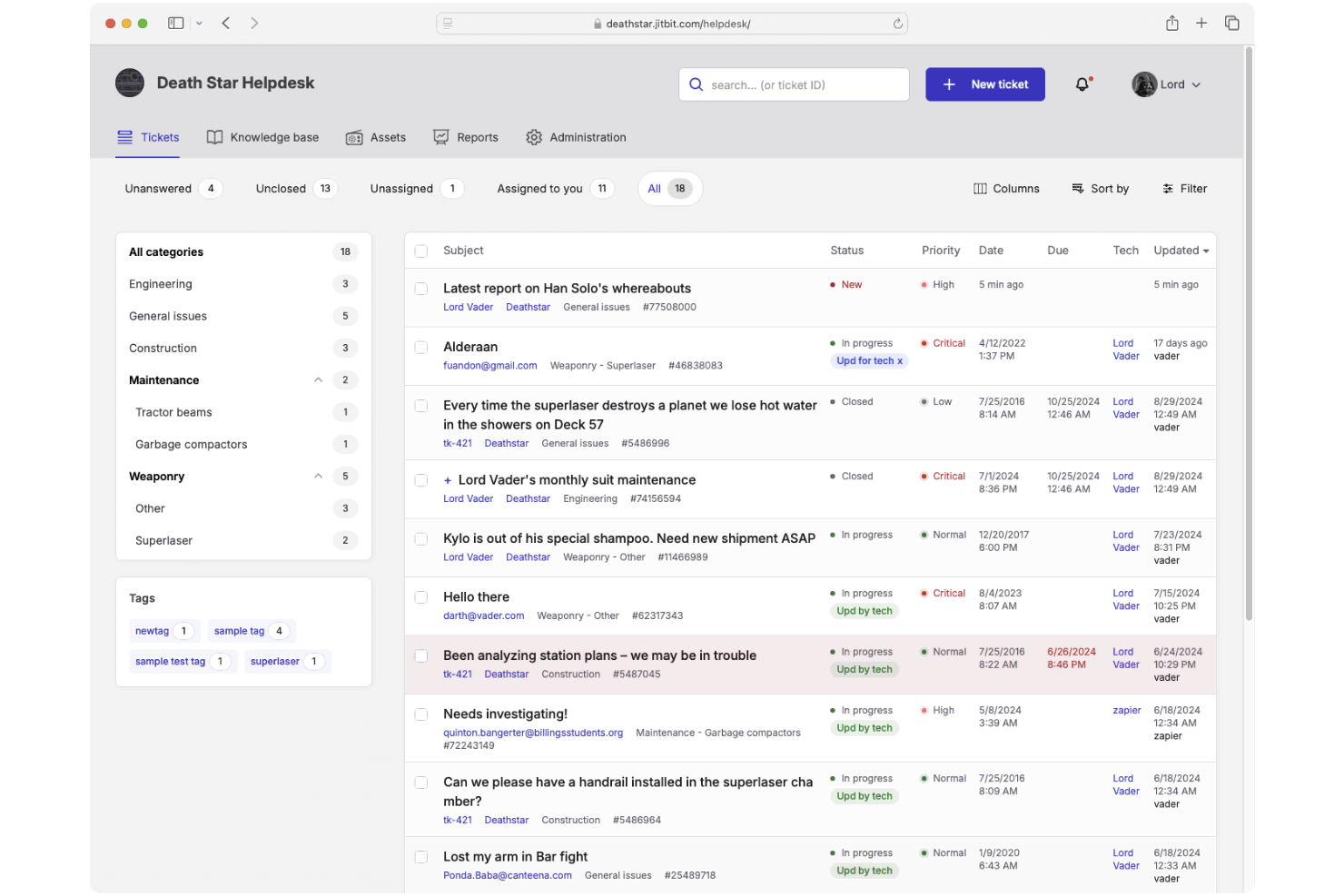
JitBit es un sistema de tickets de soporte técnico local diseñado para equipos de soporte. Proporciona funciones esenciales como el seguimiento de incidencias y la gestión de activos para mejorar el flujo de trabajo de tu equipo.
Por qué elegí JitBit: Está diseñado para equipos pequeños que necesitan una solución sencilla. Sus funciones incluyen integración bidireccional con correo electrónico, convirtiendo los emails en tickets, y una base de conocimientos personalizable para los usuarios. Con reglas de automatización puedes optimizar tareas repetitivas, lo que lo hace ideal para equipos pequeños enfocados en la eficiencia. Las actualizaciones en tiempo real y el diseño fácil de usar del software son especialmente adecuados para quienes necesitan adaptarse rápidamente.
Funciones e integraciones destacadas:
Funciones incluyen actualizaciones de tickets en tiempo real, aplicaciones móviles para iOS y Android, y una base de conocimientos personalizable. El sistema permite el seguimiento de incidencias y la gestión de activos, asegurando que tu equipo pueda gestionar solicitudes de manera eficiente. Las herramientas de informes integradas y personalizables te ayudan a monitorear eficazmente el rendimiento del equipo.
Integraciones incluyen Active Directory, Google Apps, Slack, Microsoft Teams, Azure, Salesforce, Jira, Dropbox, Trello y Zapier.
Pros and Cons
Pros:
- Herramientas de informes personalizables
- Fuerte integración con correo electrónico
- Bueno para pequeños equipos de TI
Cons:
- Requiere configuración técnica
- Interfaz de usuario básica

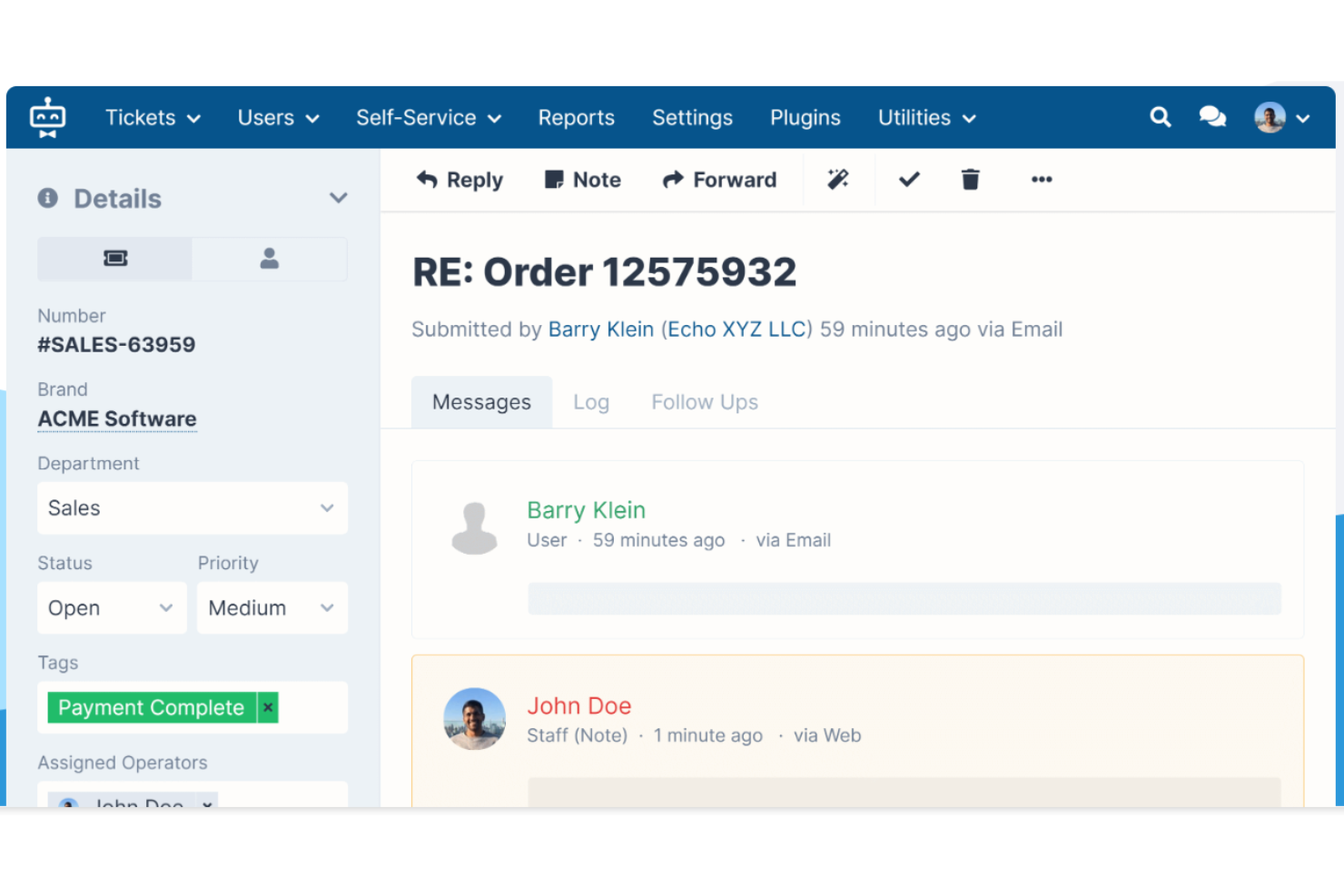
SupportPal es un software de mesa de ayuda on-premise diseñado para equipos de ITSM. Ofrece funciones esenciales como gestión de tickets, automatización y portales de autoservicio para optimizar el soporte SaaS. Además, incluye copias de seguridad para garantizar la seguridad y fiabilidad de los datos.
Por qué elegí SupportPal: Destaca en la gestión de servicios de TI con funciones que agilizan los procesos de tu equipo. El software incluye un enrutamiento automático de tickets, lo que ahorra tiempo al dirigir los problemas al miembro adecuado del equipo. Puedes personalizar los campos de los tickets para que se adapten a tu flujo de trabajo, asegurando que nada se pase por alto. El portal de autoservicio permite a los usuarios encontrar soluciones por sí mismos, reduciendo la carga de trabajo de tu equipo.
Funciones y
integraciones destacadas:
Funciones incluye un conjunto completo de informes que te permite monitorear el desempeño del equipo y los niveles de servicio. El software ofrece una base de conocimientos que ayuda a tu equipo a documentar soluciones para problemas comunes. Además, la función de soporte multimarcas permite gestionar diferentes marcas desde una sola interfaz.
Integraciones incluye Slack, Microsoft Teams, Twilio, Discord, LDAP, Google Analytics, Amazon S3, WHMCS, Mollie y Stripe.
Pros and Cons
Pros:
- Campos de tickets personalizables
- Herramientas de informes completas
- Soporte multimarcas
Cons:
- Aplicación móvil básica
- No es ideal para equipos pequeños

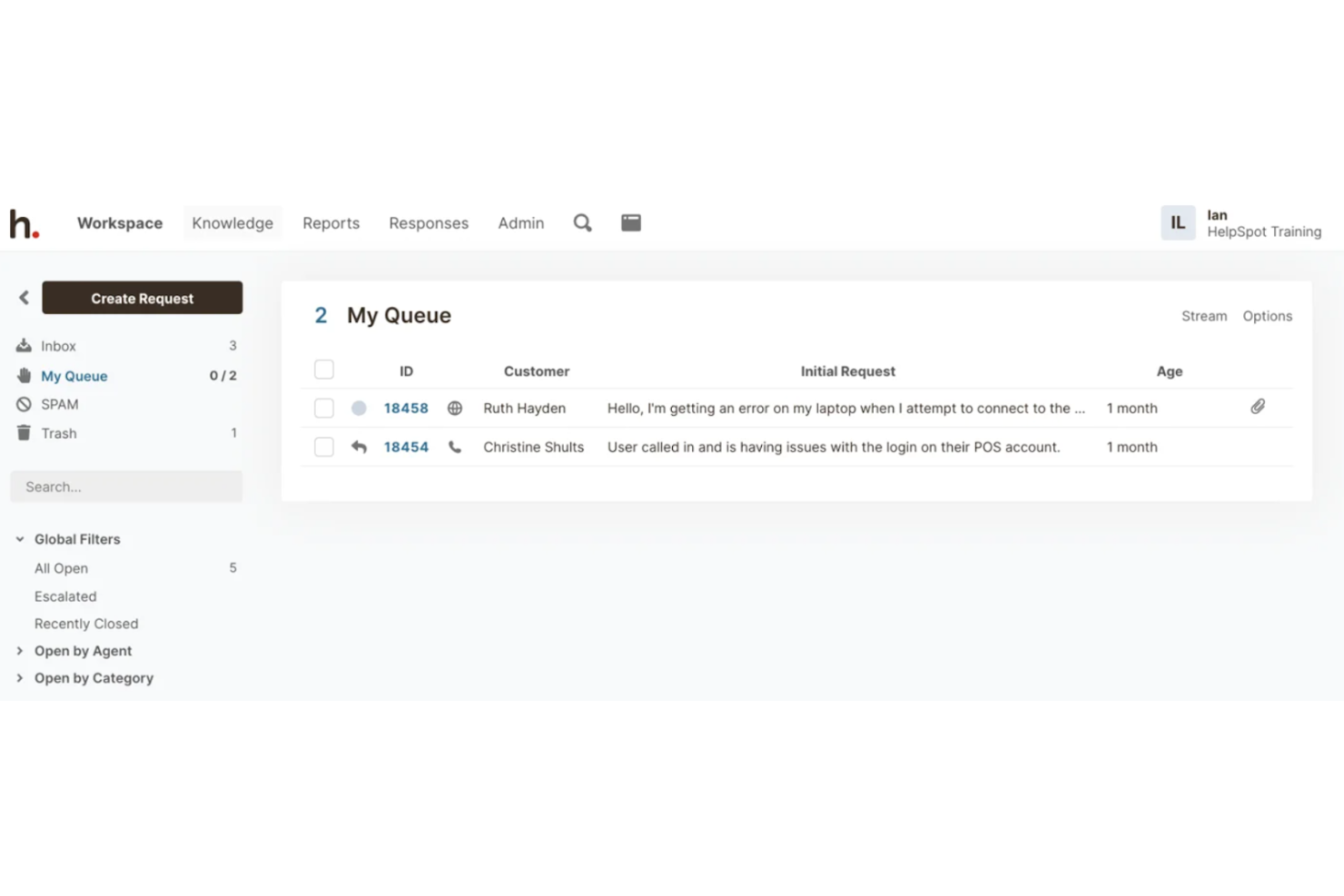
HelpSpot es un software de mesa de ayuda local diseñado para empresas que prefieren el autoalojamiento para tener mayor control sobre sus datos. Ofrece funciones como gestión de tickets, reportes y un portal de autoservicio para mejorar el soporte al cliente.
Por qué elegí HelpSpot: Brinda la opción de autoalojamiento que te da control sobre tus datos, lo que lo hace ideal para organizaciones enfocadas en la privacidad. El sistema de gestión de tickets permite seguir y resolver incidencias de manera eficiente. Las herramientas de informes personalizables te ayudan a analizar el desempeño del soporte e identificar áreas de mejora. Con el portal de autoservicio, tus clientes pueden encontrar respuestas a sus preguntas, reduciendo la carga de trabajo de tu equipo de soporte.
Funciones destacadas e integraciones:
Características incluyen el enrutamiento automatizado de tickets, que garantiza que los problemas sean dirigidos rápidamente a los miembros correctos del equipo. La función de base de conocimientos ayuda a tu equipo a documentar soluciones y compartir información. Además, HelpSpot ofrece campos y formularios personalizables, que te permiten adaptar el sistema a tus necesidades específicas.
Integraciones incluyen Slack, Microsoft Teams, Google Workspace, Microsoft Outlook, Salesforce, Jira, Zendesk, Dropbox y QuickBooks.
Pros and Cons
Pros:
- Gran control de datos
- Gestión eficiente de tickets
- Portal de autoservicio
Cons:
- Interfaz de usuario básica
- No es ideal para equipos pequeños

Ideal para precios económicos
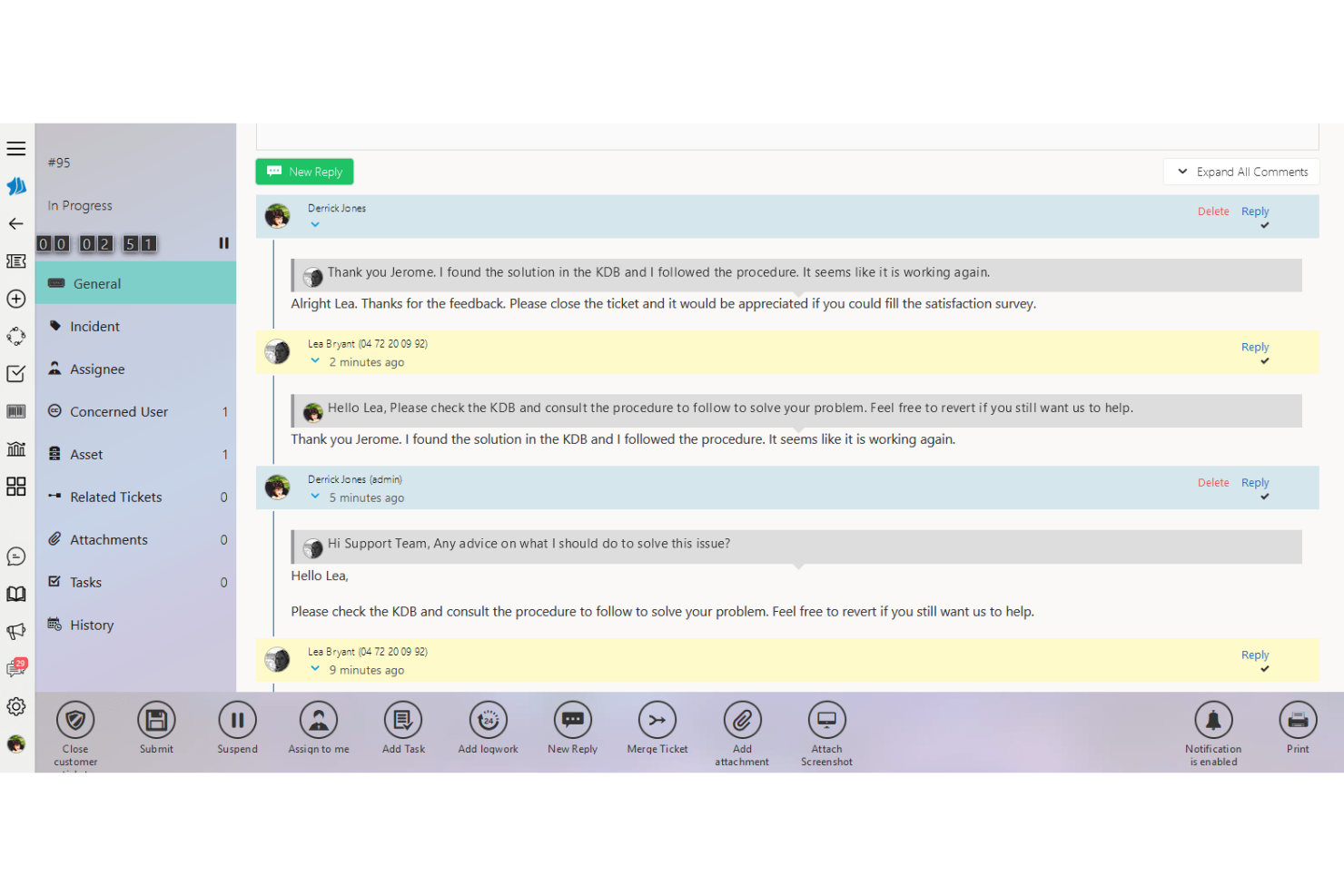
SimplyDesk es un software de mesa de ayuda local diseñado para departamentos de TI y equipos de atención al cliente. Ofrece funcionalidades clave como gestión de tickets y comunicación multicanal para optimizar las operaciones de soporte.
Por qué elegí SimplyDesk: Es adecuado para equipos que buscan una solución económica. El software incluye gestión de usuarios personalizable y funciones de catálogo de servicios, proporcionando flexibilidad para diferentes necesidades empresariales. Con integración de Active Directory, la creación de usuarios y el inicio de sesión único se simplifican. Las características de personalización multimarcas y multiproducto lo hacen adaptable a varias estructuras organizativas.
Funciones destacadas e integraciones:
Funciones incluyen un portal de autoservicio que permite a los clientes encontrar respuestas de forma independiente. La gestión de contratos de servicio ayuda a hacer seguimiento de las interacciones y la facturación de los clientes. Además, la integración con telefonía IP mejora la eficiencia de la comunicación de tu equipo.
Integraciones incluyen Active Directory, telefonía IP y plataformas de comunicación multicanal.
Pros and Cons
Pros:
- Flexibilidad del catálogo de servicios
- Gestión eficiente de tickets
- Integración con telefonía IP
Cons:
- Integraciones limitadas con terceros
- No es ideal para grandes empresas

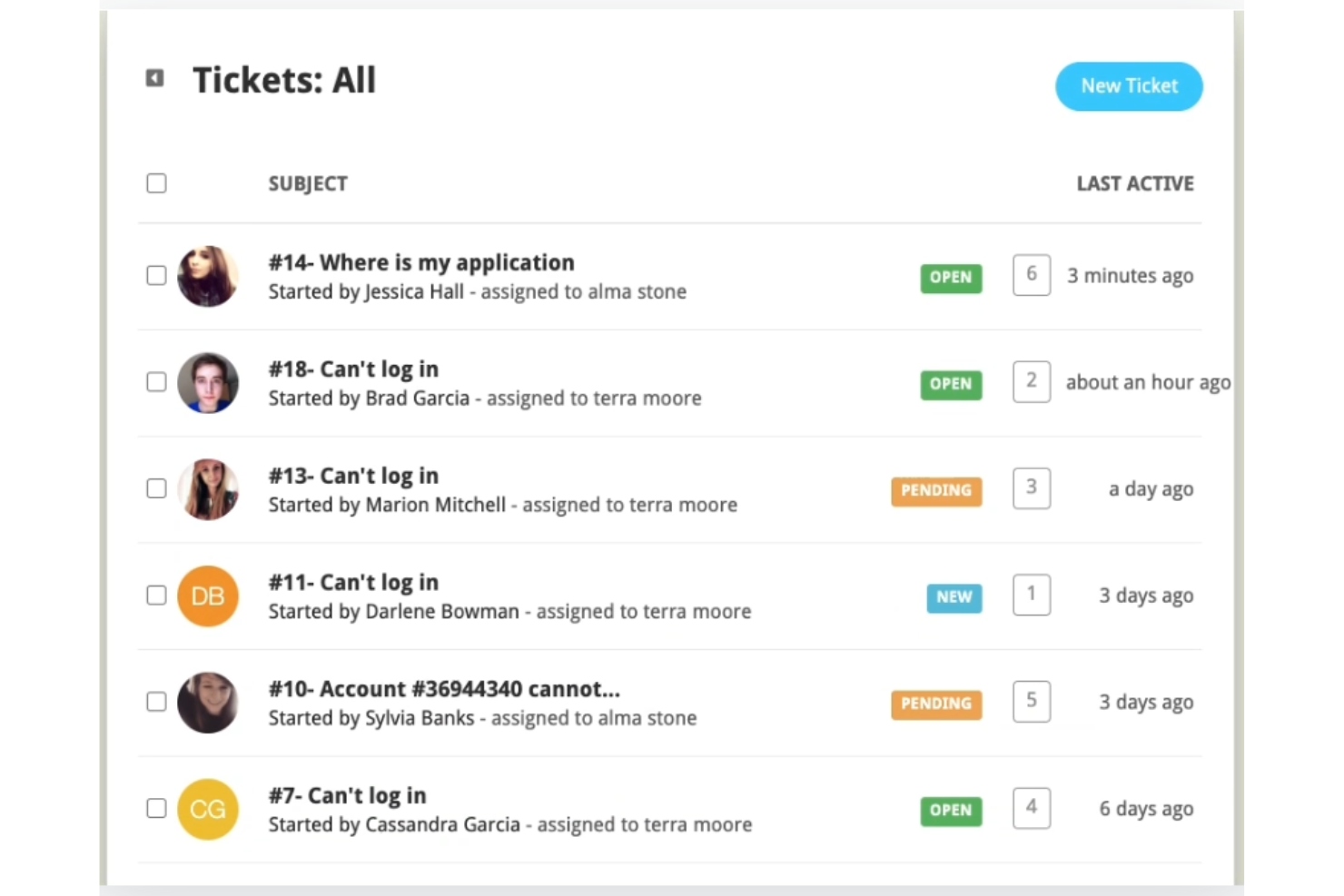
Helpy Pro es una solución de mesa de ayuda on-premise diseñada para empresas que priorizan la privacidad de los datos. Sirve a compañías que necesitan gestionar el soporte al cliente asegurando el cumplimiento de la normativa de privacidad.
Por qué elegí Helpy Pro: Es ideal para equipos enfocados en el cumplimiento de la privacidad. Con funciones como el alojamiento propio, tienes control sobre dónde reside tu información, asegurando el cumplimiento con las regulaciones. El software soporta mesas de ayuda multilingües, lo que lo hace excelente para equipos globales. Sus foros de soporte comunitario integrados añaden valor permitiendo que los clientes encuentren respuestas por sí mismos.
Funciones destacadas e integraciones:
Funciones incluyen formularios de tickets personalizables, enrutamiento automático de tickets y un foro comunitario de soporte. Helpy Pro ofrece soporte multilingüe, esencial para empresas globales. La función de base de conocimientos te permite crear un portal de autoservicio para tus clientes.
Integraciones incluyen Slack, Twilio, Mailgun, Mandrill, SendGrid, SparkPost, Whatsapp, Facebook Messenger, Jira y Zapier.
Pros and Cons
Pros:
- Sistema de tickets personalizable
- Función de foro comunitario
- Bueno para equipos globales
Cons:
- Personalización avanzada limitada
- No es ideal para grandes empresas

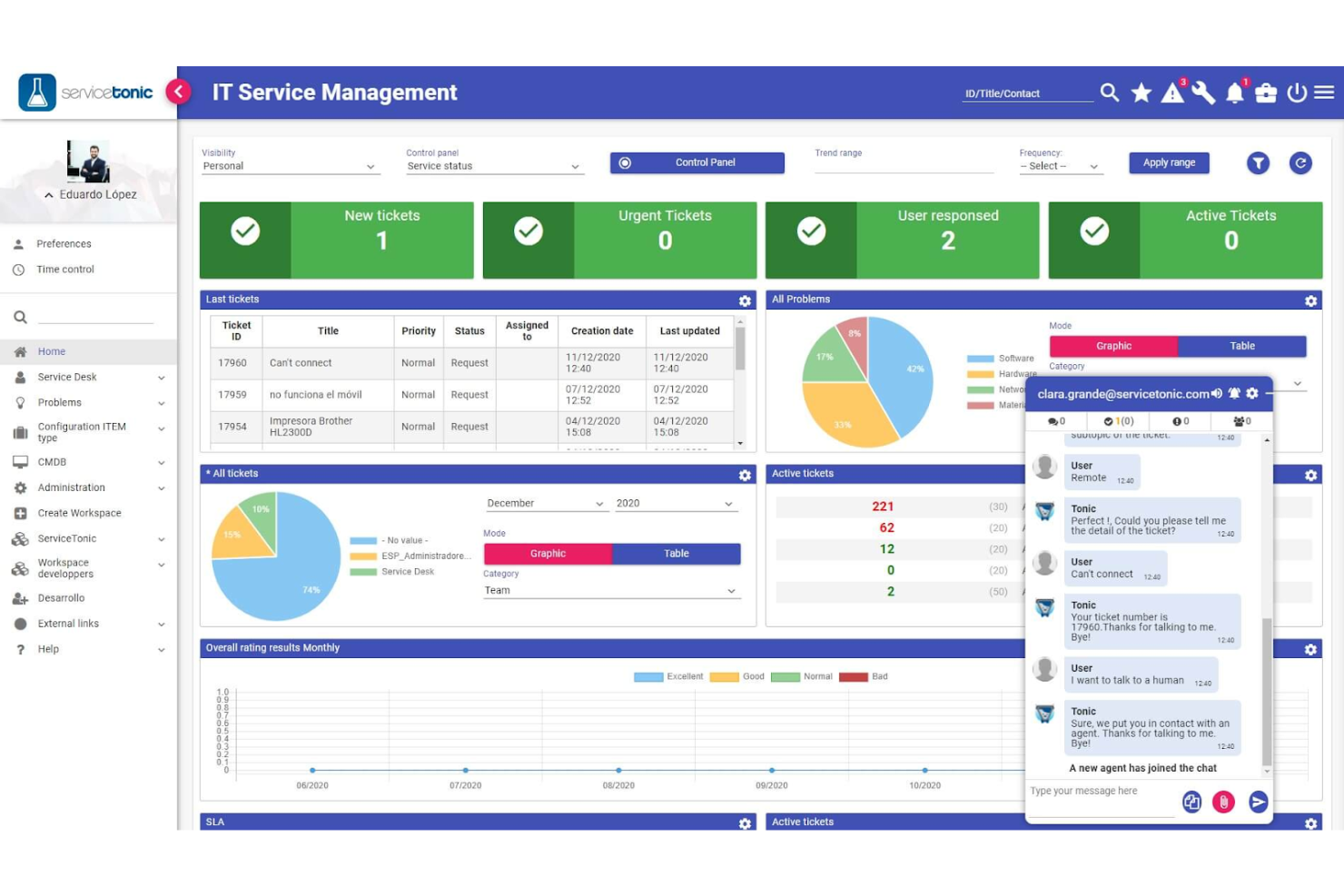
ServiceTonic es un software de mesa de ayuda on-premise diseñado para la gestión de servicios de TI y equipos de soporte al cliente. Ofrece funciones esenciales como gestión de tickets, gestión de activos y automatización para mejorar la prestación de servicios.
Por qué elegí ServiceTonic: Destaca por ofrecer flujos de trabajo personalizados adaptados a los procesos de tu equipo. El diseñador de flujos de trabajo con arrastrar y soltar te permite crear procesos que se ajustan a las necesidades de tu negocio. Con sus capacidades de automatización, puedes reducir tareas manuales y mejorar la eficiencia. La posibilidad de crear campos y formularios personalizados asegura que la herramienta se adapte a diversas industrias y requerimientos.
Características destacadas e integraciones:
Características incluyen un portal de autoservicio, que permite a tus clientes resolver problemas de manera independiente. La función de gestión de acuerdos de nivel de servicio (SLA) te ayuda a monitorear y hacer cumplir los estándares de desempeño. Además, el software ofrece una base de conocimientos que fomenta el intercambio de información dentro de tu equipo.
Integraciones incluyen Microsoft Active Directory, LDAP, Outlook, Gmail, Microsoft Teams, Slack, Zapier, Salesforce, Google Calendar y Azure.
Pros and Cons
Pros:
- Sólida gestión de SLA
- Adaptable a varias industrias
- Amplias capacidades de automatización
Cons:
- Requiere conocimientos técnicos
- Herramientas de informes básicas
- No es ideal para principiantes
- Funcionalidad limitada en la aplicación móvil
Otros
Estas son algunas opciones adicionales de programas de mesa de ayuda locales que no llegaron a mi lista de opciones, pero que aun así vale la pena revisar:
- Wowdesk
Mejor para soporte multilingüe
- Output Desk
Mejor para una interfaz fácil de usar
- ManageEngine ServiceDesk Plus
Mejor para alineación con ITIL
- OneDesk
Mejor para la gestión de proyectos


¿Qué es el software de mesa de ayuda local?
El software de mesa de ayuda local se aloja en los propios servidores de su organización, lo que le proporciona un control total sobre los datos, la seguridad y la personalización. Ayuda a los equipos de TI y de soporte a gestionar tickets, realizar un seguimiento de los problemas y mantener el cumplimiento normativo. Es ideal para organizaciones con estrictos requisitos de privacidad o normativos.
Cómo evalúo el software de mesa de ayuda On-Premise
Evalúo cada herramienta en dos niveles: los requisitos básicos que debe cumplir un sistema de tickets autohospedado, y los diferenciadores que permiten ajustarse al entorno específico de tu organización.
Funcionalidad principal (Criterios fundamentales para esta lista)
Estas capacidades centrales sirven como criterios de aceptación para la inclusión en mi lista de software de mesa de ayuda on premise:
- Despliegue autohospedado: Verifico si una plataforma se instala en tus propios servidores, máquinas virtuales o nube privada. Herramientas como ManageEngine y Zammad son compatibles con Linux, Windows y Docker.
- Sistema de gestión de tickets: Todas las herramientas deben ofrecer seguimiento completo del ciclo de vida (creación, asignación, priorización y resolución) para que los agentes puedan gestionar las colas sin perder el contexto.
- Recepción de tickets multicanal: Busco recepción unificada desde correo electrónico, portales web y APIs como mínimo, ya que los usuarios finales esperan poder enviar solicitudes desde más de un canal.
- SLA y automatización de flujos de trabajo: Aquí son importantes las reglas de escalamiento, calendarios de horario laboral y el enrutamiento automático, especialmente cuando los equipos atienden tickets entre turnos u oficinas regionales.
- Base de conocimientos y portal de autoservicio: Una base de datos consultable unida a un portal orientado al usuario permite a los empleados resolver incidencias comunes como restablecimientos de contraseña antes de que se cree un ticket.
- Acceso basado en roles e informes: Evalúo el nivel de granularidad de los permisos y si los paneles presentan métricas como el tiempo de primera respuesta y antigüedad de la cola sin consultas personalizadas.
Califico a cada proveedor en una escala de 0 (no ofrece la funcionalidad) a 5 (destaca en esta área) para cada criterio.
Los proveedores deben alcanzar una puntuación media mínima para ser considerados en mi lista. A partir de ahí, considero lo que distingue a cada plataforma.
Factores diferenciadores (lo que distingue a los proveedores)
Una vez que he seleccionado mi lista, así es como comparo y contrasto los proveedores en el ámbito del software de mesa de ayuda on premise:
Características destacadas
La sincronización nativa con Active Directory o LDAP destaca, ya que la mayoría de los equipos de TI desean aprovechar sus controles de acceso y grupos existentes para altas y permisos. También verifico si incorporan gestión de activos y configuración, ya que las herramientas que vinculan estrechamente los tickets con el hardware o puntos finales de usuario reducen complicaciones para el cumplimiento y la preparación de auditorías TI. Para organizaciones con entornos regulados o flujos de trabajo complejos, los módulos de procesos ITIL y el acceso al código fuente (para personalización o auditoría) marcan una verdadera diferencia según las necesidades internas.
Más allá de las características
La conformidad normativa y la soberanía de los datos son prioritarias. Los equipos de salud o gobierno necesitan soporte para despliegues aislados y registro de auditoría que resista revisiones HIPAA o FedRAMP. La estructura de licenciamiento es igualmente relevante. Evalúo si el proveedor cobra por agente, por servidor o si ofrece agentes ilimitados, ya que eso determina el coste a largo plazo a medida que el equipo crece. También analizo cuán activamente mantiene el proveedor su producto on-premise. Algunos han desviado el foco hacia su oferta en la nube, lo que puede traducirse en actualizaciones más lentas y un futuro incierto para los clientes autohospedados.
Cómo elegir un software de mesa de ayuda local
Es fácil perderse entre largas listas de funciones y complejas estructuras de precios. Para ayudarle a mantener la concentración mientras avanza en su proceso único de selección de software, aquí tiene una lista de factores que debe tener en cuenta:
| Factor | Qué tener en cuenta |
| Escalabilidad | Asegúrese de que el software pueda crecer junto con su empresa. Considere si puede gestionar un mayor volumen de tickets y usuarios adicionales sin afectar al rendimiento. |
| Integraciones | Compruebe si el software se integra con las herramientas que su equipo ya utiliza, como Slack, Jira o sistemas de CRM, para agilizar los flujos de trabajo y mejorar la eficiencia. |
| Personalización | Busque un software que le permita adaptar los flujos de trabajo, los formularios y los paneles a los procesos y requisitos de su equipo. |
| Facilidad de uso | Elija un software con una interfaz intuitiva que minimice la curva de aprendizaje de los nuevos usuarios y ayude a su equipo a ponerse al día rápidamente. |
| Presupuesto | Considere el coste total, incluidas las posibles tarifas ocultas por complementos o actualizaciones, y asegúrese de que se ajuste a las limitaciones de su presupuesto. |
| Medidas de seguridad | Evalúe las funciones de seguridad del software para proteger los datos confidenciales, como el cifrado, los controles de acceso y el cumplimiento de los estándares del sector. |
| Opciones de soporte | Revise la disponibilidad y la calidad del soporte al cliente, incluido el chat en directo, la asistencia telefónica y los recursos en línea, para asegurarse de poder obtener ayuda cuando la necesite. |
| Capacidades de generación de informes | Asegúrese de que el software proporcione herramientas sólidas de generación de informes que le ayuden a realizar un seguimiento de las métricas de rendimiento y obtener información sobre las operaciones de soporte. |
Tendencias en el software de mesa de ayuda local
En mi investigación, recopilé innumerables actualizaciones de productos, comunicados de prensa y registros de lanzamientos de distintos proveedores de software de mesa de ayuda local. Estas son algunas de las tendencias emergentes que estoy siguiendo:
- Análisis impulsados por IA: Las herramientas de mesa de ayuda con IA analizan los datos de los tickets y predicen tendencias. Esto ayuda a los equipos a abordar los problemas de forma proactiva antes de que se agraven. Por ejemplo, algunas herramientas ahora ofrecen información basada en IA para mejorar los tiempos de respuesta y la satisfacción del cliente.
- Mejoras del autoservicio: Cada vez más herramientas mejoran los portales de autoservicio con guías interactivas y funciones de búsqueda inteligente. Esto permite a los clientes encontrar respuestas de forma independiente, reduciendo la carga de trabajo de los equipos de soporte. Los proveedores se están enfocando en hacer que estos portales sean más intuitivos y completos.
- Canales de comunicación unificados: Existe una tendencia a integrar todos los canales de comunicación en una sola vista. Esto ayuda a los equipos de soporte a gestionar las interacciones con los clientes de forma más eficaz al tener los correos electrónicos, chats y llamadas en un solo lugar, mejorando la coordinación de las respuestas.
- Adaptaciones para el trabajo remoto: A medida que más equipos trabajan de forma remota, el software de mesa de ayuda evoluciona para admitir fuerzas de trabajo distribuidas. Las funciones que facilitan la colaboración remota, como los paneles compartidos y el soporte por video, son cada vez más comunes.
- Enfoque en la privacidad de los datos: A medida que las normativas sobre datos se vuelven más estrictas, los proveedores hacen hincapié en los controles de privacidad. Las soluciones locales se están diseñando con funciones de seguridad mejoradas, lo que permite a las empresas cumplir con normativas como el GDPR y mantener el control sobre sus datos.
Funciones del software de mesa de ayuda local
Al seleccionar un software de mesa de ayuda local, presta atención a las siguientes funciones clave:
- Gestión de tickets: Registra y organiza las solicitudes de soporte para garantizar respuestas oportunas.
- Seguimiento de incidentes: Supervisa y registra los incidentes para ayudar a identificar patrones y prevenir problemas futuros.
- Base de conocimientos: Almacena información y soluciones para problemas comunes, permitiendo a los usuarios encontrar respuestas de forma independiente.
- Flujos de trabajo personalizados: Permite a los equipos adaptar los procesos para satisfacer sus necesidades específicas y mejorar la eficiencia.
- Soporte multicanal: Integra varios canales de comunicación, como el correo electrónico y el chat, en una sola plataforma para mejorar la coordinación.
- Portal de autoservicio: Permite a los clientes resolver los problemas por su cuenta, reduciendo la carga de trabajo de los equipos de soporte.
- Herramientas de automatización: Agiliza las tareas repetitivas, liberando tiempo para problemas más complejos.
- Controles de privacidad de datos: Garantiza el cumplimiento de las normativas sobre datos, proporcionando mayor seguridad y control sobre la información.
- Herramientas de generación de informes: Ofrece información sobre el rendimiento del equipo y la satisfacción del cliente para orientar los esfuerzos de mejora.
- Gestión de activos: Lleva un registro de los recursos de la empresa, facilitando su asignación y mantenimiento eficientes.
Beneficios del software de mesa de ayuda local
La implementación de un software de mesa de ayuda local ofrece varios beneficios para tu equipo y tu empresa. Estos son algunos de los que puedes esperar:
- Control de los datos: Mantén segura la información confidencial alojando los datos en tus propios servidores y garantizando el cumplimiento de las normativas de privacidad.
- Personalización: Adapta los flujos de trabajo, formularios e interfaces para satisfacer las necesidades específicas de tu equipo y mejorar la eficiencia general.
- Mejores tiempos de respuesta: Utiliza herramientas de gestión de tickets y automatización para gestionar las solicitudes rápidamente y reducir los tiempos de espera de los clientes.
- Colaboración mejorada: El soporte multicanal y los canales de comunicación unificados ayudan a tu equipo a coordinar las respuestas en distintas plataformas.
- Previsibilidad de los costos: Evita las tarifas de suscripción recurrentes al optar por una compra única, lo que permite elaborar presupuestos más previsibles.
- Escalabilidad: Amplía el sistema a medida que crece tu empresa, garantizando que pueda gestionar una mayor demanda sin comprometer el rendimiento.
- Empoderamiento del cliente: Ofrece portales de autoservicio y bases de conocimientos que permitan a los clientes encontrar soluciones por su cuenta, reduciendo la carga de trabajo de tu equipo de soporte.
Costos y precios del software de mesa de ayuda local
Para seleccionar un software de mesa de ayuda local es necesario comprender los distintos modelos de precios y planes disponibles. Los costos varían según las funciones, el tamaño del equipo, los complementos y otros factores. La siguiente tabla resume los planes habituales, sus precios promedio y las funciones típicas incluidas en las soluciones de software de mesa de ayuda local:
Tabla comparativa de planes para software de mesa de ayuda local
| Tipo de plan | Precio promedio | Características comunes |
| Plan gratuito | $0 | Gestión básica de tickets, soporte por correo electrónico y una base de conocimientos. |
| Plan personal | $10-$30/ usuario/mes | Gestión de tickets, seguimiento de incidentes y herramientas básicas de generación de informes. |
| Plan empresarial | $40-$70/ usuario/mes | Informes avanzados, soporte multicanal y flujos de trabajo personalizables. |
| Plan corporativo | $80-$120/ usuario/mes | Personalización completa, gestión de activos y funciones de seguridad mejoradas. |
Preguntas frecuentes sobre el software de mesa de ayuda local
Estas son algunas respuestas a preguntas frecuentes sobre el software de mesa de ayuda local:
¿Cuál es la diferencia entre el soporte de software y la mesa de ayuda?
El soporte de software se ocupa de problemas técnicos complejos que requieren conocimientos especializados, mientras que una mesa de ayuda aborda problemas y consultas básicas de los usuarios. Las mesas de ayuda ofrecen soporte inicial y pueden derivar los problemas al equipo de soporte de software cuando es necesario. Comprender esta diferencia ayuda a asignar los recursos de manera eficiente.
¿Cómo funciona el software de mesa de ayuda?
El software de mesa de ayuda organiza las solicitudes de soporte al recibirlas, realizar su seguimiento y responderlas de manera eficiente. A menudo incluye funciones como bases de conocimientos, portales de autoservicio y herramientas de generación de informes. La elección del software adecuado depende de las necesidades específicas de tu equipo y de la complejidad del soporte requerido.
¿Cuál es el software de mesa de ayuda más común?
Entre los programas de mesa de ayuda más comunes se encuentran opciones populares como Zendesk, Freshdesk y Jira Service Desk. Estas soluciones se utilizan ampliamente debido a sus funciones integrales y facilidad de uso, y se adaptan a empresas de distintos tamaños y con diferentes necesidades de soporte.
¿Cuál es la función principal de una mesa de ayuda de TI?
Una mesa de ayuda de TI gestiona los problemas de los empleados y las solicitudes de servicio, y actúa como el principal canal de comunicación entre los usuarios y el departamento de TI. Desempeña un papel fundamental en la prestación de servicios de TI, garantizando que los problemas de los usuarios se atiendan de forma rápida y eficiente.
¿Qué tan seguro es el software de mesa de ayuda local?
El software de mesa de ayuda local ofrece mayor seguridad al alojar los datos en tus propios servidores. Esta configuración permite implementar controles de acceso estrictos y cumplir con las normativas de privacidad de datos, lo cual es fundamental para las empresas que manejan información confidencial.
¿Puede el software de mesa de ayuda local ofrecer soporte a equipos remotos?
Sí, muchas soluciones de mesa de ayuda local ahora incluyen funciones que facilitan el trabajo remoto, como paneles compartidos y soporte por video. Estas herramientas permiten que tu equipo colabore eficazmente, incluso cuando trabaja desde diferentes ubicaciones.
¿Qué sigue?
Suscríbete a nuestro boletín para conocer las últimas novedades de CX, guías prácticas, estrategias y recursos de los principales expertos en el campo de CX.