

Las 10 mejores alternativas a Sentry para la monitorización de errores en 2026

Lista de alternativas a Sentry


Una buena alternativa a Sentry ofrece un seguimiento fiable de errores, supervisión en tiempo real y diagnósticos prácticos que ayudan a tu equipo a resolver los problemas rápidamente. Si estás buscando alternativas a Sentry, probablemente buscas herramientas que se adapten a tu flujo de trabajo, se integren con tu conjunto de herramientas o proporcionen funciones que Sentry no ofrece.
Con tantas opciones disponibles, es difícil saber qué plataforma te ayudará realmente a detectar errores, comprender sus causas raíz y mantener tus aplicaciones funcionando sin problemas. Esta lista analiza las principales alternativas a Sentry para 2026, para que puedas comparar sus puntos fuertes y encontrar la opción adecuada para las necesidades de tu equipo.
¿Qué es Sentry?
Sentry es una plataforma de seguimiento de errores y supervisión de aplicaciones que ayuda a los equipos a identificar, diagnosticar y resolver problemas de software en tiempo real. Ofrece una serie de funciones de supervisión que capturan datos de errores en distintas aplicaciones, agrupan eventos relacionados y muestran información detallada para la depuración. Gracias a la compatibilidad con múltiples lenguajes de programación y flujos de trabajo, Sentry es utilizado por equipos de todos los tamaños, incluidas las empresas emergentes, para mantener la fiabilidad de las aplicaciones. Aunque no es una plataforma de observabilidad autoalojada de forma predeterminada, ofrece flexibilidad de implementación junto con funciones avanzadas compatibles con los entornos de desarrollo modernos.
Tabla comparativa de alternativas a Sentry
Esta tabla comparativa resume los detalles de precios de mis principales alternativas a Sentry:
| Tool | Best For | Trial Info | Price | ||
|---|---|---|---|---|---|
| 1 | Ideal para la observabilidad de pila completa | Plan gratuito disponible | Desde $49/usuario/mes | Website | |
| 2 | Ideal para diagnósticos detallados de usuarios | Prueba gratuita de 14 días + demostración gratuita disponible | Desde $40/100,000 errores/mes (facturado anualmente) | Website | |
| 3 | Ideal para la integración del análisis de producto | Plan gratuito disponible | Desde $0.00005/evento | Website | |
| 4 | Ideal para funciones de reproducción de sesiones | Prueba gratuita de 14 días + plan gratuito + demostración gratuita disponible | Desde $69/mes (facturado anualmente) | Website | |
| 5 | Ideal para informes de puntuación de estabilidad | Prueba gratuita de 14 días + plan gratuito + demostración gratuita disponible | Desde $20/mes (facturado anualmente) | Website | |
| 6 | Ideal para la agrupación de errores en tiempo real | Prueba gratuita de 14 días + demostración gratuita disponible | Desde $15.83/mes (facturado anualmente) | Website | |
| 7 | Ideal para una configuración sencilla en aplicaciones Ruby | Prueba gratuita de 30 días + plan gratuito disponible | Desde €18.25/mes (facturado anualmente) | Website | |
| 8 | Ideal para alertas de disponibilidad y errores | Prueba gratuita de 30 días + plan gratuito + demostración gratuita disponible | Desde $26/mes (facturado anualmente) | Website | |
| 9 | Ideal para identificar cuellos de botella de rendimiento | Prueba gratuita + plan gratuito + demostración gratuita disponible | Desde $19/mes | Website | |
| 10 | Ideal para la supervisión nativa de la nube | Prueba gratuita de 14 días + plan gratuito disponible | Desde $15/host/mes (facturado anualmente) | Website |
Por qué confiar en nuestras recomendaciones de software
Nuestro equipo lleva probando y evaluando software desde 2012. Como líderes de CX, sabemos lo difícil —y lo importante— que es elegir el software adecuado.
Para esta guía, evaluamos las herramientas mediante pruebas prácticas e investigación independiente, puntuando las herramientas según nuestros criterios de selección.
Nuestras reseñas reflejan nuestro criterio editorial humano, no un discurso de ventas.
Opiniones sobre alternativas a Sentry
A continuación encontrarás mis resúmenes detallados de las mejores alternativas a Sentry que llegaron a mi lista. Mis análisis ofrecen una visión detallada de las funciones, integraciones y casos de uso más adecuados de cada plataforma para ayudarte a encontrar la mejor opción para ti.

Ideal para la observabilidad de pila completa

Cuando necesitas visibilidad en toda tu pila tecnológica, New Relic ofrece observabilidad unificada para aplicaciones, infraestructura y experiencias digitales. Es una opción ideal para los equipos de ingeniería y operaciones que quieren supervisar todo, desde el rendimiento del frontend hasta los servicios del backend, en un solo lugar.
A diferencia de muchas alternativas a Sentry, New Relic reúne la monitorización de usuarios reales, el rastreo distribuido y la información de infraestructura para ofrecer una visión completa del estado del sistema.
Por qué New Relic es una buena alternativa a Sentry
Si buscas una alternativa a Sentry que cubra cada capa de tu pila, New Relic está diseñado para ofrecer observabilidad de pila completa. Elegí New Relic porque combina la monitorización del rendimiento de las aplicaciones, la monitorización de la infraestructura y la monitorización de usuarios reales en una sola plataforma.
Con el rastreo distribuido y los análisis detallados de errores, puedes seguir los problemas desde el frontend hasta el backend y comprender su impacto en los usuarios. Este enfoque ayuda a los equipos a identificar, priorizar y resolver rápidamente los problemas en entornos complejos.
Características clave de New Relic
Otras características de New Relic que resultan útiles para los equipos que evalúan alternativas a Sentry incluyen:
- Paneles personalizados: Crea visualizaciones e informes adaptados a las necesidades específicas de monitorización de tu equipo.
- Políticas de alertas: Configura condiciones de alerta detalladas y canales de notificación para responder de forma proactiva a los incidentes.
- Gestión de registros: Recopila, busca y analiza registros junto con otros datos de telemetría en un solo lugar.
- Monitorización sintética: Simula interacciones de usuarios para probar la disponibilidad y el rendimiento de las aplicaciones desde varias ubicaciones.
Integraciones de New Relic
Las integraciones incluyen AWS, Azure, Google Cloud Platform, Kubernetes, Docker, Jenkins, PagerDuty, Slack, Datadog y GitHub.
Pros and Cons
Pros:
- La observabilidad de pila completa cubre el frontend y el backend
- La monitorización de usuarios reales registra sesiones de usuarios reales
- El generador de consultas permite analizar métricas personalizadas
Cons:
- La configuración de alertas puede llevar mucho tiempo
- El rendimiento de la interfaz se ralentiza con grandes volúmenes de datos

Raygun
Ideal para diagnósticos detallados de usuarios
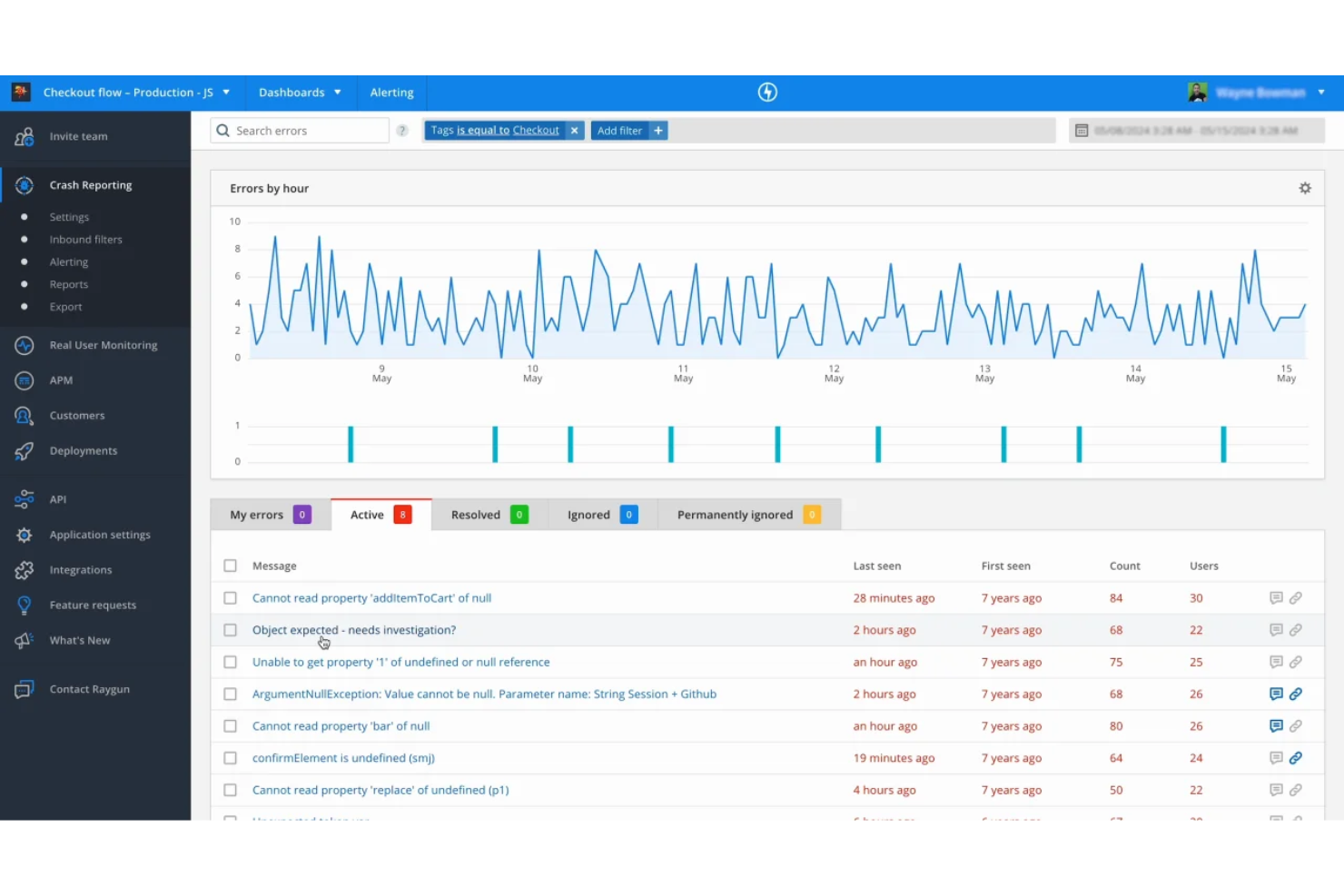
Para los equipos que necesitan profundizar en los diagnósticos a nivel de usuario, Raygun ofrece un enfoque único para la supervisión de errores y rendimiento. Esta plataforma es especialmente útil para empresas SaaS y equipos de producto que quieren rastrear los problemas hasta usuarios y sesiones individuales. Raygun se distingue de las alternativas a Sentry por proporcionar un seguimiento detallado de los usuarios y cronologías de las sesiones, lo que facilita comprender el impacto real de los errores en sus clientes.
Por qué Raygun es una buena alternativa a Sentry
A diferencia de muchas herramientas de supervisión de errores, Raygun ofrece una visión clara de cómo los problemas afectan a usuarios individuales. Elegí Raygun como alternativa a Sentry porque sus funciones de diagnóstico de usuarios permiten rastrear los errores y problemas de rendimiento hasta sesiones y recorridos de usuario específicos.
Con cronologías detalladas de las sesiones y seguimiento a nivel de usuario, puede ver exactamente cuándo y cómo ocurrió un problema. Este nivel de granularidad es especialmente útil para los equipos que quieren priorizar las correcciones basándose en el impacto real en los clientes.
Características principales de Raygun
Otras características de Raygun que son valiosas para los equipos que consideran alternativas a Sentry incluyen:
- Supervisión de usuarios reales: Realice un seguimiento de las experiencias reales de los usuarios y de las métricas de rendimiento en aplicaciones web y móviles.
- Informes de fallos: Capture e informe automáticamente de los fallos de las aplicaciones con trazas de pila detalladas.
- Seguimiento de implementaciones: Relacione los errores y los cambios de rendimiento con implementaciones de código específicas para facilitar la resolución de problemas.
- Paneles personalizados: Cree paneles personalizados para visualizar los datos de errores y rendimiento más relevantes para su equipo.
Integraciones de Raygun
Las integraciones incluyen GitHub, el software Jira, Slack, Asana, Amazon SQS, los servicios de Azure DevOps, Bitbucket, GitLab, Lighthouse, Microsoft Teams, Trello, Zendesk y mucho más.
Pros and Cons
Pros:
- Las cronologías de las sesiones muestran claramente el impacto en los usuarios
- La supervisión de usuarios reales cubre la web y los dispositivos móviles
- El seguimiento de implementaciones vincula los errores con las versiones
Cons:
- El precio aumenta con un mayor volumen de eventos
- Opciones limitadas de SDK de código abierto

PostHog
Ideal para la integración del análisis de producto
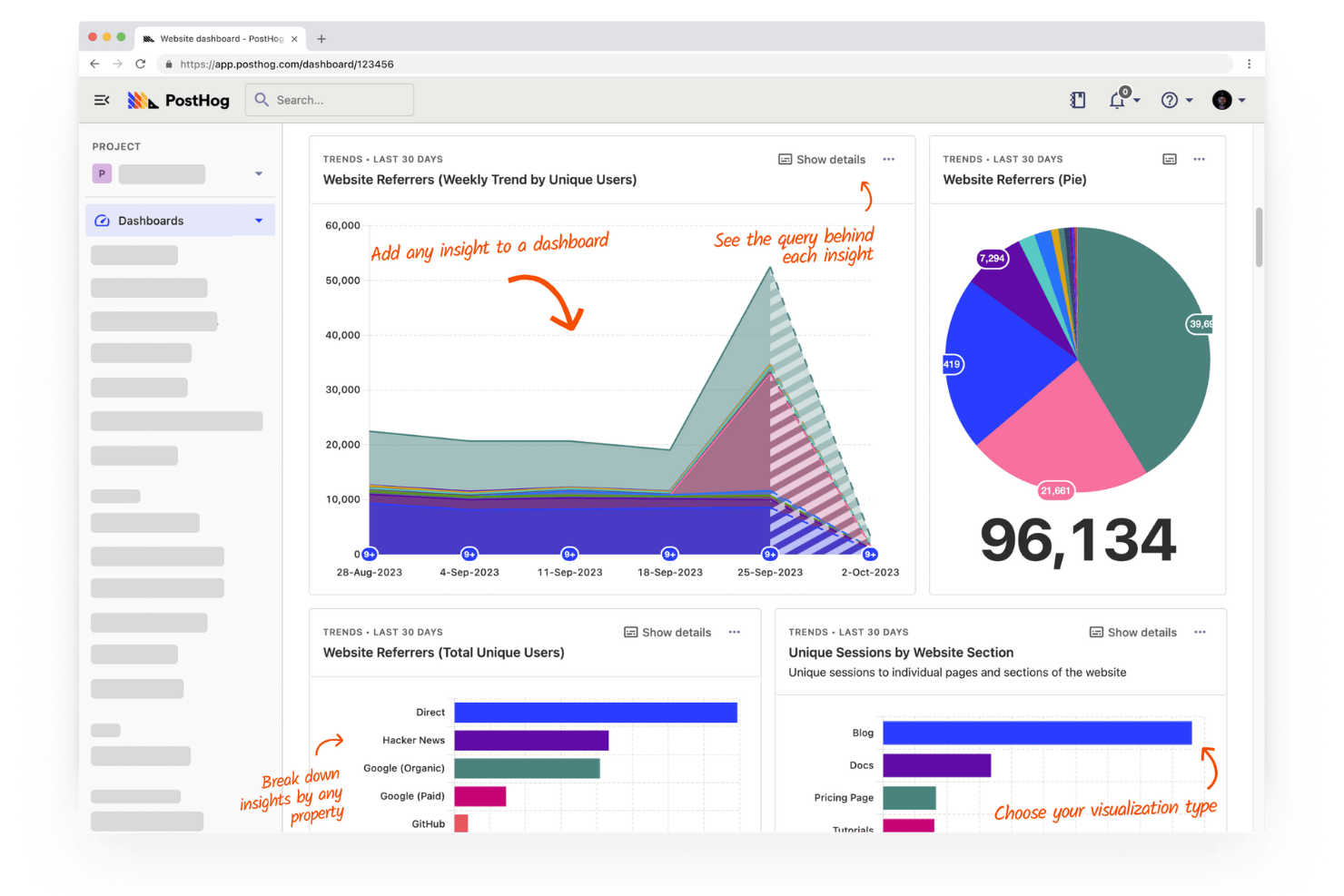
Si buscas una alternativa a Sentry con análisis de producto integrado, vale la pena considerar detenidamente PostHog. Esta plataforma combina el seguimiento de errores con información sobre el comportamiento de los usuarios, lo que la convierte en una opción muy adecuada para equipos de producto y empresas SaaS. PostHog te ayuda a conectar los problemas técnicos con las acciones reales de los usuarios, para que puedas priorizar las correcciones más importantes.
Por qué PostHog es una buena alternativa a Sentry
Lo que distingue a PostHog como alternativa a Sentry es su profunda integración del análisis de producto con el seguimiento de errores. Elige PostHog para equipos que quieren ver cómo interactúan las acciones de los usuarios y los problemas técnicos en un mismo lugar. Puedes realizar un seguimiento de los errores junto con los recorridos de los usuarios, los embudos y las grabaciones de sesiones, lo que te ayuda a comprender el impacto real de los errores en la experiencia con tu producto. Esta combinación facilita la priorización de correcciones basadas en el comportamiento real de los usuarios, no solo en la frecuencia de los errores.
Funciones principales de PostHog
Otras funciones de PostHog que destacan para los equipos que comparan alternativas a Sentry incluyen:
- Seguimiento de eventos personalizado: Captura y analiza cualquier evento de tu aplicación con definiciones de eventos flexibles.
- Indicadores de funciones: Implementa nuevas funciones para segmentos de usuarios específicos y controla las versiones sin volver a implementar el código.
- Pruebas A/B: Ejecuta experimentos directamente en la plataforma para medir el impacto de los cambios en el comportamiento de los usuarios.
- Acceso a la API: Integra los datos de PostHog con tus herramientas y flujos de trabajo existentes mediante una API robusta.
Integraciones de PostHog
Entre las integraciones se incluyen Slack, Segment, Shopify, WordPress, Google Tag Manager, Webflow, WooCommerce, Django, Next.js y Vercel.
Pros and Cons
Pros:
- Combina el seguimiento de errores con el análisis de producto
- Ofrece reproducción de sesiones para obtener contexto al depurar
- Admite indicadores de funciones y pruebas A/B
Cons:
- Carece de alertas avanzadas en comparación con Sentry
- Menos integraciones con herramientas para desarrolladores

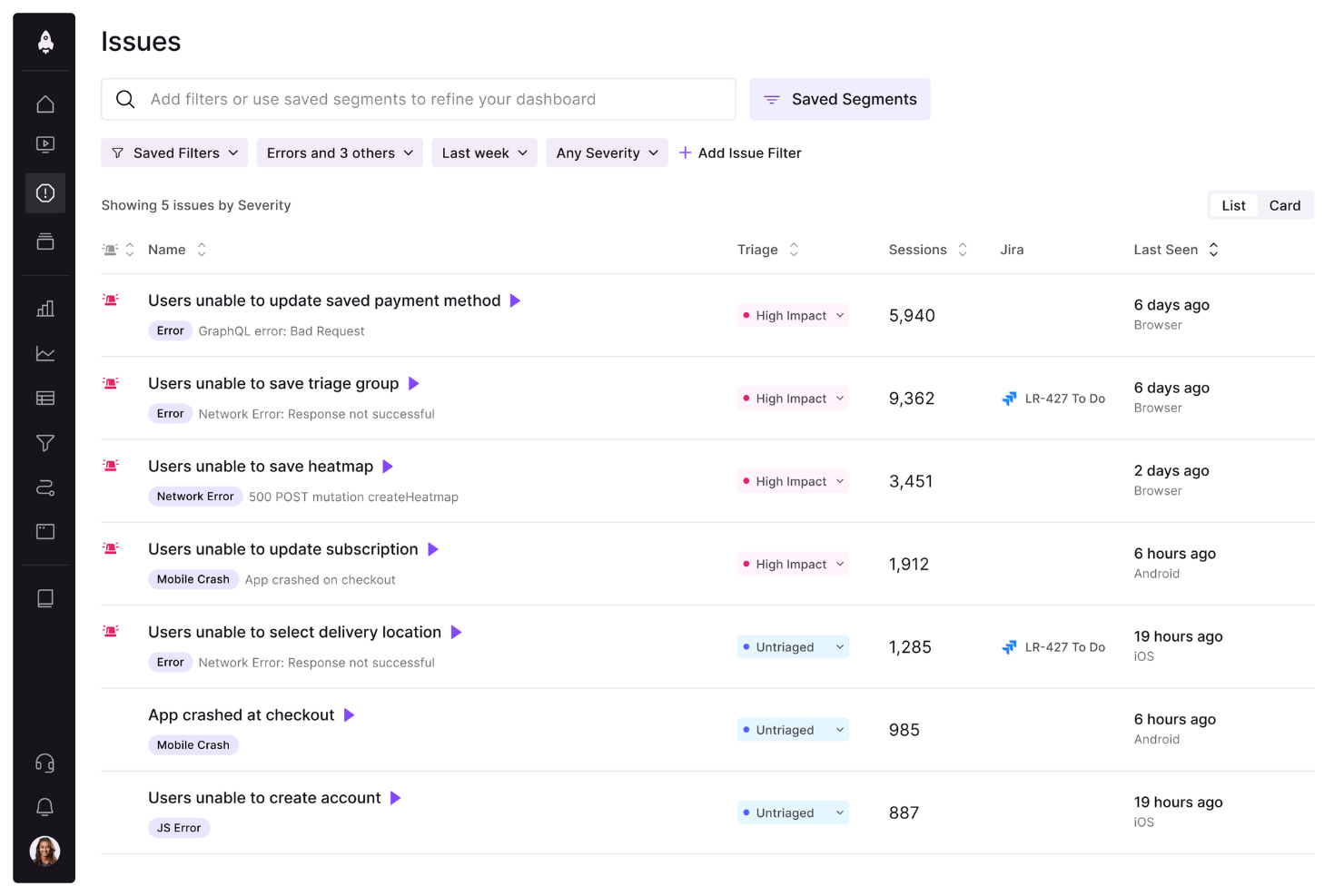
Para los equipos que quieren ver exactamente lo que experimentaron los usuarios antes de un error, LogRocket ofrece una reproducción detallada de sesiones junto con el seguimiento de errores. Es especialmente útil para responsables de producto, equipos de control de calidad e ingenieros de front-end que necesitan comprender el comportamiento de los usuarios y los problemas de la interfaz en su contexto. A diferencia de la mayoría de las alternativas a Sentry, LogRocket permite ver las sesiones de los usuarios e inspeccionar la actividad de red, los registros de la consola y los cambios del DOM en un solo lugar.
Por qué LogRocket es una buena alternativa a Sentry
Lo que distingue a LogRocket de Sentry es su enfoque en las funciones de reproducción de sesiones, que permiten ver exactamente lo que experimentaron los usuarios antes y durante un problema. Elegí LogRocket porque registra las sesiones de los usuarios, capturando clics, desplazamientos y eventos de navegación junto con los datos de errores.
También puedes inspeccionar las solicitudes de red, los registros de la consola y los cambios del DOM directamente desde la cronología de la sesión. Este nivel de contexto visual ayuda a los equipos a reproducir rápidamente los errores y comprender la causa raíz de una forma que las herramientas tradicionales de seguimiento de errores no pueden igualar.
Funciones principales de LogRocket
Otras funciones de LogRocket que resultan útiles para los equipos que comparan alternativas a Sentry incluyen:
- Supervisión del rendimiento: Registra los tiempos de carga de las páginas, el uso de recursos y las métricas de rendimiento del front-end.
- Seguimiento de eventos personalizados: Define y captura acciones específicas de los usuarios o hitos dentro de tu aplicación.
- Integración con la gestión de incidencias: Conecta con herramientas como Jira y GitHub para crear y realizar un seguimiento de incidencias directamente desde LogRocket.
- Identificación de usuarios: Vincula los datos de las sesiones a perfiles de usuario específicos para una depuración y asistencia más específicas.
Integraciones de LogRocket
Actualmente no se muestran integraciones nativas.
Pros and Cons
Pros:
- La reproducción de sesiones muestra las acciones de los usuarios antes de los errores
- Registros de red y de consola capturados con las sesiones
- Seguimiento de eventos personalizados para flujos de usuarios específicos
Cons:
- No ofrece supervisión ni trazabilidad de errores del backend
- Las opciones de exportación de datos son limitadas

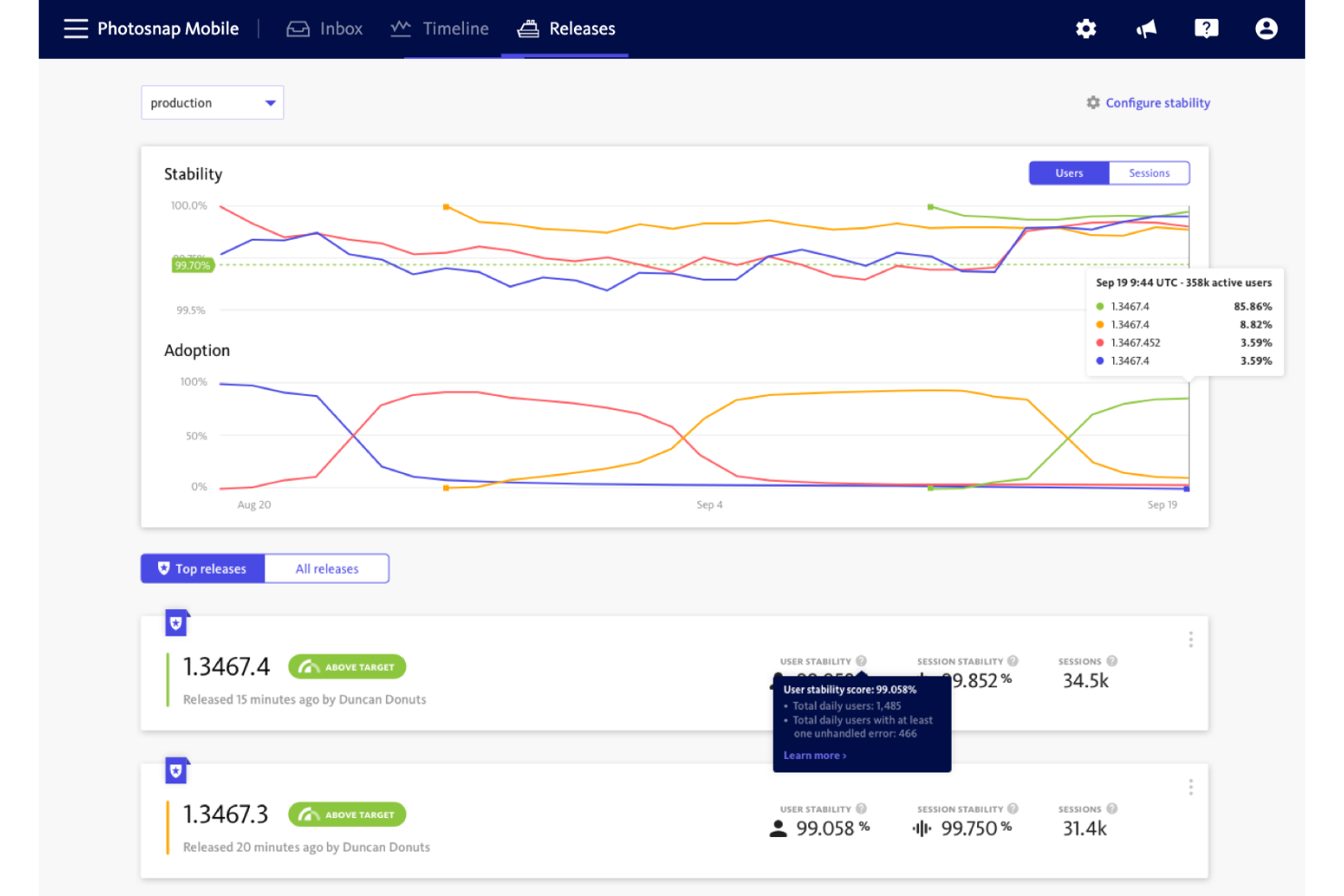
Los equipos que quieren medir y mejorar la fiabilidad de las aplicaciones suelen recurrir a BugSnag como alternativa a Sentry. Está diseñado para equipos de ingeniería y producto que necesitan puntuaciones de estabilidad detalladas e información útil sobre errores en aplicaciones web y móviles. BugSnag destaca por sus informes de puntuación de estabilidad, que ayudan a priorizar las correcciones en función del impacto real en los usuarios, en lugar de basarse únicamente en el volumen de errores.
Por qué BugSnag es una buena alternativa a Sentry
A diferencia de muchas herramientas de supervisión de errores, BugSnag proporciona una puntuación de estabilidad que cuantifica la fiabilidad de tu aplicación para los usuarios finales. Elegí BugSnag porque sus informes de puntuación de estabilidad permiten realizar un seguimiento del estado de las versiones y establecer objetivos claros para los presupuestos de errores.
Puedes profundizar en las tendencias de errores por versión, dispositivo o segmento de usuarios, lo que facilita priorizar las correcciones más importantes. Este enfoque en las métricas de fiabilidad prácticas ayuda a los equipos a ir más allá del simple seguimiento de errores y a mejorar realmente la experiencia del usuario.
Características principales de BugSnag
Otras características de BugSnag que resultan útiles para los equipos que comparan alternativas a Sentry incluyen:
- Migas de navegación: Captura una línea de tiempo de los eventos que preceden a cada error para facilitar la depuración.
- Seguimiento de sesiones: Supervisa las sesiones de los usuarios para comprender cómo afectan los errores a su experiencia.
- Agrupación personalizada de errores: Ajusta la forma en que se agrupan los errores para reducir el ruido y centrarte en problemas únicos.
- Seguimiento de versiones: Realiza un seguimiento de los errores por versión de implementación para identificar rápidamente las versiones problemáticas.
Integraciones de BugSnag
Las integraciones incluyen Slack, Microsoft Teams, Jira, PagerDuty y otras.
Pros and Cons
Pros:
- La puntuación de estabilidad cuantifica las tendencias de fiabilidad de las aplicaciones
- Admite la supervisión de errores en plataformas móviles
- La agrupación personalizada de errores reduce el ruido de las alertas
Cons:
- No incluye herramientas integradas de supervisión del rendimiento
- Compatibilidad limitada con el rastreo distribuido

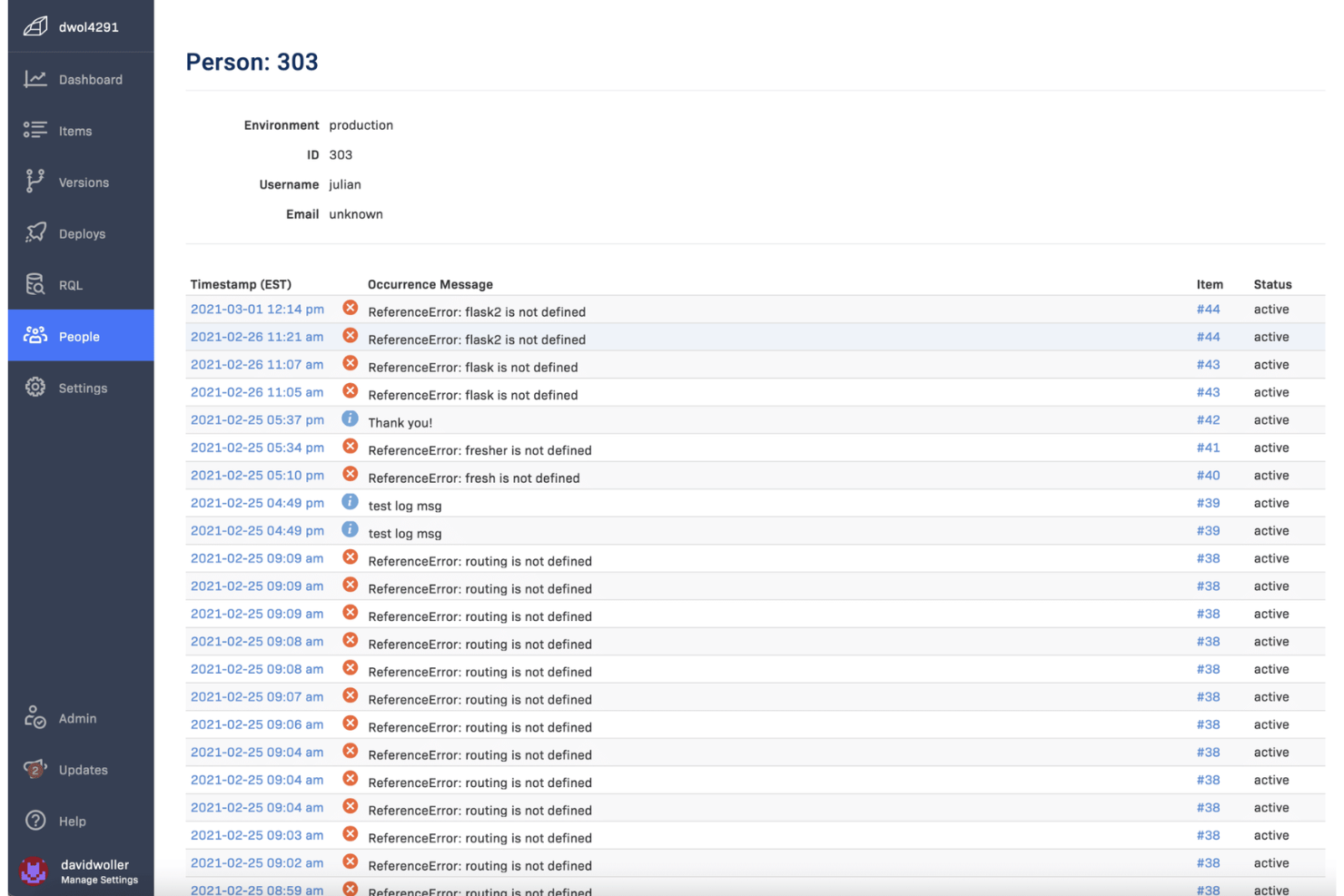
Los equipos que necesitan visibilidad instantánea de los errores en producción suelen recurrir a Rollbar por sus capacidades de agrupación de errores en tiempo real. Esta herramienta es especialmente útil para los equipos de ingeniería y DevOps que quieren identificar, categorizar y resolver rápidamente los problemas a medida que ocurren. Rollbar ayuda a reducir el ruido al agrupar automáticamente los errores relacionados, para que puedas centrarte en lo más importante.
Por qué Rollbar es una buena alternativa a Sentry
Si buscas una herramienta que destaque en la detección y organización de errores a medida que ocurren, Rollbar es una excelente alternativa a Sentry. Elegí Rollbar porque su agrupación de errores en tiempo real reúne automáticamente los problemas relacionados, para que no pierdas tiempo revisando alertas duplicadas.
El flujo de errores en directo y las notificaciones instantáneas de la plataforma ayudan a los equipos a responder a los problemas nuevos en cuanto aparecen. Este enfoque en la agrupación y la visibilidad en tiempo real hace que Rollbar sea especialmente útil para los equipos de desarrollo que trabajan a gran velocidad.
Características principales de Rollbar
Otras características de Rollbar que resultan valiosas para los equipos que comparan alternativas a Sentry incluyen:
- Seguimiento de implementaciones: Supervisa los errores introducidos por las nuevas implementaciones de código y vincúlalos con versiones específicas.
- Datos de telemetría: Captura registros detallados y migas de navegación previas a cada error para ofrecer un mejor contexto de depuración.
- Reglas de alertas personalizadas: Configura activadores de notificaciones personalizados según el tipo, la frecuencia o la gravedad del error.
- Compatibilidad del SDK con varios lenguajes: Integra Rollbar con aplicaciones desarrolladas en Python, JavaScript, Ruby, PHP y otros lenguajes.
Integraciones de Rollbar
Las integraciones incluyen Slack, Jira, GitHub, GitLab, Microsoft Teams, PagerDuty, Trello, Asana, Bitbucket y FullStory.
Pros and Cons
Pros:
- La agrupación de errores en tiempo real reduce el ruido de las alertas
- Admite el seguimiento de implementaciones para supervisar versiones
- Los datos de telemetría proporcionan un contexto detallado para la depuración
Cons:
- Compatibilidad limitada con la supervisión del rendimiento
- Menos funciones de análisis que Sentry

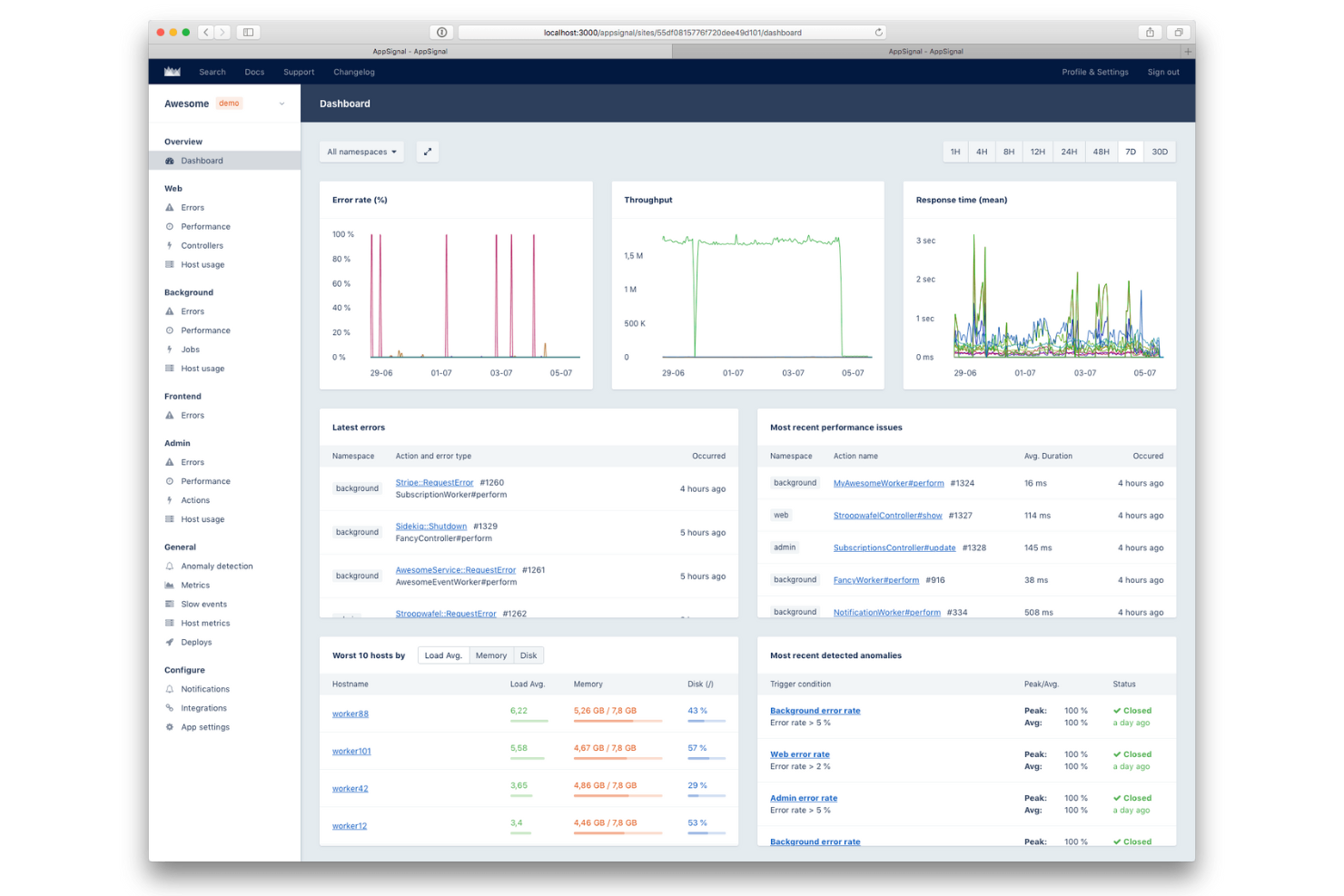
Si buscas una alternativa a Sentry especialmente fácil de configurar en entornos Ruby, vale la pena considerar AppSignal. Está diseñado para desarrolladores y equipos de ingeniería que quieren un seguimiento de errores y una supervisión del rendimiento rápidos y fiables sin configuraciones complejas.
AppSignal destaca por su enfoque centrado en Ruby, ya que ofrece integraciones nativas e instrumentación automática que ayudan a los equipos a empezar rápidamente y centrarse en la depuración, no en la configuración.
Por qué AppSignal es una buena alternativa a Sentry
Para los equipos que trabajan principalmente con aplicaciones Ruby, AppSignal ofrece un proceso de configuración mucho más sencillo que la mayoría de las alternativas a Sentry. Elegí AppSignal porque proporciona compatibilidad nativa con Ruby, instrumentación automática y paneles prediseñados adaptados a entornos Ruby.
Puedes supervisar errores, rendimiento y métricas del host sin tener que configurar manualmente ajustes complejos ni añadir dependencias adicionales. Este enfoque centrado en la funcionalidad para Ruby ayuda a los desarrolladores a obtener información práctica rápidamente, lo que lo convierte en una opción sólida para cualquiera que priorice una implementación rápida en proyectos Ruby.
Características principales de AppSignal
Otras características de AppSignal que pueden resultar útiles para los equipos que evalúan alternativas a Sentry son:
- Detección de anomalías: Marca automáticamente los picos o descensos inusuales en las métricas de la aplicación.
- Paneles personalizados: Crea y personaliza paneles para visualizar métricas y eventos clave.
- Supervisión del host: Supervisa el estado del servidor, la CPU, la memoria y el uso del disco junto con los datos de la aplicación.
- Sistema de alertas: Configura alertas para errores, problemas de rendimiento o umbrales de métricas personalizados.
Integraciones de AppSignal
Las integraciones incluyen Ruby on Rails, Elixir, Phoenix, Sidekiq, Redis, PostgreSQL, MySQL y AWS Lambda.
Pros and Cons
Pros:
- Compatibilidad nativa con Ruby, Elixir y Node.js
- Instrumentación automática para trabajos en segundo plano
- Detección de anomalías integrada para las métricas
Cons:
- Sin compatibilidad con frameworks móviles o de frontend
- Compatibilidad limitada con lenguajes distintos de Ruby y Elixir

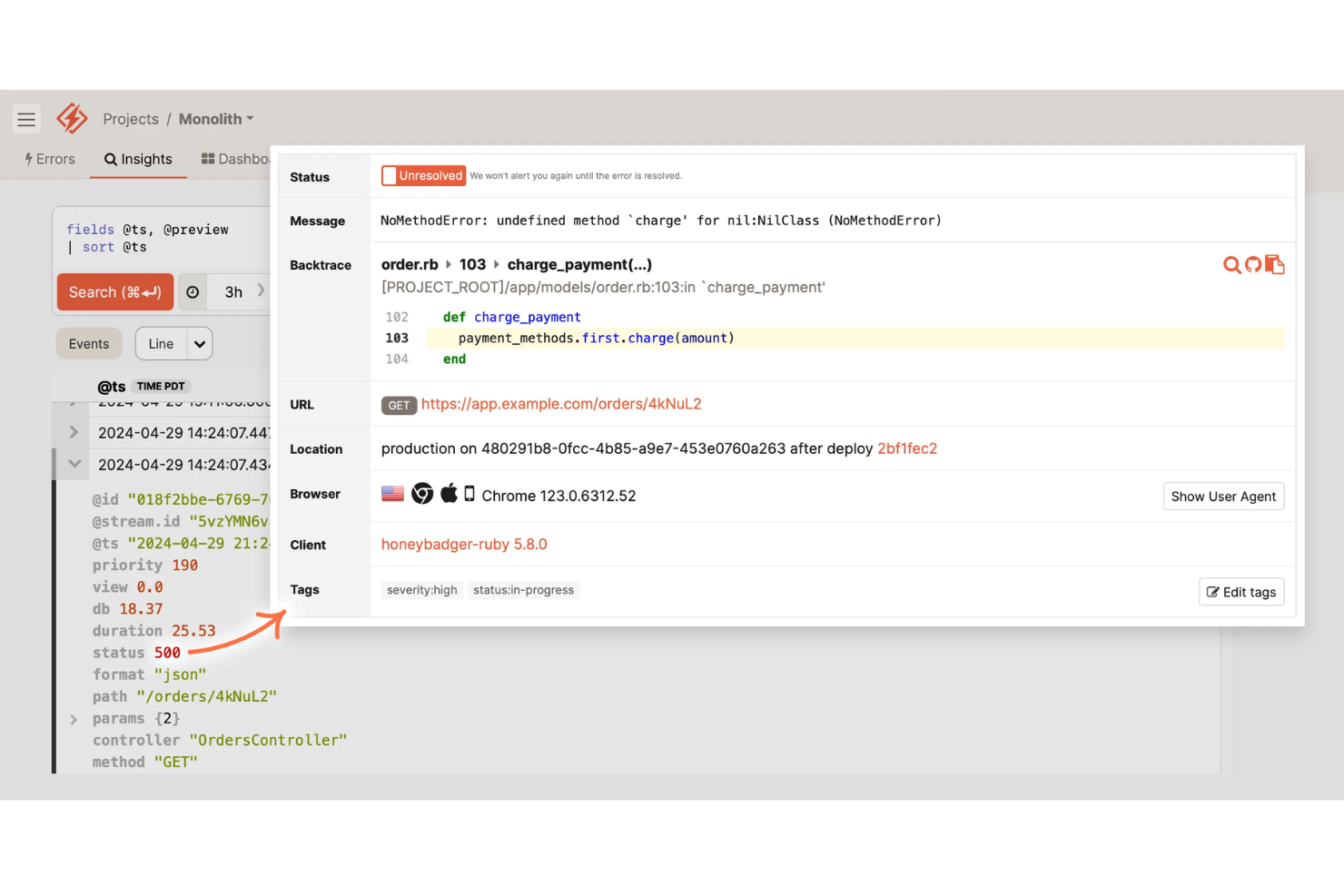
Si buscas una alternativa a Sentry que combine la monitorización del tiempo de actividad con alertas de errores, vale la pena considerar Honeybadger. Está diseñado para equipos de ingeniería y empresas SaaS que quieren detectar interrupciones y errores de aplicaciones en un solo lugar. Honeybadger destaca por ofrecer alertas unificadas tanto para el tiempo de inactividad como para las excepciones, para que puedas responder rápidamente a los problemas que afectan a tus usuarios.
Por qué Honeybadger es una buena alternativa a Sentry
Para los equipos que quieren alertas de disponibilidad y errores en una sola plataforma, Honeybadger ofrece un enfoque único en comparación con Sentry. Elegí Honeybadger porque combina la monitorización del tiempo de actividad en tiempo real con un seguimiento detallado de errores, por lo que puedes detectar tanto interrupciones como excepciones de las aplicaciones desde un único panel.
La herramienta envía alertas instantáneas sobre interrupciones y errores, lo que te ayuda a responder rápidamente a los incidentes que afectan a los usuarios. Este sistema de alertas integral es especialmente útil para empresas SaaS y equipos de aplicaciones web que necesitan minimizar tanto las interrupciones como los errores.
Funciones principales de Honeybadger
Otras funciones de Honeybadger que resultan útiles para los equipos que comparan alternativas a Sentry incluyen:
- Agregación de errores: Agrupa errores similares para reducir la fatiga por alertas y centrarte en problemas únicos.
- Seguimiento de implementaciones: Supervisa las implementaciones y relaciónalas con nuevos errores o interrupciones.
- Canales de alerta personalizables: Envía notificaciones a Slack, correo electrónico, SMS o webhooks según las preferencias de tu equipo.
- Páginas de estado públicas: Comparte información en tiempo real sobre la disponibilidad y los incidentes con tus usuarios mediante páginas de estado alojadas.
Integraciones de Honeybadger
Las integraciones incluyen GitHub, GitLab, Bitbucket, Slack, PagerDuty, Jira, Trello, Microsoft Teams, AWS Lambda y Heroku.
Pros and Cons
Pros:
- Alertas de disponibilidad y errores en un solo panel
- Páginas de estado públicas para comunicar incidentes
- El seguimiento de implementaciones vincula los errores con las versiones
Cons:
- Carece de capacidades de trazado distribuido
- Menos SDK para lenguajes menos comunes

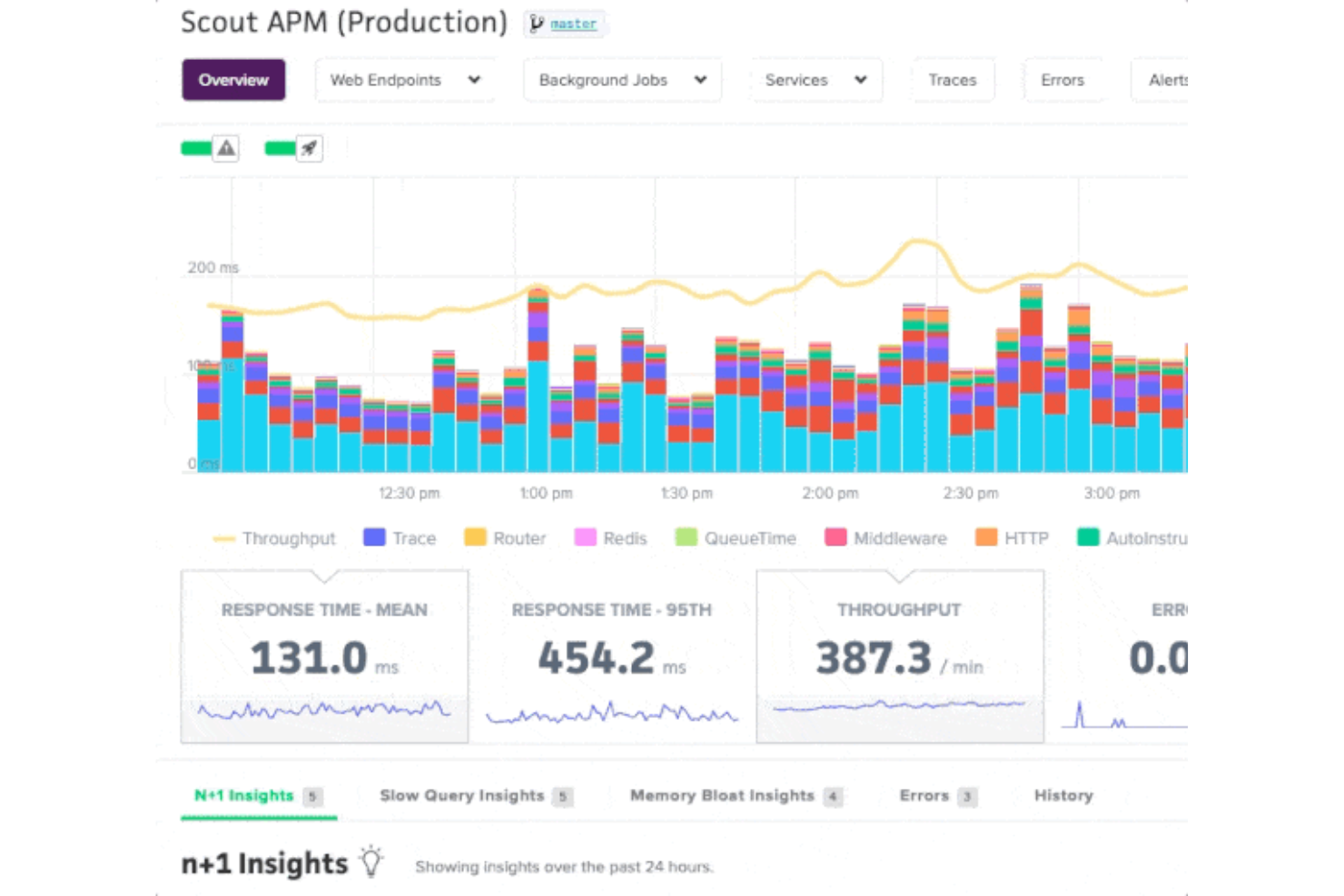
Cuando necesitas identificar exactamente dónde se ralentiza tu aplicación, Scout ofrece información detallada sobre el rendimiento que va más allá del seguimiento de errores. Esta herramienta es ideal para equipos de ingeniería y empresas SaaS que desean diagnosticar y resolver cuellos de botella de rendimiento a nivel de código. A diferencia de Sentry, Scout se especializa en rastrear consultas lentas a la base de datos, consumo excesivo de memoria y latencia de los endpoints, lo que te ayuda a optimizar la experiencia del usuario.
Por qué Scout es una buena alternativa a Sentry
Si tu principal preocupación es encontrar y solucionar cuellos de botella de rendimiento, Scout ofrece una solución específica que Sentry no iguala. Elegí Scout porque proporciona trazas detalladas de las transacciones y señala las consultas lentas a la base de datos, para que puedas identificar rápidamente qué está ralentizando tu aplicación.
La herramienta también resalta el consumo excesivo de memoria y supervisa la latencia de los endpoints, ofreciéndote una visión clara de dónde se originan los problemas de rendimiento. Para los equipos que desean ir más allá de las alertas de errores y optimizar realmente la velocidad de las aplicaciones, Scout incorpora funciones especializadas que cubren la carencia dejada por Sentry.
Características principales de Scout
Otras características de Scout que resultan útiles para los equipos que consideran alternativas a Sentry incluyen:
- Integración con GitHub: Vincula los problemas de rendimiento directamente con commits y cambios de código específicos.
- Paneles personalizados: Crea paneles para visualizar métricas clave y tendencias de tus aplicaciones.
- Reglas de alertas: Configura alertas personalizadas para umbrales de rendimiento o anomalías específicos.
- Filtrado basado en etiquetas: Filtra y segmenta los datos de rendimiento por etiquetas como entorno, servidor o implementación.
Integraciones de Scout
Las integraciones incluyen GitHub, GitLab, Bitbucket, Slack, PagerDuty, Datadog, New Relic, AWS, Heroku y Azure.
Pros and Cons
Pros:
- La integración con GitHub vincula los problemas con los commits
- Paneles personalizados para visualizar el rendimiento
- Filtrado basado en etiquetas para un análisis detallado de los datos
Cons:
- No ofrece seguimiento de errores para JavaScript frontend
- No incluye funciones integradas de gestión de registros
Datadog
Ideal para la supervisión nativa de la nube
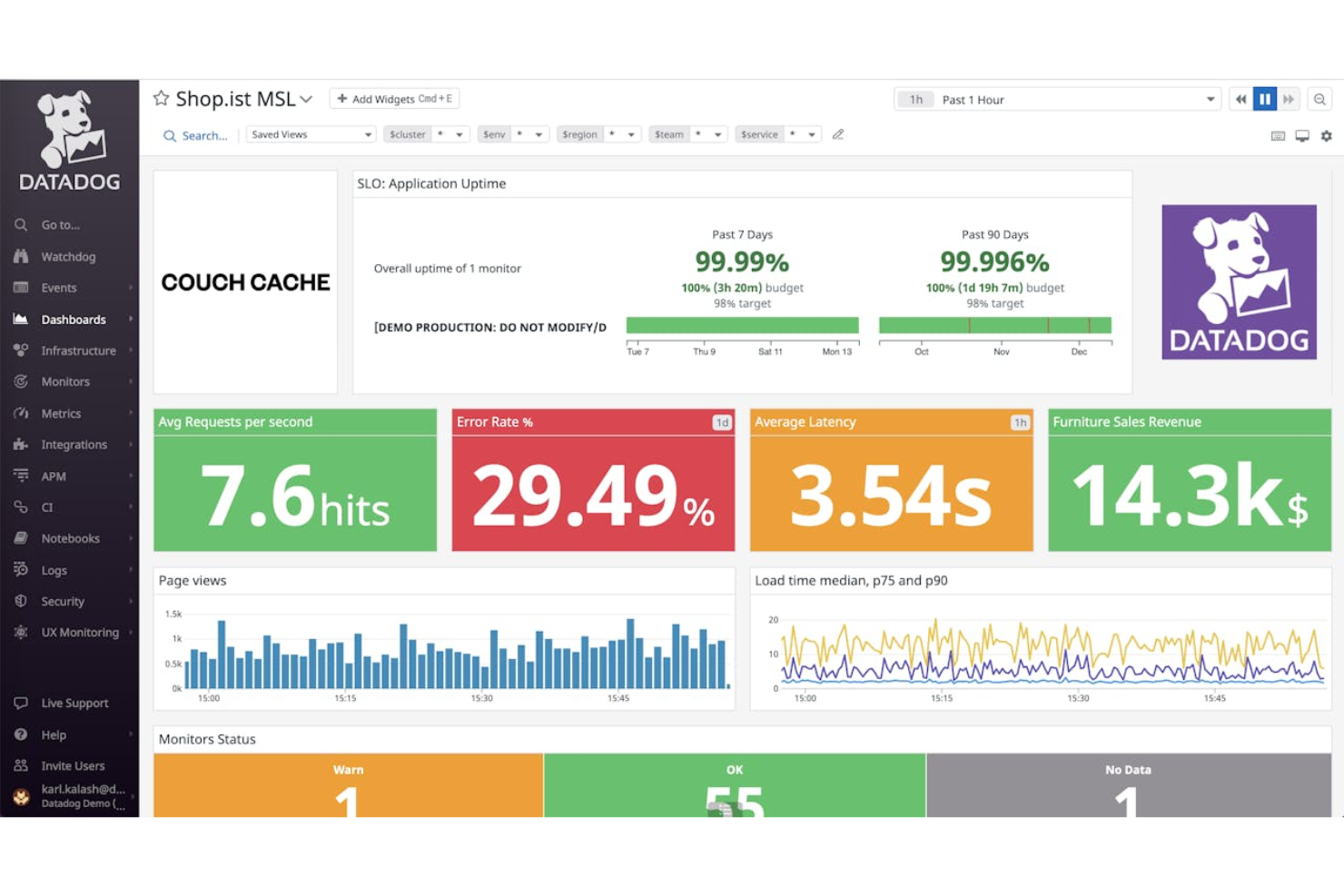
Si tu equipo gestiona aplicaciones e infraestructura nativas de la nube, Datadog reúne la supervisión, el seguimiento de errores y la observabilidad en una sola plataforma. Es especialmente útil para equipos de DevOps y empresas que ejecutan sistemas distribuidos y necesitan correlacionar los errores con el estado de la infraestructura y los servicios. Datadog se diferencia de otras alternativas a Sentry al ofrecer integraciones profundas con proveedores de servicios en la nube y visibilidad en tiempo real de toda tu pila tecnológica.
Por qué Datadog es una buena alternativa a Sentry
Para los equipos que operan en entornos nativos de la nube, Datadog ofrece capacidades de supervisión que van mucho más allá del seguimiento básico de errores. Elegí Datadog como alternativa a Sentry porque proporciona una visibilidad unificada tanto de los errores de las aplicaciones como de la infraestructura de nube subyacente.
Con funciones como el rastreo distribuido y los mapas de servicios en tiempo real, puedes identificar rápidamente la causa raíz de los problemas en sistemas complejos y multinube. Esto hace que Datadog sea especialmente valioso para las organizaciones que necesitan conectar el estado de las aplicaciones con el rendimiento de la infraestructura.
Funciones principales de Datadog
Otras funciones de Datadog que resultan útiles para los equipos que comparan alternativas a Sentry incluyen:
- Gestión de registros: Recopila, busca y analiza registros de varias fuentes en una sola plataforma.
- Supervisión sintética: Simula las interacciones de los usuarios para probar de forma proactiva los puntos de acceso y los flujos de trabajo de las aplicaciones.
- Supervisión de seguridad: Detecta amenazas y supervisa las señales de seguridad en toda tu infraestructura y tus aplicaciones.
- Alertas personalizadas: Configura alertas adaptadas en función de métricas específicas, umbrales o detección de anomalías.
Integraciones de Datadog
Las integraciones incluyen AWS, Azure, Google Cloud Platform, Kubernetes, Docker, Slack, PagerDuty, Jenkins, GitHub y Terraform.
Pros and Cons
Pros:
- La supervisión nativa de la nube abarca la infraestructura y las aplicaciones
- El rastreo distribuido visualiza los flujos de solicitudes de principio a fin
- La supervisión sintética prueba las API y los recorridos de los usuarios
Cons:
- La retención de registros es limitada en los niveles inferiores
- Complejidad de configuración en entornos multinube
Otras alternativas a Sentry
Estas son algunas alternativas adicionales a Sentry que no llegaron a mi lista, pero que aun así merece la pena conocer:
- Better Stack
Mejor con visualización de la línea de tiempo de incidentes
- Dash0
Ideal para la supervisión de errores multilingüe


Cómo evalúo las alternativas a Sentry
Cuando un despliegue defectuoso hunde las conversiones del proceso de pago, necesito saberlo de inmediato; evalúo las alternativas a Sentry en dos niveles: requisitos imprescindibles básicos y factores diferenciadores que separan a las mejores.
Funcionalidad principal (requisitos imprescindibles para esta lista)
Cuando selecciono herramientas para mi lista, califico cada una en una escala de 0 (no ofrece la funcionalidad) a 5 (sobresale en esta área) para cada funcionalidad principal que se indica a continuación. Después, calculo la puntuación total de la herramienta como porcentaje. Cada herramienta debe alcanzar una puntuación total mínima del 65% para ser considerada para su inclusión.
- Seguimiento de errores y excepciones: Busco captura automática, eliminación de duplicados y contexto de la traza de pila en el cliente y el servidor; las herramientas deben agrupar una avalancha de errores de pago idénticos en un único problema práctico.
- Monitorización del rendimiento en tiempo real: Las cargas lentas de las páginas acaban con las conversiones, por lo que evalúo si una herramienta ofrece monitorización de usuarios reales, trazabilidad distribuida y seguimiento de las métricas esenciales de la web de forma inmediata.
- Reproducción de sesiones y contexto del usuario: Compruebo si las reproducciones incluyen registros de consola, solicitudes de red y capturas del DOM vinculadas al evento de error, para que el equipo pueda ver exactamente lo que experimentó el cliente.
- Alertas y priorización de problemas: La agrupación inteligente y el enrutamiento multicanal son importantes aquí; analizo si las alertas llegan al ingeniero de guardia adecuado mediante Slack, PagerDuty o webhooks, con información útil sobre la gravedad.
- Seguimiento de versiones y despliegues: Cada herramienta debe correlacionar los errores nuevos con versiones o confirmaciones específicas, para que sea fácil detectar regresiones en cuanto un despliegue entre en producción.
- Integraciones y cobertura de SDK: La compatibilidad con una amplia variedad de lenguajes y marcos de trabajo es un requisito básico, pero también evalúo las conexiones nativas con herramientas como Jira, GitHub y plataformas de experiencia del cliente, como Zendesk o Intercom.
Una vez que tengo una lista de herramientas que cumplen estos criterios, considero qué distingue a cada plataforma.
Factores diferenciadores (qué distingue a los proveedores)
Así es como comparo y contrasto diferentes proveedores:
Funciones destacadas
El análisis de la causa raíz basado en IA es un factor diferenciador importante; cuando se interrumpe un flujo de pago, quiero una herramienta que detecte automáticamente la causa subyacente en lugar de exigir una revisión manual de la traza. También evalúo si una plataforma puede correlacionar los errores con etapas específicas del recorrido del cliente, como vincular un aumento repentino de fallos de la API con el abandono del carrito. Para los equipos que gestionan datos confidenciales de los usuarios, merece la pena comprobar si las reproducciones de sesiones incluyen enmascaramiento de información personal identificable (PII), especialmente si operan en sectores regulados donde se espera el cumplimiento del RGPD o la HIPAA.
Más allá de las funciones
La previsibilidad de los precios es muy importante en este sector. Las herramientas de monitorización de errores suelen facturar según el volumen de eventos, por lo que compruebo cómo gestiona cada proveedor los picos de tráfico; un aumento inesperado durante el lanzamiento de un producto no debería hacer que superes tu presupuesto. También evalúo la rapidez con la que un equipo puede obtener valor de la plataforma. La instrumentación automática y las plantillas de alertas prediseñadas pueden marcar la diferencia entre publicar en un día o tardar semanas en configurar todo. Las integraciones con herramientas de experiencia del cliente son otro factor que valoro, especialmente las conexiones nativas con Zendesk, Intercom o Salesforce Service Cloud, que permiten a los equipos de soporte vincular los errores directamente con las solicitudes abiertas.
¿Por qué buscar una alternativa a Sentry?
Aunque Sentry es una buena opción entre las alternativas a Sentry, hay varios motivos por los que algunos usuarios buscan soluciones alternativas. Es posible que estés buscando una alternativa a Sentry porque…
- Necesitas una supervisión del rendimiento más profunda que el simple seguimiento de errores
- Tu equipo quiere opciones de integración más flexibles
- Necesitas compatibilidad con lenguajes de programación menos habituales
- Necesitas una mayor visibilidad de los problemas del sistema y de la infraestructura
- Tu organización tiene requisitos estrictos de residencia de datos
- Quieres herramientas más avanzadas para el análisis de las causas raíz
Si alguna de estas situaciones te resulta familiar, has llegado al lugar adecuado. Mi lista contiene varias alternativas a Sentry más adecuadas para los equipos que afrontan estos desafíos con Sentry y buscan soluciones alternativas.
Funciones principales de Sentry
Estas son algunas de las funciones principales de Sentry, que te ayudarán a contrastar y comparar lo que ofrecen las soluciones alternativas:
- Seguimiento y alertas de errores en tiempo real
- Supervisión del rendimiento de aplicaciones web y móviles
- Seguimientos detallados de la pila para la depuración
- Seguimiento de versiones y gestión de versiones
- Integración con repositorios de código populares
- Asignación de incidencias y gestión de flujos de trabajo
- Análisis del impacto en los usuarios y seguimiento de sesiones
- Compatibilidad con múltiples lenguajes de programación
- Paneles e informes personalizables
- Migas de pan para rastrear las acciones de los usuarios que provocan errores