

Reseña de Aircall: ventajas, desventajas, funciones y precios explicados



Leading a customer experience team can feel like you’re always one step behind; calls stacking up, agents asking for help, and customers growing impatient when things slip through the cracks. When the pressure is constant and your systems don’t quite keep up, even a well-run team can start to feel overwhelmed.
Aircall is an AI-powered call center software designed to help customer experience teams manage inbound and outbound calls with ease. For managers juggling high call volumes, distributed teams, and the need for reliable integrations, Aircall offers a straightforward platform that connects with popular CRM and help desk tools.
In this review, you'll find a breakdown of Aircall’s features, best and worst use cases, pros and cons, and pricing—so you can decide if it fits your team’s workflow and customer experience goals.
Aircall Evaluation Summary
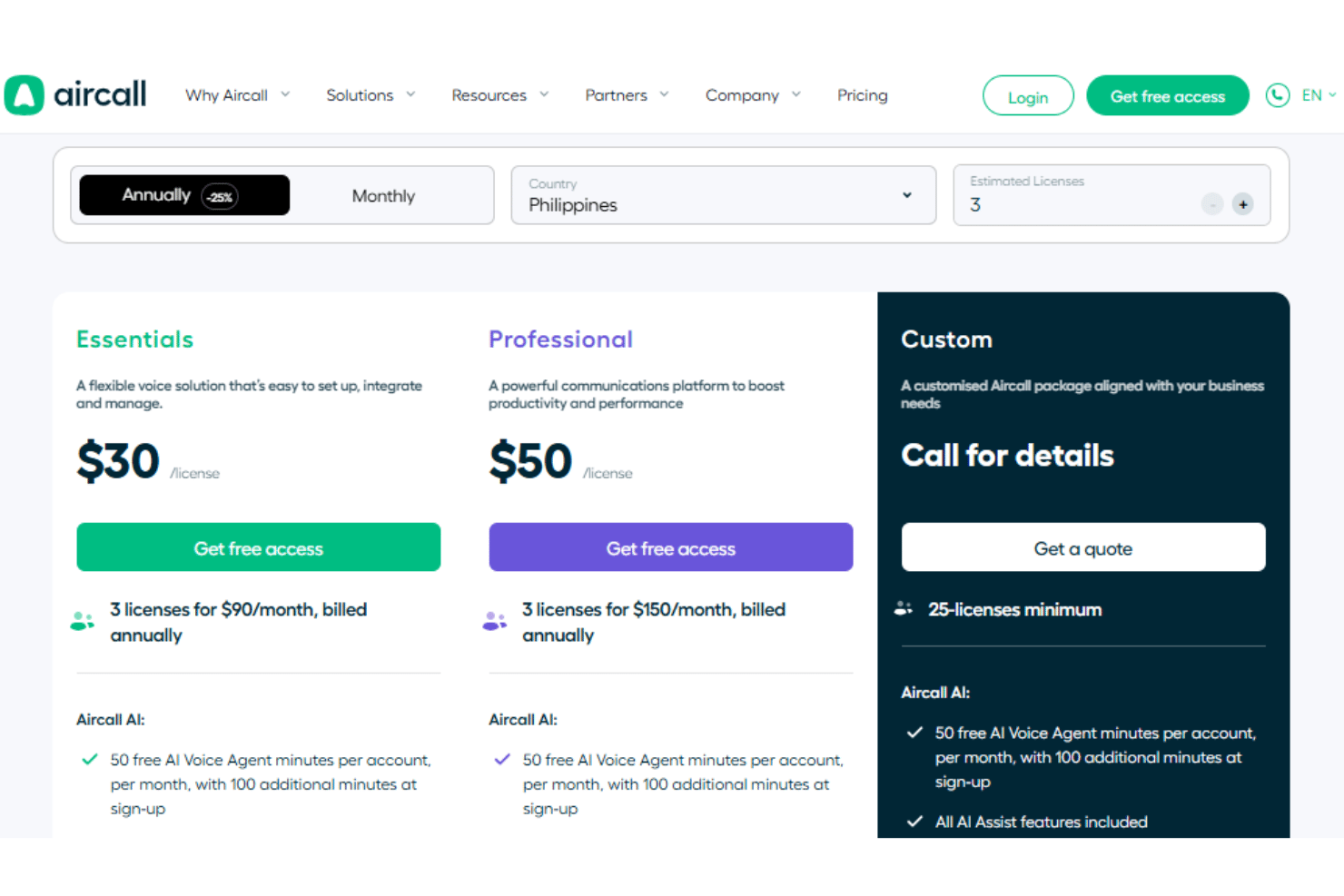
- From $30/license/month (billed annually)
- Free trial available
Por qué confiar en nuestras recomendaciones de software
Nuestro equipo lleva probando y evaluando software desde 2012. Como líderes de CX, sabemos lo difícil —y lo importante— que es elegir el software adecuado.
Para esta guía, evaluamos las herramientas mediante pruebas prácticas e investigación independiente, puntuando las herramientas según nuestros criterios de selección.
Nuestras reseñas reflejan nuestro criterio editorial humano, no un discurso de ventas.
Aircall Overview
If you’re comparing Aircall against other call center solutions, I think its clean interface, robust AI functionality, and strong integrations make it a top pick for teams that want to get up and running fast. The pricing is transparent, and support is responsive, but you might find analytics and customization a bit limited compared to some options. I’d suggest Aircall for fast-growing support or sales teams that value simplicity and need to connect with third-party tools without a lot of IT overhead.
pros
-
Call quality is consistently clear and reliable.
-
AI-powered features automate call routing and insights.
-
Onboarding and setup are fast for new teams.
cons
-
Analytics and reporting options are fairly basic without paid add-ons.
-
Pricing is higher than some similar solutions.
-
Users with unreliable internet connectivity report audio quality issues.
Is Aircall Right For Your Needs?
Who Would be a Good Fit for Aircall?
Aircall is a strong choice for teams that need a cloud-based phone system with fast onboarding, reliable call quality, and built-in AI features. I think it’s especially well-suited for industries and roles where quick setup, remote work, and integration with CRMs or help desks are priorities. If your team values a modern interface and wants to avoid heavy IT involvement, Aircall’s feature set and ease of use make it a practical option.
-
SaaS Startups
Aircall’s quick deployment and CRM integrations help fast-moving SaaS teams scale support.
-
Remote Sales Teams
Cloud-based calling and mobile apps keep distributed sales teams connected.
-
Customer Support Departments
Call routing and queue management streamline high-volume support operations.
-
E-Commerce Businesses
Order tracking and customer history pop-ups improve service for online retailers.
-
SMBs With Growth Plans
Scalable pricing and easy onboarding suit small businesses planning to expand.
-
Recruitment Agencies
Click-to-dial and call recording simplify candidate outreach and follow-up.
Who Would be a Bad Fit for Aircall?
Aircall may not be the best choice for organizations that need advanced analytics, highly specialized call flows, or strict compliance requirements. If your business relies on deep reporting, complex telephony setups, or operates in heavily regulated industries, you might find Aircall’s feature set limiting compared to more specialized solutions.
-
Large Enterprises
Enterprise contact centres that need heavily customizable workflows might find Aircall limiting.
-
On-Premise Call Centers
Aircall is a cloud-only solution, and thus cannot cater to companies requiring on-premise solutions.
-
Government Agencies
Certain security certifications and data residency options are limited.
-
Non-Customer Facing Teams
Teams that rarely deal with customer-facing interactions won’t find use in Aircall’s robust features.
Cómo Probamos y Evaluamos Herramientas
Hemos pasado años construyendo, refinando y perfeccionando nuestro sistema de evaluación y puntuación de software. La rúbrica está diseñada para capturar los matices de la selección de software y lo que hace que una herramienta sea eficaz, centrándose en los aspectos críticos del proceso de toma de decisiones. A continuación, puedes ver exactamente cómo funcionan nuestras pruebas y puntuaciones en siete criterios. Esto nos permite ofrecer una evaluación imparcial del software basada en funcionalidad principal, características destacadas, facilidad de uso, incorporación, soporte al cliente, integraciones, opiniones de clientes y la relación calidad-precio.
Funcionalidad Principal (25% de la puntuación final)
El punto de partida de nuestra evaluación siempre es la funcionalidad principal de la herramienta. ¿Tiene las funciones básicas que un usuario esperaría? ¿Alguna de esas funciones principales está bloqueada en planes de precios más altos? Consideramos que una herramienta debe estar a la par de las capacidades básicas de sus competidores.
Características Destacadas (25% de la puntuación final)
A continuación, evaluamos aquellas características poco comunes y destacadas que superan la funcionalidad principal típica de herramientas de ese tipo. Una puntuación alta refleja funciones especializadas o únicas que hacen que el producto sea más rápido, eficiente o que aporte un valor adicional al usuario. También evaluamos lo fácil que es integrar la herramienta con otras que típicamente se utilizan en el ecosistema tecnológico para ampliar la funcionalidad y utilidad del software. Las herramientas que ofrecen abundantes integraciones nativas, conexiones de terceros y acceso a API para integraciones personalizadas obtienen la mejor puntuación.
Facilidad de Uso (10% de la puntuación final)
Consideramos lo rápido y sencillo que es ejecutar las tareas definidas en la funcionalidad principal usando la herramienta. El software que puntúa alto está bien diseñado, es intuitivo, ofrece aplicaciones móviles, proporciona plantillas y hace que tareas relativamente complejas parezcan sencillas.
Incorporación (10% de la puntuación final)
Sabemos lo importante que es la rápida adopción del equipo en una nueva plataforma, así que evaluamos lo fácil que es aprender y usar una herramienta con poca formación. Evaluamos cuán rápido un miembro del equipo puede configurarse y comenzar a usar la herramienta sin experiencia. Las soluciones mejor puntuadas requieren poco o ningún soporte.
Soporte al Cliente (10% de la puntuación final)
Revisamos lo rápido y sencillo que es salir de un atasco y encontrar ayuda por teléfono, chat en vivo o una base de conocimientos. Las herramientas y empresas que brindan soporte en tiempo real obtienen la mejor puntuación, mientras que los chatbots obtienen la peor.
Opiniones de Clientes (10% de la puntuación final)
Más allá de nuestras propias pruebas, consideramos el puntaje neto del promotor de los clientes actuales y anteriores. Revisamos la probabilidad de que elijan la herramienta nuevamente para la funcionalidad principal. Un software con alta puntuación refleja un alto puntaje neto del promotor por parte de clientes actuales o anteriores.
Relación Calidad-Precio (10% de la puntuación final)
Por último, considerando todos los demás criterios, analizamos el precio promedio de los planes de nivel inicial frente a las funciones principales y valoramos el resto de los criterios de evaluación. El software que ofrece más por menos obtiene una mayor puntuación.
Core Features
Call Routing
Automatically directs inbound calls to the right agent or team based on rules you set. This helps reduce wait times and ensures customers reach the right person quickly.
Interactive Voice Response (IVR)
Lets you set up automated menus so callers can self-direct to the right department. IVR reduces manual transfers and improves first-call resolution.
Call Queuing
Places callers in a virtual line during busy periods and provides real-time queue updates. This keeps customers informed and helps manage high call volumes smoothly.
Live Call Monitoring
Supervisors can listen in on live calls and offer instant feedback or coaching. This feature supports quality assurance and agent training.
Call Recording
Records inbound and outbound calls for training, compliance, or dispute resolution. Recordings are easy to access and review from the dashboard.
Voicemail Transcription
Automatically converts voicemails to text and delivers them to your inbox. This saves time and makes it easier to prioritize follow-ups.
Standout Features
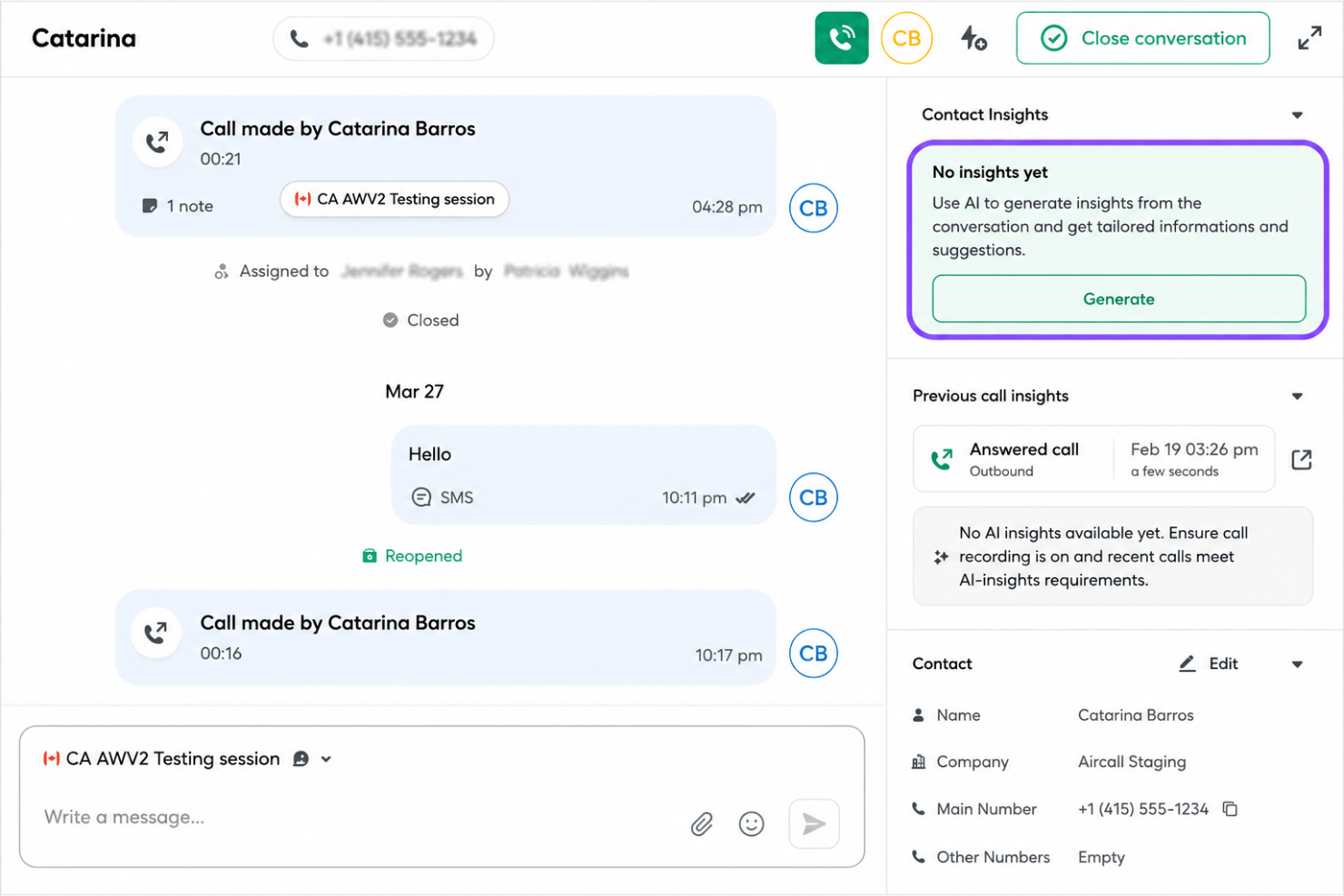
AI-Powered Call Insights
Aircall uses AI to analyze conversations and surface trends, keywords, and sentiment in real time. This helps managers spot coaching opportunities and track customer issues.
Click-to-Dial Chrome Extension
The Chrome extension lets users call any number on a webpage with one click. This saves time for sales and support teams who work across multiple browser tabs.
Ease of Use
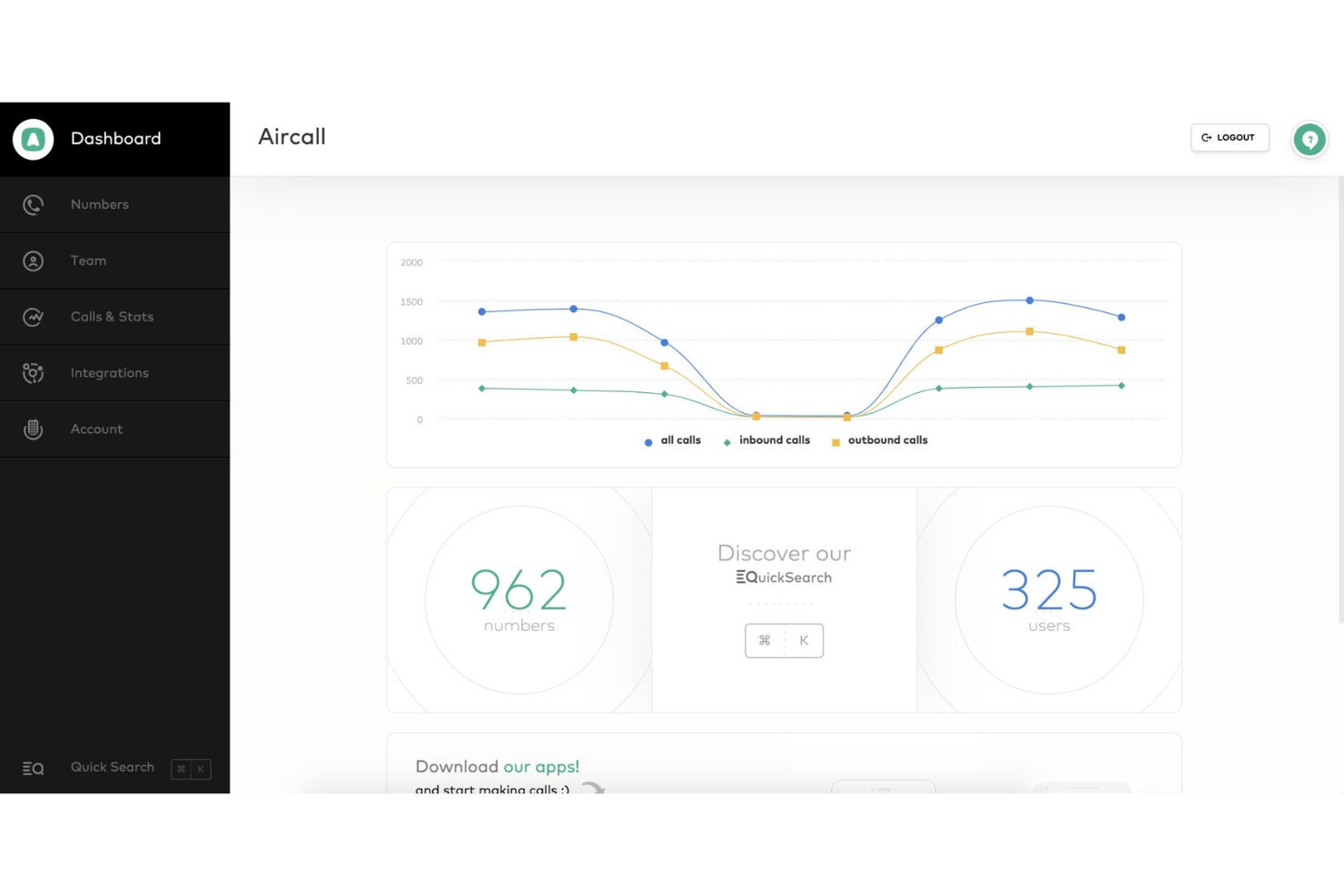
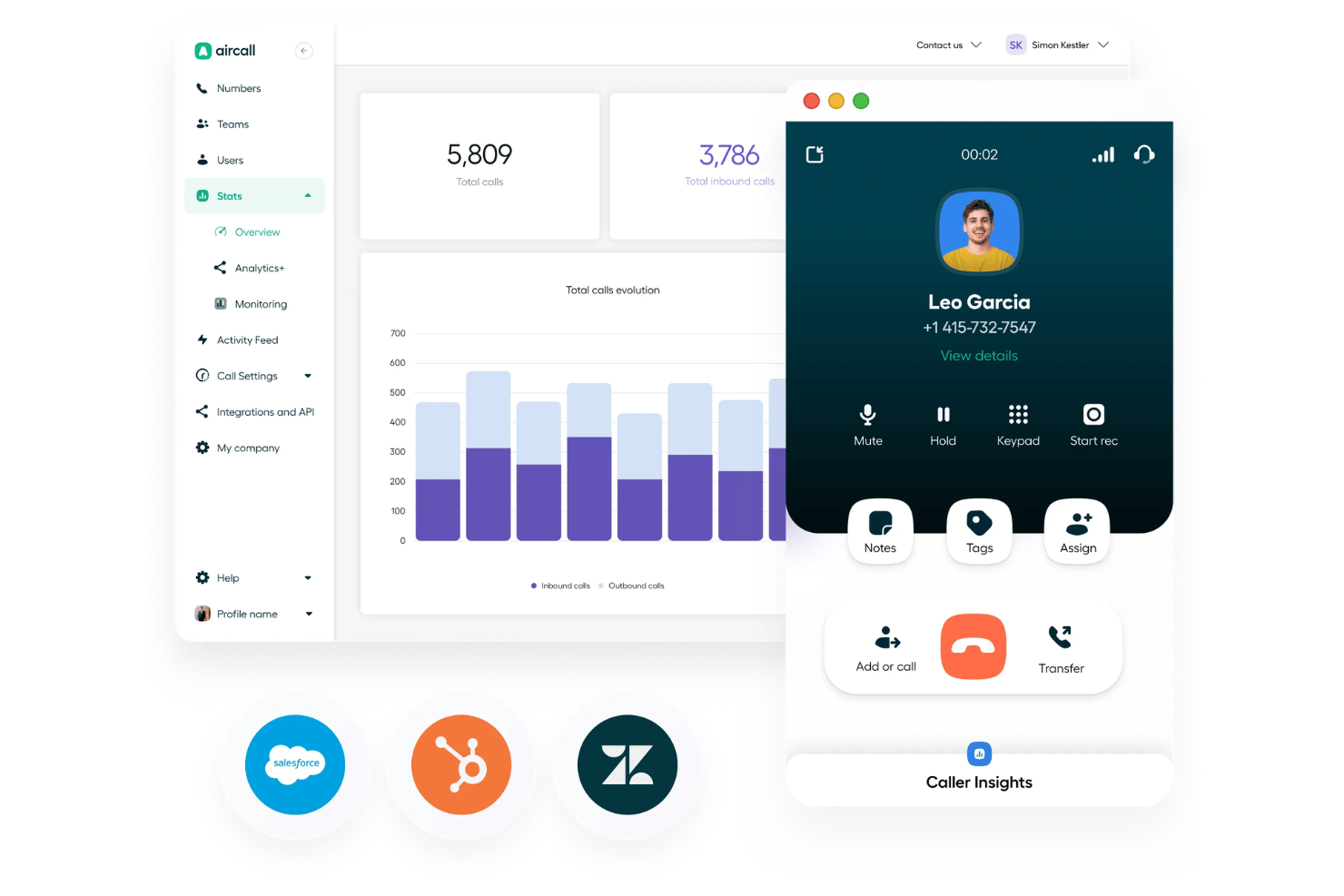
Aircall’s dashboard is one of the most user-friendly I’ve used. The interface is clean, intuitive, and requires little training for new users. Many reviewers mention how quickly teams can get started, thanks to guided onboarding and clear in-app instructions. Features like drag-and-drop call flow setup and easy access to call recordings make daily tasks simple, even for non-technical staff.
Onboarding
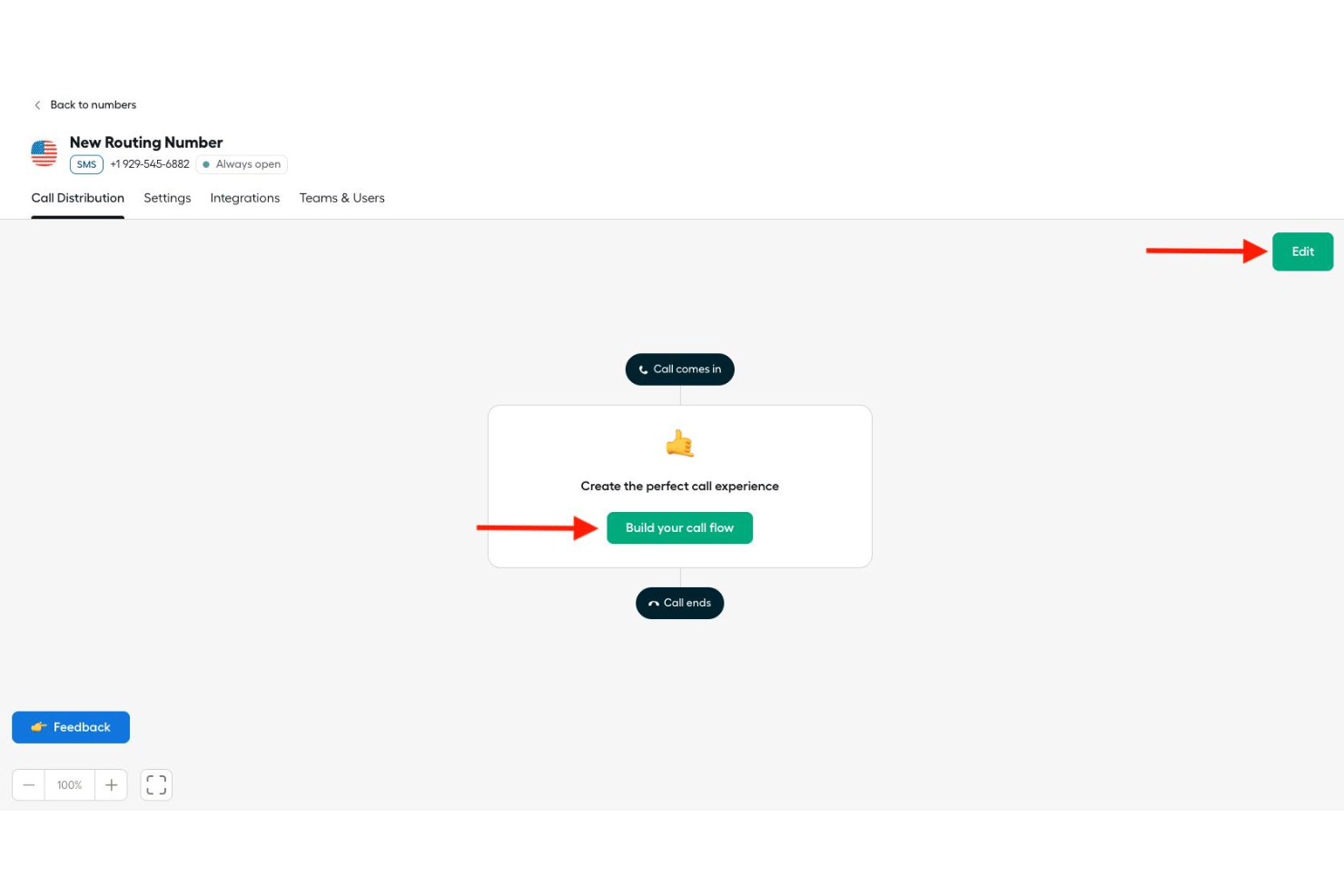
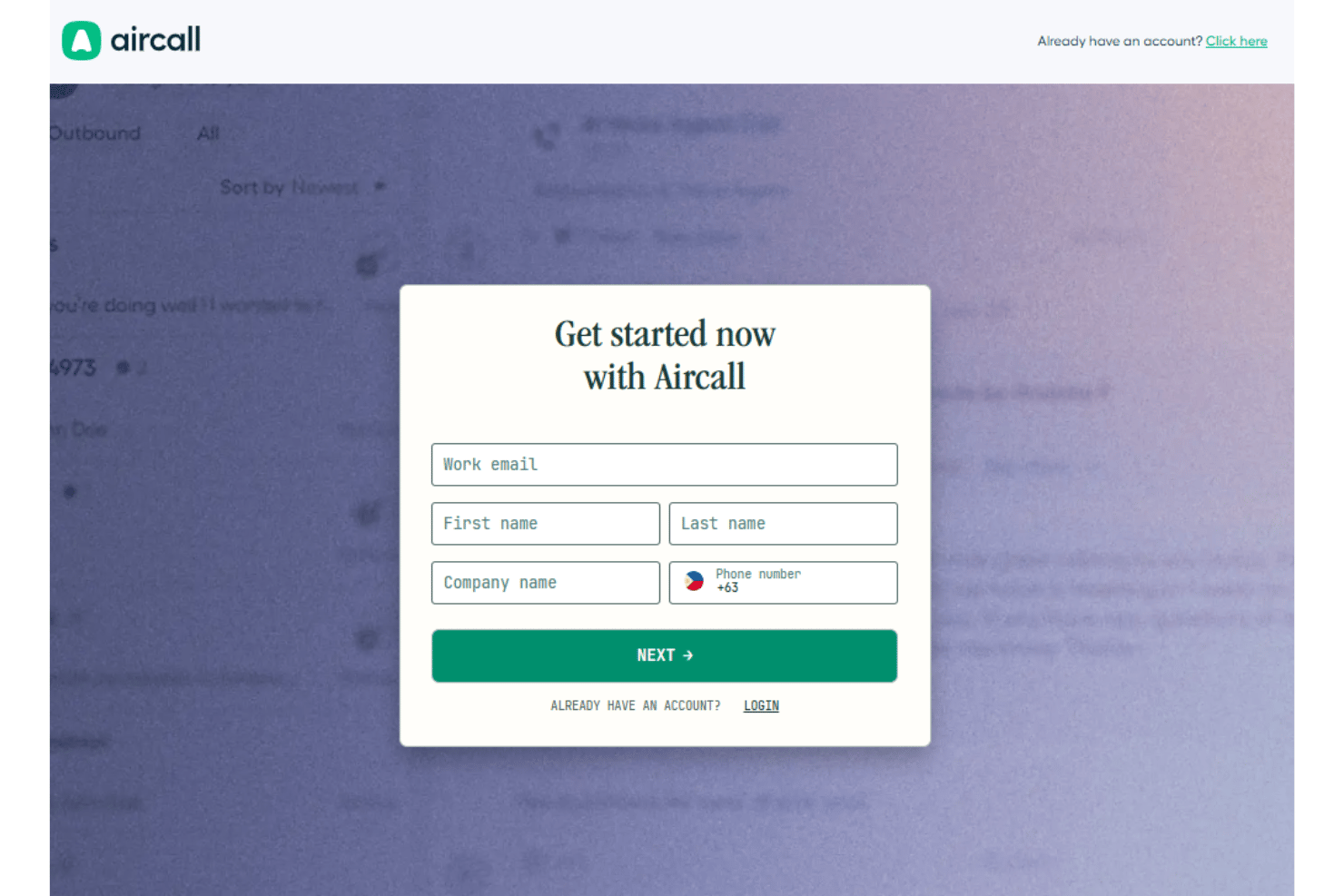
Aircall’s onboarding process is fast and straightforward, with most teams able to set up phone numbers, users, and call flows in under an hour. Users often highlight the helpful step-by-step guides, live chat support, and onboarding webinars that make the transition smooth. I think the clear documentation and responsive support team help new users reach value quickly, even if they have limited technical experience.
Customer Support
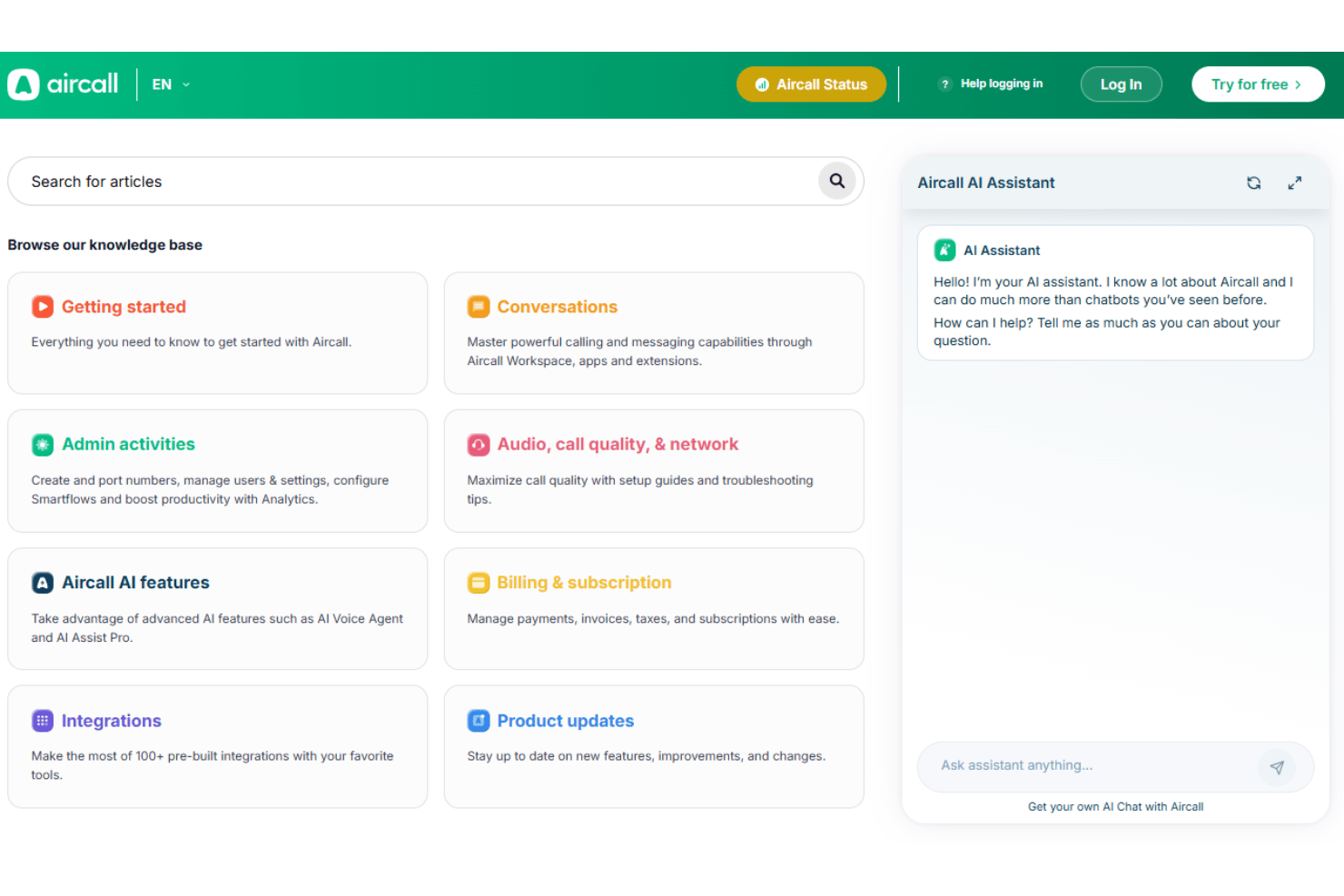
Aircall’s customer support is responsive and knowledgeable, with users frequently praising the speed of live chat and email responses. The support team and dedicated account manager is available 24/5, and there’s a detailed knowledge base for self-service troubleshooting,. I’ve seen users mention that issues are usually resolved quickly, and onboarding specialists are proactive about checking in. This level of support helps teams stay productive and confident when questions or technical hiccups come up.
Integrations
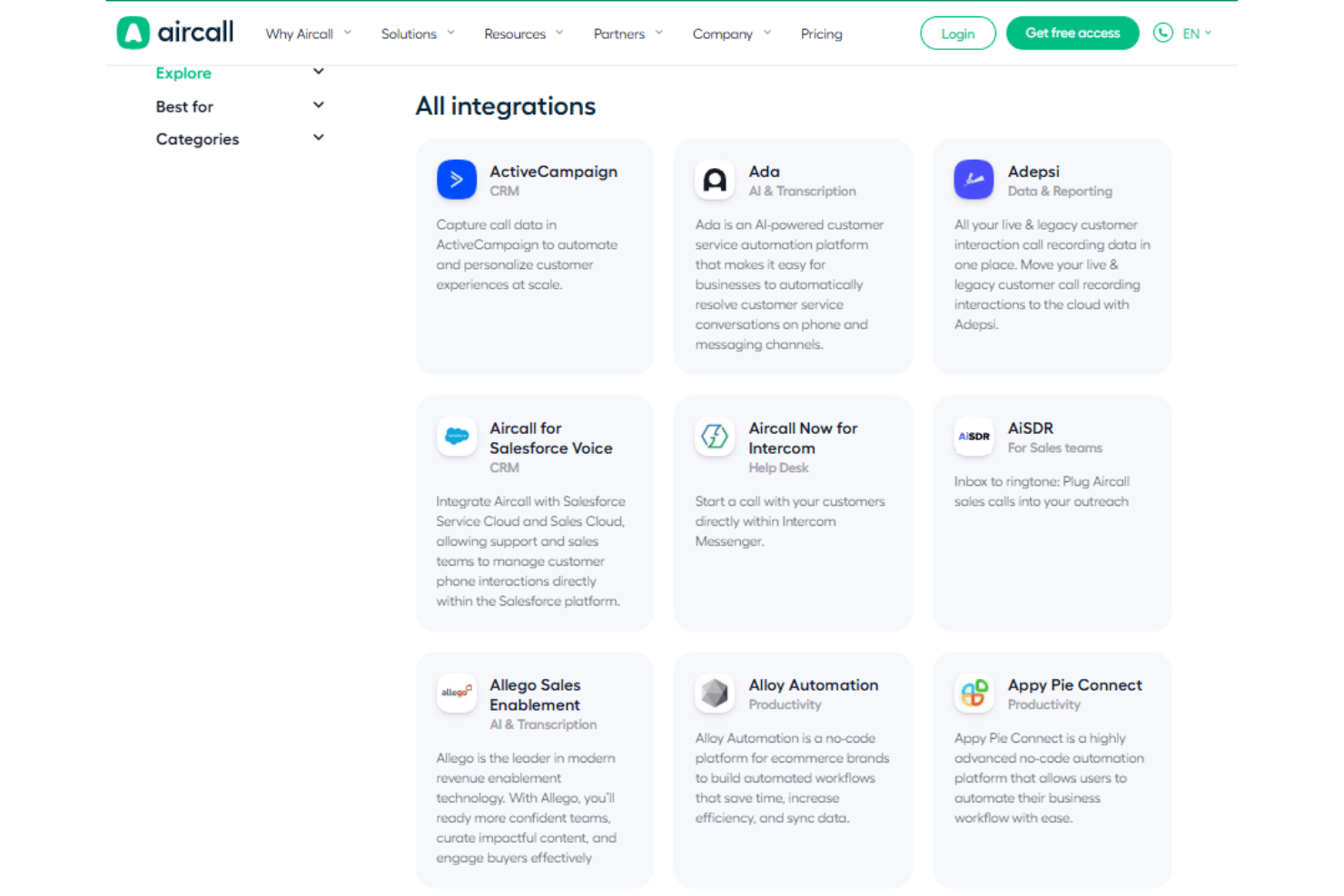
Aircall integrates with Salesforce, HubSpot, Zendesk, Intercom, Slack, Microsoft Teams, Shopify, Pipedrive, Freshdesk, and Zoho CRM, among others.
Aircall also offers an API and connects with third-party integration tools for custom workflows.
Value for Money
Aircall’s pricing is higher than some alternatives, but many users feel the intuitive interface, powerful AI features, and reliable call quality justify the cost. The value is strongest for teams that need quick deployment and built-in AI features, though advanced analytics may require a higher tier.
- Essentials: Includes API access, IVR, SMS and MMS messaging, and call queuing.
- Professional: Adds advanced analytics, access to Power Dialer, and call tagging.
- Custom: Offers unlimited international calls, custom onboarding, SLA, and SSO.
Aircall Specs
- 2-Factor Authentication
- API
- Audio Recording
- Auto Dialer
- Automatic Call Distribution
- Call Disposition
- Call Logging
- Call Monitoring
- Call Recording
- Call Scripting
- Call Tracking
- Chat
- Click-to-Dial
- Contact Management
- Contact Sharing
- CRM Integration
- Dashboard
- Data Export
- Data Import
- Data Visualization
- External Integrations
- File Transfer
- Hardware Integration
- Interactive Voice Response
- Mobile App
- Multi-User
- Notifications
- Report & Compliance
- Scheduling
- SMS
- Softphone
- Video
Aircall FAQs
How reliable is Aircall’s call quality and uptime?
Can Aircall handle high call volumes during peak times?
What data security and compliance measures does Aircall offer?
How easy is it to train new agents on Aircall?
Does Aircall support remote and hybrid teams?
What kind of reporting and analytics does Aircall provide?
What support options are available if I run into issues?
Aircall Company Overview & History
Aircall is a cloud-based VoIP and call center software provider headquartered in Paris, France. The company serves over 22,000 businesses worldwide and is recognized for its easy-to-use, AI-powered communications platform. Aircall is known for its strong work culture and has been featured as a leader in the call center software space. Notable clients include Go Global Travel and Swoop, and the company continues to grow its workforce and global presence.
Aircall Major Milestones
- 2014: Aircall founded in Paris, France.
- 2015: Official product launch as a cloud-based phone system.
- 2021: Surpassed 600 employees and expanded to serve over 22,000 customers globally.
- 2023: Introduced AI-powered conversation intelligence and WhatsApp integration.