Avis sur SysAid : Avantages, Inconvénients, Fonctionnalités et Tarifs


SysAid is a cloud helpdesk software that helps organizations manage IT service requests efficiently. This ITSM solution best serves midsized businesses and IT departments in sectors such as healthcare, education, and finance. SysAid offers customizable tools to streamline your IT support processes, service desk operations, and overall user experience.
SysAid's AI-powered platform addresses issues such as ticket management and workflow automation for IT and customer service teams. In this article, I'll cover SysAid's features, pros and cons, use cases, and pricing so you can decide if this software aligns with your business's needs.
SysAid Evaluation Summary
- Pricing upon request
- 14-day free trial
Why Trust Our Software Reviews
SysAid Overview
In my opinion, SysAid offers a solid cloud-based helpdesk software solution with strong support and customizable features. Although it may not be the cheapest option, it's well suited to midsized businesses, especially in IT-intensive industries. The software's main strengths lie in its customer support, change management capabilities, and customization options, though it could improve its range of integrations. SysAid particularly suits teams that value personalized service and robust ticketing systems, whereas those needing extensive third-party integrations might find it falls short.
pros
-
It offers a solid ticketing system that improves workflow efficiency.
-
SysAid offers responsive and helpful customer support.
-
It's highly customizable to fit your team's needs.
cons
-
Some users find the reporting features lack depth.
-
Onboarding can take longer than expected for new users.
-
The user interface might feel outdated.
-

SupportYourApp
Visit WebsiteThis is an aggregated rating for this tool including ratings from Crozdesk users and ratings from other sites.4.7 -
Freshdesk
Visit WebsiteThis is an aggregated rating for this tool including ratings from Crozdesk users and ratings from other sites.4.4 -
Hiver
Visit WebsiteThis is an aggregated rating for this tool including ratings from Crozdesk users and ratings from other sites.4.6




How We Test & Score Tools
We’ve spent years building, refining, and improving our software testing and scoring system. The rubric is designed to capture the nuances of software selection and what makes a tool effective, focusing on critical aspects of the decision-making process.
Below, you can see exactly how our testing and scoring works across seven criteria. It allows us to provide an unbiased evaluation of the software based on core functionality, standout features, ease of use, onboarding, customer support, integrations, customer reviews, and value for money.
Core Functionality (25% of final scoring)
The starting point of our evaluation is always the core functionality of the tool. Does it have the basic features and functions that a user would expect to see? Are any of those core features locked to higher-tiered pricing plans? At its core, we expect a tool to stand up against the baseline capabilities of its competitors.
Standout Features (25% of final scoring)
Next, we evaluate uncommon standout features that go above and beyond the core functionality typically found in tools of its kind. A high score reflects specialized or unique features that make the product faster, more efficient, or offer additional value to the user.
We also evaluate how easy it is to integrate with other tools typically found in the tech stack to expand the functionality and utility of the software. Tools offering plentiful native integrations, 3rd party connections, and API access to build custom integrations score best.
Ease of Use (10% of final scoring)
We consider how quick and easy it is to execute the tasks defined in the core functionality using the tool. High scoring software is well designed, intuitive to use, offers mobile apps, provides templates, and makes relatively complex tasks seem simple.
Onboarding (10% of final scoring)
We know how important rapid team adoption is for a new platform, so we evaluate how easy it is to learn and use a tool with minimal training. We evaluate how quickly a team member can get set up and start using the tool with no experience. High scoring solutions indicate little or no support is required.
Customer Support (10% of final scoring)
We review how quick and easy it is to get unstuck and find help by phone, live chat, or knowledge base. Tools and companies that provide real-time support score best, while chatbots score worst.
Customer Reviews (10% of final scoring)
Beyond our own testing and evaluation, we consider the net promoter score from current and past customers. We review their likelihood, given the option, to choose the tool again for the core functionality. A high scoring software reflects a high net promoter score from current or past customers.
Value for Money (10% of final scoring)
Lastly, in consideration of all the other criteria, we review the average price of entry level plans against the core features and consider the value of the other evaluation criteria. Software that delivers more, for less, will score higher.
Core Features
Ticket Management: SysAid's ticketing system lets your team track and resolve support tickets efficiently. It prioritizes tasks and assigns them to the right team members.
Self-Service Portal: You can empower users to solve issues themselves with SysAid’s intuitive self-service portal and AI-powered chatbot functionality. It reduces your team's workload by providing quick answers to common problems and improving user satisfaction.
Workflow Automation: SysAid automates routine tasks, saving your team time and reducing errors. You can set rules for processes such as ticket routing and escalation.
Asset Management: SysAid’s IT asset management features let you track your organization's assets. They help you maintain an up-to-date inventory and manage asset life cycles.
Knowledge Base: You can build a repository of solutions for your team and end users using the SysAid Knowledge Base. It enhances your support function by providing quick access to information.
Reporting and Analytics: SysAid offers detailed reports to help you understand your team's performance. You can use these reporting tools and insights to improve service delivery, response time, and overall user experience.
Ease of Use
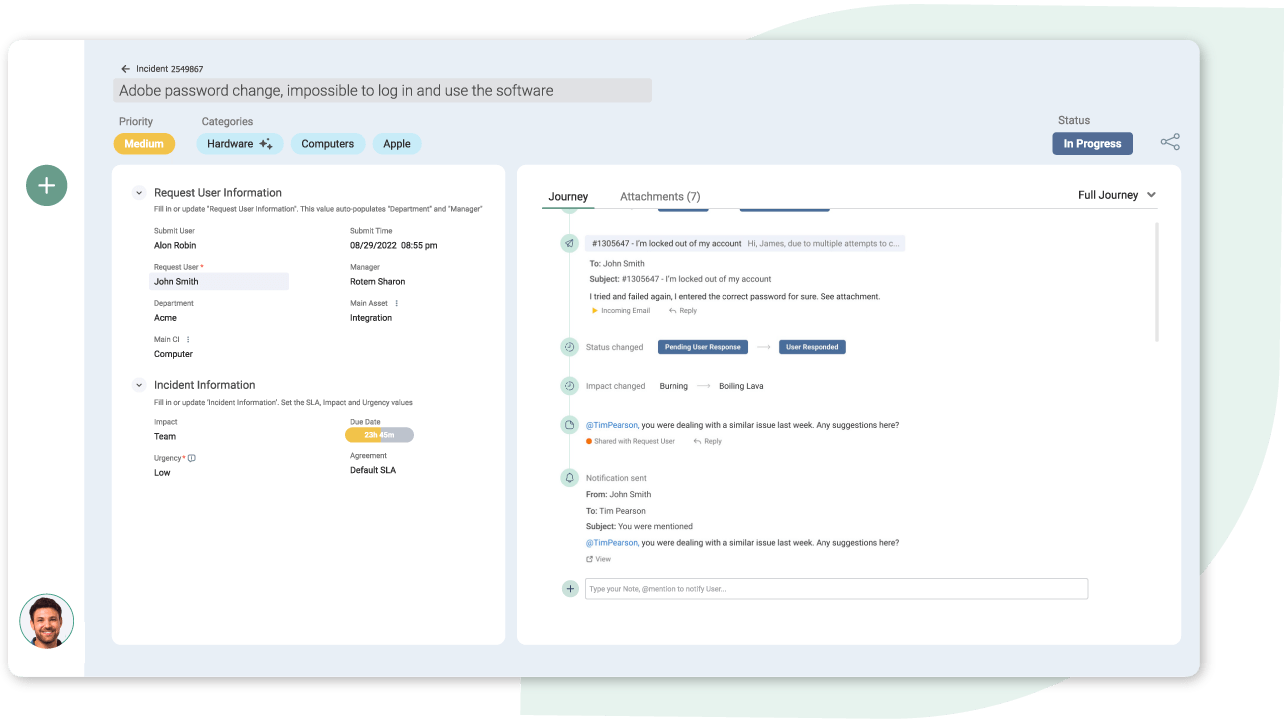
SysAid is relatively user-friendly, but it might take some time for your team to become familiar with its interface. While the platform offers extensive customization, this can make the initial setup quite complex. Once configured, your team will appreciate its organized ticketing system and automation features that simplify everyday tasks. Its self-service portal and knowledge base are straightforward, helping users find solutions quickly. Overall, SysAid balances functionality with usability, though it may take a while to master.
Integrations
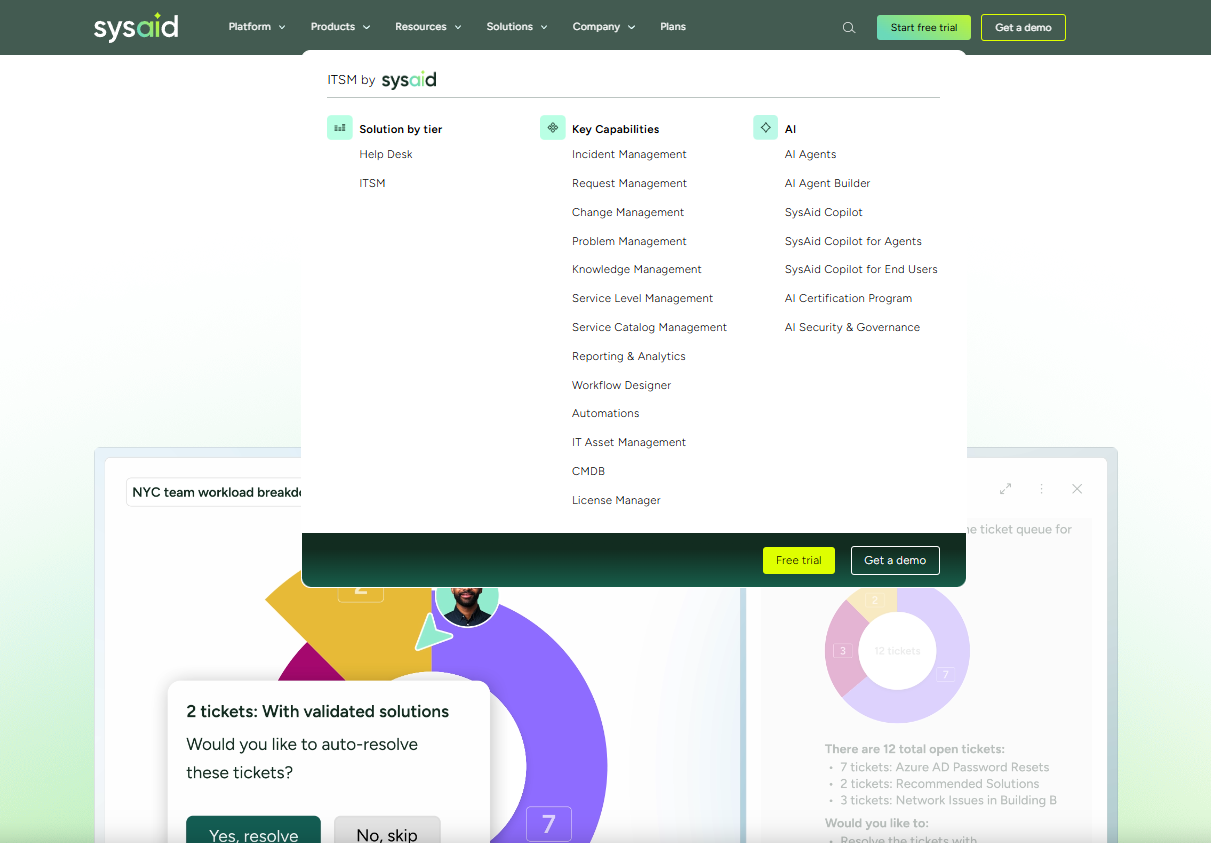
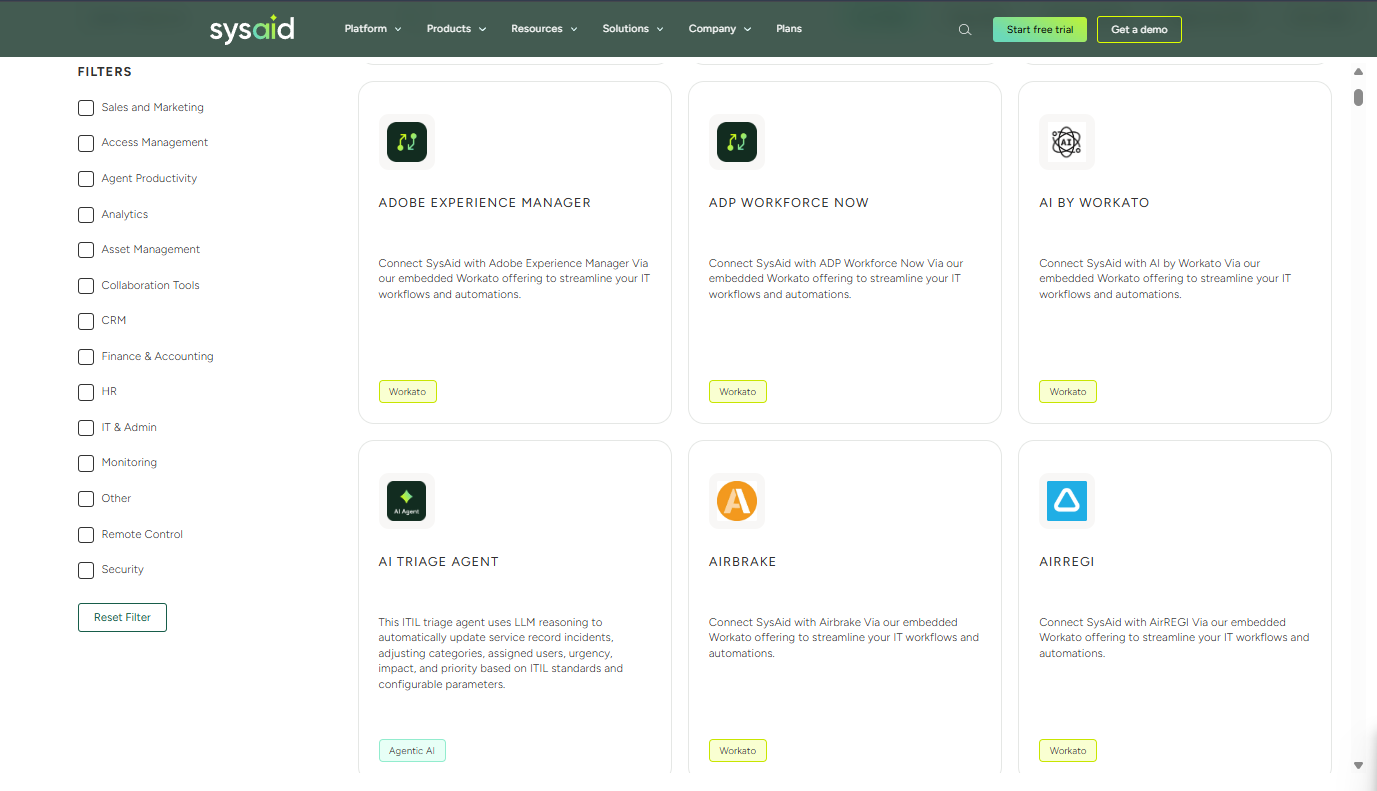
SysAid supports over 1,000 integrations via third-party integration tools, such as Zapier and Workato, enhancing its compatibility with various platforms.
New Product Updates from SysAid

SysAid Adds Direct Knowledge Base Linking in Service Records
SysAid introduces direct knowledge base linking inside service records, allowing agents to attach relevant articles from the Related Items tab. This creates a centralized hub for all supporting information and accelerates resolution workflows. Here are the benefits:
- Link Knowledge Base Articles: Directly attach articles to service records from the Related Items tab, which helps create a centralized source for all related content.
- Enhanced Issue Resolution: By providing agents with clear and consistent guidance from a single location, this update reduces the need for back-and-forth communication.
- Improved Efficiency: The new feature helps agents resolve issues faster by providing immediate access to relevant resources and documentation.
Visit SysAid's official site for more details.
 for more details.
SysAid Adds New Developer API Controls for CMDB & CI Management
The enhanced Developer API enables automated control over CI dependencies, asset syncs, and configuration item relations. These improvements help teams eliminate manual updates, maintain cleaner data, and support larger, more complex environments. Here are the highlights of the update:
- Automated Dependency Mapping: Minimizes manual tracking and ensures accuracy by mapping dependencies automatically.
- Asset Syncs: Facilitates real-time asset management and decreases delays in data updates.
- Advanced Integrations: Increases flexibility and efficiency with enhanced connectivity between systems.
- CMDB Configuration Item Relations: Provides control over configuration management databases with newly added item relations, improving data handling capabilities.
Visit SysAid's official site for more details.
SysAid Updates Chatbot With New Suggested Prompts
The End User Chatbot now displays suggested prompts that guide users toward common actions and helpful information. These prompts make the chatbot more intuitive, reducing confusion and encouraging users to engage with self-service before opening tickets. Highlights include:
- Guided Suggested Prompts: Offers pre-filled options that help users initiate requests quickly.
- Improved Usability: Makes the chatbot a more natural starting point for support needs.
- Faster Self-Service: Reduces reliance on portals and speeds up access to relevant answers.
Visit SysAid’s official site for more details.

SysAid Upgrades AI Agents for Improved IT Productivity
SysAid enhances the full AI agent lifecycle—creation, execution, and evaluation—with new capabilities designed to streamline IT operations. From smarter agent building to ready-to-use automations and improved data visibility, these updates help teams accelerate service delivery and reduce manual workloads. The updates include:
- Enhanced AI Agent Builder: Powered by Sonnet 4.5, the updated builder generates detailed implementation plans, retrieves API documentation independently, resolves errors, and self-corrects for faster agent creation.
- New Prebuilt AI Agents: SysAid adds ready-to-use agents for tasks like license insights, Microsoft change requests, distribution list management, incident similarity checks, service record summarization, and Splashtop session creation.
- AI Agents Usage Dashboard: A new dashboard provides visibility into adoption trends, agent usage frequency, and top-performing agents across channels for smarter optimization.
Visit SysAid’s official site for more details.

SysAid Launches License Manager Advanced
SysAid has released License Manager Advanced to strengthen user governance and data security with enhanced application discovery and usage statistics. These updates are designed to improve enterprise-level license management through comprehensive visibility and AI-driven analytics. Here are details of the update:
- Automated Application Discovery: Allows organizations to easily identify and manage all applications within their network, reducing the risk associated with shadow IT.
- Key Usage Statistics: Provides detailed insights into application usage, helping to optimize software utilization and reduce unnecessary costs.
- AI Software Discovery: Employs artificial intelligence to better discover and manage software assets, improving overall cost efficiency and governance.
Visit SysAid's official site for more details.

SysAid Expands AI and Integration Capabilities in Latest Update
SysAid adds new features including SysAid Connect, GPT-5 in Copilot, Microsoft Teams AI integration, and Data Pool search enhancements. These updates make integrations easier to build, AI assistance more powerful, and data access faster across the platform. Here are more details of the updates:
- SysAid Connect: A new integration hub powered by Workato, enabling no-code connections to over 1,000 apps across IT, HR, and Finance.
- Data Pool Search Bars: Easily locate records, documents, and AI agents with dedicated search fields in every dataset.
- Microsoft Teams AI Connection: Use AI Agent Builder to deploy and customize AI agents directly in Teams for real-time support.
- GPT-5 in SysAid Copilot: Experience faster, more accurate chatbot responses powered by OpenAI’s latest model in both agent and end-user chats.
Visit SysAid's official site for more details.
SysAid Specs
- 2-Factor Authentication
- Analytics
- Anti-Virus
- API
- Batch Permissions & Access
- Bug Tracking
- Call Integration
- Chat
- Contact Management
- CRM Integration
- Customer Management
- Data Export
- Data Import
- Email Integration
- Escalation Management
- External Integrations
- Incident Management
- Instant Chat Integration
- Knowledge Base
- Malware Protection
- Multi-User
- Notifications
- Organization Management
- Password & Access Management
- Project Management
- Real-time Alerts
- SAP Integration
- Self-service Portal
- Social Media Integration
- Support Forum
- Ticket Management
- Workflow Management