

Great Odoo alternatives for customer service give you flexible ticket management, multi-channel support, and automation tools that actually fit your support team’s style. If you’re searching for Odoo alternatives, chances are you need software that’s easier to adopt, scales with your customer base, or offers a more modern agent and customer experience. I know the obstacles you face, like slow workflows, tool sprawl, poor integrations, and reporting headaches. In this list, you’ll see which platforms can help you simplify your service operation, connect all your channels, and resolve cases faster, so your team can focus on building better customer relationships.
What Is Odoo?
Odoo is a suite of open-source business applications covering functions like customer service, CRM, accounting, inventory, and project management. You can use Odoo as a ERP software, and also to manage support tickets, automate service workflows, and centralize customer communications. It is primarily a ERP solution that can also be used for different aspects of financial management, inventory management, supply chain, and enterprise resource planning. The platform is modular, letting you add features as your business grows. Odoo is popular with organizations that want a customizable, all-in-one solution to handle a wide range of operational needs, including customer service.
Odoo Alternatives Comparison Table
This comparison table summarizes pricing details for my top Odoo alternative selections:
Score legend (out of 5)
- Excellent4.5–5
- Good4–4.4
- Average3–3.9
- Below average2–2.9
- Poor1–1.9
Sorted by: Default
| Tool | Starting Price | Website | |||||||
|---|---|---|---|---|---|---|---|---|---|
Best for flat-rate support with many agents | 3.8 out of 5 | 4 | 4 | 4 | 4 | 4 | 3 | $26.1/user/month 14-day free trial + free demo available | Website |
Best for compliance-focused support teams | 4.0 out of 5 | 4 | 4 | 5 | 3 | 4 | 4 | $25/user/month 14-day free trial + free demo available | Website |
Best for linking support to account health | 3.5 out of 5 | 4 | 4 | 3 | 3 | 4 | 3 | $89/user/month Free trial + demo available | Website |
Best for support alongside business tools | 3.5 out of 5 | 3 | 3 | 3 | 4 | 4 | 4 | $29/seat/month 14-day free trial + free demo available | Website |
Best for tracing CX trends to causes | 3.8 out of 5 | 3 | 4 | 4 | 4 | 4 | 4 | Pricing upon request Free demo available | Website |
Best for linking support to customer success | 3.8 out of 5 | 4 | 4 | 3 | 4 | 4 | 4 | $7/seat/month Free plan + 14-day free trial + free demo available | Website |
Best for contact center queue and SLA control | 4.0 out of 5 | 4 | 4 | 3 | 4 | 5 | 4 | Pricing upon request Free demo available | Website |
Best for linking support to software releases | 3.8 out of 5 | 4 | 5 | 4 | 3 | 4 | 3 | $21.50/user/month Free plan + 14-day trial available | Website |
Best for keeping support data in-house | 4.0 out of 5 | 4 | 4 | 4 | 4 | 4 | 4 | $19/user/month Free plan + 15-day trial available | Website |
Best for customer issues spanning departments | 3.8 out of 5 | 4 | 4 | 3 | 4 | 4 | 4 | Pricing upon request Free demo available | Website |


Why Trust Our Software Recommendations
6,700+
Reviews
20
Industry experts
16+
Evaluation factors
14
Years reviewing software
Our team has been testing and reviewing software since 2012. As CX leaders ourselves, we know how difficult—and important—it is to choose the right software.
For this guide, we evaluated tools using hands-on testing and independent research, scoring tools using our selection criteria.
Our reviews reflect our human editorial judgment, not a sales pitch.
 Gui DrusinaCreative Director
 Tim FisherVP of AI
Best Odoo Alternatives Reviews
Below are my detailed summaries of the best Odoo alternatives that made it onto my shortlist. My reviews offer a detailed look at the features, integrations, and pricing of each platform to help you find the best one for you.
 Best for flat-rate support with many agents
- 14-day free trial + free demo available
- From $26.1/user/month (billed annually)
Visit WebsiteCustomer Rating:4.7/5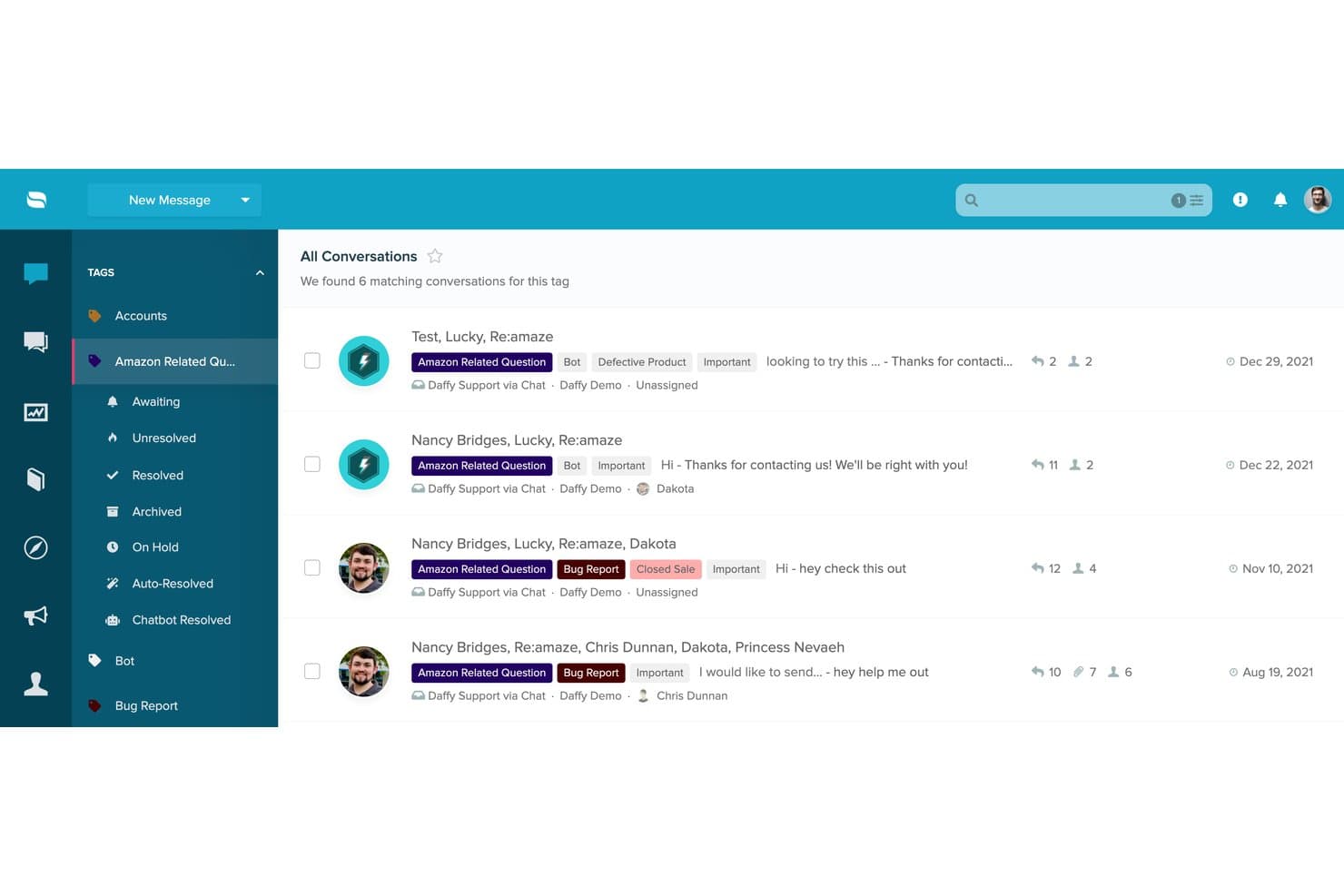
Re:amaze organizes conversations by tags for easy filtering. Re:amaze is a customer support and messaging platform designed for ecommerce and online businesses that need to manage customer conversations across email, live chat, and social channels from a single inbox.
Who Is Re:amaze Best For?
Re:amaze is a strong fit for ecommerce businesses that run large support teams and want predictable monthly costs without per-seat pricing surprises.
Why I Picked Re:amaze
I picked Re:amaze because its flat-rate pricing plans let large support teams scale without watching per-seat costs spiral. I love that the Unlimited plan covers as many agents as you need for one fixed monthly fee, which makes a real difference when you're running a team of 10 or more. Re:amaze also centralizes email, live chat, and social conversations into a shared inbox, so agents aren't toggling between tools to stay on top of volume.
Re:amaze Key Features
- Automated workflow rules: Triggers automatically route, tag, or close conversations based on conditions you set, reducing manual triage work.
- Built-in knowledge base: Create and publish a self-service FAQ site directly within Re:amaze so customers can find answers without contacting support.
- Ecommerce platform integrations: Native connections to Shopify, BigCommerce, and WooCommerce surface order data alongside customer conversations.
- Push campaigns: Send targeted, behavior-based messages to customers via chat or email directly from the platform.
Re:amaze Integrations
Re:amaze offers native integrations with Shopify, BigCommerce, and WooCommerce, helping support teams access ecommerce order data alongside customer conversations.
Pros and Cons
Pros:
- Built-in FAQ supports customer self-service
- Workflow rules automate routing and tagging
- Centralizes email, chat, and social support
Cons:
- Reporting can take time to understand
- Doesn’t replace Odoo’s ERP and inventory tools
Learn more about Re:amaze: Best for compliance-focused support teams
- 14-day free trial + free demo available
- From $25/user/month (billed annually)
Visit WebsiteCustomer Rating:4.6/5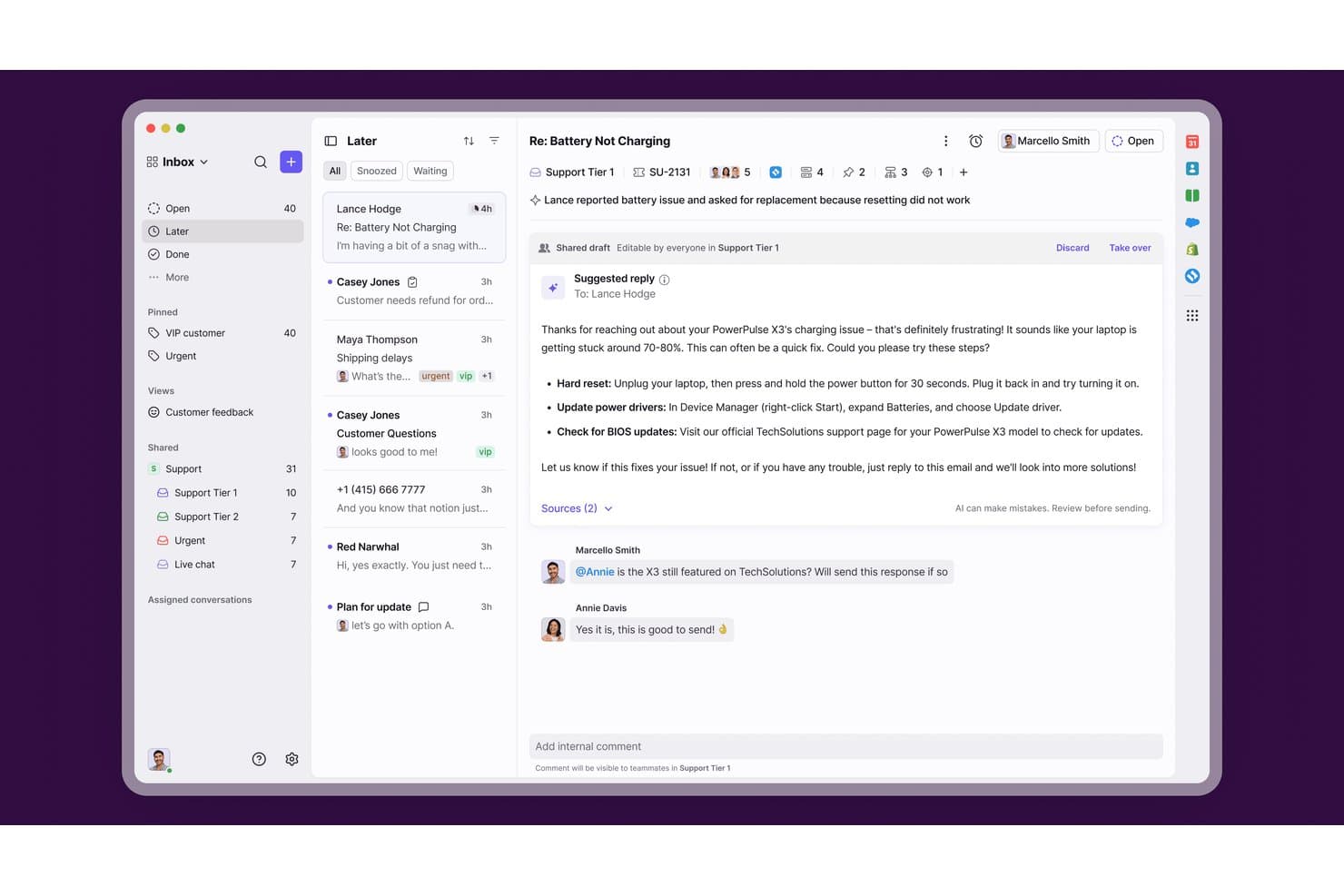
Front organizes team inbox replies with AI-suggested drafts and collaboration. Front is a shared inbox and customer communication platform that brings email, chat, and other channels into one workspace—making it a strong fit for support and operations teams that need visibility, accountability, and audit trails across every customer interaction.
Who Is Front Best For?
Front is a strong fit for support and operations teams in regulated industries where audit trails, accountability, and message traceability aren't optional.
Why I Picked Front
I picked Front as one of the best Odoo alternatives because it's purpose-built for teams where every message needs a clear owner and a traceable history. I particularly like the audit log and conversation-level accountability features, which let support leads see exactly who replied, when, and what was changed. Teams handling sensitive customer communications, like those in finance or healthcare, can assign SLA tags and use internal comments without those notes ever reaching the customer.
Front Key Features
- Shared inbox: Multiple teammates can access, assign, and manage messages from a single inbox without forwarding or duplicating threads.
- Live chat widget: Embed a chat widget on your website or product to handle real-time customer conversations directly within Front.
- Workflow automation rules: Set up rule-based triggers to auto-assign conversations, apply tags, or send follow-ups based on message conditions.
- Analytics dashboard: Track team response times, conversation volume, and resolution rates across channels from a centralized reporting view.
Front Integrations
Front offers integrations with HubSpot, Microsoft Dynamics 365, Asana, Jira, Slack, Shopify, and Google Drive. It also provides an API for custom connections and supports Zapier.
Pros and Cons
Pros:
- Rules assign conversations and flag SLA needs
- Audit logs preserve conversation-level accountability
- Shared inbox clarifies ownership and handoffs
Cons:
- Mixed-email threads can complicate conversation handling
- No native accounting, inventory, or manufacturing
Learn more about Front: Best for linking support to account health
- Free trial + demo available
- From $89/user/month (billed annually)
Visit WebsiteCustomer Rating:4.7/5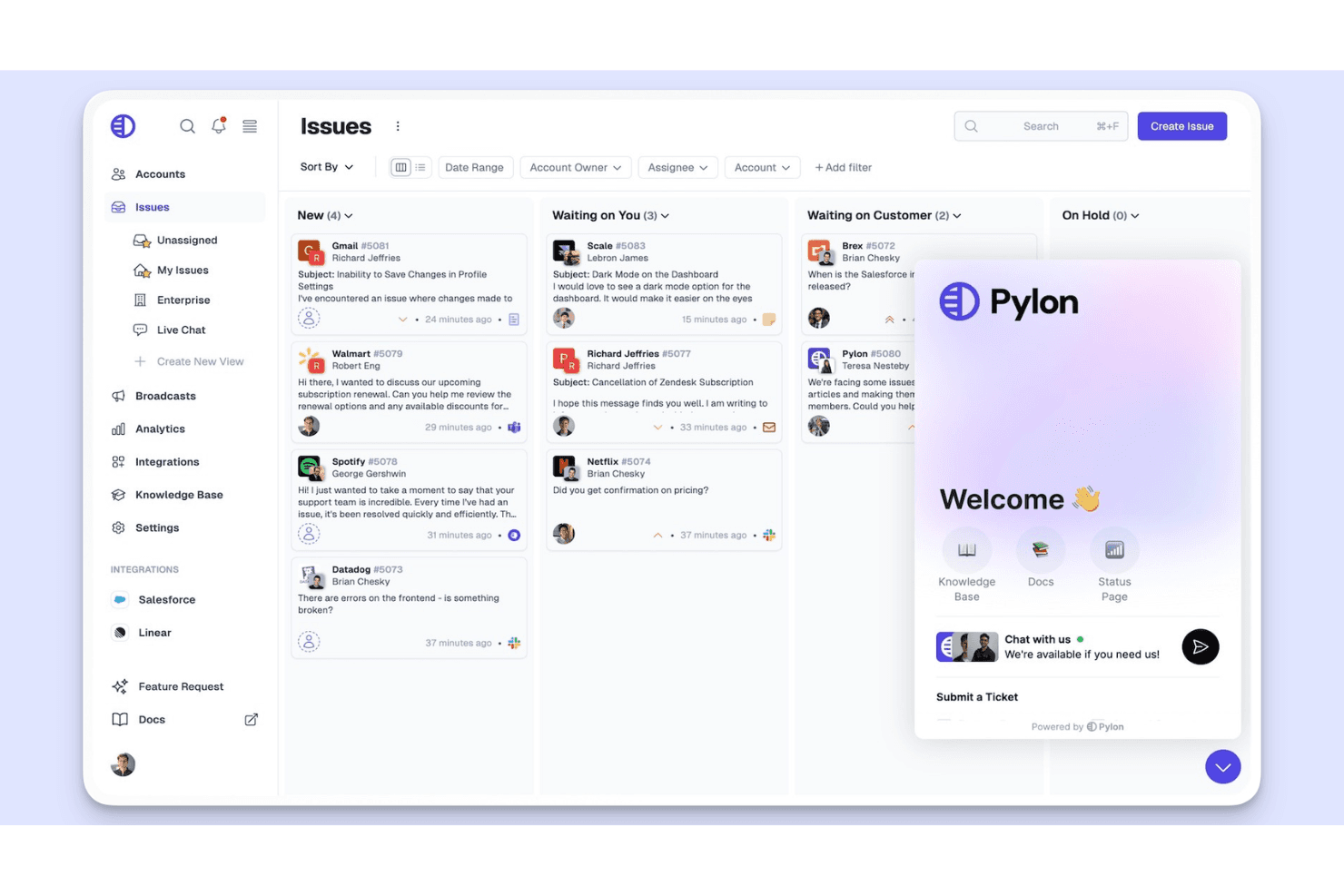
Pylon helps support teams manage customer issues with a shared inbox, ticket tracking, account-based workflows, and self-service support resources in one workspace. Pylon is a B2B customer support platform that connects your ticketing workflows directly to account-level data, making it a strong fit for customer success and support teams that need visibility into how support activity affects retention and revenue.
Who Is Pylon Best For?
Pylon is a strong fit for B2B SaaS support and customer success teams that need to connect ticket activity directly to account health and renewal risk.
Why I Picked Pylon
I picked Pylon as one of the best because it treats support tickets as account-level signals, not just isolated requests. I love how it surfaces ticket activity alongside renewal data and health scores, so my team can spot when a struggling account is also flooding the queue. Its Slack-based ticketing layer means B2B customers can get support where they already work, while every conversation ties back to the account record.
Pylon Key Features
- Multi-channel inbox: Pylon consolidates customer conversations from Slack, Microsoft Teams, email, chat, WhatsApp, and SMS into a single ticketing queue.
- AI assist agent: An AI operator helps support reps investigate tickets, take actions, and delegate follow-up tasks without leaving the platform.
- Knowledge base: Teams can build and maintain a searchable self-service knowledge base that feeds both customer-facing responses and AI agent answers.
- NPS/CSAT surveys: Pylon sends customer satisfaction and net promoter surveys tied directly to resolved tickets and account records.
Pylon Integrations
Pylon lists integrations with Salesforce, HubSpot, Slack, Microsoft Teams, Jira, Linear, Asana, Google Calendar, Gmail, and Snowflake. Its API and webhooks support custom connections and real-time data syncing.
Pros and Cons
Pros:
- Unifies B2B conversations across service channels
- Surfaces support-linked renewal risk
- Connects tickets with account health signals
Cons:
- Limited fit for inventory and finance operations
- Doesn't replace Odoo's ERP modules
Learn more about Pylon: Best for support alongside business tools
- 14-day free trial + free demo available
- From $29/seat/month (billed annually)
Visit WebsiteCustomer Rating:4.4/5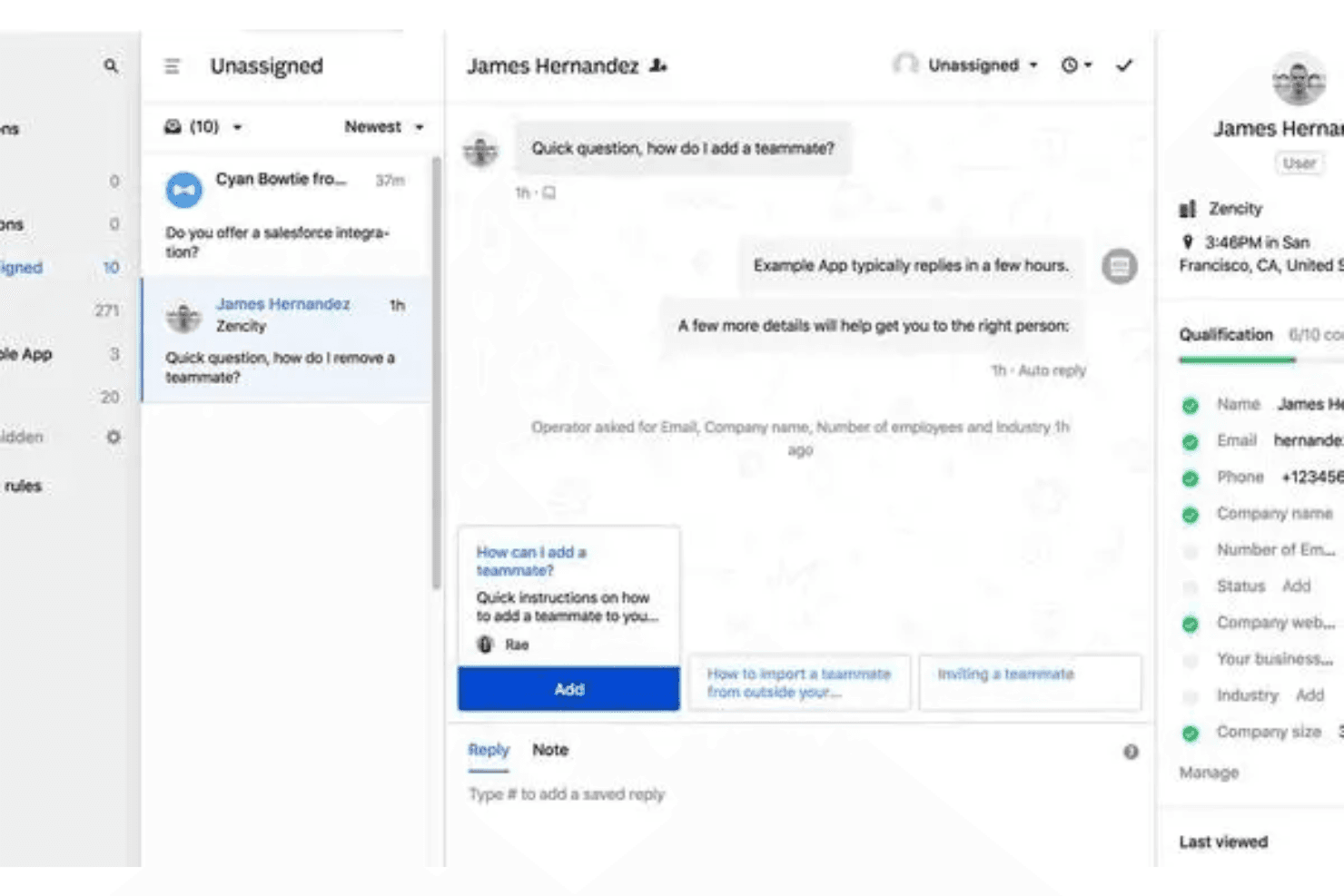
Intercom combines AI-powered support, customer messaging, and contact management in a shared workspace. Intercom is a customer messaging and support platform that lets you handle live chat, ticketing, and automated conversations from a single inbox—making it a strong fit for teams that want to connect support directly to their CRM, product data, and other business tools.
Who Is Intercom Best For?
Intercom is a strong fit for SaaS and tech companies that want their support team working from the same platform as their sales, product, and CRM data.
Why I Picked Intercom
I've included Intercom in my top picks because it connects your support inbox directly to your CRM, product usage data, and sales context, so agents aren't flying blind when a ticket comes in. I love how the shared inbox surfaces live customer data alongside conversations, letting your team respond with real context instead of guessing. The Fin AI agent can resolve common queries automatically, freeing your team for higher-value interactions.
Intercom Key Features
- Outbound messaging: Send targeted in-app, email, or push messages to customers based on behavior or product usage data.
- Help center: Build a self-service knowledge base that customers can search directly from the chat widget.
- Product tours: Create in-app guided walkthroughs to onboard new users without involving your support team.
- Custom reports: Build dashboards that track conversation volume, response times, and team performance across channels.
Intercom Integrations
Intercom connects with 450+ apps and integrations, including Salesforce, HubSpot, Shopify, Stripe, Zendesk, Jira, and Slack. It also supports REST API, webhooks, MCP, and Zapier for custom connectivity.
Pros and Cons
Pros:
- Fin AI can deflect routine questions
- Behavior-based messaging supports proactive onboarding
- Connects support conversations to customer context
Cons:
- AI resolution depends on maintained help content
- Doesn't cover accounting, inventory, or manufacturing
 Best for tracing CX trends to causes
- Free demo available
- Pricing upon request
Visit WebsiteCustomer Rating:4.5/5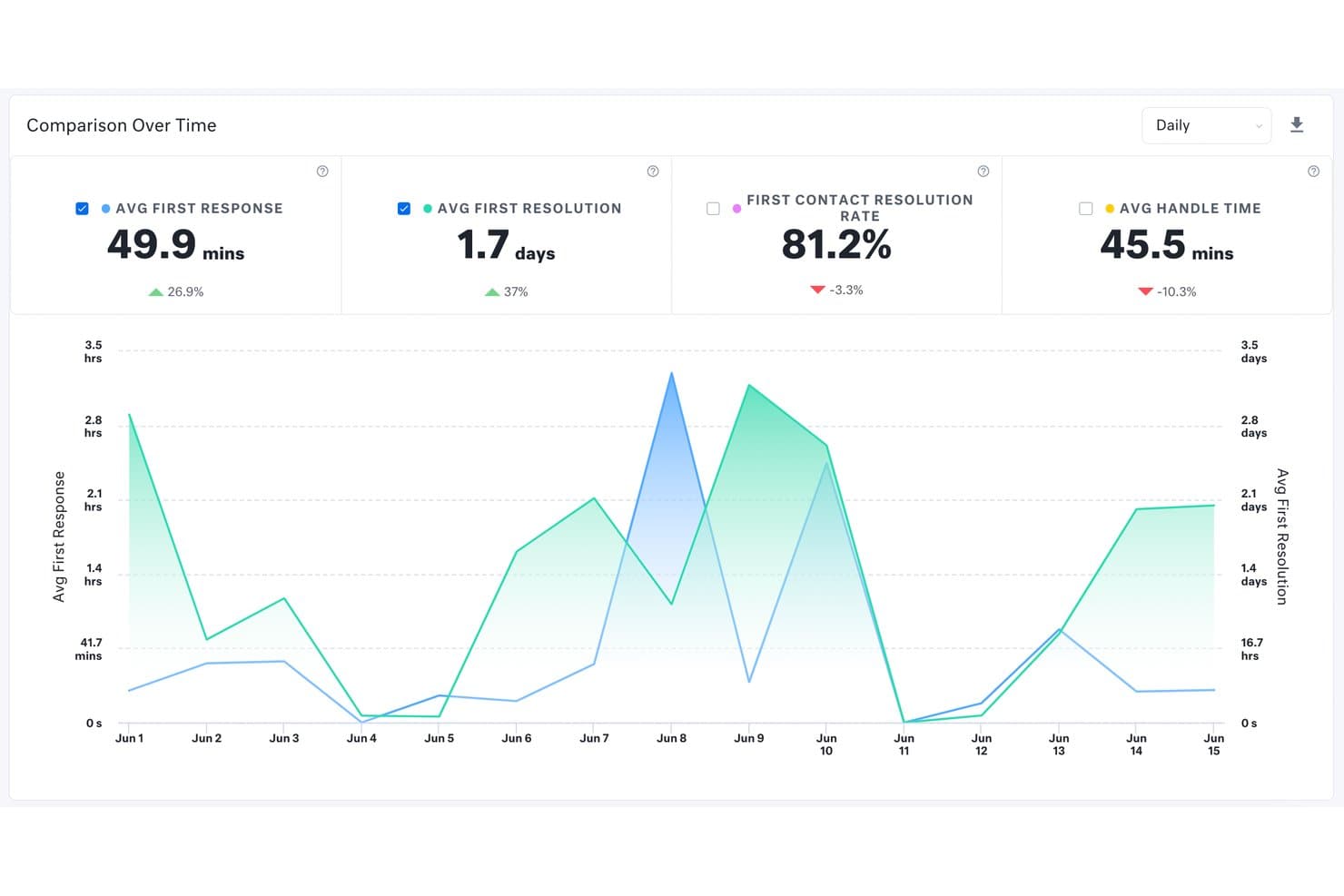
Kustomer tracks avg response and resolution times over daily intervals. Kustomer is a CX-focused customer service platform built for high-volume support teams that want to unify customer data, conversations, and automation across every channel in one timeline view.
Who Is Kustomer Best For?
Kustomer is a strong fit for high-volume support teams in retail, ecommerce, and consumer brands that need to connect customer behavior patterns to the root causes driving service demand.
Why I Picked Kustomer
I picked Kustomer as one of the best because it's built specifically for connecting the dots between spikes in support volume and the underlying causes driving them. Its unified customer timeline pulls together purchase history, behavior data, and past conversations so you can spot, say, that a surge in return requests traces back to a specific product batch or shipping delay. I also love how its reporting surfaces conversation trends by topic, letting you see which issues are growing before they become crises.
Kustomer Key Features
- Omnichannel inbox: Manages conversations from email, chat, SMS, social, and voice in a single agent view.
- AI-powered automation: Routes, tags, and responds to incoming requests using configurable AI workflows.
- Customer timeline view: Displays a full chronological record of every interaction, order, and event tied to a customer profile.
- Custom objects: Lets teams extend the data model to store and display business-specific data alongside customer records.
Kustomer Integrations
Kustomer offers 60+ integrations, including BigCommerce, AfterShip, Aircall, Amazon Connect, Chargify, and Amazon Redshift. Its open API and webhook system support custom integrations.
Pros and Cons
Pros:
- One inbox covers email, chat, SMS, social
- Conversation trends help trace service spikes
- Unified timelines connect orders and support history
Cons:
- Initial data mapping can complicate setup
- Doesn't replace Odoo's inventory or finance modules
Learn more about Kustomer: Best for linking support to customer success
- Free plan + 14-day free trial + free demo available
- From $7/seat/month (billed annually)
Visit WebsiteCustomer Rating:4.4/5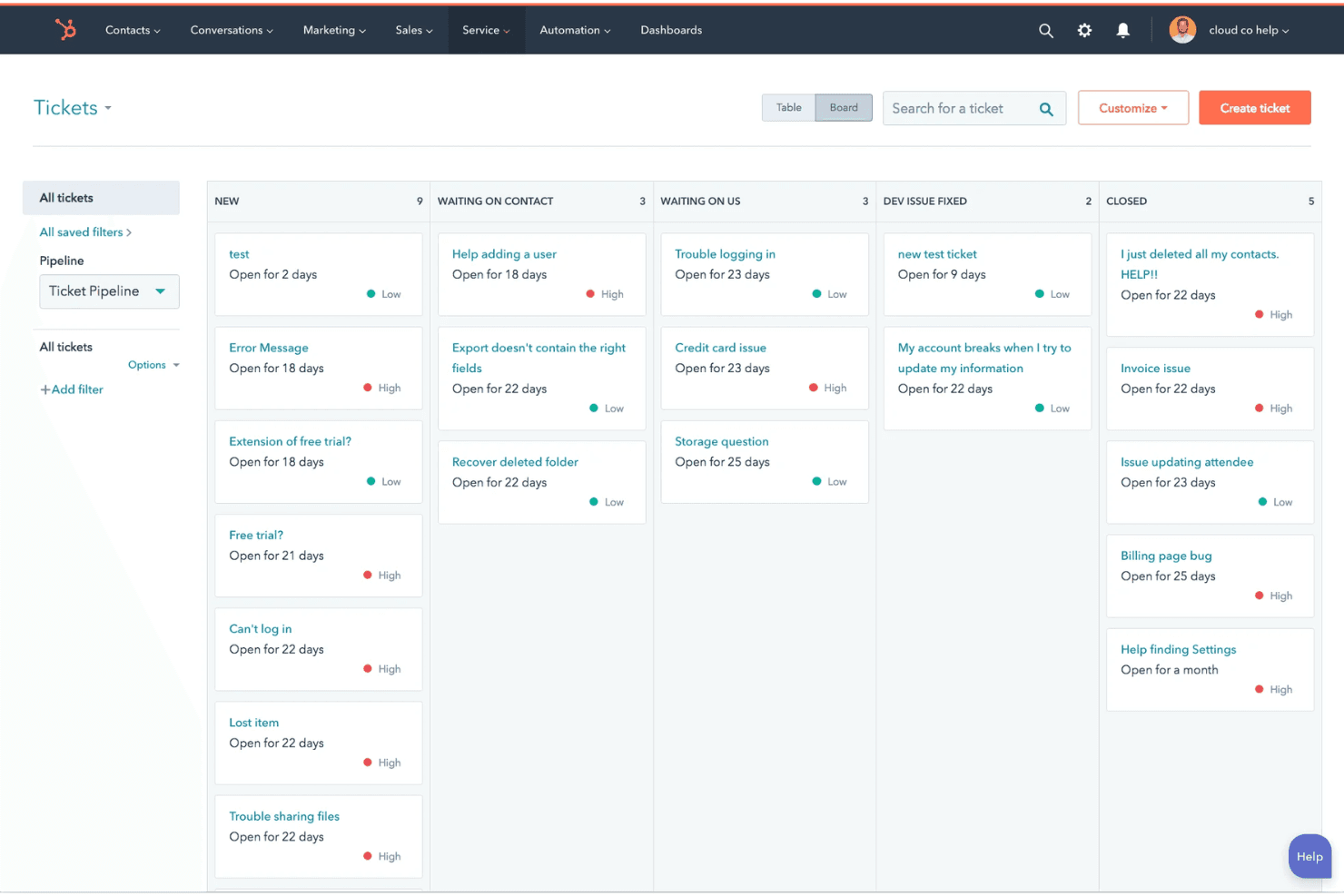
HubSpot Service Hub organizes customer support tickets in a visual pipeline, helping teams track requests, prioritize issues, and manage resolutions from one dashboard. HubSpot Service Hub is a customer service platform that connects ticketing, live chat, and a knowledge base with your CRM, making it a strong fit for revenue-focused support teams that want visibility into the full customer journey.
Who Is HubSpot Service Hub Best For?
HubSpot Service Hub is a strong fit for revenue-focused support teams that need their helpdesk connected to sales and marketing data in one place.
Why I Picked HubSpot Service Hub
I picked HubSpot Service Hub because it's one of the few tools that genuinely closes the loop between support and revenue. When a ticket comes in, I can see the customer's full CRM history, including deal stage and health score, without switching tabs. The customer success workspace and conversation intelligence features let my team spot expansion signals inside support interactions, turning reactive tickets into proactive outreach.
HubSpot Service Hub Key Features
- Knowledge base builder: Create and publish a self-service help center with searchable articles, organized by category, directly from your portal.
- Customer feedback surveys: Send NPS, CSAT, and CES surveys automatically at key touchpoints to collect structured satisfaction data.
- SLA management: Set response and resolution time targets per ticket priority, with automated escalation when deadlines are approaching.
- Omnichannel inbox: Manage conversations from email, live chat, and social messaging in a single shared team inbox.
HubSpot Service Hub Integrations
HubSpot Service Hub offers marketplace integrations with Salesforce, Slack, Jira, Microsoft Teams, and NetSuite. Its API supports custom connections.
Pros and Cons
Pros:
- Built-in knowledge base supports self-service
- Customer success tools surface expansion signals
- Support tickets show sales and customer history
Cons:
- Ticketing depth trails dedicated help desks
- Doesn't replace Odoo's finance or inventory tools
Learn more about HubSpot Service Hub: Best for contact center queue and SLA control
- Free demo available
- Pricing upon request
Visit WebsiteCustomer Rating:4.2/5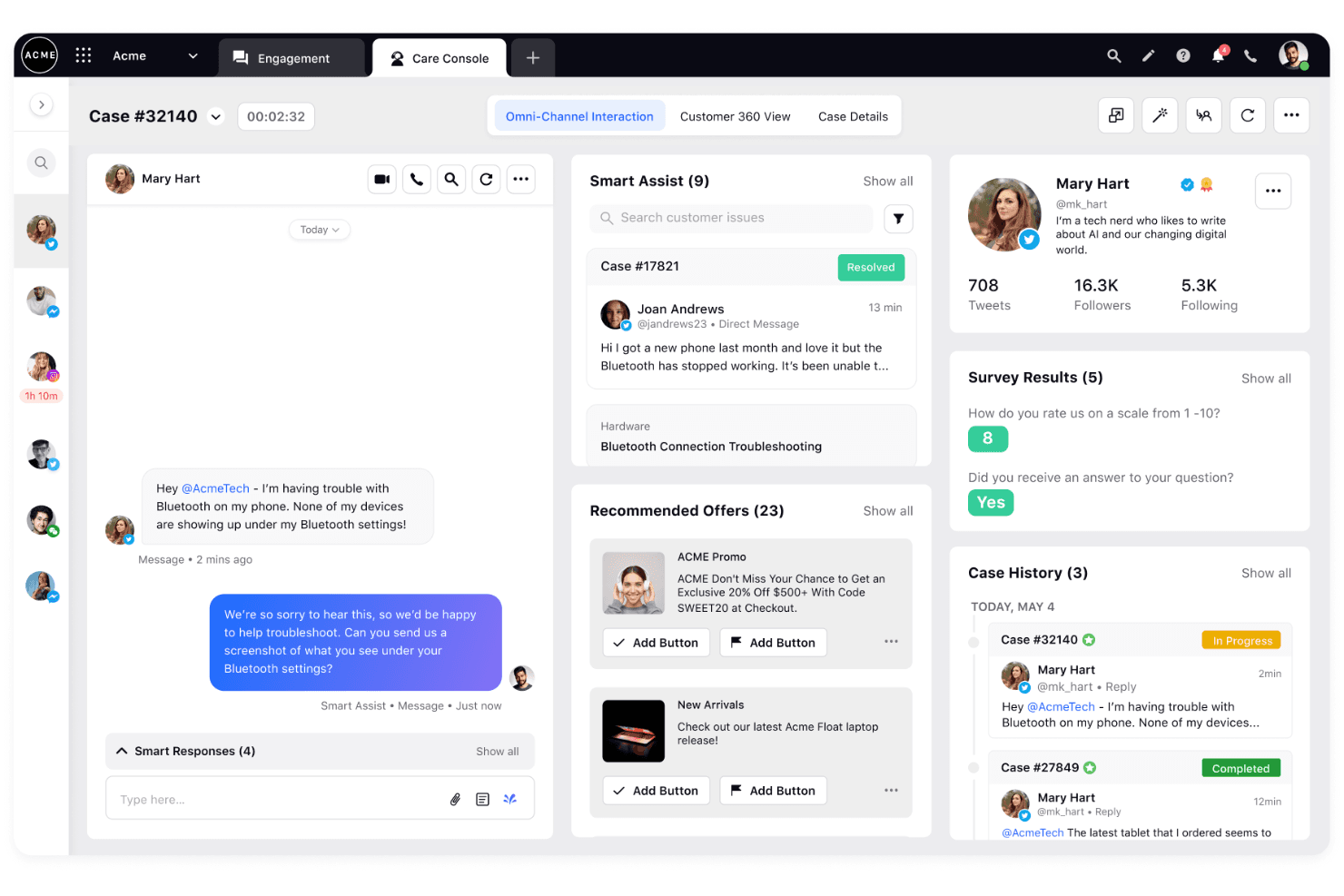
Sprinklr Service offers an omni-channel customer care console with AI-powered smart assist, case history, customer profiles, and recommended offers in a unified agent interface. Sprinklr Service is an AI-powered customer service platform built for large-scale contact centers that need to manage high volumes of interactions across digital, social, and voice channels from a single unified workspace.
Who Is Sprinklr Service Best For?
Sprinklr Service is a strong fit for enterprise contact centers managing high interaction volumes across social, digital, and voice channels from a single workspace.
Why I Picked Sprinklr Service
Sprinklr Service earns its spot on my shortlist because of how precisely it handles queue management and SLA enforcement at scale. I appreciate that it lets you define SLA policies per channel or queue, with automated escalations that trigger before a breach actually happens. The real-time queue visibility gives supervisors a live view of agent load and wait times across every channel simultaneously.
Sprinklr Service Key Features
- AI-powered virtual agent: A built-in bot that handles common customer queries across digital channels without routing them to a live agent.
- Unified agent desktop: A single workspace where agents manage interactions from every connected channel without switching between tools.
- Customer 360 profile: A consolidated view of a customer's full interaction history, sentiment, and channel activity pulled into one record.
- Conversation analytics: Built-in reporting that surfaces trends, topic clusters, and sentiment patterns across all customer interactions over time.
Sprinklr Service Integrations
Sprinklr Service offers integrations with Salesforce, Microsoft Dynamics CRM, Zendesk, Freshdesk, Jira, ServiceNow, and Microsoft Teams. It also provides APIs for custom integrations.
Pros and Cons
Pros:
- Unified desktop consolidates cross-channel casework
- Channel-specific SLAs trigger proactive escalations
- Live queue views expose wait-time bottlenecks
Cons:
- Complex interface can slow agent onboarding
- Doesn't replace accounting or inventory ERP
Learn more about Sprinklr Service: Best for linking support to software releases
- Free plan + 14-day trial available
- From $21.50/user/month
Visit WebsiteCustomer Rating:4/5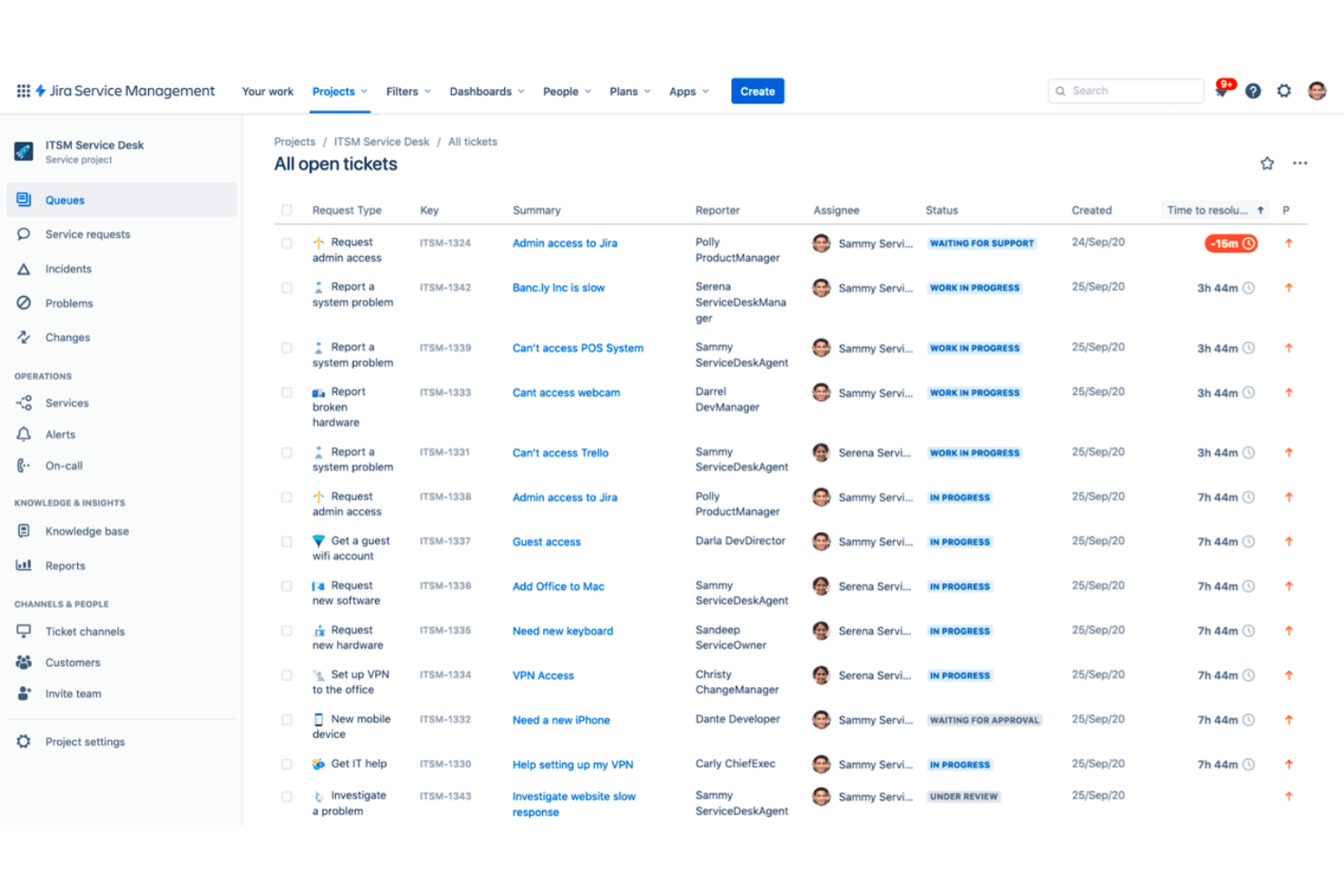
Jira Service Management offers a unified IT service desk view displaying all open tickets with request types. Jira Service Management is Atlassian's IT service desk solution built for teams that need to handle support tickets, incidents, and service requests within the same ecosystem where their developers work.
Who Is Jira Service Management Best For?
It's a strong fit for software and DevOps teams that need support and development workflows connected in a single Atlassian environment.
Why I Picked Jira Service Management
I picked Jira Service Management because it's the only service desk tool that ties customer-facing tickets directly to the development backlog. When a bug report comes in, I can link it straight to a Jira Software issue and track its fix through every sprint stage without switching tools. Its incident management workflows also let my team connect a service outage ticket to the exact release that caused it, which makes post-incident reviews far more grounded in real data.
Jira Service Management Key Features
- Customer portal: A self-service hub where customers can submit requests, track ticket status, and browse a knowledge base without contacting an agent.
- SLA management: Configurable service level agreements that automatically track response and resolution deadlines across every open request.
- Asset and configuration management: A built-in CMDB that lets your team log, track, and relate IT assets directly to service requests and incidents.
- Automation rules: Trigger-based workflows that automatically assign, escalate, or update tickets based on conditions you define without writing code.
Jira Service Management Integrations
Jira Service Management offers native integrations with Jira Software and Confluence, connecting support tickets with development work and knowledge articles. It also provides an API for custom integrations and supports marketplace integrations.
Pros and Cons
Pros:
- Offers self-service request and knowledge portals
- Tracks incidents through development workflows
- Links support tickets to software releases
Cons:
- Centers workflows on IT service operations
- No accounting or inventory management
Learn more about Jira Service Management: Best for keeping support data in-house
- Free plan + 15-day trial available
- From $19/user/month
Visit WebsiteCustomer Rating:3.9/5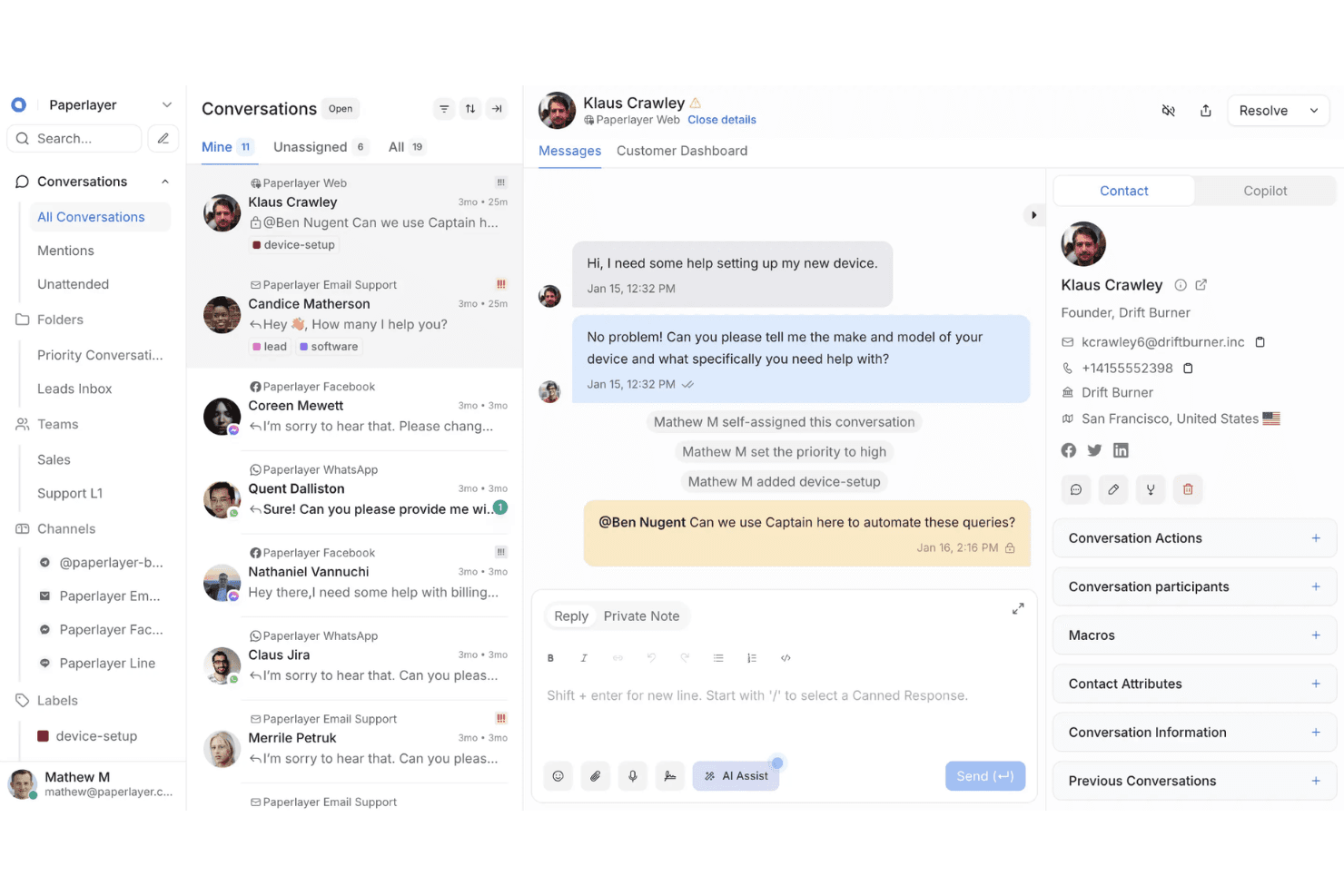
Chatwoot offers a multi-channel customer support inbox with conversation management, contact details, and team collaboration features. Chatwoot is an open-source customer support platform that lets teams manage live chat, email, and social conversations in one place—making it a strong fit for technically-minded teams that want full control over their support infrastructure.
Who Is Chatwoot Best For?
Chatwoot is a great fit for technical teams and startups that need to self-host their support platform to meet strict data privacy or compliance requirements.
Why I Picked Chatwoot
I picked Chatwoot as one of the best Odoo alternatives because it's one of the few customer support platforms you can fully self-host, meaning your conversation data never touches a third-party server. I love that it supports inbox management across live chat, email, and social channels while keeping everything behind your own infrastructure. For teams operating under strict data residency requirements, that level of control is genuinely rare.
Chatwoot Key Features
- Canned responses: Save and reuse pre-written reply templates to handle common customer questions quickly.
- Conversation assignment and routing: Automatically or manually assign incoming conversations to specific agents or teams based on defined rules.
- Custom attributes: Add structured data fields to contacts and conversations to capture context beyond the default profile information.
- API-based integrations: Connect Chatwoot to external tools and workflows through a REST API, giving technical teams full control over how data moves between systems.
Chatwoot Integrations
Native integrations are not clearly documented. Chatwoot supports custom integrations through its REST API.
Pros and Cons
Pros:
- Custom attributes preserve customer context
- Unifies email, chat, and social conversations
- Self-hosting keeps support data in-house
Cons:
- Self-hosting requires infrastructure oversight
- Doesn't replace Odoo's broader ERP suite
Learn more about Chatwoot: Best for customer issues spanning departments
- Free demo available
- Pricing upon request
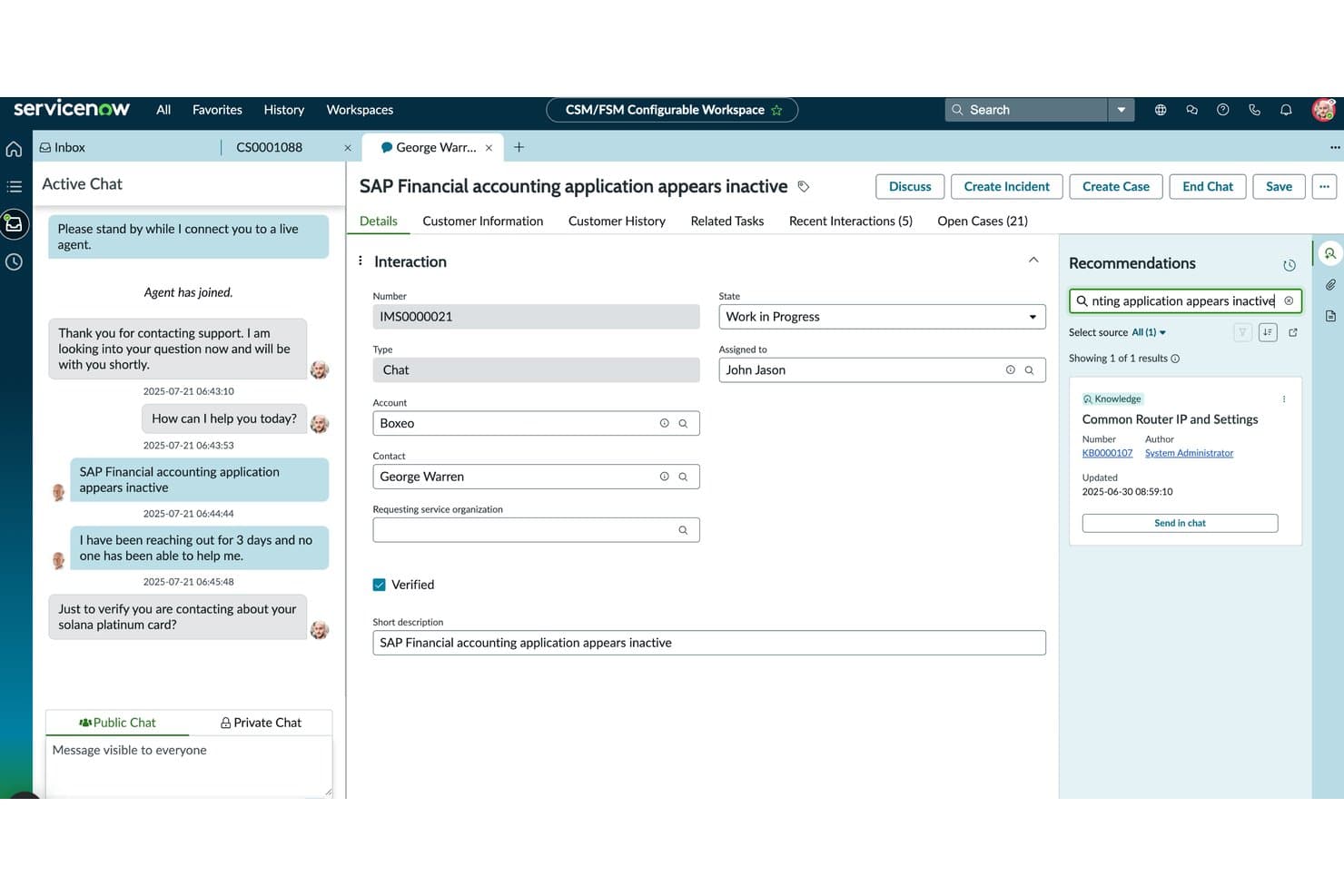
ServiceNow CSM surfaces knowledge recommendations during live chat. ServiceNow Customer Service Management is an enterprise-grade platform that connects customer-facing teams with back-office operations, helping large organizations resolve complex service issues faster by routing work across departments automatically.
Who Is ServiceNow Customer Service Management Best For?
It's a strong fit for large enterprises where customer issues regularly require coordination across IT, operations, finance, or other internal departments to resolve.
Why I Picked ServiceNow Customer Service Management
I picked ServiceNow Customer Service Management because it handles something Odoo struggles with: customer issues that don't belong to just one team. When a billing dispute also requires an IT fix and a logistics update, its cross-departmental workflow routing automatically assigns tasks to the right internal teams without manual handoffs. I also like how its case management ties customer-facing tickets directly to back-office operations, so nothing falls through the cracks mid-resolution.
ServiceNow Customer Service Management Key Features
- Self-service portal: A branded customer-facing portal where users can submit cases, track status, and find answers through a searchable knowledge base.
- Proactive case management: Automated alerts and task triggers that flag potential issues before customers report them, based on monitored service conditions.
- Omnichannel engagement: A unified agent workspace that consolidates interactions from email, chat, phone, and social into a single queue.
- Performance analytics dashboard: Pre-built and configurable dashboards that track case volume, resolution times, and customer satisfaction scores in real time.
ServiceNow Customer Service Management Integrations
ServiceNow Customer Service Management supports Microsoft Teams, Slack, and Zoom integrations for collaboration. IntegrationHub connects external platforms and cross-company workflows, while CSM REST APIs support custom integrations.
Pros and Cons
Pros:
- Unified case history improves agent context
- Automated workflows catch service issues early
- Cross-team case routing limits handoff gaps
Cons:
- Enterprise configuration can demand specialist support
- ERP breadth trails Odoo’s all-in-one scope
Learn more about ServiceNow Customer Service Management:
Other Odoo Alternatives
Here are some additional Odoo alternatives options that didn’t make it onto my shortlist, but are still worth checking out:
- 11Agentforce Service (formerly Service Cloud)Best for service linked to Salesforce data
- 12ZendeskBest for support teams with audit requirements
- 13FreshdeskBest for industry-specific AI self-service
- 14TeamSupportBest for customer health and churn signals
- 15KayakoBest for support with customer health insights
- 16LiveAgentBest for support with your own AI account
- 17Help ScoutBest for finding self-service content gaps
- 18GorgiasBest for multi-brand storefront support
- 19GladlyBest for in-chat shopping and service
- 20ZammadBest for a separate helpdesk alongside ERP
How I Evaluate Odoo Alternatives
I split my evaluation into three parts. First, core functionality: any alternative must handle tickets from multiple channels and route them automatically—this carries the most weight. Second, I look for standout features like low-code workflow builders. Third, I consider what's beyond features: onboarding support, pricing transparency, and partner ecosystems.
Core Functionality (Table Stakes For This List)
When I'm selecting tools for my list, I score each one on a scale from 0 (does not offer the functionality) to 5 (excels in this area) for each core functionality listed below. I then convert the total into a percentage to help assess each tool's overall fit, with extra weight on any functionalities I’ve deemed essential.
- Multi-Channel Ticketing (Essential): I look for email, chat, and social inquiries in one queue, with conversation history agents can use when a customer switches channels.
- Workflow Automation (Essential): I assess rules that assign by topic or priority, escalate overdue cases, and track SLAs when volume spikes.
- Knowledge Base & Self-Service: I check for searchable, categorized articles customers can use to resolve repeat issues before opening a ticket.
- Reporting & Analytics: Dashboards should show response and resolution times by team, helping managers spot queues that need attention.
- Live Chat: I look for chat tied to tickets, with agent assignment and a clear handoff when a question needs follow-up.
- Agent Collaboration: Internal notes, tags, and shared ticket visibility help agents coordinate when billing and product teams both need to respond.
Once I have a list of tools that meet the criteria, I consider what sets each platform apart.
Differentiating Factors (What Sets Vendors Apart)
Here's how I compare and contrast different vendors:
Standout Features
I look for low-code workflow builders that let support leads create escalation paths and routing logic without filing a dev request. A visual builder matters most when your team needs to adjust workflows mid-quarter as ticket patterns shift. I also evaluate open API access and developer documentation, since teams often need custom integrations with internal tools that aren't covered by a marketplace. Platforms like Zendesk and Freshdesk offer extensive APIs, but depth of documentation varies.
Beyond Features
I evaluate how quickly a team can go live, since migrating ticket history and routing rules from Odoo can stall for weeks without guided onboarding. Vendors like Freshdesk and Zendesk offer certified implementation partners, which matters if you lack in-house technical staff. I also check pricing transparency—per-agent costs that spike as you add seasonal support reps will catch budget-conscious teams off guard.
Why Look For an Odoo Alternative?
While Odoo is a good choice of customer service software, there are a number of reasons why some users seek out alternative solutions. You might be looking for an Odoo alternative because…
- You need more advanced ticket automation tools
- Third-party app integration options are limited
- Scaling beyond core modules poses challenges
- Specialized support analytics are lacking
- User interface configuration is less flexible
- Access to 24/7 support is important
If any of these sound like you, you’ve come to the right place. My list contains several customer service software options that are better suited for teams facing these challenges with Odoo and looking for alternative solutions.
Odoo Key Features
Here are some of the key features of Odoo, to help you contrast and compare what alternative solutions offer:
- Ticket management: Lets you track, assign, and resolve customer support issues using a centralized dashboard that organizes customer tickets by priority, status, and responsible agent.
- Knowledge base: Provides a searchable library where your team and customers can find helpful articles, guides, and FAQs to resolve common questions, reducing ticket volume.
- Live chat: Enables real-time conversations with customers directly from your website so your team can provide immediate assistance and answer questions on the spot.
- Automated workflows: Allows you to set up process automation for tasks like ticket assignment and follow-ups, helping your team eliminate repetitive manual work and speed up response time.
- Multi-channel support: Centralizes tickets and requests from channels like email, live chat, and website forms, so your team can manage all conversations from a single interface.
- SLA management: Lets you set service level agreements that automatically track response and resolution times, so you can measure performance and meet promised standards.
- Customer portal: Gives customers a secure, self-service dashboard to track their requests, read help articles, and submit new tickets without contacting your team directly.
- Reporting and analytics: Offers customizable dashboards and pre-built reports so you can monitor team performance, track key metrics, and identify areas for improvement.
- Canned responses: Allows agents to save and reuse common replies for frequent questions, speeding up response times and ensuring consistency in communication.
- Integration with other Odoo apps: Seamlessly connects customer service with Odoo’s CRM, sales, and inventory modules, giving your team a unified view of every customer and making it easier to share information across departments.