

10 Best Typeform Alternatives for Customer Surveys in 2026

Typeform Alternatives Shortlist


The best Typeform alternatives offer intuitive form builders, flexible customization, and reliable data collection without the limitations of Typeform’s pricing or features. If you’re searching for a new form builder, you likely need tools that support more responses, advanced logic, or deeper integrations, without sacrificing ease of use.
Choosing the right alternative can help your team gather customer feedback, onboard users, or run surveys more efficiently.
In this guide, you’ll find a curated list of top Typeform alternatives, with clear comparisons to help you select the best fit for your workflow and business needs.
What is Typeform?
Typeform is an online form builder that lets you create interactive forms, surveys, and quizzes with a conversational design. It’s used by teams to collect feedback, capture leads, and automate data collection.
Typeform stands out for its user-friendly interface and visually engaging forms. However, some users look for alternatives to access more advanced features, better pricing, or specific integrations that Typeform may not offer.
Typeform Alternatives Comparison Table
This comparison table summarizes pricing details for my top Typeform alternative selections:
| Tool | Best For | Trial Info | Price | ||
|---|---|---|---|---|---|
| 1 | Best for collecting cross-channel feedback | 14-day free trial + free plan + free demo available | Pricing upon request | Website | |
| 2 | Best for branded customization | Free plan + 7-day free trial available | From $49/month (billed annually) | Website | |
| 3 | Best for advanced data reporting | Free plan available | From $30/user/month (billed annually) | Website | |
| 4 | Best for advanced survey logic | Free demo available | Pricing upon request | Website | |
| 5 | Best for native Salesforce integration | 14-day free trial | From $83/month (billed annually) | Website | |
| 6 | Best for secure and complex data collection | 14-day free trial available | From $21/month (billed annually) | Website | |
| 7 | Best for offline access | Free plan available + free demo available | From $10/month (billed annually) | Website | |
| 8 | Best for collaboration in Google Workspace | Free plan available | Free plan available; from $7/user/month (billed annually) for Google Workspace | Website | |
| 9 | Best for Microsoft 365 compatibility | 30-day free trial | From $9.99/user/month (Microsoft 365 Business Basic or included with Microsoft 365 plans) | Website | |
| 10 | Best for unlimited forms and submissions | 7-day free trial | From ₹7,931/3months + 18% GST | Website |
Why Trust Our Software Recommendations
Our team has been testing and reviewing software since 2012. As CX leaders ourselves, we know how difficult—and important—it is to choose the right software.
For this guide, we evaluated tools using hands-on testing and independent research, scoring tools using our selection criteria.
Our reviews reflect our human editorial judgment, not a sales pitch.
Typeform Alternatives Reviews
Below are my detailed summaries of the Typeform alternatives that made it onto my shortlist. My reviews offer a detailed look at the features, integrations, and best use cases of each form builder tool to help you find the best one for you.

Best for collecting cross-channel feedback
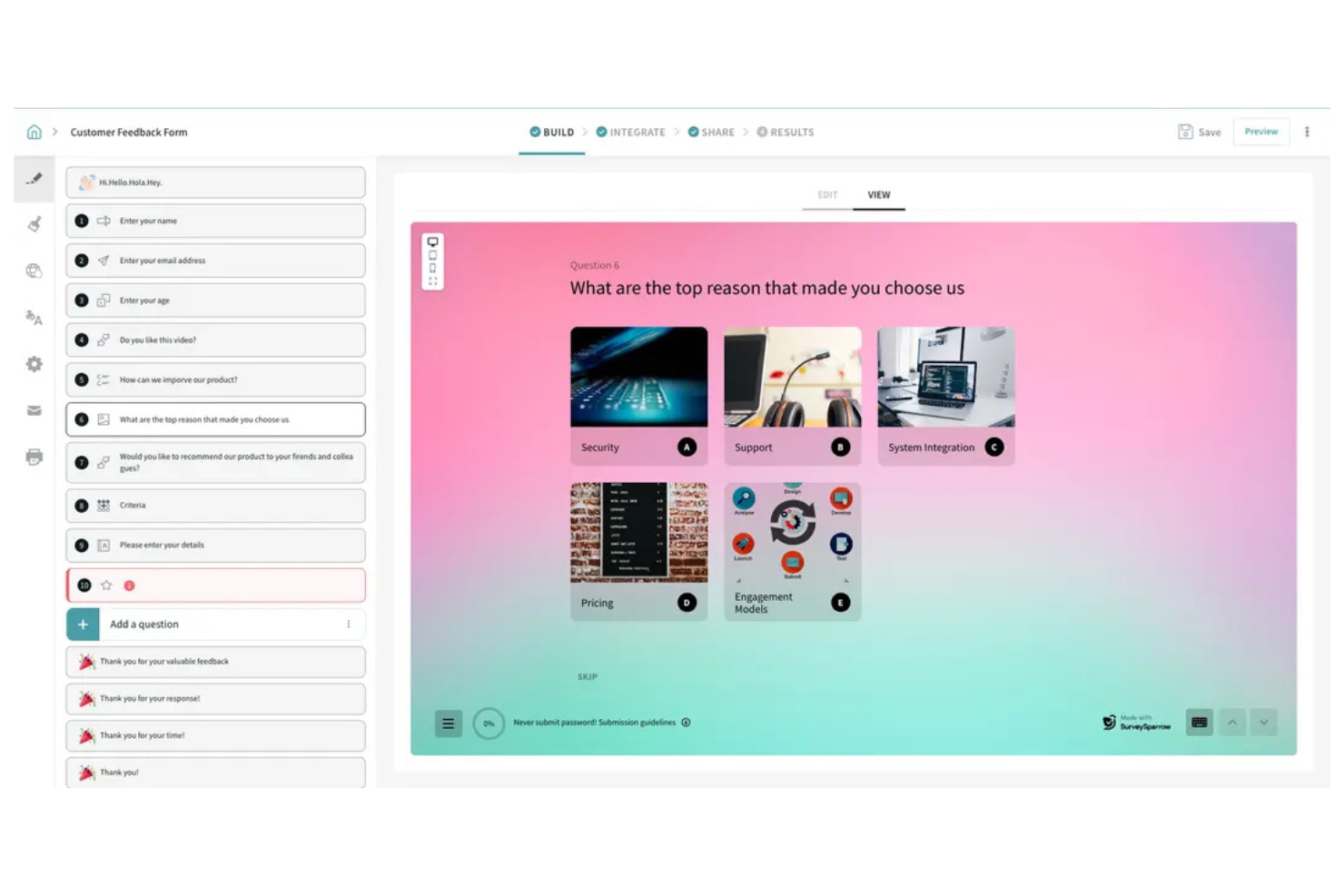
SurveySparrow offers a conversational approach to surveys and forms, making it appealing for teams that want to boost response rates. It’s a good fit for businesses and organizations that need to gather feedback across multiple channels, like web, mobile, and chat. If you’re looking for a flexible tool that adapts to different feedback collection needs, SurveySparrow is worth considering.
Who Is SurveySparrow Best For?
SurveySparrow is a strong choice for customer experience teams and marketers who need to collect feedback across multiple digital channels.
Why SurveySparrow Is a Good Typeform Alternative
What sets SurveySparrow apart from other popular tools is its ability to collect feedback across web, mobile, email, chat, and even offline channels. I picked it for teams that need to reach respondents wherever they are, without being limited to a single platform. SurveySparrow’s recurring survey automation and chat-like survey interface make it easy to engage users in different contexts. These features help you capture more diverse and actionable feedback compared to traditional form builders.
SurveySparrow Key Features
Some other features that stand out for teams considering SurveySparrow include:
- Conditional logic: Build dynamic forms that show or hide questions based on previous answers.
- White-labeling: Customize surveys with your own branding, logo, and domain.
- NPS and CSAT templates: Access ready-made templates for measuring customer satisfaction and loyalty.
- Team collaboration: Assign roles, share surveys, and manage permissions within your team.
SurveySparrow Integrations
Integrations include Salesforce, HubSpot, Shopify, Mailchimp, Google Analytics, Tableau, Slack, and more.
Pros and Cons
Pros:
- Built-in NPS and CSAT survey templates
- Multi-channel distribution covers web, email, chat
- Supports recurring and automated survey scheduling
Cons:
- Offline survey mode only on higher plans
- Basic reporting dashboard

Best for branded customization
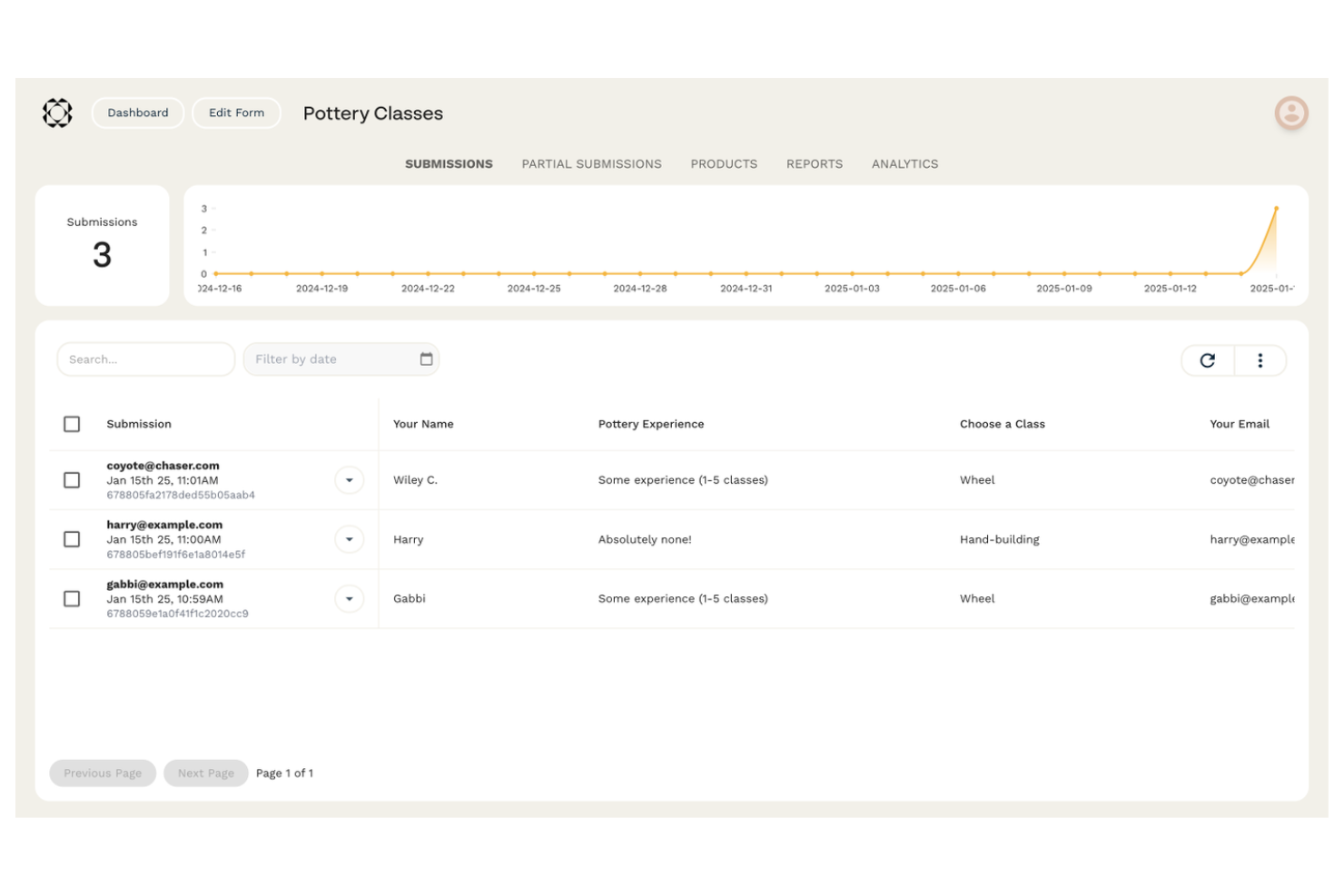
If you want a form builder that feels more like a blank canvas, Paperform is worth considering. It’s designed for teams and businesses that want to create forms that match their brand’s look and feel. Paperform helps you build interactive forms, landing pages, and product pages that go beyond basic survey tools.
Who Is Paperform Best For?
Paperform is a strong fit for marketing teams, agencies, and small businesses that want to create highly branded, interactive forms and landing pages.
Why Paperform Is a Good Typeform Alternative
What sets Paperform apart from Typeform and other form builders is its deep focus on branded customization. I picked it for teams that want to control every visual detail, from custom fonts and colors to background images and embedded media. Paperform lets you design forms that look and feel like fully branded landing pages, not just standard surveys. This level of creative freedom is ideal if you need forms that match your brand identity or marketing campaigns exactly.
Paperform Key Features
Some other features I found valuable for form building include:
- Conditional logic: Show or hide questions, sections, or pages based on previous answers to create dynamic, personalized forms.
- Payment integrations: Accept payments directly through forms using Stripe, PayPal, or Square.
- Automated workflows: Trigger emails, notifications, or integrations automatically when a form is submitted.
- File uploads: Allow respondents to upload files, images, or documents as part of their form responses.
Paperform Integrations
Integrations include Google Sheets, Mailchimp, ActiveCampaign, Trello, Slack, HubSpot, Asana, Monday.com, Dropbox, and more.
Pros and Cons
Pros:
- Built-in appointment and booking fields
- Integrated inventory and SKU management
- Free-text document style editor
Cons:
- No question-level drop-off analytics
- No native mobile application

Best for advanced data reporting
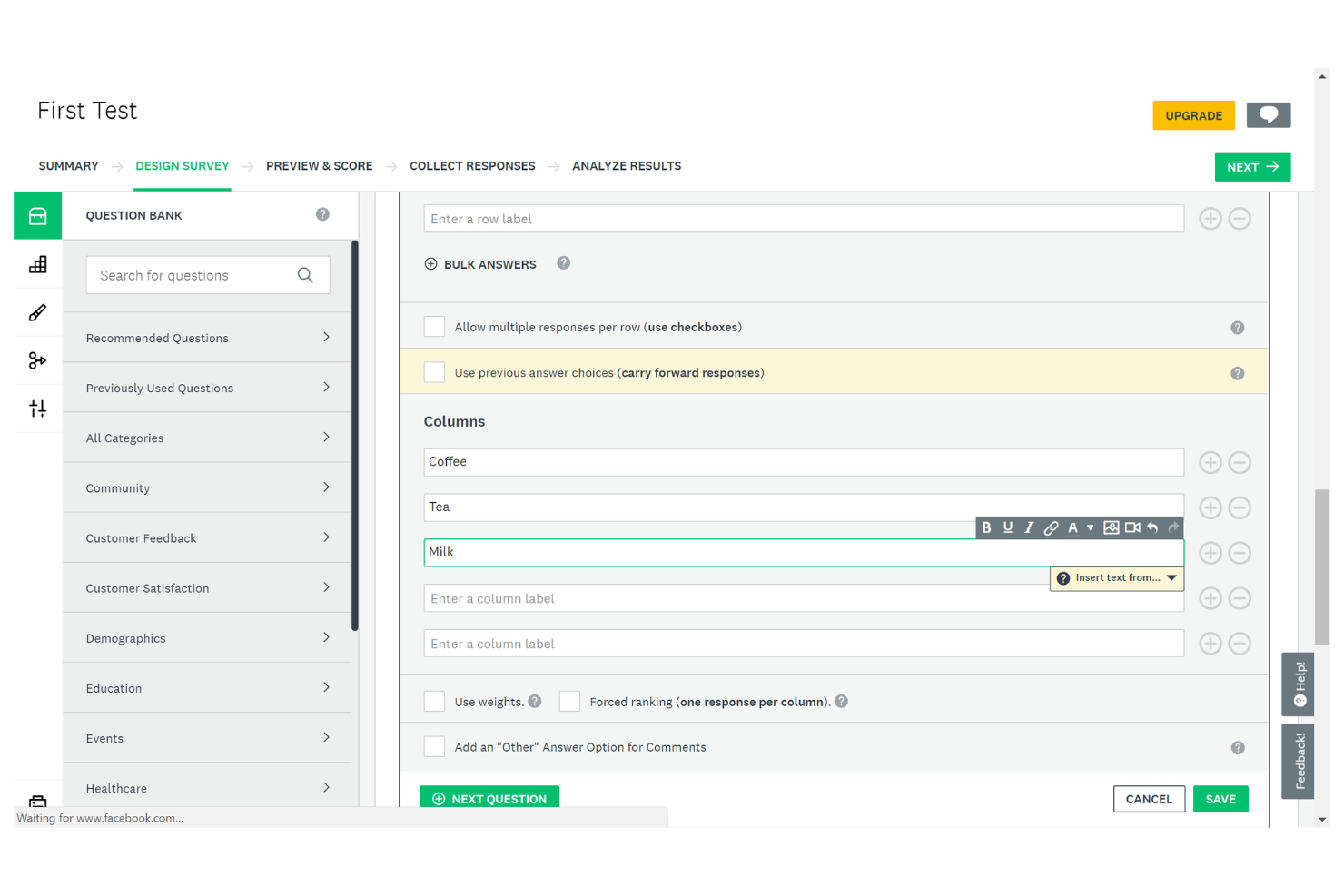
If you need a form builder with advanced analytics and survey customization, SurveyMonkey is worth considering. It’s designed for teams and professionals who want to dig deeper into survey data and reporting. SurveyMonkey helps you gather detailed feedback and turn it into actionable insights, making it a strong choice for market research, HR, and customer experience teams.
Who Is SurveyMonkey Best For?
SurveyMonkey is a good fit for research teams, HR departments, and customer experience professionals who need in-depth survey analytics and reporting.
Why SurveyMonkey Is a Good Typeform Alternative
SurveyMonkey stands out for its advanced data reporting, which goes beyond what most form builders offer. I picked it as a Typeform alternative because it provides detailed analytics dashboards and custom reporting tools that help you dig into survey results. You can segment responses, apply filters, and export data in multiple formats for deeper analysis. These features make SurveyMonkey especially useful if your team needs to turn form responses into actionable insights.
SurveyMonkey Key Features
Some other features that make SurveyMonkey a strong option for form building include:
- Question Bank: Access a library of pre-written questions to quickly build surveys tailored to your needs.
- Survey Logic: Use skip logic and branching to create personalized survey paths based on respondent answers.
- Collaboration Tools: Invite team members to edit, review, and comment on surveys within the platform.
- Brand Customization: Apply your company’s branding, including logos and color schemes, to maintain a consistent look and feel.
SurveyMonkey Integrations
Integrations include Salesforce, HubSpot, Mailchimp, Slack, Microsoft Teams, monday.com, Zoom, and more.
Pros and Cons
Pros:
- Strong logic and branching capabilities
- Wide range of question types available
- Advanced analytics for survey response data
Cons:
- Response limits on lower-priced plans
- Limited design flexibility for forms

Best for advanced survey logic
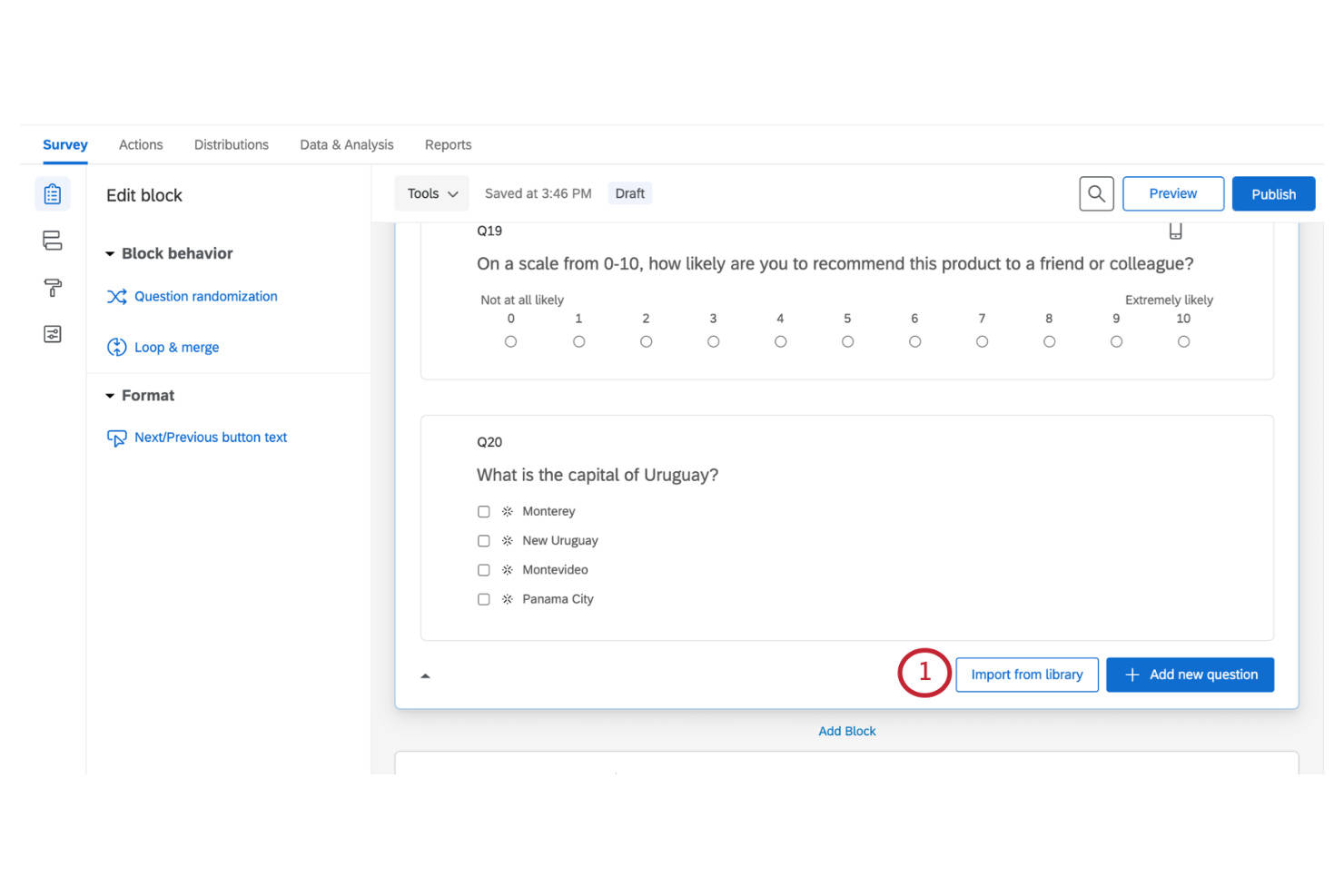
If you need a form builder that handles complex survey requirements, Qualtrics is worth considering. It’s designed for research teams, enterprises, and organizations that need advanced data collection and analysis. Qualtrics helps you manage large-scale feedback projects and dig deeper into customer or employee insights.
Who Is Qualtrics Best For?
Qualtrics is a strong choice for research teams and enterprises that need advanced survey logic and in-depth analytics.
Why Qualtrics Is a Good Typeform Alternative
When you need advanced survey logic that goes beyond simple branching, Qualtrics stands out. I picked it for teams that require features like complex skip logic, embedded data, and multi-layered question paths.
Qualtrics lets you design surveys that adapt dynamically to each respondent, supporting sophisticated research and feedback collection. This level of control is ideal for organizations that need to capture nuanced data and run detailed analysis.
Qualtrics Key Features
Some other features that make Qualtrics useful for form building include:
- Question randomization: Randomize the order of questions to reduce bias in survey responses.
- Multi-language support: Create and distribute surveys in multiple languages for global reach.
- Automated survey distribution: Schedule and automate survey delivery across email, SMS, and web channels.
- Advanced reporting tools: Access customizable dashboards and export detailed reports for deeper analysis.
Qualtrics Integrations
Integrations include SAP Customer Experience, Awardco, Tango Card, Respondent, Salesforce, Slack, Zendesk, and more.
Pros and Cons
Pros:
- Includes multi-language survey capabilities
- Handles large-scale survey distribution needs
- Supports highly complex survey branching logic
Cons:
- Setup for advanced logic requires training
- Interface can feel overwhelming for beginners
Best for native Salesforce integration
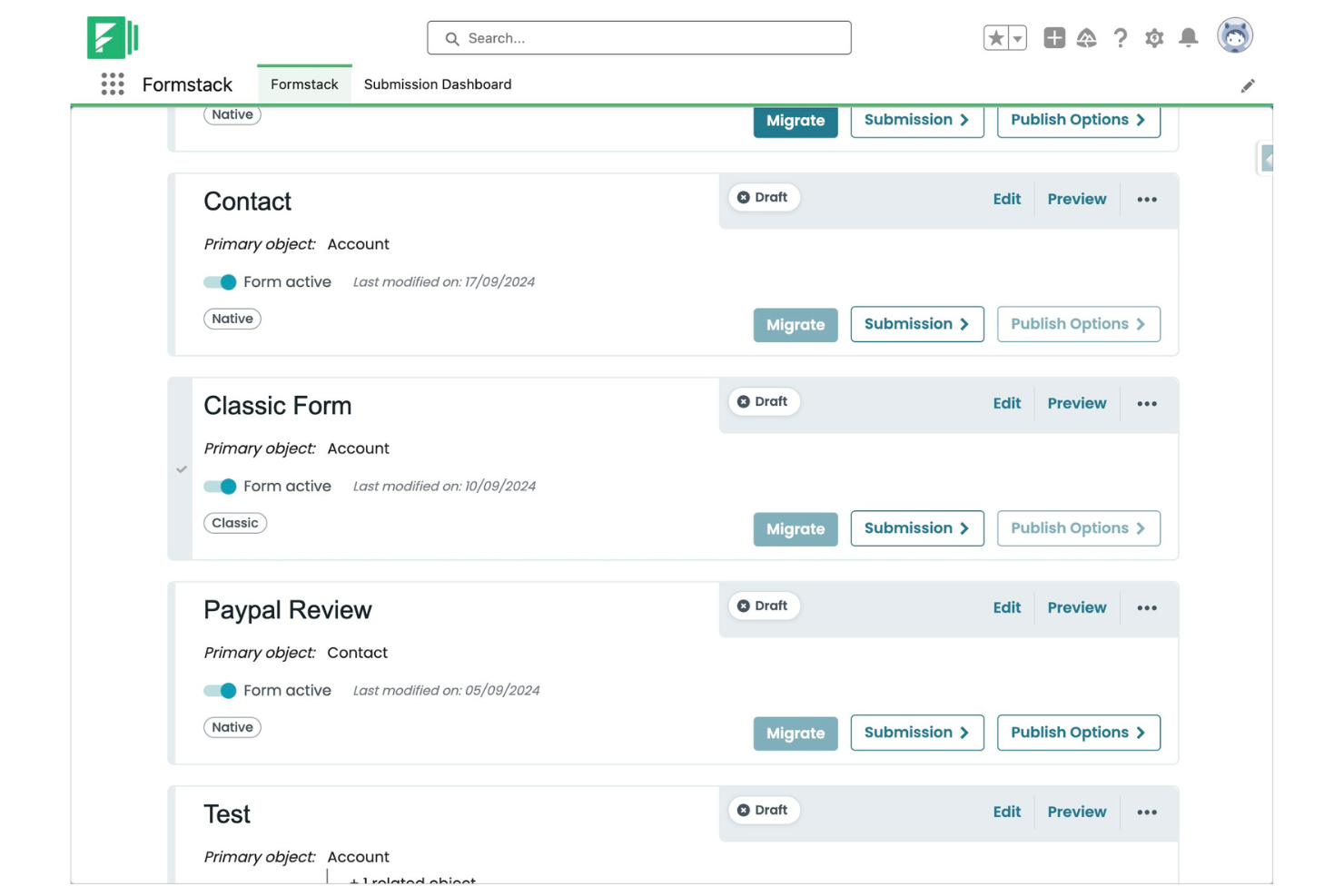
Formstack is a form builder designed for businesses that need secure, flexible data collection and workflow automation. It appeals to teams in healthcare, finance, and enterprise settings that require advanced compliance and process controls. If you’re looking for a solution that goes beyond simple surveys, Formstack helps you automate approvals, collect e-signatures, and manage sensitive information.
Who Is Formstack Best For?
Formstack is a strong choice for enterprise and mid-sized organizations in regulated industries that need secure, automated data workflows.
Why Formstack Is a Good Typeform Alternative
I picked Formstack for teams that need deep, native Salesforce integration—something Typeform doesn’t offer. With Formstack, you can map form fields directly to Salesforce objects and automate record creation or updates without third-party connectors. This is especially valuable for organizations that rely on Salesforce for sales, service, or operations workflows. If your business depends on keeping customer data in sync with Salesforce, Formstack’s direct integration saves time and reduces manual errors.
Formstack Key Features
Some other features that set Formstack apart include:
- Drag-and-drop form builder: Build forms visually with elements like a dropdown menu without any coding or technical expertise required.
- Conditional logic: Show or hide fields, sections, or pages based on user responses to create dynamic forms.
- E-signature collection: Collect legally binding electronic signatures directly within your forms.
- HIPAA compliance: Enable advanced security and compliance features for organizations handling sensitive healthcare data.
Formstack Integrations
Integrations include Salesforce, HubSpot, Google Sheets, PayPal, Stripe, Dropbox, Airtable, Microsoft OneDrive, and more.
Pros and Cons
Pros:
- Built-in e-signature collection on forms
- HIPAA compliance available for healthcare use
- Native Salesforce integration for direct data sync
Cons:
- Higher starting price than most alternatives
- No one-question-at-a-time layouts

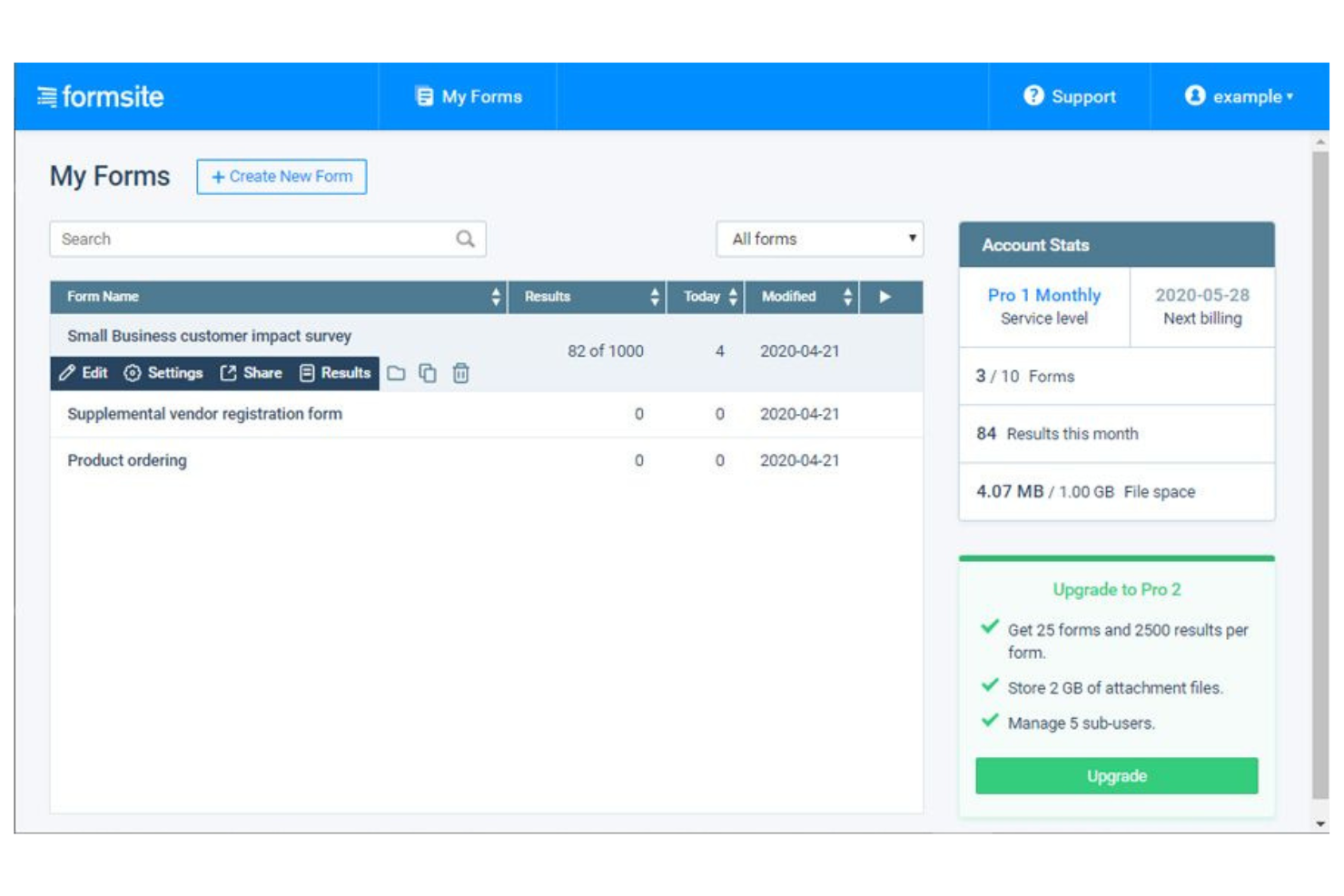
Formsite is a form builder designed for organizations that need advanced data collection and security features. It’s a strong fit for healthcare, education, and enterprise teams handling sensitive or regulated information. If you’re looking for more control over form logic and data privacy than most Typeform alternatives offer, Formsite is worth a closer look.
Who Is Formsite Best For?
Formsite is a good fit for healthcare, education, and enterprise teams that need secure, compliant data collection.
Why Formsite Is a Good Typeform Alternative
When secure and complex data collection is a priority, Formsite stands out among Typeform alternatives. I picked it because it offers advanced encryption, password protection, and compliance features that help organizations meet strict data privacy requirements. Formsite also supports complex form logic, file uploads, and multi-page forms, making it suitable for detailed data gathering. These capabilities make it a strong choice for teams that can’t compromise on security or need to collect sensitive information.
Formsite Key Features
Some other features that set Formsite apart for form building include:
- Drag-and-drop form builder: Build forms quickly using a visual editor with over 40 question types.
- Custom subdomains: Host forms on your own branded subdomain for a more professional appearance.
- Conditional logic for notifications: Set up email notifications that trigger based on specific form responses.
- Data export options: Export collected data to Excel, CSV, PDF, or integrate with cloud storage providers.
Formsite Integrations
Integrations include Salesforce, Google Sheets, Microsoft Excel, Mailchimp, Dropbox, Box, Constant Contact, and more.
Pros and Cons
Pros:
- Multiple export formats, including PDF and Excel
- Custom subdomain and branding options
- Supports file uploads and encrypted storage
Cons:
- Fewer built-in analytics
- Limited modern design templates
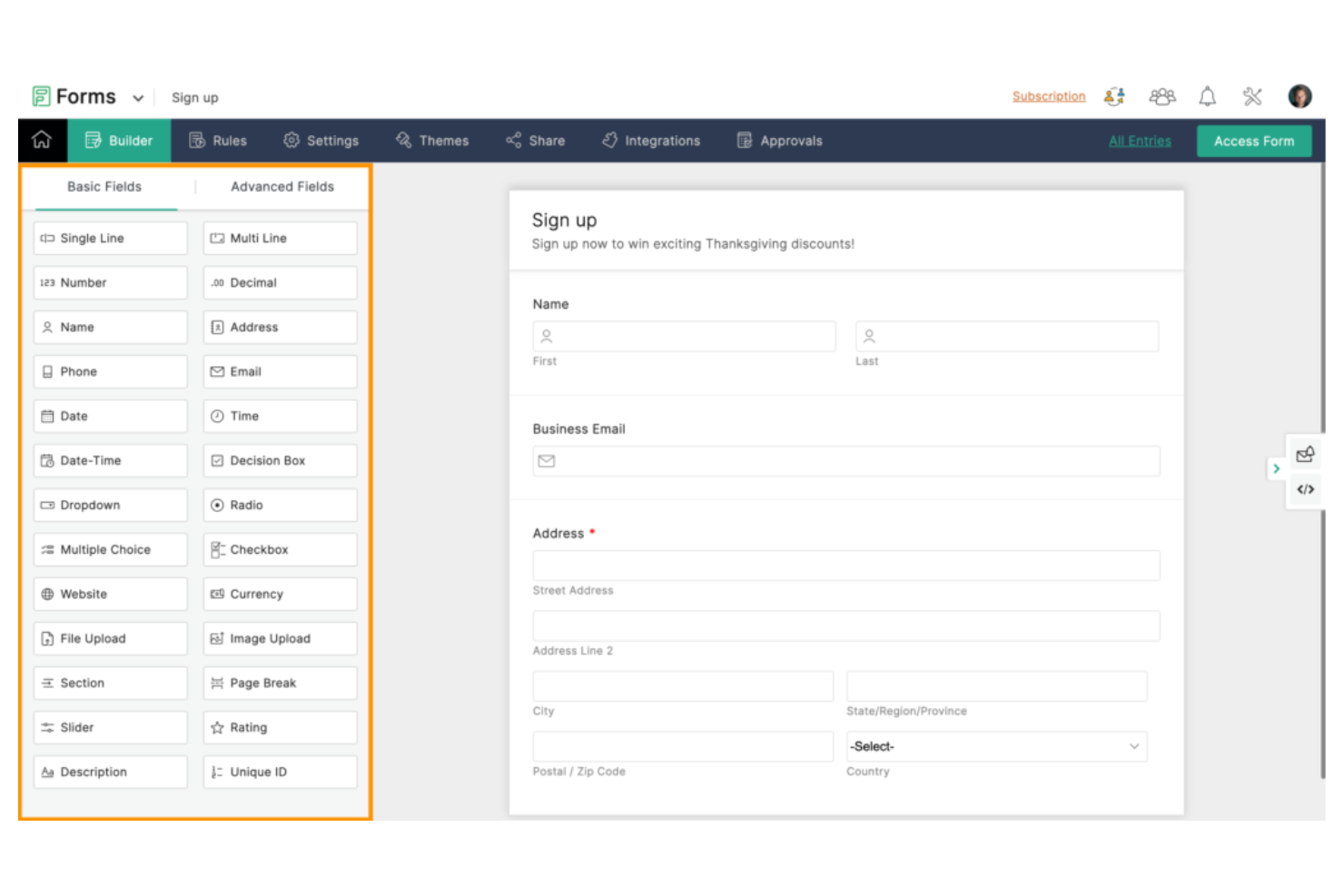
Zoho Forms is a form builder designed for teams that need flexible data collection across devices and locations. It’s a strong choice for field service, retail, and distributed teams who can’t always rely on a stable internet connection. If you’re looking for a Typeform alternative that supports mobile workflows and broad customization, Zoho Forms is worth considering.
Who Is Zoho Forms Best For?
Zoho Forms is a good fit for field teams and organizations that need to collect data in remote or offline environments.
Why Zoho Forms Is a Good Typeform Alternative
What sets Zoho Forms apart from Typeform and many other form builders is its offline access capabilities even in its basic plan options. I picked it because you can create forms that work on mobile devices, even when there’s no internet connection. The mobile app lets users collect responses in the field and sync data automatically once they’re back online. This makes Zoho Forms especially valuable for teams working in remote locations or industries where connectivity is unreliable.
Zoho Forms Key Features
Some other features that make Zoho Forms stand out for form-building teams include:
- Customizable approval workflows: Route form submissions for review and approval within your organization.
- Drag-and-drop form builder: Build forms quickly using a visual editor with a wide range of field types.
- Automated email notifications: Set up instant alerts for form submissions or specific responses.
- Integration with Zoho apps: Connect forms directly to Zoho CRM, Zoho Desk, and other Zoho products for data flow.
Zoho Forms Integrations
Integrations include Zoho CRM, Zoho Desk, Zoho Projects, Zoho Campaigns, Zoho Flow, Google Sheets, Google Drive, Salesforce, Mailchimp, and more.
Pros and Cons
Pros:
- Customizable approval workflows for submissions
- Native integration with Zoho ecosystem
- Offline form access and submission supported
Cons:
- Fewer design customization options
- Limited modern or conversational form layouts
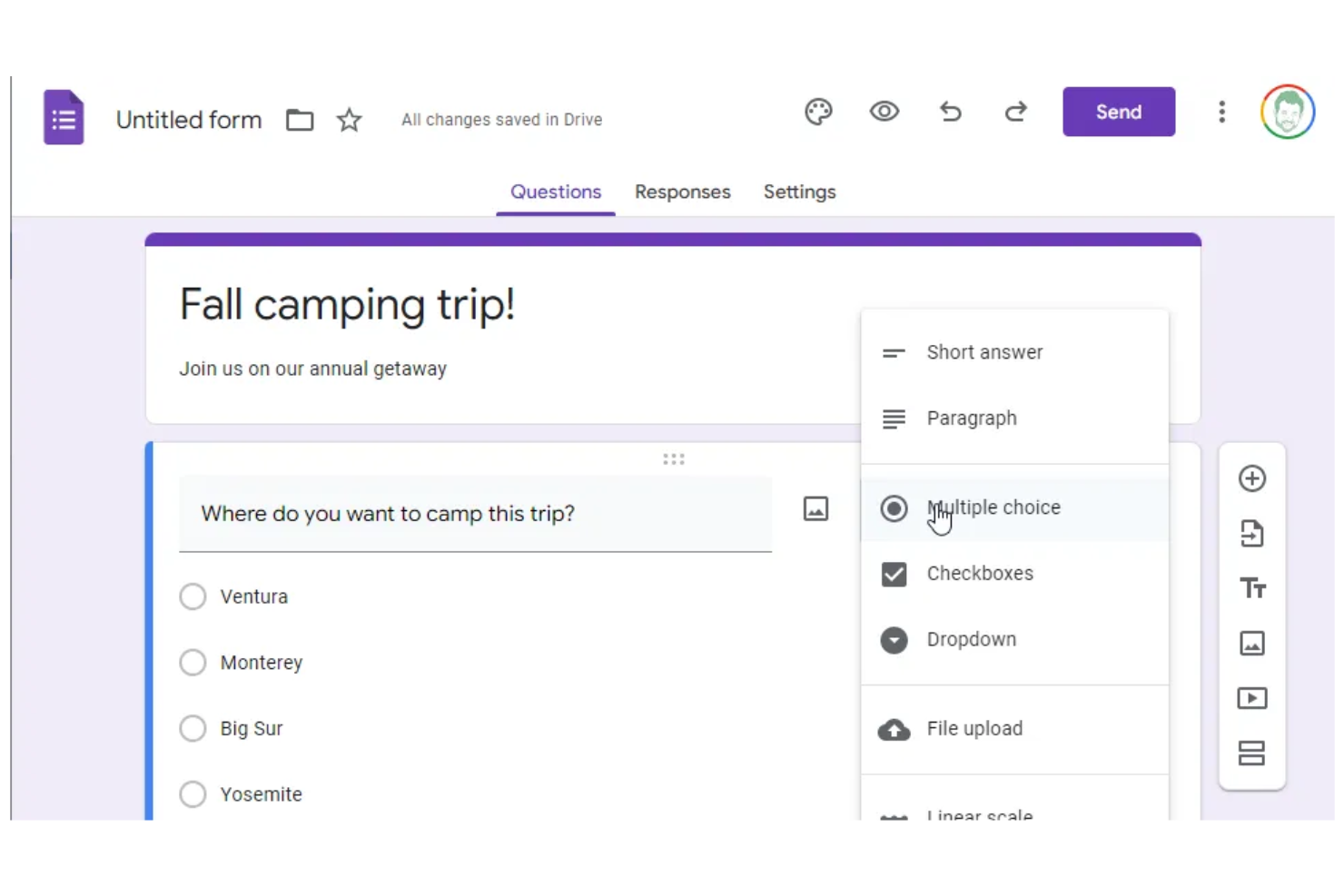
If your team already uses Google Workspace, Google Forms offers a free form builder that gives you a straightforward way to collect and organize information. It’s especially useful for businesses and educators who need quick, shareable forms that integrate with Google Drive and Sheets. You can create surveys, contact forms, or event registrations and instantly collaborate with colleagues in real time.
Who Is Google Forms Best For?
Google Forms is a strong fit for teams and educators in organizations already using Google Workspace who need simple, collaborative form creation.
Why Google Forms Is a Good Typeform Alternative
I picked Google Forms for teams that need real-time collaboration within Google Workspace. Unlike Typeform, Google Forms lets multiple users build, edit, and analyze forms together, making it easy to coordinate on surveys or data collection projects.
You can share forms instantly with colleagues, manage pop-up notifications for responses, and see data update live in Google Sheets. This level of collaboration is especially valuable for organizations already relying on Google’s productivity tools.
Google Forms Key Features
Some other features that make Google Forms useful for form building include:
- Question branching: Create dynamic forms that show or hide questions based on previous answers.
- File upload field: Allow respondents to upload files directly through the form.
- Response validation: Set rules for acceptable answers to ensure data quality.
- Template gallery: Access a library of pre-built form templates for common use cases.
Google Forms Integrations
Integrations include Google Sheets, Google Drive, Gmail, Google Calendar, Google Docs, Google Slides, Google Sites, Google Chat, Google Meet, and more.
Pros and Cons
Pros:
- Simple sharing and access controls
- Direct integration with Google Sheets
- Real-time collaboration with multiple editors
Cons:
- Lacks advanced conditional logic features
- Limited form design and branding options

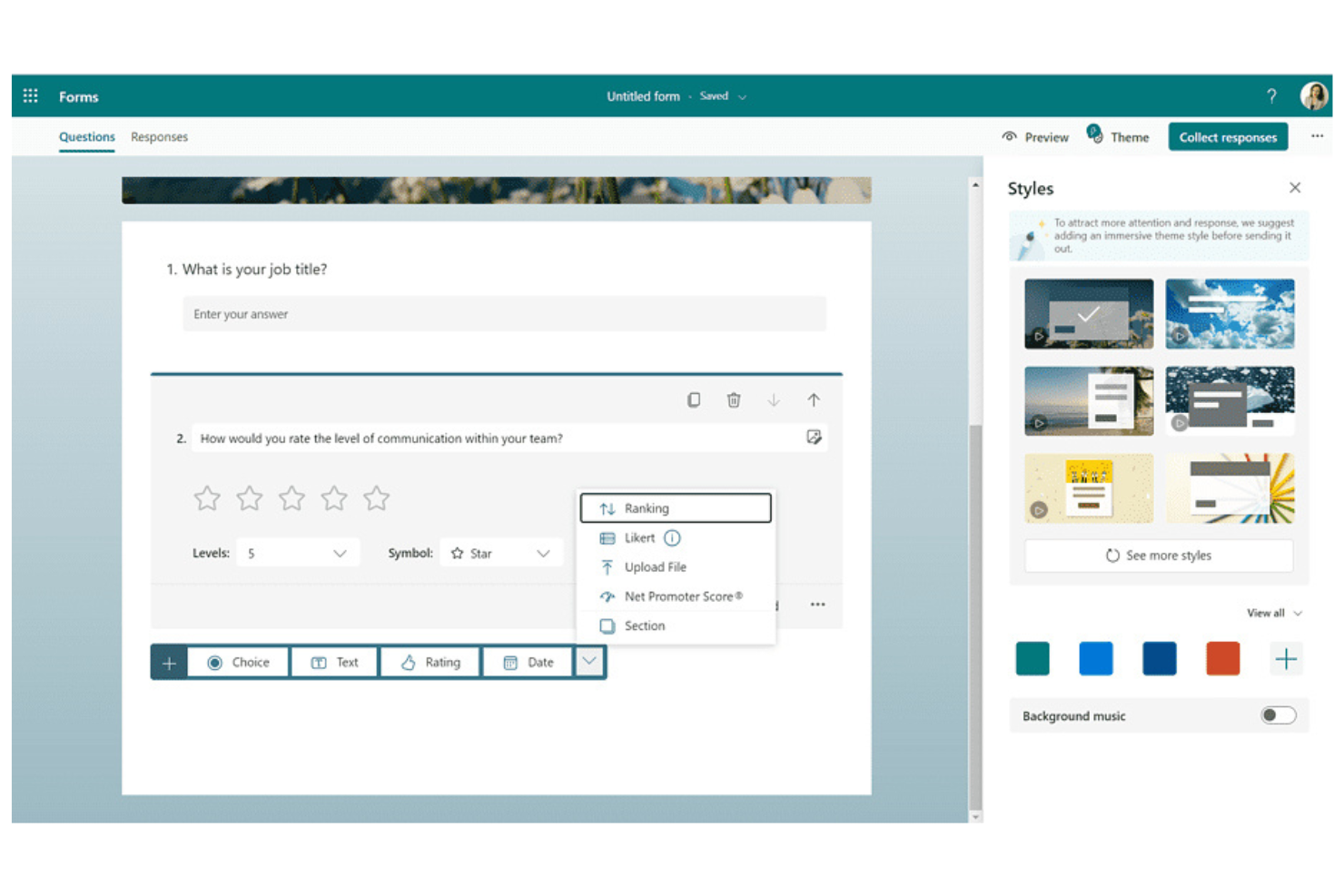
If your team already uses Microsoft 365, Microsoft Forms offers a familiar way to create surveys, quizzes, and polls. It’s a good fit for organizations that want to keep data and workflows within the Microsoft ecosystem. You can quickly gather feedback, run internal assessments, or collect registrations without leaving your existing tools.
Who Is Microsoft Forms Best For?
Microsoft Forms is a strong fit for organizations and teams already using Microsoft 365 who want to keep form data and workflows within the same ecosystem.
Why Microsoft Forms Is a Good Typeform Alternative
What makes Microsoft Forms stand out as a Typeform alternative is its deep compatibility with Microsoft 365 apps. I picked it for teams that want to create forms, quizzes, and polls directly within familiar tools like Outlook, Teams, and SharePoint.
You can automatically store responses in Excel and trigger workflows in Power Automate, keeping everything connected within your existing environment. This tight integration helps organizations centralize data collection and processes without leaving the Microsoft ecosystem.
Microsoft Forms Key Features
Some other features that make Microsoft Forms useful for form-building teams include:
- Branching logic: Create dynamic forms that show or hide questions based on previous answers.
- Real-time response analytics: View charts and summaries of responses as they come in.
- Quiz creation tools: Build scored quizzes with automatic grading and feedback.
- Multilingual support: Offer forms in multiple languages to reach a broader audience.
Microsoft Forms Integrations
Integrations include Microsoft Excel, Microsoft Teams, Microsoft SharePoint, Microsoft Power Automate, and more.
Pros and Cons
Pros:
- Offers built-in quiz and poll templates
- Automatically exports responses to Excel
- Integrates natively with all Microsoft 365 apps
Cons:
- Forms can’t be embedded on all website platforms
- Lacks payment collection and e-signature features

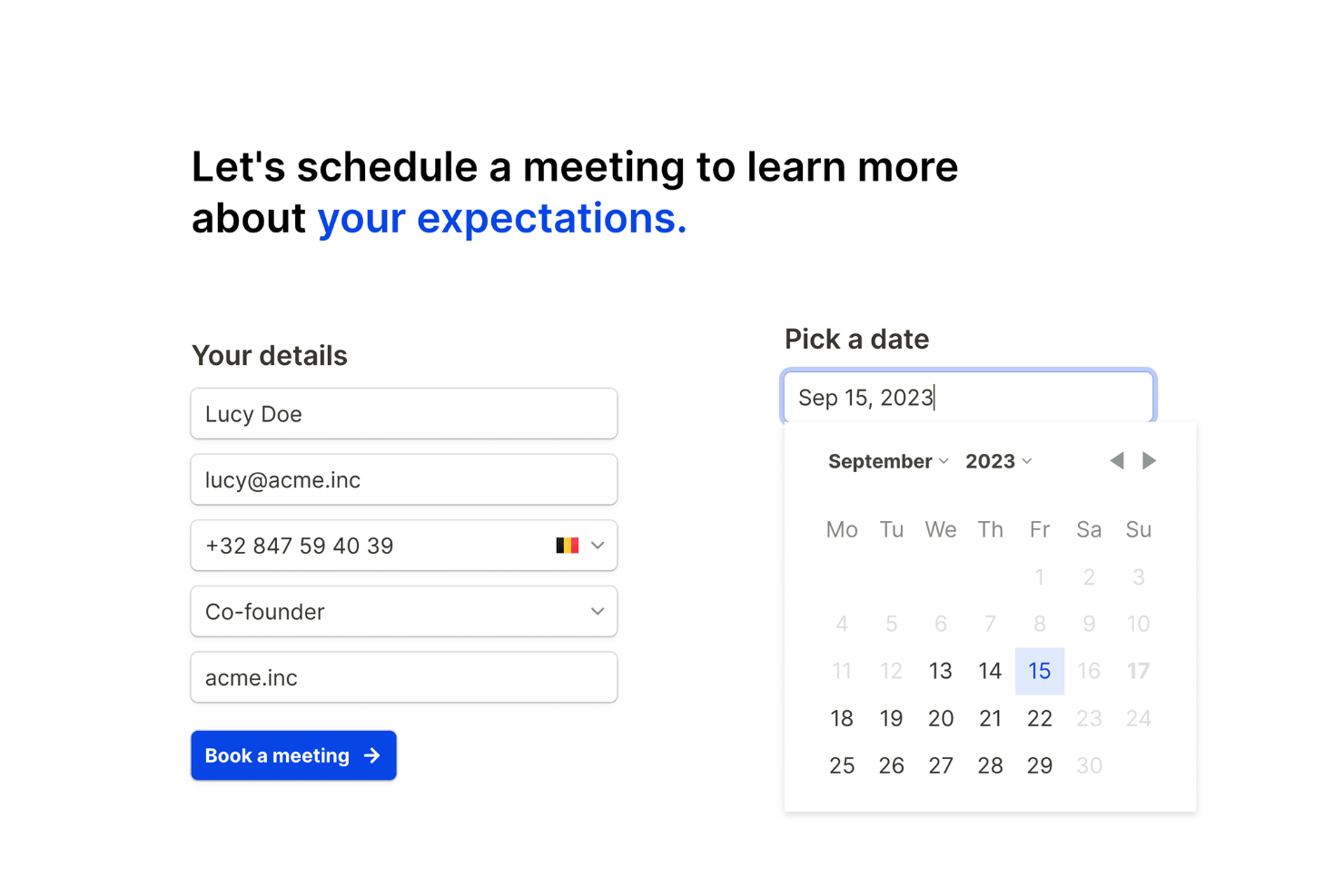
If you’re looking for a flexible form builder that doesn’t limit your growth, Tally is worth a look. It’s designed for creators, startups, and small businesses that want to collect data without worrying about quotas or hidden restrictions. Tally helps you launch forms quickly and manage responses at any scale.
Who Is Tally Best For?
Tally is a strong choice for startups, creators, and small businesses that need unlimited forms and submissions without extra costs.
Why Tally Is a Good Typeform Alternative
Tally stands out because it lets you create unlimited forms and collect unlimited responses, even on its free tier. I picked it as a Typeform alternative for teams that don’t want to worry about hitting usage caps or paying extra as their needs grow. Tally also includes features like conditional logic and payment collection without restricting how many forms you can publish. This makes it especially appealing if you’re running multiple projects or campaigns and need a truly scalable solution.
Tally Key Features
Some other features I found useful for form building include:
- Custom domains: Publish forms using your own branded domain for a more professional appearance.
- Answer piping: Dynamically insert previous answers into later questions to personalize the user experience.
- File uploads: Allow respondents to upload files directly through your forms for richer data collection.
- Hidden fields: Pass data into forms via URL parameters to track sources or pre-fill information.
Tally Integrations
Integrations include Notion, Google Sheets, Airtable, Slack, Webhooks, Coda, Google Analytics, Meta Pixel, Make, and more.
Pros and Cons
Pros:
- Conditional logic and answer piping included
- Supports payment collection
- Unlimited forms and submissions on all plans
Cons:
- No built-in quiz scoring functionality
- Fewer design customization options
Other Typeform Alternatives
Here are some additional Typeform alternatives that didn’t make it onto my shortlist, but are still worth checking out:
- Jotform
For an extensive library of templates
- Alchemer
For branching and skip logic
- Pointerpro
For generating personalized reports
- involve.me
For interactive quizzes and calculators
- Outgrow
For building interactive content experiences
- forms.app
For mobile-friendly form creation
- Fillout
For conditional logic options
- Youform
For privacy-focused data collection
- SogoCore
For enterprises
- ClickUp Forms
For integrating forms with project workflows


How I Evaluate Typeform Alternatives
I consider two layers for these tools—the baseline criteria a form builder must clear, and the differentiators that tell me whether it fits a VoC program or post-support survey workflow.
Core Functionality (Table Stakes For This List)
When I'm selecting tools for my list, I rank each one on a scale from 0 (does not offer the functionality) to 5 (excels in this area) for each core functionality listed below. Then, I calculate the tool's total score into a percentage. Each tool needs to achieve a minimum total score of 65% to be considered for inclusion.
- Conversational Form Building: I look for a no-code builder that supports a one-question-at-a-time flow, similar to how Typeform presents its forms to respondents.
- CX Survey Templates: Pre-built templates for NPS, CSAT, and CES surveys matter here—I check whether a tool lets you launch a post-support survey in minutes.
- Multi-Channel Distribution: Each tool should support web embeds, email, shareable links, and ideally in-app or QR code delivery for reaching customers at the right touchpoint.
- Logic & Personalization: Branching, skip logic, answer piping, and hidden fields all factor in—these let you tailor a feedback flow based on how a customer responds.
- Response Analytics & Reporting: I evaluate whether the tool offers real-time dashboards, response segmentation, and export options beyond a basic spreadsheet download.
- CX Tool Integrations: The tool should connect to CRMs and help desks like Salesforce, HubSpot, or Zendesk so survey responses feed directly into existing workflows.
Once I have a list of tools that meet this criteria, I consider what sets each platform apart.
Differentiating Factors (What Sets Vendors Apart)
Here's how I compare and contrast different vendors:
Standout Features
Sentiment and text analytics is a major differentiator. When you're collecting thousands of open-ended responses after a product launch, manually tagging themes isn't realistic—I look for tools that surface recurring topics and sentiment scores automatically. Closed-loop automation also matters. Tools that trigger alerts or create help desk tickets when a detractor score comes in can save your team hours of manual triage. For global CX programs, I check whether a platform supports multi-language surveys with built-in translations to keep feedback consistent across regions.
Beyond Features
Pricing structure matters a lot here. Some platforms charge per response, which can get expensive fast when you're running always-on CSAT surveys across multiple touchpoints. I check whether pricing scales with response volume in a way that makes sense for high-traffic CX programs. Data security is another key consideration—if your surveys collect customer PII, you need GDPR compliance, encryption, and SSO support at minimum. I also evaluate the respondent experience itself, since a survey that loads slowly or isn't mobile-friendly will tank completion rates before you gather any useful feedback.
Why Look For a Typeform Alternative?
While Typeform is a good choice of form builders, there are a number of reasons why some users seek out alternative solutions. You might be looking for a Typeform alternative because…
- You need more advanced conditional logic options
- You want deeper integrations with your existing tools
- You require more flexible branding and design controls
- You need built-in payment collection or e-signature features
- You’re looking for a more budget-friendly solution
- You need better support for enterprise-level security and compliance
If any of these sound like you, you’ve come to the right place. My list contains several form builder options that are better suited for teams facing these challenges with Typeform and looking for alternative solutions.
Typeform Key Features
Here are some of the key features that Typeform offers, to help you contrast and compare what alternative solutions offer:
- Conversational forms: Typeform presents questions one at a time, creating a chat-like experience that feels more personal and engaging for respondents.
- Conditional logic: Build dynamic forms that adapt to user responses, showing or hiding questions based on previous answers to create tailored experiences.
- Custom themes: Design forms with custom colors, fonts, and backgrounds to match your brand and create visually appealing surveys.
- File upload fields: Allow respondents to attach files, images, or documents directly within the form, supporting a wide range of data collection needs.
- Integrations: Connect Typeform with tools like Google Sheets, Slack, HubSpot, and Mailchimp to automate workflows and sync data across platforms.
- Quiz and scoring tools: Create interactive quizzes with automatic scoring, feedback, and result screens for educational or lead generation purposes.
- Analytics dashboard: Access real-time analytics and visual reports to track completion rates, drop-off points, and response trends.
- Multi-language support: Offer forms in multiple languages to reach a global audience and improve accessibility.
- Payment collection: Collect payments or donations directly through forms using integrations with Stripe and other payment processors.
- Collaboration features: Invite team members to co-create, edit, and manage forms, simplifying teamwork and review processes.