

Vanillasoft Review: Pros, Cons, Features, and Pricing
Vanillasoft excels with its intuitive interface and robust lead management, making it a top choice for small to mid-sized call centers seeking efficiency.

We review tools independently, and commissions help fund our testing. See our transparency policy, our methodology, or suggest a tool.
VanillaSoft is a call center software built for inside sales teams that run high-volume outbound calling campaigns. It combines queue-based lead routing, auto-dialing, and built-in lead management in one place. I'd recommend it over PhoneBurner if your team needs lead management built into the dialing workflow, rather than managing those two pieces separately.
VanillaSoft Evaluation Summary

0/5
- Pricing upon request
- Free demo available
Why Trust Our Software Recommendations
6,700+
Reviews
20
Industry experts
16+
Evaluation factors
14
Years
Our team has been testing and reviewing software since 2012. As CX leaders ourselves, we know how difficult—and important—it is to choose the right software.
For this guide, we evaluated tools using hands-on testing and independent research, scoring tools using our selection criteria.
Our reviews reflect our human editorial judgment, not a sales pitch.
VanillaSoft Overview
In my opinion, Vanillasoft excels as a call center software, particularly for those seeking a reliable, user-friendly platform. It offers robust functionality with intuitive navigation, although its pricing might not suit smaller budgets. The support team is exceptional, frequently praised for their responsiveness and custom solutions, making it ideal for teams needing strong customer service. Compared to competitors, Vanillasoft stands out with its excellent onboarding process. However, it may underperform for organizations requiring extensive integrations. If your team values ease of use and top-notch support, Vanillasoft is a sound choice.
Pros
- The dialer is easy to use, helping your team make calls efficiently.
- The support team is responsive and helpful, ensuring you get the assistance you need.
- It keeps track of all your contacts and leads in an organized way.
Cons
- Some users report slow performance when handling leads, which might affect your workflow.
- The software can be challenging to navigate for new users without proper guidance.
- It may not have all the features you need for complex call center operations.
Is VanillaSoft Right For Your Needs?
Who Would be a Good Fit for VanillaSoft?
Vanillasoft is a great choice for sales teams that need a robust lead management system. It’s ideal for businesses that rely on inside sales and need efficient lead generation. Through VoIP, it offers features such as queue-based lead routing and real-time call monitoring so your team can stay organized and focused. If your work involves frequent follow-ups and personalized communication during call campaigns, Vanillasoft’s email templates and call scheduling will be useful features.
- Small BusinessesVanillasoft offers a cost-effective all-in-one solution with scalable features that can grow with your business.
- Sales TeamsIts lead routing and tracking capabilities help your team manage leads and increase conversion rates.
- Real Estate AgenciesVanillasoft’s CRM software integrations make it easy to manage client relationships, appointment setting, and property listings.
- Non-ProfitsThe software's communication tools, including VoIP and SMS, support donor engagement and volunteer coordination.
- Call CentersVanillasoft excels in managing high call volumes with its dialing workflow automation features.
- Educational InstitutionsThe platform aids in managing student outreach and enrollment processes effectively.
Who Would be a Bad Fit for VanillaSoft?
Vanillasoft might not suit large enterprises requiring complex integrations and vast customization. Its focus on small and medium-sized businesses may limit scalability and integration with existing enterprise systems. Teams needing advanced analytics or extensive CRM capabilities may find Vanillasoft lacking. If your team relies on intricate metrics or requires a robust API for custom development, you might face challenges with Vanillasoft's functionality.
- Large EnterprisesVanillasoft's features are tailored for small to medium businesses, making it less suitable for large enterprises that need extensive customization and integration options.
- Advanced Analytics TeamsIf your work heavily depends on complex metrics, Vanillasoft might not provide the depth of analytical features you need.
- Tech-Intensive StartupsStartups focused on technology innovation may find Vanillasoft's integration capabilities insufficient for their fast-paced development needs.
- Healthcare InstitutionsHealthcare organizations with specific regulatory and compliance requirements may find Vanillasoft lacking in specialized features necessary for the industry.
- Financial ServicesFirms in finance that require robust security and compliance features might find Vanillasoft inadequate for their stringent needs.
- Custom Development TeamsTeams needing extensive API access for building custom solutions may find Vanillasoft's API offerings limited for their purposes.
How We Test & Score Tools
We’ve spent years building, refining, and improving our software testing and scoring system. The rubric is designed to capture the nuances of software selection and what makes a tool effective, focusing on critical aspects of the decision-making process.
Below, you can see exactly how our testing and scoring works across seven criteria. It allows us to provide an unbiased evaluation of the software based on core functionality, standout features, ease of use, onboarding, customer support, integrations, customer reviews, and value for money.
Core Functionality (25% of final scoring)
The starting point of our evaluation is always the core functionality of the tool. Does it have the basic features and functions that a user would expect to see? Are any of those core features locked to higher-tiered pricing plans? At its core, we expect a tool to stand up against the baseline capabilities of its competitors.
Standout Features (25% of final scoring)
Next, we evaluate uncommon standout features that go above and beyond the core functionality typically found in tools of its kind. A high score reflects specialized or unique features that make the product faster, more efficient, or offer additional value to the user.
We also evaluate how easy it is to integrate with other tools typically found in the tech stack to expand the functionality and utility of the software. Tools offering plentiful native integrations, 3rd party connections, and API access to build custom integrations score best.
Ease of Use (10% of final scoring)
We consider how quick and easy it is to execute the tasks defined in the core functionality using the tool. High scoring software is well designed, intuitive to use, offers mobile apps, provides templates, and makes relatively complex tasks seem simple.
Onboarding (10% of final scoring)
We know how important rapid team adoption is for a new platform, so we evaluate how easy it is to learn and use a tool with minimal training. We evaluate how quickly a team member can get set up and start using the tool with no experience. High scoring solutions indicate little or no support is required.
Customer Support (10% of final scoring)
We review how quick and easy it is to get unstuck and find help by phone, live chat, or knowledge base. Tools and companies that provide real-time support score best, while chatbots score worst.
Customer Reviews (10% of final scoring)
Beyond our own testing and evaluation, we consider the net promoter score from current and past customers. We review their likelihood, given the option, to choose the tool again for the core functionality. A high scoring software reflects a high net promoter score from current or past customers.
Value for Money (10% of final scoring)
Lastly, in consideration of all the other criteria, we review the average price of entry level plans against the core features and consider the value of the other evaluation criteria. Software that delivers more, for less, will score higher.
Core Features
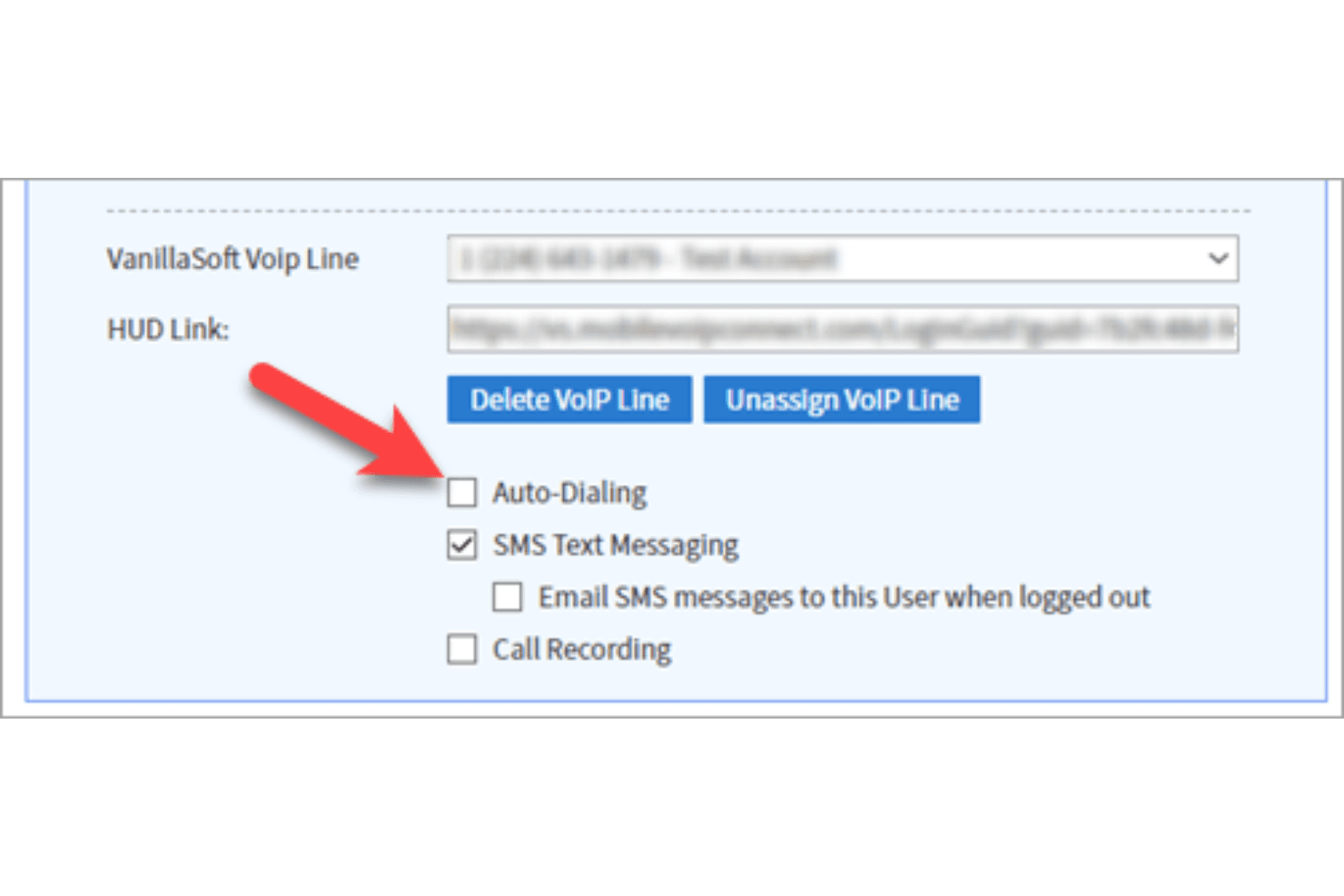
Auto-Dialing: Automate your outbound calls process with Vanillasoft’s auto-dialing feature, which connects your team to more leads in less time. This stands out for increasing your call efficiency and minimizing downtime between calls.
Lead Scoring: Prioritize your calls with lead scoring and focus on the most promising leads first. This feature helps your team make informed decisions and boosts conversion rates.
Call Recording: Record calls for training and quality assurance purposes. This feature ensures you can review past calls to improve employee performance, compliance, and your sales process.
Call Scripting: Use customizable call scripts to guide your team through conversations. This feature ensures consistency in messaging and helps new team members get up to speed quickly.
Voicemail Drop: Leave pre-recorded voicemails without wasting time. This feature supports prospecting, allowing your team to efficiently reach more contacts with less effort.
Performance Analytics: Track your team’s performance with detailed analytics on call outcomes and agent activity. This feature provides insights that help you refine strategies and improve results.
Standout Features
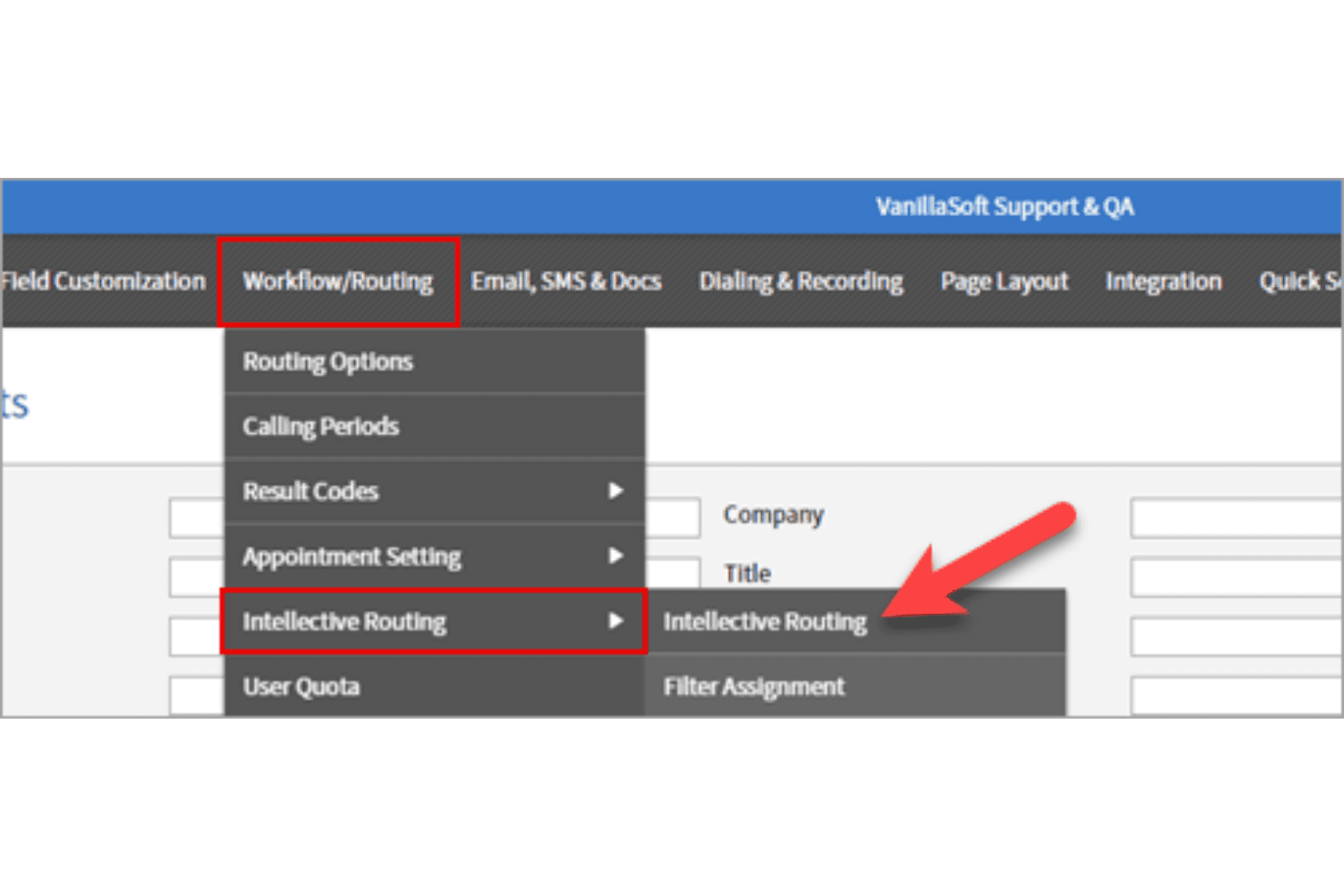
Dynamic Routing: Vanillasoft’s Intellective Routing feature automatically directs calls to the most appropriate agent based on predefined filters. This enhances your team’s ability to handle leads effectively by directing calls to agents who have the appropriate expertise.
Real-Time Lead Management: Manage and update leads instantly, ensuring your database is always current. This feature stands out by allowing your team to respond to changes quickly and maintain an edge in competitive markets.
Ease of Use
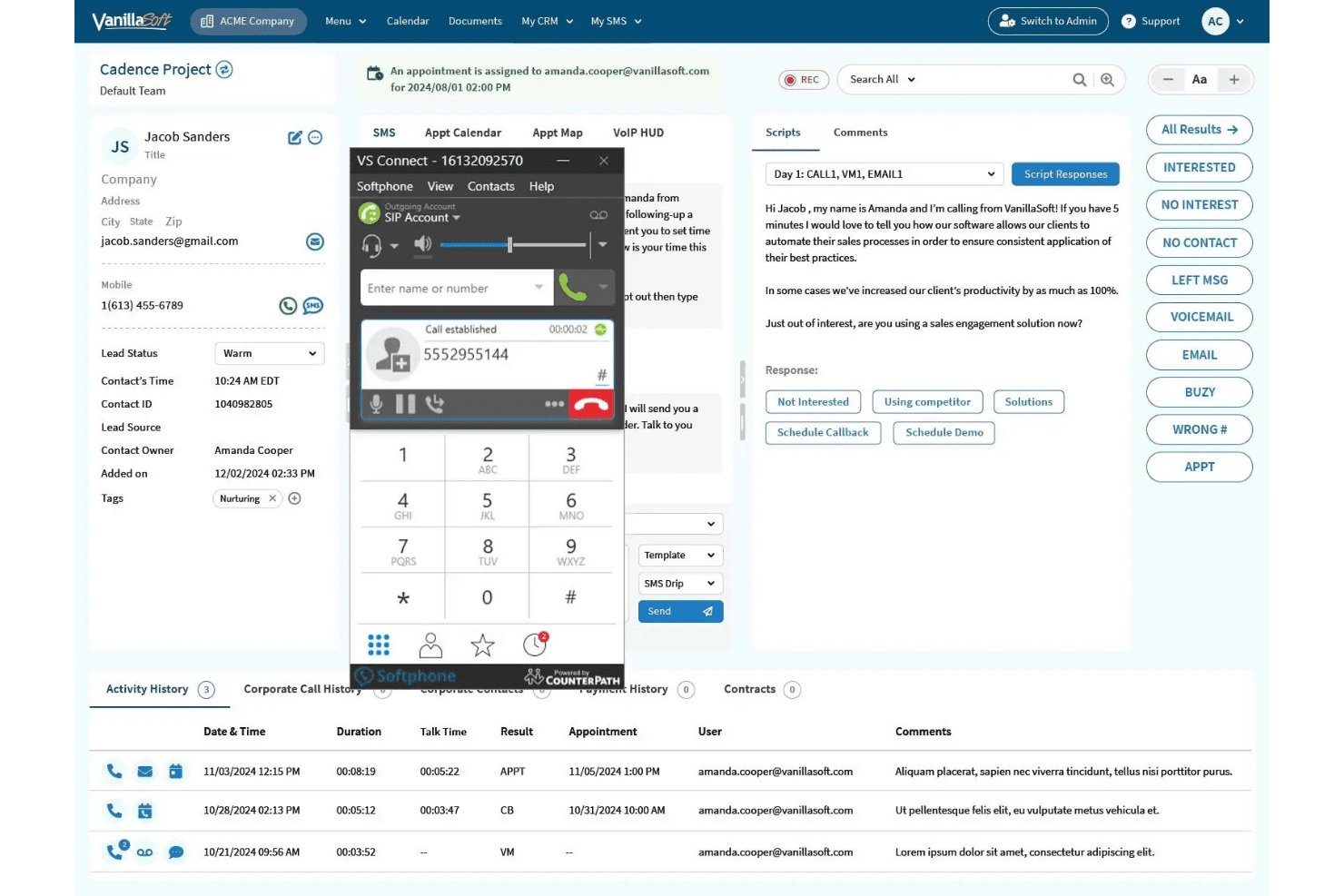
Vanillasoft's user interface isn't the most intuitive, which can make navigating its features challenging. Users often rely on customer support for guidance. Despite this, its robust set of functionalities, such as lead management and automated workflows, offer significant advantages once mastered. The learning curve might be steep, but the support team is responsive and helpful, making it manageable for your team to get up to speed and fully leverage the software’s capabilities.
Onboarding
Vanillasoft’s onboarding is straightforward, helping you get started quickly. User reviews highlight how clear guidance and supportive resources ease the learning curve. The platform offers comprehensive tutorials and responsive customer support, ensuring your team can harness its features efficiently. While not as flashy as others, Vanillasoft's approach focuses on practical understanding and accessibility, helping you see value early on without excessive complexity.
Customer Support
Vanillasoft's customer support is often praised for its quick response and helpfulness. Users appreciate the prompt assistance they receive when learning or customizing the system. They value the detailed summaries of support interactions provided for future reference, and the quality of support justifies the high cost per user noted by some. Compared to other call center software, Vanillasoft stands out for its responsive and thorough support, ensuring your team gets the help it needs efficiently.
Integrations
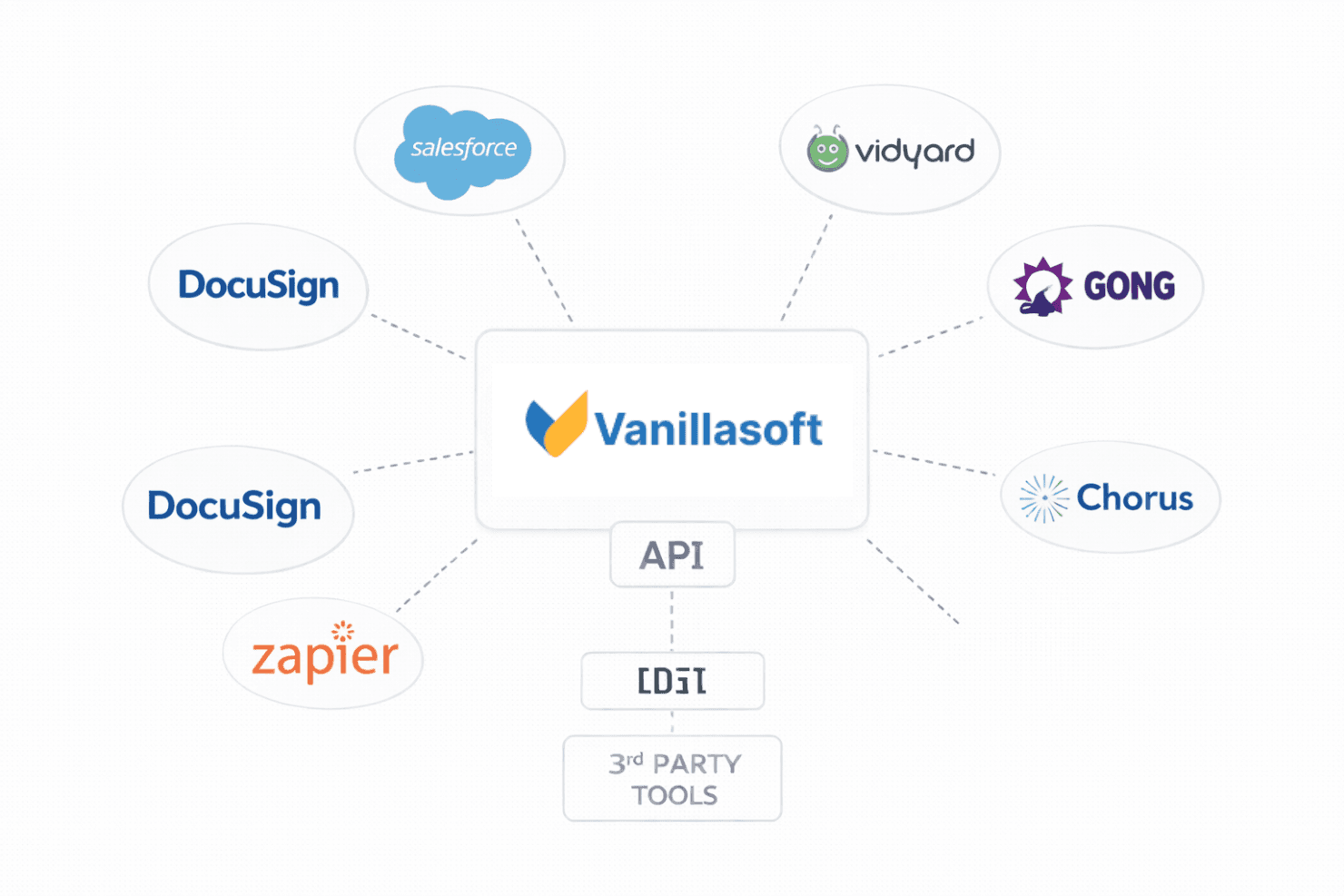
Vanillasoft integrates with Salesforce, Vidyard, Gong, DocuSign, and Chorus.
Vanillasoft also connects with third-party integration tools, such as Zapier, and it provides an API for custom integrations.
Value for Money
Users find that Vanillasoft's pricing offers substantial value for larger teams or enterprises needing robust features. The high per-user cost is justified by its comprehensive support for enterprise-level operations. A demo is available so you can explore its features before purchase. Pricing is not publicly available. Please reach out to Vanillasoft for more details.
- Core: Automated sales, email nurturing, and enterprise grade VoIP
- Advantage: Everything in Core plus SmartCaller solutions and an online appointment scheduler.
- Enterprise: Everything in Advantage plus enhanced tools for integration and compliance.
VanillaSoft Specs
- Analytics: Yes
- API: Yes
- Auto Dialer: Yes
- Automatic Call Distribution: Yes
- Batch Permissions & Access: Yes
- Calendar Management: Yes
- Call Disposition: Yes
- Call Logging: Yes
- Call Monitoring: Yes
- Call Recording: Yes
- Call Scripting: Yes
- Call Tracking: Yes
- Chat: Yes
- Click-to-Dial: Yes
- Comparative Reporting: Yes
- Contact Management: Yes
- Contact Sharing: No
- Custom Data Forms: No
- Customer Management: Yes
- Dashboard: Yes
- Data Export: Yes
- Data Import: Yes
- Data Visualization: Yes
- Email Integration: Yes
- Escalation Management: Yes
- External Integrations: Yes
- Interactive Voice Response: Yes
- Lead Management: Yes
- Lead Scoring: Yes
- Marketing Automation: Yes
- Multi-User: Yes
- Notifications: Yes
- Scheduling: Yes
- Softphone: Yes
- Supplier Management: No
VanillaSoft FAQs
VanillaSoft Company Overview & History
Vanillasoft was founded in 2005 and is headquartered in Plano, Texas. The company serves 8500 users with a sales engagement platform designed to enhance productivity through streamlined lead management and communication processes. Vanillasoft has a strong focus on user experience and serves industries such as higher education and insurance. The company is privately held and has raised funding from investors including the Fonds de solidarité FTQ and Tritium Partners.
Vanillasoft Major Milestones
- 2005: Founded by a group of inside sales representatives.
- 2019: Raised funding from the Canada Economic Development for Quebec Regions.
- 2020: Named to G2's Best Sales Software Companies.
- 2023: Received a growth investment from Tritium Partners.