

Los 10 mejores programas de autoservicio para clientes analizados en 2026

Lista de los mejores programas de autoservicio para clientes


Como responsable de experiencia del cliente, haces malabarismos constantemente con las exigencias de mejorar la satisfacción y reducir los costes. No es fácil cumplir las expectativas de los clientes y, al mismo tiempo, gestionar los recursos de forma eficiente. Ahí es donde entra en juego el software de autoservicio para clientes. Permite que tus clientes encuentren respuestas por sí mismos, liberando tiempo de tu equipo para cuestiones más complejas.
He probado y analizado diversas soluciones de software para ayudarte a encontrar la opción que mejor se adapte a tus necesidades. Según mi experiencia, la herramienta adecuada puede marcar una diferencia significativa. Compartiré reseñas imparciales de mis principales opciones, centrándome en cómo pueden abordar tus desafíos específicos. Exploremos las opciones que realmente pueden ayudar a tu equipo y contribuir a mejorar tu estrategia de atención al cliente.
Por qué confiar en nuestras recomendaciones de software
Nuestro equipo lleva probando y evaluando software desde 2012. Como líderes de CX, sabemos lo difícil —y lo importante— que es elegir el software adecuado.
Para esta guía, evaluamos las herramientas mediante pruebas prácticas e investigación independiente, puntuando las herramientas según nuestros criterios de selección.
Nuestras reseñas reflejan nuestro criterio editorial humano, no un discurso de ventas.
Tabla comparativa de programas de autoservicio para clientes
Esta tabla comparativa resume los detalles de precios de mis principales selecciones de programas de autoservicio para clientes:
| Tool | Best For | Trial Info | Price | ||
|---|---|---|---|---|---|
| 1 | La mejor opción con asistencia por chat en tiempo real | Prueba gratuita de 15 días + demostración gratuita disponible | Desde $25/usuario/mes (facturado anualmente) | Website | |
| 2 | Mejor compatibilidad con agentes de IA multilingües | Plan gratuito disponible | Desde $32/mes (facturado anualmente) | Website | |
| 3 | Mejor en capacidades de entrenamiento de agentes con IA | Demostración gratuita disponible | Precios bajo solicitud | Website | |
| 4 | Ideal para atención basada en chat impulsada por IA | Prueba gratuita de 14 días + demo gratuita disponible | Desde $9.6/mes | Website | |
| 5 | Ideal para las necesidades de pequeñas empresas | Prueba gratuita de 14 días disponible | Desde $19/mes | Website | |
| 6 | Mejor con flujos de automatización sin código | Prueba gratuita de 7 días + plan gratuito disponible | Desde $24.17/mes (facturado anualmente) | Website | |
| 7 | Ideal para soporte multicanal basado en IA | Prueba gratuita de 14 días + demo gratuita disponible | Desde $26.1/usuario/mes (facturado anualmente) | Website | |
| 8 | Ideal para recorridos del cliente gestionados por IA | Demostración gratuita disponible | Precios disponibles previa solicitud | Website | |
| 9 | Ideal para equipos centrados en desarrolladores y respaldados por IA | Plan gratuito + demostración gratuita disponible | Precios bajo solicitud | Website | |
| 10 | Ideal para CRM impulsado por IA y compromiso con el cliente | Plan gratuito + prueba gratuita de 14 días + demostración gratuita disponible | Desde $9/asiento/mes (facturado anualmente) | Website |
Análisis de los mejores programas de autoservicio para clientes
A continuación encontrarás mis resúmenes detallados de los mejores programas de autoservicio para clientes que llegaron a mi lista. Mis análisis ofrecen una visión detallada de las funciones clave, las ventajas y desventajas, las integraciones y los casos de uso ideales de cada herramienta para ayudarte a encontrar la mejor opción para ti.

La mejor opción con asistencia por chat en tiempo real
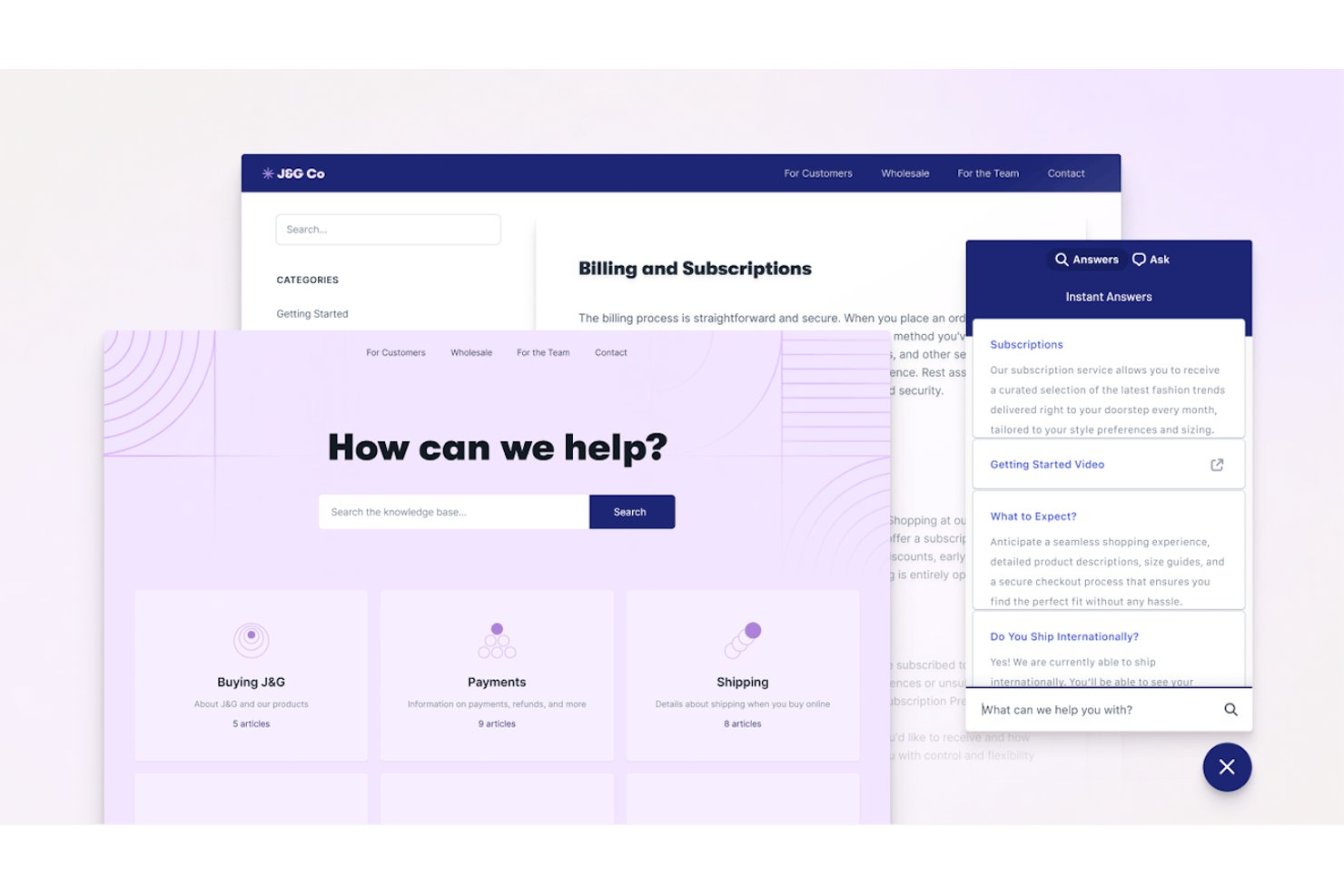
Help Scout es una plataforma de atención al cliente y autoservicio que combina una bandeja de entrada compartida, un widget de base de conocimientos integrable, Docs (centro de ayuda) y un chatbot con tecnología de IA para resolver automáticamente las consultas de los clientes.
¿Para quién es más adecuado Help Scout?
Help Scout es una opción excelente para equipos de SaaS de pequeñas y medianas empresas y del mercado intermedio que desean gestionar el autoservicio y la asistencia por chat en directo desde una única plataforma sencilla.
Por qué elegí Help Scout
Elegí Help Scout como una de las mejores opciones porque su widget Beacon combina el chat en tiempo real y el autoservicio de una forma que me parece realmente inteligente. Antes de que un cliente escriba un solo mensaje, Beacon muestra de forma proactiva artículos relevantes de Docs. El chat en directo solo aparece cuando los agentes están conectados, por lo que los clientes nunca inician una conversación que quede sin respuesta. AI Answers se encarga del resto de forma autónoma y resuelve las preguntas directamente desde la base de conocimientos sin la intervención de un agente.
Características principales de Help Scout
- Base de conocimientos Docs: Crea bases de conocimientos ilimitadas con categorías, personalización de marca y una potente función de búsqueda.
- Automatización de flujos de trabajo: Configura reglas para dirigir, etiquetar o asignar conversaciones automáticamente según los activadores que definas.
- Bandeja de entrada multicanal: Gestiona los mensajes de los clientes desde el correo electrónico, WhatsApp, Instagram, Messenger, SMS y voz en un único espacio de trabajo compartido.
- Mensajería dentro de la aplicación: Envía anuncios segmentados, consejos de incorporación y encuestas de satisfacción directamente dentro de tu producto o sitio web.
Integraciones de Help Scout
Help Scout ofrece integraciones nativas con Salesforce, HubSpot, Slack, Jira, Shopify, Mailchimp, Aircall, Google Workspace, Trello y Zapier. Hay una API disponible para integraciones personalizadas.
Pros and Cons
Pros:
- Beacon muestra artículos de ayuda antes de abrir el chat
- AI Answers resuelve tickets sin la intervención de un agente
- Docs es rápido de crear y publicar
Cons:
- Los análisis de desvío son básicos en comparación con los de la competencia
- La base de conocimientos carece de capacidades multilingües nativas
New Product Updates from Help Scout

Help Scout Adds Automatic Conversation Reassignment
Help Scout can now automatically unassign conversations when the assigned teammate has been away long enough, keeping replies moving so others can pick them up. For more information, visit Help Scout's official site.
 .
.
Chatbase
Mejor compatibilidad con agentes de IA multilingües
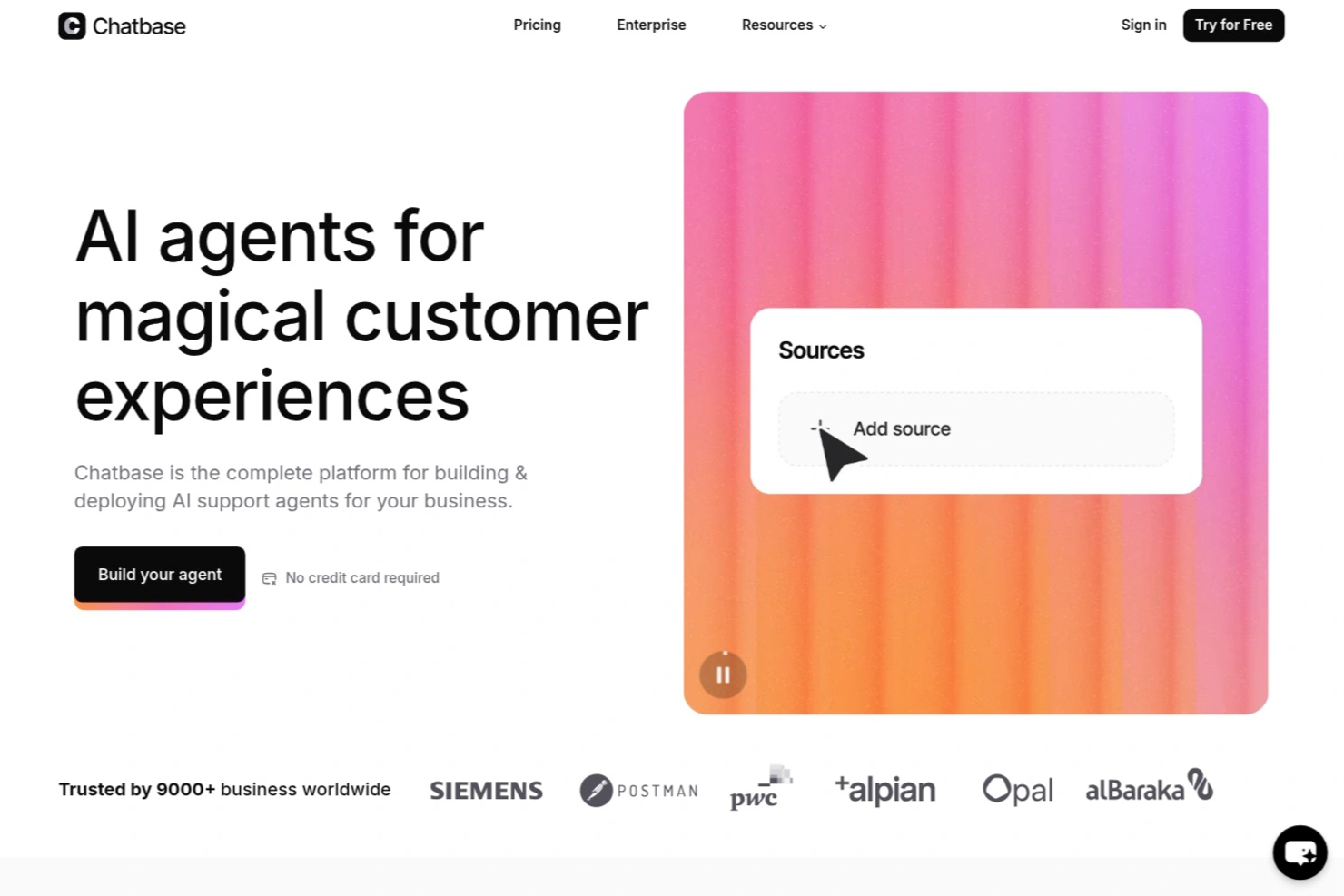
Chatbase es una plataforma de chatbots con IA diseñada para empresas y equipos de soporte que desean automatizar la atención al cliente, reducir consultas repetitivas y ofrecer respuestas instantáneas y precisas en diferentes canales digitales.
¿Para quién es mejor Chatbase?
Chatbase es ideal para equipos de soporte y empresas que desean automatizar interacciones con clientes y brindar respuestas inmediatas a través de múltiples canales digitales.
¿Por qué elegí Chatbase?
Elegí Chatbase como uno de los mejores porque puedo entrenar sus agentes de IA con mi propio contenido y hacer que respondan en más de 95 idiomas. Mi equipo utiliza Chatbase para asistir a clientes en su idioma preferido, lo cual es especialmente útil para audiencias globales. También me gusta que la plataforma detecta automáticamente el idioma del usuario y ajusta las respuestas en consecuencia.
Funciones clave de Chatbase
- Creador de chatbots personalizados: Crea chatbots con IA adaptados a tu marca y base de conocimientos.
- Carga de archivos y URLs: Entrena bots utilizando PDFs, archivos de texto o URLs de sitios web para obtener respuestas precisas.
- Personalización del widget: Ajusta el aspecto y la funcionalidad del widget de chat para que coincida con tu sitio.
- Analítica de conversaciones: Haz seguimiento de las interacciones de los usuarios y el rendimiento del chatbot con herramientas de análisis integradas.
Integraciones de Chatbase
Las integraciones incluyen Make, Zendesk, Notion, Slack, Stripe, Salesforce, Cal.com, Calendly, WhatsApp y Messenger. También hay una API disponible para integraciones personalizadas.
Pros and Cons
Pros:
- Permite entrenar bots con archivos y URLs personalizados
- Ofrece análisis detallados sobre conversaciones del chatbot
- Permite integración directa con herramientas empresariales populares
Cons:
- Opciones limitadas de automatización de flujos de trabajo avanzados
- Eliminar la marca solo en planes de nivel superior

Cresta
Mejor en capacidades de entrenamiento de agentes con IA
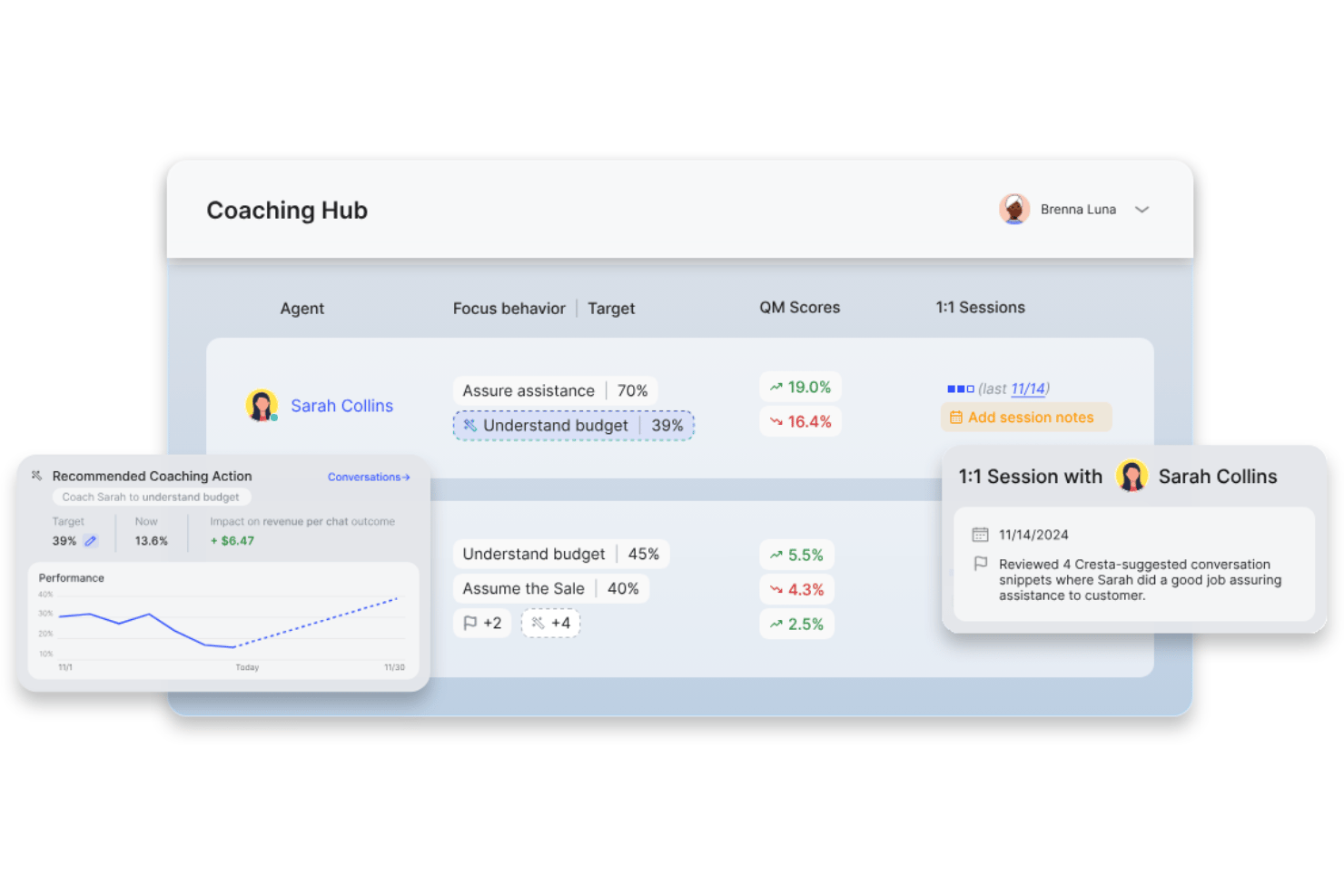
Cresta es una plataforma de autoservicio al cliente impulsada por IA que combina agentes conversacionales de IA, búsqueda de conocimiento empresarial y automatización inteligente para ayudar a las empresas a resolver consultas de clientes a través de canales de voz y digitales.
¿Para quién es mejor Cresta?
Cresta es ideal para centros de contacto empresariales y equipos de soporte al cliente que buscan optimizar operaciones de servicio omnicanal a gran escala mediante automatización con IA.
Por qué elegí Cresta
Elegí Cresta como uno de los mejores porque mi equipo se beneficia de las capacidades de entrenamiento de agentes en tiempo real impulsadas por IA, que sugieren respuestas en tiempo real, muestran conocimiento relevante y nos ayudan a lograr una reducción medible de tickets en todos los canales.
Características clave de Cresta
- Despliegue omnicanal: Se conecta con voz, chat, SMS, WhatsApp y canales web para una automatización de soporte unificada.
- Integración de Knowledge Agent: La IA busca y muestra contenido relevante de la base de conocimientos en tiempo real durante las conversaciones.
- Panel de análisis avanzado: Rastrea tasas de reducción de tickets, interacciones con clientes y perspectivas de rendimiento en todos los canales.
- Integraciones con CRM y CCaaS: Se conecta sin problemas con Salesforce, Zendesk, AWS Connect y otras plataformas empresariales.
Integraciones de Cresta
Cresta ofrece integraciones nativas con Salesforce, Twilio, Pipedrive, BigCommerce, Five9, Zendesk y más. Se dispone de una API para integraciones personalizadas.
Pros and Cons
Pros:
- Entrenamiento de agentes en tiempo real mediante IA
- Análisis y perspectivas conversacionales avanzados
- Contención de agentes de IA en todos los canales
Cons:
- No hay portal de autoservicio al cliente con marca propia
- Funciones limitadas de creación de base de conocimientos

Ideal para atención basada en chat impulsada por IA
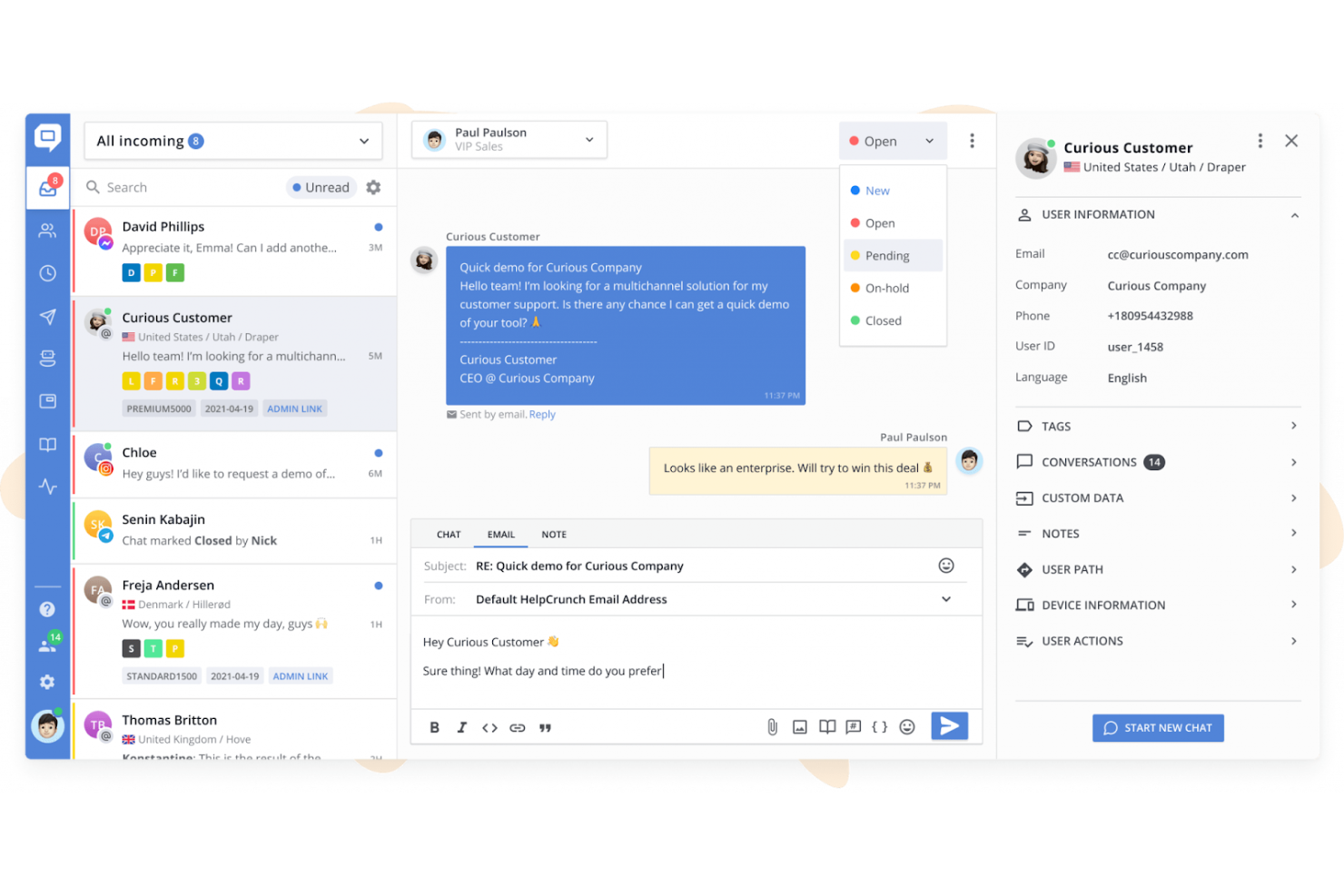
HelpCrunch es una plataforma omnicanal de atención al cliente que combina chat en directo, una base de conocimientos multilingüe, agentes de IA, flujos de chatbot y una bandeja de entrada compartida para canales como WhatsApp, Messenger y Telegram.
¿Para quién es más adecuado HelpCrunch?
HelpCrunch es una excelente opción para pequeñas y medianas empresas que necesitan una plataforma de atención asequible y todo en uno, sin la complejidad de herramientas empresariales como Intercom o Zendesk.
Por qué elegí HelpCrunch
HelpCrunch ocupa un lugar entre los mejores de mi selección porque me encanta que los agentes de IA se entrenen con los artículos de tu base de conocimientos y respuestas personalizadas, resolviendo preguntas habituales las 24 horas del día, los 7 días de la semana, sin intervención de agentes. La base de conocimientos se integra directamente en el widget de chat, por lo que los clientes reciben sugerencias de artículos contextuales durante la conversación en lugar de ser redirigidos a un centro de ayuda independiente. También he comprobado que el autoservicio basado en IA se extiende a WhatsApp, Telegram y Messenger sin configuración adicional.
Características principales de HelpCrunch
- Base de conocimientos multilingüe: Crea y gestiona contenido de ayuda en varios idiomas con un cambio de idioma con un solo clic.
- Opciones avanzadas de personalización: Personaliza la apariencia del widget y la imagen de marca de la base de conocimientos mediante CSS y JavaScript personalizados.
- Bandeja de entrada compartida para atención omnicanal: Encamina, organiza y gestiona conversaciones de correo electrónico, WhatsApp, Messenger, Telegram y otros canales desde una única bandeja de entrada unificada.
- Análisis e informes integrados: Supervisa el uso del centro de ayuda, el volumen de chats, las tasas de resolución y el rendimiento del contenido desde paneles integrados.
Integraciones de HelpCrunch
HelpCrunch ofrece integraciones nativas con Slack, WhatsApp, Facebook Messenger, Instagram, Telegram y HubSpot, además de una API para integraciones personalizadas.
Pros and Cons
Pros:
- Los agentes de IA resuelven tickets sin transferirlos a un agente
- La base de conocimientos se integra en el widget de chat
- Base de conocimientos multilingüe con cambio de idioma con un solo clic
Cons:
- No hay foro comunitario ni paneles de debate entre usuarios
- Los informes carecen de un modelado avanzado de la tasa de desvío

Ideal para las necesidades de pequeñas empresas
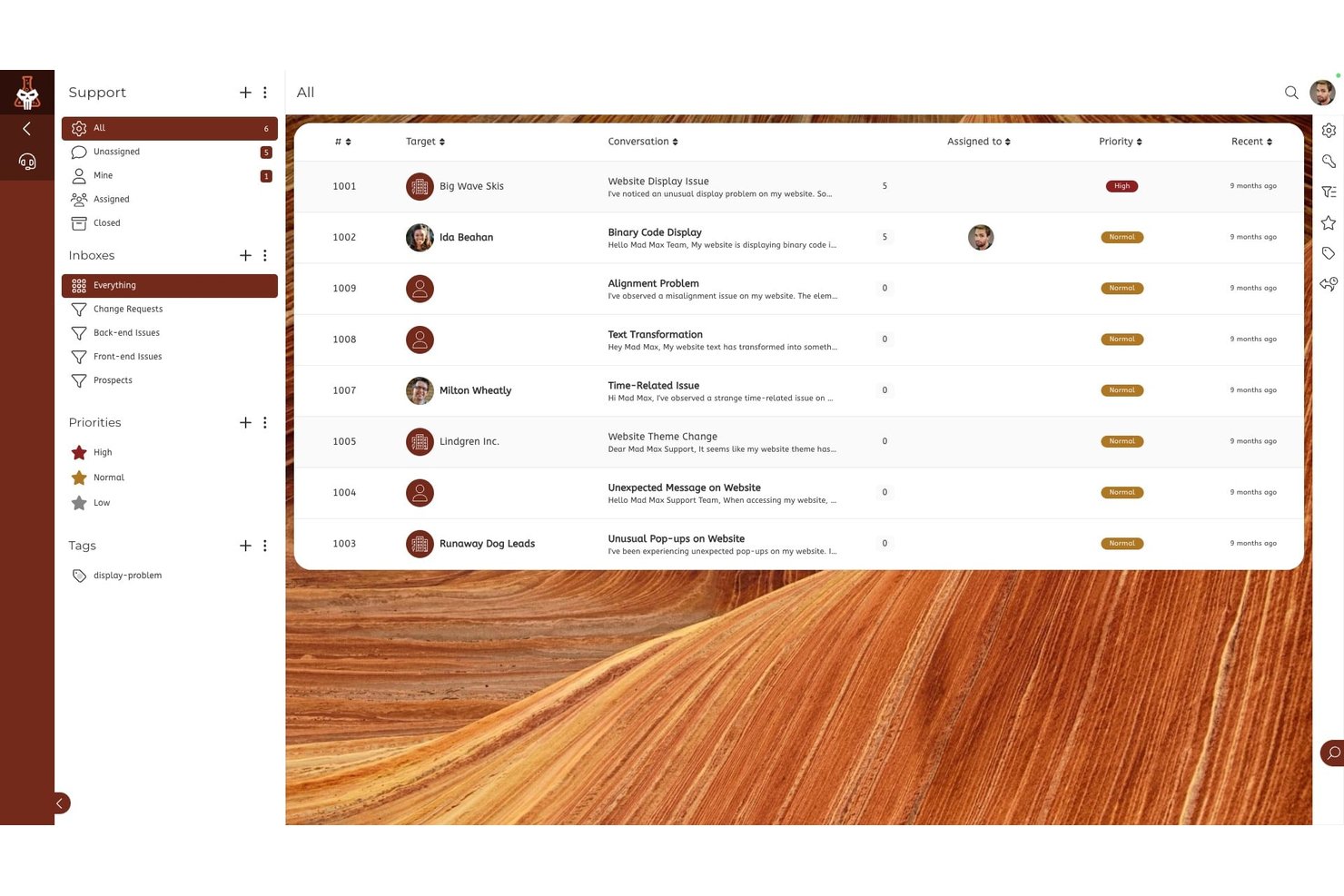
SuiteDash es una plataforma integral de gestión empresarial que combina un portal de clientes con marca blanca, un sistema de tickets de soporte, intercambio de archivos, facturación, programación de citas y mensajería segura en un único espacio de trabajo con tarifa fija.
¿Para quién es más adecuado SuiteDash?
SuiteDash es adecuado para pequeñas empresas y agencias basadas en servicios que gestionan relaciones continuas con sus clientes y quieren sustituir varias soluciones independientes por una sola plataforma.
Por qué elegí SuiteDash
He incluido SuiteDash entre mis principales opciones porque reúne herramientas completas de autoservicio para clientes en un espacio de trabajo con tarifa fija diseñado para equipos pequeños. Su kit de incorporación FLOWs permite a los clientes completar procesos de recopilación de datos de varios pasos sin intercambios constantes, y el portal con marca blanca les permite enviar tickets de soporte, pagar facturas y compartir archivos bajo tu marca. En la práctica, esto significa que puedo configurar el portal una sola vez y dejar que los clientes gestionen por sí mismos la recopilación de datos, los pagos y las solicitudes de archivos según sus propios horarios.
Características principales de SuiteDash
- Kit de tickets de soporte: Permite a los clientes enviar, hacer seguimiento y gestionar solicitudes de soporte dentro del portal con marca de la empresa.
- Módulo de foro comunitario: Crea espacios en línea específicos para debates entre usuarios y la interacción con los clientes.
- Aplicación móvil con marca blanca: Ofrece a los clientes una experiencia de aplicación móvil personalizada para acceder a su portal desde cualquier lugar.
- Permisos y portales basados en roles: Permite configurar experiencias diferentes para clientes, equipos y contratistas dentro de un mismo espacio de trabajo, con un control de acceso detallado.
Integraciones de SuiteDash
Las integraciones nativas no están documentadas con claridad. SuiteDash ofrece una API para integraciones personalizadas.
Pros and Cons
Pros:
- Portal con marca blanca y control total de la identidad de marca
- Incorporación de clientes integrada mediante la automatización de FLOWs
- Permite enviar tickets desde el portal de clientes
Cons:
- No ofrece funcionalidad nativa de chatbot con IA
- Las herramientas de base de conocimientos son muy limitadas

Tidio
Mejor con flujos de automatización sin código

Tidio reúne chat en vivo, chatbots con IA y automatización en una sola plataforma para empresas que buscan ofrecer soporte al cliente instantáneo y disponible en todo momento. Es una opción sólida para tiendas de comercio electrónico, empresas SaaS y equipos de servicio que desean reducir preguntas repetitivas y ayudar a los clientes a encontrar respuestas por sí mismos. Con su enfoque en la automatización y el soporte multicanal, Tidio ayuda a los equipos a manejar grandes volúmenes de consultas sin sobrecargar a los agentes.
¿Para Quién Es Mejor Tidio?
Tidio es ideal para pequeñas y medianas empresas de comercio electrónico y equipos de servicio que desean automatizar el soporte al cliente y proporcionar respuestas instantáneas a través de varios canales.
Por Qué Elegí Tidio
Para los equipos que quieren automatizar el soporte al cliente sin programar, Tidio destaca por sus flujos de automatización sin código. Elegí Tidio porque su constructor visual de flujos permite diseñar conversaciones de chatbot y respuestas automatizadas utilizando una sencilla interfaz de arrastrar y soltar. Esto significa que puedes configurar opciones de autoservicio para preguntas frecuentes, seguimiento de pedidos o captación de clientes potenciales sin necesidad de recursos de desarrollo. La capacidad de lanzar y ajustar rápidamente los flujos de automatización facilita mantener actualizada la experiencia de autoservicio a medida que cambian las necesidades de los clientes.
Características Clave de Tidio
Otras funciones en Tidio que respaldan el autoservicio del cliente incluyen:
- Widget de chat en vivo: Agrega un widget de chat personalizable a tu sitio web para que los clientes puedan comunicarse o encontrar respuestas al instante.
- Chatbot Lyro potenciado por IA: Utiliza un chatbot con IA que puede responder preguntas de los clientes usando tu base de conocimientos y conversaciones pasadas.
- Bandeja multicanal: Administra conversaciones de chat en vivo, correo electrónico, Messenger, Instagram y WhatsApp en una única bandeja unificada.
- Plantillas de chatbot predefinidas: Elige entre una biblioteca de plantillas de chatbot listas para usar para escenarios comunes de soporte como seguimiento de pedidos, reservas de citas y preguntas frecuentes.
Integraciones de Tidio
Las integraciones incluyen Shopify, WooCommerce, WordPress, Zendesk, Salesforce, HubSpot, Messenger, Instagram, WhatsApp e Intercom.
Pros and Cons
Pros:
- Se integra de forma nativa con principales plataformas de comercio electrónico
- Ofrece respuestas impulsadas por IA para preguntas frecuentes
- Incluye seguimiento y análisis de visitantes en tiempo real
Cons:
- Las opciones de personalización del chatbot pueden sentirse limitantes
- Las funciones de informes carecen de segmentación avanzada

Re:amaze
Ideal para soporte multicanal basado en IA
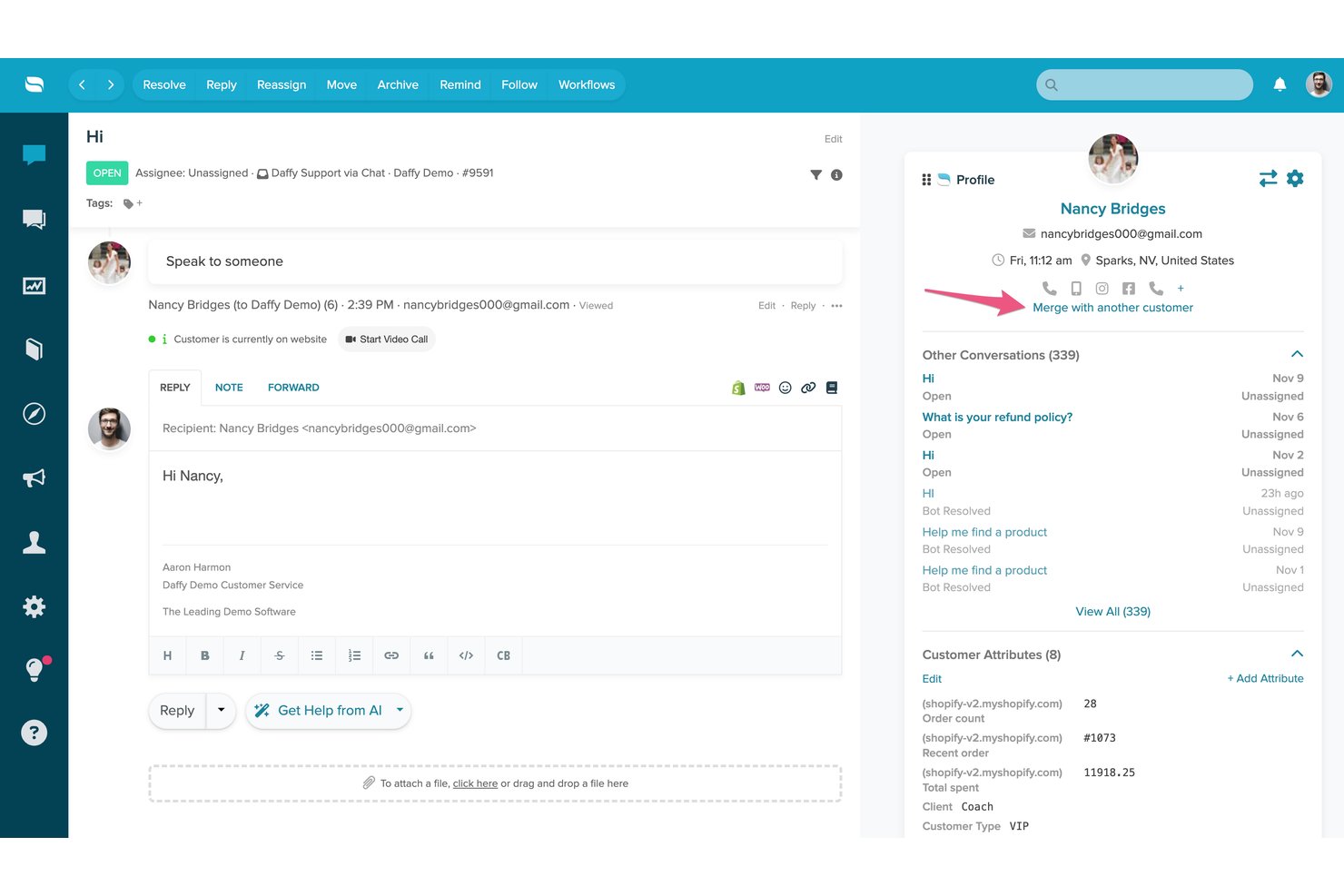
Re:amaze es una plataforma de mesa de ayuda y mensajería con clientes que combina una bandeja de entrada compartida multicanal, chatbots con tecnología de IA, una sección de preguntas frecuentes/centro de ayuda de autoservicio y chat en directo en una única interfaz de soporte.
¿Para quién es más adecuado Re:amaze?
Re:amaze es una opción excelente para pequeñas y medianas empresas de comercio electrónico que necesitan gestionar la atención al cliente en varios canales desde un solo lugar.
Por qué elegí Re:amaze
Re:amaze ocupa un lugar destacado en mi lista de los mejores porque su agente de IA se entrena directamente con el contenido de tus preguntas frecuentes, lo que significa que puede resolver de forma autónoma las consultas de los clientes en el chat, SMS, correo electrónico y canales sociales sin la intervención de un agente. Me gusta especialmente cómo el widget de chat integrado muestra artículos relevantes de las preguntas frecuentes incluso antes de que un cliente envíe un mensaje. La función Intenciones de IA (Pro y superiores) añade otra capa al reconocer la intención del cliente y dirigir la consulta o responder en consecuencia.
Características principales de Re:amaze
- Preguntas frecuentes y centro de ayuda personalizables: Crea, organiza y publica artículos consultables para facilitar el autoservicio de los clientes.
- Gestión de varias marcas: Gestiona las operaciones de soporte de varias marcas o tiendas desde una sola cuenta.
- Indicaciones automatizadas proactivas: Activa mensajes específicos y automatizados en función del comportamiento o las condiciones del usuario.
- Panel en directo en tiempo real: Supervisa la actividad de los clientes, las conversaciones y la participación del personal en todos los canales a medida que ocurren.
Integraciones de Re:amaze
Re:amaze ofrece integraciones nativas con Shopify, BigCommerce, WooCommerce, Stripe, Instagram, Facebook, Twitter, SMS y Slack, además de una API para integraciones personalizadas.
Pros and Cons
Pros:
- El agente de IA resuelve tickets sin intervención humana
- La bandeja de entrada multicanal incluye correo electrónico, redes sociales y SMS
- Centro de ayuda y chat en directo incluidos de forma nativa
Cons:
- Los informes carecen de profundidad en comparación con las plataformas especializadas
- La base de conocimientos ofrece compatibilidad multilingüe limitada

Kustomer
Ideal para recorridos del cliente gestionados por IA
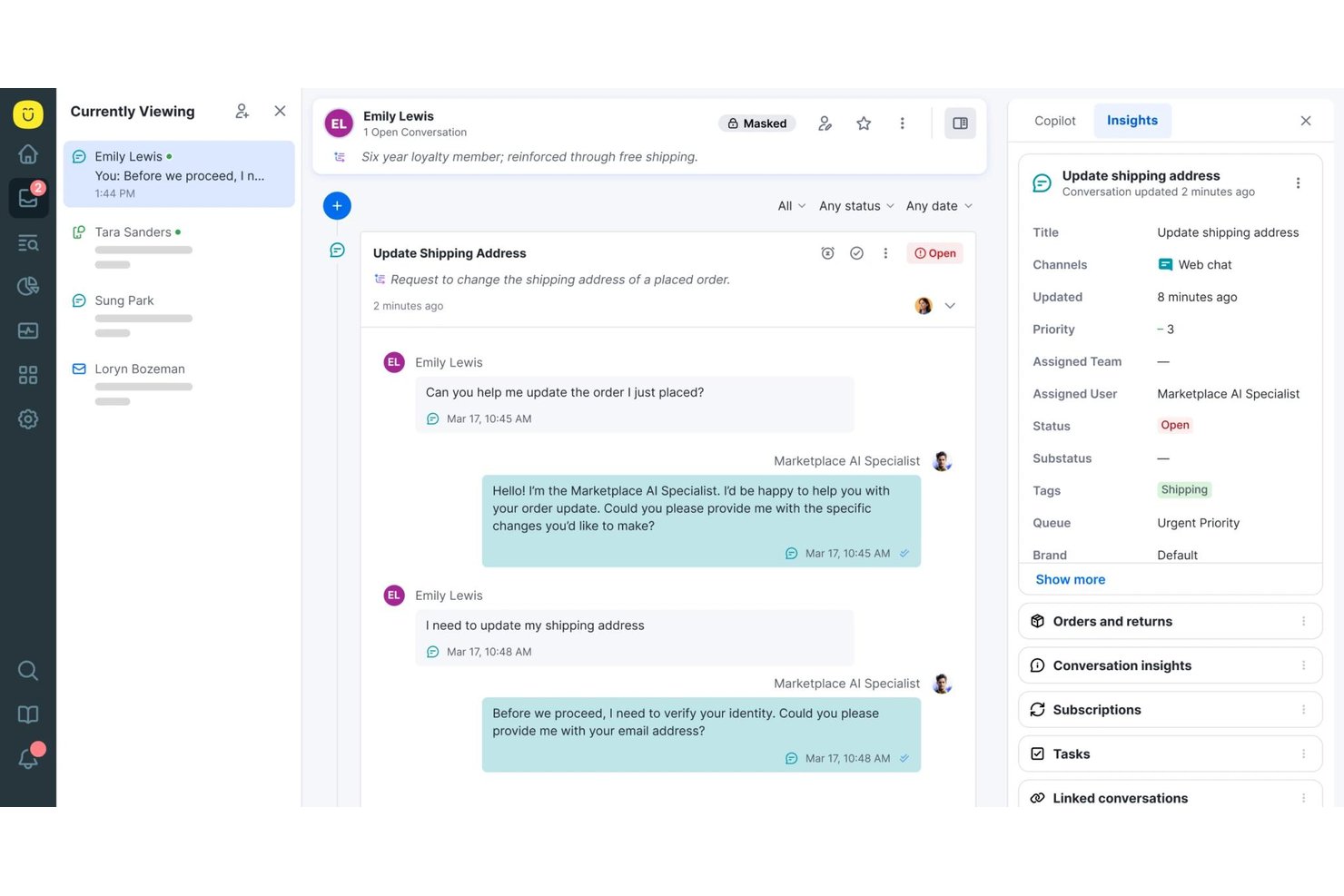
Kustomer es una plataforma CRM de servicio al cliente nativa de IA que combina una base de conocimientos de autoservicio, un portal de clientes personalizado con la marca, agentes de IA omnicanal y flujos de trabajo automatizados para gestionar las interacciones con los clientes a gran escala.
¿Para quién es más adecuado Kustomer?
Kustomer es una opción excelente para marcas B2C de empresas medianas y grandes con un alto volumen de solicitudes de soporte que necesitan autoservicio impulsado por IA en múltiples canales digitales.
Por qué elegí Kustomer
Kustomer ocupa un lugar destacado en mi lista de favoritos por la forma en que su agente de IA Concierge gestiona el autoservicio de principio a fin. Me encanta que no se limite a responder preguntas, sino que también ejecute acciones, como procesar una devolución o actualizar un pedido, sin transferir el caso a un agente humano. El motor de razonamiento de IA hace que cada decisión sea rastreable, por lo que puedo ver exactamente por qué un cliente recibió una resolución específica, algo poco habitual en este nivel de automatización.
Funciones principales de Kustomer
- Línea de tiempo omnicanal del cliente: Almacena cada interacción con el cliente de todos los canales en una única línea de tiempo unificada.
- Objetos y flujos de trabajo personalizados: Permite crear reglas complejas de enrutamiento, automatización y negocio adaptadas a tu proceso de soporte.
- Base de conocimientos pública y privada: Ofrece tanto un centro de ayuda orientado al cliente como una biblioteca interna de referencia con controles de acceso.
- Análisis impulsados por IA y pulso del equipo: Proporciona paneles en tiempo real, métricas de uso y análisis de sentimientos para evaluar el rendimiento del equipo y del contenido.
Integraciones de Kustomer
Kustomer ofrece integraciones nativas con Salesforce, Shopify, Slack, Facebook, Instagram, WhatsApp y otras plataformas, además de una API para integraciones personalizadas.
Pros and Cons
Pros:
- El agente de IA completa las acciones del cliente de forma autónoma
- Historial de conversaciones omnicanal en una sola línea de tiempo
- Flujos de trabajo altamente configurables para operaciones complejas
Cons:
- Los paneles de informes necesitan filtros más detallados
- La implementación empresarial requiere importantes recursos técnicos

DevRev
Ideal para equipos centrados en desarrolladores y respaldados por IA
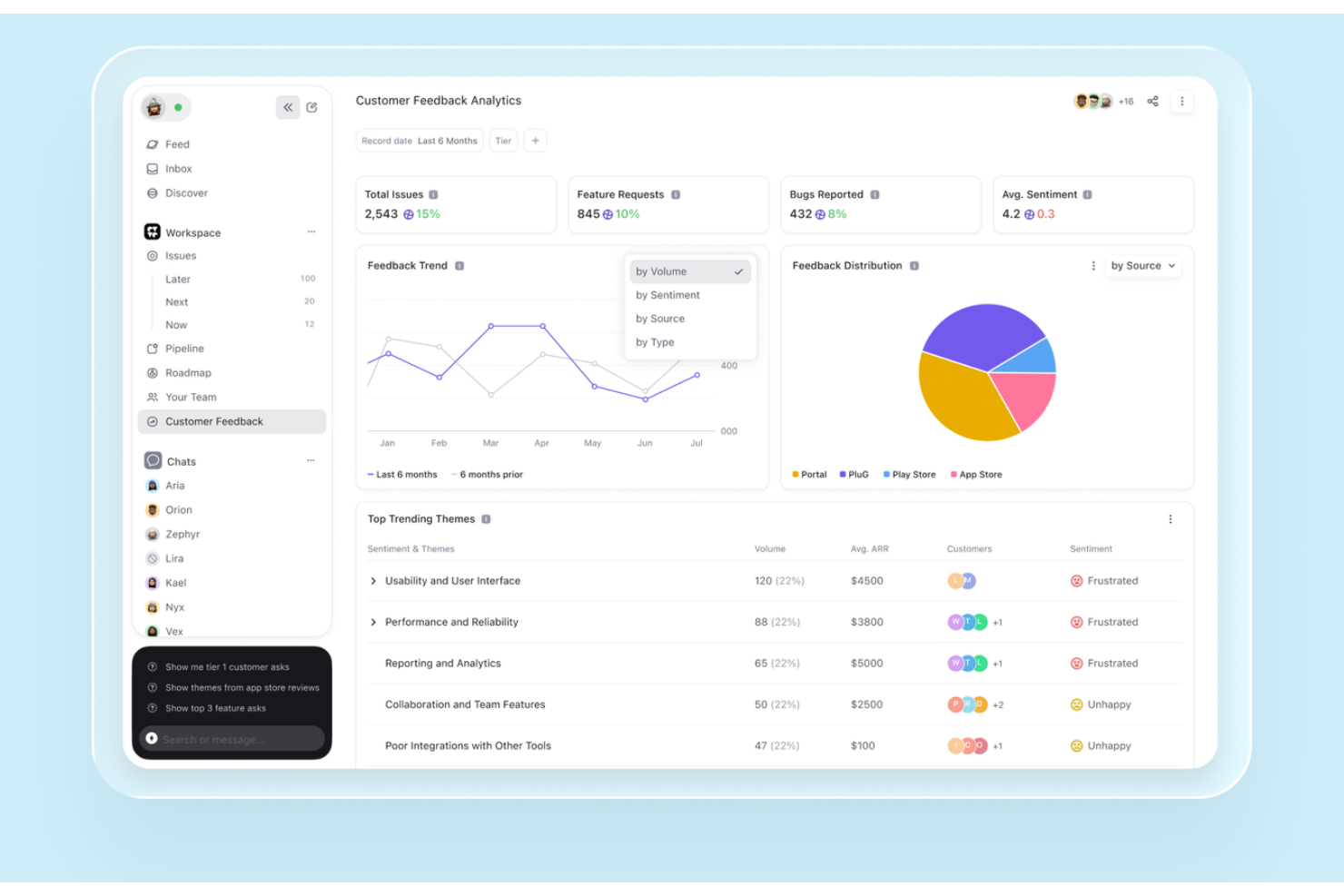
DevRev es una plataforma de atención al cliente y autoservicio impulsada por IA que combina una base de conocimientos, agentes de IA conversacionales, un portal del cliente y búsquedas federadas de datos en tiempo real entre sistemas empresariales conectados, todo en un único espacio de trabajo unificado.
¿Para quién es más adecuado DevRev?
DevRev es una opción especialmente adecuada para empresas de SaaS y tecnología en las que los equipos de soporte, producto e ingeniería necesitan trabajar con una visión compartida de los problemas de los clientes.
Por qué elegí DevRev
Elegí DevRev porque su Agent Studio me permite crear agentes de IA que resuelven tickets de forma autónoma y llevan a cabo acciones reales, sin necesidad de programar. Lo que realmente lo diferencia es que cada ticket resuelto se conecta directamente con una parte del producto o un elemento de trabajo de ingeniería, por lo que mi equipo puede ver exactamente qué problemas de los clientes impulsan más decisiones sobre el producto. La capa AirSync de datos en tiempo real hace que los resultados de búsqueda se obtengan de datos actuales de los registros del CRM, tickets, documentos y notas de reuniones, en lugar de instantáneas obsoletas.
Características principales de DevRev
- Widget PLuG: Inserta soporte automatizado y respuestas impulsadas por IA directamente en tu sitio web o aplicación.
- Portal del cliente: Permite a los clientes iniciar sesión para enviar, realizar el seguimiento y gestionar tickets, o proporcionar comentarios en un entorno personalizado con la marca.
- Conectores de datos AirSync: Sincroniza datos estructurados y no estructurados de herramientas como Jira, Salesforce y Google Drive para ofrecer búsquedas y contexto unificados.
- Aplicación Observe: Supervisa el comportamiento, los comentarios y el sentimiento de los clientes con análisis integrados para los equipos de experiencia.
Integraciones de DevRev
DevRev ofrece integraciones nativas con Jira, Salesforce, Slack, GitHub, Google Drive, Notion y Twilio, además de una API para integraciones personalizadas.
Pros and Cons
Pros:
- Los agentes de IA resuelven tickets sin intervención humana
- Conecta los tickets de soporte directamente con los flujos de trabajo de ingeniería
- Búsqueda federada en tiempo real en todas las herramientas conectadas
Cons:
- Incorporación más compleja para equipos de experiencia del cliente no técnicos
- Las herramientas de la base de conocimientos son menos avanzadas que las de la competencia

Ideal para CRM impulsado por IA y compromiso con el cliente

HubSpot Service Hub es una plataforma de servicio al cliente impulsada por IA, diseñada para empresas que buscan mejorar su soporte al cliente mediante la integración con el CRM. Atiende a una amplia variedad de industrias, ofreciendo herramientas para la gestión de tickets, retroalimentación de clientes y administración de bases de conocimiento.
Por qué elegí HubSpot Service Hub: Su sólida integración con el CRM lo convierte en una opción ideal para empresas que desean una visión unificada de las interacciones con los clientes. También ofrece una función de base de conocimientos, lo que te permite crear y compartir información valiosa con los clientes. Estas capacidades lo hacen una excelente opción para optimizar las operaciones de servicio al cliente.
Características destacadas e integraciones:
Características incluyen una herramienta de retroalimentación de clientes que permite recopilar opiniones directamente de los usuarios. La función de base de conocimientos ayuda a tu equipo a crear y compartir artículos útiles. HubSpot Service Hub también ofrece un sistema de gestión de tickets para manejar consultas de clientes de manera eficiente.
Integraciones incluyen Salesforce, Slack, Zapier, Mailchimp, Shopify, WordPress y más.
Pros and Cons
Pros:
- Funciones de informes personalizables
- Fácil configuración de base de conocimientos
- Escalable para negocios en crecimiento
Cons:
- Funciones avanzadas solo en niveles superiores
- Cuotas de incorporación obligatorias y costosas
Otros programas de autoservicio para clientes
Estas son algunas opciones adicionales de programas de autoservicio para clientes que no llegaron a mi lista, pero que merece la pena consultar:
- Engageware
La mejor opción para soporte impulsado por IA en sectores regulados
- Knack
Ideal para la creación de portales personalizados impulsados por IA
- Bettermode
La mejor para el compromiso comunitario
- Salesforce Agentforce Service
Ideal para soporte empresarial impulsado por IA
- Stonly
Mejor para guías interactivas con soporte de IA
- TeamSupport
Ideal para soporte al cliente B2B asistido por IA


Cómo evalúo el software de autoservicio al cliente
Divido mi evaluación en requisitos imprescindibles—como bases de conocimiento con búsqueda y análisis de desvío de tickets—y los diferenciadores que separan las buenas herramientas de las excelentes para tu equipo.
Funcionalidad principal (Requisitos básicos para esta lista)
Cuando selecciono herramientas para mi lista, califico cada una en una escala de 0 (no ofrece la funcionalidad) a 5 (destaca en este aspecto) para cada una de las funcionalidades principales que detallo a continuación. Luego, calculo el puntaje total de la herramienta como porcentaje. Cada herramienta debe alcanzar una puntuación mínima total del 65% para ser considerada en la inclusión.
- Publicación de bases de conocimiento: Evalúo el editor de artículos, la estructura de categorías y el flujo de publicación: aspectos como el control de versiones y los permisos de acceso que mantienen el contenido de ayuda preciso y organizado.
- Portal de autoservicio para clientes: El portal de cada herramienta debe permitir que los clientes inicien sesión para rastrear tickets abiertos, ver detalles de la cuenta y gestionar su perfil sin contactar a tu equipo.
- Chatbot con IA o agente virtual: Verifico si el bot puede obtener respuestas de tu base de conocimiento, gestionar conversaciones de varios turnos y transferirse a un agente en vivo con todo el contexto cuando se encuentra con un límite.
- Búsqueda y descubrimiento de contenido: Una buena búsqueda va más allá de la coincidencia de palabras clave. Busco clasificación por relevancia, resultados sugeridos y tolerancia a errores tipográficos para que los clientes realmente encuentren lo que necesitan a la primera.
- Implementación multicanal: Tus herramientas de autoservicio deben llegar a los clientes donde ya están. Evalúo si la plataforma admite widgets web, móviles y aplicaciones de mensajería como WhatsApp o Messenger.
- Analítica e informes de desvío: Métricas como la tasa de desvío, búsquedas fallidas y el rendimiento de los artículos te indican qué funciona. Reviso cómo cada herramienta muestra estos análisis y si puedes crear informes personalizados.
Una vez tengo una lista de herramientas que cumplen estos criterios, considero qué distingue a cada plataforma.
Factores diferenciadores (Qué distingue a los proveedores)
Así es como comparo y pongo en contraste diferentes proveedores:
Características destacadas
Un constructor de bots sin código es importante porque pone el diseño de conversaciones en manos de tu equipo de experiencia del cliente, no de los desarrolladores. También busco capacidades de personalización: herramientas que adaptan la vista del portal o las respuestas del chatbot según el nivel de producto del cliente o interacciones pasadas generan una experiencia notablemente mejor. Los foros comunitarios son otro factor diferenciador, ya que dan a los clientes un espacio para encontrar respuestas colaborativamente y reducir la dependencia del contenido publicado.
Más allá de las características
La profundidad de integración es una de las primeras cosas que reviso. Tu portal de autoservicio debe extraer datos en tiempo real de tu CRM o sistema de tickets para que los clientes puedan ver el estado de los pedidos o detalles de facturación sin esperar a un agente. También evalúo lo rápido que un equipo puede poner en marcha la solución: herramientas de migración para importar artículos de ayuda existentes y plantillas de bots preconstruidas pueden reducir semanas de implementación. Para equipos que sirven a una base de clientes global, el soporte multilingüe tanto en la base de conocimiento como en el chatbot es un factor decisivo importante.
Cómo elegir un programa de autoservicio para clientes
Es fácil perderse entre largas listas de funciones y estructuras de precios complejas. Para ayudarte a mantener la atención mientras avanzas en tu proceso único de selección de software, aquí tienes una lista de factores que debes tener en cuenta:
| Factor | Qué debes considerar |
|---|---|
| Escalabilidad | ¿Puede el software crecer junto con tu empresa? Ten en cuenta los límites de usuarios y la capacidad de almacenamiento. Busca planes flexibles que se adapten a tu crecimiento sin grandes aumentos de costes. |
| Integraciones | ¿Se conecta con tus herramientas actuales? Comprueba la compatibilidad con sistemas de gestión de relaciones con clientes, plataformas de correo electrónico y otros programas que utilices a diario. Evita las herramientas que aíslen tus datos. |
| Personalización | ¿Puedes adaptar el software a tus flujos de trabajo? Busca opciones para personalizar las interfaces de usuario y los flujos de trabajo de acuerdo con los procesos de tu equipo. |
| Facilidad de uso | ¿Es intuitivo el software? Comprueba si los miembros del equipo pueden utilizarlo sin una formación exhaustiva. Una interfaz fácil de usar puede ahorrar tiempo y reducir la frustración. |
| Implementación e incorporación | ¿Cuánto tiempo tardarás en ponerlo en marcha? Ten en cuenta los recursos que necesitarás para la configuración y la formación. Busca herramientas con incorporación guiada y asistencia. |
| Coste | ¿Cómo se ajusta el precio a tu presupuesto? Considera no solo el precio inicial, sino también los costes ocultos, como la formación o la asistencia premium. |
| Medidas de seguridad | ¿Cómo protege el software tus datos? Busca cifrado, actualizaciones de seguridad periódicas y cumplimiento de las normas del sector para mantener tu información a salvo. |
| Disponibilidad de asistencia | ¿Qué ayuda está disponible cuando la necesitas? Comprueba si hay asistencia las 24 horas del día, los 7 días de la semana, gestores de cuentas dedicados o foros de la comunidad que puedan ayudarte cuando surjan problemas. |
¿Qué es el software de autoservicio para clientes?
El software de autoservicio para clientes ofrece a los clientes formas de encontrar respuestas, resolver problemas y completar tareas rutinarias sin ponerse en contacto con un agente de soporte. Puede incluir bases de conocimientos, portales de clientes, agentes de IA, preguntas frecuentes, foros comunitarios, IVR y autoservicio móvil.
Las plataformas modernas también pueden utilizar los datos de los clientes y de sus cuentas para ofrecer respuestas más relevantes, automatizar solicitudes rutinarias y transferir a los clientes a un agente cuando se necesite asistencia humana. El objetivo no es eliminar el soporte asistido, sino permitir que los clientes gestionen por sí mismos los problemas sencillos, manteniendo a los agentes disponibles para cuestiones más complejas.
Principales canales de autoservicio para clientes
El autoservicio para clientes puede utilizarse a través de varios canales, dependiendo de lo que los clientes necesiten hacer y de cómo prefieran obtener ayuda. Las configuraciones más eficaces suelen combinar varias opciones en lugar de depender de un único canal.
Agentes de IA
Los agentes de IA pueden interpretar las preguntas de los clientes, encontrar información relevante y gestionar solicitudes rutinarias sin la intervención de un agente. Las herramientas más avanzadas pueden utilizar el contexto y la intención del cliente para orientar las respuestas o completar acciones, como consultar un pedido o actualizar los datos de una cuenta.
Bases de conocimientos
Las bases de conocimientos ofrecen a los clientes acceso mediante búsquedas a guías prácticas, pasos para solucionar problemas, políticas y documentación de productos. Los artículos también pueden incluir vídeos, capturas de pantalla y diagramas cuando una explicación visual resulta más útil que el texto por sí solo.
Portales de clientes
Los portales de clientes ofrecen a los clientes un espacio seguro y personalizado para acceder al soporte y gestionar tareas rutinarias. Dependiendo de la plataforma, un portal puede centrarse en enviar y realizar el seguimiento de solicitudes de soporte, o bien ofrecer un autoservicio más amplio para gestionar datos de la cuenta, pedidos, suscripciones, facturación, documentos y otros servicios.
El tipo de portal adecuado depende de lo que los clientes necesiten hacer realmente. Un portal de soporte sencillo puede ser suficiente para consultar los tickets y acceder a la base de conocimientos, mientras que las relaciones con clientes más complejas pueden requerir flujos de trabajo autenticados y específicos para cada cuenta.
Preguntas frecuentes
Las preguntas frecuentes ofrecen respuestas rápidas a preguntas comunes y sencillas. Funcionan mejor para problemas que no requieren solución de problemas, información específica del cliente ni varios pasos para resolverse.
Foros comunitarios
Los foros comunitarios permiten a los clientes hacer preguntas y aprender de otros usuarios. Son especialmente útiles cuando los clientes tienen casos de uso variados y pueden beneficiarse de las soluciones o los consejos compartidos por usuarios con experiencia.
Respuesta de voz interactiva (IVR)
La IVR permite a los clientes utilizar menús telefónicos o comandos de voz para encontrar información y completar solicitudes sencillas sin hablar inmediatamente con un agente. También puede recopilar información antes de dirigir los problemas más complejos al equipo de soporte adecuado.
Autoservicio móvil
Las aplicaciones móviles pueden ofrecer a los clientes acceso desde sus teléfonos a la gestión de cuentas, contenido de soporte, seguimiento de pedidos, solicitudes de servicio y otros flujos de trabajo de autoservicio.
Cómo medir el éxito del autoservicio para clientes
El autoservicio no debe evaluarse por cuántos clientes lo utilizan, sino por si realmente resuelven sus problemas. Realiza un seguimiento de una combinación de métricas de eficiencia y resultados para los clientes:
| Métrica | Qué te indica |
|---|---|
| Tasa de resolución mediante autoservicio | Con qué frecuencia los clientes resuelven un problema sin la ayuda de un agente |
| Tasa de desvío | Cuántos posibles contactos con el soporte se evitan mediante el autoservicio |
| Tasa de escalado | Con qué frecuencia las interacciones de autoservicio siguen requiriendo un agente |
| Tasa de éxito de las búsquedas | Si los clientes encuentran respuestas útiles al buscar en tu contenido de soporte |
| Tiempo de resolución | La rapidez con la que los clientes resuelven los problemas mediante el autoservicio |
| Satisfacción del cliente (CSAT) | Si los clientes están satisfechos con la experiencia de autoservicio |
| Coste por resolución | La eficiencia con la que el autoservicio resuelve los problemas en comparación con el soporte asistido por un agente |
| Tiempo medio de gestión (AHT) | Si el autoservicio reduce el tiempo que los agentes dedican a resolver problemas que siguen requiriendo soporte humano |
No optimices únicamente para la desviación. Que un cliente abandone una búsqueda sin éxito puede parecer un ticket desviado, pero el problema no se ha resuelto. Combina la desviación con la resolución, la escalación y la satisfacción para obtener una visión más clara de si el autoservicio está funcionando realmente.
Cómo implementar un software de autoservicio para clientes
Una buena implementación comienza con los problemas que los clientes realmente quieren resolver por sí mismos, no con la activación de todas las funciones disponibles. Utiliza esta lista de comprobación para mantener el enfoque de la implementación:
| ✓ | Antes de lanzar el autoservicio para clientes… |
|---|---|
| ☐ | Identifica las solicitudes de gran volumen que los clientes puedan resolver de forma realista sin la ayuda de un agente. |
| ☐ | Audita el contenido existente para detectar información obsoleta, duplicada o ausente antes de trasladarla al nuevo sistema. |
| ☐ | Define las vías de escalación para que los clientes puedan contactar con un agente cuando el autoservicio no pueda resolver el problema. |
| ☐ | Conecta los datos de clientes adecuados de tu CRM, servicio de asistencia, cuenta o sistemas de producto cuando sea necesario. |
| ☐ | Prueba la experiencia del cliente en las búsquedas, las respuestas de IA, los permisos, el acceso desde dispositivos móviles y las transferencias a agentes. |
| ☐ | Establece métricas de referencia para la resolución, la desviación, la escalación y el CSAT antes del lanzamiento. |
| ☐ | Mejora después del lanzamiento utilizando las búsquedas fallidas, las preguntas sin resolver y las escalaciones para identificar carencias en la experiencia de autoservicio. |
Comienza con un conjunto limitado de casos de uso bien definidos y amplíalo a partir de ahí. Una experiencia de autoservicio más pequeña que resuelva de forma fiable los problemas de los clientes es más útil que una grande llena de respuestas incompletas u obsoletas.
Reconoce cuándo escalar a soporte humano
El autoservicio necesita límites claros. Establece reglas de escalación para que los clientes contacten con un agente cuando sea poco probable que la automatización resuelva el problema.
| Desencadenante de la escalación | Qué debería ocurrir |
|---|---|
| Baja confianza de la IA | Deriva la interacción a un agente en lugar de presentar una respuesta incierta. |
| Intentos fallidos repetidos | Escala después de búsquedas sin éxito, respuestas del chatbot o reformulaciones repetidas de la misma solicitud. |
| Sentimiento negativo | Da prioridad a la transferencia cuando el lenguaje indique frustración, urgencia o insatisfacción. |
| Solicitudes delicadas | Deriva los problemas relacionados con la seguridad, las disputas, las cancelaciones o la facturación compleja al agente o equipo adecuado. |
| Complejidad específica de la cuenta | Escala cuando la resolución requiera permisos, criterio o acciones que el sistema de autoservicio no pueda realizar. |
Durante la transferencia, conserva el historial de la conversación, los términos de búsqueda, el contenido consultado, las acciones intentadas y el motivo de la escalación para que el cliente no tenga que empezar de nuevo.
A continuación, supervisa las tasas de escalación y los contactos repetidos por tipo de problema. Si las mismas solicitudes llegan repetidamente a los agentes, es una señal de que debes mejorar el contenido subyacente, la respuesta de la IA o el flujo de trabajo automatizado.
Características
Al seleccionar un software de autoservicio para clientes, presta atención a las siguientes características clave:
- Gestión de la base de conocimientos: Crear, organizar, buscar y actualizar artículos de ayuda, preguntas frecuentes, guías, vídeos, diagramas y otro contenido de asistencia.
- Creación de contenido asistida por IA: Utilizar IA generativa para redactar, resumir, traducir o actualizar contenido de conocimiento e identificar posibles carencias de contenido.
- Agentes de IA y chatbots: Responder preguntas, identificar la intención del cliente, recuperar información relevante y automatizar solicitudes rutinarias de asistencia.
- Portales de clientes: Ofrecer a los clientes un lugar seguro para gestionar sus cuentas, hacer seguimiento de solicitudes, acceder a documentos y encontrar información de asistencia personalizada.
- Catálogos de servicios: Permitir a los clientes consultar los servicios disponibles y enviar solicitudes estandarizadas mediante formularios y flujos de trabajo predefinidos.
- Autoservicio omnicanal: Hacer que el autoservicio esté disponible en la web, dispositivos móviles, mensajería, chat y otros puntos de contacto con el cliente.
- Búsqueda y descubrimiento de contenido: Ayudar a los clientes a encontrar rápidamente respuestas relevantes mediante búsquedas, filtros, recomendaciones y resultados contextuales.
- Escalado y transferencia a agentes: Transferir los problemas no resueltos a un agente de asistencia, conservando el contexto de lo que el cliente ya ha intentado.
- Análisis e informes: Realizar un seguimiento de las búsquedas, resoluciones, desvíos, escalados, rendimiento del contenido y otros indicadores de la eficacia del autoservicio.
- Integraciones: Conectar el autoservicio con el CRM, la mesa de ayuda, las cuentas, los productos y otros sistemas necesarios para proporcionar información precisa y específica de cada cliente.
Ventajas
La implementación de un software de autoservicio para clientes ofrece varias ventajas para tu equipo y tu empresa. Estas son algunas de las que puedes esperar:
- Reducción de la carga de trabajo de asistencia: Al permitir que los clientes encuentren respuestas mediante bases de conocimientos y chatbots, tu equipo dedica menos tiempo a la resolución repetitiva de problemas.
- Mayor satisfacción del cliente: El acceso rápido a soluciones de autoservicio mediante foros de la comunidad y portales de autoservicio puede mejorar la experiencia del usuario y fomentar la fidelidad de los clientes.
- Ahorro de costes: La automatización y los sistemas eficientes de gestión de tickets reducen los costes operativos al minimizar la necesidad de contar con un equipo amplio de asistencia al cliente.
- Mayor eficiencia: Las notificaciones en tiempo real y las capacidades de integración ayudan a garantizar operaciones fluidas y respuestas rápidas en la aplicación a las necesidades de los clientes.
- Mejor toma de decisiones: Los análisis y los informes proporcionan información sobre el comportamiento de los clientes y las interacciones de asistencia, lo que ayuda a perfeccionar tus estrategias.
- Mayor accesibilidad: La asistencia multilingüe permite atender a clientes de todas las regiones, ampliando tu alcance y mejorando la inclusión del servicio.
Costes y precios
La selección de un software de autoservicio para clientes requiere comprender los distintos modelos de precios y planes disponibles. Los costes varían en función de las características, el tamaño del equipo, los complementos y otros factores. La siguiente tabla resume los planes habituales, sus precios medios y las características que suelen incluir las soluciones de software de autoservicio para clientes:
Tabla comparativa de planes
| Tipo de plan | Precio medio | Características habituales |
|---|---|---|
| Plan gratuito | $0 | Base de conocimientos básica, asistencia limitada y foros de la comunidad. |
| Plan personal | $12-$49/usuario/mes | Asistencia por chat, sistema de tickets y análisis básicos. |
| Plan empresarial | $30-$75/usuario/mes | Personalización avanzada, capacidades de integración y asistencia multilingüe. |
| Plan para empresas | $80-$3600/mes | Plataforma con todas las funciones, gestor de cuentas dedicado y análisis personalizados. |
Preguntas frecuentes sobre el software de autoservicio para clientes
Estas son algunas respuestas a preguntas frecuentes sobre el software de autoservicio para clientes:
¿Cómo sé si mi empresa necesita un software de autoservicio para clientes?
Si tu equipo está desbordado por las solicitudes de asistencia, el software de autoservicio para clientes puede ayudar. Permite que los clientes encuentren respuestas por sí mismos, reduciendo la carga de trabajo de tu personal. Considéralo si quieres mejorar los tiempos de respuesta y la satisfacción de los clientes. Incluso las pequeñas empresas pueden beneficiarse si gestionan con frecuencia consultas repetitivas.
¿Puede el software de autoservicio para clientes integrarse con mis sistemas actuales?
Sí, la mayoría del software de atención al cliente ofrece capacidades de integración. Comprueba si el software es compatible con tu CRM, correo electrónico u otras herramientas empresariales. Las integraciones favorecen un flujo de datos fluido y la eficiencia operativa. Esto es importante para mantener la coherencia y maximizar el valor del software en toda tu organización.
¿Hasta qué punto es seguro el software de autoservicio para clientes?
La seguridad varía según el proveedor, pero las medidas de protección sólidas son la norma. Busca funciones como el cifrado de datos, las actualizaciones periódicas y el cumplimiento de normativas como el RGPD. Antes de elegir una herramienta, evalúa sus medidas de seguridad para ayudar a proteger los datos de tus clientes. Esto es especialmente importante para los sectores que gestionan información confidencial.
¿Qué debo tener en cuenta al cambiar a un software de autoservicio para clientes?
Ten en cuenta el proceso de transición, incluida la migración de datos y la formación del equipo. Elige un proveedor que ofrezca asistencia durante la incorporación para minimizar las interrupciones. Evalúa cómo encaja el software con tus flujos de trabajo actuales. Planificar el cambio con cuidado puede ayudar a tu equipo a adaptarse sin problemas y a maximizar las ventajas de la nueva herramienta.
¿Cuál es la diferencia entre los portales de autoservicio para clientes y para empleados?
\u003cp class=\u0022p1\u0022\u003eLos portales de autoservicio para clientes están diseñados para que los clientes externos encuentren respuestas, gestionen sus cuentas, realicen el seguimiento de solicitudes y completen tareas rutinarias de asistencia. \u003cspan class=\u0022s1\u0022\u003eLos portales de autoservicio para empleados\u003c/span\u003e están orientados al uso interno y normalmente ofrecen a los empleados acceso a recursos humanos, nóminas, asistencia informática, políticas de la empresa y solicitudes de servicios del lugar de trabajo.\u003c/p\u003e
¿Cómo se calcula el ROI del software de autoservicio para clientes?
\u003cp class=\u0022p1\u0022\u003eCompara el coste de implementar y utilizar el software con los cambios en los costes de asistencia y los resultados para los clientes. Analiza métricas como \u003cspan class=\u0022s1\u0022\u003ela desviación de tickets, las tasas de resolución mediante autoservicio, el coste por resolución, la carga de trabajo de los agentes y la satisfacción de los clientes\u003c/span\u003e. El objetivo no es simplemente reducir el volumen de tickets. El ahorro solo representa un ROI real si los clientes resuelven correctamente sus problemas en lugar de abandonar el autoservicio y buscar ayuda en otro lugar.\u003c/p\u003e