

The Comm100 AI Agent: Features, Capabilities, and Performance


The Comm100 AI Agent was built for a specific kind of support environment: one where a
wrong answer creates real consequences. The company specializes in offering customer support software for regulated environments, with a proven pedigree in the higher education and iGaming space. Their software is also widely deployed in government agencies, banking and finance, and healthcare organizations.
 was built for a specific kind of support environment: one where a
These organizations can't afford an AI that guesses. They need one that's grounded in verified
knowledge, can escalate intelligently to humans, and gives their teams full control over what it
says and how it behaves.
The Comm100 AI Agent was designed around those requirements from day one, backed by the same security certifications (SOC 2 Type II, PCI DSS, HIPAA, and ISO 27001) that cover the
entire Comm100 platform.
We’ll break down its core features, explains the practical benefit of each one, and show how
organizations in regulated industries are putting them to work.
Context-Aware Conversations
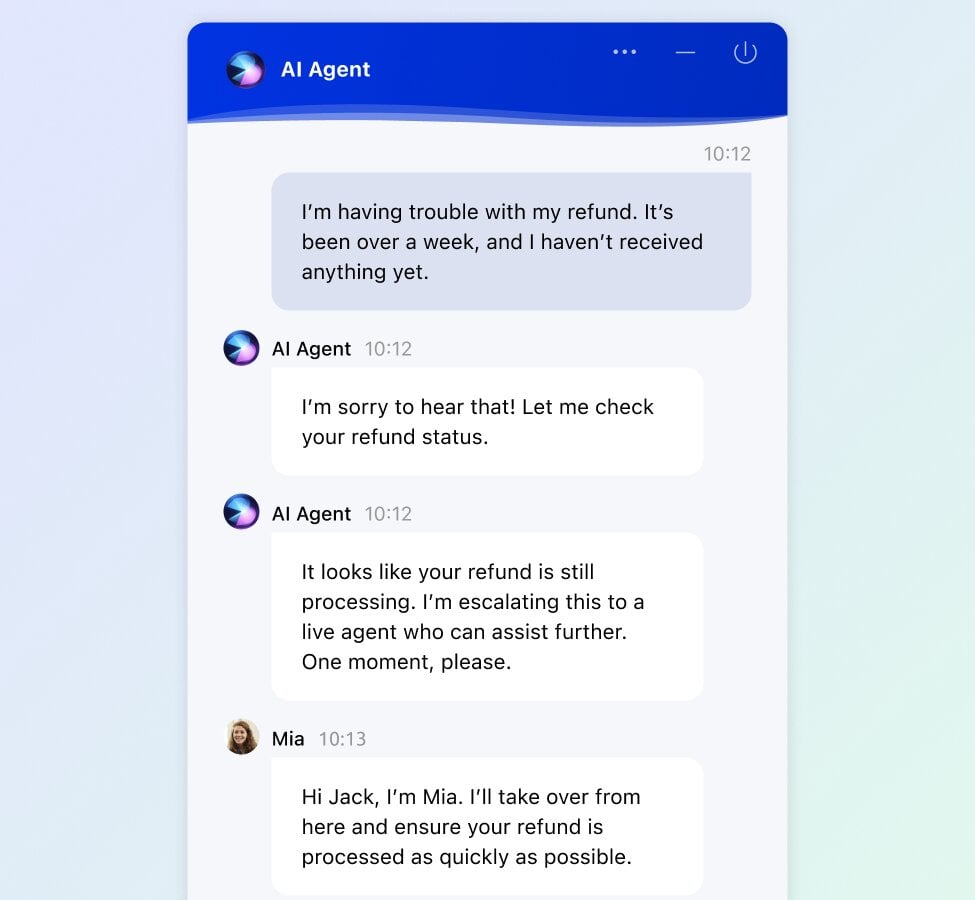
There’s quite a few AI chatbots that still treat each message in isolation, which leads to generic, repetitive responses that feel robotic. The Comm100 AI Agent maintains context
across the entire conversation, which means it remembers what the visitor said earlier (across different channels), adapts when they change topics, and circles back to previous points without needing the visitor to repeat themselves.
This matters in real support scenarios because customer questions rarely follow a straight line,
like students asking about tuition but then pivoting to campus housing. The Comm100 AI Agent tracks all of those threads and responds accordingly, asking clarifying questions when needed to keep the conversation moving toward resolution.
For support teams handling diverse, high-volume inquiries across multiple departments, this
context awareness is what makes the AI Agent feel like a capable teammate rather than a
glorified FAQ tool.
Knowledge-Grounded Responses (No Hallucinations)
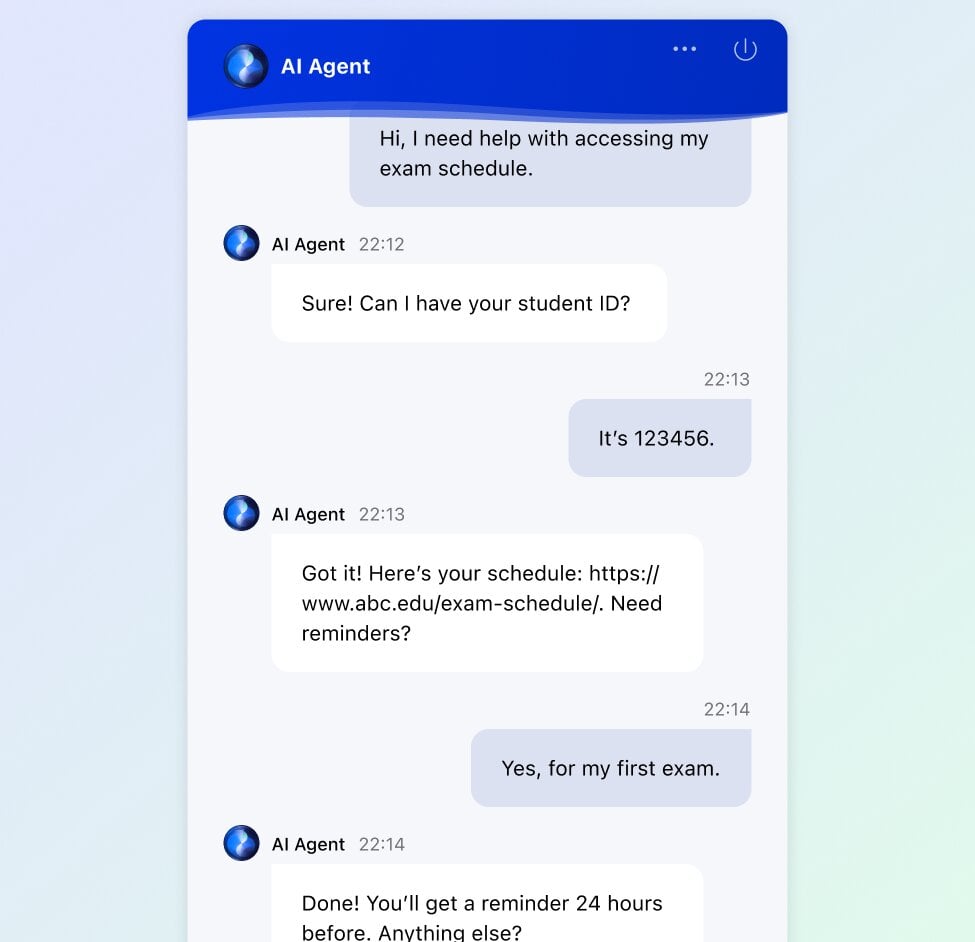
Another thing that the company has done is to establish some guardrails to prevent any AI
hallucinations, especially how it generates answers. Rather than pulling from an open-ended language model that might improvise or fabricate information (it can do that too if you choose), the AI Agent generates responses exclusively from verified, approved knowledge sources that you provide.
Teams can train it using multiple source types:
- Website URLs that it crawls and learns from automatically
- Cloud files connected from Google Drive, SharePoint, or other cloud directories
- Local file uploads including PDFs and Word documents
- Knowledge base articles from your existing Comm100 Knowledge Base, Confluence,
and ServiceNow knowledge base - Text snippets for specific answers you want to control precisely
When the AI Agent encounters a question it can't confidently answer from these sources, it acknowledges the gap and escalates to a human agent rather than generating a plausible-
sounding response that may be inaccurate. In industries where compliance and accuracy are non- negotiable, this grounding approach makes a meaningful difference.
Canadian Blood Services saw this play out in practice. After deploying the Comm100 AI Agent, more than 70% of their live chat queries were routed to it, and 68% of those were resolved without any human interaction.
Topics, Workflows, and Custom Actions
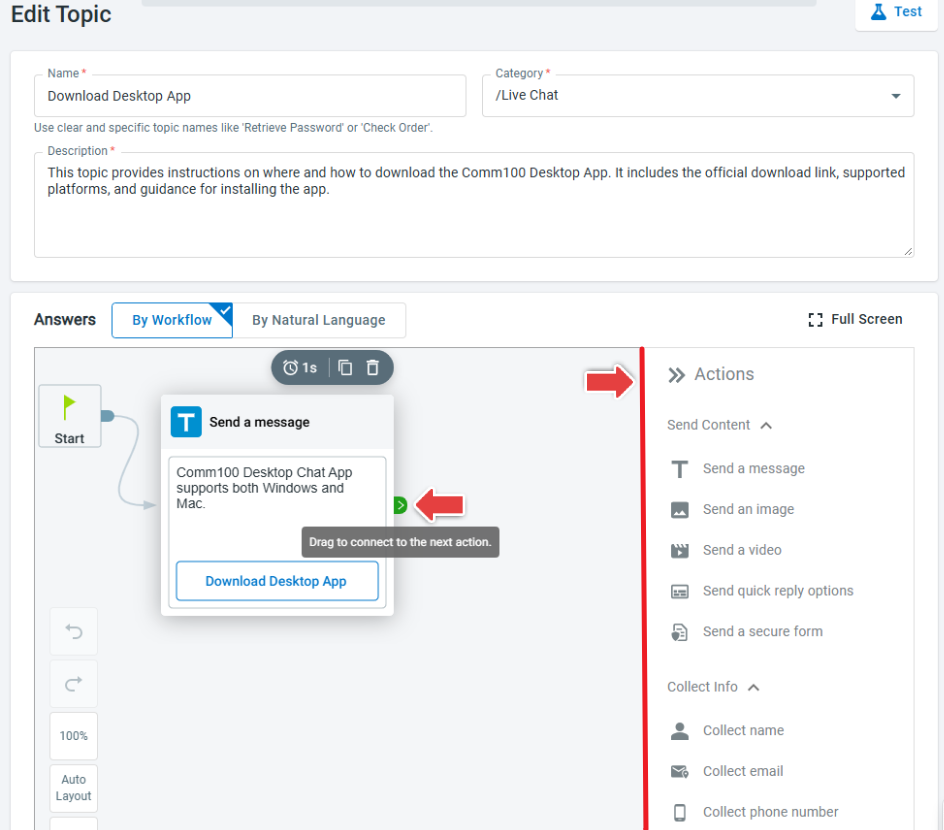
One of the most flexible aspects of the Comm100 AI Agent is how teams configure its behavior for different types of queries. The system is built around topics, which let you define dedicated response paths for specific categories of questions.
Here's how topics work in practice:
- You define the topic (e.g., "Refund Request," "Account Verification," "Campus Tour
Booking") and provide a description along with custom questions - The AI Agent generates additional relevant questions automatically, which you can keep,
edit, or remove - You set the workflow for each topic using either a visual flow builder or natural language
instructions
The workflow builder offers two approaches depending on your comfort level. You can use the visual editor to map out conversation flows (and actions) with drag-and-drop, or you can describe the process in plain language and let the AI convert it into an actionable workflow. Either way, no coding is required.
Within workflows, you can configure custom actions that the AI Agent executes independently. These go well beyond answering questions:
- Book Appointment for scheduling consultations, campus tours, or support callbacks
- Cancel Order for handling order management requests
- Check Account Balance for surfacing relevant account information
- Collect Information like order IDs, student numbers, or email addresses for handoff to
human agents - API Calls for connecting to external systems and pulling or pushing data in real time
Controlled Handoffs to Human Agents
The Comm100 AI Agent can automate up to 80% of inbound queries autonomously, but the 20% that require human judgment need to transfer cleanly. The handoff system lets you define exactly when and how escalation happens based on your own triggers.
You can set escalation rules around:
- Topic type (e.g., always route billing disputes to a human)
- Visitor sentiment (escalate if frustration is detected)
- Specific keywords or phrases that indicate a complex or sensitive issue
- Explicit visitor request (the customer asks to speak with a person)
When a handoff happens, the full conversation history, including all context the AI gathered
during the interaction, transfers to the human agent. The visitor doesn't have to start over, and the agent has everything they need to pick up where the AI left off.
This translates to huge efficiency gains for teams, as whenever the AI transfers a conversation, they don’t have to dig through conversations to figure out the issue, or repeat questions which could affect satisfaction scores.
Personality and Tone Controls
Brand consistency matters in customer interactions, and support teams in different industries
have very different expectations for how their AI communicates. The Comm100 AI Agent gives
you granular control over its personality through tone presets and custom instructions.
Four built-in tone presets are available out of the box: Friendly, Neutral, Professional, and
Humorous. Beyond presets, you can write custom instructions in natural language to fine-tune
exactly how the AI Agent communicates, including things like preferred terminology, formality
level, and how it handles sensitive topics.
The AI Agent also supports 100+ languages and adapts its responses based on the language the visitor is using, which makes it particularly valuable for higher education institutions supporting large international student populations, or iGaming operators serving players across multiple markets and jurisdictions.
UBC's Okanagan campus deployed the Comm100 AI Agent to triage advising requests, reducing student wait times by 30%. With a diverse international student population, the ability to respond in the student's language while maintaining the university's professional tone was essential to the implementation's success.
Omnichannel Deployment
The company focuses heavily on offering omnichannel support, so it stands to reason that the
Comm100 AI Agent isn't limited to one. You can deploy an AI Agent per and include the same
knowledge sources, workflows, and instructions, meaning the same trained AI Agent handles
conversations wherever your customers are.
Supported channels include:
- Live Chat
- SMS
- Facebook Messenger
- X (Twitter)
- Telegram
- LINE
- And more
The AI Agent's knowledge, topics, workflows, and personality settings carry across all channels, ensuring a consistent experience regardless of where the conversation starts.
Reporting and Continuous Optimization
Deploying the AI Agent is the starting point. Optimizing it over time is where the real gains
compound. Comm100 provides a dedicated suite of AI Agent reports designed to help you
identify what's working, what's not, and where to focus next.
Key reporting capabilities include:
- Answer reports that show accuracy and clarity across different topics, so you can see which areas the AI handles well and which need refinement
- Unresolved question tracking that surfaces the queries the AI Agent couldn't answer,
giving you a clear list of knowledge gaps to fill - Rating reports where visitors rate their AI Agent experience on a 1-to-5 scale, providing
direct feedback on interaction quality - Lead capture and meeting tracking for teams using the AI Agent to generate leads or
schedule appointments
These reports feed directly into the broader Comm100 AI Suite, particularly AI Knowledge
(which can use unresolved questions to draft new articles) and AI Quality Assurance (which
evaluates AI Agent interactions alongside human agent conversations).
The result is a feedback loop where performance data drives continuous improvement across the entire support operation.
Getting Started: The Proof of Concept
For organizations evaluating the Comm100 AI Agent, Comm100 offers a structured proof of
concept program designed to get your AI Agent live on your website within 30 days. The POC
includes training the AI on your specific knowledge sources, configuring topics and workflows
relevant to your use cases, and measuring performance against agreed-upon benchmarks.
Here’s what’s included:
- Unlimited AI reply usage for 30 days
- Access to the secure sandbox environment
- Pre-built content and up to 20 pre-built topics
- Training and best practices from Comm100’s AI team
- Weekly meetings before launch with Comm100’s AI architects
- Data import from existing knowledge base or previous AI chatbot
This program exists because Comm100 recognizes that deploying AI into a regulated
environment requires more than a free trial and a help doc.
It's a hands-on process with dedicated support, and it's structured to give you real data on how the AI Agent will perform with your actual customer conversations before you commit.
Who Is the Comm100 AI Agent Built For?
The Comm100 AI Agent works across industries, but it was designed specifically for the kinds
of environments where accuracy, compliance, and control are foundational requirements.
- Higher education teams managing admissions, advising, IT help desks, and financial aid across multiple departments and campuses, especially during seasonal surges
- iGaming operators supporting players across jurisdictions with KYC, responsible
gaming, VIP routing, and 24/7 availability requirements - Credit unions and banks handling account inquiries, loan information, and payment-
related conversations under PCI DSS - Government agencies responding to citizen queries about benefits, services, and public
information - Healthcare organizations managing patient communication within HIPAA-compliant
channels
Global Affairs Canada, for example, deployed the Comm100 AI Agent, and it now handles 78% of incoming chats, improving access for stakeholders while reducing the burden on their support team.
The Comm100 AI Agent is part of the broader Comm100 AI Suite, which includes AI Copilot,
AI Insights, AI Knowledge, AI QA, and AI Training. Together, these products form a connected system where every conversation the AI Agent handles generates data that improves the next
one.
Curious to learn more? Request a demo of Comm100.

