

10 Best AI Customer Journey Mapping Tools in 2026

AI Customer Journey Mapping Tools Shortlist


AI customer journey mapping tools use artificial intelligence to visualize, analyze, and optimize every step your customers take with your business. If you’re looking to better understand behavior and improve experiences, the most important capabilities to focus on are data-driven insights, customer feedback, and alignment with real customer needs. These tools combine data collection from sources like CRM systems and social media to build a complete view of the journey. They help teams identify friction points, reduce churn, and create a more customer-centric strategy. Many platforms also support building a clear roadmap for improving experiences over time.
In this guide, you’ll find a curated list of the top AI customer journey mapping tools, what makes each one unique, and how they can help you deliver better experiences in 2026.
Why Trust Our Software Reviews
We’ve been testing and reviewing software since 2020. As CX leaders ourselves, we know how critical and difficult it is to make the right decision when selecting software.
We invest in deep research to help our audience make better software purchasing decisions. We’ve tested more than 2,000 tools for different CX use cases and written over 1,000 comprehensive software reviews. Learn how we stay transparent & our software review methodology.
AI Customer Journey Mapping Tools Comparison Table
This comparison table summarizes pricing details for my top AI customer journey mapping tools selections:
| Tool | Best For | Trial Info | Price | ||
|---|---|---|---|---|---|
| 1 | Best for guided journey mapping | Free plan available | From $36/user/month | Website | |
| 2 | Best for real-time journey analytics | Free demo available | Pricing upon request | Website | |
| 3 | Best for journey insights with session replay | Free plan available | Pricing upon request | Website | |
| 4 | Best for mapping and sharing journeys | Free plan + 14-day free trial available | From $38/user/month (billed annually) | Website | |
| 5 | Best for fast journey mapping templates | Free plan available | From $199/month | Website | |
| 6 | Best for AI journey insights | Free plan available | From $8/user/month (billed annually) | Website | |
| 7 | Best for continuous journey optimization | Free demo + 30-day free trial available | Pricing upon request | Website | |
| 8 | Best for personalized journey orchestration | Free demo available | Pricing upon request | Website | |
| 9 | Best for CX journey management | 21-day free trial + free demo available | Pricing upon request | Website | |
| 10 | Best for automated journey mapping | Free plan available | From $12/month (billed annually) | Website |
AI Customer Journey Mapping Tools Reviews
Below are my detailed summaries of the AI customer journey mapping tools that made it onto my shortlist. My reviews offer a detailed look at the features, capabilities, and integrations of each platform to help you find the best one for you.

Best for guided journey mapping
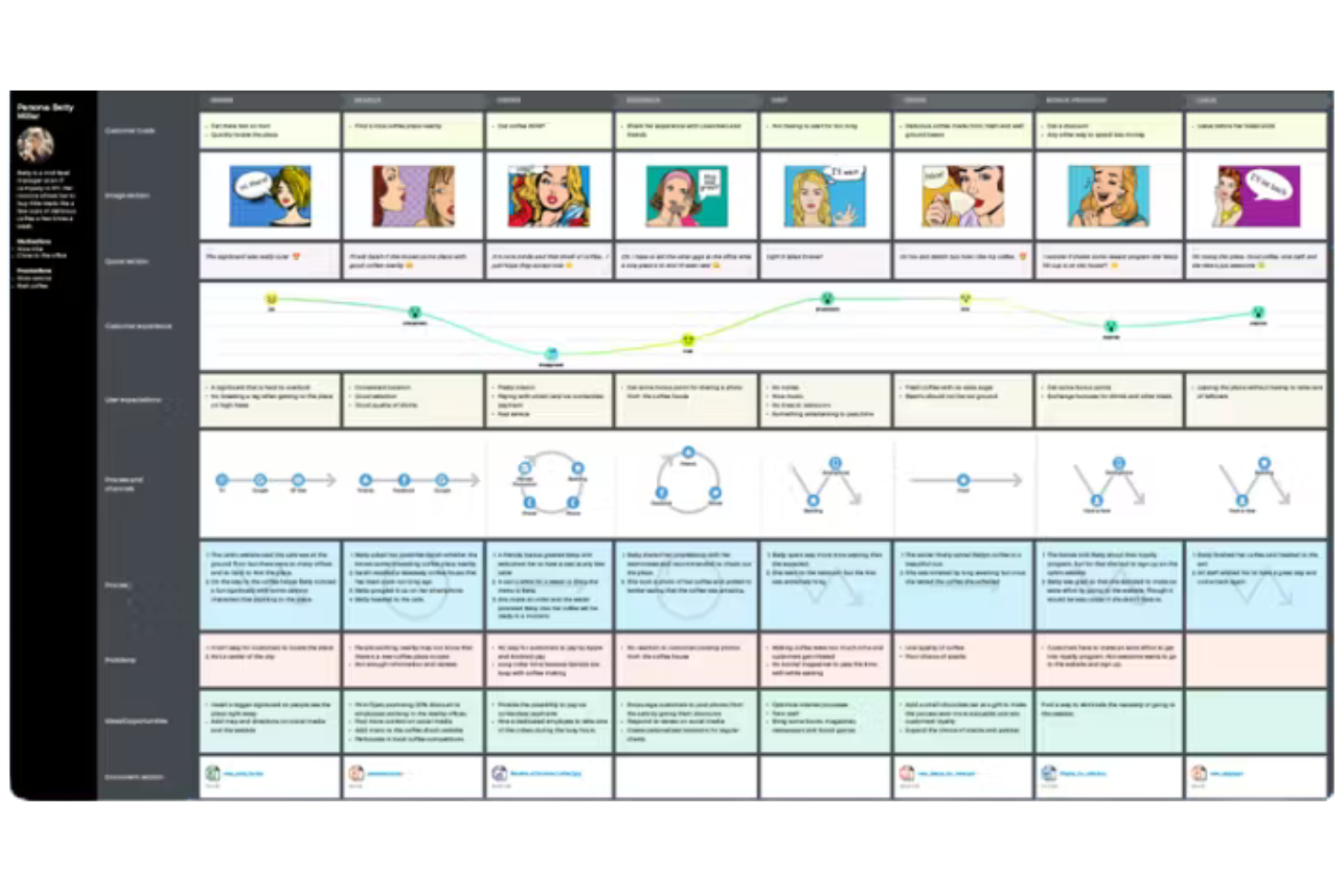
UXPressia is a cloud-based AI customer journey mapping tool that offers journey map creation, persona building, impact mapping, and AI-powered suggestions for mapping customer experiences.
Who Is UXPressia Best For?
UXPressia fits UX, CX, and product teams at agencies or mid-sized businesses who need collaborative journey mapping and persona tools.
Why I Picked UXPressia
I picked UXPressia as one of the best because I can use its AI-assisted journey mapping to generate journey stages and touchpoints quickly. I like that my team can build personas and impact maps in the same workspace, which keeps everything connected. The AI suggestions help us fill in gaps and refine our maps without starting from scratch.
UXPressia Key Features
- Real-time collaboration: Multiple users can edit journey maps and personas simultaneously.
- Export options: Export maps and personas to PDF, PNG, or PowerPoint formats.
- Commenting and feedback: Stakeholders can leave comments directly on journey maps.
- Custom templates: Access a library of pre-built templates for journey maps and personas.
UXPressia Integrations
UXPressia offers native integrations with Slack, Microsoft Teams, and Google Drive, and provides an API for custom integrations.
Pros and Cons
Pros:
- Customizable templates for journey maps
- Persona and impact mapping in one workspace
- AI generates journey stages and touchpoints
Cons:
- No session replay or behavioral analytics tools
- Lacks automated journey orchestration capabilities

Best for real-time journey analytics
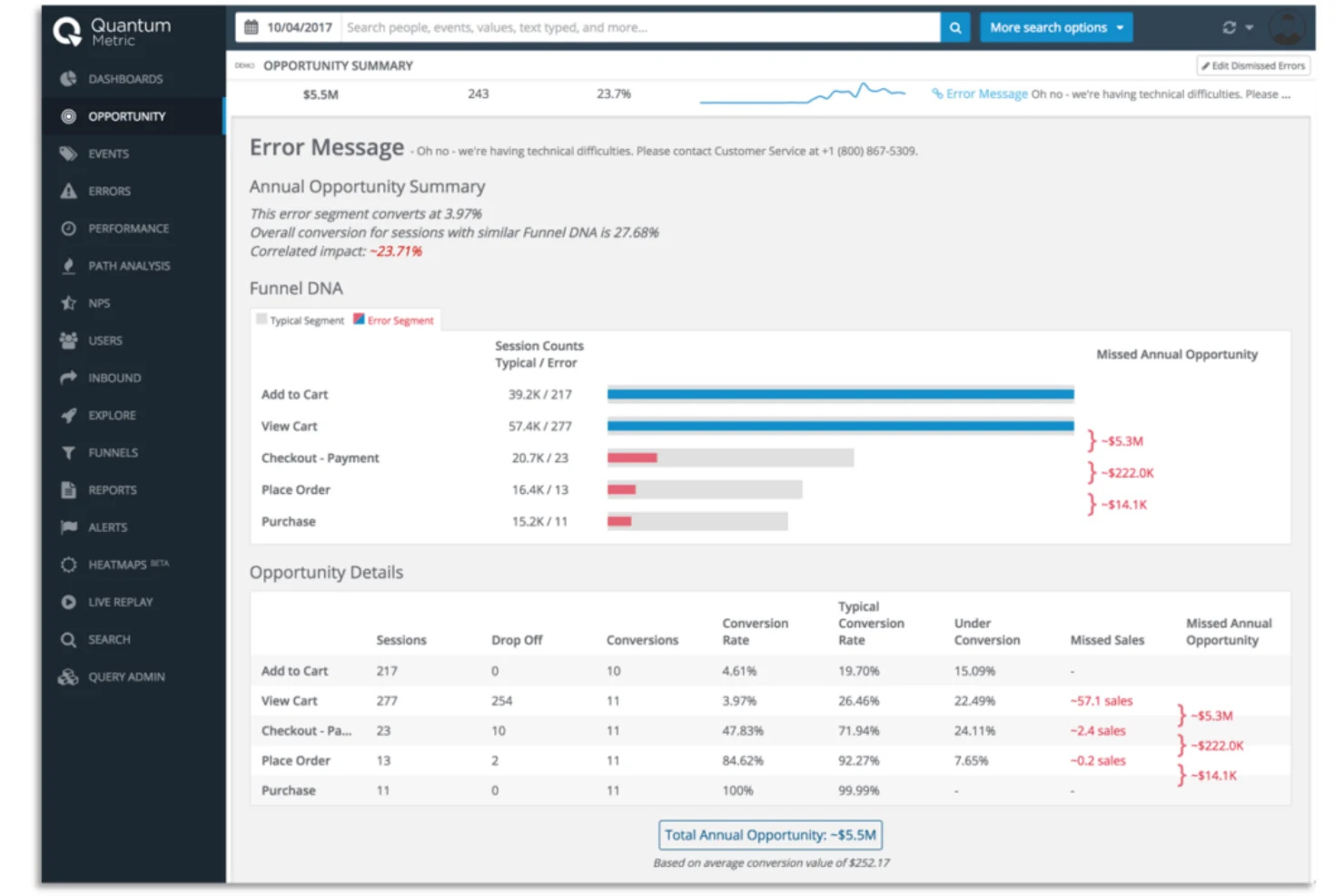
Quantum Metric is a digital analytics platform for customer journey mapping that combines real-time journey analytics, session replay, and automated insight detection for web and mobile experiences.
Who Is Quantum Metric Best For?
Quantum Metric fits digital product and analytics teams at large enterprises that need real-time journey analytics and automated insights.
Why I Picked Quantum Metric
I picked Quantum Metric as one of the best because I can use its real-time journey analytics to visualize customer paths as they happen. I like how the platform’s automated insight detection flags friction points and anomalies without manual digging. My team uses session replay to watch actual user interactions and pinpoint where journeys break down.
Quantum Metric Key Features
- Data layering: Overlay multiple data sources for deeper journey analysis.
- Segmentation tools: Filter journeys by user attributes and behaviors.
- Custom dashboards: Build tailored dashboards to monitor journey KPIs.
- Alerting system: Set up alerts for key journey events or anomalies.
Quantum Metric Integrations
Quantum Metric offers native integrations with Adobe Analytics, Google Analytics, Salesforce, Tealium, and Optimizely, and provides an API for custom integrations.
Pros and Cons
Pros:
- Segmentation tools for granular journey analysis
- Custom dashboards for journey KPI tracking
- Session replay highlights user friction points
Cons:
- No built-in multichannel campaign execution tools
- No built-in survey or feedback collection

Best for journey insights with session replay
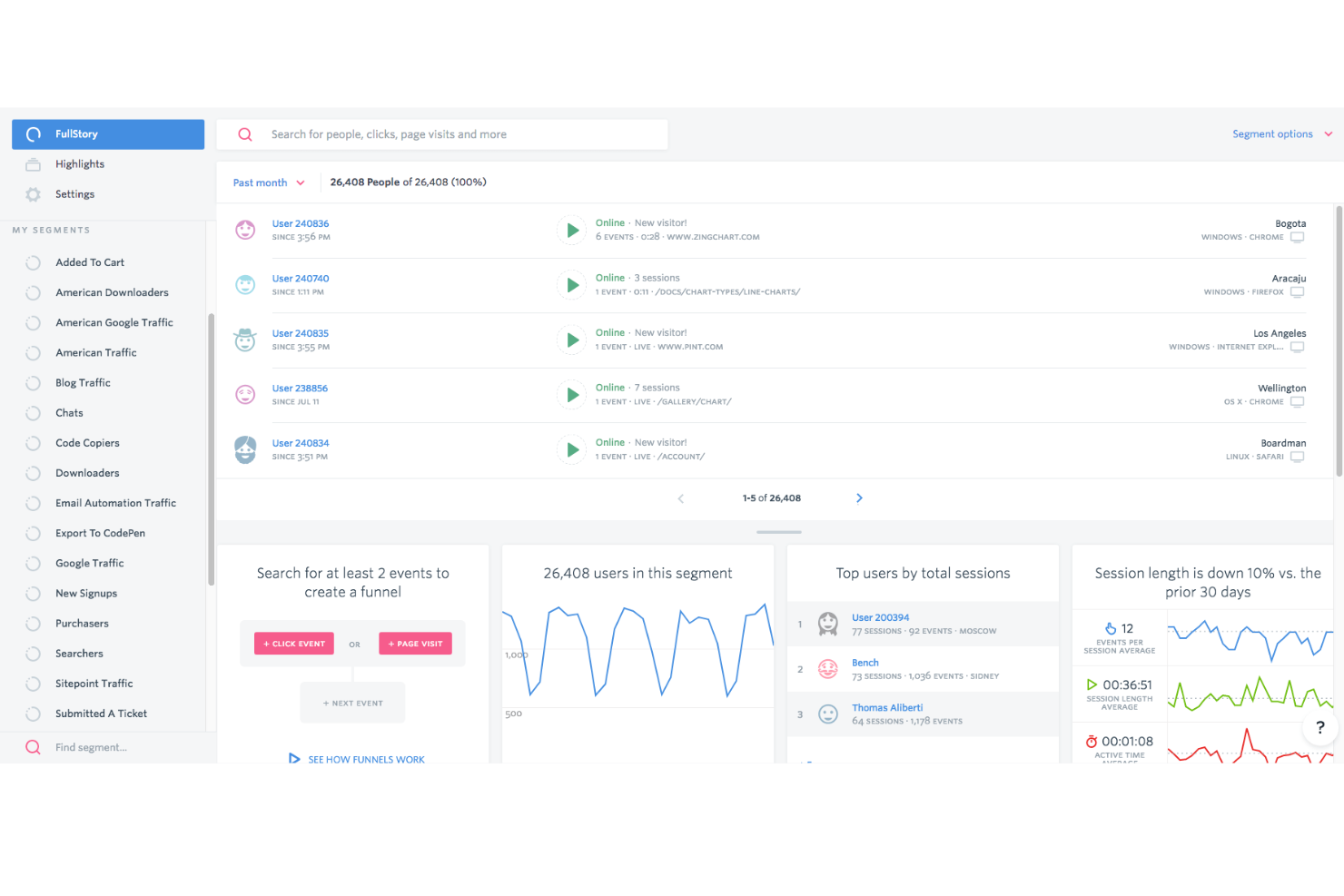
Fullstory is a digital experience analytics platform for AI customer journey mapping that combines journey maps, session replay, frustration detection, and event analytics for web and mobile products.
Who Is Fullstory Best For?
Fullstory fits digital product and UX teams at mid-sized to large companies who need detailed journey mapping and behavioral analytics.
Why I Picked Fullstory
I picked Fullstory as one of the best because I can use its AI-powered journey maps to visualize every step users take and spot frustration signals automatically. I like that session replay is tightly integrated with journey mapping, so I can jump straight from a journey map to real user sessions. My team uses frustration detection to quickly identify where users struggle, which helps us prioritize fixes.
Fullstory Key Features
- Event funnels: Track and analyze user paths through defined sequences of actions.
- Heatmaps: Visualize aggregate user clicks, scrolls, and interactions on each page.
- Conversion analysis: Measure drop-off points and conversion rates across journeys.
- Custom segments: Filter and group users based on behaviors or attributes.
Fullstory Integrations
Fullstory offers native integrations with Segment, Adobe Analytics, and Google Tag Manager, and provides an API for custom integrations.
Pros and Cons
Pros:
- Custom dashboards for journey KPI tracking
- Session replay links directly from journey maps
- AI surfaces friction points in user journeys
Cons:
- Limited support for offline or in-person journeys
- No visual drag-and-drop journey builder.

Smaply
Best for mapping and sharing journeys
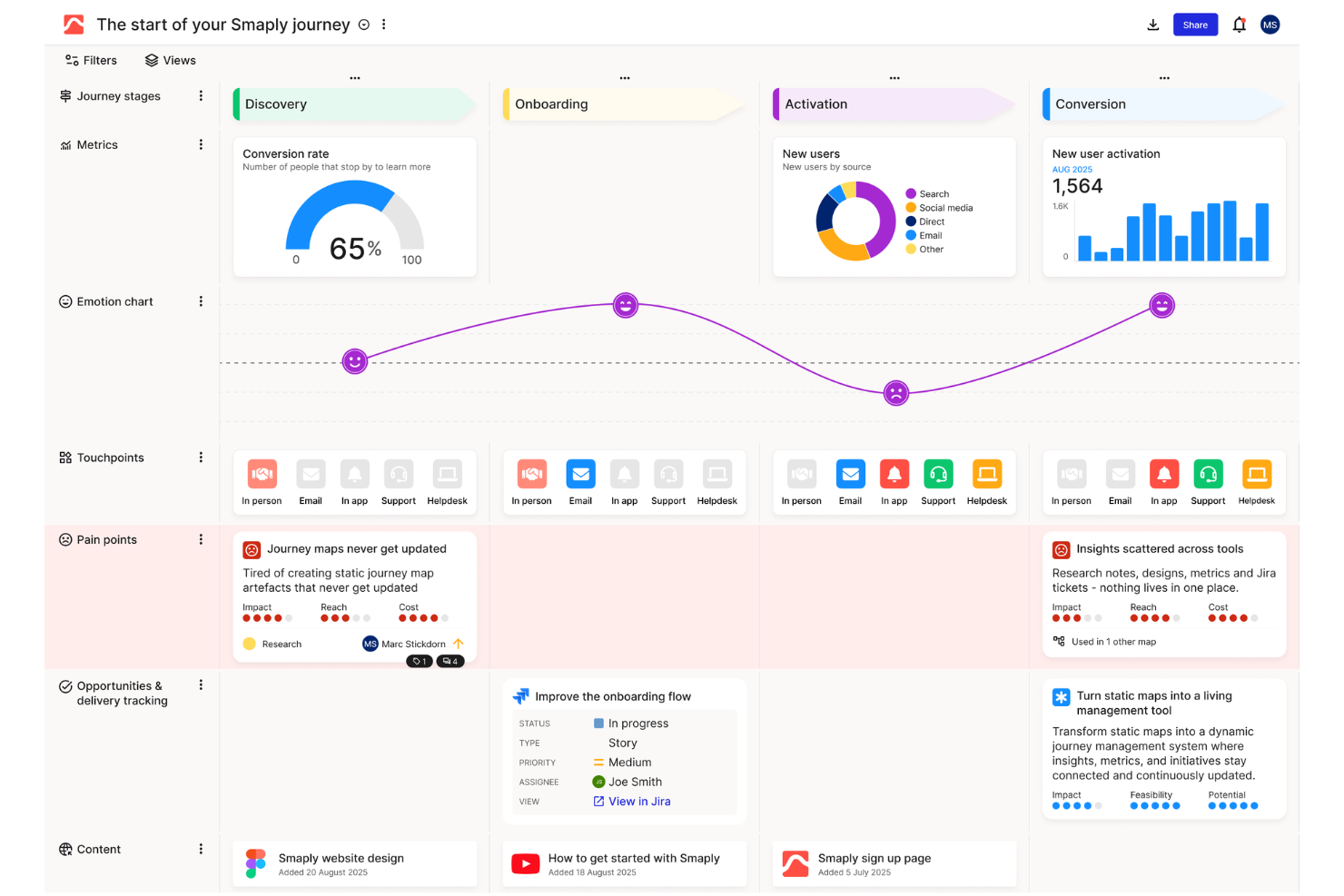
Smaply is a customer journey mapping platform for visualizing journeys, mapping stakeholders, and creating storyboards to document and analyze customer experiences.
Who Is Smaply Best For?
Smaply fits CX and service design teams at agencies or enterprises who need journey mapping with stakeholder mapping and storyboarding features.
Why I Picked Smaply
I picked Smaply as one of the best because I can map customer journeys while also visualizing stakeholder relationships and building storyboards in the same workspace. I like using the stakeholder mapping tool to clarify who influences each journey stage. The storyboarding feature lets my team illustrate customer emotions and actions step by step, which helps us communicate complex journeys visually.
Smaply Key Features
- Journey map editor: Build, edit, and customize journey maps with multiple lanes and touchpoints.
- Live collaboration: Invite team members to work on maps in real time.
- Commenting system: Add comments directly to journey maps for feedback and discussion.
- Export options: Export journey maps to PDF, PNG, or PowerPoint formats.
Smaply Integrations
Native integrations include Asana, Azure DevOps, Figma, Google Analytics, Miro, Power BI, and Trello. Smaply also offers an API for custom integrations.
Pros and Cons
Pros:
- Commenting and feedback tools aid collaboration
- Timeline view supports detailed journey visualization
- Stakeholder mapping links to journey touchpoints
Cons:
- Lacks automated journey orchestration tools
- AI features are still in early development
Best for fast journey mapping templates
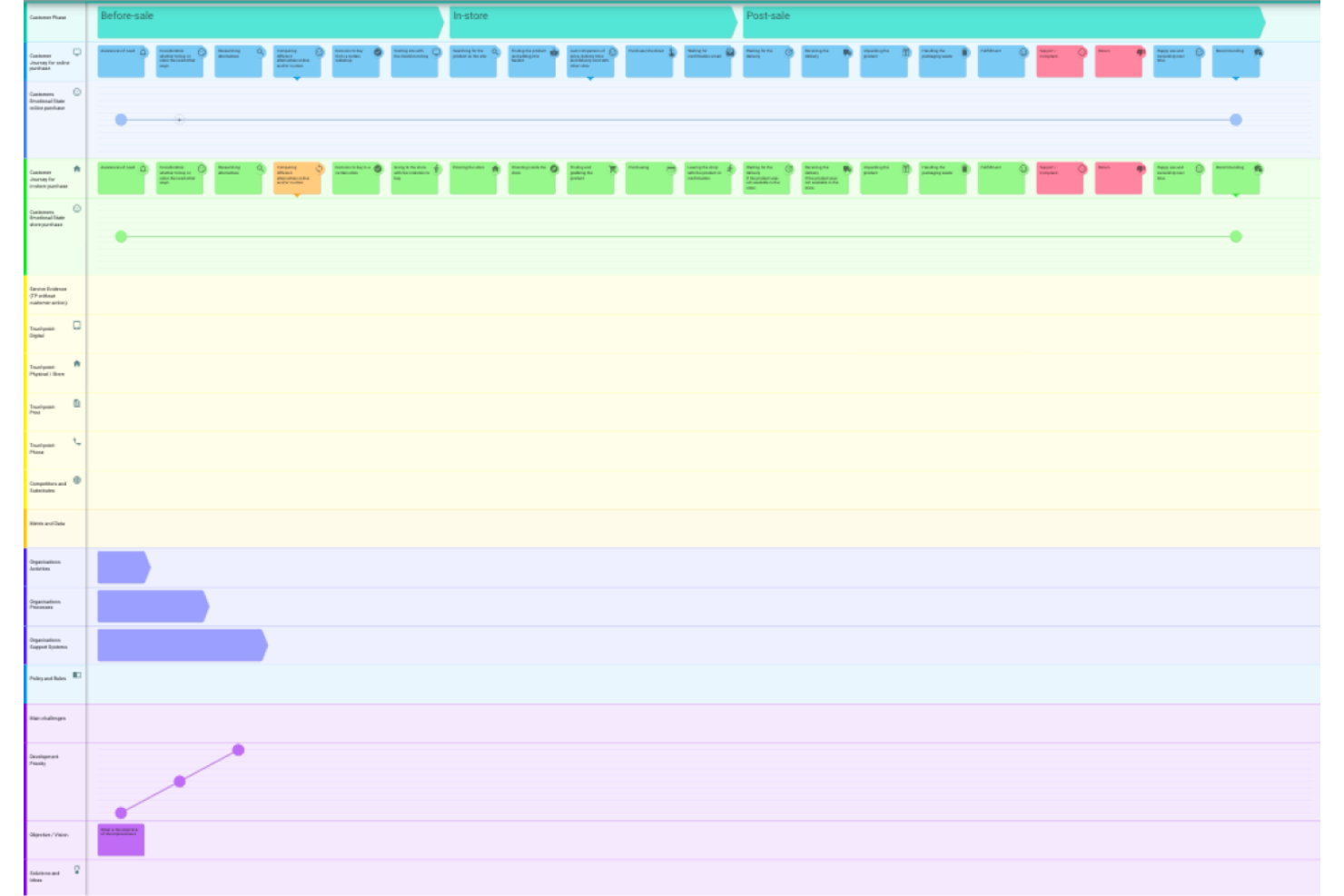
Custellence is an AI customer journey mapping platform that lets you create, edit, and organize journey maps using AI-generated templates, flexible lane structures, and collaborative editing tools.
Who Is Custellence Best For?
Custellence fits CX professionals and service designers at mid-sized to large organizations who need AI-powered journey mapping with customizable templates.
Why I Picked Custellence
I picked Custellence as one of the best because I can use its AI-powered journey mapping to generate detailed, editable templates in seconds. I like that my team can customize lane structures and map complex journeys with drag-and-drop flexibility.
The platform’s collaborative editing lets multiple stakeholders refine maps together, which helps us keep our journey documentation current and actionable.
Custellence Key Features
- Version history: Track and restore previous versions of journey maps.
- Permission controls: Set user roles and access levels for team members.
- Map sharing: Share journey maps with stakeholders via secure links.
- Commenting system: Add comments directly to specific map elements for feedback.
Custellence Integrations
Native integrations are not currently listed. However, Custellence offers an API for custom integrations.
Pros and Cons
Pros:
- Version history tracks all journey map changes
- Shareable links support stakeholder collaboration
- Flexible swimlane structure for complex journeys
Cons:
- No built-in persona or empathy mapping tools
- Lacks real-time data or behavioral insights

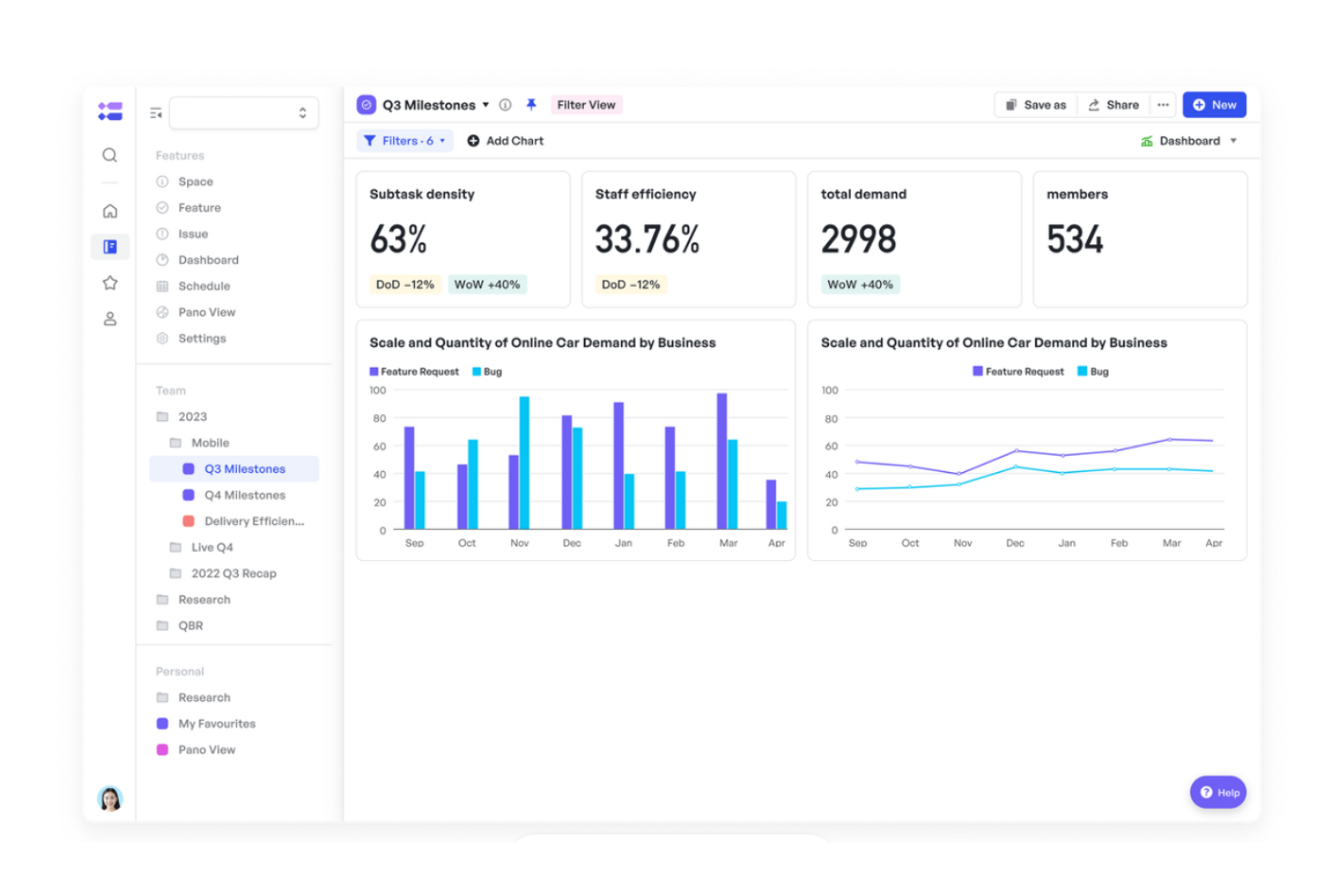
Meegle is an AI customer journey mapping platform that brings together omnichannel data, journey visualization, and automated insights for mapping and analyzing customer interactions across digital and offline touchpoints.
Who Is Meegle Best For?
Meegle fits CX and marketing teams at mid-sized to large organizations who need AI-powered journey mapping with omnichannel data analysis.
Why I Picked Meegle
I picked Meegle as one of the best because I can use its AI-powered journey mapping to pull in omnichannel data from web, social, and offline sources. I like that my team can visualize customer paths and see AI-generated insights on journey friction points. The platform’s automated sentiment analysis helps us quickly spot where customers are getting stuck or dropping off.
Meegle Key Features
- Custom journey map templates: Start mapping with pre-built, editable templates for different industries.
- Role-based access controls: Assign permissions and manage access for different team members.
- Multi-channel timeline visualization: View customer interactions across channels in a unified timeline.
- Export to multiple formats: Download journey maps as PDF, PNG, or PowerPoint files.
Meegle Integrations
Native integrations include Zapier, Slack, GitHub, GitLab, Microsoft Teams, and more. Meegle also provides an API for custom integrations.
Pros and Cons
Pros:
- Customizable dashboards for journey analytics
- Real-time alerts for journey friction points
- AI surfaces actionable journey insights automatically
Cons:
- Export options are restricted to basic formats
- AI features require higher subscription tiers

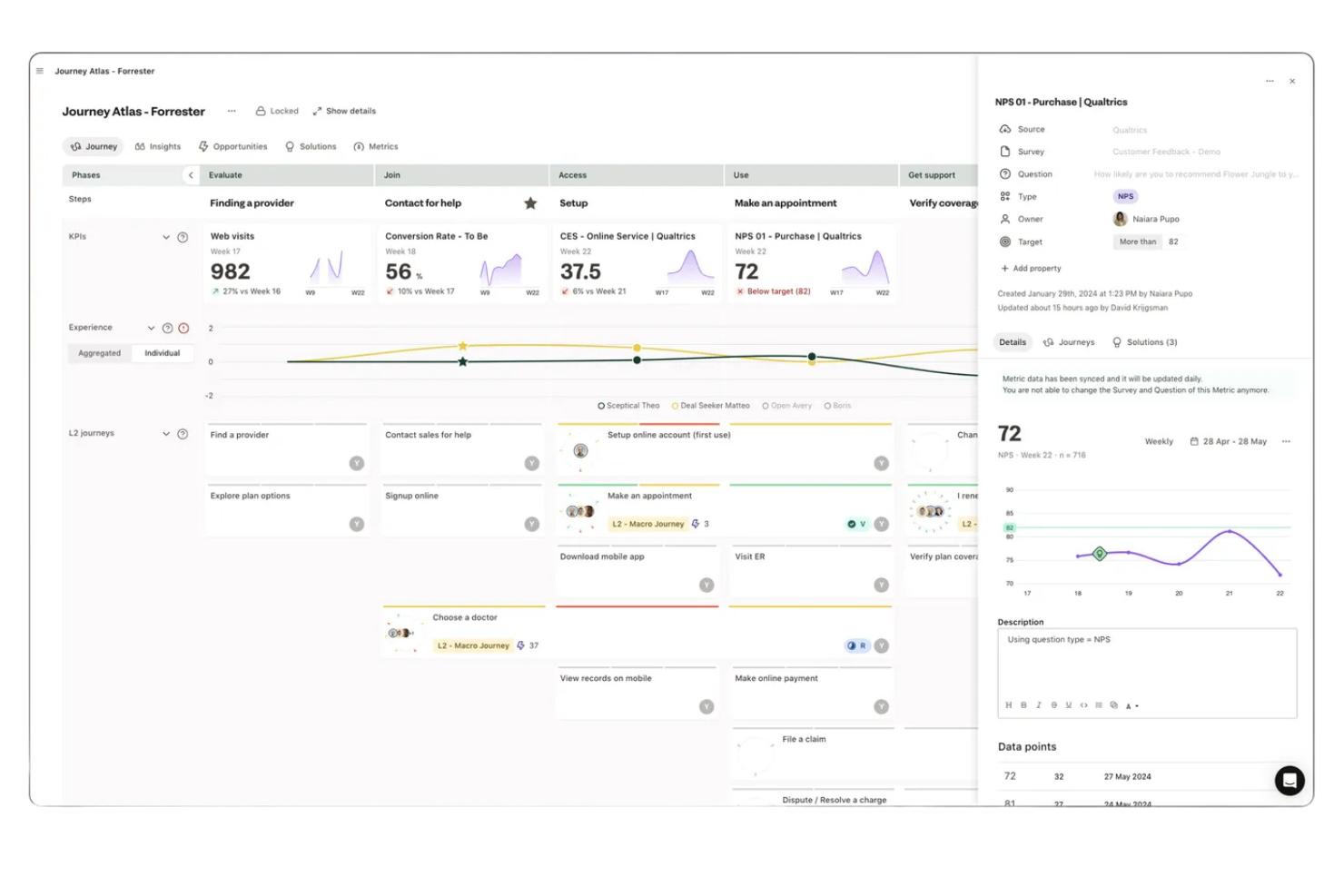
TheyDo is an AI-driven customer journey mapping platform that combines journey mining, mapping, and workflow management for teams to map and optimize complex customer experiences.
Who Is TheyDo Best For?
TheyDo fits CX and operations teams in large enterprises that need to mine, map, and manage complex customer journeys.
Why I Picked TheyDo
I picked TheyDo as one of the best because I can use its AI-powered journey mining to automatically surface customer journeys from data, not just map them manually. My team uses the platform’s workflow management to align initiatives directly to journey stages. I like how the tool connects insights, opportunities, and solutions in one place for a unified view.
TheyDo Key Features
- Persona management: Create, edit, and organize customer personas for journey mapping.
- Journey hierarchy: Structure journeys into parent and child relationships for complex mapping.
- Touchpoint repository: Store and manage all customer touchpoints in a centralized library.
- Collaboration tools: Assign tasks, comment, and track changes with team members in real time.
TheyDo Integrations
TheyDo offers native integrations with Jira, Slack, Qualtrics, and SurveyMonkey, and provides an API for custom integrations.
Pros and Cons
Pros:
- Hierarchical journey mapping handles complex structures
- Persona and touchpoint libraries are extensive
- AI journey mining surfaces hidden customer paths
Cons:
- Large boards can become cluttered quickly
- Limited automation for journey analytics

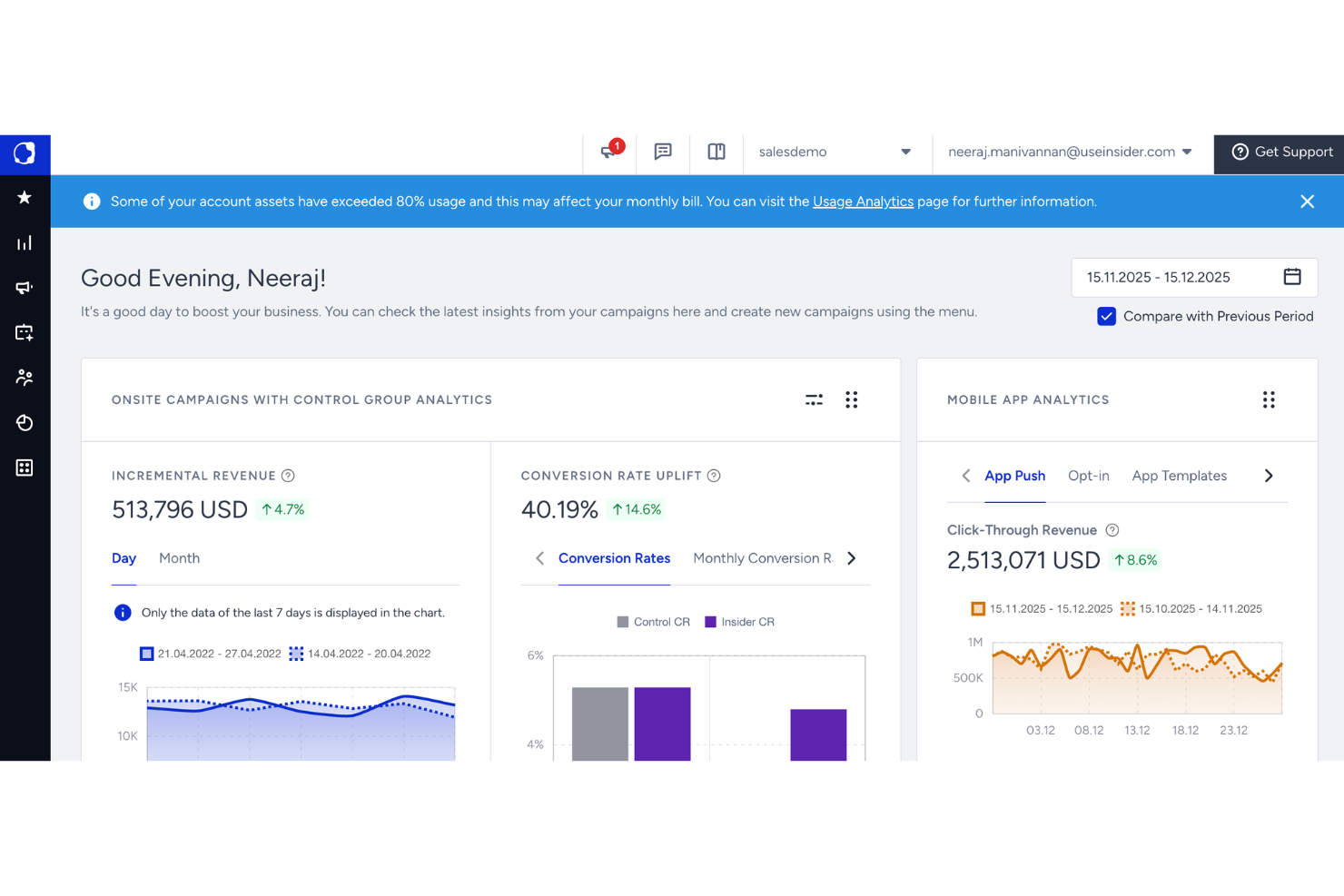
Insider One is an AI customer journey mapping and orchestration platform that lets you design, automate, and personalize customer interactions across web, app, email, and messaging channels.
Who Is Insider One Best For?
Insider One fits marketing and CX teams at enterprise and mid-market companies who need to orchestrate personalized journeys across digital channels.
Why I Picked Insider One
I picked Insider One as one of the best because I can use its AI-powered orchestration to automate and personalize journeys across web, app, email, and messaging channels. I like that my team can build complex, multi-step journeys with drag-and-drop tools and real-time audience targeting. In practice, that means we can coordinate messaging and offers based on live customer behavior across multiple digital touchpoints.
Insider One Key Features
- Predictive audience segmentation: Group users automatically based on AI-driven behavioral analysis.
- Omnichannel campaign management: Launch and manage campaigns across web, app, email, and messaging from one dashboard.
- Personalized product recommendations: Deliver AI-powered product suggestions tailored to each user.
- A/B and multivariate testing: Test multiple journey variations to optimize engagement and conversion.
Insider One Integrations
Native integrations include TikTok Ads, Facebook Ads, Mixpanel, Amplitude, Google Analytics, Segment, and more. An API is also available for custom integrations.
Pros and Cons
Pros:
- Real-time personalization adapts to user behavior
- Omnichannel orchestration covers web, app, and email
- AI predicts next-best actions for journeys
Cons:
- Offline journey mapping is not supported
- Limited export options for journey documentation
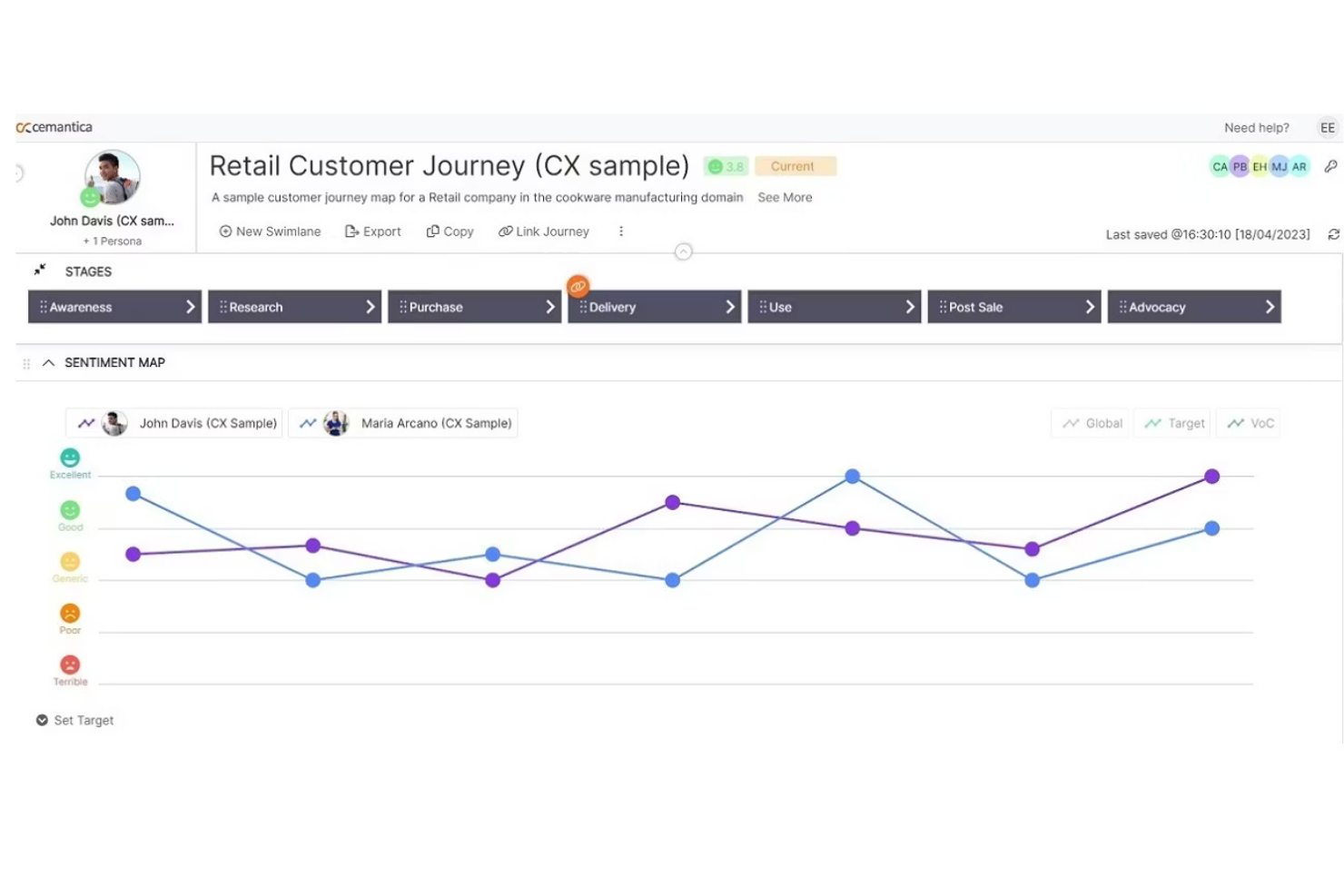
Cemantica is an AI customer journey mapping platform that combines journey visualization, emotion analytics, persona management, and touchpoint tracking in a single workspace.
Who Is Cemantica Best For?
Cemantica suits CX leaders and journey managers at enterprise organizations who need AI-driven mapping with emotion analytics.
Why I Picked Cemantica
I picked Cemantica as one of the best because I can use its AI-driven journey mapping to automatically surface customer emotions at each touchpoint. I like that my team can visualize emotional trends and pain points directly on the map. The built-in persona management and emotion analytics help us pinpoint where to focus our CX improvements.
Cemantica Key Features
- Journey map version control: Track changes and revert to previous journey map versions.
- Role-based access management: Assign permissions and roles to different team members.
- Customizable journey templates: Start mapping with pre-built, editable journey templates.
- Export to multiple formats: Download journey maps as PDF, PNG, or PowerPoint files.
Cemantica Integrations
Native integrations are not currently listed. However, Cemantica provides an API for custom integrations.
Pros and Cons
Pros:
- Action planning tools connect insights to initiatives
- Supports multilingual journey mapping projects
- KPI tracking links directly to journey stages
Cons:
- No built-in heatmaps or visual analytics
- No session replay or behavioral analytics features
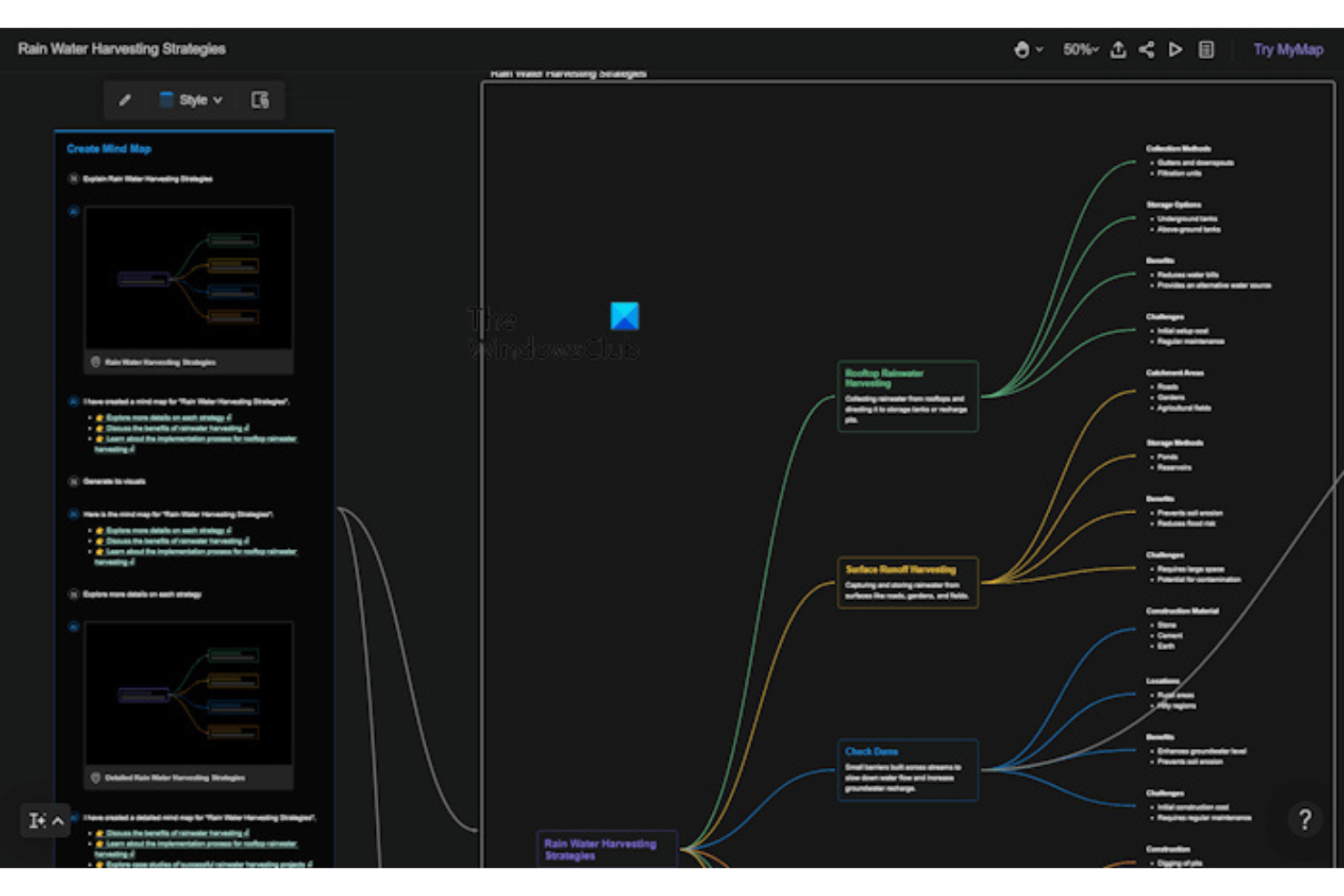
MyMap is an AI customer journey mapping tool that lets you create, edit, and customize journey maps using drag-and-drop design, AI-powered suggestions, and a library of industry-specific templates.
Who Is MyMap Best For?
MyMap suits CX and marketing teams at startups and small businesses who want AI-driven journey mapping with customizable templates.
Why I Picked MyMap
I picked MyMap as one of the best because I can use its AI-powered journey map maker to generate detailed, editable maps from prompts and data. I like that my team can start with industry-specific templates and then customize every stage, touchpoint, and persona. The drag-and-drop interface makes it easy for us to iterate quickly and visualize complex journeys.
MyMap Key Features
- Collaboration tools: Multiple users can edit and comment on journey maps in real time.
- Persona builder: Create and manage detailed customer personas within the platform.
- Custom stage labeling: Define and rename journey stages to match your process.
- Export options: Download journey maps as PDF, PNG, or CSV files.
MyMap Integrations
Native integrations are not currently listed. However, MyMap offers an API for custom integrations.
Pros and Cons
Pros:
- Collaboration features enable team editing
- Supports multiple journey map templates
- Drag-and-drop interface for rapid mapping
Cons:
- Multichannel journey mapping is not supported
- No built-in persona or empathy mapping
Other AI Customer Journey Mapping Tools
Here are some additional AI customer journey mapping tools options that didn’t make it onto my shortlist, but are still worth checking out:
- Regal
For journey-based communication orchestration
- Miro
For visual journey mapping
- HubSpot
For marketing journey map templates
- Confluence
For documenting customer journeys
- Figma
For collaborative journey mapping templates
- monday CRM
For customizable journey tracking


How I Evaluate AI Customer Journey Mapping Tools
Every tool on this list has to deliver real AI value—not just slap a label on basic analytics. I split my evaluation into two layers: the core functionality a tool needs to qualify at all, and the differentiating factors that separate a good option from one that truly fits your team's needs.
Core Functionality (Table Stakes For This List)
When I'm selecting tools for my list, I rank each one on a scale from 0 (does not offer the functionality) to 5 (excels in this area) for each core functionality listed below. Then, I calculate the tool's total score into a percentage. Each tool needs to achieve a minimum total score of 65% to be considered for inclusion.
- AI-Driven Journey Discovery: I look for tools that auto-generate journey maps from behavioral data rather than requiring teams to manually sketch each stage and path.
- Multi-Touchpoint Data Integration: A tool should pull from CRM, web, mobile, support, and social channels so journey maps reflect the full customer experience.
- Predictive & Prescriptive Analytics: I evaluate whether the ML models go beyond reporting—surfacing churn risk scores or next-best-action recommendations at key journey stages.
- Friction & Anomaly Detection: The tool should flag drop-offs and bottlenecks automatically, like catching a spike in cart abandonment tied to a specific touchpoint.
- Journey Visualization & Collaboration: I check that maps are interactive and shareable, letting CX leads annotate findings and loop in product or ops stakeholders directly.
- Real-Time Journey Updates: Maps should refresh as new interaction data flows in, so teams always work from current customer behavior rather than stale snapshots.
Once I have a list of tools that meet the criteria, I consider what sets each platform apart.
Differentiating Factors (What Sets Vendors Apart)
Here's how I compare and contrast different vendors:
Standout Features
Journey simulation is a big differentiator—I want to see if teams can model what happens when they remove a touchpoint or shift messaging before committing resources. Persona auto-clustering also matters because it reveals journey variants you'd miss with manual segmentation. Tools that connect insights to action through orchestration triggers, like automatically enrolling at-risk customers into a retention workflow, close the gap between mapping and doing.
Beyond Features
Integration depth matters a lot here—I check whether a tool connects natively to the CRM, CDP, and support platforms your team already relies on, since journey maps are only as good as the data feeding them. Compliance is another area I evaluate closely, especially GDPR and SOC 2 readiness, because these tools ingest sensitive customer data at scale. I also look at pricing structure to understand whether AI features are included in base plans or locked behind premium tiers that inflate costs as your data volume grows.
How to Choose AI Customer Journey Mapping Tools
It’s easy to get bogged down in long feature lists and complex pricing structures. To help you stay focused as you work through your unique software selection process, here’s a checklist of factors to keep in mind:
| Factor | What to Consider |
|---|---|
| Scalability | Will the tool handle your current and future customer volumes, channels, and data complexity? |
| Integrations | Does it connect natively with your CRM, analytics, and messaging platforms, or require workarounds? |
| Customizability | Can you tailor journey stages, triggers, and segmentation to your unique workflows and objectives? |
| Ease of use | Will your team adopt the tool quickly, or will training and support be a constant need? |
| Implementation and onboarding | How long will setup take, and what resources or expertise are required to get started? |
| Cost | Are pricing tiers clear, and do they align with your usage patterns and budget constraints? |
| Security safeguards | Does the tool meet your organization’s data privacy, encryption, and access control requirements? |
| Support availability | Is responsive support available when you need it, especially during critical campaigns or outages? |
What Are AI Customer Journey Mapping Tools?
AI customer journey mapping tools are visualization tools that use artificial intelligence to create and analyze user journey maps across multiple touchpoints. These platforms support experience management by helping teams understand behavior and deliver actionable insights. They often use natural language processing and predictive models to forecast outcomes, enabling teams to improve marketing efforts and refine marketing strategies. Designed to be user-friendly, many tools help teams streamline workflows and optimize journeys across channels, including web and mobile app experiences. These platforms are widely used by product managers and cross-functional teams to better understand customer interactions and continuously improve outcomes.
Features
When selecting AI customer journey mapping tools, keep an eye out for the following key features:
- Journey visualization: Lets you create visual maps of customer interactions and touchpoints, making it easier to understand and optimize the entire experience.
- AI-driven segmentation: Uses machine learning to group customers based on behaviors, preferences, or lifecycle stage for more targeted engagement.
- Automated journey orchestration: Enables you to set up rules and triggers that automatically move customers through personalized paths based on real-time actions.
- Real-time analytics: Provides up-to-the-minute insights into customer behavior, journey performance, and drop-off points so you can make quick adjustments.
- Multichannel support: Connects and tracks customer interactions across web, mobile, email, chat, and other channels in one unified view.
- Personalized content delivery: Dynamically serves tailored messages, offers, or recommendations to each customer based on their journey stage and data.
- A/B and multivariate testing: Allows you to experiment with different journey paths or messaging to see what drives the best results.
- Integration capabilities: Connects with your CRM, marketing automation, analytics, and other business systems to unify data and workflows.
- Compliance management: Helps ensure your customer journeys adhere to privacy regulations and internal policies by managing consent and data usage.
- Collaboration tools: Lets multiple team members work together on journey maps, share feedback, and coordinate updates in real time.
Benefits
Implementing AI customer journey mapping tools provides several benefits for your team and your business. Here are a few you can look forward to:
- Deeper customer insights: AI-powered analytics reveal patterns and behaviors across channels, helping you understand what drives customer decisions.
- Personalized experiences at scale: Automated segmentation and journey orchestration let you deliver tailored content and actions to every customer, no matter how large your audience.
- Faster optimization cycles: Real-time data and testing features allow you to quickly identify and fix journey bottlenecks or drop-off points.
- Unified view of the customer: Multichannel tracking and integration capabilities bring all customer interactions into a single, actionable timeline.
- Improved compliance and data governance: Built-in compliance management helps you stay aligned with privacy regulations and internal policies.
- Stronger team collaboration: Shared journey maps and collaboration tools make it easier for teams to align on strategy and execution.
- Reduced manual effort: Automation features minimize repetitive tasks, freeing up your team to focus on higher-value work.
Costs and Pricing
Selecting AI customer journey mapping tools requires an understanding of the various pricing models and plans available. Costs vary based on features, team size, add-ons, and more. The table below summarizes common plans, their average prices, and typical features included in AI customer journey mapping tools solutions:
Plan Comparison Table for AI Customer Journey Mapping Tools
| Plan Type | Average Price | Common Features |
|---|---|---|
| Free Plan | $0 | Basic journey mapping, limited AI features, single-user access, and basic reporting. |
| Personal Plan | $10-$30/user/month | Visual journey builder, AI-driven segmentation, limited integrations, and email support. |
| Business Plan | $40-$100/user/month | Multichannel tracking, advanced automation, real-time analytics, team collaboration, and API access. |
| Enterprise Plan | $120-$300/user/month | Custom integrations, dedicated support, compliance management, advanced security, and onboarding services. |
AI Customer Journey Mapping Tools FAQs
Here are some answers to common questions about AI customer journey mapping tools:
How do AI customer journey mapping tools use artificial intelligence?
AI customer journey mapping tools use artificial intelligence to analyze customer data, predict behaviors, and automate personalized actions. This helps you identify trends, segment audiences, and trigger relevant communications at the right time.
Can these tools integrate with my existing CRM or marketing platforms?
Yes, most AI customer journey mapping tools offer integrations with popular CRM, marketing automation, and analytics platforms. Always check for native integrations or available APIs to ensure smooth data flow between your systems.
What types of businesses benefit most from AI customer journey mapping tools?
Businesses with complex, multi-channel customer journeys or large customer bases benefit most. These tools are especially useful for teams looking to automate personalization, improve retention, and gain deeper insights into customer behavior.
Are there privacy or compliance concerns with using these tools?
Yes, since these tools process customer data, you should review their compliance with regulations like GDPR or CCPA. Look for features that manage consent, data retention, and access controls to help you stay compliant.
How long does it take to implement an AI customer journey mapping tool?
Implementation time varies by tool and complexity, but most cloud-based solutions can be set up in a few days to a few weeks. Factors like data migration, integration needs, and team training can affect the timeline.