

Comm100 Review: Pros, Cons, Features, and Pricing


Handling a large volume of incoming customer queries can be overwhelming if you don’t have the right customer service software, which runs the risk of harming your relationship with existing customers and potential clients. Comm100 is a suitable solution in addressing the demands of high-volume customer communication, offering mid-market and enterprise businesses a robust, AI-powered omnichannel platform.
In this review, I'll walk you through Comm100's features, pros and cons, use cases, and pricing to help you decide if it aligns with your customer support needs and goals.
Comm100 Evaluation Summary
- From $31/user/month
- 30-day free trial
Why Trust Our Software Reviews
Comm100 Overview
In my opinion, Comm100 offers a solid customer service platform with quality features and reliable technical support. It's particularly good for businesses needing strong live chat capabilities paired with AI-driven interactions.
Comm100 excels in providing omnichannel support but may fall short in its lack of accessibility for smaller teams, mostly due to the initial setup complexity and pricing barriers. It's best suited for mid-sized to large enterprises in regulated industries like iGaming and finance, where customer interaction volume is usually high and frequent.
pros
-
Strong customer support and resources for your team.
-
User-friendly interface and easy integration with existing systems.
-
Effective live chat that boosts customer engagement.
cons
-
Chat interface could have better rich media support.
-
Most AI capabilities are billed separately per feature.
-
Higher pricing may deter smaller businesses from choosing it.
Is Comm100 Right For Your Needs?
Who Would be a Good Fit for Comm100?
Comm100 is an ideal fit for mid-sized to large enterprises, built to accommodate a range of regulated industries, like iGaming, higher education, and finance, where its live chat, AI-driven features, and omnichannel capabilities come together to enhance customer engagement. Its seamless integration with existing systems makes it a strong choice for businesses looking to elevate their customer support operations at scale.
-
Higher Education
Comm100 supports complex student and faculty interactions, helping your team manage everything from admission streamlining to technical support with ease.
-
iGaming
Comm100 helps your team manage high volumes of customer queries efficiently with automated live chat tools.
-
Healthcare
Secure messaging options in Comm100 are vital for maintaining patient confidentiality and communication.
-
Retail
Comm100’s AI-driven features enhance personalized customer interactions, improving your quality of customer service and sales.
-
Customer Support Teams
The platform’s omnichannel capabilities let your team streamline support across multiple channels.
-
Finance
Its secure communication channels, and commitment to compliance, make Comm100 a reliable choice for handling sensitive customer information.
Who Would be a Bad Fit for Comm100?
Comm100 may not be the right fit for small businesses or startups with tight budgets, as its robust feature set, AI Copilot (among other AI features), and enterprise-focused complexity can be more than smaller teams need, especially for those without dedicated IT support or high customer interaction volumes. Businesses requiring extensive personalization should take note that lower-tier plans come with limited customization options, making it harder to justify the cost without the scale to match.
-
Low-Budget Consulting Firms
Comm100's lower-tier plans may be too restrictive for firms that prioritize personalized, customized service.
-
Local Shops
Your low customer interaction volume means Comm100’s advanced features might go unused.
-
Freelancers
You likely won’t need the extensive capabilities Comm100 offers for individual projects.
-
Nonprofits
Budget constraints can make Comm100 an impractical choice for your organization.
-
Small Startups
The cost and feature set of Comm100 might overwhelm your limited resources and needs.
How We Test & Score Tools
We’ve spent years building, refining, and improving our software testing and scoring system. The rubric is designed to capture the nuances of software selection and what makes a tool effective, focusing on critical aspects of the decision-making process.
Below, you can see exactly how our testing and scoring works across seven criteria. It allows us to provide an unbiased evaluation of the software based on core functionality, standout features, ease of use, onboarding, customer support, integrations, customer reviews, and value for money.
Core Functionality (25% of final scoring)
The starting point of our evaluation is always the core functionality of the tool. Does it have the basic features and functions that a user would expect to see? Are any of those core features locked to higher-tiered pricing plans? At its core, we expect a tool to stand up against the baseline capabilities of its competitors.
Standout Features (25% of final scoring)
Next, we evaluate uncommon standout features that go above and beyond the core functionality typically found in tools of its kind. A high score reflects specialized or unique features that make the product faster, more efficient, or offer additional value to the user.
We also evaluate how easy it is to integrate with other tools typically found in the tech stack to expand the functionality and utility of the software. Tools offering plentiful native integrations, 3rd party connections, and API access to build custom integrations score best.
Ease of Use (10% of final scoring)
We consider how quick and easy it is to execute the tasks defined in the core functionality using the tool. High scoring software is well designed, intuitive to use, offers mobile apps, provides templates, and makes relatively complex tasks seem simple.
Onboarding (10% of final scoring)
We know how important rapid team adoption is for a new platform, so we evaluate how easy it is to learn and use a tool with minimal training. We evaluate how quickly a team member can get set up and start using the tool with no experience. High scoring solutions indicate little or no support is required.
Customer Support (10% of final scoring)
We review how quick and easy it is to get unstuck and find help by phone, live chat, or knowledge base. Tools and companies that provide real-time support score best, while chatbots score worst.
Customer Reviews (10% of final scoring)
Beyond our own testing and evaluation, we consider the net promoter score from current and past customers. We review their likelihood, given the option, to choose the tool again for the core functionality. A high scoring software reflects a high net promoter score from current or past customers.
Value for Money (10% of final scoring)
Lastly, in consideration of all the other criteria, we review the average price of entry level plans against the core features and consider the value of the other evaluation criteria. Software that delivers more, for less, will score higher.
Core Features
Live Chat
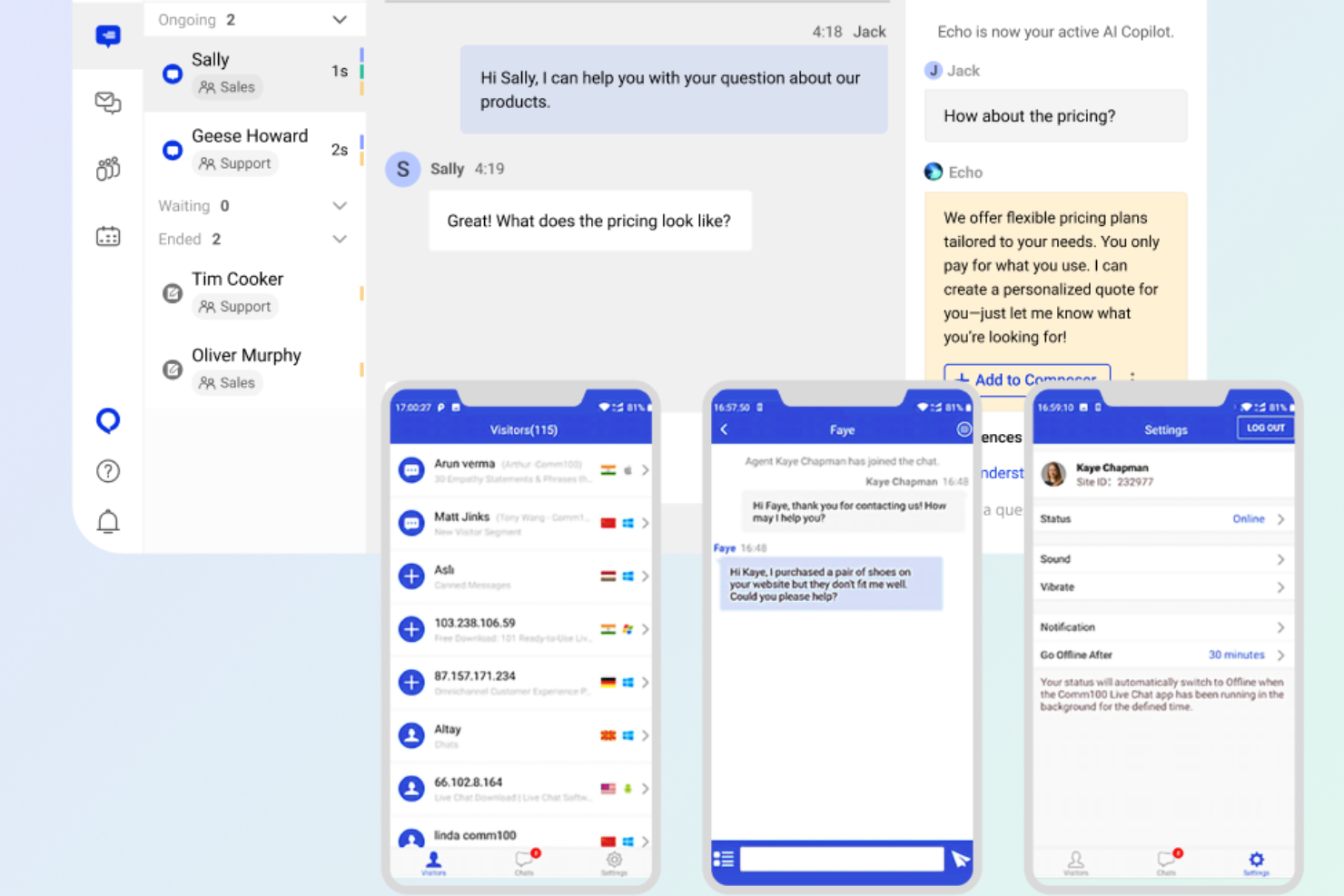
Comm100 offers real-time chat capabilities, letting your team engage with customers instantly. Its user-friendly interface makes handling multiple chats simple.
Comprehensive Security Compliance
Comm100 is compliant with SOC 2 Type II, PIPEDA, ISO 27001, FERPA, HIPAA, and PCI DSS. This ensures that sensitive customer data is handled in accordance with industry standards.
Omnichannel Support
Your team can manage interactions across various channels like email, social media, and chat, all in one place. This helps teams maintain consistent customer experiences.
Secure Messaging
Comm100 provides encrypted messaging options, which are crucial for high-stakes industries like finance and healthcare. The platform is also committed to keeping customer data private and secure.
Ticket Management
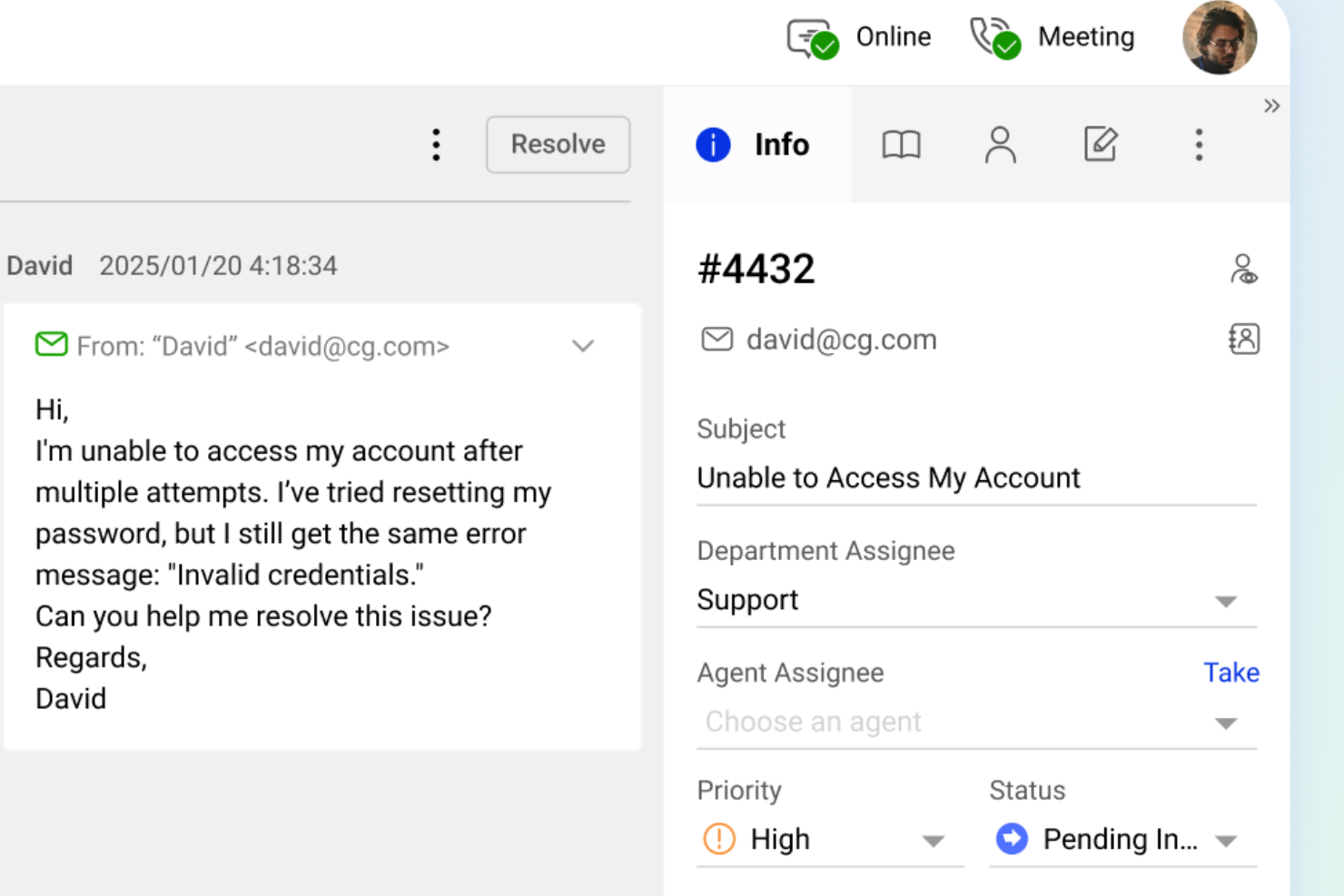
Organize customer queries efficiently with a powerful ticketing system. This helps your team track and resolve issues quickly.
Analytics, Metrics, and Reporting
Gain insights into agent performance and customer interactions. This data can then be used to improve quality of service, optimize processes, and make informed decisions.
On-Premise Deployment
Comm100 offers on-premise deployment for organizations that require complete control over their data, giving your team full ownership and peace of mind when it comes to security and compliance.
Standout Features
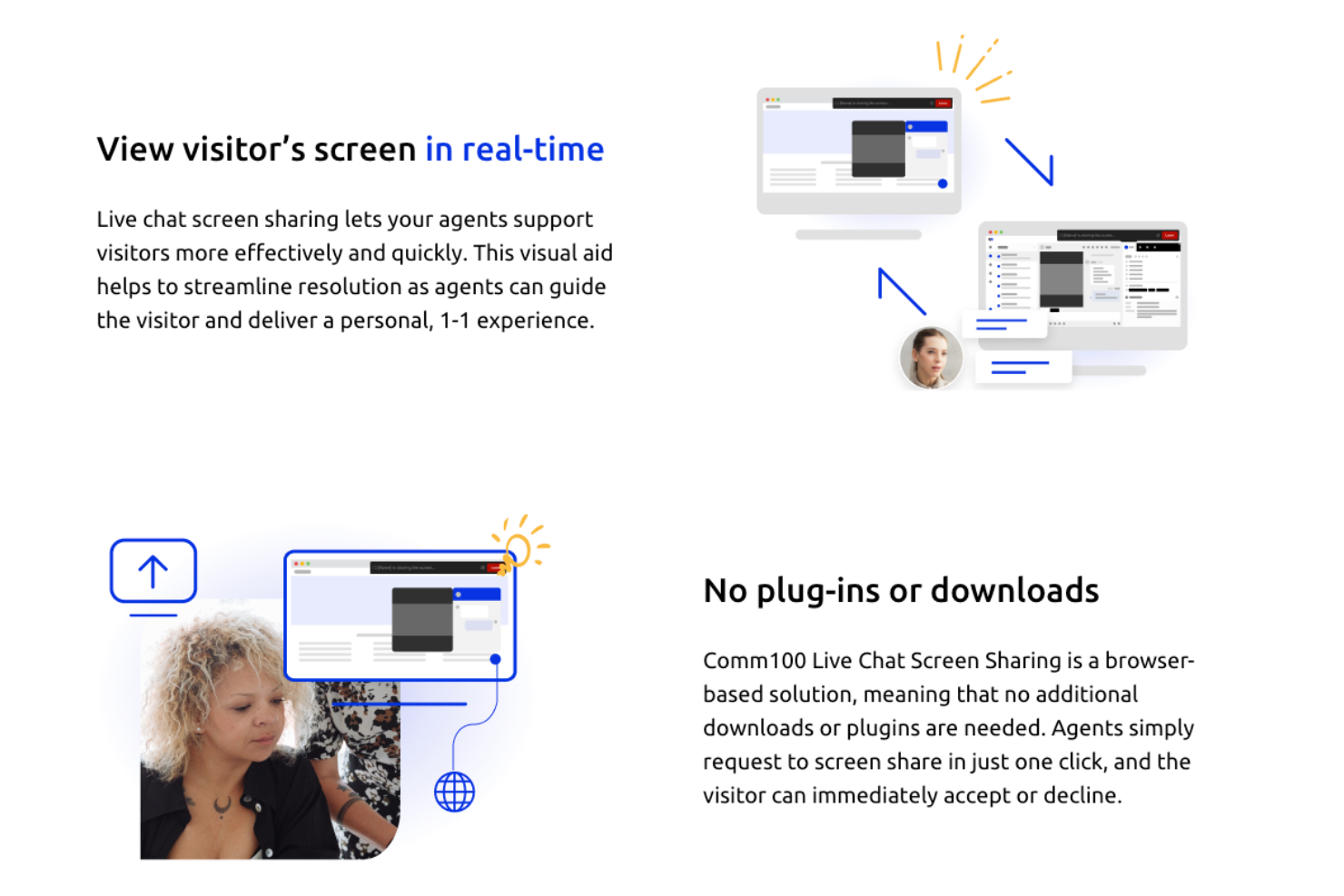
Live Chat Screen Sharing
This feature lets your team assist customers by navigating their screens directly, enhancing problem-solving with hands-on help.
Extensive AI Suite
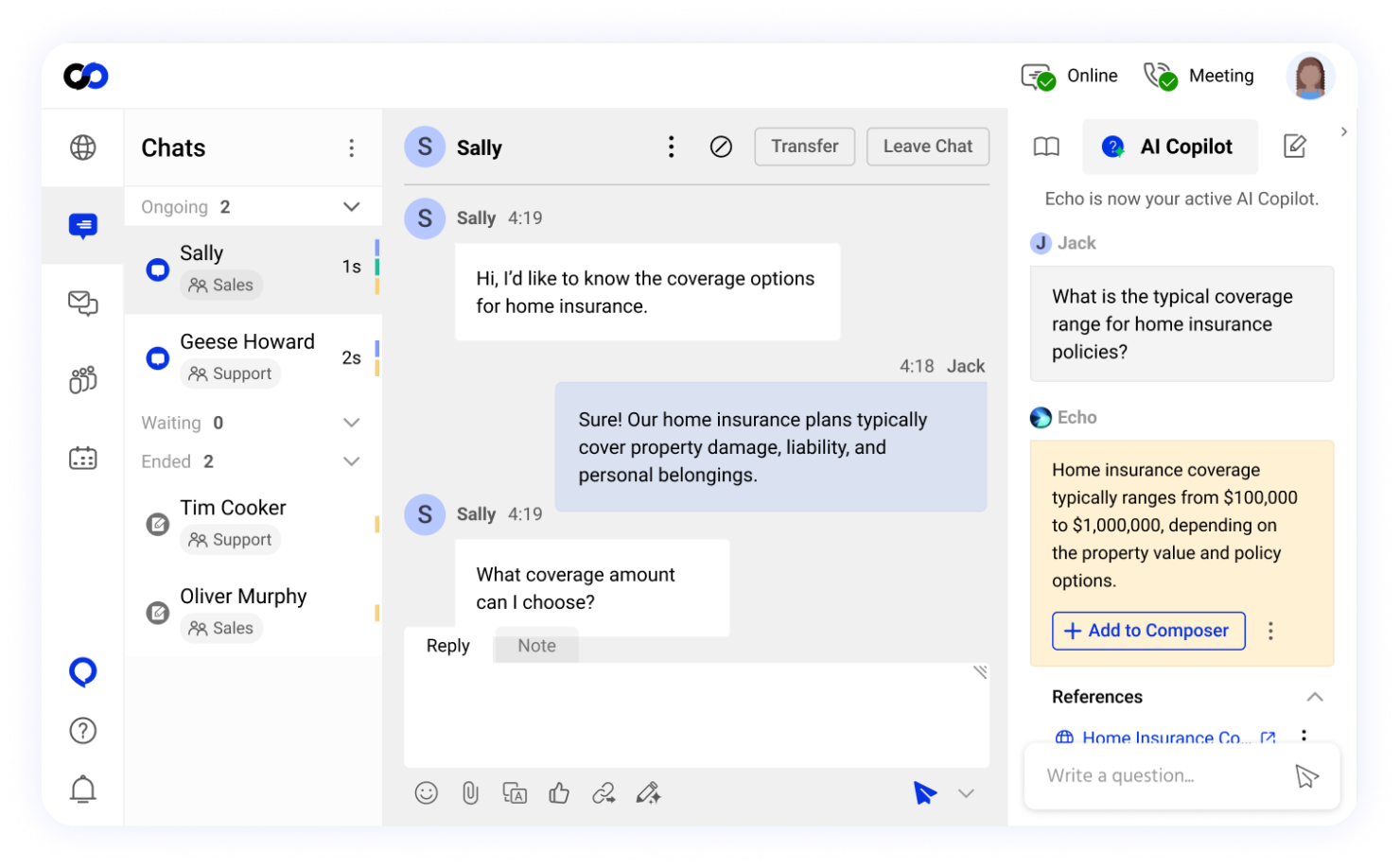
Comm100 offers an extensive AI suite of optional add-ons, including AI Copilot, AI Insights, AI Knowledge, AI Training, and AI Quality Assurance, that extend the platform's functionality.
Ease of Use
I find Comm100's interface clean and intuitive, making day-to-day customer interaction management straightforward with clear dashboard navigation and quick access to essential features like live chat and ticket management. With that said, teams should expect an initial learning curve and some training investment to fully leverage its capabilities at scale.
Onboarding
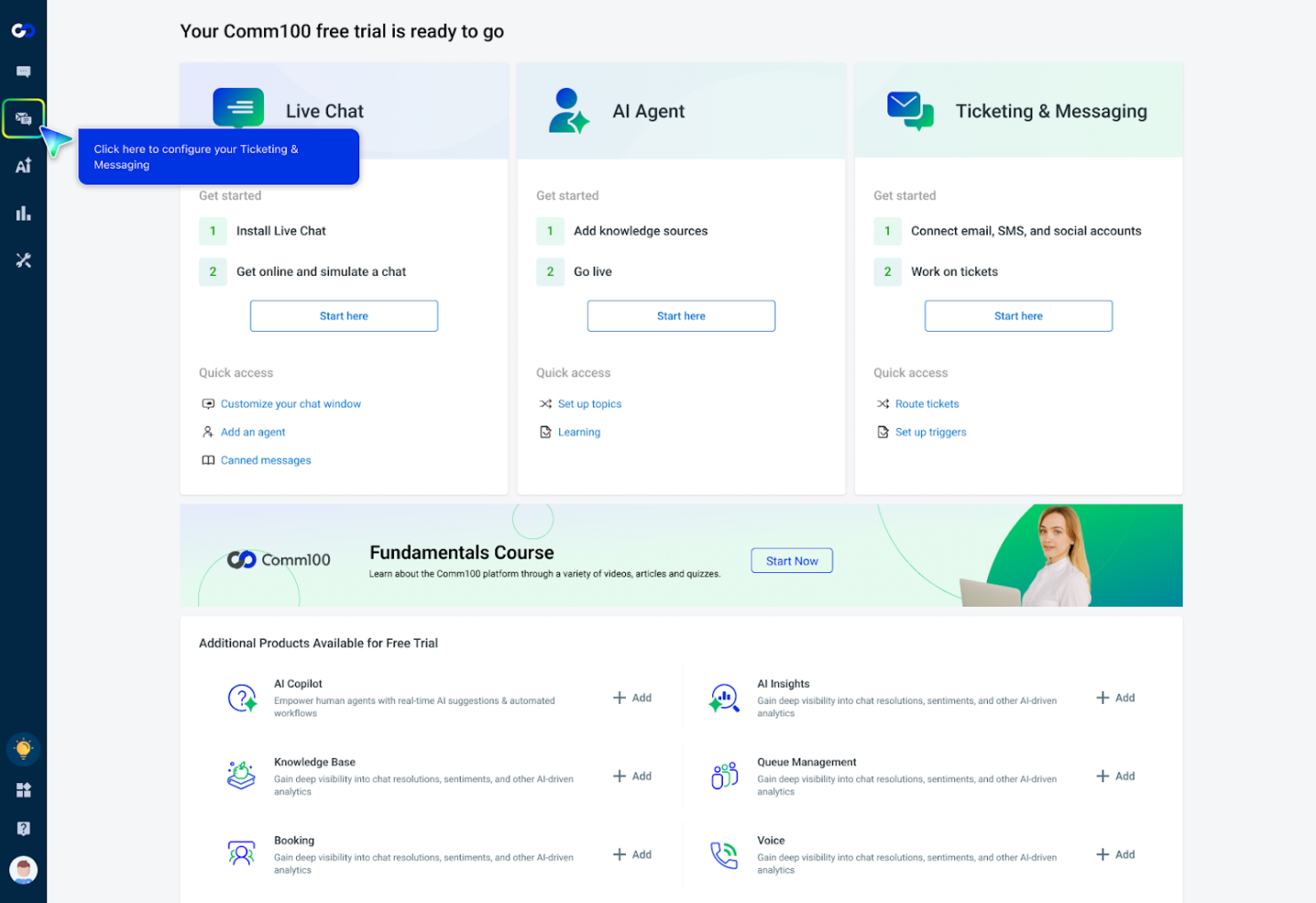
Comm100's onboarding process is well-supported with a comprehensive knowledge base, detailed guides, and webinars. For teams that need a more guided approach, their onboarding team is also available to schedule detailed training sessions tailored to your specific setup and requirements. While the transition may take some time depending on the complexity of your implementation, these resources go a long way in ensuring your team can get up to speed efficiently and start seeing real value from the platform as familiarity grows.
Customer Support
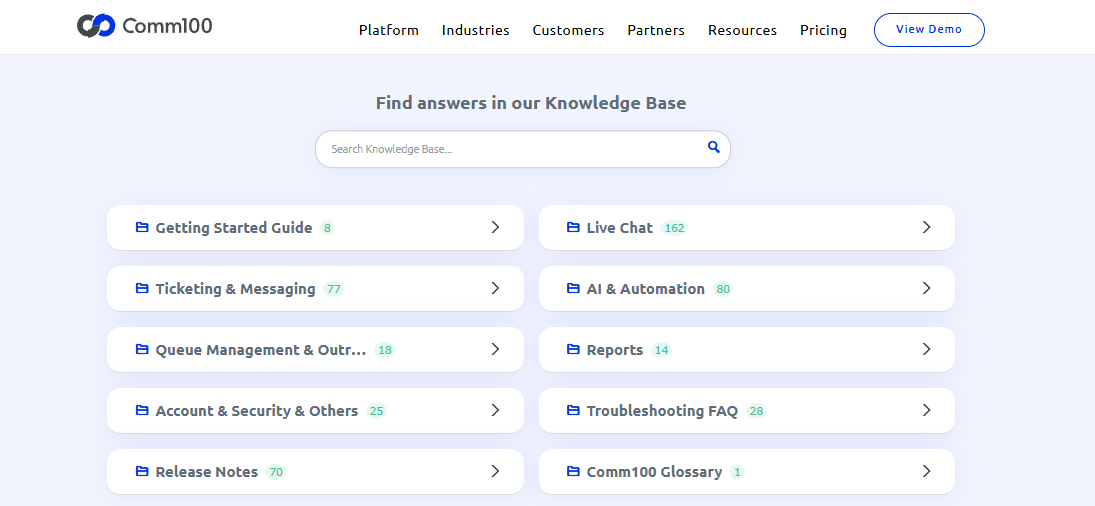
Comm100 provides a reliable customer support help desk, which users appreciate for its responsiveness and helpfulness. Your team can reach out through multiple channels, including live chat and email, so you’ll always receive quick resolutions to any issues. The availability of 24/7 support means your team won't be left waiting for assistance. And the comprehensive knowledge base and tutorials further empower you to solve problems independently, enhancing your overall experience with the platform.
Integrations
Comm100 integrates with Salesforce, Zendesk, Shopify, Calendly, Zapier, Telegram, WhatsApp, X (formerly Twitter), Facebook, Instagram, and Google Analytics, among others.
Comm100 also provides an API, allowing for custom integrations and connections with third-party integration tools.

Value for Money
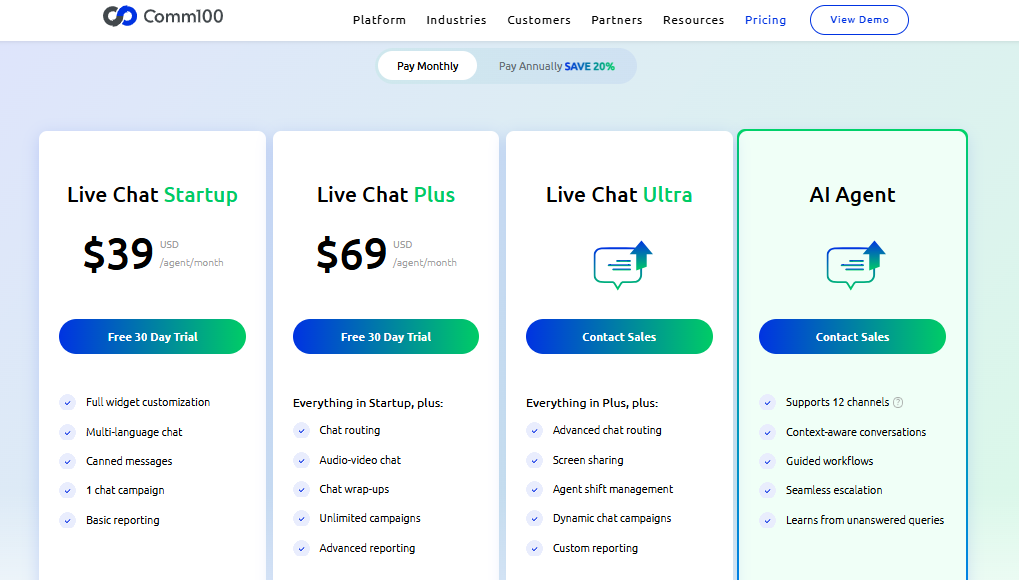
Comm100 pricing offers a range of plans and add-ons that cater to different business needs, but it might seem pricey for small teams. The advanced features in higher tiers provide significant value, especially for larger enterprises needing more extensive customer service tools. A free trial is available, letting your team evaluate the software before committing to a paid plan.
Here are a few examples of Comm100’s pricing plans:
- Live Chat Startup: Basic features like canned messages and widget customization.
- Live Chat Plus: Includes chat routing and advanced reporting.
- Live Chat Ultra: Advanced features, like screen sharing, and add-ons, pricing on request.
- AI Agent: Supports multiple channels, pricing on inquiry.
- AI Features: Each AI feature can be billed separately, like the AI Copilot, AI Insights, AI Knowledge, AI Quality Assurance, and AI Training.
- Add-Ons: Billed separately for each option, like the knowledge base, queue management, voice, booking tools, and personalized support.
Comm100 Specs
- API
- Batch Permissions & Access
- Call Logging
- Call Monitoring
- Chat
- Click-to-Dial
- Contact Management
- Customer Management
- Customer Service
- Dashboard
- Data Export
- Data Import
- Email Integration
- Escalation Management
- External Integrations
- Feedback Management
- Google Apps Integration
- Instant Chat Integration
- Knowledge Base
- Lead Management
- Lead Scoring
- Marketing Automation
- Multi-User
- Notifications
- Self-service Portal
- Workflow Management
Comm100 FAQs
Is there a mobile app for Comm100?
How does Comm100 handle data security and compliance?
What kind of training and resources does Comm100 offer?
How does Comm100 support multi-channel customer communication?
Can Comm100 support a growing team?
How reliable is Comm100's uptime?
How does Comm100 handle high volumes of customer interactions?
How customizable is Comm100?
Comm100 Company Overview & History
Comm100, founded in 2009, is headquartered in Vancouver, Canada, and specializes in customer engagement solutions. It offers products like live support software and email management tools, facilitating over 223 million customer conversations each year worldwide.
Known for its innovation in customer service technologies, Comm100 has integrated AI to enhance customer interactions across various industries, including banking, healthcare, and education. The company emphasizes data security and compliance, and is committed to providing secure, reliable service for all customers.
Comm100 Major Milestones
- 2009: Founded and launched its first product, Comm100 Live Chat.
- 2011: Transitioned from offering free services to a paid model.
- 2017: Launched first AI-powered bot.
- 2019: Celebrated 10 years of innovation in customer engagement and chat solutions.
- 2024: Received the 2024 CRM Excellence Award, presented by Customer Magazine.
- 2025: Launched the full AI suite to empower AI driven customer service and support operations.