


Freshdesk vs. monday service: Comparison & Expert Reviews For 2026

We review tools independently, and commissions help fund our testing. See our transparency policy, our methodology, or suggest a tool.
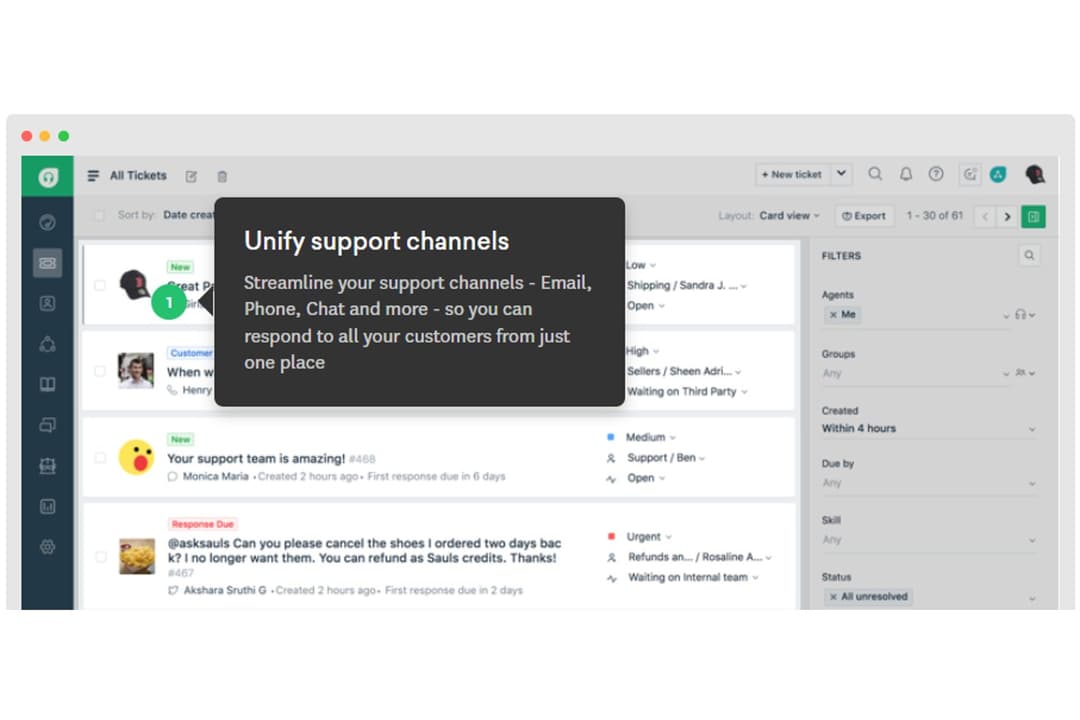
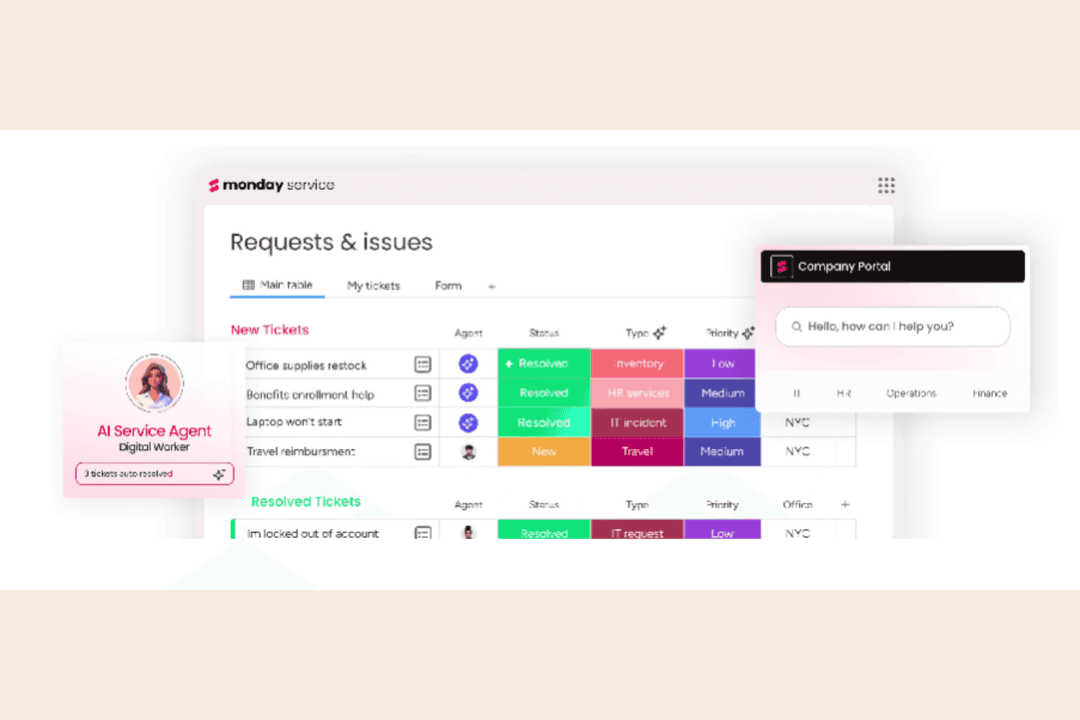
Freshdesk is a customer service management platform built by Freshworks to help support teams scale fast without sacrificing quality. monday service is a flexible service management tool by monday.com, designed to bring structure and visibility to internal and external support work. While both aim to simplify service operations, Freshdesk focuses more on traditional ticketing and customer interactions, whereas monday service leans into customizable workflows and team-wide collaboration.
In this article, you'll find a detailed comparison of these tools, examining their features, pros and cons, pricing, and more, to help you choose the right service management software for your needs.
Freshdesk

4.4/5
- 14-day free trial
- From $19/user/month (billed annually)
monday service
4.6/5
- 14-day free trial
- From $9/seat/month (billed annually)
Why Trust Our Software Recommendations
6,700+
Reviews
20
Industry experts
16+
Evaluation factors
14
Years
Our team has been testing and reviewing software since 2012. As CX leaders ourselves, we know how difficult—and important—it is to choose the right software.
For this guide, we evaluated tools using hands-on testing and independent research, scoring tools using our selection criteria.
Our reviews reflect our human editorial judgment, not a sales pitch.
 Gui DrusinaCreative Director
 Tim FisherVP of AI
| Freshdesk | monday service | |
|---|---|---|
| Free Trial | 14-day free trial | 14-day free trial |
| Pricing | From $19/user/month (billed annually) | From $9/seat/month (billed annually) |
Freshdesk vs. monday service Pricing & Hidden Costs
The Freshdesk pricing model is tiered by features and user seats, with optional add-ons like bots, analytics, or field service modules that can drive up total cost. The monday service pricing structure is also tiered by features and user count, but adds cost based on how much customization or automation your workflows need.
To pick the right option, first map your team’s actual workflows to what’s included at each tier. Then factor in the add-ons you’d need to replicate your current processes without hacks or workarounds.
Freshdesk’s automated ticket routing lets you triage high volumes of inbound requests fast, which is especially helpful when your team’s juggling multiple queues or SLAs. monday service’s customizable workflows are great for managing cross-functional requests, like when IT and CX need to coordinate on internal support. Both tools help you stay organized, but one leans into speed and structure, while the other flexes around your process.
| Freshdesk | monday service | |
|---|---|---|
| Analytics | Yes | Yes |
| API | Yes | Yes |
| Call Integration | Yes | No |
| Chat | Yes | No |
| Contact Management | Yes | Yes |
| CRM Integration | Yes | No |
| Customer Management | Yes | Yes |
| Dashboard | Yes | Yes |
| Data Export | Yes | Yes |
| Data Import | Yes | Yes |
| Data Visualization | Yes | Yes |
| Email Integration | Yes | No |
| External Integrations | Yes | Yes |
| Instant Chat Integration | Yes | No |
| Knowledge Base | Yes | Yes |
| Lead Management | No | No |
| Lead Scoring | No | No |
| Multi-User | Yes | No |
| Notifications | Yes | Yes |
| Real-time Alerts | Yes | Yes |
| Scheduling | Yes | Yes |
| Self-service Portal | Yes | Yes |
| Social Media Integration | Yes | No |
| Support Forum | Yes | No |
| Ticket Management | Yes | Yes |
| Workflow Management | Yes | Yes |
| Integration | Freshdesk | monday service |
| Slack | ✅ | ✅ |
| Salesforce | ✅ | ✅ |
| Google Workspace | ✅ | ✅ |
| Microsoft Teams | ✅ | ✅ |
| HubSpot | ✅ | ✅ |
| Shopify | ✅ | ❌ |
| Zendesk | ❌ | ✅ |
| Trello | ✅ | ✅ |
| Asana | ❌ | ✅ |
| Zoom | ✅ | ❌ |
| ServiceNow | ❌ | ✅ |
| API | ✅ | ✅ |
| Zapier | ✅ | ✅ |
Freshdesk’s integration with Shopify lets you see order and customer data right inside support tickets. This is super useful when your team’s managing ecommerce support and needs answers fast.
monday service’s native link to ServiceNow is great for teams juggling internal IT requests alongside external customer issues. Both support broad ecosystems, but the right fit depends on which systems your team already lives in.
| Factor | Freshdesk | monday service |
| Data Encryption | Uses TLS 1.2 and AES-256 encryption for data in transit and at rest. | Uses TLS and AES-256 encryption for all customer and internal data, ensuring robust encryption. |
| Regulatory Compliance | Supports GDPR, SOC 2 Type II, and ISO/IEC 27001 across all plans. | Complies with GDPR, HIPAA, SOC 2 Type II, and ISO/IEC 27001 standards. |
| Uptime Reliability | Offers 99.5% uptime SLA with real-time status monitoring. | monday service guarantees 99.9% uptime SLA with a dedicated trust center and monitoring. |
| Role-based Access | Lets admins set granular agent roles, groups, and permission levels. | Offers custom roles, access controls, and audit logs across workspaces. |
| Data Residency | Lets you choose regional data centers, including US, EU, and APAC. | Supports regional hosting, including EU and US, based on plan level. |
monday service edges ahead on compliance breadth and uptime guarantees, while Freshdesk covers the essentials well for most support teams. To decide what matters, look at your customer base, audit exposure, and specific regulatory needs. Then evaluate each platform's security certifications and compliance documentation carefully and dig into trust centers, SLA terms, and role permission options before making the call.
| Factor | Freshdesk | monday service |
| User Interface | Freshdesk offers a clean, intuitive UI with easy navigation through a centralized dashboard. | monday service provides a visually dynamic interface with customizable dashboards and drag-and-drop features. |
| Onboarding | Quick setup with guided steps and pre-built workflows for common use cases. | Offers an interactive onboarding checklist, a self-service knowledge base, FAQs, and video tutorials to help you get started quickly. |
| Admin Controls | Straightforward admin panel for managing users, roles, and automation rules. | Highly customizable but takes time to learn. |
| Setup Process | Freshdesk allows for straightforward setup with pre-configured templates for various industries. | monday service enables easy setup with customizable templates and extensive automation options. |
| Customer Support | Freshdesk includes 24/7 support with live chat and a comprehensive help center. | monday service offers omnichannel support with live chat, email, and an AI chatbot for faster response times. |
| Learning Curve | Minimal training needed for basic use, especially for support-first teams. | Steeper learning curve due to broader use cases and flexible architecture. |
Freshdesk's intuitive interface makes it easy to manage customer support tasks, but its setup process might be less flexible compared to monday service. monday service shines with its customizable dashboards and automation features, though its learning curve can be steeper for new users.
Freshdesk
- Omnichannel ticketing includes email, chat, phone, and social.
- AI tools assist agents with suggestions and insights.
- Easy-to-use interface with minimal training required.
- Reporting dashboards offer limited customization options.
- Mobile app lacks features available on desktop.
- Most AI features are limited to higher-tier plans.
monday service
- You can easily customize workflows to fit your team's processes.
- The user interface is intuitive, and the unified workspace enhances collaboration.
- AI automation of routine ticketing tasks can improve your team’s response time.
- You might find the initial setup a bit complex if you're new to such tools.
- Advanced features might require a bit of a learning curve for your team.
- ITSM modules are only available in the Enterprise plan.
Freshdesk
- Ecommerce Support TeamsFreshdesk’s omnichannel ticketing helps manage inquiries from multiple sales channels, marketplaces, and order-related customer requests efficiently.
- SaaS StartupsAffordable plans (including a free one), AI tools, and easy setup suit fast-growing, resource-limited teams needing scalable customer support infrastructure.
- Retail Customer ServicePhone, chat, and messaging integrations through the Freshworks platform support high-volume customer requests across multiple locations.
- Managed Service Providers (MSPs)MSPs can track client issues, prioritize requests, and automate routing across different technical support teams.
- IT Help DesksAutomated ticket routing, SLAs, and knowledge base features streamline internal service requests and improve resolution times.
- Travel and Hospitality Support TeamsHotels, airlines, and travel agencies can manage booking questions, cancellations, and service requests across multiple communication channels.
monday service
- Customer Support TeamsYou can track tickets, prioritize requests, and measure SLAs with workflows tailored to how your team actually works.
- Professional ServicesYou can manage service delivery and client support with full visibility across timelines, ownership, and communication.
- SMB Support OrganizationsIt’s great if you’re scaling fast and need structure without the complexity (or cost) of legacy support platforms.
- B2B SaaS CompaniesYou can integrate product, success, and support teams so customer issues don’t fall through the cracks.
- Non-Tech Service TeamsWith its no-code interface, anyone can build and update workflows without waiting on IT or developers.
- Support Operations LeadersYou get real-time dashboards and performance tracking to manage teams, surface bottlenecks, and improve service quality.
Who Should Use Freshdesk, and Who Should Use monday service?
In my opinion, Freshdesk makes sense for businesses of all sizes that need fast, structured ticketing and built-in support workflows. It’s great if your team handles a high volume of external requests and wants something ready to go.
monday service feels better suited for internal service team members or cross-functional operations that need visibility across departments and flexibility to customize ticket management workflows. If your work touches multiple teams or you’ve got complex internal processes, I’d go with monday service.
| Freshdesk | monday service | |
|---|---|---|
| Automation Tools | Freshdesk Traditional help desk software layout focused on agents and ticket volume. | monday service Offers extensive AI-powered automation options for ticketing boards and workflows. |
| Pricing | Freshdesk Tiered by features and add-ons; support-first pricing model. | monday service Tiered by users and features; designed for wider team usage. |
| Ticketing Approach | Freshdesk Built for external customer support with structured queues and SLAs. | monday service More flexible, supports both internal and external service requests. |
| User Interface | Freshdesk Provides a clean, centralized dashboard for easy navigation. | monday service Features a visually dynamic user-friendly interface with drag-and-drop functionality for task management. |
| Workflow Setup | Freshdesk Comes with ready-to-use support workflows and quick-start guides. | monday service Requires manual setup but gives more control over every step. |
| Automation Options | Each lets you automate ticket routing and updates; Freshdesk is faster out of the box, monday service is a more flexible ticketing system with AI-powered rules. |
|---|---|
| Cloud-Based Setup | Both are SaaS platforms with no hosting required, quick to deploy, and easy to update. |
| Integrations | Both connect with tools like Slack, Salesforce, and Zapier, and can connect to uncommon CRMs and platforms using APIs to fit into your stack. |
| Multichannel Support | Both handle email, chat, and form-based requests; Freshdesk adds voice, monday service integrates channels and offers a self-service portal. |
| Role-Based Access | You can manage team permissions and restrict access in both tools, though monday service gives more granularity in its Enterprise plan. |