


Freshdesk vs. Zoho Desk: Detailed Comparison and Expert Reviews for 2026


Choosing a help desk platform is about finding a system that actually makes your support team’s life easier. If you’re comparing Freshdesk vs. Zoho Desk, you’re probably trying to balance automation with affordability, ease of use with customization, and AI capabilities with real-world practicality. Maybe your current software feels clunky, too expensive, or not powerful enough as your team grows. Or maybe you’re starting fresh and want to avoid choosing the wrong platform the first time.
In this guide, you’ll get a side-by-side look at Freshdesk and Zoho Desk’s features, pricing, and use cases, so you can confidently choose the right fit for your goals.
Freshdesk vs. Zoho Desk: An Overview
Freshdesk
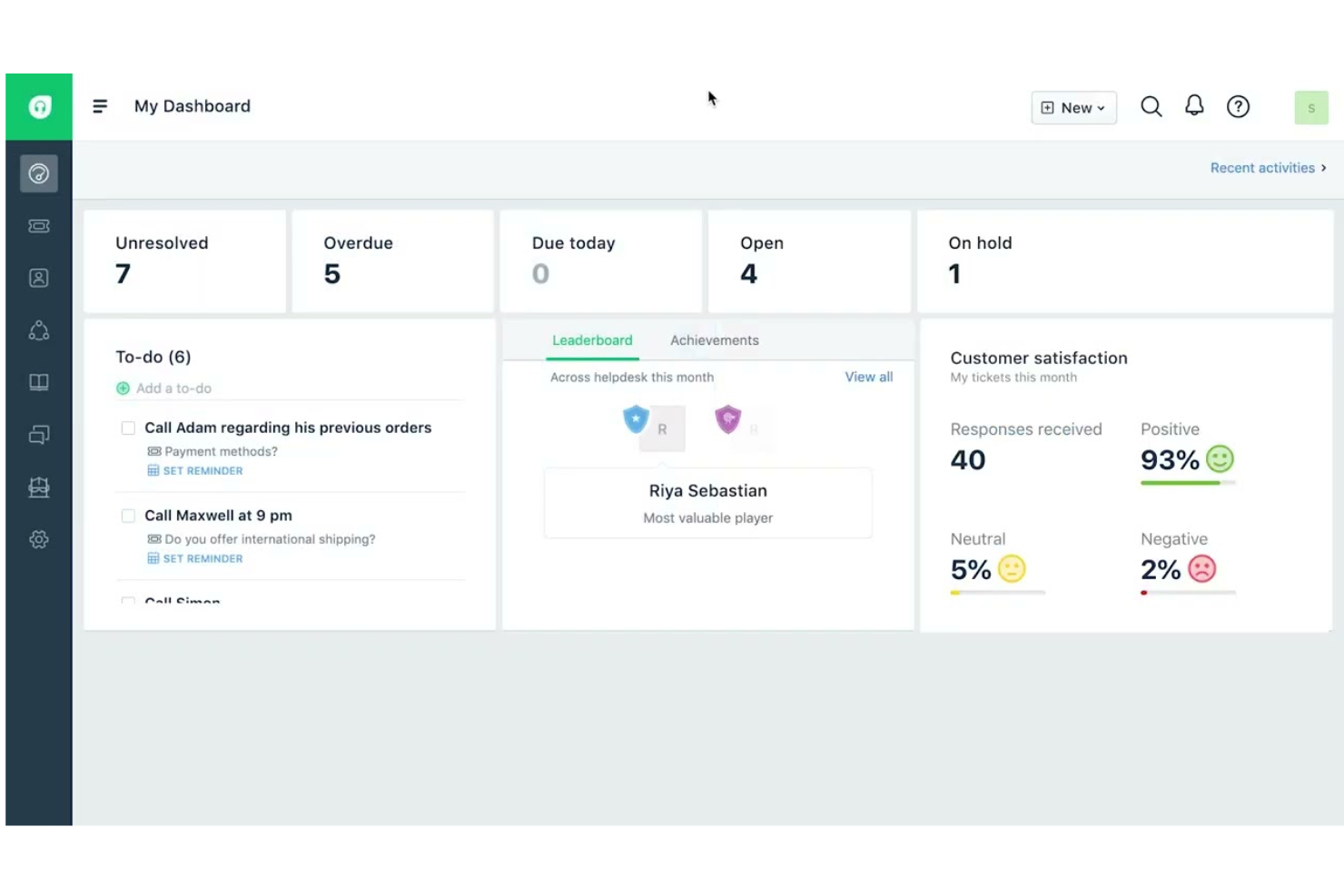


Zoho Desk

Why Trust Our Software Reviews
Freshdesk vs. Zoho Desk Pricing Comparison
| Freshdesk | Zoho Desk | |
|---|---|---|
| Free Trial | Free demo + 14-day free trial available | 15-day free trial + free plan |
| Pricing | From $19/user/month (billed annually) | From $7/user/month (billed annually) |
Freshdesk vs. Zoho Desk Pricing & Hidden Costs
Freshdesk’s pricing is structured around tiered plans that increase in capability — from basic help desk features to advanced AI and automation. While core ticketing and support tools are included in each plan, powerful AI features like Freddy AI Agents and expanded Freddy Copilot sessions may come with usage limits or additional charges, which can add to your bill as your support volume grows.
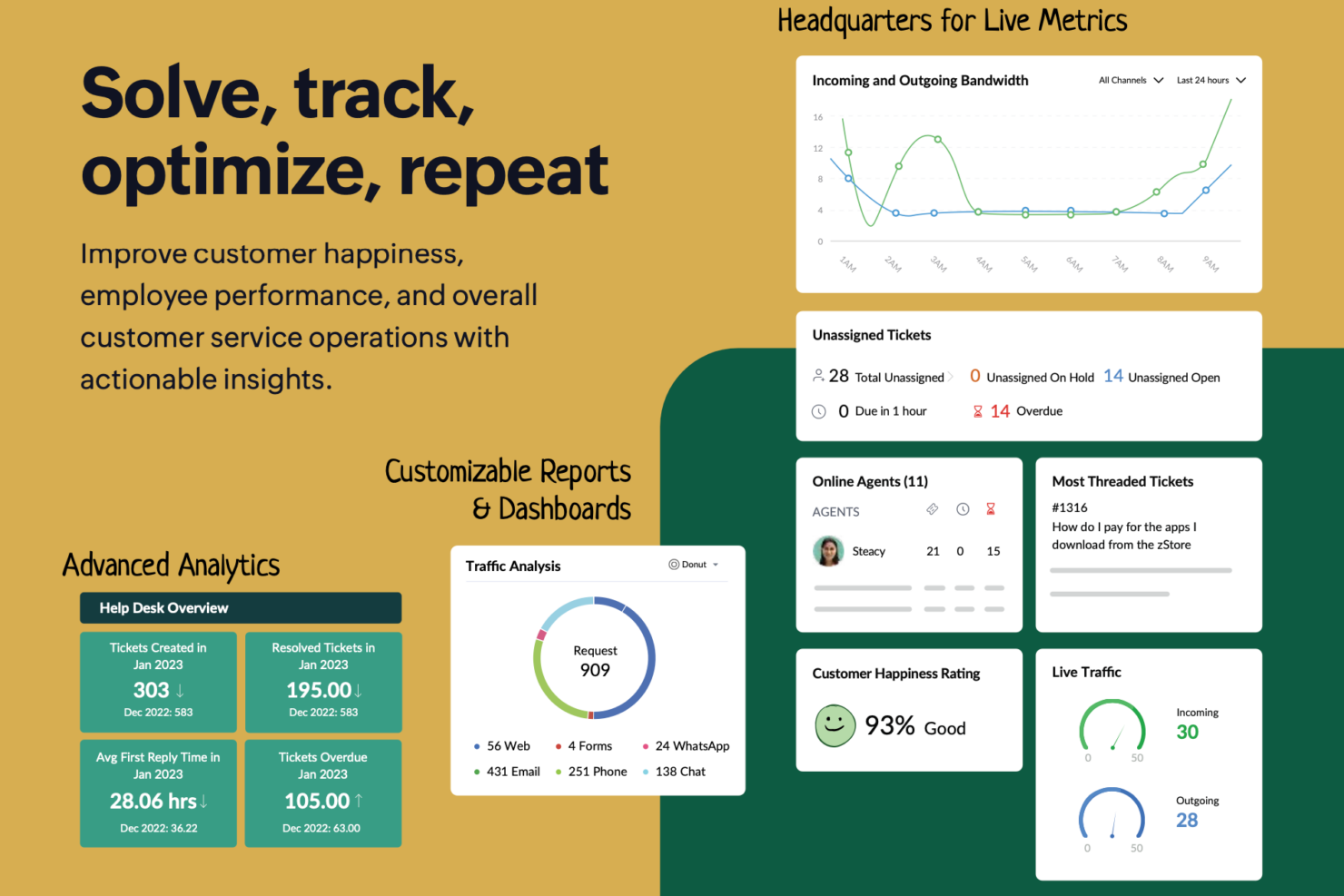
Zoho Desk also uses a tiered pricing model, starting with a free forever plan for small teams and progressively adding more features at each paid level. Most core capabilities — including omnichannel support, automation, and analytics — are bundled into the standard paid plans. However, some advanced tools, such as AI Agents, Answer Bot, multi-brand help centers, and sandbox environments, are reserved for higher tiers.
Freshdesk vs. Zoho Desk Feature Comparison
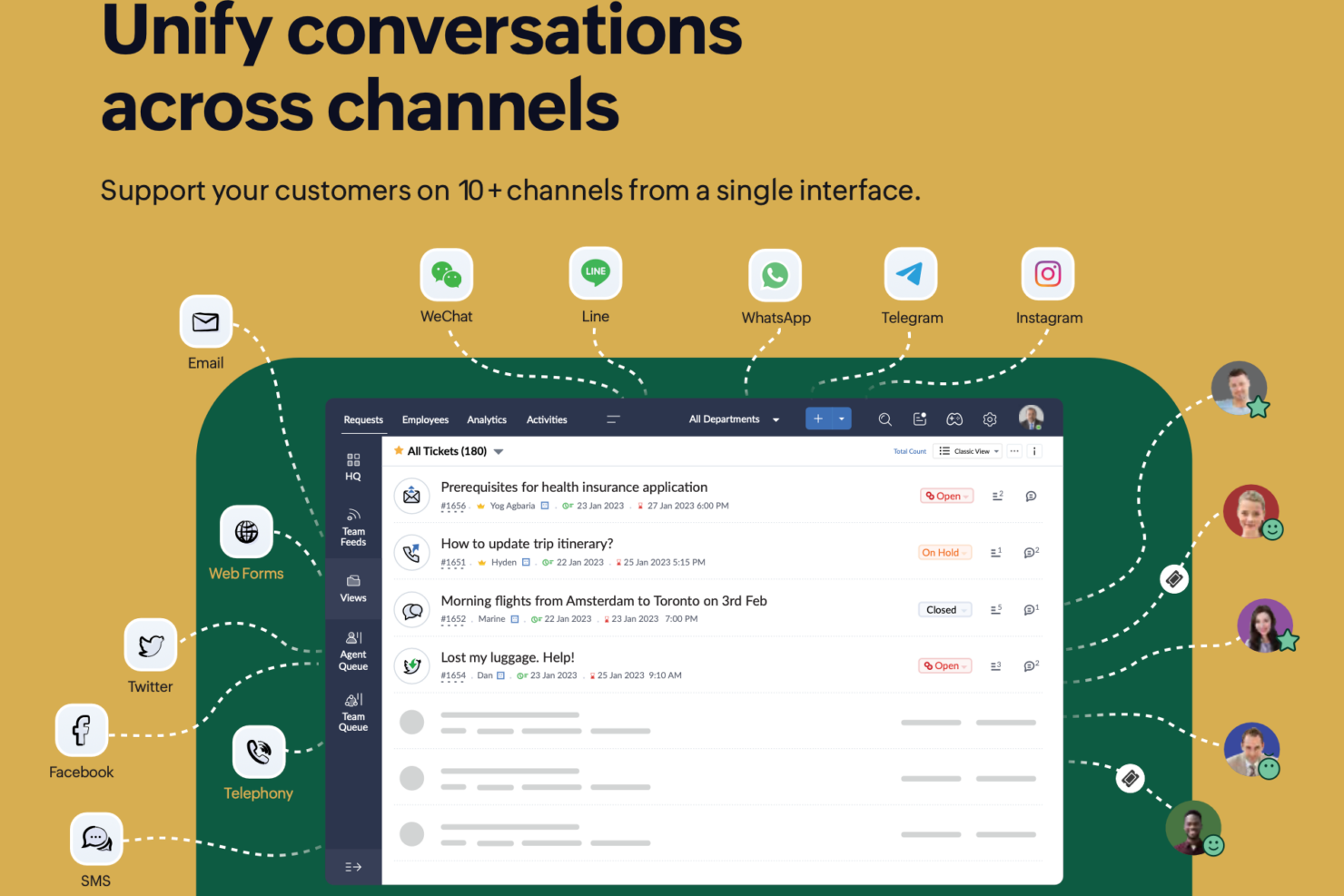
Both Freshdesk and Zoho Desk cover the essentials you’d expect from a modern help desk platform — omnichannel ticketing, automation and workflows, self-service knowledge bases, reporting and analytics, and AI-assisted responses — making them capable choices for teams looking to deliver consistent customer support.
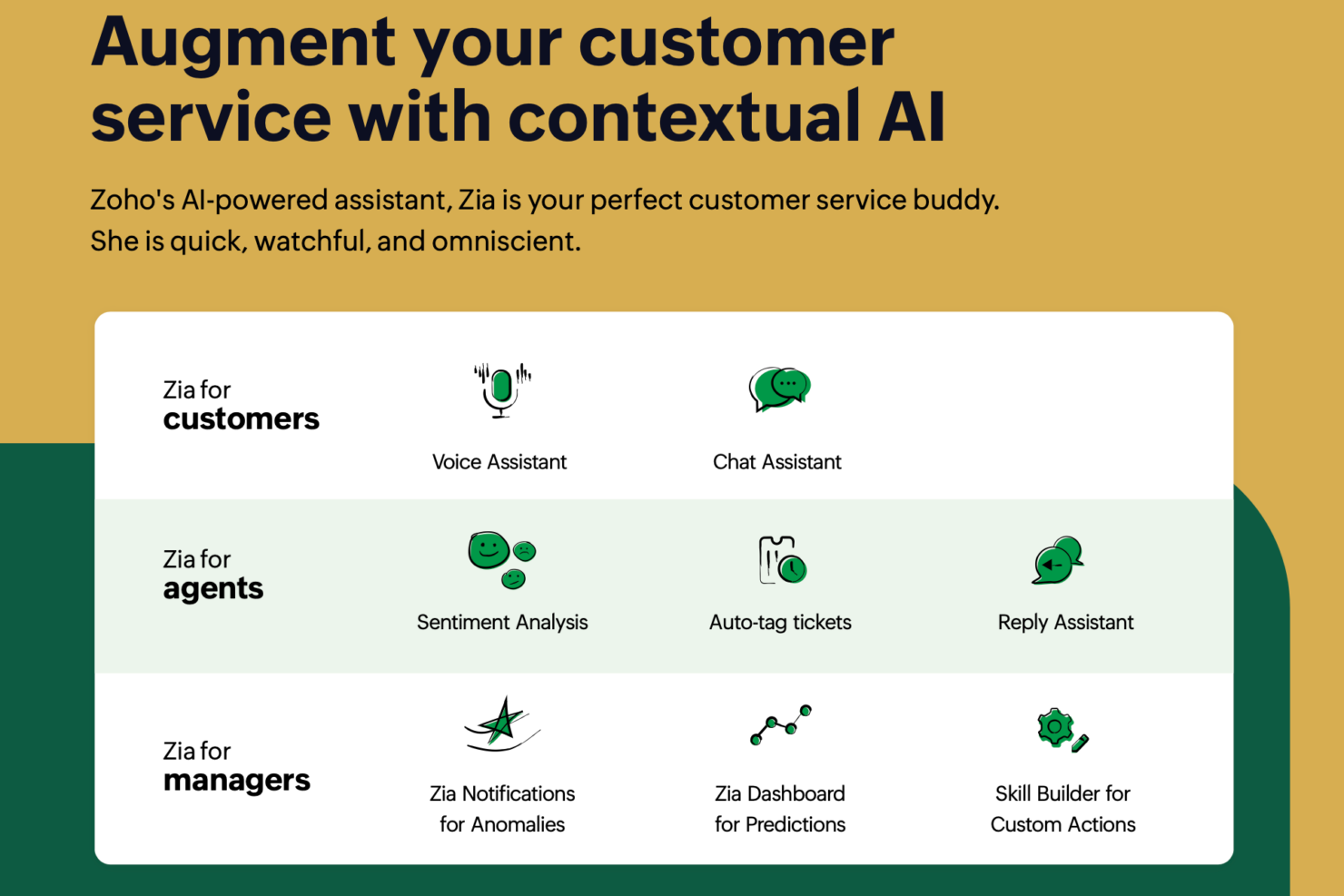
Freshdesk stands out with its Freddy AI suite that includes advanced Copilot assistance and ready-to-launch AI agents for automated resolutions, as well as a centralized Command Center that brings all channels and insights into a single workspace. Zoho Desk provides Zia’s predictive intelligence and Answer Bot, deep customization tools like blueprints and custom modules, and a privacy-focused approach with transparent pricing and extensive multilingual support.
| Freshdesk | Zoho Desk | |
|---|---|---|
| API | ||
| Analytics | ||
| Batch Permissions & Access | ||
| CRM Integration | ||
| Call Integration | ||
| Chat | ||
| Contact Management | ||
| Contact Sharing | ||
| Customer Management | ||
| Customer Service | ||
| Dashboard | ||
| Data Export | ||
| Data Import | ||
| Data Visualization | ||
| Email Integration | ||
| Escalation Management | ||
| External Integrations | ||
| Instant Chat Integration | ||
| Knowledge Base | ||
| Lead Management | ||
| Lead Scoring | ||
| Multi-User | ||
| Notifications | ||
| Real-time Alerts | ||
| Scheduling | ||
| Self-service Portal | ||
| Social Media Integration | ||
| Support Forum | ||
| Third-Party Plugins/Add-Ons | ||
| Ticket Management | ||
| Workflow Management |
Freshdesk vs. Zoho Desk Integrations
| Integration | Freshdesk | Zoho Desk |
| Slack | ✅ | ✅ |
| Salesforce | ✅ | ✅ |
| Microsoft Teams | ✅ | ✅ |
| Shopify | ✅ | ✅ |
| Jira | ✅ | ✅ |
| HubSpot | ✅ | ✅ |
| WhatsApp Business | ✅ | ✅ |
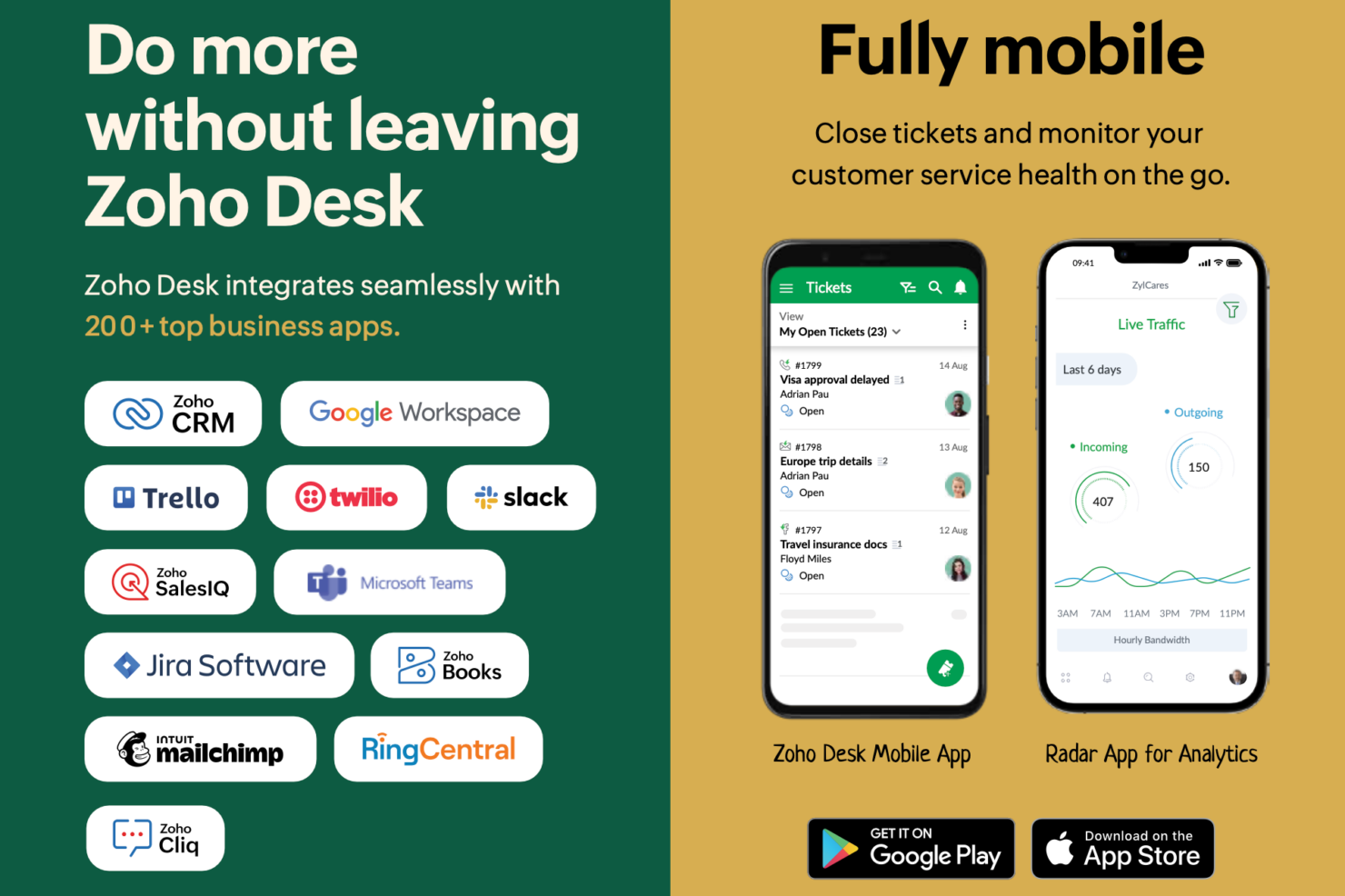
| Zoho CRM | ❌ | ✅ |
| Google Workspace | ✅ | ✅ |
| Mailchimp | ✅ | ✅ |
| API | ✅ | ✅ |
| Zapier | ✅ | ✅ |
Both Freshdesk and Zoho Desk offer broad integration ecosystems, including ecommerce and marketing tools. Freshdesk integrates widely across third-party platforms, while Zoho Desk stands out for its deep, native integration within the Zoho ecosystem.
Freshdesk vs. Zoho Desk Security, Compliance & Reliability
| Factor | Freshdesk | Zoho Desk |
| Data Encryption | Encrypts data in transit and at rest using industry-standard protocols. | Uses SSL/TLS encryption for data in transit and AES-256 for data at rest. |
| Regulatory Compliance | SOC 2 Type II and ISO/IEC 27001:2022 certified, with additional global compliance attestations. | Supports GDPR and SOC 2 compliance, and operates under ISO 27001-certified security standards. |
| Uptime Guarantee | Public Trust Center and status monitoring available; specific SLA percentage not stated in the provided information. | Delivers up to a 99.9% uptime SLA with live service status updates. |
| Access Controls | Role-based permissions and SSO options for secure user management. | Granular role-based access, SSO, and audit logs for user activity. |
Both Freshdesk and Zoho Desk offer strong security foundations, including encryption, role-based access controls, and audit logging. However, Freshdesk publicly lists a broader range of formal certifications and third-party attestations through its Trust Center.
Freshdesk vs. Zoho Desk Ease of Use
| Factor | Freshdesk | Zoho Desk |
| User Interface | Clean, modern dashboard with drag-and-drop ticket management. | Customizable interface with more options but a steeper learning curve. |
| Onboarding | Guided setup and interactive tutorials help new users get started quickly. | Offers onboarding checklists and in-app tips, but setup can feel complex. |
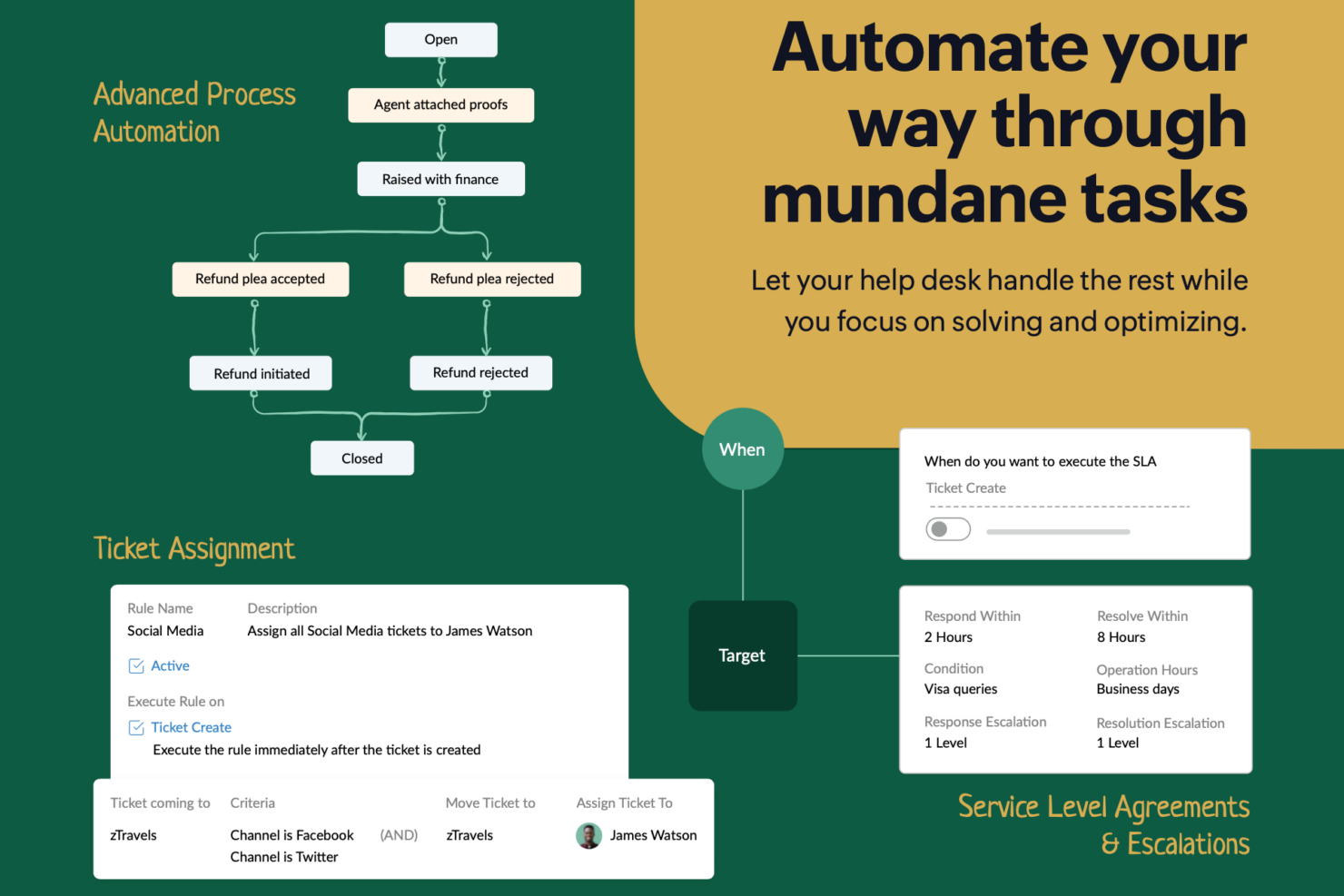
| Customization | Simple to configure basic workflows and automations. | Highly customizable workflows and layouts for advanced users. |
| Mobile Experience | Intuitive mobile app for managing tickets on the go. | Mobile app offers full functionality but can feel crowded. |
| Support Resources | Extensive knowledge base and responsive live chat support. | Detailed help documentation and community forums, with live support available on select plans. |
Freshdesk is easier for new users to pick up, while Zoho Desk rewards those who want to invest time in customization. Freshdesk shines for its intuitive setup and responsive support, while Zoho Desk stands out for flexibility and depth once you’re familiar with the platform.
Freshdesk vs Zoho Desk: Pros & Cons
Freshdesk
- Easy-to-use interface with minimal training required.
- AI tools assist agents with suggestions and insights.
- Omnichannel ticketing includes email, chat, phone, and social.
- Most AI features are limited to higher-tier plans.
- Mobile app lacks features available on desktop.
- Reporting dashboards offer limited customization options.
Zoho Desk
- It offers robust reporting and analytics capabilities.
- The AI assistant, Zia, helps automate ticket management and responses.
- You can easily customize workflows.
- The learning curve can be steep for new users.
- Your team may experience slow customer support response times.
- You may find the user interface a bit outdated.
Best Use Cases for Freshdesk and Zoho Desk
Freshdesk
- Travel and Hospitality Support Teams Hotels, airlines, and travel agencies can manage booking questions, cancellations, and service requests across multiple communication channels.
- IT Help Desks Automated ticket routing, SLAs, and knowledge base features streamline internal service requests and improve resolution times.
- Managed Service Providers (MSPs) MSPs can track client issues, prioritize requests, and automate routing across different technical support teams.
- Retail Customer Service Phone, chat, and messaging integrations through the Freshworks platform support high-volume customer requests across multiple locations.
- SaaS Startups Affordable plans (including a free one), AI tools, and easy setup suit fast-growing, resource-limited teams needing scalable customer support infrastructure.
- Ecommerce Support Teams Freshdesk’s omnichannel ticketing helps manage inquiries from multiple sales channels, marketplaces, and order-related customer requests efficiently.
Zoho Desk
- Educational Institutions Schools and universities with specific needs for student interaction and engagement may not benefit from Zoho Desk's customer service focus.
- E-Commerce Efficient support ticket management tools help you handle high volumes of customer inquiries, improving response times.
- Customer Support Teams The automation features reduce repetitive tasks, allowing your team to focus on complex customer issues.
- Startups The platform's scalability ensures that it grows with your business, providing essential tools as your needs evolve.
- Education Sector Zoho Desk's self-service options allow students and faculty to find answers quickly without waiting for support.
- Retail Industry With omnichannel support, you can handle customer queries from all platforms, ensuring consistent service.
- Small Businesses Zoho Desk's affordability, usability, and comprehensive feature set make it ideal for managing customer support without breaking the bank.
Who Should Use Freshdesk, and Who Should Use Zoho Desk?
Freshdesk is a strong choice for teams that want AI-driven automation and centralized visibility, especially if you plan to leverage advanced AI agents and a unified workspace to streamline high-volume support across channels. It suits organizations that prioritize fast, automated resolutions, powerful AI tools, and a single command center for oversight.
Zoho Desk, on the other hand, is ideal for teams that value flexibility, transparency, and customization, particularly small to mid-sized businesses or those already invested in the Zoho ecosystem. It works well for support organizations that want broad channel support, deep configurability (like blueprints and custom modules), and predictable pricing without hidden fees, while still benefiting from capable AI assistance and strong privacy controls.
Differences Between Freshdesk and Zoho Desk
| Freshdesk | Zoho Desk | |
|---|---|---|
| Automation | Built-in automation is easy to set up and use out of the box. | Automation is highly customizable for complex workflows. |
| CRM Integrations | Integrates with many CRMs, but not with a native CRM. | Deep, native integration with Zoho CRM by default. |
| Customization | Balanced customization with a focus on ease of setup. | Deep customization for fields, layouts, and processes. |
| Free Plan Limits | Free program limited to ~1–2 agents temporarily or short-term trial. | Free-forever plan supports up to 3 users with basic ticketing. |
| User Interface | Modern, intuitive, and beginner-friendly dashboard. | Feature-rich interface with more options and complexity. |
| Visit FreshdeskOpens new window | Read Zoho Desk ReviewOpens new window |
Similarities Between Freshdesk and Zoho Desk
| AI-Powered Automation | Both include AI assistants to help automate replies and support workflows. |
|---|---|
| Knowledge Base | Each offers a built-in knowledge base so you can create self-service portals and FAQs for customers. |
| Multichannel Support | Both let you manage email, chat, phone, and social media tickets from a single dashboard for unified support. |
| Reporting & Analytics | Each platform includes customizable reports and dashboards to track team performance and customer trends. |
| SLA Management | Both provide SLA policies and escalation rules to help your team meet response and resolution targets. |
| Visit FreshdeskOpens new window Read Zoho Desk ReviewOpens new window | |