


Unwrap vs. SentiSum: Comparison & Expert Reviews For 2026



Customer feedback is coming in from every direction: support tickets, surveys, reviews, chat logs and internal notes. Yet it still feels hard to get a clear answer to what actually needs attention. You can sense patterns forming, but pulling out reliable insights without spending hours digging through data becomes frustrating fast.
If that tension led you to compare Unwrap vs. SentiSum, this guide is here to help. We break down how each customer intelligence platform approaches feedback analysis, insights, and scale so you can confidently choose the one that fits how your team works and what you need to act on next.
Unwrap vs. SentiSum: An Overview
Unwrap

SentiSum


Why Trust Our Software Recommendations
Our team has been testing and reviewing software since 2012. As CX leaders ourselves, we know how difficult—and important—it is to choose the right software.
For this guide, we evaluated tools using hands-on testing and independent research, scoring tools using our selection criteria.
Our reviews reflect our human editorial judgment, not a sales pitch.
Unwrap vs. SentiSum Pricing Comparison
| Unwrap | SentiSum | |
|---|---|---|
| Free Trial | Free demo available | 30-day free trial |
| Pricing | Pricing upon request | Pricing upon request |
Unwrap vs. SentiSum Pricing & Hidden Costs
SentiSum uses tiered pricing that scales with usage and features, with additional costs tied to add-ons or higher data volumes.
Unwrap offers custom pricing based on feedback volume and integrations, with costs increasing as usage and requirements expand.
Unwrap vs. SentiSum Feature Comparison
In terms of features, Unwrap focuses on proactively surfacing trends and insights across customer feedback through automated alerts, auto-tagging, and sentiment analysis that reduce the need for manual categorization.
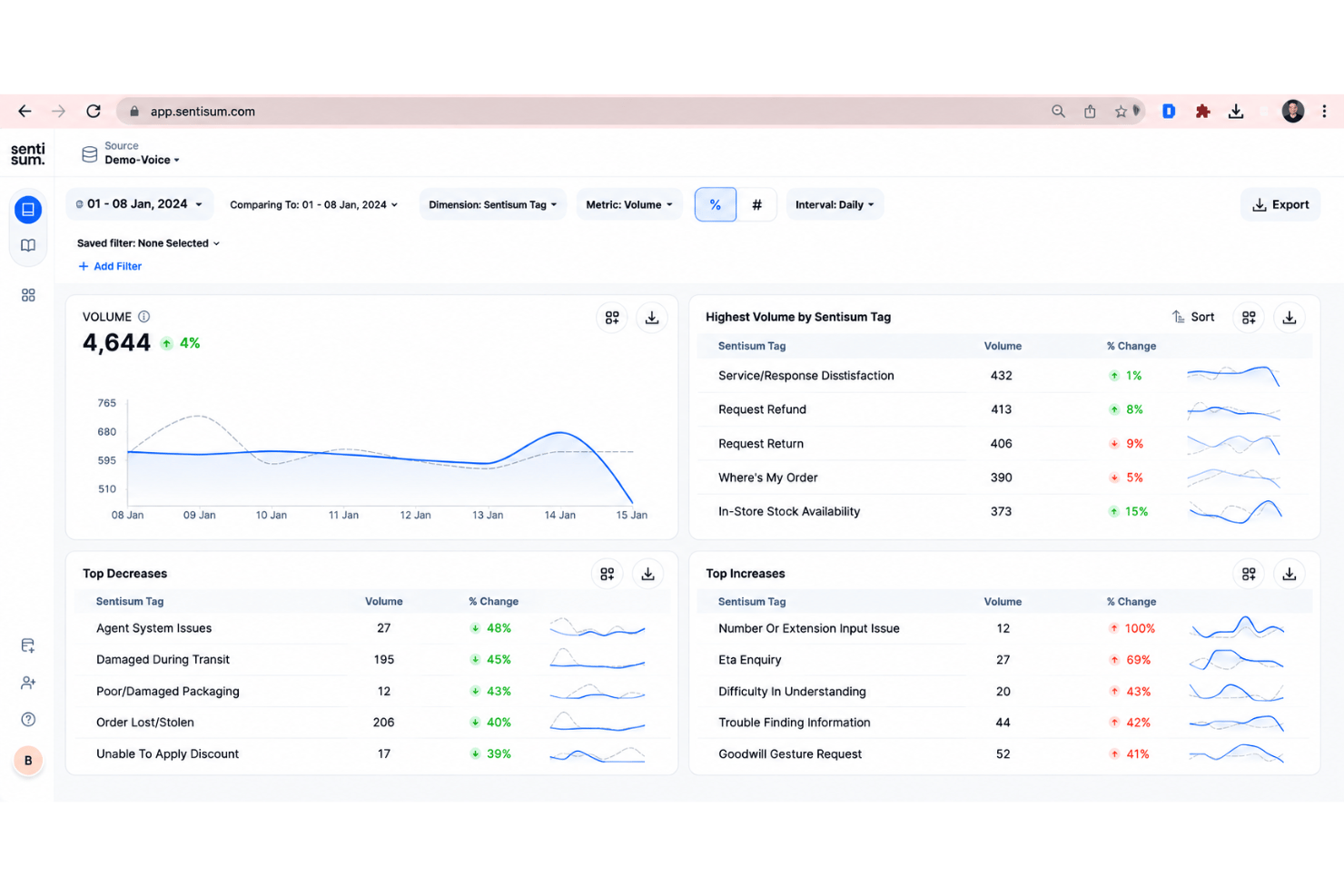
SentiSum, on the other hand, centers on an AI-native model that unifies feedback from multiple channels and analyzes sentiment and root causes in real time, with strong support for conversational and support data.
| Unwrap | SentiSum | |
|---|---|---|
| API | ||
| Data Export | ||
| Data Import | ||
| Data Visualization | ||
| Feedback Management | ||
| Multi-User | ||
| Process Reporting | ||
| Workflow Management |
Unwrap vs. SentiSum Integrations
| Integration | Unwrap | SentiSum |
| Zendesk | ✅ | ✅ |
| Salesforce | ✅ | ✅ |
| Intercom | ✅ | ✅ |
| Jira | ✅ | ❌ |
| Slack | ✅ | ✅ |
| Freshdesk | ✅ | ✅ |
| App Store Connect | ✅ | ❌ |
| Google Play | ✅ | ❌ |
| Trustpilot | ❌ | ✅ |
| API | ✅ | ✅ |
| Zapier | ✅ | ❌ |
Both platforms support core customer support and communication tools like Zendesk, Salesforce, Intercom, and Slack, but Unwrap offers broader coverage for product and app-store feedback sources.
Unwrap vs. SentiSum Security, Compliance & Reliability
| Factor | Unwrap | SentiSum |
| Data Privacy | Automatic PII redaction and GDPR compliance for enterprise-grade use. | Complies with GDPR and can execute a Data Processing Agreement (DPA) as part of customer engagements. |
| Compliance | SOC 2 Type II security framework is supported. | The platform has SOC 2 Type II compliance confirmed by a third-party security audit. |
| Data Encryption | Enterprise encryption standards applied. | Encryption at rest & in transit stated. |
| Reliability | Built to support high-volume, enterprise customer feedback workloads. | Designed to scale with large volumes of customer feedback. |
Both platforms offer enterprise-level security with GDPR compliance and SOC 2 Type II–audited frameworks. Unwrap emphasizes PII redaction and enterprise-grade encryption, while SentiSum clearly documents encryption practices and scalable feedback processing.
Unwrap vs. SentiSum Ease of Use
| Factor | Unwrap | SentiSum |
| User Interface | Unwrap features a clean, easy-to-use interface that feels polished without being overwhelming. | Intuitive, AI-native interface built for clear sentiment views |
| Onboarding | Onboarding typically takes around three weeks, after which teams have full access to Unwrap. | Guided setup with AI model customization |
| Setup | Integration setup can be completed in just a few clicks. | Fast connection to support and feedback channels |
| Support | Support is available through a dedicated email address. | Known for attentive support and customization |
Unwrap focuses on a clean interface, a structured onboarding process, quick integrations, and support via a dedicated email. SentiSum highlights an AI-native interface, guided setup, fast channel connections, and hands-on support with customization.
Unwrap vs SentiSum: Pros & Cons
Unwrap
- Proactive insight discovery without manual tagging
- Early issue detection through alerts and trend monitoring
- Verifiable, traceable insights that link each theme back to the original feedback.
- Limited value for low feedback volume teams
- Takes longer to get started than instant sign-up alternatives
- Customization depth is intentionally limited
SentiSum
- Accurately auto-tags high volumes of unstructured customer feedback
- Identifies granular sentiment drivers without manual setup
- Real-time trend detection highlights urgent issues quickly
- Dashboard reporting options are basic compared to peers
- Lacks configurable analytics for deeper, custom insights
- Pricing may be high for small or early-stage teams
Best Use Cases for Unwrap and SentiSum
Unwrap
- Product Managers Unwrap helps product managers identify recurring customer pain points and feature requests at scale, making roadmap prioritization easier and more evidence-based.
- Customer Experience (CX) Teams CX teams use Unwrap to automatically surface trends and sentiment shifts across customer feedback, helping them address issues before they escalate.
- Support Leadership Support leaders rely on Unwrap to detect systemic issues from support tickets and reviews, allowing them to reduce repeat problems and improve service quality.
- Survey & Research Teams Unwrap’s AI-powered surveys help research teams collect richer, more actionable qualitative feedback without increasing survey fatigue.
- Executives & Strategic Leaders Executives use Unwrap to stay informed on customer sentiment and emerging issues through clear summaries instead of raw data dashboards.
- Enterprise Organizations Large organizations benefit from Unwrap’s ability to analyze massive volumes of multi-channel feedback while supporting cross-team visibility and governance.
SentiSum
- Ecommerce Retailers SentiSum auto-tags thousands of support tickets daily and reveals customer topics instantly, making it ideal for fast-paced online stores.
- Customer Support Teams The platform’s simple dashboard clarifies top customer issues so support teams can prioritize training and processes.
- SaaS Companies Frequent integration needs, high ticket volumes, and broad digital communication channels fit SentiSum’s strengths in API support and instant insight.
- Operations Leaders Operations departments that want trend visibility across teams can use SentiSum’s actionable analytics without needing a data scientist.
- B2B Service Providers Firms that manage complex client accounts get value from customizable tagging and insight sharing, especially when working with integrations like Salesforce Service Cloud.
- Companies Scaling Fast Rapidly growing businesses benefit from SentiSum’s quick onboarding, templates, and automation without a lengthy setup process.
Who Should Use Unwrap, and Who Should Use SentiSum?
If you need a way to quickly spot patterns and trends across large volumes of customer feedback, Unwrap is built for that. It automatically surfaces trends using alerts, auto-tagging, and sentiment analysis without requiring manual sorting.
But if your priority is understanding why customer sentiment is changing as feedback comes in, SentiSum is the better fit. It uses an AI-native model to analyze sentiment and root causes in real time across support and conversational data.
So to put it simply, Unwrap is for spotting patterns, while SentiSum is best used to explain sentiment shifts.
Differences Between Unwrap and SentiSum
| Unwrap | SentiSum | |
|---|---|---|
| AI-Powered Automation | Uses a natural-language assistant to help users explore feedback and ask questions. | Uses AI agents to automatically detect issues and explain why sentiment changes. |
| Analytics Approach | Emphasizes proactive discovery of trends and insights through alerts and exploration. | Focuses on AI-driven explanation of sentiment and root causes in real time. |
| Continuous Feedback | Covers a wide range of sources, including reviews, surveys, app stores, and support data. | Goes deeper into support tickets and conversational data for detailed analysis. |
| Pricing Model | Custom pricing based on feedback volume and integrations without per-seat pricing. | Quote-based pricing often tiered by usage, channels, and feature access. |
| Workflow Setup | Designed for sharing insights across teams like CX, product, and leadership, explaining patterns. | Designed for operational teams to act quickly within support and CX workflows. |
| Visit UnwrapOpens new window | Read SentiSum ReviewOpens new window |
Similarities Between Unwrap and SentiSum
| Multi-Source Feedback | Both platforms ingest feedback from multiple channels to provide a unified view of customer sentiment, though each platform has different feedback source depths. |
|---|---|
| Multichannel Support | Both are built to share insights with CX, product, and leadership teams. |
| Real-Time Insights | Both aim to surface issues early so teams can take action before problems escalate. |
| Scalability | Both are designed to handle large volumes of customer feedback for growing and enterprise organizations. |
| Analytics | Both use AI to analyze unstructured customer feedback and surface meaningful insights. |
| Visit UnwrapOpens new window Read SentiSum ReviewOpens new window | |