

I 10 migliori creatori di moduli del 2026: recensione e confronto

10 Elenco dei migliori strumenti per la creazione di moduli


Con così tanti strumenti diversi per la creazione di moduli disponibili, capire quale sia più adatto alle proprie esigenze è difficile. Sai di volere uno strumento che ti aiuti a creare moduli digitali in modo rapido e semplice, senza dover scrivere codice, ma devi capire quale opzione sia la migliore. In questo articolo ti aiuterò a semplificare la scelta condividendo le mie opinioni sui migliori strumenti per la creazione di moduli, con cui progettare, personalizzare e pubblicare facilmente moduli digitali, sulla base della mia precedente esperienza diretta.
Cosa sono gli strumenti per la creazione di moduli?
Gli strumenti per la creazione di moduli consentono agli utenti di creare moduli personalizzati per la raccolta di dati. In genere, questi strumenti offrono un'interfaccia con funzionalità di trascinamento che permette di aggiungere facilmente campi al modulo, personalizzarne il design e configurare impostazioni come le regole di convalida e le notifiche tramite e-mail. Alcuni strumenti per la creazione di moduli offrono anche funzionalità avanzate, come l'integrazione con app e servizi di terze parti, strumenti di analisi e reportistica e logica condizionale, che consente ai moduli di adattarsi in base alle risposte degli utenti.
Utilizzando questi strumenti, puoi creare qualsiasi cosa, dai semplici moduli di contatto ai complessi sondaggi multipagina. Sono utili per numerosi scopi, tra cui raccogliere il feedback dei clienti, elaborare ordini o condurre ricerche di mercato. Utilizzando uno strumento per la creazione di moduli, puoi risparmiare tempo, migliorare la raccolta dei dati e raccogliere rapidamente i feedback dei tuoi clienti.
Perché fidarsi dei nostri consigli sui software
Il nostro team testa e recensisce software dal 2012. In quanto leader CX noi stessi, sappiamo quanto sia difficile — e importante — scegliere il software giusto.
Per questa guida, abbiamo valutato gli strumenti attraverso test pratici e ricerche indipendenti, assegnando un punteggio agli strumenti in base ai nostri criteri di selezione.
Le nostre recensioni riflettono il nostro giudizio editoriale umano, non un discorso di vendita.
Tabella comparativa degli strumenti per la creazione di moduli
Questa tabella comparativa riassume i dettagli sui prezzi della mia selezione dei migliori strumenti per la creazione di moduli:
| Tool | Best For | Trial Info | Price | ||
|---|---|---|---|---|---|
| 1 | Ideale per moduli personalizzati e con marchio | Prova gratuita di 30 giorni + piano gratuito + demo gratuita disponibile | A partire da $13/mese | Website | |
| 2 | Ideale per moduli conversazionali potenziati dall'IA | Demo gratuita disponibile | Da $18/mese | Website | |
| 3 | Ideale per sondaggi e moduli ottimizzati per dispositivi mobili | Piano gratuito disponibile | A partire da $19/mese | Website | |
| 4 | Miglior costruttore di moduli per reportistica e analisi approfondite | Piano gratuito disponibile | A partire da $30/utente/mese (fatturato annualmente) | Website | |
| 5 | Miglior creatore di moduli per un approccio conversazionale alla creazione di form | Piano gratuito disponibile | Da $28/mese (fatturazione annuale) | Website | |
| 6 | Miglior costruttore di moduli con un’interfaccia intuitiva drag and drop | Piano gratuito disponibile | A partire da $49,50/anno (fatturato annualmente) | Website | |
| 7 | Il miglior costruttore di moduli con funzionalità avanzate di logica condizionale | Demo gratuita disponibile | Da $59/anno | Website | |
| 8 | Miglior costruttore di moduli con un'ampia gamma di modelli | Prova gratuita di 14 giorni + demo gratuita disponibile | Da $83/mese (fatturato annualmente) | Website | |
| 9 | Miglior creatore di moduli per le organizzazioni che vogliono accogliere nuovi clienti | Prova gratuita disponibile | A partire da $49/mese | Website | |
| 10 | Il miglior generatore di moduli per l'archiviazione sicura dei dati | Prova gratuita di 14 giorni disponibile | Da $21/mese (fatturazione annuale) | Website |

Panoramica dei 10 migliori strumenti per la creazione di moduli
Puoi utilizzare le semplici panoramiche di ogni strumento riportate di seguito per capire in che modo ciascuno si distingue dagli altri strumenti per la creazione di moduli.

Ideale per moduli personalizzati e con marchio
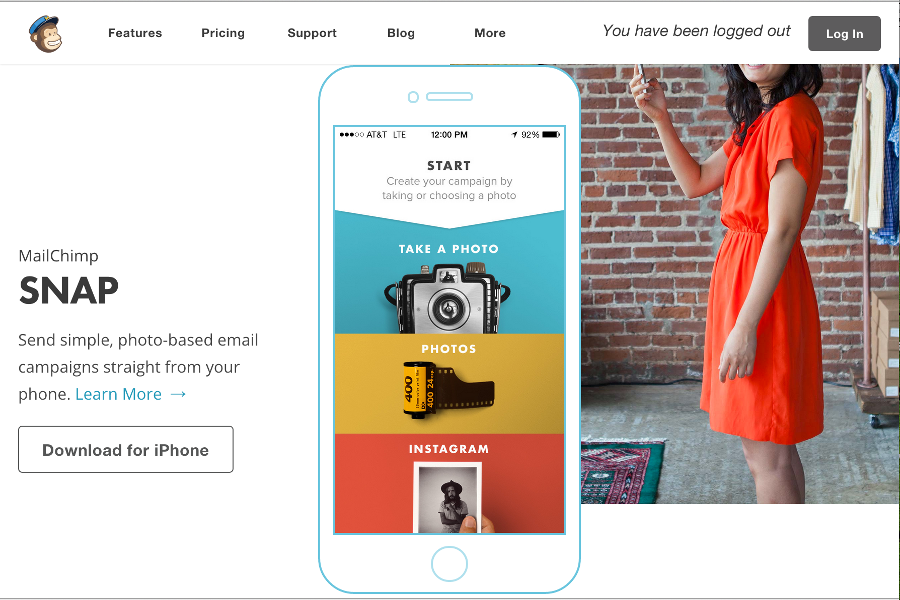
Per le aziende alla ricerca di un generatore di moduli versatile, Mailchimp offre una soluzione robusta pensata per diversi settori come eCommerce e organizzazioni non profit. La sua piattaforma intuitiva ti consente di creare moduli personalizzati che migliorano la generazione di lead e il coinvolgimento del pubblico. Sia che tu voglia automatizzare le attività di marketing o personalizzare le campagne, Mailchimp risponde a queste esigenze con le sue numerose funzionalità e integrazioni.
Perché ho scelto Mailchimp
Ho scelto Mailchimp per la perfetta integrazione delle capacità di creazione di moduli con l'automazione del marketing, un aspetto cruciale per le aziende concentrate sulla generazione di lead. Il generatore di moduli della piattaforma permette di creare facilmente moduli personalizzati e in linea con l’identità del brand, essenziale per mantenere la coerenza del marchio. Inoltre, le funzionalità di automazione di Mailchimp consentono di impostare flussi di lavoro complessi che possono coltivare i lead senza interventi manuali. Questa combinazione di personalizzazione dei moduli e automazione rende Mailchimp una scelta interessante per chi vuole ottimizzare le attività di marketing e aumentare il coinvolgimento del pubblico.
Caratteristiche principali di Mailchimp
Oltre alle sue capacità di creazione di moduli, Mailchimp offre altre funzionalità che possono potenziare le tue attività di marketing:
- Editor drag-and-drop: Questa funzione ti consente di progettare e personalizzare facilmente moduli ed email senza conoscenze di programmazione, rendendo la piattaforma accessibile a tutti.
- Modelli predefiniti: Mailchimp offre una gamma di modelli utilizzabili per configurare rapidamente moduli e campagne, facendoti risparmiare tempo e fatica.
- Analisi e reportistica: Grazie ad analisi dettagliate, puoi monitorare le prestazioni di moduli e campagne per prendere decisioni basate sui dati.
- A/B test: Questa funzione ti permette di testare diversi design di moduli o campagne email per determinare quale performa meglio, ottimizzando la tua strategia di marketing.
Integrazioni di Mailchimp
Tra le integrazioni ci sono Shopify, WooCommerce, Canva, Zapier, QuickBooks, Stripe, Facebook, Instagram, Google Analytics e Slack.
Pros and Cons
Pros:
- Integrazioni ecommerce avanzate, tra cui Shopify e WooCommerce
- Strumenti integrati per email, SMS e automazione marketing
- Report dettagliati su campagne e ricavi
Cons:
- Il prezzo aumenta con la crescita delle liste di contatti
- Opzioni di supporto limitate nei piani base

Ideale per moduli conversazionali potenziati dall'IA
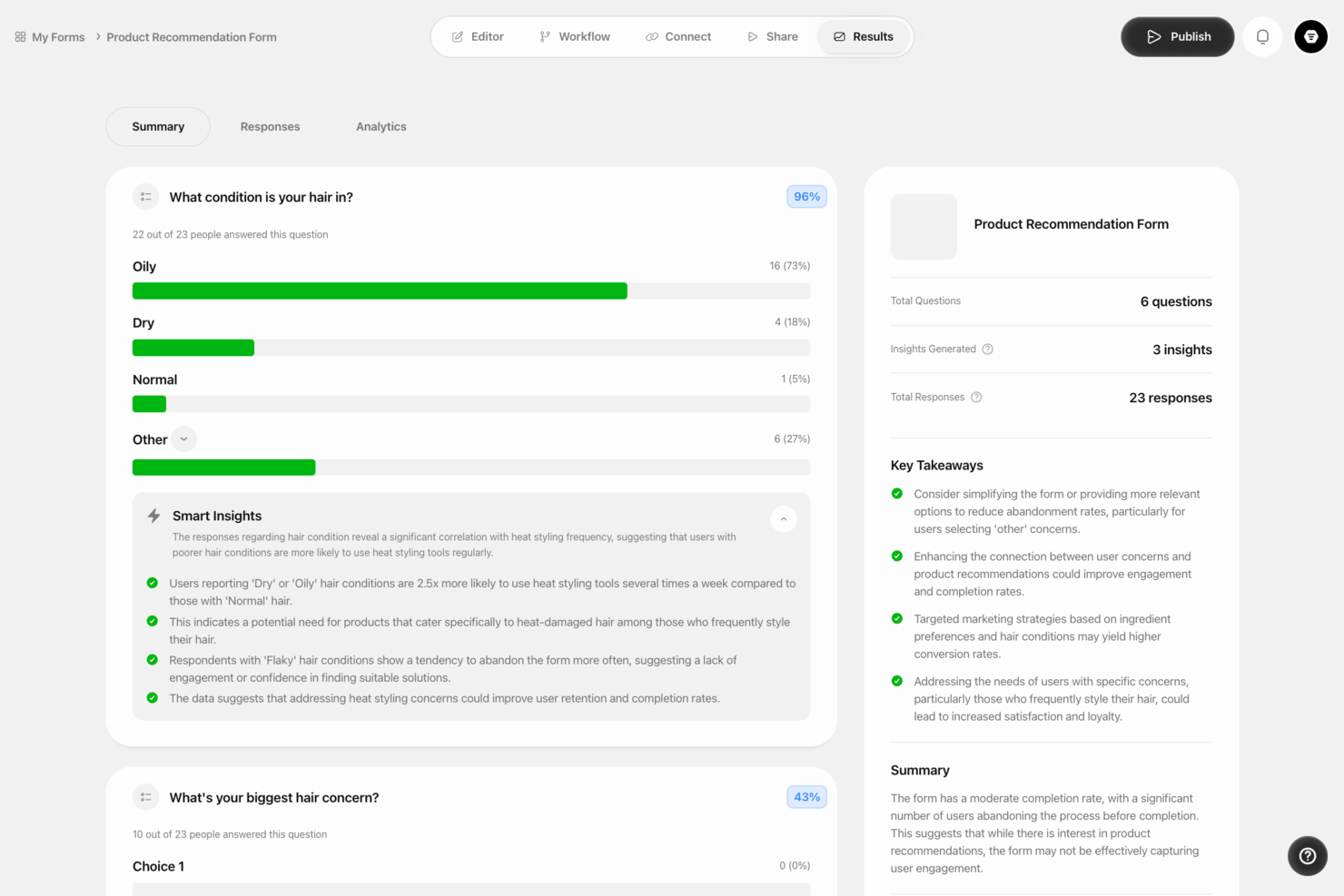
Formsuite è un costruttore di moduli no-code potenziato dall'IA che ti aiuta a creare moduli conversazionali con logica condizionale e analisi in tempo reale. Puoi creare, personalizzare e incorporare moduli su siti web e app senza scrivere codice. Combina la creazione assistita dall'IA con il monitoraggio integrato delle risposte per aiutarti a migliorare il coinvolgimento e i tassi di completamento.
Per chi è ideale Formsuite?
Formsuite è ideale per team di piccole e medie dimensioni e per creatori singoli che hanno bisogno di creare e pubblicare moduli senza scrivere codice.
Perché ho scelto Formsuite
Ho scelto Formsuite perché il suo assistente IA trasforma la creazione dei moduli in un processo guidato e conversazionale. Puoi descrivere il modulo desiderato in linguaggio naturale e la piattaforma genera automaticamente la struttura, i tipi di domande e la logica. La modalità conversazionale dei moduli presenta una domanda alla volta, aiutando a ridurre gli abbandoni e mantenere alta la concentrazione dei rispondenti. Apprezzo anche il fatto che includa analisi in tempo reale con visualizzazioni intuitive, così puoi identificare rapidamente le tendenze e ottimizzare le prestazioni senza esportare i dati in un altro strumento.
Caratteristiche principali di Formsuite
- Generatore di moduli con IA: Crea moduli completi descrivendo i tuoi obiettivi in linguaggio naturale.
- Modalità modulo conversazionale: Mostra una domanda alla volta in un layout stile chat.
- Logica condizionale: Mostra o nascondi dinamicamente le domande in base alle risposte.
- Dashboard di analisi in tempo reale: Monitora invii, tassi di completamento e tendenze delle risposte all'istante.
Integrazioni di Formsuite
Formsuite si integra con Google, cal.com e Calenderly.
Pros and Cons
Pros:
- Tipo di domanda conversazionale IA per modulo
- CRM integrato con profili di contatto
- Risposte illimitate in ogni piano
Cons:
- Meno modelli rispetto ai concorrenti più affermati
- Meno integrazioni native di terze parti

Ideale per sondaggi e moduli ottimizzati per dispositivi mobili
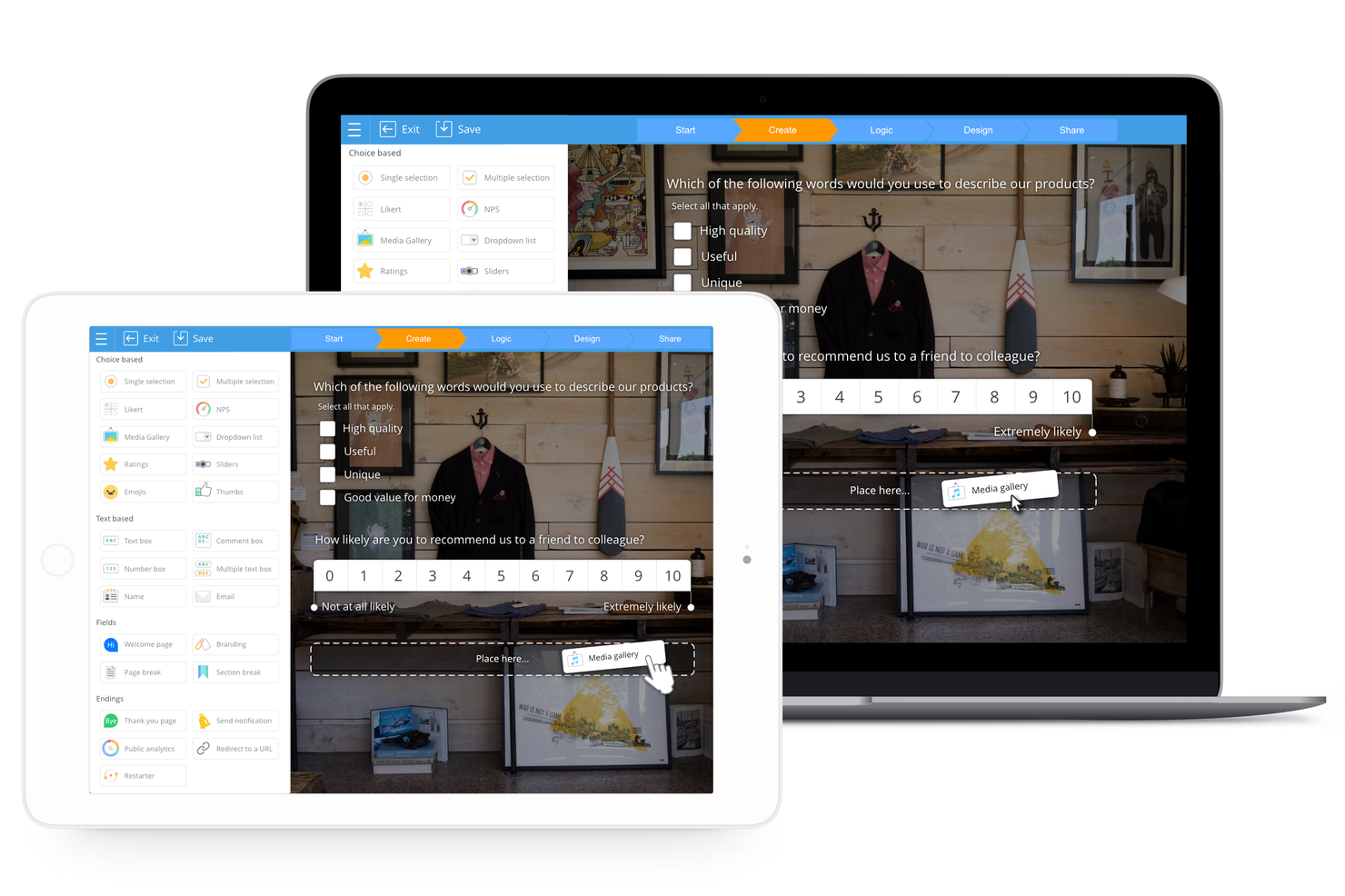
SurveyLegend è una piattaforma basata sul web progettata per facilitare la creazione di sondaggi, moduli, questionari e sondaggi personalizzati. Si distingue per la sua reattività sui dispositivi mobili, garantendo che i sondaggi siano facilmente accessibili e intuitivi anche su smartphone e tablet, un aspetto chiave vista la crescente diffusione dell'utilizzo di internet da mobile.
Perché ho scelto SurveyLegend: Ho scelto SurveyLegend come strumento per la creazione di moduli dopo aver valutato attentamente la sua interfaccia intuitiva e le opzioni di design visivamente accattivanti. Ciò che rende SurveyLegend diverso è l'accento posto sulla creazione di sondaggi non solo funzionali ma anche piacevoli esteticamente, grazie a un'ampia varietà di template, opzioni multimediali e tipi di domande adatti a diverse esigenze. Credo che lo strumento sia ideale per i sondaggi pensati per il mobile perché offre funzioni appositamente pensate per gli utenti da dispositivi mobili.
Caratteristiche distintive e integrazioni di SurveyLegend
Caratteristiche: SurveyLegend offre una piattaforma intuitiva per la creazione di moduli grazie a un'interfaccia drag-and-drop, che consente di aggiungere diversi elementi senza competenze di programmazione. Supporta moduli e sondaggi multilingue, permettendo di raggiungere un pubblico più ampio, e offre opzioni white-label per un'esperienza personalizzata. Lo strumento include una vasta gamma di tipi di domande, miglioramenti multimediali e analisi in tempo reale per una visibilità immediata dei dati raccolti.
Integrazioni: SurveyLegend si integra con Google Sheets, permettendo agli utenti di inviare automaticamente i dati dei sondaggi a un foglio di calcolo. Offre anche integrazione con Mailchimp, consentendo di popolare le liste email direttamente dalle risposte ai sondaggi. Inoltre, SurveyLegend può generare lead in Salesforce a partire dalle risposte dei sondaggi, facilitando la gestione delle informazioni e delle interazioni con i clienti.
Pros and Cons
Pros:
- Supporta oltre 50 lingue
- Configurazione rapida e semplice
- L’interfaccia dei sondaggi è progettata per essere touch-friendly
Cons:
- Nessuna API per integrazioni personalizzate
- Funzionalità avanzate disponibili solo nei piani a pagamento

Miglior costruttore di moduli per reportistica e analisi approfondite
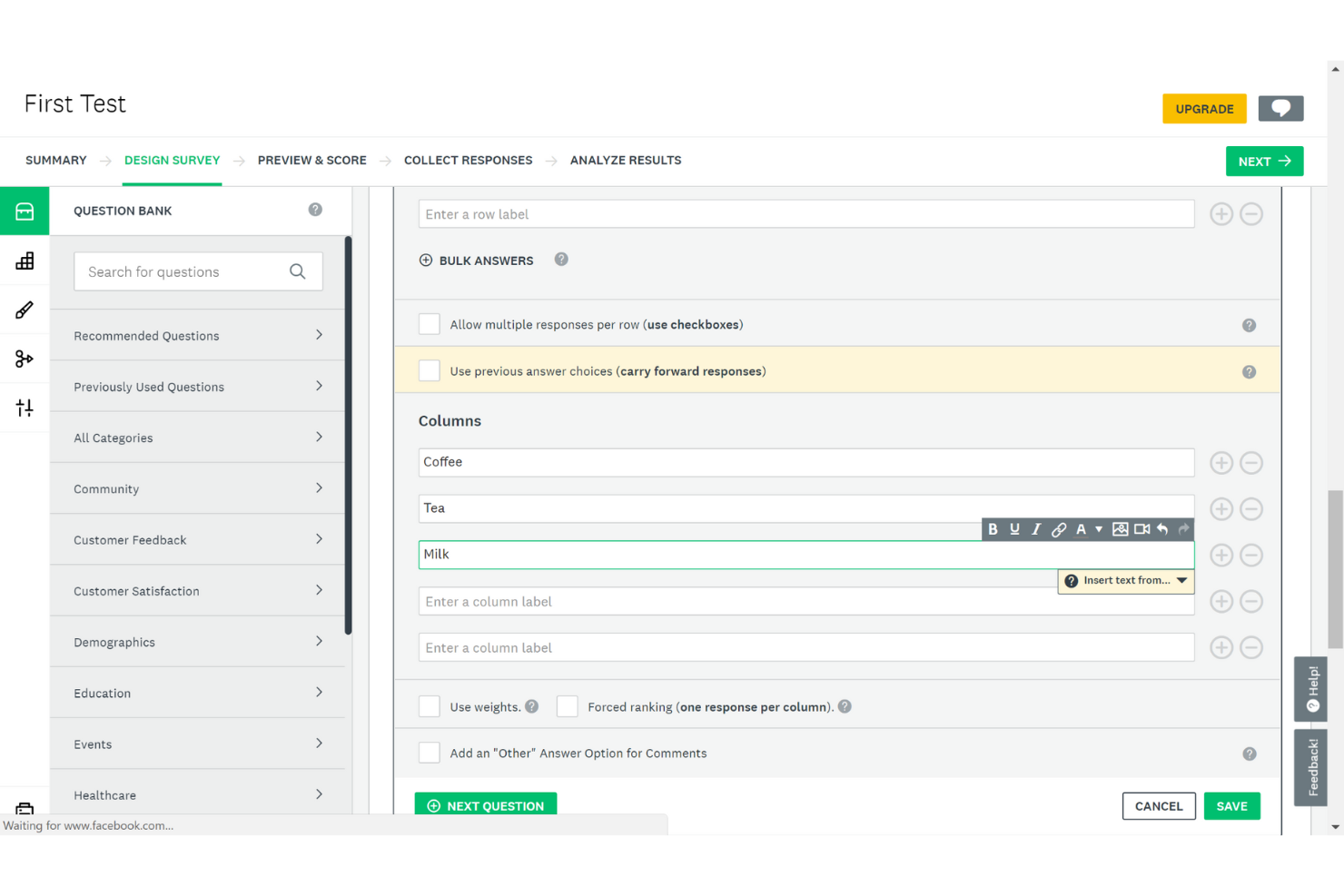
SurveyMonkey è uno strumento di sondaggi online che si rivolge a molti utenti, tra cui aziende, ricercatori e privati. Offre un set di funzionalità potenti e capacità di reportistica avanzate.
Perché ho scelto SurveyMonkey: La Modalità Kiosk di SurveyMonkey è una funzionalità potente che consente agli utenti di raccogliere risposte sia offline che online, rendendola ideale per eventi, fiere e altri luoghi in cui la connessione a Internet può essere limitata.
Con la Modalità Kiosk, gli utenti possono configurare un dispositivo o computer dedicato per far girare il sondaggio in modo continuo, assicurando un flusso costante di risposte. In più, questa funzione mostra automaticamente un nuovo sondaggio dopo ogni completamento, facilitando la raccolta veloce ed efficiente di feedback e opinioni.
Un altro punto di forza di SurveyMonkey è il cruscotto di reportistica e la funzione di analisi. Permette agli utenti di visualizzare e analizzare i dati dei sondaggi, offrendo una vasta gamma di grafici personalizzabili, tabelle e altri supporti visivi.
Grazie ai risultati in tempo reale e ai cruscotti personalizzabili, gli utenti possono monitorare l’andamento del proprio sondaggio e prendere decisioni informate in base ai dati raccolti. La funzione di analisi offre anche funzionalità avanzate come le tabelle incrociate e l’analisi delle tendenze, permettendo di ottenere una comprensione più profonda dei dati e scoprire spunti preziosi.
Caratteristiche e integrazioni di SurveyMonkey
Le funzionalità includono logica condizionale, branding personalizzabile, campi personalizzabili, moduli personalizzabili, domande personalizzabili, strumenti per l’analisi dei dati, importazione o esportazione dei dati, gestione email, gestione dei feedback, sondaggi mobili, struttura di sondaggi NPS e metriche di performance.
Le integrazioni includono Salesforce, Marketo, Eloqua, HubSpot, Microsoft Teams, Google Drive, Zapier, Google Forms, Zoom, Zendesk e altre opzioni software.
Pros and Cons
Pros:
- Permette la condivisione sicura
- Ottime opzioni di personalizzazione
- Ideale per ricerche di mercato
Cons:
- Design dei sondaggi limitato
- Nessuna prova gratuita

Typeform
Miglior creatore di moduli per un approccio conversazionale alla creazione di form

Typeform è un potente creatore di moduli che aiuta gli utenti a creare moduli, questionari, sondaggi, quiz e altro ancora, tutti visivamente accattivanti e coinvolgenti.
“Quando ho capito che potevamo creare un quiz usando Typeform e attribuire un punteggio agli utenti, abbiamo organizzato veri e propri concorsi sulla piattaforma su larga scala,” racconta Ritika Dubash, CEO & Founder, HowToDigital. “Il fatto che si integri con molti strumenti per la raccolta e l'analisi dei dati lo rende particolarmente utile per l'automazione. La ciliegina sulla torta è arrivata quando i marketer hanno capito che possono costruire vere e proprie landing page per qualificare i loro lead.”
Perché ho scelto Typeform: Una delle migliori funzionalità di Typeform è la logica condizionale. Gli utenti possono personalizzare le domande del modulo in base alle risposte dell'utente, creando un'esperienza più coinvolgente e su misura.
Supponiamo che tu stia creando un sondaggio per raccogliere feedback su un prodotto. Se l'utente valuta il prodotto come 'soddisfatto' o 'molto soddisfatto', potresti voler chiedere quali caratteristiche specifiche ha apprezzato. Tuttavia, se l'utente valuta il prodotto come 'insoddisfatto' o 'molto insoddisfatto', potresti voler chiedere quali aspetti secondo lui dovrebbero essere migliorati.
Typeform è eccellente per aziende e organizzazioni che desiderano raccogliere informazioni da clienti, dipendenti o stakeholder. Altre funzionalità significative della piattaforma includono la logica condizionale, l'integrazione con applicazioni di terze parti e la possibilità di aggiungere elementi multimediali ai moduli.
Funzionalità e integrazioni principali di Typeform
Le funzionalità includono ramificazione delle domande, calcolatrice, notifiche email ai rispondenti, webhooks, sottodominio personalizzato, meta description personalizzata, brand kit e live chat.
Le integrazioni includono Slack, Google Sheets, Mailchimp, Zapier, Airtable, Google Analytics, ActiveCampaign, Hubspot e Salesforce. È anche possibile collegarsi tramite Zapier per sbloccare ulteriori integrazioni, che potrebbero richiedere un piano a pagamento separato.
Pros and Cons
Pros:
- Si integra con strumenti popolari
- Approccio conversazionale
- Interfaccia semplice e intuitiva
Cons:
- Analisi limitate
- La gestione delle immagini può essere migliorata

WPForms
Miglior costruttore di moduli con un’interfaccia intuitiva drag and drop

WPForms è un plugin per la creazione di moduli per siti web WordPress. Permette agli utenti di creare facilmente diversi tipi di moduli, come moduli di contatto, moduli di pagamento, sondaggi, moduli di registrazione e altro ancora, senza bisogno di conoscenze di programmazione.
Perché ho scelto WPForms: WPForms offre una vasta gamma di modelli predefiniti per diversi tipi di moduli, come moduli di contatto, di pagamento, di registrazione, sondaggi e altro ancora. Inoltre, i modelli sono progettati professionalmente e personalizzabili, rendendo facile per gli utenti creare un modulo che soddisfi le loro esigenze specifiche senza dover partire da zero.
I modelli sono completamente personalizzabili, il che significa che gli utenti possono modificare il layout, i caratteri, i colori e aggiungere o rimuovere campi a seconda delle necessità. Inoltre, dato che WPForms si rivolge a una vasta gamma di utenti che potrebbero non avere competenze tecniche, l’interfaccia è semplice e facile da navigare. Include anche funzionalità di protezione antispam integrate che aiutano a mantenere i moduli sicuri e prevenire invii di spam.
Caratteristiche e integrazioni principali di WPForms
Caratteristiche includono un costruttore di moduli drag and drop, modelli di moduli, logica condizionale intelligente, notifiche istantanee, gestione delle risposte, marketing e abbonamenti, protezione antispam, caricamento di file e registrazione degli utenti.
Integrazioni includono Stripe, Constant Contact, AWeber, Mailchimp, GetResponse, Campaign Monitor, ActiveCampaign, HubSpot, Salesforce, Drip e altre soluzioni software.
Pros and Cons
Pros:
- Documentazione di supporto utile
- Tanti modelli di moduli
- Interfaccia semplice
Cons:
- Difficile caricare più file
- L’assistenza può essere migliorata

Il miglior costruttore di moduli con funzionalità avanzate di logica condizionale
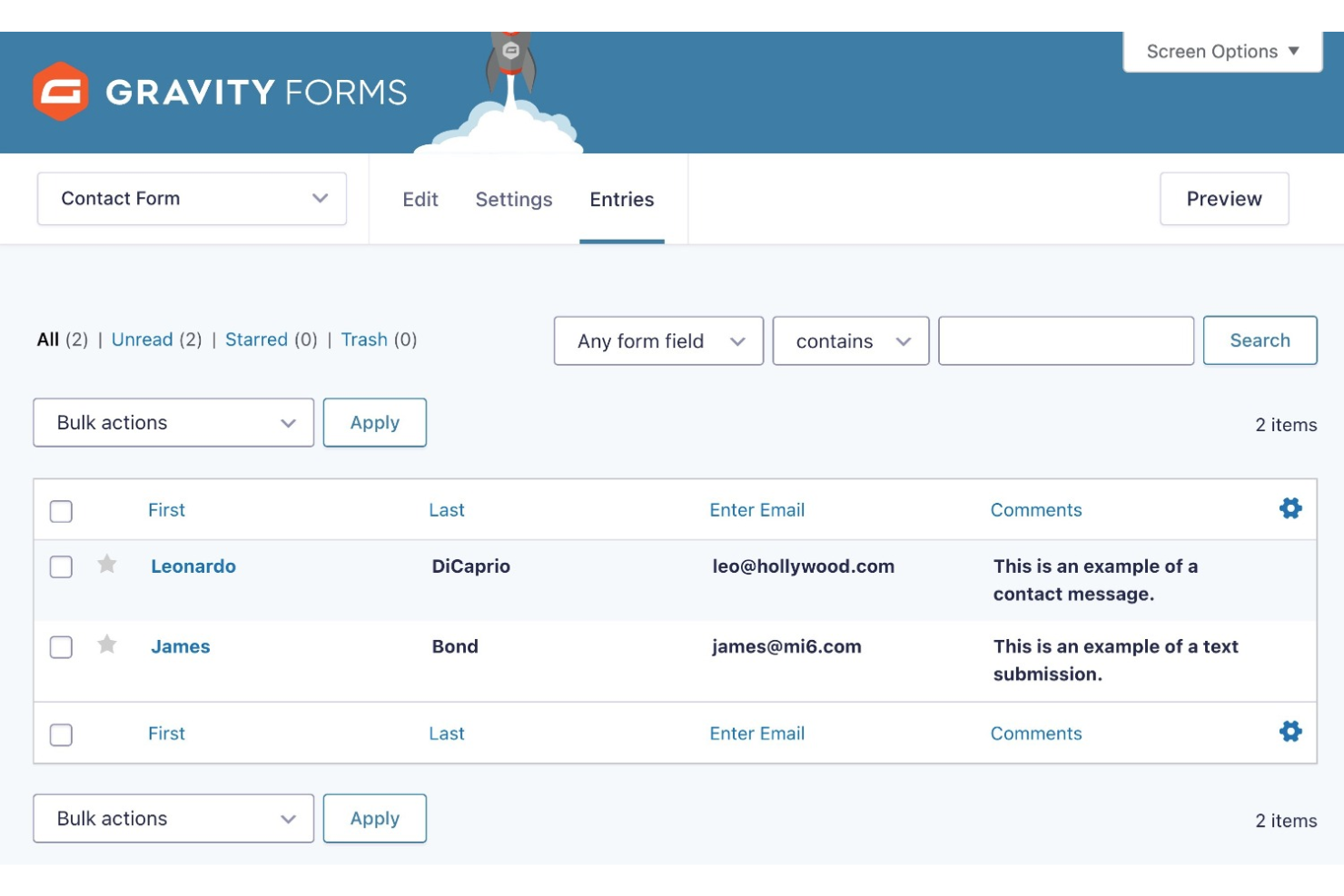
Gravity Forms è un potente plugin per WordPress progettato per aziende e proprietari di siti web che necessitano di una soluzione flessibile e facile da usare per creare moduli personalizzati e raccogliere dati dai visitatori del sito. Puoi anche utilizzarlo per raccogliere pagamenti o sviluppare sondaggi.
Perché ho scelto Gravity Forms: Una delle caratteristiche distintive di Gravity Forms è la sua avanzata capacità di logica condizionale, che consente agli utenti di creare moduli altamente personalizzati e dinamici che si adattano in base alle risposte dell'utente. Questo significa che gli utenti possono creare moduli complessi con campi, sezioni e pagine condizionali che cambiano in base all'input dell'utente, rendendo il modulo più personalizzato.
Puoi scegliere tra vari modelli o crearne uno da zero per realizzare un modulo. Inoltre, Gravity Forms consente agli utenti di incorporare facilmente i moduli nei loro post e pagine WordPress e su altri siti utilizzando uno shortcode o un widget. Il plugin include anche un sistema completo di gestione delle voci dei moduli, che permette agli utenti di visualizzare, filtrare ed esportare le risposte dei moduli per un'analisi e una reportistica facilitata.
Caratteristiche principali e integrazioni di Gravity Forms
Caratteristiche includono il builder drag-and-drop, importazione di moduli, layout multicolonna, moduli a più pagine, moduli responsivi, logica condizionale, CSS personalizzato per i moduli, validazione dei campi, API & webhooks, instradamento dei dati, valori dinamici dei campi, sondaggi e integrazione con processori di pagamento.
Integrazioni includono Hubspot, 2Checkout, ActiveCampaign, Agile CRM, Akismet, AWeber, Breeze, Campaign Monitor, Capsule CRM, Chained Selects e altre soluzioni software.
Pros and Cons
Pros:
- Documentazione esaustiva
- Ampia gamma di integrazioni
- Ottimo supporto clienti
Cons:
- Dipendenza da WordPress
- La documentazione non include video
Miglior costruttore di moduli con un'ampia gamma di modelli
Formstack è un software di raccolta dati che aiuta gli utenti a creare moduli e sondaggi avanzati.
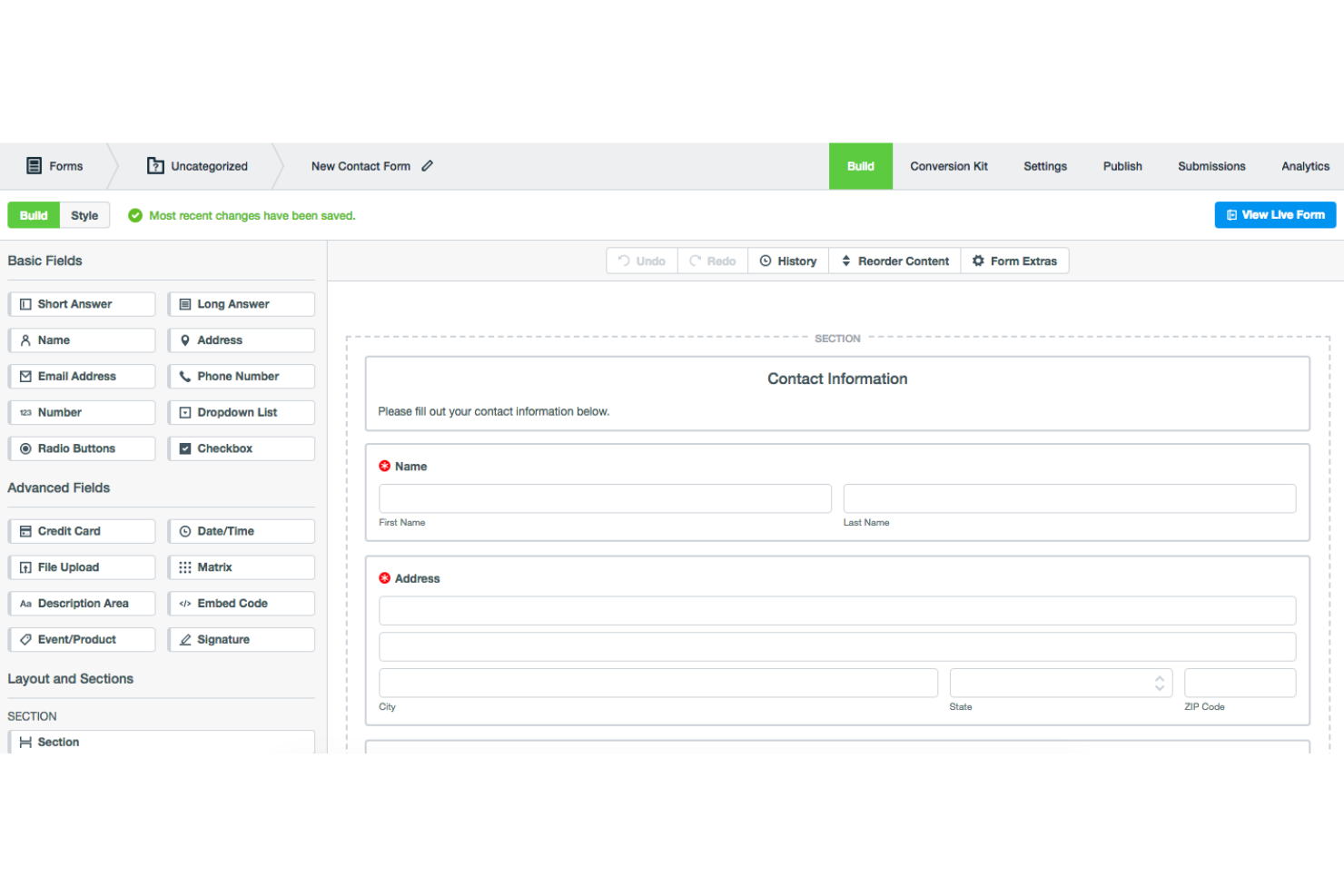
Perché ho scelto Formstack: L'ampia gamma di modelli ottimizzati per dispositivi mobili offerta da Formstack, organizzati per settore, consente una creazione rapida e semplice dei moduli. Dispongono di modelli in varie categorie, come istruzione, sanità, vendite, ecc. È anche possibile aggiungere, eliminare e riorganizzare i campi e cambiare i temi di stile dei modelli.
Le opzioni di condivisione sono numerose, con la possibilità di condividere i moduli tramite link, codici QR, plugin WordPress, sottodomini personalizzati o incorporamento nel sito web. Inoltre, le funzionalità avanzate di analisi dei dati e reportistica del software consentono agli utenti di visualizzare i dati e individuare colli di bottiglia nella compilazione dei moduli per ottimizzare i tassi di conversione.
Funzionalità principali e integrazioni di Formstack
Le funzionalità includono un costruttore di moduli drag-and-drop, branding personalizzato, logica condizionale, crittografia dei dati, elenchi intelligenti, accesso singolo, precompilazione dei campi tramite SSO, moduli HTML e crittografia dei dati.
Le integrazioni includono AWeber, Act-On, Active Campaign, Adobe Sign, Airtable, Bamboo HR, BigCommerce, Campaign Monitor, Chargebee, Chargify e altre opzioni software.
Pros and Cons
Pros:
- Consente i test A/B
- Interfaccia facile da usare
- Forum della community e centro risorse utili
Cons:
- Prezzi elevati
- Consente la creazione di moduli limitati

Under.io
Miglior creatore di moduli per le organizzazioni che vogliono accogliere nuovi clienti
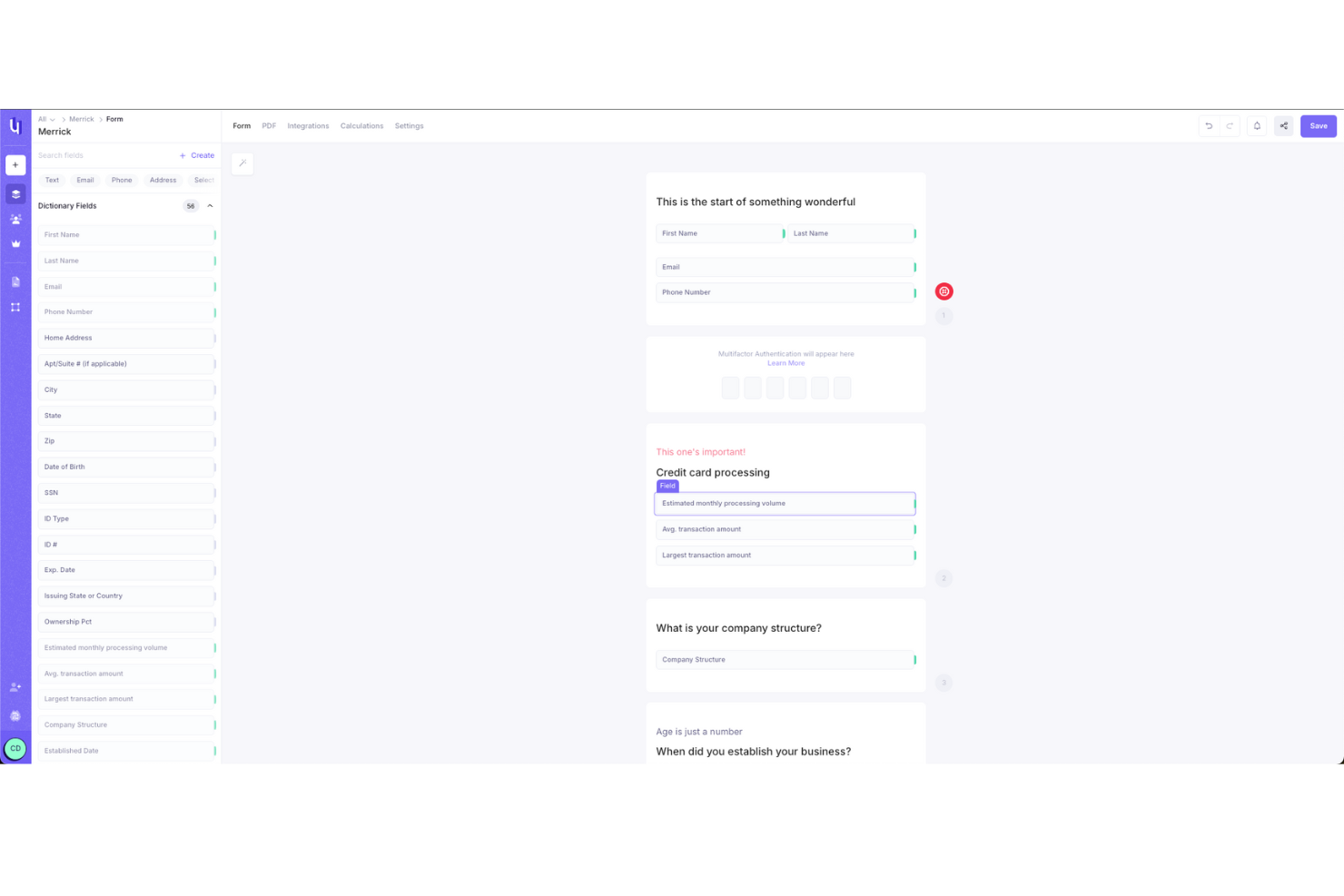
Under.io è un software per firme elettroniche e creazione di moduli progettato per rendere la creazione di moduli e la raccolta di firme semplice per aziende di ogni dimensione. La sua piattaforma si concentra sulla semplificazione dei flussi di lavoro documentali complessi, consentendo agli utenti di creare moduli che raccolgono senza problemi risposte e firme in un unico posto.
Perché ho scelto Under.io: Ciò che rende Under.io un buon creatore di moduli è il suo set di funzionalità specificamente orientato alla costruzione di moduli flessibili e personalizzabili. Mi piace che offra la possibilità di integrare logiche condizionali nei moduli senza bisogno di competenze di programmazione, permettendo di adattare le domande in base alle risposte precedenti. Questo rende facile guidare gli utenti attraverso moduli complessi senza sovraccaricarli, soprattutto durante l’onboarding dei clienti.
Funzionalità principali e integrazioni di Under.io
Le funzionalità includono modelli che possono essere modificati in base alle proprie esigenze, riducendo il tempo necessario per partire da zero. Supporta moduli multilingue, così puoi facilmente creare documenti per un pubblico internazionale senza preoccuparti di errori di traduzione. Un’altra funzione utile è la dashboard di analisi, che offre una panoramica chiara delle prestazioni dei moduli.
Le integrazioni sono disponibili con oltre 20 CRM, inclusi HubSpot e Salesforce. Gli utenti possono anche esportare dal sistema e costruire le proprie integrazioni.
Pros and Cons
Pros:
- Creazione di moduli logici personalizzabili e senza codice
- La verifica dei documenti garantisce la conformità legale
- I modelli facilitano la gestione di contratti, moduli e richieste usati frequentemente
Cons:
- Funzionalità offline limitate
- Nessuna app mobile per firmare in mobilità

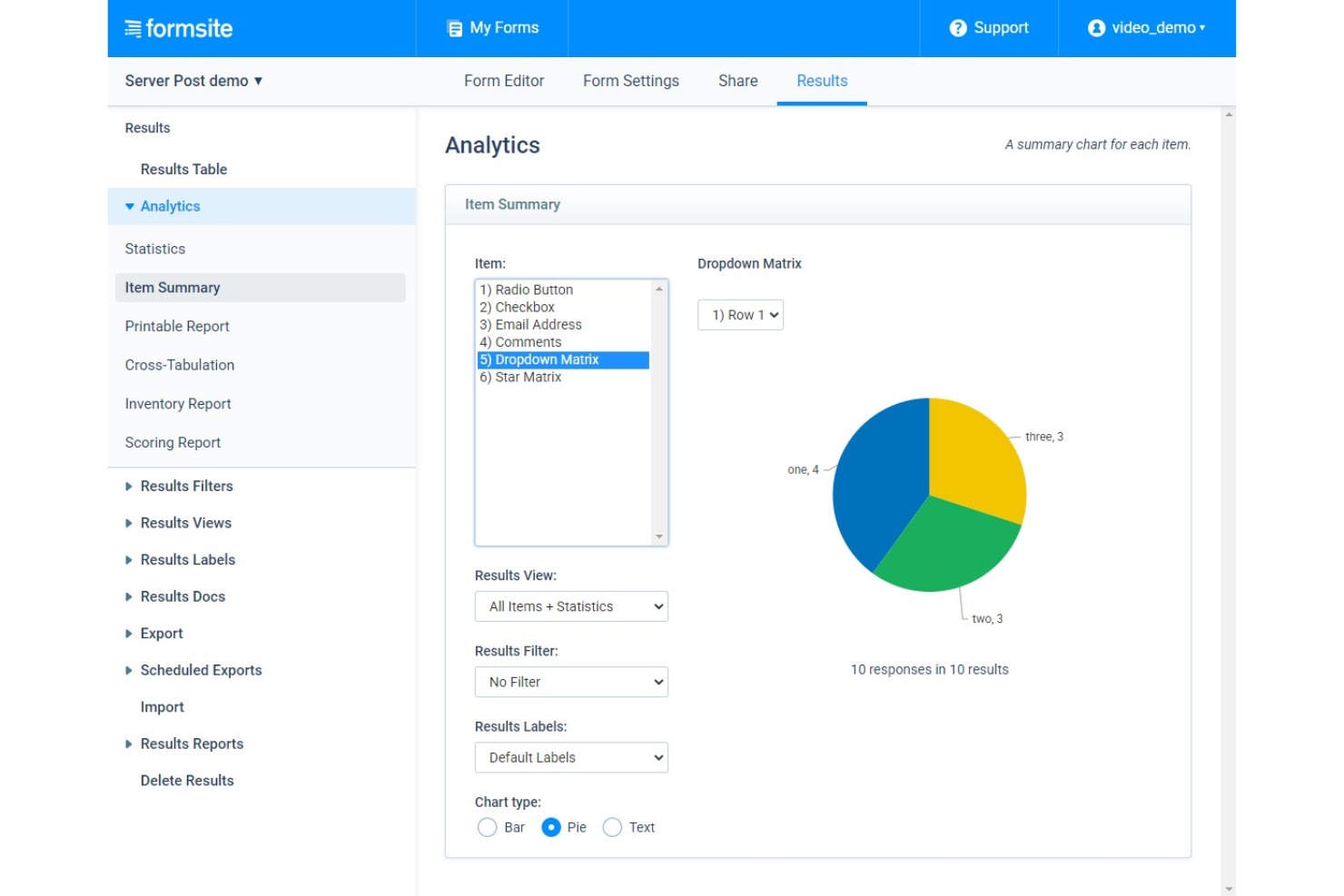
Formsite è un generatore di moduli online rivolto a piccole e medie imprese, organizzazioni no-profit, istituti educativi e privati che hanno bisogno di creare moduli conformi al GDPR per le loro organizzazioni.
Perché ho scelto Formsite: Uno degli aspetti migliori di Formsite è la sua capacità di segmentare i dati in base alle risposte degli utenti. Questo rende semplice analizzare i dati in base a variabili, come informazioni demografiche o domande specifiche. Inoltre, la dashboard di analisi di Formsite offre dati in tempo reale sulle prestazioni dei moduli, permettendo alle aziende di individuare rapidamente le aree che possono richiedere miglioramenti.
Formsite è uno strumento ideale per le aziende che necessitano di funzionalità avanzate di creazione di moduli, come logica condizionale, calcoli e moduli composti da più pagine. È particolarmente indicato per le aziende nei settori sanitario, finanziario ed educativo che devono raccogliere dati sensibili e necessitano di moduli gestiti e archiviati in modo sicuro.
Caratteristiche e integrazioni principali di Formsite
Le funzionalità includono gestione del flusso di lavoro, moduli web, analisi visiva, personalizzazione degli URL, generatore di sondaggi, ricerca o filtro, sicurezza SSL, flusso di lavoro basato su regole, reportistica o analisi, notifiche in tempo reale, automazione dei flussi di lavoro, distribuzione multicanale, archiviazione di file e gestione del feedback.
Le integrazioni includono PayPal, Stripe, Braintree, Google Calendar, Constant Contact, DocuSign, Zapier, OneDrive, Box, Slack e altre opzioni software.
Pros and Cons
Pros:
- Ampia gamma di campi modulo
- Flussi di lavoro avanzati per i moduli
- Sicurezza avanzata dei moduli
Cons:
- Modelli di moduli limitati
- Curva di apprendimento ripida
Altre opzioni
Ecco alcune altre opzioni che non sono entrate nell’elenco dei migliori strumenti per la creazione di moduli:
- Google Forms
Il miglior generatore di moduli con integrazione nativa ad altri prodotti della G suite
- Microsoft Forms
Il miglior generatore di moduli con IA integrata e suggerimenti intelligenti
- Hubspot Form Builder
Miglior generatore di moduli per la generazione di lead e il marketing
- Mailchimp Form Builder
Miglior generatore di moduli per facilità d'uso
- FastFieldForms
Miglior generatore di moduli per la raccolta dati mobile
- Jotform
Il miglior builder di moduli per automatizzare il tuo processo di sondaggi


Altri tipi di software per l'esperienza del cliente
Se fai parte di un team responsabile del miglioramento dell'esperienza del cliente, le seguenti risorse potrebbero esserti utili:
- Software per la gestione dell'esperienza del cliente
- Software per il feedback dei clienti
- Migliori strumenti per i test A/B
- Software di analisi dei clienti basato sui big data
- Software per la gestione dei beta test
Come ho selezionato i migliori strumenti per la creazione di moduli
Forse ti stai chiedendo come ho selezionato i migliori strumenti per la creazione di moduli per questo elenco. Per creare questa top 10, ho valutato e confrontato un'ampia gamma di strumenti per la creazione di moduli con valutazioni positive da parte degli utenti.
Dopo aver stabilito il mio lungo elenco di scelte principali, l'ho perfezionato ulteriormente utilizzando i criteri di selezione riportati di seguito, per vedere come ogni piattaforma si confrontasse con la successiva. Mi sono anche basato sui miei anni di esperienza nel settore CX per individuare le funzionalità che offrono un grande valore.
Se hai domande generali su come utilizzare gli strumenti per la creazione di moduli o su come scegliere quello migliore per la tua organizzazione, dai un'occhiata alla sezione delle domande frequenti qui sotto. In alternativa, puoi passare direttamente alle mie descrizioni dettagliate dei software, se sono ciò di cui hai più bisogno.
Come valuto i creatori di moduli
Esamino i creatori di moduli su due livelli: le capacità CX di base che uno strumento deve offrire, come i campi NPS e la logica condizionale, e gli elementi distintivi che differenziano un fornitore dall'altro.
Funzionalità fondamentali (requisiti imprescindibili per questo elenco)
Quando seleziono gli strumenti per il mio elenco, assegno a ciascuno un punteggio su una scala da 0 (non offre la funzionalità) a 5 (eccelle in quest'area) per ogni funzionalità fondamentale elencata di seguito. Poi trasformo il punteggio totale dello strumento in una percentuale. Ogni strumento deve raggiungere un punteggio totale minimo del 65% per essere preso in considerazione.
- Creatore di moduli con trascinamento: verifico la presenza di un editor visivo con una solida raccolta di tipi di campo, in modo che i team possano creare moduli di raccolta dati o sondaggi post-interazione senza l'aiuto degli sviluppatori.
- Logica condizionale e ramificazione: il routing intelligente è importante: cerco strumenti che consentano di saltare le pagine non pertinenti o di mostrare domande di approfondimento in base alla risposta iniziale del cliente.
- Tipi di domande specifici per la CX: ogni strumento dovrebbe includere campi nativi per NPS, CSAT, CES e valutazioni, invece di costringere l'utente a configurare manualmente scale di punteggio a partire da input generici.
- Distribuzione multicanale: valuto se i moduli vengono visualizzati correttamente tramite condivisione di link, incorporamenti nelle email, widget per siti web e schermate mobili, così che i clienti possano rispondere ovunque si trovino.
- Integrazioni con lo stack CX: il creatore di moduli dovrebbe collegarsi a CRM e sistemi di assistenza come Salesforce, HubSpot, Zendesk o Intercom, per inviare le risposte nel luogo in cui il team lavora già.
- Gestione delle risposte e analisi: cerco dashboard che consentano di filtrare, segmentare e visualizzare le tendenze delle risposte, non solo di esportare un CSV grezzo e analizzarlo autonomamente.
Una volta ottenuto un elenco di strumenti che soddisfano questi criteri, valuto ciò che distingue ciascuna piattaforma.
Fattori distintivi (ciò che differenzia i fornitori)
Ecco come confronto e metto a confronto i diversi fornitori:
Funzionalità di spicco
I flussi di lavoro automatizzati per le risposte sono un importante elemento distintivo: cerco strumenti in grado di inviare un avviso Slack o creare un ticket di assistenza nel momento stesso in cui un cliente invia un punteggio NPS da detrattore. Anche i campi precompilati e nascosti sono importanti, perché inseriscono nel modulo i dati già noti del cliente, riducendo l'attrito e fornendo al team un contesto più ricco su ogni risposta. Vale la pena valutare anche il branding personalizzato, soprattutto se i moduli si trovano nei portali clienti o nei flussi post-acquisto, dove elementi non coerenti con il marchio riducono la fiducia.
Oltre le funzionalità
La conformità e la sicurezza dei dati vengono prima di tutto: verifico se un fornitore supporta i requisiti del GDPR e dell'HIPAA, poiché i team CX raccolgono regolarmente PII tramite moduli di feedback e di raccolta dati. Anche la struttura dei prezzi è un fattore che valuto attentamente, in particolare il modo in cui cresce in base al volume delle risposte; alcuni fornitori addebitano un costo per invio, che può diventare elevato durante le campagne ad alto traffico. Valuto inoltre il tempo necessario per ottenere valore osservando la profondità dei modelli CX predefiniti, come i sondaggi post-acquisto e i moduli di feedback sul rischio di abbandono, così che i team possano avviare rapidamente i programmi di raccolta senza dover creare tutto da zero.
Domande frequenti
Ecco alcune domande frequenti con relative risposte, per tua comodità!
Come si utilizzano i creatori di moduli per la CX?
I team che si occupano dell’esperienza del cliente possono utilizzare i creatori di moduli per migliorare l’esperienza complessiva del cliente. Possono utilizzare i creatori di moduli per creare moduli di feedback che consentano ai clienti di fornire un riscontro sulle proprie esperienze. Questo può aiutare il team a individuare le aree di miglioramento e a prendere decisioni basate sui dati per ottimizzare l’esperienza complessiva del cliente.
I moduli possono essere utilizzati per raccogliere dati dai clienti, come preferenze, dati demografici o modelli di utilizzo, oppure per condurre interviste ai clienti. I team che si occupano dell’esperienza del cliente possono utilizzare questi dati per personalizzare le interazioni con i clienti e fornire consigli mirati.
Quali sono i vantaggi dell'utilizzo di un creatore di moduli?
L’utilizzo di un creatore di moduli può offrire diversi vantaggi a una strategia di successo del cliente. Ecco alcuni dei principali vantaggi:
\u003cul\u003e
\t\u003cli\u003e\u003cstrong\u003eStandardizzazione\u003c/strong\u003e: un creatore di moduli consente di creare moduli standardizzati che i clienti possono utilizzare per inviare richieste, feedback e domande. In questo modo, tutti i clienti forniscono le stesse informazioni e il team dedicato al successo del cliente può categorizzare e stabilire facilmente la priorità delle richieste.\u003c/li\u003e
\t\u003cli\u003e\u003cstrong\u003eEfficienza\u003c/strong\u003e: con un creatore di moduli, i clienti possono inviare richieste e domande in modo più rapido e semplice. Questo fa risparmiare tempo sia al cliente sia al team dedicato al successo del cliente, consentendo al team di rispondere più rapidamente e risolvere i problemi in modo più efficiente.\u003c/li\u003e
\t\u003cli\u003e\u003cstrong\u003eMigliore esperienza del cliente\u003c/strong\u003e: fornendo ai clienti un modulo facile da usare che li aiuti a inviare richieste e domande, è possibile migliorare l’esperienza complessiva del cliente. I clienti hanno maggiori probabilità di essere soddisfatti se possono ottenere rapidamente e facilmente l’aiuto di cui hanno bisogno.\u003c/li\u003e
\t\u003cli\u003e\u003cstrong\u003eMigliore raccolta dei dati\u003c/strong\u003e: un creatore di moduli consente di raccogliere dati strutturati dai clienti, semplificando l’analisi e l’interpretazione del feedback dei clienti. Questi dati possono aiutare a individuare le tendenze, stabilire la priorità dei problemi e prendere decisioni basate sui dati in merito alla strategia di successo del cliente.\u003c/li\u003e
\t\u003cli\u003e\u003cstrong\u003ePersonalizzazione\u003c/strong\u003e: i creatori di moduli offrono spesso opzioni di personalizzazione, come branding, campi personalizzati e logica condizionale. Questo consente di creare moduli adattati alle esigenze specifiche dell’azienda e ai requisiti dei clienti.\u003c/li\u003e
\u003c/ul\u003e
L’utilizzo di un creatore di moduli può contribuire a semplificare la strategia di successo del cliente e a migliorare l’esperienza del cliente.
Quanto costano i creatori di moduli?
Come puoi vedere da questo elenco, i creatori di moduli hanno prezzi diversi a seconda dei tipi di funzionalità incluse, del numero di utenti amministratori necessari e delle dimensioni dell’elenco dei contatti. Puoi trovare creatori di moduli gratuiti, come Google Forms e Mailchimp. Nella fascia più alta, i creatori di moduli possono costare fino a $39.95/mese. Nel complesso, i creatori di moduli hanno prezzi molto ragionevoli per essere prodotti SaaS.
Alcuni creatori di moduli sono inclusi in altri servizi, come l’email marketing di Mailchimp o il pacchetto CRM di Hubspot: a volte questi servizi possono costare di più se hai bisogno di un piano di livello superiore. Tuttavia, possono rivelarsi convenienti se hai comunque bisogno delle funzionalità aggiuntive per la tua strategia di assistenza clienti.