
20 Best AI Customer Experience Platforms in 2026

AI Customer Experience Platform Shortlist
Here’s my shortlist of the best AI customer experience platforms:


An AI customer experience platform is software that uses artificial intelligence to automate, personalize, and optimize customer interactions across digital channels. If you’re searching for the best AI customer experience platform, you’re likely aiming to improve support quality, reduce manual workloads, and deliver faster, more consistent service.
With so many options available, it’s tough to know which tools actually fit your team’s needs and integrate with your existing workflows.
This guide breaks down the top platforms, highlighting their unique features and strengths, so you can confidently choose the right solution to elevate your customer experience.
Why Trust Our Software Reviews
Best AI Customer Experience Platform Summary
This comparison chart summarizes pricing details for my top ai customer experience platform selections to help you find the best one for your budget and business needs.
| Tool | Best For | Trial Info | Price | ||
|---|---|---|---|---|---|
| 1 | Best with proactive support messaging tools | Free 14-day trial + free demo available | From $29/user/month (billed annually) | Website | |
| 2 | Best for integrated ticketing and help desk | Free 14-day trial + free demo available | From $19/user/month (billed annually) | Website | |
| 3 | Best with omnichannel engagement capabilities | Free demo available | From $110/user/month | Website | |
| 4 | Best for automating personalized customer interactions | Expert consultation available | Pricing upon request | Website | |
| 5 | Best for multilingual conversational automation | Free plan available | Pricing upon request | Website | |
| 6 | Best for generative AI-driven support agents | Free demo available | Pricing upon request | Website | |
| 7 | Best for AI-powered case resolution workflows | Free demo available | Pricing Upon Request | Website | |
| 8 | Best for scalable virtual agent deployment | Free demo available | Pricing upon request | Website | |
| 9 | Best with real-time customer journey insights | Free demo available | Pricing upon request | Website | |
| 10 | Best for workflow automation in support teams | Free demo available | From $110/agent/month | Website |
-

SupportYourApp
Visit WebsiteThis is an aggregated rating for this tool including ratings from Crozdesk users and ratings from other sites.4.7 -
Freshdesk
Visit WebsiteThis is an aggregated rating for this tool including ratings from Crozdesk users and ratings from other sites.4.4 -
Hiver
Visit WebsiteThis is an aggregated rating for this tool including ratings from Crozdesk users and ratings from other sites.4.6




AI Customer Experience Platform Reviews
Below are my detailed summaries of the best AI customer experience platforms that made it onto my shortlist. My reviews offer a detailed look at the features, capabilities, and integrations of each platform to help you find the best one for your team.

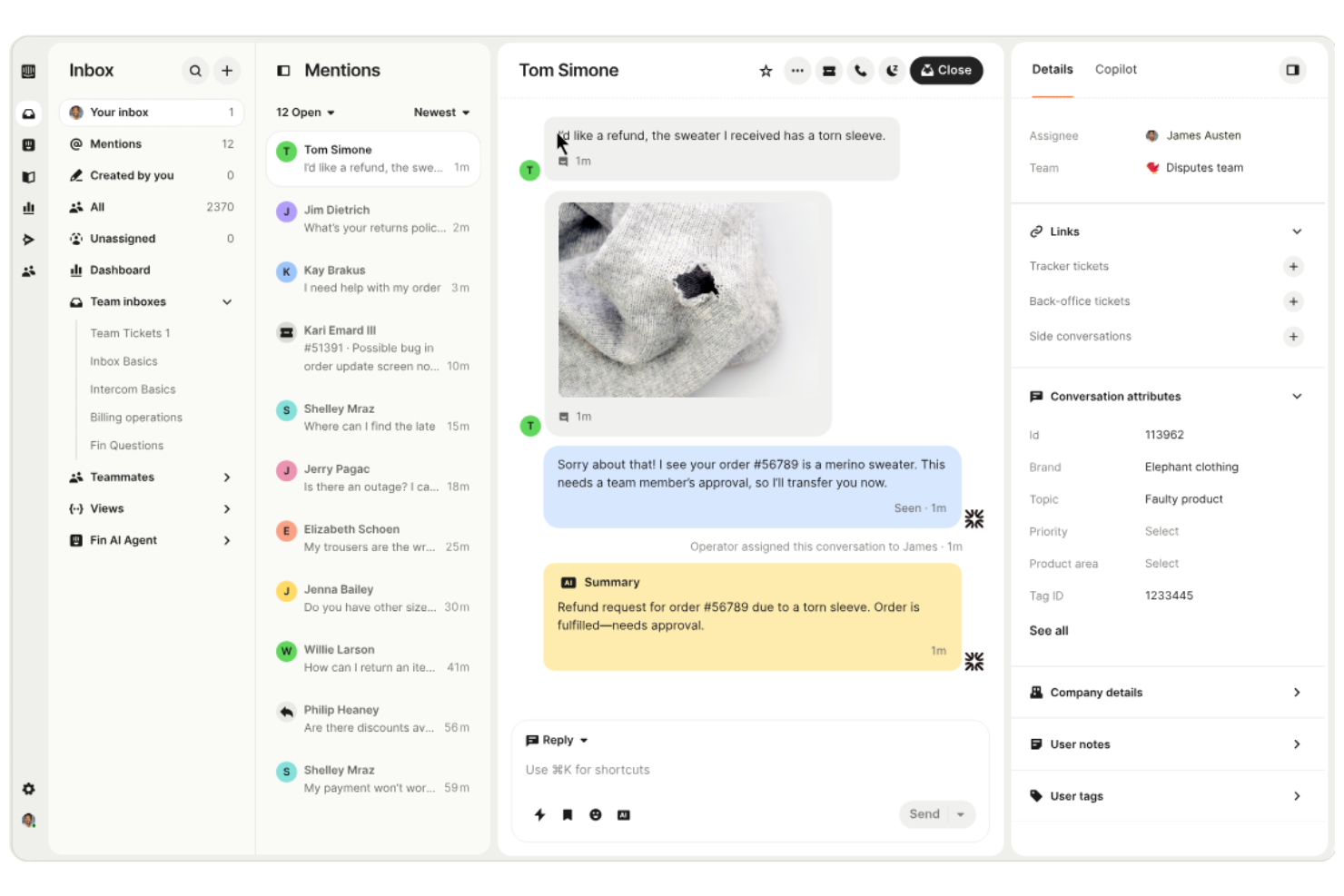
Intercom is an AI-powered customer experience platform designed for teams that want to unify support, engagement, and automation in one place. It’s a strong fit for SaaS companies, ecommerce brands, and digital businesses looking to manage customer conversations across web and mobile. Intercom helps teams handle high volumes of inquiries, automate repetitive tasks, and deliver more personalized support at scale.
Who Is Intercom Best For?
Intercom is a strong choice for SaaS and digital businesses that need to manage customer conversations and automate support at scale.
Why I Picked Intercom
I picked Intercom because it offers some of the most advanced proactive support messaging tools available in the AI customer experience platform space. The platform lets you set up targeted outbound messages, in-app notifications, and automated chat prompts based on user behavior and lifecycle stage. I also like that Intercom’s AI can trigger personalized messages to guide users, answer questions, or prevent churn before customers even reach out. These proactive capabilities help teams move beyond reactive support and create more engaging, timely customer experiences.
Intercom Key Features
Some other features that make Intercom valuable for AI customer experience teams include:
- AI-powered conversation routing: Automatically directs customer inquiries to the right team or agent based on topic and urgency.
- Help center builder: Lets you create and manage a self-serve knowledge base for customers to find answers on their own.
- Customizable bots: Allows you to design and deploy chatbots that handle common questions and tasks without human intervention.
- Conversation history and context: Gives agents full visibility into past interactions and customer data within every conversation.
Intercom Integrations
Integrations include HubSpot, Salesforce, Slack, Zendesk, Shopify, Mailchimp, Stripe, Pipedrive, Aircall, and Jira.
Pros and Cons
Pros:
- Fast time to value
- Easy AI agent handover
- Great proactive messaging
Cons:
- Ticketing is too basic
- Gets pricey very fast

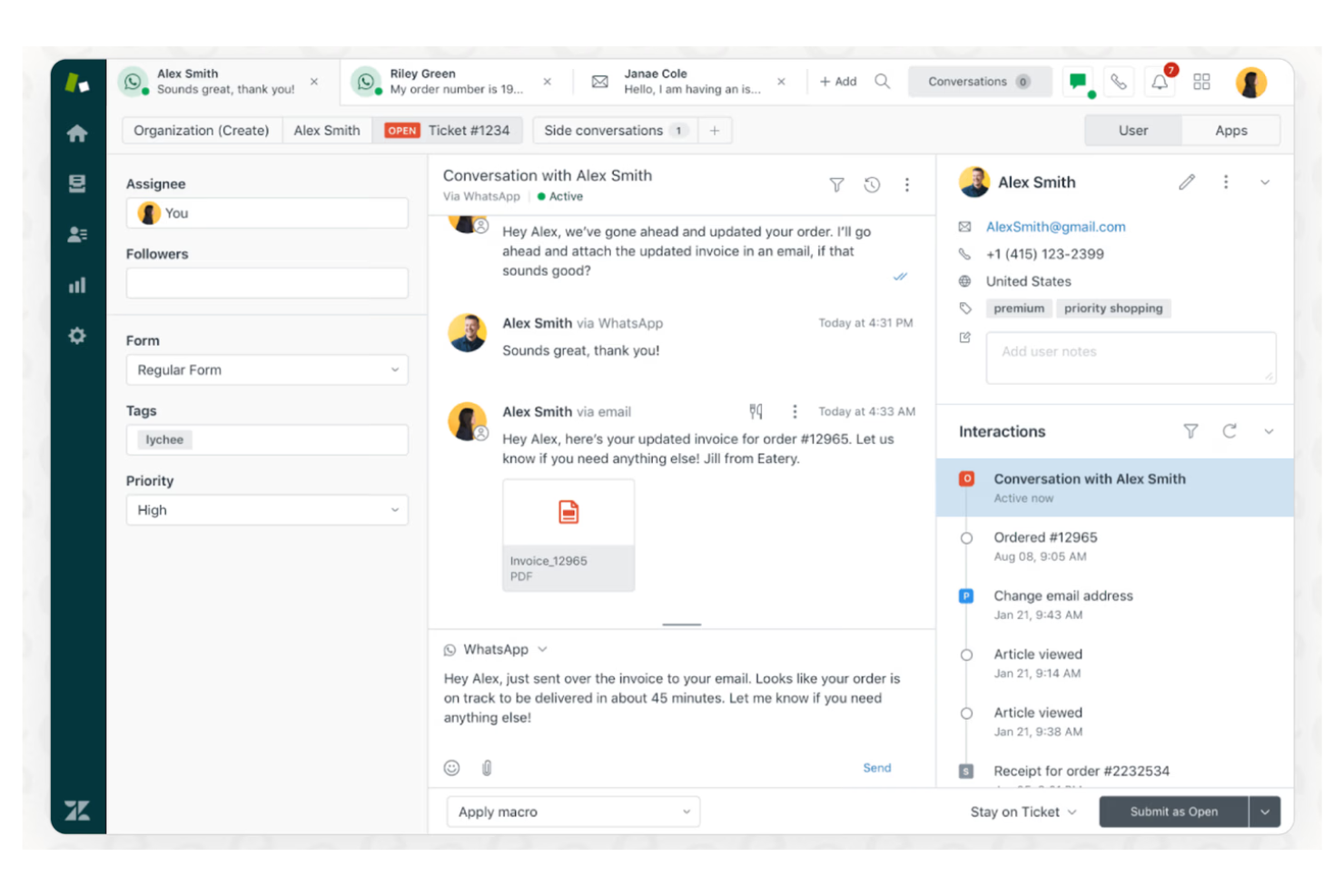
Zendesk is a customer service platform designed for teams that need to manage high volumes of support requests across multiple channels. It’s a strong fit for businesses in ecommerce, SaaS, and retail that want to centralize customer interactions and automate routine tasks. With AI-powered tools and flexible workflows, Zendesk helps support teams resolve issues faster and deliver more consistent experiences.
Who Is Zendesk Best For?
Zendesk suits support and service teams in mid-sized to large organizations that need to manage complex, multi-channel customer interactions.
Why I Picked Zendesk
What stands out about Zendesk is how it brings ticketing, help desk, and AI-driven support tools together in one platform. I picked Zendesk because its integrated ticketing system lets teams track, prioritize, and resolve customer issues from email, chat, social, and phone in a single workspace.
The platform’s AI features, like automated ticket triage and suggested responses, help support teams handle high volumes without losing context or quality. This combination makes Zendesk a strong choice for organizations that need reliable, scalable support operations with built-in automation.
Zendesk Key Features
Some other features that make Zendesk valuable for AI customer experience teams include:
- Customizable help center: Build and manage a branded self-service knowledge base for customers.
- AI-powered intent detection: Automatically identifies customer intent to route tickets or trigger workflows.
- Integrated customer satisfaction surveys: Collect feedback directly within support channels after each interaction.
- Collaboration tools for agents: Share notes, tag teammates, and escalate tickets within the agent workspace.
Zendesk Integrations
Integrations include Salesforce, Slack, Shopify, Jira, Mailchimp, HubSpot, Trello, Google Analytics, Talkdesk, and Microsoft Teams.
Pros and Cons
Pros:
- Easy macro automation
- Massive app ecosystem
- Auto-detects user intent
Cons:
- Siloed data reporting
- Bot builder is basic

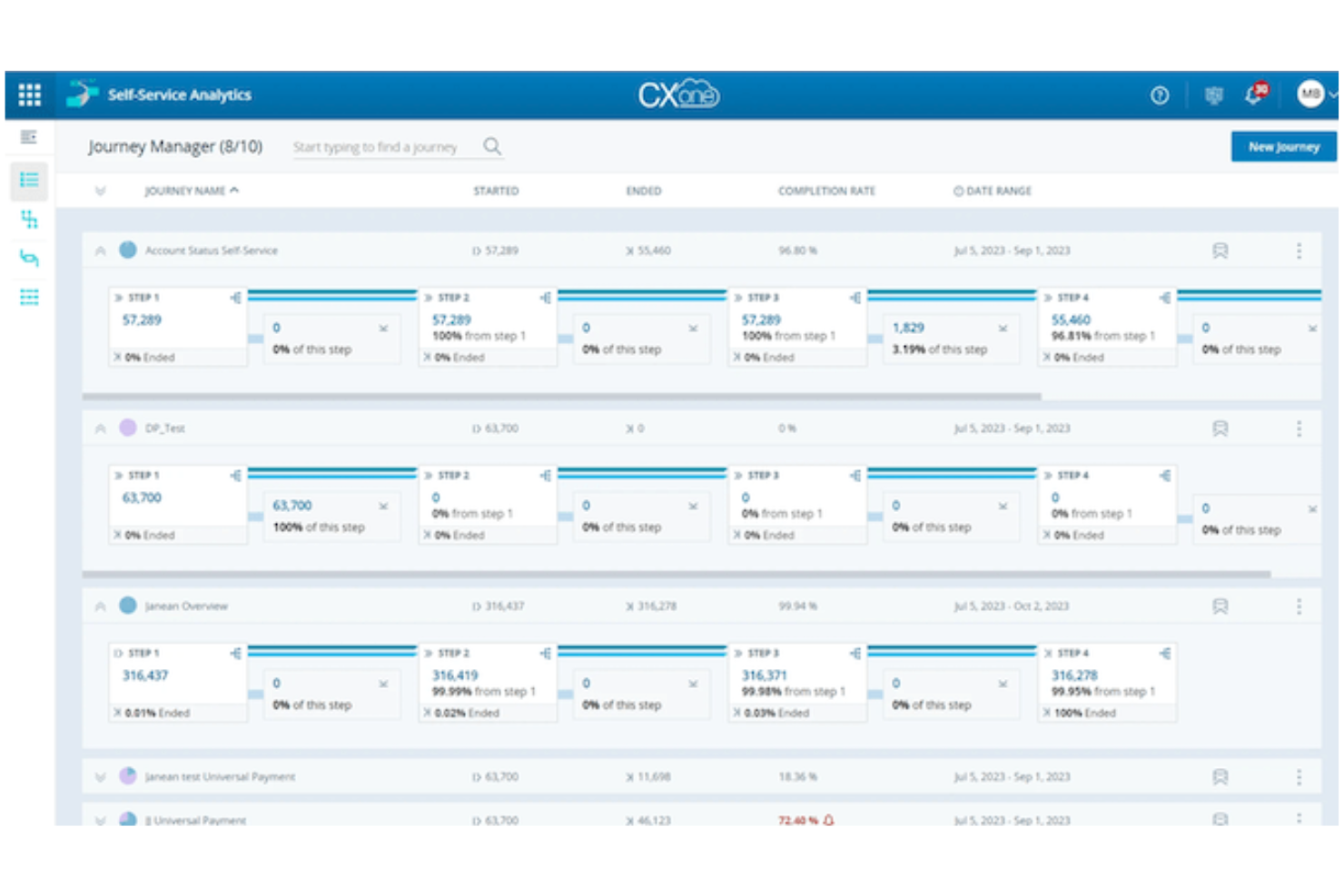
NICE CXone is a cloud-based customer experience platform designed for organizations that need to manage complex, high-volume customer interactions. It appeals to CX leaders and support teams in industries like retail, finance, and healthcare who want to unify digital and voice channels.
The platform helps businesses coordinate customer journeys, automate routine tasks, and maintain service quality across multiple touchpoints.
Who Is NICE CXone Best For?
NICE CXone is a strong fit for large enterprises and contact centers that need to manage customer engagement across multiple digital and voice channels.
Why I Picked NICE CXone
I picked NICE CXone because it brings together digital, voice, and social channels into a single platform, making it easier for teams to deliver consistent customer experiences. Its omnichannel routing ensures that customer inquiries are directed to the right agent, regardless of the channel they use.
I also appreciate the platform’s AI-powered analytics, which help teams monitor interactions and identify trends across all touchpoints. These capabilities make NICE CXone a strong choice for organizations that need to coordinate complex customer journeys and maintain high service standards.
NICE CXone Key Features
Some other features that make NICE CXone valuable for customer experience teams include:
- Workforce management tools: Schedule, forecast, and monitor agent performance to optimize staffing and productivity.
- Quality management suite: Evaluate agent interactions and provide targeted coaching with built-in quality assurance tools.
- Self-service automation: Deploy AI-powered virtual agents and chatbots to handle routine customer inquiries.
- Knowledge management system: Centralize and deliver up-to-date information to agents and customers through an integrated knowledge base.
NICE CXone Integrations
Integrations include Salesforce, Zendesk, Microsoft Dynamics, Oracle, ServiceNow, and HubSpot.
Pros and Cons
Pros:
- Robust compliance features
- Excellent AI workforce ops
- Huge enterprise scale
Cons:
- Needs heavy dev support
- UI feels overwhelming

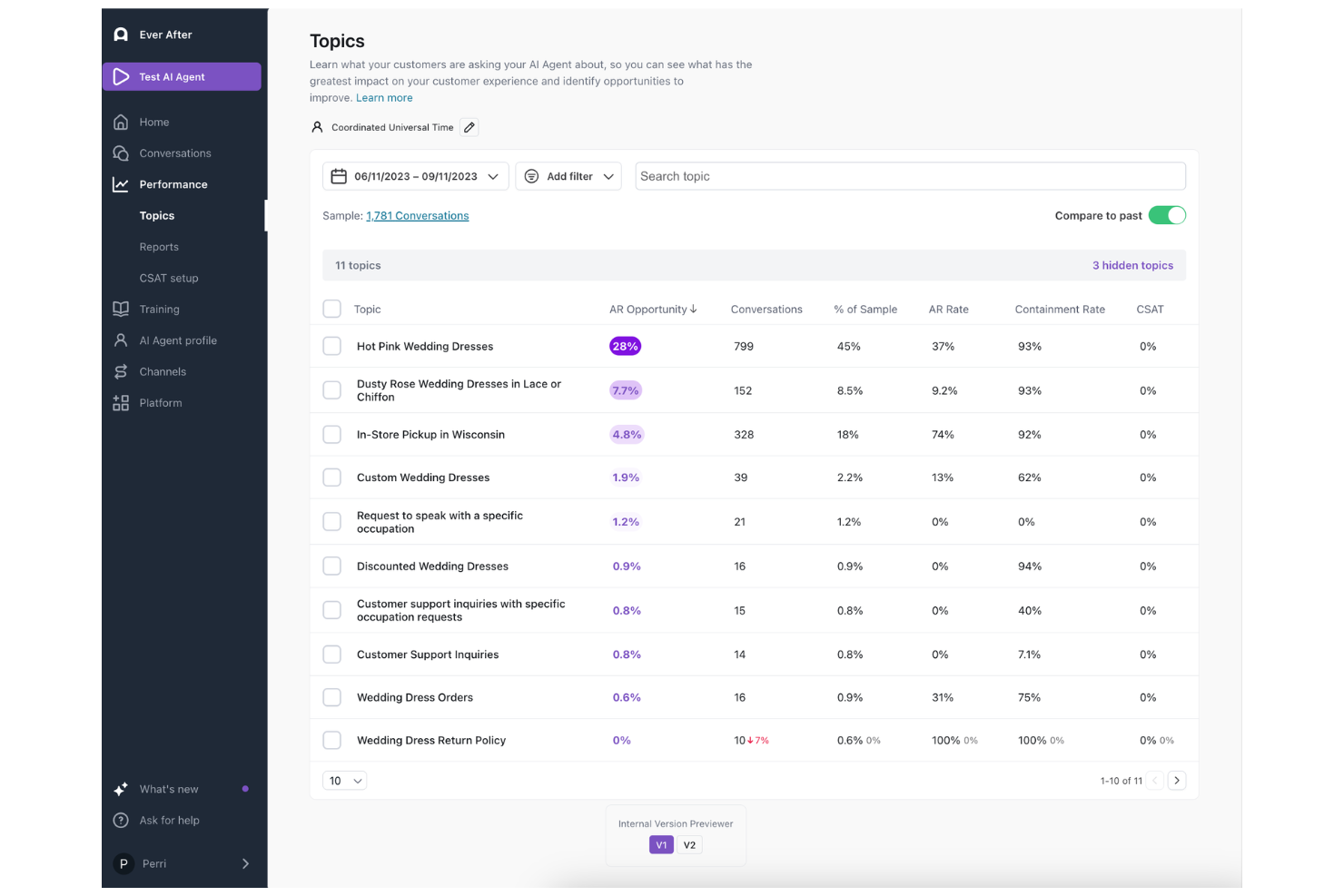
Ada offers AI-driven automation for customer experience teams looking to scale personalized support across digital channels. It’s a strong fit for businesses that want to reduce repetitive inquiries and deliver consistent, on-brand responses without heavy reliance on live agents. Ada stands out for organizations aiming to improve self-service and streamline customer journeys with minimal manual intervention.
Who Is Ada Best For?
Ada is a good fit for customer support and CX teams at mid-sized to large enterprises that need to automate high volumes of digital customer interactions.
Why I Picked Ada
I chose Ada for this list because it specializes in automating personalized customer interactions at scale, which is a core need for many CX teams. Ada’s AI engine uses natural language understanding to tailor responses based on customer context, making each interaction feel unique.
I also appreciate its ability to automate complex workflows, such as routing inquiries or escalating issues, without losing the personal touch. These features make Ada especially valuable for businesses that want to deliver individualized support while reducing manual workload.
Ada Key Features
Some other features that make Ada stand out for customer experience teams include:
- Multilingual support: Ada can handle conversations in multiple languages, allowing you to serve a global customer base.
- No-code chatbot builder: The platform offers a visual interface for building and updating chatbots without requiring programming skills.
- Proactive messaging: You can trigger automated messages based on user behavior or predefined events to engage customers at key moments.
- Analytics dashboard: Ada provides real-time insights into bot performance, customer interactions, and resolution rates to help you monitor and optimize your CX strategy.
Ada Integrations
Integrations include Zendesk, Salesforce, Kustomer, Intercom, Gladly, ServiceNow, and Gorgias.
Pros and Cons
Pros:
- Strong generative AI focus
- Easy CRM integrations
- Highly personalized replies
Cons:
- Complex fallback routing
- Pricing scales up quickly

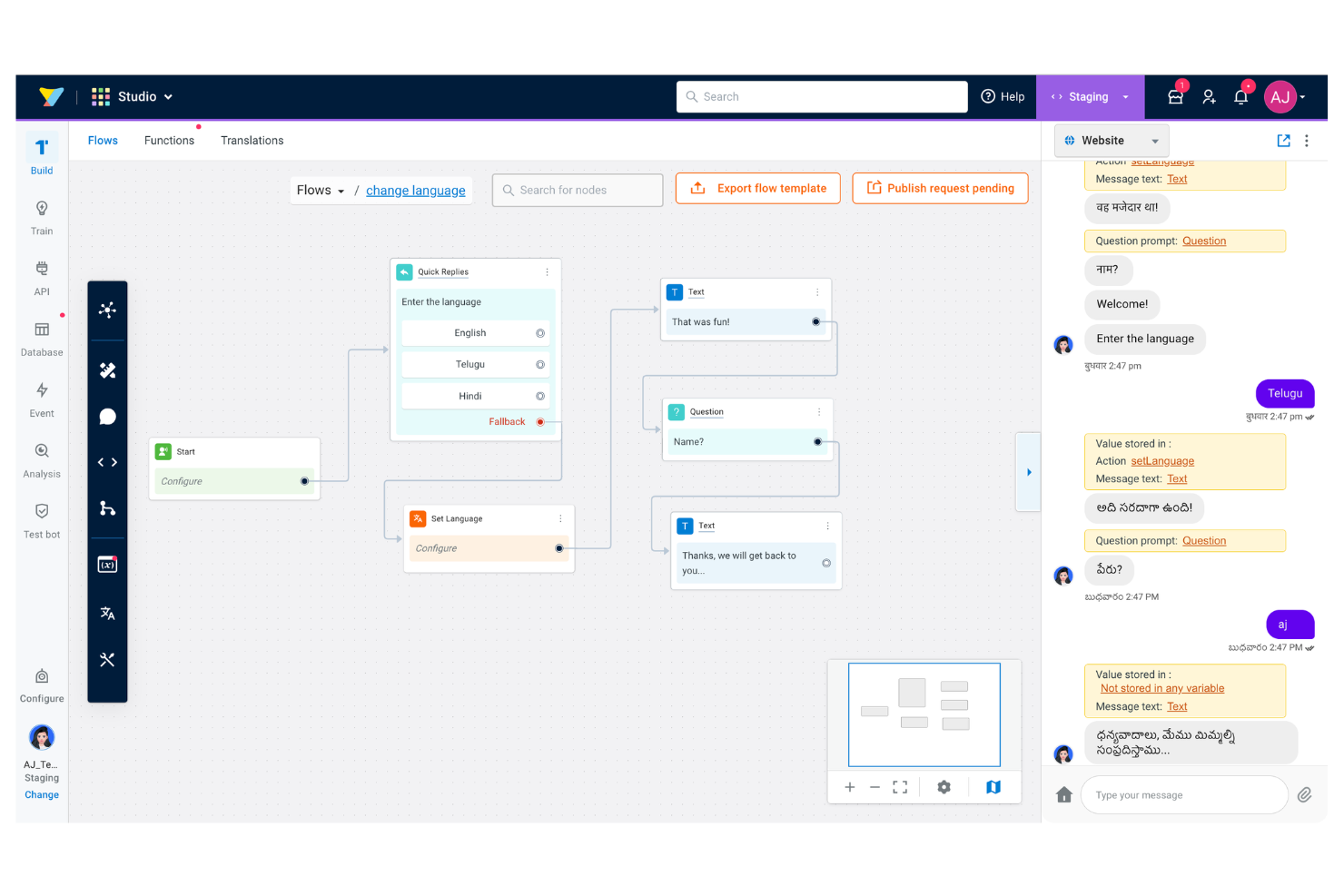
If your team needs to automate customer conversations across multiple languages and channels, Yellow.ai is worth considering. This platform appeals to CX leaders and digital transformation teams who want to deliver consistent, AI-driven support at scale. Yellow.ai helps businesses manage complex customer interactions, reduce manual workload, and improve response times through conversational automation.
Who Is Yellow.ai Best For?
Yellow.ai is a strong fit for enterprise and mid-sized businesses that need to automate customer conversations across multiple languages and channels.
Why I Picked Yellow.ai
I picked Yellow.ai because it stands out for its ability to automate conversations in over 135 languages, which is rare among AI customer experience platforms. The platform’s natural language processing engine can detect and switch languages in real time, making it ideal for global businesses with diverse customer bases.
I also appreciate that Yellow.ai supports conversational automation across voice, chat, and messaging channels, so teams can deliver consistent support wherever customers reach out. These capabilities make it a strong choice for organizations that need to manage multilingual customer interactions at scale.
Yellow.ai Key Features
Some other features that make Yellow.ai valuable for customer experience teams include:
- Omnichannel deployment: Deploy bots across web, mobile apps, WhatsApp, Facebook Messenger, and more from a single platform.
- Agent assist tools: Provide live agents with AI-powered suggestions and context during customer conversations.
- Workflow automation builder: Design and automate complex customer service workflows without coding.
- Analytics and reporting dashboard: Track bot performance, customer engagement, and conversation trends with real-time analytics.
Yellow.ai Integrations
Integrations include Salesforce, Zendesk, SAP, Microsoft Dynamics, Genesys, ServiceNow, and Shopify.
Pros and Cons
Pros:
- Dynamic generative chats
- Deep channel integrations
- Fast template deployment
Cons:
- Steep platform learning
- Complex API setup

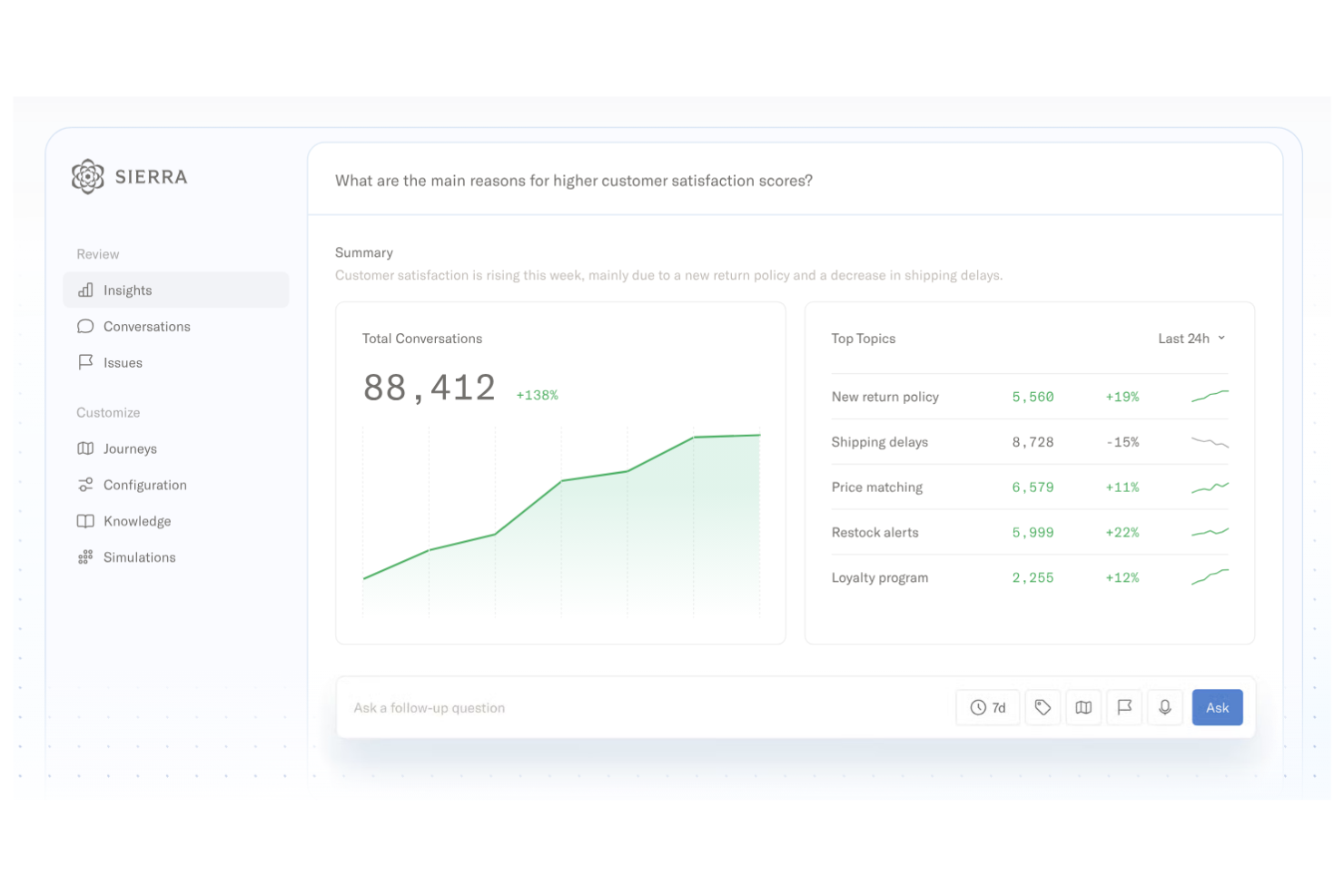
Sierra offers AI-powered support agents designed for businesses that want to automate complex customer interactions. It’s a strong fit for teams in ecommerce, SaaS, and digital services looking to deliver fast, accurate responses at scale. With its focus on generative AI, Sierra helps organizations handle nuanced queries and reduce manual workload for support teams.
Who Is Sierra Best For?
Sierra is a good fit for mid-sized to large customer support teams in ecommerce, SaaS, and digital-first industries seeking advanced AI-driven automation.
Why I Picked Sierra
What drew me to Sierra is its focus on generative AI-driven support agents that can handle complex, multi-turn conversations. Sierra’s agents use advanced language models to interpret customer intent, generate personalized responses, and resolve issues without human intervention.
I see this as especially valuable for organizations that want to automate high-volume support while still delivering nuanced, context-aware service. The platform’s ability to learn from past interactions and continuously improve its responses makes it a strong choice for teams prioritizing AI-powered customer experience.
Sierra Key Features
Some other features that make Sierra valuable for AI customer experience teams include:
- Omnichannel messaging support: Connects with channels like email, SMS, and chat to manage conversations in one place.
- Automated ticket escalation: Routes complex or unresolved issues to human agents based on predefined rules.
- Knowledge base integration: Pulls information from internal documentation to provide accurate, up-to-date answers.
- Conversation analytics dashboard: Tracks agent performance, customer sentiment, and conversation trends in real time.
Sierra Integrations
Integrations include Google Cloud, Databricks, Snowflake, Redis, AWS, and an API is available for custom integrations.
Pros and Cons
Pros:
- Brand voice customization
- Takes complex actions
- Deeply understands intent
Cons:
- High enterprise pricing
- Fewer legacy integrations

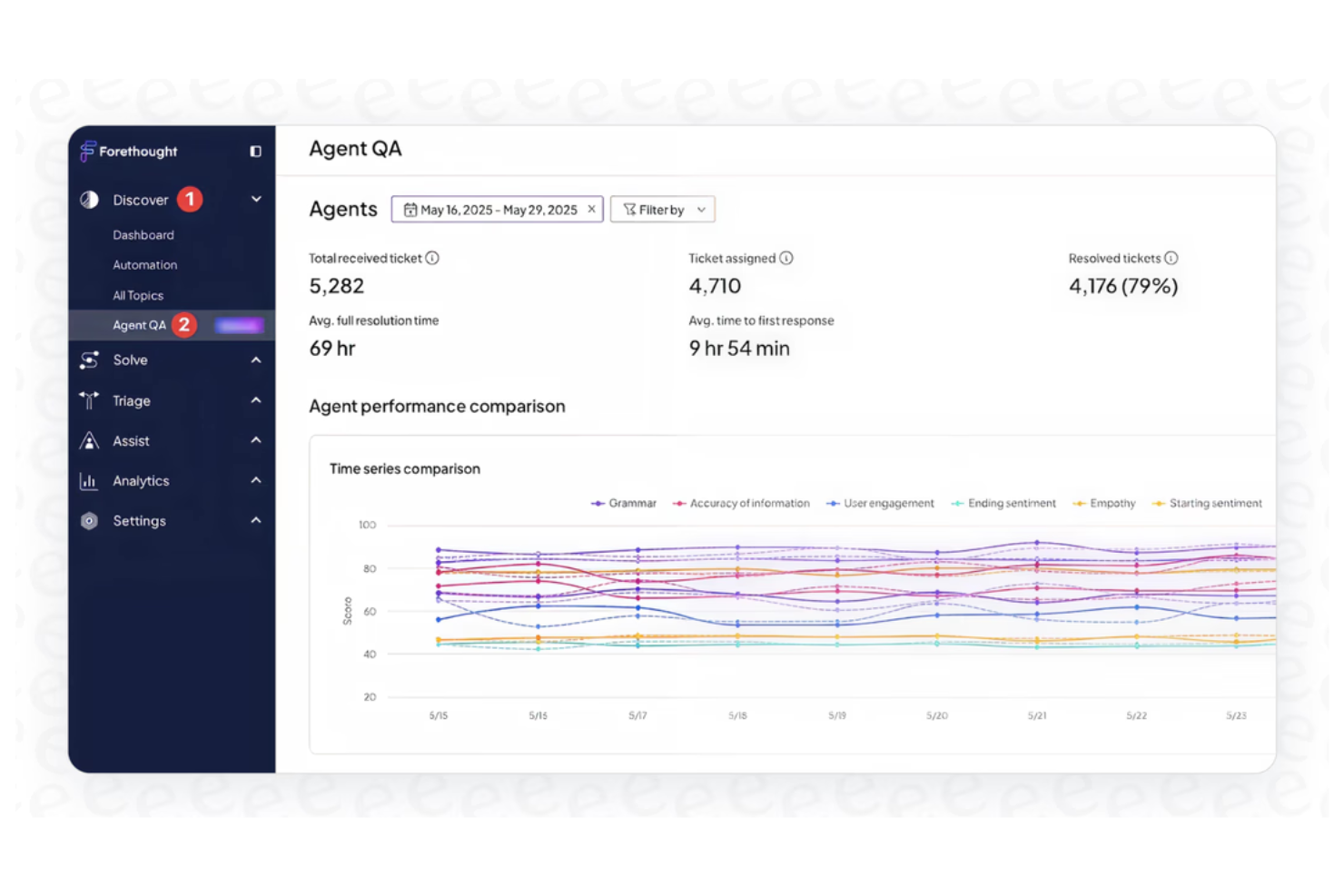
If your team needs to automate and accelerate customer support case resolution, Forethought is worth a look. This AI-driven platform appeals to support leaders and operations teams who want to reduce manual triage and improve response accuracy. Forethought stands out for its focus on using AI to interpret, route, and resolve cases directly within existing helpdesk workflows.
Who Is Forethought Best For?
Forethought is a strong fit for customer support and operations teams in mid-sized to large organizations that want to automate and optimize case resolution workflows.
Why I Picked Forethought
I chose Forethought because it specializes in using AI to automate case resolution workflows, which is a top priority for many support teams looking to scale. Its AI models analyze incoming tickets, predict intent, and suggest or trigger the next best action, reducing manual triage and repetitive work.
I also like that Forethought can surface relevant knowledge base articles and automate responses directly within the helpdesk, helping agents resolve cases faster. These capabilities make it a strong choice for organizations that want to improve resolution speed and accuracy without adding more headcount.
Forethought Key Features
Some other features that make Forethought valuable for customer experience teams include:
- Sentiment analysis: The platform detects customer sentiment in real time to help prioritize and route cases based on urgency or tone.
- Workflow automation builder: Teams can design and deploy custom automated workflows for repetitive support tasks without coding.
- Multichannel support: Forethought works across email, chat, and web forms, allowing teams to manage cases from multiple channels in one place.
- Analytics dashboard: Users get access to detailed analytics on case trends, resolution times, and AI performance to inform process improvements.
Forethought Integrations
Integrations include Zendesk, Salesforce, ServiceNow, Kustomer, Intercom, and Freshdesk.
Pros and Cons
Pros:
- High deflection rates
- Learns from past tickets
- Auto-drafts email replies
Cons:
- AI needs constant review
- Pricey for smaller teams
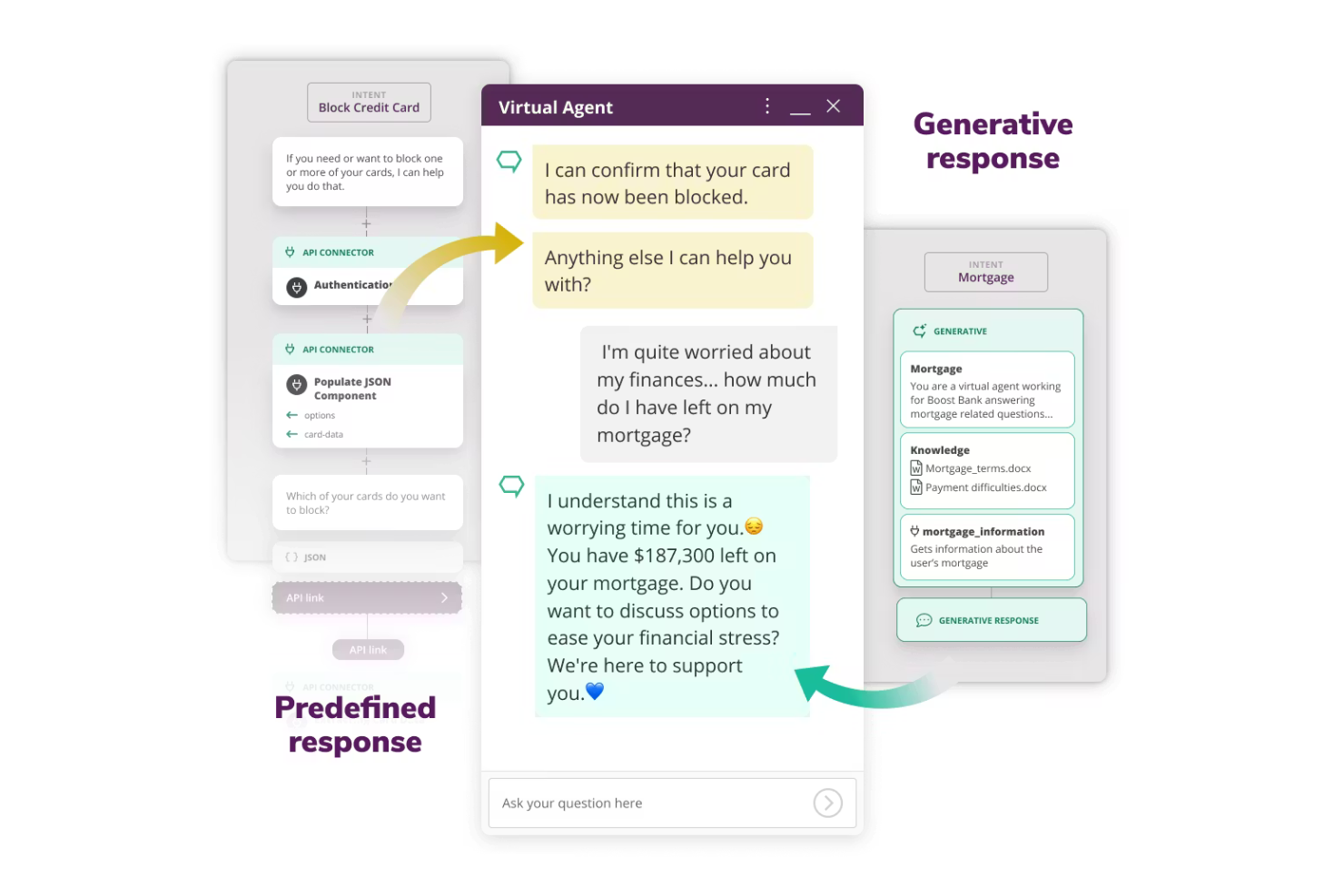
Boost.ai offers an AI-driven platform for deploying virtual agents at scale across customer-facing channels. It’s a strong fit for enterprises and public sector organizations that need to automate high volumes of customer interactions without sacrificing accuracy. Teams looking to reduce manual workload and deliver consistent, always-on support will find Boost.ai especially relevant.
Who Is Boost.ai Best For?
Boost.ai is well-suited for large enterprises and public sector organizations that need to automate and scale customer support across multiple digital channels.
Why I Picked Boost.ai
What stands out to me about Boost.ai is its ability to deploy and manage virtual agents at scale, which is essential for organizations handling thousands of customer interactions daily. The platform’s conversational AI engine supports advanced intent recognition and can handle complex, multi-turn dialogues across channels.
I also like that Boost.ai allows teams to train and update virtual agents without heavy reliance on IT, making it easier to adapt to changing customer needs. These capabilities make it a strong choice for businesses that need scalable, reliable automation in their customer experience operations.
Boost.ai Key Features
Some other features I found valuable in Boost.ai include:
- Live chat handover: Automatically transfers conversations from virtual agents to human agents when needed, ensuring continuity in complex cases.
- Role-based access controls: Lets administrators set permissions and manage access for different team members within the platform.
- Multilingual support: Enables virtual agents to interact with customers in multiple languages, expanding reach for global organizations.
- Analytics dashboard: Provides real-time insights into agent performance, customer queries, and conversation trends.
Boost.ai Integrations
Integrations include Salesforce, Zendesk, Slack, Dixa, AWS, and Genesys.
Pros and Cons
Pros:
- Handles high chat volumes
- Easy visual flow builder
- Broad intent recognition
Cons:
- Pricing is enterprise only
- Lacks cutting-edge GenAI

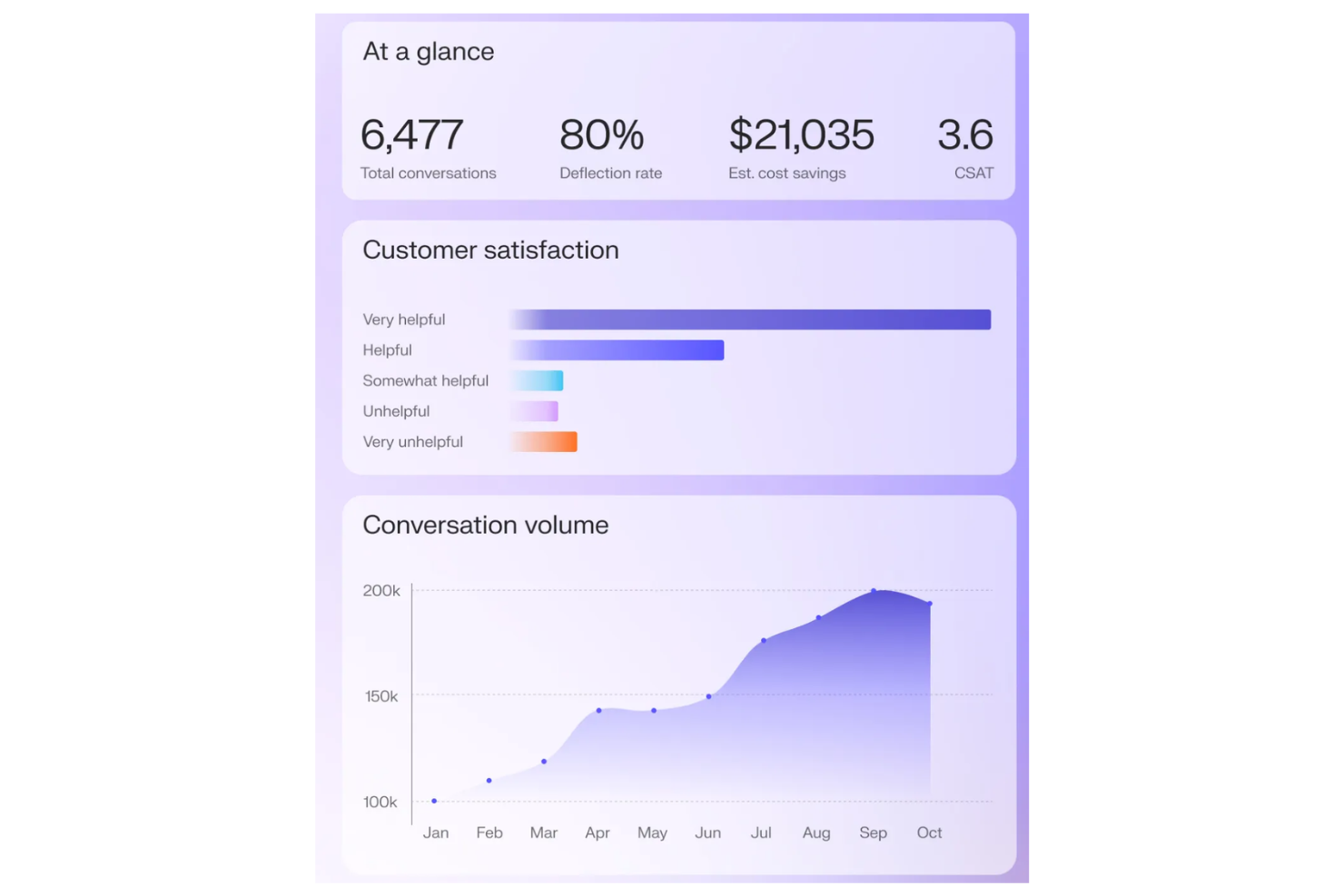
Decagon is an AI-powered platform designed for teams that want deeper visibility into customer behavior across digital touchpoints. It’s especially relevant for customer experience leaders and operations teams in fast-moving industries who need actionable insights to optimize journeys in real time. Decagon helps you identify friction points and opportunities by connecting data from multiple sources into a unified view.
Who Is Decagon Best For?
Decagon is a good fit for customer experience and operations teams in mid-sized to large digital businesses that need real-time insights into customer journeys.
Why I Picked Decagon
What stands out to me about Decagon is its ability to deliver real-time customer journey insights that go beyond basic analytics. I picked this tool because it automatically maps and visualizes every step of the customer journey, allowing teams to spot friction points and drop-offs as they happen.
Decagon’s AI-driven segmentation and journey orchestration features help you personalize interventions and optimize experiences on the fly. For teams that need to react quickly to changing customer behaviors, these real-time insights are a major advantage.
Decagon Key Features
Some other features I found valuable in Decagon include:
- Predictive churn modeling: Uses AI to identify customers at risk of leaving based on behavioral signals.
- Automated alerting: Notifies teams instantly when key journey metrics or thresholds are breached.
- Custom dashboard builder: Lets you create tailored dashboards to monitor the metrics that matter most to your team.
- Data source unification: Connects and consolidates data from multiple platforms for a single, comprehensive view of each customer.
Decagon Integrations
Integrations include Salesforce, Intercom, Zendesk, Confluence, Contentful, Kustomer, Amazon Connect, and RingCentral.
Pros and Cons
Pros:
- Seamless human handoffs
- Fast continuous learning
- Handles complex workflows
Cons:
- Customization takes time
- Fewer out-of-box CRMs

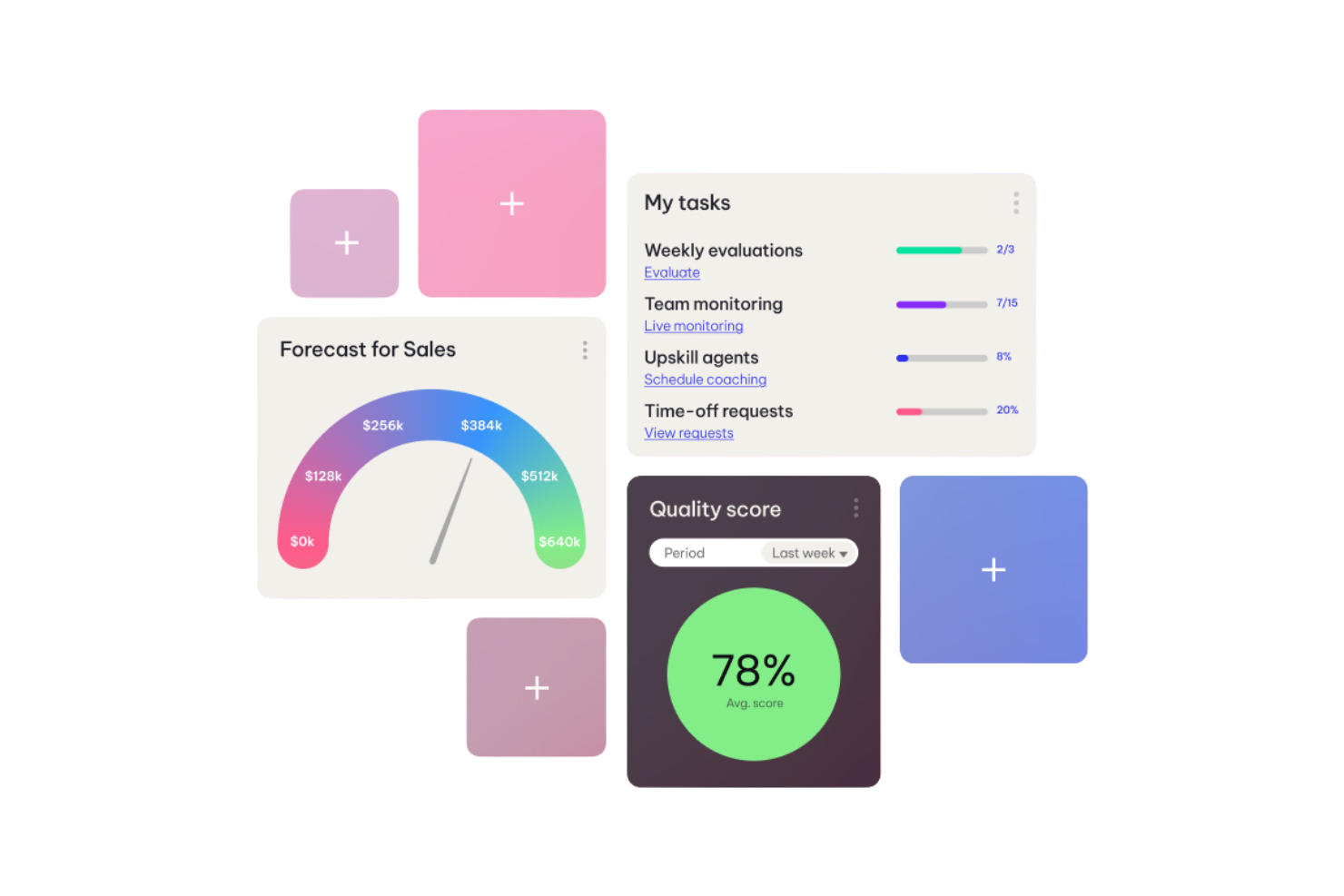
Ultimate CX is an AI-driven platform from NICE designed for support teams that want to automate and optimize customer service workflows. It’s especially relevant for large enterprises and organizations with complex support operations. The platform helps teams orchestrate omnichannel interactions and streamline repetitive tasks using advanced automation and analytics.
Who Is Ultimate CX Best For?
Ultimate CX is a strong fit for large enterprise support teams in industries with high customer interaction volumes, such as financial services, telecommunications, and retail.
Why I Picked Ultimate CX
What drew me to Ultimate CX is its focus on workflow automation for support teams managing complex customer journeys. The platform uses AI to automate repetitive tasks, such as ticket routing and case prioritization, which helps teams handle high volumes without losing quality.
I also appreciate its ability to orchestrate omnichannel interactions, ensuring that customers receive consistent support across chat, email, voice, and social channels. These automation and orchestration features make Ultimate CX a strong choice for organizations looking to scale their customer experience operations efficiently.
Ultimate CX Key Features
Some other features I found valuable in Ultimate CX include:
- AI-powered intent detection: Identifies customer intent in real time to route inquiries and trigger relevant workflows.
- Knowledge management integration: Connects to internal knowledge bases to surface suggested answers and resources for agents.
- Real-time analytics dashboard: Provides live visibility into support metrics, agent performance, and customer sentiment.
- Automated quality monitoring: Uses AI to review and score customer interactions for compliance and service quality.
Ultimate CX Integrations
Integrations include Salesforce, Oracle, Microsoft Dynamics, Zendesk, ServiceNow, Kustomer, Pega, Snowflake, Kafka, and Kinesis.
Pros and Cons
Pros:
- Easy Zendesk connection
- High automation rates
- Great global language AI
Cons:
- AI intent tuning is hard
- Pricey for mid-market
Other AI Customer Experience Platform
Here are some additional ai customer experience platform options that didn’t make it onto my shortlist, but are still worth checking out:
- Crescendo.ai
With AI-powered call analysis
- Salesforce Service Cloud Einstein
For native CRM AI integration
- Sprinklr
With unified customer profiles
- Dialpad
With enterprise-grade integrations
- Kustomer
For customizable agentic AI workflows
- Assembled
With AI-driven workforce management
- Pylon
For B2B support automation
- Konnect Insights
For 360° omnichannel analytics
- Freshdesk
For rapid AI-powered ticketing
- CSG
For customer journey orchestration


Related CX Software Lists
If you still haven’t found what you’re looking for here, check out these related customer experience management tools that I’ve tested and evaluated.
AI Customer Experience Platform Selection Criteria
When selecting the best AI customer experience platform to include in this list, I considered common buyer needs and pain points like automating high-volume customer interactions and unifying customer data across channels. I also used the following framework to keep my evaluation structured and fair:
Core Functionality (25% of total score) To be considered for inclusion in this list, each solution had to fulfill these common use cases:
- Automate customer support workflows
- Route tickets or cases to the right agent
- Provide AI-powered chat or messaging
- Surface relevant knowledge base articles
- Analyze customer feedback and interactions
Additional Standout Features (25% of total score) To help further narrow down the competition, I also looked for unique features, such as:
- Predictive analytics for customer behavior
- No-code AI chatbot builders
- Omnichannel conversation management across email, chat, and LinkedIn
- Real-time sentiment analysis
- Automated quality assurance for agent responses
Usability (10% of total score) To get a sense of the usability of each system, I considered the following:
- Simple and intuitive user interface
- Customizable dashboards and views
- Easy navigation between modules
- Minimal clicks to complete common tasks
- Accessibility for users with different needs
Onboarding (10% of total score) To evaluate the onboarding experience for each platform, I considered the following:
- Availability of step-by-step product tours
- Access to training videos and webinar recordings
- Pre-built templates for common workflows
- Interactive onboarding checklists
- Live chat or chatbot support during setup
Customer Support (10% of total score) To assess each software provider’s customer support services, I considered the following:
- 24/7 live support availability
- Multichannel support options
- Fast response times to inquiries
- Access to a knowledge base or help center
- Community forums for peer support
Value For Money (10% of total score) To evaluate the value for money of each platform, I considered the following:
- Transparent and flexible pricing plans
- Features included at each pricing tier
- Free trial or demo availability
- No hidden fees or surprise charges
- Discounts for annual or volume commitments
Customer Reviews (10% of total score) To get a sense of overall customer satisfaction, I considered the following when reading customer reviews:
- Positive feedback on cost savings, and reliability in customer stories and case studies
- Reports of improved customer experience metrics
- Comments on ease of integration with other tools
- User satisfaction with support and onboarding
- Constructive criticism about limitations or gaps
How to Choose AI Customer Experience Platform
It’s easy to get bogged down in long feature lists and complex pricing structures. To help you stay focused as you work through your unique software selection process, here’s a checklist of factors to keep in mind:
| Factor | What to Consider |
|---|---|
| Scalability | Will the platform handle your current and projected support volumes as your business grows? Assess user, channel, and data limits. |
| Integrations | Does the tool connect natively with your CRM, help desk, analytics, and communication platforms? Check for compatibility with your existing stack. |
| Customizability | Can you tailor workflows, automations, and AI models to your unique processes and terminology? Avoid rigid systems that force you to adapt. |
| Ease of use | Will your team adopt the platform quickly? Look for intuitive navigation, clear labeling, and minimal training requirements. |
| Implementation and onboarding | How long will it take to get up and running? Consider migration support, onboarding resources, and the need for IT involvement. |
| Cost | Are pricing tiers transparent and predictable as usage grows? Watch for hidden fees, per-interaction charges, or costly add-ons. |
| Security safeguards | Does the platform meet your data privacy and security standards? Confirm encryption, access controls, and compliance certifications. |
| Support availability | What support channels and hours are offered? Ensure you’ll have access to help when you need it, especially during critical incidents. |
What Are AI Customer Experience Platforms?
An AI customer experience platform is a software solution that uses artificial intelligence to automate, analyze, and enhance customer interactions across digital channels. These platforms help teams manage support requests, personalize communications, and gain insights from customer data.
By leveraging AI, businesses can deliver faster responses, predict customer needs, and improve overall satisfaction to drive customer loyalty, acting as a reliable copilot while reducing manual workload for customer experience teams.
Features
When selecting an AI customer experience platform, keep an eye out for the following key features:
- AI-powered ticket routing: Uses machine learning to assign incoming requests to the most appropriate agent or team based on skills, workload, and historical data.
- Automated chatbots: Provides instant responses to common customer questions and can handle routine tasks like order tracking or password resets without human intervention.
- Sentiment analysis: Analyzes customer messages in real time to detect tone, urgency, and satisfaction, helping teams prioritize and personalize responses.
- Knowledge base recommendations: Suggests relevant help articles or resources to both agents and customers during interactions, reducing resolution times.
- Omnichannel support: Centralizes conversations from email, chat, social media, and messaging apps into a single interface for unified management.
- Predictive analytics: Identifies trends, forecasts customer needs, and highlights potential issues before they escalate, supporting proactive service.
- Workflow automation: Automates repetitive tasks such as follow-ups, escalations, and survey distribution to increase efficiency and consistency.
- Customizable dashboards: Lets users visualize key metrics, monitor team performance, and track customer satisfaction in real time.
- Integration capabilities: Connects with CRM, help desk, and other business tools to ensure seamless data flow and a complete view of the customer journey.
Benefits
Implementing an AI customer experience platform provides several benefits for your team and your business. Here are a few you can look forward to:
- Faster response times: Automated ticket routing and chatbots ensure customers get immediate answers and support, even during peak periods.
- Personalized customer interactions: AI analyzes data and sentiment to tailor responses and recommendations for each customer.
- Proactive service delivery: Predictive analytics help your team identify and address issues before they escalate, improving customer satisfaction.
- Centralized communication: Omnichannel support brings all customer conversations into one place, making it easier to manage and track interactions.
- Reduced manual workload: Workflow automation and knowledge base recommendations minimize repetitive tasks for your team, freeing up time for complex issues.
- Data-driven decision making: Customizable dashboards and analytics provide actionable insights into customer trends and team performance.
- Scalable support operations: AI-powered tools allow your business to handle higher volumes of interactions without sacrificing quality or consistency.
Costs and Pricing
Selecting an AI customer experience platform requires an understanding of the various pricing models and plans available. Costs vary based on features, team size, add-ons, and more. The table below summarizes common plans, their average prices, and typical features included in ai customer experience platform solutions:
Plan Comparison Table for AI Customer Experience Platform
| Plan Type | Average Price | Common Features |
|---|---|---|
| Free Plan | $0 | Basic ticketing, limited chatbot functionality, single channel support, and basic analytics. |
| Personal Plan | $25-$55/user/month | Multi-channel support, AI-powered routing, basic automation, and standard reporting. |
| Business Plan | $75-$120/user/month | Advanced chatbots, sentiment analysis, workflow automation, integrations, and customizable dashboards. |
| Enterprise Plan | $150+/user/month | Predictive analytics, omnichannel management, advanced security, dedicated support, and compliance tools. |
AI Customer Experience Platform FAQs
Here are some answers to common questions about AI customer experience platforms:
How does an AI customer experience platform improve support team productivity?
AI customer experience platforms automate repetitive tasks like ticket routing, responses to common questions, and knowledge base suggestions. This lets support teams focus on complex issues and reduces time spent on manual processes, helping teams handle higher volumes without sacrificing quality.
Can AI customer experience platforms integrate with existing CRM or help desk tools?
Yes, most AI customer experience platforms offer integrations with popular CRM, help desk, and communication tools. This ensures customer data stays connected across systems and allows teams to manage interactions from a single interface.
What types of businesses benefit most from AI customer experience platforms?
Businesses with high volumes of customer interactions, multiple support channels, or a need for 24/7 service benefit most. These platforms are especially useful for ecommerce, SaaS, telecom, and financial services teams looking to scale support and personalize experiences.
Are there data privacy concerns with using AI customer experience platforms?
Yes, data privacy is important when using AI platforms. Always check for encryption, access controls, and compliance with regulations like GDPR or CCPA. Choose vendors that are transparent about their data handling and security practices.
How long does it take to implement an AI customer experience platform?
Implementation time varies by platform and business size. Small teams may be up and running in a few days, while larger organizations with complex workflows or integrations may need several weeks. Look for onboarding resources and migration support to speed up the process.