


HubSpot vs. monday CRM: Comparison & Expert Reviews For 2026



HubSpot is a smart, all-in-one CRM built to help sales, marketing, and service teams grow and manage customer relationships at scale. monday CRM, a part of the monday.com ecosystem, is a flexible, visual workspace that helps your team organize pipelines, projects, and follow-ups in one place.
Compared to monday, HubSpot leans deeper into marketing and automation, while monday is easier to customize for task and workflow management. In this HubSpot vs. monday CRM comparison, I review these customer relationship management (CRM) software options side-by-side, covering features, pros and cons, pricing, and more, so you can choose the best CRM platform for your use case.
HubSpot vs. monday CRM: An Overview
HubSpot


monday CRM


Why Trust Our Software Recommendations
Our team has been testing and reviewing software since 2012. As CX leaders ourselves, we know how difficult—and important—it is to choose the right software.
For this guide, we evaluated tools using hands-on testing and independent research, scoring tools using our selection criteria.
Our reviews reflect our human editorial judgment, not a sales pitch.
HubSpot vs. monday CRM Pricing Comparison
| HubSpot | monday CRM | |
|---|---|---|
| Free Trial | Free plan available | 14-day free trial + free demo available |
| Pricing | From $20/user/month | From $12/seat/month (billed annually) |
HubSpot vs. monday CRM Pricing & Hidden Costs
HubSpot pricing includes access to Smart CRM with any premium HubSpot product, but adding team members or unlocking more advanced functionality often means buying additional seats or upgrading plans.
monday CRM pricing also uses a per-user, tiered approach, but many core features are available on lower plans, with limits on automations and integrations that scale with usage.
To pick the right fit, map out how many contacts you'll manage, which features you actually need, and how quickly your team might grow—especially if you're trying to avoid sticker shock six months in.
HubSpot vs. monday CRM Feature Comparison
With HubSpot’s Smart CRM, you can track contacts, deals, and marketing touchpoints in one place. It’s great if your team needs a full view of the customer journey across your service and sales pipeline to effectively close deals.
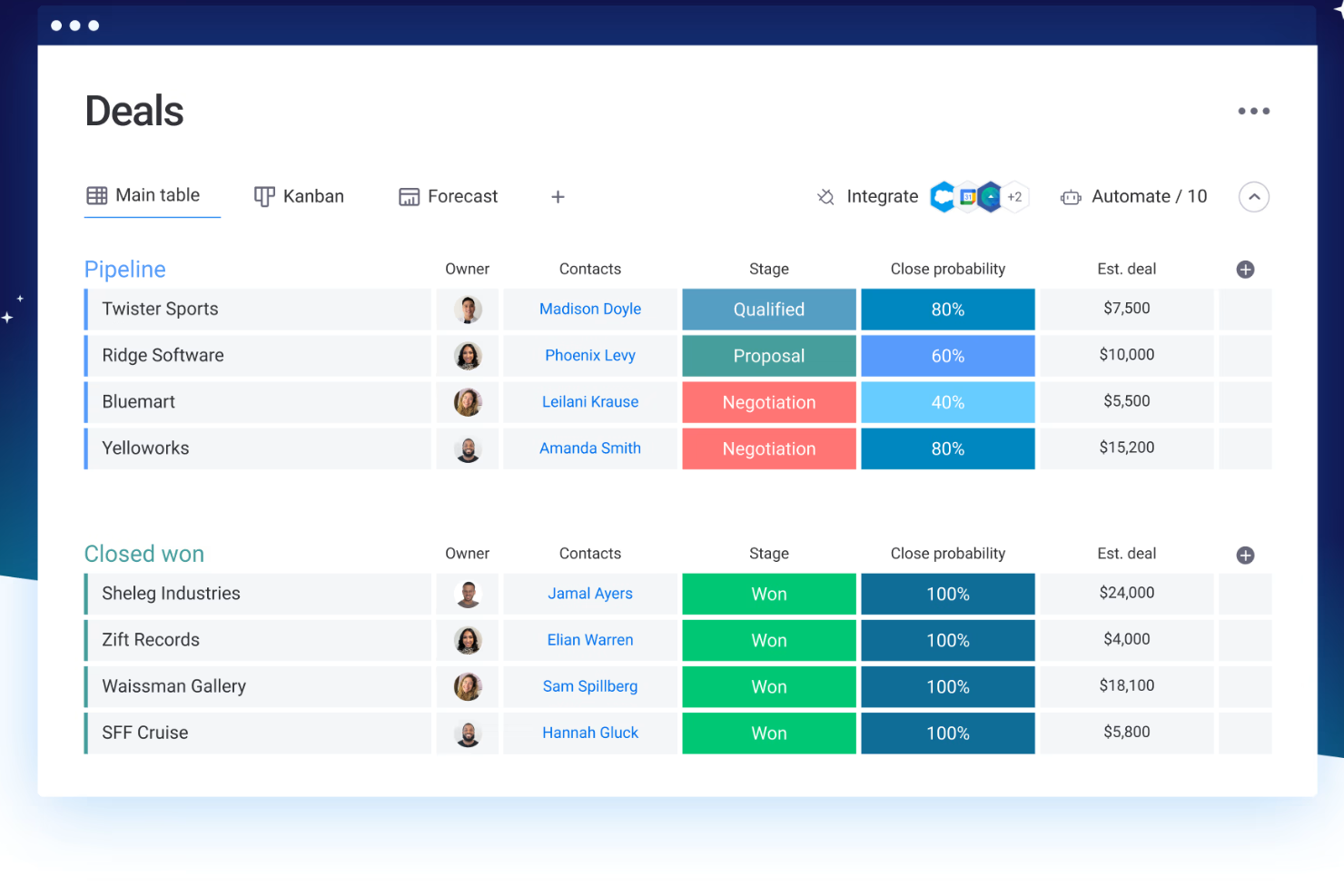
monday CRM’s customizable boards are better if your team works cross-functionally and needs a flexible way to manage deals, tasks, and client projects in one shared view.
HubSpot works well if you’re focused on lead gen and lifecycle tracking, while monday CRM is stronger for teams blending CRM with project management tools and ops work.
| HubSpot | monday CRM | |
|---|---|---|
| 2-Factor Authentication | ||
| API | ||
| Calendar Management | ||
| Call Tracking | ||
| Campaign Management | ||
| Click-to-Dial | ||
| Contact Management | ||
| Contact Sharing | ||
| Custom Data Forms | ||
| Customer Management | ||
| Dashboard | ||
| Data Export | ||
| Data Import | ||
| Data Visualization | ||
| Email Integration | ||
| External Integrations | ||
| File Sharing | ||
| File Transfer | ||
| Google Apps Integration | ||
| Lead Management | ||
| Lead Scoring | ||
| Marketing Automation | ||
| Mobile App | ||
| Multi-User | ||
| Notifications | ||
| Pipeline Management | ||
| Sales Automation | ||
| Scheduling | ||
| Social-Media Integration | ||
| Task Scheduling/Tracking | ||
| Third-Party Plugins/Add-Ons |
HubSpot vs. monday CRM Integrations
| Integration | HubSpot | monday CRM |
| Salesforce | ✅ | ✅ |
| Slack | ✅ | ✅ |
| Google Drive | ✅ | ✅ |
| Mailchimp | ✅ | ❌ |
| ❌ | ✅ | |
| Miro | ❌ | ✅ |
| Zendesk | ✅ | ✅ |
| Zoom | ✅ | ✅ |
| Microsoft Teams | ✅ | ✅ |
| Meta Ads | ✅ | ✅ |
| API | ✅ | ✅ |
| Zapier | ✅ | ✅ |
With HubSpot’s integration with Salesforce, you can sync contacts and deals across platforms. This can be helpful if your team uses Salesforce in one department and HubSpot CRM elsewhere. monday CRM’s Zoom integration is great for sales or onboarding teams that book and run meetings directly from within task boards. HubSpot goes broader on marketing and lead generation integrations, while monday CRM focuses more on cross-functional team tools.
Both tools also work seamlessly with other products in their respective suite. For instance, HubSpot Smart CRM works with the HubSpot Service Hub, Marketing Hub (for digital marketing and email marketing campaigns), Sales Hub (for lead scoring, sales forecasting, and lead management), and Content Hub, while monday CRM works with monday work management (for project management and teamwork), monday service, and monday dev.
HubSpot vs. monday CRM Security, Compliance & Reliability
| Factor | HubSpot | monday CRM |
| Data Encryption | Uses TLS for data in transit and AES-256 encryption at rest. | Uses TLS/SSL encryption in transit and AES-256 at rest. |
| Regulatory Compliance | Complies with GDPR, CCPA, HIPAA (Enterprise), and SOC 2 Type II. | Complies with GDPR, HIPAA (Enterprise), and holds SOC 2 Type II. |
| Data Residency | Offers EU and U.S. data centers with region-specific hosting options. | Offers EU and U.S. data centers with flexible residency on request. |
| Access Controls | Provides role-based permissions, SSO, 2FA, and audit logging. | Offers detailed permission settings, SSO, 2FA, and activity logs. |
| Uptime and Monitoring | 99.99% uptime SLA with real-time status tracking and incident history. | 99.9% uptime guarantee with live status page and proactive alerts. |
HubSpot offers slightly more built-in compliance coverage out of the box, while monday CRM gives you strong controls and flexibility on access and visibility. To choose the right vendor, review your data residency needs, required certifications, and how much control your team needs over access and audit settings.
HubSpot vs. monday CRM Ease of Use
| Factor | HubSpot | monday CRM |
| User Interface | Clean and professional, with a lot of options packed into each view. | Simple and visual, with drag-and-drop boards that are easy to navigate. |
| Onboarding Experience | Offers guided tours, checklists, and a rich self-service knowledge base. | Quick to set up with templates and in-app walkthroughs. |
| Customization | Deep settings and modules but takes time to master. | Highly customizable without needing technical skills. |
| Customer Support | Includes chat, forums, and help docs; live support depends on plan. | Offers live chat and quick responses on most plans. |
| Workflow Simplicity | Powerful automation tools but more complex to configure. | Easy-to-build automations using no-code, logic-based blocks. |
HubSpot gives you more depth but takes longer to learn and configure, especially if your team isn’t used to CRM software. monday CRM is easier to get started with and better for teams that want quick wins without a steep learning curve.
HubSpot vs monday CRM: Pros & Cons
HubSpot
- Its user-friendly interface helps your team get up to speed quickly.
- Robust reporting tools provide clear insights into your customer interactions.
- HubSpot's automation features streamline your marketing and sales efforts.
- The customization options could feel limited for complex workflows.
- HubSpot's advanced features might be overwhelming for small teams.
- You might find the email templates lacking in design flexibility.
monday CRM
- You can build and adjust pipelines without needing technical help.
- It’s easy to track tasks, emails, and contact history in one place.
- Automation features save your team time on repetitive tasks and streamline daily work.
- It can feel overwhelming with too many features for new users.
- Reporting feels limited if your team needs deeper performance or trend analysis.
- You can't manage complex sales territories or multi-layered account hierarchies.
Best Use Cases for HubSpot and monday CRM
HubSpot
- Tech Startups HubSpot's automation and easy onboarding help your team focus on innovation rather than process.
- E-commerce The platform's robust reporting tools let you track customer behavior and optimize your sales funnel.
- Marketing Teams HubSpot Marketing Hub’s email marketing, lead scoring, lead nurturing features, and custom landing pages help you A/B test, track, and optimize campaigns.
- Sales Departments The Sales Hub and CRM system offer tracking and reporting tools to help your team with lead management, segmentation, and follow-ups, so they can close deals faster.
- Customer Service HubSpot's support tools enable your team to respond quickly and efficiently to customer inquiries.
- Nonprofits The platform's ability to manage contacts and campaigns aids in donor engagement and outreach.
monday CRM
- Customer Support Teams You can track tickets, manage handoffs, and log follow-ups all in one easy-to-navigate board.
- Sales Operations Teams You can build lightweight sales pipelines and reporting without relying on complex CRM tools.
- Small Businesses Setup is quick, and you won’t need IT to change your workflows or customize fields.
- Account Management It helps your team stay on top of renewals, upsells, and check-ins without switching tools.
- SaaS Companies You can manage leads, onboard customers, and monitor ongoing relationships without bloated features.
- Marketing Agencies It’s easy to track client requests, campaign status, and deliverables across multiple accounts.
Who Should Use HubSpot, and Who Should Use monday CRM?
In my opinion, HubSpot is a good choice if your team needs a full-scale CRM with deep marketing, sales, and service capabilities baked in. It’s built for companies that rely on inbound, automation, and multichannel tracking to drive growth. monday CRM excels if you want something lightweight, visual, and easy to customize around your team’s workflows. I’d pick monday CRM if speed, flexibility, and cross-functional use are more important than all-in-one depth.
Differences Between HubSpot and monday CRM
| HubSpot | monday CRM | |
|---|---|---|
| Automation Capabilities | Powerful but more technical, with advanced logic and branching workflows. | No-code builder that’s simple to use but more limited in logic depth. |
| Feature Depth | Built as a full-scale platform with advanced sales, marketing, and service tools. | Flexible CRM system with task and project management built in. |
| Learning Curve | Offers more complexity and takes longer to configure and master. | Easier to set up and learn, even for non-technical teams. |
| Marketing Integration | Fully integrated with its own marketing hub for campaigns and tracking. | Integrates with LinkedIn, but needs third-party tools for advanced marketing capabilities. |
| Pricing | Free entry point but gets expensive fast as you scale users and contacts. | More predictable per-user pricing with lower-cost tiers. |
| Read HubSpot ReviewOpens new window | Visit monday CRMOpens new window |
Similarities Between HubSpot and monday CRM
| CRM Features | Both let you manage contacts, pipelines, deals, and follow-ups—HubSpot CRM adds marketing depth, while monday CRM layers in task management. |
|---|---|
| Cloud-Based Access | Both are fully cloud-based, so your team can work from anywhere and access live data in real time. |
| Customization | Each lets you tailor views, fields, dashboards, and workflows—HubSpot through modules and settings, monday CRM through boards and columns. |
| Integrations | Both connect with tools like Gmail, Slack, and Zoom to keep your team’s workflows in sync. Moreover, both use APIs and apps like Zapier for third-party platform integration. |
| User-Friendly Design | HubSpot and monday CRM offer intuitive interfaces and workflow automation builders to streamline repetitive tasks. |
| Read HubSpot ReviewOpens new window Visit monday CRMOpens new window | |