





Moxo is a customer service software built around managing structured client workflows through a branded portal. That includes onboarding, document collection, task assignments, and approvals. I'd consider it if your team handles complex, multi-step client interactions and needs more than a standard help desk. If Zendesk feels too narrowly focused on high-volume ticket management for that kind of work, Moxo is the better fit. It's purpose-built for ongoing, relationship-driven client collaboration.
Moxo Evaluation Summary

- From $99/month
- Free plan available
Why Trust Our Software Recommendations
Our team has been testing and reviewing software since 2012. As CX leaders ourselves, we know how difficult—and important—it is to choose the right software.
For this guide, we evaluated tools using hands-on testing and independent research, scoring tools using our selection criteria.
Our reviews reflect our human editorial judgment, not a sales pitch.
Moxo Overview
In my opinion, Moxo offers a solid suite of features for customer service operations, with standout features that can help organizations gain an edge over competitors. The only downside is Moxo’s usability and onboarding process, which could be smoother, especially for team members not accustomed to complex systems. And while customer support is reliable, it doesn't excel compared to other platforms.
In terms of pricing, Moxo might seem steep at first glance, but it’s often justified for larger enterprises that need advanced functionalities. For smaller businesses, the price may not be worth it, especially if only core features are needed.
In short, if your team prefers having all the tools you need in one powerful platform (even if it’s not the cheapest or simplest option), then Moxo could be a great fit.
pros
-
You can easily collaborate with your team using Moxo's intuitive interface and process templates.
-
Moxo's task management tools help you stay organized and on top of your work.
-
You can quickly share files and documents within the platform.
cons
-
Some users find the initial setup a bit tricky.
-
Moxo's mobile app could use some improvements.
-
You may experience occasional lags with large data sets.
Is Moxo Right For Your Needs?
Who Would be a Good Fit for Moxo?
Moxo is ideal for businesses in finance, legal, and healthcare that need to manage client interactions efficiently. If your work involves complex client onboarding and document management, Moxo's secure messaging, video meetings, and e-signature capabilities make it a solid choice. Its workflow automation also helps reduce manual tasks (like invoicing and file sharing) so you can maintain consistent service delivery, which is crucial for keeping stakeholders engaged and happy.
-
Finance Teams
Moxo's automated alerts and secure portals simplify client communications and document management, helping you stay compliant and efficient.
-
Legal Firms
Use Moxo for client onboarding and case management with its e-signature and secure messaging features.
-
Healthcare Providers
Moxo supports patient onboarding and document sharing securely, making it easier for you to manage sensitive information.
-
Real Estate Agencies
Streamline client interactions with Moxo's customizable portals, perfect for managing property documents and client communications.
-
Consulting Firms
Moxo's collaboration tools and workflow automation features help you manage client projects efficiently and stay on track.
-
Marketing Agencies
With Moxo, you can manage client campaigns and communications in one platform, reducing email clutter and improving project tracking.
Who Would be a Bad Fit for Moxo?
Moxo’s reliance on continuous internet connectivity can be limiting for businesses with poor internet access. Additionally, if your work doesn't require a heavy focus on client engagement or collaboration features, Moxo's extensive client interaction tools might be unnecessarily complex.
-
Small Teams
Moxo might be too complex and feature-rich for small teams that don't need extensive client interaction tools.
-
Offline Work Environments
If your team often works offline, Moxo's need for constant internet access could be limiting.
-
Basic Task Management
For those needing only simple task management, Moxo's comprehensive set of features may be overwhelming.
-
Limited Budget Companies
Moxo's advanced features might not justify its cost for companies with tight budgets.
-
Non-Collaborative Roles
Roles that don't involve collaboration or client interaction may not fully benefit from a comprehensive platform like Moxo.
-
Industries with Minimal Client Interaction
Industries that don't engage much with clients might find Moxo's client-focused features unnecessary.
How We Test & Score Tools
We’ve spent years building, refining, and improving our software testing and scoring system. The rubric is designed to capture the nuances of software selection and what makes a tool effective, focusing on critical aspects of the decision-making process.
Below, you can see exactly how our testing and scoring works across seven criteria. It allows us to provide an unbiased evaluation of the software based on core functionality, standout features, ease of use, onboarding, customer support, integrations, customer reviews, and value for money.
Core Functionality (25% of final scoring)
The starting point of our evaluation is always the core functionality of the tool. Does it have the basic features and functions that a user would expect to see? Are any of those core features locked to higher-tiered pricing plans? At its core, we expect a tool to stand up against the baseline capabilities of its competitors.
Standout Features (25% of final scoring)
Next, we evaluate uncommon standout features that go above and beyond the core functionality typically found in tools of its kind. A high score reflects specialized or unique features that make the product faster, more efficient, or offer additional value to the user.
We also evaluate how easy it is to integrate with other tools typically found in the tech stack to expand the functionality and utility of the software. Tools offering plentiful native integrations, 3rd party connections, and API access to build custom integrations score best.
Ease of Use (10% of final scoring)
We consider how quick and easy it is to execute the tasks defined in the core functionality using the tool. High scoring software is well designed, intuitive to use, offers mobile apps, provides templates, and makes relatively complex tasks seem simple.
Onboarding (10% of final scoring)
We know how important rapid team adoption is for a new platform, so we evaluate how easy it is to learn and use a tool with minimal training. We evaluate how quickly a team member can get set up and start using the tool with no experience. High scoring solutions indicate little or no support is required.
Customer Support (10% of final scoring)
We review how quick and easy it is to get unstuck and find help by phone, live chat, or knowledge base. Tools and companies that provide real-time support score best, while chatbots score worst.
Customer Reviews (10% of final scoring)
Beyond our own testing and evaluation, we consider the net promoter score from current and past customers. We review their likelihood, given the option, to choose the tool again for the core functionality. A high scoring software reflects a high net promoter score from current or past customers.
Value for Money (10% of final scoring)
Lastly, in consideration of all the other criteria, we review the average price of entry level plans against the core features and consider the value of the other evaluation criteria. Software that delivers more, for less, will score higher.
Core Features
Task Management: Moxo allows you to assign, track, and update tasks in real-time. This helps your team stay in full alignment so that nothing falls through the cracks.
Document Sharing: You can share documents securely within Moxo, which reduces the need for external tools and helps keep your files organized. You’ll find this feature handy for maintaining a single source of truth for your project documents.
Video Conferencing: You can conduct video meetings directly from the platform without having to switch between apps. This is perfect for remote teams needing regular interaction.
Client Engagement: Moxo offers tools for managing client relationships via dedicated client portals. This feature enhances client communication and satisfaction by providing them with a personalized service experience.
Reporting and Analytics Dashboard: Get insights into your operations with Moxo’s reporting tools. This allows you to track key performance metrics and make informed decisions based on real-time data.
Secure Messaging: Communicate securely with your team and clients through Moxo’s encrypted messaging system. This ensures sensitive information remains confidential and protected.

Standout Features
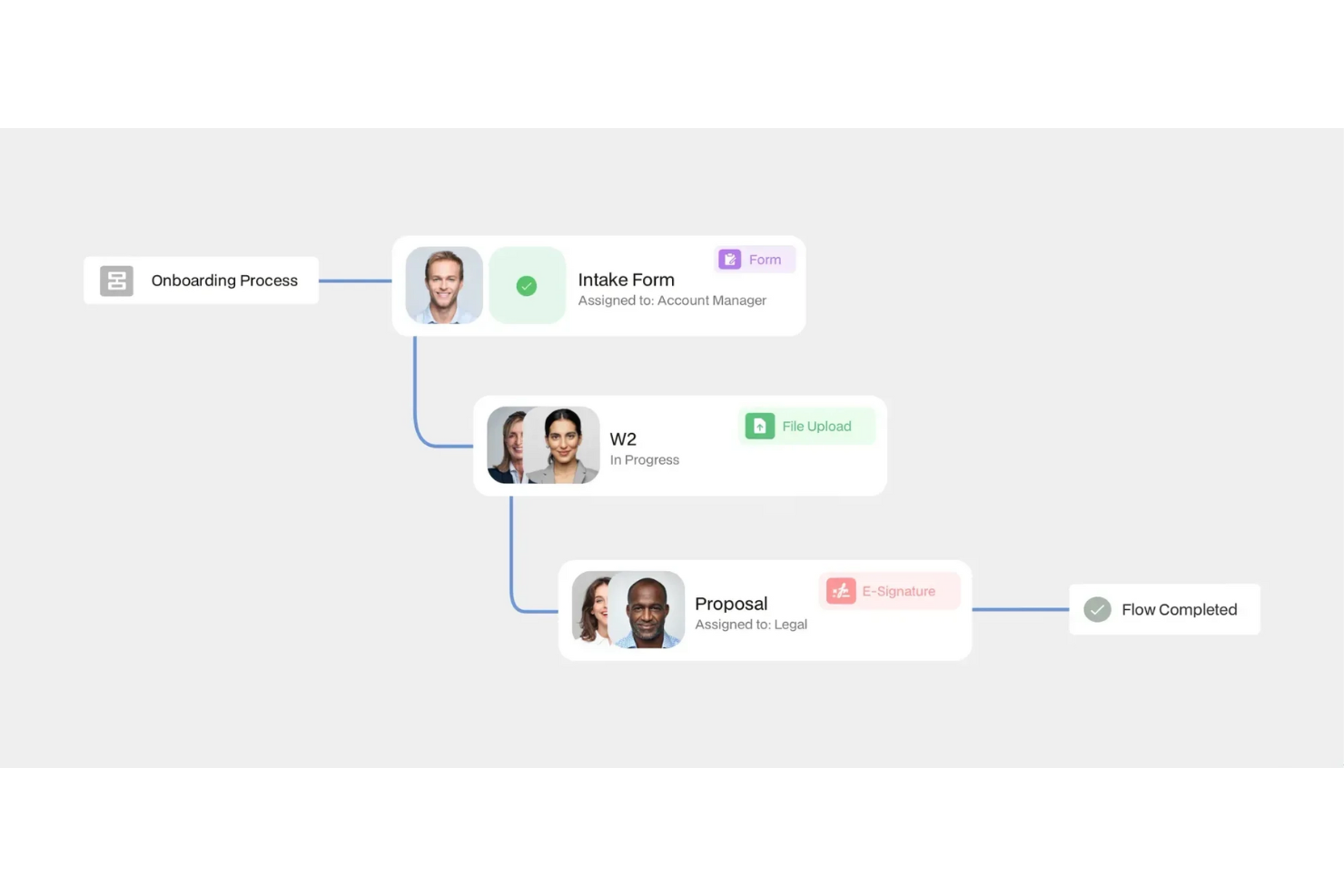
Unified Interface: Moxo stands out with its unified interface that combines multiple communication and collaboration tools in one place. This simplifies your workflow by reducing the need to juggle multiple applications.
Workflow Automation: Automate repetitive project management and account management tasks with Moxo’s workflow automation capabilities. This feature saves time and reduces human error, allowing your team to focus on more critical tasks.
Ease of Use
Moxo is relatively user-friendly, with even first-time users often finding its user interface easy to navigate. The layout is organized with clear menus and logical pathways, allowing you to access features without unnecessary clicks. Users also appreciate how tasks can be completed in fewer steps, making it an efficient tool for managing customer interactions.

Onboarding
Moxo's onboarding earns moderate praise, with users noting it as adequate but not exceptional. The setup process is clear and straightforward, however, some users wish support was a bit more in depth, interactive, and timely.
These gaps in onboarding support are a big reason why it can take longer to see real value from the platform compared to other workflow automation tools.
Customer Support
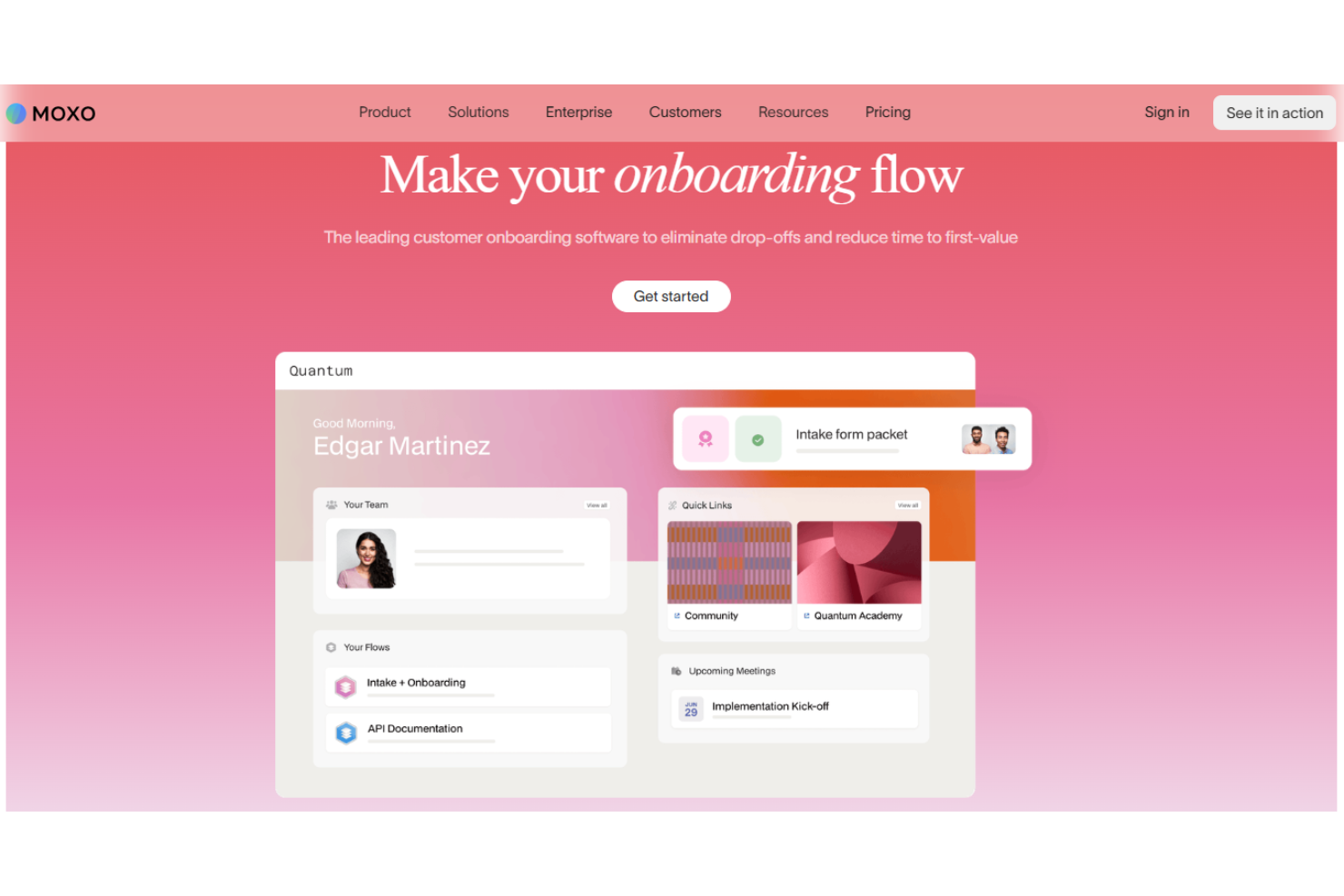
Moxo's customer support earns mixed reviews, with users noting a standardized support experience. While some appreciate the accessible contact options, others find them lacking in depth. The support team is reachable, but the overall experience isn't exceptional. Users have access to basic resources, but the level of personalization and proactive assistance doesn't stand out compared to other customer service software. This results in an average experience, leaving room for improvement in terms of responsiveness and customized support.
Integrations
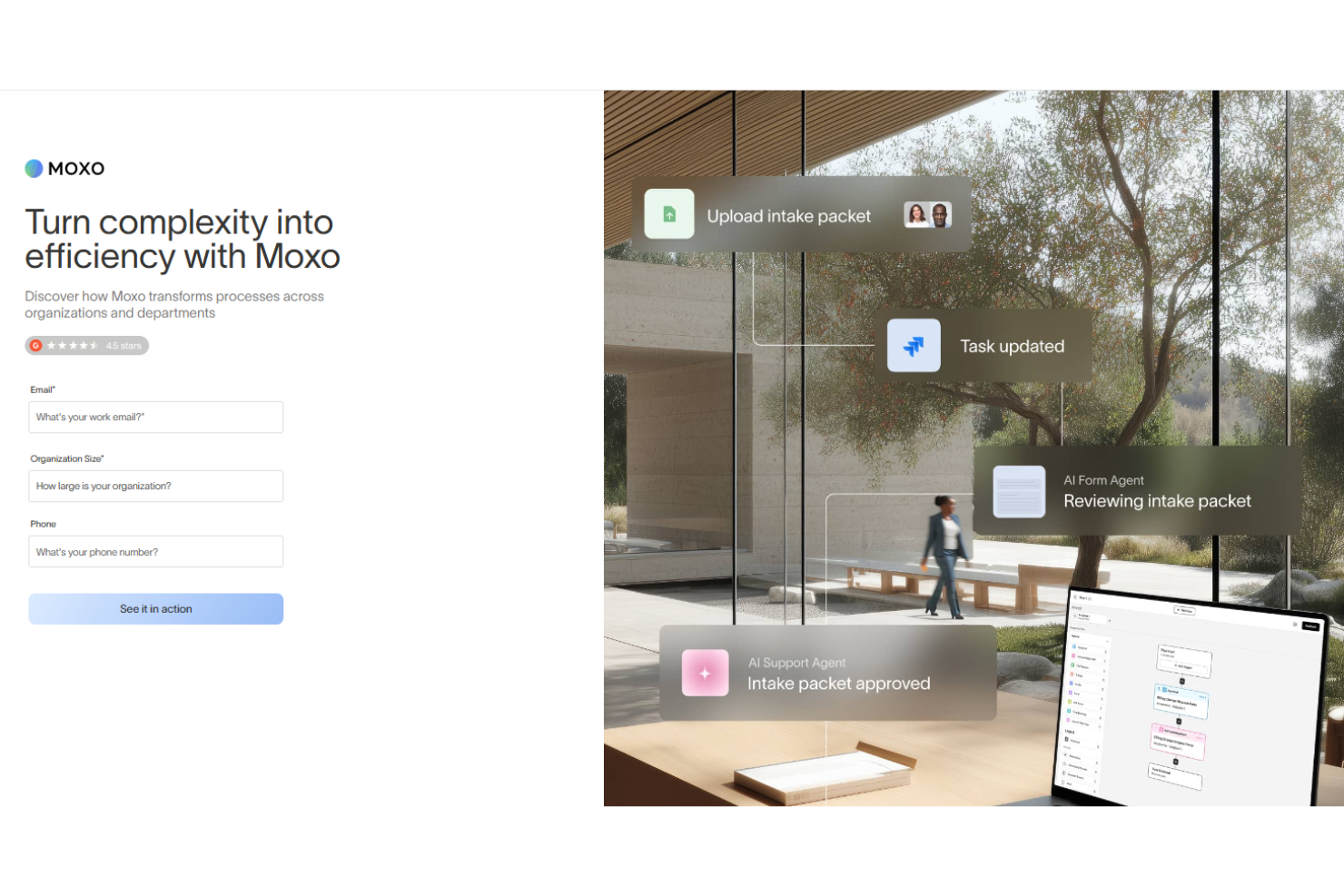
Moxo integrates with Salesforce, HubSpot, Microsoft Dynamics, Zoho, Wealthbox, Redtail, Filevine, Global Relay, Smarsh, and Google Drive.
Moxo also provides an API for creating custom integrations and connects with third-party integration tools like Zapier.

Value for Money
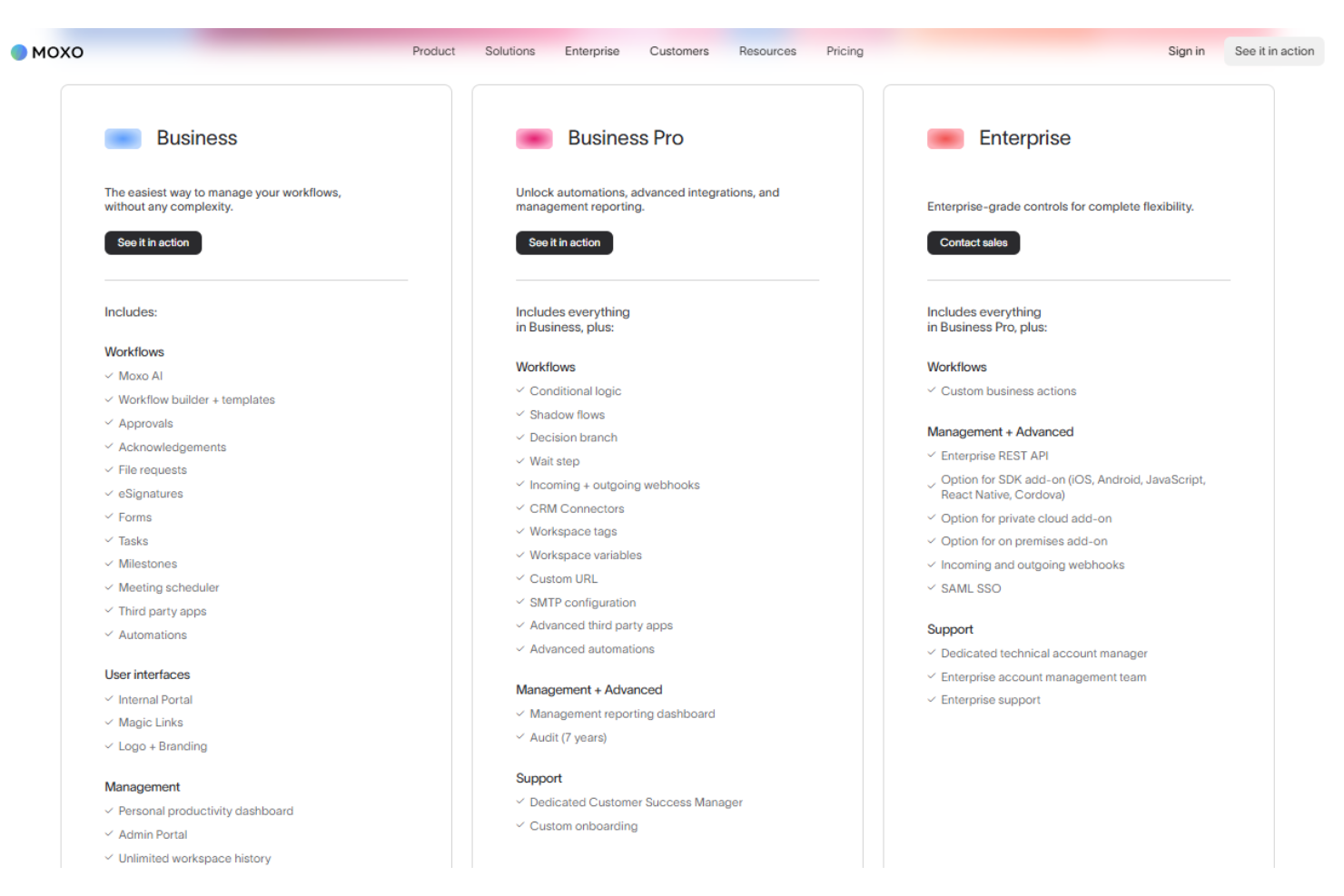
Moxo provides solid value for its price, with user reviews highlighting its cost-effectiveness compared to similar tools. Its pricing model offers different tiers to cater to various team sizes and needs, making it adaptable for diverse business requirements. The availability of a free demo also allows teams to evaluate the software before committing to a purchase.
- Business: Entry-level features for small teams, starting around $100 per month.
- Business Pro: More advanced tools for growing teams, starting around $480 per month.
- Enterprise: Enhanced capabilities and support for larger organizations, custom pricing.
Moxo Specs
- Access Management
- Analytics
- API
- Approval Workflows
- Audit Trail
- Batch Permissions & Access
- Business Rules Mining
- Compliance Tracking
- Custom Reports
- Customer Management
- Data Export
- Data Import
- Document Management
- External Integrations
- Form Builder
- Multi-User
- Notifications
- Process Modeling
- Process Reporting
- Project Management
- Reports
- Risk Assessment
- Roadmapping
- White-label
- Workflow Management
Moxo FAQs
How does Moxo handle data security and compliance?
What support does Moxo offer for onboarding my team?
Can Moxo assist in managing customer service workflows?
How does Moxo ensure effective team collaboration?
Is Moxo customizable to fit our specific needs?
How reliable is Moxo's customer support?
What measures does Moxo take to ensure data integrity?
How does Moxo handle verified users and access control?
Moxo Company Overview & History
Moxo, originally known as Moxtra, is co-founded by Subrah Iyar and Stanley Huang and is built around the idea of using AI and human oversight to simplify business processes. The company is based in Cupertino, CA and serves industries like marketing, technology, financial services, and healthcare. The company is known for collaborating with notable organizations like Procore, Savills, Emirates Bank, and Scotiabank, among its users.
Moxo Major Milestones
- 2012: Co-founded as Moxtra by Subrah Iyar and Stanley Huang.
- 2022: Rebranded as Moxo.