

TeamSupport Review: Pros, Cons, Features, and Pricing Explained


Unanticipated issues in the B2B customer support lifecycle, like the lack of coherent customer insights, can negatively impact your customer support efforts and possibly spell the end of meaningful, long-standing client relationships or even deter future business. The right customer support software can potentially nip these issues right in the bud. TeamSupport supports critical B2B workflows throughout the entire customer support lifecycle via its centralized platform with AI-driven insights and ticket automation. In this review, cover TeamSupport's key features, best and worst use cases, pros and cons, and pricing to help you decide if it's right for your customer experience needs.
TeamSupport Evaluation Summary
- From $45/month (billed annually)
- Free demo available
Why Trust Our Software Reviews
TeamSupport Overview
When comparing TeamSupport against other customer support software, its centralized ticket hub, AI insights, and reporting tools stand out for B2B environments seeking to consolidate customer support with revenue growth. The interface is straightforward, and the tiered pricing is flexible for teams of different sizes, though some users have expressed frustration with the initial setup and configuration. Integrations cover most essentials, but more extensive and flexible integration functionalities lag behind competitors. If you’re selecting a solution for a mid-sized or enterprise B2B team that values shared context and detailed reporting, TeamSupport is a strong contender.
pros
-
Ticket collaboration tools support complex B2B workflows.
-
Customer database tracks multi-contact account histories.
-
Reporting and analytics offer detailed team performance insights.
cons
-
Some users have expressed frustration with the lengthy setup.
-
Integrations aren't as extensive as other platforms.
-
Some users report slow response times from support.
Is TeamSupport Right For Your Needs?
Who Would be a Good Fit for TeamSupport?
TeamSupport is best suited for B2B organizations that manage complex client relationships and require detailed ticket tracking across multiple contacts. Its customer database, collaboration tools, and reporting features make it a strong choice for industries and teams that need to coordinate support across departments or accounts. If your business relies on tracking long-term customer histories and sharing context between agents, or even departments, TeamSupport’s feature set aligns well with these needs.
-
Customer Success Departments
Centralized customer data helps teams proactively manage client outcomes.
-
Enterprise Support Teams
Advanced reporting and account management suit large-scale operations.
-
Healthcare Technology
HIPAA-compliant features and audit trails support regulated environments.
-
IT Service Desks
Collaboration tools support multi-agent troubleshooting for technical issues.
-
Manufacturing Companies
Detailed ticket histories help manage product support and warranty claims.
-
SaaS Providers
TeamSupport tracks multi-contact accounts and recurring issues common in SaaS.
Who Would be a Bad Fit for TeamSupport?
TeamSupport may not be the best choice for small businesses, high-volume B2C support, or teams seeking lightweight, low-cost solutions. Its pricing, feature set, and focus on B2B workflows can be excessive or unnecessary for organizations with simpler needs or limited budgets. Teams that prioritize advanced automation or omnichannel support may also find gaps compared to other options.
-
Social Media Teams
Omnichannel and social support capabilities are less developed than alternatives.
-
Ecommerce Customer Service
Lacks specialized ecommerce integrations and order management features.
-
Startups on Budgets
Subscription costs may not align with early-stage resources.
-
High-Volume B2C
Limited automation and channel support hinder fast-paced consumer support.
-
Solo Support Agents
TeamSupport’s collaboration tools are unnecessary for single users.
-
Small Retail Stores
Pricing and features exceed the needs of basic retail support.
How We Test & Score Tools
We’ve spent years building, refining, and improving our software testing and scoring system. The rubric is designed to capture the nuances of software selection and what makes a tool effective, focusing on critical aspects of the decision-making process.
Below, you can see exactly how our testing and scoring works across seven criteria. It allows us to provide an unbiased evaluation of the software based on core functionality, standout features, ease of use, onboarding, customer support, integrations, customer reviews, and value for money.
Core Functionality (25% of final scoring)
The starting point of our evaluation is always the core functionality of the tool. Does it have the basic features and functions that a user would expect to see? Are any of those core features locked to higher-tiered pricing plans? At its core, we expect a tool to stand up against the baseline capabilities of its competitors.
Standout Features (25% of final scoring)
Next, we evaluate uncommon standout features that go above and beyond the core functionality typically found in tools of its kind. A high score reflects specialized or unique features that make the product faster, more efficient, or offer additional value to the user.
We also evaluate how easy it is to integrate with other tools typically found in the tech stack to expand the functionality and utility of the software. Tools offering plentiful native integrations, 3rd party connections, and API access to build custom integrations score best.
Ease of Use (10% of final scoring)
We consider how quick and easy it is to execute the tasks defined in the core functionality using the tool. High scoring software is well designed, intuitive to use, offers mobile apps, provides templates, and makes relatively complex tasks seem simple.
Onboarding (10% of final scoring)
We know how important rapid team adoption is for a new platform, so we evaluate how easy it is to learn and use a tool with minimal training. We evaluate how quickly a team member can get set up and start using the tool with no experience. High scoring solutions indicate little or no support is required.
Customer Support (10% of final scoring)
We review how quick and easy it is to get unstuck and find help by phone, live chat, or knowledge base. Tools and companies that provide real-time support score best, while chatbots score worst.
Customer Reviews (10% of final scoring)
Beyond our own testing and evaluation, we consider the net promoter score from current and past customers. We review their likelihood, given the option, to choose the tool again for the core functionality. A high scoring software reflects a high net promoter score from current or past customers.
Value for Money (10% of final scoring)
Lastly, in consideration of all the other criteria, we review the average price of entry level plans against the core features and consider the value of the other evaluation criteria. Software that delivers more, for less, will score higher.
Core Features
Centralized Ticket Hub
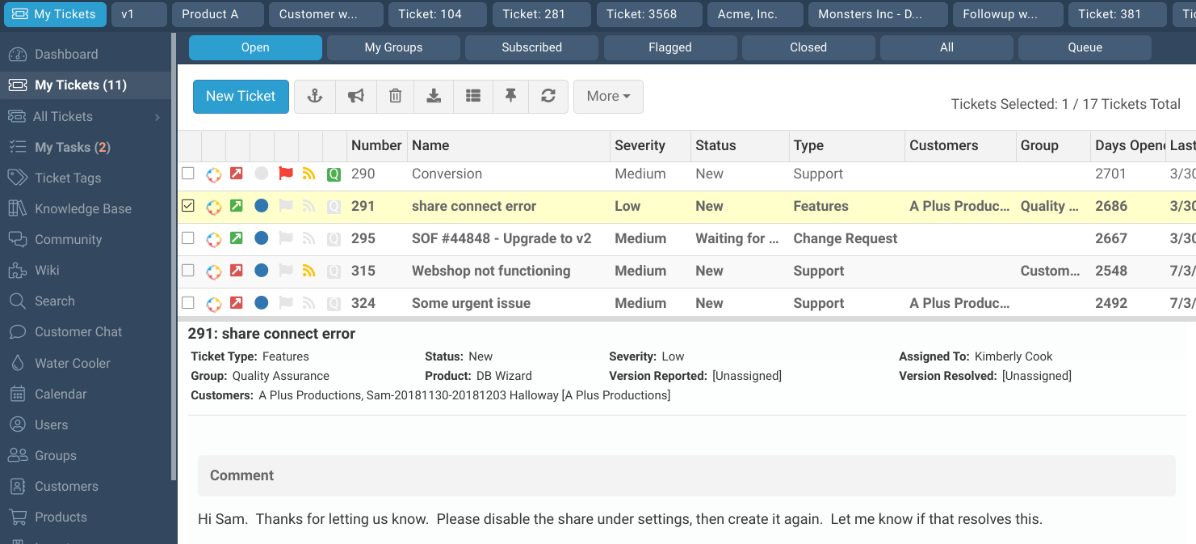
Organize, assign, and track support tickets with custom statuses through a centralized ticketing system. Agents can view ticket histories and automate escalations for faster resolution.
Customer Database
Store detailed profiles for each customer, including contacts, products, and ticket history. This helps agents access full context during every interaction.
Collaboration Tools
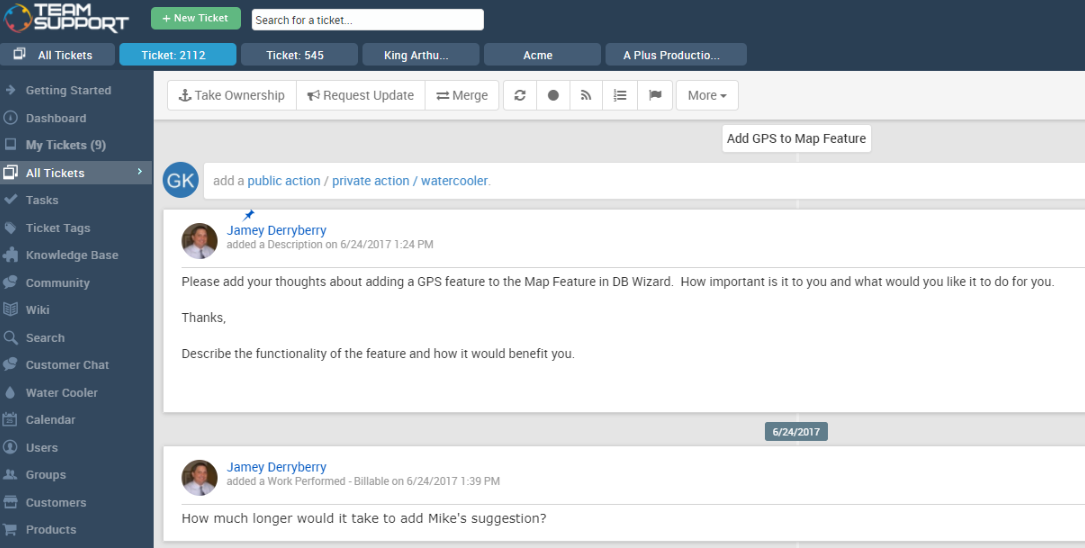
Share internal notes, tag team members, and use group ticket ownership to coordinate responses. Teams can resolve complex issues without losing information.
Reporting and Analytics
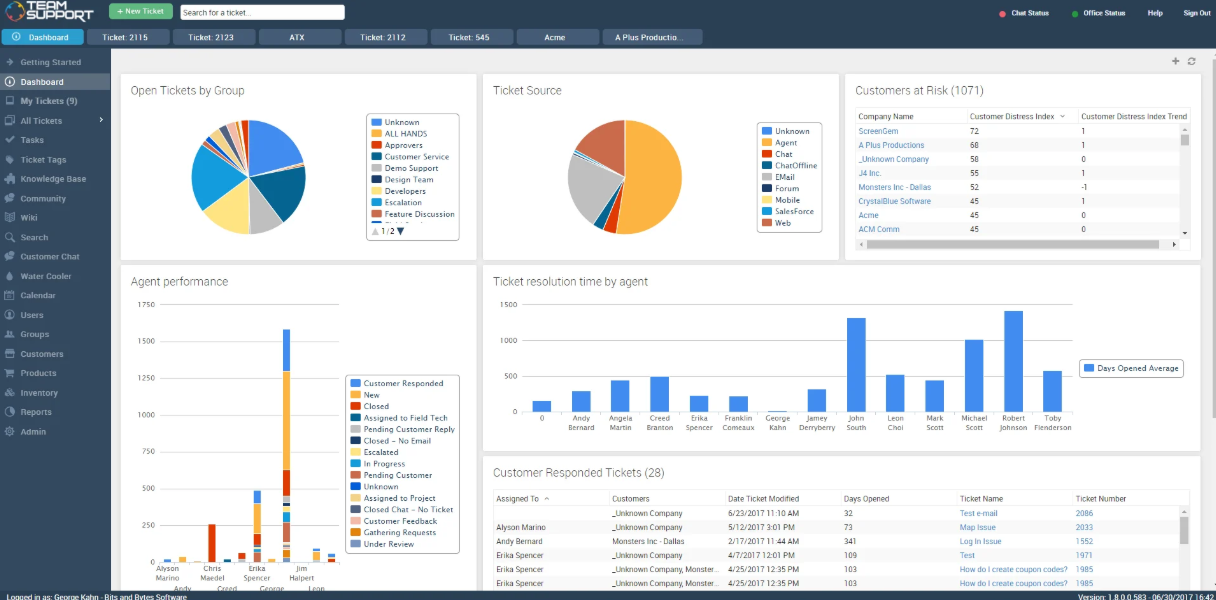
Generate real-time dashboards and AI-insights on key metrics like ticket volume, response times, and agent performance. Managers can identify trends and optimize workflows.
Customer Self-Service Portal
Allow customers to submit tickets, check status, and access knowledge base articles or internal wiki resources. This reduces repetitive inquiries and empowers users to find answers.
SLA Management
Set, monitor, and enforce service level agreements for different customers or ticket types. Automated notifications inform agents before deadlines are missed.
Standout Features
Customer Distress Index
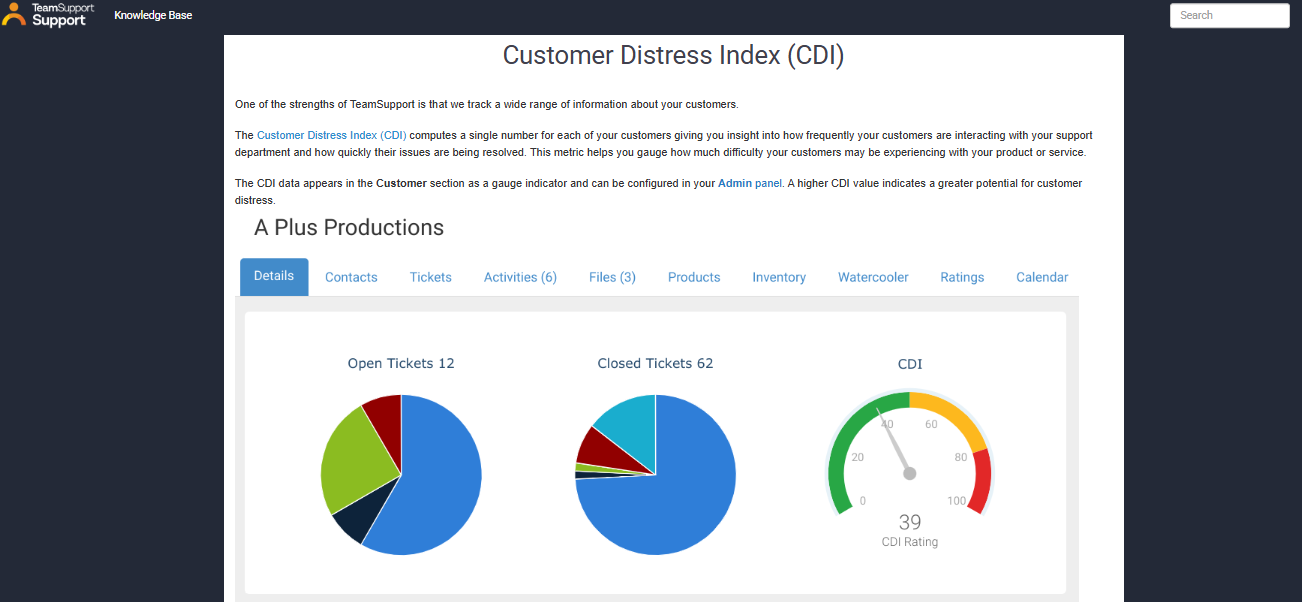
This feature automatically scores customer health based on ticket activity, sentiment, and response times. Teams can proactively identify at-risk accounts and prioritize outreach before issues escalate.
Configurable Workflow Automation
Automate ticket assignments, escalations, and parent-child ticket relationships to streamline complex B2B support workflows and ensure the right cases reach the right teams every time.
Ease of Use
TeamSupport offers a clean, intuitive, and user-friendly interface that most users find easy to navigate, especially when managing complex tickets and customer data. Onboarding is relatively straightforward, with guided setup and in-app tips that help new agents get up to speed. Some users mention that advanced features require extra training, but day-to-day tasks like ticket assignment and note sharing are simple. Overall, TeamSupport balances depth and usability well for B2B support teams.
Onboarding
TeamSupport's onboarding process is well-supported with step-by-step guides, video tutorials, and a dedicated knowledge base, but some users report that the initial setup can be lengthy. While live training sessions and responsive customer support are available to help teams get started, new agents should still expect a learning curve before reaching full productivity.
Customer Support
TeamSupport offers multiple support channels, including email, phone, and a customer portal, which most users find accessible and helpful. The support team is knowledgeable about the platform, but some users mention occasional delays in response times during peak periods. The extensive online knowledge base and community forums provide additional self-service options. Overall, TeamSupport’s customer support is reliable, especially for resolving technical questions and onboarding issues.
Integrations
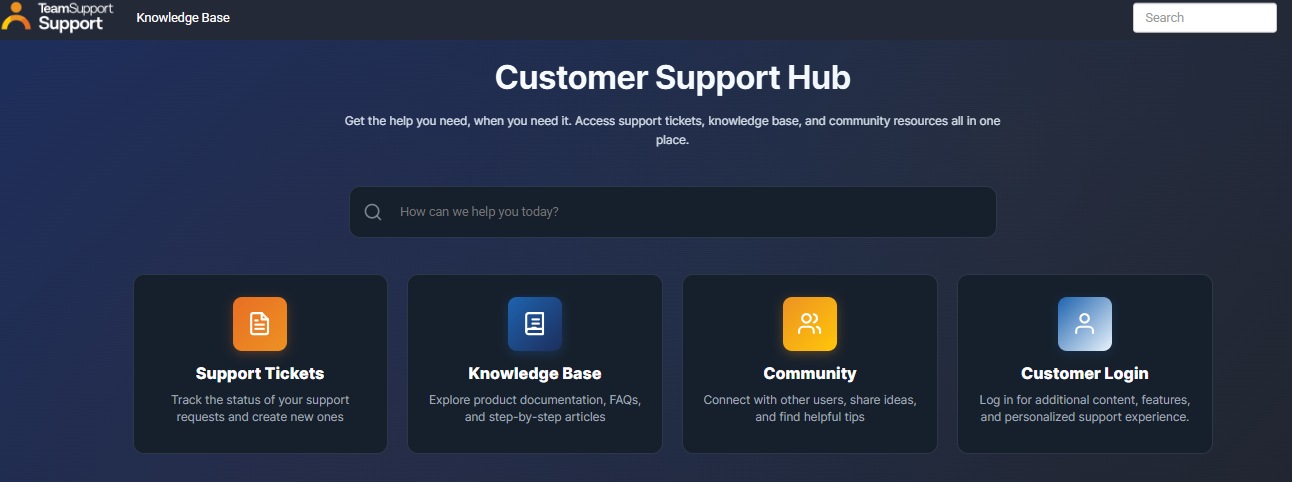
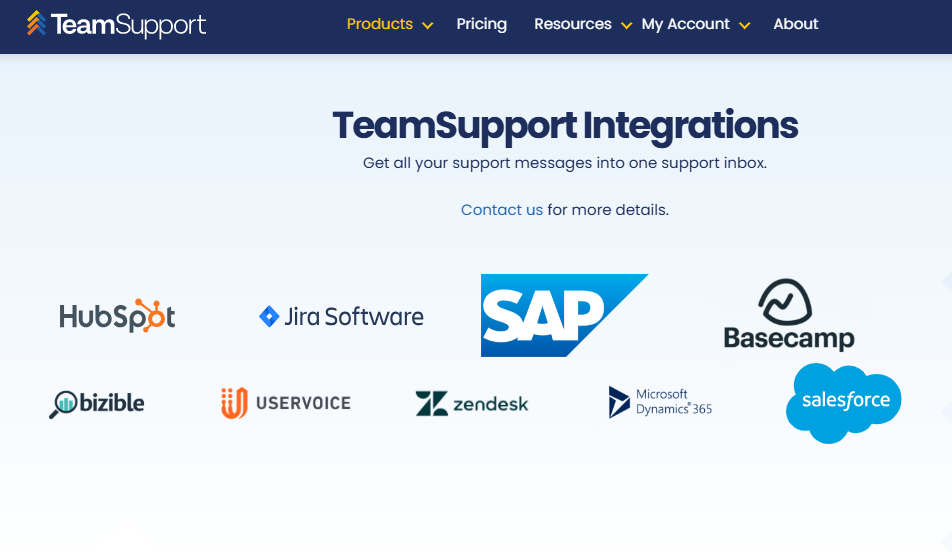
TeamSupport integrates with Slack, Microsoft Teams, Salesforce, Salesforce Desk, Zendesk, Help Scout, Microsoft Dynamics 365, HubSpot, Jira, Azure, SAP, and ServiceNow.
TeamSupport also offers a RESTful style API and connects with third-party integration tools for custom workflows.
Value for Money
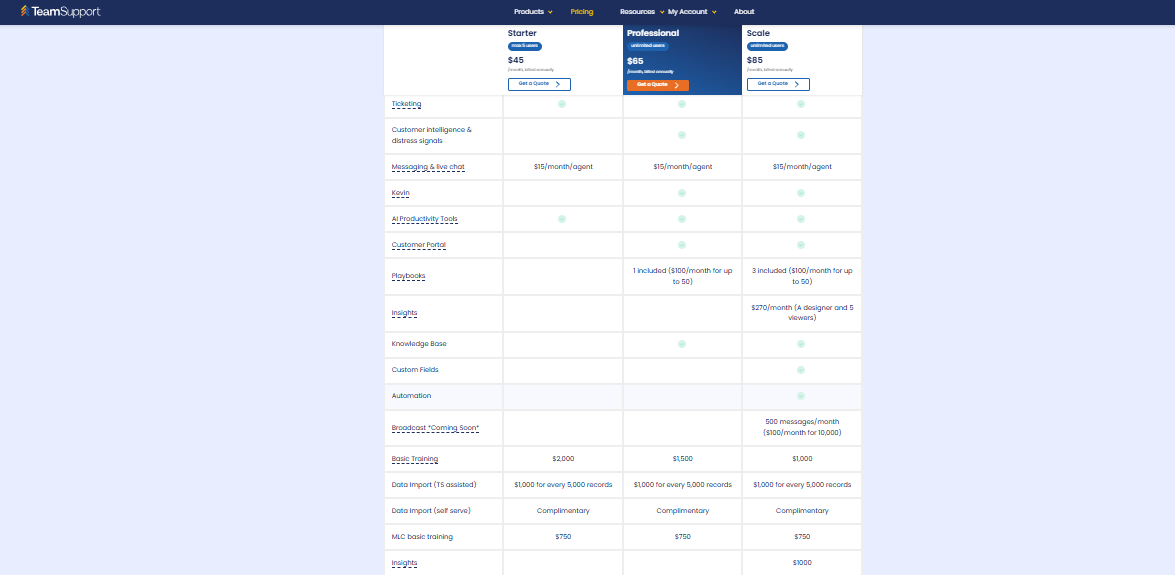
TeamSupport's pricing is structured around tiered plans, with optional add-ons like AI packages, chatbots, and HIPAA compliance, giving teams the flexibility to pay for what they actually need. While the base plans are competitively priced, smaller businesses may find that costs add up quickly once add-ons are factored in.
- Starter: Core live chat, essential integrations, and basic security features.
- Professional: Adds Salesforce and MS Dynamics integrations, advanced security, and team management tools like priority tiers and capacity reporting.
- Scale: Adds single sign-on, a dedicated client success manager, routing by tag, and a full service level agreement.
TeamSupport Specs
- Analytics
- API
- Batch Permissions & Access
- Call Integration
- Chat
- Contact Management
- Contact Sharing
- CRM Integration
- Customer Management
- Customer Service
- Dashboard
- Data Export
- Data Import
- Data Visualization
- Email Integration
- Escalation Management
- External Integrations
- Instant Chat Integration
- Knowledge Base
- Lead Management
- Lead Scoring
- Multi-User
- Notifications
- Real-time Alerts
- Scheduling
- Self-service Portal
- Social Media Integration
- Support Forum
- Third-Party Plugins/Add-Ons
- Ticket Management
- Workflow Management
TeamSupport FAQs
How does TeamSupport handle multi-contact accounts?
Can TeamSupport automate ticket routing and escalation?
What reporting capabilities does TeamSupport offer?
Is TeamSupport compliant with data security standards?
How customizable is TeamSupport for unique workflows?
Does TeamSupport support customer self-service?
What kind of onboarding and training resources are available?
Can TeamSupport scale with growing support teams?
TeamSupport Company Overview & History
TeamSupport was founded in 2008 and is headquartered in Dallas, Texas. The company focuses on cloud-based B2B customer support software, serving technology, hardware, and telecom sectors. TeamSupport has additional offices in Denver and Cape Town, South Africa, and is known for its collaborative approach to customer support. Notable clients include ProfitSword, and the company is led by CEO Grant Stanis.
TeamSupport Major Milestones
- 2008: Company founded in Dallas, Texas.
- 2008: TeamSupport product launched, targeting B2B customer support needs.
- 2020: Expanded with additional offices in Denver and Cape Town, South Africa.
- 2021: Featured in industry news for its role in enhancing B2B customer support collaboration.
- 2023: Recognized for serving notable clients like ProfitSword and expanding its global reach.